Technology

Best Digital Signage Software 2026: Complete Guide to Interactive Touchscreen Solutions

Best Digital Signage Software 2026: Complete Guide to Interactive Touchscreen Solutions

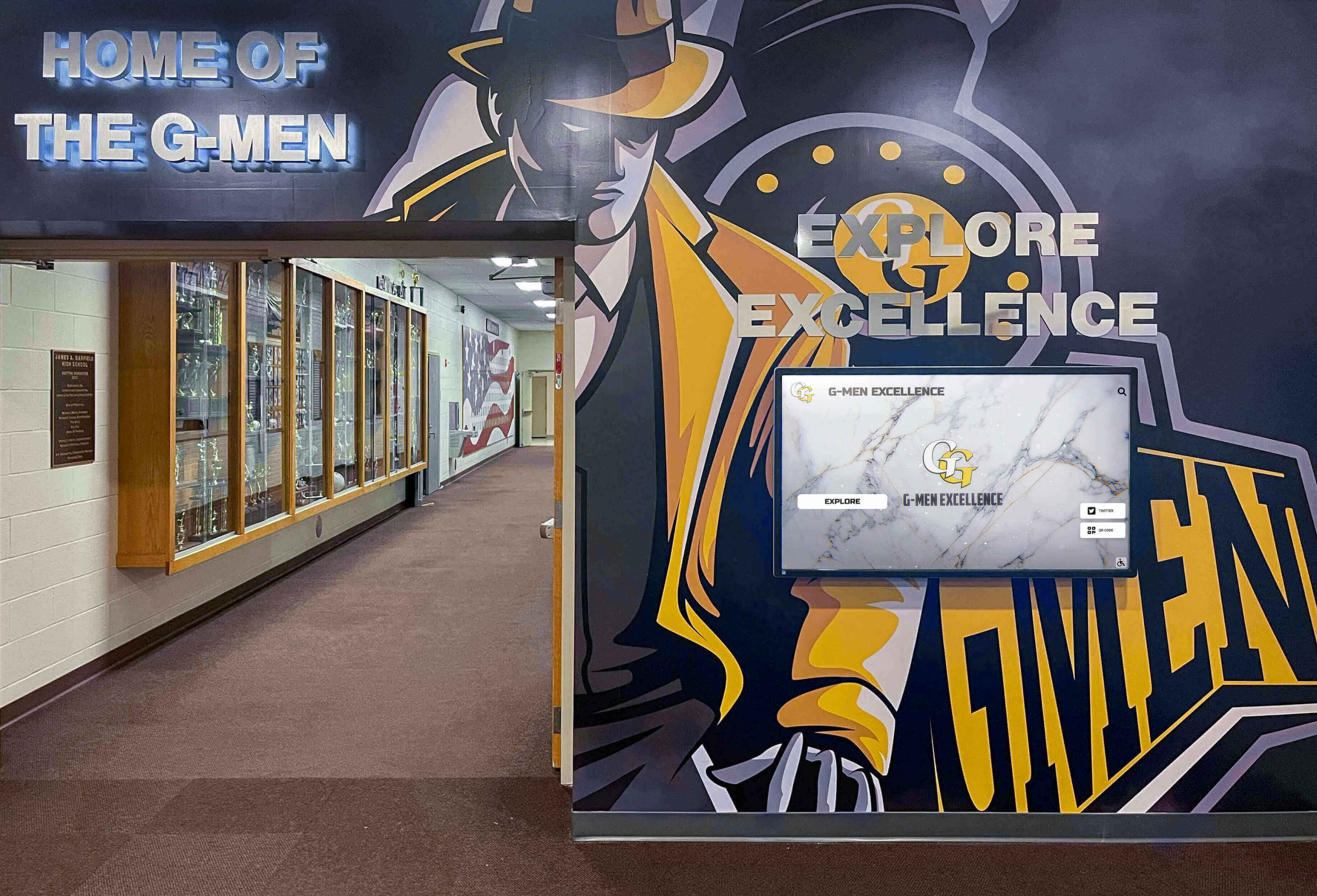
Selecting the right digital signage software shapes everything from visitor engagement and content management ease to long-term operational costs and system reliability. Schools, universities, corporate offices, and community organizations implementing interactive recognition displays, campus information systems, or digital communication platforms face a dynamic software landscape in 2026—featuring specialized touchscreen solutions, cloud-based content management platforms, and purpose-built recognition systems that transform how institutions celebrate achievements and communicate with their communities.

Read More
MWE-QIXZOCV Touchscreen Kiosk Interactive Displays: Complete 2025 Compatibility Guide for Schools

MWE-QIXZOCV Touchscreen Kiosk Interactive Displays: Complete 2025 Compatibility Guide for Schools

Intent: Evaluate & Implement — This comprehensive guide helps yearbook advisers, IT coordinators, and school administrators understand MWE-QIXZOCV touchscreen kiosk interactive displays and their compatibility with recognition software platforms like Rocket Alumni Solutions. You’ll discover detailed hardware specifications, key features for educational environments, software compatibility considerations, and implementation strategies that transform these versatile kiosks into powerful digital yearbook displays, interactive recognition systems, and engaging student information centers.

Read More
Touchscreen Kiosk App: Fully Locked Down Kiosk Browser - Free Download Guide 2025

Touchscreen Kiosk App: Fully Locked Down Kiosk Browser - Free Download Guide 2025

Intent: Compare & Download — This comprehensive guide helps schools, museums, libraries, businesses, and organizations evaluate the best free touchscreen kiosk browser apps available in 2025. You’ll discover fully locked down kiosk software alternatives to popular paid solutions like Fully Kiosk Browser, understand essential lockdown features, compare Android and Mac options, and learn deployment best practices—enabling you to transform tablets, touchscreens, and computers into secure public kiosks without expensive software licenses.

Read More
Best Touchscreen Software: Web-Based vs Native App - Complete 2025 Comparison Guide

Best Touchscreen Software: Web-Based vs Native App - Complete 2025 Comparison Guide

Intent: Decide & Compare — This comprehensive guide helps yearbook advisers, IT directors, and decision-makers understand the critical differences between web-based and native touchscreen software for digital yearbook platforms, interactive displays, and recognition systems. You’ll receive a complete comparison framework examining performance, costs, deployment complexity, maintenance requirements, and long-term sustainability—enabling you to select the optimal solution matching your school’s technical capabilities and budget constraints.

Read More

Touch Screen Kiosk Software For Interactive Kiosk Displays: Complete 2025 Implementation Guide

Touch Screen Kiosk Software For Interactive Kiosk Displays: Complete 2025 Implementation Guide

Intent: Evaluate & Select — This comprehensive guide helps you understand, compare, and select the optimal touch screen kiosk software for creating interactive displays that engage visitors, streamline operations, and deliver measurable value. You’ll discover platform options ranging from specialized recognition systems to general-purpose kiosk builders, understand essential features that distinguish exceptional solutions from basic alternatives, and receive a complete implementation roadmap ensuring successful deployment and long-term sustainability.

Read More
Touchscreen Software - Rocket Alumni Solutions: Complete 2025 Guide for Schools & Organizations

Touchscreen Software - Rocket Alumni Solutions: Complete 2025 Guide for Schools & Organizations

Intent: Evaluate & Implement — This comprehensive guide helps yearbook advisers, athletic directors, IT coordinators, and school administrators understand Rocket Alumni Solutions’ touchscreen software platform for creating interactive recognition displays that celebrate student achievements, preserve institutional history, and engage school communities. You’ll discover the platform’s key features, implementation process, real-world benefits for schools, and why over 1,400 institutions have selected this purpose-built solution for their digital recognition needs.

Read More

Best Touchscreen Software for Mac: Complete 2025 Guide to Kiosk Mode & Display Solutions

Best Touchscreen Software for Mac: Complete 2025 Guide to Kiosk Mode & Display Solutions

Mac computers have become increasingly popular for touchscreen kiosks and digital displays—from museum exhibits and school recognition displays to retail information stations and corporate lobbies. Yet deploying Mac-based touchscreen solutions presents unique challenges that Windows users rarely encounter: macOS lacks native external touchscreen support, kiosk mode configuration requires technical expertise, and browser lockdown demands complex setup procedures that intimidate many organizations.

Read More

Types of Screens Used for Digital Signage: Complete 2025 Guide to Display Technology Selection

Types of Screens Used for Digital Signage: Complete 2025 Guide to Display Technology Selection

Selecting the right screen technology for digital signage determines everything from visibility and image quality to long-term operating costs and maintenance requirements. Schools, universities, businesses, and organizations implementing digital recognition displays, wayfinding systems, menu boards, or information kiosks face a complex landscape of display technologies—each with distinct advantages, limitations, and ideal applications that significantly impact project success and viewer engagement.

Read More

UPDD Touch Software: Complete Touchscreen Driver Guide for 2025

UPDD Touch Software: Complete Touchscreen Driver Guide for 2025

Touchscreen functionality depends entirely on driver software that translates physical touch into digital commands—and while modern operating systems include basic touch support, sophisticated installations like interactive kiosks, digital signage, industrial control panels, and specialized displays often require more comprehensive solutions. UPDD (Universal Pointer Device Driver) from Touch-Base Ltd stands as one of the most versatile and powerful touchscreen driver platforms available, supporting virtually any touch hardware across Windows, macOS, Linux, and Android operating systems.

Read More

Which Software Can I Use to Create Interactive Touchscreen Experiences? Complete 2025 Guide

Which Software Can I Use to Create Interactive Touchscreen Experiences? Complete 2025 Guide

Interactive touchscreens have transformed how organizations engage their audiences—from museum exhibits and retail kiosks to corporate lobbies and educational institutions. Whether you’re planning a digital recognition wall, an interactive wayfinding system, a self-service kiosk, or an immersive exhibit experience, choosing the right software platform determines your project’s success, long-term sustainability, and user engagement.

Read More

1,000+ Installations - 50 States

Browse through our most recent halls of fame installations across various educational institutions