School history, shared
Yearbook Scanning Vendors for Schools: How to Choose a Digitization Partner

Schools preserving decades of yearbook history face a critical decision: choosing a digitization partner capable of transforming fragile physical volumes into searchable digital archives without compromising quality or losing institutional memories. The yearbook scanning vendor you select determines not only the technical quality of your digitized collection but also the project timeline, total cost, long-term accessibility, and ultimately whether your digitization initiative succeeds in making school history accessible to alumni, students, and community members.
Unlike routine office scanning projects, yearbook digitization demands specialized expertise addressing unique challenges—handling delicate bindings without damage, capturing faded photographs with appropriate restoration, processing hundreds of pages with consistent quality, creating searchable text from decades-old typography, and delivering digital files in formats supporting both immediate web access and long-term archival preservation. The wrong vendor selection leads to disappointing results: blurry scans that fail to capture photo details, damaged yearbooks with broken bindings, inaccurate OCR making content unsearchable, and proprietary file formats locking your institutional history into systems you cannot control.
This comprehensive guide walks you through evaluating yearbook scanning vendors systematically—from understanding different service models and scanning specifications through assessing vendor capabilities, negotiating project scope, managing quality standards, and ensuring you receive digital assets supporting your long-term goals whether you plan web-accessible alumni archives, interactive touchscreen displays, or preservation-focused institutional repositories.
Who This Helps
Selecting the right yearbook scanning vendor affects multiple stakeholders across educational institutions:
- School librarians and archivists responsible for preservation decisions protecting institutional history for future generations
- Alumni relations directors seeking to create engaging digital yearbook archives increasing alumni connectivity and participation
- Athletic directors wanting to digitize yearbooks showcasing decades of program history through digital recognition displays
- School administrators evaluating vendors for anniversary projects, capital campaigns, or comprehensive digitization initiatives
- IT directors assessing technical specifications, file formats, metadata standards, and integration requirements
- Development professionals leveraging yearbook digitization for donor engagement and fundraising opportunities
Whether you’re digitizing ten yearbooks or a complete century-long collection, understanding vendor capabilities and evaluation criteria ensures successful project outcomes.

Quality yearbook scanning preserves institutional history while enabling modern digital access through searchable archives and interactive displays
Understanding Yearbook Scanning Service Models
Yearbook scanning vendors operate through different service models, each offering distinct advantages and trade-offs based on your institution’s priorities, budget, and technical capabilities.
Mail-In Scanning Services
Most specialized yearbook digitization companies operate through mail-in models where schools ship physical yearbooks to scanning facilities equipped with specialized equipment and trained technicians.
How Mail-In Services Work
Schools package and ship yearbooks to vendor facilities where professional scanning technicians process volumes using high-resolution flatbed scanners designed for bound materials. Vendors handle every aspect of the digitization process—from carefully removing yearbooks from packaging through page-by-page scanning, image processing, OCR (optical character recognition) text extraction, quality control review, and final digital file delivery via cloud download or hard drive shipment.
Advantages of Mail-In Services
- Access to specialized book scanning equipment most schools cannot justify purchasing
- Experienced technicians trained in handling fragile historical materials without causing damage
- Consistent quality control processes ensuring uniform scanning across entire collections
- No requirement for school staff time beyond initial project coordination and quality review
- Scalability accommodating projects from single yearbooks to complete multi-decade collections
Considerations for Mail-In Services
- Shipping risks requiring appropriate insurance covering irreplaceable yearbooks during transit
- Project timelines extending weeks or months depending on vendor capacity and collection size
- Loss of physical access to yearbooks during scanning period affecting reference requests
- Dependence on vendor communication and project management for status updates
Mail-in services work best for schools lacking internal scanning capabilities, institutions with complete yearbook collections available for extended periods, and projects where professional quality justifies shipping logistics.
On-Site Scanning Services
Some vendors offer on-site digitization where technicians bring portable scanning equipment to school facilities and complete projects without yearbooks leaving campus.
On-Site Service Benefits
- Yearbooks remain securely on campus throughout digitization process
- Eliminates shipping risks for irreplaceable historical materials
- Allows real-time project monitoring and immediate quality review
- Enables flexible scheduling accommodating school calendar and space availability
- Facilitates collaborative decision-making during scanning process
On-Site Service Limitations
- Higher costs reflecting travel expenses and technician time
- Space requirements for scanning equipment and work area
- Potential disruptions to school operations during scanning periods
- Limited vendor availability in certain geographic regions
On-site scanning suits institutions with rare or extremely fragile yearbooks justifying premium costs, schools requiring yearbooks to remain accessible during projects, and situations where shipping insurance coverage proves difficult to obtain.
Hybrid DIY Services
Several vendors offer hybrid models providing schools with scanner rental, training, and technical support while school staff or volunteers complete actual scanning.
DIY Service Characteristics
- Lower costs through school labor contribution
- Complete control over project timeline and priorities
- Opportunity for student involvement creating learning experiences
- Retention of equipment allowing ongoing digitization of additional materials
DIY Service Requirements
- Significant staff or volunteer time commitment
- Learning curve mastering scanning techniques and quality standards
- Responsibility for quality control and consistency across project
- Technical troubleshooting capabilities
DIY approaches work for schools with available labor resources, institutions planning ongoing digitization beyond yearbooks, and situations where budget constraints preclude full-service options but internal expertise supports technical execution.
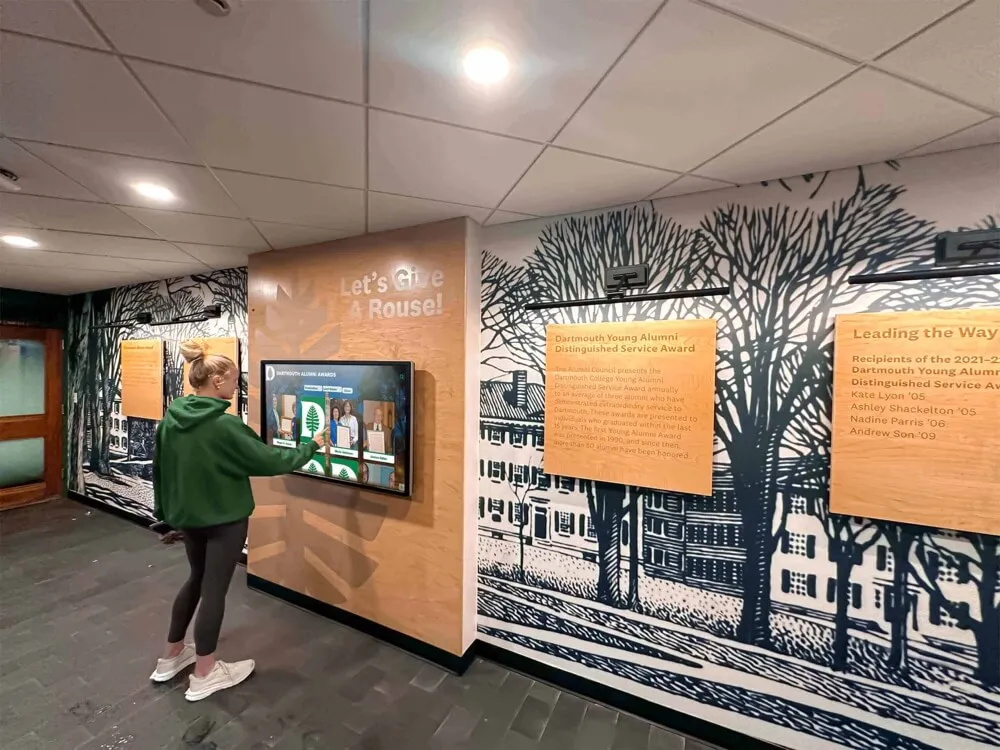
Professional yearbook digitization creates engaging interactive experiences allowing alumni to explore institutional history through touchscreen displays and searchable databases
Critical Evaluation Criteria for Yearbook Scanning Vendors
Selecting the right digitization partner requires systematic evaluation across multiple dimensions affecting project outcomes, costs, and long-term value.
Technical Scanning Specifications
Scanning specifications determine the quality and usability of your digitized yearbook collection for both current access and long-term preservation.
Resolution Requirements
Resolution, measured in dots per inch (DPI), directly impacts image clarity and detail preservation:
- 300 DPI: Minimum acceptable resolution for basic text legibility and web display; suitable only when space constraints require smaller file sizes and detailed photo quality is not priority
- 400-600 DPI: Recommended standard for most yearbook digitization balancing excellent photo quality, clear text, and reasonable file sizes supporting both web access and archival preservation
- 800+ DPI: Premium resolution for rare historical yearbooks requiring maximum detail capture, future restoration possibilities, or specialized archival requirements
Request sample scans at proposed resolutions showing both text pages and photograph pages so you can evaluate actual quality before committing to full projects. Many schools discover that vendors promoting “standard 300 DPI scanning” produce disappointing results when viewing actual yearbook photos at screen magnification typical for alumni searching for specific faces.
Color Depth and Mode
Color scanning specifications affect how faithfully digital versions reproduce original yearbooks:
- 24-bit RGB color scanning: Standard for color yearbooks capturing full color range
- 48-bit color scanning: Premium option providing greater color accuracy and dynamic range supporting future image enhancement
- 8-bit grayscale: Appropriate only for genuinely black-and-white yearbooks, not simply older color yearbooks with faded colors
Ensure vendors scan all color yearbooks in color mode regardless of age—even faded 1970s yearbooks contain color information valuable for historical accuracy and restoration possibilities.
File Format Deliverables
Request multiple file format deliverables supporting different use cases:
- Archival masters: Uncompressed TIFF files at full resolution preserving maximum quality for long-term preservation
- Access copies: Compressed JPG or PDF files optimized for web delivery and user downloads
- OCR text files: Searchable text extracted through optical character recognition enabling name searches and content discovery
Quality vendors provide all three format types as standard deliverables; vendors offering only compressed PDFs may not support genuine archival preservation or flexible future use.
OCR and Searchability Capabilities
Optical character recognition transforms scanned images into searchable text, dramatically increasing yearbook usability for alumni searching for names, looking up club memberships, or researching institutional history.
OCR Accuracy Expectations
Modern OCR technology achieves 95-99% accuracy on clean, well-printed text but struggles with challenges common in older yearbooks:
- Degraded print quality from aging and handling
- Decorative fonts and unusual typography
- Text printed over textured backgrounds or photos
- Handwritten inscriptions and signatures
- Small font sizes in photo captions
Request OCR accuracy rates vendors typically achieve on yearbooks from different decades, and ask whether services include manual correction of obvious errors in critical fields like names and dates. Some premium vendors employ human reviewers who verify and correct names specifically, dramatically improving searchability for the content alumni care most about finding.
Metadata and Index Creation
Beyond basic OCR, sophisticated vendors create structured metadata making yearbooks truly searchable:
- Individual page indexing linking specific content to page numbers
- Section identification marking class photos, clubs, sports, events separately
- Name extraction creating searchable person indexes
- Graduation year tagging enabling multi-year searches
- Keyword categorization supporting content discovery
This metadata creation requires significant additional work beyond scanning but transforms digital yearbooks from simple image collections into powerful searchable databases.

Advanced digitization vendors provide structured metadata and searchable interfaces making yearbook archives genuinely useful for alumni research and discovery
Experience with Educational Institutions
Yearbook digitization differs significantly from general document scanning, and vendor experience specifically with educational institutions matters considerably.
Educational Institution Specialization
Vendors specializing in school archives understand unique considerations:
- FERPA compliance requirements protecting student privacy in digital archives
- Copyright considerations for yearbook content created by students, advisers, and photographers
- Graduation year organization structuring archives around academic years rather than calendar years
- Multi-campus systems handling digitization across district-wide yearbook collections
- Alumni access patterns designing search interfaces matching how alumni actually explore yearbooks
Request references from schools with similar collection sizes, yearbook age ranges, and digitization goals. Speaking directly with other institutions about their experiences reveals vendor strengths and weaknesses not apparent from marketing materials.
Handling Rare and Fragile Materials
Historical yearbooks often present preservation challenges requiring specialized handling:
- Brittle bindings requiring non-destructive scanning techniques
- Loose or detached pages needing careful reassembly
- Fragile paper prone to tearing during handling
- Deteriorating adhesives causing pages to stick together
- Water damage or mold requiring remediation decisions
Evaluate vendors on their experience with fragile materials, ask about scanning techniques protecting delicate bindings, and understand policies regarding yearbooks discovered to have damage during scanning. Reputable vendors photograph any existing damage before beginning work and immediately alert schools if problems arise rather than proceeding with techniques that might cause additional harm.
Pricing Models and Cost Considerations
Yearbook scanning costs vary dramatically based on service models, specifications, collection characteristics, and vendor positioning, with typical projects ranging from $15 to $150+ per yearbook depending on these factors.
Understanding Vendor Pricing Structures
Per-Page Pricing
Most vendors quote rates per scanned page, typically ranging from $0.15 to $1.00 per page based on specifications:
- Basic scanning (300 DPI, JPG only, no OCR): $0.15-0.30 per page
- Standard digitization (400-600 DPI, multiple formats, basic OCR): $0.35-0.60 per page
- Premium archival (800+ DPI, uncompressed masters, enhanced OCR, metadata): $0.75-1.00+ per page
Per-page pricing provides transparency but requires accurate page counts. Yearbooks typically contain 100-300 pages depending on school size and year, meaning single yearbook costs range from $15 to $300 based on page count and service level.
Per-Yearbook Flat Rate
Some vendors offer flat rates per yearbook regardless of page count, simplifying budgeting:
- Standard yearbooks: $40-80 per volume
- Oversized or specialty yearbooks: $80-150 per volume
Flat-rate pricing works well when collections include yearbooks with varying page counts, but verify whether vendors adjust rates for unusually large volumes or assess surcharges for specific year ranges.
Project Minimums and Volume Discounts
Many vendors establish minimum project sizes and offer volume discounts:
- Project minimums often require 10-25 yearbooks minimum
- Volume discounts typically begin at 50+ yearbooks, with rates declining at 100, 200, and 500+ volume thresholds
- Multi-year contracts offering ongoing digitization can secure better per-volume rates
When soliciting quotes, provide accurate collection size estimates and indicate whether you plan phased digitization potentially expanding in future years.
Hidden Costs and Additional Fees
Request detailed pricing covering potential additional charges:
Supplemental Service Charges
- Shipping insurance: Often required for irreplaceable yearbooks
- Rush processing: Expedited timelines typically add 25-50% premiums
- Yearbook cleaning: Some vendors charge for removing dust and debris before scanning
- Repair consultation: Assessment of damaged yearbooks may incur fees
- Custom metadata: Enhanced indexing beyond standard OCR costs extra
- Multiple delivery formats: Some vendors charge separately for archival TIFFs versus web JPGs
Long-Term Storage and Access
Understand costs beyond initial digitization:
- Cloud hosting fees: Monthly or annual charges for vendor-hosted digital yearbook platforms
- Platform licenses: Annual fees for search interface software
- Download limits: Some vendors restrict total download volume or implement per-download charges
- Data migration fees: Costs to extract your files if changing platforms or vendors
Quality vendors provide permanent deliverables you own outright without ongoing access fees, though premium hosted platforms offering search interfaces and alumni access tools may justify subscription costs for schools wanting turnkey solutions.
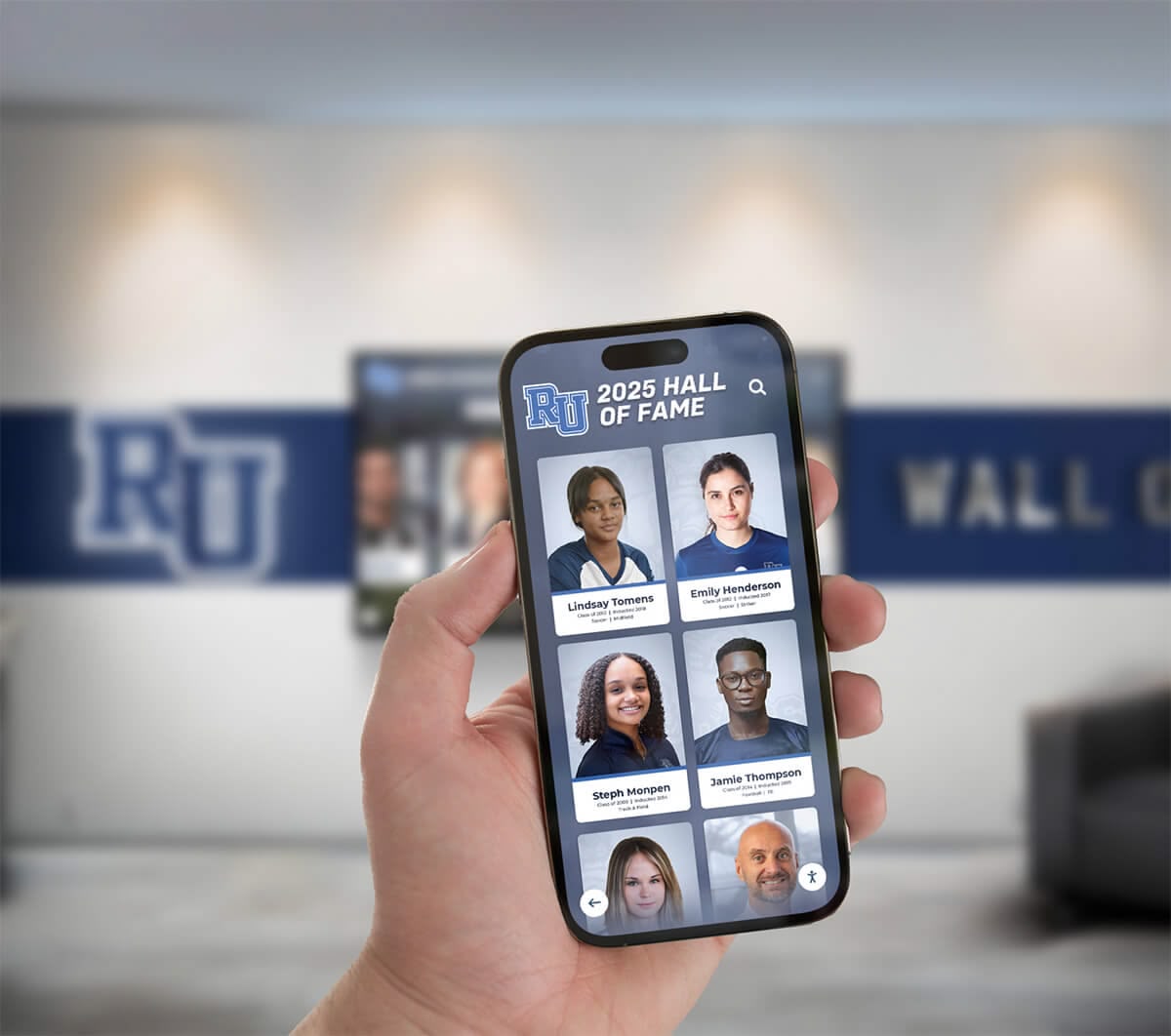
Comprehensive digitization solutions provide flexible access through web platforms, mobile apps, and downloadable archives ensuring long-term accessibility regardless of technology changes
Quality Control and Project Management
Successful yearbook digitization projects require robust quality control processes and clear project management communication throughout multi-month initiatives.
Establishing Quality Standards
Define quality expectations clearly before projects begin:
Sample Scan Review
Require vendors to scan 3-5 representative yearbook pages as samples demonstrating:
- Text clarity and legibility at specified resolution
- Photo detail and tonal range reproduction
- Scan alignment and cropping precision
- Color accuracy compared to original pages
- File format and metadata delivery
Review samples carefully at 100% magnification simulating how users will actually view content when searching for specific details, not just thumbnail overviews making quality problems invisible.
Acceptance Criteria Documentation
Establish written criteria defining acceptable quality:
- Minimum acceptable OCR accuracy rates
- Maximum acceptable defects per page (dust spots, scratches, alignment issues)
- Color fidelity standards for accurate reproduction
- Resolution verification confirming specified DPI delivery
- Completeness requirements ensuring all pages captured
Clear acceptance criteria protect both parties—vendors understand expectations, and schools have objective standards for evaluating deliverables before final payment.
Communication and Status Reporting
Multi-month digitization projects require consistent communication preventing surprises:
Project Milestone Tracking
- Confirmation of yearbook receipt at vendor facilities
- Scanning completion estimates by collection segment
- Quality control review completion
- Digital file delivery timeline
- Physical yearbook return shipping
Regular Status Updates
Establish update frequency appropriate to project scale:
- Weekly updates for large multi-month projects
- Bi-weekly reporting for moderate 50-200 yearbook collections
- Milestone-based communication for small projects
Automated status dashboards providing real-time visibility into project progress represent best-in-class vendor capabilities, though regular email updates prove sufficient for most school projects.
Issue Resolution Processes
Understand vendor processes for handling problems discovered during projects:
- Damage discovery: How vendors document and report pre-existing yearbook damage
- Quality problems: Process for rescanning pages failing quality standards
- Missing pages: Protocol for handling incomplete yearbooks
- Timeline delays: Communication about schedule slippage and revised completion dates
Reputable vendors proactively communicate problems immediately rather than waiting for scheduled updates, and they take responsibility for quality issues discovered during school review of deliverables.
File Delivery, Storage, and Long-Term Access
How vendors deliver digitized yearbooks and what file formats you receive determines your ability to use, preserve, and migrate digital content over decades.
File Delivery Methods and Formats
Delivery Mechanism Options
Vendors provide digitized files through various delivery methods:
- Cloud download links: Secure URLs providing time-limited access to download complete collections
- Physical hard drives: Shipped USB drives or portable hard drives with full digital archive
- Hosted platforms: Vendor-maintained web platforms with search interfaces and user access controls
- FTP transfer: Direct file transfer to school servers for IT-managed storage
Request delivery through multiple methods when possible—hosted platforms offer convenient immediate access while physical hard drive backups provide security against platform changes or vendor business disruptions.
Archival File Organization
Evaluate how vendors structure and name digital files:
- Clear folder organization by graduation year and yearbook title
- Consistent file naming conventions identifying specific yearbooks and page numbers
- Separate folders for different file formats (archival TIFFs, access JPGs, OCR text)
- Embedded metadata within image files preserving scanning specifications and source identification
- Master index files documenting complete collection contents
Well-organized file structures allow schools to easily locate specific yearbooks and integrate content into local systems, while poor organization creates ongoing administrative burdens requiring manual file sorting and renaming.
Data Ownership and Usage Rights
Clarify ownership and usage rights before signing contracts:
Intellectual Property Provisions
- Confirm school retains complete ownership of all digitized files
- Ensure no restrictions on file redistribution, editing, or future use
- Verify schools can migrate files to different platforms without penalties
- Understand whether vendors claim any rights to use scanned images
Deletion and Retention Policies
Understand vendor policies regarding digital file retention:
- How long do vendors maintain copies of your digitized yearbooks?
- What deletion processes ensure vendor copies are removed after delivery?
- Can schools request extended vendor storage for backup purposes?
Schools should receive complete, unrestricted ownership of digitized content with vendors retaining copies only for defined warranty periods covering potential quality issues requiring rescanning.
Long-Term Digital Preservation Planning
Consider how digitized yearbooks will remain accessible for decades:
Format Longevity
Standard formats like TIFF, JPG, and PDF remain readable across technology generations, while proprietary formats risk becoming obsolete. Insist on open-standard file formats ensuring long-term readability regardless of vendor survival or platform changes.
Storage Redundancy
Implement multiple storage copies protecting against data loss:
- On-premises server storage managed by school IT departments
- Cloud backup services providing geographic redundancy
- Physical hard drive archives stored in separate buildings
- Periodic migration to new storage media preventing degradation
The 3-2-1 backup rule applies equally to digitized yearbooks: maintain at least three copies on two different media types with one copy stored off-site.
Metadata Preservation
Ensure searchability survives technology migrations by preserving metadata separately from image files through standard formats like CSV indexes documenting yearbook contents, names, and page locations.
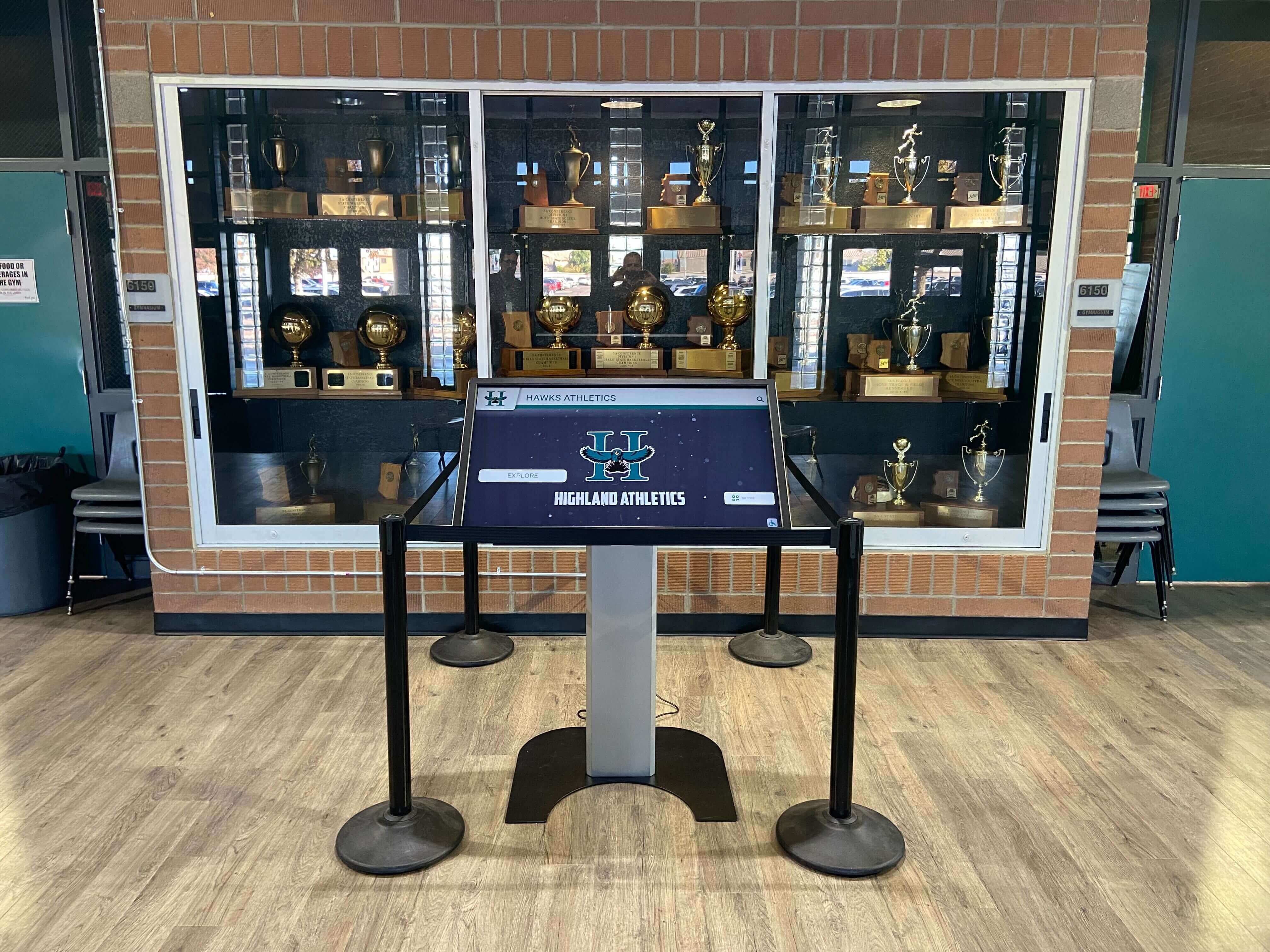
Schools can integrate digitized yearbook content with modern touchscreen technology creating interactive recognition displays celebrating institutional history
Specialized Considerations for Different Digitization Goals
Schools digitize yearbooks for various purposes requiring different vendor capabilities and service specifications.
Digitization for Alumni Engagement and Access
Schools creating web-accessible yearbook archives prioritizing alumni engagement require vendors offering:
User-Friendly Search Interfaces
Beyond basic scanning, alumni-focused projects benefit from:
- Name-searchable databases allowing individuals to find all their appearances
- Graduation year browsing enabling class reunion planning
- Full-text search capabilities finding clubs, activities, and events
- Social sharing features allowing alumni to post discoveries
- Mobile-responsive design supporting smartphone and tablet access
Some specialized vendors provide complete hosted platforms with these features included, while others deliver scanned files schools must integrate into separate content management systems.
Privacy and Access Controls
Consider who should access digitized yearbooks:
- Public access allowing anyone to search (maximizing alumni reach but raising privacy concerns)
- Alumni-only access requiring identity verification
- Graduated class access restricting viewing to yearbooks after individuals graduated
- FERPA-compliant controls protecting current student information
Vendors experienced with educational institutions understand these privacy considerations and can implement appropriate access controls.
Digitization for Archival Preservation
Schools primarily concerned with long-term preservation require different specifications than those focused on web access:
Maximum Quality Specifications
- Higher resolution scanning (800+ DPI) capturing maximum detail
- Uncompressed or losslessly compressed archival masters
- Color-calibrated scanning ensuring accurate reproduction
- Complete metadata documentation of scanning parameters
Conservation-Grade Handling
- Non-destructive scanning techniques protecting fragile bindings
- Climate-controlled processing environments
- Archival housing for physical yearbooks during projects
- Professional assessment of conservation needs
Archival digitization often costs significantly more than access-focused scanning but provides institutional archives meeting professional preservation standards suitable for historical research and future conservation efforts.
Digitization for Interactive Display Projects
Schools planning interactive touchscreen installations showcasing yearbook history require specific deliverables:
Image Optimization for Displays
- High-resolution files supporting large touchscreen displays (55" and larger)
- Individual page images rather than complete yearbook PDFs
- Metadata enabling dynamic content filtering and search
- Integration capabilities with touchscreen software platforms
Content Segmentation
Interactive displays often showcase specific yearbook sections rather than complete volumes:
- Individual portrait photos cropped from class photo pages
- Team photos extracted for athletic displays
- Club and organization images separated for activity recognition
- Event coverage highlighting institutional milestones
Some digitization vendors offer content extraction services specifically preparing yearbook elements for interactive display applications, while others provide only complete page scans requiring schools to perform their own content segmentation.
Request for Proposal (RFP) Process and Vendor Selection
For larger digitization projects or institutions requiring formal procurement processes, structured RFPs help evaluate vendors systematically.
Essential RFP Components
Project Scope Definition
- Total yearbooks requiring digitization with date ranges
- Estimated total page counts
- Yearbook condition assessment (excellent, good, fair, fragile)
- Desired file formats and specifications
- OCR and metadata requirements
- Delivery timeline expectations
Technical Requirements
- Minimum acceptable scanning resolution
- Color depth specifications
- File format deliverables
- OCR accuracy standards
- Metadata and indexing requirements
- Quality control processes
Vendor Qualification Criteria
- Years in business and financial stability
- Educational institution client references
- Insurance coverage for materials in transit and during processing
- Facility security and access controls
- Disaster recovery and business continuity plans
Pricing and Contract Terms
- Per-page or per-yearbook pricing with volume discounts
- Shipping and insurance costs
- Rush processing availability and premiums
- Payment schedule tied to project milestones
- Warranty periods covering quality issues
- Contract termination provisions
Evaluating Vendor Proposals
Score proposals systematically across key dimensions:
Technical Capability (30% weight)
- Equipment quality and scanning specifications
- OCR and metadata creation capabilities
- Sample scan quality demonstrating actual results
- Technical expertise with fragile materials
Experience and Reputation (25% weight)
- Educational institution specialization
- Reference quality from similar projects
- Years in business and project portfolio
- Professional affiliations and certifications
Project Management (20% weight)
- Communication and status reporting processes
- Quality control procedures
- Timeline realism and delivery confidence
- Issue resolution protocols
Pricing and Value (15% weight)
- Total project cost competitiveness
- Value alignment with specifications
- Transparency regarding additional fees
- Long-term cost considerations
Contract Terms (10% weight)
- Data ownership clarity
- Intellectual property provisions
- Warranty coverage
- Flexibility accommodating project changes
Avoid selecting vendors solely on lowest price—yearbook digitization quality problems discovered years later when viewing disappointing scans cannot be corrected without expensive re-scanning of entire collections.
Implementation Timeline and Project Phases
Yearbook digitization projects typically span 3-6 months from vendor selection through final delivery depending on collection size and vendor capacity.
Phase 1: Planning and Preparation (4-6 weeks)
Vendor Selection and Contracting
- Solicit proposals and evaluate vendors (2-3 weeks)
- Negotiate contracts and finalize agreements (1-2 weeks)
- Secure budget approval and purchase orders (1 week)
Collection Preparation
- Complete yearbook inventory with condition notes
- Photograph existing damage for documentation
- Create tracking system for yearbook locations
- Coordinate with facilities for packing and shipping logistics
Phase 2: Digitization Execution (6-16 weeks)
Material Transfer
Mail-in services:
- Pack and ship yearbooks with insurance documentation (1 week)
- Vendor receiving verification and inventory confirmation (1 week)
On-site services:
- Vendor setup and equipment installation (2-3 days)
Scanning and Processing
Project duration depends on collection size and vendor capacity:
- Small projects (10-25 yearbooks): 3-4 weeks
- Medium projects (50-100 yearbooks): 6-8 weeks
- Large projects (200+ yearbooks): 12-16 weeks
Vendors typically process collections in batches, completing partial deliveries allowing progressive quality review while remaining volumes undergo scanning.
Quality Review and Approval
As vendors complete batches:
- Review sample scans from each decade or yearbook style (ongoing)
- Verify OCR accuracy on representative pages (ongoing)
- Approve batch deliverables or request rescanning (1-2 weeks per batch)
Phase 3: Delivery and Integration (2-4 weeks)
File Delivery and Verification
- Receive digital files via cloud download or physical media (1 week)
- Verify complete file delivery matching project scope (3-5 days)
- Test file accessibility and format compatibility (3-5 days)
Physical Yearbook Return
For mail-in services:
- Vendor return shipping of physical yearbooks (1 week)
- Verify yearbook return completeness and condition (2-3 days)
- Return yearbooks to permanent storage locations (1 week)
System Integration and Deployment
If implementing web access or interactive displays:
- Upload files to content management or display systems (1 week)
- Configure search interfaces and metadata integration (1-2 weeks)
- Test alumni access and search functionality (1 week)
- Train staff on system administration (3-5 days)
Maximizing Value from Digitized Yearbooks
Once digitization completes, schools can leverage digital yearbook archives for multiple purposes beyond simple preservation.
Alumni Engagement Applications
Online Yearbook Platforms
Create searchable web archives allowing alumni to:
- Find themselves across multiple yearbook years
- Discover classmates and reconnect before reunions
- Share favorite yearbook pages on social media
- Access institutional history from anywhere worldwide
Schools creating engaging digital yearbook experiences often see significant increases in alumni participation and connection to institutions, supporting broader alumni engagement strategies building lasting relationships with graduates.
Reunion Planning Resources
Alumni organizing class reunions use digitized yearbooks to:
- Identify classmates and contact information for outreach
- Create nostalgia-focused reunion materials and decorations
- Prepare trivia and recognition content for reunion events
- Build attendance by sharing yearbook memories generating excitement
Development and Fundraising Integration
Donor Cultivation
Development professionals leverage yearbook nostalgia for fundraising:
- Share historical photos in donor communications creating emotional connections
- Recognize donors by highlighting their yearbook appearances through personalized dedication plaques and digital displays
- Create giving campaigns around milestone anniversaries featured in yearbooks
- Build major gift proposals incorporating donors’ institutional history
Capital Campaign Materials
Anniversary campaigns and capital projects use yearbook content to:
- Document institutional evolution and tradition
- Showcase facility transformations across decades
- Highlight distinguished alumni supporting fundraising cases
- Create comparison narratives demonstrating growth and impact
Educational and Curricular Applications
Historical Research Resources
Students and teachers use digitized yearbook collections for:
- Local history research projects examining community changes
- Sociology studies analyzing evolving social norms and culture
- Journalism investigations tracking institutional narratives
- Art and design studies reviewing graphic design evolution
Schools celebrating student leadership achievements often incorporate historical yearbook content showing decades of outstanding student contributions to institutional culture.
Institutional Memory Projects
Schools leverage yearbooks for:
- Anniversary celebrations showcasing decades of tradition
- New student orientation demonstrating institutional heritage
- Admissions tours highlighting school pride and tradition
- Professional development exploring educational practice evolution
Interactive Display and Recognition Applications
Campus Touchscreen Installations
Digital yearbook content powers engaging lobby displays where visitors can:
- Search for names and explore appearances across decades
- Browse yearbooks by graduation year
- Discover club and activity participation
- View athletic team histories and championships
Modern recognition technology allows schools to create interactive kiosk displays transforming static yearbook archives into dynamic exploration experiences celebrating institutional history while engaging current students and visiting alumni.
Athletic Facility Recognition
Digital yearbook archives support athletic recognition by:
- Showcasing championship team photos and rosters
- Highlighting individual athlete achievements and honors, including milestone achievements documented across yearbook years
- Creating historical team timelines spanning decades
- Integrating yearbook content with hall of fame displays
Social Media and Communications Content
Historical Content Sharing
Communications teams use digitized yearbooks for:
- “#ThrowbackThursday” social media posts generating engagement
- Anniversary communications celebrating institutional milestones
- Alumni newsletter content creating nostalgic connections
- Website historical sections demonstrating tradition and heritage
Event Promotion
Yearbook content enhances event marketing:
- Homecoming promotions featuring historical team photos
- Commencement programs showcasing graduation ceremony evolution across decades
- Open house materials highlighting institutional longevity
- Reunion communications personalizing outreach with class-specific content
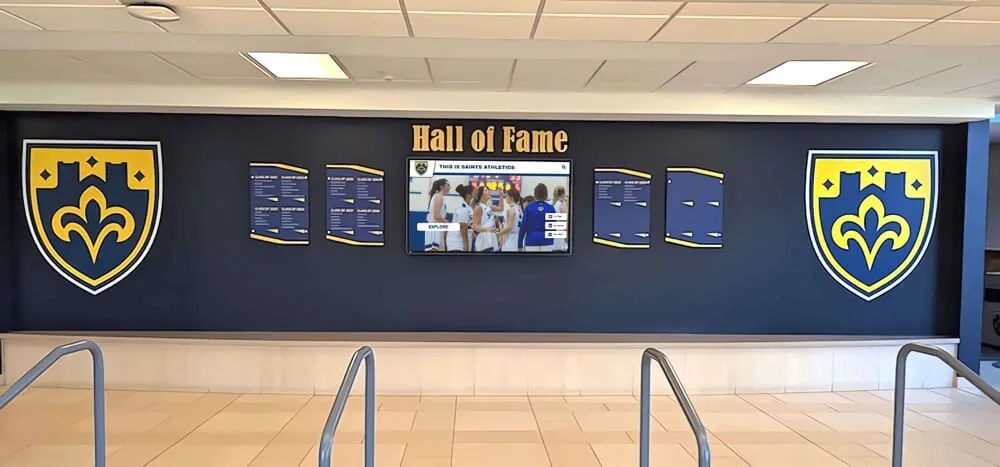
Schools integrating digitized yearbook content with physical recognition displays create comprehensive historical environments celebrating institutional tradition while providing interactive exploration capabilities
Common Pitfalls and How to Avoid Them
Learning from common yearbook digitization mistakes helps schools avoid expensive problems and disappointing outcomes.
Inadequate Specification Definition
The Problem: Schools accept vendor “standard scanning” without understanding specifications, later discovering 300 DPI scans produce disappointing quality when alumni attempt to view photo details at natural magnification levels.
The Solution: Request specific resolution, color depth, and file format information in writing before signing contracts. Review actual sample scans at 100% magnification evaluating whether quality meets your long-term needs for both current use and future applications you might not yet envision.
Insufficient Copyright and Privacy Planning
The Problem: Schools digitize complete yearbook collections and post everything publicly online without considering student privacy rights, creating FERPA compliance issues or exposing personally identifiable information inappropriately.
The Solution: Consult legal counsel or privacy officers before making digitized yearbooks publicly accessible. Consider implementing graduated access where older yearbooks (20+ years) receive broader access while recent publications require authentication. Develop policies addressing removal requests from individuals who prefer their yearbook appearances remain private.
Vendor Lock-In Through Proprietary Platforms
The Problem: Schools contract with vendors offering “free scanning” in exchange for exclusive hosting agreements, later discovering they cannot access raw image files or migrate content to different platforms without paying substantial extraction fees.
The Solution: Insist on receiving complete file deliverables you own outright regardless of whether you also use vendor hosting platforms. Ensure contracts explicitly state schools can download, store, and use files independently without ongoing vendor relationship requirements.
Inadequate Quality Control During Projects
The Problem: Schools approve batch deliverables without careful quality review, discovering poor OCR accuracy, alignment problems, or missing pages only after projects complete and vendors consider work finished.
The Solution: Establish systematic quality review processes examining representative samples from each batch before approving deliverables. Verify page counts match physical yearbooks, test OCR accuracy on sample pages, and check scan alignment and cropping precision. Address problems immediately while yearbooks remain at vendor facilities rather than discovering issues months later requiring expensive re-scanning.
Poor Long-Term Storage Planning
The Problem: Schools receive digital files on hard drives stored in single locations without backup copies, later experiencing data loss through hardware failure, accidental deletion, or disaster.
The Solution: Implement redundant storage immediately upon receiving digitized files—upload to cloud storage services, copy to network servers, and maintain offline hard drive backups stored separately. Treat digitized yearbooks as irreplaceable institutional assets requiring the same backup rigor applied to student records or financial data.
Rushing Vendor Selection Based Solely on Price
The Problem: Schools select the lowest bidder without evaluating quality, experience, or long-term costs, later discovering poor scanning quality, missed deadlines, or vendors going out of business mid-project.
The Solution: Evaluate vendors holistically across quality, experience, communication, and total cost rather than simply accepting the lowest per-page price. Request and actually contact educational institution references, review sample work carefully, and assess vendor financial stability and business longevity. The modest price premium for quality vendors represents insignificant cost relative to potential problems requiring complete re-scanning.
Moving Forward: Creating Your Digitization Action Plan
Successfully digitizing your yearbook collection requires systematic planning translating evaluation criteria into concrete implementation steps.
Immediate Next Steps (This Month)
Conduct collection inventory: Count total yearbooks, identify date ranges, and assess physical conditions noting any particularly fragile volumes requiring special handling.
Define digitization goals: Clarify whether you prioritize archival preservation, alumni access, interactive displays, or multiple objectives—goals determine appropriate specifications and vendor requirements.
Establish preliminary budget: Research typical scanning costs based on your collection size and desired quality level, and identify potential funding sources including operating budgets, grants, alumni donations, or capital campaign integration.
Identify stakeholders: Engage librarians, alumni relations, development, IT, and administration in planning discussions ensuring digitization serves institutional priorities and receives necessary support.
Review sample vendor work: Visit vendor websites examining sample digital yearbook projects, and request trial scans from 2-3 vendors using representative pages from your collection.
Near-Term Actions (Next 2-3 Months)
Solicit vendor proposals: Contact 3-5 digitization vendors providing collection details and specification requirements, requesting detailed proposals covering scope, timeline, pricing, and deliverables.
Check educational institution references: Speak directly with schools having completed similar projects asking about quality, communication, timeline adherence, and overall satisfaction.
Develop privacy and access policies: Consult legal counsel establishing appropriate access controls, addressing copyright considerations, and creating processes for handling removal requests.
Secure project funding: Finalize budget approval through appropriate institutional channels, or launch fundraising campaigns positioning yearbook digitization as alumni engagement or anniversary celebration initiatives.
Plan implementation timeline: Coordinate digitization scheduling with academic calendars, facility access, and staff availability ensuring minimal disruption to school operations.
Long-Term Planning (Next 6-12 Months)
Execute digitization project: Manage vendor relationships, conduct ongoing quality review, and maintain communication with stakeholders throughout multi-month scanning initiatives.
Implement storage and backup systems: Establish redundant storage infrastructure protecting digitized content through multiple copies across different media and locations.
Deploy access platforms: Launch web-accessible yearbook archives, integrate content with interactive displays, or implement institutional repository systems making digitized collections available to intended audiences.
Promote digitized collections: Communicate new yearbook access through alumni newsletters, social media, reunion communications, and campus signage driving awareness and engagement.
Plan ongoing digitization: Develop processes for digitizing new yearbooks as published maintaining current collections, and consider expanding digitization to related materials like school newspapers, athletic programs, or event publications.
Conclusion: Preserving History Through Strategic Vendor Selection
The yearbook scanning vendor you select determines whether your digitization initiative successfully transforms fragile physical volumes into accessible digital archives serving your institution for decades to come. Quality vendors bring specialized expertise handling delicate historical materials, technical capabilities producing searchable high-resolution scans, and project management skills delivering results on schedule and within budget. Poor vendor selection leads to disappointing quality requiring expensive re-scanning, damaged yearbooks from improper handling, or incomplete deliverables failing to serve long-term preservation and access goals.
By systematically evaluating vendors across technical specifications, educational institution experience, quality control processes, pricing transparency, and file delivery standards, you ensure your yearbook digitization investment produces valuable outcomes whether you prioritize archival preservation, alumni engagement, interactive recognition displays, or comprehensive institutional memory projects.
The digitized yearbooks resulting from thoughtful vendor selection become enduring assets supporting multiple institutional priorities—connecting alumni to formative experiences, preserving irreplaceable heritage for future generations, powering engaging recognition displays celebrating tradition, and providing historical research resources documenting your community’s evolution across decades.
Ready to transform your yearbook collection into engaging digital experiences? Rocket Alumni Solutions specializes in creating interactive digital displays showcasing institutional history through touchscreen technology, helping schools leverage digitized yearbook content for maximum impact in engaging current students, connecting alumni, and celebrating tradition. Explore how professional digitization combined with modern interactive display technology can bring your school’s history to life in ways static archives never could.
Ready to see this for your school?
Picture your collection in a custom mockup
Start with your yearbook collection and digitization goals, then request a custom digital mockup for your school.