School history, shared
Yearbook Scanning Service: How Schools Digitize Decades of Memories Without Damaging Originals

Schools sitting on decades of yearbook history face a preservation crisis—fragile bindings deteriorate, pages yellow and become brittle, photographs fade, and irreplaceable memories stored in physical volumes risk permanent loss through water damage, fire, mishandling, or simple passage of time—yet administrators hesitate to digitize these treasures fearing that the scanning process itself might damage the very artifacts they’re trying to preserve.
The concern proves entirely legitimate. Traditional document scanning methods designed for loose paper can destroy bound volumes through forced page flattening, stress fragile spines past their breaking points, tear delicate pages weakened by decades of aging, and leave fingerprints or residue on irreplaceable photographs. Schools need absolute confidence that yearbook digitization will preserve rather than harm their institutional heritage.
Modern professional yearbook scanning services employ specialized non-destructive techniques specifically engineered to digitize bound volumes without causing damage—from overhead planetary scanners that never touch pages to pressure-controlled book cradles supporting fragile bindings, from hands-free page turning systems to conservation-grade handling protocols that treat each yearbook as the archival treasure it represents, ensuring schools receive high-quality digital copies while physical originals return in exactly the same condition they left.
Who Benefits from Professional Yearbook Scanning Services
Understanding professional yearbook digitization services matters across multiple school constituencies:
- School librarians and archivists responsible for preserving institutional history while managing physical storage limitations
- Alumni relations directors seeking to make decades of yearbook content accessible for alumni engagement and reunion planning
- Athletic directors wanting to showcase championship team photos and athletic heritage through digital recognition displays
- School administrators evaluating preservation strategies balancing access with conservation
- Development professionals leveraging historical yearbook content for fundraising and donor engagement
- IT directors managing digital asset management systems requiring high-quality yearbook archives
- Yearbook advisers documenting production history and learning from historical yearbook design
Whether your collection spans 20 years or a century, professional yearbook scanning services transform preservation challenges into engagement opportunities.

Professional yearbook scanning preserves fragile originals while creating high-quality digital archives enabling modern access through searchable databases and interactive displays
Why Traditional Scanning Methods Damage Yearbooks
Before exploring non-destructive scanning solutions, understanding how conventional scanning damages bound volumes clarifies why specialized yearbook scanning services prove essential.
The Flatbed Scanner Problem
Standard office flatbed scanners—the type found in school copy rooms and administrative offices—represent the worst possible choice for yearbook digitization despite their convenience and availability.
Physical Stress on Bindings
Flatbed scanning requires pressing bound volumes face-down against glass, forcing the spine into a 180-degree open position that bindings were never designed to sustain. This extreme flattening creates multiple damage mechanisms:
- Adhesive bindings crack and separate, causing pages to detach from spine
- Sewn bindings experience thread tension that weakens or breaks stitching
- Spine boards crease and fold, creating permanent deformation
- Cover attachments strain beyond design limits, separating covers from book blocks
A single scan session using flatbed technology can cause visible damage to fragile yearbooks, while repeated scanning for multi-page volumes virtually guarantees binding failure.
Page Damage from Pressure and Contact
The scanning process itself damages individual pages through direct glass contact and required pressure:
- Brittle aged paper tears at edges when pressed against glass
- Photographs develop surface scratches from glass contact and movement
- Embossed covers and textured pages flatten permanently
- Delicate inserts, tissue guards, and supplementary materials crush
Schools attempting DIY yearbook scanning with standard flatbed equipment frequently discover cracked bindings, torn pages, and irreversible damage only after destroying irreplaceable originals—learning expensive lessons about why specialized scanning services exist.
Automated Document Feeders: Completely Inappropriate
Some schools consider using automated document feeders that pull individual pages through rollers for high-speed scanning—technology designed for loose sheets that proves catastrophically destructive for bound yearbooks.
Even when schools manually separate yearbook pages from bindings (itself a destructive process), document feeders damage pages through multiple mechanisms—rollers crease and tear fragile aged paper, static electricity attracts dust that scratches photographs, mechanical feeding misaligns pages causing edge damage, and paper jams destroy pages caught in machinery.
Document feeder technology has no legitimate application in yearbook digitization regardless of time pressure or budget constraints.

Professional non-destructive scanning creates digital yearbook archives that enable interactive exploration while preserving fragile physical originals for future generations
The Temperature and Light Exposure Problem
Even gentle scanning methods expose yearbooks to potential damage through environmental factors during the digitization process itself:
- Heat from scanner lamps: Traditional scanner lighting generates heat that can dry adhesives, warp pages, and accelerate chemical deterioration of acidic paper
- Ultraviolet radiation: Some scanning lights emit UV radiation that fades photographs and degrades paper fibers with each exposure
- Extended handling time: Hours-long scanning sessions expose yearbooks to temperature fluctuations, humidity changes, and handling risks far beyond typical storage conditions
Professional yearbook scanning services address these environmental hazards through climate-controlled facilities, low-heat LED lighting, UV-filtered illumination, and expedited processing minimizing exposure duration.
Non-Destructive Scanning Technologies for Yearbooks
Specialized yearbook scanning services employ advanced technologies specifically engineered to digitize bound volumes without causing damage—methods fundamentally different from office scanning equipment.
Overhead Planetary Scanners: The Gold Standard
Planetary scanners represent the premier technology for non-destructive book digitization, used by major research libraries, archives, and professional digitization services worldwide.
How Planetary Scanners Work
Rather than pressing books against glass, planetary scanners position cameras above yearbooks resting naturally in book cradles. The scanning process involves placing the yearbook in a V-shaped cradle supporting the spine at its natural opening angle, positioning overhead cameras that photograph pages from above without touching them, using precisely calibrated lighting that illuminates pages evenly without heat buildup, and turning pages manually using conservation techniques that avoid stress on bindings.
This completely contact-free approach eliminates physical damage mechanisms inherent to flatbed scanning while producing exceptional image quality through professional camera sensors capturing far greater detail than standard scanner optics.
Book Cradle Systems Supporting Fragile Bindings
Professional planetary scanners incorporate sophisticated book cradles designed specifically for fragile bound volumes:
- Adjustable V-angle cradles accommodate different binding stiffness levels, never forcing books beyond comfortable opening angles
- Glass plate systems with adjustable pressure gently flatten pages for optimal focus while foam padding distributes pressure preventing damage
- Vacuum hold-down systems secure pages without weight or pressure using gentle air suction
- Custom-fabricated cradles for oversized yearbooks, unusual formats, or extremely fragile volumes requiring specialized support
These cradle systems allow yearbooks to rest at natural opening angles—typically 100-120 degrees rather than the damaging 180-degree flattening required by flatbed scanners—reducing spine stress by 60-80% while producing superior scan quality.

Non-destructive scanning technology enables creation of searchable digital yearbook archives displayed through modern interactive touchscreen systems while protecting fragile originals
V-Scan and Book Edge Scanning Technology
For particularly fragile or tightly bound yearbooks that cannot open even to safe cradle angles, specialized edge-scanning technology provides alternative digitization methods.
How Edge Scanning Protects Ultra-Fragile Volumes
Edge or V-scanners employ dual angled cameras positioned to photograph both left and right pages simultaneously while books remain barely open:
Books rest at natural minimal opening angles as narrow as 60 degrees, specialized software corrects perspective distortion from angled camera positions, and page curvature algorithms digitally flatten the curved text near spine without physically forcing pages flat.
This technology proves particularly valuable for leather-bound yearbooks with rigid covers, volumes with cracked or damaged bindings requiring minimal stress, oversized yearbooks where weight itself creates handling challenges, and rare or historically significant yearbooks justifying premium preservation methods.
While edge scanning requires more sophisticated post-processing than standard planetary scanning, the additional protection for ultra-fragile materials justifies the technique for irreplaceable volumes.
Robotic Page Turning Systems
The most advanced digitization facilities employ robotic page turning systems that eliminate even the gentle human handling required by manual planetary scanning.
Automated Non-Contact Digitization
Robotic scanning systems combine overhead cameras with mechanical page turners that lift and turn pages using vacuum suction or gentle mechanical arms, position pages precisely for optimal camera capture, and complete entire yearbook digitization without human page contact.
These systems achieve remarkable throughput—scanning 1,000+ pages per hour—while maintaining handling gentleness that meets archival conservation standards, making them cost-effective for large-scale yearbook collections despite significant equipment investment.
Most schools access robotic scanning through service providers rather than purchasing equipment, but understanding the technology helps evaluate vendor capabilities and pricing structures.
Conservation-Grade Handling Protocols
Beyond scanning technology itself, professional yearbook scanning services implement comprehensive handling protocols protecting volumes throughout the digitization workflow.
Pre-Scan Condition Assessment
Reputable scanning services begin every project with detailed condition documentation establishing baseline preservation status and identifying special handling requirements.
Comprehensive Condition Documentation
Professional services photograph yearbook covers, spines, and any existing damage, note binding condition, loose pages, tears, or structural weaknesses, identify special materials requiring extra care (leather covers, metal clasps, ribbon markers, inserted photos), measure and record yearbook dimensions and page count, and create detailed condition reports shared with schools before scanning begins.
This documentation serves multiple purposes—protecting service providers from liability for pre-existing damage, informing handling protocols ensuring appropriate care level, creating preservation records documenting yearbook condition over time, and establishing baselines allowing schools to verify yearbooks return undamaged.
Schools should insist on receiving detailed condition assessments before scanning proceeds, particularly for historical yearbooks with uncertain preservation status.
Clean Room and Climate-Controlled Processing
Professional digitization facilities maintain environmental controls protecting yearbooks during processing, just as archival storage facilities maintain controlled conditions for long-term preservation.
Environmental Protection Standards
Quality yearbook scanning services process materials in climate-controlled facilities maintaining stable temperature (typically 65-70°F) preventing adhesive softening or page warping, controlled humidity (45-55% RH) preventing mold growth without excessive dryness causing brittleness, filtered air minimizing dust deposition on pages and photographs, and UV-filtered lighting preventing photograph fading during extended processing sessions.

Climate-controlled processing and conservation-grade handling preserve yearbook integrity while creating digital archives accessible through modern campus displays
These conditions mirror archival storage standards, ensuring yearbooks experience no environmental stress during digitization beyond what they would encounter in proper long-term storage.
White Glove Handling and Page Turning Techniques
Trained digitization technicians employ specialized handling techniques minimizing stress on fragile materials throughout the scanning process.
Conservation Handling Methods
Professional technicians wear powder-free cotton or nitrile gloves preventing skin oil transfer to pages, support yearbook weight from beneath rather than gripping covers or pages, turn pages using conservation techniques that avoid pulling, creasing, or excessive bending, pause when encountering resistance rather than forcing stuck or adhered pages, and immediately alert supervisors when discovering damage or handling challenges requiring specialist intervention.
Many services employ technicians trained in archival handling through professional preservation organizations, bringing museum-quality care standards to yearbook digitization projects.
Schools evaluating scanning services should ask about staff training, handling protocols, and whether services employ preservation professionals rather than general document scanning technicians.
Quality Standards for Yearbook Digitization
Non-destructive handling proves meaningless if scanning quality fails to capture yearbook content with sufficient resolution, color accuracy, and detail for long-term preservation and access needs.
Resolution Requirements for Different Use Cases
Digital image resolution—measured in dots per inch (DPI)—determines how much detail scans capture and what uses digitized yearbooks can support decades into the future.
Standard Resolution Tiers
Professional yearbook scanning services typically offer multiple resolution options balancing file size, cost, and quality:
- 300 DPI: Basic resolution suitable for web display and reading text; inadequate for detailed photo examination or future enhancement but acceptable for simple access needs
- 400-600 DPI: Recommended standard for most yearbook projects; captures excellent photo detail, supports both web access and archival preservation, and produces reasonable file sizes manageable for typical school IT infrastructure
- 800-1200 DPI: Premium archival resolution preserving maximum detail for conservation purposes; supports future restoration, extreme magnification, and specialized research needs while creating very large files requiring substantial storage
Schools planning to integrate yearbook content with interactive touchscreen displays should select resolution supporting large-screen viewing—typically 400 DPI minimum ensures photos remain sharp when displayed at 55" diagonal or larger screen sizes common in modern recognition installations.
Understanding True Optical Resolution
Beware vendors advertising “enhanced” or “interpolated” resolution achieved through software upscaling rather than true optical capture. A 300 DPI scan “enhanced” to 600 DPI through interpolation provides no additional real detail compared to true 600 DPI optical scanning—just larger file sizes without quality improvement.
Verify that quoted resolution represents true optical capture from camera sensors, not post-processing enhancement creating artificial resolution.
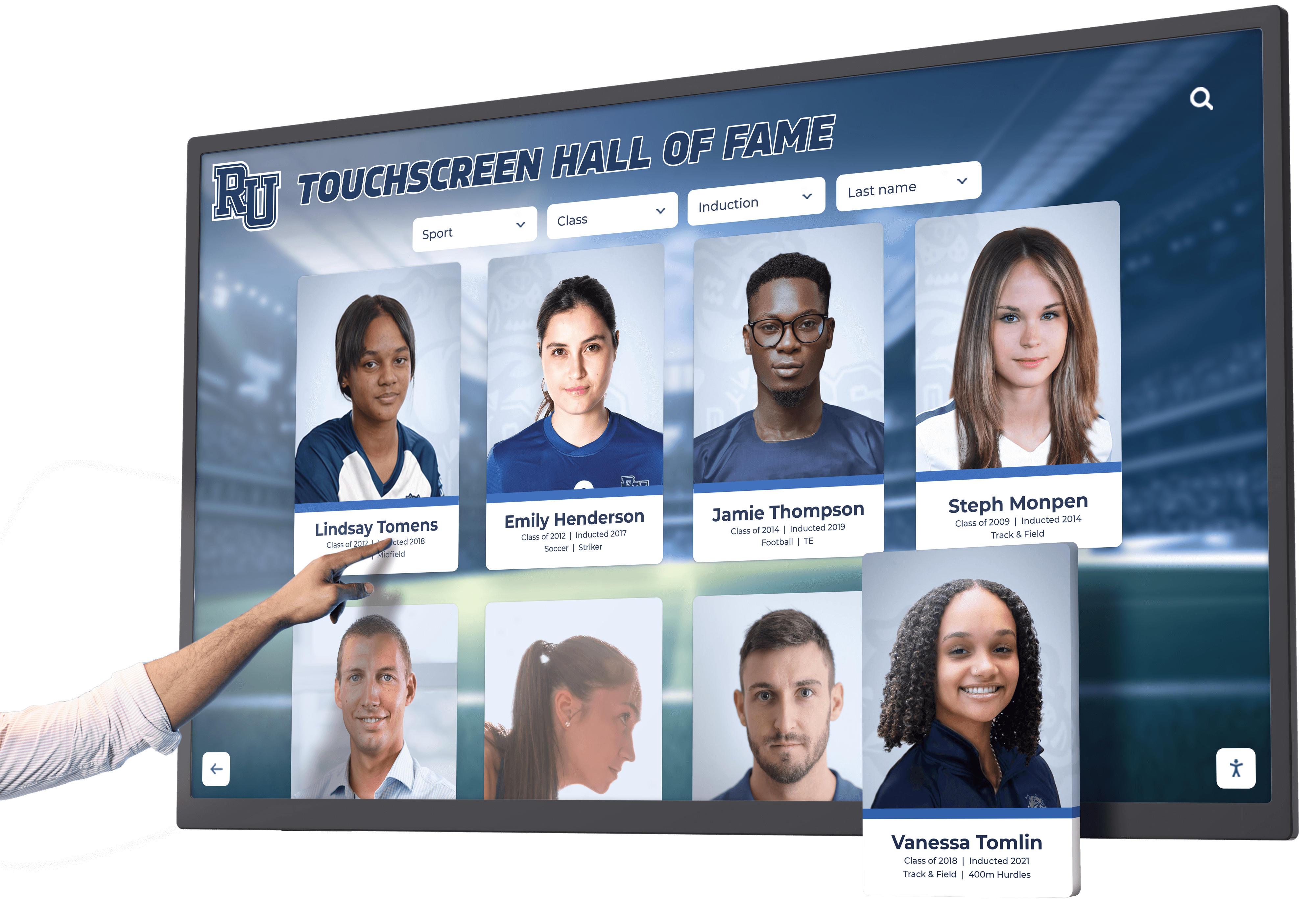
High-resolution yearbook scanning enables detailed exploration through interactive displays where users can examine historical photographs with exceptional clarity
Color Accuracy and Photographic Reproduction
Beyond resolution, color fidelity determines how faithfully digital scans reproduce original yearbook photographs and design elements.
Color Management Systems
Professional scanning services employ calibrated color workflows ensuring accurate reproduction:
- Color-calibrated cameras and scanners producing consistent, accurate color across entire projects
- ICC color profiles matching output to international color standards for archival preservation
- Monitor calibration allowing quality control reviewers to verify color accuracy during processing
- Color reference targets scanned alongside yearbooks documenting color accuracy for future reference
This color management infrastructure proves particularly important for older yearbooks where faded photographs benefit from accurate capture of remaining color information, supporting potential future digital restoration efforts.
Handling Faded and Deteriorated Photographs
Historical yearbook photographs often exhibit fading, yellowing, or color shifts from decades of aging. Professional services offer different approaches:
- Faithful reproduction: Scanning photographs exactly as they currently appear, preserving even deterioration as part of historical record
- Basic restoration: Adjusting color balance and contrast to approximate original appearance without extensive manual retouching
- Premium restoration: Professional photo restoration recreating original appearance through manual editing—significantly more expensive but valuable for featured heritage content
Schools should specify desired approach during project planning, balancing historical authenticity with aesthetic goals for different yearbook applications.
File Format Deliverables and Long-Term Preservation
How scanning services deliver digital files affects long-term accessibility and preservation of digitized yearbook content.
Multi-Format Delivery Standard
Quality services provide multiple file formats supporting different use cases:
- Archival masters: Uncompressed or losslessly compressed TIFF files at full scan resolution preserving maximum quality for long-term preservation and future use
- Access copies: Compressed JPEG or PDF files optimized for web delivery, user downloads, and everyday access with reasonable file sizes
- OCR text files: Searchable text extracted through optical character recognition enabling name searches and content discovery, typically delivered as searchable PDFs or separate text files
This multi-format approach ensures schools can immediately use yearbook content through web platforms and displays while maintaining archival masters supporting preservation requirements and future applications not yet envisioned.
File Organization and Metadata
Professional services deliver organized file structures ready for integration into digital asset management systems:
Clear folder hierarchies organized by graduation year and yearbook title, consistent file naming conventions identifying yearbooks and page numbers, embedded metadata within image files documenting scanning parameters and source materials, and master index files cataloging complete collection contents.
Well-organized deliverables save schools significant administrative work compared to poorly structured file collections requiring manual sorting and renaming before use.
Professional Service vs. DIY Yearbook Scanning
Schools weighing professional yearbook scanning services against in-house digitization attempts should understand the true cost and quality differences between approaches.
Hidden Costs of DIY Scanning
While DIY scanning initially appears cost-effective, hidden expenses and risks often make professional services more economical.
Equipment Investment Requirements
Proper non-destructive yearbook scanning requires specialized equipment far beyond standard office scanners:
- Overhead planetary scanner: $15,000-$50,000 for entry-level to professional systems
- Book cradles and supports: $2,000-$5,000 for quality adjustable systems
- Professional lighting: $1,000-$3,000 for low-heat LED or filtered systems
- High-resolution camera systems: $3,000-$10,000 for cameras producing archival-quality images
- Image processing software: $500-$2,000 annually for professional editing and OCR tools
Total equipment costs of $20,000-$70,000 make DIY approaches economically viable only for institutions planning ongoing digitization of thousands of yearbooks and other bound materials over many years.
Staff Time and Expertise Requirements
Beyond equipment, DIY scanning requires substantial skilled labor often underestimated during initial planning.
Realistic Time Investment
Proper yearbook digitization proceeds slowly—trained technicians using professional equipment typically scan 50-100 pages per hour including careful handling, positioning, and quality verification.
For a 200-page yearbook, this represents 2-4 hours of active scanning time, plus additional time for pre-scan assessment, post-processing, quality review, OCR processing, file organization and delivery preparation.
At typical school staff labor costs, the personnel expense for scanning even modest 50-yearbook collections approaches or exceeds professional service costs—before accounting for learning curves, equipment downtime, and opportunity costs of redirecting staff from primary responsibilities.
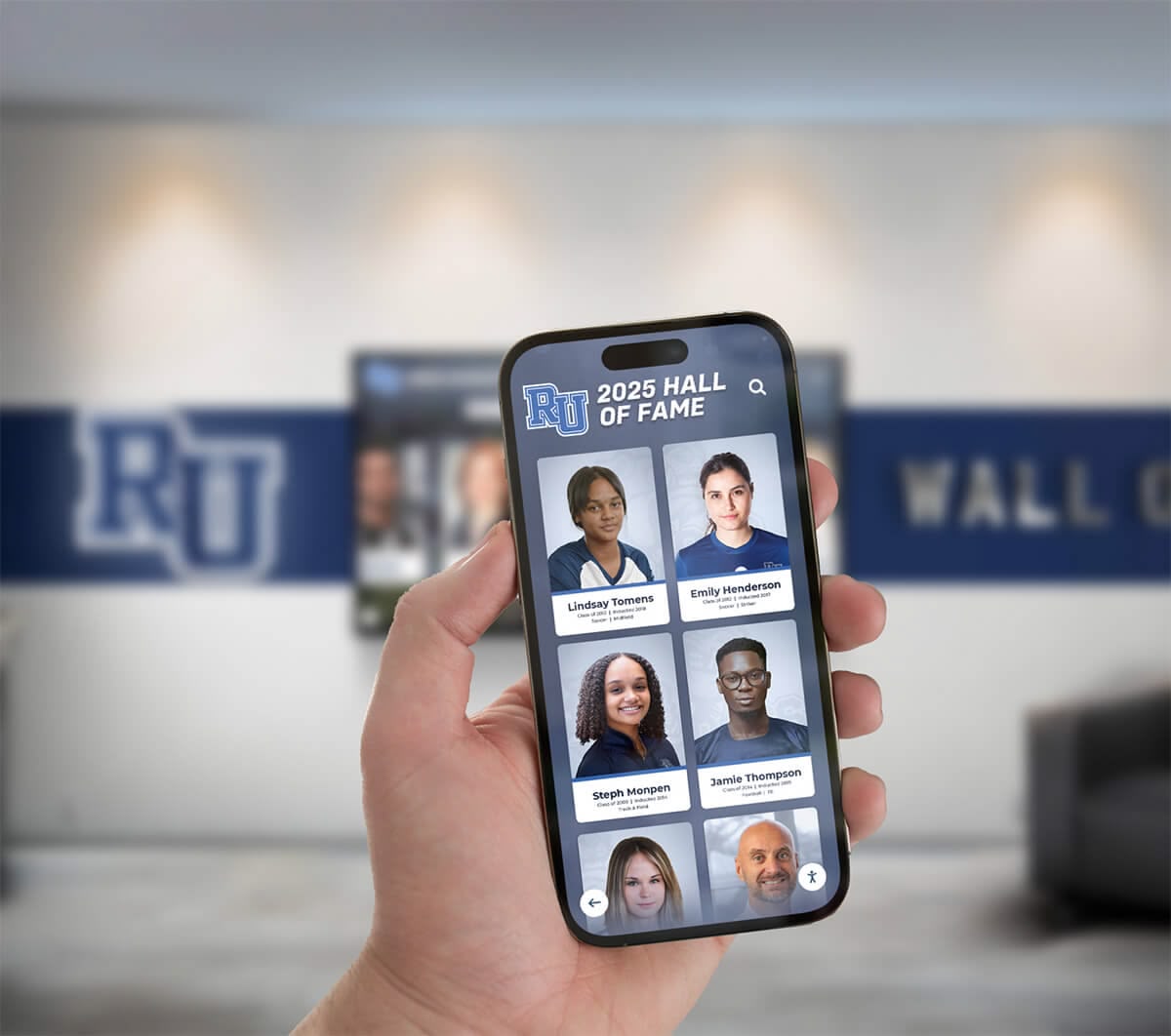
Professional yearbook scanning creates high-quality digital archives accessible through multiple platforms including mobile apps and web browsers
Technical Expertise and Quality Control
Professional digitization services employ trained technicians who understand archival handling standards, recognize and respond appropriately to conservation issues, operate complex scanning equipment producing consistent quality, perform professional photo editing and color correction, execute accurate OCR text extraction, and maintain quality control ensuring every page meets specifications.
Schools attempting DIY scanning with untrained staff frequently produce inconsistent quality requiring expensive re-scanning, damage yearbooks through improper handling, or abandon projects mid-way after discovering unexpected complexity.
When DIY Scanning Makes Sense
Despite challenges, some schools successfully undertake yearbook digitization in-house when specific conditions align:
- Ongoing digitization programs: Institutions planning to scan yearbooks annually as published plus extensive archival materials justifying equipment investment
- Available trained personnel: Schools employing librarians or archivists with preservation training and digitization experience
- Modern yearbooks only: Recent yearbooks with flexible bindings tolerating basic flatbed scanning without damage
- Limited budget with flexible timeline: Schools lacking funds for professional services but possessing staff time and patience for gradual multi-year projects
- Student learning projects: Educational programs where yearbook digitization provides meaningful student work experience under expert supervision
For most schools, professional yearbook scanning services deliver superior results with lower total cost, faster completion, and dramatically reduced risk of damaging irreplaceable materials.
Integration with Digital Display and Alumni Platforms
The ultimate value of yearbook digitization lies not simply in creating digital files but in making decades of institutional history accessible and engaging through modern platforms.
Powering Interactive Touchscreen Displays
Professionally digitized yearbook content enables schools to create engaging campus digital displays showcasing institutional heritage through interactive exploration.
Touchscreen Application Capabilities
High-quality yearbook scans support sophisticated interactive features:
- Name search functionality allowing visitors to find individuals across decades of yearbooks
- Graduation year browsing enabling alumni to explore their specific class years
- Team and club filtering showcasing athletic championships and activity participation across years
- Timeline views displaying institutional evolution through side-by-side yearbook comparison
- Social sharing allowing users to capture and share favorite yearbook discoveries
These interactive applications require high-resolution scans maintaining photo quality even when displayed at large screen sizes and magnified for detailed viewing—quality standards professional scanning services meet but DIY efforts often miss.
Campus Recognition Applications
Schools leverage digitized yearbook content for various recognition displays:
- Alumni achievement walls connecting current success to yearbook heritage
- Athletic hall of fame displays showcasing championship teams and outstanding athletes
- Academic excellence recognition highlighting valedictorians, National Merit Scholars, and distinguished graduates
- Historical timeline installations documenting institutional milestones and community evolution
Modern digital recognition displays transform static yearbook archives into dynamic engagement tools celebrating tradition while connecting alumni to institutional heritage.

Professional yearbook scanning enables interactive digital displays where users can explore individual portraits, team photos, and historical content through intuitive touchscreen interfaces
Online Yearbook Archives and Alumni Engagement
Beyond campus displays, digitized yearbooks power web-based alumni platforms increasing engagement and connection.
Searchable Online Archives
Professional yearbook scanning with quality OCR text extraction enables powerful online yearbook discovery platforms where alumni can search by name finding all appearances across multiple yearbooks, browse by graduation year for reunion planning and nostalgia, explore clubs and activities reconnecting with shared experiences, and download and share favorite pages and photographs.
These search capabilities depend entirely on OCR accuracy and metadata quality—areas where professional services dramatically outperform DIY efforts using consumer-grade OCR software.
Driving Alumni Participation and Giving
Development professionals leverage digitized yearbook content for alumni cultivation:
- Personalized communications incorporating alumni’s own yearbook photos in outreach
- Reunion promotion using class yearbooks to generate excitement and improve attendance
- Nostalgia-driven campaigns connecting institutional heritage to fundraising appeals
- Donor recognition displaying contributor yearbook history alongside current support
Schools report that making yearbook archives digitally accessible significantly increases alumni website engagement—with yearbook sections often becoming the most-visited areas of alumni platforms.
Selecting Professional Yearbook Scanning Services
Understanding non-destructive scanning technology and quality standards helps schools evaluate and select professional digitization partners.
Essential Service Selection Criteria
Conservation Expertise and Equipment
Verify that services use true non-destructive scanning technology (overhead planetary scanners or book edge systems), employ trained technicians with preservation handling experience, maintain climate-controlled processing facilities, and provide detailed pre-scan condition documentation.
Request facility tours (virtual or in-person) allowing schools to observe actual scanning equipment and handling protocols—reputable services welcome transparency while those using inappropriate equipment avoid detailed process discussions.
Quality Standards and Deliverables
Evaluate services on scanning resolution options (minimum 400 DPI recommended), color accuracy and calibration methods, OCR capability and typical accuracy rates, file format variety including archival masters and access copies, and organization and metadata quality.
Request sample scans from representative yearbook pages—examining actual deliverables reveals quality far better than marketing claims.
Project Management and Communication
Assess vendor capabilities for tracking and status reporting throughout multi-month projects, insurance coverage protecting yearbooks during shipping and processing, clearly defined timelines with realistic completion estimates, responsive communication addressing questions and concerns, and comprehensive contracts specifying all costs, deliverables, and responsibilities.
Schools should check references from educational institutions with similar projects, verifying vendor performance on timeline adherence, quality consistency, and handling integrity.
Typical Service Models and Pricing
Mail-In Scanning Services
Most professional yearbook digitization operates through mail-in models where schools ship volumes to scanning facilities:
- Typical pricing: $0.35-$0.75 per page for standard quality (400-600 DPI), or $40-$100 per yearbook depending on page count and specifications
- Timeline: 6-12 weeks for moderate collections (50-100 yearbooks); longer for large multi-hundred yearbook archives
- Advantages: Access to specialized equipment, professional quality, competitive pricing through volume operations
- Considerations: Shipping logistics and insurance, loss of physical access during processing, dependence on vendor communication
On-Site Scanning Services
Some vendors provide on-site digitization at school facilities using portable equipment:
- Typical pricing: 25-50% premium over mail-in services reflecting travel costs and technician time
- Timeline: Depends on collection size and equipment deployment duration
- Advantages: Yearbooks never leave campus, real-time quality monitoring, no shipping risks
- Considerations: Higher cost, space requirements for equipment setup, potential operational disruptions
Hybrid and Specialized Services
Additional service models address specific needs:
- Ultra-rare materials: Premium conservation services for extremely fragile or valuable yearbooks requiring museum-quality handling
- Rush processing: Expedited scanning (typically 25-50% premium) for time-sensitive anniversary or reunion projects
- Ongoing annual scanning: Subscription models for institutions digitizing new yearbooks as published
Service Contract Essentials
Critical Contract Provisions
Yearbook scanning contracts should explicitly address:
- Damage liability: Vendor responsibility for any damage occurring during processing, with defined compensation provisions
- Insurance requirements: Minimum coverage levels protecting yearbooks during transit and processing
- Delivery specifications: Exact resolution, color depth, file formats, and organizational standards
- Timeline commitments: Realistic completion dates with penalty provisions for significant delays
- Data ownership: Confirmation that schools retain complete ownership of digitized files without usage restrictions
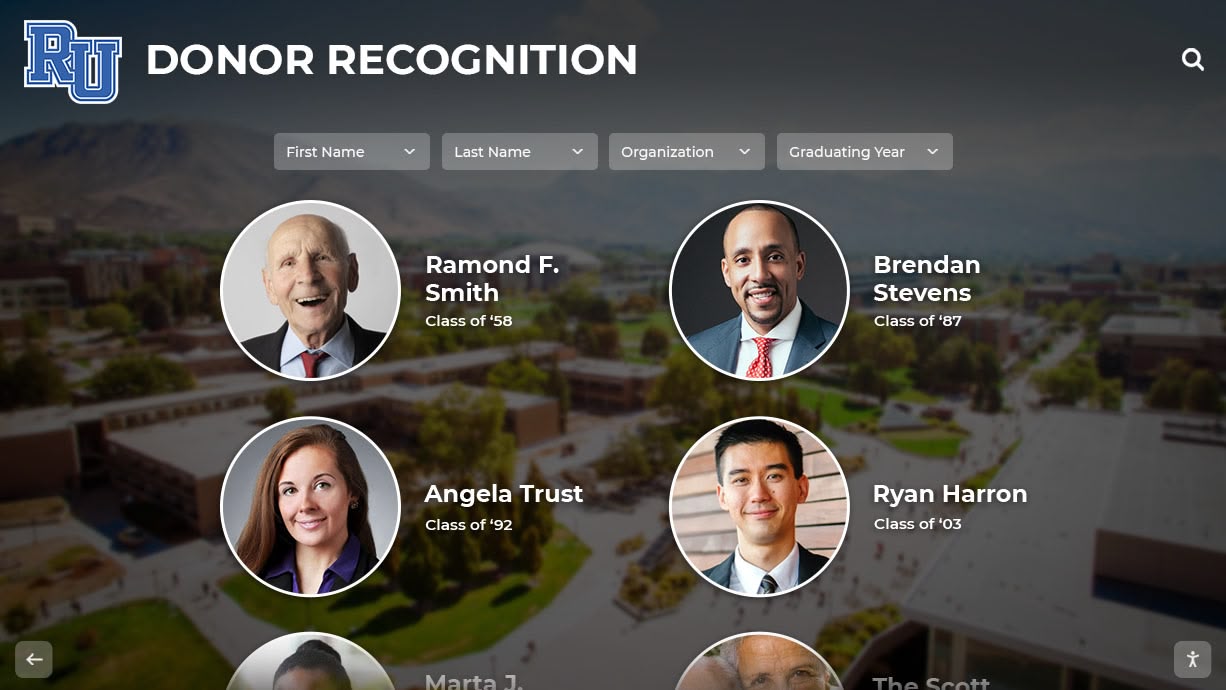
Comprehensive scanning service contracts ensure high-quality deliverables supporting modern display applications while protecting irreplaceable originals throughout digitization process
Avoid vendors offering vague “best effort” quality commitments or contracts limiting liability below yearbook replacement value—professional services stand behind work quality and assume appropriate responsibility for materials entrusted to their care.
Specialized Considerations for Historical Yearbook Collections
Yearbook collections spanning decades present unique challenges requiring specialized handling approaches and decision-making.
Assessing Condition Before Scanning
Pre-Project Collection Review
Before contracting scanning services, schools should conduct preliminary condition assessments identifying yearbooks requiring special handling or conservation intervention:
- Fragile bindings showing cracks, separation, or extreme stiffness requiring ultra-gentle scanning methods
- Detached pages needing repair or special handling to prevent loss during processing
- Mold or water damage requiring remediation before digitization proceeds
- Extremely brittle paper justifying conservation treatment before scanning stress
- Missing volumes in chronological sequences warranting location efforts before project launch
This preliminary review helps scope projects accurately, identify conservation budgets beyond scanning costs, and set realistic timelines accounting for pre-digitization preservation work.
Prioritization Strategies for Large Collections
Schools with century-long yearbook collections spanning hundreds of volumes often phase digitization over multiple years, requiring prioritization strategies:
Demand-Driven Prioritization
Begin with years generating most alumni requests—typically 20-40 years ago representing ages 40-60 when alumni engagement peaks, reunion-year yearbooks supporting upcoming class anniversary celebrations, and recent decades with clear copyright and easier conservation handling.
Preservation-Driven Prioritization
Alternatively, prioritize most fragile volumes requiring urgent preservation intervention—oldest yearbooks at highest deterioration risk, volumes showing active degradation (mold, binding failure, severe brittleness), and rare or unique materials with no backup copies existing.
Strategic-Use Prioritization
Schools planning specific applications might prioritize based on use cases—championship years supporting athletic recognition displays, milestone anniversary years for institutional celebrations, or decades corresponding to major donor graduation years supporting development initiatives.
Most schools combine approaches, balancing preservation urgency with anticipated usage and alumni demand to create phased digitization plans spreading costs across multiple budget cycles while delivering value throughout multi-year projects.
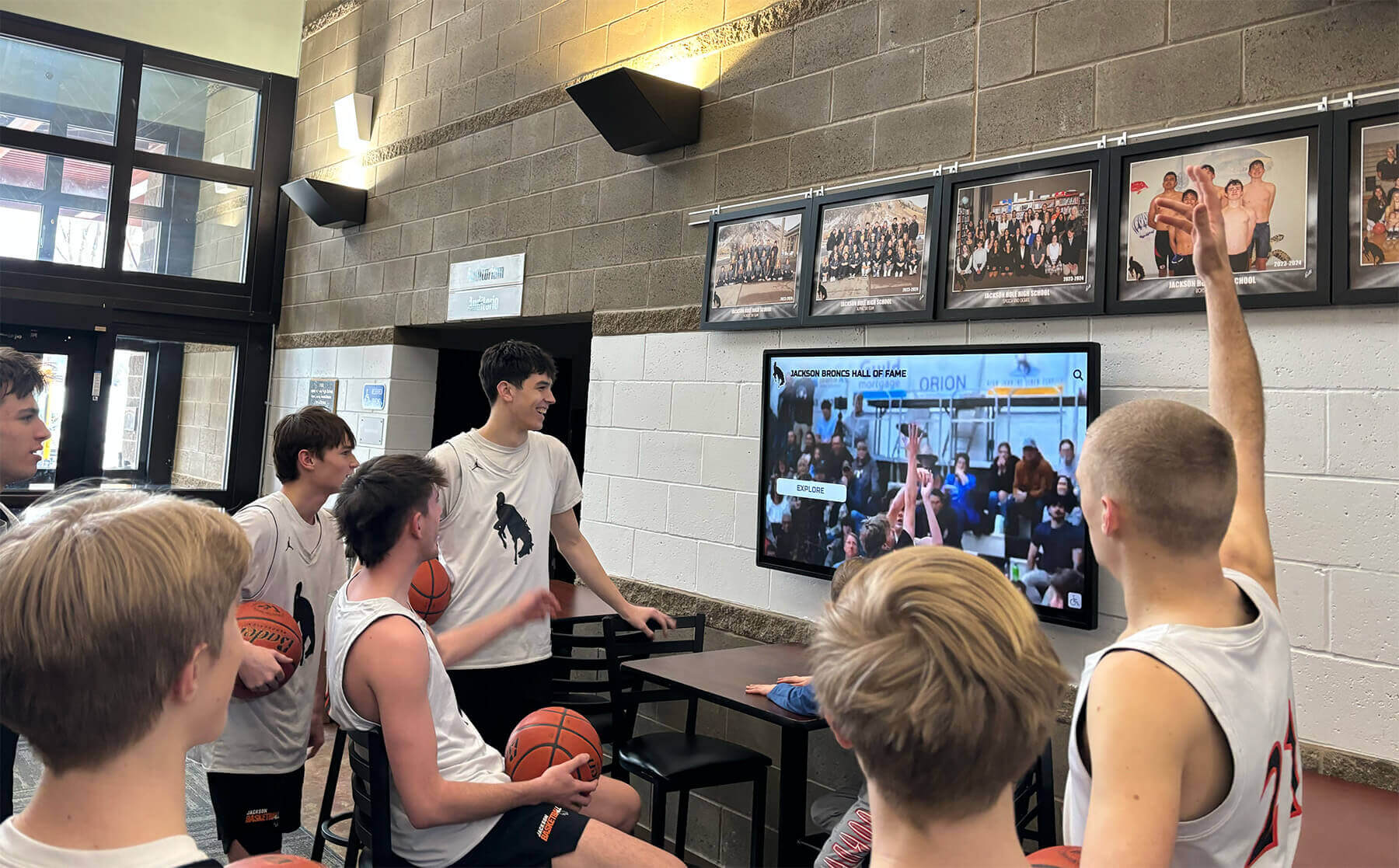
Phased yearbook digitization allows schools to begin showcasing historical content through modern displays while gradually expanding archives as additional volumes are professionally scanned
Post-Digitization Best Practices
Receiving professionally scanned yearbook files represents the beginning rather than end of digital yearbook programs—schools must implement systems ensuring long-term preservation and effective use.
Digital File Storage and Backup
Implementing 3-2-1 Backup Strategy
Digital preservation best practices recommend maintaining at least three copies of digitized files on two different media types with one copy stored off-site:
- Primary working copies on school network servers supporting daily access and integration with web platforms
- Local backup copies on separate storage systems (NAS devices, external drives) protecting against primary system failure
- Cloud backup copies with professional archival services providing geographic redundancy and disaster recovery
This redundancy ensures yearbook digital archives survive hardware failures, facility disasters, or technological obsolescence affecting any single storage system.
File Format Migration Planning
While TIFF and JPEG formats enjoy broad long-term support, schools should monitor technology evolution and plan for eventual format migration ensuring continued accessibility decades into future.
Maintain archival masters in highest-quality uncompressed formats allowing future conversion to newer standards as technology evolves, document scanning parameters and source information enabling future re-scanning if needed, and participate in digital preservation communities tracking archival format recommendations.
Metadata and Organization Systems
Creating Searchable Databases
Beyond simply storing image files, schools should implement comprehensive digital asset management allowing effective yearbook content discovery:
- Database records for each yearbook including year, title, page count, scanning specifications, and project dates
- Individual page indexing linking specific content to page numbers and facilitating targeted searches
- Name databases extracted from OCR supporting person-specific searches
- Keyword tagging for clubs, sports, events, and themes enabling content filtering
- Rights metadata documenting copyright status and usage permissions
These metadata systems transform simple image collections into powerful searchable archives supporting various institutional applications from alumni engagement to historical research.
Access Control and Privacy Compliance
Balancing Access with Privacy
Digital yearbook platforms must navigate complex privacy considerations balancing broad access goals with student privacy protections:
- Public access maximizing alumni reach while raising FERPA and privacy concerns
- Alumni-only access requiring verification but protecting student privacy
- Graduated access making older yearbooks (20+ years) widely available while restricting recent publications
- Opt-out systems honoring individual requests for removal while maintaining collection completeness
Schools should consult legal counsel establishing appropriate access frameworks balancing institutional goals with privacy obligations and community expectations.
Real-World Applications: What Schools Do with Digitized Yearbooks
Understanding how institutions leverage professionally scanned yearbook content helps justify digitization investments and plan implementation strategies.
Campus Engagement Applications
Lobby Recognition Displays
Schools install interactive touchscreen kiosks in high-traffic locations where students, alumni, and visitors explore institutional history through digitized yearbook content.
Installation locations generating exceptional engagement include main entrance lobbies and reception areas, athletic facilities showcasing team and championship heritage, alumni centers supporting reunion events and gatherings, and library reading rooms providing research access to historical materials.
These installations celebrate tradition while creating tangible demonstrations of institutional investment in heritage preservation and alumni connection.
Special Event Integration
Yearbook content enhances signature events through historical context and nostalgia:
- Reunion weekends featuring class-specific yearbook displays and photo recreations
- Homecoming celebrations showcasing championship moments and traditions across decades
- Commencement ceremonies honoring heritage through historical graduation images
- Open houses and admission events demonstrating institutional longevity and tradition
Digital yearbook access enables these applications without risking physical originals through event handling and display.
Alumni Relations and Development Applications
Personalized Communications
Development and alumni relations teams leverage yearbook content for targeted outreach incorporating recipients’ actual yearbook photos in appeals and newsletters, highlighting shared experiences and classmates in reunion promotions, and celebrating milestone graduation anniversaries with historical imagery.
These personalized touches significantly increase engagement rates compared to generic communications lacking personal connections.
Heritage Campaigns
Capital campaigns and anniversary celebrations build cases for support around institutional heritage documented through yearbook archives—showcasing facility evolution from historical to current state, highlighting distinguished alumni whose success demonstrates institutional impact, documenting program growth and tradition, and creating emotional connections to shared history motivating philanthropic support.
Research and Educational Applications
Historical Research Resources
Digitized yearbook collections support various research applications:
- Local history studies examining community and cultural evolution
- Sociology research analyzing changing social norms, diversity, and representation
- Educational history tracking pedagogical approaches and curricular changes
- Genealogy projects supporting family and community history documentation
Making yearbook archives accessible removes barriers to scholarship while protecting physical originals from research handling.
Student Learning Opportunities
Schools integrate yearbook archives into educational programs teaching digital literacy through database searching and content analysis, historical thinking through primary source examination and interpretation, media studies examining changing visual communication and design, and community connection through oral history projects linking yearbook content to alumni interviews.
These educational applications add pedagogical value beyond preservation and engagement benefits.
Emerging Technologies and Future Directions
Yearbook scanning and digitization technologies continue evolving, with emerging capabilities expanding possibilities for institutional heritage programs.
Artificial Intelligence Enhancement
AI-Powered Content Recognition
Modern AI systems enhance digitized yearbook functionality through automated facial recognition enabling person-specific searches across decades, object recognition identifying sports, instruments, activities in photographs, handwriting recognition extracting information from autographs and inscriptions, and layout analysis automatically segmenting pages into portraits, captions, and body text.
These capabilities dramatically improve searchability and user experience compared to basic OCR text extraction alone.
Restoration and Enhancement
AI-powered photo restoration tools enable semi-automated enhancement of faded historical photographs, colorization of black-and-white images based on contextual analysis, resolution enhancement improving detail in lower-quality original scans, and damage removal correcting tears, stains, and deterioration visible in originals.
While some preservation purists argue for faithful reproduction including deterioration, selective enhancement can make historical content more engaging for modern audiences while archival masters preserve original appearance.
3D Digitization and Virtual Reality
Immersive Yearbook Experiences
Emerging technologies enable 3D digitization creating virtual page-turning experiences replicating physical yearbook browsing, augmented reality applications overlaying historical yearbook content on current campus locations, and virtual reality environments allowing immersive exploration of institutional history.
While currently expensive and specialized, these technologies may become standard yearbook digitization options as costs decline and capabilities expand.
Taking Action: Implementing Yearbook Digitization Projects
Schools ready to preserve institutional heritage through professional yearbook scanning can implement systematic approaches ensuring successful outcomes.
Immediate Planning Steps
Conduct collection inventory: Count yearbooks by decade, assess general condition, and identify any particularly fragile or valuable volumes requiring special attention
Define digitization goals: Clarify whether priorities include archival preservation, alumni engagement, campus displays, or comprehensive objectives informing service specifications
Establish preliminary budget: Research typical scanning costs based on collection size and quality requirements, identifying potential funding through operating budgets, grants, or alumni donations
Engage stakeholders: Involve librarians, alumni relations, development, IT, and administration ensuring project serves institutional priorities and receives necessary support
Request service proposals: Contact 3-5 professional scanning services providing collection details and specification requirements, obtaining detailed quotes and timeline estimates
Implementation Timeline
Months 1-2: Planning and Selection
- Finalize budget approval and funding sources
- Evaluate vendor proposals against quality, cost, timeline, and capability criteria
- Check educational institution references verifying vendor performance
- Negotiate contract terms protecting institutional interests
- Prepare collection for shipping with appropriate insurance coverage
Months 3-5: Scanning Execution
- Ship yearbooks to scanning facility or coordinate on-site service deployment
- Maintain regular communication regarding project status and timeline
- Review sample scans as completed verifying quality meets specifications
- Address any issues promptly while yearbooks remain at vendor facilities
Months 6-7: Delivery and Integration
- Receive and verify complete digital file delivery matching project scope
- Confirm physical yearbooks return undamaged
- Upload files to storage systems and implement backup procedures
- Begin integration with planned applications (web platforms, displays, databases)
Ongoing: Utilization and Expansion
- Launch alumni access to digital yearbook archives
- Implement campus recognition displays showcasing digitized content
- Plan additional phases digitizing remaining collection segments
- Monitor usage and engagement optimizing access and discovery features
Conclusion: Preserving Heritage Through Professional Scanning Services
Professional yearbook scanning services resolve the fundamental tension schools face between preservation imperatives and access goals—enabling institutions to protect irreplaceable physical originals while creating high-quality digital archives making decades of institutional history accessible to current students, alumni, and community members through modern platforms and interactive displays.
The specialized non-destructive scanning technologies employed by professional services—from overhead planetary scanners with sophisticated book cradles to robotic page turning systems and conservation-grade handling protocols—ensure yearbooks return in exactly the same condition they left campus while producing exceptional digital images capturing every detail from faded photographs to handwritten inscriptions at resolutions supporting both immediate web access and long-term archival preservation.
While DIY scanning initially appears cost-effective, the hidden expenses of appropriate equipment, staff time, technical expertise, and risk of damaging irreplaceable materials make professional services the economically sensible choice for most institutions—particularly when considering that scanning quality determines usability for decades of future applications from interactive touchscreen displays to AI-powered search platforms not yet imagined.
The digitized yearbook archives resulting from professional scanning become enduring institutional assets supporting multiple priorities—connecting alumni to formative experiences and classmates, powering engaging campus recognition displays celebrating tradition, enabling historical research and educational applications, and providing development teams with heritage content supporting fundraising appeals and donor cultivation.
By selecting professional yearbook scanning services with proven conservation expertise, appropriate technology, and commitment to quality, schools confidently preserve institutional heritage for future generations while making historical treasures accessible in ways physical volumes alone never could.
Ready to digitize your yearbook collection without risking damage to irreplaceable originals? Rocket Alumni Solutions partners with schools to transform yearbook archives into engaging interactive displays showcasing institutional heritage through modern touchscreen technology. Our expertise in digital recognition platforms helps you maximize value from professionally scanned yearbook content, creating dynamic campus installations that celebrate tradition while connecting students and alumni to your school’s unique history. Explore how professional yearbook digitization combined with interactive display technology can bring decades of memories to life.
Ready to see this for your school?
Picture your collection in a custom mockup
Start with your yearbook collection and digitization goals, then request a custom digital mockup for your school.