
School yearbooks contain irreplaceable photographs, memories, and historical records that document decades of student experiences, athletic achievements, academic excellence, and institutional evolution. Yet these precious volumes often sit in storage closets or archive rooms, their bindings cracking, pages yellowing, and accessibility limited to those who can physically handle increasingly fragile materials. The yearbooks from the 1950s through 1990s face particular preservation challenges as acidic paper deteriorates and adhesives fail.
Professional yearbook scanning and digitization services transform these vulnerable physical archives into permanent digital collections accessible to current students, alumni, staff, and communities worldwide. Modern digitization techniques safely capture yearbook content without damaging original volumes, creating high-resolution digital files suitable for online access, interactive displays, archival preservation, and integration with recognition systems.
This comprehensive guide explains everything schools and organizations need to know about yearbook scanning—from understanding digitization benefits and selecting appropriate services through technical specifications, workflow processes, quality considerations, and leveraging digitized content for modern recognition displays and alumni engagement.
Schools implementing yearbook digitization projects report dramatic increases in alumni engagement, improved accessibility to institutional history, enhanced recognition display capabilities, and preservation of memories that would otherwise deteriorate beyond recovery. The investment in professional scanning services creates assets serving diverse purposes across decades while protecting irreplaceable historical materials from further damage.

Professional yearbook scanning transforms decades of historical photographs into high-quality digital assets ready for interactive displays, online archives, and alumni engagement platforms
Understanding Yearbook Scanning and Digitization Services
Yearbook digitization encompasses various approaches, technologies, and service models designed to convert physical yearbook pages into accessible digital formats while protecting original volumes from damage.
What Yearbook Scanning Services Provide
Complete Volume Digitization
Professional services systematically scan entire yearbooks page-by-page, creating comprehensive digital replicas preserving all content including individual student portraits, team and group photographs, candid activity shots, faculty and staff pages, dedication and memorial sections, advertising and sponsor pages, and historical narrative content. This comprehensive approach ensures complete preservation of all yearbook content rather than selective digitization of only certain sections.
Full-volume scanning creates complete institutional archives documenting every aspect of school history as captured in yearbooks—providing resources for research, recognition displays, anniversary celebrations, and alumni engagement initiatives.
Individual Photo Extraction and Enhancement
Beyond creating page-by-page scans, advanced digitization services extract individual photographs from yearbook layouts, creating separate image files for each portrait, team photo, or candid shot. This extraction process enables using individual photos for specific purposes like populating digital recognition displays, creating online searchable databases, building alumni directories with historical photos, developing reunion materials, and assembling historical timelines.
Services often include basic image enhancement removing yellowing from aging photos, correcting contrast and exposure issues, eliminating blemishes or printing artifacts, sharpening details lost in original printing, and optimizing resolution for digital display. These enhancements ensure extracted photos appear professional when used in modern recognition systems and online platforms.
Metadata Creation and Organization
Raw scanned images provide limited utility without proper organization and searchability. Quality digitization services include metadata creation that identifies individuals by name, associates photos with specific years and classes, tags content by category (athletics, clubs, academics), creates searchable databases enabling name searches, and organizes content into logical folder structures.
Proper metadata transforms unsearchable image collections into functional databases where staff can instantly locate specific individuals, years, or achievement categories—critical for populating recognition displays and responding to alumni information requests.
Professional Service Models and Options
Full-Service Digitization Providers
Comprehensive providers handle all aspects of yearbook digitization from collection pickup through final digital delivery:
- Volume Retrieval: Professional couriers collect yearbooks from schools with secure transport and insurance
- Condition Assessment: Archivists evaluate volumes noting special handling requirements
- Professional Scanning: Specialized equipment and trained technicians safely digitize content
- Quality Control: Multiple review stages ensure complete capture and technical quality
- Metadata Creation: Data entry teams create searchable databases from yearbook content
- Digital Delivery: Processed files delivered via secure cloud platforms or physical drives
- Volume Return: Original yearbooks returned safely with detailed condition reports
Full-service providers offer convenience particularly valuable for schools lacking staff time, technical expertise, or appropriate equipment. Pricing typically ranges from $1.50 to $3.50 per page depending on volume quantity, desired resolution, metadata requirements, and enhancement services.
Equipment Rental and DIY Support
Organizations with staff capacity but limited equipment can rent professional scanning systems with technical support:
- Book Scanner Rental: Specialized overhead scanners designed for bound materials
- Training and Documentation: Comprehensive instruction on safe scanning techniques
- Software Access: Professional digitization and enhancement software licenses
- Technical Support: Remote assistance troubleshooting issues during scanning projects
- Quality Standards: Guidelines ensuring consistent results meeting archival standards
This model reduces costs while maintaining professional quality, particularly suitable for larger institutions with dedicated archival staff or volunteers available for scanning work.
Hybrid Approaches and Specialized Services
Some organizations use hybrid approaches combining professional services for certain aspects with internal capacity for others—outsourcing high-value services like professional scanning and photo extraction while handling metadata creation and organization internally, scanning recent yearbooks in-house while outsourcing fragile historical volumes, or using professional services for initial bulk digitization with ongoing internal capacity for new yearbooks.
Specialized services address specific needs including OCR (optical character recognition) converting yearbook text to searchable content, facial recognition technology automating individual identification, integration services connecting digitized content with specific recognition systems, and cloud hosting solutions providing perpetual access to digital archives.

Digitized yearbook photographs integrate seamlessly into modern touchscreen recognition displays, enabling visitors to explore decades of school history through intuitive interfaces
Technical Specifications and Quality Considerations
Understanding technical requirements ensures digitization projects produce files suitable for intended purposes while balancing quality against file size and processing costs.
Resolution and Image Quality Standards
Resolution Selection Based on Use Cases
Different applications require varying levels of image resolution:
300 DPI (Dots Per Inch): Minimum acceptable resolution for screen viewing and basic archival purposes. Suitable for websites, online archives, and small digital displays. Standard yearbook page scanned at 300 DPI produces approximately 2,550 x 3,300 pixel images adequate for basic purposes but limiting enlargement capabilities.
600 DPI: Recommended standard balancing quality with file size. Produces 5,100 x 6,600 pixel page scans enabling significant enlargement without quality loss. Individual portrait photos extracted from 600 DPI scans provide excellent quality for digital displays, printed materials, and detailed viewing. Most digital hall of fame software displays 1920 x 1080 HD resolution making 600 DPI more than sufficient for professional presentation.
1200 DPI: High-resolution scanning for specialized purposes including large-format printing, extreme enlargement requirements, archival preservation at maximum quality, and detailed historical research requiring examination of fine print. Creates very large files (approximately 10,200 x 13,200 pixels per page) requiring substantial storage capacity and processing power.
Most yearbook digitization projects standardize on 600 DPI as optimal balance between quality and practicality unless specific requirements demand higher resolution.
Color Depth and File Format Options
Color Depth Selection
- 24-bit RGB Color: Standard for color yearbooks capturing full color information across red, green, and blue channels. Produces natural-looking images suitable for all display purposes.
- 48-bit RGB Color: Extended color depth providing additional tonal range beneficial for extensive editing or professional reproduction. Creates larger files with minimal visible difference for standard viewing.
- 8-bit Grayscale: Appropriate for black and white yearbooks reducing file sizes substantially while maintaining all tonal information.
Most projects use 24-bit RGB color for color yearbooks and 8-bit grayscale for black and white volumes unless specialized requirements justify extended color depth.
File Format Standards
Different formats serve specific purposes in digitization workflows:
TIFF (Tagged Image File Format): Uncompressed format preserving maximum image quality suitable for archival master files. Large file sizes (8-30 MB per page at 600 DPI) require substantial storage but ensure no quality loss from compression. Best practice uses TIFF for master archives with derivative formats created for specific applications.
PNG (Portable Network Graphics): Lossless compression reducing file sizes 40-60% compared to TIFF while maintaining identical visual quality. Excellent choice for working files, online access, and applications requiring perfect quality with more manageable file sizes.
JPEG (Joint Photographic Experts Group): Lossy compression creating smallest files suitable for web display, email sharing, and applications where minor quality loss proves acceptable. Quality settings (85-95% recommended) balance file size against visible compression artifacts. Appropriate for derivative files created from TIFF or PNG masters.
Professional workflows typically scan to TIFF masters, create PNG working copies, and generate JPEG derivatives for specific distribution or display purposes.
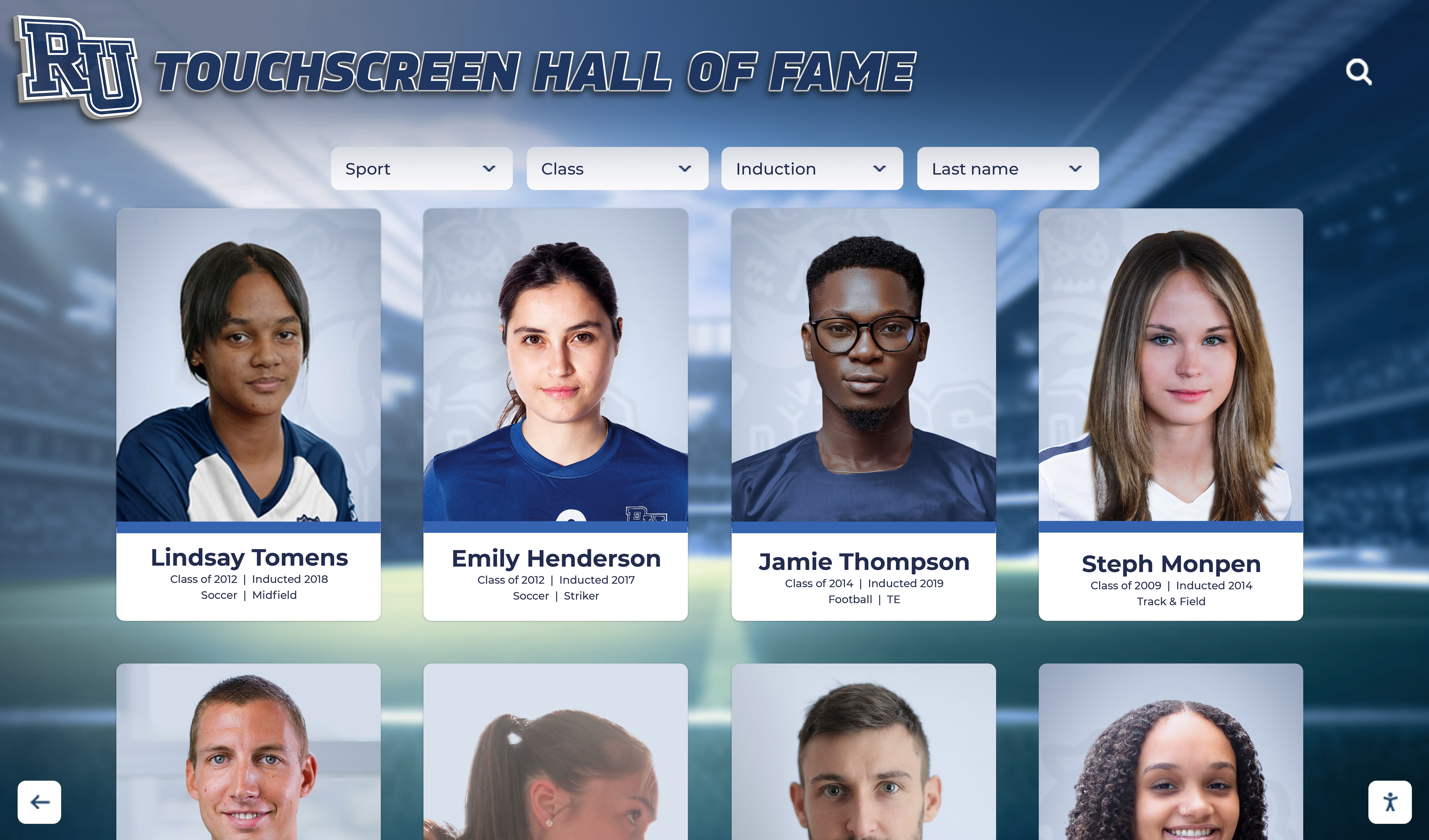
High-resolution yearbook scanning enables portrait photographs to display beautifully on modern touchscreen systems, preserving historical image quality while enhancing accessibility
Safe Scanning Techniques Protecting Original Yearbooks
Professional yearbook digitization prioritizes protecting irreplaceable originals from damage during scanning processes through proper equipment selection and careful handling protocols.
Equipment Options for Different Binding Types
Overhead Book Scanners for Fragile Volumes
Overhead or planetary scanners represent the safest option for fragile yearbooks with deteriorating bindings, brittle pages, or historical significance requiring maximum protection. These specialized systems position cameras or scanners above books resting naturally on V-shaped cradles, eliminating pressure on bindings and stress on spines.
Professional overhead scanners include high-resolution cameras (16-80 megapixels) capturing detailed images, specialized LED lighting preventing heat damage to fragile materials, automatic page flattening software correcting curvature distortion, motorized book cradles adjusting to different volume sizes, and vacuum or finger systems for gentle page turning. Libraries, archives, and professional digitization services use these specialized systems ensuring safest possible handling of valuable materials.
The natural book position with pages resting at 120-140 degree angles prevents binding stress that damages books opened flat. Pages remain visible to cameras while books maintain structurally safe positions throughout scanning processes.
Flatbed Scanners for Stable Volumes
Traditional flatbed scanners work effectively for yearbooks in good condition with stable bindings able to open reasonably flat without excessive stress. This approach requires careful technique avoiding harmful practices.
Safe flatbed scanning techniques include opening books only to natural comfortable positions without forcing bindings flat, supporting unscanned portions with foam wedges preventing binding torque, using protective covering materials preventing direct contact with scanner glass, scanning edge pages first then progressively working toward center spreads, and limiting scanning sessions to prevent extended stress on bindings.
Critical Warning: Never force yearbook spines completely flat against scanner glass. This common mistake permanently damages bindings through repeated stress causing pages to separate from spines, adhesive failure loosening entire sections, and spine cracking compromising structural integrity.
Document Cameras as Budget-Friendly Alternative
Document cameras or high-resolution digital cameras on copy stands provide intermediate options balancing quality with equipment accessibility and cost. Modern document cameras include 16-20 megapixel sensors producing quality rivaling dedicated scanners, automatic document capture simplifying workflows, curved page correction software, and USB connectivity for direct computer connection.
This equipment costs $200-$400 compared to $2,000-$15,000 for professional overhead book scanners, making quality digitization accessible to schools with limited budgets while maintaining safe handling practices protecting yearbooks from damage.
Handling Protocols and Preservation Practices
Environmental Conditions
Proper scanning environments protect yearbooks during digitization projects:
- Temperature Control: Maintain 65-70°F preventing material stress from heat or cold
- Humidity Management: Target 40-50% relative humidity preventing brittleness or mold
- Clean Workspaces: Dust-free surfaces preventing contamination during handling
- Adequate Lighting: Bright work lighting enabling condition assessment without compromising scanning
- Dedicated Space: Organized areas preventing rushed handling or unsafe storage
Physical Handling Standards
Professional handling protocols include washing hands before touching yearbooks (oils damage paper), using cotton gloves only when handling extremely fragile materials (gloves reduce tactile sensitivity increasing accident risk with moderately stable volumes), supporting entire volumes when carrying (never grabbing only spines), working on padded surfaces preventing impact damage, and turning pages gently from corners avoiding tears.
Condition Documentation
Before beginning scanning projects, photograph existing damage and condition issues, document pre-existing tears, stains, or deterioration, note pages requiring special handling, and create condition reports protecting both parties from damage disputes. This documentation proves particularly important when using external digitization services.
Organizations implementing interactive touchscreen archive systems benefit from professional digitization creating high-quality assets suitable for museum-quality display while protecting original materials from repeated handling that inevitably causes deterioration.
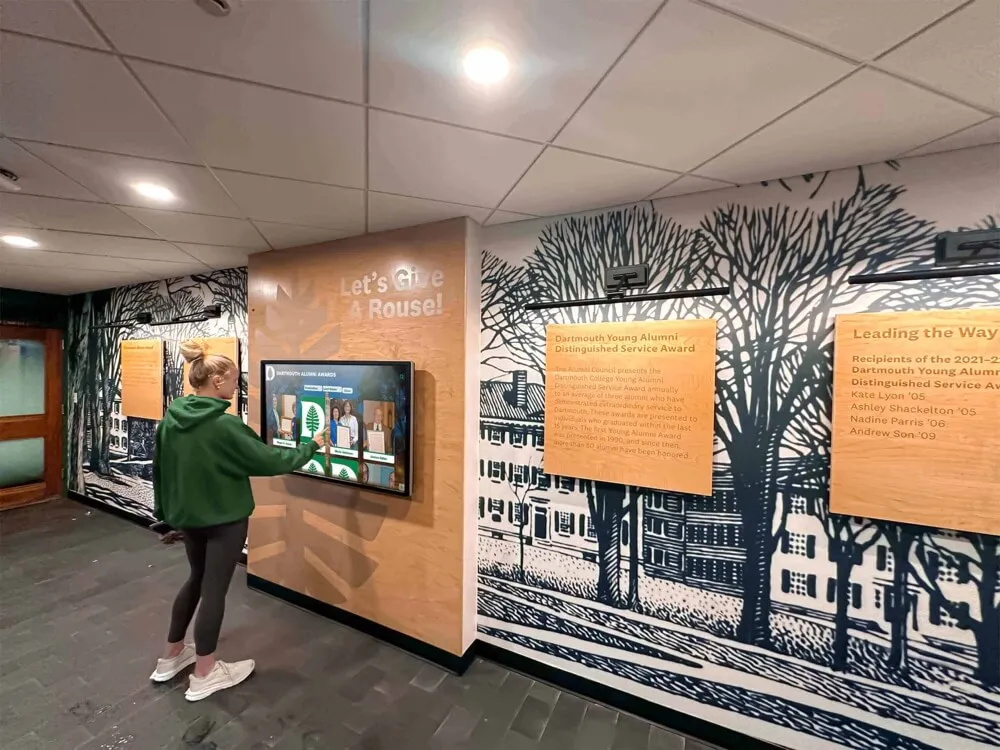
Interactive touchscreen installations in alumni spaces enable exploration of digitized yearbook archives, connecting current and former students with institutional history through engaging interfaces
Yearbook Scanning Workflow and Process Management
Systematic workflows ensure consistent quality while managing large-scale digitization projects efficiently.
Project Planning and Preparation
Volume Assessment and Prioritization
Begin projects with comprehensive assessment creating inventories of all yearbooks documenting years, quantities, condition issues, and special handling requirements. This assessment informs realistic timeline development, budget estimation, and prioritization decisions.
Most organizations prioritize recent decades (1990s-present) before historical materials because recent yearbooks remain in better condition requiring less specialized handling, generate greater immediate interest from younger alumni, and provide easier digitization learning experiences before tackling challenging historical volumes. Some schools reverse this priority addressing most fragile historical materials first while they remain scannable.
Alternative prioritization approaches include focusing on specific programs or achievements relevant to recognition display projects, digitizing years with known high alumni engagement, or addressing volumes with identified deterioration requiring urgent preservation.
Resource Allocation and Timeline Development
Realistic project planning considers available resources and establishes achievable timelines:
Staff Time Estimates: Full yearbook scanning at 600 DPI typically requires 45-90 minutes depending on page count, binding condition, equipment type, and quality control standards. Schools scanning 50 yearbooks averaging 200 pages should budget 40-75 hours of scanning time plus additional hours for organization, metadata creation, and quality review.
Budget Planning: Professional service costs typically range $300-$700 per yearbook depending on page count and specifications. Equipment purchases range from $200-$800 for consumer document cameras to $2,000-$5,000 for professional overhead scanners. Storage costs include cloud subscriptions ($10-$50 monthly) or local backup drives ($100-$300 for adequate capacity).
Milestone Scheduling: Breaking large projects into phases with defined milestones maintains momentum—quarterly targets for specific year ranges, completion deadlines before significant events (reunions, anniversaries), or staged releases of digitized content generating ongoing community engagement.
Scanning Procedures and Quality Control
Systematic Scanning Workflow
Consistent procedures ensure complete capture without missing content:
Setup and Calibration: Clean scanning surfaces or camera lenses, verify optimal lighting conditions, confirm resolution and file format settings, test sample scans checking quality, and prepare file organization structures before beginning volume scanning.
Page-by-Page Capture: Work systematically from front to back covers, scan every page including covers and end papers, verify page capture before turning to next page, maintain consistent positioning and orientation, and save files using systematic naming conventions enabling easy organization.
File Naming Standards: Establish consistent naming conventions that include year information, page numbers, and section identifiers. Example format: “1985_Page034_Football.tif” enables instant identification while supporting automated organization. Consistency proves critical when managing thousands of image files across multiple yearbook volumes.
Quality Review Process
Professional digitization includes multiple quality control stages:
Real-Time Review: During scanning, verify each image for focus and sharpness, proper exposure and color balance, complete page capture without cropped edges, and absence of glare or reflections. Immediate review enables rescanning while yearbooks remain in scanning positions.
Batch Quality Control: After completing volumes, systematically review all images checking for missing pages, duplicate captures, orientation issues requiring correction, and overall technical quality consistency. This comprehensive review catches errors enabling correction before yearbooks return to storage.
Test Printing or Display: Before declaring projects complete, test representative images in intended use contexts—displaying sample photos on recognition systems, printing test pages checking reproduction quality, and verifying files open correctly in intended software applications.
Many schools integrate yearbook digitization with broader digital archive initiatives creating comprehensive institutional memory collections accessible through unified platforms.

Professional yearbook scanning enables decades of historical photographs to populate modern recognition displays, honoring athletic achievements and institutional heritage through accessible digital formats
Photo Extraction and Individual Image Creation
Converting page scans into individual usable photographs requires additional processing particularly valuable for recognition displays and searchable databases.
Automated and Manual Extraction Methods
Image Segmentation Software
Professional digitization services and advanced DIY projects use image segmentation software automatically identifying and extracting individual photos from yearbook page layouts. These tools analyze page compositions identifying portrait boundaries, separate individual photos from backgrounds and layout elements, crop images to optimal dimensions, and export hundreds or thousands of individual photos from complete yearbook scans.
Quality segmentation software handles various yearbook layout styles from formal portrait grids to creative magazine-style layouts, accommodates different photo sizes and orientations, and maintains consistent output quality across diverse source materials.
Manual Extraction Using Photo Editing Software
Smaller-scale projects or specific high-priority images benefit from manual extraction providing maximum control over cropping and quality:
Professional photo editing software (Adobe Photoshop, GIMP) enables precise selection of individual photos, careful cropping optimizing composition, rotation correcting tilted images, and basic enhancement improving display quality. Manual extraction proves particularly valuable for featured recognition profiles requiring perfect presentation.
Hybrid approaches combine automated bulk extraction for comprehensive database population with manual refinement of featured individuals ensuring highest quality for prominent display purposes.
Image Enhancement and Optimization
Basic Enhancement Techniques
Digitized yearbook photos often benefit from basic enhancements addressing aging and original printing limitations:
Exposure and Contrast Adjustment: Correct fading from aging papers, restore shadow and highlight detail, and optimize tonal range for display screens. Yearbook photos from 1970s-1990s particularly benefit from contrast enhancement compensating for original printing limitations.
Color Correction: Remove yellow or brown color casts from aging paper, restore neutral gray tones in black and white photos, and balance color for natural skin tones in color yearbooks. Professional color correction dramatically improves appearance of historical photos on modern displays.
Sharpening: Carefully applied sharpening enhances edge definition lost in original printing or scanning processes. Moderate sharpening improves perceived image quality on digital displays without creating artificial-looking results.
Critical Guideline: Enhancement should restore images to approximate original appearance without creating false information or dramatically altering historical record. Professional archival standards emphasize faithful reproduction rather than heavy manipulation.
Optimization for Digital Display
Preparing extracted photos for specific display systems includes resizing to optimal dimensions matching display resolutions, converting to appropriate color profiles for accurate color, compressing to efficient file sizes balancing quality with loading speed, and creating multiple size variants for different viewing contexts (thumbnails, full-screen display, print reproduction).
Schools implementing historical timeline displays use extracted yearbook photos to populate chronological recognition systems showcasing institutional evolution across decades through visual storytelling.
Metadata Creation and Database Organization
Raw digital images require organization and searchability to function as useful archives and recognition resources.
Essential Metadata Fields
Individual Identification Information
Comprehensive metadata for yearbook photos includes:
- Full Name: Complete legal names enabling accurate searches
- Graduation Year or Class: Primary organizational category
- Grade Level: When yearbooks organized by grade rather than only senior portraits
- Activities and Affiliations: Sports, clubs, academic programs, leadership positions
- Achievement Information: Awards, honors, records, or special recognition
- Photo Context: Whether portrait, team photo, candid activity shot, or special event
This metadata transforms image collections into searchable databases where staff can instantly locate individuals by name, find all members of specific graduating classes, identify participants in particular activities or sports, and discover achievement-related photos for recognition displays.
Technical and Administrative Metadata
Supporting information includes original yearbook year and page number (enabling reference to source material), scan date and specifications (resolution, file format, scanning organization), copyright and permission status, and condition notes regarding original image quality.
Database Systems and Management Tools
Digital Asset Management (DAM) Platforms
Professional digital asset management systems provide comprehensive organization and access:
Cloud-Based DAM Services: Platforms like Bynder, ResourceSpace, or Cloudinary offer centralized storage with global access, sophisticated search and filtering, permission controls limiting access appropriately, integration capabilities with recognition displays, and automated backup and redundancy. These services typically charge monthly fees based on storage capacity and user counts.
Local Database Solutions: Organizations with IT capacity can implement self-hosted systems using open-source DAM platforms, standard database software with custom interfaces, or file system organization with spreadsheet inventories. Local solutions provide complete control while requiring technical expertise and ongoing maintenance.
Specialized Yearbook Archive Platforms: Some providers offer purpose-built yearbook digitization platforms combining scanning services with hosted access, searchable databases organized by year and individual, integrated viewer interfaces for browsing, and features specifically designed for educational institutions and alumni engagement.
Simple Organization for Smaller Collections
Schools digitizing limited yearbook collections can implement effective organization using straightforward file system hierarchies with folder structures organizing by year, class, and category, consistent naming conventions enabling sorting and searching, spreadsheet inventories linking files to metadata, and cloud storage services (Google Drive, Dropbox, Microsoft OneDrive) providing access and backup.
While less sophisticated than professional DAM systems, well-organized file systems meet many institutional needs particularly during initial digitization phases before requirements justify investment in specialized platforms.
Organizations developing comprehensive academic recognition programs use digitized yearbook databases to populate historical achievement displays, identify past academic excellence patterns, and create longitudinal recognition celebrating decades of student achievement.
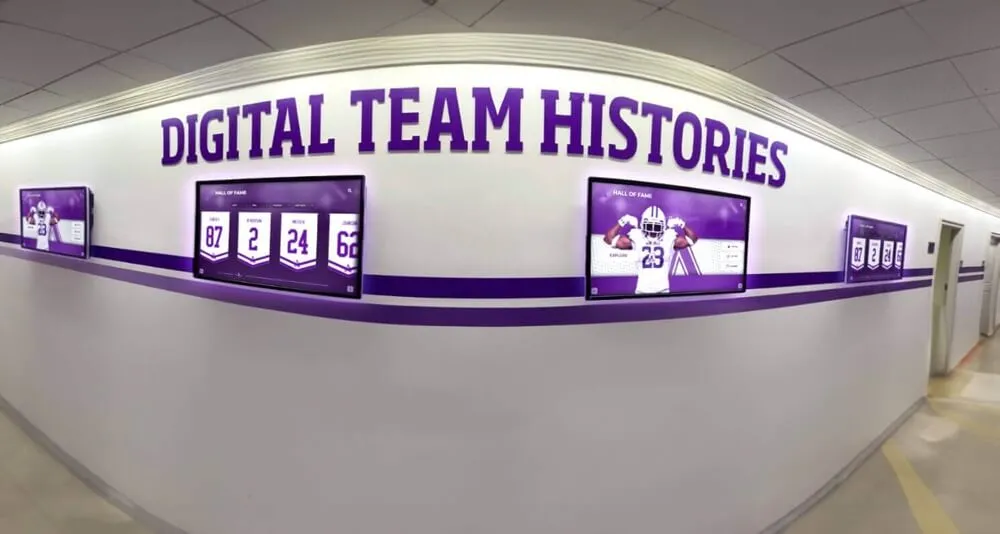
Strategically installed digital displays throughout school hallways showcase digitized yearbook content, making historical photographs and achievements accessible during daily campus activities
Integration with Digital Recognition and Display Systems
Digitized yearbook content provides ideal content for modern recognition displays, interactive touchscreens, and online engagement platforms.
Populating Digital Hall of Fame Displays
Content Preparation for Touchscreen Systems
Modern interactive recognition displays require specific content formats and organization. Digitized yearbook content adapts naturally to these systems:
Individual Profile Creation: Extracted photos provide professional headshots for recognition profiles. Yearbook biographical information supplies achievement descriptions and career details. Historical context from yearbook captions enriches storytelling. Combined metadata enables sophisticated filtering and search capabilities.
Team and Group Recognition: Digitized team photos document championship seasons and program history. Group activity photos illustrate club achievements and traditions. Candid shots from yearbook spreads add authentic historical context to formal recognition.
Historical Timelines: Chronologically organized yearbook photos create visual institutional timelines showing facility evolution across decades, uniform and equipment changes reflecting different eras, student life and culture transformation, and program development and growth.
Professional touchscreen kiosk software designed for educational recognition integrates digitized yearbook content seamlessly, enabling schools to transform scanning projects into engaging interactive experiences.
Website Integration and Online Archives
Public Website Access
Many schools publish digitized yearbooks through institutional websites providing valuable resources for alumni, researchers, and communities:
Complete Yearbook Viewers: Platforms displaying full yearbook pages with zoom capabilities and page-turning interfaces replicating physical browsing experiences. Services like Internet Archive, Issuu, or custom platforms enable embedding complete yearbooks into school websites.
Searchable Photo Databases: Advanced implementations create searchable databases where visitors search by name, browse by year or class, filter by activity or achievement, and download individual photos with appropriate permissions.
Privacy Considerations: Schools must address privacy concerns before publishing historical yearbook content online. Considerations include whether yearbooks constitute public records or protected educational materials, whether publication requires individual consent from all depicted individuals, appropriate privacy settings and access controls, and institutional policies regarding historical student information.
Many schools restrict online yearbook access to authenticated users (current students, verified alumni) or limit publication to yearbooks older than specific thresholds (25+ years) where privacy concerns diminish.
Alumni Engagement Applications
Reunion and Networking Resources
Digitized yearbook content supports alumni engagement initiatives:
Reunion Planning Tools: Class reunion organizers access historical photos for invitations, memory displays, and nostalgia marketing. Individual photos enable creating “then and now” comparisons. Group photos spark memories and conversation during reunion events.
Alumni Directory Enhancement: Historical yearbook photos enhance alumni directories connecting current information with student-era images. Visual recognition helps alumni identify classmates they knew by face but cannot recall by name alone.
Anniversary Celebrations: Milestone anniversaries (50th, 75th, 100th) leverage digitized yearbook content creating historical exhibits, video montages, and recognition displays celebrating institutional heritage.
Schools implementing comprehensive alumni engagement strategies use digitized yearbook archives as foundational resources connecting graduates with shared memories while strengthening institutional relationships across generations.
Selecting Yearbook Scanning Services and Vendors
Choosing appropriate service providers ensures quality results, reasonable costs, and protection of valuable materials.
Evaluation Criteria for Service Providers
Technical Capabilities and Quality Standards
Assess provider capabilities through:
Equipment Quality: Inquire about scanner types and specifications, resolution capabilities and standards, color accuracy and calibration processes, and handling protocols for fragile materials. Reputable providers use professional overhead scanners for fragile historical materials rather than flatbed scanners that stress bindings.
Sample Quality Review: Request sample scans from similar materials, examine resolution and sharpness at intended viewing sizes, assess color accuracy and enhancement quality, and evaluate metadata completeness and accuracy. Quality samples predict final deliverable standards.
Quality Control Processes: Understand provider quality assurance procedures including real-time scanning review, comprehensive batch inspection, error correction protocols, and customer review opportunities before project completion.
Service Terms and Protections
Insurance and Liability Coverage
Protecting irreplaceable yearbooks requires adequate insurance:
- Transit Insurance: Coverage during shipping to and from service providers
- Processing Insurance: Protection against damage during scanning and handling
- Loss Coverage: Compensation if volumes lost or stolen
- Damage Documentation: Clear protocols documenting pre-existing condition and any damage occurring during services
Reputable providers carry comprehensive insurance specifically designed for valuable document handling and willingly provide documentation of coverage.
Turnaround Time and Delivery Methods
Clarify realistic project timelines understanding typical processing duration for volume quantities, rush service availability and additional costs, delivery method options (cloud download, physical drive, both), and progress updates during longer projects.
Most providers complete 50-100 yearbooks within 4-8 weeks depending on specifications and current workload. Shorter timelines often incur premium pricing.
Data Security and Privacy
Ensure providers maintain appropriate security protecting potentially sensitive educational records through secure facilities preventing unauthorized access, background-checked staff handling materials, encrypted file transmission and storage, confidentiality agreements protecting institutional information, and clear data retention or destruction policies after project completion.
Preservation and Access After Digitization
Completing scanning projects marks beginnings rather than endpoints—ensuring long-term preservation and useful access requires ongoing attention.
Digital Preservation Best Practices
Redundant Backup Strategies
Digital files face different preservation risks than physical materials requiring proactive protection:
3-2-1 Backup Rule: Maintain at least three copies of all files, store copies on two different media types (cloud storage and local drives), and keep one copy off-site protecting against local disasters. This redundancy protects against drive failures, ransomware attacks, natural disasters, and human error.
Cloud Storage Solutions: Services like Google Drive, Dropbox, Microsoft OneDrive, or specialized archival platforms provide automated redundancy, geographic distribution protecting against regional disasters, version history recovering from accidental deletions or changes, and collaborative access for authorized staff.
Local Backup Drives: External hard drives or network-attached storage (NAS) systems provide local access independent of internet connectivity and subscription services. Use enterprise-grade drives designed for continuous operation and implement automated backup schedules ensuring currency.
Ongoing Organization and Enhancement
Continuous Metadata Improvement
Initial digitization creates foundational organization that improves over time through alumni contributions identifying individuals in photos, achievement documentation adding context to historical images, error correction updating misidentified individuals or incorrect information, and enhanced categorization as institutional priorities evolve.
Create mechanisms enabling alumni and community members to submit information enriching historical archives. Crowdsourced identification proves particularly valuable for candid photos and group activities where institutional records may lack complete information.
Periodic Quality Review and Refresh
Technology evolution may eventually justify rescanning historical materials at higher resolutions, with improved color accuracy, or using better equipment. Periodic assessment every 5-10 years determines whether quality improvements warrant reinvestment particularly for most significant or frequently accessed materials.
Organizations implementing comprehensive digital storytelling systems continuously enhance digitized yearbook archives with contextual information, multimedia content, and organizational improvements creating increasingly valuable institutional memory resources.
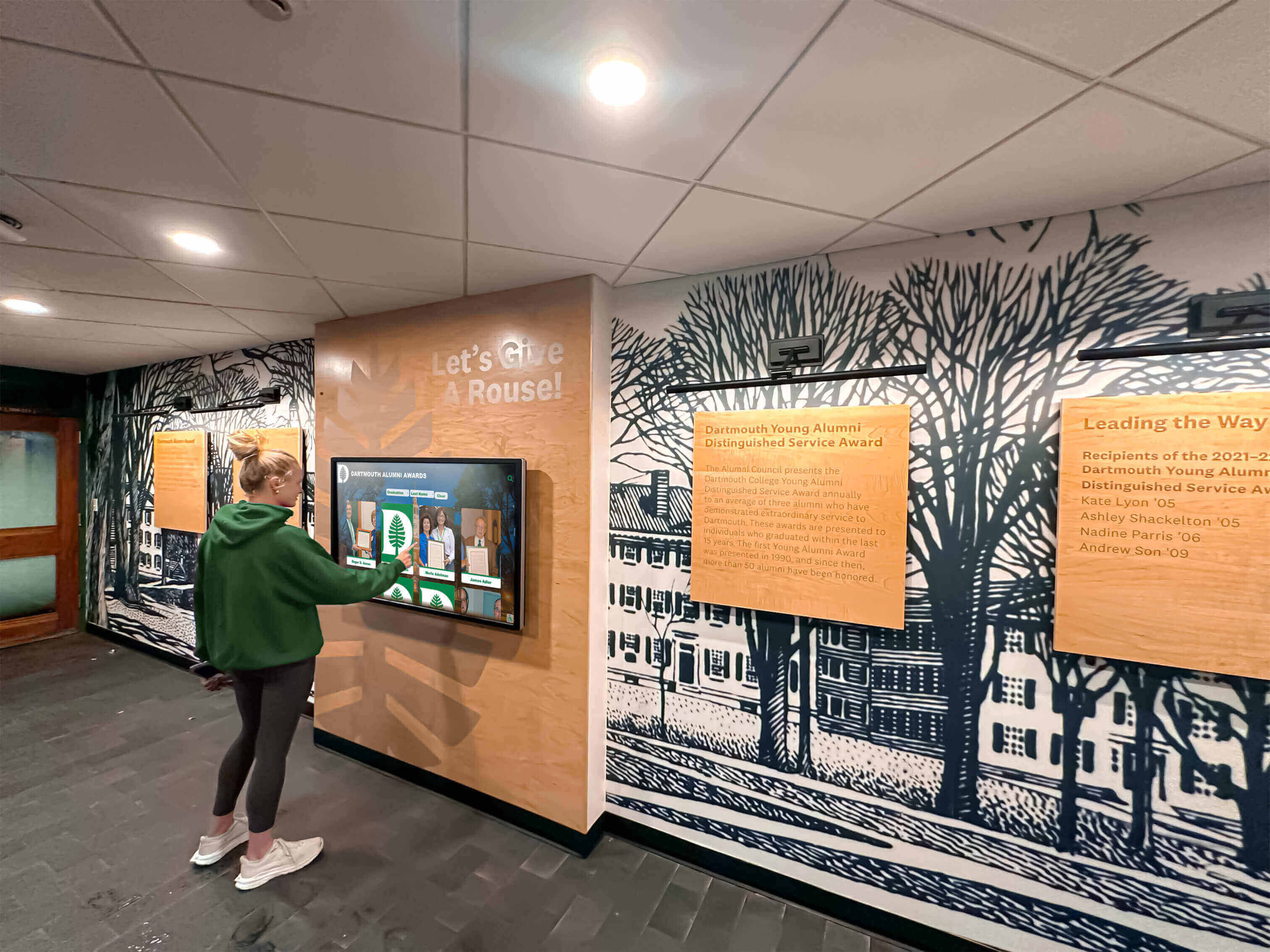
Accessible touchscreen displays enable students to explore digitized yearbook archives, discovering institutional history and connecting current experiences with decades of shared traditions
Cost-Benefit Analysis and Return on Investment
Understanding yearbook digitization costs and benefits enables informed decision-making about project scope, service selection, and resource allocation.
Typical Cost Structures
Professional Service Pricing
Full-service yearbook digitization typically includes:
- Per-Page Scanning: $1.50-$3.50 per page depending on volume, resolution, and specifications
- Photo Extraction: $0.25-$0.75 per individual photo for automated extraction
- Metadata Creation: $0.50-$2.00 per individual record for name and basic information
- Enhancement Services: $2-$10 per image for professional color correction and optimization
- Shipping and Insurance: $50-$200 per project depending on volume quantity and value
Example project cost: Digitizing 50 yearbooks averaging 200 pages each at $2.00 per page equals $20,000 for complete scanning with basic organization. Adding individual photo extraction for 10,000 portraits at $0.50 each adds $5,000. Total project cost approximately $25,000-$30,000 depending on specifications.
DIY Project Costs
Organizations handling scanning internally face different cost structures:
- Equipment Investment: $200-$5,000 depending on selected scanning system
- Software Licenses: $0-$500 for photo editing and organization tools
- Storage Infrastructure: $100-$500 annually for adequate cloud and local backup capacity
- Staff Time: 50-100 hours of labor for 50 yearbook volumes at institutional hourly rates
DIY approaches reduce direct expenses while requiring substantial time investment. Cost-effectiveness depends on staff availability, institutional hourly cost rates, and opportunity costs of allocating staff to digitization rather than other priorities.
Long-Term Value and Benefits
Alumni Engagement Impact
Schools implementing digitized yearbook archives consistently report increased alumni website visits, enhanced reunion attendance and participation, strengthened donor connections through historical engagement, expanded volunteer recruitment leveraging nostalgia, and social media engagement around historical content.
Quantifying these benefits proves challenging but advancement offices typically value engagement improvements at 20-40% increases in donor cultivation opportunities, event participation, and community goodwill—often justifying digitization investments through anticipated development returns alone.
Operational Efficiency Gains
Digitized searchable yearbook databases dramatically reduce staff time responding to information requests from media seeking historical information, alumni requesting specific photos or information, recognition program development requiring historical data, anniversary or reunion planning, and research projects requiring archival access.
Schools estimate digitization reduces archival research time by 75-90% compared to manually searching physical volumes—saving dozens of staff hours annually while improving response quality and completeness.
Preservation Value
Beyond operational benefits, digitization creates irreplaceable backup copies protecting against deterioration, disaster, theft, or loss. The preservation value of comprehensive institutional archives defies simple financial calculation but represents essential insurance against permanent loss of irreplaceable historical records.
Taking Action: Launching Your Yearbook Scanning Project
Schools and organizations ready to digitize yearbook collections should approach projects systematically, starting with clear goal definition, realistic scope and timeline establishment, appropriate service or equipment selection, and careful project management ensuring quality results.
Initial Planning Steps
Assessment and Goal Clarification
Begin by inventorying existing yearbook collections noting years, quantities, and condition. Clarify primary purposes for digitization whether populating recognition displays, creating alumni engagement resources, preserving deteriorating materials, building searchable archives, or supporting multiple objectives.
Different goals influence technical specifications, metadata requirements, and service selection. Recognition displays prioritize individual photo extraction and enhancement while archival preservation emphasizes comprehensive page-by-page scanning and long-term file format standards.
Budget Development and Approval
Develop realistic budgets based on collection size and specifications. Present proposals to decision-makers emphasizing both preservation value and practical applications supporting institutional priorities like alumni engagement, recognition programs, and historical preservation.
Many schools fund yearbook digitization through advancement budgets emphasizing alumni engagement returns, combine funding from archives and communications budgets reflecting shared benefits, or pursue grant funding from alumni associations, booster clubs, or community foundations supporting historical preservation.
Pilot Projects and Phased Implementation
Starting Small for Learning and Refinement
Rather than committing to comprehensive multi-decade digitization immediately, many organizations benefit from pilot projects digitizing 5-10 recent yearbooks testing workflows and specifications, evaluating service provider quality if outsourcing, identifying unforeseen challenges and requirements, refining metadata structures and organization, and demonstrating value to stakeholders before larger investments.
Successful pilots build confidence, refine approaches, and generate enthusiasm supporting expanded project phases.
Phased Expansion
After successful pilots, expand systematically through prioritized phases addressing most valuable or urgent materials first, building internal capacity and expertise progressively, managing budgets across multiple fiscal years, and creating momentum through periodic completion milestones and content releases.
Transform Historical Yearbooks into Interactive Recognition
Discover how professional yearbook scanning services create high-quality digital archives that populate modern recognition displays, engage alumni, and preserve irreplaceable institutional memories. Explore comprehensive solutions combining safe digitization practices, professional photo extraction, searchable database creation, and seamless integration with interactive touchscreen recognition systems designed specifically for educational institutions.
Schedule a Digital Yearbook consultation to discuss your yearbook digitization goals and learn how modern platforms transform historical archives into engaging interactive experiences celebrating institutional heritage while building alumni connections.
Yearbook digitization represents significant investment of resources, time, and attention—but schools completing comprehensive scanning projects consistently report that benefits far exceed costs. Preserved memories become accessible to global communities rather than locked in storage closets. Historical photographs populate modern recognition displays celebrating achievements across generations. Alumni reconnect with formative experiences through accessible digital archives. And irreplaceable institutional records receive permanent protection against inevitable physical deterioration.
Whether pursuing full-service professional digitization, building internal scanning capacity, or combining approaches strategically, schools taking action to digitize yearbook collections create assets serving diverse purposes across decades while honoring legacies of thousands of students, athletes, scholars, and community members whose achievements deserve permanent celebration and accessible preservation. The memories captured in yearbooks too valuable to lose, and digitization ensures they remain accessible for current and future generations to explore, celebrate, and cherish.































