School history, shared
Yearbook OCR: How Schools Turn Scanned Yearbooks Into a Searchable Digital Archive

Yearbook OCR — optical character recognition applied to scanned yearbook pages — is the technology that converts printed names, captions, and text into machine-readable, searchable data. When a school scans its physical yearbooks and runs OCR, a collection that once required someone to flip through every page by hand becomes a digital archive where any name, activity, or year can be found in seconds.
The process sounds straightforward but involves several coordinated steps: high-resolution scanning, image cleanup, OCR processing, name index creation, metadata tagging, photo caption review, and publication in a format that alumni and staff can actually search. Each step shapes whether the final archive is genuinely useful or just a pile of image files stored in a folder no one ever opens.
This guide walks through the complete yearbook OCR workflow — what each stage involves, what standards to hold, and how the finished archive can serve alumni engagement, donor recognition, and campus display programs for decades.
Schools that complete a full OCR workflow — not just scanning, but indexing and metadata too — report that alumni can find themselves and classmates across multiple decades in under ten seconds. That discoverability is what turns a digitization project into a long-term institutional asset.

Optical character recognition applied to scanned yearbook pages transforms decades of printed names and captions into a searchable digital archive — making every graduating class accessible to alumni, staff, and visitors
What Is Yearbook OCR?
Yearbook OCR is the process of using optical character recognition software to convert the printed text inside scanned yearbook pages — names, photo captions, club rosters, and section headers — into searchable, selectable digital text.
Without OCR, a scanned yearbook is just a sequence of image files. A scanner captures the page as a photograph: it records every pixel but understands none of the words. OCR reads those pixels and identifies the letters and numbers they form, producing a text layer that search engines and database software can index.
Applied to a school yearbook archive, OCR makes it possible to:
- Search an entire decade of yearbooks for a specific student’s name
- Pull every mention of a sport, club, or teacher across multiple volumes
- Surface alumni profiles in web searches when someone types their own name
- Populate digital recognition displays with accurate name and achievement data
- Cross-reference athletes, award recipients, and honor roll members across graduation years
The accuracy of OCR varies with source material quality. Typed text from 1990s yearbooks running on clean white paper typically achieves 95–99% character accuracy with modern engines. Older volumes with aged paper, faded ink, or decorative fonts may require manual correction — particularly for the name index, where errors matter most.
Why Schools Are Investing in Yearbook OCR
Physical yearbooks deteriorate. Acidic paper yellows, bindings crack, and volumes stored in closets become inaccessible — not just to alumni across the country but to staff in the same building. Scanning preserves the content; OCR makes it useful.
The practical benefits extend across several school priorities:
Alumni engagement. When a graduate searches for their own name online and finds a page from their yearbook, that moment of discovery strengthens their connection to the institution in a way no newsletter can replicate. Strong alumni connections support everything from reunion attendance to annual giving. Schools building robust alumni networks consistently point to searchable digital archives as a foundation for that outreach.
Donor recognition and development. Development offices can identify former athletes, honor society members, and award recipients across multiple decades — information that used to require hours of manual page-turning. A searchable yearbook name index surfaces that history in seconds and provides verifiable context for recognition appeals.
Academic and athletic records. Schools with long histories of academic recognition programs often find that their older yearbooks are the only comprehensive record of early honor roll recipients, valedictorians, and award winners. OCR makes those records retrievable without physical access to deteriorating originals.
Campus display content. Digitized yearbook photos and indexed names feed directly into interactive touchscreen displays in lobbies, hallways, and trophy rooms — giving visitors and students a live view of institutional history without relying on physical copies.
Preservation redundancy. A properly indexed digital archive stored in multiple locations provides insurance against fire, flood, or simple misplacement — threats that have erased irreplaceable institutional records at schools that relied only on physical storage.
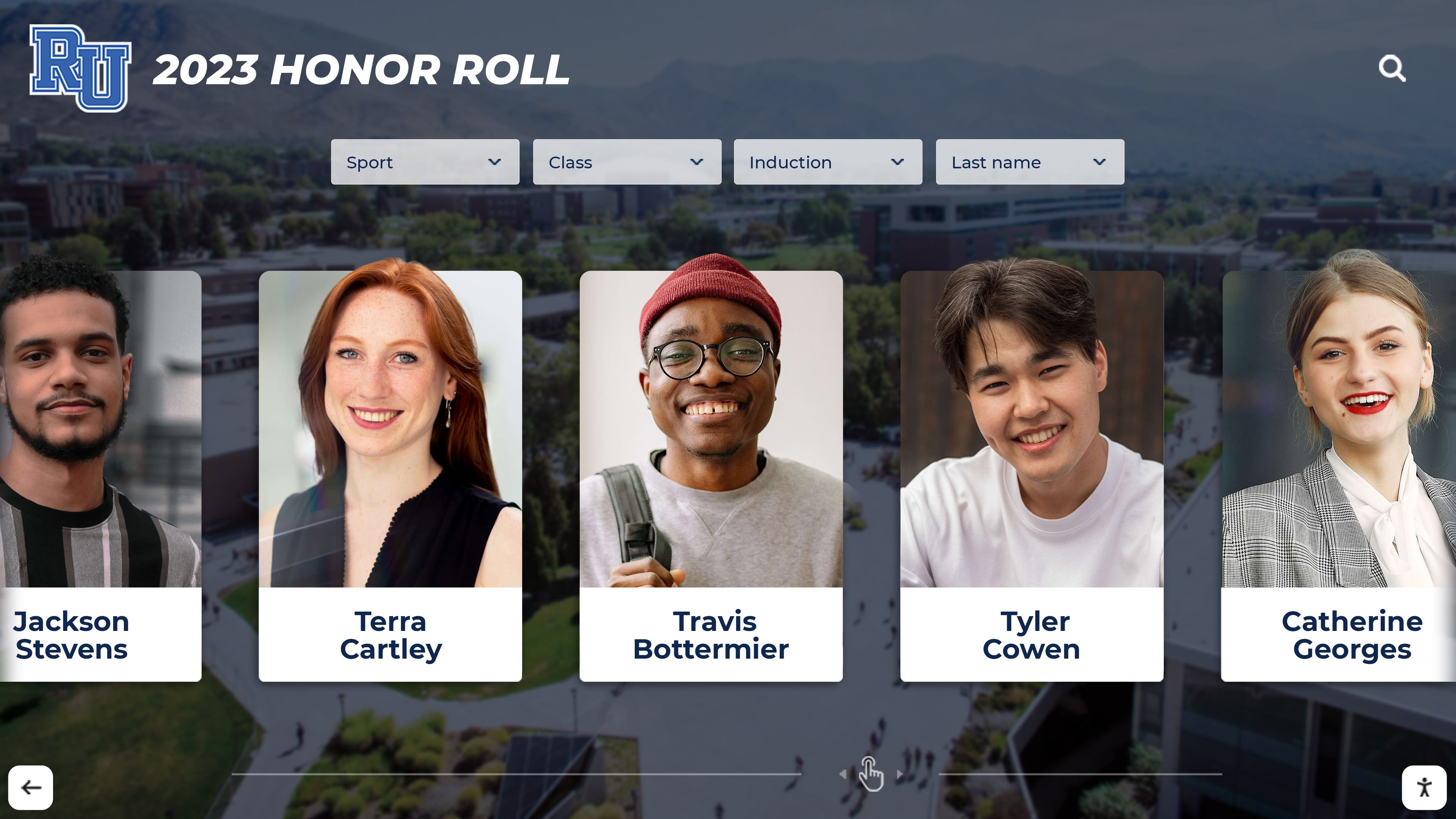
When yearbook OCR produces an accurate name index and photo metadata, schools can populate recognition displays with historical student data — connecting decades of achievement to a single searchable interface
The Seven-Step Yearbook OCR Workflow
A complete yearbook OCR project moves through seven distinct stages. Skipping or rushing any step creates problems downstream — poor scan quality undermines OCR accuracy; missing metadata undermines search; inadequate quality review creates name errors that frustrate the alumni it’s meant to serve.
Step 1: Gather and Assess the Physical Collection
Before any scanner is powered on, the school needs a complete inventory of physical yearbooks and an honest condition assessment. Document:
- Every volume in the collection with year and condition rating
- Missing years that need to be sourced from alumni or local libraries
- Volumes with damaged bindings that require special handling
- Oversized or non-standard formats needing different scanning equipment
- Water damage, mold, or brittleness requiring archival pre-treatment
A complete inventory prevents gaps in the archive and identifies volumes that need professional handling before they can be safely scanned.
Step 2: Scan Yearbook Pages at the Right Resolution
Resolution determines whether OCR succeeds or fails. Scan at too low a resolution and the OCR engine cannot reliably distinguish letters — especially in older books with small type or worn printing. Scan too high and file sizes become unmanageable.
| Source Material | Recommended DPI | Notes |
|---|---|---|
| 1990s–2000s yearbooks, clean condition | 400–600 dpi | Standard OCR accuracy 95–99% |
| 1970s–1980s yearbooks, minor yellowing | 600 dpi | Color correction needed for OCR |
| Pre-1970s yearbooks, significant aging | 600–800 dpi | Manual correction likely required |
| Archival master copies | 1200 dpi | For long-term preservation originals |
| Web-display copies | 150–300 dpi | Derived from higher-res masters |
Scan yearbook pages in color even when the originals are black and white — color scans preserve more tonal information and improve OCR accuracy by giving the engine contrast data that grayscale sometimes flattens.
Bound volumes require careful handling. Book scanners with v-cradle design or overhead cameras minimize stress on spines and capture pages that curve into the gutter more accurately than flatbed scanners forcing pages fully open.
Step 3: Image Cleanup and Pre-Processing
Raw scans rarely go straight to OCR. Pre-processing steps correct the conditions that cause OCR errors:
- De-skewing straightens pages that were placed at a slight angle on the scanner
- Deskewing the gutter shadow removes the darkening that appears where pages curve into the binding
- Contrast enhancement makes faded text visible to the OCR engine
- Noise reduction removes speckling from aged paper that the engine might misread as punctuation
- Page border cropping removes scanner edges that add visual noise to the document
- Color normalization corrects yellowing that can cause the engine to underperform on text detection
Most professional OCR workflows use dedicated pre-processing software or the pre-processing modules built into enterprise OCR platforms before the recognition pass runs.
Step 4: Run OCR on Scanned Yearbook Pages
With cleaned images ready, the OCR engine processes each page and produces a text layer. Modern OCR platforms designed for document archives offer zone-based recognition — the operator defines regions for portrait grids, caption blocks, body text columns, and page headers separately, letting the engine apply appropriate recognition settings for each type of content.
For yearbooks, zone configuration typically separates:
- Portrait grids (small text labels below individual photos)
- Caption blocks (multi-line descriptions below group photos)
- Body copy sections (narrative text in feature stories and class histories)
- Header and section labels (large display type naming clubs, sports, and grades)
- Index pages (dense columnar name lists at the back of the volume)
The back-of-book name index deserves special attention. It is typically the densest and smallest type in the yearbook, and it is the most important section for building the searchable name database. Running a separate, high-accuracy OCR pass on index pages — with human review — produces better results than treating index pages the same as body text.
Step 5: Build the Yearbook Name Index
The yearbook name index is the backbone of a searchable archive. It maps every student name to the pages where they appear, enabling searches that return results across multiple years and volumes.
Building a complete index involves:
Extracting names from portrait caption labels. Each portrait in a grid has a name directly beneath or beside it. OCR captures these labels, which then get associated with the specific page and position in the yearbook layout.
Extracting names from group photo captions. Team photos, club pictures, and candid group shots often list names in a caption paragraph. The OCR text is parsed to identify which names correspond to which rows in the image.
Processing the back-of-book index. Most yearbooks from the 1970s onward include an alphabetical name index listing every page a student appears on. OCR of this section, combined with manual accuracy review, produces the most complete name-to-page mapping.
Cross-referencing across volumes. A student who attended a four-year high school appears in up to four yearbooks. Matching names across volumes — handling maiden names, nickname variations, and OCR errors — creates the linked profile that makes multi-year searching possible.
The resulting index should associate each name with a unique identifier, graduation year, all page references, and links to extracted portrait images when available. This structured data is what powers fast name searches and what populates recognition displays with accurate historical records.
Step 6: Tag Yearbook Metadata for Organization and Discovery
Yearbook metadata is the structured information attached to each digital file and record that tells search systems, display platforms, and archive software what the content is and how to organize it.
Essential metadata fields for a yearbook archive include:
- School name and district — for multi-school systems sharing a platform
- Publication year — the academic year the yearbook documents
- Volume number — where a school maintained sequential numbering
- Page number and section — enabling precise citations
- Content category — portrait, group photo, candid, text article, index
- Student names — linked from the name index, attached to specific pages and images
- Activity/organization tags — football, debate team, honor society, drama club
- Grade level — freshman, sophomore, junior, senior, or grade for K-8
- Staff vs. student — distinguishing faculty pages from student sections
- Digitization date and operator — for quality tracking and version control
Rich metadata transforms an image collection into a navigable database. A staff member preparing for a reunion can filter by graduation year and pull every portrait from that class in seconds. A development officer can retrieve every page listing National Honor Society members across a decade. An athletic director researching program history can surface every team photo in a specific sport without opening a single physical volume.
Step 7: Quality Review and Publication
Before the archive goes live, a systematic quality review catches errors that undermine trust in the data. The review process should cover:
OCR accuracy spot-checks. Sample pages from each decade are reviewed side-by-side with originals, measuring character error rate and flagging problem sections for correction. Pay particular attention to name index accuracy — a 2% character error rate in body text is acceptable; a 2% error rate in a student’s last name is not.
Name index completeness. Verify that a sample of students known to appear in specific yearbooks can be found through the index search. Missing entries indicate either an OCR failure or a gap in the index build process.
Metadata consistency. Check that year, section, and category tags are applied uniformly across the collection. Inconsistent tagging creates archive gaps where content exists but cannot be surfaced through filters.
Image quality verification. Review scanned pages for gutter shadows, cropping errors, or blurring that affects usability. Pages with significant quality issues should be rescanned before publication.
Accessibility review. Ensure the published archive meets accessibility standards, including text alternatives for images, keyboard navigation for search interfaces, and sufficient color contrast throughout the presentation layer.
Once the review is complete and corrections are applied, the archive is ready for publication in whatever format the school has chosen — a hosted web platform, an institutional library system, or a display-integrated solution.
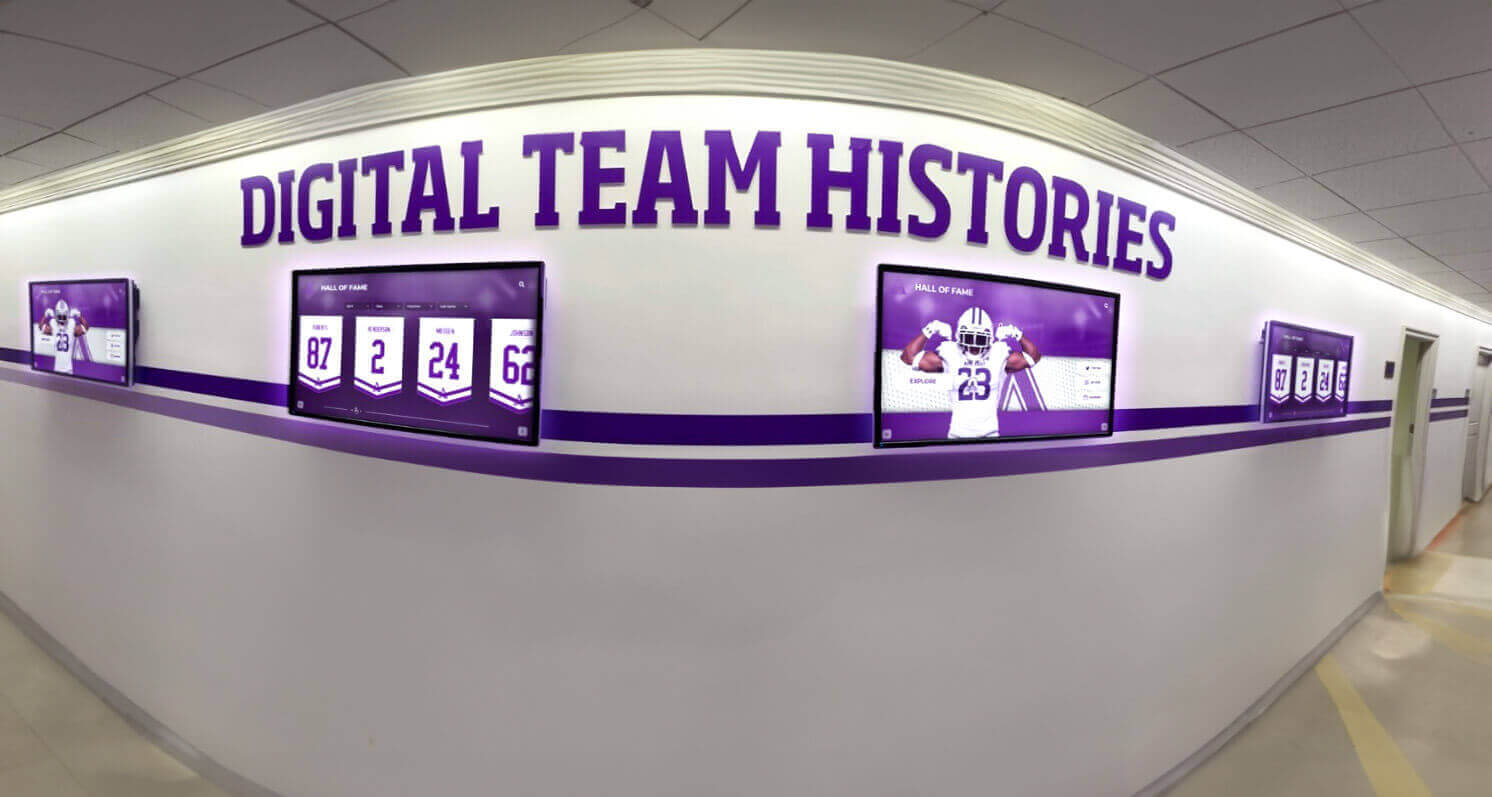
Indexed yearbook archive data integrates directly with digital hallway displays — transforming OCR output into living historical content that students, alumni, and visitors can explore without ever touching a physical book
Technical Requirements for Scanning Yearbook Pages
Getting scans right on the first pass avoids expensive rescan projects later. Beyond resolution, several technical factors affect OCR outcome and long-term archive usability.
Scanner type matters for bound volumes. Flatbed scanners work for yearbooks in good condition, but forcing a fragile binding flat can crack or detach pages. Overhead document cameras or book scanners with a v-cradle design keep the volume at a natural open angle, protecting the binding while capturing complete page content.
Bit depth affects tonal data. Scanning at 24-bit color captures a wider tonal range than 8-bit grayscale, giving the OCR engine more signal when working on faded text. Archive master files should be saved at full bit depth; display-optimized derivatives can be down-converted later.
File format affects downstream usability. TIFF format preserves maximum image data and is the archival standard. JPEG is acceptable for display copies but should not be the sole format for archival masters due to lossy compression. PDF/A is the preferred container format for searchable documents combining image layers and OCR text layers in a single file.
Lighting consistency prevents OCR variance. Inconsistent lighting across a scanning session produces pages where one side is brighter than the other — a condition that causes OCR engines to perform inconsistently on the same page. Professional document scanners include calibrated internal lighting; camera-based setups require controlled ambient lighting conditions.
Naming conventions preserve organization. Every scanned file should be named according to a consistent scheme capturing school, year, volume, and page number before any processing begins. Renaming thousands of files after the fact is error-prone and time-consuming.
Building an Accurate Yearbook Name Index
The name index is where most yearbook OCR projects encounter their hardest problems — and where accuracy matters most. Several practical approaches improve index quality:
Prioritize the back-of-book index first. Many yearbooks already contain a compiled alphabetical index of students and the pages they appear on. OCR of this section, combined with human review of a complete pass, provides the fastest path to a comprehensive name database. Build from this foundation and add portrait-caption names to fill gaps.
Use graduation year to resolve ambiguity. Names that repeat across generations — a student sharing a name with a parent who attended the same school — can be disambiguated by associating each entry with a specific graduation year. The yearbook metadata provides this anchor.
Handle maiden names systematically. Female alumni who have married since graduation may search under either name. Build the index to include alternate names when they appear in the yearbook — reunion pages, retrospective sections, and staff listings sometimes show both forms. Note the connection rather than choosing one.
Set a manual review threshold. Define a confidence score below which OCR name results automatically route to human review. A threshold of 85–90% confidence catches most errors without requiring manual review of every entry in a high-accuracy volume.
Validate against graduation records when available. If the school has digital records of graduating class rosters, a comparison pass between the index and the class list catches missing names and OCR errors in surnames that would otherwise go unnoticed.
Schools building recognition programs — whether for athletic achievements, academic honors, or community service — find that a well-constructed yearbook name index becomes a searchable institutional memory that informs how they celebrate alumni. Programs using digital record boards to display historical achievement data rely on exactly this kind of structured name-to-record mapping.
Yearbook Metadata That Makes Archives Truly Searchable
Well-applied yearbook metadata is the difference between an archive that staff actually use and one that exists primarily as a backup. The following metadata checklist represents a complete implementation for a school archive:
Document-level metadata (applied to each yearbook volume):
- School name (full legal name)
- School district
- Publication year (academic year, not print year)
- Volume number
- Total page count
- Digitization date
- Scanning resolution
- Operator/service provider
- Rights and usage terms
- Physical condition rating of source
Page-level metadata (applied to each scanned page):
- Page number (sequential and original printed number when different)
- Section category (portraits, clubs, sports, academics, ads, index)
- Primary subject tag
- OCR confidence score for the page
- Manual review status
Image-level metadata (applied to extracted individual photos):
- Student name(s) associated with the image
- Graduation year or current grade at time of photo
- Activity or organization (for group photos)
- Photo type (portrait, group, candid, action)
- Caption text (verbatim from OCR, reviewed for accuracy)
- Image dimensions and file format
- Derived file relationships (thumbnail, display copy, archival master)
This level of metadata supports multiple use cases simultaneously: full-text search for casual users, structured database queries for staff, API access for display systems, and long-term preservation with complete provenance records.
Common OCR Challenges and Practical Fixes
| Challenge | Cause | Fix |
|---|---|---|
| High error rate on portrait captions | Small, light-colored type against photo backgrounds | Increase scan resolution; manually review portrait name extraction |
| Index pages fail OCR | Dense two-column layout at small point sizes | Apply zone-based OCR with separate settings for index columns; plan for manual review |
| Decorative chapter headers unrecognized | Stylized display fonts outside OCR training data | Mark as non-indexed headers; transcribe manually if content is important |
| Yellowed pages cause missed characters | Low contrast between aged paper and faded ink | Apply contrast enhancement in pre-processing; rescan with different lighting if needed |
| Names split across two lines cause errors | OCR treats line breaks as word breaks | Post-process name fields to merge hyphenated line-break splits |
| Gutter text lost in binding shadow | Insufficient page capture near spine | Rescan with overhead camera or v-cradle scanner; use digital shadow-correction tools |
| Inconsistent name spellings across years | Yearbook staff spelling variations over decades | Build a name variant table mapping known alternate forms to canonical names in the index |
| Photo captions list names by row but OCR merges them | Lack of spatial parsing in OCR output | Use zone-based OCR with a caption-specific parsing template that recognizes row references |
Most of these challenges can be anticipated before scanning begins if the collection is assessed systematically. Older volumes, volumes with obvious condition issues, and volumes with unconventional layouts should be flagged early so the appropriate workflow adjustments are made before the full processing run.
From Searchable File to Published Archive
A completed OCR archive is not the same as a deployed one. Publishing requires decisions about access, hosting, and interface design that determine whether alumni actually find and use the resource.
Access model. Will the archive be fully public, or gated behind an alumni login? Fully public archives surface in web searches and reach the broadest audience — a student searching their own name finds their yearbook photo without knowing the archive exists. Gated archives offer more privacy control but dramatically reduce organic discovery. Most schools choose a hybrid: basic name and year searches are public, while full-page views or photo downloads require registration.
Search interface. The archive needs a search box, not a folder browser. An interface that requires users to know which year to browse defeats the purpose of OCR. At minimum, provide name search returning all mentions across all years. Filters by year, sport, activity, and grade level add value for users exploring the collection rather than looking for a specific person.
Hosting and uptime. An archive that goes offline frequently or loads slowly will not build the usage habits that make it a valuable alumni engagement tool. Institutional web hosting, a dedicated digital archive platform, or integration into an established alumni engagement platform all provide more reliable long-term operation than a shared drive or general-purpose cloud storage.
Integration with recognition systems. Schools that invest in digital hall of fame displays or championship ring archives find that OCR-indexed yearbook data provides the historical record that feeds those systems. When an athlete’s portrait is already in a searchable database with accurate name and year metadata, adding it to a recognition display or awards archive requires a connection, not a rebuild.
Connecting Your Digital Archive to Physical Campus Displays
A searchable digital archive answers a web search. A connected physical display serves the people walking through your building right now — prospective students, visiting families, donors touring campus, and alumni returning for events.
Interactive touchscreen kiosks installed in lobbies, hallways near trophy cases, or athletics facilities draw on the same indexed yearbook data that powers the online archive. A visitor can search a name on the touchscreen and find portraits, team photos, and achievement records from across the school’s history — without any additional data entry, because the OCR project already built that index.
This connection between archive and display is central to how platforms like Rocket Alumni Solutions approach school history. Rather than treating the digital archive and the physical campus experience as separate projects, the system treats indexed yearbook content as a single database that can be presented in any context: a web search result, a mobile app, a lobby touchscreen, or a hallway display. Schools that have completed an OCR project with good name index and metadata quality can populate a recognition display in a fraction of the time it would take starting from scratch.
Programs built around athletic achievement — including digital showcase boards for high-achieving academic programs and awards recognition nights — benefit from the same historical depth that a yearbook OCR project provides. When the data exists in a structured, searchable form, every display application draws from the same accurate source.

Interactive touchscreen kiosks draw directly from OCR-indexed yearbook archives — letting visitors search historical student records, team photos, and achievement data without any physical yearbooks in the room
FAQ: Yearbook OCR for Schools
How accurate is OCR on old yearbooks?
Modern OCR engines achieve 95–99% character accuracy on clean 1990s and 2000s yearbooks with typed text on white paper. Accuracy drops to 85–95% for 1970s–1980s material with some aging, and can fall to 75–85% on pre-1970s volumes with significant paper deterioration. Name indexes — the most critical section — should always receive manual human review regardless of OCR confidence scores.
How long does a yearbook OCR project take?
A single yearbook volume takes 2–4 hours to scan at professional quality, plus additional time for pre-processing, OCR, and metadata. A complete archive of 40 volumes (roughly four decades of annual yearbooks) typically requires 3–6 months from physical collection through final publication — including quality review and index correction. Smaller collections covering one or two decades can be completed in 6–8 weeks.
Can we do yearbook OCR in-house, or do we need a vendor?
In-house projects are feasible if the school has access to a quality document scanner, a staff member with time to manage the workflow, and basic software literacy for OCR platforms. The hidden costs are significant, however: scanning time, error correction, metadata entry, and quality review add up quickly. Professional digitization services provide specialized equipment, trained operators, and quality guarantees that are difficult to replicate in-house. Most schools find that professional services deliver better results faster for archives of more than 10–15 volumes.
What software handles yearbook OCR?
Enterprise-grade options include Adobe Acrobat Pro (for smaller collections), ABBYY FineReader PDF, Tesseract (open-source, used in many institutional workflows), and Readiris. For yearbook-specific needs — zone templates for portrait grids, batch processing of multi-page volumes, and name index extraction — ABBYY FineReader’s server edition or dedicated archival platforms provide the best balance of accuracy and workflow efficiency.
How do we handle names that OCR gets wrong?
Build a correction workflow before publication. OCR engines flag results below a confidence threshold; route those to a human reviewer. For name index correction, a comparison pass against graduation records or enrollment data catches systematic errors. Accept that some portion of names — particularly in volumes with significant aging or unusual typography — will require manual transcription. A practical target: 100% completeness and 99%+ accuracy for portrait caption names; 99% completeness and 99%+ accuracy for the alphabetical name index.
Can yearbook OCR data be used for alumni outreach?
Yes, with appropriate data governance. A yearbook name index is a historical record of who attended the school and what years they appear in the archive — useful for identifying alumni and building engagement lists. Schools should comply with applicable records privacy requirements and, for recent yearbooks covering students who may still be minors, follow FERPA and state privacy guidelines when publishing or sharing the data externally.
How does yearbook OCR differ from simple scanning?
Scanning creates image files. OCR creates searchable text. A scanned yearbook without OCR is equivalent to a photograph of a page — you can see it but cannot search it, copy from it, or index it automatically. OCR is the step that transforms the image into data. Without it, the digitization project produces storage without discovery.
What happens to the physical yearbooks after digitization?
Physical originals should be retained and stored properly even after digitization. Archival storage in acid-free containers, controlled temperature and humidity, and limited light exposure extend physical life significantly. The digital archive is a preservation supplement and access tool — not a replacement for the original. For schools with significant historical collections, working with a local historical society, public library, or university archive as a co-custodian of physical volumes provides additional protection.
Yearbook OCR is not a single-click solution, but it is a manageable, well-documented process when approached systematically. Schools that invest in all seven workflow stages — scanning, cleanup, OCR, name indexing, metadata, quality review, and publication — end up with an archive that serves alumni relations, development, athletics recognition, and campus display programs simultaneously. The work done once continues paying dividends for every class that ever graduated.
For schools exploring how a completed archive connects to physical touchscreen displays and ongoing alumni recognition programs, Rocket Alumni Solutions provides a platform designed to bridge that gap — taking indexed yearbook content from the archive into the building, where it meets visitors, students, and alumni every day.
Ready to see this for your school?
Picture your collection in a custom mockup
Start with your yearbook collection and digitization goals, then request a custom digital mockup for your school.