High school yearbooks serve as time capsules—preserving friendships, capturing milestone moments, and documenting the unique character of each graduating class. Yet too often, yearbooks default to predictable grid layouts and cookie-cutter templates that fail to reflect the creativity and energy defining your school community.
The difference between forgettable yearbooks and cherished keepsakes often comes down to thoughtful design choices. Modern yearbook spreads blend visual storytelling, dynamic layouts, and authentic student voice to create pages students actually want to revisit decades later. Whether you’re a yearbook adviser seeking fresh inspiration, a student editor planning your first spread, or a school administrator evaluating yearbook programs, innovative design transforms routine school directories into meaningful historical documents.
This comprehensive guide presents 30 proven yearbook design ideas organized by spread type—from opening sections and student life features to sports coverage, academic highlights, and senior sections. Each layout strategy includes specific design principles, implementation tips, and considerations for creating cohesive visual narratives that honor your school’s unique story while maintaining professional production standards.
Schools investing in thoughtful yearbook design report significantly higher student satisfaction, increased yearbook sales, and stronger alumni engagement compared to institutions using basic template approaches. Well-designed yearbooks become treasured artifacts families preserve for generations.

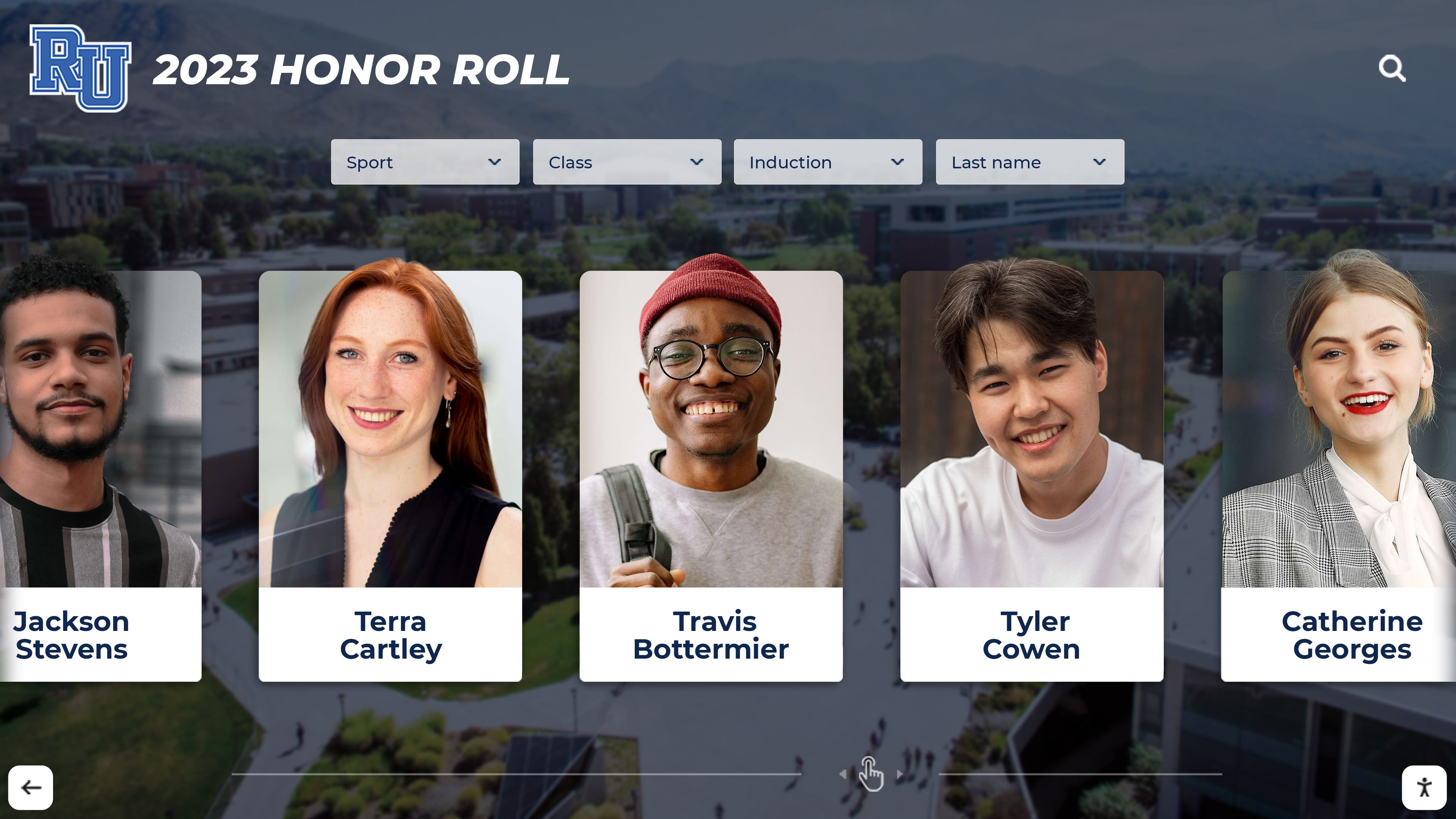
Modern yearbook design principles translate beautifully to digital formats, allowing schools to extend yearbook memories beyond printed pages
Understanding Effective Yearbook Design Principles
Before exploring specific spread layouts, understanding core design fundamentals ensures consistency and visual impact across your entire yearbook.
The Foundation: Visual Hierarchy and Balance
Dominant Visual Elements
Every effective yearbook spread establishes clear visual priority:
- Primary focal point: The largest photo or headline drawing immediate attention
- Secondary elements: Supporting images, captions, and subheads providing context
- Tertiary content: Body copy, names, and details completing the story
- White space: Intentional breathing room preventing visual overwhelm
Strong spreads use size, color, placement, and contrast to guide readers through content in deliberate sequences rather than presenting uniform elements competing for attention.
Balanced Asymmetry
Avoid splitting spreads down the center with identical left and right pages. Instead, create dynamic tension through intentional imbalance:
- Place dominant visuals off-center to create energy
- Vary photo sizes dramatically rather than using uniform dimensions
- Let content flow across the gutter connecting left and right pages
- Use white space strategically to balance heavy visual sections
Schools implementing these recognition and display strategies find that yearbook content adapts effectively to both print and digital viewing environments.
Typography: Readability Meets Personality
Font Selection Strategy
Limit yearbook designs to 2-3 font families maximum:
- Display font: Attention-grabbing headlines reflecting school personality (bold, distinctive, appropriate)
- Body font: Clean, readable sans-serif for captions and copy (consistent throughout yearbook)
- Accent font: Optional decorative elements for section dividers or special features
Avoid trendy fonts that date quickly or sacrifice readability. Your yearbook should feel current in the year of publication while remaining visually appealing decades later.
Size and Spacing
- Headlines: 24-72 points depending on spread prominence
- Subheads: 14-18 points for section breaks
- Body copy: 9-11 points for comfortable reading
- Captions: 8-10 points for photo identification
- Line spacing: 120-140% of font size preventing cramped appearance
Color Theory for Yearbook Spreads
Strategic Color Application
Effective yearbook color schemes balance school spirit with professional design:
School Colors as Foundation
- Use official school colors for section dividers, headlines, and branding elements
- Apply team colors specifically within athletic sections
- Reserve full-color photos for maximum impact
- Consider black-and-white photography for timeless aesthetic appeal
Accent Colors
- Select 1-2 complementary colors coordinating with school palette
- Use consistently throughout yearbook for visual cohesion
- Apply to backgrounds, borders, and graphic elements
- Avoid color combinations reducing text readability
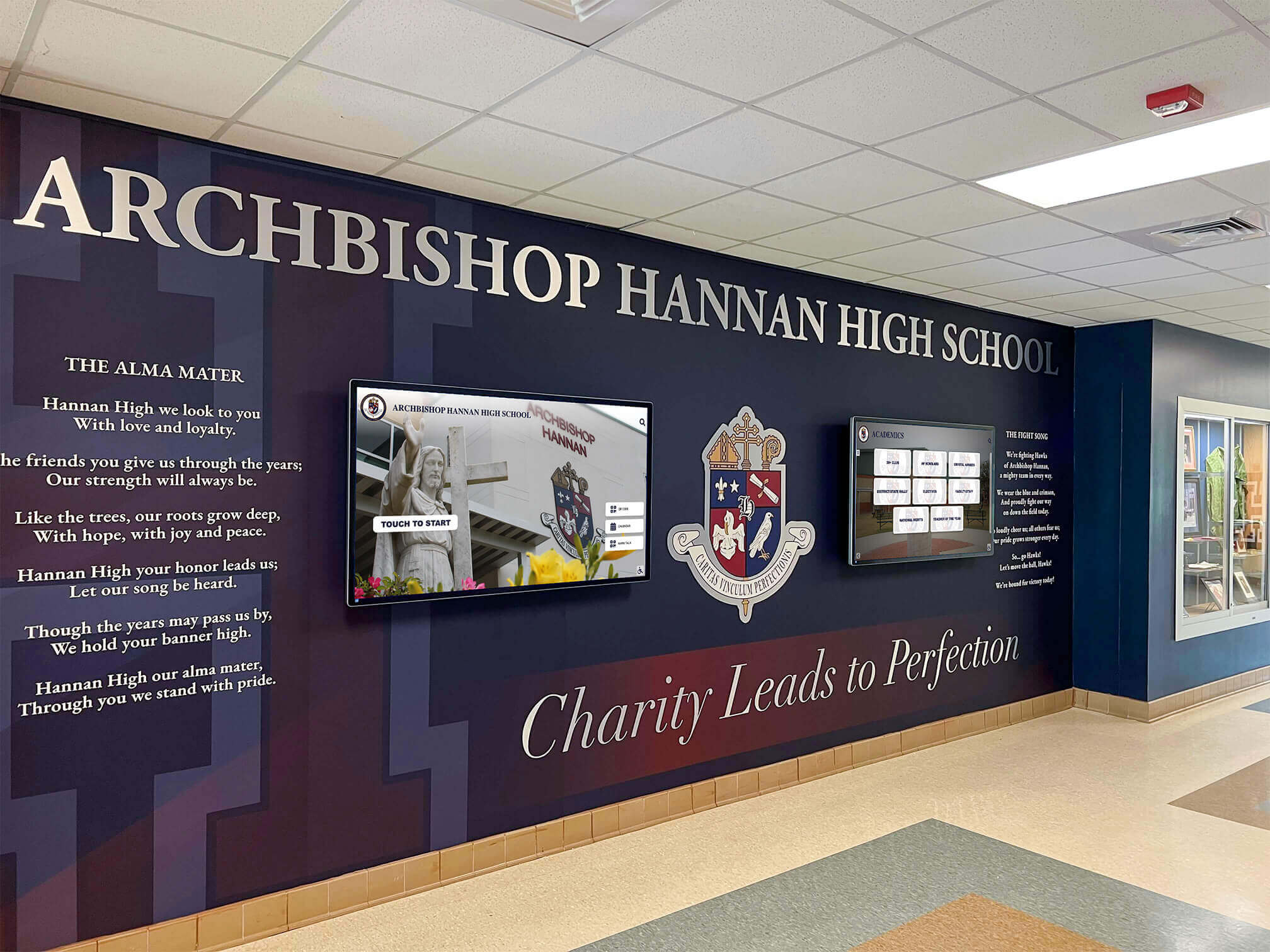
Consistent color schemes connecting print yearbooks to [digital recognition displays](https://touchwall.us/blog/touchscreen-banner-display-schools/?utm_source=organic&utm_medium=seo-auto&utm_content=digitalyearbook&utm_campaign=yearbook-design-ideas&utm_term=seo) create unified visual identity
Color Psychology
- Warm colors (reds, oranges, yellows): Energy, excitement, school spirit
- Cool colors (blues, greens, purples): Calm, professionalism, academic focus
- Neutral backgrounds: Allow photos to dominate without color competition
- High contrast: Ensures text remains readable against colored backgrounds
30 Modern Yearbook Design Ideas by Spread Type
Opening Section Spreads (Layouts 1-5)
The opening section sets your yearbook’s visual tone while capturing the school year’s defining characteristics.
1. The Photo Mosaic Opening
Design Concept: Create a striking first impression using hundreds of small candid photos forming your school logo, mascot, or graduating year numbers.
Implementation:
- Collect 300-500 candid photos from throughout the year
- Use photo mosaic software or arrange manually in design software
- Print at 2-3 spreads for maximum impact
- Include pull-out detail shots highlighting individual photos within the mosaic
Why It Works: Immediately demonstrates the yearbook showcases real student experiences rather than posed portraits, while visually representing community diversity and shared experiences.
2. Timeline Infographic Spread
Design Concept: Illustrate the school year chronologically through a visual timeline spanning both pages.
Implementation:
- Create horizontal timeline across gutter with months marked clearly
- Add photos, statistics, and highlights above and below timeline
- Use varying photo sizes emphasizing major events
- Include interactive elements like “did you know?” facts and statistics
- Color-code by season or event category
Design Elements:
- Ribbon or line graphic connecting timeline points
- Icon illustrations representing event types (sports, arts, academics)
- Pull quotes from students reflecting on year highlights
- Small calendar grid showing when events occurred
3. Year in Review Magazine Cover Grid
Design Concept: Design opening spread mimicking magazine cover layouts, with 6-12 “covers” each highlighting different months or themes.
Implementation:
- Create miniature magazine-style covers (9x12 inches each)
- Feature different students, events, or themes per cover
- Use consistent design template with varied photos and headlines
- Arrange in grid pattern across spread
Creative Variations:
- Movie poster style showcasing year as blockbuster film
- Album cover aesthetic for music-focused schools
- Sports card design for athletic-emphasis communities
- Social media feed layout for digitally-native audiences
4. Student-Designed Mural Spread
Design Concept: Commission student artists to create original murals or illustrations representing the school year, using full spread as canvas.
Implementation:
- Host design competition selecting winning artwork
- Photograph or scan artwork at high resolution
- Print across entire spread (or multiple spreads)
- Add minimal text overlay identifying theme and artists
- Include artist statements explaining concept
Integration Tips: Feature detail shots of mural artwork throughout yearbook as section dividers, creating visual continuity connecting all sections back to opening statement.
5. Dual-Perspective Opening
Design Concept: Split opening spread showing same day/event from contrasting perspectives (freshman vs. senior, athlete vs. artist, teacher vs. student).
Implementation:
- Select defining school experience everyone shares
- Photograph or interview from two distinct viewpoints
- Design left page from one perspective, right page from another
- Use contrasting design elements (color, typography, layout) differentiating perspectives
- Include bridging element across gutter showing shared experience
Much like interactive displays that showcase multiple perspectives on school history, this layout honors diverse student experiences within shared community.
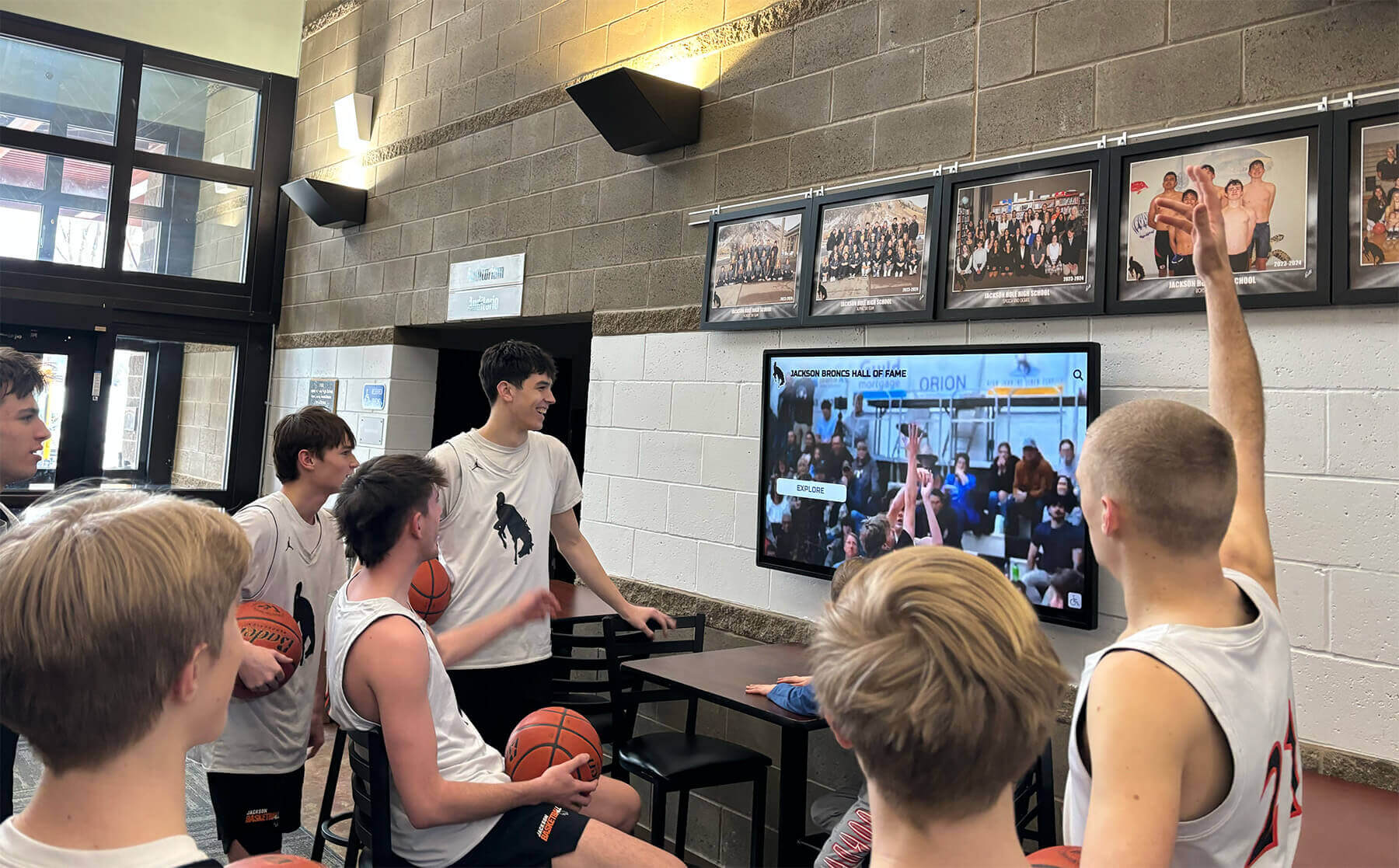
Dynamic visual presentations engage students whether in printed yearbooks or digital recognition systems
Student Life Spreads (Layouts 6-12)
Student life sections capture the authentic daily experiences defining your school culture.
6. Day in the Life Photo Essay
Design Concept: Follow one student through complete school day from arrival to departure, documenting authentic moments.
Implementation:
- Select diverse student representing wider community
- Photograph every period, lunch, activities, travel
- Arrange photos chronologically with timestamps
- Include student commentary describing day
- Vary photo sizes showing both overview and intimate details
7. Traditions Comparison Spread
Design Concept: Document evolution of school traditions by comparing photos from current year with historical yearbook images.
Implementation:
- Select 3-4 enduring traditions (homecoming, pep rallies, rivalry games)
- Locate historical yearbook photos from 10, 25, 50 years ago
- Design then/now comparisons showing evolution
- Include statistics or facts showing changes
- Add student and alumni quotes reflecting on tradition’s meaning
This approach connects beautifully with schools implementing comprehensive historical archive systems that preserve institutional memory across generations.
8. Behind-the-Scenes Exclusive
Design Concept: Reveal what happens in typically unseen school spaces (boiler room, principal’s office, kitchen, costume shop).
Implementation:
- Identify interesting restricted or overlooked spaces
- Photograph staff members in their environments
- Include interviews explaining their roles
- Design spread emphasizing discovery and insider access
- Use door/window framing devices suggesting “peeking inside”
9. Student Voices Collage
Design Concept: Build entire spread from student quotes, handwriting samples, text messages, and social media posts (appropriate and approved).
Implementation:
- Collect responses to single question (“What will you miss most?” or “Describe this year in three words”)
- Scan actual handwritten responses or screenshot digital submissions
- Arrange overlapping at varied angles creating dynamic collage
- Include small portrait photos identifying contributors
- Use speech bubble or text message graphic elements
10. A Year in Numbers Infographic
Design Concept: Tell year’s story through statistics and data visualization.
Data Points to Visualize:
- Miles traveled by sports teams
- Pizza slices consumed in cafeteria
- Books checked out from library
- Hours spent in rehearsal by theater department
- Pounds of clay used in art classes
- School spirit days participated in
- Community service hours completed
- Social media followers gained
Design Approach:
- Use charts, graphs, and icon multiplication
- Vary size emphasizing surprising statistics
- Include source attribution for credibility
- Balance numbers with supporting photos
11. Theme Park Map Spread
Design Concept: Illustrate school campus as amusement park or adventure map with illustrated buildings and “attractions.”
Implementation:
- Commission illustrated bird’s-eye campus map
- Label buildings and spaces with creative names
- Add “you are here” marker and legend
- Include photos of actual locations inset over illustrated map
- Design in playful style contrasting formal campus imagery
12. Pattern Interrupt: Vertical Design
Design Concept: Rotate entire spread 90 degrees, forcing yearbook to be turned sideways for viewing.
When to Use: Special events like dances, concerts, or celebrations warranting distinctive presentation.
Implementation:
- Design content in vertical/portrait orientation
- Use tall vertical photos emphasizing height or drama
- Include note on previous spread: “Turn book sideways for next spread”
- Ensure gutter placement doesn’t disrupt important content
- Return to horizontal orientation on following spread
Sports and Activities Spreads (Layouts 13-20)
Athletic and activity coverage celebrates achievement while showcasing team personality.
13. Action Sequence Spread
Design Concept: Break down single play, dive, or performance into frame-by-frame sequence showing progression.
Implementation:
- Use burst-mode photography capturing rapid sequence
- Arrange 8-15 images showing complete action
- Number frames showing temporal progression
- Include athlete explanation of technique or thought process
- Add motion blur or graphic elements emphasizing movement
14. Championship Commemorative
Design Concept: Design spreads for championship teams using premium visual treatment.
Special Elements:
- Metallic ink or foil stamping for championship headline
- Full-spread dominant action photo
- Individual champion portraits arranged around dominant image
- Championship bracket or tournament progression graphic
- Statistics comparing team to school records
- Coach and captain quotes reflecting on achievement
Schools implementing digital athletic recognition systems find that championship yearbook spreads complement permanent recognition displays effectively.
15. Athlete’s Equipment Close-up
Design Concept: Feature extreme close-up photography of worn equipment (cleats, gloves, sticks, uniforms) telling stories through visual details.
Implementation:
- Photograph well-used equipment showing wear and personalization
- Use macro photography revealing texture and detail
- Include athlete names and stories about equipment significance
- Arrange close-ups alongside action shots showing equipment in use
- Design with minimal text letting visuals dominate
16. Rivalry Game Drama
Design Concept: Dedicate full spread to biggest rivalry game using dramatic visual storytelling.
Design Elements:
- Split design showing both teams’ perspectives
- Scoreboard graphic showing game progression
- Game highlights broken into quarters or periods
- Fan reaction photos capturing emotion
- Player and coach quotes from both sides
- Historical rivalry statistics sidebar
17. Season Journey Map
Design Concept: Illustrate team’s season as literal road trip map showing travel to away games.
Implementation:
- Create illustrated or stylized map showing geographic locations
- Mark wins and losses with different icons
- Include mileage statistics
- Add small photos from each location
- Show route traveled throughout season
- Include team records at each location
18. Practice vs. Performance Split
Design Concept: Contrast preparation with performance by splitting spread between practice and game/performance imagery.
Implementation:
- Left page: Raw practice photos, drills, conditioning, coaching
- Right page: Polished performance photos, competition, audience
- Use different color treatments differentiating practice from performance
- Include quotes about preparation’s importance
- Show same athletes in both contexts
19. Individual Achievement Spotlight
Design Concept: Honor record-breaking performances or individual championships.
Layout Strategy:
- Feature athlete in dominant portrait
- Include statistics or records achieved
- Compare to historical school records
- Add timeline showing athlete’s progression
- Include coach, teammate, and family quotes
- Show defining moment photo from record-breaking performance
20. Candid Practice Moments
Design Concept: Build spread entirely from unposed practice photography capturing authentic team culture.
Photo Selection:
- Team bonding and laughter
- Intense focus and determination
- Coach instruction and demonstration
- Peer encouragement and support
- Post-practice exhaustion and celebration
Design Approach: Use natural, documentary-style layout with minimal graphic interference, letting authenticity speak through unposed moments.
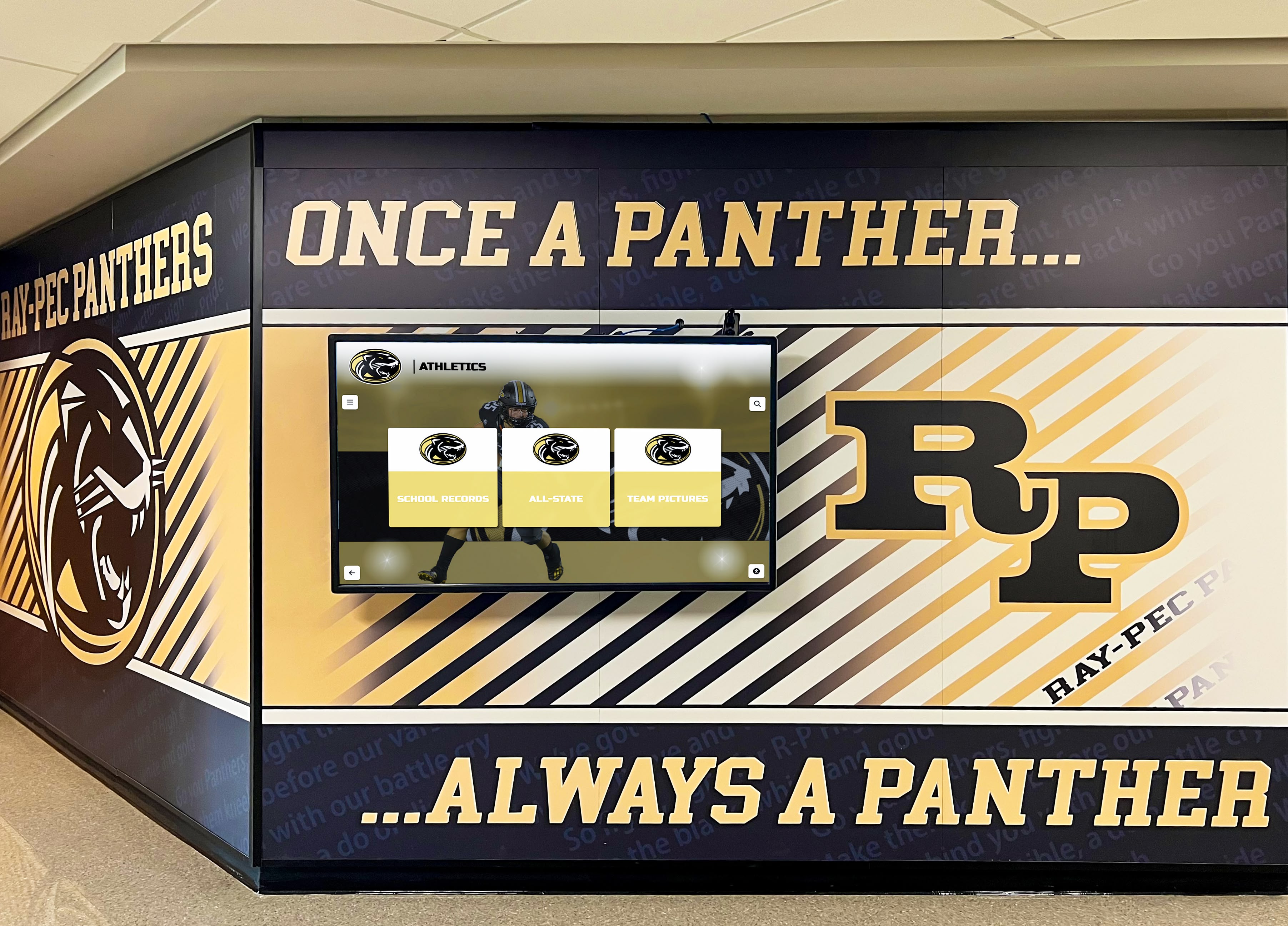
Athletic achievement documentation in yearbooks complements permanent [recognition displays](https://halloffamewall.com/blog/interactive-advancement-solution-guide/?utm_source=organic&utm_medium=seo-auto&utm_content=digitalyearbook&utm_campaign=yearbook-design-ideas&utm_term=seo) schools install in lobbies and athletic facilities
Academic and Club Spreads (Layouts 21-25)
Academic sections deserve the same creative attention as athletics and social events.
21. Science Fair Experimentation Grid
Design Concept: Document science fair or research symposium using laboratory notebook aesthetic.
Implementation:
- Design spread mimicking graph paper or lab notebook pages
- Include “hypothesis” and “results” sections
- Feature project photos arranged like experimental documentation
- Add handwritten-style notes and observations
- Include student researcher quotes explaining discoveries
- Show both process and final presentation photos
22. Art Gallery Spread
Design Concept: Present student artwork as museum exhibition catalog.
Design Elements:
- White/neutral backgrounds mimicking gallery walls
- Individual artwork pieces with professional lighting
- Museum-style placards showing title, artist, medium, year
- Artist statements explaining inspiration and process
- Gallery opening reception photos showing community engagement
- Curatorial statement from art teacher
23. Debate Tournament Bracket
Design Concept: Visualize speech and debate competitions using tournament bracket graphic.
Implementation:
- Create bracket showing competition progression
- Include competitor photos and topics debated
- Highlight championship round in dominant position
- Add statistics (debate records, tournament placements)
- Feature action photos from rounds
- Include coach and competitor reflection quotes
24. Music Department Score Sheet
Design Concept: Incorporate actual musical notation into spread design.
Creative Approaches:
- Use enlarged sheet music as background graphic
- Feature individual instrument sections like orchestra seating chart
- Show concert progression through musical program structure
- Include close-ups of instruments and musicians’ hands
- Design headlines using musical notation elements
- Feature performance photos showing conductor’s perspective
25. Academic Team Brain Battle
Design Concept: Illustrate academic competitions using game show or competition aesthetic.
Layout Ideas:
- Design like quiz show with question and answer format
- Include sample competition questions
- Show team members as competitors with statistics
- Feature trophy case or awards won
- Include tournament photos and candid study session images
- Add challenging questions readers can attempt
Senior Section Spreads (Layouts 26-30)
Senior sections deserve special attention as most-revisited yearbook pages.
26. Senior Superlatives Reinvented
Design Concept: Move beyond traditional superlatives to create unique categories reflecting your class personality.
Creative Categories:
- “Most likely to appear on TouchWall displaying future achievements”
- “Best at finding positive in every situation”
- “Most changed since freshman year photos”
- “Best at making teachers laugh”
- “Most likely to organize 25-year reunion”
Design Implementation:
- Feature winning students in creative photography
- Include runner-up mentions
- Add student-voted results percentages
- Design each category with unique visual treatment
27. Senior Timeline: Then and Now
Design Concept: Compare senior portraits with freshman photos, baby pictures, or elementary school images.
Layout Options:
- Split-screen showing age progression
- Timeline illustrating growth across years
- Before/after reveals with fold-out elements
- Collage combining multiple ages
- Individual mini-timelines for each senior
Additional Content:
- Height comparisons showing physical growth
- Interest evolution from elementary through high school
- Quotes about personal change and development
28. Senior Bucket List Check-off
Design Concept: Survey seniors about high school bucket list items completed or still pursuing.
Content Areas:
- Completed achievements (made varsity team, performed in musical, maintained 4.0)
- Unfinished dreams (never skipped class, didn’t win student government)
- Unexpected experiences (became close with unlikely friend, discovered passion for robotics)
- Advice to underclassmen
Design Treatment:
- Use checkbox graphics showing completed vs. incomplete items
- Include percentages showing how many seniors achieved each item
- Feature photos representing bucket list moments
- Design with playful, nostalgic aesthetic
29. Future Plans Visualization
Design Concept: Map where seniors are headed post-graduation.
Visualization Methods:
- Geographic map showing college destinations
- Pie charts breaking down plans (4-year college, community college, military, workforce, gap year)
- Major/career interest categories
- Illustrated infographic showing paths forward
Design Considerations:
- Celebrate all post-graduation paths equally
- Include students pursuing all types of futures
- Show geographic diversity of college choices
- Add individual senior commentary about decisions
30. Senior Ad Pages Redesigned
Design Concept: Transform paid senior ad pages from cluttered personal ads to cohesive design statement.
Implementation Strategy:
- Create design template ensuring visual consistency
- Establish size, color, and layout standards
- Offer 2-3 template options families can customize
- Require submission in advance allowing quality control
- Group ads by design template creating visual cohesion
- Consider digital alternatives like interactive recognition displays allowing ongoing updates
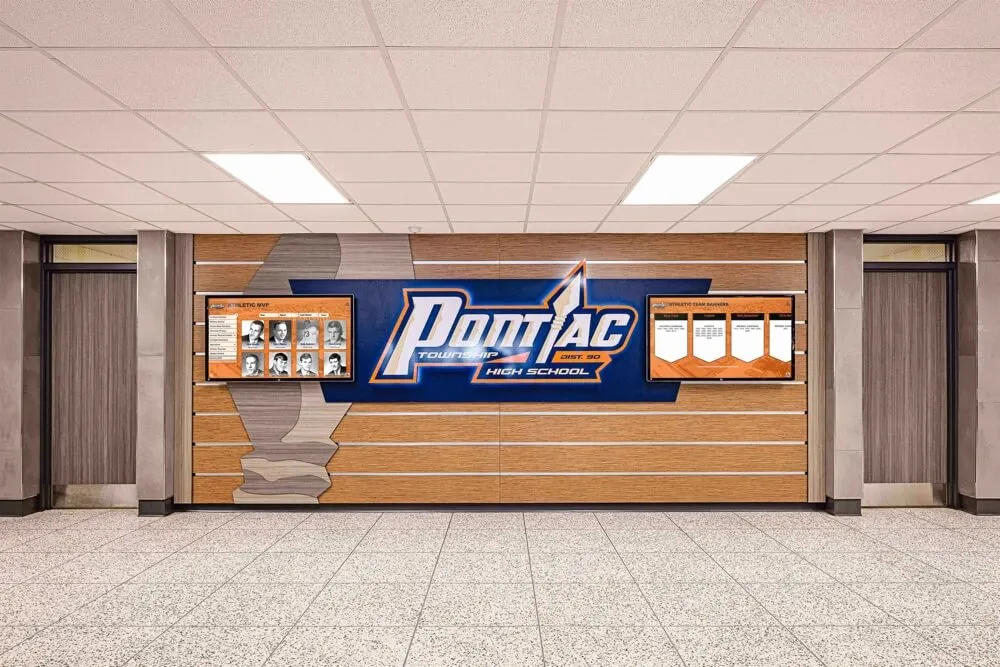
Modern yearbook design principles extend beyond print to comprehensive recognition systems celebrating student achievement
Implementing Consistent Design Across All Spreads
Creating Your Visual Identity System
Design Elements Requiring Consistency:
- Typography: Use identical fonts, sizes, and treatments for corresponding elements throughout yearbook
- Color palette: Apply school colors and accent colors systematically
- Photo treatments: Maintain consistent approach to borders, effects, and sizing ratios
- Graphic elements: Repeat design motifs (patterns, shapes, icons) creating visual continuity
- White space: Apply similar breathing room and margins across spreads
- Grid systems: Use underlying grid structure ensuring alignment and proportion
Section Dividers and Transitions
Create clear visual breaks between yearbook sections while maintaining overall cohesion:
Section Divider Strategies:
- Full-spread photography introducing each section
- Consistent section page template with varying content
- Color-coding differentiating sections
- Typography variations signaling section changes
- Timeline or sequential graphics showing progression through yearbook
Transition Techniques:
- Bridge spreads connecting related sections
- Visual elements carrying from section-ending spread to section-opening spread
- Consistent placement of section identifiers (headers, footers, page numbers)
The Importance of Photography Quality
Technical Standards:
- Minimum 300 DPI resolution for print reproduction
- Proper lighting avoiding harsh shadows or overexposure
- Sharp focus on subjects
- Appropriate framing and composition
- Consistent color balance across images
Content Standards:
- Authentic moments over posed shots when possible
- Diverse representation showing full school community
- Variety in shot types (close-ups, medium shots, wide angles)
- Action and emotion captured genuinely
- Faces clearly visible and identifiable
Coverage Balance:
- Equal representation across grades
- Proportional coverage of all sports, activities, and programs
- Inclusion of students from all backgrounds
- Balance between popular activities and smaller programs
- Recognition of behind-the-scenes contributors
Schools emphasizing comprehensive documentation often extend yearbook content into permanent digital recognition systems ensuring achievements remain accessible long after graduation.
Beyond Print: Digital Yearbook Design Considerations
Adapting Layouts for Digital Viewing
Modern yearbook programs increasingly complement printed books with digital versions accessible on computers, tablets, and phones.
Digital-Friendly Design Adjustments:
- Readable text sizes: Ensure body copy remains legible on smaller screens
- Clickable navigation: Design digital spreads with hyperlinked table of contents
- Optimized file sizes: Balance image quality with loading speed
- Responsive layouts: Consider how spreads reflow on different devices
- Search functionality: Include name indexes and keyword search capability
- Interactive elements: Add embedded video, audio, or slideshow content impossible in print
Hybrid Design Strategy:
Design spreads working effectively in both print and digital formats:
- Prioritize strong visual hierarchy translating to both mediums
- Avoid text sizes below 9 points maintaining digital readability
- Use sufficient color contrast ensuring accessibility
- Design navigation working for page-turning and screen-scrolling
- Include digital-exclusive bonus content rewarding online viewers
Interactive Digital Recognition Systems
Schools investing in comprehensive recognition strategies extend yearbook content beyond annual publications into permanent digital displays.
Digital Display Integration:
Many schools now implement interactive touchscreen recognition systems in lobbies, athletic facilities, and common areas. These systems allow yearbook content to continue engaging audiences year-round:
- Display rotating yearbook spreads in high-traffic areas
- Enable alumni visitors to search for themselves across multiple yearbook years
- Showcase championship teams and individual achievements permanently
- Update content continuously rather than waiting for annual publications
- Provide interactive exploration impossible in static printed books
Content Repurposing Benefits:
Photography and design assets created for yearbook spreads adapt effectively to digital recognition displays:
- High-resolution photos suitable for both print and large-format screens
- Design templates maintaining visual consistency across platforms
- Student achievement data populating both yearbook pages and digital databases
- Historical content connecting current students to institutional heritage
Schools implementing both traditional yearbooks and modern digital displays create comprehensive recognition ecosystems celebrating achievement across multiple touchpoints and extending engagement well beyond the school year captured in annual publications.
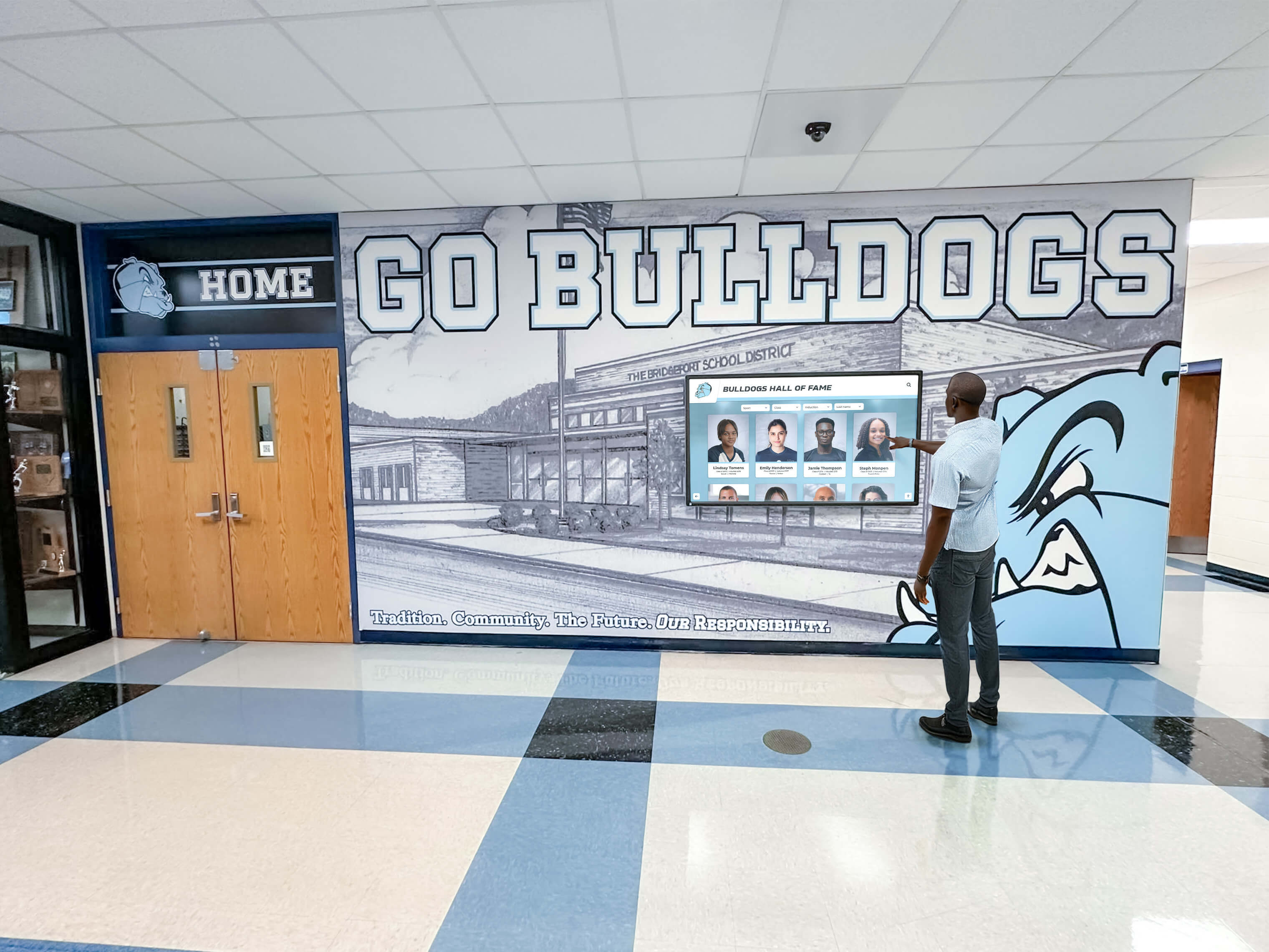
Digital recognition systems complement yearbook programs by making historical content searchable and continuously accessible
Production Timeline and Workflow Management
Establishing Realistic Production Schedules
Typical Yearbook Production Timeline:
Summer/Early Fall (June-September):
- Select yearbook theme
- Establish design standards and templates
- Train yearbook staff on design software
- Create style guide documenting design decisions
- Plan coverage calendar for entire year
- Begin photographing fall sports and activities
Fall Semester (October-January):
- Continue comprehensive photography coverage
- Design and submit opening section spreads
- Complete fall sports and activities spreads
- Submit first deadline (typically 25-40 pages)
- Conduct design reviews ensuring quality and consistency
- Begin planning spring coverage
Spring Semester (February-April):
- Photograph winter and spring sports/activities
- Complete academic and club spreads
- Design senior section pages
- Submit middle deadlines (60-75% of book)
- Conduct comprehensive proofing and editing
- Finalize index and supplemental pages
Final Push (April-May):
- Complete remaining spreads
- Proof entire book multiple times
- Submit final deadline
- Review printer proofs carefully
- Approve final production
- Plan distribution and yearbook signing events
Distribution (May-June):
- Receive completed yearbooks
- Organize distribution event
- Celebrate yearbook staff achievements
- Begin planning for following year
Design Software and Production Tools
Industry-Standard Options:
- Adobe InDesign: Professional layout software offering maximum design flexibility and print production tools
- Yearbook-specific platforms: Companies like Jostens, Herff Jones, and Walsworth offer proprietary online design tools with templates and production management
- Adobe Photoshop: Photo editing and manipulation
- Adobe Illustrator: Custom graphics and infographic creation
- Canva: Accessible design option for schools with limited budgets
Workflow Management:
- Establish clear file naming conventions
- Create shared drives or cloud storage for collaboration
- Implement version control preventing accidental overwrites
- Develop proofing checklist ensuring quality control
- Assign specific spreads to individual designers
- Schedule regular design reviews maintaining consistency
Common Design Mistakes to Avoid
Visual Design Pitfalls
Overcrowding Spreads:
- Trying to include too many photos sacrificing impact
- Insufficient white space creating visual confusion
- Text blocks too dense for comfortable reading
- Competing focal points preventing clear hierarchy
Solution: Embrace white space. Fewer, larger photos create stronger visual impact than numerous tiny images. Cut ruthlessly, keeping only strongest content.
Inconsistent Design Application:
- Fonts changing between similar spread types
- Color schemes varying without intentional purpose
- Photo treatment inconsistency
- Grid alignment varying across pages
Solution: Create detailed style guide documenting all design decisions. Reference consistently throughout production.
Poor Photo Quality:
- Low-resolution images appearing pixelated or blurry
- Excessive digital manipulation appearing artificial
- Poorly composed photographs lacking clear subjects
- Inconsistent color correction across spreads
Solution: Establish minimum quality standards. Invest in photography training. Shoot more than needed, selecting only best images for publication.
Typography Errors:
- Too many fonts creating visual chaos
- Insufficient size contrast between headlines and body copy
- Poor readability due to font selection or color contrast
- Inconsistent spacing and alignment
Solution: Limit font families to 2-3 maximum. Ensure minimum 9-point body copy. Maintain consistent spacing using grid systems.
Content and Coverage Mistakes
Representation Imbalance:
- Overrepresentation of popular students or prominent sports
- Underrepresentation of certain grades, activities, or demographics
- Failure to include diverse students and perspectives
- Missing behind-the-scenes contributors
Solution: Track coverage systematically throughout year. Conduct representation audits before each deadline. Intentionally seek underrepresented students and activities.
Inadequate Caption Information:
- Missing names or incorrect identification
- Vague descriptions lacking context
- Captions simply describing what’s visually obvious
- Inconsistent caption formatting
Solution: Implement fact-checking process. Write captions answering who, what, when, where, why. Include details readers can’t determine from photos alone.
Cliché Content:
- Predictable posed photos lacking authenticity
- Generic headlines applicable to any school
- Stock photography or clip art rather than original content
- Overused yearbook phrases and inside jokes
Solution: Challenge staff to find unique angles. Capture authentic moments. Write specific headlines reflecting your school’s distinct personality.
Measuring Yearbook Design Success
Student Satisfaction Metrics
Quantitative Measures:
- Yearbook sales numbers compared to previous years
- Pre-order rates indicating early interest
- Time between distribution and sell-out
- Social media engagement with yearbook content
- Yearbook signing event attendance
Qualitative Feedback:
- Student surveys about favorite and least favorite spreads
- Staff reflection on design process and outcomes
- Alumni engagement and nostalgia when revisiting yearbooks
- Award recognition from yearbook organizations and competitions
- Parent and community feedback
Continuous Improvement Process
Post-Publication Review:
- Conduct comprehensive yearbook staff debrief
- Identify design successes to repeat
- Document challenges and solutions for future reference
- Update style guide based on lessons learned
- Begin planning improvements for following year
Professional Development:
- Attend yearbook workshops and conferences
- Review award-winning yearbooks for inspiration
- Connect with other yearbook advisers for idea sharing
- Participate in recognition and storytelling communities
- Invest in design training for adviser and student staff
Making Yearbook Memories Last Beyond Print
While printed yearbooks remain treasured keepsakes, modern schools increasingly preserve and extend yearbook content through digital systems ensuring achievements remain accessible for decades.
Schools implementing comprehensive recognition strategies often complement annual yearbook publications with permanent digital display systems installed in lobbies, athletic facilities, and common areas. These interactive touchscreen platforms allow alumni to search for themselves across multiple yearbook years, explore school history, and see how current students build on traditions established by previous generations.
Benefits of Digital Yearbook Extensions:
- Permanent accessibility: Digital archives remain searchable decades after graduation
- Continuous updates: Recognition systems grow with ongoing achievements rather than static annual snapshots
- Interactive exploration: Visitors can search by name, sport, activity, or year
- Multi-generational connection: Alumni visitors see their own yearbook appearances alongside current students
- Space efficiency: Hundreds of yearbook pages accessible without physical storage requirements
- Enhanced engagement: Interactive elements impossible in printed books
The design principles guiding effective yearbook spreads—strong visual hierarchy, authentic photography, balanced layouts, and thoughtful typography—translate beautifully to digital recognition platforms. Schools creating both printed yearbooks and digital displays benefit from unified design standards creating consistent visual identity across all recognition touchpoints.
Conclusion: Design That Honors Your School’s Story
Effective yearbook design transcends attractive layouts and trendy graphics. The most memorable yearbooks authentically capture the unique personality, traditions, and experiences defining your specific school community during a specific year. These 30 spread layout ideas provide frameworks and inspiration, but your yearbook’s ultimate success depends on thoughtful implementation reflecting your students’ genuine voices and experiences.
Whether you choose photo mosaics, timeline infographics, championship commemoratives, or any combination of these layouts, maintain focus on your core purpose: creating a meaningful historical document students will treasure for decades. Strong design serves the content, never overwhelming it. Authentic moments matter more than perfect composition. Inclusive representation outweighs elaborate graphics.
As you implement these yearbook design ideas, remember that the most important element isn’t the layout strategy itself—it’s the authentic student experiences, genuine emotions, and unique community characteristics you document and preserve. Design simply provides the framework for your school’s story to shine through.
Ready to transform your school’s recognition and storytelling? Explore how Rocket Alumni Solutions helps schools preserve yearbook memories, celebrate achievements, and connect generations through interactive digital displays that bring yearbook content to life year-round. Our touchscreen systems make decades of school history searchable and accessible, ensuring the careful design work you invest in yearbooks continues engaging audiences long after graduation.































