
Flip through any old yearbook and you’ll discover that the printed pages tell only half the story. The handwritten messages scrawled across margins, the inside jokes penned beside group photos, the heartfelt signatures from favorite teachers, and the rushed farewell notes signed during those final chaotic days of school—these yearbook autographs transform mass-produced publications into deeply personal time capsules capturing friendships, emotions, and moments that define our school years.
Yet these irreplaceable handwritten memories face constant threats. Ink fades as decades pass, pages yellow and crack, bindings deteriorate, and entire yearbooks risk being lost to basement floods, attic heat, or simple misplacement during life transitions. Every year, countless alumni desperately search for lost yearbooks containing messages from classmates now scattered across continents, friends who have passed away, or simply the tangible proof of connections that shaped who they became.
The challenge intensifies when schools and alumni associations attempt to digitize yearbook collections. Standard scanning approaches capture printed pages beautifully but often lose the personal annotations that make individual yearbooks meaningful. Conventional yearbook preservation techniques protect the physical volumes but don’t address how to share these personal memories with classmates or ensure they survive for future generations.
This comprehensive guide explores strategies for preserving and digitizing yearbook autographs—protecting both the printed content and the handwritten messages that transform generic yearbooks into personal treasures worth keeping forever.
Schools, alumni associations, and individuals share common goals when approaching yearbook autograph preservation: protecting these fragile handwritten memories from further deterioration while finding ways to share and celebrate the connections they represent. Whether you’re safeguarding a single cherished yearbook or digitizing an entire institutional collection, understanding both physical preservation and digital archiving techniques ensures these personal messages survive for decades to come.

Modern yearbook digitization preserves both printed content and handwritten messages, transforming personal memories into shareable digital archives
Why Yearbook Autographs Matter: The Personal History Hidden in Margins
Before diving into preservation techniques, understanding what makes yearbook autographs uniquely valuable helps motivate proper care and thoughtful digitization approaches.
Autographs Capture Authentic Moments and Emotions
Unlike carefully curated printed yearbook content reviewed by advisers and administrators, handwritten messages reveal unfiltered authentic voices:
Genuine Adolescent Expression
Yearbook signatures capture how classmates actually communicated—inside jokes, references to shared experiences, nicknames known only to close friends, and the specific language patterns defining different eras and communities. A message reading “Stay cool this summer! Don’t forget about our crazy adventures in Mr. Thompson’s class!” preserves memories and context that formal yearbook captions never document.
These informal notes often provide the only record of specific friendships, daily interactions, and the social dynamics that shaped student experience but rarely appeared in official school documentation.
Emotional Snapshots From Specific Moments
The tone and content of yearbook messages reflect the exact moment when they were written—optimistic notes as friends anticipated summer freedom, sentimental farewells from graduating seniors, enthusiastic promises to “stay in touch forever” reflecting genuine belief despite inevitable life changes.
Reading these messages decades later creates powerful emotional connections to younger selves and former friends, triggering memories and feelings that printed yearbook photos alone cannot evoke.
Connection to People No Longer Present
For many alumni, yearbook autographs represent the last handwritten messages from classmates who have passed away, friends lost to time and distance, or beloved teachers who made lasting impacts. These signatures carry emotional weight far exceeding their brief content—they’re tangible connections to irreplaceable relationships.
Schools maintaining comprehensive alumni recognition programs often discover that preserved yearbook autographs help connect current students with institutional heritage, showing how personal connections across generations define school communities.
Handwritten Messages Reveal Social History
Beyond individual nostalgia, yearbook autographs document cultural and social history:
Language and Communication Evolution
The slang, expressions, and communication styles captured in yearbook messages reveal how language evolves across generations. Comparing autographs from the 1950s (“Lots of luck in the future!”), 1980s (“Have a rad summer!”), and 2000s (“Text me! LYLAS!”) documents linguistic shifts reflecting broader cultural changes.
Social Networks and Community Structure
Analyzing who signed which yearbooks, the length and intimacy of various messages, and patterns of social connection reveals the unwritten social hierarchies, friend groups, and community structures that defined student life in different eras.
Cultural References and Current Events
Yearbook messages frequently reference contemporary music, movies, television shows, sports events, and news—creating time-stamped cultural snapshots showing what mattered to students during specific years.
Institutions building digital historical archives increasingly recognize yearbook autographs as primary source materials offering authentic student voices often absent from official institutional records.
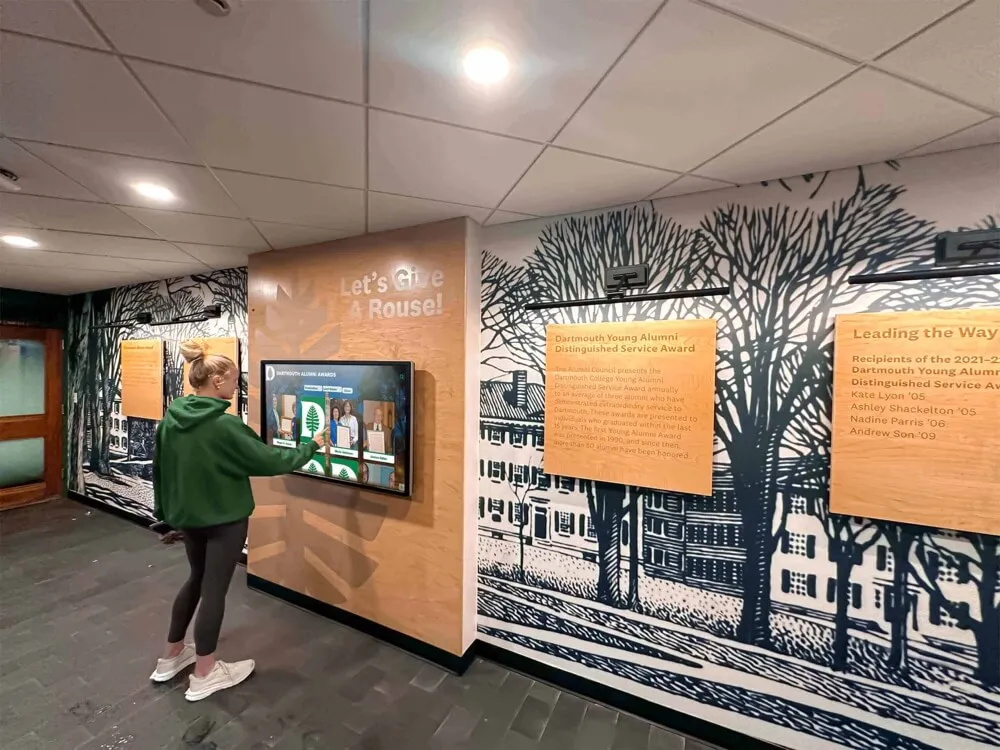
Interactive displays enable alumni to explore digitized yearbook content including preserved autographs and handwritten memories during campus visits
Challenge: Why Yearbook Autographs Are Difficult to Preserve
Yearbook signatures present unique preservation challenges that standard archival approaches don’t fully address.
Physical Deterioration Threats
Handwritten messages face multiple degradation risks:
Ink Fading and Chemical Changes
Many yearbook autographs were written with ballpoint pens, felt-tip markers, or fountain pens using inks never designed for long-term archival preservation. These inks fade over time as chemical compounds break down, especially when exposed to light, heat, humidity, or acidic paper.
Blue and purple inks typically fade faster than black, meaning colorful messages often become illegible decades before signatures written in black pen. Some cheap ballpoint pens produce inks that virtually disappear after 30-40 years.
Paper Degradation Affecting Readability
As yearbook pages yellow, darken, or develop foxing (brown spots from mold and oxidation), the contrast between paper and ink diminishes. Messages that were clearly visible when written become increasingly difficult to read as paper discoloration reduces contrast.
Pages that become brittle or crack risk losing sections where messages were written, permanently destroying content.
Binding Deterioration Limiting Access
Yearbook bindings fail over time, making it difficult or impossible to fully open volumes without causing damage. Messages written in margins near the spine often become inaccessible as bindings stiffen or pages separate.
Attempting to force damaged yearbooks open to read autographs accelerates deterioration, creating impossible choices between accessing content and preserving physical volumes.
Digitization Challenges
Standard yearbook scanning workflows often fail to capture handwritten content adequately:
Low Contrast Between Faded Ink and Aged Paper
Conventional scanning settings optimized for printed yearbook content may not capture sufficient contrast to render faded handwritten messages legibly. What appears barely visible to the human eye may disappear entirely in digital scans if exposure, contrast, and resolution settings aren’t specifically adjusted for handwritten content.
Margin and Edge Messages Lost to Cropping
Automated scanning workflows often crop page edges to remove shadows and irregularities. Unfortunately, yearbook autographs frequently appear in margins, corners, and edges—precisely the areas standard cropping removes.
Messages written vertically along page edges or diagonally across corners require special attention during scanning to ensure capture.
Glossy Page Reflections Obscuring Signatures
Many modern yearbooks use glossy or semi-glossy paper creating reflections during scanning that can obscure handwritten messages. Glare from scanning lights reflects off shiny surfaces, creating bright spots that make underlying ink illegible in digital copies.
Bleed-Through From Opposite Pages
Heavy ink from markers or fountain pens often bleeds through yearbook pages, creating confusing overlays where messages from both sides of a page appear in scans. Separating the intended content from bleed-through requires careful scanning techniques or digital editing.
Schools implementing comprehensive yearbook digitization programs must address these autograph-specific challenges beyond standard page scanning to create archives that fully capture both printed and handwritten content.
Physical Preservation Techniques for Yearbook Autographs
Before digitizing, implement proper physical preservation protecting original yearbooks and the handwritten messages they contain.
Storage Environment Optimization
Proper storage conditions dramatically slow deterioration:
Temperature and Humidity Control
Store yearbooks in climate-controlled environments maintaining:
- Temperature between 65-70°F (18-21°C)
- Relative humidity between 30-50%
- Minimal temperature and humidity fluctuations
Avoid basements prone to flooding, dampness, and mold. Avoid attics experiencing extreme temperature swings and excessive heat accelerating chemical deterioration.
Light Protection
Both natural sunlight and artificial lighting accelerate ink fading and paper degradation. Store yearbooks in dark spaces or use archival boxes blocking light completely.
If displaying yearbooks, use UV-filtering glass or acrylic and minimize light exposure duration. Never store yearbooks near windows or under direct lighting.
Acid-Free Archival Storage Materials
Standard cardboard boxes and paper wrappings contain acids that migrate into yearbooks, accelerating deterioration. Use archival-quality materials:
- Acid-free, lignin-free storage boxes
- Unbuffered archival tissue paper for interleaving
- Archival-quality polyester sleeves for particularly fragile volumes
Handling Best Practices
Proper handling prevents damage during access:
Clean Hands and Surfaces
Always handle yearbooks with freshly washed, completely dry hands or white cotton archival gloves. Oils, dirt, and moisture from hands transfer to pages, creating stains and promoting mold growth.
Work on clean, dry surfaces clearing away food, drinks, or anything that might damage yearbooks.
Proper Support During Viewing
Never open yearbooks flat, stressing bindings and accelerating spine deterioration. Instead:
- Use book cradles or foam wedges supporting volumes at appropriate angles
- Place cushions or rolled towels under book covers preventing stress
- Turn pages gently from corners, never pulling or forcing
- Limit opening angles to what bindings allow naturally
Minimize Handling Frequency
Every time someone opens a yearbook, physical stress contributes to deterioration. After digitization, minimize handling of originals by directing people to digital copies for casual browsing, reserving physical access for special occasions or when digital copies prove inadequate.
Protective Encapsulation for High-Value Volumes
Particularly significant yearbooks merit additional protection:
Archival Polyester Encapsulation
Professional conservators can encapsulate individual pages or entire yearbook spreads between sheets of archival polyester film, creating protective barriers against handling damage, moisture, and atmospheric pollutants while allowing visibility.
This technique works particularly well for yearbooks with especially valuable autographs from notable individuals or historically significant messages.
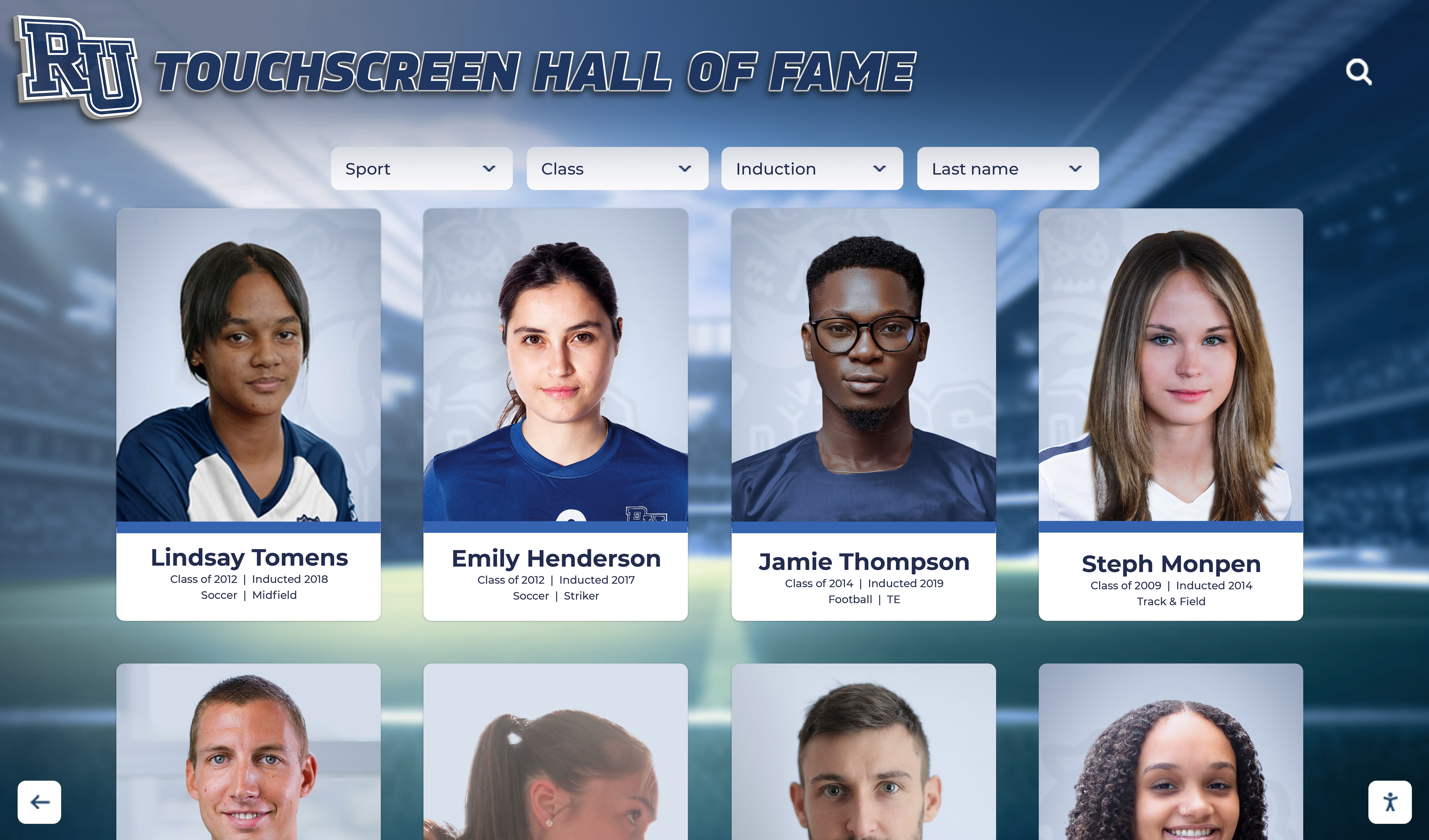
Digital preservation eliminates need for repeated physical handling while making yearbook content accessible to broader audiences
Professional Conservation Assessment
Yearbooks showing significant deterioration, mold damage, or particularly valuable content may justify professional conservation treatment before digitization. Conservators can:
- Clean pages removing dirt and surface contaminants
- Repair tears and separated pages
- Treat mold damage and prevent future growth
- Stabilize failing bindings
- Provide customized preservation plans
While conservation services cost $50-200+ per yearbook depending on condition and treatment scope, the investment preserves irreplaceable artifacts when physical volumes hold particular historical or sentimental significance.
Digitizing Yearbook Autographs: Technical Approaches
Creating high-quality digital copies capturing both printed pages and handwritten messages requires specific techniques beyond standard document scanning.
Scanning Resolution and Settings for Handwritten Content
Autograph preservation demands higher standards than basic page imaging:
Resolution Requirements
While 300 DPI suffices for printed yearbook pages, capturing faded handwritten messages often requires 600 DPI or higher resolution preserving fine details of deteriorated ink.
Higher resolution creates larger file sizes but ensures messages remain readable even when original ink has faded significantly. The investment in storage space proves worthwhile when scanning irreplaceable handwritten content.
Color Depth for Maximum Information Capture
Scan in full color (24-bit) even when yearbook pages and autographs appear black and white. Color scanning captures subtle variations in ink color and paper tones that grayscale scanning loses—variations that prove crucial when digitally enhancing faded messages.
Exposure and Contrast Optimization
Standard auto-exposure settings often fail for pages containing both dark printed content and light faded handwriting. Consider:
- Manual exposure adjustment maximizing ink-to-paper contrast
- Scanning pages twice (once optimized for print, once for handwriting) when wide dynamic range creates challenges
- Using scanner software histogram adjustments to ensure full tonal range capture
Specialized Scanning Techniques
Standard flatbed scanning may not adequately capture all autograph content:
Edge and Margin Message Capture
Messages written in page margins or edges require special attention:
- Scan with minimal or no cropping, preserving full page areas
- Ensure scanning area extends to physical page edges
- Check previews carefully to verify margin content appears in scan area
- Consider scanning pages slightly oversized, cropping manually after verifying content capture
Managing Glare on Glossy Pages
Reduce reflections obscuring handwritten messages:
- Adjust scanner lid angle slightly during scanning (if possible) changing reflection angles
- Place white paper or cloth over glossy pages reducing direct light reflection
- Use polarizing filters on scanner lights (advanced technique requiring equipment modification)
- Accept that some glare may require digital correction post-scanning
Bleed-Through Mitigation
Heavy ink bleeding through pages creates confusing scans:
- Place black or dark-colored paper behind scanned pages absorbing show-through
- Scan individual pages rather than facing spreads when bleed-through creates problems
- Document which pages have bleed-through issues for digital editing attention
Capturing Signatures on Various Surfaces
Some yearbooks include autographs on covers, endpapers, or specialty pages requiring different approaches:
- Textured covers may scan poorly; consider photography as alternative
- Glossy endpapers often create severe glare; use angled lighting or photography
- Tip-in pages and inserts may require separate scanning from bound pages

Touch-optimized digital platforms enable intuitive exploration of yearbook content including preserved autographs and handwritten messages
Photography as Scanning Alternative
For fragile yearbooks or content that scans poorly, photography offers advantages:
Camera-Based Digitization Benefits
Using digital cameras or smartphones for yearbook digitization:
- Eliminates physical pressure on fragile bindings and pages
- Allows flexible lighting angles reducing glare
- Captures three-dimensional elements like raised signatures
- Enables quick documentation when professional scanning proves impractical
Photography Best Practices
Achieving quality results requires proper technique:
- Use tripod or copy stand ensuring camera stability and consistent positioning
- Employ even, diffused lighting from multiple angles eliminating shadows and hot spots
- Shoot in RAW format maximizing editing flexibility for faded content
- Maintain consistent distance and framing across all pages
- Use page weights or clear acrylic sheets holding pages flat without damage
- Include color and size reference cards for calibration
Many institutions implementing comprehensive digital recognition systems combine professional scanning for printed content with supplementary photography for autograph-specific documentation when scanning proves inadequate for handwritten elements.
Digital Enhancement of Faded Autographs
Raw scans of deteriorated yearbooks often require digital editing to maximize readability.
Image Editing Techniques for Legibility
Modern editing software provides tools for improving faded handwriting:
Contrast and Levels Adjustment
The most effective enhancement technique involves careful adjustment of tonal curves:
- Increase contrast selectively to darken faded ink while preserving paper texture
- Use levels or curves adjustments targeting specific tonal ranges where handwriting appears
- Apply unsharp mask filters carefully enhancing edge definition of letterforms
- Avoid over-processing creating harsh, unnatural appearance
Selective Color Channel Manipulation
Faded blue or purple ink often remains more visible in specific color channels:
- Examine red, green, and blue channels separately to identify where faded ink shows best contrast
- Enhance specific channels where handwriting appears most clearly
- Convert processed images to grayscale after channel optimization
- Combine multiple channel versions preserving different aspects of original content
Spot Editing for Specific Messages
Individual autographs may benefit from localized adjustment:
- Use selection tools isolating specific messages for targeted enhancement
- Apply different processing to various page areas addressing specific fading patterns
- Clone or repair tools can reconstruct partially damaged letterforms when context makes original content clear
- Document all significant edits maintaining both original and enhanced versions
Managing Bleed-Through Digitally
Software tools can reduce confusing bleed-through from opposite page:
- Layer original scan with black page scan, using blend modes to isolate intended content
- Use color channel separation identifying which content belongs to current versus opposite page
- Clone stamp or content-aware fill tools removing bleed-through artifacts
- Accept that heavily bleeding content may never separate perfectly; prioritize readability over perfection
Maintaining Archival Originals Alongside Enhanced Versions
Always preserve unedited scans as archival masters:
- Create separate folders for raw scans versus edited versions
- Clearly label files indicating processing applied
- Document editing procedures and software settings used
- Maintain both versions allowing future re-processing if better techniques emerge
This approach ensures authentic documentation survives while providing enhanced versions improving current usability.
Organizing and Presenting Digitized Autographs
After capturing yearbook autographs digitally, thoughtful organization and presentation maximize value and accessibility.
Metadata and Documentation
Rich metadata transforms image collections into searchable archives:
Essential Documentation Fields
- Yearbook publication year and school name
- Page numbers where autographs appear
- Names of individuals who signed (when identifiable)
- Relationship context (classmate, teacher, friend, etc.)
- Transcriptions of handwritten messages
- Dates when signatures were written (if different from publication year)
- Physical condition notes about original
Transcription Considerations
Creating text transcriptions of handwritten messages offers significant benefits:
- Makes content searchable for individuals seeking specific messages or names
- Preserves message content even if digital images eventually become inaccessible
- Provides accessibility for visually impaired users unable to read handwriting
- Documents content at current legibility before further deterioration
However, transcription requires substantial time investment. Prioritize messages with particular historical value, those becoming illegible, or autographs from notable individuals.
Crowdsourced Enhancement
Alumni communities can assist with identification and transcription:
- Share digitized autograph pages with classmates who can identify signatures and provide context
- Create collaborative platforms where alumni transcribe and annotate messages
- Implement verification systems ensuring accuracy of crowdsourced contributions
- Credit contributors building engagement and encouraging participation
Schools creating comprehensive alumni engagement platforms often discover that inviting alumni participation in yearbook preservation projects generates enthusiasm and strengthens community connections.
Display and Sharing Options
Various platforms enable sharing preserved autograph content:
Individual Yearbook Owner Options
Personal yearbook digitization projects might use:
- Cloud storage (Google Photos, iCloud, Dropbox) with shared albums for classmates
- Social media posts highlighting specific messages and tagging friends
- PDF documents combining scans with transcriptions shared via email
- Personal websites or blogs documenting yearbook memories
- Private family archives preserving content for descendants
Institutional Archives and Digital Collections
Schools and alumni associations implementing comprehensive digitization may consider:
- Dedicated yearbook platforms with search and browsing capabilities
- Digital asset management systems organizing institutional collections
- Interactive displays in school lobbies, libraries, or alumni centers
- Online databases enabling alumni to search for their own appearances and signatures
- Integration with broader digital recognition and archival systems
Privacy and Consent Considerations
Before sharing digitized autographs publicly, consider privacy implications:
- Handwritten messages were typically intended for specific recipients, not public audiences
- Some messages may contain embarrassing content, inside jokes, or information individuals prefer remain private
- Implement opt-out mechanisms allowing individuals to request removal of specific content
- Consider authentication systems restricting access to verified alumni rather than fully public display
- Clearly communicate how digitized content will be used before beginning projects
Balancing preservation and access with privacy requires thoughtful policies respecting individual preferences while recognizing institutional historical interests.

Interactive lobby installations invite alumni exploration of digitized yearbook archives during campus visits, reunions, and special events
Advanced Applications: Interactive Autograph Experiences
Modern technology enables innovative approaches to sharing yearbook autograph collections beyond simple image viewing.
Virtual Yearbook Signing Experiences
Digital platforms can recreate yearbook signing traditions:
Digital Autograph Books
Schools might create:
- Online platforms where students write digital messages to classmates
- Multimedia autographs including photos, videos, or audio messages
- Social features allowing students to collect signatures from entire class
- Integration with printed yearbooks through QR codes linking to digital messages
- Permanent archives preserving digital messages alongside traditional printed content
These digital autograph systems avoid physical deterioration concerns while offering creative possibilities impossible with pen-and-paper signatures.
Searchable Message Databases
Advanced implementations might enable:
- Full-text search across transcribed autograph messages
- Filtering by author, year, or keyword
- Relationship mapping showing who signed whose yearbooks
- Timeline views tracking how relationships evolved across multiple years
- Integration with reunion planning tools reconnecting classmates
Augmented Reality Overlays
Emerging technologies create new interaction possibilities:
- Smartphone apps that overlay enhanced or transcribed versions when viewing physical yearbooks
- AR experiences revealing hidden stories about yearbook autographs
- Interactive elements triggered by scanning specific pages or signatures
- Multilayered content combining original autographs with contemporary commentary
While these advanced approaches require significant technical development, forward-thinking institutions building comprehensive digital recognition ecosystems increasingly explore how technology can enhance rather than merely preserve yearbook traditions.
Case Study Approaches: Different Preservation Scenarios
Effective strategies vary based on who owns yearbooks and what they hope to achieve.
Individual Alumni Preserving Personal Yearbooks
Challenge: Single yearbook owner wants to preserve cherished autographs from their own school years.
Approach:
- Start with high-resolution smartphone photography if professional scanning unavailable
- Use free editing tools (Google Photos, Apple Photos) for basic contrast enhancement
- Create digital albums shared with classmates mentioned in autographs
- Store digital copies in multiple locations (cloud storage, external drives, shared with family)
- Consider simple transcription of particularly meaningful messages
- Maintain physical yearbooks in archival-quality storage boxes
Time Investment: 2-4 hours per yearbook for photography, basic editing, and organization
Cost: Minimal ($20-50 for archival storage materials)
School Archives Digitizing Institutional Collections
Challenge: School librarian or archivist preserving multiple yearbooks spanning decades, including autographed copies donated by alumni.
Approach:
- Develop consistent workflow balancing quality and efficiency
- Consider professional scanning services for large collections
- Implement metadata standards documenting autograph content
- Create access policies balancing preservation with community use
- Build digital platforms enabling alumni to explore collections
- Integrate with broader institutional archives and recognition systems
- Establish ongoing collection development accepting new yearbook donations
Time Investment: 30-60 hours for workflow development; 2-3 hours per yearbook for processing
Cost: Professional scanning $15-30 per yearbook; digital platform and storage $500-2,000 annually
Alumni Association Creating Community Archive
Challenge: Alumni organization building collaborative yearbook archive drawing on personal collections from multiple graduates.
Approach:
- Recruit volunteers with yearbooks from different years
- Provide standardized guidelines for scanning or photographing autographs
- Create centralized repository consolidating contributions
- Implement crowdsourced transcription and identification
- Build search and discovery tools enabling alumni to find classmates
- Host reunion events showcasing digitized autographs
- Coordinate with school administration on long-term archive management
Time Investment: Significant volunteer coordination; 100+ hours for project establishment
Cost: Platform development and hosting $1,000-5,000; ongoing maintenance $200-500 annually
Each scenario requires approaches balancing available resources, technical capabilities, and community needs.
Common Challenges and Solutions
Understanding typical obstacles helps avoid preventable problems.
Challenge: Autographs Written in Faded Blue Ink
Problem: Blue ballpoint pen ink from the 1970s-1990s has faded to near-invisibility.
Solutions:
- Scan at very high resolution (800-1200 DPI) capturing maximum remaining ink
- Examine individual color channels where blue ink may show better contrast
- Use infrared or multispectral imaging if available (advanced/expensive technique)
- Photograph under specialized lighting (UV, infrared, raking light) revealing faded content
- Accept that some extremely faded autographs may be unrecoverable; document what remains before further deterioration
Challenge: Yearbook Too Fragile to Open Fully
Problem: Damaged binding prevents accessing autographs near spine without causing further damage.
Solutions:
- Use angled book cradles supporting volumes without forcing bindings
- Photograph at angles capturing visible portions without full opening
- Consider professional conservation treatment stabilizing binding before digitization
- Accept partial capture rather than risking irreparable damage
- Document condition issues and capture limitations
Challenge: Messages Written in Marker Bleeding Through Pages
Problem: Thick marker ink from autographs shows through to opposite pages, creating confusing overlays in scans.
Solutions:
- Place black cardstock behind scanned pages blocking show-through
- Scan pages individually rather than as spreads
- Use digital editing to separate bleed-through from intended content
- In extreme cases, photograph both sides of pages, digitally removing bleed-through in editing
Challenge: Identifying Authors of Illegible Signatures
Problem: Hurried signatures are illegible decades later; yearbook owners can’t remember who signed.
Solutions:
- Share autograph images with other classmates who may recognize handwriting
- Cross-reference printed yearbook photos identifying likely signers based on relationships
- Examine signature style comparing to known examples from that era
- Use context clues from message content suggesting author identity
- Accept that some signatures may remain unidentified; preserve them anyway
Ready to Preserve Your Yearbook Memories?
Discover how modern digital platforms can help you preserve and share yearbook autographs while creating interactive recognition displays that celebrate your school's history and personal connections. Explore our comprehensive yearbook digitization solutions designed specifically for schools and alumni associations.
Explore Digital Yearbook SolutionsEthical Considerations in Autograph Preservation
Thoughtful preservation projects address important ethical dimensions.
Respecting Original Context and Intent
Yearbook autographs were written in specific contexts with particular audiences in mind:
Private Versus Public Sharing
Messages signed “Love always, Sarah” or containing inside jokes were intended for specific individuals, not public archives. Consider whether publicly sharing these private communications respects original intent and author privacy.
Possible approaches include:
- Restricting access to authenticated alumni from relevant years
- Implementing redaction systems allowing censoring of particularly private content
- Creating clear takedown policies honoring requests to remove specific messages
- Seeking permission before sharing especially personal or potentially embarrassing content publicly
Attribution and Credit
Yearbook autographs represent creative expression deserving appropriate attribution:
- Credit autograph authors when sharing digitized messages
- Respect requests from individuals preferring their messages not be shared
- Distinguish between institutional yearbook content (school owns copyright) and personal autographs (may have individual rights)
Cultural Sensitivity Around Historical Content
Messages written decades ago may contain language, references, or perspectives that haven’t aged well:
- Provide historical context for outdated or offensive content rather than erasing evidence
- Include warnings when sharing potentially sensitive material
- Balance historical preservation with contemporary values
- Use discoveries as educational opportunities discussing how communication and social norms evolve
These considerations ensure preservation projects honor both historical authenticity and contemporary ethical standards.
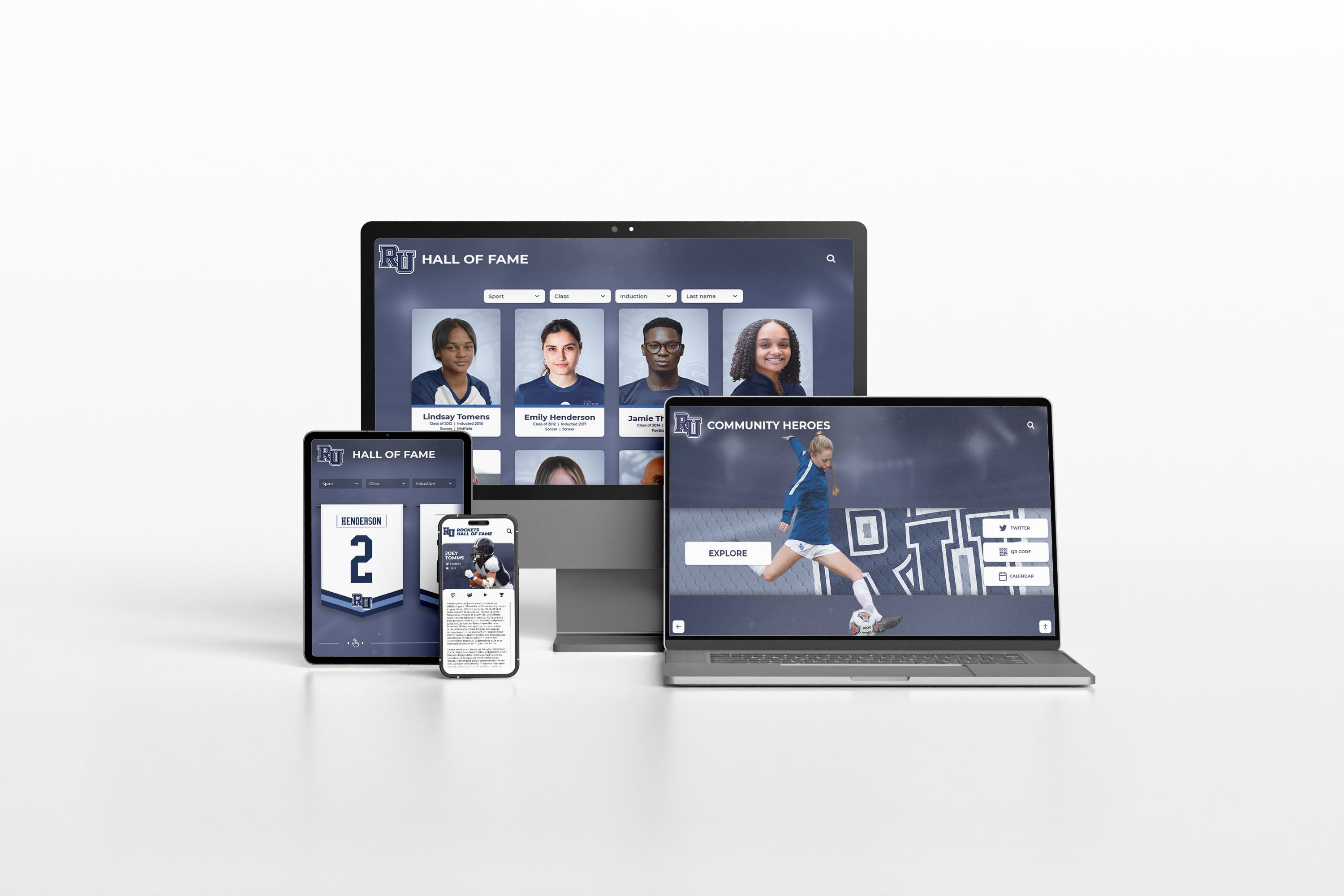
Modern platforms deliver seamless yearbook access across all devices, ensuring preserved autographs remain accessible to alumni wherever they are
Building Community Engagement Around Preserved Autographs
Digitized yearbook autographs create opportunities for alumni connection and community building.
Reunion Planning and Connection
Preserved autograph collections support reunion coordination:
- Share digitized messages with classmates reconnecting before reunions
- Create “then and now” presentations contrasting yearbook messages with current reflections
- Use autograph content to track down alumni who have lost touch
- Feature particularly meaningful or humorous messages in reunion communications
- Build storytelling opportunities around rediscovered connections
Social Media Campaigns
Yearbook autographs provide engaging content:
- “Throwback Thursday” posts featuring messages from alumni
- Campaigns inviting people to share their favorite yearbook autographs
- Challenges encouraging alumni to find and photograph their own yearbook signatures
- Hashtag campaigns collecting yearbook memories around specific themes
- Alumni takeover events where individuals share stories behind specific messages
Intergenerational Connection
Preserved autographs link current students with institutional heritage:
- Showcase how yearbook signing traditions evolved across decades
- Invite alumni to explain context behind historical messages
- Create exhibits featuring autograph evolution from different eras
- Develop curriculum using yearbook autographs as primary historical sources
- Connect current students with alumni who signed yearbooks decades ago
Organizations implementing comprehensive recognition and engagement strategies discover that yearbook autograph preservation naturally generates stories and connections strengthening community bonds across generations.
Technology Tools for Yearbook Autograph Projects
Various software and hardware options support different project scales and budgets.
Scanning Hardware
Consumer Flatbed Scanners
- Epson Perfection V600: $200-250, suitable for personal projects, offers high resolution
- Canon CanoScan LiDE 400: $80-100, budget option for basic autograph scanning
- Pros: Affordable, simple operation, adequate quality for personal use
- Cons: Slow for large collections, may stress bindings, limited professional features
Professional Book Scanners
- Plustek OpticBook series: $400-1,500, designed for book scanning with edge-to-edge capability
- Bookeye scanners: $5,000+, professional-grade equipment for institutional projects
- Pros: Better book handling, superior quality, efficient for volume scanning
- Cons: Expensive, requires expertise, may exceed individual needs
Smartphone Scanning Apps
- Adobe Scan: Free, automatic edge detection and enhancement
- Microsoft Lens: Free, good document processing
- Genius Scan: Free basic version, handles perspective correction well
- Pros: No equipment investment, immediately accessible, surprisingly capable
- Cons: Requires steady hands or tripod, less consistent quality, limited resolution
Image Editing Software
Professional Options
- Adobe Photoshop: $10-20/month subscription, industry-standard tools for enhancement
- Affinity Photo: $70 one-time purchase, capable alternative without subscription
- Pros: Comprehensive editing tools, excellent for faded ink enhancement
- Cons: Learning curve, ongoing subscription costs for Adobe
Free Alternatives
- GIMP: Free open-source, capable photo editor
- Paint.NET: Free Windows editor, simpler interface
- Pros: No cost, adequate for basic enhancement
- Cons: Less intuitive, fewer advanced features
Organization and Sharing Platforms
Personal Use
- Google Photos: Free storage (compressed), good sharing features
- iCloud Photos: Integrated Apple ecosystem, simple sharing
- Flickr: Free tier, better for high-resolution preservation
- Pros: Easy setup, familiar interfaces, adequate for small projects
- Cons: Limited metadata, privacy concerns, compression quality loss
Institutional Solutions
- Omeka: Free open-source digital archive platform
- ContentDM: $2,000+/year, professional digital collections management
- Custom platforms: Development costs vary, maximum flexibility
- Pros: Professional features, robust metadata, better long-term sustainability
- Cons: Higher costs, technical expertise required, steeper learning curve
Selecting appropriate tools depends on project scale, budget, technical capabilities, and long-term goals.
Future Directions: Emerging Technologies for Autograph Preservation
Advancing technologies promise improved yearbook autograph preservation and presentation.
Multispectral and Hyperspectral Imaging
Professional archival institutions increasingly use specialized imaging capturing light beyond visible spectrum:
- Infrared photography reveals faded iron-gall and carbon-based inks invisible to conventional imaging
- Ultraviolet imaging shows ink variations and erasures
- Multispectral imaging captures dozens of different wavelengths revealing maximum information
- These techniques recover text from severely deteriorated documents
While currently expensive (equipment costs $10,000-100,000+), prices continue declining. Within a decade, affordable consumer devices may bring these capabilities to personal preservation projects.
AI-Assisted Enhancement and Transcription
Artificial intelligence offers exciting possibilities:
- Automatic handwriting transcription converting signatures to searchable text
- Intelligent enhancement learning to differentiate faded ink from paper discoloration
- Bleed-through separation using machine learning to isolate overlapping content
- Handwriting recognition identifying authors by comparing signature styles
- Predictive text reconstruction for partially damaged messages
Early implementations already demonstrate promise. As these technologies mature, yearbook autograph preservation will become more accessible and effective.
Blockchain-Based Authenticity Verification
Future digital archives might use blockchain technology:
- Creating tamper-proof records documenting original content
- Distinguishing authentic scans from edited or fabricated versions
- Establishing provenance for valuable historical autographs
- Enabling verification that digital copies accurately represent originals
This technological approach addresses concerns about digital manipulation and preserves evidentiary value of yearbook autographs as historical sources.
Conclusion: Preserving Personal History for Future Generations
Yearbook autographs represent far more than casual scribbles in school publications—they’re authentic snapshots of relationships, emotions, and moments that defined formative years for millions of students across generations. These handwritten messages capture voices and connections that formal institutional records never document, preserving personal history in irreplaceable form.
Without thoughtful preservation, these precious memories face inevitable loss. Ink continues fading, paper deteriorates, bindings fail, and yearbooks disappear into basements and attics where they’re forgotten, damaged, or discarded during life transitions. Every year that passes without preservation action means more messages become illegible, more context is lost, and more connections fade beyond recovery.
The good news: the preservation techniques, digitization technologies, and organizational frameworks outlined in this guide make protecting yearbook autographs more accessible than ever. Whether you’re safeguarding a single cherished yearbook from your own school days or implementing comprehensive institutional digitization programs preserving decades of student voices, systematic approaches combining physical conservation with thoughtful digital archiving ensure these personal memories survive for future generations.
Start today—before more ink fades, before more yearbooks are lost, before the classmates who can identify signatures and provide context become unreachable. Even modest preservation efforts matter. Carefully storing your yearbook in archival materials protects it from immediate deterioration threats. Photographing particularly meaningful autographs with your smartphone creates digital backups surviving even if physical volumes are lost. Sharing digitized messages with classmates mentioned in them strengthens connections while distributing preservation responsibility across your community.
For schools and alumni associations, yearbook autograph preservation projects generate remarkable engagement and community building. Alumni enthusiastically contribute their personal yearbooks, volunteer for transcription efforts, and reconnect with classmates through rediscovered messages. These projects create natural opportunities for recognition programs celebrating institutional heritage while building digital archives supporting advancement, admissions, and community relations objectives.
The handwritten messages scattered through your yearbooks—the heartfelt farewells, the inside jokes known only to close friends, the enthusiastic promises to stay in touch, the signatures from people who shaped who you became—all deserve protection ensuring they remain legible and accessible decades from now. These aren’t just faded ink on aging paper; they’re tangible connections to younger selves, former friends, and the moments that mattered most during school years.
Ready to preserve yearbook autographs from your school community? Explore comprehensive digital yearbook solutions designed specifically for schools and alumni associations—combining professional digitization, interactive displays, and searchable archives that celebrate both institutional heritage and the personal connections that make your community unique.
Your yearbook autographs tell stories worth preserving. The classmates who signed them, the moments they reference, and the connections they represent all deserve protection that ensures future generations can explore and appreciate the personal relationships defining your school’s heritage. Start preserving these irreplaceable memories today, before another school year passes and more handwritten history fades beyond recovery.































