
When a school decides to install a digital hall of fame display near the front office, the implementation involves coordinating multiple professionals across facilities, IT, and specialized audiovisual integration teams. Unlike traditional plaques that require simple mounting, digital displays demand careful planning for structural support, electrical power, network connectivity, and ongoing technical maintenance. The question of who installs these systems has no single answer—successful installations typically involve collaboration between internal school staff and external specialists, each contributing specific expertise to create reliable, professional recognition systems.
Schools often assume digital display installation is straightforward, similar to hanging a television in a home. However, institutional installations near high-traffic front office areas require professional-grade mounting that supports displays weighing 60-100 pounds, dedicated electrical circuits preventing power issues, secure network connections enabling content management, and integration with existing security and safety systems. Understanding who handles each aspect of installation—and when to rely on internal staff versus external specialists—ensures projects stay on budget, meet technical requirements, and function reliably for years.
This comprehensive guide explains who installs digital hall of fame displays in educational settings, breaking down the distinct roles played by facilities teams, IT departments, audiovisual integrators, and technology vendors. You’ll learn what each team contributes, how to coordinate complex installations, when to hire external specialists, and best practices for ensuring front office displays deliver outstanding recognition experiences while meeting institutional technical and safety standards.
Understanding Digital Hall of Fame Installation Requirements
Before addressing who performs installation work, understanding what digital display installations require clarifies why multiple specialists typically contribute to successful implementations.
Hardware Components Requiring Professional Installation
Digital hall of fame systems consist of several integrated components, each presenting distinct installation challenges:
Display Screens
Large-format touchscreen displays ranging from 43 inches to 75 inches or larger serve as the primary user interface. These commercial-grade displays differ substantially from consumer televisions, featuring industrial components designed for continuous operation, touchscreen layers enabling interaction, anti-glare coatings for varied lighting conditions, and portrait or landscape orientation flexibility. Commercial displays typically weigh 60-100 pounds and require robust mounting systems supporting this weight while allowing for maintenance access and occasional adjustment.
Mounting Hardware
Professional display mounts must support substantial weight loads while positioning screens at appropriate viewing heights and angles. Wall mounts for institutional settings include reinforced brackets anchoring to wall studs or concrete, adjustable tilt and swivel mechanisms optimizing viewing angles, cable management channels concealing wiring, security features preventing unauthorized removal, and compliance with accessibility standards ensuring proper mounting heights for all users including wheelchair users.
Some installations use freestanding floor kiosks rather than wall mounts, particularly when wall construction cannot support heavy loads or when displays need positioning away from walls. Floor kiosks require secure anchoring preventing tipping and professional assembly ensuring structural stability.
Media Players and Computers
Digital hall of fame systems require computing devices managing content display, touchscreen interaction, and network connectivity. These media players or small-form-factor computers mount behind displays, connect to screens via HDMI or DisplayPort cables, require separate power connections, need network access via Ethernet or WiFi, and must remain accessible for maintenance and troubleshooting. Proper installation secures these components while maintaining cable organization and thermal management preventing overheating.

Professional installations position digital displays at optimal heights in high-visibility locations, requiring coordination between facilities, IT, and AV specialists
Audio Components
Many recognition displays include audio capabilities for video content, interviews, or highlight reels. Audio installations may incorporate built-in display speakers, external speakers for improved sound quality, audio amplifiers when multiple speakers are used, or headphone jacks providing private listening options. Audio wiring adds complexity to installations, particularly when routing cables through walls or connecting to existing building audio systems.
Power Distribution Systems
Commercial displays and associated equipment require reliable power through dedicated electrical circuits preventing interference from other building systems, surge protection safeguarding expensive equipment, proper grounding meeting electrical codes, accessible shutoff switches for maintenance and emergencies, and UPS battery backup systems preventing display failures during brief power interruptions.
Infrastructure Requirements Beyond Basic Hardware
Successful digital hall of fame installations depend on supporting infrastructure extending beyond the display itself:
Network Connectivity
Modern digital recognition systems require network connections enabling cloud-based content management, remote software updates, usage analytics collection, integration with school websites, and technical support troubleshooting. Network installations may use wired Ethernet connections providing reliable high-speed connectivity, professionally installed network drops terminating in appropriate locations, integration with existing school network infrastructure, or secure WiFi connections when running cables is impractical—though wired connections offer superior reliability for permanent installations.
Schools implementing interactive touchscreen systems prioritize network planning early in installation processes, as retrofitting network access after display installation significantly increases costs and complexity.
Structural Considerations
Front office areas often feature decorative walls, brick veneers, or glass partitions that may not support heavy display loads. Professional installations assess wall construction and load-bearing capacity, identify studs or install blocking for secure mounting, reinforce walls when necessary to support weight loads, coordinate with architects on historic or protected buildings, and ensure installations comply with building codes and fire safety regulations.
Environmental Factors
Display performance and longevity depend on appropriate environmental conditions. Installation planning addresses lighting conditions and glare management, temperature control preventing overheating, humidity levels affecting electronics, physical security against vandalism or theft, and protection from cleaning chemicals or water damage during routine maintenance.
The Installation Team: Roles and Responsibilities
Digital hall of fame installations typically involve four distinct professional groups, each contributing specialized expertise.
School Facilities and Maintenance Teams
Internal facilities staff play central roles in display installations, particularly for schools with experienced maintenance departments:
Pre-Installation Site Assessment
Facilities teams evaluate proposed installation locations, assessing wall construction and load-bearing capacity, identifying existing electrical and network infrastructure, flagging potential obstacles like conduit or structural members, ensuring accessibility compliance for mounting heights, and coordinating installation timing with building access schedules.
Facilities directors familiar with building construction provide invaluable guidance on where displays can mount safely and what preparatory work may be required before external installers arrive.
Structural Preparation and Mounting
For straightforward installations on standard wall construction, experienced facilities staff can handle mounting large displays, installing reinforced mounting brackets, running conduit for cable management, coordinating with other trades for electrical and network work, and performing final mounting and positioning.
However, many schools prefer hiring specialized audiovisual installers for mounting even when internal staff have capacity, reducing institutional liability for expensive equipment and ensuring installations meet professional standards with warranty coverage.
Ongoing Maintenance and Support
After initial installation, facilities teams typically handle routine maintenance tasks including cleaning displays and touchscreens, monitoring display positioning and stability, coordinating repairs when issues arise, and adjusting mounting if displays require repositioning.
Schools implementing multiple recognition displays benefit from establishing clear maintenance protocols ensuring consistent care across installations.
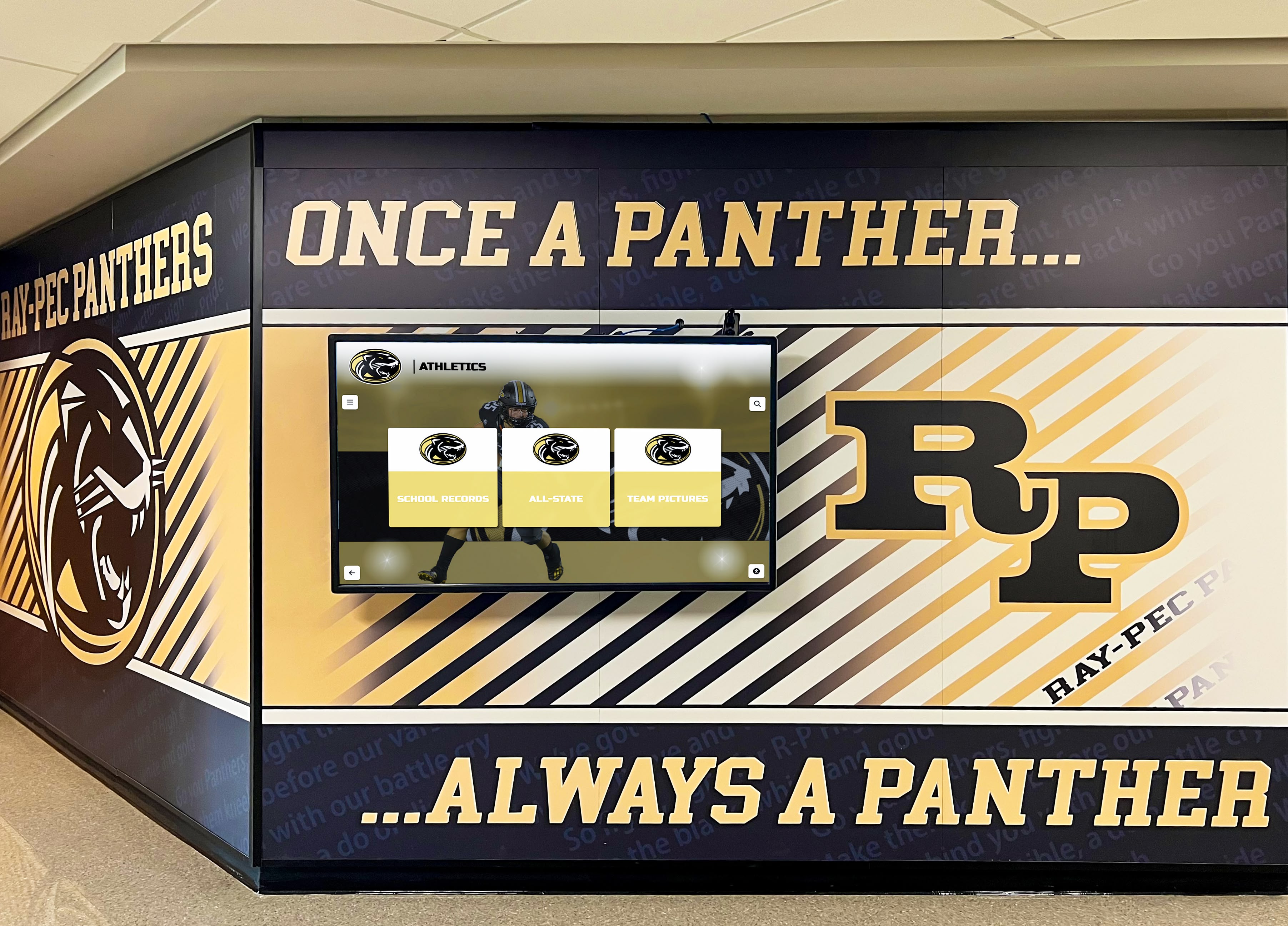
Athletic recognition displays integrated into school hallways require professional installation coordinating mounting, power, network access, and design alignment
School IT Departments
Technology staff provide essential services for network connectivity, security integration, and ongoing technical management:
Network Infrastructure Planning and Installation
IT teams design and implement network connectivity for digital displays, ensuring adequate bandwidth for content updates, configuring network security and access controls, establishing VLANs or network segments for displays, implementing remote management capabilities, and coordinating with external vendors on network requirements.
For schools implementing digital recognition systems across multiple locations, IT departments establish centralized management approaches enabling efficient oversight of distributed displays.
Device Configuration and Management
IT staff configure media players and computers running display software, installing operating systems and required applications, implementing security policies and endpoint protection, configuring automated updates and maintenance schedules, establishing backup and recovery procedures, and integrating displays with device management platforms.
Schools with comprehensive IT asset management systems incorporate digital displays into existing inventory and monitoring tools, simplifying ongoing technical oversight.
Security and Access Control
Digital displays connected to school networks require appropriate security measures. IT departments implement network security controls isolating displays, configure firewall rules and access policies, establish authentication for content management access, monitor for security threats or unusual activity, and coordinate with vendors on security updates and patches.
Technical Support and Troubleshooting
When technical issues arise, IT teams provide first-line troubleshooting support, diagnosing network connectivity problems, resolving software and configuration issues, coordinating with vendors for complex problems, and documenting technical issues and resolutions.
Clear delineation of responsibilities between IT staff and display vendors prevents support gaps while avoiding duplicated troubleshooting efforts.
Professional Audiovisual Integration Companies
Most schools hire specialized AV integration firms for digital hall of fame installations, particularly for high-profile front office displays where professional results matter most:
Comprehensive Installation Services
Professional AV integrators provide end-to-end installation including site surveys and technical planning, equipment specification and procurement, display mounting and positioning, cable routing and termination, equipment rack installation and organization, system integration and configuration, testing and commissioning, and staff training on operation and basic troubleshooting.
Quality AV firms coordinate all installation aspects, managing timelines and coordinating with school staff, working with electricians and network installers, ensuring code compliance and safety standards, and providing warranty coverage on installation workmanship.
Specialized Expertise and Equipment
AV integrators bring capabilities most school facilities teams lack, including commercial display installation experience, specialized tools for mounting and cable routing, knowledge of AV industry standards and best practices, relationships with equipment manufacturers for support, and insurance coverage protecting schools from installation liability.
For complex installations involving multiple displays, integrated audio systems, or challenging mounting scenarios, professional integrators provide expertise justifying their costs through reduced risk and superior results.
Project Management and Coordination
AV integration firms act as single points of contact, managing project timelines and coordinating subcontractors, communicating with school administrators on progress, troubleshooting installation challenges, and ensuring installations meet specifications and budgets.
This project management expertise proves particularly valuable during summer installation windows when schools coordinate multiple concurrent projects competing for facilities access and staff time.
Organizations exploring touchscreen kiosk solutions benefit from experienced integrators who understand educational environments and institutional requirements.
Licensed Electricians
Electrical work for digital display installations typically requires licensed electricians meeting local building codes:
Dedicated Circuit Installation
Commercial displays require dedicated electrical circuits preventing power quality issues. Electricians install new circuit breakers in electrical panels, run conduit and wiring from panels to display locations, install electrical boxes and outlets at appropriate locations, ensure proper grounding and surge protection, and verify installations meet National Electrical Code requirements.
Some schools have licensed electricians on facilities staff, while others hire electrical contractors for all installation electrical work.
Code Compliance and Permitting
Electrical installations often require permits and inspections. Licensed electricians pull necessary electrical permits, schedule required inspections, ensure installations meet local codes and standards, and provide documentation of code compliance for school records.
Working with licensed professionals protects schools from liability and ensures insurance coverage applies if electrical issues arise.
Integration with Building Systems
Digital display power requirements may necessitate integration with existing building electrical systems, requiring electricians to assess panel capacity for new circuits, coordinate with utility companies if service upgrades are needed, and integrate display power with building management systems allowing centralized control.
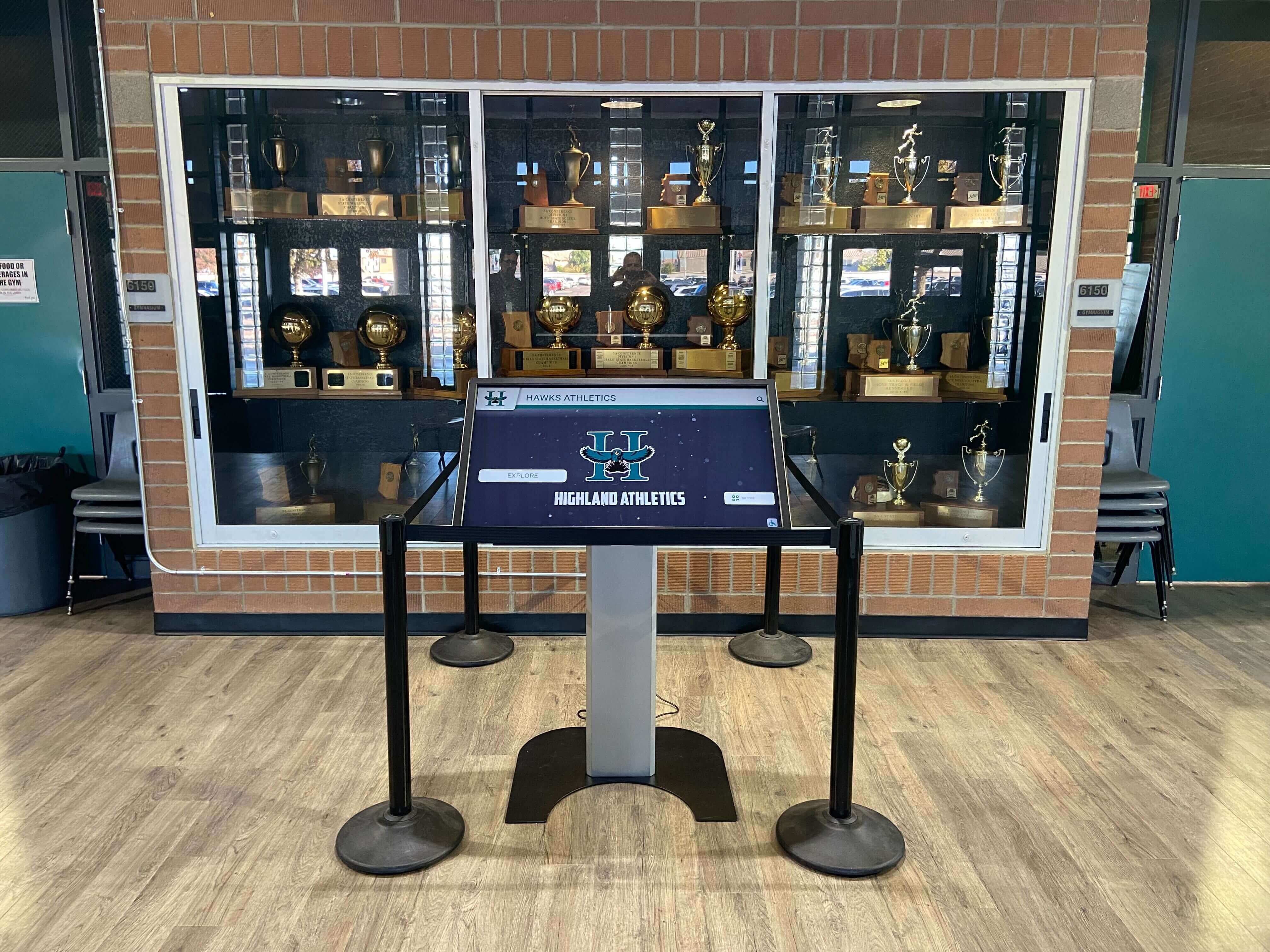
Touchscreen kiosks integrated into trophy case areas require careful coordination of power, network, mounting, and space planning
Front Office Placement: Strategic Location Considerations
Digital hall of fame displays positioned near front office areas serve multiple strategic purposes, but these high-visibility locations present specific installation challenges.
Why Front Office Locations Matter
Schools typically position primary recognition displays near front offices for several compelling reasons:
Maximum Visibility to Key Audiences
Front office areas concentrate foot traffic from students, parents, visitors, prospective families during tours, community members conducting school business, donors and booster club members, and alumni visiting campus. Positioning recognition displays where these diverse audiences naturally gather maximizes engagement and reinforces institutional pride.
Professional First Impressions
Front offices serve as introduction points for visitors forming initial impressions. Professional digital recognition displays positioned prominently near main entrances communicate that schools value recognition and history, invest in modern technology and infrastructure, maintain professional, well-managed facilities, and celebrate achievement at institutional levels.
Schools implementing school lobby design improvements often prioritize digital recognition displays as centerpiece elements demonstrating commitment to celebrating heritage.
Administrative Proximity
Front office locations offer practical advantages including administrative staff nearby monitoring displays, easy access for content managers updating information, proximity to reliable power and network infrastructure, and security benefits from staff presence discouraging vandalism or misuse.
Controlled Access and Scheduling
Unlike displays in gyms or athletic wings with limited and seasonal access, front office areas provide consistent visibility during school hours, year-round engagement across all seasons, accessibility when facilities host community events, and controlled environments protecting displays from extreme temperatures or athletic activity impacts.
Installation Challenges in Front Office Settings
High-visibility front office locations that make displays effective also create installation complications:
Aesthetic Standards and Design Integration
Front offices typically feature intentional design aesthetics that digital displays must complement rather than disrupt. Installations must coordinate display finishes with existing decor, integrate cable management to minimize visible wiring, align installations with existing signage and branding, maintain professional appearances meeting community expectations, and sometimes accommodate architectural features like brick, stone, or decorative wall treatments.
Schools often engage design consultants or architects for front office display installations, ensuring technology integrates seamlessly with existing aesthetic environments.
Minimizing Operational Disruption
Front offices operate continuously during school hours, limiting installation windows. Installers must schedule work during low-traffic periods like evenings, weekends, or summer breaks, minimize noise and disruption during installations occurring during school hours, protect floors, furniture, and equipment from installation damage, coordinate with office staff on space access and security, and complete installations efficiently to restore normal operations.
Safety and Accessibility Compliance
Front office displays must meet strict safety and accessibility standards. Installations address mounting heights meeting ADA accessibility requirements, ensure displays don’t obstruct emergency egress paths, prevent trip hazards from cables or equipment, comply with fire safety codes, and ensure displays don’t interfere with security systems or cameras.
Technical Infrastructure Coordination
Front office locations may lack ideal technical infrastructure. Installation teams must coordinate network access from existing infrastructure or install new drops, ensure adequate electrical capacity often requiring new dedicated circuits, integrate with existing security systems and access controls, accommodate building automation systems controlling lighting and HVAC, and work around existing low-voltage systems like intercoms or security cameras.
Installation Process: From Planning to Completion
Understanding the installation workflow helps schools coordinate effectively with installation teams and anticipate timeline requirements.
Phase 1: Planning and Site Assessment (2-4 Weeks)
Successful installations begin with thorough planning addressing technical, logistical, and design considerations:
Initial Consultation and Requirements Gathering
Schools meet with display vendors, AV integrators, or facilities staff to discuss recognition program goals and display purposes, identify ideal installation locations, determine display sizes and configurations, establish budget parameters, and develop preliminary project timelines.
These initial conversations establish project scope and identify potential challenges requiring special attention.
Site Survey and Technical Assessment
Installation teams visit proposed locations to evaluate installation feasibility. Site surveys document wall construction and load-bearing capacity, existing electrical service and circuit capacity, network infrastructure and connectivity options, environmental conditions like lighting and temperature, accessibility compliance considerations, and security and safety system integration needs.
Professional site surveys identify challenges early, preventing costly surprises during installation.
Design and Integration Planning
Based on site surveys, installation teams develop detailed plans showing exact display positioning and mounting details, electrical work requirements and circuit locations, network connection specifications, cable routing and concealment approaches, and integration with existing architectural elements.
Design drawings help stakeholders visualize final installations and provide opportunities for input before installation begins.
Permitting and Code Compliance
Installations requiring electrical work, structural modifications, or affecting building fire safety systems may need permits. Planning phases address building permit requirements and submission processes, electrical permit needs for new circuits, fire marshal review for egress or safety considerations, and coordination with local inspectors on requirements.
Starting permit processes early prevents project delays waiting for approvals.
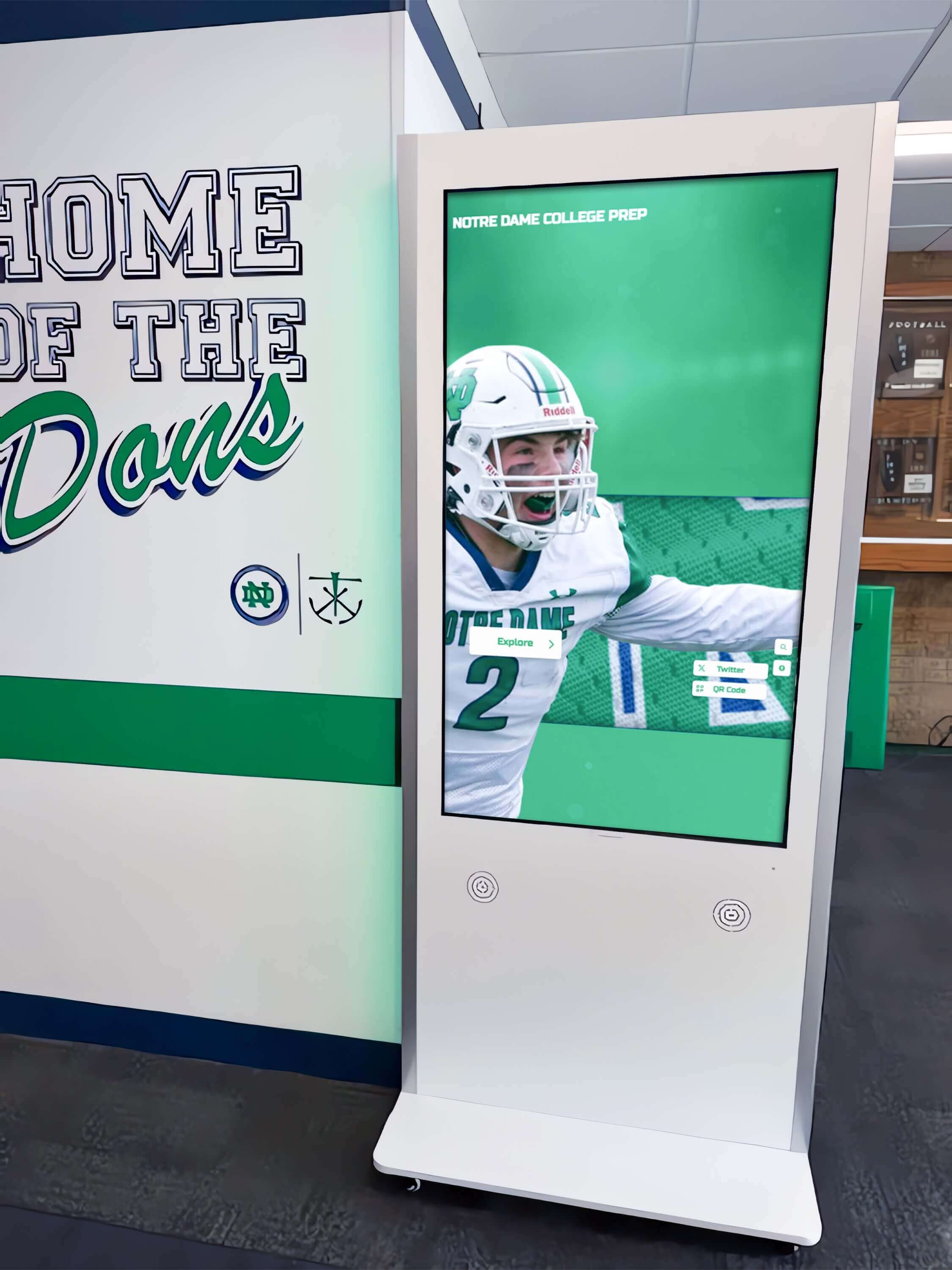
Professional installations in educational facilities integrate displays with existing architecture while meeting institutional technical and aesthetic standards
Phase 2: Infrastructure Preparation (1-3 Weeks)
Before display installation, necessary infrastructure work establishes technical foundations:
Electrical Work
Licensed electricians complete power infrastructure including installing new dedicated circuits from electrical panels, running conduit and wiring to display locations, installing electrical boxes and outlets at specified locations, implementing surge protection systems, and obtaining required electrical inspections.
Electrical work typically occurs 1-2 weeks before display installation, allowing time for inspections and addressing any issues inspectors identify.
Network Infrastructure
IT staff or network contractors establish connectivity by installing network drops from distribution closets, running network cabling through walls or conduit, terminating cables at network jacks near displays, testing connections and verifying bandwidth, and configuring network switches and access controls.
Network preparation timing coordinates with electrical work, often occurring concurrently to minimize disruption.
Wall Preparation and Reinforcement
When displays mount to walls requiring reinforcement, facilities teams or contractors complete structural work by installing blocking or reinforcement in wall cavities, repairing or modifying wall surfaces as needed, preparing mounting surfaces for display brackets, and ensuring walls meet load requirements for display weight.
Cable Pathway Installation
Professional installations conceal cabling for clean appearances. Preparatory work may include installing conduit or raceway for cable protection, cutting access openings for routing cables through walls, establishing cable pathways from equipment to displays, and preparing locations for equipment racks or enclosures.
Phase 3: Display Installation and Integration (1-2 Days)
With infrastructure prepared, installation teams mount displays and integrate systems:
Physical Display Mounting
AV integrators or facilities teams install display mounting brackets on walls, position and level displays on mounting systems, secure displays to mounts using appropriate hardware, adjust display angles for optimal viewing, and test mounting stability and security.
Large displays often require 2-3 installers working together given weight and positioning challenges.
Equipment Installation and Connection
Installers complete system integration by mounting media players or computers behind displays, connecting displays to media players via HDMI/DisplayPort, routing and terminating power cables to displays and equipment, establishing network connections via Ethernet or WiFi, connecting audio systems if included, and organizing cables using cable management systems.
System Configuration and Testing
Technical teams configure installed systems by installing display software and content management platforms, configuring network connectivity and security settings, testing touchscreen functionality and calibration, verifying audio performance if applicable, checking remote access and management capabilities, and running through complete system functionality tests.
Thorough testing during installation prevents discovering issues after installation teams have left campus.
Training and Documentation
Installation completion includes training school staff on basic display operation, content management system access and use, troubleshooting common issues, and shutdown/restart procedures when needed. Installers provide documentation including equipment specifications and warranty information, network configuration details, support contact information, and maintenance recommendations.
Organizations implementing athletic hall of fame programs benefit from comprehensive training ensuring staff can manage recognition systems effectively.
Phase 4: Content Population and Launch (2-4 Weeks)
Technical installation completion begins content development and system launch:
Initial Content Creation
Schools populate displays with recognition content through collecting photos, biographies, and achievement information, creating profiles in content management systems, organizing content into appropriate categories, establishing navigation structures, and reviewing content for quality and accuracy.
Many schools work with display vendors on initial content development, learning content management processes while building initial recognition collections.
Beta Testing and Refinement
Before public launch, schools test systems with limited audiences by gathering feedback on navigation and usability, identifying content gaps or errors requiring correction, adjusting display settings for optimal viewing, and refining content organization and presentation.
Testing with diverse users including students, parents, and staff ensures systems work well for all audiences.
Official Launch and Promotion
Schools announce and promote new recognition displays through launch events or ceremonies, email communications to students, staff, and alumni, social media posts highlighting new systems, press releases to local media, and tour guide briefings for admissions staff.
Strong launch promotion encourages engagement and reinforces that schools value recognition.

Successfully installed displays encourage visitor engagement, allowing alumni, parents, and community members to explore institutional achievements
Choosing Between Internal Staff and External Specialists
Schools face decisions about which installation tasks to handle internally versus outsourcing to specialized contractors.
When to Use Internal Facilities and IT Staff
Internal staff installations make sense under certain conditions:
Sufficient Internal Expertise
Schools with experienced facilities teams comfortable mounting heavy equipment, skilled IT departments handling network infrastructure, and staff availability for project timeline requirements may complete installations using mostly internal resources—reducing costs and maintaining project control.
Simple Installation Scenarios
Straightforward installations on standard wall construction in locations with existing power and network infrastructure requiring minimal cable routing or concealment work, and involving single displays rather than multiple complex installations may work well for internal teams, particularly when professional integrators provide detailed installation guides.
Ongoing Learning Opportunities
Schools planning multiple future display installations may choose internal installation for initial projects to build staff expertise, reduce long-term dependency on external contractors, and develop in-house capabilities for maintenance and expansion—even if initial installations take longer or cost more in staff time than outsourcing.
When to Hire Professional Integrators
Most schools benefit from hiring AV integration specialists for digital hall of fame installations in several scenarios:
Complex Installation Requirements
Installations involving challenging wall construction or reinforcement needs, extensive cable routing or concealment requirements, integration with existing building systems, coordination with multiple subcontractors, or installations requiring specialized tools or equipment typically justify professional integrators’ expertise and efficiency.
High-Visibility and High-Value Installations
Front office displays serving as institutional centerpieces merit professional installation ensuring optimal results. Professional installers deliver polished appearances meeting design standards, warranty coverage protecting expensive equipment, liability protection for schools, and proven expertise maximizing system reliability and longevity.
Limited Internal Capacity
Schools with facilities and IT teams already at capacity, limited expertise mounting commercial displays, insufficient time for complex installations, or preference for outsourcing specialized projects benefit from external integrators providing complete installation services without burdening internal staff.
Vendor Requirements and Warranties
Some display vendors require professional installation by certified integrators as conditions for warranty coverage. Following vendor installation requirements protects equipment investments and ensures support availability if technical issues arise.
Schools implementing comprehensive digital recognition programs often establish relationships with preferred integrators handling initial installations and supporting future expansions.
Installation Cost Factors and Budget Planning
Understanding installation cost components helps schools develop realistic budgets and evaluate proposals.
Hardware and Equipment Costs
Display hardware typically represents the largest expense category:
Display Screens
Commercial-grade touchscreen displays range from $2,000-8,000 depending on screen size (43-inch to 75-inch), touchscreen technology quality, commercial vs. consumer grade specifications, portrait or landscape orientation, and additional features like anti-glare coatings or enhanced brightness.
Mounting Hardware
Professional mounting systems cost $200-800 based on wall-mount or floor kiosk configurations, weight capacity and adjustability features, security locking mechanisms, and cable management capabilities.
Media Players and Computers
Computing devices managing display content range from $300-1,500 based on processing power and performance requirements, operating system preferences, storage capacity for media files, and connectivity options.
Audio Equipment
Systems incorporating audio add $200-1,000 for speakers, amplifiers, and audio processing depending on audio quality requirements and the number of speakers or zones.
Installation Labor and Professional Services
Labor costs vary significantly based on complexity and who performs work:
Professional AV Integration
Complete installation by AV integration firms typically costs $2,000-6,000 for single displays including site survey and planning, display mounting and positioning, equipment installation and integration, cable routing and termination, system configuration and testing, and training and documentation.
Complex installations or multiple displays increase labor costs proportionally.
Electrical Work
Dedicated circuit installation by licensed electricians costs $500-2,000 per circuit based on distance from electrical panels to displays, complexity of running conduit through walls or ceilings, electrical panel capacity and upgrade needs, and permit and inspection fees.
Network Infrastructure
New network drop installation costs $300-1,000 per drop based on distance from network closets, complexity of cable routing, necessity of wall modifications, and testing and certification requirements.
Additional Trades
Installations sometimes require additional specialized work including carpentry for wall reinforcement or cabinetry, painting for wall repairs or finishing, HVAC modifications for equipment cooling, or security system integration.
Ongoing Operational Costs
Beyond initial installation, schools budget for continuing expenses:
Software and Content Management Subscriptions
Display management platforms typically charge $500-2,000 annually for cloud-based content management, software updates and new features, technical support and troubleshooting, and usage analytics and reporting.
Maintenance and Support
Routine maintenance costs include cleaning supplies and routine care, periodic technical support calls, software troubleshooting and updates, and eventual component replacement needs.
Extended Warranties and Service Contracts
Schools may purchase extended warranties covering hardware failures beyond standard warranties (typically 3-5 years), providing on-site service and repair response, and offering advance replacement of failed components.
Total cost of ownership for digital hall of fame displays typically ranges from $8,000-15,000 for initial installation with $1,000-3,000 annual operating costs—comparable to traditional recognition approaches over 5-10 year periods while providing significantly better functionality.
Best Practices for Successful Installation Projects
Schools implementing digital hall of fame displays benefit from following proven project management approaches:
Start Planning Early and Build Realistic Timelines
Complex installations require 2-4 months from initial planning through completion. Schools should begin planning well before desired launch dates, allowing time for vendor selection and contracting, site surveys and design development, permitting and code compliance processes, equipment procurement and delivery, infrastructure preparation work, installation scheduling around school calendars, content development and population, and testing and refinement before launch.
Rushing installations to meet unrealistic deadlines compromises quality and increases costs through expedited shipping, overtime labor, or inadequate planning causing installation problems.
Establish Clear Project Leadership and Communication
Successful installations need designated project leaders coordinating all stakeholders. Clear leadership establishes single points of contact for vendors and contractors, makes decisions when choices arise, maintains project timelines and budgets, communicates regularly with administrators, and resolves conflicts or challenges promptly.
Shared project management tools or regular status meetings keep everyone informed and aligned.
Involve All Stakeholders in Planning
Early involvement of facilities, IT, administration, and end users prevents problems. Comprehensive stakeholder engagement ensures technical requirements are identified early, design preferences are incorporated appropriately, budget implications are understood before commitments, and installation timing works for all affected departments.
Front office staff who will work near displays daily provide valuable input on placement, functionality, and operational considerations that technical teams might not consider.
Prioritize Professional Installation for High-Visibility Locations
While internal staff may handle some installation tasks, front office displays benefiting from professional results justify hiring experienced integrators. Professional installation delivers polished appearances meeting institutional standards, protects expensive equipment investments through proper techniques, reduces school liability for installation issues, and provides warranty coverage ensuring long-term support.
Attempting to save installation costs through DIY approaches in high-profile locations risks poor results that reflect negatively on institutions.
Plan for Ongoing Maintenance and Support
Installation completion marks the beginning of ongoing display lifecycle management. Schools should establish clear maintenance responsibility assignments, create documentation of system specifications and configurations, develop troubleshooting procedures for common issues, schedule routine cleaning and care, and maintain relationships with installation vendors for future support needs.
Organizations implementing digital donor recognition systems treat displays as ongoing programs requiring continuous attention rather than one-time projects.
Coordinating Installation Success: Bringing It All Together
Installing digital hall of fame displays near school front offices requires coordinating multiple professional specialties, each contributing essential expertise to create reliable recognition systems that serve institutions for years. While specific installation approaches vary based on institutional capacity, technical requirements, and budget constraints, successful implementations share common characteristics: thorough planning addressing technical infrastructure needs, clear coordination between facilities, IT, and specialized contractors, realistic timelines allowing proper preparation and execution, quality professional work meeting institutional standards, and ongoing maintenance plans sustaining system performance.
Schools embarking on digital recognition display installations benefit from treating projects as institutional investments deserving appropriate planning, professional execution, and dedicated resources. Whether installations rely primarily on internal staff or external specialists, coordinated approaches involving all stakeholders from initial planning through post-installation maintenance ensure recognition displays deliver outstanding experiences for students, alumni, visitors, and communities.
The complexity of professional display installation—coordinating structural mounting, electrical power, network connectivity, and system integration—demonstrates why asking “who installs these systems?” has no simple answer. Successful installations represent collaborative efforts bringing together diverse expertise focused on common goals: celebrating achievement, honoring heritage, and creating recognition experiences that inspire institutional pride across entire school communities.
Ready to explore digital recognition solutions designed for educational institutions, including comprehensive installation planning and support? Learn more about digital hall of fame systems that provide end-to-end implementation assistance, ensuring professional results that celebrate your school’s achievements and heritage.































