School history, shared
Touchscreen Kiosks for Schools: A Buyer's Guide to Lobby Displays and Recognition Walls
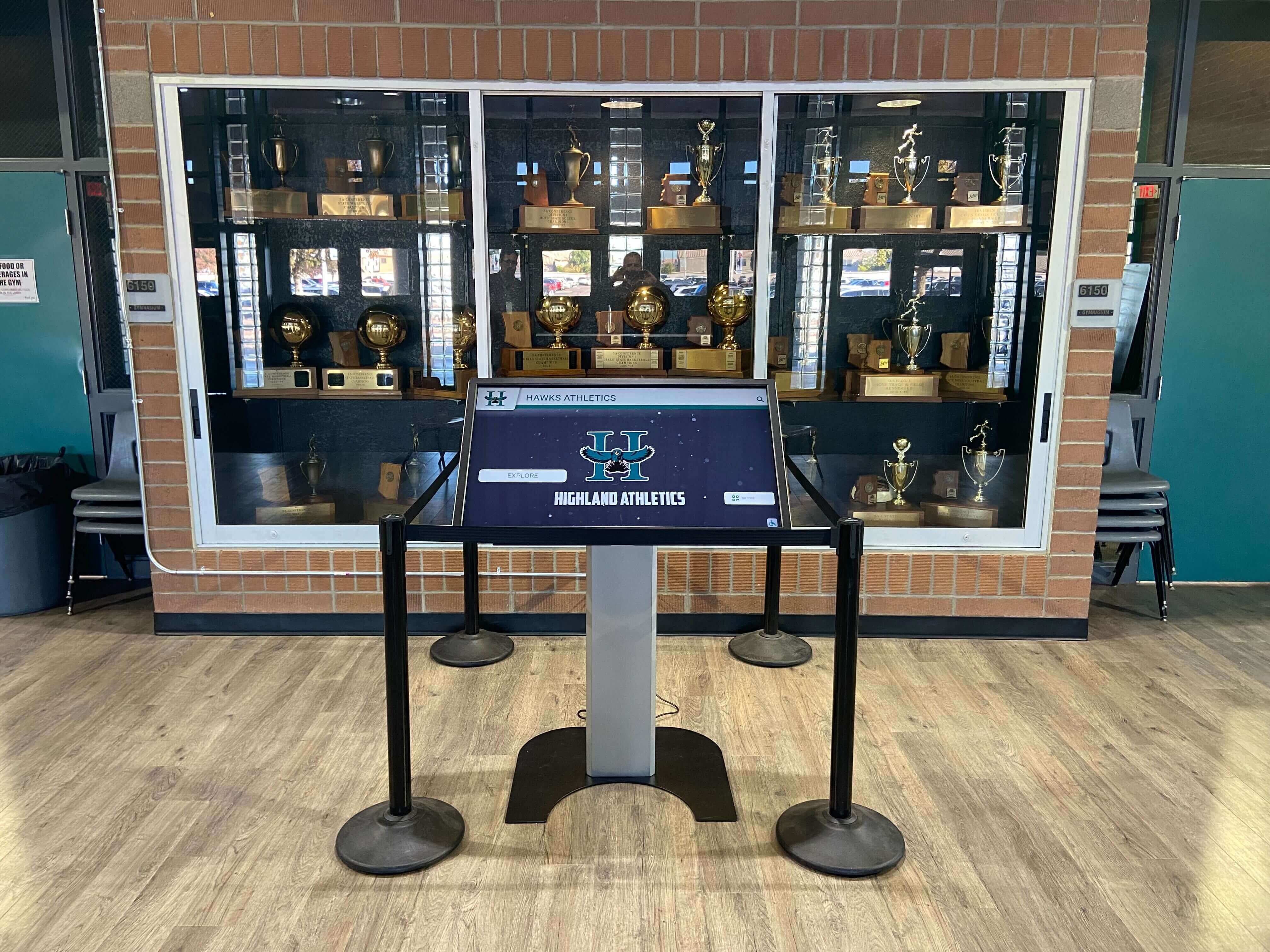
School lobbies, athletic facilities, libraries, and common areas increasingly feature interactive touchscreen kiosks that engage students, celebrate achievements, inform visitors, and strengthen community connections. These digital installations range from simple wayfinding displays to sophisticated recognition systems showcasing athletic achievements, donor contributions, academic honors, and institutional history. Yet selecting the right school touchscreen kiosk requires navigating technical specifications, software capabilities, installation requirements, budget considerations, and vendor options that dramatically impact long-term satisfaction and functionality.
The challenge facing school administrators, facilities managers, athletic directors, and advancement teams extends beyond simply purchasing hardware. Successful kiosk deployments demand understanding display technology differences, evaluating content management systems, planning physical installation logistics, ensuring accessibility compliance, calculating total ownership costs, and identifying vendors providing genuine education-sector expertise. The difference between a display that becomes outdated quickly and a system serving your community for years often comes down to informed purchasing decisions addressing both immediate needs and future flexibility.
This comprehensive buyer’s guide explores every aspect of school touchscreen kiosk selection—from hardware specifications and software features to installation planning, budgeting strategies, and vendor evaluation criteria. Whether you’re purchasing your first lobby display, upgrading aging recognition systems, or planning campus-wide interactive deployments, you’ll discover practical frameworks for making decisions that serve your school community effectively while maximizing technology investments.
Modern school touchscreen kiosks serve diverse purposes: greeting visitors with interactive campus maps, celebrating student achievements through searchable recognition databases, honoring donors through elegant digital walls, showcasing athletic records and team histories, providing event calendars and announcements, and creating engaging digital experiences that reflect institutional excellence and community pride.

Strategic placement of touchscreen kiosks in high-traffic areas maximizes engagement while celebrating school achievements
Understanding School Touchscreen Kiosk Applications
Before diving into technical specifications, clarifying intended applications guides appropriate purchasing decisions.
Recognition and Celebration Applications
Athletic Achievement Displays Sports-focused touchscreen kiosks showcase team excellence:
- Hall of fame databases enabling visitors to search athletes, teams, and records by name, year, sport, or achievement
- Championship celebrations displaying team photos, rosters, statistics, and season highlights
- Record boards tracking performance milestones across sports programs with automatic record-holder updates
- Team history timelines presenting program evolution through photos, narratives, and memorable moments
- Coach recognition honoring leaders who built athletic traditions
- Current season integration combining historical achievement with present-day team information
Athletic kiosks transform static trophy cases into engaging digital experiences connecting current athletes with program heritage while providing infinite expansion capacity as new achievements accumulate. Schools implementing digital trophy touch walls report dramatically increased engagement compared to traditional plaques.
Donor Recognition Systems Advancement offices leverage touchscreen technology for philanthropy celebration:
- Searchable donor databases organized by giving level, campaign, designation, or alphabetically
- Legacy stories sharing donor motivations, family histories, and philanthropic impact
- Campaign progress visualization showing fundraising goals and community participation
- Memorial tributes honoring deceased benefactors through photos and biographical narratives
- Facility naming recognition connecting donors to the spaces they helped create
- Interactive giving opportunities providing information about current campaign needs
Digital donor walls offer advantages traditional bronze plaques cannot match—unlimited capacity for new donors, easy updates when giving levels change, multimedia storytelling capabilities, and elegant presentation that scales from dozens to thousands of contributors.
Academic Excellence Recognition Educational achievement displays celebrate student success:
- Honor roll recognition featuring outstanding students by marking period or academic year
- Scholarship recipient profiles highlighting award winners and their accomplishments
- Valedictorian and salutatorian histories tracking academic leaders across graduating classes
- National Merit Scholars and other standardized achievement recognition
- Academic team championships celebrating Quiz Bowl, Science Olympiad, FBLA, and similar competitions
- Distinguished alumni databases connecting current students with notable graduates
Comprehensive student achievement display strategies incorporate interactive elements encouraging exploration beyond simple name lists.
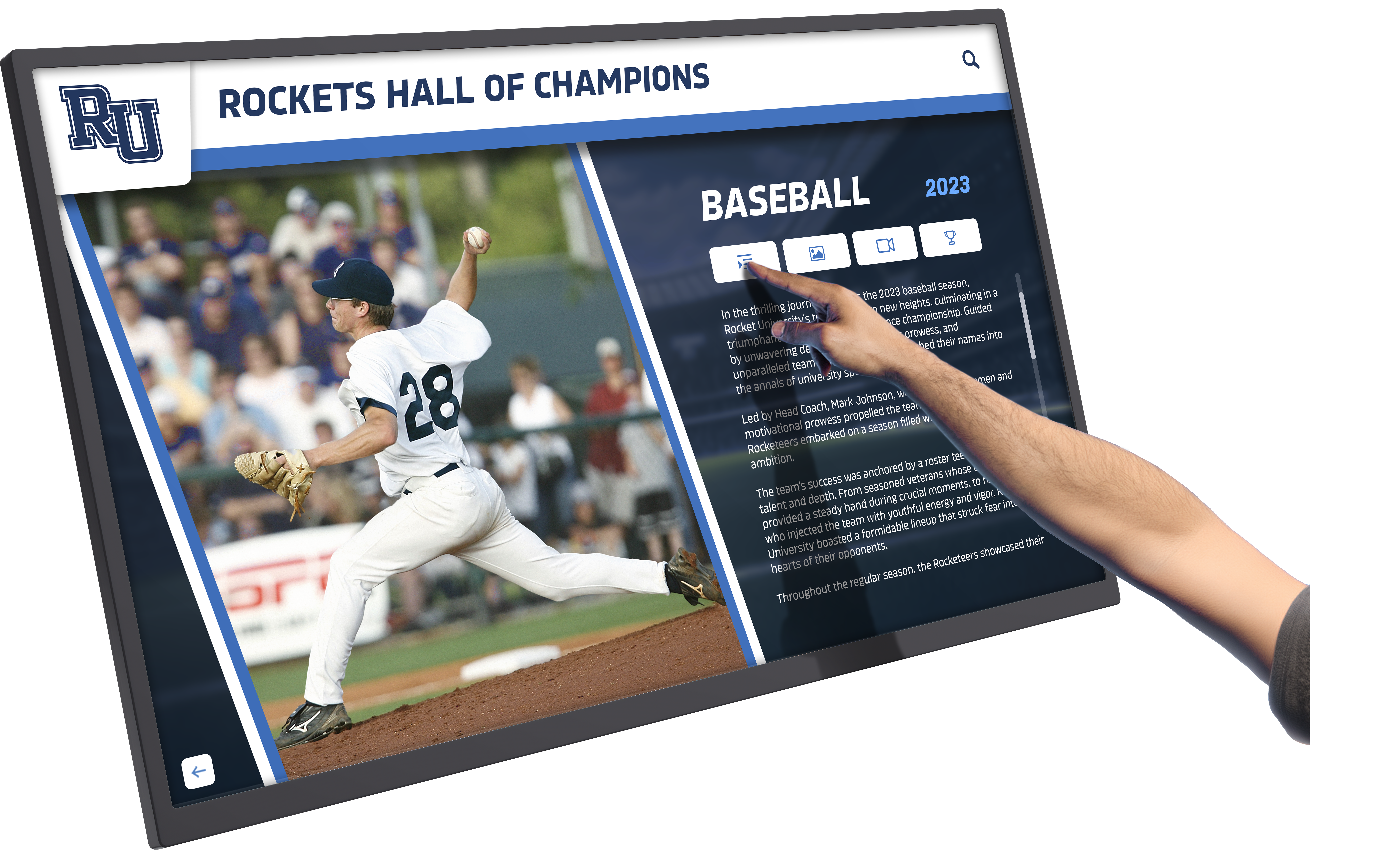
Intuitive touchscreen interfaces encourage exploration of school achievements and community heritage
Informational and Wayfinding Applications
Campus Navigation Systems Large school facilities benefit from interactive wayfinding:
- Interactive campus maps showing building locations, room numbers, and department assignments
- Event locations directing visitors to athletic contests, performances, and special events
- Accessibility information highlighting wheelchair routes, elevators, and accessible facilities
- Parking guidance helping visitors find appropriate lots and visitor parking areas
- Emergency assembly points providing safety information in accessible formats
- Department directories listing faculty, staff, and office locations
Event Information and Calendars Dynamic content keeps communities informed:
- Athletic schedules showing upcoming games, tournaments, and championship events
- Performing arts calendars promoting concerts, plays, and student performances
- Academic calendars highlighting important dates, testing periods, and school breaks
- Community events advertising booster club meetings, parent conferences, and school functions
- Real-time event updates providing schedule changes, cancellations, or location modifications
- Countdown timers building excitement for homecoming, graduation, and milestone events
Institutional History and Archives
Heritage Storytelling Long-established institutions leverage kiosks for historical education:
- Timeline presentations walking through decades or centuries of institutional evolution
- Historical photo galleries showcasing campus development, architectural changes, and community moments
- Notable alumni databases profiling graduates who achieved prominence in various fields
- Tradition explanations documenting the origins of school songs, mascots, colors, and customs
- Yearbook archives providing digital access to decades of student yearbooks
- Documentary video content featuring oral histories, anniversary celebrations, and archival footage
Schools preserving institutional memory through digital platforms create engagement opportunities impossible with static historical displays.
Essential Hardware Specifications for School Touchscreen Kiosks
Technical decisions significantly impact functionality, durability, and user experience.
Display Technology and Screen Specifications
Screen Size Selection Display dimensions should match viewing distance and content types:
- 32-43 inch displays work for individual viewers in intimate settings or narrow hallways
- 43-55 inch displays represent the sweet spot for most lobby and common area installations
- 55-65 inch displays suit large lobbies, gymnasiums, and areas with considerable viewing distances
- Multiple smaller displays sometimes serve specific needs better than single large screens
- Portrait vs. landscape orientation affects content layout and space utilization
Consider actual viewing distance—displays placed at comfortable arm’s reach for touchscreen interaction don’t need the same size as across-the-room viewing.
Display Resolution and Quality Image clarity affects professional appearance and content legibility:
- 4K Ultra HD resolution (3840×2160) provides crisp text and photos even on larger displays
- 1080p Full HD resolution (1920×1080) remains acceptable for smaller screens and budget constraints
- Brightness levels (300-500 nits) ensure visibility in well-lit lobbies and areas with window glare
- Anti-glare coating reduces reflections from overhead lighting and natural light
- Wide viewing angles maintain image quality when viewed from sides rather than straight-on
- Color accuracy and calibration ensure photos and graphics appear as intended
Professional-grade commercial displays outperform consumer televisions in brightness, durability, and lifespan for public installation environments.

Professional kiosk installations integrate school branding while providing intuitive navigation experiences
Touchscreen Technology Types Touch responsiveness affects user experience quality:
- Capacitive touchscreens provide smartphone-like responsiveness supporting multi-touch gestures, pinch-to-zoom, and swipe navigation
- Infrared touchscreens work reliably even with gloves or styluses and resist scratching better than capacitive options
- Optical touchscreens handle very large formats effectively but may struggle with bright ambient light
- Touch point accuracy ensures selections register precisely where users tap
- Response time should feel instantaneous without noticeable lag between touch and action
- Gesture support enables intuitive navigation through pinch, swipe, and multi-finger interactions
Capacitive technology dominates modern installations due to familiar smartphone-like feel, though infrared options suit specific environments with unusual requirements.
Computing Hardware and Performance
Internal Computer Specifications Processing power determines content capability and system longevity:
- Processor requirements depend on content complexity—static images need less than video playback
- RAM capacity (8-16GB minimum) ensures smooth multi-user operation and content switching
- Storage space (256GB-1TB SSD) accommodates photo libraries, videos, and application data
- Graphics capabilities affect video playback smoothness and animation quality
- Operating system choice between Windows, Android, Chrome OS, or proprietary systems
- Upgradability considerations allowing future performance improvements without complete replacement
Systems running primarily photo galleries and simple navigation require less horsepower than video-heavy multimedia presentations.
Connectivity and Integration Network capabilities enable remote management and content updates:
- WiFi and Ethernet options providing reliable network connectivity for content synchronization
- Cloud integration enabling remote content management from any location
- CMS compatibility ensuring the hardware works with your chosen content management platform
- USB access for local content loading and system updates if needed
- HDMI inputs allowing external device connections for presentations or special events
- Bluetooth connectivity supporting wireless accessories like keyboards or presentation remotes
Cloud-connected systems dramatically simplify content management compared to systems requiring physical media updates.
Durability and Environmental Considerations
Build Quality for Public Spaces Educational environments demand robust construction:
- Tempered glass protection prevents screen damage from accidental impacts
- Vandal-resistant enclosures protect internal components from tampering
- Scratch-resistant coatings maintaining display clarity despite heavy use
- Sealed components preventing dust and moisture intrusion in maintenance areas or outdoor installations
- Thermal management ensuring reliable operation in warm gymnasiums or cool entryways
- Operating temperature ranges matching your specific installation environment
Public-facing kiosks endure considerably more physical interaction than private office displays—construction quality matters.
Installation Hardware and Mounting
- VESA mount compatibility for wall-mounting or stand-mounting flexibility
- Custom enclosure options integrating displays into architectural millwork or themed environments
- Cable management solutions hiding power and network cables for professional appearance
- Adjustable mounting allowing height and angle optimization after installation
- Floor-standing kiosk enclosures providing all-in-one solutions for locations without suitable walls
- ADA compliance considerations ensuring appropriate mounting heights and wheelchair accessibility
Installation environments vary dramatically—coordinate mounting hardware with your specific architectural context.
Software Platforms and Content Management Systems
Hardware quality matters, but software determines actual functionality and long-term usability.
Content Management System Requirements
Core CMS Capabilities Effective platforms provide intuitive administration:
- Web-based administration enabling content updates from any device without special software
- Drag-and-drop interfaces simplifying photo uploads, text editing, and layout adjustments
- Template libraries providing professional designs without custom development requirements
- User permission systems allowing appropriate access for administrators, coaches, donors relations, and other staff
- Preview functionality showing exactly how content appears before publishing to live displays
- Scheduling capabilities controlling when specific content appears or disappears automatically
- Multi-display management coordinating content across multiple kiosks from single interface
Turnkey digital display solutions eliminate technical complexity while providing sophisticated functionality through purpose-built platforms.
Content Organization and Search Information architecture affects usability:
- Database structures supporting thousands of entries without performance degradation
- Advanced search capabilities filtering by multiple criteria simultaneously
- Alphabetical browsing providing quick navigation to specific names
- Category organization grouping content by sport, year, achievement type, or custom classifications
- Tag systems enabling flexible cross-referencing and related content connections
- Media libraries managing photo assets efficiently across multiple displays and applications
- Automated content suggestions surfacing related individuals or achievements based on current viewing
Search functionality separates functional databases from frustrating navigation experiences—test this capability carefully during vendor evaluation.
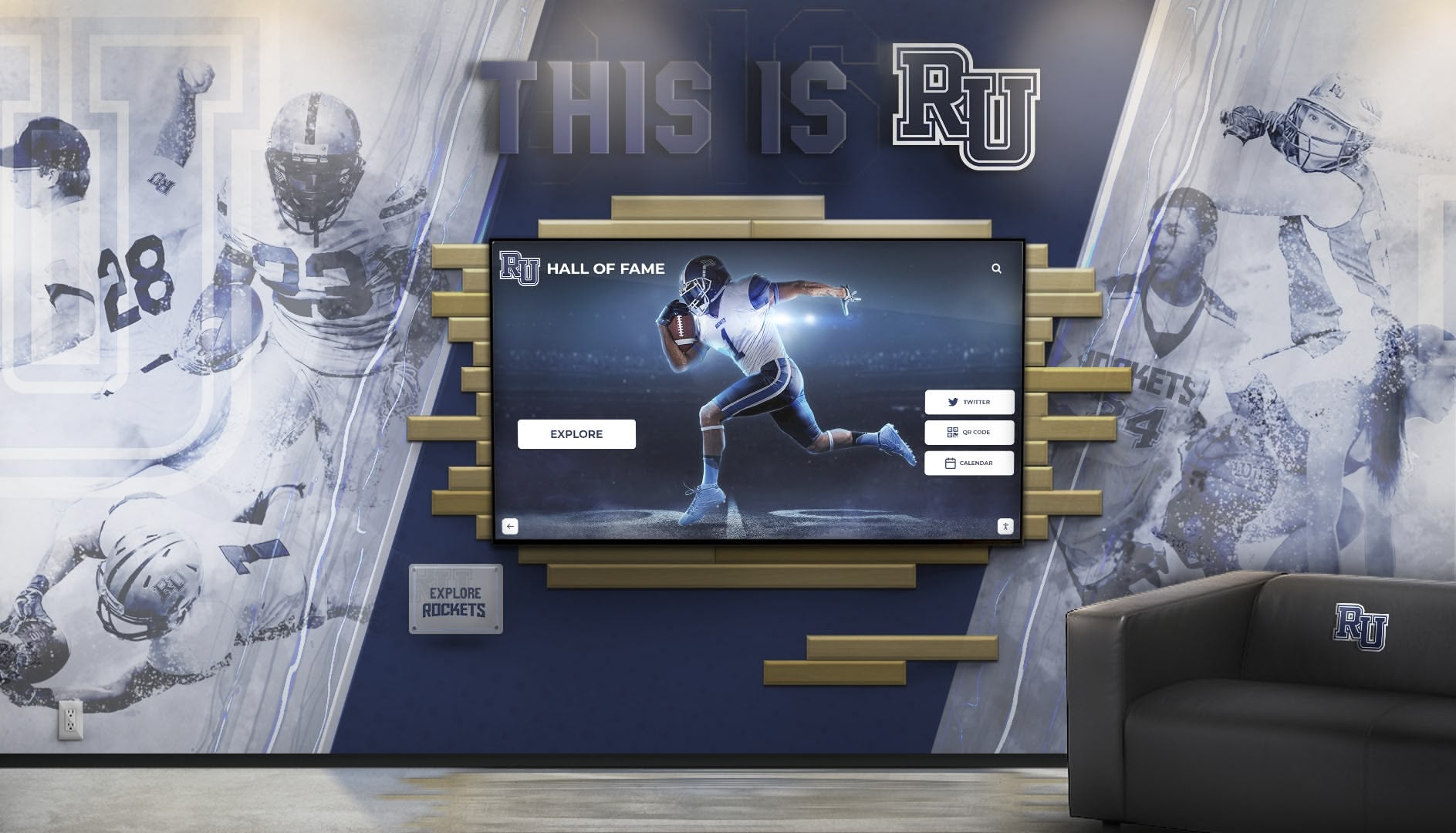
Sophisticated installations combine architectural design elements with interactive technology for maximum visual impact
Interactive Features and User Experience
Navigation and Interface Design Intuitive design encourages exploration:
- Touch target sizing appropriate for fingers rather than mouse cursors
- Consistent navigation patterns reducing confusion across different content sections
- Breadcrumb trails helping users understand their location within information hierarchy
- Home button accessibility providing easy return to main menu from anywhere
- Timeout and reset functionality returning displays to attract mode after periods of inactivity
- Accessibility features including text sizing, high contrast modes, and screen reader compatibility
- Multi-language support serving diverse school communities
User testing with actual students, parents, and visitors reveals interface problems invisible to administrators.
Multimedia Integration Rich content engages visitors beyond static text:
- Photo gallery capabilities displaying individual and team photos in high resolution
- Video playback support for game highlights, documentary content, and congratulatory messages
- Audio narration providing spoken descriptions for accessibility and enhanced storytelling
- Social media integration pulling recent posts, announcements, or hashtag content
- Live data feeds displaying current game scores, weather, or news headlines
- Interactive timelines allowing exploration of chronological histories
- Virtual tours providing 360-degree views of facilities or archived spaces
Multimedia content dramatically increases engagement time compared to text-only presentations.
Integration with Existing Systems
Data Source Connections Streamlined workflows prevent duplicate data entry:
- Student information system integration pulling demographic data, academic records, and enrollment status
- Athletic management platform connections syncing team rosters, schedules, and statistics automatically
- Donor database integration synchronizing contribution records with recognition displays
- Website content sharing repurposing existing web content for touchscreen presentation
- Digital yearbook connectivity leveraging existing photo libraries and student profiles
- Calendar system integration displaying events from Google Calendar, Outlook, or other platforms
- Emergency notification systems capable of displaying urgent alerts when needed
Integration eliminates manual data synchronization while ensuring information consistency across platforms.
Installation Planning and Site Preparation
Thoughtful planning prevents expensive mistakes and installation delays.
Site Selection and Placement Strategy
High-Traffic Location Identification Maximize visibility through strategic placement:
- Main entrances and lobbies capture visitors immediately upon entering facilities
- Athletic facility entrances engage families attending games and events
- Cafeteria and common areas reach students during daily school routines
- Gymnasium lobbies target athletic communities specifically
- Library or media center locations serve academic recognition purposes
- Administration building lobbies engage visitors conducting school business
- Alumni center installations specifically target former students and donors
Usage analytics from existing digital signage inform optimal placement for new interactive kiosks.
Physical Space Considerations Installation locations require specific characteristics:
- Adequate clearance providing space for multiple simultaneous users without blocking traffic flow
- Appropriate viewing height ranging from 36-48 inches to screen center for accessibility compliance
- Electrical outlet proximity avoiding expensive conduit runs for power delivery
- Network connectivity through WiFi coverage or Ethernet access
- Lighting conditions considering glare from windows, skylights, or harsh overhead fixtures
- Architectural compatibility ensuring kiosk aesthetics harmonize with surroundings
- Seating or standing areas accommodating extended viewing sessions comfortably
Visit proposed locations at different times during school days to assess traffic patterns and lighting conditions.
Infrastructure Requirements
Electrical and Data Needs Technical requirements vary by installation type:
- Dedicated electrical circuits providing consistent, clean power
- Surge protection guarding against power fluctuations damaging electronics
- Concealed wiring maintaining professional appearance through in-wall conduit
- Network bandwidth adequate for content synchronization and remote management
- WiFi signal strength sufficient for reliable connectivity if using wireless networking
- Backup power considerations for critical informational displays during power interruptions
- Cable management pathways hiding connections within architectural elements
Coordinate with facilities managers and IT departments early in planning processes.
ADA Compliance and Accessibility
Federal regulations mandate accessible technology in educational settings:
- Mounting height requirements placing controls between 15-48 inches from floor
- Clear floor space providing 30×48 inch wheelchair maneuvering areas
- Reach ranges ensuring all interactive elements fall within accessible zones
- Screen reader compatibility for vision-impaired users
- Alternative text describing images for assistive technology
- Color contrast ratios meeting WCAG accessibility guidelines
- Audio alternatives providing spoken content for visual information
Non-compliant installations create legal liability—prioritize accessibility from initial planning stages.

Well-designed kiosks invite natural interaction from visitors of all ages exploring school heritage
Budgeting and Total Cost of Ownership
Understanding complete financial commitments prevents budget surprises.
Initial Hardware and Software Costs
Equipment Investment Ranges Pricing varies dramatically based on specifications and customization:
- Basic 43" touchscreen displays start around $2,000-4,000 for consumer-grade hardware
- Professional 55" commercial kiosks typically range $5,000-12,000 including enclosures and computers
- Premium custom installations incorporating architectural millwork reach $15,000-40,000+ per display
- Software licensing varies from $500-3,000+ annually depending on features and support levels
- Content management platforms range from included-with-hardware to standalone annual subscriptions
- Multiple-display discounts reduce per-unit costs for campus-wide deployments
- Turnkey solutions bundling hardware, software, installation, and content often provide better value
Request itemized quotes separating hardware, software, installation, content development, training, and support costs for accurate comparison. Smart budget planning for digital recognition walls ensures long-term financial sustainability.
Installation and Implementation Expenses Beyond equipment costs, installation involves additional investment:
- Professional installation labor typically $1,000-3,000 depending on complexity
- Electrical work for new outlets or dedicated circuits adds $500-2,000
- Network infrastructure including cable runs and WiFi improvements varies widely
- Custom millwork or enclosures significantly increase costs for integrated architectural installations
- Permit and inspection fees in some jurisdictions
- Content development for initial database population and design customization
- Staff training ensuring administrators can manage systems effectively
Total installed costs frequently exceed equipment-only pricing by 50-100% when including all implementation expenses.
Ongoing Operational Costs
Annual Expenses and Maintenance Long-term ownership includes recurring costs:
- Software licensing fees ranging $500-3,000+ annually for content management platforms
- Cloud hosting costs if using web-based content delivery systems
- Extended warranty coverage protecting against hardware failures after manufacturer warranties expire
- Electricity consumption typically modest for modern LED displays but worth calculating
- Cleaning and maintenance keeping screens and enclosures presentable
- Content update labor for staff time managing information and photos
- Technical support whether through vendor contracts or internal IT resources
- Periodic hardware refresh as technology becomes outdated after 5-8 years
Calculate 5-year total cost of ownership rather than initial purchase price alone for accurate budget planning.
Hidden Costs and Considerations Plan for expenses that may not appear in initial quotes:
- Photography services capturing high-quality images for recognition displays
- Graphic design creating professional layouts, templates, and branded elements
- Data migration transferring existing records into new systems
- Connectivity costs if cellular data required in locations without network access
- Insurance adjustments for valuable technology installations
- Security monitoring in locations vulnerable to theft or vandalism
- Replacement parts inventory for critical components with long lead times
Vendor Selection and Evaluation Criteria
Choosing the right partner matters as much as choosing the right technology.
Education-Specific Experience and References
Relevant Project Portfolio Vendors should demonstrate school-sector expertise:
- K-12 school installations showing understanding of educational environments
- University and college projects if that’s your institutional type
- Athletic recognition systems if that’s your primary use case
- Donor recognition experience for advancement-focused applications
- Local or regional projects enabling site visits to operating installations
- Similar size institutions facing comparable challenges and budgets
- Reference customers willing to discuss their experiences candidly
Request references from schools of similar size and type, then actually contact them to discuss vendor performance, ongoing support quality, and satisfaction levels.
Understanding Educational Requirements Specialized knowledge separates education vendors from generic digital signage companies:
- FERPA compliance awareness for student privacy protection
- ADA accessibility expertise ensuring compliant implementations
- School calendar understanding timing installations around academic schedules
- Security clearance procedures navigating visitor access requirements during installation
- Educational budget cycles accommodating fiscal year purchasing timelines
- Multi-stakeholder coordination managing input from administrators, coaches, advancement, and facilities
- Long-term institutional relationships viewing sales as partnership beginnings rather than transactions
Vendors unfamiliar with education sector culture create frustrating implementations regardless of technical capability.
Support, Training, and Service Quality
Implementation Support Services Successful deployments require comprehensive assistance:
- Project management coordinating all implementation phases from planning through launch
- Site survey services assessing locations and identifying potential challenges before installation
- Custom design assistance creating layouts and interfaces matching institutional branding
- Installation oversight ensuring proper hardware mounting and system configuration
- Data migration services transferring existing records into new platforms
- Administrator training providing thorough instruction for content management
- Launch support troubleshooting issues during initial usage periods
- Documentation including manuals, quick-reference guides, and video tutorials
Implementation quality matters more than sales experience—prioritize vendors demonstrating genuine commitment to successful launches.
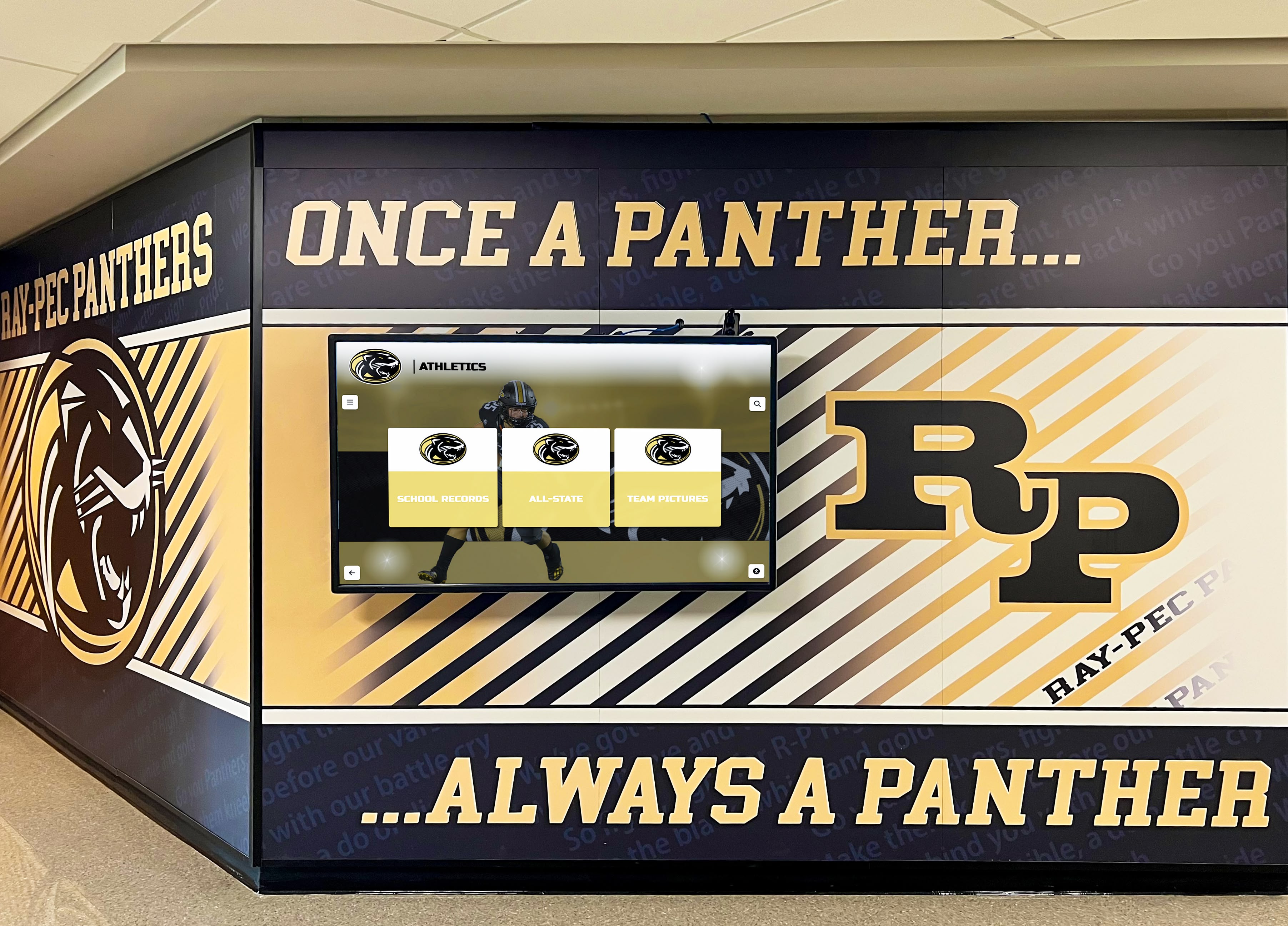
Effective installations complement existing architectural elements while adding interactive capabilities
Ongoing Support and Maintenance Long-term relationships require sustained service:
- Technical support availability including hours, response times, and contact methods
- Remote troubleshooting capabilities resolving software issues without site visits
- Hardware repair processes including warranty coverage, replacement timelines, and loaner equipment
- Software update policies clarifying feature additions, security patches, and version upgrade paths
- Training refresh opportunities accommodating staff turnover through periodic training sessions
- Account management providing dedicated contacts understanding your specific installation
- User community access connecting with other customers for peer support and idea sharing
Support quality becomes evident only after purchase—prioritize vendors with proven long-term service track records over those offering lowest initial prices.
Content Development and Creative Services
Launch Content Creation Initial population requires significant effort:
- Database population services entering historical records, donor information, or athletic achievements
- Photo digitization scanning existing physical photos for digital display
- Biographical content writing creating compelling narratives beyond basic facts
- Graphic design developing branded templates and visual themes
- Video production creating introductory content or highlight reels
- Quality control ensuring accuracy and consistency across all content
- Ongoing content services providing assistance beyond initial launch
Some vendors include substantial content development in base pricing while others charge separately—clarify what’s included versus optional.
Templates and Customization Options Balance between templates and custom design:
- Pre-built templates providing quick launch with professional appearance
- Customization flexibility allowing color, font, and layout adjustments matching school branding
- Custom design services creating unique interfaces reflecting institutional identity
- Template libraries offering variety across different content types and use cases
- DIY customization tools empowering non-technical staff to make design adjustments
- Professional design assistance available when needed for special projects or major updates
Excessive customization increases costs and implementation timelines—standard templates often serve most needs effectively.
Security, Privacy, and Policy Considerations
Protecting student information and institutional interests requires thoughtful policies.
Data Privacy and Student Protection
FERPA Compliance Requirements Federal student privacy laws affect content decisions:
- Student information restrictions limiting displayed data to directory information or obtaining consent
- Graduated student status clarifying when FERPA protections no longer apply to alumni
- Photo release policies ensuring proper permissions for image display
- Academic information limitations on displaying grades, test scores, or sensitive achievements
- Opt-out provisions respecting families who decline directory information sharing
- Data security measures protecting any stored student information from unauthorized access
- Vendor agreements ensuring third-party providers understand and comply with privacy requirements
Consult with district legal counsel or privacy officers before finalizing content policies—violations carry serious consequences.
Information Vetting and Approval Content accuracy protects institutional reputation:
- Fact-checking procedures verifying achievements, dates, and biographical information before publication
- Attribution requirements ensuring proper credit for photos and content
- Copyright compliance for any third-party materials included in displays
- Approval workflows requiring administrative review before content goes live
- Correction processes quickly addressing errors after discovery
- Historical accuracy standards for archival content and institutional history
- Sensitive content guidelines addressing controversial subjects or difficult historical periods appropriately
Errors on permanent bronze plaques prove embarrassing; errors on editable digital displays remain embarrassing until corrected—establish rigorous quality control.
Physical Security and Vandalism Prevention
Theft and Tampering Protection Valuable electronics require security measures:
- Locked enclosures preventing unauthorized access to internal components
- Security fasteners requiring special tools for removal
- Tamper-evident seals indicating unauthorized access attempts
- Surveillance camera coverage deterring theft and documenting incidents
- Insurance coverage protecting against losses from theft or vandalism
- Remote device monitoring alerting administrators to offline or disconnected devices
- Theft-recovery features enabling device location if stolen
Installations in unsupervised areas face higher security risks than monitored lobby locations.
Advanced Features and Future-Proofing
Technology investments should serve schools for years, not just months.
Scalability and Expansion Capabilities
Growing Your System Over Time Smart implementations accommodate future expansion:
- Multi-display management coordinating content across increasing numbers of screens from single interface
- Modular software licensing adding capabilities or additional displays without complete system replacement
- Cloud architecture scaling storage and processing capacity as content libraries grow
- API availability enabling integration with future systems and technologies
- User capacity handling growing numbers of administrators and content contributors
- Database limits accommodating decades of accumulating records without performance degradation
- Hardware upgrade paths refreshing components without discarding entire systems
Systems that seem adequate for current needs may constrain future growth—evaluate scalability carefully.
Emerging Technologies and Capabilities
Innovation Integration Forward-thinking systems incorporate advancing technologies:
- Mobile app connectivity extending content access beyond physical kiosk locations
- QR code generation allowing visitors to capture and share specific profiles
- Social media sharing enabling easy content distribution to personal networks
- Voice interaction providing hands-free navigation for accessibility
- Artificial intelligence powering advanced search and content recommendation
- Augmented reality overlaying digital content onto physical spaces through smartphones
- Analytics and insights tracking usage patterns and popular content
Not every innovation adds value—prioritize features serving genuine user needs over impressive-sounding capabilities with little practical application.
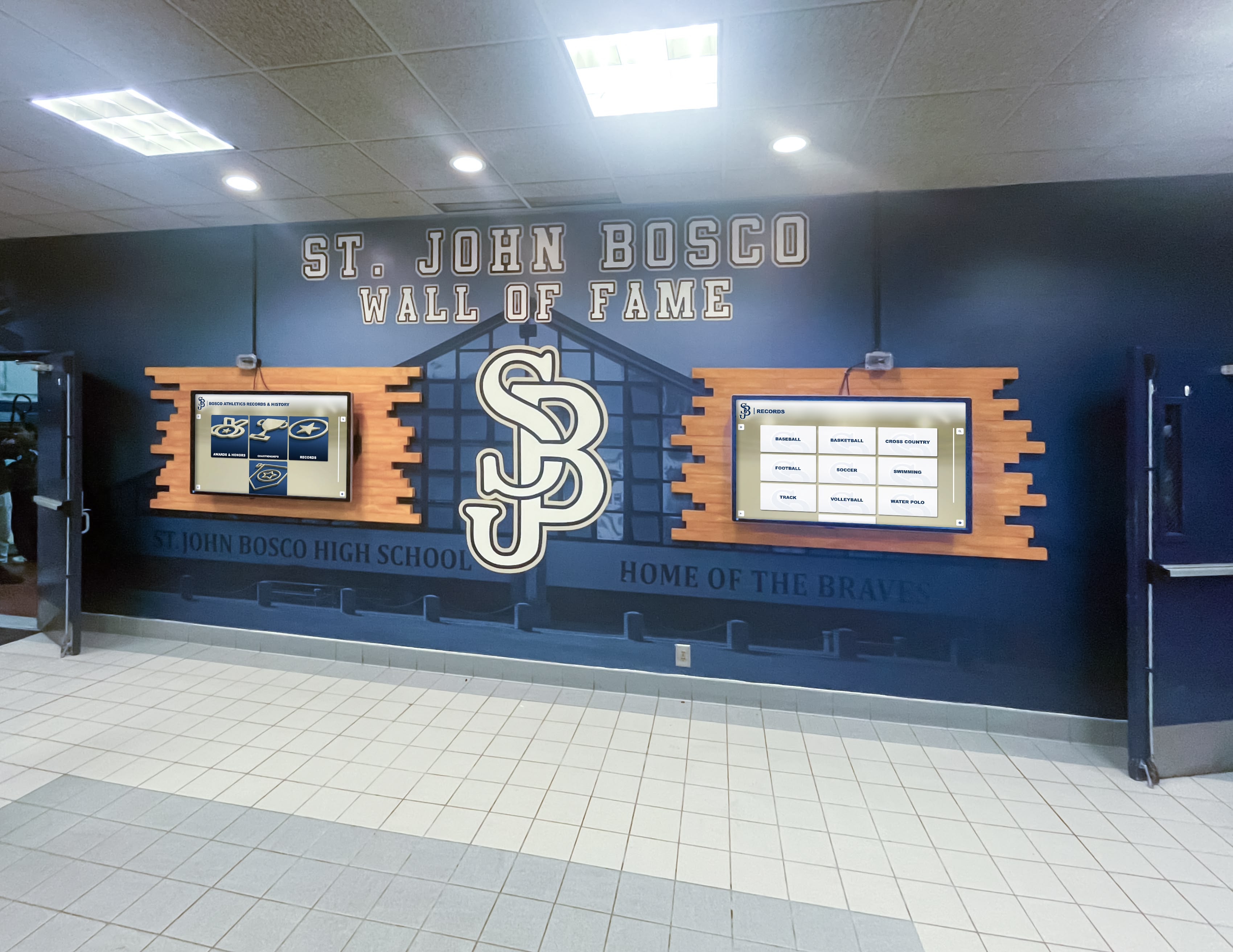
Multi-display installations increase content capacity while creating impressive visual statements
Implementation Best Practices and Launch Strategy
Successful deployments follow proven processes.
Stakeholder Engagement and Planning
Building Internal Support Effective implementations require broad buy-in:
- Administrative approval securing budget authority and policy support
- Coach and adviser involvement enlisting those managing recognized programs
- IT department coordination ensuring technical requirements align with infrastructure
- Facilities management collaboration addressing installation logistics and maintenance
- Advancement office participation for donor recognition applications
- Faculty representation particularly for academic achievement displays
- Student input gathering perspectives from primary user communities
Early stakeholder engagement identifies requirements and concerns before they become obstacles.
Project Timeline Development Realistic scheduling prevents frustration:
- Vendor selection process typically requiring 4-8 weeks for RFP, evaluation, and contracting
- Design and customization adding 2-6 weeks depending on complexity
- Content development varying from weeks to months based on historical record quantity
- Installation scheduling coordinating around school calendars and facility access
- Testing and refinement allowing time for adjustments before public launch
- Launch event planning creating celebration around new installations
- Buffer time accommodating inevitable delays and unexpected challenges
Summer installations avoid disrupting academic schedules while providing ample testing time before student arrival.
Content Population Strategy
Efficient Database Development Populating systems with existing records:
- Prioritization approach launching with recent content before tackling complete historical archives
- Volunteer recruitment engaging booster clubs, alumni associations, and parent organizations
- Yearbook mining extracting names, photos, and achievements from existing publications
- Athletic department records accessing statistics, rosters, and championship documentation
- Alumni office databases leveraging existing biographical information and contact records
- Archival research for historical content predating electronic records
- Quality standards balancing completeness with accuracy and professional presentation
Perfect comprehensive launches delay value delivery—consider phased approaches starting with recent achievers while gradually adding historical depth.
Photo Acquisition and Management High-quality images enhance recognition impact:
- Professional photography commissioning new images of current honorees and facilities
- Archival photo digitization scanning historical team photos and individual portraits
- Rights clearance ensuring permission for commercial photographer images
- Resolution requirements meeting display quality standards
- Consistent formatting cropping and sizing images uniformly
- Metadata organization tagging photos for searchability and proper attribution
- Storage and backup protecting valuable digital assets
Inconsistent photo quality undermines otherwise professional installations—establish quality standards and enforce them.
Measurement and Continuous Improvement
Success Metrics and Analytics Track kiosk performance and impact:
- Usage statistics measuring interaction frequency and session duration
- Popular content identifying most-viewed profiles and sections
- Search patterns understanding what visitors seek
- Time-of-day usage optimizing attract-mode content for peak traffic periods
- User feedback collection gathering qualitative responses through surveys or comment features
- Stakeholder satisfaction assessing whether installations meet intended goals
- Community engagement changes measuring increased visitor interaction with achievements
Analytics inform content strategy refinements and justify continued investment to school leadership.
Ongoing Content Refresh Maintained systems remain relevant:
- Regular update schedules establishing rhythms for adding new achievements
- Seasonal content highlighting appropriate sports and activities throughout school year
- Historical additions gradually expanding archival content depth
- Photo quality improvements replacing lower-quality images as better versions become available
- Feature utilization exploring unused software capabilities over time
- User experience refinements adjusting navigation based on observation and feedback
- Technology updates keeping software current with security patches and feature additions
Stagnant content causes kiosks to become ignored—commit to ongoing stewardship matching initial implementation enthusiasm.
Vendor Categories and Solution Types
Understanding marketplace options clarifies purchasing decisions.
Turnkey Recognition System Providers
Specialized vendors offer complete solutions for schools:
- Purpose-built software designed specifically for athletic, donor, and academic recognition
- Educational expertise understanding unique school requirements and constraints
- Content development services assisting with initial database population
- Proven templates reflecting best practices from hundreds of implementations
- Integrated hardware and software eliminating compatibility concerns
- Comprehensive training preparing administrators for ongoing management
- Ongoing support providing long-term assistance as needs evolve
Companies like Rocket Alumni Solutions specialize exclusively in educational recognition, offering expertise that generalist digital signage vendors cannot match.
General Digital Signage Platforms
Broader technology providers serve multiple industries:
- Flexible software accommodating diverse content types beyond recognition databases
- Lower cost entry points for basic display and announcement functions
- Widespread availability through numerous resellers and integrators
- Established platforms with proven reliability in various applications
- DIY customization requiring more technical skill but offering control
- Generic support less tailored to educational context
Generic platforms work adequately for simple wayfinding or announcements but often lack sophistication for searchable recognition databases. Explore comprehensive digital display service options across different vendor categories.
Custom Development and Integration
Technology-savvy districts may consider building proprietary solutions:
- Complete customization tailored precisely to unique requirements
- Integration flexibility connecting to any existing systems
- No ongoing licensing eliminating vendor dependencies
- Development costs often exceeding turnkey solutions significantly
- Maintenance responsibility requiring internal technical expertise
- Feature evolution dependent on available development resources
- Support burden falling entirely on internal teams
Custom development rarely proves cost-effective unless unusual requirements prevent commercial solutions from working.
Conclusion: Making Informed School Touchscreen Kiosk Decisions
School touchscreen kiosks represent significant investments that, when chosen and implemented thoughtfully, serve communities for years through recognition, information, engagement, and celebration. The interactive displays transforming lobbies, athletic facilities, and common areas from passive spaces into dynamic experiences showcase institutional excellence while honoring individuals who built and sustained school traditions.
The purchasing framework explored throughout this guide—understanding applications, evaluating hardware specifications, assessing software capabilities, planning installations, budgeting comprehensively, selecting qualified vendors, and implementing strategically—transforms complex technology decisions into manageable processes. Whether purchasing first kiosks or upgrading existing systems, these considerations ensure investments deliver lasting value aligned with institutional goals and community needs.
Explore Purpose-Built School Recognition Solutions
Discover how specialized touchscreen kiosk platforms designed specifically for educational institutions can simplify your purchasing decision while delivering superior functionality, ease of use, and long-term value. Get expert guidance from teams who understand your unique requirements.
Schedule a ConsultationTechnology selection represents only one component of successful kiosk implementations. Content quality, installation planning, staff training, ongoing maintenance, and continuous improvement all contribute to systems that remain valuable throughout their operational lives. Schools treating kiosk installations as ongoing programs rather than one-time purchases maximize return on investment while maintaining community engagement.
The schools achieving greatest success with touchscreen kiosks share common characteristics: they clarify objectives before shopping, involve stakeholders throughout planning, select vendors based on education expertise rather than lowest price alone, commit appropriate resources to content development, train staff thoroughly, and maintain systems actively after launch. These practices transform hardware and software investments into community assets strengthening school culture and institutional pride.
Your school community’s achievements, contributions, and heritage deserve recognition equal to their significance. Modern touchscreen kiosk technology makes comprehensive, engaging, accessible celebration achievable through intuitive platforms managing thousands of profiles, unlimited photos, multimedia content, and elegant presentation that honors every individual appropriately.
Begin your purchasing process by clarifying primary applications—athletic recognition, donor celebration, academic honors, wayfinding, or combinations thereof. Define must-have features versus nice-to-have capabilities. Establish realistic budgets accounting for total cost of ownership. Identify qualified vendors with proven educational experience. Request demonstrations using content similar to yours. Contact reference customers candidly discussing their experiences. Plan implementations thoughtfully around academic calendars and facility access.
Most importantly, view touchscreen kiosks not as technology purchases but as community engagement platforms that will shape how your school recognizes achievement and celebrates heritage for years to come. The right system, properly implemented and maintained, becomes integral to institutional culture—a destination where students discover inspiring role models, families celebrate achievements, donors see impact recognized, and communities connect across generations through shared pride in excellence.
Ready to explore related recognition strategies? Discover donor recognition wall design approaches and learn about comprehensive employee recognition programs applicable to educational settings.
Ready to see this for your school?
Picture your collection in a custom mockup
Start with your yearbook collection and digitization goals, then request a custom digital mockup for your school.