Equipment manufacturers and organizations hosting special events face a common challenge: how to effectively showcase complex products, highlight technical features, and engage audiences in memorable ways. Traditional static displays, printed materials, and passive demonstrations often fail to capture attention or convey the depth of information that modern products warrant. Interactive touchscreen kiosks transform this experience by enabling self-guided product exploration, dynamic content presentation, and engaging multimedia demonstrations that work both on websites and at physical events.
Touchscreen technology has evolved dramatically, making sophisticated interactive demonstrations accessible without requiring custom programming or specialized technical expertise. Modern solutions combine responsive web-based platforms, intuitive content management systems, and commercial-grade hardware creating professional experiences deployable across trade shows, showrooms, special events, and even integrated directly into product websites for virtual exploration.
This comprehensive guide explores touchscreen kiosk solutions specifically designed for equipment demonstrations and event applications, examining software platforms that work both online and on-site, comparing hardware options suitable for temporary and permanent installations, and providing proven content strategies that effectively communicate product features while engaging audiences throughout the customer journey.
Equipment manufacturers increasingly recognize that effective product communication requires more than specification sheets and sales presentations. Interactive touchscreen experiences enable potential customers to explore products at their own pace, dive deeply into features that matter most to them, and develop comprehensive understanding that accelerates purchasing decisions while reducing sales cycle friction.

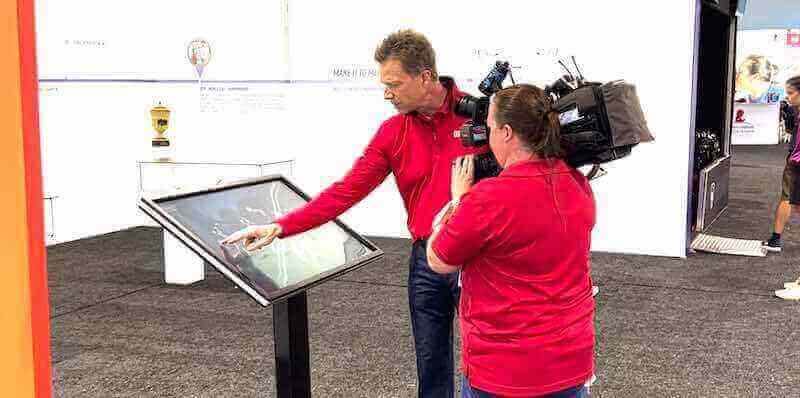
Interactive touchscreen kiosks enable equipment manufacturers to create engaging product demonstrations that work at trade shows, showrooms, and virtually through website integration
Understanding Interactive Touchscreen Kiosks for Equipment Demonstrations
Before exploring specific platforms and implementation approaches, understanding how interactive kiosks serve equipment manufacturers and event organizers helps clarify which capabilities matter most for successful deployments.
Core Functions of Equipment Demonstration Kiosks
Product Feature Exploration
Interactive kiosks excel at presenting complex technical information in digestible, engaging formats:
- Layered information architecture: Overview screens provide high-level understanding while detailed views offer specifications, technical drawings, and performance data
- Interactive diagrams: Touch-enabled schematics allowing users to select components and view detailed information
- Comparison tools: Side-by-side feature comparisons helping customers understand differences between models
- Configuration builders: Interactive tools enabling customers to customize equipment and visualize options
- Video demonstrations: Embedded video content showing equipment in operation
- 3D visualization: When applicable, interactive 3D models allowing rotation and detailed examination
- Performance calculators: Tools computing ROI, capacity, or other metrics based on customer inputs
Organizations implementing interactive kiosk solutions benefit from content structures that accommodate both technical depth and accessible overviews appealing to diverse audience knowledge levels.
Lead Capture and Customer Qualification
Beyond product information, kiosks serve sales and marketing objectives:
- Contact information collection through simple forms
- Qualification questions identifying serious prospects
- Content delivery sending product information to customer email
- Appointment scheduling with sales representatives
- Quote request submission with configuration details
- Literature download enabling takeaway materials
- Integration with CRM systems for automated follow-up
Analytics and Engagement Measurement
Understanding how visitors interact with demonstrations informs continuous improvement:
- Session tracking measuring engagement duration
- Feature interest analysis revealing which capabilities generate most attention
- Navigation path understanding showing information seeking patterns
- Completion rate tracking for multi-step processes
- Heat mapping identifying frequently touched areas
- Time-of-day patterns informing staffing and content strategies
- Comparative analysis between different events or locations
Dual-Purpose Deployment: Physical Events and Website Integration
Modern touchscreen kiosk solutions offer flexibility serving multiple channels:
Physical Event Applications
- Trade show booth installations providing self-service exploration when sales staff busy with other prospects
- Permanent showroom displays enabling 24/7 product exploration
- Special event demonstrations at customer facilities or industry conferences
- Retail environments where complex products benefit from guided exploration
- Training centers supporting educational programs
- Customer service centers helping existing customers understand product capabilities

Interactive kiosks serve both temporary event needs and permanent installation requirements, providing consistent experiences across channels
Website Integration
The same content powering physical kiosks can deploy to websites:
- Virtual product exploration accessible worldwide
- Consistent experience across physical and digital channels
- Search engine visibility for product features
- Mobile accessibility for on-the-go research
- Social sharing extending reach through customer networks
- Always-available resource supporting 24/7 global prospects
- Lower-cost leads through self-qualification before sales engagement
Organizations implementing touchscreen kiosk systems that work both online and at physical events maximize content development investment while ensuring consistent messaging across customer touchpoints.
Software Platforms for Equipment Demonstration Kiosks
Selecting appropriate software determines both ease of content creation and quality of user experience. Equipment manufacturers typically lack in-house development teams for custom kiosk software, making no-code or low-code platforms essential for sustainable implementations.
Web-Based Interactive Platforms
Modern web technologies enable sophisticated interactive experiences deployable across touchscreen kiosks and standard websites using single content development workflows.
Advantages of Web-Based Approaches
- Cross-platform compatibility: Works on touchscreen kiosks, desktop computers, tablets, and smartphones
- Familiar development: Designers and marketers can create content using web-standard tools
- Easy updates: Content changes propagate immediately without app store approvals or device updates
- Search visibility: Web-based product demonstrations appear in search results
- Link sharing: Specific product features can be directly linked and shared
- Cost efficiency: Single development effort serves multiple deployment channels
- Responsive design: Automatically adapts to different screen sizes and orientations
Implementation Approaches
Web-based interactive demonstrations can be implemented through:
- Specialized kiosk platforms: Services designed specifically for creating interactive product demonstrations with templates, content management, and deployment tools
- Standard content management systems: WordPress, Drupal, or proprietary CMS platforms with interactive plugins
- Custom web applications: Bespoke development using modern frameworks like React, Vue, or Angular when unique requirements justify investment
- Interactive media tools: Platforms like H5P, Articulate, or Adobe Captivate creating embedded interactive elements
Organizations exploring best digital signage software options should evaluate whether platforms support both kiosk and web deployment for maximum flexibility.
Content Management Requirements
Equipment manufacturers need content management systems enabling marketing teams to independently update product information without technical dependencies:
Essential CMS Capabilities
- Visual editing interfaces: WYSIWYG editors showing exactly how content will appear
- Media library management: Organized storage for product photos, videos, diagrams, and documents
- Version control: Ability to save drafts, review changes, and revert if needed
- Multi-user collaboration: Teams can work simultaneously with appropriate permissions
- Approval workflows: Content review before publication ensuring accuracy and brand compliance
- Scheduling: Timed publication for product launches or seasonal campaigns
- Template systems: Consistent layouts across different products maintaining professional appearance
Integration Capabilities
Sophisticated platforms connect with broader marketing and sales technology:
- CRM integration: Salesforce, HubSpot, or other customer management systems
- Marketing automation: Email marketing platforms for follow-up campaigns
- Analytics platforms: Google Analytics, Adobe Analytics, or specialized tracking
- Product databases: Direct connections to existing product information management systems
- E-commerce systems: Shopping cart integration when direct purchase available
- Video hosting: YouTube, Vimeo, or proprietary video platforms
- Asset management: DAM systems storing master creative files
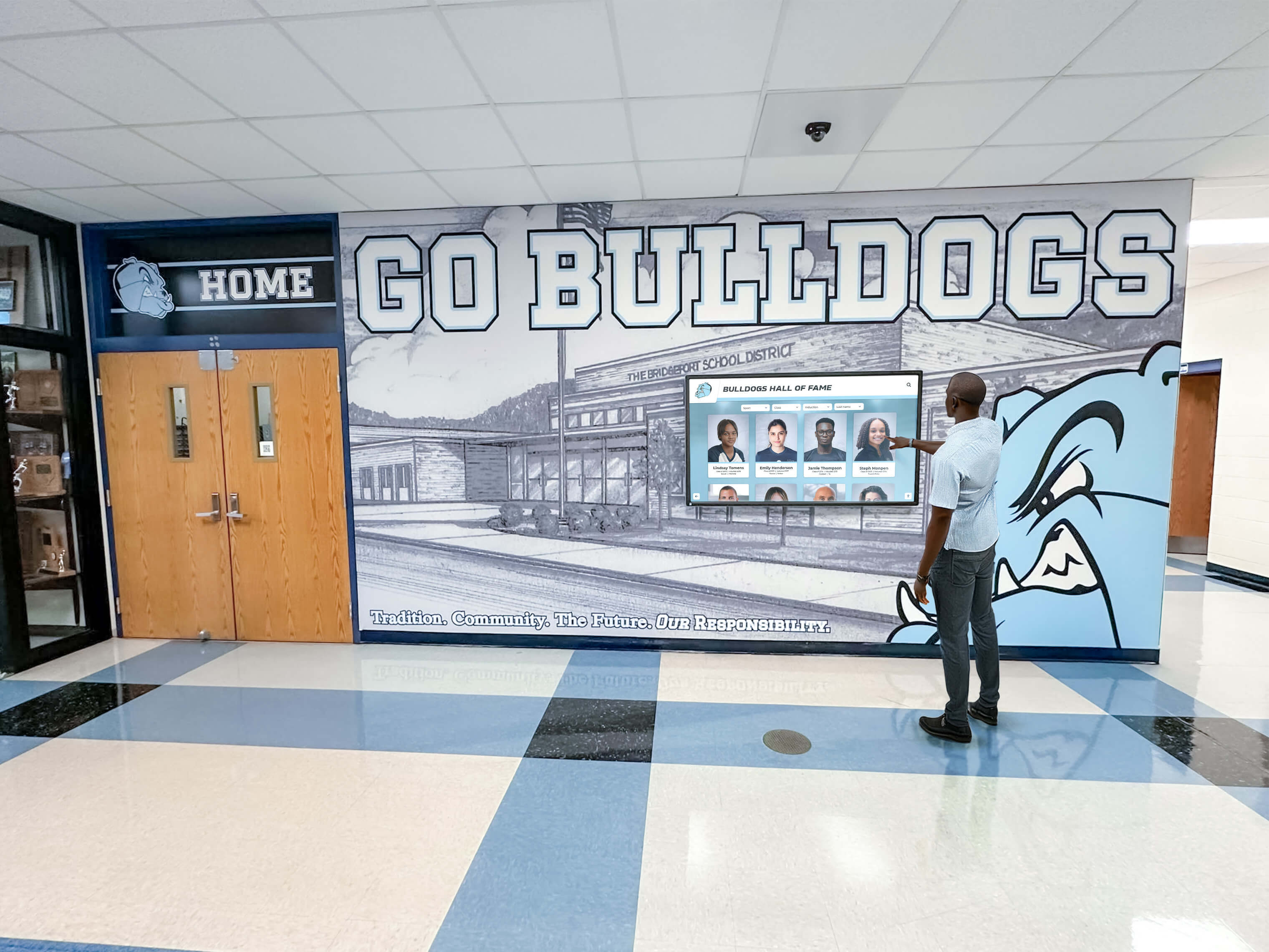
Intuitive navigation and clear information architecture enable users to quickly find specific product details without assistance
Kiosk Mode and Browser Lockdown
Physical touchscreen kiosks in public environments require security preventing users from accessing underlying operating systems or browsing unrestricted internet:
Kiosk Mode Requirements
- Browser lockdown: Prevents address bar access, bookmark creation, or navigation away from intended content
- Disable system functions: Blocks access to task managers, settings, or file systems
- Automatic session reset: Returns to home screen after user inactivity
- Remote management: Allows administrative access for updates and troubleshooting without physical presence
- Scheduled operation: Automatically turns on/off based on event or facility hours
- Content caching: Ensures operation even when internet connectivity unavailable
- Peripheral control: Manages connected devices like printers, scanners, or card readers
Kiosk Browser Solutions
Multiple software options provide secure browser environments:
- KioWare: Comprehensive kiosk browser for Windows and Android with extensive configuration options
- Fully Kiosk Browser: Android-focused solution popular for tablets and embedded displays
- Porteus Kiosk: Linux-based option offering strong security and reliability
- Custom solutions: Many touchscreen kiosk platforms include integrated kiosk mode functionality
- Operating system features: Windows Kiosk Mode, Android Kiosk Mode, and iOS Guided Access provide built-in options
Organizations implementing digital signage services for product demonstrations should verify security features appropriate for unattended public operation.
Hardware Selection for Event and Demonstration Kiosks
While software enables interactivity, hardware determines reliability, portability, and user experience quality. Equipment demonstration kiosks have distinct requirements compared to permanent installations.
Display Technology Considerations
Screen Size and Resolution
- 32-43 inches: Suitable for individual interactions in booth environments
- 49-55 inches: Comfortable viewing for small groups of 2-4 people
- 65-75 inches: Appropriate for demonstration theaters or high-traffic areas
- 4K resolution: Provides crisp text and detailed imagery necessary for technical content
- Brightness: 350-500 nits for indoor environments; 1,000+ nits for outdoor or high-ambient-light settings
Touch Technology
- Capacitive touch: Most responsive and accurate; supports multi-touch gestures; requires conductive contact (bare fingers or special stylus)
- Infrared touch: Works with any object including gloved hands; no screen overlay affecting image quality; suitable for larger formats
- Optical touch: Camera-based detection; handles large sizes well; works with any object
- Surface acoustic wave: Excellent image clarity; responsive; can be affected by contaminants
For equipment demonstrations, capacitive touch generally provides best user experience through responsiveness and gesture support, while infrared works well for larger displays or industrial environments where gloves may be worn.
Commercial vs. Consumer Displays
Equipment manufacturers should invest in commercial-grade displays offering:
- Continuous operation ratings: Designed for 16-24 hour daily use vs. consumer displays rated for occasional viewing
- Extended warranties: 3-5 year coverage vs. 1 year consumer warranties
- Durable construction: Ruggedized components for demanding environments
- Temperature tolerance: Broader operating ranges for various venue conditions
- Mounting options: Professional mounting hardware included
- Remote management: Network-based monitoring and control
Initial cost premiums for commercial displays provide long-term value through reliability and reduced replacement frequency.
Computer Components and Players
Interactive content requires computing hardware running software and processing user interactions:
Embedded System-on-Chip (SoC)
Many commercial displays include integrated computers:
- Eliminates separate player device and cabling
- Streamlined design with fewer components
- Lower power consumption
- May have limited performance for video-intensive content
- Typically Android-based operating systems
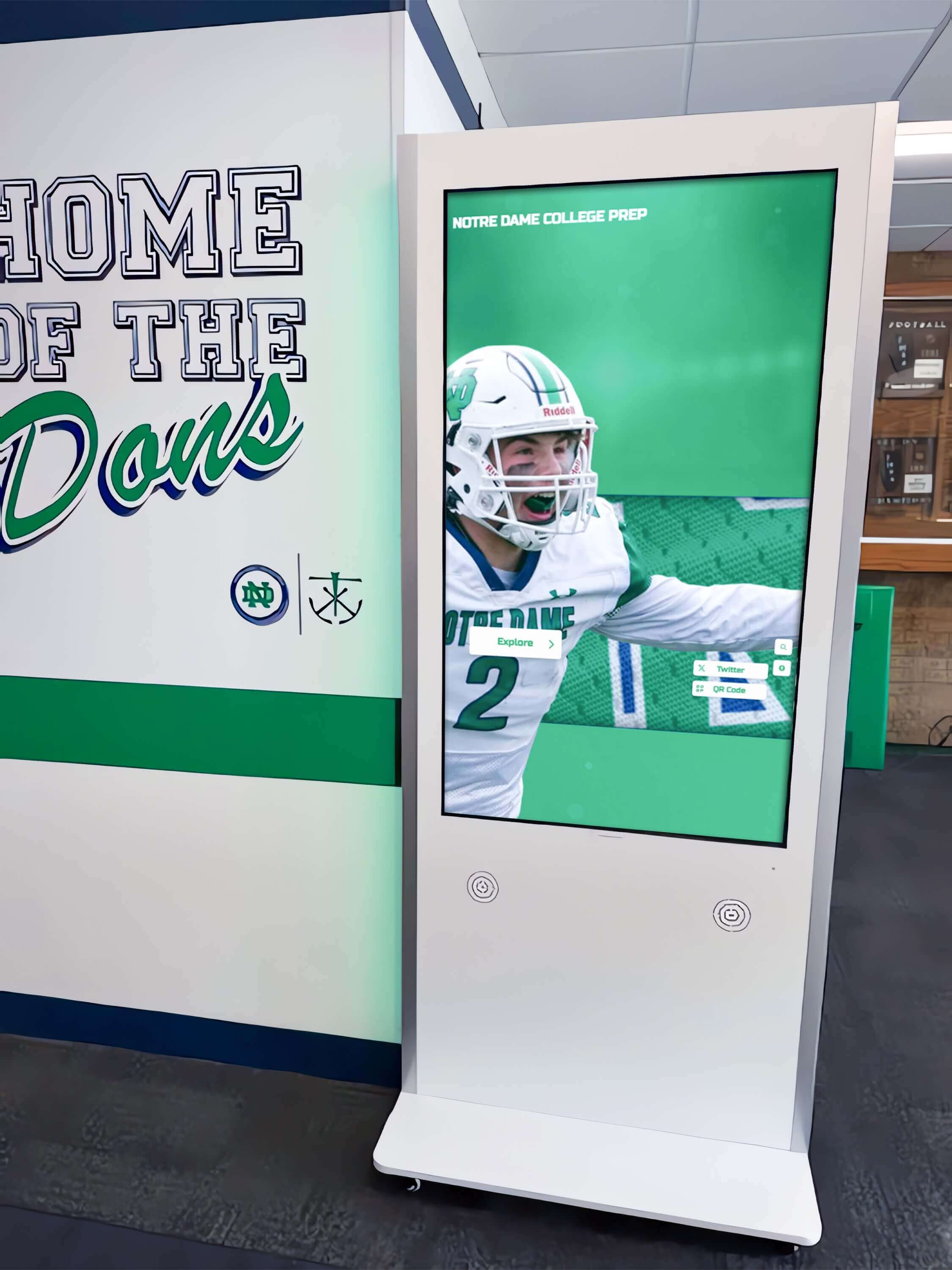
Floor-standing kiosk enclosures provide complete self-contained installations suitable for both permanent and temporary deployments
External Media Players
Separate computing devices connect to displays via HDMI:
- Windows PCs: Maximum compatibility with software; powerful performance; familiar management
- Android players: Cost-effective; energy efficient; sufficient for web-based content
- Specialized kiosk computers: Purpose-built with reliable components and extended support
- Intel NUC or similar: Compact form factor with desktop-class performance
Minimum Specifications
For smooth interactive experiences with multimedia content:
- Processor: Intel i5 equivalent or better
- RAM: 8GB minimum; 16GB recommended
- Storage: 128GB SSD minimum for operating system and cache
- Graphics: Integrated graphics sufficient for most applications; dedicated GPU for 3D content
- Connectivity: Ethernet (preferred for reliability) and WiFi
Enclosures and Mounting Solutions
Physical presentation affects both functionality and perceived quality:
Floor-Standing Kiosks
- Complete enclosures: All-in-one units housing display, computer, and peripherals
- Portable or permanent: Wheels for repositioning vs. fixed installation
- Branding opportunities: Custom colors, logos, and graphics
- Peripheral integration: Built-in printers, scanners, or payment devices
- Cable management: Concealed wiring for professional appearance
- Security: Locked compartments protecting components
Wall-Mounted Installations
- Low-profile mounts: Displays mounted directly to walls or pillars
- Articulating mounts: Allow adjustment of viewing angles
- Protective enclosures: Optional glass or acrylic covers preventing damage
- Computer concealment: Media players hidden behind displays or in adjacent spaces
- Integrated power: Clean installations with minimal exposed cables
Temporary Event Solutions
Trade shows and special events require portable, quick-deployment options:
- Lightweight stands: Easy transportation and setup
- Collapsible designs: Compact packing for shipping
- Modular systems: Components that assemble without tools
- Protective cases: Integrated storage and transport solutions
- Quick connectivity: Plug-and-play setup minimizing on-site configuration
Organizations exploring 120+ digital signage content ideas should consider how hardware form factors affect content presentation opportunities.
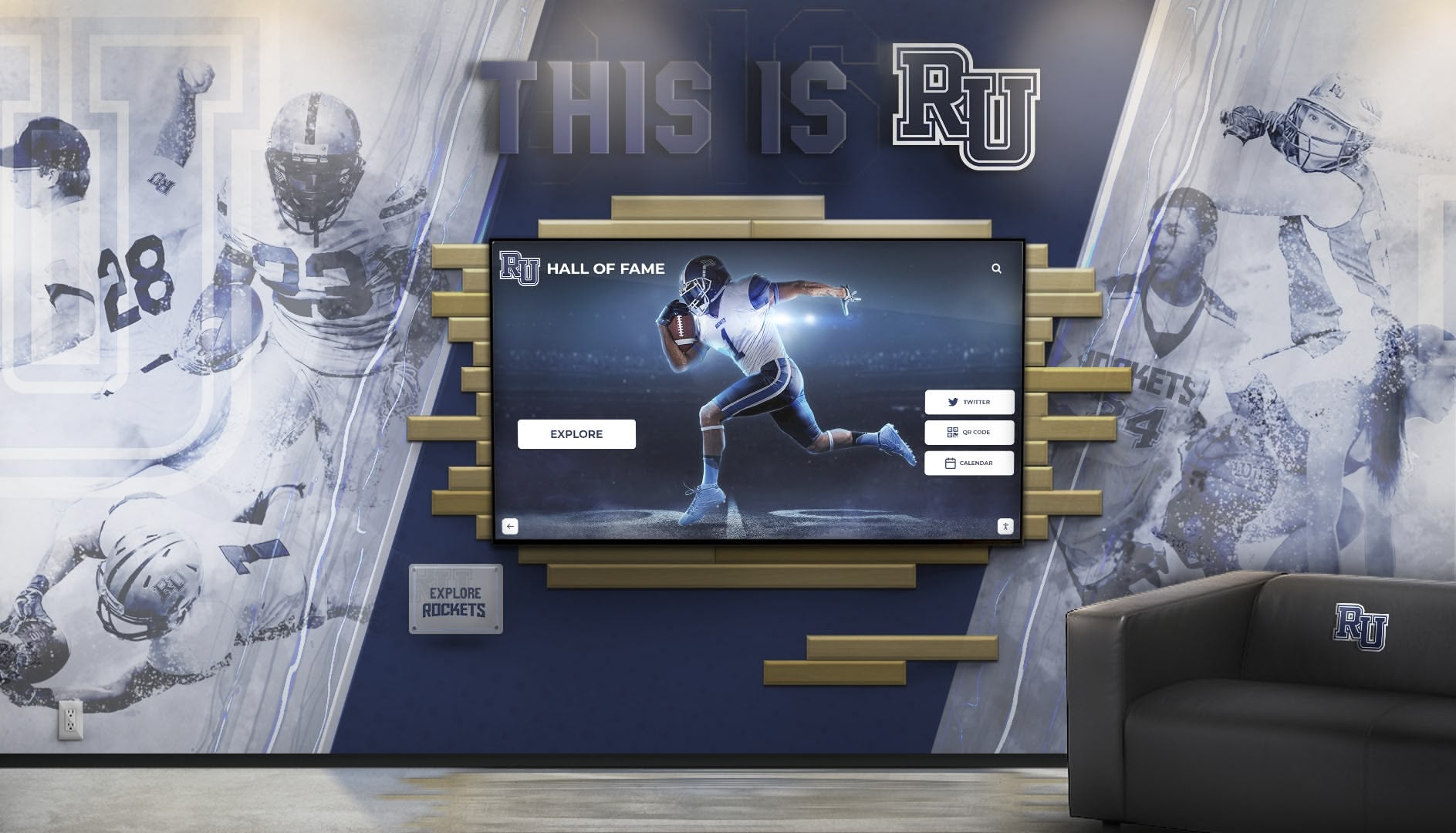
Thoughtful integration of interactive displays into physical environments creates cohesive branded experiences that feel intentional rather than added afterthoughts
Content Strategy for Equipment Demonstration Kiosks
Hardware and software enable interactivity, but compelling content determines whether visitors engage meaningfully with product demonstrations.
Information Architecture for Product Exploration
Effective equipment demonstrations balance comprehensive information with intuitive navigation:
Hierarchical Structure
- Home screen: High-level product categories or featured equipment
- Product overview: Key features, applications, and benefits at-a-glance
- Detailed specifications: Technical data, dimensions, performance metrics
- Feature deep-dives: Dedicated sections for complex capabilities requiring explanation
- Comparison tools: Side-by-side evaluation against competing models or previous generations
- Application examples: Industry-specific use cases demonstrating value
- Support resources: Manuals, videos, FAQs, and contact options
Search and Filtering
Beyond browsing, visitors should find information quickly:
- Keyword search across all content
- Faceted filtering by specifications, applications, or features
- Saved configurations or favorites for return visits
- QR codes enabling mobile continuation of exploration
- Direct linking to specific products or features
Progressive Disclosure
Present information in layers preventing overwhelming complexity:
- Summary cards showing essential information
- “Learn more” options revealing additional depth
- Collapsible sections organizing related content
- Tabbed interfaces switching between different information types
- Related content suggestions encouraging exploration
Multimedia Content Types
Different media formats serve different communication objectives:
Product Photography
- Hero images: High-quality photos establishing professional brand perception
- Detail shots: Close-ups highlighting build quality and specific features
- Contextual images: Products in real-world environments demonstrating scale and application
- 360-degree views: Interactive rotation allowing examination from all angles
- Before/after comparisons: Results showcasing product effectiveness
Video Content
- Product overviews: 60-90 second introductions to equipment capabilities
- Feature demonstrations: Focused videos showing specific functions in operation
- Customer testimonials: Real users discussing experiences and results
- Application tutorials: How-to content demonstrating setup and operation
- Time-lapse sequences: Accelerated footage showing long-duration processes
Organizations implementing digital signage content strategies should ensure video content works both with and without audio, accommodating loud event environments through captions and visual storytelling.
Interactive Tools
- Configuration builders: Customize equipment and visualize options
- ROI calculators: Compute financial benefits based on customer inputs
- Comparison matrices: Select products and compare specifications side-by-side
- Size guides: Input dimensions and visualize equipment fit
- Performance simulators: Interactive tools showing output under various conditions
- Compatibility checkers: Verify integration with existing customer infrastructure
Technical Documentation
- Specification sheets: Downloadable PDFs with complete technical data
- CAD drawings: Engineering files for integration planning
- Installation guides: Step-by-step setup instructions
- Maintenance schedules: Recommended service procedures
- Parts diagrams: Exploded views showing component relationships
- Troubleshooting guides: Common issues and resolution steps

Rich multimedia content combining images, videos, and interactive tools creates engaging experiences that effectively communicate complex technical information
Lead Generation and Conversion Optimization
Beyond product education, kiosks should advance prospects through sales funnels:
Contact Capture Strategies
- Gated content: Valuable resources (detailed guides, comparison reports, ROI calculators) requiring email submission
- Quote requests: Interactive forms collecting requirements and contact information
- Demo scheduling: Calendar integration enabling appointment booking
- Newsletter signup: Ongoing communication permission with value proposition
- Download centers: Send technical documentation to customer email
- Sales rep connection: Direct messaging or callback requests
- Virtual business cards: QR codes visitors scan exchanging contact information
Progressive Profiling
Collect information gradually through multiple interactions:
- Initial contact: Name and email only
- Configuration tools: Industry, application, or capacity requirements
- Comparison features: Budget ranges or timeline expectations
- Content downloads: Specific interests based on material selections
- Follow-up interactions: Additional qualification through subsequent visits
Incentive Strategies
Encourage contact sharing through value delivery:
- Detailed comparison reports summarizing products they explored
- Custom ROI calculations based on their inputs
- Exclusive content not available on public website
- Limited-time offers or event-specific promotions
- Entry into prize drawings at trade shows
- Priority access to new product launches
- Consultation credits toward future purchases
Deployment Scenarios and Best Practices
Equipment demonstration kiosks serve diverse applications requiring tailored approaches:
Trade Show and Exhibition Deployments
Temporary event installations face unique constraints:
Pre-Event Preparation
- Content optimization: Ensure all media loads quickly on potentially limited venue WiFi
- Offline operation: Cache complete content enabling function without connectivity
- Booth integration: Design kiosk placement complementing other booth elements
- Staff training: Brief booth personnel on kiosk operation and troubleshooting
- Backup planning: Prepare alternative solutions for technical failures
- Analytics setup: Configure tracking for event-specific reporting
On-Site Considerations
- Strategic positioning: Place kiosks where they attract attention but don’t block traffic flow
- Height adjustment: Ensure comfortable interaction for diverse user heights
- Lighting management: Position displays to avoid glare from venue lighting
- Power reliability: Use UPS backup preventing disruption from power fluctuations
- Volume control: Audio appropriate for noisy exhibition hall environments
- Attractors: Eye-catching opening screens or attract loops drawing booth traffic
Post-Event Follow-Up
- Lead export: Download contact information for immediate sales team delivery
- Analytics review: Analyze which products generated most interest
- Content refinement: Update demonstrations based on observed visitor behavior
- ROI measurement: Calculate cost-per-lead and compare to other booth investments
Permanent Showroom Installations
Fixed locations enable more sophisticated implementations:
Environmental Integration
- Architectural coordination: Design installations complementing facility aesthetics
- Branding consistency: Incorporate corporate identity throughout experience
- Lighting design: Optimize ambient and accent lighting for display visibility
- Acoustics: Consider sound isolation for video content in open showrooms
- Furniture and fixtures: Provide comfortable viewing environments for extended sessions
Content Management Workflows
- Update schedules: Regular refreshes maintaining currency
- Seasonal campaigns: Timely content for promotional periods
- Product lifecycle: Add new launches and retire discontinued equipment
- A/B testing: Experiment with different presentations measuring effectiveness
- Personalization: Tailor content based on scheduled appointments or visitor badges
Analytics and Optimization
- Long-term trend analysis: Understand evolving visitor interests over time
- Conversion tracking: Link kiosk interactions to actual sales outcomes
- Customer journey mapping: Understand role of kiosk in broader buying process
- Benchmark performance: Compare effectiveness across multiple showroom locations
- Continuous improvement: Systematically refine based on empirical data
Organizations implementing interactive displays should develop formalized processes ensuring content remains current and relevant.
Website Integration Strategy
Extend physical kiosk content to digital channels:
Technical Implementation
- Responsive design: Automatically adapt to desktop, tablet, and mobile screens
- Touch optimization: Ensure interactive elements work with both mouse and touch input
- Progressive enhancement: Provide full functionality on capable devices while remaining usable on older browsers
- Performance optimization: Fast loading through image optimization and efficient code
- Accessibility compliance: Support screen readers and keyboard navigation for inclusive access
- SEO optimization: Structure content for search visibility beyond direct traffic
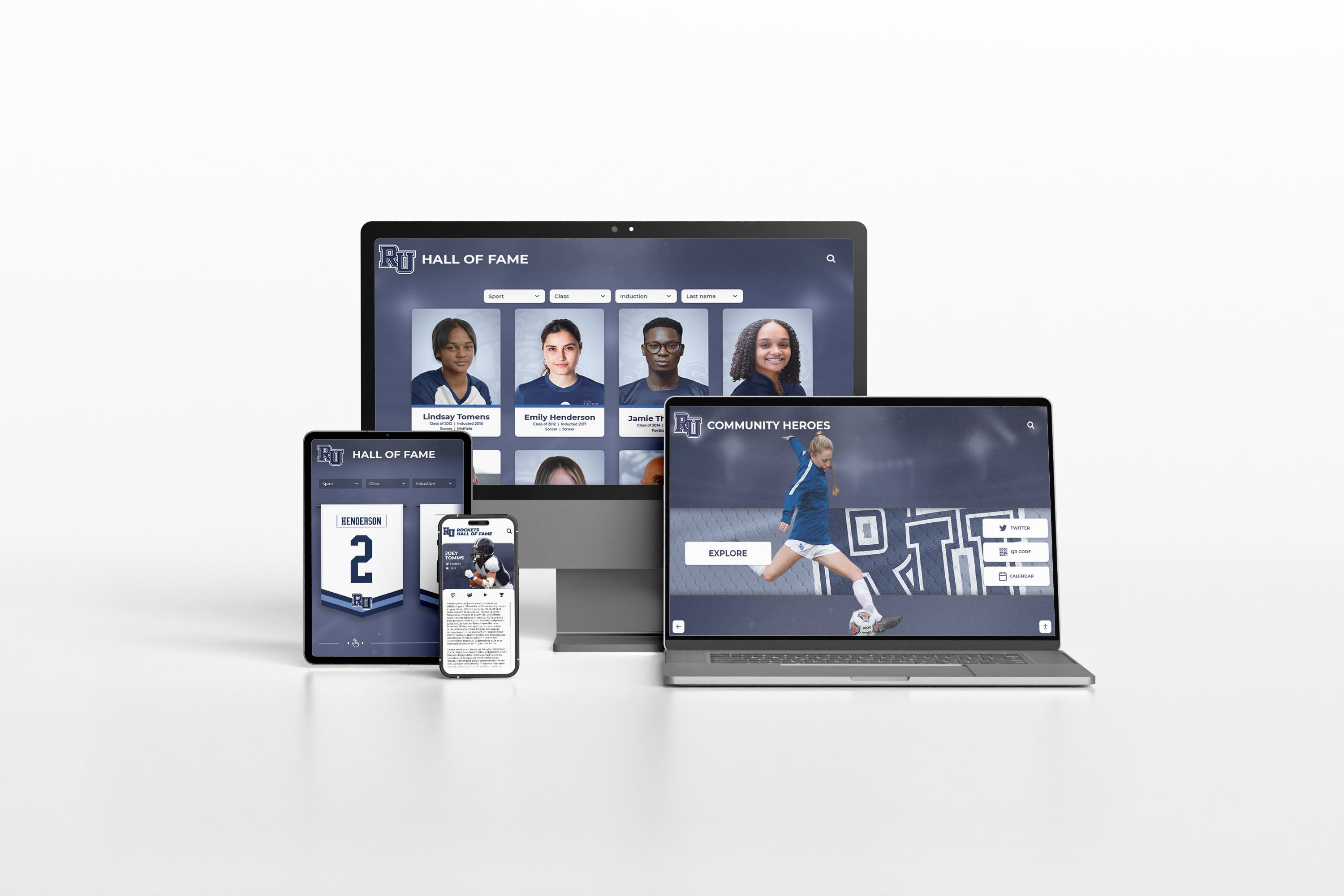
Web-based platforms enable content developed for touchscreen kiosks to deploy seamlessly across all digital channels reaching global audiences
Marketing Integration
- SEO strategy: Optimize product pages for search visibility
- Social sharing: Enable visitors to share specific products or features
- Email campaigns: Link to interactive demonstrations from marketing emails
- Paid advertising: Direct ad traffic to interactive product explorers
- Content marketing: Embed interactive tools in blog posts or articles
- Sales enablement: Equip sales team with links to specific demonstrations
Analytics and Attribution
- Unified tracking: Connect physical kiosk and web interactions in single reporting
- Channel comparison: Understand effectiveness across deployment types
- Conversion attribution: Link initial kiosk exploration to eventual online purchases
- Multi-touch analysis: Recognize contribution of various touchpoints throughout customer journey
Measuring Success and Return on Investment
Equipment demonstration kiosks represent significant investments requiring outcome measurement:
Key Performance Indicators
Engagement Metrics
- Session count: Total number of interactions over time periods
- Average session duration: Time visitors spend exploring content
- Pages viewed per session: Depth of content exploration
- Completion rates: Percentage finishing multi-step processes
- Return visitor rates: Recognition of repeat interactions
- Feature utilization: Which capabilities visitors use most
Lead Generation Metrics
- Contact capture rate: Percentage of sessions resulting in contact information
- Lead quality scores: Proportion qualifying as sales-ready prospects
- Cost per lead: Total investment divided by contacts captured
- Lead conversion rate: Percentage converting to opportunities or sales
- Sales cycle impact: Effect on time from first contact to close
- Deal size correlation: Relationship between kiosk interaction and revenue
Business Impact Measures
- Sales attribution: Revenue directly linked to kiosk interactions
- Marketing efficiency: Cost comparison to other lead generation channels
- Sales team productivity: Time saved through customer pre-qualification
- Customer satisfaction: Survey feedback on information accessibility
- Brand perception: Impact on professional image and market positioning
Optimization Approaches
Content Performance Analysis
- Review analytics identifying low-engagement content requiring improvement
- Test alternative presentations measuring relative effectiveness
- Update dated content maintaining currency and relevance
- Add missing information revealed through search query analysis
- Enhance popular content recognizing strong visitor interest
User Experience Refinement
- Observe actual visitors identifying pain points and confusion
- Conduct usability testing with representative customers
- Simplify navigation paths to frequently sought information
- Improve search functionality based on common queries
- Reduce friction in lead capture and conversion processes
Technology Upgrades
- Replace aging hardware maintaining reliability and modern appearance
- Update software platforms accessing new capabilities
- Improve network connectivity ensuring consistent performance
- Enhance security protecting customer data and system integrity
- Expand hardware to additional locations based on proven success
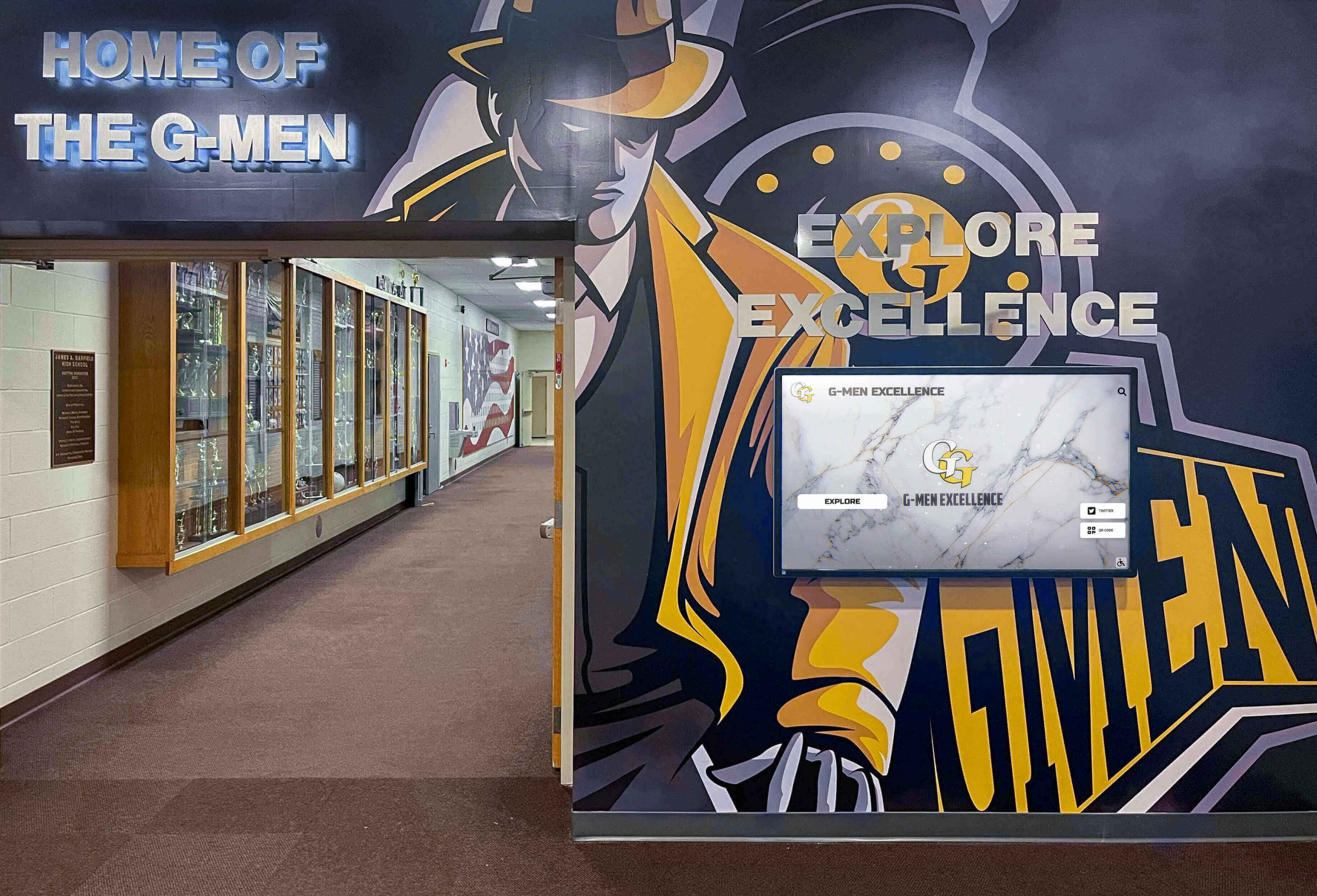
Successful interactive kiosk implementations blend technology with physical environments creating cohesive experiences that feel purposeful and professionally executed
Implementation Roadmap for Equipment Manufacturers
Systematic planning ensures successful touchscreen kiosk deployments:
Phase 1: Strategy and Planning (4-6 weeks)
Define Objectives
- Clarify primary goals: lead generation, product education, sales enablement, customer service
- Establish success metrics and measurement approaches
- Identify target audiences and their information needs
- Determine deployment scenarios: trade shows, showrooms, website, or combinations
- Set realistic budgets accounting for development, hardware, and ongoing operation
Content Inventory
- Audit existing product documentation, images, and videos
- Identify content gaps requiring creation
- Plan information architecture organizing products and features
- Determine multimedia requirements and production plans
- Establish content management responsibilities and workflows
Technology Selection
- Evaluate software platforms matching technical capabilities and budget
- Determine hardware specifications for intended environments
- Assess integration requirements with existing marketing technology
- Plan for both physical and web deployments
- Establish vendor relationships and procurement timelines
Phase 2: Content Development (8-12 weeks)
Information Architecture
- Design navigation structures and user flows
- Create wireframes showing screen layouts and interactions
- Develop content outlines for all products and features
- Plan interactive tools and calculators
- Design lead capture and conversion pathways
Media Production
- Photograph equipment from multiple angles
- Record video demonstrations and testimonials
- Create 360-degree product views when applicable
- Develop interactive diagrams and schematics
- Write copy optimized for scanability and comprehension
- Design graphics, icons, and user interface elements
Platform Configuration
- Set up content management system
- Configure templates and styles
- Implement navigation and search functionality
- Integrate analytics and tracking
- Connect CRM and marketing automation systems
- Test across different devices and screen sizes
Phase 3: Testing and Refinement (2-4 weeks)
Usability Testing
- Recruit representative users for testing sessions
- Observe interaction without assistance noting issues
- Collect feedback through surveys and interviews
- Identify navigation confusion or content gaps
- Test lead capture and conversion processes
- Verify mobile and web deployments alongside kiosk versions
Technical Validation
- Confirm reliable operation on target hardware
- Test offline functionality when internet unavailable
- Verify kiosk mode security preventing system access
- Validate analytics and tracking accuracy
- Check integration with CRM and marketing platforms
- Load test under peak usage conditions
Iteration and Polish
- Address issues discovered during testing
- Refine navigation based on observed behavior
- Improve content clarity addressing comprehension problems
- Optimize performance improving loading speeds
- Enhance visual design elevating professional appearance
Phase 4: Deployment and Training (1-2 weeks)
Hardware Installation
- Install displays and computing hardware
- Configure network connectivity
- Set up kiosk browser lockdown
- Test all functionality in production environment
- Prepare backup and disaster recovery procedures
Team Training
- Train sales and marketing staff on capabilities
- Demonstrate content management for ongoing updates
- Provide troubleshooting guides for common issues
- Establish support procedures and escalation paths
- Document best practices for event deployment
Launch Communications
- Announce new capability to sales team and customers
- Promote web-based version through marketing channels
- Prepare demonstrations for major stakeholders
- Create supporting materials explaining benefits
Phase 5: Optimization and Expansion (Ongoing)
Performance Monitoring
- Review analytics weekly identifying trends
- Track lead generation and conversion metrics
- Collect user feedback through multiple channels
- Monitor system uptime and technical reliability
Continuous Improvement
- Update content reflecting new products and features
- Refine based on analytics and user feedback
- Expand successful implementations to additional locations
- Develop advanced capabilities based on proven value
- Share learnings across organization
Conclusion: Transforming Equipment Demonstrations Through Interactive Technology
Touchscreen kiosks represent fundamental shifts in how equipment manufacturers communicate product value, enabling self-directed exploration that accommodates diverse learning styles, varying knowledge levels, and different information priorities. Organizations implementing interactive demonstration technology report shorter sales cycles, better-qualified leads, more efficient use of sales team time, and enhanced brand perception through professional digital experiences.
The convergence of web-based platforms, commercial touchscreen hardware, and intuitive content management systems has democratized sophisticated interactive demonstrations previously requiring custom development and specialized expertise. Modern equipment manufacturers can deploy professional touchscreen experiences at trade shows, in permanent showrooms, and across digital channels using unified content development workflows that maximize investment efficiency.
Success requires more than technology procurement—effective implementations combine thoughtful content strategy addressing real customer information needs, user experience design ensuring intuitive navigation without training, and systematic measurement enabling continuous refinement based on empirical evidence rather than assumptions. Organizations should view touchscreen kiosks as ongoing platforms requiring content freshness and optimization rather than one-time projects completing upon initial deployment.
Equipment complexity demands communication sophistication matching product sophistication. Interactive touchscreen demonstrations deliver depth impossible through static brochures while maintaining accessibility that pure specification sheets lack. Customers exploring products through well-designed interactive experiences develop comprehensive understanding building confidence in purchasing decisions while demonstrating serious interest justifying sales team investment.
Ready to explore how interactive touchscreen technology can transform your equipment demonstrations and event experiences? Discover comprehensive touchscreen kiosk solutions that work across physical events and digital channels, or explore proven implementation approaches through comprehensive interactive display guides demonstrating successful deployments across diverse industries and applications.































