




Intent: Evaluate & Select — This comprehensive guide helps you understand, compare, and select the optimal touch screen kiosk software for creating interactive displays that engage visitors, streamline operations, and deliver measurable value. You’ll discover platform options ranging from specialized recognition systems to general-purpose kiosk builders, understand essential features that distinguish exceptional solutions from basic alternatives, and receive a complete implementation roadmap ensuring successful deployment and long-term sustainability.
Interactive kiosks have transformed how organizations communicate with their audiences—from self-service check-in systems revolutionizing visitor management to immersive museum exhibits bringing history to life, from digital directories navigating complex facilities to recognition displays celebrating institutional achievements. Yet behind every compelling kiosk experience lies a critical technology decision that profoundly impacts user engagement, operational efficiency, and long-term viability: which touch screen kiosk software platform will power your interactive displays?
The kiosk software landscape in 2025 offers unprecedented diversity, spanning purpose-built platforms optimized for specific use cases, flexible no-code builders empowering non-technical teams, powerful custom development frameworks enabling unlimited creativity, and hybrid solutions balancing ease-of-use with advanced capabilities. This abundance creates both opportunity and confusion—selecting the wrong platform leads to frustrated users, unsustainable maintenance burdens, and expensive do-overs requiring complete reimplementation.
This guide explores the complete spectrum of touch screen kiosk software solutions available in 2025, examining specialized platforms for education, museums, retail, and corporate environments; comparing essential features, pricing models, and implementation requirements; and providing systematic evaluation frameworks ensuring you invest wisely in technology serving your organization for years to come.
Interactive touch screen kiosks represent powerful tools for engagement, education, information delivery, and operational efficiency. Understanding modern software options empowers informed decisions balancing immediate deployment needs against long-term operational realities.

Modern touch screen kiosks combine professional hardware with sophisticated software platforms creating engaging, intuitive user experiences
Understanding Touch Screen Kiosk Software: Core Concepts and Categories
Touch screen kiosk software refers to specialized applications designed to run on interactive displays, enabling users to access information, complete transactions, explore content, or interact with services through intuitive touch-based interfaces. Unlike traditional desktop or mobile applications, kiosk software prioritizes specific characteristics essential for public-facing, unattended deployment environments.
Defining Characteristics of Kiosk Software
Kiosk Mode and Lockdown Capabilities
Effective kiosk software must prevent users from accessing underlying operating systems, opening unauthorized applications, or navigating away from intended experiences. Kiosk mode lockdown features include:
- Disabled keyboard shortcuts preventing system access (Alt+Tab, Windows key, etc.)
- Browser lockdown restricting navigation to approved sites or applications
- Automatic session reset returning kiosks to home screens after inactivity
- Scheduled restart and maintenance windows preventing overnight accumulation of issues
- Remote management enabling central control of distributed kiosk networks
- Screen saver and attract mode drawing attention when kiosks sit idle
- Tamper-resistant configurations requiring passwords for system changes
Organizations deploying interactive touchscreen software in public spaces absolutely require robust lockdown preventing misuse, vandalism, or unauthorized access to organizational systems.
Touch-Optimized Interface Design
Touch interactions differ fundamentally from mouse-and-keyboard computing, requiring interfaces specifically designed for finger-based navigation:
- Minimum 44x44 pixel touch targets ensuring accurate selection
- Generous spacing between interactive elements reducing accidental taps
- Clear visual feedback confirming touch registration
- Obvious navigation patterns using familiar conventions
- Large, readable text accounting for viewing distances
- High-contrast color schemes ensuring visibility in various lighting
- Minimal text input relying on selection and preset options when possible
Poor touch optimization creates frustrating experiences discouraging engagement and reflecting poorly on organizations deploying kiosks.
Content Management and Update Capabilities
Kiosk content must remain current and accurate, requiring systematic update mechanisms:
- Cloud-based content management enabling remote updates
- Scheduled publishing automatically deploying content at specified times
- Version control tracking changes and enabling rollback if needed
- Preview capabilities showing content exactly as kiosks display it
- Multi-location management updating distributed kiosk networks simultaneously
- Role-based permissions controlling who can edit and publish content
- Offline caching ensuring kiosks function during connectivity interruptions
Organizations implementing digital recognition displays discover that content management ease determines whether systems remain vibrant with fresh information or stagnate with outdated content.
Primary Touch Screen Kiosk Software Categories
Understanding fundamental software categories helps narrow options based on organizational needs, technical capabilities, and deployment contexts.
Purpose-Built Recognition and Engagement Platforms
Specialized solutions designed specifically for celebrating achievements, preserving institutional history, and engaging communities through interactive storytelling. These platforms provide:
- Pre-configured templates for common recognition types (athletic, academic, donor, alumni)
- Searchable databases enabling visitors to find specific individuals instantly
- Multimedia integration showcasing photos, videos, and biographical narratives
- Timeline visualizations presenting chronological institutional evolution
- Web accessibility extending recognition beyond physical kiosk locations
- Intuitive content management requiring no technical expertise
- Analytics dashboards tracking engagement and popular content
Solutions like Rocket Alumni Solutions exemplify this category, offering comprehensive recognition platforms serving schools, universities, athletic programs, corporate environments, and community organizations. Purpose-built platforms excel when use cases align closely with platform capabilities, providing streamlined implementations compared to adapting general-purpose tools.
No-Code/Low-Code Kiosk Builders
Visual development environments enabling sophisticated interactive experiences without traditional programming:
- Drag-and-drop interface designers
- Pre-built component libraries (buttons, galleries, forms, videos)
- Visual logic editors creating interactions through flowcharts
- Multi-touch gesture support
- Animation and transition libraries
- Analytics integration tracking user behavior
- Cross-platform deployment to various operating systems and devices
Leading platforms include Intuiface, PandaSuite, and Screenly, each offering distinct strengths for different use cases and organizational profiles.

Strategic placement in high-traffic areas ensures maximum visibility and engagement with interactive content
Digital Signage Platforms with Interactive Features
Content management systems primarily designed for passive displays that increasingly support touch interaction:
- Playlist and scheduling systems managing content rotation
- Multi-zone layouts dividing screens into different content areas
- Cloud-based fleet management for distributed display networks
- Basic interactivity through buttons, menus, and simple navigation
- Template libraries for common signage applications
- Integration with data sources for real-time information
Notable platforms include BrightSign, ScreenCloud, Yodeck, and OptiSigns, each balancing passive signage capabilities with varying degrees of interactive functionality.
Custom Development Frameworks and Platforms
Programming-based approaches providing maximum flexibility for unique requirements:
- Web-based frameworks using React, Vue.js, Angular, or vanilla JavaScript
- Native development with platform-specific languages (Java, Kotlin, Swift, C++)
- Game engines like Unity or Unreal for 3D and immersive experiences
- Creative coding tools such as Processing or TouchDesigner for artistic installations
- Full control over every aspect of interface and interaction
- Integration capabilities with any external system or database
- Unlimited customization potential justified by specialized requirements
Custom development proves appropriate when organizational needs differ significantly from available platform capabilities or when internal development teams possess relevant expertise.
Essential Features Distinguishing Exceptional Kiosk Software
Systematic evaluation across critical features ensures selected platforms meet both immediate deployment needs and long-term operational requirements.
User Experience and Interface Design Capabilities
Template Quality and Customization
Pre-built templates accelerate deployment while maintaining professional aesthetics. Evaluate template libraries for:
- Visual quality reflecting current design standards rather than dated appearances
- Variety spanning different industry applications and use cases
- Customization flexibility allowing brand alignment without starting from scratch
- Responsive design adapting to different screen sizes and orientations
- Accessibility features supporting diverse user populations
- Preview capabilities showing templates exactly as they’ll appear on displays
Organizations should review actual template outputs rather than relying solely on marketing materials—request demos showcasing real implementations.
Navigation Design and Information Architecture
Intuitive navigation determines whether visitors successfully accomplish goals or abandon frustrated:
- Clear visual hierarchy emphasizing primary actions and information
- Consistent navigation patterns users can learn and predict
- Breadcrumb trails showing location within content hierarchies
- Search functionality enabling direct access to specific information
- Filter and sort capabilities helping users narrow large content sets
- Home button always accessible for starting over
- Logical grouping of related content reducing cognitive load
Test navigation with actual users representing target audiences—what seems obvious to designers often confuses real visitors encountering interfaces for the first time.
Accessibility and Inclusive Design
Effective kiosks serve all visitors regardless of abilities or backgrounds:
- Screen reader compatibility for vision-impaired users
- High-contrast color schemes supporting low vision
- Text size adjustment options
- Audio alternatives for text-heavy content
- Simple language supporting diverse literacy levels
- Multilingual support for international or diverse communities
- Physical height considerations in hardware placement
- Clear instructions requiring no prior training or familiarity
Organizations serving public audiences should prioritize accessibility not just as legal compliance but as fundamental commitment to serving entire communities.
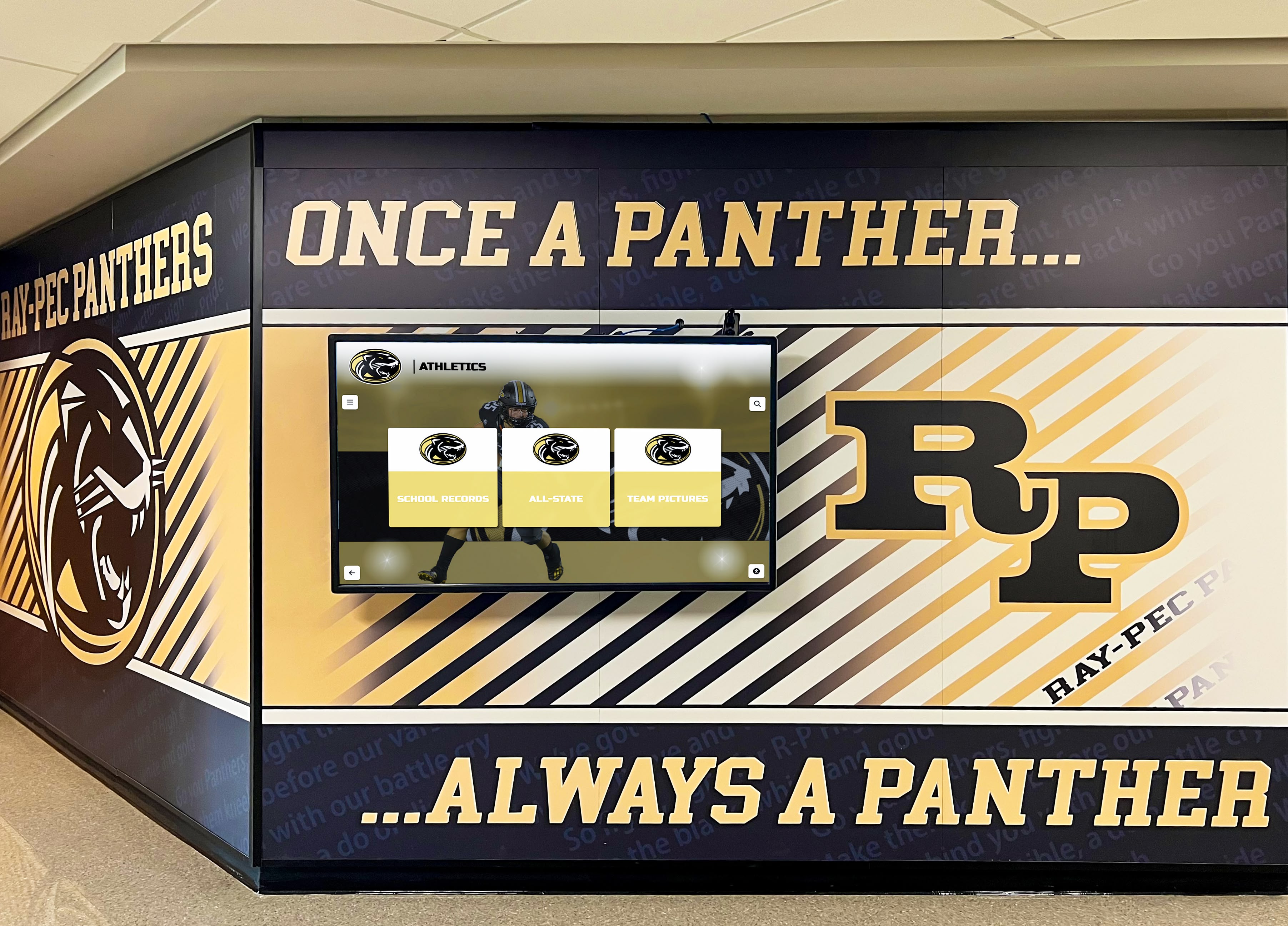
Cohesive integration with existing environments creates polished presentations reinforcing organizational branding
Content Management and Operational Capabilities
Administrative Interface Usability
Long-term success depends on whether staff can independently manage content or whether systems require ongoing vendor dependency:
- Visual editing showing real-time previews matching actual kiosk displays
- Intuitive workflows requiring minimal training
- Drag-and-drop media uploads without file format complexities
- Bulk operations efficiently updating multiple items simultaneously
- Clear error messaging explaining problems and solutions
- Undo/redo capabilities recovering from mistakes
- Saved drafts preserving work-in-progress content
Request hands-on content management trials during platform evaluation—theoretical usability differs significantly from actual experience.
Multi-User Collaboration and Permissions
Organizations with distributed content responsibilities need sophisticated permission systems:
- Role-based access controlling view, edit, and publish capabilities
- Department-level permissions enabling distributed management
- Approval workflows ensuring appropriate oversight before publication
- Audit logging tracking who changed what and when
- Comments and annotations facilitating collaboration
- Scheduled publishing automating deployment at specified times
- Version control enabling rollback if errors discovered
Educational institutions implementing comprehensive digital yearbook platforms benefit from permission systems allowing yearbook advisers, athletic directors, and alumni staff to manage relevant content independently while maintaining appropriate oversight.
Media Management and Storage
Rich multimedia creates engaging experiences but requires adequate infrastructure:
- Sufficient storage capacity (ideally unlimited or very high limits)
- Support for diverse media types (photos, videos, PDFs, audio)
- Automatic image optimization balancing quality and loading speed
- Video transcoding ensuring playback compatibility across devices
- Media library organization with tagging and search capabilities
- Duplicate detection preventing redundant storage
- CDN integration accelerating content delivery globally
Evaluate whether storage costs are included in platform subscriptions or require separate services adding complexity and expense.
Technical Infrastructure and Deployment Flexibility
Hardware Compatibility and Requirements
Some kiosk software requires specific proprietary hardware creating vendor lock-in, while others support flexible deployments:
- Operating system compatibility (Windows, Android, iOS, Chrome OS, Linux)
- Screen size and resolution flexibility
- Touch technology support (capacitive, resistive, infrared)
- Portrait and landscape orientation support
- External peripheral compatibility (printers, scanners, card readers, cameras)
- Minimum hardware specifications and performance requirements
- Upgrade paths as technology evolves
Organizations implementing touchscreen kiosk software for schools should prioritize platforms supporting standard commercial displays rather than proprietary hardware limiting future flexibility.
Network Connectivity and Offline Capabilities
Reliable operation requires appropriate handling of connectivity variations:
- Offline functionality continuing when networks unavailable
- Automatic content synchronization when connectivity restored
- Local caching strategies minimizing bandwidth requirements
- Graceful degradation showing core content when real-time data unavailable
- Connection monitoring and automatic recovery from network issues
- Configurable sync schedules balancing freshness and bandwidth usage
- Remote monitoring alerting staff to connectivity problems
Kiosks deployed in areas with intermittent connectivity or organizations prioritizing resilience should emphasize robust offline capabilities.
Security and System Lockdown
Public-facing kiosks require hardened security preventing unauthorized access:
- Operating system lockdown preventing access to system functions
- Browser restrictions limiting navigation to approved content
- Automatic session reset clearing user data after inactivity
- Physical security features preventing tampering
- Encrypted communications protecting data in transit
- Regular security updates addressing discovered vulnerabilities
- Compliance with relevant regulations (FERPA for schools, HIPAA for healthcare, etc.)
Organizations deploying interactive displays for sensitive environments must prioritize security ensuring confidentiality and preventing unauthorized access.
Analytics and Measurement Capabilities
Engagement Tracking and Usage Metrics
Understanding how visitors interact with kiosks informs optimization and demonstrates value:
- Session counts and unique visitor estimates
- Average session duration indicating engagement depth
- Most-viewed content revealing popular information
- Navigation paths showing how users explore content
- Search queries indicating what visitors seek
- Interaction heatmaps identifying frequently touched areas
- Time-of-day patterns informing staffing and content strategies
- Abandonment analysis identifying confusing or problematic content
Quality analytics transform kiosks from passive installations into continuously improving engagement tools.
Reporting and Data Visualization
Analytics value depends on presentation clarity and actionability:
- Dashboard views presenting key metrics at-a-glance
- Historical trend charts showing engagement evolution over time
- Comparative analysis between different content, locations, or time periods
- Custom report builders for stakeholder-specific needs
- Automated report delivery via email
- Data export for deeper analysis in Excel or business intelligence tools
- Privacy-compliant tracking avoiding personally identifiable information
Organizations implementing digital hall of fame systems use analytics to identify which inductees generate most interest, what search terms visitors use, and how engagement patterns change over time.
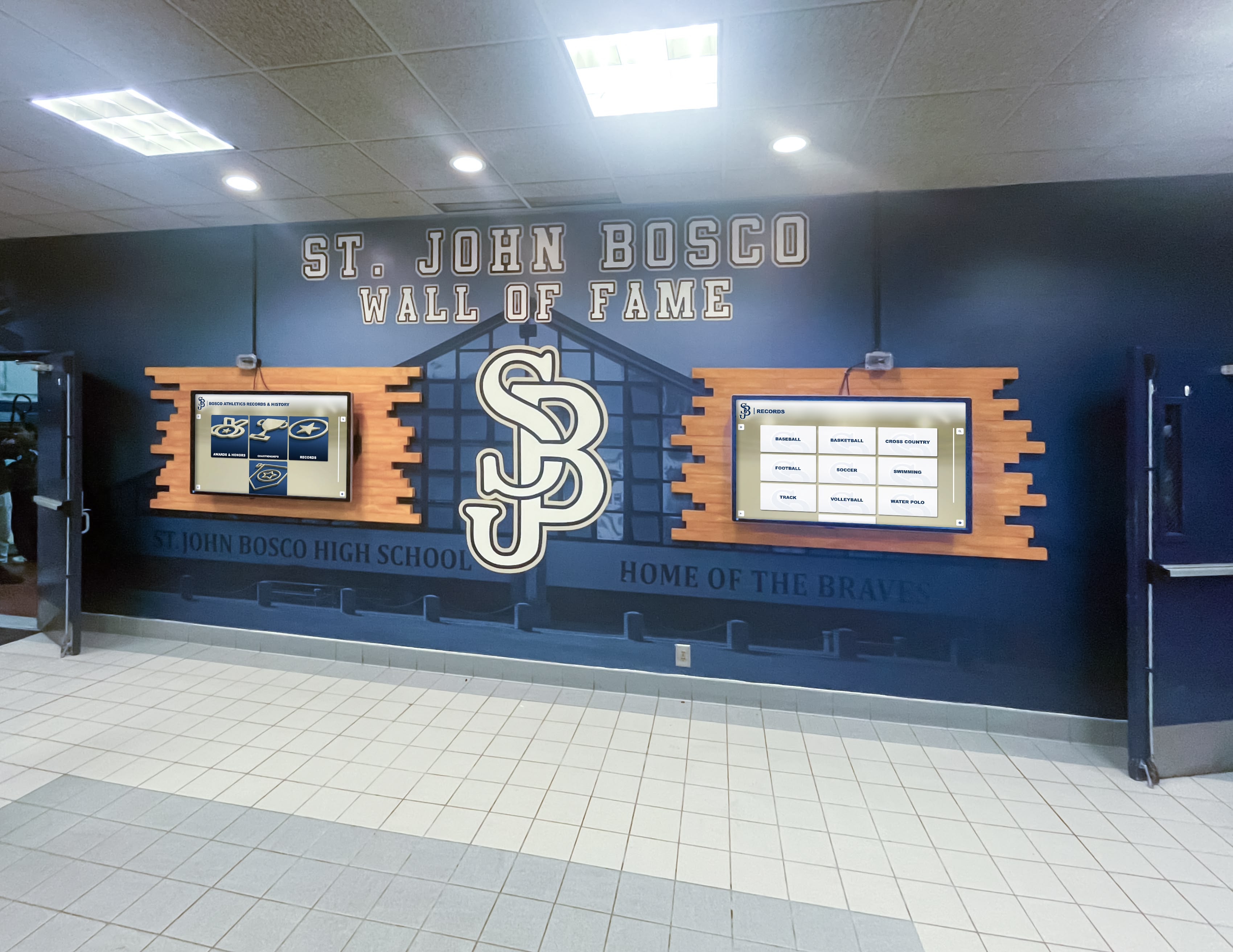
Multi-display deployments create comprehensive coverage throughout large facilities while maintaining consistent branding
Leading Touch Screen Kiosk Software Platforms for 2025
The kiosk software market offers solutions spanning diverse capabilities, pricing models, and target audiences. Understanding leading platforms helps narrow selection to best-fit options.
Rocket Alumni Solutions: Purpose-Built Recognition Platform
For organizations focused on celebrating achievements, preserving institutional history, and engaging communities through interactive recognition, Rocket Alumni Solutions provides comprehensive purpose-built platforms.
Core Recognition Features
- Searchable databases enabling visitors to find specific people, teams, or achievements instantly
- Unlimited profile capacity eliminating space constraints of traditional plaques and trophies
- Multimedia integration showcasing photos, videos, statistics, and biographical narratives
- Timeline visualizations presenting institutional history chronologically
- Multiple recognition categories (athletic, academic, donor, alumni, employee, historical)
- Record tracking with automatic ranking and updating when new achievements occur
- Team and group profiles celebrating collective accomplishments
- Historical preservation of institutional milestones and evolution
Integrated Multi-Platform Access
- Commercial-grade touchscreen displays for on-site exploration
- Cloud-based content management accessible from any internet-connected device
- Web platforms extending recognition worldwide through smartphones, tablets, and computers
- Mobile-optimized interfaces for on-the-go access
- Social sharing enabling viral promotion through community networks
- QR code integration linking physical spaces to digital content
- Embedded web widgets integrating recognition into existing websites
Implementation and Support Advantages
- Turnkey solutions including hardware, software, installation, and training
- Pre-configured templates based on thousands of implementations
- White-glove onboarding assistance with initial content creation
- Ongoing technical support and content management guidance
- Proven platform with extensive track record across educational and organizational contexts
- Regular platform updates incorporating new features and improvements
- Professional design ensuring polished, brand-consistent presentations
Organizations implementing athletic recognition displays, academic honor rolls, alumni spotlights, or institutional history timelines benefit from Rocket’s specialized focus on recognition use cases.
Intuiface: Comprehensive Interactive Experience Platform
Intuiface ranks among the most capable no-code platforms for creating rich interactive experiences across diverse industries and applications.
Platform Capabilities
- Visual interface builder with pixel-perfect design control
- Extensive gesture support including multi-touch, swipe, pinch, rotate, and custom gestures
- Multimedia integration supporting video, 3D models, web content, PDFs, and real-time data
- Sensor integration for proximity detection, RFID, computer vision, and IoT devices
- Dynamic data connectivity to Excel, databases, APIs, and web services
- Cross-platform deployment to Windows, Android, web browsers, tablets, and large-format displays
- Offline operation ensuring experiences work without internet connectivity
Content Management System
- Cloud-based updates propagating to deployed experiences automatically
- Media asset management with version control
- Template systems enabling consistent designs across multiple experiences
- Role-based access controlling who can edit and publish
- Analytics platform tracking user interactions and engagement patterns
Pricing and Licensing
Subscription-based model starting around $99/month for basic deployments, scaling to enterprise pricing for advanced features, extensive deployments, or white-label solutions. Trial periods enable evaluation before commitment.
Intuiface excels for museums, cultural institutions, corporate lobbies, and organizations requiring sophisticated interactions or extensive sensor integration.
PandaSuite: Multi-Platform Interactive Content Creation
PandaSuite focuses on creating interactive applications deployable across multiple form factors from kiosks to mobile devices.
Core Features
- Component-based visual editor simplifying interface design
- Rich media support including video, audio, 360° content, 3D objects, and animations
- Gamification features incorporating scoring, achievements, and interactive challenges
- Form builders for data collection and user input
- Offline-first architecture ensuring reliability without connectivity
- Cross-platform publishing to web, iOS, Android, Windows, and kiosks
- Custom code insertion for developers needing specialized functionality
Interactive Capabilities
- Touch and gesture detection with customizable responses
- Drag-and-drop interactions creating engaging experiences
- Quiz and survey builders for educational content
- Branching navigation based on user choices
- Variable systems tracking user progress through experiences
- Conditional logic showing content based on user actions
Pricing Model
Free tier for small projects with paid plans starting around $49/month for professional features, scaling to enterprise pricing for commercial deployments and advanced capabilities.
PandaSuite works well for organizations creating experiences across multiple platforms—from lobby kiosks to mobile companion apps—enabling consistent experiences across form factors.
OptiSigns Engage: Digital Signage with Interactive Capabilities
OptiSigns provides digital signage platforms incorporating interactive touchscreen functionality for organizations prioritizing display management alongside engagement.
Platform Features
- Playlist-based content management with scheduling
- Drag-and-drop interface builder for interactive layouts
- Template library for common kiosk applications
- Web page embedding transforming existing websites into kiosk interfaces
- Multi-screen management from centralized dashboards
- Real-time content updates across distributed networks
- Basic analytics tracking screen uptime and interaction counts
Interactive Elements
- Button-based navigation between content screens
- Web browser integration accessing online content
- Form integration for lead capture and surveys
- QR code generation for mobile content continuation
- Social media feed integration
- RSS feed displays with real-time updates
Pricing Structure
Per-screen pricing starting around $20/month for basic displays with interactive features requiring higher-tier plans around $50-100/month per interactive screen.
OptiSigns suits organizations managing both passive digital signage and interactive kiosks, preferring unified platforms over separate systems.

Professional kiosk implementations create impressive experiences reflecting organizational quality and attention to detail
Implementation Planning and Best Practices
Successful kiosk deployments require systematic planning addressing technical infrastructure, content strategy, user experience design, and operational sustainability.
Defining Objectives and Success Metrics
Clear objectives guide platform selection and enable post-deployment measurement:
Common Kiosk Objectives
- Improve visitor information access and wayfinding
- Reduce staff workload through self-service functionality
- Celebrate achievements and preserve institutional history
- Generate engagement and emotional connection with content
- Collect visitor data or feedback systematically
- Modernize organizational image through technology adoption
- Create revenue opportunities through sponsorships or advertising
- Provide 24/7 access to information regardless of staffing
Measurable Success Indicators
- Usage metrics: daily interactions, average session duration, unique visitors
- Operational impacts: staff time savings, reduced inquiry volume, faster processes
- Engagement quality: content exploration depth, search usage, popular content
- Visitor satisfaction: surveys, feedback, testimonials, repeat usage
- Financial impacts: sponsorship revenue, cost savings, fundraising contributions
- Community reach: web platform visits, social sharing, geographic distribution
Establish baseline measurements before deployment enabling before/after comparisons demonstrating value.
Content Strategy and Information Architecture
Compelling content determines whether visitors engage enthusiastically or abandon quickly:
Content Development Approach
- Prioritize most-requested information and popular content for prominent placement
- Create concise, scannable text accounting for standing users and limited attention
- Develop content hierarchies presenting summaries with optional detail
- Incorporate visual storytelling through photos and videos reducing text dependency
- Ensure content accuracy and currency maintaining trust and credibility
- Plan sustainable update workflows preventing content staleness
- Consider accessibility ensuring content serves all visitors
Organizations implementing interactive church information displays discover that strategic content prioritization significantly impacts visitor engagement and information retention.
Navigation and Search Design
- Support multiple discovery paths: browsing, searching, filtering, featured content
- Limit navigation depth to 2-3 levels preventing users from getting lost
- Provide clear breadcrumbs showing location within content hierarchies
- Enable robust search with autocomplete, filters, and clear results
- Offer home button always accessible for starting over
- Test navigation with representative users identifying confusing patterns
Technical Infrastructure Requirements
Reliable kiosk operation requires appropriate supporting infrastructure:
Network Connectivity
- Wired Ethernet providing most reliable connectivity when feasible
- Enterprise-grade WiFi with dedicated SSIDs and guaranteed bandwidth
- Cellular backup preventing complete outages if primary networks fail
- Local content caching reducing bandwidth requirements and improving speed
- Network monitoring alerting staff to connectivity issues
- Firewall rules isolating kiosks from sensitive organizational systems
Power and Environmental Considerations
- Dedicated electrical circuits preventing tripped breakers
- Uninterruptible power supplies protecting against outages
- Appropriate ventilation preventing overheating in enclosed installations
- Climate control maintaining operating temperature ranges
- Surge protection preventing electrical damage
- Automated power management for scheduled shutdown and startup
Physical Security and Placement
- Secure mounting preventing theft or vandalism
- Screen protectors maintaining touch sensitivity while preventing damage
- Tamper-evident enclosures alerting to unauthorized access
- Strategic placement in supervised areas when possible
- Surveillance coverage deterring vandalism
- Insurance coverage protecting hardware investments
Organizations implementing library touchscreen interactive displays carefully consider placement balancing visibility, supervision, and user privacy.
User Experience Testing and Refinement
Thorough testing before public launch prevents frustrating experiences and negative first impressions:
Testing Methodology
- Recruit representative users matching target audience demographics
- Observe users completing typical tasks without intervention
- Ask users to think aloud explaining their thought processes
- Note confusion points, abandoned tasks, and error patterns
- Collect subjective feedback through surveys or interviews
- Iterate based on findings before full public launch
- Conduct periodic retesting after content updates or changes
Common Issues to Identify
- Navigation confusion preventing users from finding information
- Touch targets too small or close causing selection errors
- Text too small or insufficient contrast creating readability problems
- Loading delays creating perception of broken functionality
- Terminology or language confusing target audiences
- Missing home buttons trapping users in content hierarchies
- Session timeout too aggressive interrupting user tasks
Schools implementing digital recognition display systems should test with diverse user groups including students, parents, alumni, and community visitors ensuring interfaces work for all constituencies.

Strategic lobby placements create memorable first impressions while serving high volumes of visitors efficiently
Cost Analysis and Total Ownership Considerations
Understanding complete costs beyond initial software licensing ensures budget adequacy and realistic financial planning.
Software Licensing Models and Costs
Subscription-Based Licensing
- Monthly or annual recurring payments for ongoing access
- Automatic software updates and new features included
- Cloud hosting and backup typically included
- Scalable pricing based on deployment size
- Lower initial investment compared to perpetual licenses
- Ongoing costs continuing indefinitely
Typical subscription costs range from $30-100/month for basic platforms to $500-2,000/month for enterprise solutions with multiple locations and advanced features.
Perpetual Licensing
- One-time upfront payment for indefinite use
- Optional maintenance agreements for updates and support
- On-premises installation and management
- Higher initial investment but no ongoing required payments
- Long-term cost advantages for stable deployments
- Potential for software obsolescence without updates
Perpetual licenses typically cost $2,000-20,000 depending on capabilities and scope, with annual maintenance around 15-25% of initial license cost.
Custom Development Costs
- Initial development typically $25,000-150,000+ depending on complexity
- Complete ownership of intellectual property and source code
- Ongoing maintenance requiring dedicated resources or vendor relationships
- Unlimited customization potential
- Highest initial investment with variable long-term costs
Hardware Investment Requirements
Commercial Touchscreen Displays
- 43-55 inch displays: $2,500-6,000
- 65-75 inch displays: $6,000-15,000
- Commercial-grade panels rated for continuous 24/7 operation
- Capacitive touch providing responsive multi-touch capabilities
- High brightness for challenging lighting environments
- Protective glass for high-traffic public installations
- Warranty and support appropriate for commercial deployment
Computing Hardware
- Integrated display computers: Often included in commercial displays
- External PC connections: $500-2,000 for dedicated kiosk computers
- System-on-module solutions: $200-800 for embedded computing
- Android-based options: $300-1,000 for touchscreen-enabled tablets or displays
- Processing requirements scaling with multimedia complexity
Installation and Infrastructure
- Floor-standing kiosks: $1,000-4,000 for professional enclosures
- Wall mounting: $200-1,000 for commercial-grade mounts
- Professional installation: $500-2,500 per location
- Network infrastructure: Variable based on existing capabilities
- Electrical requirements: $300-1,500 per location for dedicated circuits
Total hardware investment typically ranges $8,000-30,000 per location depending on display size, installation complexity, and feature requirements.
Ongoing Operational Expenses
Annual Software and Service Costs
- Subscription licenses: $360-12,000+ annually
- Software maintenance agreements: 15-25% of perpetual license cost
- Cloud hosting and bandwidth: $100-500/year if not included
- Analytics and advanced features: $200-1,000/year for premium tiers
Content Development and Management
- Initial content creation: $2,000-15,000 for professional design and development
- Ongoing content updates: 2-10 hours monthly of staff time or $500-2,000/month outsourced
- Photography and videography: $500-3,000 per professional shoot
- Graphic design services: $75-150/hour for specialized needs
Technical Maintenance and Support
- Hardware warranty extensions: $200-800/year per display
- Remote management tools: $50-200/year per device
- Technical support contracts: $1,000-5,000/year for priority service
- On-site maintenance visits: $150-300/hour plus travel
- Replacement parts and consumables: Variable based on usage
Organizations should budget $2,000-8,000 annually per installation for software, content management, and technical support ensuring long-term sustainability.
Selecting the Optimal Touch Screen Kiosk Software Platform
Systematic evaluation across multiple dimensions ensures selected platforms meet both immediate deployment needs and long-term organizational requirements.
Use Case Alignment Assessment
Recognition and Engagement Applications
Organizations focused on celebrating achievements, preserving institutional history, and engaging communities benefit from purpose-built recognition platforms like Rocket Alumni Solutions offering:
- Pre-configured templates for athletic, academic, donor, and alumni recognition
- Searchable databases with unlimited capacity
- Integrated web platforms extending reach beyond physical locations
- Intuitive content management requiring no technical expertise
- Proven track record across educational and organizational contexts
General Interactive Experiences
Organizations creating custom interactive experiences—museum exhibits, retail product displays, corporate brand experiences, or artistic installations—may prefer flexible no-code platforms like Intuiface or PandaSuite offering:
- Visual development without programming requirements
- Extensive customization capabilities
- Sensor and hardware integration options
- Cross-platform deployment flexibility
Digital Signage with Occasional Interaction
Organizations primarily needing passive display management with selective interactive capabilities might choose digital signage platforms with touch features like OptiSigns or ScreenCloud offering:
- Unified management of both passive and interactive displays
- Simplified deployment for basic interaction needs
- Cost-effective solutions when interactivity isn’t primary focus
Highly Specialized or Unique Requirements
Organizations with unusual requirements differing significantly from available platform capabilities may justify custom development approaches:
- Legacy system integration requirements
- Proprietary workflows or business logic
- Unique interaction paradigms
- Specialized security or compliance needs
- Complete control and intellectual property ownership
Organizational Capability Evaluation
Technical Expertise and Resources
- Organizations with limited IT staff benefit from turnkey platforms with comprehensive support
- Teams with development capabilities can leverage flexible frameworks
- Budget for ongoing technical support versus internal resource allocation
- Consider staff turnover and knowledge retention challenges
Content Management Capacity
- Evaluate whether staff can independently manage content or require ongoing vendor support
- Consider volunteer versus professional staff reliability
- Plan for succession when key individuals leave roles
- Test administrative interfaces during evaluation ensuring actual usability
Budget and Financial Constraints
- Balance initial investment against ongoing operational costs
- Consider total cost of ownership over 5-7 year timeframes
- Explore funding sources beyond general operating budgets
- Evaluate subscription versus perpetual licensing economics
Vendor Selection Criteria
Support Quality and Availability
- Evaluate response times and support channels (phone, email, chat)
- Review documentation and self-service resources
- Request references from similar organizations
- Assess onboarding assistance and training quality
- Understand ongoing support included versus additional costs
Platform Maturity and Roadmap
- Review vendor track record and longevity
- Understand development roadmap and update frequency
- Assess financial stability ensuring long-term viability
- Evaluate user community size and activity
- Consider vendor responsiveness to customer feedback
Integration and Flexibility
- Assess compatibility with existing systems and workflows
- Evaluate data import/export capabilities
- Consider API availability for custom integrations
- Review hardware flexibility avoiding vendor lock-in
- Understand migration paths if changing platforms becomes necessary
Schools implementing comprehensive touchscreen software for campus displays should prioritize platforms demonstrating commitment to educational markets through relevant features, appropriate pricing, and understanding of institutional needs.
Future Trends Shaping Touch Screen Kiosk Software
Understanding emerging technologies helps organizations make forward-looking decisions remaining relevant as capabilities evolve.
Artificial Intelligence Integration
AI capabilities increasingly enhance kiosk experiences through:
Personalization and Recommendations
- User behavior analysis suggesting relevant content
- Predictive search anticipating queries from partial input
- Dynamic content ordering based on likely interests
- Session learning improving recommendations during visits
Natural Language Interfaces
- Voice interaction enabling hands-free operation
- Conversational search using natural questions
- Multilingual voice recognition supporting diverse visitors
- Intent recognition understanding user goals
Computer Vision Capabilities
- Touchless gesture recognition enabling hygiene-conscious interaction
- Facial detection triggering content presentation
- Demographic detection for analytics without identification
- Object recognition integrating physical items with digital content
Augmented and Extended Reality
AR capabilities extend kiosk experiences beyond flat displays:
- QR codes triggering AR content on visitor smartphones
- Spatial computing overlaying digital information on physical spaces
- Virtual object placement for product visualization
- Historical reconstruction showing past environments
- Wayfinding overlays directing visitors to destinations
Cloud-Based and Remote Management Evolution
Increasingly sophisticated cloud platforms enable:
- Centralized management of distributed global kiosk networks
- Real-time monitoring and remote troubleshooting
- A/B testing comparing content variations
- Automatic fault detection and self-healing capabilities
- Predictive maintenance preventing failures before occurrence
- Instant global content updates across entire networks
Organizations implementing best touchscreen software solutions should prioritize platforms with clear development roadmaps incorporating emerging capabilities rather than static systems frozen at current feature sets.
Conclusion: Making the Right Touch Screen Kiosk Software Decision
Selecting optimal touch screen kiosk software represents critical decisions profoundly impacting user engagement, operational efficiency, and long-term sustainability. The right platform transforms kiosks from basic information displays into powerful engagement tools strengthening connections between organizations and their communities.
Purpose-built recognition platforms excel when:
- Primary focus involves celebrating achievements and preserving institutional history
- Organizations prioritize ease-of-use and comprehensive support
- Web accessibility extending recognition beyond physical locations matters significantly
- Proven templates and best practices accelerate implementation
- Turnkey solutions including hardware, software, and support appeal to resource-constrained teams
No-code general platforms excel when:
- Use cases require custom interactive experiences
- Organizations possess design capabilities but lack programming expertise
- Sensor integration or hardware connectivity provides important value
- Cross-platform deployment to multiple form factors offers benefits
- Extensive customization justifies learning curve investments
Digital signage platforms excel when:
- Organizations manage both passive displays and selective interactive needs
- Unified fleet management across distributed locations provides value
- Basic interactivity meets requirements without demanding sophisticated features
- Budget constraints favor cost-effective solutions
Custom development excels when:
- Unique requirements differ significantly from available platforms
- Internal development teams possess relevant expertise
- Complete control and intellectual property ownership justify investment
- Long-term strategic importance warrants higher initial costs
Most educational institutions, athletic programs, alumni associations, and community organizations implementing recognition and engagement applications find purpose-built platforms like Rocket Alumni Solutions provide optimal balances of functionality, usability, support, and value—delivering comprehensive capabilities through intuitive interfaces backed by proven implementation experience across thousands of successful deployments.
Ready to Transform Your Recognition and Engagement?
Discover how purpose-built touch screen kiosk software can celebrate achievements, preserve institutional history, and engage communities through compelling interactive experiences combining professional touchscreen displays, intuitive content management, and worldwide web accessibility.
Schedule a Custom DemoThe touch screen kiosk software landscape continues evolving with emerging technologies like artificial intelligence, augmented reality, and advanced analytics creating increasingly sophisticated experiences. Yet fundamental principles remain constant—understanding your audience, designing for their needs, choosing appropriate technologies for your context, selecting vendors committed to long-term success, and maintaining fresh, relevant content ensuring sustained engagement over time.
Your interactive kiosk deserves a software foundation supporting your organizational vision while remaining manageable within your capabilities and budget. Whether implementing your first touchscreen display or expanding existing networks, the comprehensive platform options explored throughout this guide provide pathways transforming engagement goals into compelling interactive experiences that educate, inspire, and delight your communities for years to come.
Ready to explore specific solutions? Request a personalized demonstration showing exactly how modern touch screen kiosk software can address your unique requirements, or learn more about comprehensive interactive display systems transforming how organizations recognize achievements and engage their communities.
Sources:































