
Sports picture day happens once a year — and then it has to work for the next fifty. The photos taken during a one-hour session in October become the yearbook spread that defines the season, the hallway composite that greets visitors for a decade, the digital display profile that alumni browse at reunions, and the archived image that makes a hall of fame induction feel real. Yet most schools approach picture day purely as a photography event, collecting images without the metadata, organization systems, or format specifications needed to make those images actually useful downstream.
This guide covers the full sports picture day workflow: what to collect and prepare before athletes show up, what to capture during the session, and how to process and distribute photos after the day ends. The result is a picture day that produces images your school can use in every format, for every audience, for years to come.
Schools that run successful sports picture days think of them less as photo shoots and more as documentation sessions. Every athlete in full uniform, every coach assembled with their team, every senior in their final season — this is a one-shot opportunity to build the visual record that will anchor everything from next month’s yearbook pages to next decade’s hall of fame nominations.

Portrait cards from past sports picture days form the visual backbone of school recognition archives — making the quality and organization of each year's session matter long after the season ends
Why Sports Picture Day Must Serve Multiple Outputs at Once
Before building a picture day workflow, it helps to understand why a single session must produce usable images for so many different purposes simultaneously.
Yearbook pages require high-resolution images with consistent framing across all athletes on a team and all teams across the program. Yearbook editors working to deadline need files named, sorted, and delivered in a format that drops directly into the layout without searching, renaming, or re-cropping.
Hallway and composite displays require portrait images at a consistent eye level with neutral or brand-aligned backgrounds. Physical composite frames typically require 300 DPI print resolution; digital composite displays need a minimum 1080px on the longest edge but benefit from higher resolution for zoom capability.
Interactive touchscreen displays and digital walls of fame require portrait images paired with athlete data: name, sport, position, graduation year, career statistics, and awards. A photo file alone is not enough — the metadata that turns a portrait into a searchable profile must be captured on picture day, when everyone is in the same room and the information is current. Schools that have invested in hall of fame display tools for athletics know that the display is only as good as the underlying data tied to each athlete’s image.
Recruiting profiles require clean individual portraits with no distracting backgrounds, typically in a head-and-shoulders or three-quarter framing. Coaches and student-athletes sharing profiles with college programs want images that look polished rather than cropped from a team photo.
Long-term archives require files that will remain accessible and usable for decades. Format choices, naming conventions, and backup systems made on picture day determine whether a graduating class has a findable visual record in twenty years.
Output Format Requirements at a Glance
| Output | Minimum Resolution | Preferred Framing | File Format | Key Metadata Needed |
|---|---|---|---|---|
| Print yearbook | 300 DPI at final size | Team: full body; Individual: head/shoulders | JPEG or TIFF | Athlete name, sport, year |
| Digital yearbook | 1500px shortest edge | Team: full body; Individual: head/shoulders | JPEG or PNG | Name, sport, year, accomplishments |
| Hallway composite (print) | 300 DPI at final size | Individual: consistent head/shoulders | JPEG | Name, sport, year, position |
| Touchscreen display | 1080px shortest edge | Individual: head/shoulders, consistent backdrop | JPEG or PNG | Full profile: name, sport, year, stats, awards |
| Recruiting profile | 1200px shortest edge | Individual: three-quarter, neutral background | JPEG | Name, sport, position, graduation year |
| Long-term archive | Original resolution | Both team and individual | RAW or TIFF | Full caption, photographer, date, location |
Before Sports Picture Day: What to Collect and Prepare
The most common picture-day problems — missing athletes, unlabeled files, images that can’t be used for a specific purpose — are almost always solved by preparation that happens before the camera is ever picked up.
The Athlete Information Sheet
The single most valuable pre-picture-day tool is an athlete information sheet distributed to every participant before the session. This sheet serves two functions: it collects the structured data that will accompany each athlete’s portrait across all output formats, and it signals to athletes that picture day is a formal documentation event rather than a casual photo for social media.
A complete athlete information sheet should capture:
- Full legal name (for official publications and records)
- Preferred display name (for digital profiles and yearbook captions)
- Sport, team level, and position
- Jersey number
- Graduation year
- Years in the program (freshman year through current)
- Career awards or honors (conference selections, academic all-state, team captaincy)
- Any preferred photo notes (accommodations, pronouns for captions)
- Parent/guardian contact for proof review
Collecting this before picture day means the data is available for file naming, caption writing, and digital profile setup immediately after photo delivery — rather than weeks later when coaches are unavailable and details have faded.
Briefing the Photographer for Multiple Outputs
A photographer who knows only that they are “doing sports photos” will produce a different session than one briefed on the specific outputs those photos must serve. A complete photographer brief should include:
For each team:
- Full team photo including coaches and support staff
- Varsity and JV splits if the program has both
- Coaching staff photo separate from the full team for program archives
For each athlete:
- Head-and-shoulders portrait on a consistent backdrop
- Three-quarter portrait for programs using this format in displays or recruiting packets
- Optional action portrait in a sport-specific stance with equipment
Technical specifications:
- Minimum file resolution matching the school’s highest-demand output
- File naming convention to apply at delivery
- Color space and delivery format (sRGB JPEG for digital; Adobe RGB TIFF for print)
Photographers produce significantly better results when they understand why consistency matters. Explain that portrait files will sit side-by-side in a yearbook spread and appear together in a digital display — and that even minor variations in framing or background color create visual noise across the entire publication.
FERPA and Photo Release Review
Before any picture day session, confirm that your school’s existing photo release language covers all intended uses:
- Yearbook and school publications: Covered by most standard releases
- Digital display systems accessible within the building: Usually covered by existing releases
- Web-accessible digital displays and online profiles: May require explicit consent for external publishing
- Third-party platforms: Any athlete profile visible on a vendor-managed website requires documented consent
Document opt-outs before photo delivery. Build a simple system for flagging which athletes have restricted release permissions so that flagged files are not distributed to systems where those restrictions would be violated. This step takes under an hour before picture day and prevents compliance problems that can take weeks to untangle afterward.
The Pre-Picture-Day Checklist
Send this to coaches at least two weeks before the session:
Logistics:
- Photo schedule distributed to all coaches with specific time blocks
- Makeup session date confirmed and communicated
- Backdrop and location confirmed with facilities team
- Athlete information sheets distributed and returned
Photography:
- Photographer briefed on all output format specifications
- File naming convention documented and agreed in writing
- Resolution and delivery format confirmed
Compliance:
- Photo release language reviewed against all intended uses
- Opt-out athlete list compiled and shared with photographer
- Parental proof review process confirmed
Uniforms:
- Uniform standard shared with each coach (clean, matching, correct year’s jersey)
- Equipment list provided for sport-specific action portraits
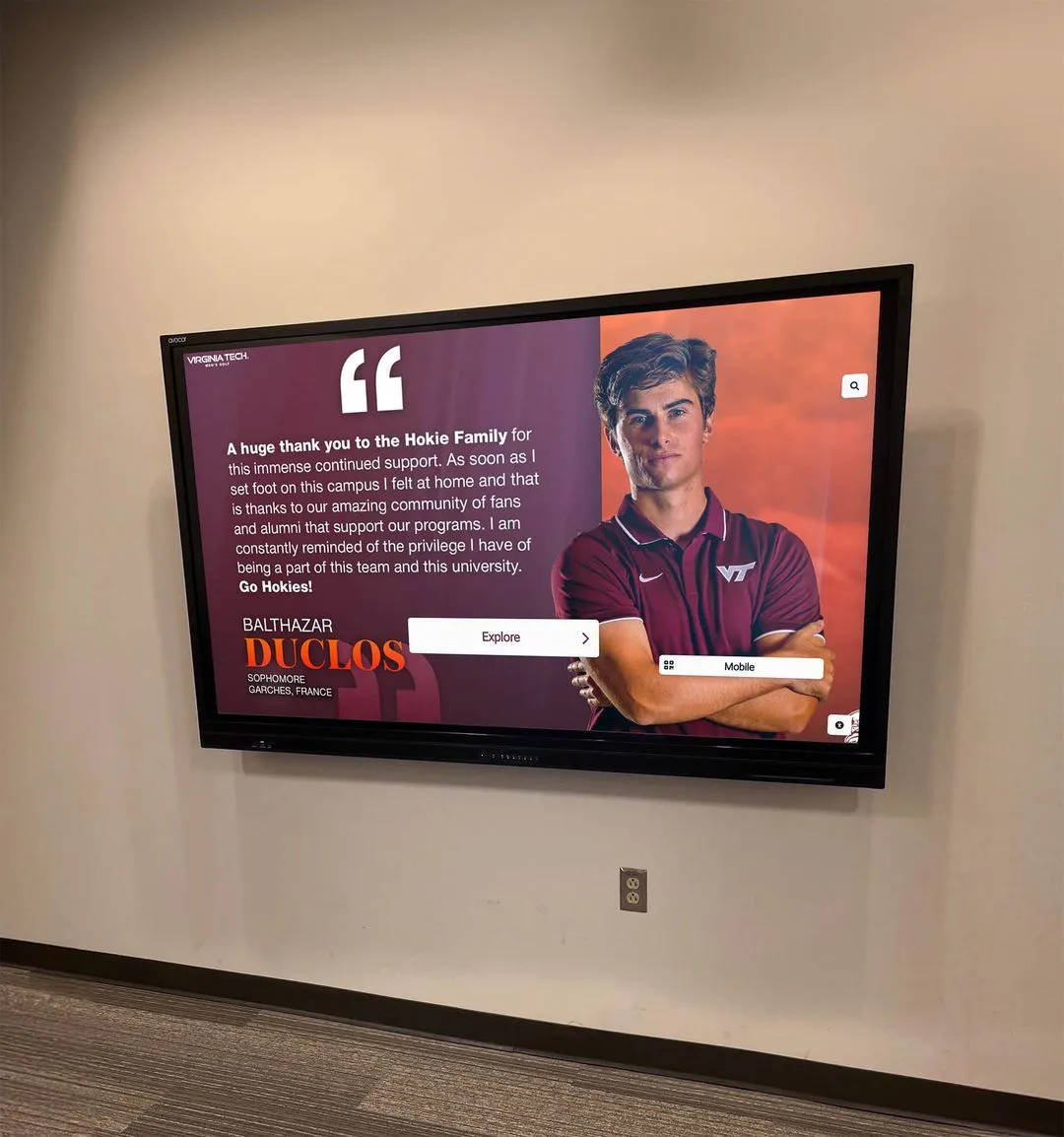
Recognition displays built from sports picture day portraits give athletes a permanent presence in the school's physical environment — the quality of the source photo determines how well the display represents them
During Sports Picture Day: What to Capture and Track
With preparation complete, the session itself should run predictably. The role of whoever is managing the day — typically the athletic director or a designated coordinator — is to ensure every required shot is captured and every athlete’s information is matched to their images before the team leaves.
The Shot Checklist for Each Team
For every sport on picture day, track completion of the following before releasing each group:
| Shot Type | Who | Notes |
|---|---|---|
| Full team group | All athletes + coaches + staff | Verify everyone is present before positioning |
| Varsity group | Varsity athletes only | If the program has both varsity and JV |
| JV group | JV athletes only | If the program has both varsity and JV |
| Coaching staff | Head coach + assistants | Without athletes; for program archives |
| Individual portrait | Each athlete | Consistent framing, identical backdrop |
| Action portrait | Each athlete (if scheduled) | Sport-specific stance with equipment |
| Senior recognition shot | Seniors only | Year marker, senior banner, or class-year prop |
Run through this checklist before each team is released. Missing shots discovered during the post-session review can be captured at a makeup session the same week. Missing shots found after all athletes have dispersed require chasing individuals for weeks.
Capturing Metadata in Real Time
Sports picture day is the most efficient moment to capture athlete data that will never be as accurate or complete later. Assign a coordinator — separate from the photographer, who needs to focus on the camera — to work the session with information sheets or a tablet:
- Match each athlete’s sheet number to their position in the individual portrait sequence. When the photographer delivers 120 individual portraits, every image maps directly to the correct athlete’s information without manual cross-referencing.
- Note absent athletes by team for the makeup session list.
- Flag athletes with modified release permissions so the photographer can mark those files at delivery.
- Capture coach names and exact titles for team photo captions — coaching staff details are frequently missing from caption documentation.
This real-time tracking converts sports picture day from a photography session into a documentation session. Photos and data arrive together, rather than photos arriving weeks before anyone can identify who is in them.
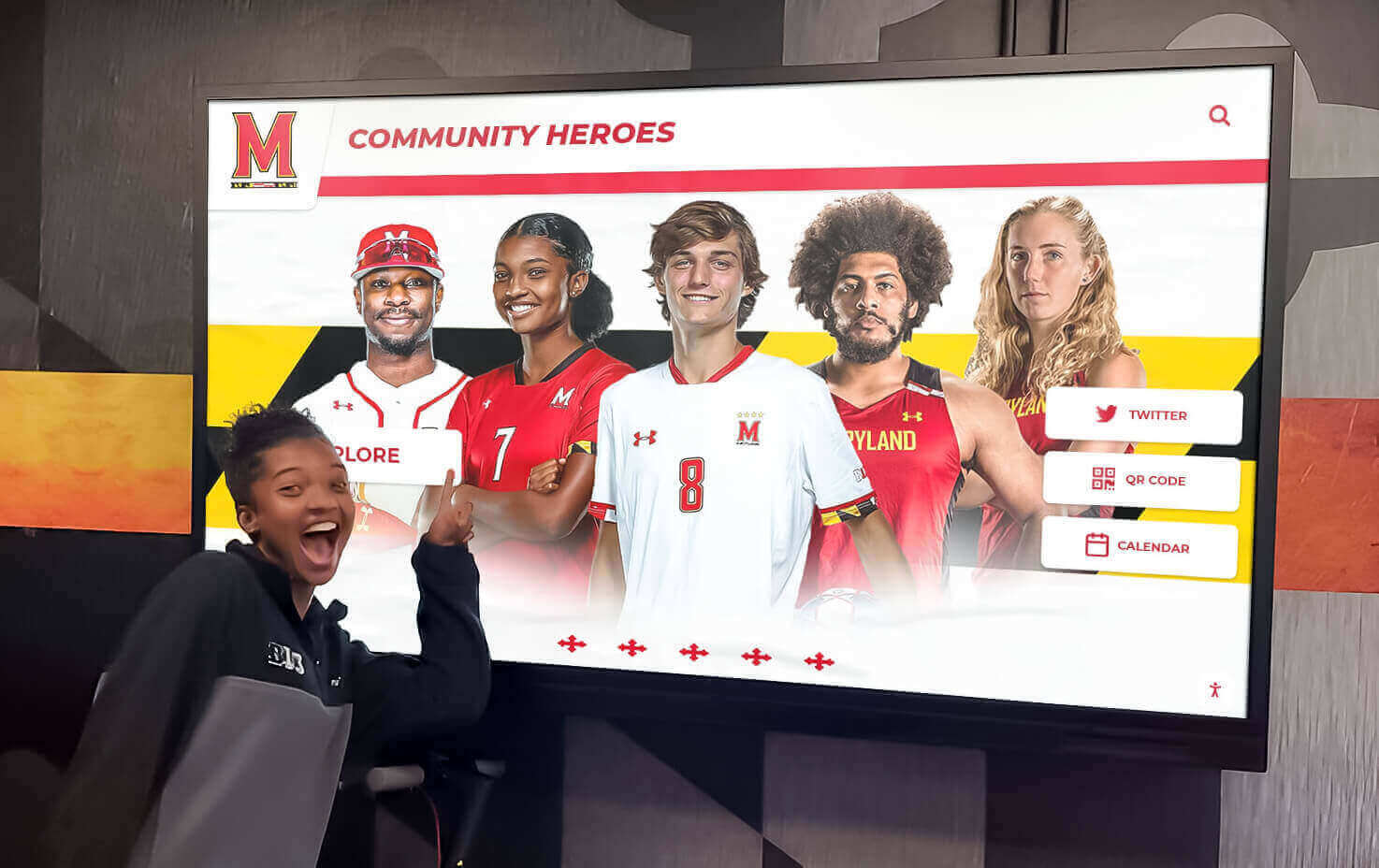
Every athlete in a recognition display was once a photo taken on a sports picture day — the metadata captured during that original session is what allows the display to tell each athlete's story accurately
Common Sports Picture Day Mistakes
Even well-organized sessions encounter predictable problems. Watch for:
Uniform inconsistency: One athlete arrives in last year’s jersey; another has a name plate that differs from the standard. Designate a uniform check station at the staging area before athletes enter the photo area — not after the image is taken.
Unlabeled file delivery: The photographer delivers 800 files named IMG_001 through IMG_800 with no athlete or team identification. Specify file naming in the photographer agreement before picture day, not as a courtesy request afterward.
Missing coaches: Coaches sometimes step out during team setup assuming they are not needed until the group shot. Brief coaches specifically that they should be present for the entire team session, including during individual portraits.
Skipped JV sessions: JV athletes are frequently lower priority in picture day planning and get squeezed by overtime in varsity sessions. Build explicit time blocks for JV teams and protect them — those athletes deserve the same documentation as varsity.
After Sports Picture Day: Processing Photos for Each Output
Photo delivery is where preparation either pays off or fails. Schools with clear organization systems move from delivery to publication in days. Schools without them spend weeks sorting, renaming, and re-cropping files that were never structured for the outputs they need.
File Naming and Folder Structure
Establish a naming convention before picture day and require the photographer to apply it at delivery:
YYYY_SportName_TeamLevel_LastFirst.jpg
2026_Volleyball_Varsity_TorresAmanda.jpg
2026_FootballJV_Team.jpg
2026_CrossCountry_Varsity_CoachingStaff.jpg
This convention makes individual files findable by sport, year, team level, or athlete name — supporting yearbook workflows now and archive searches years later. The naming connects directly to athlete information sheets: the sheet for Torres, Amanda, Volleyball, Varsity maps to 2026_Volleyball_Varsity_TorresAmanda.jpg without manual lookup.
A standard folder structure at delivery:
2026_SportsPictureDay/
  Football/
    Varsity/
      Team/
      Individual/
      Action/
    JV/
  Basketball_Girls/
  ...
  _Originals/      ← untouched photographer files, never edited
  _Exports/        ← processed versions for each output
    Yearbook/
    Display/
    Recruiting/
The _Originals folder is archive-only. Any cropping, color correction, or resizing happens in _Exports, preserving source files intact.
Distributing Photos to the Yearbook Team
Yearbook editors need:
- Individual portraits organized by sport and team level
- Full team photos for section opener spreads
- Captions with all athlete names confirmed accurate — yearbook editors should not be responsible for identifying athletes from photos
Deliver the yearbook export folder with a simple index file matching each team folder to the confirmed roster. This file should include: team name, coaching staff names and titles, total athlete count by level, and any athletes whose images are restricted from publication.
When individual portrait files are consistently named, the yearbook editor drops them into a layout template without searching through unlabeled files. What typically takes a yearbook staff an afternoon of sorting becomes a fifteen-minute import. Consistent naming also prevents the most common yearbook error: a mislabeled individual portrait published under the wrong name.
Distributing Photos to Recognition Displays and Digital Archives
Digital recognition displays — touchscreen walls of fame, hallway roster boards, interactive athlete profiles — require the same portrait files plus the structured data to accompany them. This is where the athlete information sheet pays off directly.
The standard data package for each athlete profile includes:
- Portrait image file named and organized per the convention above
- Full name, sport, team level, position, and graduation year
- Career awards and honors from the information sheet
- Jersey number
- Any additional bio notes from the information sheet
Schools that have built interactive hall of fame infrastructure — see the complete guide to hall of fame tools — can import this structured data package directly, turning picture day portraits into browsable athlete profiles within days of delivery rather than months.
For schools in earlier stages of building recognition display infrastructure, a practical starting point is the annual composite: a grid display of all athletes by sport and season, printed or shown digitally, creating a visual roster accessible to families, visitors, and alumni. The digital record board recognition tools available today make the transition from physical composite to digital display more accessible than it has ever been.

A digital wall of honor transforms sports picture day portraits into browsable, searchable athlete profiles — the same image and data collected once serves the yearbook, the display, and the archive simultaneously
Backup and Long-Term Storage
Sports picture day photos must survive past the graduation of everyone involved in creating them:
- Two-location backup on delivery: A local drive or server AND a cloud backup service. Never rely on a single storage medium regardless of how reliable it appears.
- Annual integrity check: Once per year, open a random sample of files from each past year’s archive to confirm they are accessible. Storage media can fail silently; annual checks catch failures before they become permanent losses.
- Institutional ownership, not personal storage: Archive files must live on school-managed systems, not a coach’s laptop or a yearbook editor’s personal cloud account. Staff and students graduate and leave; the archive should not leave with them.
- Format durability: JPEG for display use is practical; TIFF or high-quality JPEG masters alongside RAW files serve the long-term archive. Proprietary RAW formats from specific camera models can become harder to open as software evolves — maintain a TIFF or high-quality JPEG master for each original.
For schools connecting photo archives to alumni programming, high school reunion planning traditions addresses how schools use historical photo archives to create meaningful reunion experiences — and why picture day organization directly shapes what is possible decades later.
Connecting Sports Picture Day to Long-Term Recognition Programs
The practical workflow above produces a working archive. Making that archive serve the school’s broader recognition mission requires one additional step: connecting picture day outputs to the programs that will use them.
Hall of Fame Programs
Every athlete photographed during sports picture day is a potential future hall of fame inductee. Schools that maintain well-organized archives — consistent portraits, complete metadata, backed-up originals — can retrieve a polished image of any athlete from any season going back as far as the archive extends.
For schools building or expanding a formal hall of fame program, touchscreen hall of fame systems offer a framework for connecting the picture day archive to an interactive display that grows richer every year. A hall of fame induction ceremony for an athlete who graduated in 2005 should not require emergency photo searching — it should draw immediately from an archive where that athlete’s portrait has been waiting.
Year-End and Senior Recognition
Sports picture day portraits anchor the recognition events that close each athletic season:
- Senior night: The senior athlete’s portrait from picture day becomes the visual centerpiece of recognition signage, video tributes, and program materials
- Banquet slideshows: Team photos and individual portraits combine into season-in-review presentations that work only because they exist
- Award programs: Award graphics, printed programs, and display presentations all draw from the picture day portrait archive
For schools expanding their recognition event programming, youth sports award recognition ideas catalog the range of recognition contexts where picture day photos serve as the foundational visual asset — from weekly athlete spotlights to end-of-season banquet tributes.
Alumni Engagement
Athletes who graduated two years ago look up their photo in the school display when they return for a game. Athletes who graduated twenty years ago encounter their picture day portrait in a reunion slideshow and feel something that no trophy replica or certificate can replicate. That emotional connection is created by the original photograph, taken years earlier on a sports picture day that nobody made a big deal about at the time.
Schools building alumni programs that leverage historical photo archives find that well-organized picture day documentation changes what is possible. A digital hall of fame tools platform that displays an athlete’s portrait, statistics, and awards history across any graduation year depends entirely on the quality of the underlying archive.
Recognition events that draw alumni back to campus — from homecoming to hall of fame inductions — benefit from the kind of youth sports awards ideas that connect current recognition to the visual history that sports picture day archives make possible.
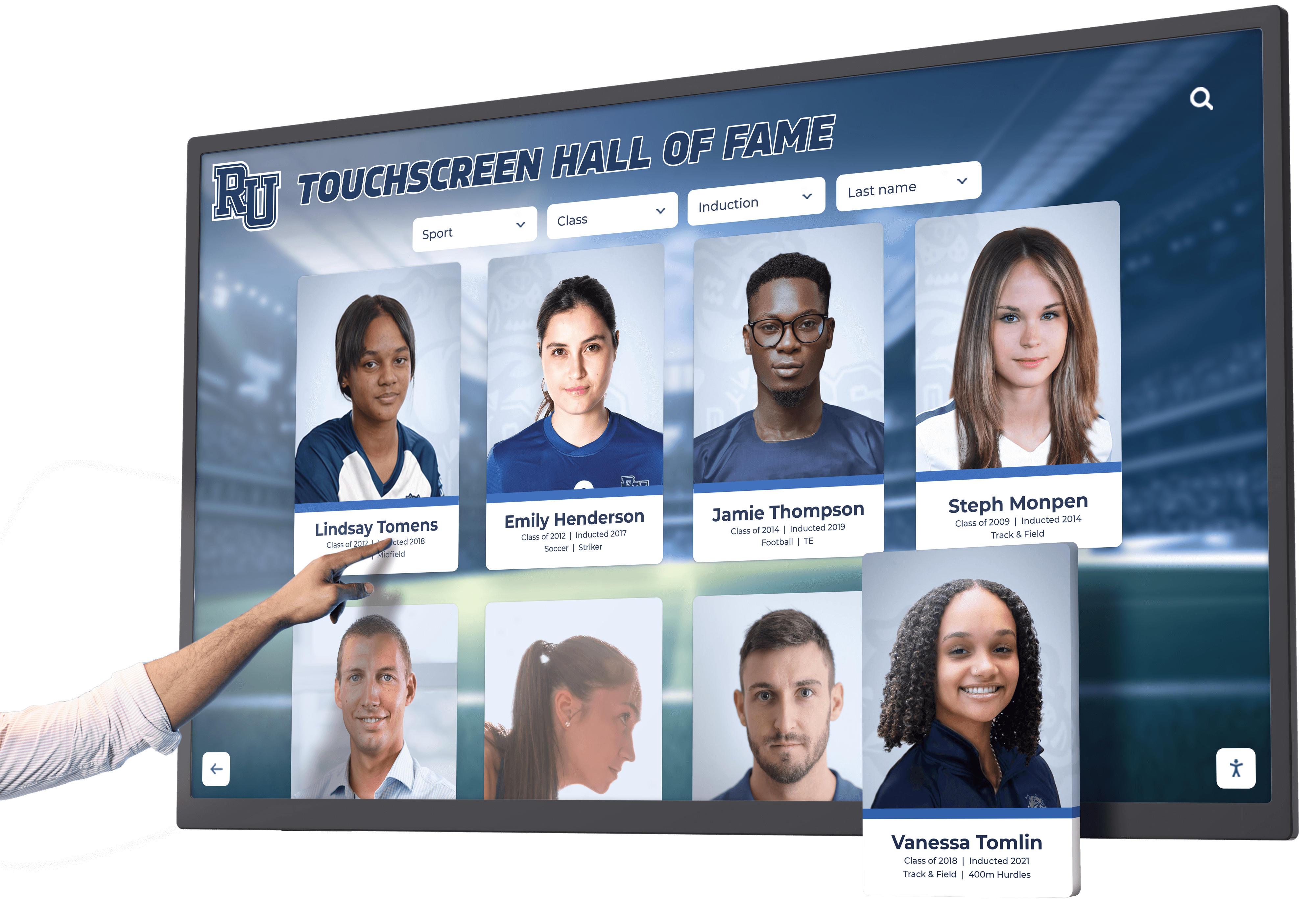
Interactive displays built on decades of organized sports picture day archives allow anyone — current students, returning alumni, visiting families — to explore the full scope of athletic program history
Sports Picture Day Frequently Asked Questions
How far in advance should we schedule sports picture day?
Schedule at least four to six weeks before you need usable photos. This allows time for a photographer booking confirmation, athlete information sheet distribution and return, makeup session scheduling, file delivery (typically one to two weeks post-session), and the yearbook review cycle before any publication deadline. Schools running fall sports picture days in late September should initiate scheduling confirmations in August.
What should athletes bring to sports picture day?
Send a brief checklist to athletes and coaches at least one week before the session:
- Clean, matching uniform in current school colors (correct year’s uniform, not a prior season’s)
- Sport-specific equipment for action portraits: ball, bat, stick, racket, or gloves as appropriate
- Proper footwear for the sport
- Completed athlete information sheet if not pre-collected digitally
- Any senior recognition items coordinated with the athletic department in advance
How do we make sports picture day photos work for both print yearbooks and digital displays?
The primary requirement is resolution: shoot at the highest available resolution, deliver original files uncompressed, and create separate export versions for each output rather than using a single medium-resolution file everywhere. Print yearbook pages require 300 DPI at the final print size; digital displays require a minimum of 1080px on the shortest edge. A file shot at original resolution can serve both outputs; a file delivered at compressed resolution will fail for at least one.
Consistent framing across all individual portraits is the second requirement. Photos taken at different focal lengths, heights, or crop ratios cannot sit cleanly side-by-side in a yearbook spread or display composite. Brief the photographer on specific framing specs — not general guidance — and review a test shot from each backdrop before the full session begins.
How long should we keep sports picture day archives?
Indefinitely, for team and individual portrait photographs taken in official school capacity. These images constitute part of the school’s institutional record, particularly for programs with hall of fame nominations, reunion events, and alumni recognition that draw on historical documentation. The cost of maintaining a well-organized digital archive is negligible compared to the cost of reconstructing it — or the cost of running a hall of fame induction ceremony with a blurry scanned photocopy because the original was never preserved.
For guidance on student record retention periods by state, consult your state’s student records retention guidelines and your district’s FERPA compliance documentation.
What is the difference between sports picture day and individual athletic portraits?
Sports picture day typically refers to the annual scheduled session where the full athletic program — all teams, all sports, all athletes — is photographed in a coordinated block. Individual athletic portraits may be taken at other points in the year: recruiting headshots, senior portraits with sport equipment, action photography at games and practices. Picture day produces the official institutional record; individual sessions supplement that record with additional content. Both feed the same downstream uses — yearbooks, displays, archives — but picture day is the only session where the entire roster is documented in a single organized effort.
Give Your Sports Picture Day Photos a Permanent Home
The photos from this season’s sports picture day deserve more than a folder on a shared drive that no one will search in two years. Rocket Alumni Solutions helps schools connect picture day portraits to interactive touchscreen displays, digital yearbooks, hall of fame archives, and web-accessible athlete profiles — so every photo serves every audience, from current students to alumni who graduated decades ago.
Connect Picture Day to Lasting Recognition
Rocket Alumni Solutions builds interactive touchscreen walls of fame, digital yearbooks, and recognition display systems that bring sports picture day portraits to life — making them searchable, shareable, and permanently visible to athletes, families, and alumni.































