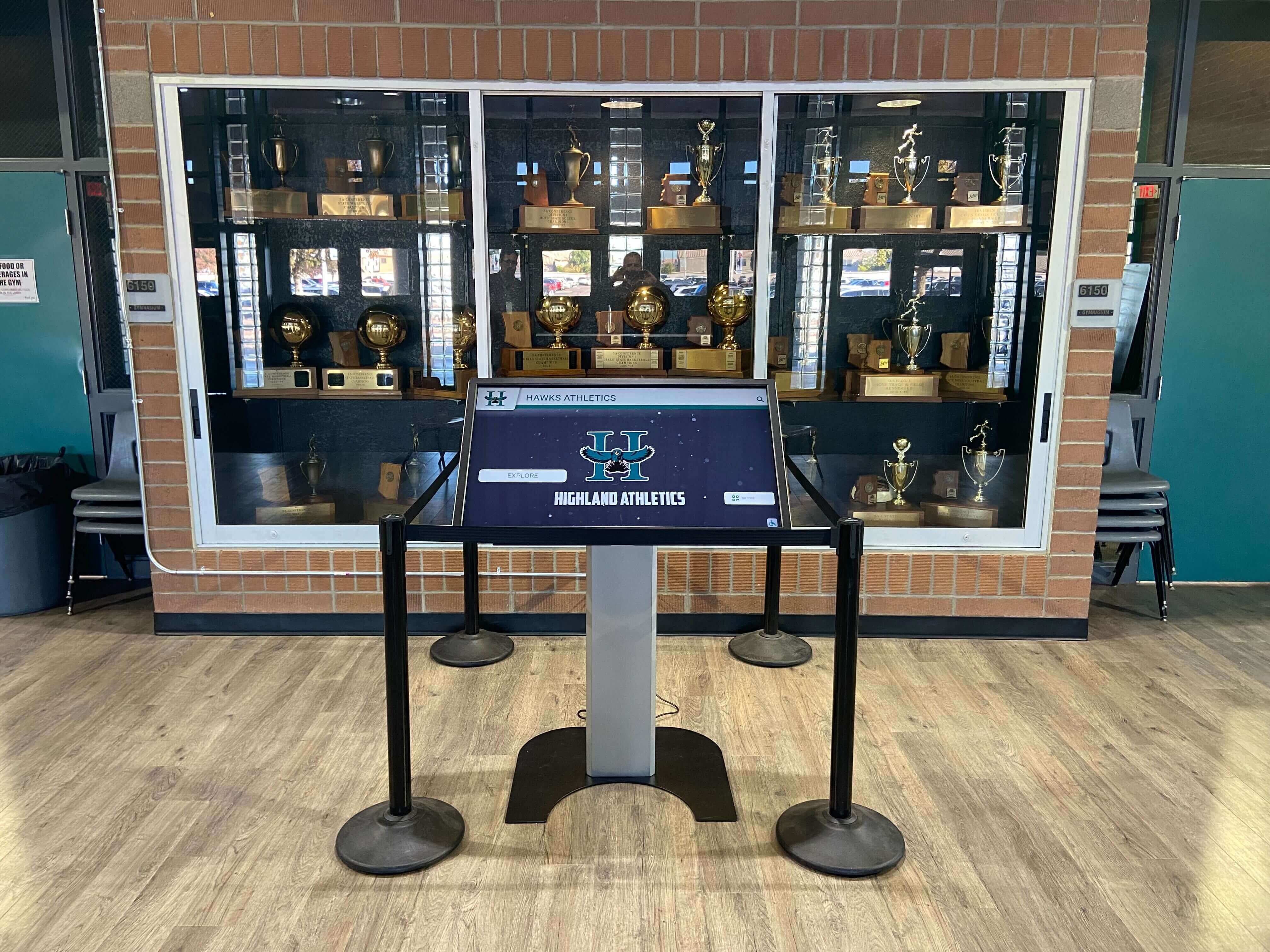
Small schools evaluating digital recognition systems frequently encounter the assumption that comprehensive platforms like Rocket Alumni Solutions represent “overkill”—too sophisticated, too feature-rich, and too expensive for institutions with modest budgets and straightforward needs. The concern seems reasonable: why invest in database-backed interactive touchscreen systems with analytics, donor tracking, and web accessibility when a simple Google Slides loop or basic digital signage appears sufficient?
This perspective misses a fundamental reality about technology investments in educational environments. The challenge small schools face isn’t excessive features—it’s sustainable maintenance, growth accommodation, and total cost of ownership over time. What appears as “overkill” today becomes the difference between a system that scales gracefully with your institution’s evolution and one requiring complete replacement when needs inevitably expand.
This guide examines why Rocket touchscreen platforms serve small schools exceptionally well, addressing common misconceptions about feature depth, exploring how structured systems reduce ongoing labor, demonstrating how seemingly simple projects expand predictably, comparing total costs honestly, and identifying the specific scenarios where simpler alternatives genuinely make sense.
The “Depth Means Required” Misconception
When evaluating recognition technology, many assume that comprehensive feature sets mandate immediate implementation of every capability—creating complexity inappropriate for institutions with straightforward requirements.
Optional Capabilities Versus Mandatory Complexity
Rocket can operate in remarkably simple configurations while retaining sophisticated capabilities for future use. A small school might initially implement only three components: photo galleries showcasing athletic teams, team rosters and schedules, and basic achievement recognition. The platform’s analytics, donor tracking, historical archives, and advanced search capabilities exist but remain inactive until needed.
This architectural approach contrasts sharply with platforms offering limited features requiring replacement when schools outgrow initial capabilities. The presence of database infrastructure, alumni engagement tools, and comprehensive content management doesn’t create operational burden when unused—it provides growth paths without system migration.

Small schools implement touchscreens with simple initial content while maintaining capacity for future expansion without technology replacement
Curated User Experience Design
Platform depth enables rather than prevents simplicity. Small schools can configure interfaces displaying exactly desired information—championship photos, current schedules, and team rosters—while advanced capabilities remain accessible only through administrative dashboards. Visitors see clean, focused presentations; administrators access comprehensive tools as needs arise.
This differs fundamentally from platforms with limited capabilities forcing interface simplicity through feature absence. Curated simplicity through intentional design provides better user experiences than simplicity through limitation—maintaining focus while preserving options.
Progressive Adoption Pathways
Schools implementing Rocket typically start with core recognition needs, expanding capabilities as comfort grows and opportunities emerge. First-year implementation might showcase current athletic teams and recent championships. Second year adds historical content as yearbook scanning projects progress. Third year incorporates academic recognition when staff bandwidth increases. Fourth year activates alumni engagement features during reunion campaigns.
This progression happens within single platforms without migration, retraining, or technology replacement. The “overkill” platform accommodates growth through configuration rather than requiring new systems as institutions evolve.
The Real Challenge: Maintenance, Not Features
Small schools face chronic resource constraints—limited staff wearing multiple roles, volunteer dependence for auxiliary functions, and budgets allocating technology investments carefully. In this environment, the critical question isn’t feature count but ongoing operational burden.
Manual Process Hidden Costs
Google Slides loops or basic digital signage appear attractively simple during evaluation, requiring minimal setup investment and familiar tools requiring no training. Reality emerges during operation when maintenance demands accumulate:
Updating slides requires finding source files, making edits, re-exporting presentations, uploading to display hardware, and verifying playback. Adding new content demands consistent formatting matching existing slides, appropriate image sizing, and file management preventing corruption. Fixing errors involves identifying mistakes, repeating entire update workflows, and ensuring corrections propagate to displays.
Most significantly, updates require specific individuals with file access and editing knowledge—creating single points of failure when those people transition out of roles. Small schools depending on volunteer coaches, parent helpers, or students face particular challenges as knowledge and access disappear with personnel changes.

Database-backed systems enable updates through web interfaces accessible to authorized staff from any location, eliminating file management complexity
Database-Backed Maintenance Advantages
Rocket’s database architecture transforms maintenance from manual file management to structured data entry. Adding new athletes involves filling form fields—name, sport, year, statistics, and uploading photos. Updates appear instantly across displays and web platforms without file exports, uploads, or playback verification.
This structure reduces update time from 30-60 minutes per change to 3-5 minutes while eliminating specialized knowledge requirements. Any authorized staff member can add content from any internet-connected device without accessing specific files, downloading software, or understanding presentation design. The platform handles formatting, sizing, and display automatically.
Error Correction and Content Management
Database systems enable immediate corrections visible instantly across all displays. Misspelled names, incorrect statistics, or outdated information get fixed in seconds through simple form edits. No hunting for source files, no re-exporting, no reuploading—just edit and save.
More significantly, structured data enables bulk operations impossible with manual approaches. Need to update team rosters across multiple sports? Import a spreadsheet. Want to feature specific athletes seasonally? Configure date-based rules. Require correcting recurring errors across content? Make single changes propagating universally.
This isn’t over-engineering for its own sake—it’s what makes maintenance sustainable when managing recognition content is one person’s tenth job responsibility rather than their primary role.
Reducing Ongoing Labor for Resource-Constrained Teams
Small schools can rarely justify dedicated technology staff. Recognition systems must function with athletic directors, communications volunteers, or office administrators managing content among numerous other responsibilities. In this environment, systems minimizing time investment through structural efficiency provide value far exceeding their cost premium over apparently simpler alternatives.
The platform that saves 15 minutes per update across 50 annual updates returns 12.5 hours annually—meaningful time for staff juggling multiple roles. Over five years, that’s 62 hours recovered for more productive work. The “overkill” investment becomes a labor-saving device justifying costs through efficiency rather than feature utilization.
Organizations implementing comprehensive school recognition systems find structured platforms reduce rather than increase operational burden despite greater technical sophistication. Learn more about school digital signage implementation approaches.
The Growth Reality: “Just a Few Photos” Never Stays Simple
Schools initiating recognition projects typically frame requirements modestly: showcase current championship teams, display historical records, celebrate this year’s seniors. These straightforward goals suggest simple technology solutions. Experience reveals different patterns.
Predictable Expansion Patterns
Initial scope creeps predictably as recognition programs gain visibility and acceptance:
Year One: Display photos of varsity championship teams plus current season schedules
Year Two: Add JV teams, senior night recognition, coach profiles, and historical championship photos discovered in yearbook archives
Year Three: Incorporate academic honors, arts recognition, notable alumni features, and donor acknowledgment for booster club supporters
Year Four: Expand to second display location, add staff recognition, integrate with school website, implement QR codes linking to expanded content
Year Five: Launch alumni engagement features, create historical timelines, implement sponsor rotation systems, add virtual tours for prospective students
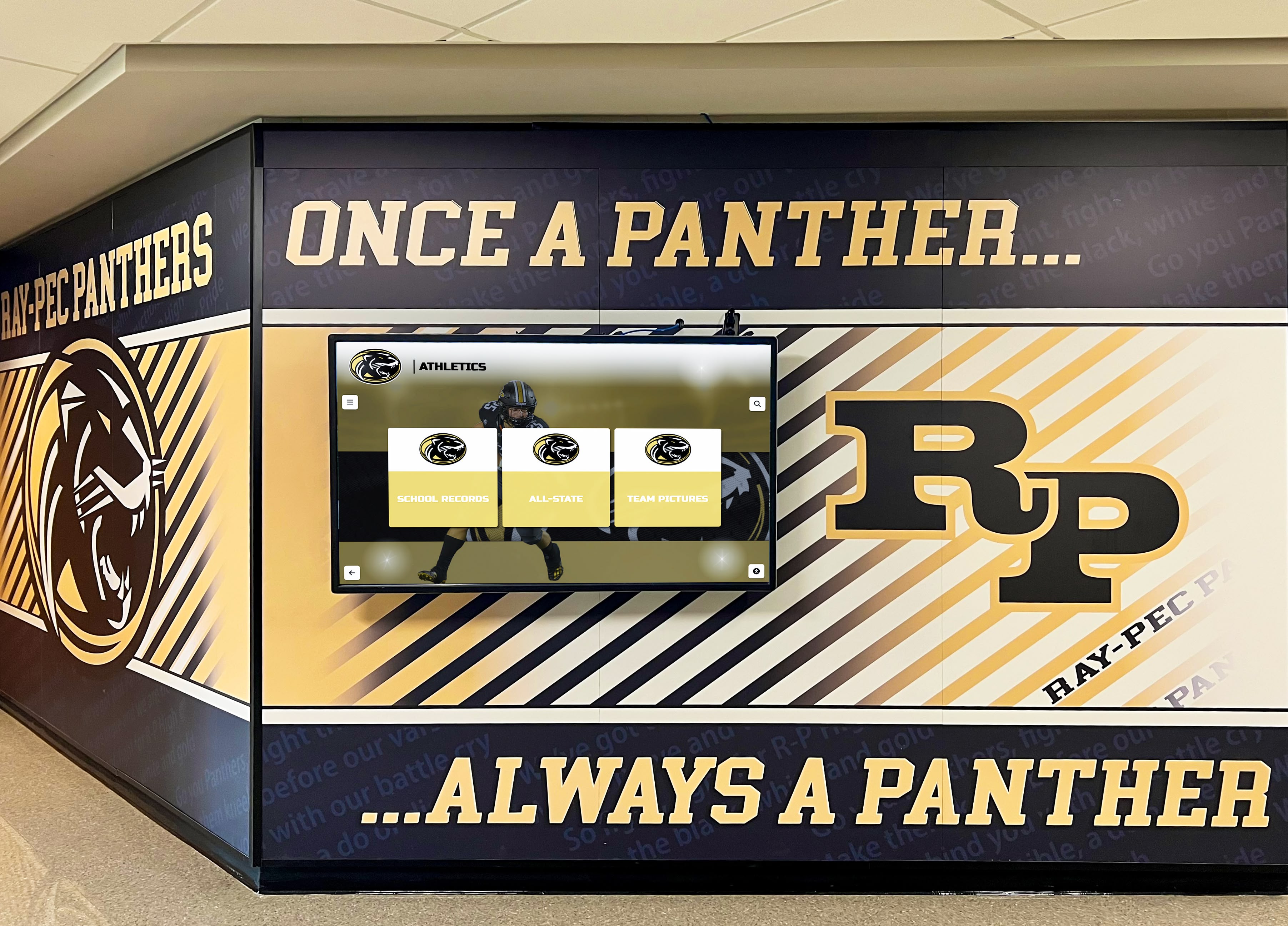
Recognition displays expand naturally from simple beginnings to comprehensive community engagement platforms as institutional comfort grows
This progression isn’t hypothetical—it represents typical evolution across hundreds of school implementations. What starts as “just showcasing current teams” becomes comprehensive institutional recognition platforms because communities value visibility and schools discover opportunities for connection, engagement, and pride building.
The Re-Platform Moment
Schools implementing limited solutions encounter painful transition points when growth outpaces platform capabilities. The Google Slides presentation that worked initially can’t accommodate searchable databases. The basic digital signage lacking interactivity frustrates visitors seeking specific information. The system designed for one display can’t expand to multiple locations without excessive complexity.
Re-platforming requires starting over: researching new systems, allocating budgets, migrating content, retraining staff, and managing stakeholder expectations during transitions. Most significantly, it wastes the initial investment in a system abandoned for something more capable—exactly what budget-conscious institutions aim to avoid.
Rocket prevents this moment by accommodating growth within existing architecture. The database supporting initial simple displays scales to thousands of profiles. The touchscreen interface designed for basic navigation handles sophisticated search and filtering. The single-display deployment expands to distributed networks without architectural changes. Schools grow capabilities without replacing foundations.
Common Expansion Triggers
Specific events consistently drive recognition program expansion:
Capital campaigns and fundraising initiatives create donor recognition requirements beyond initial athletic focus. Platforms capable of acknowledging financial support become valuable for development efforts.
Reunion planning and anniversary celebrations generate alumni engagement needs. Systems enabling “where are they now” features and historical exploration support advancement objectives.
New facility construction or renovation provides opportunities to expand from single displays to comprehensive recognition installations throughout buildings.
Successful athletic seasons or notable achievements create demand for expanded coverage across more sports, academic areas, and activities beyond initial athletic focus.
Leadership transitions bring fresh perspectives on community engagement, often expanding recognition scope to encompass broader institutional audiences.
Schools implementing platforms anticipating these expansions avoid replacement costs and disruption. The “overkill” system proves appropriately scaled for actual growth trajectories rather than overly optimistic initial requirements.
Honest Cost Comparisons: Apples to Apples Analysis
Budget constraints loom large for small schools evaluating technology investments. Comparisons highlighting “90% cheaper” alternatives appear compelling until examining complete picture accounting for all costs, capabilities, and long-term sustainability.
What “Cheaper” Solutions Actually Include
Google Slides loops or basic digital signage platforms offer low direct software costs:
- Free or low subscription costs ($10-30/monthly)
- Standard display hardware ($500-2,000 for consumer TVs)
- Basic mounting and installation ($200-500)
- No dedicated content management beyond file editing
Total initial investment might range from $1,000-3,000 for basic playback systems showing static content. This cost basis creates the “90% cheaper” comparison against comprehensive interactive platforms.
Hidden Costs and Missing Capabilities
Direct comparisons exclude significant differences:
Content development and migration involves organizing information, formatting consistent layouts, editing photos, and creating presentations—requiring 20-40 hours initially for even simple systems. At $25/hour for staff time, this represents $500-1,000 in hidden implementation costs.
Ongoing content management demands updating presentations, chasing coaches for photos, fixing errors, and managing file versions—consuming 2-4 hours monthly. Over five years, this represents 120-240 hours ($3,000-6,000 in labor cost) for systems supposedly “cheaper.”
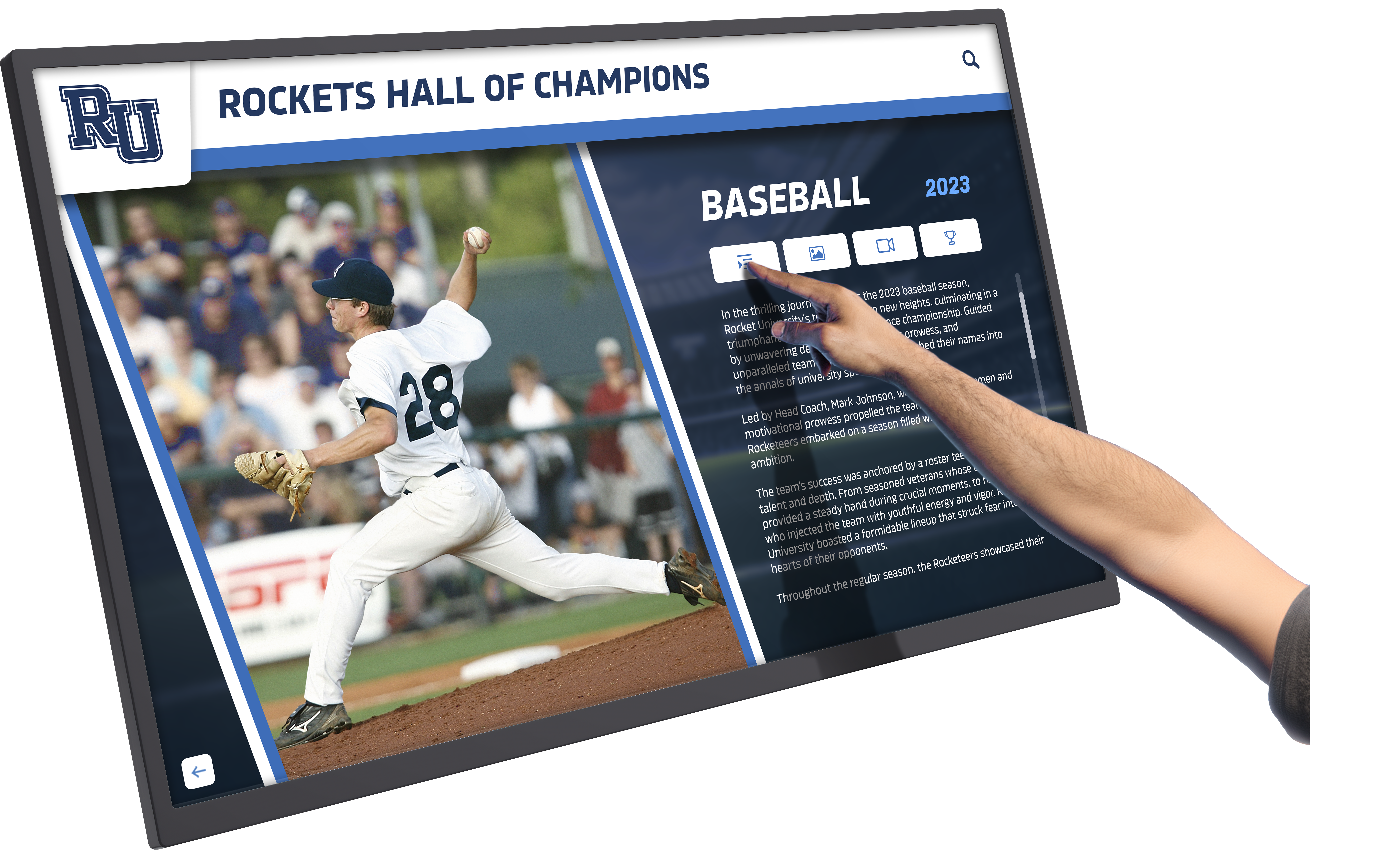
Interactive capabilities enable self-service exploration impossible with passive displays, reducing staff burden answering questions about achievements and history
Technical limitations prevent capabilities users expect: no searching for specific individuals, no interactive exploration, no web accessibility, no mobile optimization, no analytics showing engagement, and limited multimedia beyond static photos.
Scalability constraints mean adding displays, expanding content, or enhancing capabilities requires rebuilding rather than expanding. Growth triggers replacement rather than enhancement.
Support and reliability depend entirely on internal staff capability. No vendor support addresses technical issues, provides training, or assists with content challenges. Problem resolution falls completely on school resources.
Comparative Total Cost of Ownership
Comprehensive platforms like Rocket include:
Complete implementation support: professional content migration, template configuration, staff training, hardware specification, installation guidance, and ongoing technical support
Structured content management: intuitive web interfaces, drag-and-drop media uploads, automated formatting, bulk operations, role-based permissions, and approval workflows reducing ongoing labor
Interactive capabilities: touchscreen navigation, searchable databases, filtering and browsing, multimedia integration, timeline visualizations, and engagement analytics
Web platform accessibility: mobile-optimized websites extending recognition beyond physical displays, social sharing capabilities, and QR code integration
Future expansion capacity: adding displays, categories, users, and features without platform replacement or architectural changes
Ongoing platform evolution: regular feature updates, security patches, performance improvements, and capability additions without additional investment
Initial investments typically range from $8,000-15,000 for comprehensive systems with $1,000-3,000 annual platform fees. While higher upfront, total five-year costs accounting for staff time, expansion capability, and included support often equal or beat “cheaper” alternatives while delivering dramatically superior functionality and user experience.
Schools tracking complete costs find that comprehensive platforms achieve parity with basic signage within 5-7 years while providing vastly better capabilities throughout ownership periods. The apparent cost premium represents investment in reduced labor, greater capability, and eliminated replacement costs—not excessive spending for unused features.
Small Schools, Big Visibility: Donor Perception and Community Prestige
Small school budgets demand careful resource allocation, yet recognition displays typically occupy prime real estate: main entrance lobbies, gymnasium entries, or high-traffic hallways where families, visitors, alumni, and donors form impressions about institutional quality and community investment.
First Impression Impact
Recognition displays communicate messages beyond their content. Professional, modern, interactive systems suggest:
Institutional investment in excellence: Organizations that present recognition thoughtfully demonstrate broader commitment to quality and community connection
Forward-thinking leadership: Modern technology implementation signals progressive thinking and adaptation to contemporary expectations
Community value and pride: Investment in celebrating achievements demonstrates genuine appreciation for student, staff, and community contributions
Donor confidence: Professional recognition displays reassure potential donors that their contributions will be acknowledged appropriately and maintained long-term
Conversely, outdated, cluttered, or poorly maintained recognition sends opposite signals regardless of institution’s actual quality or community strength.
Recruiting and Development Context
Recognition displays rarely exist in isolation—they function within broader contexts:
Athletic recruiting visits bring prospective students and families through facilities where recognition displays showcase program history, achievements, and values. Professional, comprehensive displays contribute to positive impressions influencing athlete decisions.
Development cultivation events host potential donors in facilities where recognition displays demonstrate appreciation for past support, suggest recognition opportunities for contributions, and communicate institutional values around acknowledgment and memory preservation.
Admissions tours guide prospective families through campuses where recognition displays convey school pride, achievement culture, and community engagement—intangible factors influencing enrollment decisions.
Alumni reunion gatherings reconnect graduates with institutional heritage where recognition displays enable discovery of personal and peer achievements, strengthening emotional connections supporting ongoing alumni engagement and giving.
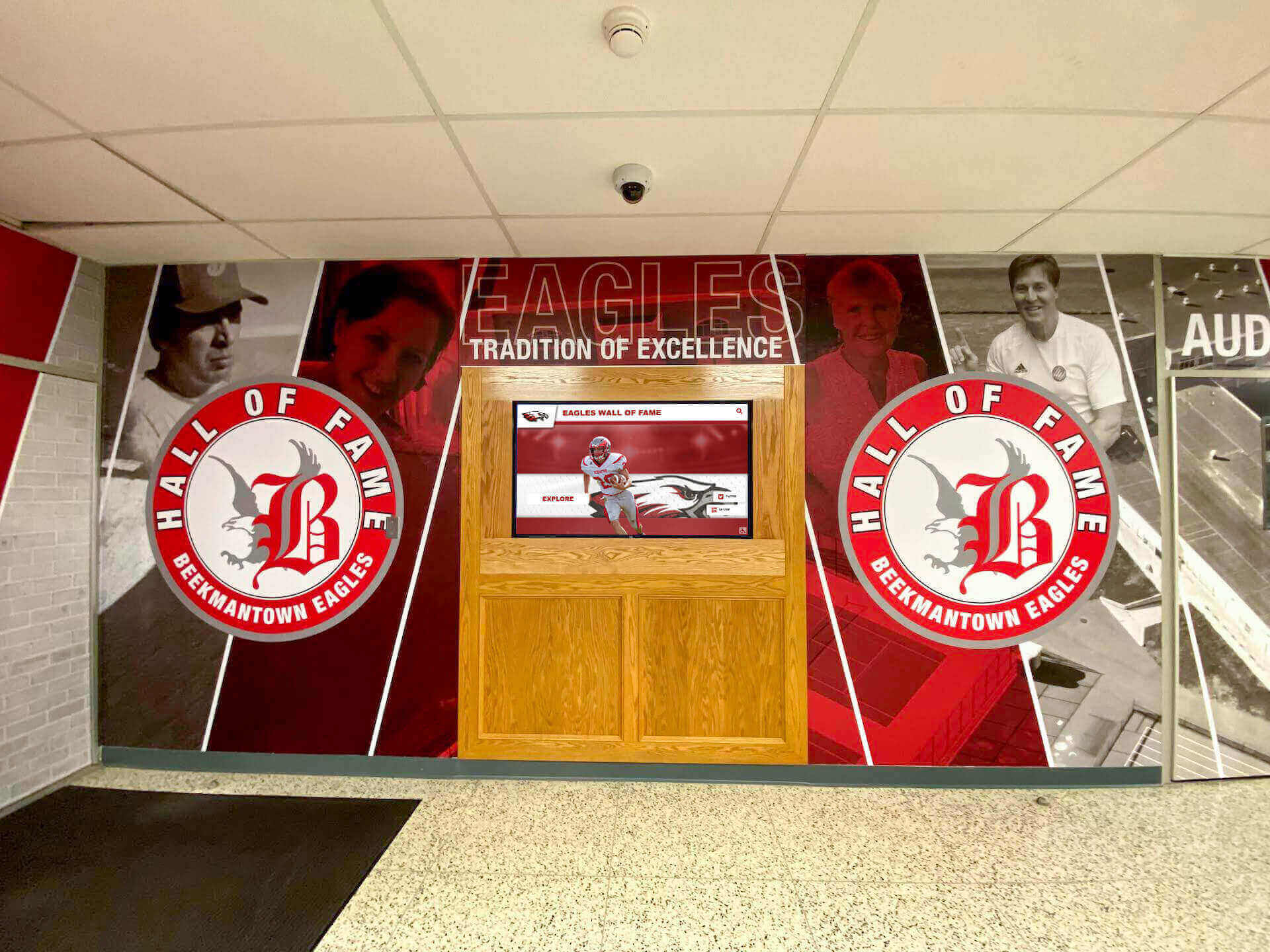
Strategic lobby installations create powerful first impressions for visitors, recruits, and donors while celebrating institutional heritage daily for students and staff
In these contexts, recognition displays become strategic assets rather than operational expenses. The ROI extends beyond display functionality to encompass influence on recruiting success, donor cultivation effectiveness, and brand perception—areas where professional quality creates material value.
Small Schools, High Standards
Budget constraints don’t eliminate competitive pressures. Small schools compete for students, athletes, donors, and staff attention against institutions with greater resources. Strategic technology investments enabling professional presentation become competitive differentiators rather than luxuries.
Rocket platforms serve this context well by providing enterprise-grade capabilities and professional polish at price points accessible to small schools. The “overkill” features ensure recognition displays meet contemporary expectations for digital experiences—expectations shaped by consumer technology making sophisticated interfaces universal rather than exclusive.
Organizations implementing donor recognition systems find that presentation quality significantly influences giving decisions. Explore donor recognition wall ideas that honor supporters effectively.
Non-Touch Deployment: Value Beyond Touchscreen Interaction
The “Rocket” name emphasizes touchscreen capabilities, leading some schools to conclude platforms only provide value in interactive contexts. This misses substantial capability applicable to non-touch display scenarios.
Passive Display Mode Benefits
Rocket operates effectively in read-only configurations showing rotating content without touch interaction:
Centralized content management: update all displays from web dashboards rather than managing local files on each screen
Consistent branding and design: maintain visual coherence across multiple displays using shared templates and styling
Scheduled content rotation: feature specific achievements seasonally or rotate through content categories automatically
Professional layouts: leverage designed templates providing polish beyond manual slide creation
Easy updates: make changes instantly visible across all displays without file transfers or device access
Analytics visibility: understand which content displays most frequently and during which periods despite non-interactive use
Future flexibility: activate touchscreen capabilities later when displays get upgraded or audience interaction becomes priority
Small schools might initially implement passive displays while budgets only support non-touch screens, activating interactive capabilities when funding allows hardware upgrades—maintaining platform continuity throughout evolution.
The Database Advantage Regardless of Input Method
Whether visitors touch screens or passively view rotating content, database-backed architecture provides value:
Structured content storage: maintain information in organized formats enabling reuse across contexts (displays, websites, printed programs)
Search and filtering for administrative use: quickly find specific content even when visitor-facing displays don’t expose search interfaces
Bulk updates and operations: make widespread changes efficiently rather than editing dozens of individual slides
Content relationships: link related achievements, teams, and individuals creating comprehensive institutional memory
Historical preservation: accumulate institutional knowledge in searchable, preservable formats rather than scattered files
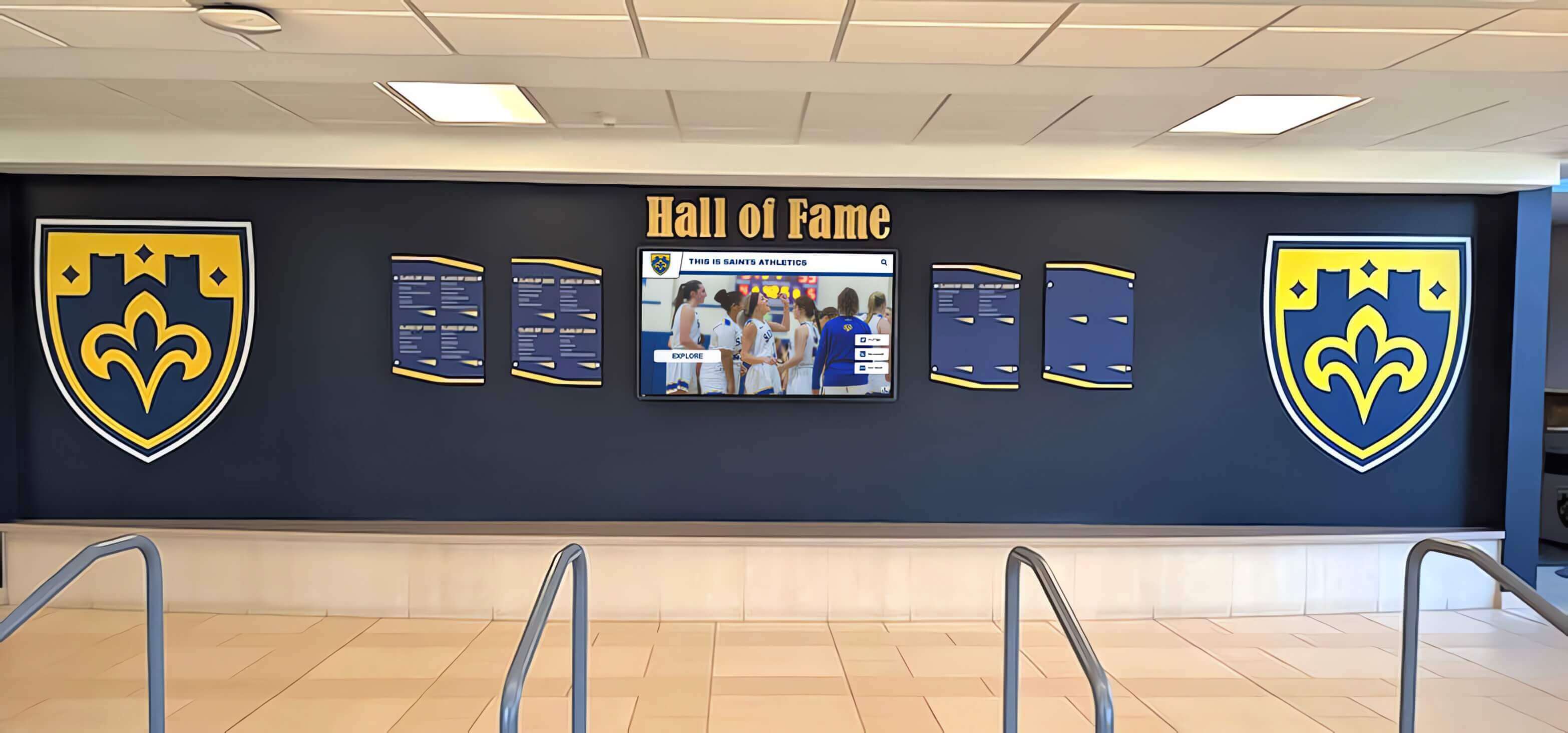
Recognition displays provide value in both passive rotation and interactive exploration modes, with platforms supporting configuration flexibility as needs evolve
Rocket’s value extends beyond enabling touch interaction—it provides content infrastructure supporting sustainable management regardless of display modality. Schools benefit from platform capabilities whether implementing fully interactive kiosks or curated rotating presentations.
When Simpler Alternatives Actually Make Sense
Honest assessment acknowledges scenarios where comprehensive platforms may not represent optimal choices. Understanding these situations prevents inappropriate recommendations and helps schools make genuinely best decisions for their specific contexts.
Appropriate Simpler Solution Scenarios
Single Display, No Expansion Planned
Schools confident that recognition needs won’t exceed single display showing fixed content might reasonably choose simpler approaches. If institutional size, achievement volume, and strategic vision genuinely support static, limited-scope recognition, lower-investment alternatives make sense.
Single Person Owns Updates Forever
If one individual enjoys manual content creation, possesses consistent long-term availability, and prefers file-based workflows to web interfaces, simpler tools might match their preferences better than structured platforms. Personal preference and comfort matter in tool selection.
No Search or Structured Access Needed
When content volume remains so limited that visitors never need finding specific information—when passive viewing of rotating highlights suffices completely—interactive search capabilities provide minimal value justifying simpler display approaches.
Display Serves Purely Informational Role
If recognition displays function purely as information boards without strategic importance for recruiting, donor cultivation, or community engagement—if they’re truly “nice to have” rather than strategic assets—investment in professional systems may exceed warranted levels.
Budget Is Literally The Only Decision Variable
When budget constraints absolutely prevent considering anything beyond minimal-cost solutions, and no alternative funding sources exist, sometimes accepting functional limitations becomes necessary. Not every school can allocate resources to recognition technology regardless of long-term value propositions.
The Honest Questions for Schools
Rather than assuming comprehensive platforms represent overkill, schools should ask:
- Will our recognition scope likely expand beyond current vision as success builds?
- Do multiple people need content update capabilities, and will those people change over time?
- Does our display occupy strategic locations influencing recruiting, development, or admissions?
- Would interactive search and exploration enhance visitor experience and engagement?
- Can we access alternative funding through booster clubs, sponsorships, or capital campaigns?
- Do we have technical staff available for ongoing platform maintenance if choosing DIY approaches?
- What does five-year total cost look like including staff time, not just licensing fees?
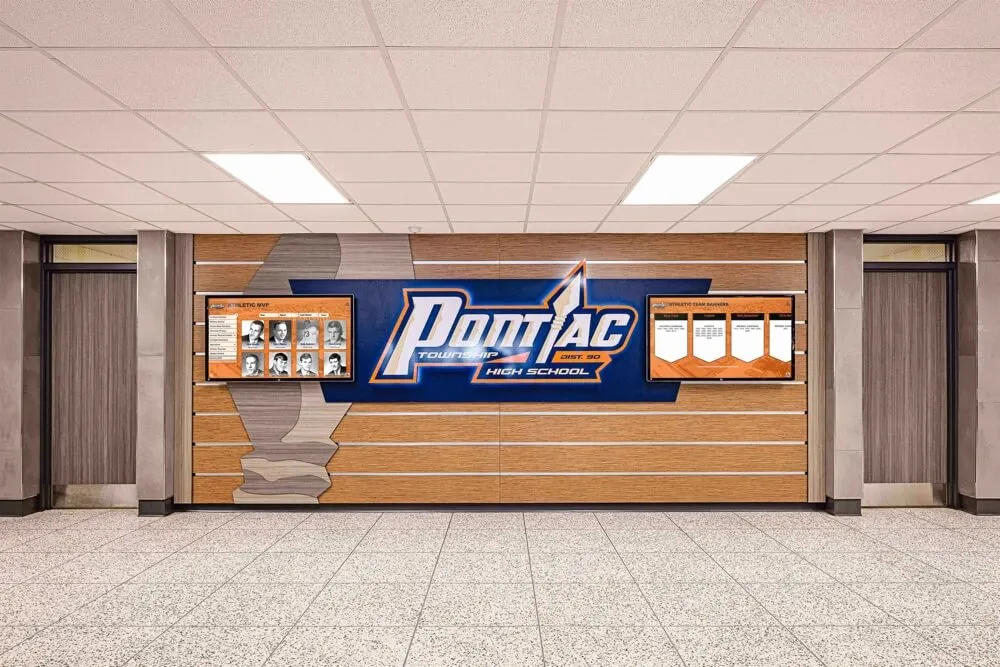
Schools should evaluate recognition technology based on complete contexts including growth trajectory, staff resources, and strategic importance rather than initial scope alone
Honest answers to these questions guide appropriate technology selection. If answers consistently suggest limited needs, stable scope, available alternatives, and genuine budget constraints, simpler solutions might legitimately serve best.
But if answers reveal growth likelihood, staff limitations, strategic importance, or interest in engagement, comprehensive platforms that initially appear excessive often prove appropriately scaled for actual rather than optimistically minimal requirements.
The Counterargument Summary: Why “Overkill” Claims Weaken Quickly
The “overkill for small schools” argument rests on several assumptions that rarely withstand scrutiny when examined carefully:
Assumption: Feature depth means complexity
Reality: Rocket can deliver lightweight experiences with rich capabilities kept optional. The platform curates to show exactly what schools want while keeping additional tools accessible administratively.
Assumption: Small schools need simple systems
Reality: Small schools need sustainable systems. Manual file management appears simple initially but creates ongoing maintenance burdens. Database structure reduces labor despite greater technical sophistication.
Assumption: Initial scope defines final requirements
Reality: Recognition programs expand predictably as communities embrace visibility. Platforms accommodating growth without replacement prevent expensive re-platforming moments.
Assumption: Cheaper solutions cost less
Reality: Total cost of ownership including staff time, future expansion, and replacement often favors comprehensive platforms over five-to-seven-year periods despite higher initial investment.
Assumption: Small schools don’t benefit from professional presentation
Reality: Recognition displays in strategic locations influence recruiting, donor cultivation, and community perception. Professional quality creates material value beyond operational functionality.
Assumption: Value requires touch interaction
Reality: Database-backed content management, centralized updates, and structured organization provide value regardless of display modality or input method.
When these assumptions fail, the “overkill” claim collapses. What remains is recognition that comprehensive platforms reduce maintenance, prevent future rebuilds, and provide scalable paths from simple displays to comprehensive engagement without switching systems—exactly what resource-constrained small schools need most.
Learn about complete approaches in building school pride through recognition that touchscreen platforms enable.
Practical Implementation for Small Schools: Starting Simple, Growing Sustainably
Small schools can implement comprehensive platforms without overwhelming complexity by following staged approaches prioritizing essential capabilities initially while building capacity for future expansion.
Phase One: Foundation and Core Recognition (Months 1-3)
Focus initial implementation on highest-priority recognition needs with minimal complexity:
- Athletic team galleries: current season team photos with basic rosters
- Recent championship recognition: past 2-3 years of notable achievements
- Simple navigation: straightforward browsing by sport and year
- Basic training: one primary content manager with administrator access
Keep advanced features inactive initially while establishing comfort with core platform operation. Staff learn essential updating workflows without addressing every possible capability simultaneously.
Phase Two: Historical Content and Expanded Coverage (Months 4-12)
After establishing operational rhythm with basic content, expand scope gradually:
- Historical championship additions: scanning yearbooks and adding legacy achievements
- Additional sports coverage: expanding beyond major sports to comprehensive athletic recognition
- Coach profiles: adding biographical information and career highlights
- Multiple content contributors: training additional staff on content management
This phase leverages growing comfort with platform while expanding recognition scope responding to community interest and staff capacity growth.
Phase Three: Advanced Features and Engagement (Year 2)
With foundation solid and staff confidence high, activate sophisticated capabilities:
- Alumni engagement features: enabling social sharing and mobile web access
- Academic recognition: expanding beyond athletics to honor scholars and academic achievements
- Donor acknowledgment: integrating booster club and fundraising recognition
- Analytics utilization: reviewing engagement data to optimize content and navigation
- Second display consideration: evaluating additional installation locations based on success
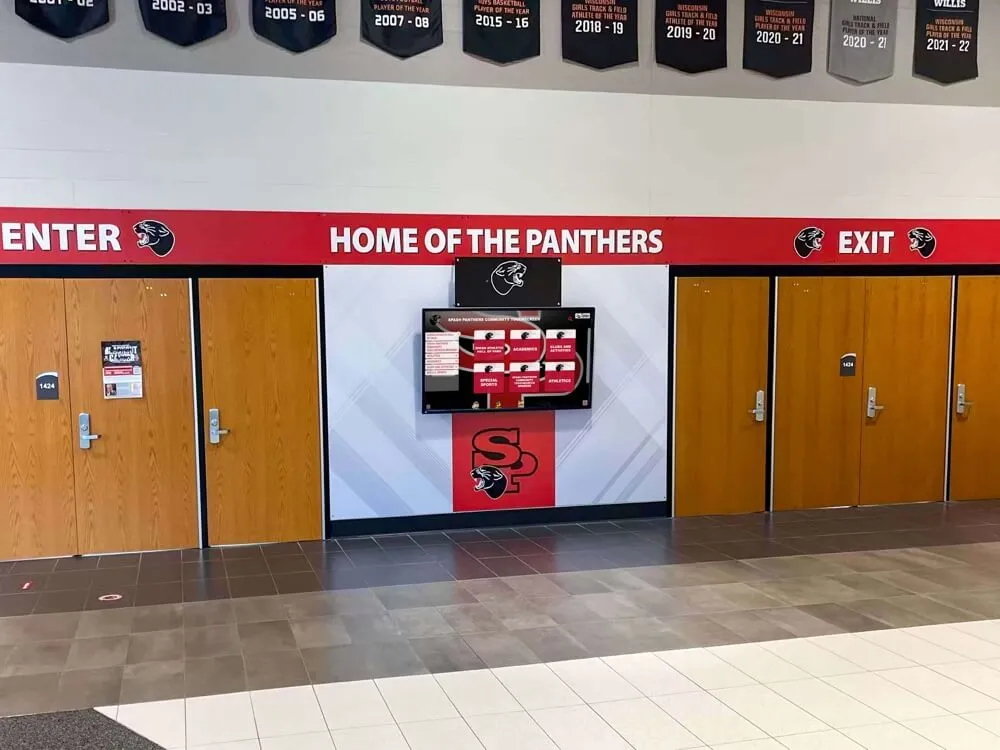
Staged implementation allows small schools to build capability progressively while maintaining manageable complexity and achievable goals at each phase
Budget-Friendly Funding Strategies
Small schools can offset initial investments through diverse funding sources beyond general operating budgets:
Booster Club Initiatives: Athletic boosters often fund recognition projects celebrating athletes and preserving program history. Frame comprehensive platforms as permanent tributes honoring decades of athletic excellence.
Reunion and Anniversary Campaigns: Alumni reunions and milestone celebrations provide natural opportunities for recognition project funding. Alumni respond positively to ensuring their achievements receive modern preservation.
Local Business Sponsorships: Digital displays offer valuable sponsorship visibility through logo placement or profile sponsorships. Local businesses support community schools and appreciate recognition.
Capital Campaign Integration: Facility renovations or capital campaigns often include recognition components. Digital displays integrate naturally with athletic facility improvements or building renovations.
Grant Opportunities: Some educational technology grants support interactive display implementations. While rarely covering complete costs, grants can offset portions of investments.
These diverse sources make comprehensive platforms financially accessible to schools unable to fund complete investments from general budgets alone.
Organizations implementing recognition technology should explore comprehensive implementation approaches. Learn about digital hall of fame buying guides for educational institutions.
Real-World Context: Why Small Schools Choose Comprehensive Platforms
Beyond theoretical arguments about maintenance reduction and growth accommodation, small schools consistently select Rocket and similar comprehensive platforms based on practical operational realities:
Staff Turnover and Knowledge Continuity
Small schools experience frequent transitions: athletic directors change positions, volunteer coordinators rotate, office administrators retire, and parent helpers transition as children graduate. Systems dependent on specific individuals’ knowledge and file access break down repeatedly as people leave roles.
Comprehensive platforms with web-based administration, documentation, and support maintain continuity through transitions. New staff members access systems through standard web interfaces without inheriting complex file management workflows, undocumented processes, or specialized software knowledge requirements.
Multiple Stakeholder Access Needs
Recognition content comes from diverse sources: coaches provide team information, office staff manage general updates, athletic directors oversee strategic content, and advancement teams coordinate donor recognition. Manual file-based systems struggle supporting distributed contribution without version control problems and file access confusion.
Database platforms with role-based permissions enable appropriate access for each contributor without file sharing complexity, version conflicts, or access coordination challenges. Multiple people contribute independently while platform maintains consistency and integrity.
Growth Accommodation Without Drama
Recognition programs rarely shrink—they expand as communities discover value and opportunities multiply. Schools implementing limited platforms face regular tension between capability constraints and stakeholder desires for expanded recognition.
Comprehensive platforms eliminate this friction by accommodating expansion through configuration rather than replacement. Want to add academic recognition? Configure new category. Need second display? Deploy additional hardware pointing to existing content. Desire web accessibility? Activate included web platform. Growth happens smoothly rather than triggering disruptive technology replacements and budget negotiations.
Professional Quality Without Professional Budgets
Small schools compete for students, athletes, and community support against better-funded institutions with dedicated communications teams and substantial technology budgets. Technology platforms enabling professional-quality output without professional-staff requirements become equalizers.
Rocket’s templates, automated formatting, and designed interfaces enable small-school staff to create recognition displays meeting contemporary professional standards without graphic design expertise, technical skills, or expensive consultants. The platform provides professionalism otherwise requiring resources small schools lack.
Peace of Mind Through Support
Perhaps most significantly, small schools choosing comprehensive platforms value included support reducing risk and uncertainty. Technical problems get resolved through vendor support rather than depending entirely on limited internal IT resources. Content management questions receive answers from experienced platform specialists rather than requiring staff to figure out solutions independently. Implementation guidance provides proven approaches rather than forcing schools to invent processes.
This support accessibility matters enormously for institutions lacking technical depth and confidence. The “overkill” platform includes peace of mind impossible with DIY alternatives requiring complete self-sufficiency.
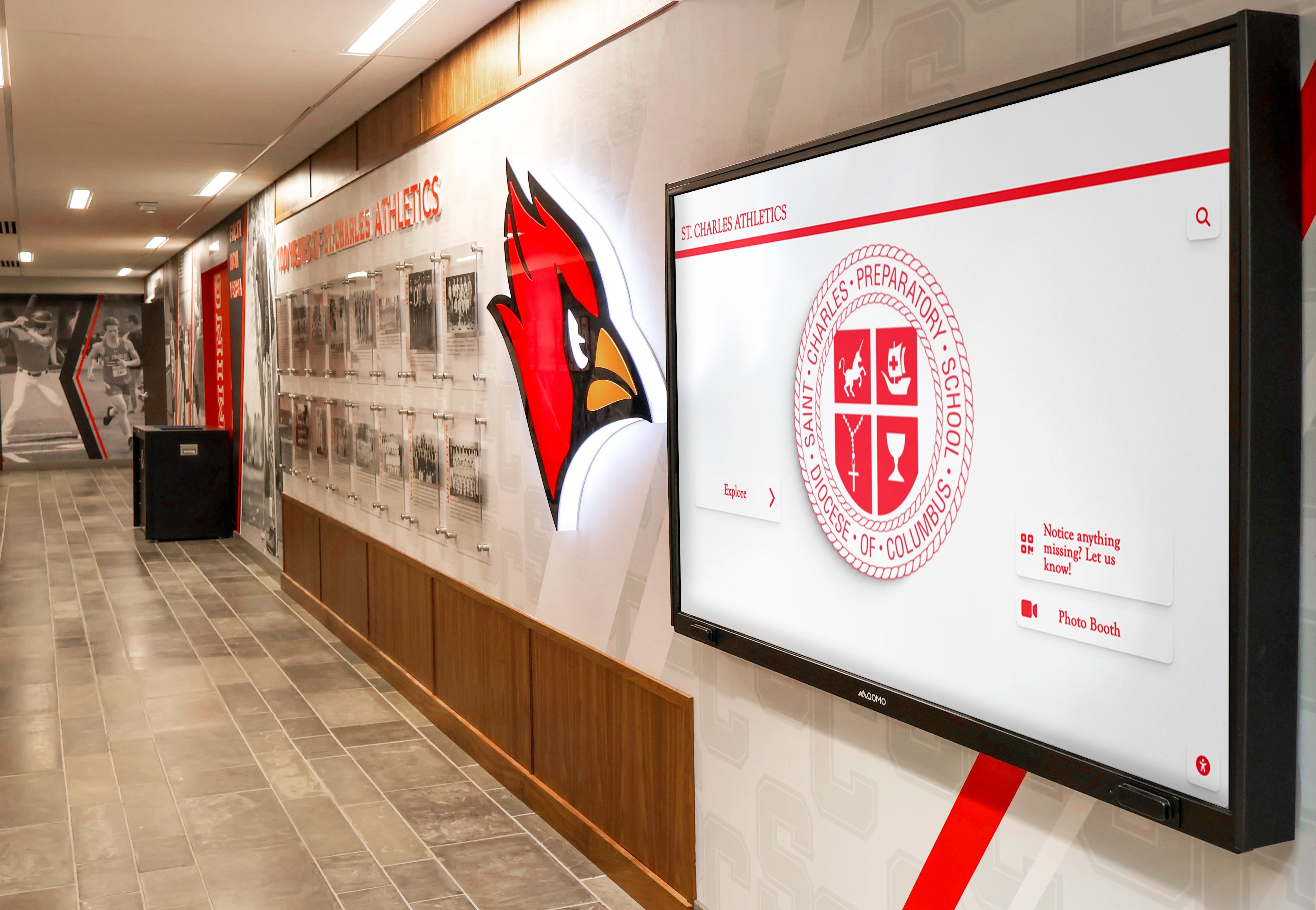
Small schools select comprehensive platforms not for feature lists but for operational sustainability, growth accommodation, and professional quality within constrained resources
Schools implementing athletic recognition programs can explore complete frameworks. Learn about athletic hall of fame guides for administrators.
Making the Right Decision for Your School
Selecting recognition technology requires honest assessment of institutional context, resources, and vision rather than assumptions about appropriate capability levels based solely on school size.
Evaluation Framework Questions
Scope and Growth
- What recognition needs exist today versus likely in 3-5 years?
- How has institutional recognition evolved historically?
- What expansion triggers might occur (campaigns, renovations, anniversaries)?
- Do stakeholders express desires for capabilities beyond current vision?
Resources and Capabilities
- Who will manage recognition content, and how stable is that assignment?
- What technical expertise exists internally for troubleshooting?
- How much staff time can realistically be allocated to recognition maintenance?
- What happens when key people transition out of current roles?
Strategic Importance
- Where will recognition displays be located and who will see them?
- Do displays influence recruiting, development, admissions, or community perception?
- How important is recognition to school culture and pride?
- What messages does recognition quality communicate about institutional values?
Budget Reality
- What is complete available budget including alternative funding sources?
- What does five-year total cost look like including staff time?
- Can initial investment be phased or supplemented through fundraising?
- What costs result from potential system replacement if outgrowing simple solutions?
Alternative Evaluation
- Do simpler alternatives actually provide needed capabilities?
- What manual workflows and maintenance burdens come with cheaper options?
- What growth limitations exist with basic platforms?
- What replacement timing and costs should be anticipated?
Honest answers guide appropriate technology selection. If answers reveal minimal needs, stable requirements, capable staff, and genuine constraints, simpler solutions might serve well. But if answers suggest growth likelihood, resource limitations, strategic importance, or expansion possibilities, comprehensive platforms often prove appropriately rather than excessively scaled.
The False Economy of Under-Investment
The most expensive technology decision is implementing inadequate systems requiring replacement when predictable growth outpaces capability. Starting over wastes initial investments, disrupts operations, requires retraining, and often costs more in total than implementing appropriate platforms initially.
For small schools, the “overkill” platform that accommodates growth, reduces maintenance, and prevents replacement often represents the most fiscally responsible choice despite higher upfront costs—because it eliminates the replacement moment that simpler alternatives make inevitable.
Conclusion: Rethinking “Overkill” Through Operational Reality
The “overkill for small schools” perspective reveals more about evaluation methodology than technology appropriateness. When assessments focus exclusively on feature counts and initial scope while ignoring maintenance sustainability, growth accommodation, total cost of ownership, and operational continuity, comprehensive platforms appear excessive relative to limited current requirements.
But small schools don’t operate in theoretical environments defined by optimistic initial scopes and unchanging needs. They function in dynamic contexts where staff transitions create knowledge loss, where recognition programs expand as communities embrace visibility, where strategic importance demands professional quality, and where limited resources make sustainable low-maintenance systems essential rather than optional.
In these real-world operational contexts, Rocket touchscreen platforms serve small schools exceptionally well not because they provide unnecessary features but because their architecture addresses actual operational challenges that “simpler” alternatives ignore. Database-backed systems reduce ongoing labor despite apparent complexity. Growth accommodation prevents expensive re-platforming moments. Professional templates enable quality output without expertise. Comprehensive support provides confidence for resource-constrained teams.
The platform isn’t overkill—it’s appropriately engineered for sustainable operation in environments where recognition maintenance is one person’s tenth responsibility, where growth happens gradually but inevitably, where professional presentation influences institutional perception, and where replacement avoidance matters more than minimizing initial investment.
Small schools evaluating recognition technology should assess platforms based on operational sustainability, growth accommodation, total cost over ownership periods, and capability alignment with actual rather than optimistically minimal requirements. When examined through these lenses, comprehensive platforms that initially appear excessive often prove not just appropriate but optimal for small school contexts demanding sustainable solutions supporting long-term success.
The counterargument in one sentence: Rocket isn’t overkill for small schools because database depth and platform sophistication reduce maintenance, prevent future rebuilds, and provide scalable paths from simple displays to comprehensive community engagement without switching systems—exactly what resource-constrained institutions managing recognition as one among many competing priorities need most.
Ready to explore how comprehensive recognition platforms serve small school contexts effectively while remaining operationally manageable and financially accessible? Learn more about digital recognition solutions designed specifically for educational institutions of all sizes.































