




Modern law firms face a critical challenge: creating professional first impressions while efficiently managing client flow in busy reception areas. As offices in the United States have seen a 147% increase in guest visits since January 2023, traditional paper sign-in sheets and static lobby signage no longer meet the demands of contemporary legal practice. Interactive touchscreen displays have emerged as transformative solutions—combining visitor management, wayfinding, firm information showcase, and brand reinforcement in elegant, self-service platforms that elevate client experience while reducing administrative burden.
When law firms implement interactive touchscreen technology in their reception areas, they communicate professionalism, embrace innovation, and demonstrate commitment to client service from the moment visitors enter. These systems serve multiple essential functions: streamlining check-in procedures, providing intuitive navigation through complex office layouts, showcasing attorney expertise and practice areas, communicating firm achievements and values, and creating memorable experiences that distinguish firms from competitors.
This comprehensive guide explores how law firms leverage interactive touchscreen displays to transform lobby experiences, examining the technologies, implementation strategies, and best practices that create measurable improvements in client satisfaction, operational efficiency, and professional image.
The legal industry’s adoption of lobby touchscreen technology reflects broader workplace evolution toward self-service digital experiences. As clients increasingly expect seamless technology integration in all professional interactions—from mobile banking to telemedicine—law firms that maintain outdated reception processes risk appearing behind the times to prospective clients who value innovation and efficiency. Research shows that 46% of people who saw digital signage reported a positive impact on their perception of the business’s professionalism—a critical factor in legal services where trust and credibility drive client retention and referrals.

Interactive touchscreen displays create intuitive self-service experiences that allow law firm visitors to access information, navigate facilities, and check in independently
The Business Case for Law Firm Interactive Displays
Understanding why interactive touchscreen technology matters helps legal practices justify investment and design effective implementations aligned with strategic goals.
Client Experience Enhancement
Modern legal clients expect professional environments that reflect contemporary business standards. Interactive displays fundamentally improve visitor experience through several mechanisms:
Reduced Perceived Wait Times Legal clients often experience anxiety during office visits, particularly for initial consultations or case discussions. Digital signage helps reduce the perception of wait times by displaying relevant information, legal news, or even carefully curated content while clients wait. This psychological benefit reduces frustration and creates more positive associations with the firm experience.
Self-Service Empowerment Interactive kiosks allow clients to check themselves in, update contact information, confirm appointments, and access basic information without requiring immediate staff attention. This autonomy particularly appeals to clients who value efficiency and independence, while simultaneously reducing reception desk bottlenecks during busy periods.
Professional First Impressions Law offices represent significant investments in professional image—from reception furniture to artwork selection. Interactive touchscreens complete this professional presentation with technology that signals innovation, attention to detail, and client-centered service philosophy. First impressions formed in these critical initial moments influence client confidence throughout the attorney-client relationship.
Operational Efficiency Improvements
Beyond client-facing benefits, interactive displays create substantial operational advantages:
Reception Staff Optimization Self-service kiosks allow reception teams to focus on complex inquiries, urgent matters, and personalized client service rather than routine check-in procedures. During peak periods when multiple clients arrive simultaneously, this capacity redistribution prevents bottlenecks and maintains service quality.
Automated Notifications Modern visitor management systems automatically notify attorneys and staff when clients arrive, eliminating manual phone calls or messenger trips to offices. This automation ensures prompt client greeting while documentation proceeds, reducing perceived wait times and improving punctuality for scheduled appointments.

Dedicated touchscreen kiosks provide comprehensive self-service capabilities in professional reception areas
Data Collection and Analytics Digital systems automatically capture visitor data—arrival times, wait durations, peak traffic periods, and client flow patterns. This information enables data-driven decisions about staffing levels, appointment scheduling, and reception area design, continuously improving operational efficiency based on actual usage patterns rather than assumptions.
Similar to how educational institutions implement college residence hall informational displays, law firms benefit from centralized information systems that reduce repetitive inquiries and empower visitors with self-service access.
Security and Compliance Benefits
Legal practices handle sensitive client information requiring robust security protocols:
Visitor Tracking and Accountability Visitor management kiosks significantly enhance security by automating the check-in process, ensuring that all visitors are logged into the system, creating an accurate record of who enters the premises. This electronic documentation provides audit trails and security monitoring impossible with traditional paper sign-in sheets.
Confidentiality Protection Digital check-in systems can accommodate privacy requirements, allowing discrete visitor processing without announcing client names aloud or leaving sensitive information visible on sign-in sheets. This confidentiality protection proves particularly important for legal practices handling sensitive matters where client anonymity matters.
Compliance Documentation For practices in specialized areas such as immigration, family law, or government contracting where strict compliance requirements exist, visitor management kiosks offer reliable automated compliance, with the ability to store data securely and provide audit trails simplifying the compliance process.
Learn about security considerations in professional environments through interactive touchscreen software guides that address access control and data protection.
Core Interactive Display Features for Law Firms
Effective law firm touchscreen systems incorporate multiple functional components addressing diverse visitor and operational needs.
Visitor Management and Check-In
The foundation of legal lobby technology centers on streamlined visitor processing:
Self-Service Check-In Interface Intuitive touchscreen interfaces guide visitors through check-in procedures:
- Welcome screens with firm branding and personalized greetings
- Appointment verification using confirmation numbers or client names
- Contact information review and update capabilities
- Digital signature capture for visitor agreements and liability waivers
- Badge printing for visitor identification throughout facilities
- Automatic notification to attorneys and staff upon client arrival
Appointment Scheduling Integration Corporate firms can offer appointment rescheduling via interactive lobby kiosks, empowering clients with self-service options and improving efficiency for both the firm and its visitors. This capability proves particularly valuable for firms with high-volume practice areas where scheduling flexibility matters.
Pre-Registration Capabilities Advanced systems enable clients to begin check-in remotely before arriving, entering required information via secure web portals or mobile apps. Upon arrival, clients simply confirm their pre-registration at the kiosk, dramatically reducing wait times during busy periods.
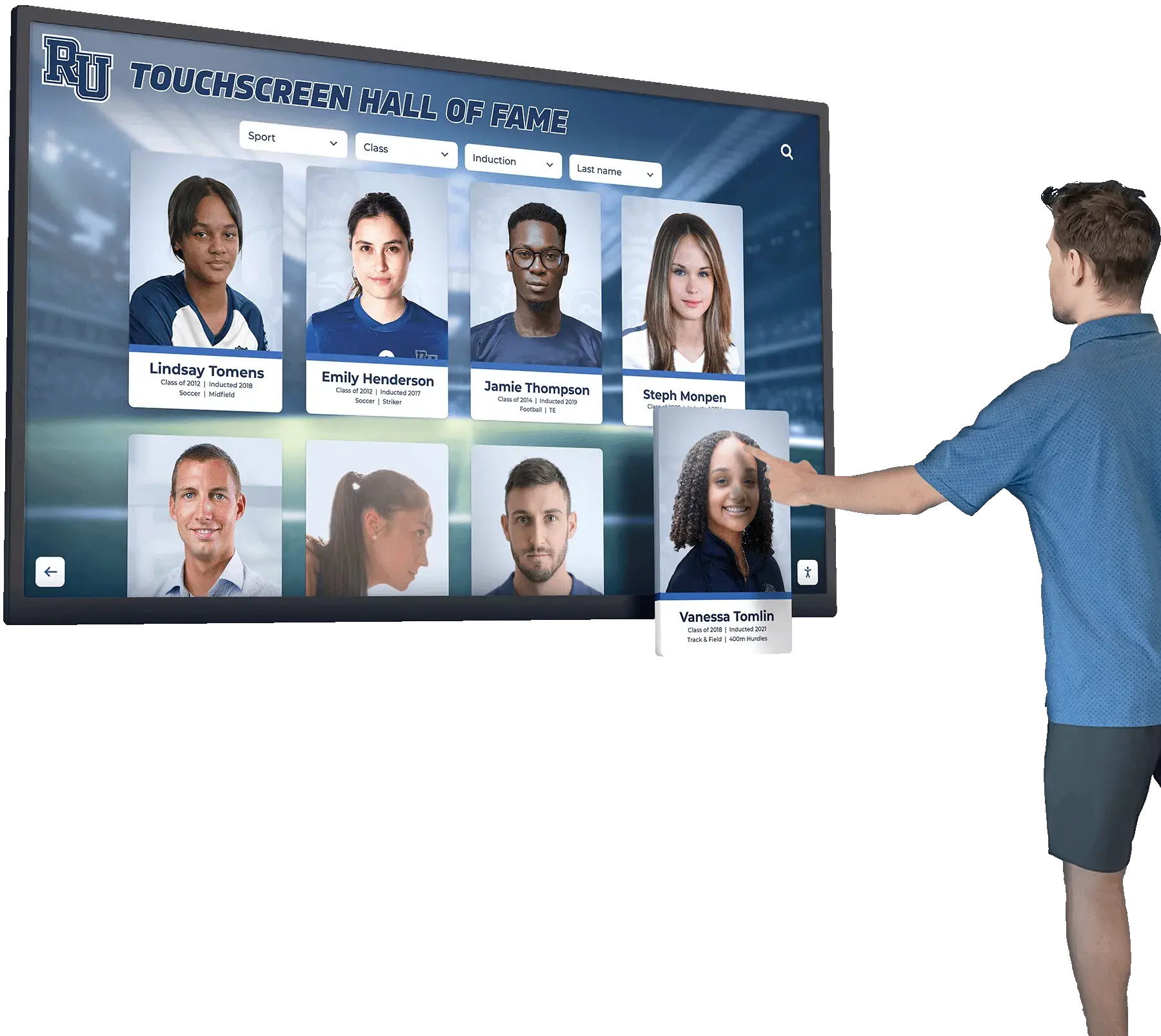
Comprehensive touchscreen interfaces provide searchable directories, detailed profiles, and intuitive navigation
Attorney and Staff Directories
Large law firms—particularly those occupying multiple floors or building wings—benefit from interactive directory capabilities:
Searchable Attorney Databases Digital directories allow visitors to locate specific attorneys through:
- Alphabetical browsing by attorney name
- Practice area filtering showing specialists
- Office location mapping connecting names to physical spaces
- Attorney profile access displaying credentials and expertise
- Direct dial extensions for immediate contact
- Email and contact information for follow-up communication
Practice Area Showcases Waiting clients can explore firm practice areas through interactive content that goes beyond simple text listings. Rich profiles can include:
- Detailed practice area descriptions explaining specializations
- Attorney team introductions with credentials and experience
- Case type examples illustrating expertise areas
- Client testimonials and success stories (where appropriate)
- Thought leadership content from firm attorneys
- Video introductions creating personal connections
This information architecture mirrors approaches used in academic recognition programs where comprehensive profiles celebrate expertise and achievement.
Wayfinding and Navigation
Legal offices occupying substantial floor space require navigation assistance:
Interactive Floor Maps Touchscreen wayfinding displays provide:
- Visual floor plans showing office layouts
- Touch-to-highlight specific attorney offices or conference rooms
- Turn-by-turn directions from kiosk location to destination
- Multiple floor navigation for multi-story occupancy
- Accessibility route options for visitors requiring accommodation
- Amenity location (restrooms, elevators, exits, waiting areas)
Conference Room Scheduling Integration Sophisticated systems integrate with meeting room management platforms, displaying:
- Real-time conference room availability
- Current meeting schedules and reservations
- Room capacity and equipment capabilities
- Booking interfaces for authorized users
- Check-in confirmations for scheduled meetings
- Directions to reserved conference spaces
Similar wayfinding principles apply across professional environments, as explored in touchscreen kiosk interactive displays that guide visitors through complex facilities.
Firm Information and Marketing
Lobby displays function as powerful marketing tools showcasing firm strengths:
Firm History and Values Interactive timelines and content showcasing:
- Firm founding history and growth trajectory
- Core values and mission statement
- Community involvement and pro bono commitment
- Award recognition and professional achievements
- Notable cases and precedent-setting work
- Diversity and inclusion initiatives
News and Announcements Real-time communication helps keep clients informed without requiring direct interaction with staff, displaying:
- Firm news and announcements
- Attorney speaking engagements and publications
- Legal industry news and developments
- Client alerts on relevant legal changes
- Event invitations and networking opportunities
- Community engagement activities
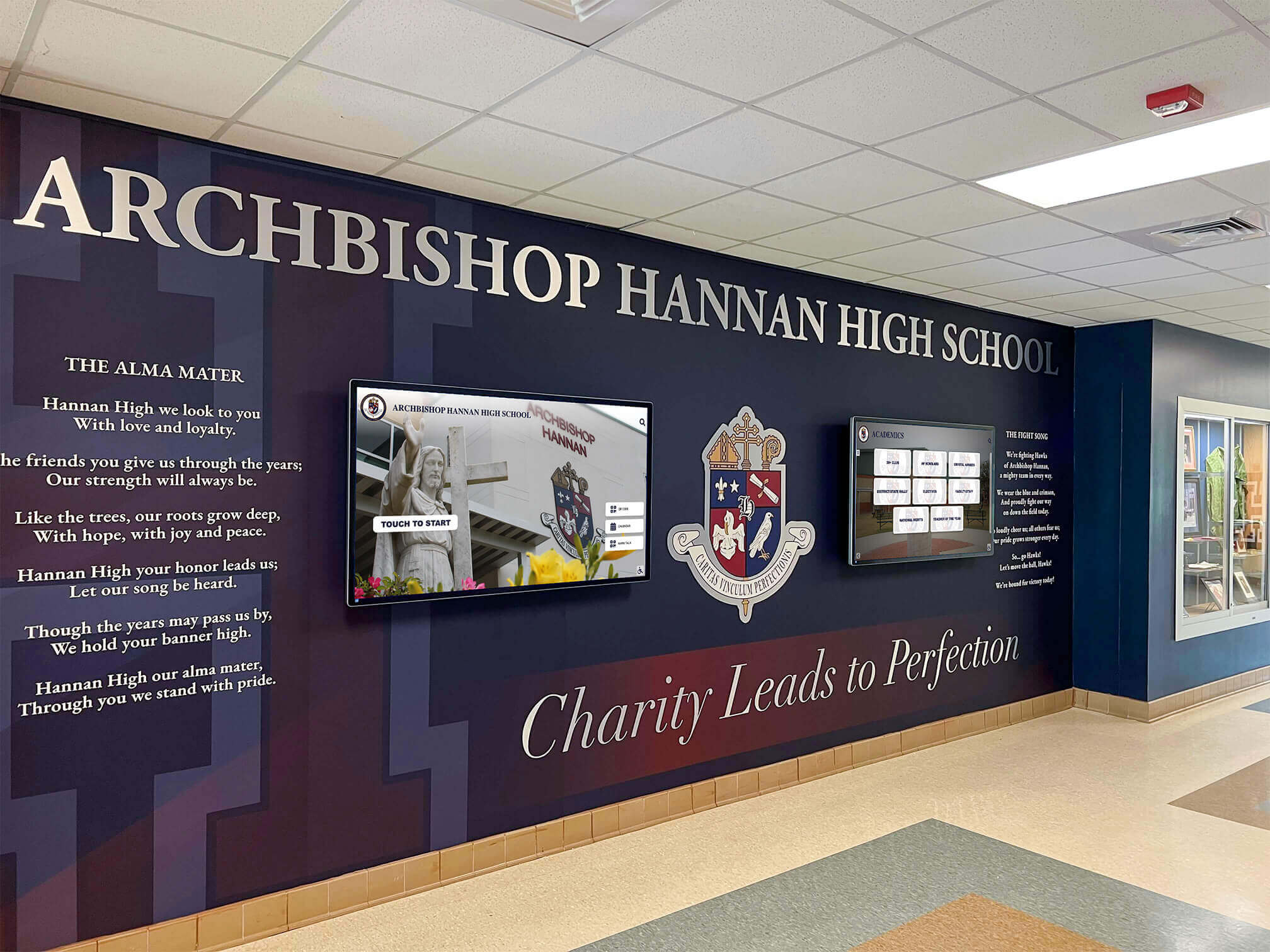
Modern professional lobbies integrate digital displays with traditional design elements creating welcoming, informative spaces
Credentials and Recognition Prominent display of firm and attorney credentials:
- Bar admissions and professional certifications
- Industry rankings and recognitions (Best Lawyers, Super Lawyers, etc.)
- Educational backgrounds and judicial clerkships
- Published works and scholarly contributions
- Professional association leadership positions
- Peer recognition and testimonials
Educational institutions employ similar recognition strategies in digital hall of fame displays that celebrate achievement and build organizational pride.
Technology Considerations for Legal Environments
Successful implementations require careful attention to technology specifications, integration requirements, and professional environment suitability.
Hardware Selection for Professional Settings
Law firm lobby displays must balance functionality with aesthetic appropriateness:
Display Specifications Professional-grade touchscreens require:
- Commercial-grade panels rated for continuous operation (16-24 hours daily)
- High-resolution displays (minimum 1920x1080, preferably 4K) ensuring text readability
- Anti-glare screens maintaining visibility in varied lighting conditions
- Responsive touch technology supporting intuitive interaction
- Durable enclosures withstanding constant use
- Appropriate screen sizes (32-55 inches typical for lobby kiosks)
- Portrait or landscape orientation based on content and space
Aesthetic Integration Hardware appearance must align with professional office design:
- Sleek, modern enclosures complementing reception area aesthetics
- Custom branding options incorporating firm colors and logos
- Finish options (brushed metal, matte black, wood accent) matching décor
- Cable management concealing technical infrastructure
- Professional mounting solutions (floor stands, wall mounts, desk integration)
- Lighting considerations preventing screen glare
Accessibility Compliance Legal requirement compliance includes:
- ADA-compliant screen height and reach ranges
- Wheelchair-accessible positioning and clearances
- High-contrast display modes for vision-impaired users
- Audio assistance capabilities where appropriate
- Alternative text input methods beyond touchscreen
Similar considerations apply across professional environments, as detailed in best touchscreen software guides addressing both technology and user experience requirements.
Software Platform Requirements
Effective law firm touchscreen systems require robust, secure software infrastructure:
Core Platform Capabilities Essential software features include:
- Intuitive content management enabling non-technical staff updates
- Cloud-based architecture allowing remote content management
- Template systems ensuring visual consistency across content
- Multi-screen management for firms with multiple kiosk deployments
- Scheduled content enabling time-based information display
- User analytics tracking engagement and usage patterns
Integration Requirements Professional environments demand seamless system integration:
- Practice management system connections for appointment data
- Conference room booking system integration
- Email and calendar integration for attorney notifications
- Badge printing system connectivity
- Security system integration for visitor tracking
- Network authentication and single sign-on capabilities
Security and Privacy Protection Legal environments require rigorous data protection:
- Encryption for data transmission and storage
- Compliance with data privacy regulations (GDPR, CCPA where applicable)
- Secure user authentication for administrative access
- Audit logging tracking all system access and changes
- Regular security updates and patch management
- Privacy screen options for sensitive information display
Solutions like Rocket Alumni Solutions provide comprehensive platforms specifically designed for professional recognition and information displays that can accommodate law firm requirements while ensuring appropriate security and user experience standards.

Professional touchscreen kiosks can incorporate organizational branding while maintaining elegant, professional aesthetics
Network and Infrastructure Requirements
Reliable operation depends on robust technical infrastructure:
Connectivity Specifications
- Stable, high-speed internet connectivity (minimum 10 Mbps dedicated)
- Redundant network connections preventing single points of failure
- Secure network segmentation isolating visitor kiosks from internal systems
- Wi-Fi connectivity options for flexible placement
- Power backup ensuring operation during brief outages
- Remote monitoring enabling proactive maintenance
IT Support and Maintenance Successful deployments require ongoing technical support:
- Initial configuration and system integration services
- Staff training on content management and basic troubleshooting
- Ongoing technical support via phone, email, and remote access
- Software updates and security patches
- Hardware maintenance and replacement programs
- Analytics reporting and usage optimization consulting
Learn about software deployment considerations in touchscreen kiosk app guides that address security and functionality requirements.
Content Strategy for Law Firm Displays
Effective touchscreen systems require thoughtful content planning addressing information architecture, visual design, and ongoing management.
Information Architecture and Navigation
Clear content organization enables intuitive visitor interaction:
Primary Navigation Structure Main menu organization typically includes:
- Check-in and visitor registration (primary action)
- Attorney and staff directory
- Practice area information
- Wayfinding and office maps
- Firm news and announcements
- Contact information and office hours
- Emergency and building information
Depth and Breadth Balance Effective information architecture balances comprehensive content with navigable structures:
- Maximum three-click depth to reach any information
- Consistent navigation patterns across all screens
- Clear “back” and “home” buttons preventing user disorientation
- Search functionality enabling direct access to specific content
- Breadcrumb trails showing current location within structure
- Timeout functions returning to home screen after inactivity
Visual Design and Brand Consistency
Professional presentation requires cohesive visual design:
Brand Element Integration
- Firm logo prominent on all screens
- Consistent color palette matching firm branding
- Typography reflecting firm visual identity
- Photography style consistent with marketing materials
- Tone and voice aligned with firm communication standards
- Professional imagery conveying appropriate atmosphere
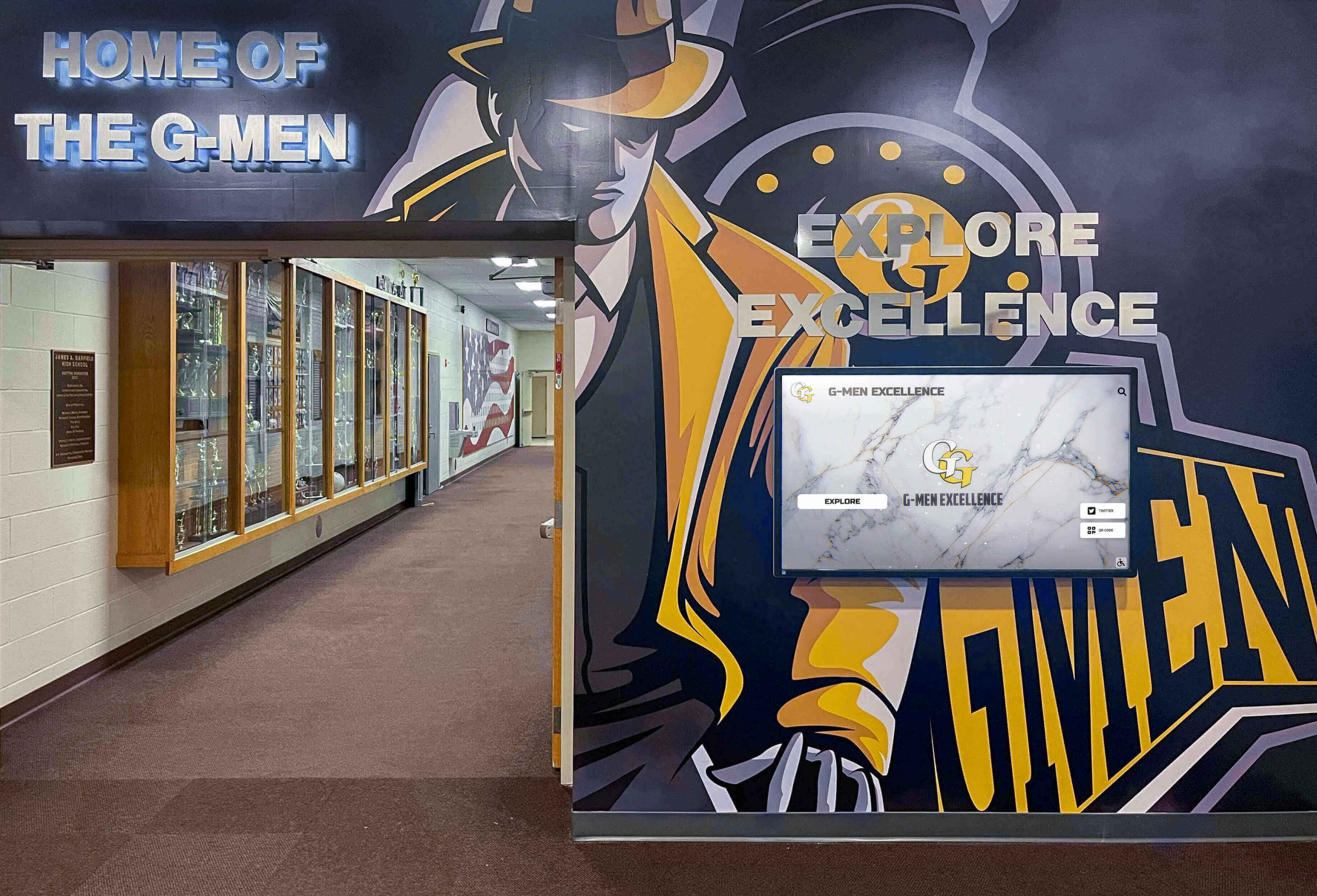
Professional environments integrate digital displays with architectural elements creating cohesive, branded spaces
User Interface Best Practices Design considerations for touch interaction:
- Large, easily selectable buttons (minimum 44x44 pixels)
- Sufficient contrast between text and backgrounds
- Clear visual hierarchy emphasizing important information
- Consistent button styling and placement
- Loading indicators for delayed content
- Error messages providing clear resolution guidance
- Readable fonts at typical viewing distances (6-10 feet)
Similar design principles apply across professional contexts, as explored in digital tools bringing history to life through engaging visual presentation.
Content Management and Updates
Sustainable systems require efficient content management processes:
Update Responsibility Assignment Clear ownership ensures current information:
- Primary administrator responsible for daily updates
- Backup personnel ensuring coverage during absences
- Practice area liaisons submitting content updates
- Marketing team managing firm news and announcements
- IT support handling technical system maintenance
- Review processes ensuring accuracy before publication
Content Update Workflows Systematic processes maintain information currency:
- Weekly reviews of time-sensitive content (events, news)
- Monthly audits of attorney profiles and credentials
- Quarterly practice area content reviews
- Annual comprehensive content assessments
- Change request processes for attorney updates
- Approval workflows for new content publication
Seasonal and Timely Content Strategic content planning addresses temporal relevance:
- Holiday messages and office schedule changes
- Legal calendar awareness (tax deadlines, compliance dates)
- Firm anniversary and milestone recognition
- Recruitment and hiring announcements
- Pro bono initiative highlights
- Community engagement activities
Organizations implementing top sales performer recognition displays demonstrate effective content management strategies applicable to professional service contexts.
Implementation Process for Law Firms
Successful deployments follow systematic planning and execution processes addressing stakeholder needs and technical requirements.
Planning and Requirements Definition
Effective implementations begin with comprehensive planning:
Stakeholder Engagement Input from key constituencies ensures system success:
- Managing partners defining strategic objectives and budget
- Office manager identifying operational requirements
- IT department specifying technical constraints and security needs
- Reception staff describing current challenges and workflow
- Marketing leadership ensuring brand consistency
- Attorneys providing input on client experience priorities
Use Case Prioritization Clear functionality priorities guide system design:
- Essential features required for successful launch
- Important capabilities adding significant value
- Nice-to-have enhancements for future consideration
- Feature prioritization based on impact and complexity
- Phased implementation approach for complex deployments
- Success metrics defining project achievement
Budget and Timeline Planning Realistic resource allocation ensures successful completion:
- Hardware costs for displays, kiosks, and installation
- Software licensing for content management and applications
- Integration expenses connecting to existing systems
- Content development including writing and media production
- Training and change management support
- Ongoing maintenance and support budget planning
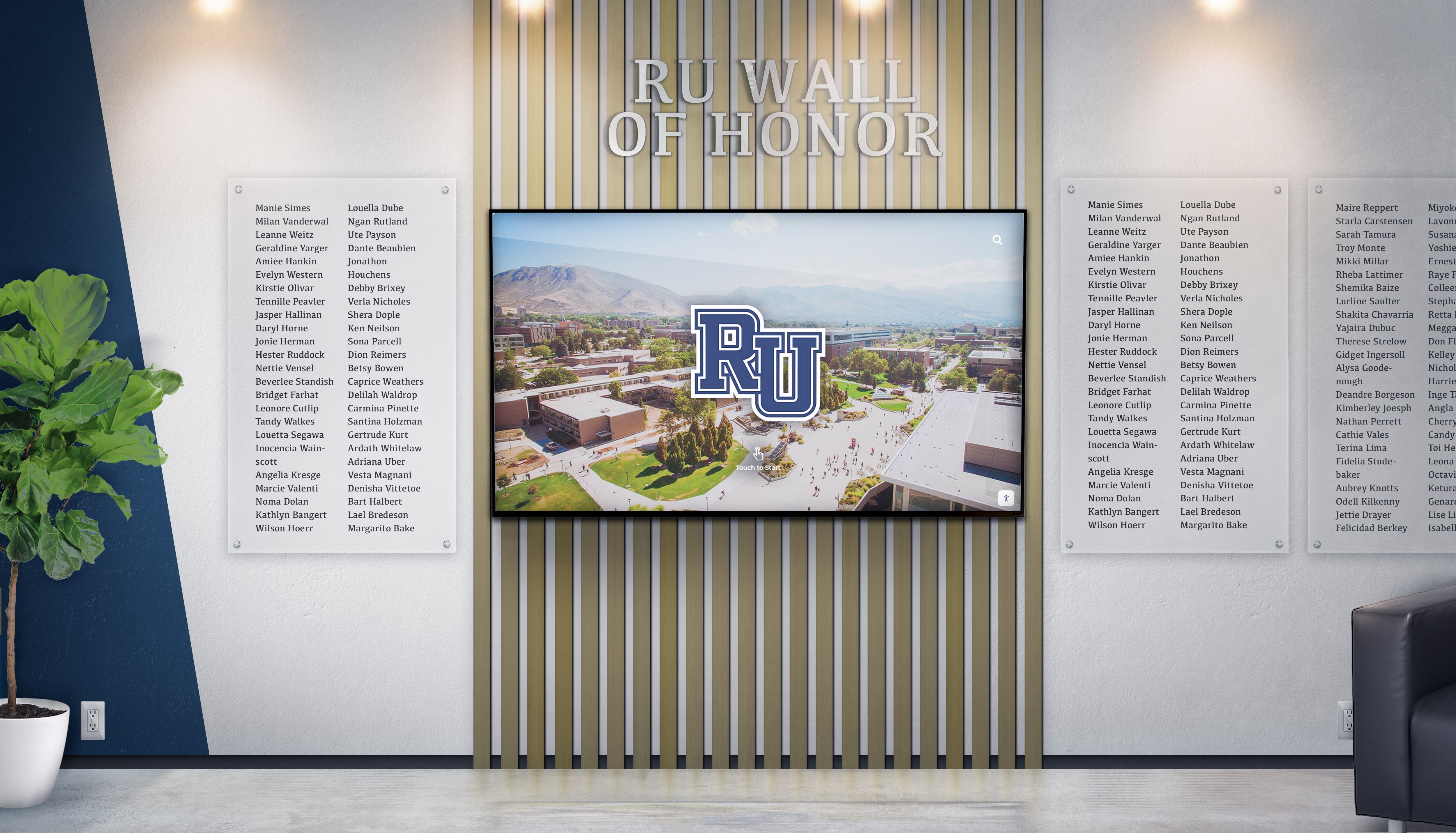
Professional recognition displays combine traditional elements with modern digital capabilities
Vendor Selection and Contracting
Choosing appropriate technology partners significantly impacts project success:
Evaluation Criteria Vendor assessment should consider:
- Industry experience in professional service environments
- Reference clients in legal or comparable industries
- Technical capabilities matching requirements
- Integration experience with relevant systems
- Support and maintenance service levels
- Financial stability and long-term viability
- Total cost of ownership including ongoing expenses
- Customization capabilities for specific needs
Proposal and Contract Considerations Clear agreements protect firm interests:
- Detailed scope of work specifications
- Implementation timeline with key milestones
- Acceptance criteria defining successful completion
- Support and maintenance terms
- Software update and upgrade policies
- Data ownership and export capabilities
- Security and compliance certifications
- Service level agreements for uptime and response
Educational institutions navigate similar vendor selection processes, as detailed in school gala fundraiser recognition guides applicable to professional contexts.
Installation and Configuration
Technical deployment requires careful coordination:
Physical Installation Hardware deployment considerations include:
- Optimal placement in reception areas maximizing visibility
- Power and network connectivity installation
- Mounting and positioning ensuring accessibility
- Cable management maintaining professional appearance
- Testing of all hardware components and peripherals
- Quality assurance before client-facing operation
Software Configuration System setup and customization involves:
- Initial software installation and licensing
- System integration with practice management platforms
- Content management system configuration
- User account creation and permission assignment
- Initial content population and testing
- Security configuration and hardening
Staff Training and Change Management User adoption requires adequate preparation:
- Administrator training on content management
- Reception staff training on system operation
- Attorney and staff orientation on client notifications
- Quick reference guides for common tasks
- Ongoing support contact information
- Feedback collection mechanisms for continuous improvement
Best Practices for Law Firm Touchscreen Success
Organizations maximizing touchscreen display value follow proven strategies addressing content, operation, and continuous improvement.
Content Quality and Relevance
Effective displays maintain high content standards:
Professional Writing Standards All displayed content should reflect firm quality:
- Error-free text free from grammar, spelling, and punctuation issues
- Consistent terminology and style throughout all content
- Appropriate tone balancing professionalism with approachability
- Concise writing respecting visitor time and attention
- Accessibility considerations including reading level appropriateness
- Legal disclaimer accuracy for all substantive legal content
Photography and Visual Media High-quality imagery enhances professional presentation:
- Professional photography rather than amateur snapshots
- Consistent photographic style across all images
- Appropriate attorney and staff photos maintaining current accuracy
- Building and office photography highlighting attractive spaces
- Stock photography carefully selected for relevance and quality
- Video content professionally produced with quality audio
Information Currency Timely updates maintain credibility:
- Attorney departures and arrivals reflected promptly
- Practice area updates following firm strategic changes
- News and announcements relevant and current
- Event information removed after occurrence
- Office hours accurate including holiday schedules
- Contact information verified and current
User Experience Optimization
Continuous refinement improves visitor interaction:
Usability Testing Regular assessment identifies improvement opportunities:
- Observation of actual visitor interactions
- User feedback collection through surveys or interviews
- Analytics review showing navigation patterns
- A/B testing of alternative designs or content
- Accessibility testing with diverse user populations
- Error tracking identifying confusion points
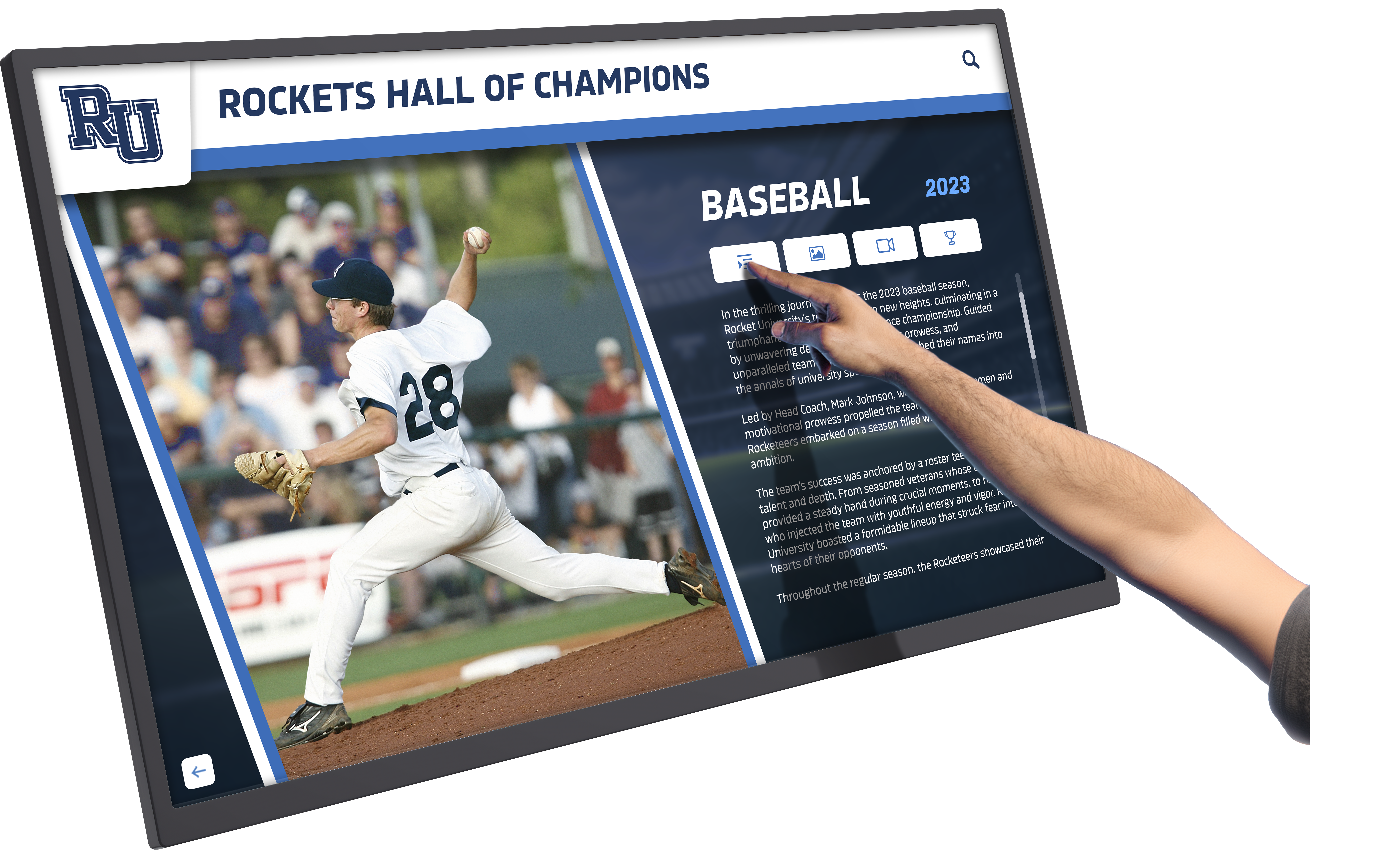
Intuitive touchscreen interfaces enable natural interaction and content exploration
Performance Optimization Technical refinement ensures responsive operation:
- Page load time optimization ensuring snappy interaction
- Media file compression balancing quality with performance
- Content caching reducing server load
- Network bandwidth optimization
- System resource monitoring preventing degradation
- Regular performance testing identifying issues
Accessibility Enhancement Inclusive design serves all visitors:
- Color contrast verification meeting accessibility standards
- Font size optimization for readability
- Alternative text for images supporting screen readers
- Keyboard navigation support for non-touch users
- Audio description capabilities where appropriate
- Multi-language support for diverse client populations
Similar user experience principles apply across interactive systems, as explored in nostalgia marketing approaches that engage diverse audiences effectively.
Analytics and Continuous Improvement
Data-driven refinement maximizes system value:
Usage Metrics Monitoring Regular analytics review reveals optimization opportunities:
- Daily interaction counts showing system utilization
- Session duration indicating engagement depth
- Most frequently accessed content revealing priorities
- Search query analysis showing information seeking patterns
- Navigation path analysis identifying user journeys
- Peak usage time identification informing staffing decisions
- Error rate tracking indicating interface issues
ROI Assessment Quantitative evaluation demonstrates value:
- Reception staff time savings from reduced inquiry volume
- Client satisfaction scores pre and post-implementation
- Visitor processing time improvements
- Check-in error reduction from digital verification
- Professional image enhancement in client feedback
- Competitive differentiation in new client acquisition
Stakeholder Feedback Integration Qualitative input guides enhancement:
- Reception staff suggestions from daily operation
- Attorney feedback on client response and system utility
- Management assessment of strategic goal achievement
- IT input on technical performance and issues
- Client comments through surveys or informal feedback
- Vendor recommendations based on platform capabilities
Organizations implementing digital archives for schools demonstrate effective measurement and continuous improvement strategies applicable to law firm contexts.
Addressing Common Implementation Challenges
Proactive challenge mitigation ensures smoother deployments and operations.
Technical Integration Obstacles
Complex system integration requires careful management:
Legacy System Compatibility Older practice management systems may present integration challenges:
- API availability assessment determining integration feasibility
- Alternative integration approaches (file exports, manual sync)
- System upgrade evaluation when integration impossible
- Phased implementation starting with standalone capabilities
- Vendor technical support engagement for complex scenarios
Network Security Requirements Firm IT policies may constrain deployment options:
- Firewall and security configuration for cloud-based systems
- Network segmentation isolating visitor kiosks appropriately
- VPN requirements for remote system management
- Security audit completion before deployment
- Compliance verification for regulated practice areas
User Adoption Barriers
Technology introduction requires change management:
Staff Resistance Reception personnel may fear technology displacement:
- Clear communication about role enhancement vs. replacement
- Training emphasizing new capabilities and reduced burden
- Involvement in system design and configuration
- Feedback mechanisms ensuring voice in implementation
- Recognition and appreciation for adoption support
Client Hesitation Some visitors may prefer traditional processes:
- Staff availability to assist uncertain users
- Prominent signage explaining self-service option
- Traditional check-in alternative for preference
- Interface simplification reducing intimidation
- Multi-language support accommodating diverse populations
Attorney Indifference Busy legal professionals may overlook system benefits:
- Concrete examples demonstrating time savings
- Client feedback highlighting positive reception
- Competitive intelligence showing peer firm adoption
- Marketing value explanation for business development
- Minimal disruption to existing workflows
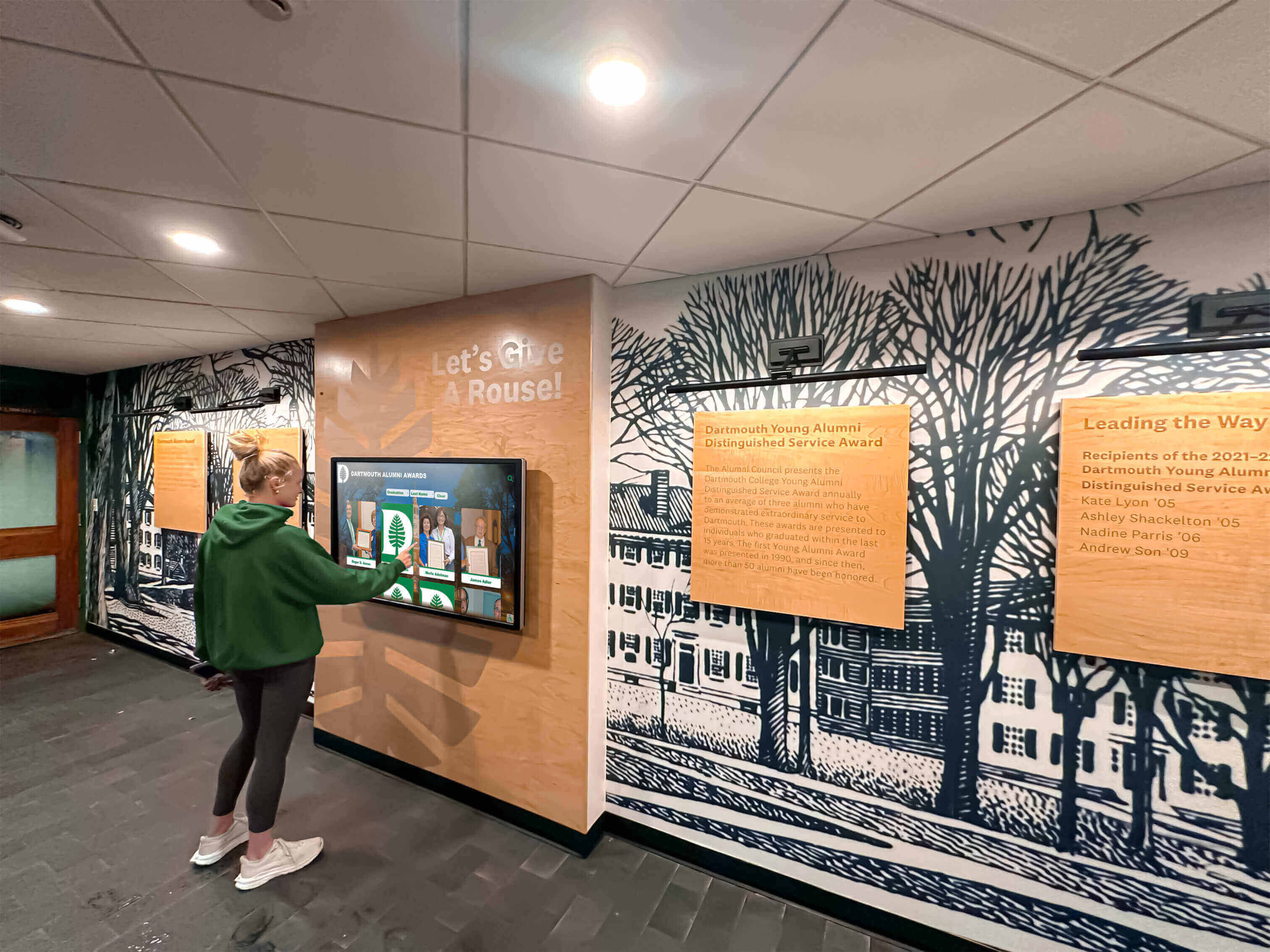
Strategic touchscreen placement in high-traffic areas ensures maximum visibility and utilization
Content Management Sustainability
Long-term success requires sustainable content processes:
Resource Constraint Management Limited staff time threatens content currency:
- Realistic update schedules matching available resources
- Automated content feeds where possible (news, events)
- Template-based design accelerating content creation
- External vendor support for complex updates
- Priority content identification for focused resources
Content Approval Bottlenecks Multiple reviewers can delay updates:
- Streamlined approval processes for routine updates
- Pre-approved templates reducing review requirements
- Clear delegation of approval authority
- Expedited processes for time-sensitive content
- Regular approval workflow assessment and refinement
Future Trends in Law Firm Lobby Technology
Emerging technologies and evolving expectations will shape next-generation legal lobby experiences.
Artificial Intelligence Integration
AI capabilities will enhance personalization and functionality:
Intelligent Visitor Recognition Advanced systems may offer:
- Facial detection technology to identify returning clients with consent, displaying personalized greetings
- Preference learning adapting content to visitor interests
- Predictive analytics anticipating visitor needs
- Natural language processing enabling conversational interfaces
- Virtual assistant capabilities answering common questions
Content Personalization Dynamic content adaptation based on context:
- Practice area highlighting based on appointment type
- Language preference automatic detection and adaptation
- Accessibility accommodation based on user behavior
- Relevant content surfacing matching visitor profiles
- Time-appropriate content showing contextually relevant information
Mobile Integration and Continuity
Seamless mobile-physical experiences will become standard:
Pre-Visit Mobile Engagement Client journeys beginning before arrival:
- Mobile check-in initiating visitor processing remotely
- Appointment reminders with check-in links
- Parking and access information delivery
- Office map and wayfinding preview
- Attorney profile access before meetings
Cross-Platform Continuity Unified experiences across touchpoints:
- Check-in begun on mobile completed at kiosk
- Content exploration continued across devices
- Consistent branding and experience across platforms
- Unified content management across all channels
- Integrated analytics showing complete visitor journey
Enhanced Interactivity and Engagement
Advanced interface capabilities will increase engagement:
Contactless Interaction Options Post-pandemic awareness driving touchless alternatives:
- Gesture-based controls reducing surface contact
- Voice-activated commands enabling hands-free operation
- QR code scanning from personal devices
- Mobile device as controller for lobby displays
- Proximity sensors for automatic activation
Rich Media and Immersive Experiences Advanced content capabilities enhancing engagement:
- Video content showcasing firm culture and values
- Virtual office tours for prospective clients
- Interactive timeline of firm history and milestones
- 3D visualization of complex legal concepts
- Augmented reality features overlaying digital information
Transform Your Law Firm Lobby Experience
Discover how modern interactive touchscreen solutions can enhance your firm's professional image, streamline visitor management, and create memorable client experiences from the moment visitors arrive.
Explore Professional Display SolutionsApplications Beyond Law Firms: Professional Service Contexts
While this guide focuses on legal applications, interactive touchscreen principles apply across professional service environments.
Accounting and Financial Services
Financial advisory firms face similar lobby challenges:
- Client check-in for scheduled appointments
- Service offering explanations and advisor specializations
- Compliance documentation and disclosure display
- Market information and financial news presentation
- Professional credential and certification showcase
- Seasonal tax deadline reminders and important dates
Consulting and Professional Services
Management consulting and other advisory firms benefit from:
- Consultant directory and expertise showcases
- Industry vertical specialization information
- Case study and client success presentations
- Thought leadership content and publications
- Event and webinar promotion
- Office wayfinding for large facilities
Medical and Healthcare Practices
Legal medical practices (particularly specialized fields) share requirements:
- Patient check-in and appointment verification
- Provider directory with specialization information
- HIPAA-compliant visitor management
- Insurance and billing information access
- Health education content delivery
- Treatment option explanations
Organizations across these contexts can explore college intramural sports digital recognition concepts adaptable to professional recognition needs.
Selecting the Right Technology Partner
Law firms investing in interactive lobby technology benefit from selecting experienced partners with proven professional service expertise.
Vendor Evaluation Criteria
Thorough assessment should consider:
Industry Experience and References
- Demonstrated success in legal or comparable professional environments
- Reference clients in law firms willing to discuss experiences
- Case studies documenting implementation approaches and outcomes
- Awards and recognition in digital signage or visitor management categories
Technical Capabilities and Integration
- Platform capabilities matching identified requirements
- Integration experience with legal practice management systems
- Security certifications and compliance capabilities
- Scalability supporting firm growth and expansion
- Mobile and remote management capabilities
Support and Service Quality
- Implementation support during deployment
- Training programs for administrators and users
- Ongoing technical support response times and channels
- Software update and maintenance policies
- Account management and strategic consultation
Total Cost of Ownership
- Upfront hardware and software costs
- Implementation and integration expenses
- Ongoing licensing and support fees
- Content management resource requirements
- Long-term sustainability and vendor viability
Solutions like Rocket Alumni Solutions provide comprehensive platforms specifically designed for professional recognition and information displays that can accommodate law firm requirements while ensuring appropriate security, user experience, and aesthetic standards suitable for professional environments.
Conclusion: Elevating Law Firm Client Experience Through Technology
Interactive touchscreen displays represent strategic investments in client experience, operational efficiency, and professional image. When law firms thoughtfully implement lobby technology—selecting appropriate systems, creating relevant content, and maintaining current information—they communicate values through every visitor interaction: efficiency, innovation, client service commitment, and attention to detail.
The strategies explored throughout this guide provide comprehensive frameworks for successful implementations addressing technology selection, content development, operational integration, and continuous improvement. From visitor management streamlining reception processes to wayfinding helping clients navigate complex facilities, from attorney directories showcasing expertise to firm information reinforcing brand identity, these systems transform lobby spaces from simple waiting areas to dynamic, informative environments that strengthen client confidence from first impression forward.
Modern touchscreen technology enables law firms to implement sophisticated lobby systems that would have been impractical with traditional static signage. Digital platforms eliminate the update burden that caused information to become outdated, enable real-time content ensuring currency, create engaging presentations capturing attention while communicating clearly, and provide interactive capabilities allowing detailed exploration beyond passive viewing.
For legal practices committed to professional excellence, interactive lobby displays serve multiple essential purposes: they create memorable first impressions establishing professional credibility, streamline operations reducing administrative burden, empower clients with self-service capabilities, demonstrate innovation differentiating from competitors, and build confidence through attention to client experience details.
Building effective lobby technology begins with commitment from firm leadership that client experience truly matters and deserves systematic investment—that lobby technology represents genuine strategic priority rather than superficial expense. From this foundation, firms can implement systems starting with essential components then expanding systematically as experience guides refinement and budget permits enhancement.
Your clients invest tremendous trust in your legal expertise, relying on your judgment during critical moments affecting their businesses, families, and lives. They deserve professional environments reflecting that trust through every detail—from reception greeting to conference room amenities. Interactive lobby technology represents one component of comprehensive client experience strategy, ensuring that first impressions communicate the professionalism, innovation, and client focus that define your practice.
Ready to explore how interactive touchscreen technology might enhance your law firm lobby? Learn about FBLA awards recognition approaches adaptable to professional recognition, or discover high school wall of fame strategies demonstrating effective visual presentation applicable to professional contexts.































