Schools and organizations planning multi-screen digital display deployments often encounter an unwelcome surprise during vendor evaluations: per-screen licensing fees that multiply the total cost far beyond initial estimates. You allocate budget for three displays—one in the gym, one in the lobby, and one in the cafeteria—only to discover that each screen requires its own software subscription. What looked like a $2,000 annual software expense suddenly becomes $6,000, with costs escalating further as you add locations.
These licensing structures particularly burden large districts and schools deploying display networks across multiple buildings or wanting the same recognition content visible in different high-traffic areas. When competitors charge $50-150 monthly per display for software subscriptions, organizations face the frustrating choice between limiting their deployment to fewer screens or dramatically increasing their ongoing technology budgets.
This comprehensive guide explains hidden multi-screen licensing costs in digital display software, why they exist, how they affect different organizations, and how Rocket Alumni Solutions’ approach—allowing unlimited screens on a single subscription—eliminates these barriers for schools and organizations wanting comprehensive campus-wide recognition displays.
Understanding software licensing models before hardware purchases and implementation prevents budget overruns and ensures your digital recognition program can expand to all the locations where students, athletes, alumni, and visitors deserve to see achievements celebrated.

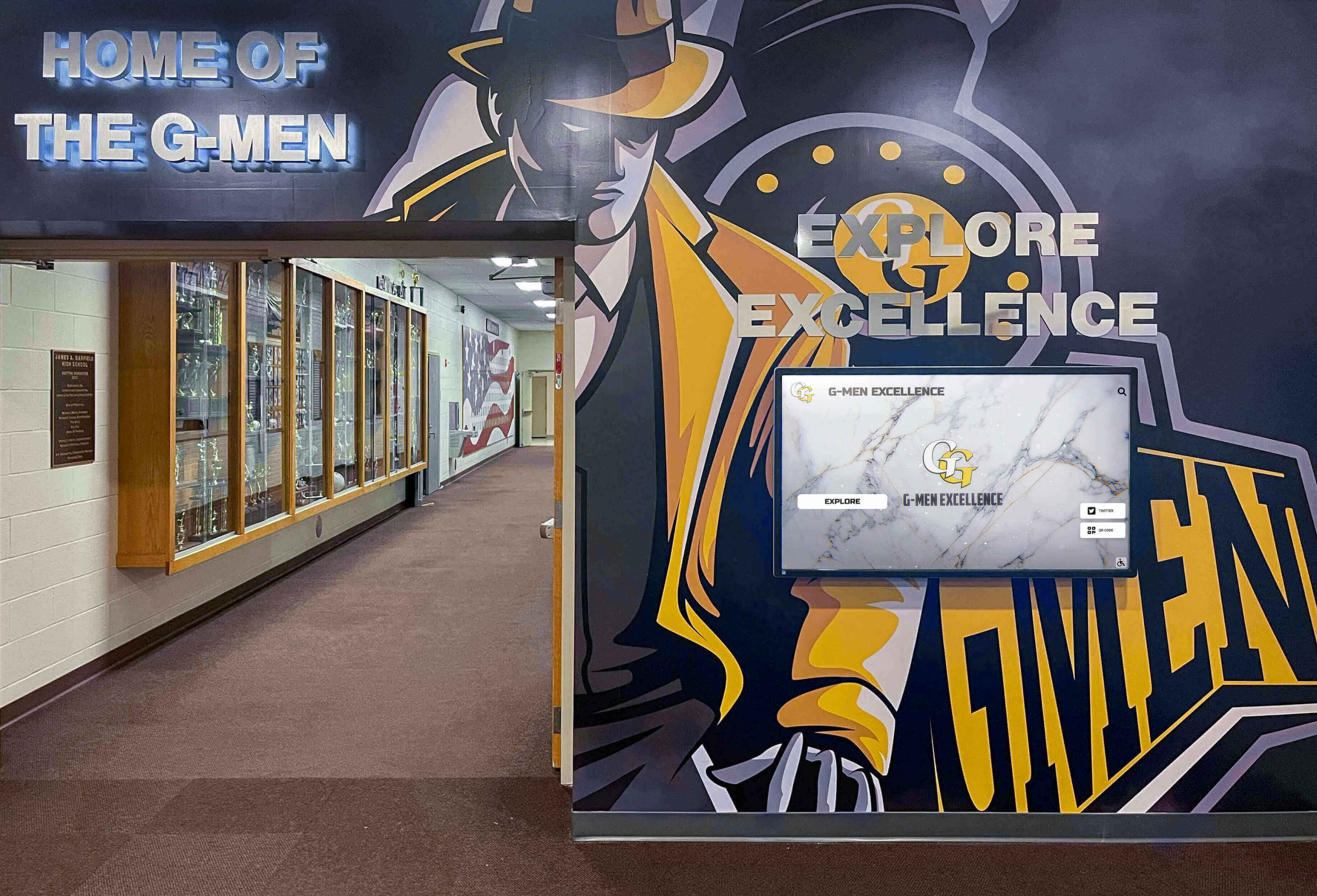
Comprehensive display networks celebrate achievements across multiple campus locations, making licensing structure a critical factor in total cost
The Hidden Cost Problem: Per-Screen Licensing in Digital Signage
Digital display vendors employ varying pricing models, but many charge recurring fees based on the number of active screens—a structure that seems reasonable for general digital signage but creates barriers for recognition-focused deployments.
Why Per-Screen Licensing Exists
Software vendors justify per-screen licensing models through several rationales:
Server Resource Consumption Cloud-based platforms incur costs hosting content, processing updates, and delivering data to each connected screen. More screens theoretically consume more server capacity, bandwidth, and storage—though for recognition content that updates infrequently, the actual incremental cost per additional screen approaches zero.
Value-Based Pricing Vendors argue that organizations deploying more screens derive more value from software, justifying proportional pricing. A school with ten displays reaches more viewers than one with a single screen, so vendors price accordingly.
Revenue Maximization Frankly, per-screen licensing generates higher revenue. Organizations committed to multi-location deployments have limited alternatives once they’ve selected hardware and begun implementation, creating vendor leverage to charge for each additional screen.
Support and Maintenance Scaling Additional screens potentially generate more support requests, software updates to push, and troubleshooting needs—though for mature platforms, support volume correlates more closely with organizational count than screen count.
How Per-Screen Costs Accumulate
Consider a typical mid-size high school planning a comprehensive recognition display network:
Initial Budget Estimate (Assuming Single License)
- Software subscription: $1,500 annually
- Five 55" commercial touchscreens: $12,500
- Installation and mounting: $3,000
- Total first-year cost: $17,000
Actual Cost (With Per-Screen Licensing at $30/month/screen)
- Software subscriptions (5 screens × $360 annually): $1,800 annually
- Five 55" commercial touchscreens: $12,500
- Installation and mounting: $3,000
- Total first-year cost: $17,300
While this particular example shows modest difference, organizations planning larger deployments face more significant impact:
Large High School Network (12 Screens Across Campus)
- Single license model: $1,500-3,000 annually
- Per-screen model (12 × $360): $4,320 annually
- Additional cost: $1,320-2,820 annually, every year
District Deployment (50 Screens Across Multiple Schools)
- Single license model: $3,000-5,000 annually
- Per-screen model (50 × $360): $18,000 annually
- Additional cost: $13,000-15,000 annually, every year
These recurring costs compound over typical 5-7 year display lifecycles, potentially exceeding original hardware investments. Organizations implementing digital display systems must evaluate total cost of ownership, not just year-one expenses.
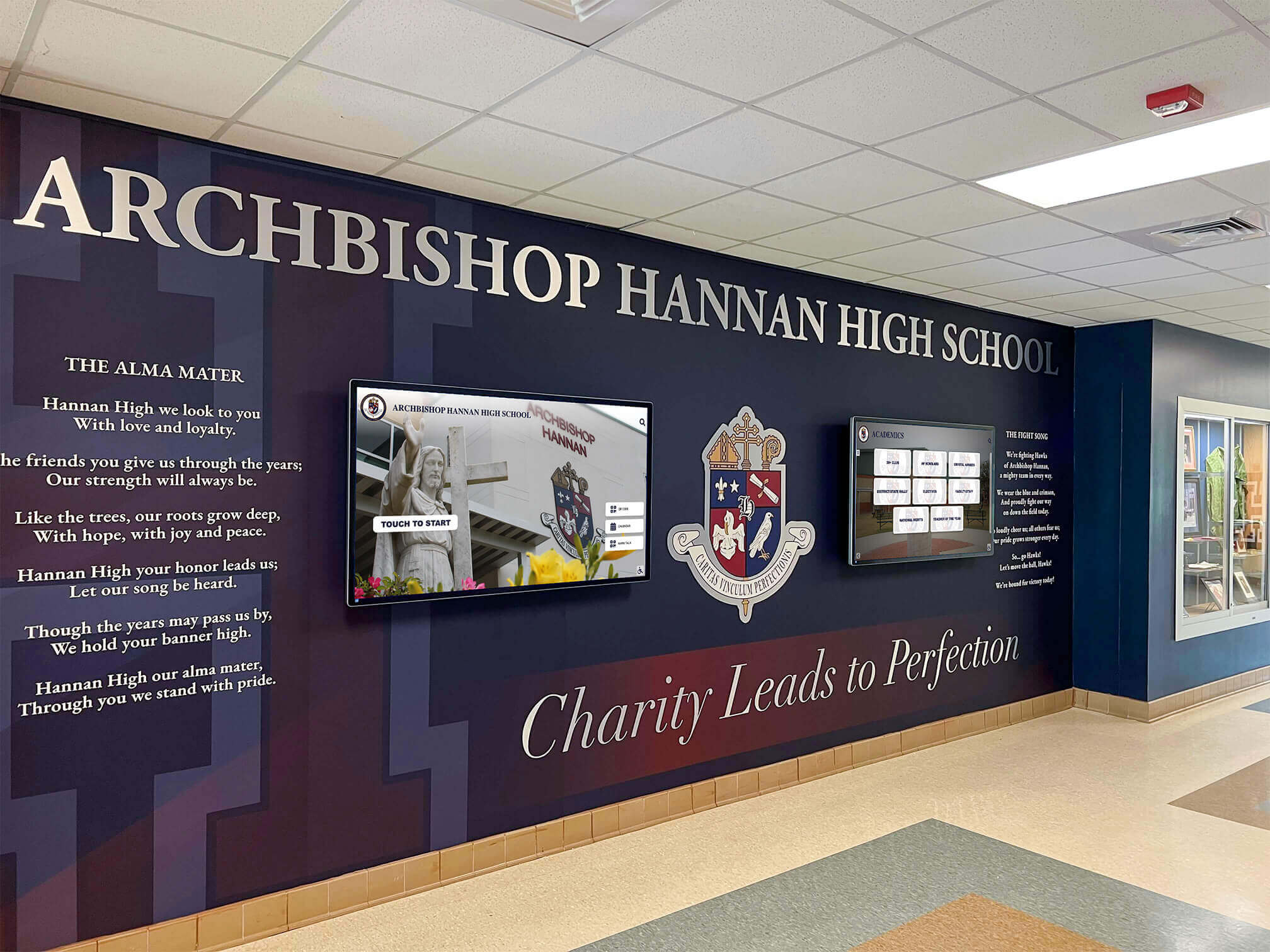
Schools benefit from coordinated displays in multiple locations, making per-screen licensing a significant budget consideration
Who Per-Screen Licensing Affects Most
While all organizations deploying multiple displays encounter per-screen licensing costs, certain situations face disproportionate impact.
Large School Districts and Multi-Building Campuses
Districts managing multiple schools or universities with numerous buildings want consistent recognition systems campus-wide. When each display requires separate licensing:
Distribution Challenges
- Elementary, middle, and high schools each need lobby displays
- Athletic facilities across multiple sites require recognition screens
- Administrative buildings want donor and staff recognition
- Performing arts centers need separate displays for fine arts achievements
A district with ten schools deploying two screens per building (20 total) faces substantial licensing costs under per-screen models. The same content—honoring district-wide achievers, celebrating athletic championships, recognizing academic excellence—appears across all locations, yet vendors charge for each display.
Budget Constraints Force Limited Deployment Per-screen licensing often forces districts to prioritize certain buildings or consolidate displays to fewer locations than ideal, reducing program visibility and impact. When software costs rival hardware expenses annually, expansion plans stall.
Schools Wanting Multi-Location Visibility
Even single-campus schools benefit from multiple display locations serving different audiences:
Strategic Placement Considerations
- Main lobby: Visitors, prospective families, community members during events
- Athletic facilities: Student athletes, families attending games, alumni returning for competitions
- Cafeteria/commons: Students during lunch and free periods
- Library/media center: Academic recognition visibility
- Fine arts wing: Celebrating theater, music, and visual arts achievements
- Administrative area: Staff, parent-teacher conferences, district visitors
Each location serves distinct audiences at different times, maximizing recognition program reach. Per-screen licensing that charges separately for the gym, lobby, and cafeteria displays effectively penalizes schools for wanting comprehensive visibility.
Organizations planning hall of fame recognition displays across multiple facility locations should evaluate licensing models early in planning.
Athletic Programs with Multiple Venues
Athletic departments managing various sport-specific facilities want recognition displays in each location:
Venue-Specific Needs
- Football stadium concourse for football/track recognition
- Basketball arena lobby for basketball achievements
- Baseball/softball complex for diamond sports
- Aquatic center for swimming and diving
- Wrestling room or auxiliary gym
- Field house for indoor sports
Athletes and families naturally congregate at sport-specific venues, making displays in those locations more impactful than single central displays. Per-screen licensing that treats each venue as a separate subscription creates barriers to sport-specific recognition.

Sport-specific facilities benefit from dedicated recognition displays, making per-venue licensing costs a barrier
Growing Programs Planning Future Expansion
Organizations starting with limited deployments but planning growth face compounding costs as they expand:
Scaling Challenges
- Pilot program with 2-3 screens proves successful, but expansion to 8-10 screens multiplies costs
- New building construction includes display infrastructure, but licensing fees limit activation
- Fundraising generates hardware donations, but annual software costs become prohibitive
- Success at one campus level prompts district-wide adoption, but per-screen costs make that unaffordable
Per-screen licensing creates disincentives to expansion, penalizing program success. Schools that want to grow recognition systems face increasing financial burdens rather than benefiting from economies of scale.
Common Multi-Screen Pricing Models in Digital Display Software
Understanding various licensing approaches helps organizations compare vendors fairly and anticipate total costs.
Per-Screen Subscription Pricing
The most common model charges monthly or annual fees per active display:
Typical Rate Structures
- Budget platforms: $5-15 per screen monthly ($60-180 annually)
- Mid-market solutions: $20-40 per screen monthly ($240-480 annually)
- Enterprise platforms: $50-150 per screen monthly ($600-1,800 annually)
- Recognition-specific systems: $30-75 per screen monthly ($360-900 annually)
Volume discounts commonly apply at thresholds (10+ screens get 15% discount, 25+ screens get 25% discount), but savings rarely offset the fundamental per-screen multiplication.
Hidden Variations Some vendors complicate comparisons through:
- Charging per “player” (media box) rather than screen, though usually one-to-one
- Bundling software with hardware leases, obscuring true software costs
- Offering “free” software for first year, then charging per-screen in subsequent years
- Feature-gating where basic access is cheap but necessary features require premium per-screen tiers
Schools evaluating digital trophy case alternatives should clarify exactly what “per screen” means and which features come at base rates versus premium tiers.
Tiered Organization Pricing
Some vendors charge based on organizational characteristics rather than screen count:
Common Tiers
- Small organization (1-5 screens): $2,000-4,000 annually, unlimited screens within limit
- Medium organization (6-15 screens): $5,000-10,000 annually
- Large organization (16-50 screens): $12,000-20,000 annually
- Enterprise (50+ screens): Custom pricing
This model provides predictability and doesn’t penalize adding screens within your tier, but organizations near tier boundaries face substantial jumps when adding one more screen pushes them into the next category. A school with 15 screens under the medium tier paying $8,000 annually might jump to $14,000 annually by adding just one more screen, effectively paying $6,000 for that single additional display.
Flat Subscription Regardless of Screen Count
The least common but most customer-friendly approach charges organizations a single fee regardless of how many screens they deploy:
Benefits
- Budget predictability without per-screen multiplication
- No penalty for comprehensive multi-location deployments
- Simplified decision-making about where to place screens
- Encourages program expansion and maximum visibility
- Eliminates vendor-customer friction about counting active screens
Vendor Challenges This pricing model requires vendors to derive value from other sources:
- Higher base subscription rates account for typical deployments
- Revenue from implementation services and custom features
- Hardware sales or referral partnerships
- Premium support packages and training services
Organizations benefit significantly from flat subscription models, particularly when planning growth, as they can add screens based solely on hardware costs and strategic value rather than recurring software expense increases.
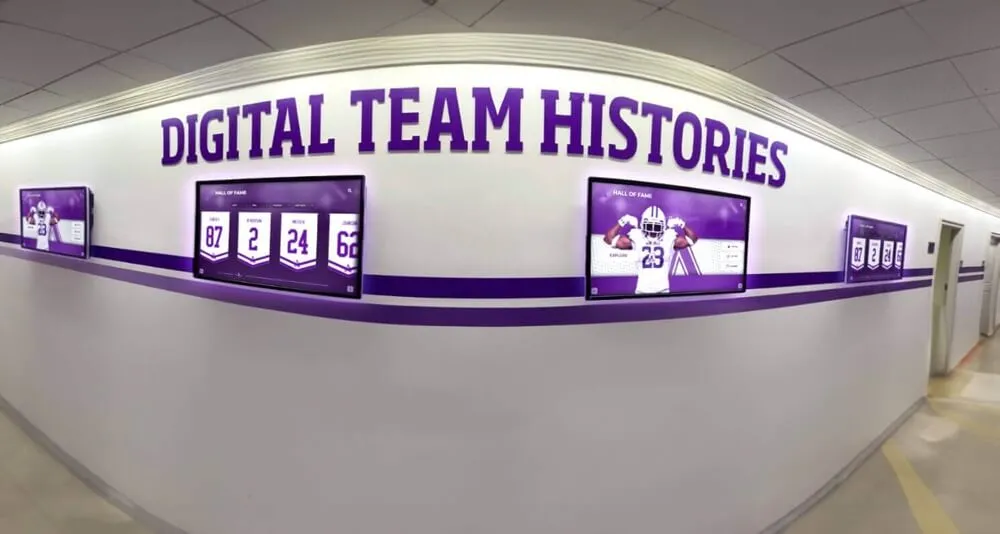
Comprehensive display networks show consistent content across multiple locations, functioning as a unified system rather than independent screens
Why Recognition Content Particularly Suffers from Per-Screen Licensing
General digital signage showing announcements, advertisements, or operational information often differs by location, potentially justifying per-screen licensing. Recognition content fundamentally differs in ways that make per-screen fees less defensible.
Identical Content Across Locations
Recognition displays typically show the same hall of fame, achievement archives, and alumni profiles regardless of physical location:
Content Characteristics
- Same database structure: Athletic achievements, academic honors, alumni profiles, and donor recognition remain constant across all displays
- Consistent updates: Adding new inductees or achievements updates all screens simultaneously
- Unified navigation: Search, browse, and filter functions work identically across locations
- Shared media: Photos, videos, and biographical information appear on all displays from centralized storage
When a school inducts new athletic hall of fame members, that update appears on displays in the gym, lobby, and cafeteria automatically. The software processes one update applied everywhere, not three separate updates requiring triple resources.
Minimal Incremental Server Load
Unlike dynamic digital signage pulling real-time weather, news feeds, social media, and frequently changing announcements—all consuming bandwidth and server processing—recognition content updates relatively infrequently:
Resource Consumption Reality
- Hall of fame inductions: Typically annual or semi-annual
- Season athlete additions: Several times yearly per sport
- Academic recognition updates: Quarterly honor rolls, annual awards
- Historical content: Rarely changes once uploaded
- Media files: Cached locally on display devices, not streamed repeatedly
A display checking for updates every 15 minutes finds changes perhaps 1% of the time. The other 99% returns “no updates available” consuming minimal server resources. Adding a third screen to an existing two-screen system doesn’t meaningfully increase server load, bandwidth consumption, or infrastructure costs for the vendor.
Schools implementing touchscreen display systems should understand that recognition content characteristics differ substantially from general digital signage in ways that question per-screen pricing justification.
Organizational Value vs. Per-Screen Value
The value schools derive from recognition software comes from having a centralized achievement database with publishing capabilities, not from the number of viewing locations:
Core Value Drivers
- Preserving institutional history and achievements
- Celebrating students, athletes, and alumni
- Engaging visitors and prospective families
- Building school pride and tradition
- Replacing physical trophy cases and plaques
- Providing searchable, accessible archives
Whether schools display this content on one screen or ten doesn’t change the fundamental value of preserving achievements, creating searchable archives, or enabling digital recognition. The number of viewing locations affects visibility and reach but not the core service the software provides.
Charging per screen effectively penalizes schools for wanting comprehensive visibility of the same recognition content they’re already managing and paying to host.
How Rocket Alumni Solutions Approaches Multi-Screen Licensing
Rocket Alumni Solutions recognized that per-screen licensing created artificial barriers preventing schools and organizations from deploying recognition displays as comprehensively as desired.
Unlimited Screens on Single Subscription
Rocket Alumni Solutions’ licensing model allows organizations to deploy their subscription on as many touchscreens as needed without per-display fees:
What This Means Practically
- School with one lobby display pays the same subscription as school with ten building-wide displays
- Adding screens requires only hardware investment (display, mounting, media player)
- No multiplication of annual software costs as program expands
- Districts can standardize on one recognition platform across all schools
- No vendor-customer disputes about counting active screens or defining “display”
This approach treats recognition software as organizational infrastructure—schools pay for the platform and content management capabilities, then deploy to as many viewing locations as their budget and strategy warrant.
Implementation Flexibility Schools commonly start with primary locations, then expand as budgets permit:
- Year 1: Main lobby display establishing program
- Year 2: Add gym/athletic facility screen when successful
- Year 3: Cafeteria or commons area deployment
- Year 4: Additional buildings or sport-specific venues
- Year 5+: Comprehensive campus-wide network
Each expansion requires only hardware costs (typically $2,500-4,000 per location including screen, media player, mounting, and installation) without increasing annual software subscriptions. This predictability enables long-term planning and phased implementation aligned with budget availability.
Organizations exploring digital signage for recognition programs benefit from understanding different licensing models before committing to particular platforms.
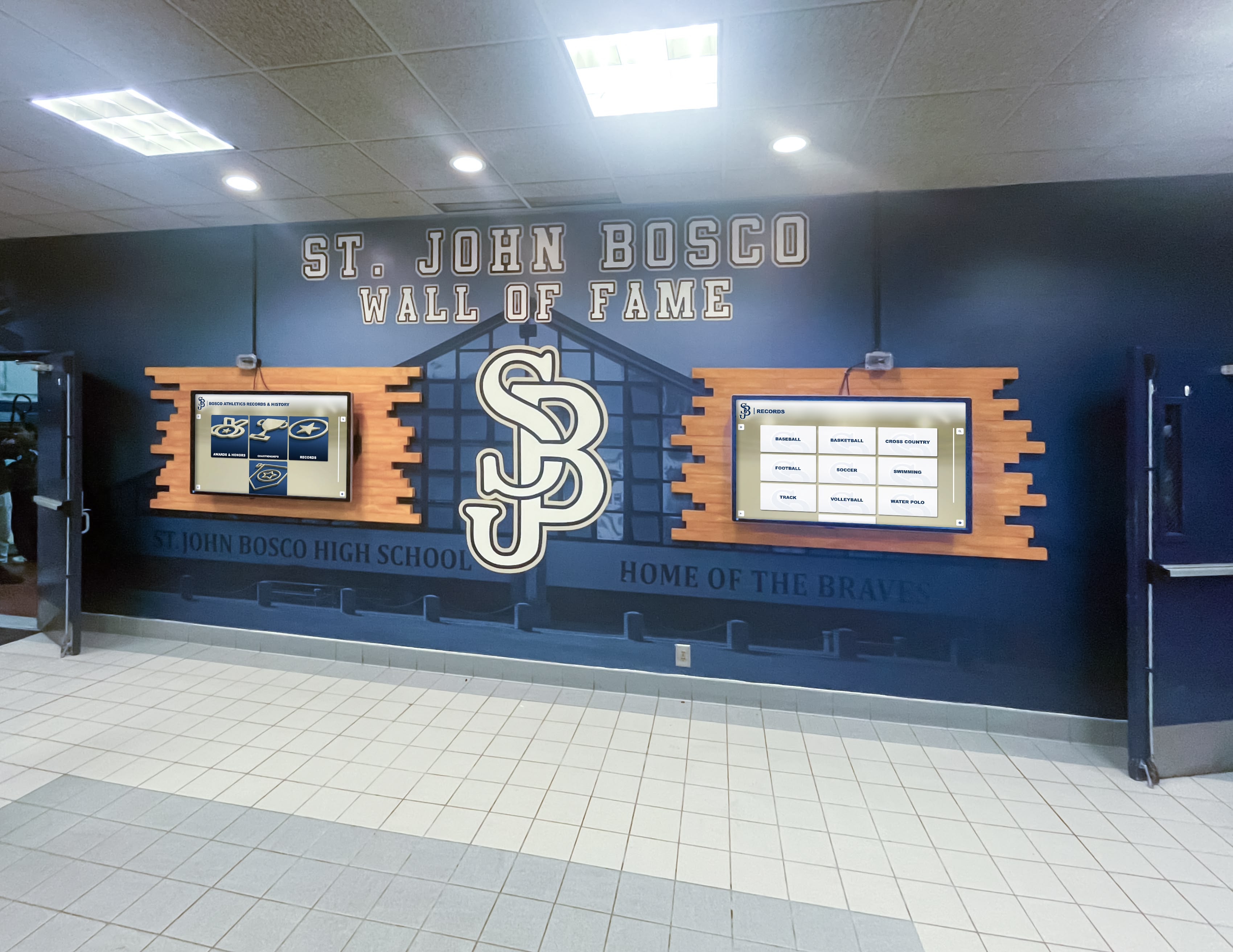
Organizations can deploy multiple coordinated displays without per-screen licensing multiplying costs
Why This Model Makes Sense for Recognition Content
Rocket’s unlimited-screen approach aligns with recognition content characteristics:
Content Management Efficiency Organizations manage recognition content once, in one central database. Whether that database publishes to one screen or twenty doesn’t significantly change:
- Storage requirements (same content stored centrally)
- Update processing (one update applied everywhere)
- Management time (add achievement once, appears on all displays)
- Support needs (same platform regardless of screen count)
The vendor’s actual costs don’t multiply with screens, so customer pricing shouldn’t either.
Organizational Benefit Alignment Value comes from preserving achievements and managing recognition content, not from viewing location count. Per-screen pricing charges for distribution that costs the vendor minimally while deterring customers from deploying comprehensively.
Customer-Aligned Incentives When vendors profit from per-screen fees, they benefit from customers deploying more screens. When subscription is flat regardless of screen count, vendors succeed by ensuring customers get enough value to renew subscriptions. This aligns vendor success with customer satisfaction rather than maximizing screen count.
Long-Term Partnership Approach Schools and organizations keep recognition displays for years or decades, with content growing continuously. Flat subscription pricing establishes predictable long-term relationships where customers focus on building programs rather than managing per-screen costs.
Budget Comparison: Per-Screen vs. Unlimited
Consider a high school planning a five-year recognition display rollout:
Per-Screen Licensing (Competitor)
- Year 1: 2 screens × $600/screen = $1,200 + $8,000 hardware = $9,200
- Year 2: 2 more screens × $600 = $1,200 + $2,400 subscription (4 screens) + $8,000 hardware = $11,600
- Year 3: 2 more screens × $600 = $1,200 + $3,600 subscription (6 screens) + $8,000 hardware = $12,800
- Year 4: No new screens, $3,600 subscription = $3,600
- Year 5: 2 more screens × $600 = $1,200 + $4,800 subscription (8 screens) + $8,000 hardware = $14,000
- Five-year total: $51,200
Unlimited Screen Licensing (Rocket Alumni Solutions)
- Year 1: $3,000 subscription + $8,000 hardware (2 screens) = $11,000
- Year 2: $3,000 subscription + $8,000 hardware (2 more screens) = $11,000
- Year 3: $3,000 subscription + $8,000 hardware (2 more screens) = $11,000
- Year 4: $3,000 subscription = $3,000
- Year 5: $3,000 subscription + $8,000 hardware (2 more screens) = $11,000
- Five-year total: $47,000
Even with higher year-one subscription costs, the unlimited model saves money by year three and creates substantial savings over typical display lifecycles. The gap widens further for organizations deploying more screens or districts managing multiple buildings.
Schools evaluating digital display alternatives should model total cost of ownership across expected deployment timeframes, not just year-one costs.
What “Unlimited” Actually Means
“Unlimited screens” policies warrant clarification about reasonable use:
Typical Understanding
- Organization deploying 1-50 screens under normal educational or nonprofit circumstances
- Screens located at organization’s facilities showing organization’s recognition content
- Standard touchscreen display usage for interactive browsing and passive slideshow
Not Covered by Unlimited Use
- Commercial reselling or white-labeling to third parties
- Providing hosted services to other organizations under your subscription
- Exceeding reasonable use thresholds (typically 100+ screens suggests enterprise needs)
Rocket Alumni Solutions’ unlimited screen policy accommodates typical school, university, nonprofit, and organizational deployments without per-screen multiplication, while enterprise-scale deployments with exceptional requirements may warrant custom agreements.
Questions to Ask Digital Display Vendors About Licensing
Before committing to platforms, clarify licensing terms to avoid surprises:
Essential Licensing Questions
Screen Count and Pricing
- How many screens does base subscription include?
- What are per-screen costs for additional displays?
- At what screen count do volume discounts apply?
- Can organizations upgrade tiers as needs grow, and what are transition costs?
- Do prices lock for multi-year contracts or adjust annually?
Definition Clarity 6. How does vendor define “screen” or “display”? (Does video wall count as one screen or multiple?) 7. Do backup/failover screens count against limits? 8. If screens only operate part-time (seasonal displays), are they billed continuously? 9. Can organizations temporarily deactivate screens without penalty?
Contract Terms 10. What happens if screen count temporarily exceeds subscription tier during transition periods? 11. Are there early termination fees if organization wants to switch platforms? 12. Can organization reduce screen count mid-contract if displays are retired? 13. Does vendor audit screen usage, and what access do they require?
Organizations implementing interactive touchscreen displays should document answers to these questions before signing agreements to prevent disputes later.
Feature and Support Questions
Included Capabilities 14. Which features are included in base subscription versus premium add-ons? 15. Is content storage unlimited or capped per subscription tier? 16. Are support services included or charged separately? 17. Do all screens access all features, or are some features per-screen upgrades?
Long-Term Sustainability 18. How frequently does vendor raise prices, and by typical percentages? 19. What happens to pricing if vendor is acquired or changes ownership? 20. Can organization export data if switching platforms later? 21. What is vendor’s policy on legacy hardware support as technology evolves?
These questions reveal not just pricing but vendor philosophy about customer relationships. Companies transparent about costs and supportive of customer success typically provide straightforward answers, while those hiding fees or maximizing per-screen revenue may evade or complicate responses.
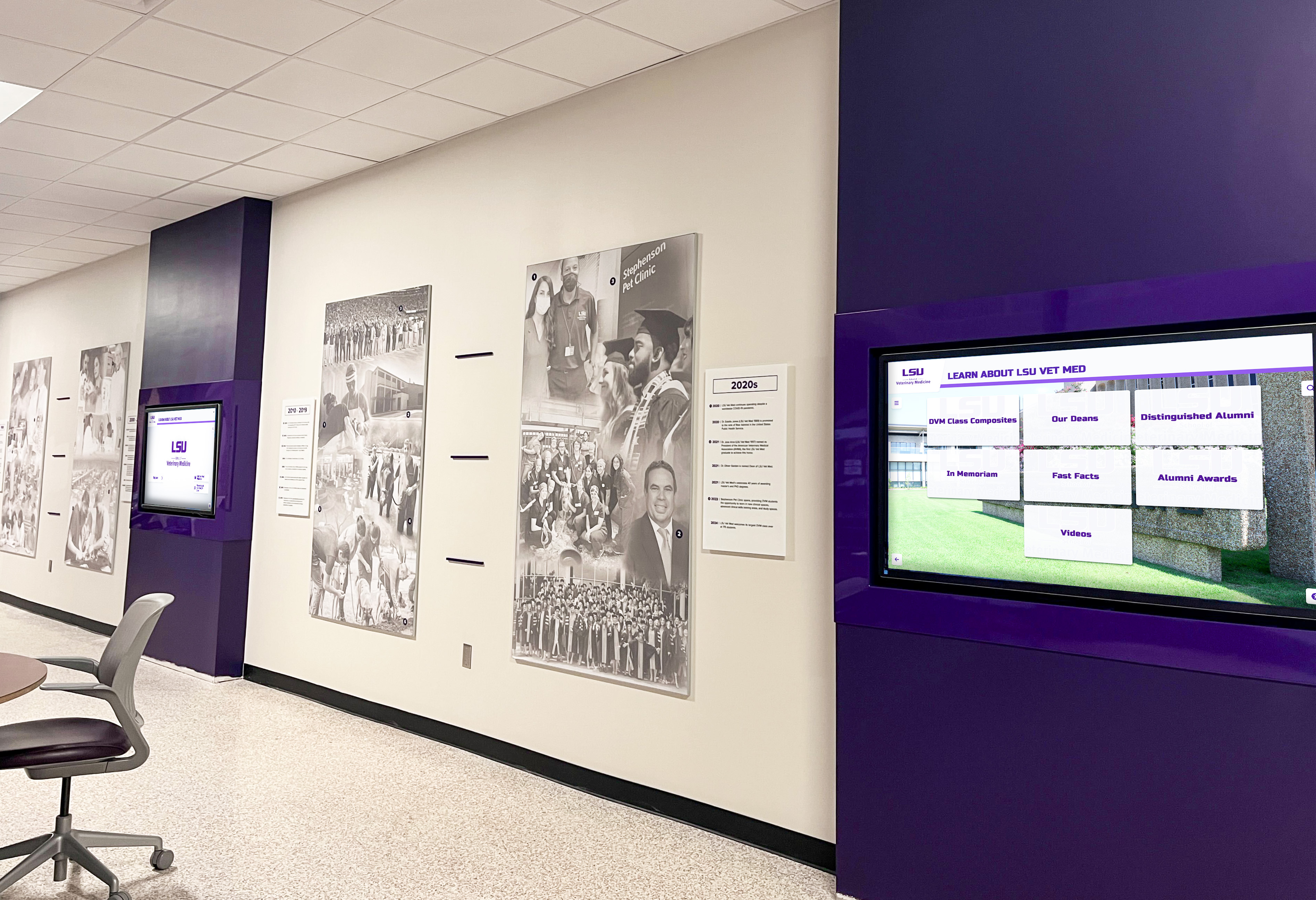
Large institutions benefit from standardized display platforms deployed campus-wide without per-screen multiplication
Planning Multi-Screen Recognition Display Networks
Organizations benefiting from unlimited screen licensing can plan comprehensive deployments strategically rather than compromising due to per-screen costs.
Prioritizing Display Locations
Even without per-screen software costs, hardware investments require prioritization:
Primary Locations (Phase 1)
- Main entrance/lobby: Highest visibility for visitors, prospective families, community events
- Athletic facility main entrance: Athletes, families, alumni attending competitions
- These foundational locations establish program presence and demonstrate value
Secondary Locations (Phase 2)
- Cafeteria/commons: Student engagement during lunch and free time
- Library/media center: Academic recognition visibility
- Administrative area: Staff, parent conferences, district visitors
- Expanding to these locations increases student and community touchpoints
Specialized Locations (Phase 3)
- Sport-specific venues (baseball complex, aquatic center, field house)
- Fine arts facilities (theater lobby, music wing)
- Academic department areas (STEM wing, career/technical center)
- These targeted placements serve specific program communities
Comprehensive Network (Phase 4+)
- Building-specific displays for multi-building campuses
- Outdoor kiosks for plazas and gathering spaces
- District office displays for central administration
- Complete coverage ensuring all stakeholders encounter recognition
Without per-screen fees, organizations can let strategic value and hardware budget drive deployment rather than being constrained by multiplying software costs.
Schools planning digital recognition wall installations benefit from phased rollouts aligning with budget cycles and facility projects.
Coordinating Multi-Screen Content
When deploying recognition content across multiple locations, consider whether all screens show identical content or location-specific variations:
Synchronized Content (Most Common) All screens display the same hall of fame database, achievements, and archives. Visitors at any location access the full recognition program through search, browsing by sport/year, and featured content.
Benefits
- Single content management workflow (update once, appears everywhere)
- Consistent experience regardless of location
- Simplified training (staff learn one system)
- Maximum content availability at all access points
Location-Customized Content Screens emphasize content relevant to their physical location while still providing access to full database:
Examples
- Gym display: Defaults to athletic achievements, but visitors can search all content
- Theater lobby: Features fine arts recognition prominently
- Academic center: Highlights academic awards and scholars
- Alumni center: Emphasizes distinguished alumni and giving recognition
Implementation Quality platforms support customizable default views, featured content, and slideshow priorities while maintaining full database access through search. This provides location relevance without creating separate content silos requiring independent management.
Managing Content at Scale
Comprehensive multi-screen deployments require efficient content management:
Centralized Database Management
- Single web-based content management system updates all displays
- Role-based permissions enable department staff to submit content for review
- Approval workflows ensure quality before publication
- Bulk import tools accelerate historical content addition
- Scheduled publishing enables preparing content before display
Content Planning Workflows
- Academic year calendar plans recognition timing (honor rolls, season athletes, annual awards)
- Department coordinators submit achievements through standardized forms
- Administrative review ensures accuracy and appropriateness
- Scheduled publication coordinates with recognition ceremonies
- Archive maintenance preserves historical achievements
Organizations implementing school history digital displays benefit from documented content workflows ensuring sustainable management as programs grow.
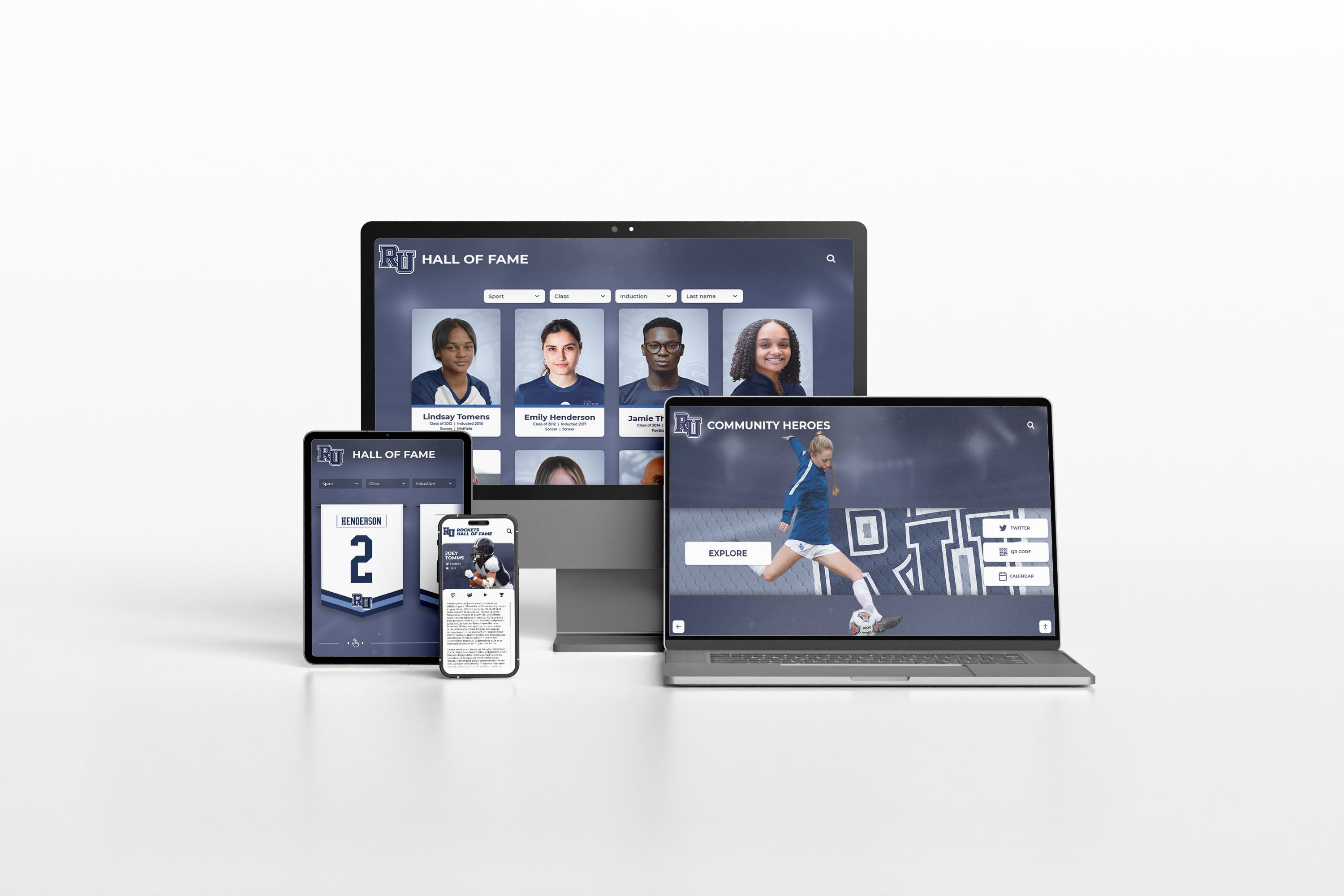
Cloud-based management systems enable updating multiple displays from any device without per-screen limitations
Total Cost of Ownership: Hardware, Software, and Maintenance
Understanding complete costs beyond licensing helps organizations budget accurately for multi-screen deployments.
Hardware Costs Per Location
Each display location requires:
Display and Touch Technology
- 43" commercial touchscreen: $2,000-2,800
- 55" commercial touchscreen: $2,800-4,200
- 65" commercial touchscreen: $4,500-6,500
- 75" commercial touchscreen: $7,000-10,000+
Commercial displays warrant premium over consumer TVs through 24/7 operation ratings, longer warranties (3-5 years), built-in mounting systems, and professional appearance. Touchscreen functionality enables interactive browsing of recognition content rather than passive viewing only.
Media Player/Computer
- Basic Android player: $150-300
- Mid-range media player: $400-600
- High-performance player: $600-1,000
- Integrated computer: $800-1,500
Player selection depends on content complexity, screen resolution, and desired features. Recognition databases with photos, videos, and interactive search require more capable players than simple slideshow displays.
Installation and Mounting
- Professional mounting hardware: $200-400
- Electrical work (if new circuit required): $300-800
- Network connection (if new drop needed): $200-500
- Installation labor: $500-1,200
- Cable management and finishing: $200-400
Typical Complete Location Cost
- Budget installation (43" screen, basic player): $3,500-5,000
- Standard installation (55" screen, quality player): $5,000-7,500
- Premium installation (65" screen, high-performance system): $8,000-11,000
These per-location costs remain constant regardless of software licensing model, making unlimited screen licensing particularly valuable—hardware represents significant investment without software costs multiplying alongside.
Annual Software and Service Costs
Beyond per-screen licensing discussed previously:
Platform Subscription
- Content management system access
- Cloud hosting and storage
- Software updates and improvements
- Technical support
- Mobile app access (if applicable)
Optional Services
- Premium support packages: $500-2,000 annually
- Custom development or integrations: Variable project-based pricing
- Additional storage beyond included limits: $100-500 annually
- Advanced analytics or reporting: $300-1,000 annually
Organizations benefit from clarifying which capabilities are included in base subscription versus premium add-ons when comparing vendors.
Ongoing Operational Costs
Electricity
- Commercial display consumption: 150-300 watts during operation
- 55" display × 12 hours daily × 365 days × $0.12/kWh ≈ $100-120 annually per screen
- Motion-activated power management can reduce consumption 30-40%
Maintenance and Replacement
- Annual maintenance reserve: 5-10% of hardware cost per year
- Display lifespan: 5-7 years typical, longer with quality commercial products
- Player replacement: 3-5 years
- Mounting hardware: 10+ years
Content Management Time
- Initial content entry: 20-60 hours depending on historical archives
- Ongoing management: 2-5 hours monthly for active programs
- Staff training: 4-8 hours initial training, ongoing as staff changes
Organizations should designate clear responsibility for content management to ensure consistency and sustainability.
Making the Business Case for Unlimited Screen Licensing
When organizations already committed to recognition displays evaluate platforms, presenting unlimited screen licensing benefits helps stakeholders understand value:
Financial Benefits
Predictable Budgeting
- Known annual software cost regardless of expansion
- Hardware-only incremental costs for additional screens
- Eliminates budgeting uncertainty from per-screen multiplication
- Enables multi-year planning with confidence
Lower Total Cost of Ownership
- Typically break-even by 3-5 screens compared to per-screen competitors
- Growing savings as deployment expands beyond break-even point
- Enables more comprehensive deployment for same budget
- Reduces administrative overhead tracking screen counts and licensing tiers
Scalability Without Penalty
- Organizations can start small and grow based on success
- No financial disincentive to expanding effective programs
- Districts can standardize across all schools affordably
- Temporary or seasonal displays don’t trigger additional fees
Strategic Benefits
Comprehensive Program Visibility
- Recognition content reaches all key audience touchpoints
- No artificial limitation forcing prioritization between worthy locations
- Consistent experience regardless of where stakeholders encounter displays
- Maximum program impact and engagement
Simplified Vendor Relationship
- No disputes about screen counts or licensing compliance
- Fewer contract amendments as deployment changes
- Transparent pricing reduces procurement complexity
- Customer-vendor alignment rather than adversarial optimization
Future-Proofing Investment
- Technology infrastructure supports organizational growth
- New facilities or buildings easily incorporate recognition displays
- Successful pilots naturally expand to full deployment
- Long-term commitment feasible with predictable costs
When stakeholders understand both financial and strategic advantages, unlimited screen licensing often becomes the preferred approach for recognition-focused deployments.
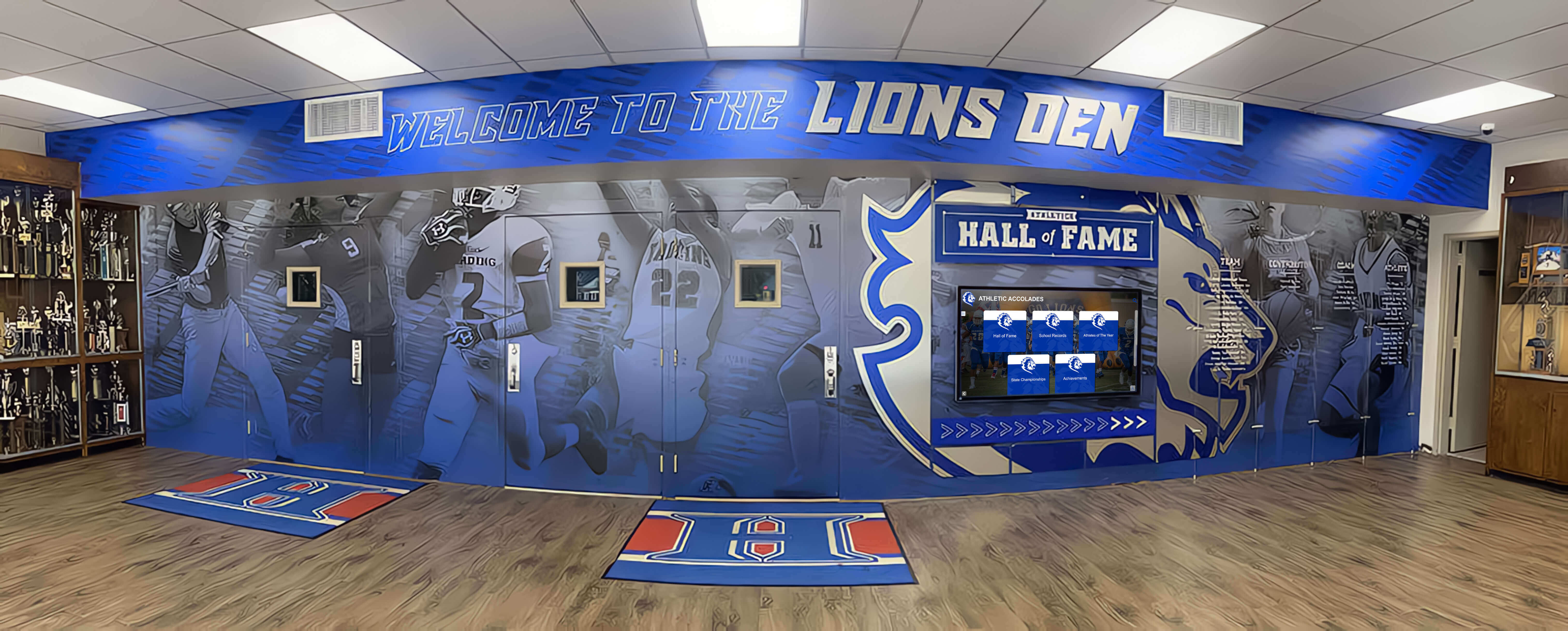
Successful recognition programs benefit from visibility across multiple high-traffic locations throughout facilities
Implementation Considerations for Multi-Screen Deployments
Organizations planning comprehensive recognition display networks should address these practical considerations:
Network Infrastructure
Bandwidth Requirements
- Each display requires internet connectivity for content updates
- Typical bandwidth: 1-5 Mbps per screen during updates
- Most platforms cache content locally, requiring minimal bandwidth during normal operation
- Updates typically scheduled overnight or during low-traffic periods
Network Reliability
- Wired Ethernet connections preferred for reliability and security
- Wi-Fi acceptable for locations where wired impractical
- Displays continue functioning during brief outages using cached content
- Consider backup connectivity for critical locations
Security Considerations
- VLAN segmentation recommended separating displays from sensitive networks
- Regular security updates for media players and software
- Access control for content management system
- Physical security for player hardware preventing tampering
Organizations should involve IT departments early in planning to ensure appropriate infrastructure support.
Content Management Workflows
Roles and Responsibilities
- Designate content administrator with overall program responsibility
- Define department coordinators (athletics, academics, fine arts) who submit content
- Establish review/approval process before publication
- Create documentation and training materials for sustainability
Quality Standards
- Photo resolution requirements and file formats
- Biographical information guidelines and length limits
- Achievement verification procedures
- Style guide for consistent tone and formatting
Update Procedures
- Academic year calendar for regular recognition (honor rolls, athletic seasons)
- Ad-hoc submission process for special achievements
- Historical content entry workflow for archives
- Review and correction procedures for errors
Documenting workflows ensures recognition programs remain sustainable as staff change over time.
Training and Support
Initial Training
- Administrator training on full platform capabilities
- Department coordinator training on submission procedures
- General staff awareness of recognition program
- Student/visitor guidance on using touchscreen displays
Ongoing Support
- Designated technical contact for display troubleshooting
- Content management documentation and resources
- Vendor support for platform questions and issues
- Regular check-ins ensuring program effectiveness
Change Management
- Communicate recognition program launch to all stakeholders
- Encourage submissions from departments and teams
- Celebrate successes building momentum and participation
- Address concerns and gather feedback for improvement
Successful multi-screen deployments require both technology and organizational change management.
Conclusion: Eliminating Hidden Multi-Screen Costs
Per-screen licensing represents one of the most significant hidden costs in digital recognition display deployments, multiplying what appear to be reasonable software subscriptions into budget barriers that prevent schools and organizations from deploying displays as comprehensively as their programs deserve.
Understanding licensing models before hardware purchases and implementation prevents unwelcome surprises and enables accurate total cost of ownership calculations. Organizations should specifically ask vendors whether pricing is per-screen, tiered by screen count, or flat regardless of deployment size—and model costs across anticipated deployment scenarios before committing to platforms.
Rocket Alumni Solutions’ approach of allowing unlimited screens on a single subscription eliminates artificial barriers that limit program reach. Schools can plan comprehensive multi-location networks where recognition content appears in gyms, lobbies, cafeterias, specialized facilities, and across multiple buildings without software costs multiplying alongside hardware investments.
This licensing philosophy aligns with how recognition content actually works: organizations manage achievement databases once, updating them periodically with new inductees and accomplishments. Whether that centralized content publishes to two screens or twenty doesn’t meaningfully change vendor costs, organizational value, or management complexity. Charging per screen in these circumstances serves primarily to maximize vendor revenue rather than fairly pricing services provided.
Explore Unlimited Screen Recognition Displays
Discover how Rocket Alumni Solutions' unlimited screen licensing enables comprehensive recognition programs across your entire campus without per-display software fees multiplying your costs.
Book a DemoFor organizations planning multi-screen recognition display networks, transparent pricing that doesn’t penalize comprehensive deployment makes budget planning straightforward and enables programs to expand based on strategic value rather than artificial licensing constraints. The hardware investment remains substantial regardless of software model, but eliminating per-screen software multiplication can save thousands of dollars annually while enabling more impactful programs that reach all the locations where achievements deserve celebration.
Large districts deploying displays across multiple schools, single campuses wanting recognition in various buildings and facilities, and growing programs planning future expansion all benefit from licensing models that charge fairly for services provided rather than maximizing per-screen revenue. When evaluating digital recognition platforms, clarify licensing terms early and model total costs across your anticipated deployment to make informed decisions aligned with both budget and program goals.































