
Schools and organizations considering interactive touchscreen recognition displays face a common concern: who handles hardware problems when something breaks? Many software-focused providers offer sleek platforms but leave you to source hardware independently, manage vendor relationships yourself, and troubleshoot technical issues across multiple support channels when problems arise.
Rocket Alumni Solutions takes a different approach. Rather than offloading hardware responsibility to customers, Rocket provides complete touchscreen kiosk solutions combining professional-grade hardware, software platforms, and most importantly—a dedicated Customer Success team serving as your single point of contact for any issue, whether it involves software, hardware, networking, or setup.
This comprehensive guide examines how Rocket Alumni Solutions handles the full kiosk stack from hardware selection through installation, ongoing support, warranty management, and long-term uptime. You’ll learn why having one team responsible for your entire recognition display system matters, what sets Rocket’s approach apart from software-only providers, and how their end-to-end ownership model ensures your displays stay operational year after year.
When schools invest in interactive recognition displays, the decision extends far beyond selecting software features. The reliability of physical hardware, quality of installation, responsiveness of technical support, and clarity of responsibility when problems occur determine whether displays become valuable institutional assets or sources of ongoing frustration.

Professional installations combine commercial-grade hardware with secure mounting, proper connectivity, and reliable performance designed for years of continuous operation
Understanding Full-Service vs. Software-Only Approaches
The digital display industry offers two fundamentally different service models, each with distinct implications for long-term success and customer experience.
Software-Only Provider Model
Many digital signage and recognition platforms focus exclusively on software development, leaving hardware procurement and support to customers:
How It Works Software vendors provide content management platforms, display interfaces, and cloud-based systems but customers must independently source displays, media players, mounting equipment, and accessories, coordinate with third-party hardware vendors for specifications and compatibility, manage separate support relationships for software issues versus hardware problems, and handle warranty claims through original equipment manufacturers.
When Hardware Problems Occur Under software-only models, troubleshooting becomes a multi-party coordination challenge. Is the issue caused by the software platform, the media player configuration, the display hardware, the network connection, or mounting interference? Customers often spend hours isolating problems, contacting multiple vendors, and waiting while different companies point fingers at each other’s products.
This fragmented responsibility creates frustration when you need immediate answers. The software company claims it’s a hardware issue. The display manufacturer says their screen works fine and suggests checking the media player. The media player vendor points to network problems. Meanwhile, your recognition display sits dark in your lobby for days or weeks.
Full-Service Hardware and Software Model
Rocket Alumni Solutions provides integrated solutions where a single team handles everything from hardware specification through long-term support:
How It Works Rocket’s Customer Success team manages hardware selection for your specific requirements and location, professional installation and configuration, software platform setup and content management, network connectivity and troubleshooting, ongoing technical support for any issue regardless of source, and warranty management including OEM relationships and replacement coordination.
When Hardware Problems Occur Under Rocket’s model, you contact one team regardless of the problem. Their Customer Success specialists triage issues, determine root causes, coordinate replacements when needed, and restore functionality—all without requiring you to manage multiple vendor relationships or diagnose complex technical problems.
This single-point-of-contact approach means faster problem resolution, clearer accountability, reduced administrative burden on school staff, and higher uptime since Rocket owns the entire solution outcome rather than individual components.
Schools implementing interactive kiosk solutions benefit from integrated approaches where software and hardware expertise combine under unified support structures.
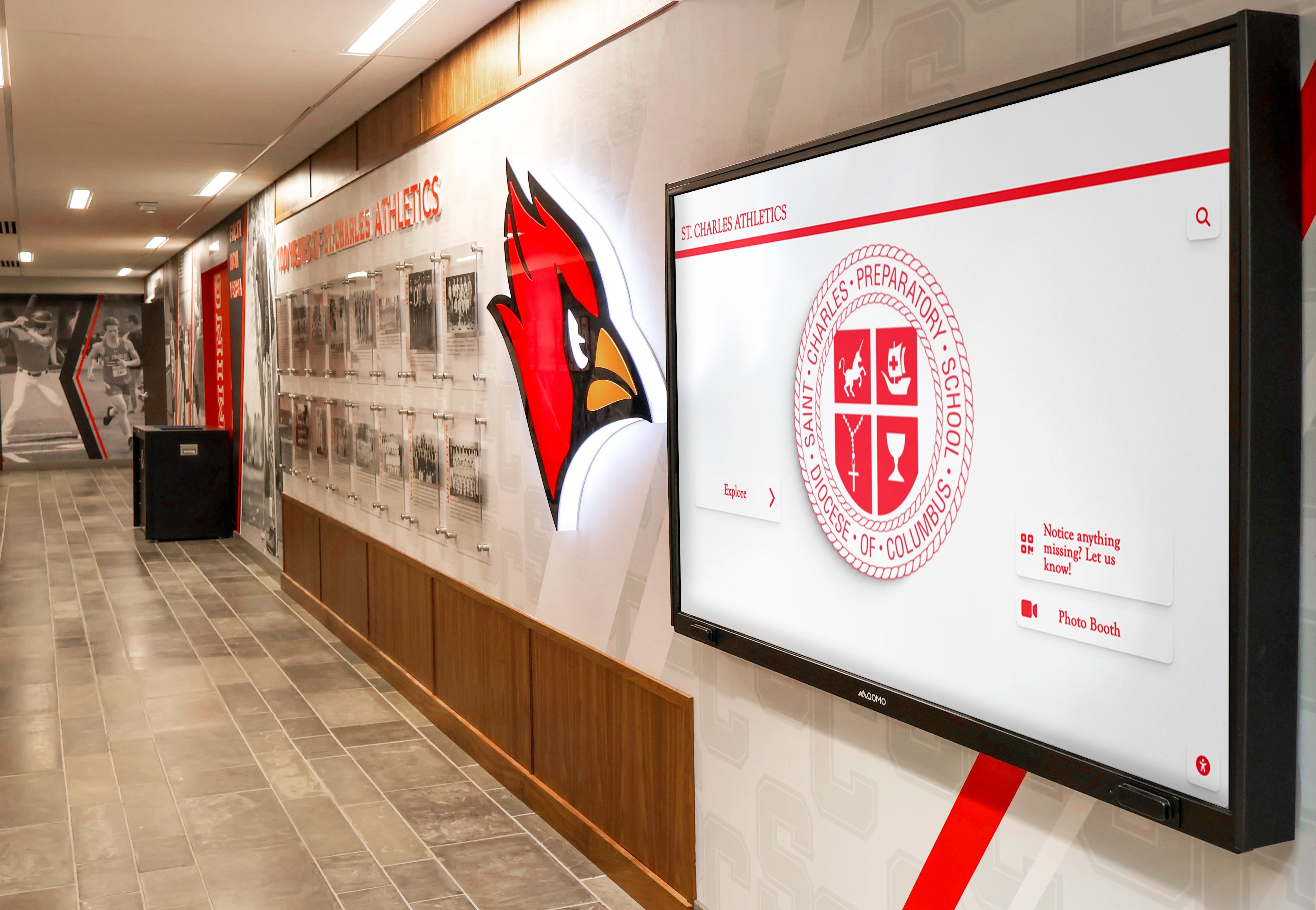
Quality installations integrate seamlessly with existing facility design while ensuring reliable operation through proper mounting, ventilation, and connectivity
Rocket Alumni Solutions Hardware Expertise and Support
Rocket’s full-service approach extends across every phase of the hardware lifecycle, from initial specification through years of operational support.
Hardware Selection and Specification
Not all touchscreen displays suit institutional recognition applications. Consumer-grade equipment designed for occasional home use fails quickly under continuous commercial operation. Rocket’s hardware selection process ensures appropriate components for educational environments:
Commercial-Grade Display Selection Rocket specifies commercial displays rated for 16-24 hours daily operation rather than consumer TVs designed for occasional use. Commercial displays include improved heat management for enclosed installations, extended warranties typically covering three to five years, support for portrait and landscape orientations, and remote management capabilities for troubleshooting.
Touchscreen Technology Optimization Recognition displays require responsive touch interfaces supporting multiple interaction patterns. Rocket evaluates infrared touchscreens offering excellent durability and accuracy, capacitive touch for consumer-familiar smartphone-like interactions, and surface acoustic wave technology for specific environmental conditions.
Display size recommendations account for viewing distance, content density, available mounting space, and budget constraints—typically ranging from 43-inch displays for hallway installations to 75-inch or larger screens for lobby centerpieces.
Media Player and Connectivity Behind every display, dedicated media players run software, connect to networks, and drive content. Rocket specifies appropriate computing power for smooth content rendering, adequate memory for media caching, reliable network connectivity options, and standardized configurations simplifying future replacements.
Rather than leaving schools to research specifications and compatibility independently, Rocket’s experience across hundreds of installations informs hardware recommendations optimized for recognition applications.
Professional Installation Services
Hardware quality matters little if installation is substandard. Rocket coordinates or provides installation services ensuring displays function reliably:
Site Assessment and Planning Before installation, Rocket evaluates mounting locations for structural support, ambient lighting conditions, accessibility for maintenance, power availability and requirements, and network connectivity options. This assessment prevents common installation mistakes like mounting on drywall without proper backing, placing displays where glare obscures screens, or locating kiosks where network access is inadequate.
Proper Mounting and Safety Commercial displays weigh 40-80 pounds or more. Professional mounting ensures secure installation on appropriate wall structures, use of commercial-grade mounting hardware rated for display weight, cable management maintaining clean professional appearance, ventilation preventing overheating, and compliance with accessibility requirements where applicable.

Professional installations position displays at appropriate heights for comfortable interaction while ensuring structural integrity and safety
Electrical and Network Configuration Displays require reliable power and network connectivity. Installation includes dedicated electrical circuits or appropriate power management, network drops or secure WiFi configuration, cable routing meeting building codes, surge protection for expensive electronics, and backup power consideration where uptime is critical.
System Calibration and Testing After physical installation, Rocket configures touchscreen calibration ensuring accurate response, display settings optimizing brightness and color, network connectivity and cloud platform access, content loading and rendering verification, and interactive feature testing confirming proper operation.
This thorough installation process explains why Rocket installations consistently function reliably compared to DIY or minimally supported hardware deployments.
Ongoing Technical Support and Troubleshooting
Hardware problems inevitably occur—displays malfunction, touch sensors degrade, media players fail, network connectivity drops, or mounting hardware loosens. Rocket’s Customer Success team provides the support infrastructure ensuring these problems get resolved quickly rather than leaving displays inoperative for extended periods.
Single Point of Contact for All Issues When problems occur, you don’t need to diagnose whether issues are software-related, hardware failures, network problems, or user error. Contact Rocket’s Customer Success team through a single support channel and they handle triage, root cause identification, coordination with OEMs when applicable, and restoration of functionality.
This consolidated support dramatically reduces administrative burden on school staff. Athletic directors, IT administrators, and facilities managers already juggle numerous responsibilities. Managing multiple vendor relationships, coordinating technical troubleshooting, and navigating warranty claims add unnecessary complexity to their workload.
Remote Diagnostics and Resolution Many issues can be resolved remotely without on-site visits. Rocket’s support capabilities include remote access to media players for software troubleshooting, network connectivity diagnostics, content rendering problem investigation, configuration adjustments resolving common issues, and guided user support for operational questions.
Remote resolution minimizes downtime and eliminates delays waiting for technician scheduling and travel. When remote resolution isn’t possible, Rocket coordinates next steps efficiently.
On-Site Support Coordination Hardware failures requiring physical intervention—damaged displays, failed media players, mounting problems, or electrical issues—require on-site service. Rocket manages coordination with local service providers or technicians, dispatch scheduling to minimize downtime, parts procurement and shipping, and verification that repairs restore full functionality.
Even when on-site service involves third parties, Rocket remains your primary contact managing the process rather than forcing you to coordinate multiple vendors independently.
Organizations implementing touchscreen kiosk systems in schools frequently cite support quality as the deciding factor between providers, recognizing that initial purchase price matters far less than long-term reliability and responsiveness when problems occur.
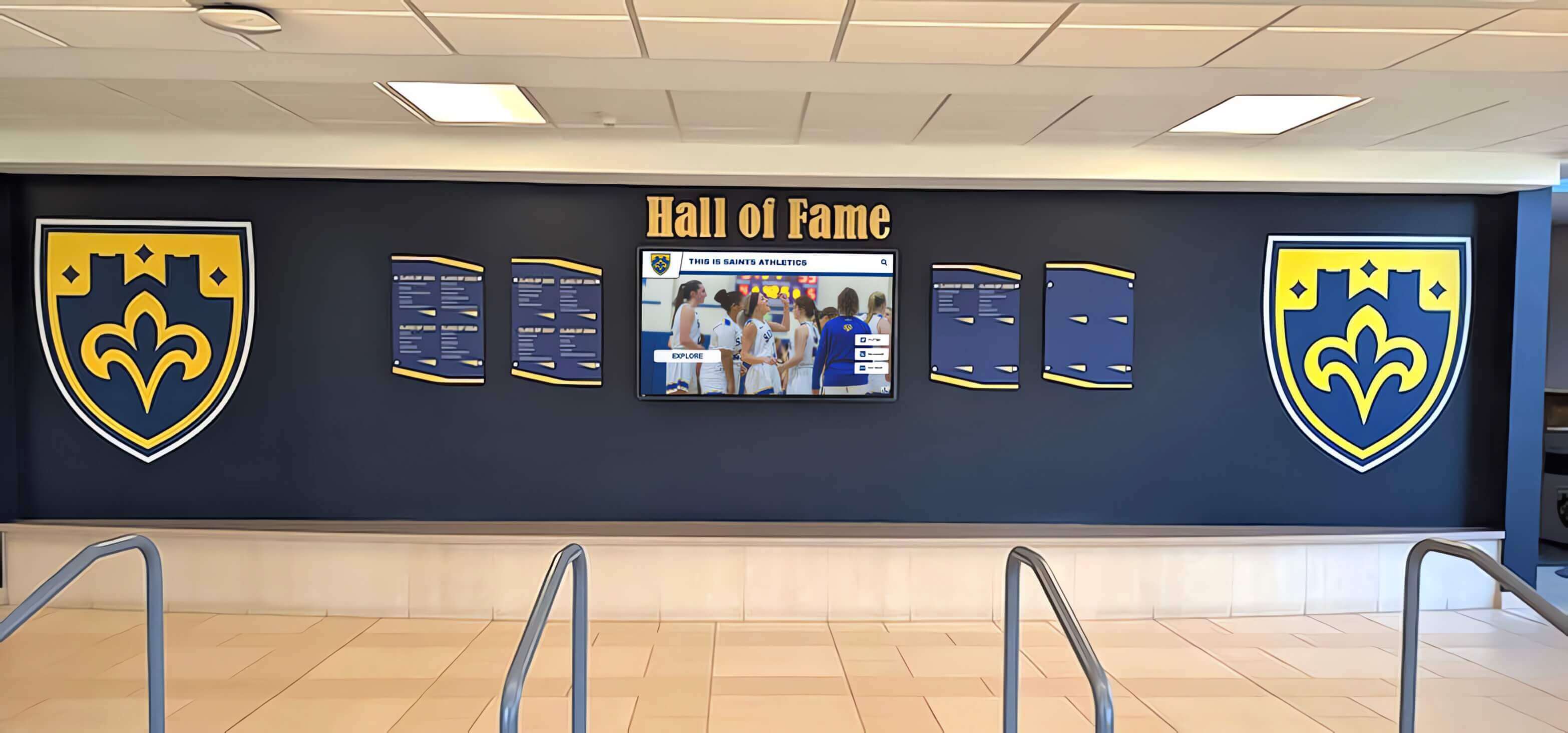
Multi-display installations require coordinated support ensuring all systems remain operational and synchronized
Warranty Management and Equipment Replacement
Commercial-grade displays typically include manufacturer warranties covering defects and failures for three to five years. However, warranty coverage means little if claiming it requires navigating complex OEM processes independently.
Rocket’s Warranty Management Approach
Rather than requiring schools to manage manufacturer warranty claims directly, Rocket serves as the intermediary handling warranty-related processes:
Proactive Warranty Tracking Rocket maintains records of equipment serial numbers, warranty periods, manufacturer contact information, and coverage details. When problems occur during warranty periods, Rocket initiates claims on your behalf rather than requiring school staff to research warranty status, contact manufacturers, and navigate claim processes.
Warranty Claim Processing OEM warranty claims often involve frustrating procedures—manufacturer diagnostic protocols, proof of purchase documentation, return merchandise authorization (RMA) processes, and shipping logistics. Rocket handles these administrative tasks, reducing burden on school personnel and accelerating resolution timelines.
Advanced Replacement Coordination Some warranty situations require shipping defective equipment back to manufacturers before receiving replacements, leaving displays inoperative for weeks. Where possible, Rocket coordinates advanced replacement shipments minimizing downtime, temporary equipment loans maintaining functionality during warranty service, and expedited processing reducing wait times.
Out-of-Warranty Equipment Service When equipment exceeds warranty periods but failures occur, Rocket still provides support including failure diagnosis and recommendations, replacement equipment sourcing, installation coordination, and trade-in or disposal of failed equipment.
This ongoing support relationship extends far beyond initial installation and warranty periods, ensuring displays remain operational throughout their expected seven-to-ten-year operational lifespans.
Replacement Equipment and Upgrades
Technology evolves continuously. Display technology improves, media player processing power increases, and touchscreen interfaces advance. Rocket supports equipment refresh and upgrade paths allowing institutions to modernize installations over time:
Planned Refresh Cycles Schools typically replace recognition display hardware every seven to ten years as displays reach end of life or technology advances justify upgrades. Rocket helps plan replacement timing, evaluate upgrade benefits, specify next-generation hardware, and coordinate installation minimizing disruption.
Modular Upgrade Paths In many cases, partial upgrades extend system life without replacing everything. Media players can be upgraded while retaining displays, displays can be replaced while reusing mounting infrastructure, or software platforms can add features through remote updates without hardware changes.
This modular approach controls costs while maintaining modern functionality and performance.
Emergency Replacement Stock Critical installations—displays in main lobbies, during admissions seasons, or for fundraising events—cannot tolerate extended downtime. Rocket maintains replacement equipment inventory enabling rapid deployment when failures occur in high-priority situations.
Schools implementing digital hall of fame systems value this backup infrastructure ensuring recognition displays remain available for campus tours, reunion weekends, and major institutional events.
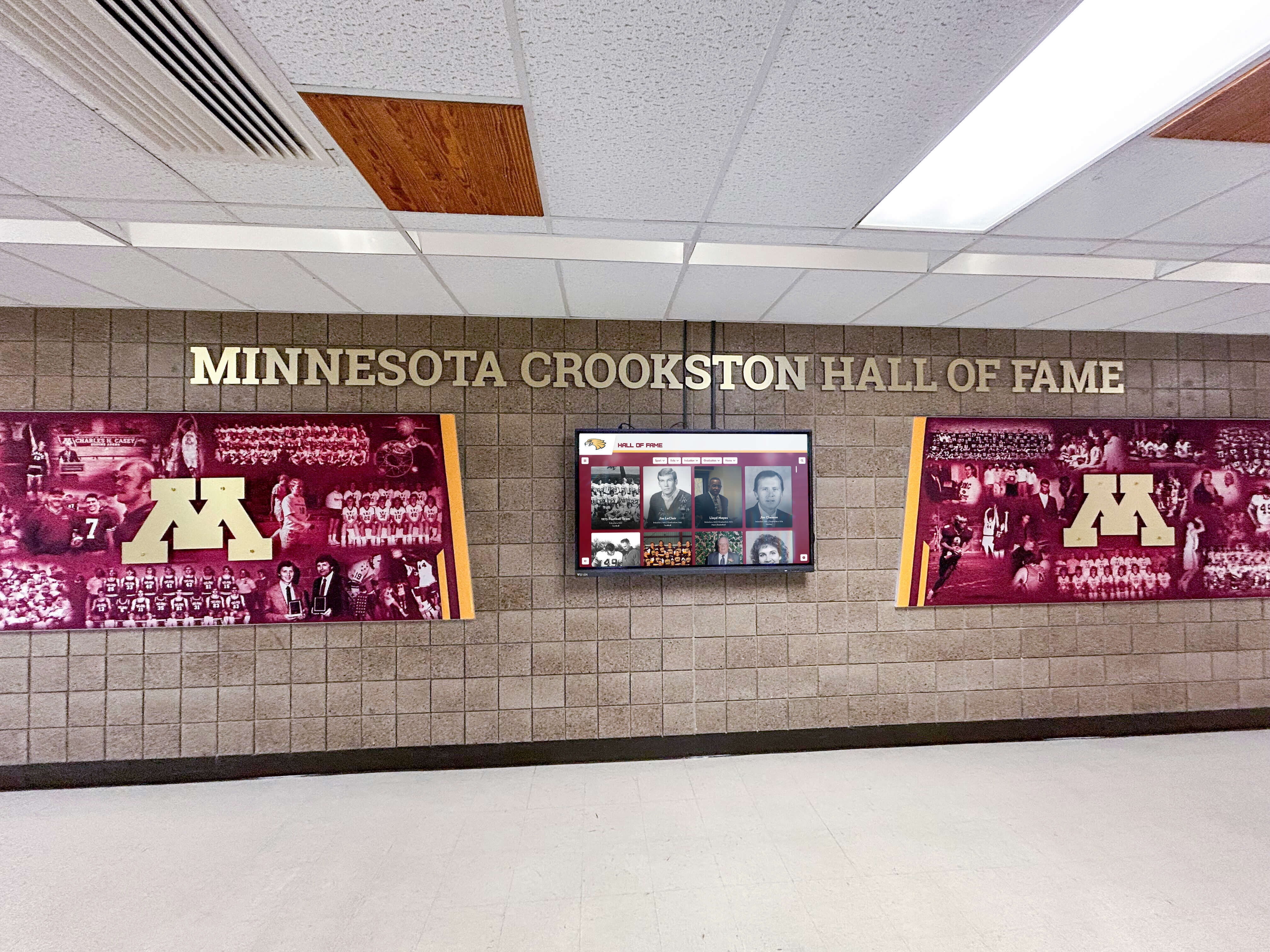
Long-term installations require ongoing support ensuring displays remain functional and current throughout years of continuous operation
The Customer Success Team Advantage
Technology platforms and hardware quality matter, but support team responsiveness and expertise often determine customer satisfaction more than product specifications.
Single Point of Contact Philosophy
Rocket’s Customer Success model centralizes all customer interactions through dedicated support specialists who understand your specific installation, history, and needs:
Relationship Continuity Rather than routing support requests through generic help desks where you explain your situation repeatedly, Rocket assigns Customer Success representatives who maintain ongoing relationships with customers, understand your specific installation and use cases, track your support history and previous issues, and provide consistent communication and follow-through.
This relationship approach means faster problem resolution since support staff already understand your context rather than starting from scratch with each interaction.
Proactive Engagement Quality customer success extends beyond reactive problem-solving to include periodic check-ins ensuring satisfaction, proactive notification of software updates or improvements, identification of underutilized features providing additional value, content strategy consultation optimizing engagement, and long-term planning for equipment refresh or expansion.
Schools report that this proactive engagement differentiates vendors who view installations as one-time sales from partners invested in long-term customer success.
Escalation and Priority Management Not all issues carry equal urgency. Rocket’s support structure accommodates diverse priority levels from emergency outages requiring immediate response through enhancement requests handled during planned upgrade cycles. The Customer Success team provides appropriate response based on actual business impact rather than generic first-come first-served queuing.
Expertise Across the Full Technology Stack
Customer Success effectiveness requires broad technical knowledge spanning hardware, software, networking, and content strategy:
Hardware Troubleshooting Competency Rocket’s support team understands commercial display operation and common failure modes, touchscreen technology and calibration procedures, media player configuration and diagnostics, mounting hardware and physical installation, and electrical and connectivity requirements.
This hardware expertise enables accurate problem diagnosis and appropriate resolution paths rather than generic advice to “turn it off and on again.”
Software Platform Mastery Support teams provide guidance on content management system operation, design template customization, media optimization for performance, interactive feature configuration, user account and permission management, and integration with other systems.
Comprehensive software knowledge helps customers maximize value from their recognition displays rather than using only basic features.
Network and Connectivity Understanding Many problems trace to network configuration, firewall rules, WiFi reliability, or bandwidth constraints. Rocket’s support staff works effectively with school IT departments diagnosing connectivity problems, recommending network optimizations, and implementing solutions maintaining reliable operation.
This cross-functional expertise proves invaluable when problems involve multiple technology domains—ensuring support teams can identify actual root causes rather than guessing or shifting blame between vendors.
Organizations implementing digital signage services across multiple locations particularly value unified support structures ensuring consistent service quality regardless of physical location or specific installation details.
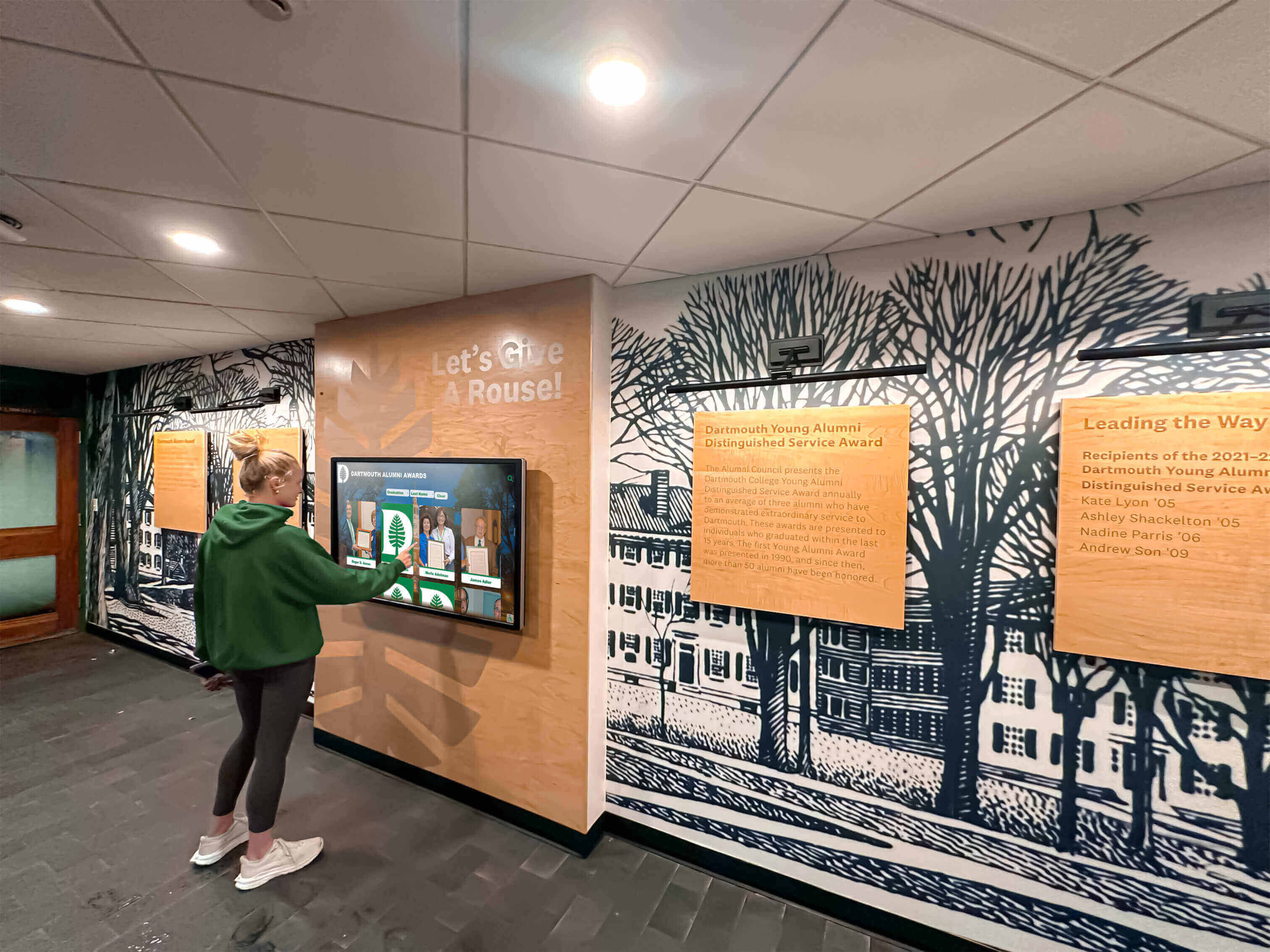
Reliable operation and intuitive interfaces encourage regular use, maximizing return on recognition display investments
Implementation Process: From Purchase Through Go-Live
Understanding how Rocket manages implementation from initial order through operational launch illustrates their end-to-end approach.
Discovery and Requirements Assessment
Implementation begins with understanding your specific needs, constraints, and objectives:
Needs Analysis Rocket’s team collaborates with schools to document recognition goals and content types, physical installation locations and constraints, existing infrastructure including power and networking, budget parameters and funding sources, timeline requirements and key dates, and stakeholder expectations and success criteria.
This discovery phase ensures hardware specifications, installation approach, and project planning match your actual requirements rather than generic assumptions.
Site Evaluation Before finalizing hardware specifications, Rocket often conducts virtual or physical site assessments examining mounting surface structural adequacy, ambient lighting conditions affecting display visibility, proximity to power sources, network connectivity options, accessibility for installation and maintenance, and aesthetic integration with existing design.
These evaluations prevent common problems like specifying displays too heavy for available mounting surfaces, placing screens where glare makes them unusable, or planning installations where network access proves impractical.
Solution Design and Proposal Based on discovery and site evaluation, Rocket develops implementation proposals specifying recommended hardware configurations with rationale, installation approach and timeline, content strategy and initial setup services, training and support inclusions, and detailed pricing with transparent cost breakdowns.
This thorough planning ensures alignment between customer expectations and actual deliverables before projects begin.
Hardware Procurement and Staging
After solution approval, Rocket manages equipment procurement and preparation:
Equipment Ordering Rocket handles orders with manufacturers and distributors, verifying specifications and compatibility, coordinating delivery timing with installation schedules, and managing procurement paperwork and documentation.
Schools avoid navigating wholesale purchasing relationships, evaluating technical specifications, or coordinating shipments from multiple vendors.
Pre-Installation Configuration Before shipping to installation sites, Rocket often pre-configures equipment including media player software installation and configuration, network settings and security certificates, content management platform connection, and initial content loading where applicable.
This staging reduces on-site installation time and minimizes technical problems during deployment.
Installation Coordination and Execution
Rocket manages the complete installation process ensuring professional results:
Installation Team Coordination Depending on school preferences and capabilities, Rocket either provides installation services directly, coordinates with qualified local contractors, or guides school facilities staff performing installations internally. Regardless of approach, Rocket provides detailed installation specifications, mounting templates and instructions, configuration guidance, and quality verification.
On-Site Installation Activities Professional installations include unpacking and hardware inspection, structural mounting with appropriate hardware, electrical connection and verification, network connectivity setup, media player and display configuration, touchscreen calibration and testing, and content loading and rendering verification.
Proper installation typically requires four to eight hours per display depending on complexity, mounting height, and infrastructure preparation requirements.
Post-Installation Testing After physical installation, thorough testing confirms proper operation including interactive touch functionality across entire screen, content management system connectivity, media rendering and performance, network stability and speed, and user experience across typical usage scenarios.
This testing identifies configuration problems, connectivity issues, or hardware defects before Rocket considers installations complete.
Training and Handoff
Technical success matters little if school staff cannot manage content and operations effectively:
Staff Training Sessions Rocket provides training covering content management system operation, adding and updating recognition content, media upload and optimization, user account and permission management, basic troubleshooting procedures, and support escalation processes.
Training can be delivered on-site, virtually, or through recorded materials depending on school preferences and geographic constraints.
Documentation and Resources Comprehensive documentation ensures staff can reference procedures after training including content management quick-start guides, video tutorials for common tasks, troubleshooting flowcharts for basic issues, support contact information, and hardware maintenance recommendations.
Ongoing Support Transition After training, Rocket’s Customer Success team transitions from implementation to ongoing support mode with regular check-ins during early operation, proactive monitoring for technical issues, content strategy consultation, and responsive support for questions and problems.
This transition ensures schools don’t feel abandoned after installation, maintaining support continuity throughout the customer relationship.
Schools implementing digital recognition displays report that implementation quality and training effectiveness significantly impact long-term adoption and satisfaction—recognizing that even excellent technology fails when implementation is rushed or support is inadequate.
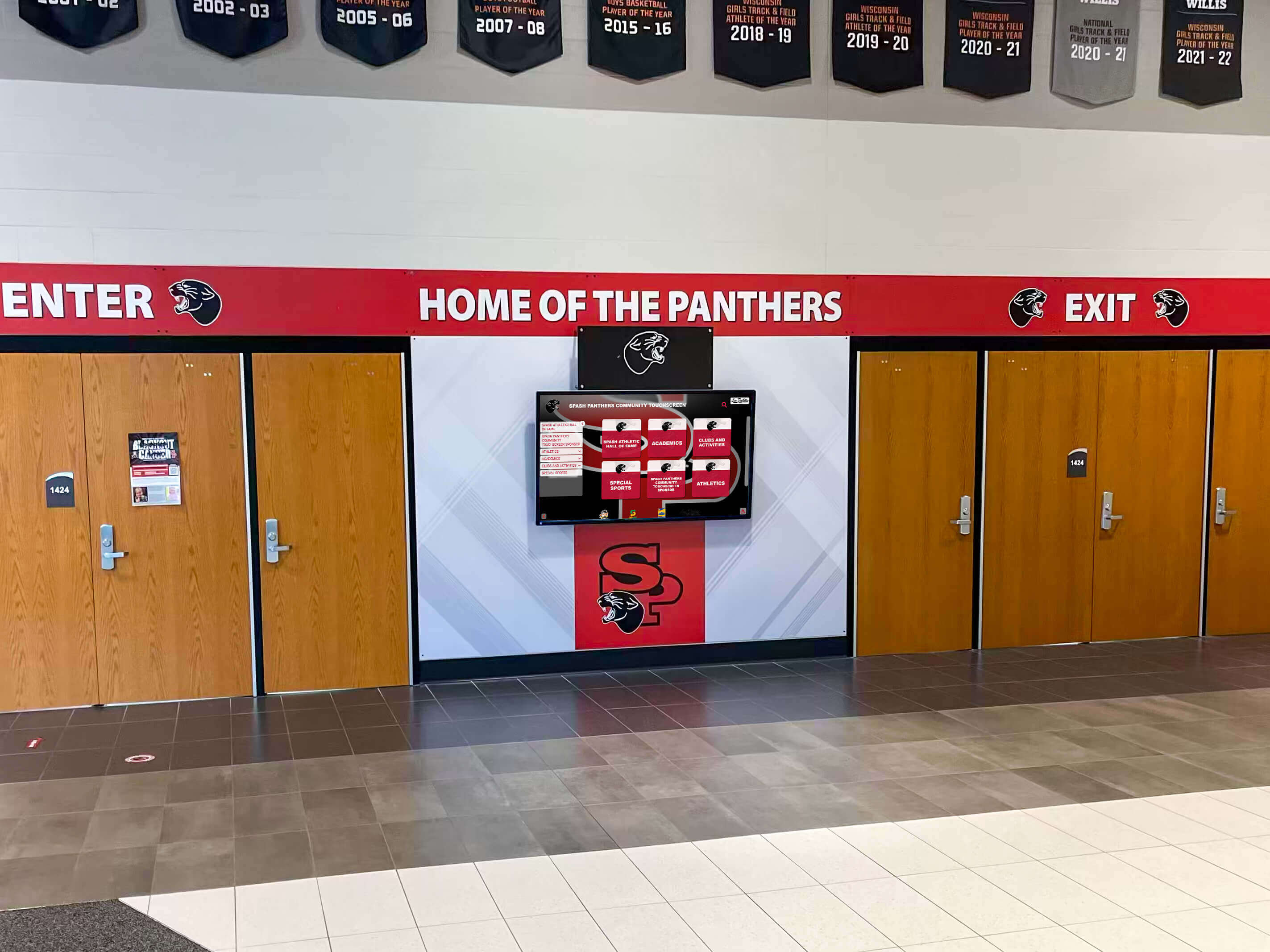
Professional implementations integrate multiple displays, murals, and branding into cohesive recognition environments
Long-Term Uptime and Reliability
The ultimate measure of full-service hardware responsibility is operational uptime—whether displays function reliably day after day, year after year.
Factors Affecting Display Reliability
Understanding what causes recognition display downtime highlights why integrated hardware and support matters:
Hardware Component Failures Display panels develop dead pixels or backlight failures, touchscreen sensors lose calibration or responsiveness, media players experience hard drive or memory failures, power supplies malfunction, and mounting hardware loosens over time.
Quality initial hardware selection reduces failure rates, but eventual failures are inevitable. Response speed when failures occur determines whether downtime measures hours or weeks.
Software and Configuration Issues Platform updates occasionally introduce bugs, network changes affect connectivity, configuration drift causes performance degradation, certificate expiration breaks secure connections, and content errors cause rendering problems.
These software-related issues rarely require hardware replacement but still cause display downtime without knowledgeable support resources.
Environmental and Physical Factors Facilities issues impact display operation including power outages or electrical surges, HVAC failures causing overheating, network infrastructure problems, physical damage from impacts or vandalism, and dust accumulation affecting cooling.
Integrated support addresses these environmental factors through appropriate installation practices, preventive maintenance recommendations, and rapid response when problems occur.
User Error and Training Gaps Sometimes displays appear broken when problems actually involve user misunderstanding, incorrect content management procedures, accidental configuration changes, or operation outside normal use cases.
Strong customer success teams efficiently diagnose user-related issues, provide guidance resolving problems, and identify training gaps preventing recurrence.
Rocket’s Uptime Commitment
While no provider guarantees 100% uptime given the complexity of technology systems, Rocket’s integrated approach maximizes operational reliability:
Proactive Monitoring Where appropriate, Rocket’s systems monitor display connectivity and operation, software platform performance, content rendering problems, and user interaction patterns. This monitoring often identifies problems before customers notice, enabling proactive resolution.
Rapid Response Protocols When problems occur, clear escalation paths and response time commitments ensure issues receive appropriate priority. Emergency situations—displays dark during major events, admissions tours, or reunion weekends—receive expedited attention minimizing business impact.
Root Cause Analysis Rather than applying quick fixes without understanding underlying causes, Rocket’s support methodology emphasizes proper diagnosis preventing problem recurrence. This analytical approach improves long-term reliability through systematic issue resolution.
Continuous Improvement Rocket analyzes support trends across their installation base identifying common issues, hardware components with higher failure rates, configuration problems affecting multiple customers, and opportunities for preventive measures.
These insights inform hardware specification changes, improved installation procedures, and platform enhancements increasing reliability across all deployments.
Schools implementing interactive display technology in high-visibility locations particularly value reliability commitments and responsive support—recognizing that dark displays in main lobbies or athletic facilities create negative impressions with prospective students, donors, and visitors.
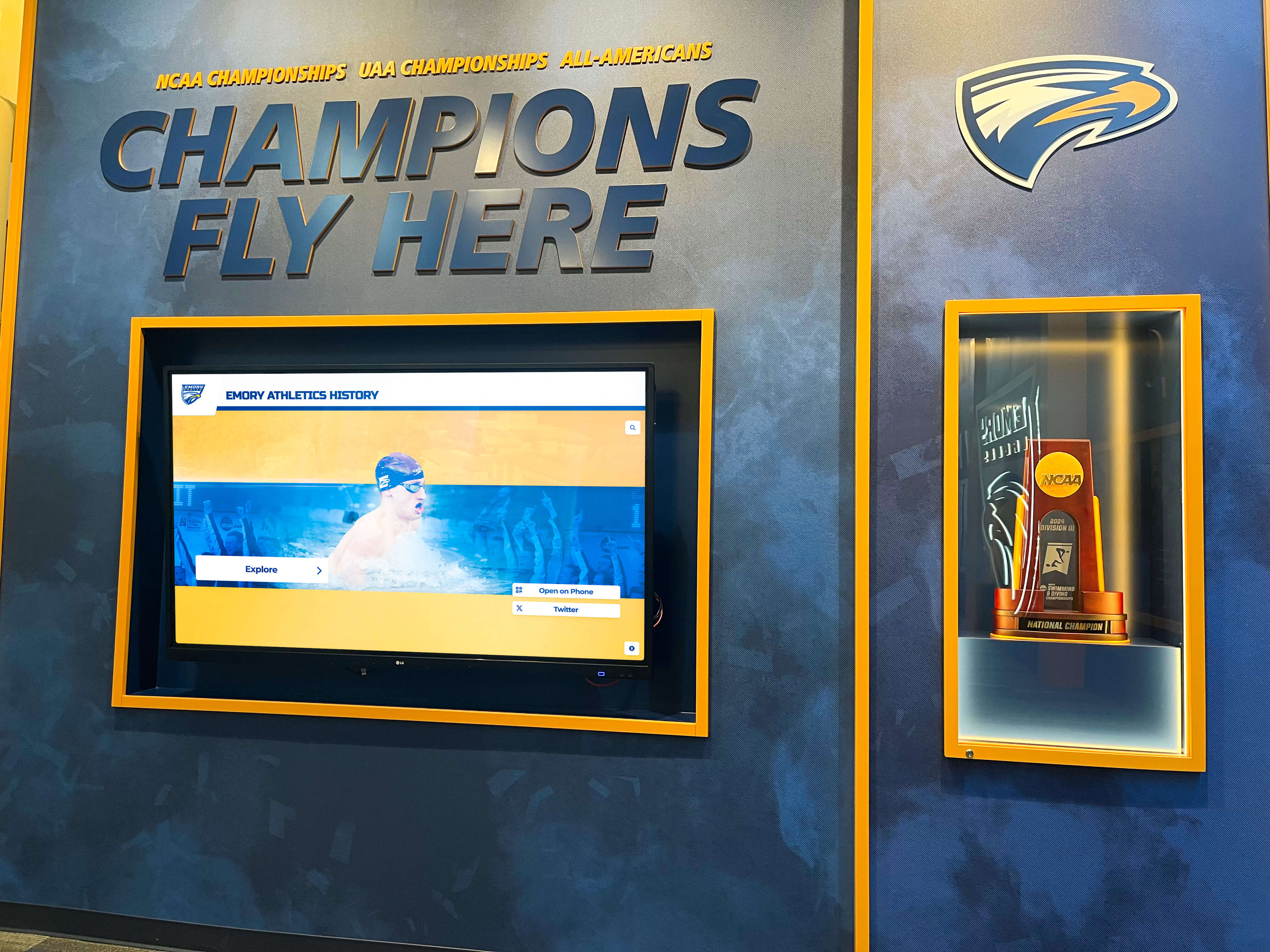
Athletic recognition displays serve important roles during recruiting visits and donor cultivation, making reliability critical during key institutional events
Cost Considerations: Integrated vs. Fragmented Hardware Support
Budget constraints influence every school purchasing decision. Understanding total cost of ownership clarifies why integrated hardware support often costs less long-term despite potentially higher initial investment.
Upfront Cost Comparison
Software-Only Provider Initial Costs When you purchase only software platforms, initial costs appear lower: platform licensing or subscription fees, but you separately purchase displays from consumer electronics retailers, media players and accessories, mounting hardware and installation materials, and pay for professional installation if needed.
This itemized approach lets you control component selection and potentially reduce costs through bargain hunting or using existing equipment.
Rocket Full-Service Initial Costs Rocket’s proposals include commercial-grade displays specified for institutional use, media players and connectivity equipment, mounting hardware and professional installation, software platform access and setup, initial content creation assistance, and comprehensive training and documentation.
Integrated proposals typically cost more initially than software-only alternatives because they include hardware, professional installation, and implementation services rather than just software access.
Long-Term Cost Comparison
Initial costs represent only a portion of total ownership expenses. Long-term costs include ongoing software subscriptions or licensing, hardware maintenance and eventual replacement, support and troubleshooting expenses, staff time managing multiple vendor relationships, and downtime costs when displays are inoperative.
Hidden Costs of Fragmented Support Software-only models often create unexpected long-term expenses including staff time diagnosing problems across multiple vendors, coordination overhead managing separate hardware and software support, extended downtime when vendors blame each other, out-of-warranty hardware repair or replacement costs, and need to hire consultants or contractors for complex technical issues.
These hidden costs accumulate over years, often exceeding initial savings from lower upfront investment.
Integrated Support Value Rocket’s full-service model includes ongoing support as part of annual platform subscriptions, single point of contact eliminating multi-vendor coordination, warranty management and claim processing, hardware replacement coordination, and proactive maintenance and optimization.
While annual subscription costs may exceed software-only alternatives, the inclusion of comprehensive hardware support, faster problem resolution, and reduced administrative burden often results in lower total cost of ownership when all factors are considered.
Return on Investment Beyond Direct Costs
The most important costs are often hardest to quantify—opportunity costs of inoperative displays during important events, staff frustration managing technical problems, negative impressions when recognition displays are broken, and inability to display achievements during recruiting visits or donor cultivation.
Reliable operation and responsive support create value extending beyond line-item expense comparisons. Schools investing in integrated solutions like those from Rocket report higher satisfaction, better utilization of recognition displays, and confidence that displays will function reliably when they matter most.
Organizations implementing donor recognition displays for fundraising purposes particularly value reliability during capital campaign events, donor recognition ceremonies, and major gift solicitation meetings where technical failures create embarrassing situations.

Reliable, professionally supported installations encourage regular use and create positive impressions with students, alumni, and visitors
Making the Hardware Support Decision
Schools evaluating recognition display providers should carefully assess hardware responsibility and support structures:
Key Questions for Provider Evaluation
When comparing providers, ask specific questions revealing actual support capabilities:
Hardware Responsibility
- Do you provide hardware or require us to source it independently?
- What hardware do you recommend and why?
- Are your hardware recommendations tested with your software platform?
- What happens if hardware and software vendors blame each other for problems?
Installation Support
- Do you provide professional installation or coordinate with local contractors?
- What installation quality assurance processes ensure proper setup?
- What happens if installation problems arise weeks after deployment?
Ongoing Technical Support
- Who do we contact when problems occur—software company, hardware vendor, or both?
- What are your response time commitments for different priority levels?
- Can you diagnose problems remotely or is everything on-site service?
- How do you handle situations where multiple vendors need coordination?
Warranty and Equipment Lifecycle
- Do you manage manufacturer warranties or do we handle claims directly?
- What happens when equipment fails out of warranty?
- How do you support equipment refresh and upgrades over time?
- Do you maintain replacement stock for emergency situations?
Customer Success Philosophy
- Do we work with consistent support contacts or generic help desks?
- What proactive support do you provide beyond reactive troubleshooting?
- How do you measure and track customer satisfaction?
- Can you provide customer references, particularly for hardware support experiences?
Providers offering truly integrated hardware support will confidently answer these questions with specific procedures and commitments rather than vague assurances or deflecting responsibility to third parties.
Evaluating Your School’s Support Capacity
Your internal technical capacity influences which provider model suits your situation:
Strong IT Department with Hardware Experience Schools with sophisticated IT departments comfortable specifying hardware, managing vendor relationships, and troubleshooting complex technical issues may successfully manage fragmented hardware and software vendor relationships, potentially reducing costs through independent component sourcing.
However, even strong IT departments often prefer consolidating vendor relationships to focus technical resources on core educational technology rather than managing recognition display hardware.
Limited Technical Resources Schools with small IT departments, technical staff responsible for broad institutional technology needs, or limited hardware troubleshooting expertise benefit significantly from integrated support eliminating need to develop hardware expertise internally and reducing coordination overhead managing multiple vendors.
Reliability Requirements Consider how critical recognition display uptime is for your institution. Displays supporting major fundraising campaigns, featured during admissions tours, or serving primary recognition purposes warrant higher reliability investment than displays in secondary locations used occasionally.
Higher reliability requirements favor integrated support models providing faster response and clearer accountability.
The True Cost of “DIY” Hardware Approaches
Some budget-conscious schools attempt fully DIY implementations using consumer displays, generic media players, and free or low-cost software platforms. While this minimizes initial investment, long-term results often disappoint:
Common DIY Challenges Consumer-grade displays fail quickly under continuous operation, generic media players lack processing power for smooth interaction, software platforms designed for slideshows lack recognition-specific features, mounting using standard hardware proves inadequate for display weight, troubleshooting requires significant staff time and technical knowledge, and overall presentation appears unprofessional compared to commercial installations.
Schools pursuing DIY approaches often eventually replace systems with professional solutions after frustration with reliability, functionality limitations, and time demands—ultimately spending more than initial professional implementation would have cost.
This doesn’t mean schools should never use budget-friendly options, but realistic assessment of technical capacity, time availability, and reliability requirements helps avoid expensive mistakes.
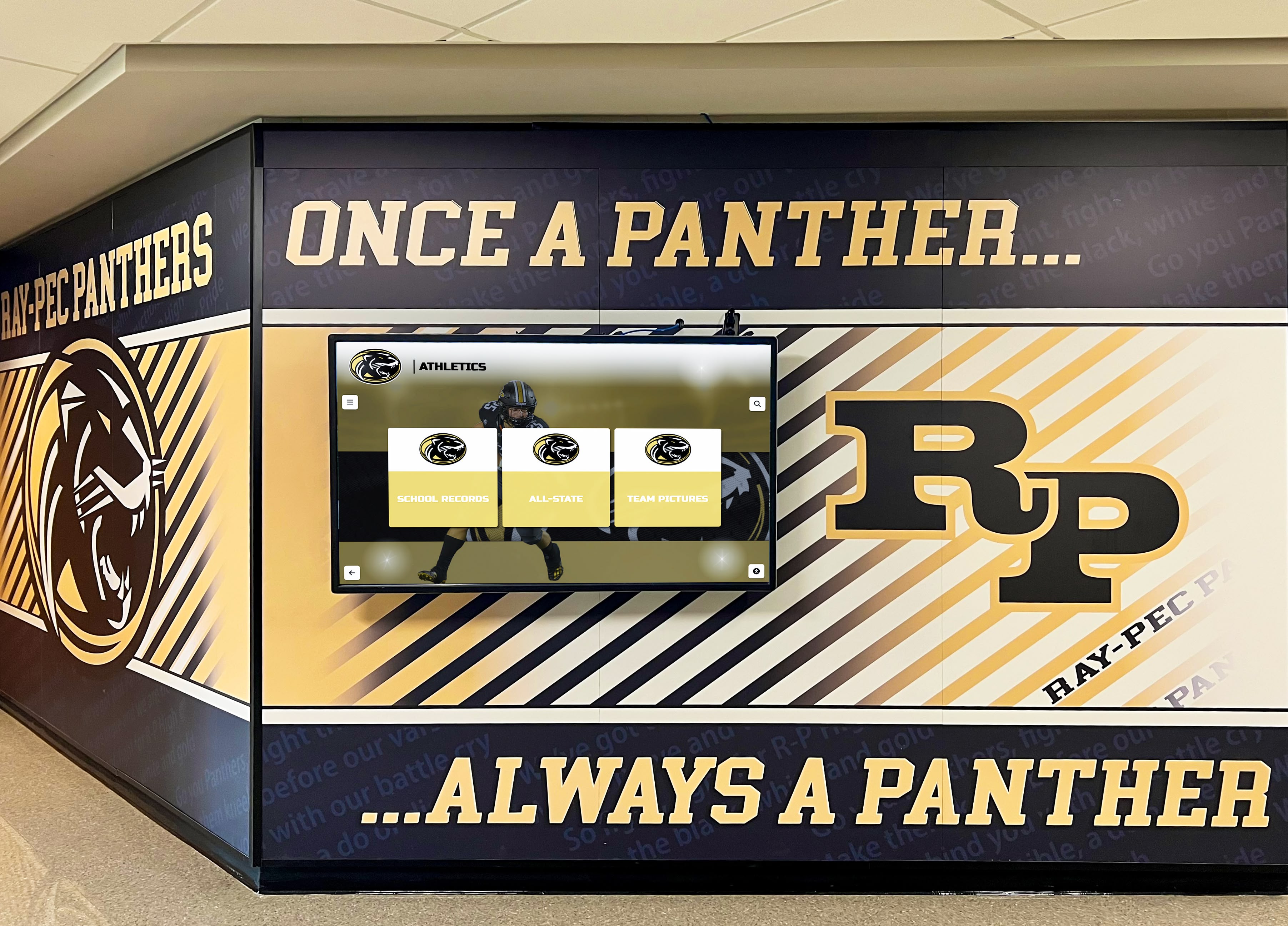
Professional installations combining hardware, software, and support create lasting recognition environments serving schools for years
Conclusion: The Value of Complete Hardware Ownership
When schools invest in interactive recognition displays, they’re not purchasing technology components—they’re investing in long-term recognition platforms that will display achievements, strengthen institutional pride, and serve students, alumni, and communities for years.
Hardware quality, installation professionalism, support responsiveness, and accountability clarity determine whether recognition displays become valued institutional assets or sources of ongoing frustration. Rocket Alumni Solutions’ approach—providing hardware, managing the full kiosk stack, and serving as the single point of contact for any issue—addresses the fundamental problem many schools encounter with fragmented vendor relationships: when something breaks, who actually fixes it?
By taking ownership of the complete solution including hardware, software, installation, and support, Rocket eliminates finger-pointing between vendors, reduces administrative burden on school staff, accelerates problem resolution, and maintains accountability for operational uptime. Their Customer Success team doesn’t just sell technology then disappear—they remain your partner throughout the entire lifecycle of your recognition display installation.
For schools evaluating recognition display providers, the hardware support question deserves careful attention. Initial software costs represent a fraction of long-term total ownership expenses. Support quality, response times, and accountability structures determine actual satisfaction far more than feature checklists or subscription pricing.
Rocket’s integrated approach—handling hardware specification, professional installation, ongoing support, warranty management, and long-term equipment lifecycle—reflects recognition that successful recognition displays require more than good software. They require reliable hardware, professional implementation, and responsive support ensuring displays function consistently year after year.
Schools investing in recognition displays should assess provider capabilities across the complete technology stack, not just software features. Ask tough questions about hardware responsibility, support structures, and long-term accountability. Request customer references specifically about hardware support experiences. And recognize that the right partner manages the full solution, not just individual components.
Your recognition displays will present institutional achievements for a decade or more. Choosing providers who take complete ownership of making those displays work reliably—from hardware through software through support—ensures your investment delivers value throughout that entire period.
Ready to explore recognition display solutions backed by comprehensive hardware support and a dedicated Customer Success team? Learn more about Rocket Alumni Solutions and discover how integrated hardware and software support creates reliable, long-lasting recognition platforms for schools and organizations.































