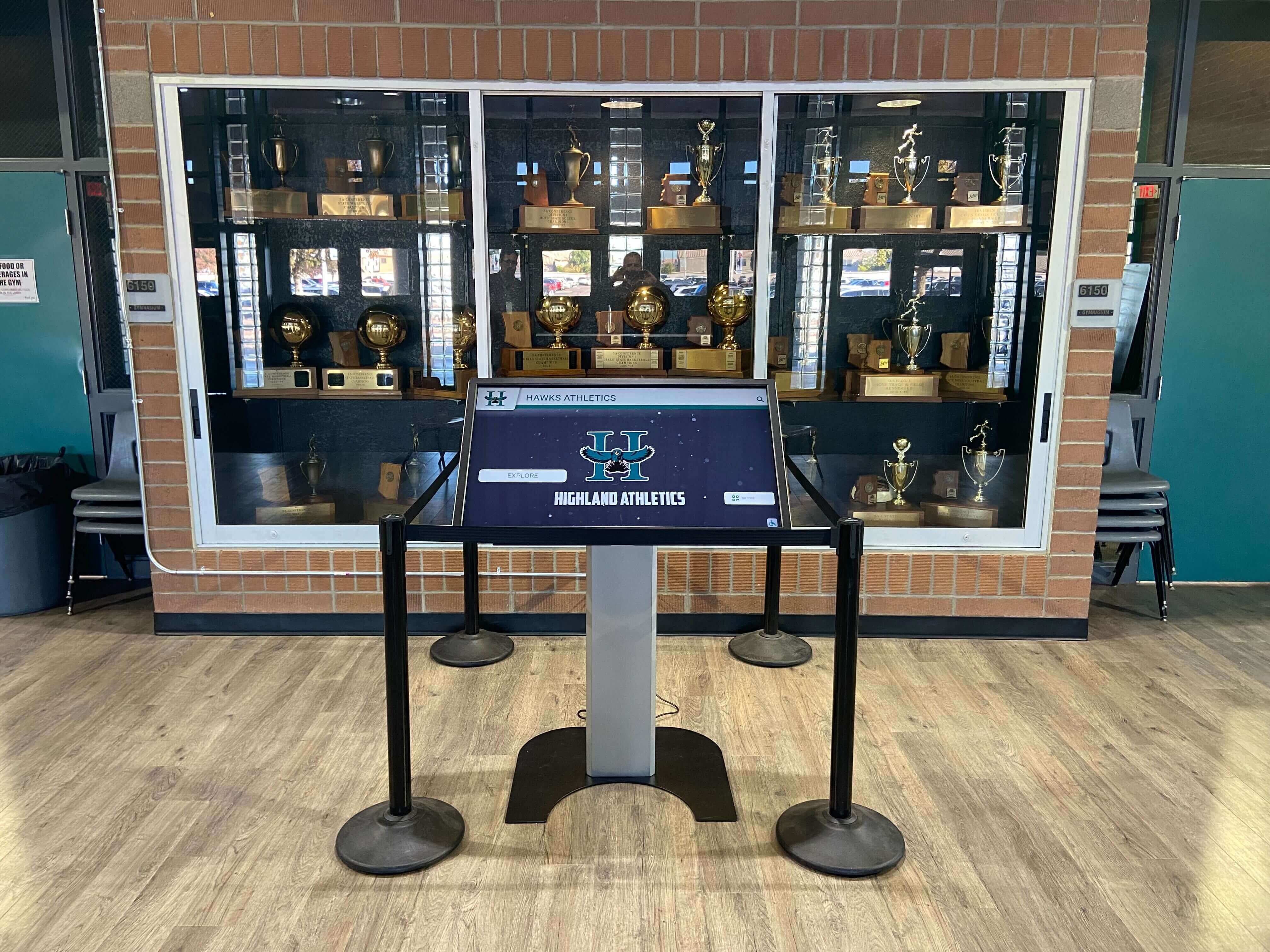
Building a new school facility represents a rare opportunity to design recognition systems properly from the ground up—avoiding the compromises, workarounds, and expensive retrofits that plague existing buildings. Yet many schools miss this window, treating touchscreen displays as afterthoughts added months after occupancy when walls are finished, electrical systems are closed, and optimal mounting locations are already occupied by other infrastructure.
The most common question from schools planning new gymnasiums or athletic facilities is straightforward: “When should we install our touchscreen display?” The answer determines whether you’ll have seamlessly integrated recognition systems that look custom-built for your space, or awkwardly positioned displays requiring visible conduit, surface-mounted electrical boxes, and placement compromises because structural decisions made early in construction eliminated your preferred locations.
This comprehensive guide explores the optimal timing for touchscreen display installation during new school construction, from initial design phase planning through post-occupancy configuration. Whether you’re an athletic director overseeing a new gymnasium, a facilities manager coordinating school expansion, or a principal planning a comprehensive campus renovation, understanding when to address digital display integration ensures your recognition systems enhance your facility design rather than appearing tacked on as an afterthought.
The critical insight most schools learn too late: touchscreen display planning should begin during schematic design—not during construction, not at move-in, but when architects first sketch facility layouts and engineers begin specifying infrastructure. Early planning enables infrastructure integration that makes displays appear custom-designed for your space while eliminating visible conduit, awkward mounting compromises, and retrofitting costs that can double total display investment.

Professional installations integrated during construction appear custom-designed for the space rather than obviously added after completion
Understanding the New Construction Advantage
New facility construction provides unique opportunities for digital display integration impossible to replicate through retrofitting existing buildings.
Why Timing Matters for Display Integration
The difference between planning displays during design versus adding them later extends far beyond aesthetics:
Infrastructure Integration During Construction
When touchscreen displays are specified during design phases, architects and engineers incorporate requirements into base building systems:
- Electrical circuits run inside walls to display locations without visible conduit
- Structural backing integrated into walls supporting heavy display mounting
- Network drops positioned precisely where displays need connectivity
- HVAC venting designed around display locations preventing heat buildup
- Lighting designed to illuminate displays optimally without glare or reflection
These infrastructure elements cost pennies per dollar during initial construction compared to retrofitting after walls are closed. A dedicated electrical circuit that costs $200 during rough-in might require $1,500 to add later including wall demolition, patching, painting, and project management.
Architectural Design Coordination
Early display planning enables architectural integration creating cohesive facility designs:
- Display locations selected based on optimal visibility and traffic flow
- Wall finishes and colors coordinated with display frames and mounting
- Millwork and casework designed to incorporate displays seamlessly
- Donor recognition opportunities integrated with display planning
- Wayfinding and signage systems coordinated with digital displays
Schools adding displays after construction often discover that preferred locations conflict with finished architecture, forcing compromises that undermine both display effectiveness and facility aesthetics.
Budget Integration and Value Engineering
Display systems specified during design appear in base construction budgets, avoiding later funding challenges:
- Infrastructure costs included in general construction contracts at competitive pricing
- Value engineering discussions occur when trade-offs can optimize overall facility
- Technology allowances properly estimated in initial project budgets
- Vendor selection occurs with adequate time for proper evaluation
- Installation coordinated with other construction trades maximizing efficiency
Schools attempting to add displays post-construction typically face change orders priced at premium rates plus disruption costs from re-entering completed spaces.
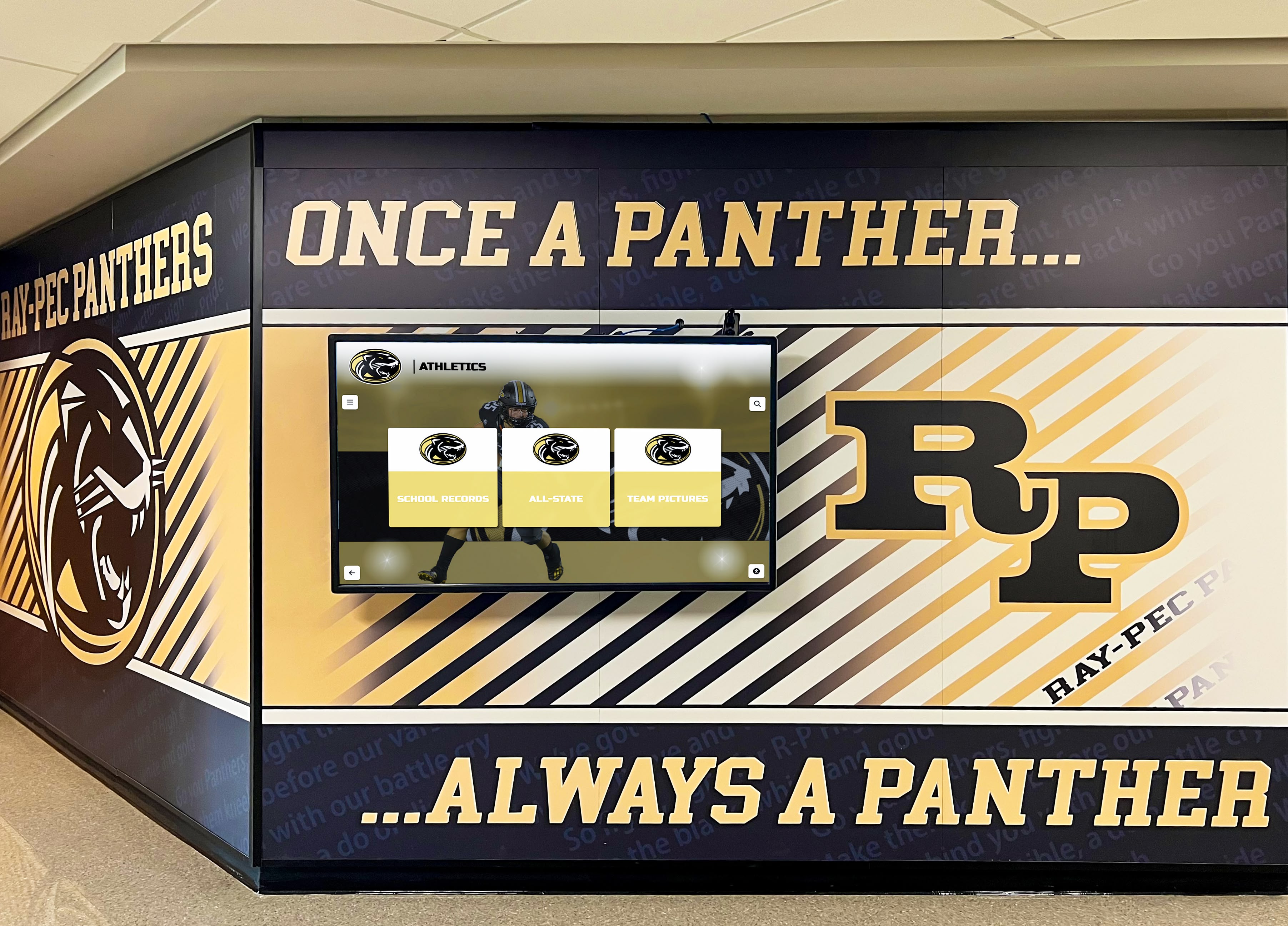
Early planning enables coordinated design where digital displays integrate seamlessly with murals, branding, and architectural finishes
Understanding gymnasium design strategies helps inform comprehensive facility planning that includes recognition systems from the start.
Common Mistakes Schools Make With Display Timing
Learning from others’ mistakes prevents costly errors:
Waiting Until Move-In to Consider Displays
The most expensive mistake is not planning displays until after occupancy:
- Optimal locations already occupied by artwork, signage, or other elements
- Electrical infrastructure requires expensive retrofitting through finished walls
- Display installation disrupts newly occupied facility operations
- Rushed vendor selection without adequate evaluation time
- Budget exhaustion after construction leaves limited display funding
Schools taking this approach typically spend 40-60% more on display systems than those planning during design phases, while achieving inferior results through mounting compromises.
Treating Displays as Furniture Rather Than Infrastructure
Some schools correctly include displays in construction planning but categorize them as furniture added after building completion:
- Display locations not communicated to architects during wall design
- Electrical rough-in omitted because displays aren’t yet “specified”
- Mounting backing not installed in walls requiring later reinforcement
- Network infrastructure terminates in general locations rather than display-specific drops
- Lighting and finishes designed without considering display integration
This middle-ground approach avoids the worst consequences of complete neglect but still results in visible compromises and unnecessary additional costs.
Specifying Display Dimensions Before Vendor Selection
Schools sometimes specify exact display sizes during design without engaging vendors:
- Architectural drawings show specific dimensions that may not match available products
- Custom millwork built around assumed dimensions that differ from actual displays
- Electrical and network rough-in positioned for displays that don’t exist
- Change orders required when actual products don’t match design assumptions
Better approach: specify display concepts and approximate sizing during design, then finalize exact dimensions after vendor selection but before millwork fabrication.
Underestimating Infrastructure Requirements
Display systems require more infrastructure than many schools anticipate:
- Adequate electrical service (displays typically require dedicated 20-amp circuits)
- Network connectivity supporting content management and remote monitoring
- Proper ventilation preventing heat buildup behind displays
- Structural support for displays weighing 75-150 pounds when wall-mounted
- Service access enabling maintenance without disrupting facility operations
Schools discovering these requirements after construction face expensive remediation adding thousands to display costs.
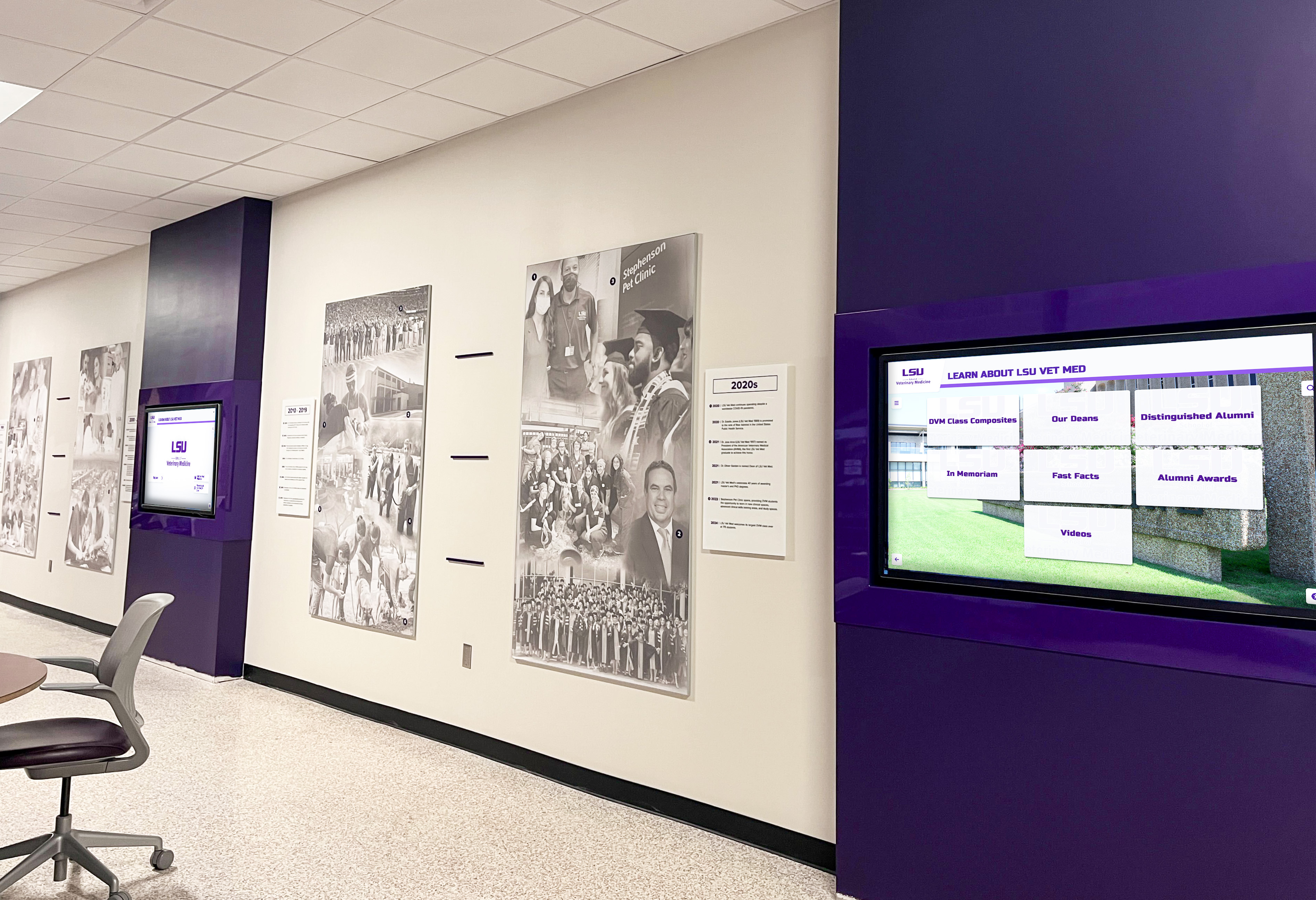
Proper planning enables multiple coordinated displays creating cohesive recognition systems throughout facilities
Optimal Installation Timeline for New Construction
Understanding construction phases helps identify when specific display planning and installation activities should occur.
Phase 1: Schematic Design (Months Before Construction)
Display planning should begin when architects first sketch facility layouts.
Initial Concept Development
Work with architects during schematic design to establish:
- Desired number and approximate locations of touchscreen displays
- General display purposes (athletic recognition, donor acknowledgment, school history)
- Approximate display sizes (43", 55", 65", 75" diagonal measurements)
- Integration with other recognition elements (trophy cases, murals, donor walls)
- Budget ranges for display hardware, software, and installation
This early conversation enables architects to design spaces accommodating displays rather than trying to retrofit displays into completed designs.
Space Planning and Traffic Flow Analysis
Identify optimal display locations based on facility usage:
- Main lobby entrances where all visitors pass
- Hallway corridors connecting to athletic facilities
- Gymnasium lobbies where athletes and spectators gather
- Trophy case areas already designated for recognition
- Alumni gathering spaces designed for school heritage
Discuss visibility, accessibility, and how displays integrate with overall facility circulation patterns.
Infrastructure Requirements Communication
Provide architects and engineers with display infrastructure requirements:
- Electrical: dedicated 20-amp 120V circuit per display location
- Network: hardwired Ethernet connection (WiFi as backup only)
- Structural: wall backing supporting 150+ pound loads
- Environmental: HVAC consideration preventing heat buildup
- Service access: maintenance ability without disrupting operations
Architects incorporate these requirements into base building systems, ensuring infrastructure appears in construction documents and contractor bids.
Explore comprehensive school construction planning approaches that inform facility design decisions.
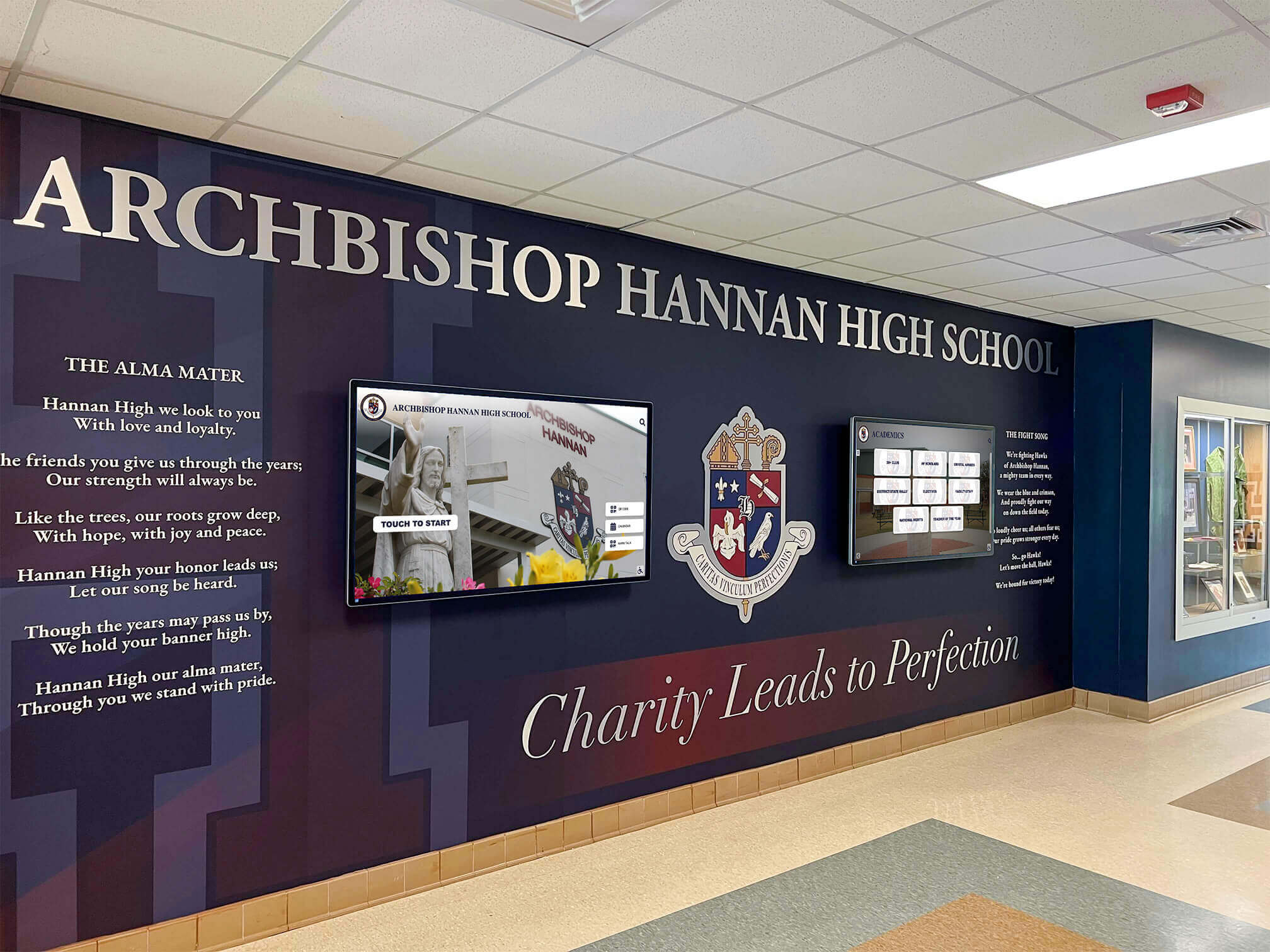
Schematic design coordination enables integrated visual branding where murals, crests, and digital displays create unified identity
Phase 2: Design Development (Pre-Construction)
Refine display specifications and begin vendor evaluation.
Detailed Display Specifications
Develop comprehensive specifications including:
- Display technology (commercial-grade capacitive touchscreen LCD panels)
- Screen sizes and orientations (portrait vs. landscape mounting)
- Mounting methods (wall-mounted, floor kiosk, integrated millwork)
- Content management requirements (cloud-based, local control, permissions)
- Warranty expectations and ongoing support requirements
Share specifications with architects ensuring architectural drawings accurately reflect requirements.
Vendor Outreach and Preliminary Selection
Begin engaging potential display vendors:
- Request product specifications and dimension drawings
- Discuss content management platforms and administrative interfaces
- Review reference installations at similar institutions
- Obtain preliminary pricing for hardware, software, and installation
- Evaluate vendor experience with educational institution projects
Narrowing vendor options during design development enables finalizing exact product specifications before construction documents are completed.
Electrical and Network Coordination
Work with electrical and technology consultants to specify:
- Exact circuit requirements based on selected display products
- Precise network drop locations based on display mounting details
- Backup power considerations for critical display locations
- Future expansion capacity if additional displays may be added
- Integration with facility-wide building management systems
Coordinate with touchscreen technology planning to ensure infrastructure supports long-term technology needs.
Architectural Integration Design
Collaborate with architects on visual integration:
- Wall finishes and colors coordinating with display frames
- Millwork or casework incorporating displays seamlessly
- Lighting design illuminating displays without glare
- Signage and wayfinding integrating with digital displays
- Donor recognition opportunities coordinating with displays
This coordination ensures displays enhance architectural design rather than appearing added as afterthoughts.
Phase 3: Construction Documents (Final Pre-Bid)
Finalize all display specifications before construction bidding.
Complete Technical Specifications
Construction documents should include detailed display requirements:
- Exact electrical specifications (circuit locations, panel connections, conduit paths)
- Network infrastructure details (connection types, termination locations, cable requirements)
- Structural backing specifications (plywood reinforcement, steel channels, load requirements)
- Rough-in dimensions and critical measurements
- Coordination notes explaining installation sequencing
These specifications enable contractors to bid display infrastructure accurately, preventing later change orders.
Vendor Selection and Product Confirmation
Finalize vendor contracts before construction begins:
- Select primary display hardware and software vendor
- Confirm exact product models and specifications
- Obtain detailed dimension drawings for architectural coordination
- Establish delivery schedules coordinating with construction milestones
- Define installation responsibilities (what vendor provides vs. general contractor)
Having vendor commitments before construction enables contractors to order long-lead materials and plan installation sequencing.
Construction Coordination Planning
Establish clear responsibilities:
- General contractor installs electrical, network, and structural backing
- Display vendor provides displays and mounts them to prepared infrastructure
- Coordination meetings scheduled during construction addressing integration
- Punch list processes for display systems
- Training schedules for school staff on content management
Clear responsibility definition prevents gaps where each party assumes the other is handling critical tasks.
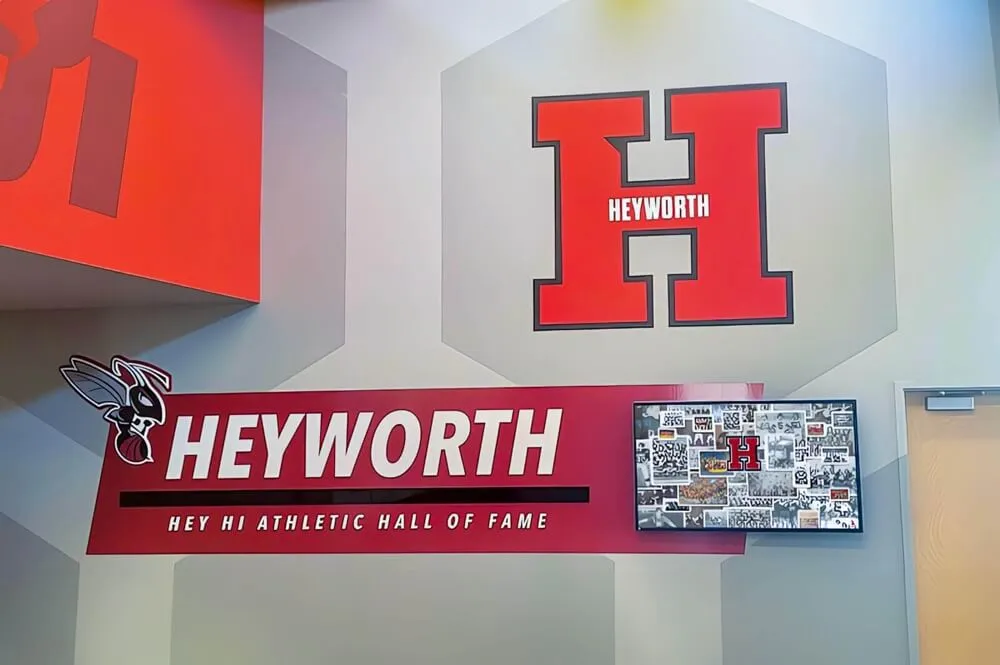
Architectural coordination during construction documents phase ensures signage, branding, and displays create cohesive recognition areas
Phase 4: Construction Rough-In (During Building Construction)
Infrastructure installation occurs during core construction phases.
Electrical Rough-In Installation
Electrical contractors install display infrastructure:
- Dedicated circuits from electrical panel to display locations
- Conduit and wire runs inside walls before drywall installation
- Electrical boxes positioned precisely based on display mounting details
- Testing and verification of circuits before walls are closed
- Documentation of as-built conditions for future reference
Inspect rough-in installations before walls close—correcting issues costs pennies now versus dollars later.
Network Infrastructure Installation
Technology contractors install connectivity:
- Network cable runs from distribution closets to display locations
- Cable termination in wall boxes or equipment rooms
- Testing verifying network connectivity and bandwidth
- Documentation of network addressing and switch port assignments
- Labeling enabling future troubleshooting and maintenance
Coordinate closely with IT department ensuring displays integrate properly with school network architecture and security policies.
Structural Backing and Wall Preparation
Framing contractors install display mounting support:
- Plywood backing between studs at display mounting heights
- Steel channels for heavy displays requiring additional support
- Precise positioning based on vendor-provided mounting templates
- Verification measurements before drywall installation
- Coordination with insulation and vapor barriers
Taking photographs of backing installations before walls close provides valuable documentation for future service needs.
Coordination Inspections
Schedule site visits during rough-in:
- Verify infrastructure locations match design intent
- Confirm dimensional accuracy before walls close
- Identify any conflicts with other building systems
- Document changes from original plans
- Obtain contractor confirmation that installations meet specifications
These inspections prevent discovering problems after construction is too far advanced for economical corrections.
Phase 5: Finish Installation (Near Construction Completion)
Display hardware installation occurs after most other trades complete work.
Timing Display Delivery and Installation
Schedule display installation strategically:
- After drywall, painting, and finish work completes (preventing damage to displays)
- Before furniture and move-in begins (enabling easy access)
- Allowing several weeks before occupancy for testing and content loading
- Coordinating with other technology installations (AV systems, security, etc.)
Typical timeline: install displays 4-6 weeks before building occupancy.

Final display installation enables testing interactive features and loading content before facility opens
Display Mounting and Connections
Display vendors complete physical installation:
- Mount displays to prepared backing using vendor-supplied hardware
- Connect electrical service and verify power quality
- Connect network infrastructure and test connectivity
- Install protective covers or enclosures if applicable
- Verify physical installation meets design intent
Inspect installations immediately, addressing any issues before vendor leaves site.
System Configuration and Testing
Technology setup ensures displays function properly:
- Configure content management software and administrative access
- Load initial content (photos, videos, athlete profiles, donor information)
- Test interactive features and user navigation
- Verify remote access for future content updates
- Train IT staff on system administration and troubleshooting
Thorough testing before occupancy prevents discovering problems when facility is full of students and visitors.
Documentation and Training
Complete project closeout:
- Obtain all warranties, manuals, and technical documentation
- Document administrative passwords and access credentials
- Train staff responsible for content management
- Establish maintenance procedures and service contacts
- Create user guides for common tasks
Proper documentation prevents knowledge loss when staff members change roles.
Learn about content management approaches that make ongoing display administration efficient.
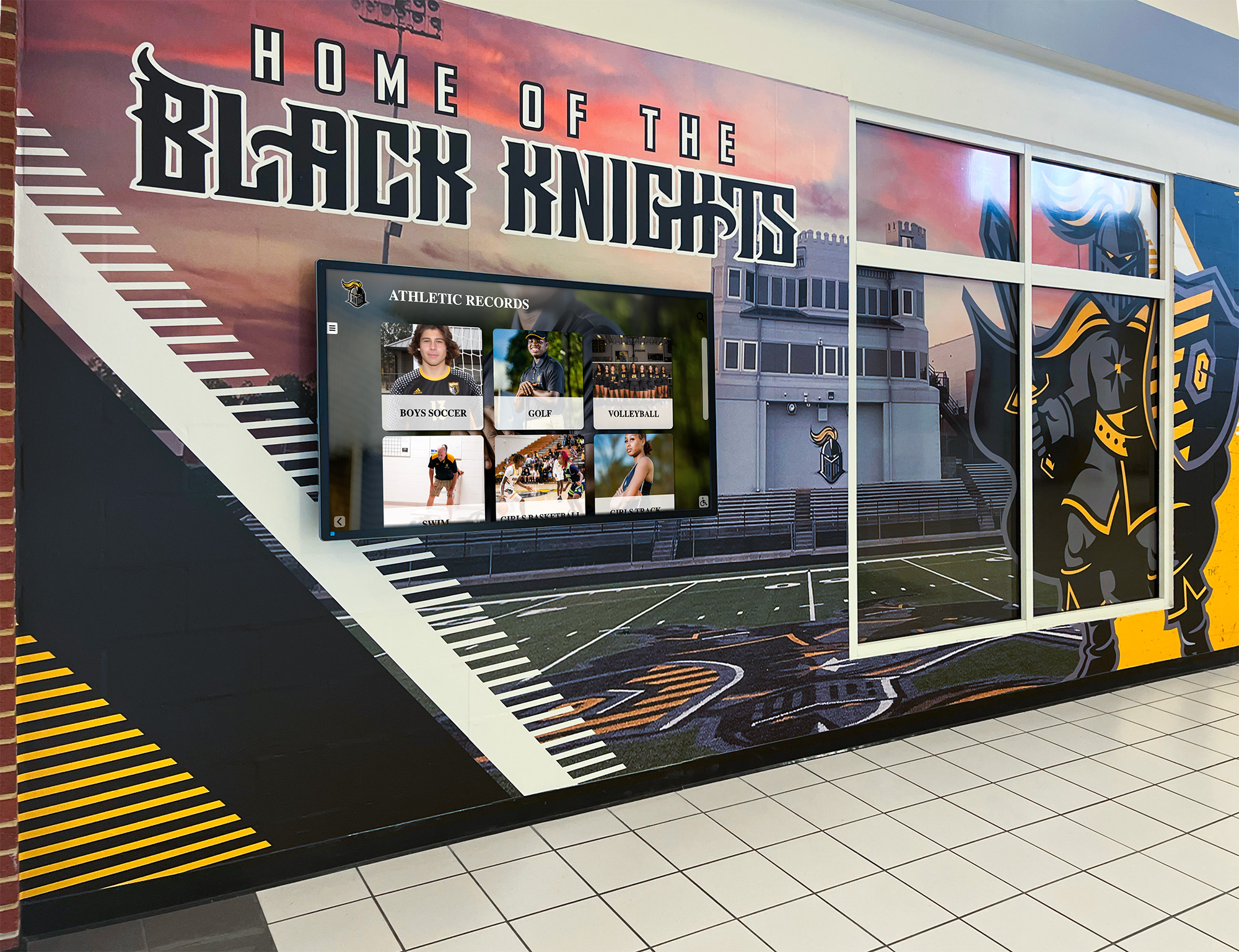
Completed installations demonstrate how early planning creates seamless integration of murals, branding, and digital recognition systems
Critical Planning Considerations for Gymnasium Displays
Athletic facilities have unique requirements influencing display planning and timing.
Location Selection for Maximum Impact
Strategic placement determines recognition effectiveness.
Primary High-Traffic Locations
Prioritize locations ensuring visibility:
- Main gymnasium lobby where all visitors enter
- Hallway corridors connecting to locker rooms
- Trophy case areas traditionally used for recognition
- Concession stand or gathering areas during events
- Near gymnasium entrance from school hallways
Evaluate traffic patterns during different facility uses—practices, games, physical education classes, and community events.
Secondary Strategic Positions
Consider additional locations for comprehensive recognition:
- Weight room or strength training facilities
- Athletic director’s office entrance
- Team meeting rooms or film review areas
- Alumni gathering spaces at athletic facilities
- Outdoor covered areas near stadium or field entrances
Multiple coordinated displays create recognition systems rather than isolated installations.
Sightline and Visibility Analysis
Test proposed locations from visitor perspectives:
- Verify displays visible from main traffic flows
- Ensure adequate viewing distance (minimum 10 feet for comfortable interaction)
- Check for glare from windows or overhead lighting
- Confirm displays don’t obstruct emergency exits or safety equipment
- Evaluate whether displays visible during events from bleacher seating
Physical mockups using cardboard cutouts help visualize displays before finalizing locations.
Understanding athletic facility design principles informs comprehensive gymnasium planning.
Infrastructure Requirements for Athletic Facilities
Gymnasium environments create unique technical challenges.
Electrical Service Considerations
Athletic facilities require robust electrical infrastructure:
- Dedicated circuits preventing interference from other equipment
- Adequate panel capacity for multiple displays and future additions
- Protection from voltage fluctuations caused by motor loads
- Emergency backup power for critical displays during events
- Surge protection guarding against electrical storms
Coordinate electrical requirements during design development, ensuring adequate service size and panel capacity.
Network Connectivity Planning
Reliable network access enables content management:
- Hardwired Ethernet connections preferred over WiFi for reliability
- Network switches with adequate bandwidth for video content
- Integration with school network infrastructure and security policies
- Remote management capability for content updates from anywhere
- Adequate network documentation for future troubleshooting
Work closely with IT departments ensuring gymnasium networks integrate properly with campus-wide systems.
Environmental Control Systems
Gymnasium environments stress display electronics:
- Adequate HVAC maintaining proper temperature ranges (50-90°F optimal)
- Humidity control preventing condensation inside displays
- Ventilation behind wall-mounted displays preventing heat buildup
- Protection from dust and particulates common in gymnasiums
- Consideration of cleaning chemicals used in facility maintenance
Displays designed for office environments may fail prematurely in harsh gymnasium conditions—specify commercial-grade equipment rated for institutional use.
Physical Security and Vandalism Protection
Public athletic facilities require protection:
- Tamper-resistant mounting hardware preventing theft
- Protective glazing guarding against impact damage
- Secure cable management preventing disconnection
- Lockable cabinets for freestanding kiosk installations
- Video surveillance monitoring high-value equipment areas
Balance security with accessibility—overly protected displays that seem fortress-like discourage interaction.
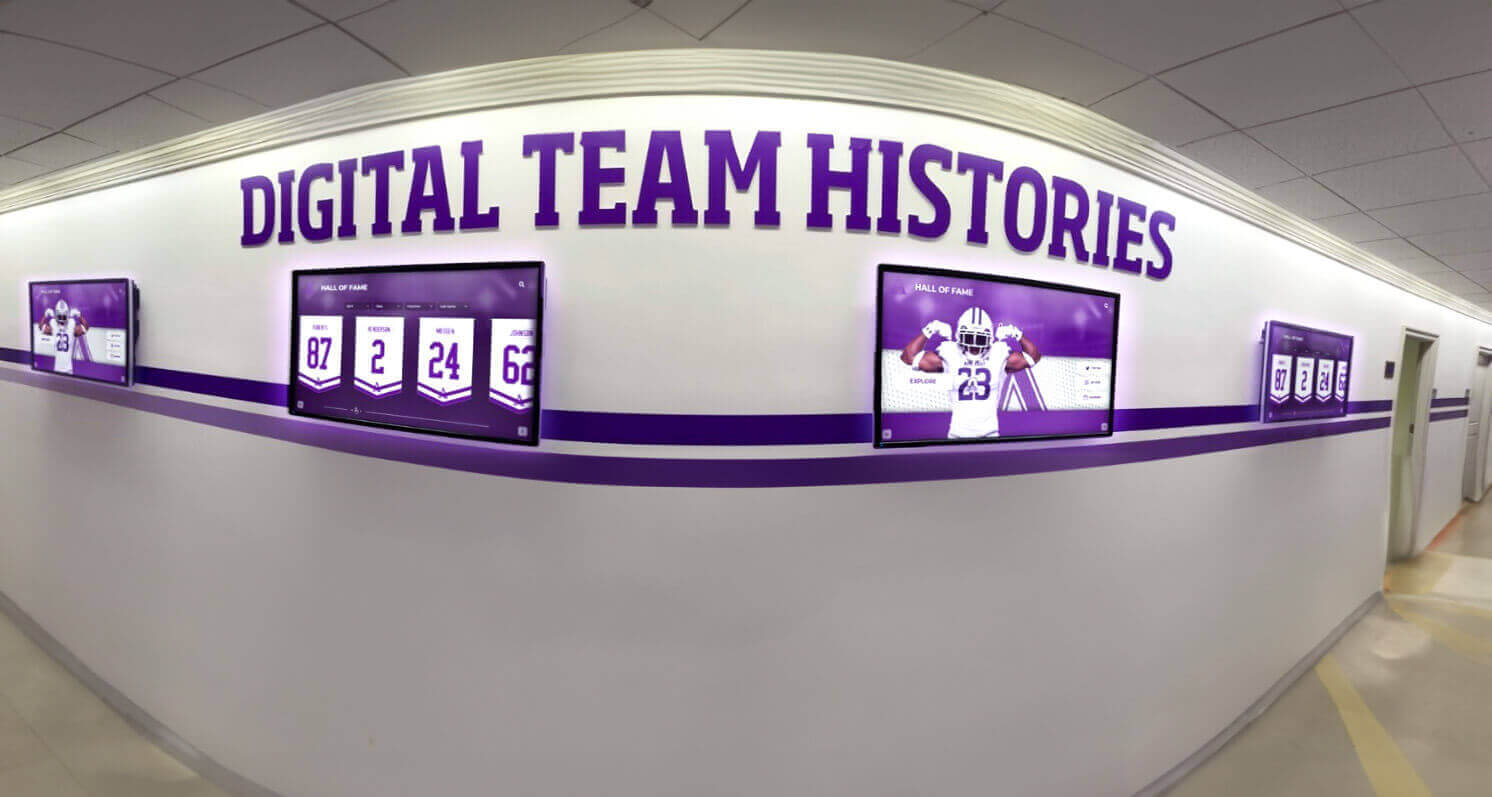
Multiple coordinated displays throughout athletic facilities create comprehensive recognition systems celebrating program achievements
Content Planning and Recognition Strategy
Effective displays require thoughtful content strategy.
Initial Content Development Timeline
Plan content creation parallel with construction:
- Begin content collection 6-9 months before building occupancy
- Digitize historical photos, yearbooks, and achievement records
- Create athlete profiles with photos and biographical information
- Develop donor recognition content if displays acknowledge contributors
- Design visual templates ensuring consistent presentation
Starting content development early prevents empty displays at building opening.
Ongoing Content Management Responsibilities
Establish sustainable processes:
- Assign specific staff responsibility for content updates
- Create workflows for adding new achievements as they occur
- Develop approval processes ensuring appropriate oversight
- Schedule regular content reviews maintaining accuracy and relevance
- Train multiple staff members preventing single points of failure
Systems with clear management responsibility stay current while those lacking ownership become outdated quickly.
Recognition Categories and Organization
Structure content for intuitive navigation:
- Hall of fame inductees with comprehensive profiles
- Championship teams by sport and year
- Individual achievement records and milestones
- Scholar-athlete recognition celebrating academic excellence
- Historical timeline showing program evolution
Well-organized content encourages exploration while poor organization frustrates visitors.
Explore athletic recognition approaches that inform content strategy and display planning.
Budget Planning and Funding Strategies
Understanding costs enables realistic project planning.
Comprehensive Display System Costs
New construction display budgets include multiple components:
Display Hardware and Software
Primary system costs:
- Commercial touchscreen displays: $3,000-8,000 per unit depending on size
- Display mounting hardware: $300-1,000 per installation
- Content management software: $2,000-8,000 initial or $1,000-3,000 annually
- Initial content development: $2,000-10,000 depending on complexity
- Staff training and documentation: $500-2,000 per installation
Total per-display investment: $7,800-29,000 depending on specifications and content complexity.
Infrastructure and Installation
Supporting systems and labor:
- Electrical rough-in: $200-800 per circuit during construction
- Network infrastructure: $150-500 per drop during construction
- Structural backing: $100-300 per location during framing
- Display installation labor: $500-2,000 depending on complexity
- System configuration and testing: $500-1,500 per installation
Total infrastructure costs: $1,450-5,100 per display when integrated during construction (retrofitting typically doubles these costs).
Ongoing Operational Costs
Annual expenses for display maintenance:
- Software subscriptions: $1,000-3,000 annually
- Content updates and management: $500-2,000 staff time
- Maintenance and repairs: $200-800 annually
- Utility costs: $50-150 per display annually
- Technology refresh planning: reserve $500-1,000 annually for eventual replacement
Total annual operating costs: $2,250-6,950 per display.
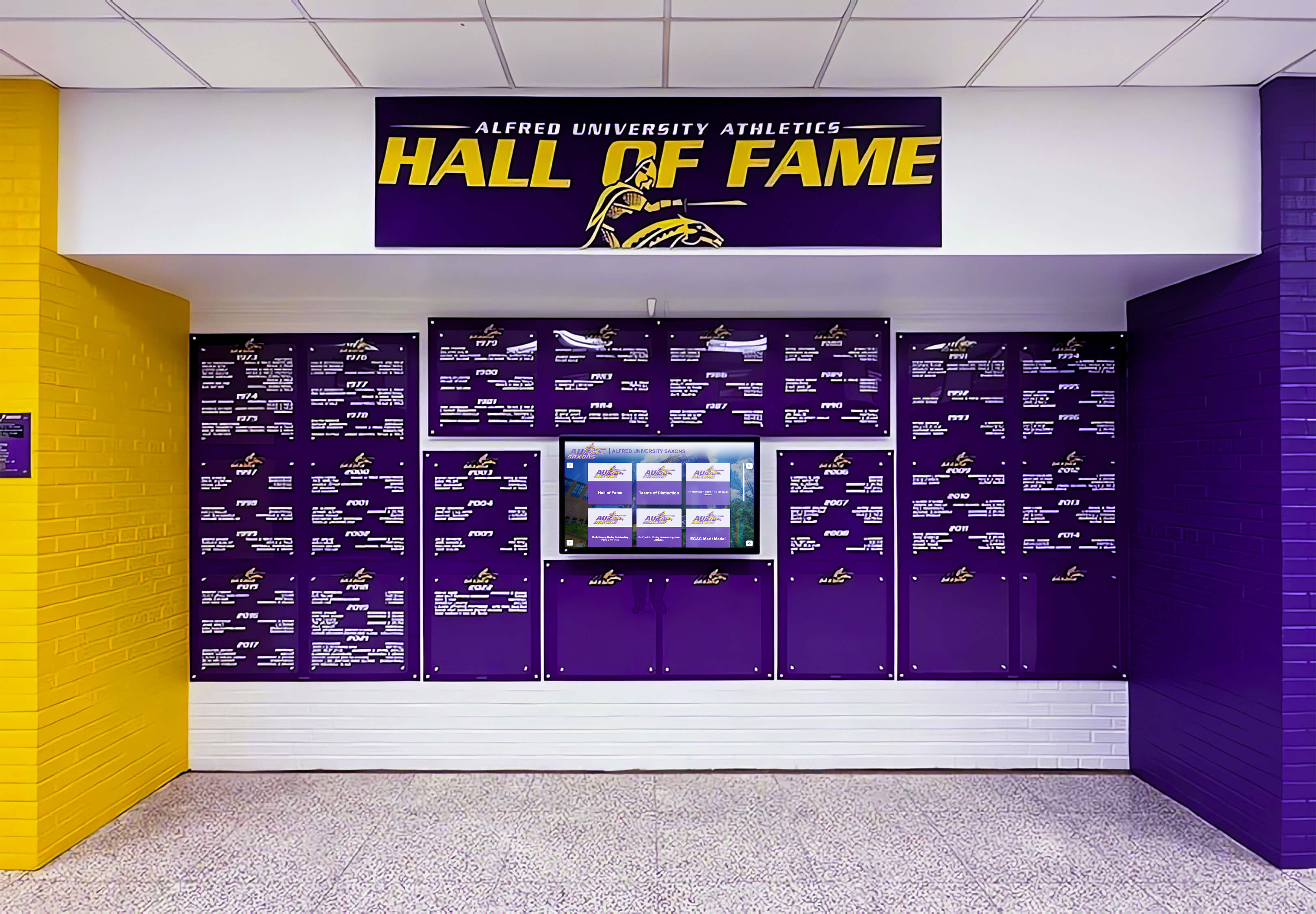
Professional installations demonstrate the investment required for high-quality recognition systems integrated into new facilities
Funding Sources for Display Systems
Multiple strategies support display investment:
Construction Budget Integration
Most cost-effective approach:
- Include displays in base construction project budgets
- Allocate technology allowances in architect contracts
- Address displays during value engineering discussions
- Finance displays through same mechanisms as building (bonds, capital campaigns)
Displays funded through construction budgets typically receive better pricing through coordination with other trades.
Donor Recognition Opportunities
Displays create attractive naming opportunities:
- Display sponsorships recognizing major donors ($25,000-100,000 level)
- Content area naming within displays (Hall of Fame sponsored by…)
- Annual sponsorships supporting content management ($5,000-15,000)
- Memorial dedications honoring deceased community members
Frame displays as lasting contributions enabling recognition for generations.
Booster Clubs and Athletic Organizations
Athletic supporters often fund recognition systems:
- Capital campaigns specifically targeting display systems
- Percentage of ticket revenue or concession proceeds
- Alumni association contributions
- Parent organization fundraisers
- Senior class gifts or reunion contributions
Athletic organizations appreciate displays honoring their programs and athletes.
Grant Programs and Foundation Funding
External funding sources sometimes support displays:
- Educational technology grants emphasizing digital innovation
- Historical preservation grants for heritage documentation
- Community development grants supporting civic pride
- Corporate foundation giving supporting educational facilities
Research local and regional funding opportunities aligning with display purposes.
Learn about fundraising strategies supporting athletic facility improvements.
Value Engineering and Phased Implementation
Budget constraints often require strategic compromises:
Intelligent Display Prioritization
When budget limits total displays:
- Install infrastructure (electrical, network, backing) at all planned locations during construction
- Install displays only at highest-priority locations initially
- Add remaining displays later using pre-installed infrastructure
- Avoid “cheapening” displays through inferior products—better fewer quality displays than many cheap ones
Pre-installing infrastructure costs little during construction but enables easy future expansion.
Phased Content Development
Reduce initial costs through staged content creation:
- Launch displays with limited initial content (recent athletes, major achievements)
- Expand content over 1-2 years through ongoing effort
- Engage volunteers for historical research and digitization
- Establish sustainable processes preventing future content gaps
Better to launch displays with adequate content than delay installation waiting for comprehensive historical archives.
Strategic Specification Decisions
Optimize value without sacrificing quality:
- Choose display sizes appropriate to locations rather than oversizing
- Consider portrait orientation in narrow hallways reducing costs
- Evaluate freestanding kiosks versus wall-mounted in some locations
- Compare cloud-based versus locally-hosted content management costs
- Balance warranty coverage against repair cost likelihood
Focus spending on elements visible to users—infrastructure and content matter more than premium display bezels.
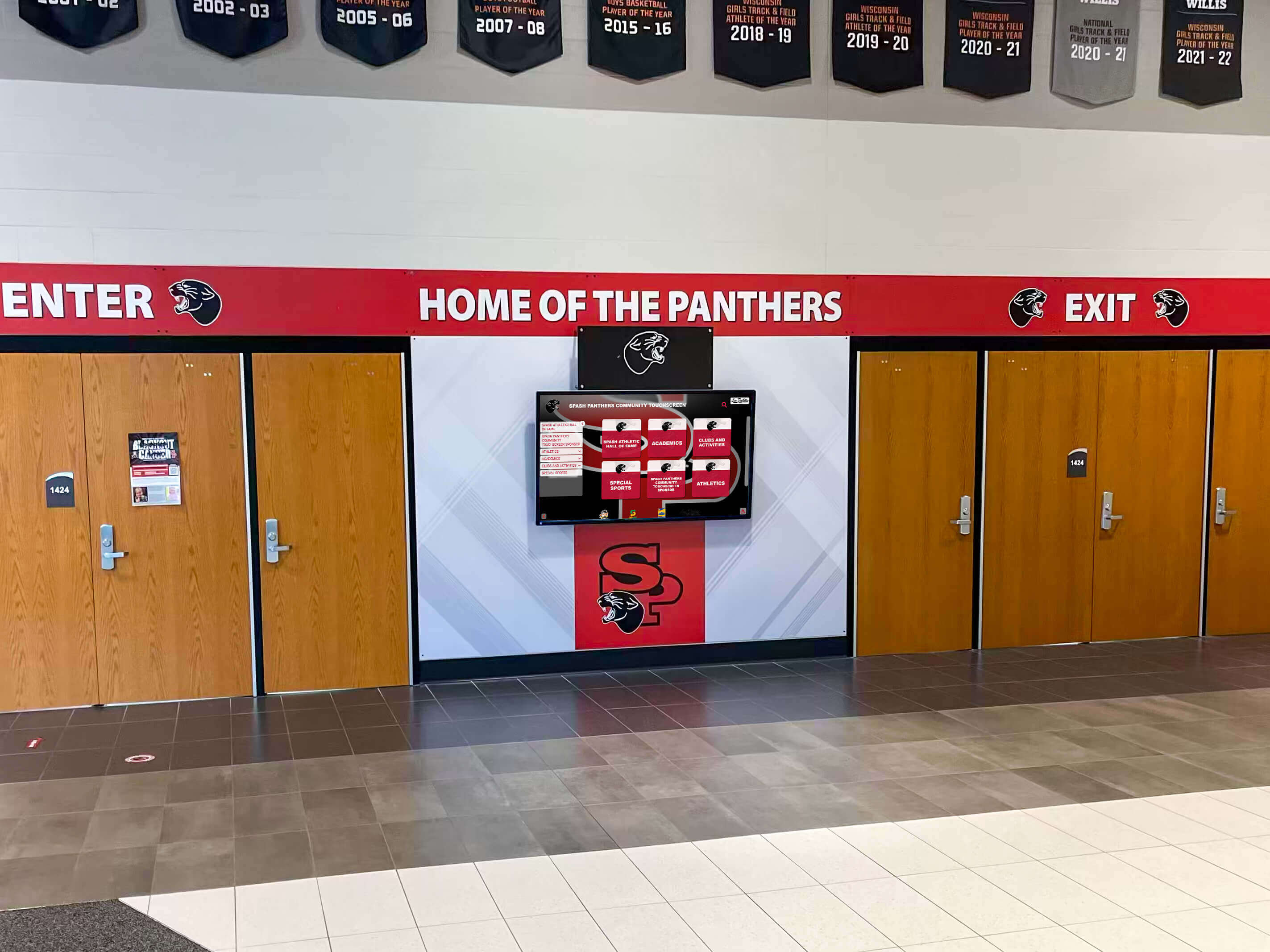
Strategic display placement at main entrances maximizes visibility while integrated infrastructure creates professional installations
Vendor Selection and Procurement Timing
Choosing the right partners influences project success.
When to Engage Display Vendors
Vendor involvement timeline for new construction:
Preliminary Consultation (Schematic Design Phase)
Early vendor engagement provides valuable guidance:
- Discuss feasibility and requirements of proposed display systems
- Review preliminary layouts and location selections
- Provide infrastructure specifications for architectural coordination
- Share product information enabling accurate design
- Offer preliminary budget estimates informing project planning
No purchase commitments necessary—simply gathering information supporting design decisions.
Formal Evaluation (Design Development Phase)
Serious vendor comparison during design refinement:
- Request detailed proposals from 3-5 qualified vendors
- Evaluate product specifications and capabilities
- Review content management platforms through demonstrations
- Check references with similar educational institutions
- Compare total costs including hardware, software, installation, and support
Allow 4-6 weeks for thorough vendor evaluation.
Contract Execution (Construction Documents Phase)
Finalize vendor selection before construction bidding:
- Negotiate final pricing and contract terms
- Establish delivery schedules coordinating with construction milestones
- Define responsibilities and coordination requirements
- Execute purchase agreements or include in construction contracts
- Begin preliminary content development with vendor support
Having vendor commitments before construction prevents last-minute scrambling and enables proper coordination.
Key Vendor Selection Criteria
Evaluate potential vendors systematically:
Educational Institution Experience
Prioritize vendors with school expertise:
- Previous installations at similar schools and gymnasiums
- Understanding of educational institution procurement processes
- Familiarity with academic calendars and seasonal constraints
- Content management systems designed for school applications
- Long-term support recognizing school operational realities
Vendors experienced with corporate clients may struggle with school-specific requirements.
Content Management Platform Quality
Administrative interface determines long-term satisfaction:
- Intuitive tools requiring no technical expertise
- Cloud-based access from any location
- Mobile-responsive administration from tablets and smartphones
- Template-based design ensuring visual consistency
- Role-based permissions managing contributor access
- Bulk upload tools adding entire teams efficiently
Request demonstration accounts allowing hands-on platform evaluation.
Technical Support and Service
Ongoing support matters more than purchase price:
- Responsive technical support during business hours
- Remote troubleshooting capability resolving most issues
- Clear escalation processes for complex problems
- Preventive maintenance programs
- Hardware warranty coverage and replacement procedures
Vendors with limited support infrastructure may provide cheap upfront pricing but expensive long-term frustration.
Financial Stability and Longevity
Long-term vendor viability protects investment:
- Established company history (5+ years in business)
- Financial stability ensuring ongoing operations
- Product roadmap showing continued development
- Customer base providing revenue supporting operations
- Succession planning preventing disruption from personnel changes
Displays represent 10-15 year investments—choose vendors likely to remain viable throughout product life.
Explore touchscreen platform comparisons informing vendor evaluation.
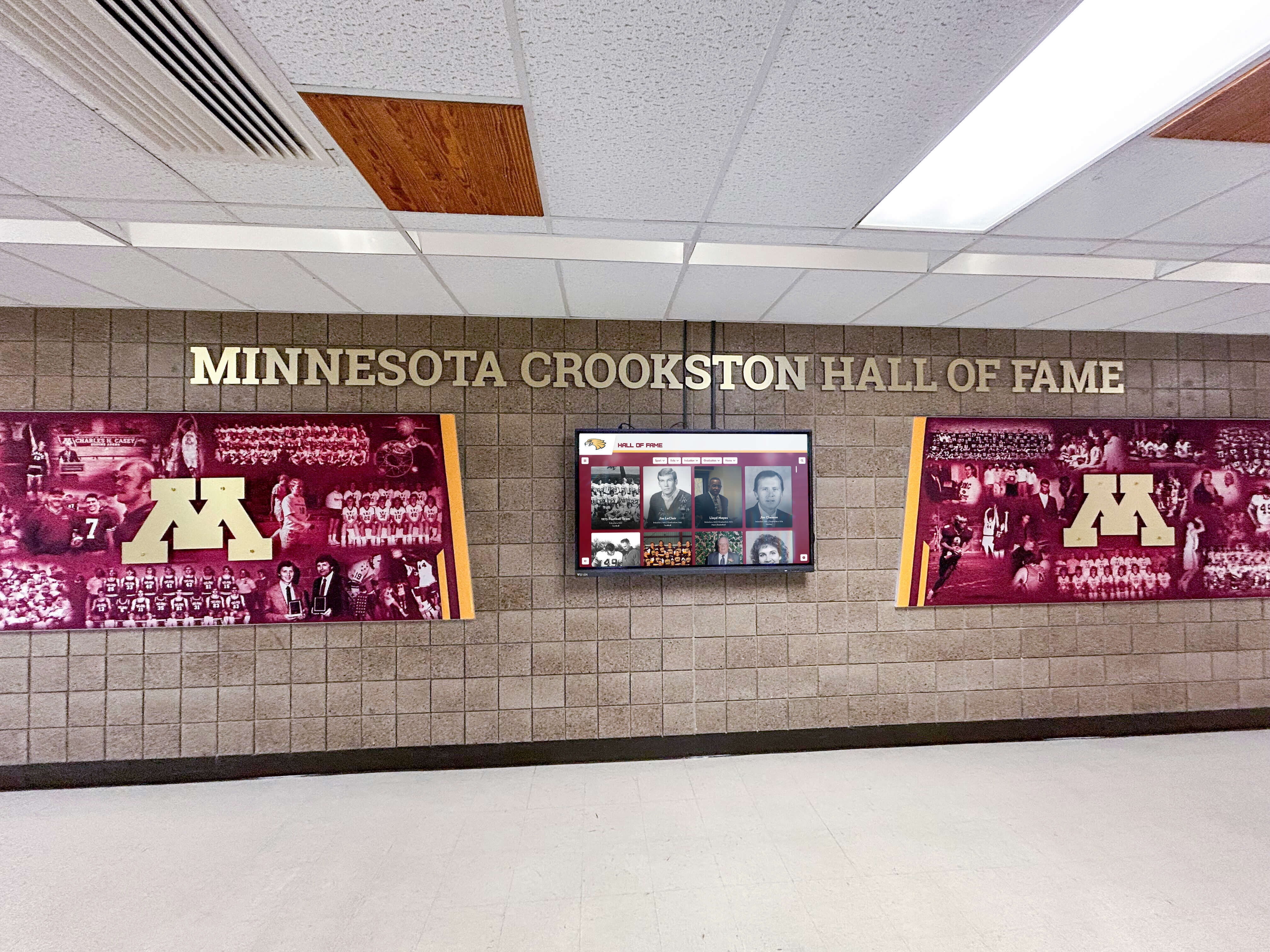
Vendor selection should prioritize systems creating cohesive recognition environments integrated with facility design
Common Questions About New Construction Display Installation
Addressing frequently asked questions helps schools plan effectively.
Can we add displays later if budget doesn’t allow now?
Yes, but strategic infrastructure planning during construction enables cost-effective future additions:
Install Infrastructure During Construction
Even without immediate display budget, include essential infrastructure:
- Electrical circuits to planned display locations
- Network drops where displays will eventually mount
- Structural backing supporting future display weight
- Conduit providing cable paths through walls
These elements cost pennies during construction but dollars to add later.
Document Future Display Locations
Maintain clear records enabling future installation:
- Architectural drawings showing planned display locations
- Photographs of rough-in conditions before walls close
- As-built documentation of electrical and network infrastructure
- Specifications guiding future display procurement
Proper documentation prevents “losing” pre-installed infrastructure years later.
Budget for Future Display Phases
Establish realistic expectations:
- Calculate total desired display investment
- Plan multi-year implementation schedule
- Identify funding sources for future phases
- Maintain vendor relationships supporting staged installation
Phased implementation beats forgoing displays entirely due to initial budget constraints.
Should we buy displays ourselves or have the contractor provide them?
Procurement approach depends on project structure and institutional preferences:
Direct Purchase by School
Many schools prefer direct vendor relationships:
- Direct negotiation potentially providing better pricing
- Relationship with vendor for ongoing support
- Control over vendor selection criteria
- Simplified change management for customization
- Clear single-source responsibility for display systems
Schools with purchasing authority typically buy displays directly, having contractors install pre-purchased equipment or coordinating separate vendor installation.
Contractor Provision Through Specifications
Some projects specify displays in construction documents:
- Single point of responsibility for complete project
- Integration with construction schedule and coordination
- Consistent warranty and punch list processes
- Simplified project management
This approach requires detailed specifications ensuring contractors bid appropriate products.
Hybrid Approaches
Common strategy balances advantages:
- School purchases display hardware and software directly from preferred vendor
- General contractor installs infrastructure (electrical, network, backing)
- Display vendor mounts displays to contractor-prepared infrastructure
- Clear coordination agreements defining responsibilities
This hybrid model provides vendor selection control while integrating installation with construction.
What if our preferred display location changes during design?
Location flexibility decreases as construction progresses:
During Schematic Design
Complete flexibility—change locations freely without cost:
- Architectural drawings easily revised
- No physical work committed
- Infrastructure specifications adjust accordingly
During Design Development
Minor location adjustments remain straightforward:
- Coordinate changes with architectural drawings
- Update electrical and network rough-in specifications
- Minimal cost impact if caught before construction documents finalized
During Construction Documents
Location changes possible but potentially costly:
- May require change orders if contractors already bid projects
- Could affect architectural finishes and millwork
- Verify change doesn’t affect other coordinated systems
After Construction Begins
Location changes expensive and potentially impractical:
- Electrical rough-in may be complete making changes costly
- Architectural finishes may be committed to original locations
- Change orders priced at premium rates
- Schedule impacts delaying overall project
Lock display locations before construction documents are finalized, minimizing expensive later changes.
How long do touchscreen displays last in gymnasium environments?
Display longevity depends on product quality and environmental conditions:
Commercial-Grade Display Lifespan
Quality displays properly installed:
- LCD panels rated 50,000-100,000 operating hours
- 10-15 year service life under typical gymnasium use (8-12 hours daily)
- Touchscreen overlays potentially requiring replacement at 7-10 years
- Internal computers possibly needing refresh at 5-7 years
Total system life: 10-15 years with occasional component replacement.
Factors Reducing Lifespan
Environmental conditions affecting longevity:
- Excessive heat from inadequate ventilation
- Temperature extremes outside rated operating ranges
- High humidity causing internal condensation
- Dust and particulate accumulation
- Physical impact or vandalism
- Electrical issues (surges, voltage fluctuations)
Proper infrastructure planning and environmental control maximize display life.
Technology Obsolescence Considerations
Displays may become functionally obsolete before failing:
- Content management platforms evolving beyond old hardware support
- Display resolution standards improving (today’s 1080p seems dated when 4K becomes standard)
- Interactive technology advances (multi-touch, gesture control, etc.)
- Connectivity standards changing (network protocols, wireless standards)
Budget for technology refresh every 10-12 years even if displays still function.
Plan facility technology with understanding that displays require eventual replacement, unlike structural building elements lasting building lifetimes.
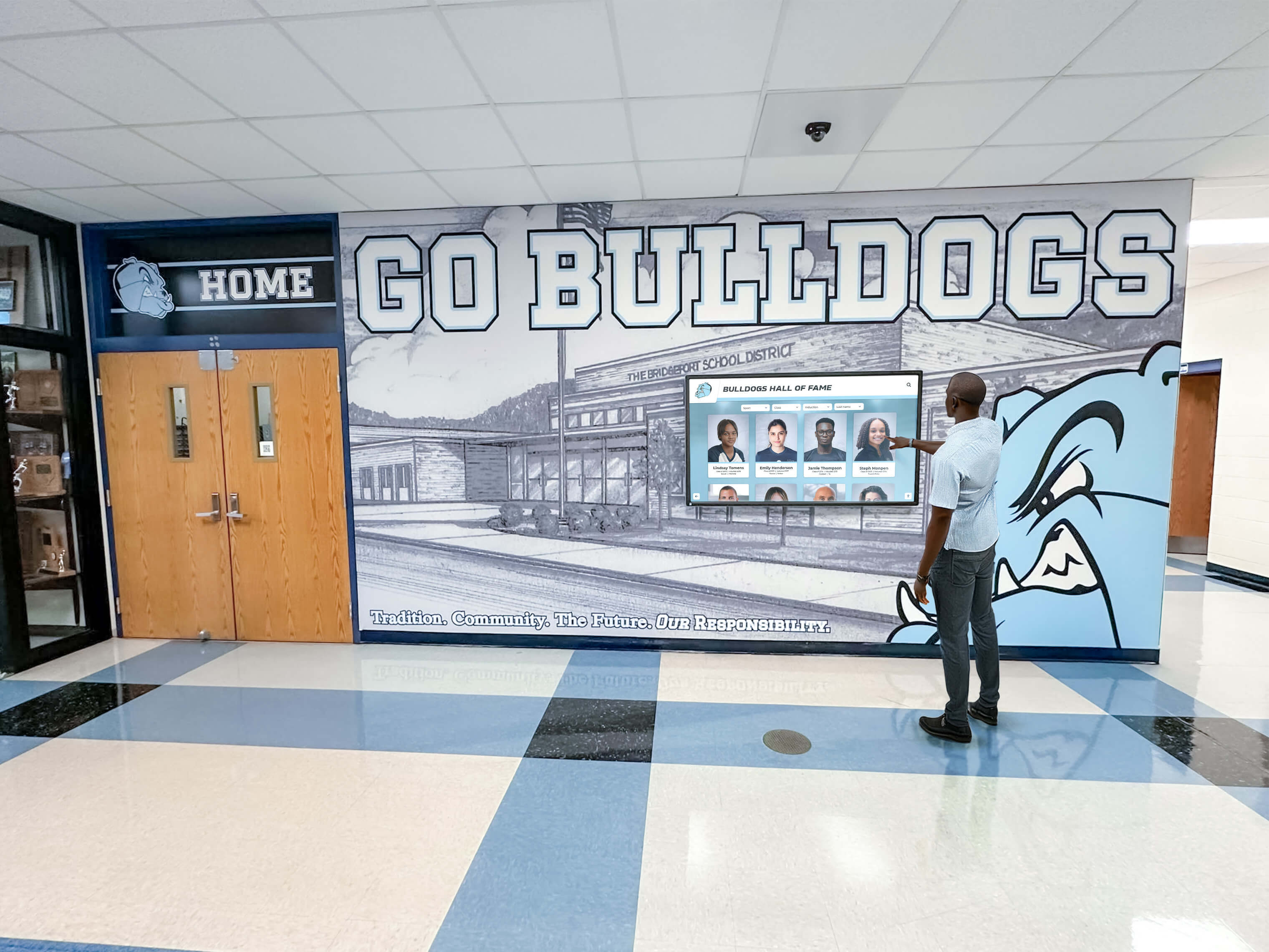
Quality displays properly installed provide 10-15 years of reliable service celebrating athletic achievements and engaging students
Making Your New Building Display Decision
Building a new gymnasium or athletic facility represents a unique opportunity to integrate recognition systems properly from the start.
Key Takeaways for Display Planning
Schools planning new construction should remember:
Begin Planning During Schematic Design
The single most important timing decision:
- Engage architects about display locations during initial space planning
- Provide infrastructure requirements when engineers design systems
- Include displays in preliminary project budgets
- Allow adequate time for thoughtful vendor selection
Early planning eliminates compromises inherent in retrofit installations.
Infrastructure Matters More Than Display Hardware
The difference between integrated and added-later displays:
- Electrical, network, and structural infrastructure installed during construction
- Architectural coordination creating cohesive facility design
- Professional installation resulting from proper planning
- Long-term cost savings compared to retrofitting
Infrastructure determines whether displays appear custom-designed or obviously tacked on.
Content Planning Requires Equal Attention
Displays without content provide no value:
- Begin content development 6-9 months before building occupancy
- Establish sustainable content management processes
- Train staff on administrative platforms
- Create clear responsibility for ongoing updates
Empty displays at building opening waste entire investment.
Budget Appropriately for Quality Systems
Realistic financial planning ensures success:
- Total system investment: $9,000-34,000 per display including infrastructure
- Annual operating costs: $2,000-7,000 per display
- Infrastructure pre-installation enables phased display addition
- Multiple funding sources support display investment
Underfunding display systems results in inferior installations failing to achieve recognition objectives.
Next Steps for Schools Planning New Facilities
Schools ready to proceed should:
Immediate Actions
Take these steps now:
- Schedule meeting with architects discussing display intentions
- Provide preliminary display concepts and location ideas
- Request infrastructure specifications from potential vendors
- Include displays in preliminary project budgets
- Engage stakeholders (coaches, athletic directors, alumni) in planning
Early action ensures displays receive proper consideration during design.
Design Phase Activities
As architectural design progresses:
- Review architectural drawings verifying display accommodations
- Confirm electrical, network, and structural specifications
- Begin vendor evaluation and selection
- Develop content strategy and collection plan
- Establish funding sources and budget allocations
Active engagement throughout design prevents oversights discovered too late for correction.
Pre-Construction Preparation
Before construction begins:
- Finalize vendor selection and execute contracts
- Complete construction document review ensuring accuracy
- Establish construction coordination procedures
- Begin content development and historical research
- Train staff on administrative platforms
Thorough preparation enables smooth installation coordinated with construction progress.
Creating Recognition Systems Worthy of Your Athletes
Your new gymnasium represents decades of planning, millions of dollars in investment, and the hopes of countless future student-athletes who will compete in your facility. The touchscreen displays you install will celebrate their achievements, honor program tradition, and inspire excellence for the entire facility lifetime.
Don’t let this opportunity pass by treating displays as afterthoughts added months after occupancy. Begin planning now, during schematic design, when thoughtful integration enables recognition systems that appear custom-designed for your facility rather than obviously retrofitted into completed spaces.
Your athletes deserve recognition worthy of their dedication. Your facility deserves technology that enhances architectural design. Your community deserves celebration of athletic achievement that builds pride and tradition. Early display planning during new construction enables all three.
Ready to explore how digital recognition displays can transform your new gymnasium into a celebration of athletic excellence? Book a demo to discover comprehensive solutions designed specifically for new school construction projects, with expert guidance on infrastructure planning, architectural integration, and content development that ensures your recognition systems inspire excellence from day one.































