




Intent: Evaluate & Implement — This comprehensive guide helps yearbook advisers, IT coordinators, and school administrators understand MWE-QIXZOCV touchscreen kiosk interactive displays and their compatibility with recognition software platforms like Rocket Alumni Solutions. You’ll discover detailed hardware specifications, key features for educational environments, software compatibility considerations, and implementation strategies that transform these versatile kiosks into powerful digital yearbook displays, interactive recognition systems, and engaging student information centers.
Interactive touchscreen kiosks have revolutionized how schools communicate with students, staff, and visitors—from digital yearbook platforms showcasing student achievements to recognition displays celebrating athletic accomplishments, from wayfinding systems navigating complex campuses to information centers providing 24/7 access to school resources. Yet behind every successful educational kiosk deployment lies a critical hardware decision that profoundly impacts reliability, user experience, and long-term value: selecting displays that balance affordability with commercial-grade performance while supporting specialized recognition software.
The MWE-QIXZOCV touchscreen kiosk line has emerged as a compelling option for budget-conscious schools seeking interactive display solutions. Manufactured by Marvel Technology CO., LTD. under the “Make Win Easy” philosophy, these Android-based kiosks offer multiple size options (32" to 65"), integrated media players, and touchscreen capabilities at price points significantly below traditional commercial digital signage. Yet questions persist about their suitability for demanding educational applications and compatibility with purpose-built recognition platforms like Rocket Alumni Solutions that power digital yearbooks, hall of fame displays, and achievement celebration systems.
This guide explores MWE-QIXZOCV touchscreen kiosks comprehensively, examining hardware specifications critical for school deployments, evaluating compatibility with Rocket Alumni Solutions’ cloud-based recognition software, comparing these displays against alternative options, and providing implementation roadmaps ensuring successful long-term operation in educational environments where reliability, ease of management, and engaging user experiences determine whether technology investments deliver sustained value or become maintenance burdens.
Schools evaluating interactive display options face a fundamental challenge: balancing budget constraints against the need for reliable, professional-grade equipment that operates continuously in high-traffic environments. MWE-QIXZOCV kiosks position themselves as accessible entry points into interactive digital signage, but understanding their capabilities, limitations, and optimal use cases ensures informed decisions aligned with institutional needs and technical requirements.

Modern touchscreen kiosks combine affordable hardware with sophisticated recognition software creating engaging digital yearbook and achievement displays
Understanding MWE-QIXZOCV Touchscreen Kiosk Displays
Before evaluating compatibility with recognition software platforms, schools should understand the core hardware specifications and design philosophy behind MWE-QIXZOCV interactive displays.
Brand Background and Manufacturer
Marvel Technology CO., LTD. and the QIXZOCV Brand
MWE-QIXZOCV represents a sub-brand of MWE (Make Win Easy), manufactured by Marvel Technology CO., LTD. The brand focuses on delivering digital signage solutions at accessible price points, primarily targeting commercial applications such as retail stores, restaurants, shopping malls, airports, hospitals, and increasingly, educational institutions seeking cost-effective interactive display options.
According to product documentation available through Amazon, the MWE philosophy emphasizes simplicity and ease of operation—pre-configured systems that schools can deploy quickly without extensive technical expertise or custom integration work.
Market Positioning and Target Audience
Unlike enterprise digital signage manufacturers commanding premium prices for specialized educational features, MWE-QIXZOCV positions its kiosks as versatile, budget-friendly solutions suitable across diverse indoor applications. This positioning creates both opportunities and considerations for schools:
- Advantages: Significantly lower acquisition costs compared to commercial-grade alternatives, multiple size options accommodating different spaces and budgets, and readily available through Amazon with familiar purchasing processes
- Considerations: Hardware specifications prioritize affordability over industrial durability, limited manufacturer support infrastructure compared to established educational technology vendors, and generalized features requiring adaptation for specialized school applications
Schools must evaluate whether this value-oriented positioning aligns with their specific deployment contexts, usage intensity expectations, and long-term reliability requirements.
Available Display Sizes and Configurations
Comprehensive Size Range
The MWE-QIXZOCV touchscreen kiosk line offers extensive size flexibility:
Compact Options (32"-43")
- 32 Inch Models: Ideal for confined spaces like guidance offices, small conference rooms, or corridor alcoves where physical footprint matters
- 37 Inch Models: Balanced option providing reasonable visibility without overwhelming smaller areas
- 43 Inch Models: Popular size offering good visibility while maintaining manageable costs and space requirements
These compact configurations suit applications where space constraints limit larger installations or where budget considerations necessitate smaller displays while still providing interactive capabilities.
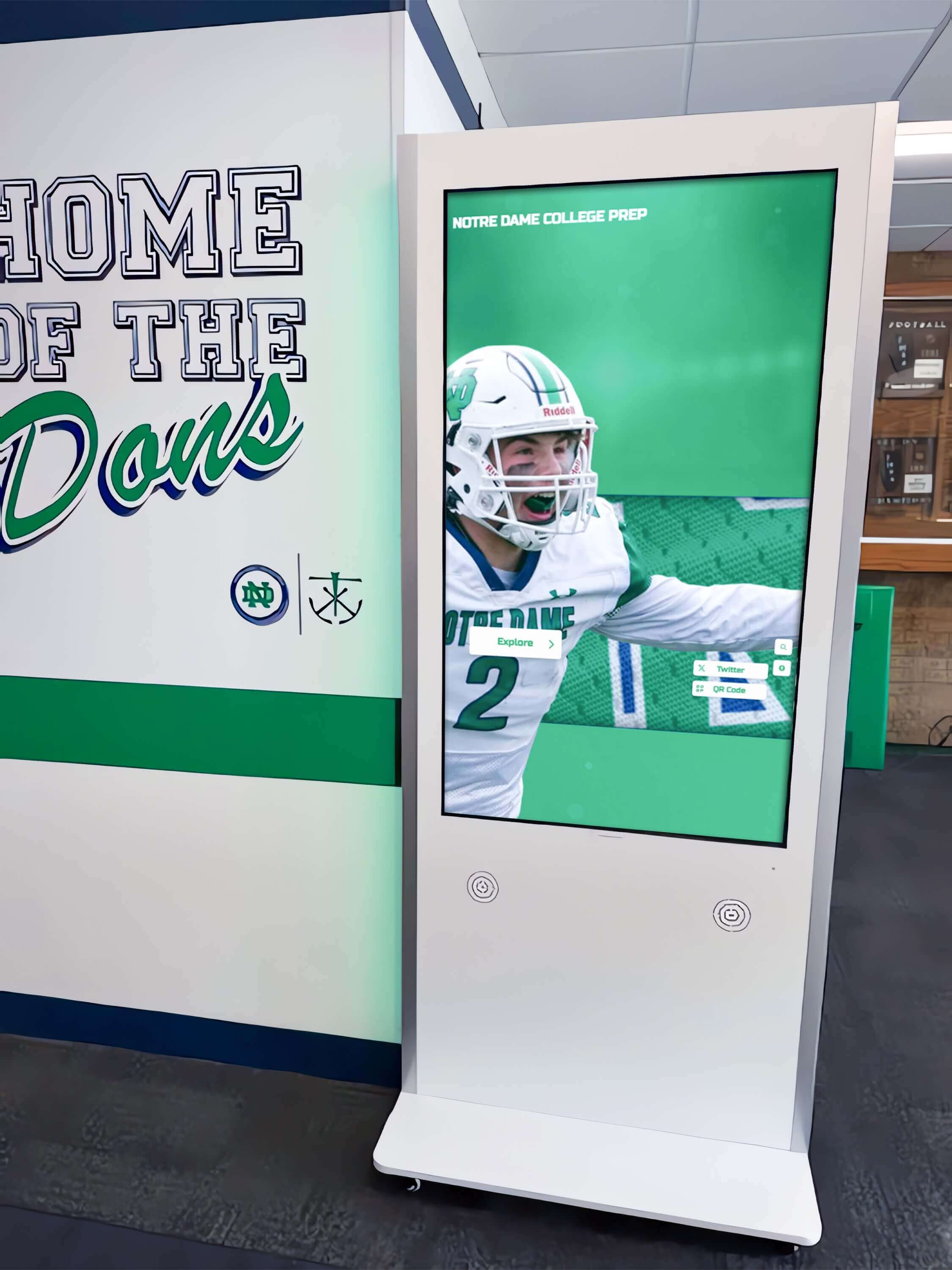
Strategic hallway placement ensures maximum student exposure to digital yearbook content and recognition displays during daily activities
Large Format Options (49"-65")
- 49 Inch Models: Mid-sized displays balancing visibility with reasonable costs, suitable for cafeterias, commons areas, or athletic facility lobbies
- 55 Inch Models: Large displays providing excellent visibility in high-traffic spaces, supporting both individual interaction and passive viewing by groups
- 65 Inch 4K Models: Premium options delivering exceptional image quality and commanding presence in main entrances, auditoriums, or showcase locations
Larger configurations excel in scenarios prioritizing maximum visibility, group viewing capabilities, or prestigious installations where display quality significantly impacts institutional image and engagement.
Form Factor and Mounting
MWE-QIXZOCV kiosks feature floor-standing designs with integrated stands, distinguishing them from wall-mounted alternatives:
- Self-contained units requiring minimal installation beyond positioning and power connection
- Portable configurations enabling relocation as needs change or for special events
- Prominent vertical orientation creating natural attention-drawing focal points
- Protective enclosures housing screens, computing components, and cabling
- Various color options (typically black or white) matching different school aesthetics
This floor-standing approach simplifies installation compared to wall mounting requiring professional contractors and permanent facility modifications, though it consumes floor space and may present accessibility considerations requiring strategic placement.
Core Hardware Specifications
Display Technology and Image Quality
MWE-QIXZOCV kiosks utilize LCD panels with specific characteristics impacting educational applications:
Screen Technology:
- IPS (In-Plane Switching) LCD panels providing wide 178° viewing angles ensuring content remains visible from multiple positions around kiosks
- FHD (1920x1080) resolution on most models delivering clear text and images suitable for recognition displays and digital yearbooks
- 4K (3840x2160) resolution on premium 65" models enabling exceptional detail for large-format photo galleries and multimedia content
- Commercial-grade brightness specifications (typically 300-450 nits) ensuring visibility in normally-lit indoor environments
Touch Capabilities:
- Capacitive touchscreen technology supporting multi-touch gestures for intuitive interaction
- Responsive touch registration enabling accurate selection of profiles, menus, and navigation elements
- Durable touch surfaces withstanding continuous use in high-traffic school environments
- Glare-resistant coatings reducing reflections from overhead lighting and windows
Schools implementing digital recognition displays should note that while these specifications suit most indoor educational applications, they fall below industrial-grade displays designed for 24/7 operation or extreme environmental conditions.
Android Operating System and Computing Platform
Built-In Computing:
- Android operating system providing familiar, user-friendly environment
- Integrated media player eliminating separate PC requirements
- Built-in storage (typically 8-16GB) sufficient for kiosk applications and content caching
- Processing capabilities supporting HD video playback, image galleries, and interactive navigation
- RAM specifications (typically 2-4GB) adequate for single-application kiosk deployments
This integrated approach simplifies deployment and reduces costs compared to displays requiring separate computing hardware, though it creates specific compatibility considerations for software platforms.

Intuitive touchscreen interfaces enable students to independently explore digital yearbook content and alumni profiles without staff assistance
Connectivity and Network Features:
- Built-in WiFi enabling wireless network connection without additional hardware
- Ethernet ports supporting wired network connections for more reliable connectivity
- USB ports accommodating external content storage and peripheral devices
- HDMI inputs enabling connection to external sources when needed
- Remote management capabilities through network interfaces
Educational institutions implementing interactive touchscreen software should prioritize models with both wired and wireless networking options ensuring maximum deployment flexibility across different facility locations and network infrastructure.
Auto Media Player and Content Management:
- Plug-and-play USB content loading supporting simple file-based updates
- Automatic playback beginning when kiosks power on without manual intervention
- Scheduled on/off timing automating daily operation aligning with school schedules
- Remote control operation enabling basic navigation and settings adjustment
- Loop playback for passive digital signage when interactive features aren’t required
These features support basic content display applications, though more sophisticated interactive experiences typically require dedicated software platforms providing advanced content management, user interfaces, and analytics capabilities.
Compatibility with Rocket Alumni Solutions Software
Understanding hardware specifications provides foundation for evaluating how MWE-QIXZOCV kiosks integrate with purpose-built recognition software platforms serving educational institutions.
Rocket Alumni Solutions Platform Overview
Purpose-Built Recognition Software
Rocket Alumni Solutions specializes in interactive recognition technology specifically designed for schools, universities, athletic programs, and organizations celebrating achievements and preserving institutional history. Unlike generic digital signage content that MWE-QIXZOCV kiosks typically display, Rocket’s platform provides comprehensive features optimized for educational recognition applications:
- Searchable databases enabling visitors to find specific students, athletes, or alumni instantly
- Unlimited profile capacity eliminating space constraints of traditional plaques and yearbooks
- Multimedia integration showcasing photos, videos, achievements, and biographical narratives
- Timeline visualizations presenting school history and graduating class progressions chronologically
- Mobile web accessibility extending recognition beyond physical kiosk locations through responsive websites
- Cloud-based content management enabling remote updates from any internet-connected device
- Advanced analytics tracking engagement patterns and demonstrating recognition system value
Schools implementing comprehensive digital yearbook platforms through Rocket Alumni Solutions transform static annual publications into living, searchable archives continuously growing with each graduating class while remaining accessible to entire school communities worldwide.
Technical Compatibility Considerations
Web-Based Architecture Advantages
Rocket Alumni Solutions operates through cloud-based, web-accessible platforms—a crucial architectural decision enabling broad hardware compatibility including MWE-QIXZOCV Android kiosks:
Browser-Based Operation:
- Rocket’s recognition displays function through standard web browsers rather than requiring proprietary native applications
- Android systems include capable web browsers (typically Chrome or Android Browser) providing complete web standards support
- Web-based architecture eliminates complex app installation, update management, or version compatibility issues
- Automatic updates to Rocket’s platform occur transparently without requiring local software updates on kiosks
- Cloud infrastructure handles processing and storage, minimizing local computing requirements
This browser-based approach means MWE-QIXZOCV kiosks can display Rocket Alumni Solutions content through their built-in browsers, functioning similarly to any commercial-grade interactive display running web-based recognition software.
Kiosk Mode and Browser Lockdown
Effective educational kiosks require preventing unauthorized access to Android settings, external websites, or applications beyond intended recognition displays. Achieving this lockdown on MWE-QIXZOCV hardware involves several approaches:
Native Android Kiosk Features:
- Screen pinning modes locking displays to specific applications (browser showing Rocket platform)
- Guided access settings restricting navigation to approved websites
- Hardware button disabling preventing users from exiting kiosk mode
- Scheduled task automation restarting browsers and clearing sessions periodically
Third-Party Kiosk Browser Applications: Solutions like dedicated touchscreen kiosk apps provide robust lockdown capabilities:
- Fully locked browsers preventing navigation to unauthorized websites
- Automatic session reset clearing cached data after inactivity periods
- Scheduled restart capabilities maintaining system health
- Remote configuration management for distributed kiosk networks
- Tamper-resistant lockdown requiring passwords for configuration access
Cloud-Based Kiosk Management:
- Remote monitoring and management platforms tracking kiosk status and health
- Automated content updates deploying Rocket platform changes across installations
- Alert systems notifying administrators of connectivity or operational issues
- Usage analytics providing insights into engagement patterns
Schools implementing touchscreen recognition systems should budget time for proper kiosk mode configuration ensuring MWE-QIXZOCV displays remain locked to intended recognition content while preventing unauthorized access to Android settings or internet browsing.
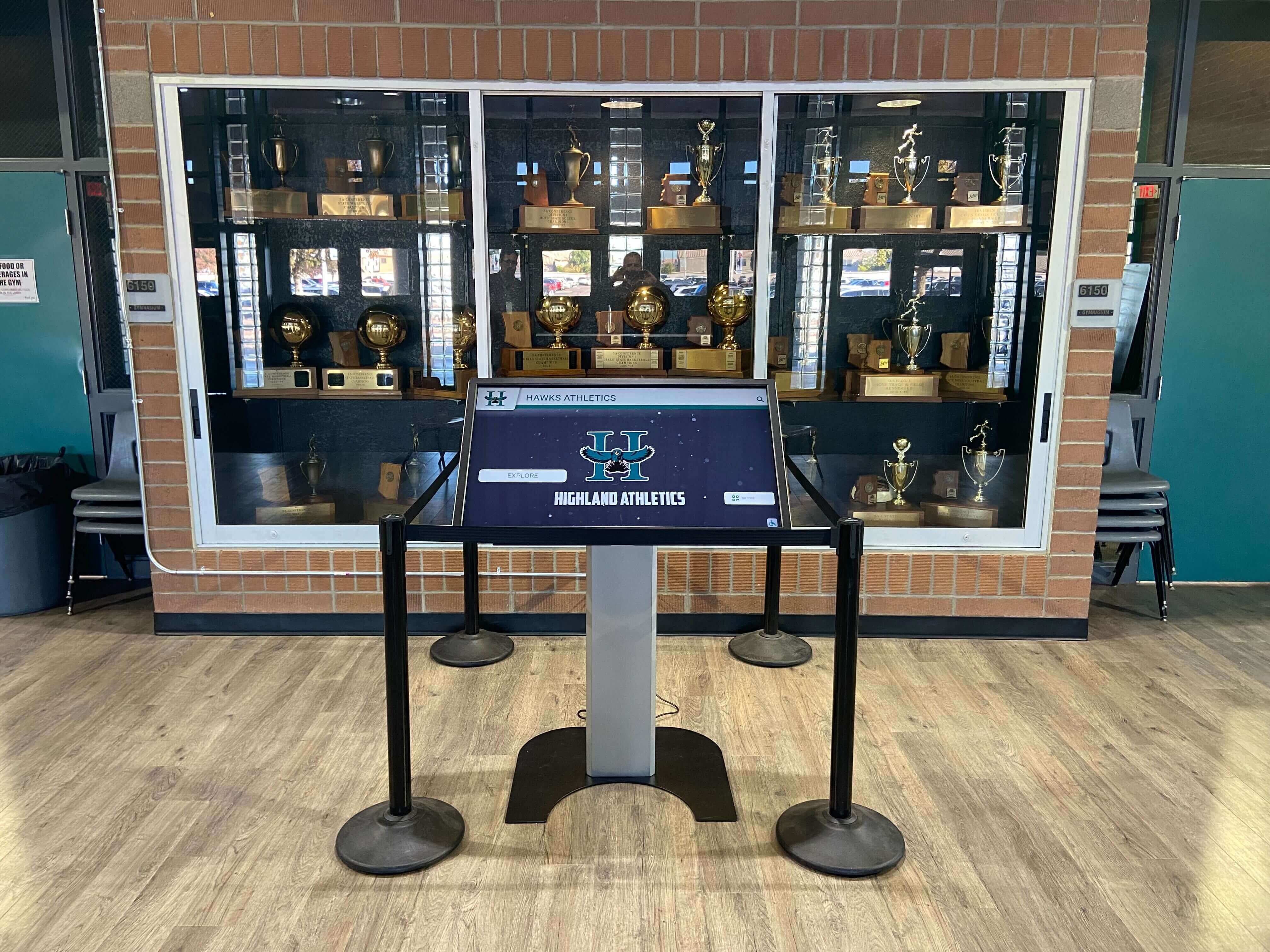
Recognition displays complement traditional trophy cases, expanding capacity while enabling searchable access to comprehensive achievement histories
Optimal Use Cases for MWE-QIXZOCV with Rocket Alumni Solutions
Digital Yearbook and Class History Displays
The combination of MWE-QIXZOCV hardware and Rocket Alumni Solutions software excels for digital yearbook applications:
Comprehensive Class Profiles:
- Searchable student databases enabling current students to find themselves and friends quickly
- Graduation class timelines showing each year’s graduates with photos and achievements
- Activity and club participation records documenting student involvement
- Senior quotes, baby pictures, and memorable moments creating nostalgic exploration experiences
- Unlimited capacity accommodating entire school histories from founding through present
- QR code integration enabling students to access yearbook content on personal smartphones
Schools transitioning from traditional printed yearbooks to digital formats discover that interactive kiosks create engaging exploration experiences where students actively search and discover content rather than passively flipping through physical books.
Athletic Recognition and Hall of Fame Displays
MWE-QIXZOCV kiosks positioned in athletic facilities provide ideal platforms for sports recognition:
Comprehensive Athletic Achievement Celebration:
- Searchable athlete profiles featuring statistics, awards, and career highlights
- Team histories documenting championship seasons with photos and game highlights
- Record boards automatically ranking performances across school history
- Coaching honors recognizing sustained excellence and program building
- Video highlight reels showcasing memorable moments and historic victories
- Retired numbers and special honors explaining significance and selection criteria
Athletic departments implementing digital hall of fame systems report that interactive touchscreen displays generate significantly higher engagement than static plaques, with students spending 5-10 minutes exploring athletic history compared to brief glances at traditional trophy cases.
Academic Recognition and Honor Roll Systems
Beyond athletics, MWE-QIXZOCV kiosks effectively showcase academic excellence:
Multi-Faceted Academic Celebration:
- Searchable honor roll listings enabling students and parents to find academic recognition
- National Honor Society member profiles documenting service and achievement
- Academic competition successes highlighting debate team, Science Olympiad, and math league accomplishments
- Scholarship recipients celebrating post-secondary educational opportunities
- Perfect attendance and other special recognitions acknowledging diverse achievement types
- STEM project showcases featuring student engineering competitions and innovations
Comprehensive academic recognition demonstrates that schools value intellectual achievement equally with athletic success, creating balanced celebration of diverse student talents and accomplishments.
Alumni Engagement and Historical Timeline Displays
Schools with rich histories benefit from alumni-focused installations:
Heritage Preservation and Alumni Connection:
- Distinguished alumni profiles celebrating post-graduation accomplishments
- Decade-by-decade timelines presenting school evolution and significant milestones
- Historical photo galleries preserving irreplaceable institutional memory
- “Where Are They Now” spotlights maintaining ongoing alumni relationships
- Reunion photo archives documenting returning graduates across decades
- Foundation and major gift recognition honoring philanthropic support
Organizations implementing alumni recognition programs discover that visible celebration strengthens ongoing engagement, supporting fundraising, mentorship, and community-building objectives while preserving institutional heritage for future generations.
Implementation Best Practices for Educational Environments
Successful MWE-QIXZOCV kiosk deployments in schools require addressing specific environmental, operational, and content considerations beyond basic hardware setup.
Strategic Placement and Physical Installation
High-Traffic Location Selection
Kiosk placement dramatically impacts engagement and recognition system value:
Optimal Installation Locations:
- Main entrance lobbies creating immediate visibility for all visitors and students
- Cafeteria and commons areas where students gather during lunch and free periods
- Athletic facility lobbies serving teams, parents, and spectators attending events
- Library or media centers encouraging research and historical exploration
- Guidance offices supporting college application and scholarship processes
- Hallway intersections capturing traffic between classes without obstructing flow
Schools implementing interactive touchscreen displays should map daily traffic patterns ensuring kiosks reach maximum audiences rather than positioning displays in peripheral locations with minimal exposure.
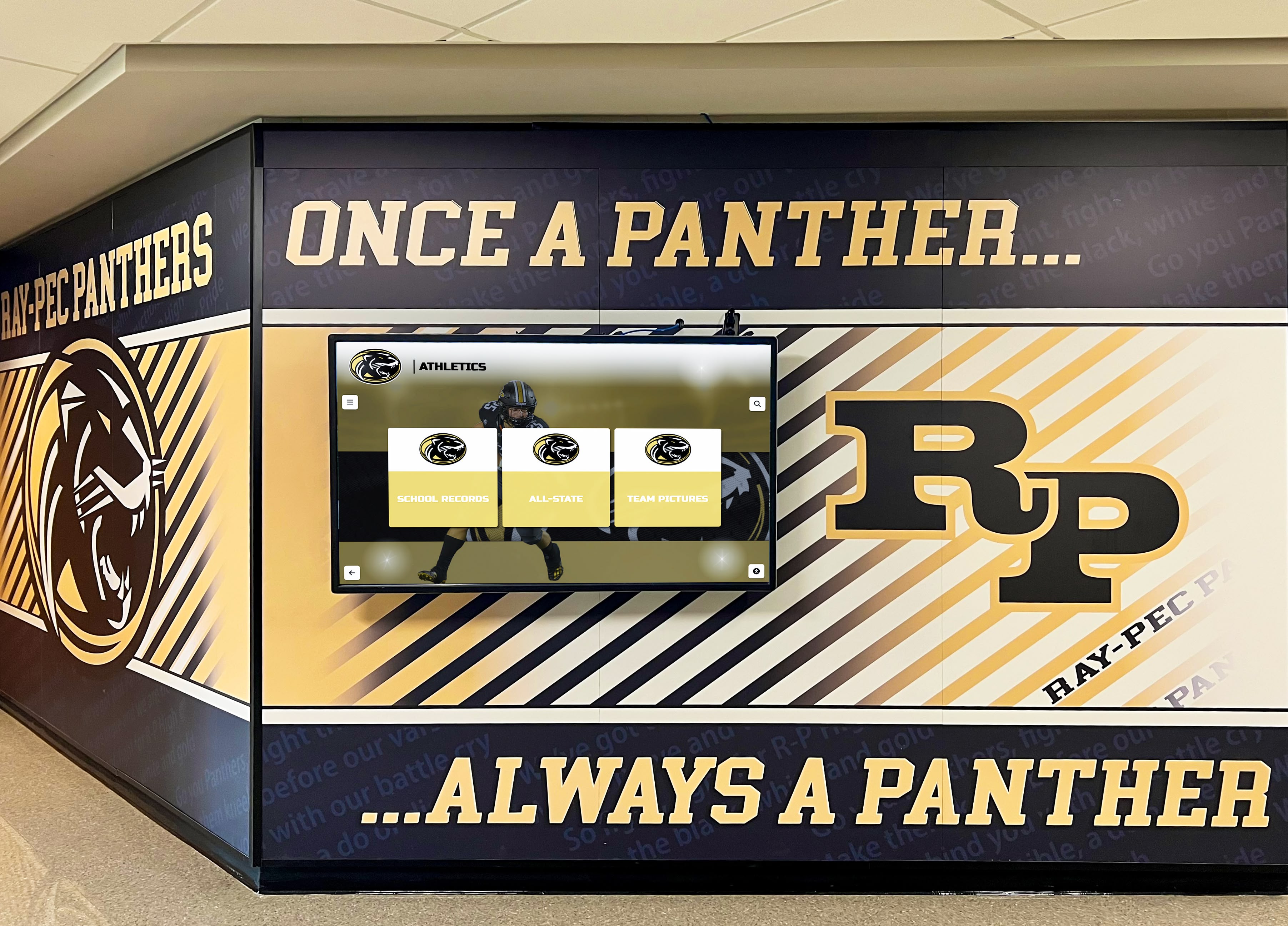
Strategic integration with existing school branding and murals creates cohesive environments celebrating institutional identity and achievements
Environmental and Accessibility Considerations:
- Adequate lighting avoiding direct sunlight creating screen glare or viewing difficulties
- Appropriate height positioning touchscreens at accessible levels for diverse users including wheelchair users
- Stable floor surfaces supporting kiosk bases without tipping or movement risks
- Proximate power outlets avoiding extension cords creating trip hazards
- Network connectivity (WiFi or Ethernet) enabling reliable content updates and cloud platform access
- Spacing allowing multiple simultaneous users without crowding or blocking traffic flow
Professional installations often include floor anchoring or additional stability measures preventing accidental tipping, particularly important in environments with younger students or high-traffic congestion during class changes.
Software Configuration and Content Management
Initial Rocket Alumni Solutions Setup
Implementing Rocket’s recognition platform on MWE-QIXZOCV kiosks involves systematic configuration:
Platform Onboarding Process:
- Create Rocket Alumni Solutions account and configure organizational profile
- Establish content structure (graduating classes, athletic teams, academic honors, etc.)
- Begin historical content loading through bulk import tools and manual profile creation
- Design recognition display interfaces selecting templates and organizational approaches
- Configure kiosk browser pointing to Rocket’s web platform URL
- Implement browser lockdown preventing navigation away from recognition content
- Test thoroughly with representative users ensuring intuitive navigation and functionality
Schools benefit from Rocket’s white-glove onboarding services providing implementation assistance, historical content migration support, and staff training ensuring recognition systems launch successfully rather than struggling through self-service setup processes.
Ongoing Content Management Workflows
Sustainable recognition systems require establishing regular update processes:
Content Maintenance Responsibilities:
- Assign yearbook advisers, athletic directors, or communications staff as primary content administrators
- Establish schedules for routine updates (weekly during school year, monthly during summer)
- Create workflows for adding new achievements, graduating class profiles, and athletic results
- Develop quality standards ensuring profile completeness and professional presentation
- Implement approval processes when appropriate ensuring oversight before publication
- Monitor analytics identifying popular content and engagement patterns informing future development
Organizations implementing comprehensive touchscreen recognition systems discover that clear content management responsibilities and realistic workload expectations determine whether recognition displays remain vibrant with fresh content or stagnate with outdated information undermining system value.

Intuitive card-based interfaces enable quick browsing and selection of individual profiles, encouraging exploration and discovery
Technical Support and Maintenance Planning
Routine Maintenance Requirements
MWE-QIXZOCV kiosks require ongoing maintenance ensuring reliable long-term operation:
Regular Maintenance Tasks:
- Screen cleaning removing fingerprints and smudges maintaining visibility and professional appearance
- Software updates applying Android security patches and browser updates
- Kiosk mode verification ensuring displays remain properly locked to recognition content
- Network connectivity monitoring confirming reliable cloud platform access
- Content cache clearing preventing performance degradation over time
- Physical inspection identifying loose cables, stability issues, or emerging hardware problems
Schools should budget 1-2 hours monthly per kiosk for routine maintenance—significantly less than some educational technology but requiring consistent attention preventing small issues from becoming major failures.
Technical Support Considerations
Support infrastructure differs significantly from commercial-grade displays sold through educational technology vendors:
MWE-QIXZOCV Hardware Support:
- Primary support through Amazon seller channels rather than direct manufacturer relationships
- Standard Amazon return/replacement policies during initial warranty periods
- Limited technical documentation and troubleshooting resources compared to enterprise solutions
- Generalized support lacking educational environment expertise
- Replacement part availability through consumer retail channels rather than dedicated service networks
Rocket Alumni Solutions Software Support:
- Responsive technical support via phone, email, and chat during business hours
- Online knowledge base and video tutorials supporting self-service problem resolution
- Content management assistance helping schools overcome complex content scenarios
- Regular platform updates delivering new features and improvements automatically
- Community forums enabling peer learning and best practice sharing
Schools should maintain realistic expectations about hardware support limitations while benefiting from comprehensive software support through Rocket’s education-focused service infrastructure.
Comparing MWE-QIXZOCV to Alternative Display Options
Understanding how MWE-QIXZOCV kiosks compare against alternative approaches helps schools make informed decisions aligned with specific needs, budgets, and priorities.
MWE-QIXZOCV vs. Commercial-Grade Educational Displays
Cost and Value Trade-offs
Traditional commercial displays command significant price premiums while delivering specific advantages:
| Feature | MWE-QIXZOCV Kiosks | Commercial Educational Displays |
|---|---|---|
| Initial cost per display | $800-$2,500 depending on size | $3,000-$8,000 per installation |
| Operating system | Android (consumer-grade) | Windows, Chrome OS, or commercial Android |
| Warranty and support | 1-year standard warranty, limited support | 3-5 year warranties, dedicated educational support |
| Expected lifespan | 3-5 years typical | 7-10 years with commercial components |
| Duty cycle rating | Consumer-grade (8-12 hours daily) | Commercial-grade (16-24 hours daily) |
| Installation services | DIY or separate contractor | Professional installation included |
| Brightness and durability | Standard consumer LCD panels | High-brightness commercial panels |
When Commercial Displays Justify Premium Costs:
- High-traffic lobby installations running 12+ hours daily requiring commercial duty cycles
- Showcase locations where display quality significantly impacts institutional image
- Schools prioritizing maximum reliability and extensive warranty coverage
- Implementations requiring tight integration with existing IT infrastructure and support systems
- Installations in challenging environments with difficult lighting or temperature conditions
When MWE-QIXZOCV Provides Adequate Performance:
- Moderate-traffic locations with 6-8 hour daily operation (school hours only)
- Budget-constrained implementations requiring multiple displays across campuses
- Secondary installations complementing primary commercial-grade lobby displays
- Pilot programs testing interactive recognition before committing to comprehensive deployments
- Schools comfortable with more hands-on technical management
Schools implementing multiple recognition displays often employ mixed approaches—commercial-grade displays in highest-visibility locations complemented by budget-friendly options in secondary spaces, optimizing investment across priorities.
MWE-QIXZOCV vs. Tablet-Based Solutions
Larger Displays vs. Mobile Devices
Some schools consider mounting consumer tablets rather than dedicated kiosks:
MWE-QIXZOCV Advantages:
- Significantly larger screens (32"-65" vs. 10"-13" tablets) supporting group viewing and distant visibility
- Dedicated floor-standing form factors creating prominent recognition landmarks
- Integrated protective enclosures and professional appearance
- Lower per-inch display costs compared to tablet solutions
- Commercial display panels with better brightness and viewing angles than tablet screens
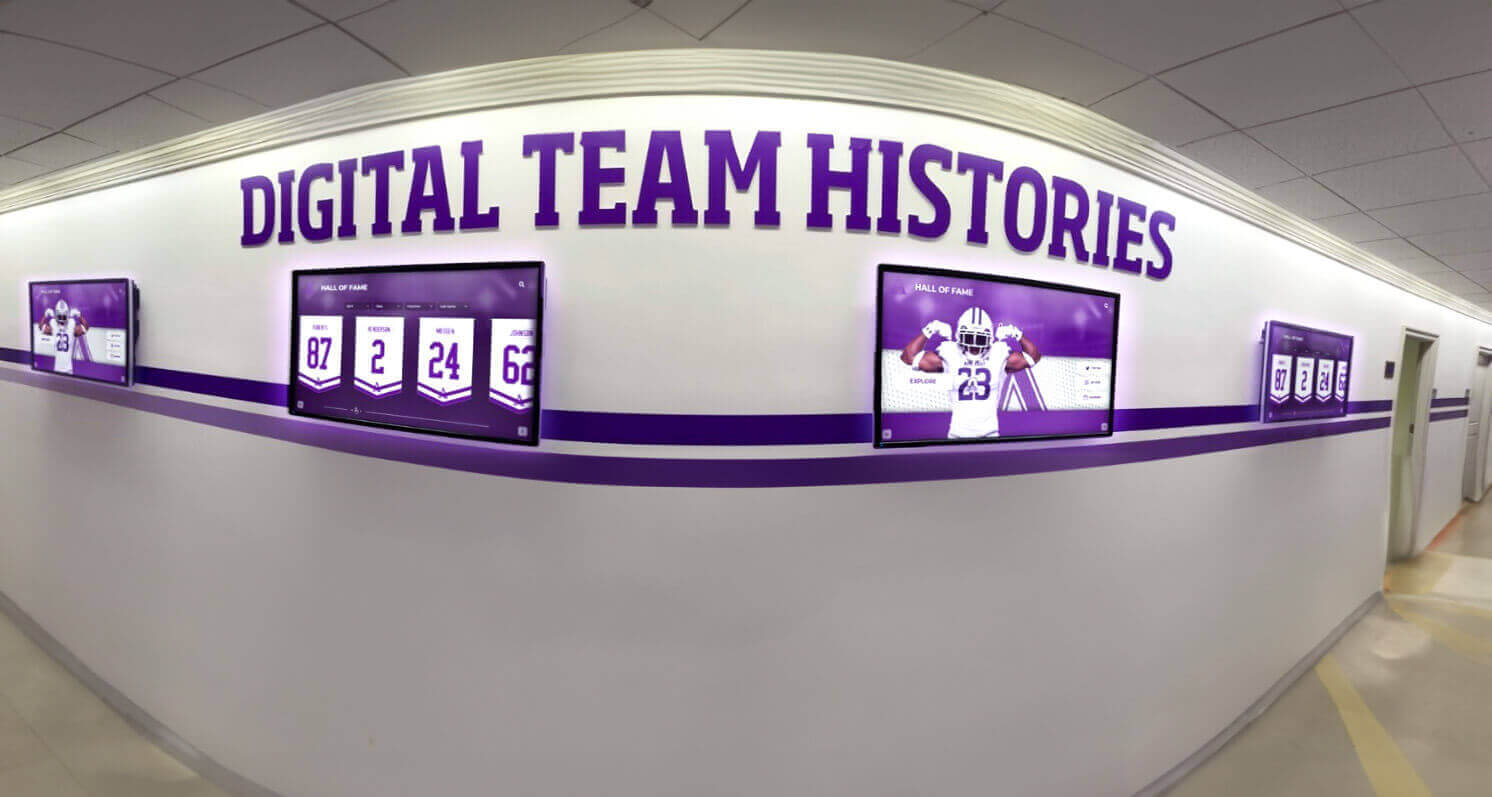
Multiple display installations provide comprehensive recognition coverage across different school areas and activity categories
Tablet Advantages:
- Lower initial costs for basic implementations ($300-$800 vs. $800-$2,500)
- Greater portability enabling relocation for events or temporary installations
- Simpler setup and configuration with familiar consumer operating systems
- Battery backup providing operation during power outages
Reality Check: While tablets appear attractive for budget reasons, their small screens severely limit engagement potential for recognition applications. Students struggle to explore digital yearbooks or athletic achievements on 10" screens, and tablets lack the visual prominence creating awareness and encouraging exploration. Most schools implementing tablet-based recognition systems eventually upgrade to larger displays after discovering engagement limitations.
Building Custom Solutions with Separate Displays and Computers
DIY Integration Approaches
Technical schools or those with capable IT staff might consider building custom solutions:
Component-Based Approach:
- Commercial touchscreen displays ($1,500-$4,000)
- Separate computing devices like Intel NUCs or Raspberry Pi ($200-$800)
- Custom kiosk enclosures or mounting solutions ($500-$2,000)
- Network infrastructure and cabling ($200-$500)
- Software licensing for Rocket Alumni Solutions (included)
- Labor for assembly, configuration, and testing (10-20 hours)
Total Cost: $2,400-$7,300 plus substantial labor investment
This approach provides maximum flexibility and component selection but requires significant technical expertise, creates complex multi-vendor support scenarios, and may ultimately cost more than integrated solutions when accounting for staff time and troubleshooting complexity.
Schools implementing custom recognition display solutions should honestly assess internal technical capabilities and opportunity costs of staff time versus purchasing complete turnkey systems eliminating integration complexity.
Evaluating Long-Term Value and Return on Investment
Understanding total cost of ownership over multi-year timeframes ensures budget-aligned decisions:
Financial Investment Analysis
Initial Investment Requirements
Complete MWE-QIXZOCV implementation costs include:
Hardware Costs:
- MWE-QIXZOCV kiosk display: $800-$2,500 depending on size
- Network infrastructure if not already available: $100-$300
- Installation accessories (surge protectors, cleaning supplies): $50-$100
- Professional installation if desired: $300-$800
Software and Content Costs:
- Rocket Alumni Solutions platform setup: Varies by scale and services
- Historical content digitization if needed: $500-$3,000
- Professional photography for current profiles: $500-$2,000 annually
- Staff training time: 4-8 hours initial learning
Total Initial Investment: $1,850-$8,700 per installation
This compares favorably to traditional yearbook and recognition approaches:
- Annual printed yearbook costs: $8,000-$25,000 depending on school size
- Physical plaque and trophy procurement: $2,000-$10,000 annually
- Trophy case renovations: $5,000-$30,000 one-time
- Static display updates requiring design and printing: $1,000-$5,000 annually
Ongoing Operational Costs
Annual expenses after initial deployment:
- Electricity consumption: $30-$60 per kiosk
- Internet connectivity: Typically already available, $0 marginal cost
- Content management staff time: 3-5 hours monthly = $900-$2,400 annually at $30/hour
- Optional professional content photography: $500-$2,000 annually
- Rocket Alumni Solutions platform fees: Varies by agreement
- Hardware maintenance and cleaning: $200-$400 annually
Total Annual Operating Cost: $1,630-$5,260 per installation
Non-Financial Value Creation
Digital recognition systems deliver significant intangible benefits:
Enhanced Student Engagement and School Pride
Interactive yearbook and recognition displays create stronger connections:
- Average exploration sessions of 5-10 minutes compared to seconds for static plaques
- Students actively searching for themselves, friends, and family members
- Social sharing extending school pride beyond campus through personal networks
- Alumni discovering their profiles years after graduation, strengthening lifelong connections
- Multi-generational families exploring heritage and discovering relatives’ achievements
Schools implementing comprehensive digital yearbook systems report measurably stronger school spirit and community identity, difficult to quantify financially but valuable for culture and climate.
Operational Efficiency and Staff Time Savings
Digital systems simplify recognition management:
- Instant content updates eliminating weeks of plaque ordering and installation
- Correction capabilities fixing errors without expensive replacements
- Distributed management enabling multiple staff members contributing content
- Automated record tracking reducing manual maintenance for athletic achievements
- Searchable databases eliminating staff time answering “where is this person recognized?” questions
Recruitment and Advancement Benefits
Modern recognition technology creates positive impressions:
- Prospective students and families viewing sophisticated facilities during campus tours
- Alumni feeling valued and appreciated, supporting fundraising and giving programs
- Community members gaining pride in local schools’ achievements and history
- Media coverage opportunities showcasing innovative recognition approaches
- Competitive differentiation in enrollment-constrained educational markets
These advantages justify recognition system investments even absent direct financial returns, though comprehensive schools often achieve positive ROI within 3-5 years through eliminated printing costs, reduced physical recognition procurement, and enhanced alumni giving.
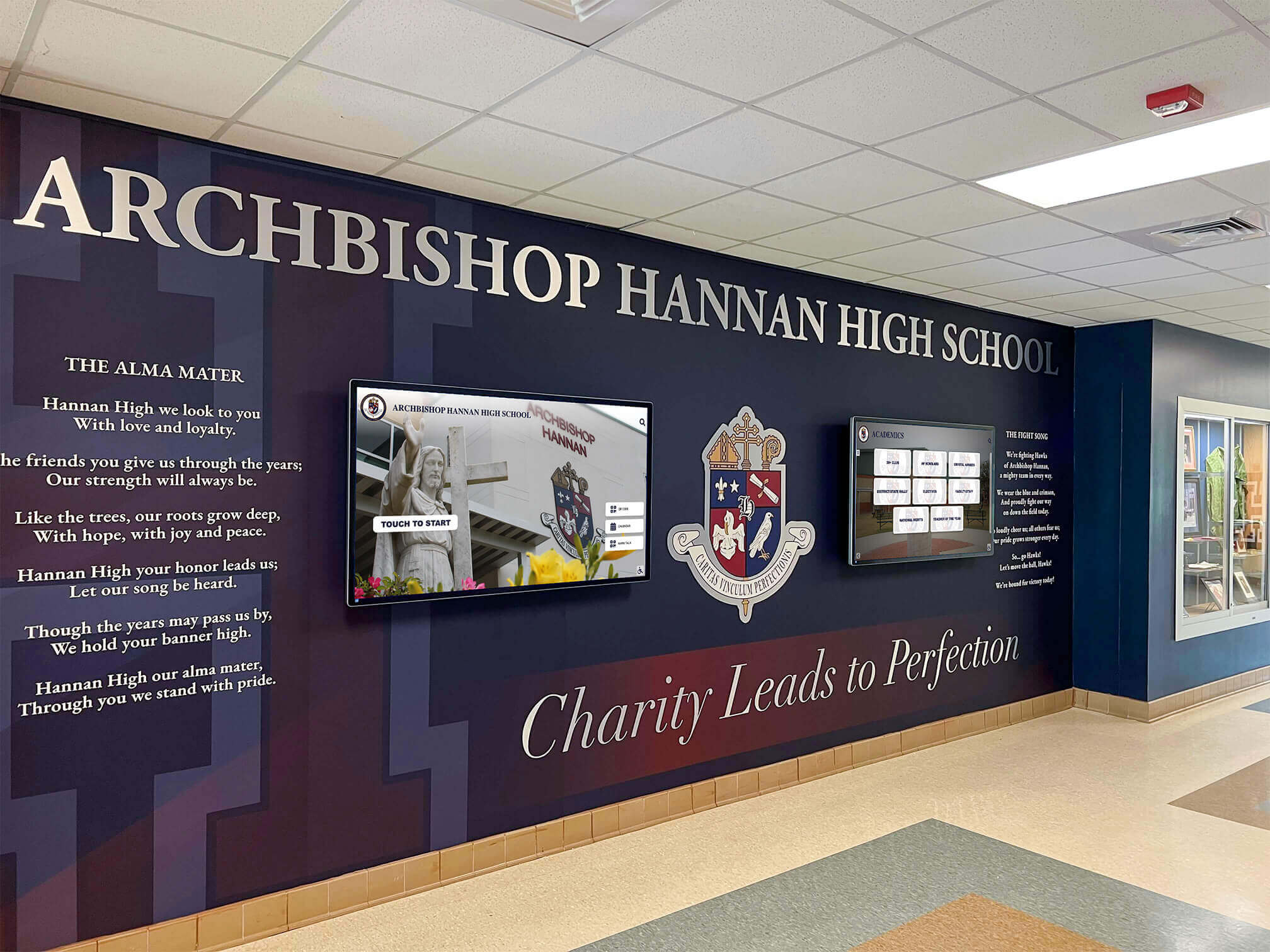
Prominent entrance installations create impressive first impressions while celebrating institutional heritage and student achievements
Best Practices for Successful Implementation
Schools can maximize MWE-QIXZOCV kiosk value through systematic planning and execution:
Pre-Implementation Planning Phase
Defining Recognition System Objectives
Clear goals guide hardware selection and software configuration:
Common Educational Recognition Objectives:
- Preserve complete school history from founding through present in accessible digital format
- Celebrate graduating classes comprehensively through searchable digital yearbook platform
- Honor athletic achievements through interactive hall of fame displays
- Recognize academic excellence via honor roll and special achievement spotlights
- Strengthen alumni engagement by providing ongoing connection to school heritage
- Create showcase technology installations demonstrating institutional innovation
- Reduce ongoing yearbook printing and physical recognition costs
Organizations implementing athletic recognition programs should document specific objectives enabling post-launch assessment demonstrating recognition system value and justifying continued investment.
Content Inventory and Development Planning
Successful recognition displays require substantial content:
Historical Content Collection:
- Identifying existing yearbook archives requiring digitization
- Gathering athletic records from scorebooks and media coverage
- Soliciting photos from alumni and families for historical periods
- Researching notable graduates and institutional milestones
- Documenting school traditions and significant historical events
Ongoing Content Creation:
- Establishing workflows for adding current year students and achievements
- Coordinating with yearbook staff, athletic directors, and activity sponsors
- Planning professional photography schedules for portrait and action shots
- Creating content standards ensuring profile completeness and consistency
- Defining approval processes when appropriate for content quality control
Schools should realistically assess content development capacity, potentially engaging students through yearbook classes, National Honor Society projects, or service learning opportunities creating meaningful student contributions while building recognition content.
Launch and Promotion Strategy
Soft Launch Testing Period
Thorough testing prevents embarrassing public launches of problematic content:
Pre-Launch Validation:
- Staff testing ensuring kiosk mode lockdown prevents unauthorized access
- Content review identifying errors, incomplete profiles, or missing information
- Navigation testing with diverse users confirming intuitive interaction
- Performance testing under expected usage loads and network conditions
- Accessibility verification ensuring all students can effectively engage
- Backup and recovery testing confirming disaster recovery capabilities
Public Launch and Promotion:
- Dedication ceremonies celebrating recognition system launches
- School-wide announcements introducing digital yearbook and recognition features
- Parent communications explaining how to access online recognition platforms
- Social media campaigns showcasing highlighted profiles and encouraging exploration
- Integration into campus tours demonstrating institutional innovation
- Student contests encouraging comprehensive exploration and profile discovery
Schools implementing interactive recognition displays should treat launches as significant events warranting celebration rather than quiet installations hoping users discover systems independently.
Continuous Improvement and Evolution
Monitoring Engagement and Usage Patterns
Analytics demonstrate recognition system value while guiding optimization:
Key Metrics to Track:
- Daily/weekly kiosk interaction sessions indicating usage frequency
- Average session duration revealing engagement depth
- Most-searched profiles identifying community interests
- Popular content categories informing future development priorities
- Geographic distribution of web platform access showing reach beyond physical location
- Time-of-day patterns suggesting optimal content update timing
Rocket Alumni Solutions provides comprehensive analytics dashboards enabling schools to demonstrate recognition system ROI while identifying opportunities for enhanced engagement and content development.
Gathering Stakeholder Feedback
Regular community input ensures recognition remains relevant:
Feedback Collection Methods:
- Student surveys assessing satisfaction and feature requests
- Parent feedback sessions gathering perspectives on yearbook alternatives
- Alumni input about historical content accuracy and coverage
- Staff interviews identifying operational challenges and improvement opportunities
- Usage observation noting confusion points or navigation difficulties
Responsive programs incorporating feedback maintain community ownership and support while adapting to evolving needs and interests over time.
Conclusion: Making Informed Display Selection Decisions
MWE-QIXZOCV touchscreen kiosks represent accessible entry points into interactive recognition technology, offering schools budget-friendly hardware options compatible with sophisticated cloud-based platforms like Rocket Alumni Solutions that transform how educational institutions celebrate achievements, preserve history, and engage communities.
MWE-QIXZOCV displays excel when schools prioritize:
- Initial cost constraints requiring maximum value from limited technology budgets
- Multiple display deployments across campuses benefiting from affordable per-unit pricing
- Moderate usage patterns during school hours rather than 24/7 continuous operation
- Flexibility to manage technical configuration and maintenance with internal IT resources
- Willingness to accept consumer-grade specifications and support infrastructure
Alternative commercial displays justify premium costs when schools require:
- Maximum reliability and industrial duty cycles for highest-traffic locations
- Extensive warranty coverage and dedicated educational support relationships
- Showcase installations where display quality significantly impacts institutional image
- Minimal technical management leveraging vendor-provided configuration and support services
- Confidence in 7-10 year operational lifespans supporting long-term budget planning
The optimal approach often involves strategic combinations—commercial-grade displays in primary lobby locations complemented by budget-friendly MWE-QIXZOCV kiosks in secondary spaces, optimizing investment across multiple priorities while achieving comprehensive recognition coverage throughout facilities.
Regardless of hardware selection, the transformative element enabling powerful digital yearbooks, interactive athletic recognition, and comprehensive achievement celebration lies in purpose-built software platforms specifically designed for educational recognition applications. Solutions like Rocket Alumni Solutions provide the searchable databases, unlimited capacity, multimedia integration, mobile accessibility, and intuitive content management that convert generic touchscreen hardware into engaging recognition systems delivering sustained value to school communities.
Ready to Transform Your School Recognition?
Discover how Rocket Alumni Solutions' cloud-based recognition software works with MWE-QIXZOCV touchscreen kiosks and other display hardware to create engaging digital yearbooks, athletic halls of fame, and comprehensive achievement celebration systems. Schedule a personalized demonstration showing exactly how the platform addresses your school's recognition goals.
Schedule Your Custom DemoThe journey toward comprehensive digital recognition begins with understanding your school’s specific needs, constraints, and aspirations. Whether selecting MWE-QIXZOCV kiosks for budget-conscious implementations or investing in premium commercial displays for showcase installations, the critical success factor remains choosing recognition software purpose-built for educational applications—platforms providing searchable achievement databases, unlimited capacity eliminating difficult selection decisions, multimedia storytelling creating emotional connections, mobile accessibility extending reach beyond facility visitors, and intuitive management enabling sustainable long-term operation.
Your students’ achievements, school history, and institutional heritage deserve recognition systems equal to their significance. The technology exists today to celebrate every graduating class, honor every athletic championship, recognize every academic achievement, and preserve complete institutional memory in engaging, accessible formats serving current students while remaining available to alumni for decades. Start planning your recognition transformation by evaluating hardware options aligned with your budget and technical capabilities, then selecting software platforms like Rocket Alumni Solutions that convert those displays into powerful engagement tools strengthening school pride, community connections, and institutional identity for generations to come.
Ready to explore specific implementation strategies? Learn about comprehensive digital yearbook development, discover effective athletic recognition approaches, or review successful interactive display implementations that inform your planning while demonstrating proven strategies delivering sustained value to school communities.
Sources:































