Stacks of old yearbooks fill school storage closets across the country, holding decades of memories in deteriorating pages that fewer people can access each year. Bindings crack, photos fade, and entire volumes disappear as schools move buildings or clean out storage spaces. Meanwhile, alumni associations search desperately for historical photos, advancement offices need archival content for campaigns, and students researching school history find themselves blocked by physical access limitations. The solution lies in systematic yearbook digitization—transforming fragile physical volumes into permanent digital archives accessible to anyone, anywhere, anytime.
Digitizing old school yearbooks preserves institutional memory while making historical content available for modern uses ranging from anniversary celebrations and digital displays to alumni engagement and research projects. Schools that complete yearbook digitization projects report dramatic increases in alumni interaction, easier content management for communications teams, and renewed community connections to institutional heritage. The process requires planning, appropriate equipment, and systematic workflows, but schools of any size can successfully digitize yearbook collections using approaches ranging from DIY scanning to professional digitization services.
This comprehensive guide walks through every aspect of yearbook digitization—from assessing your collection and selecting the right equipment through establishing efficient workflows, organizing digital files, ensuring long-term preservation, and sharing digitized content effectively. Whether you’re digitizing five yearbooks or fifty years of archives, you’ll learn proven strategies that protect original volumes while creating accessible digital collections serving your community for generations.
Schools successfully digitizing yearbook collections typically complete projects in 3-6 months for collections spanning 20-30 years, with individual yearbooks requiring 2-4 hours of scanning and processing time depending on page counts and desired quality levels. The investment pays dividends immediately through enhanced alumni engagement, easier content access for staff, and preservation of irreplaceable historical records before further deterioration occurs.

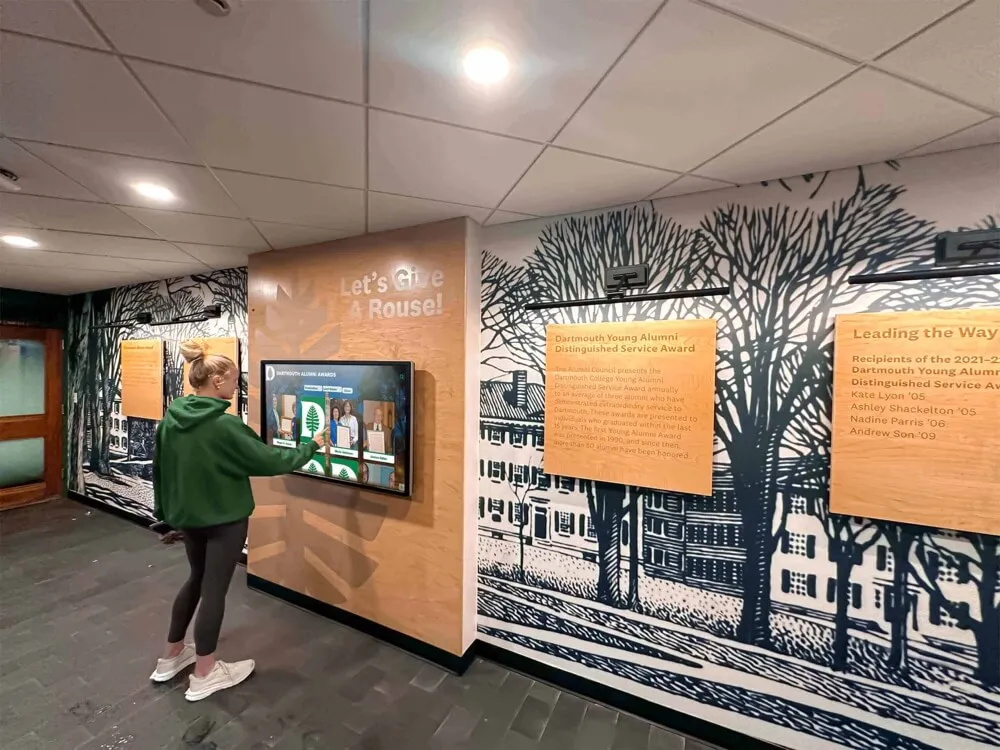
Digital yearbook archives become accessible through interactive displays in school hallways, enabling students, visitors, and alumni to explore decades of institutional history
Why Schools Should Digitize Historical Yearbooks
Understanding the compelling benefits of yearbook digitization helps build stakeholder support and justify resource investments.
Preserve Deteriorating Physical Volumes
Yearbooks printed before 2000 face accelerating physical deterioration regardless of storage conditions. Acidic paper yellows and becomes brittle over decades, adhesive bindings separate from repeated handling, pages tear at mounting points where photos were attached, and chemical degradation causes photos to fade or discolor irreversibly.
Once physical damage occurs, restoration becomes extraordinarily expensive or impossible. Digitization creates permanent backup copies preserving content exactly as it appears today, before additional deterioration makes pages unreadable or volumes unusable. Schools that delay digitization often discover that deterioration has accelerated beyond recovery points by the time projects begin.
Make Archives Accessible Beyond Physical Limitations
Physical yearbooks serve only those who can physically access storage locations and carefully handle fragile volumes. Staff members researching school history spend hours searching through closets, alumni seeking memories must visit campus during business hours, and students working on projects face access barriers that limit research capabilities.
Digitized yearbooks become accessible from anywhere through school networks, password-protected websites, or public digital archives. Multiple people can access the same content simultaneously, searches locate specific individuals or events instantly, and content remains available 24/7 without requiring special permissions or physical campus visits.
This universal accessibility transforms how communities interact with institutional history while reducing wear on fragile original volumes.
Support Multiple Institutional Initiatives Simultaneously
Once digitized, yearbook content serves numerous purposes across different departments and programs including alumni wall displays connecting generations of students, anniversary celebration materials showcasing institutional evolution, advancement and development campaign content demonstrating heritage and tradition, social media content generating community engagement and nostalgia, website historical sections providing context and perspective, and research resources for students and faculty studying institutional or local history.
Single digitization efforts create assets supporting diverse initiatives for decades, providing return on investment that compounds over time as new use cases emerge.
Enable Advanced Search and Discovery
Physical yearbooks require page-by-page browsing to locate specific individuals, events, or content. This manual process proves time-consuming and often incomplete, as searchers miss relevant content or give up before finding all available materials.
Digital yearbooks with proper metadata and optical character recognition (OCR) enable instant searching by name, year, sport, activity, or keyword. Staff members creating recognition displays or researching school history can locate every appearance of specific individuals across decades in seconds rather than hours or days of manual searching.
This searchability fundamentally changes how institutions interact with archival materials, making historical research practical rather than prohibitively difficult.
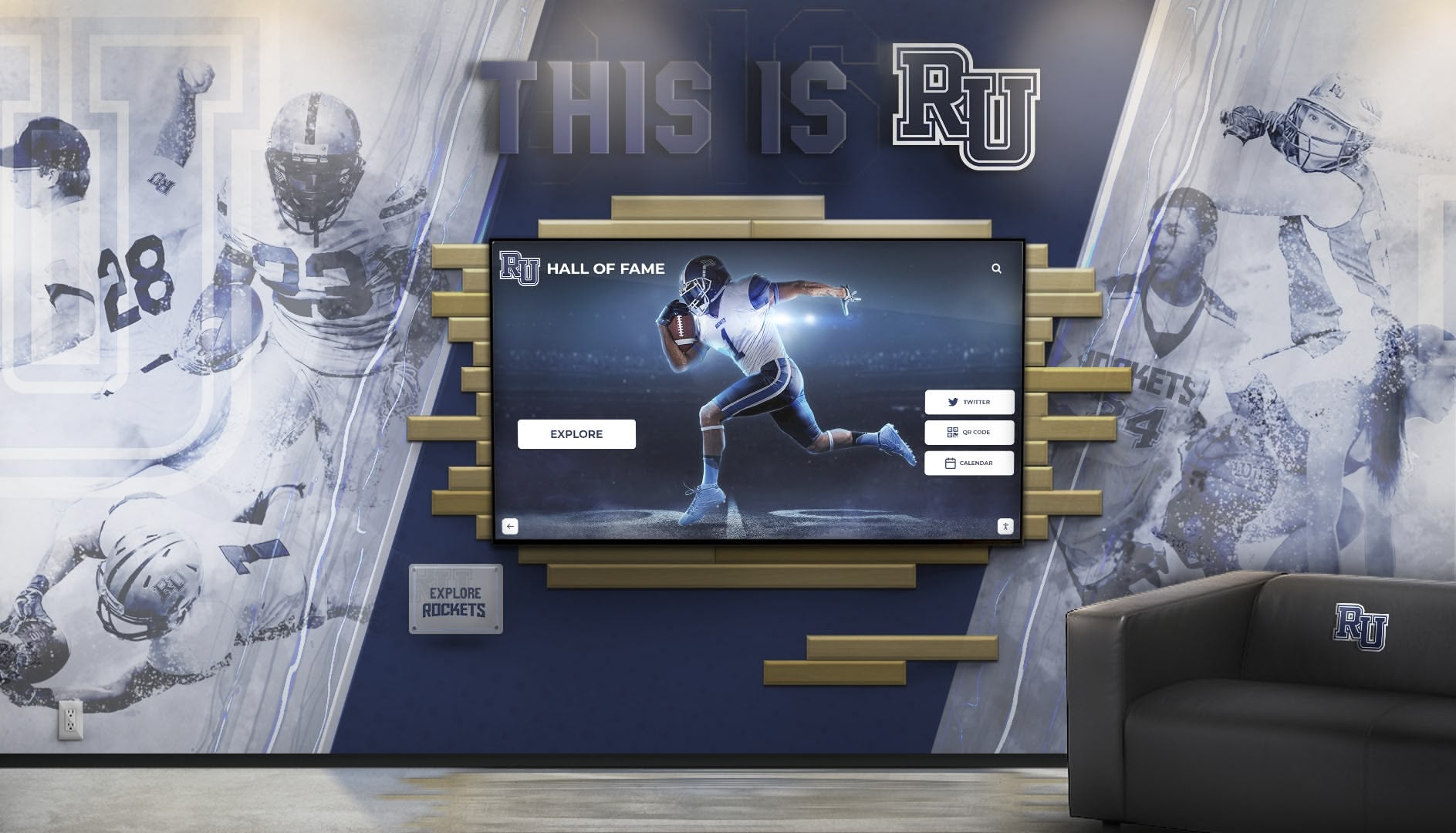
Digitized yearbook photos and information integrate seamlessly into modern recognition displays, bringing historical context to contemporary celebrations of excellence
Strengthen Alumni Engagement and Connections
Alumni respond enthusiastically to digitized yearbook content, spending significant time browsing memories and reconnecting with classmates. Schools implementing digitized yearbook archives report 40-60% increases in alumni website engagement and dramatic improvements in reunion attendance as graduates rediscover connections to institutions and classmates.
Digitized yearbooks enable interactive touchscreen kiosks at reunion events where alumni explore memories together, social media campaigns sharing historical photos that generate engagement and sharing, “where are they now” features connecting past and present, and targeted outreach to specific classes or groups for fundraising or event promotion.
The emotional connection alumni maintain with yearbook content creates powerful engagement opportunities that strengthen institutional relationships and support advancement goals.
Create Foundation for Digital Recognition Systems
Modern digital hall of fame displays and recognition systems require extensive photo libraries and biographical information about historical honorees. Yearbooks contain exactly this content—photos of athletes, students, teams, and activities alongside names, achievements, and contextual information.
Systematic yearbook digitization transforms archives into searchable databases that populate recognition displays with historical depth impossible to recreate otherwise. Rather than limiting recognition to recent decades with readily available digital content, schools can celebrate complete institutional histories spanning 50, 75, or 100+ years.
This comprehensive historical recognition strengthens institutional identity while honoring traditions and accomplishments across all eras.
Assessing Your Yearbook Collection and Digitization Goals
Successful digitization projects begin with systematic assessment of existing materials, intended uses, and available resources.
Inventory Your Yearbook Collection
Create comprehensive inventories documenting what materials exist before planning digitization approaches:
Completeness Assessment
- Identify which years have yearbooks available
- Document missing volumes requiring acquisition from alumni or library systems
- Note duplicate copies that might serve as scanning sources
- Record special editions or supplements beyond regular yearbooks
Many schools discover gaps in collections during inventory, prompting outreach to alumni or sister institutions that might possess missing volumes.
Physical Condition Documentation
- Assess overall condition: excellent, good, fair, or poor
- Document specific damage: torn pages, separated bindings, water damage, missing sections, faded photos
- Identify volumes requiring conservation before handling
- Photograph condition issues for preservation planning and budget justification
Condition assessment helps prioritize digitization order, often beginning with most fragile volumes at greatest risk of further deterioration.
Format and Size Variations
- Record physical dimensions (yearbooks range from 8x10 inches to 11x14 inches or larger)
- Note binding types: sewn, perfect bound, spiral, or other configurations affecting scanning approaches
- Document page counts indicating project scope and time requirements
- Identify unusual formats requiring specialized equipment or handling
Format documentation ensures you select appropriate equipment and plan realistic timelines based on actual collection characteristics.
Content Analysis
- Catalog special sections: sports records, hall of fame pages, historical retrospectives
- Note photo quality and print resolution of originals
- Document existing indexes, directories, or organizational systems
- Identify priority sections for initial digitization if phasing project
Content analysis helps define digitization quality requirements and identify high-value sections deserving particular attention.
Define Digitization Goals and Primary Uses
Clear goals shape critical decisions about equipment, quality standards, workflows, and resource allocation:
Primary Use Cases Different intended uses require different quality levels and processing approaches:
- Digital display population: Requires high-quality individual photo extraction with clean backgrounds
- Website publication: Needs full-page layouts preserving original yearbook appearance
- Searchable text archives: Demands OCR processing for text recognition and search functionality
- Print reproduction capability: Requires maximum resolution scanning for future printing needs
- Social media sharing: Accepts lower resolution optimized for web viewing and mobile devices
- Historical research: Prioritizes completeness and accuracy over perfect visual quality
Most schools pursue multiple use cases simultaneously, requiring quality standards meeting the highest-priority application while supporting secondary uses.
Scope and Timeline Definition
- Decide whether digitizing complete collection or prioritizing specific years
- Determine whether completing project all at once or phasing over multiple years
- Establish completion deadlines if project ties to specific events or initiatives
- Allocate realistic staff time and budget resources matching scope
Schools often begin with recent decades (1990s-present) where community interest runs highest and condition remains good, then expand backward through earlier decades as resources permit and experience grows.

Digitized yearbook photos integrate into permanent recognition displays throughout school facilities, celebrating historical achievements alongside contemporary accomplishments
Selecting Equipment and Technology for Yearbook Scanning
Appropriate equipment dramatically affects digitization quality, efficiency, and success. Fortunately, multiple approaches suit different budgets and technical capabilities.
Flatbed Scanner Options
Flatbed scanners remain the most common yearbook digitization tool, offering good quality at reasonable prices.
Consumer-Grade Flatbed Scanners ($100-$300) Models like Epson Perfection or Canon CanoScan series provide:
- Scan areas up to 8.5x11 or 8.5x14 inches accommodating many yearbook pages
- Optical resolution of 4800-6400 DPI sufficient for high-quality digital reproduction
- USB connectivity working with standard computers
- Included software for basic scanning and image processing
Consumer scanners work well for smaller projects (5-20 yearbooks) where scanning time flexibility exists. Limitations include smaller scan beds requiring multiple scans per spread, slower scanning speeds (2-3 minutes per page at high quality), and potential durability issues with intensive use.
Professional Document Scanners ($500-$2,000) Models like Epson Expression or Fujitsu ScanSnap series offer:
- Larger scan areas up to 11x17 inches capturing full yearbook spreads
- Faster scanning speeds reducing project timelines
- Superior color accuracy and dynamic range preserving photo quality
- More robust construction for sustained intensive use
- Advanced software with batch processing and automated enhancement
Professional scanners justify costs for larger collections (20+ yearbooks) or institutions anticipating ongoing digitization work across multiple archive types.
Book Scanners and Overhead Scanners ($1,000-$5,000) Specialized book scanners feature overhead cameras that capture pages without pressing books flat:
- Minimal physical stress on fragile bindings
- Very fast capture speeds (pages per minute rather than minutes per page)
- Consistent lighting and positioning
- Cradle systems supporting book spines during scanning
Book scanners excel for very large collections, extremely fragile volumes, or institutions digitizing multiple book collections beyond yearbooks alone. The significant investment makes sense primarily for extensive digitization programs.
Smartphone and Tablet Photography
Modern smartphone cameras offer surprisingly capable digitization options for schools with limited budgets.
Smartphone Camera Advantages
- No equipment purchase required if using existing devices
- Excellent photo quality from recent iPhone or Android flagship models
- Portable and flexible for capturing pages in various locations
- Immediate digital files without separate scanning workflow
Smartphone Camera Limitations
- Requires careful setup ensuring even lighting and page flatness
- Manual page-by-page photography proves tedious for large volumes
- Potential consistency issues across hundreds of photos
- Requires more post-processing to correct perspective and color
Schools using smartphone digitization should invest in simple copy stands ($50-$150) that hold phones at consistent angles above pages with proper lighting, dramatically improving consistency and reducing post-processing effort.
Professional Digitization Services
Many schools outsource yearbook digitization to professional services, particularly for large collections or when internal capacity proves insufficient.
Service Benefits
- Professional-quality results with consistent standards
- Faster completion using specialized equipment
- No equipment investment or staff training required
- Expertise handling fragile or damaged materials
- Often includes OCR and metadata creation
Service Considerations
- Costs typically $2-$8 per page depending on quality and processing level
- Shipping logistics for transporting valuable materials
- Longer timelines including shipping and processing queues
- Less control over workflow and immediate access during processing
Hybrid approaches prove popular: schools digitize recent yearbooks in good condition internally while outsourcing fragile historical volumes requiring expert handling.
Software and File Management Tools
Appropriate software streamlines workflows and ensures consistent quality:
Scanning Software
- VueScan ($100): Professional scanning software working with most scanners, offering advanced control
- Adobe Acrobat Pro ($15/month): Creates searchable PDFs with OCR
- Manufacturer-included software: Often sufficient for basic scanning needs
Image Processing
- Adobe Photoshop or Lightroom ($10-$55/month): Professional-grade editing and batch processing
- GIMP (free): Open-source alternative with substantial capabilities
- IrfanView (free): Lightweight batch processing for basic corrections
File Organization
- Adobe Bridge (included with Creative Cloud): Metadata management and organization
- Cloud storage services (Google Drive, Dropbox, OneDrive): Accessible storage and sharing
- Digital asset management systems: For large collections requiring sophisticated organization
Many schools begin with free or low-cost tools, upgrading only if needs exceed basic capabilities.
Establishing Efficient Digitization Workflows
Systematic workflows ensure consistent quality while maximizing efficiency across potentially hundreds or thousands of pages.
Preparing Yearbooks for Scanning
Physical Preparation
- Clean covers and pages gently with soft brushes removing surface dust
- Address minor conservation issues: reinforce loose pages with archival tape, secure separated bindings temporarily
- Mark damaged pages requiring special handling during scanning
- Create workspace with clean surfaces preventing additional soiling
Avoid aggressive cleaning or repairs that might cause additional damage. Consult conservation professionals for volumes with significant deterioration.
Organizational Setup
- Create scanning schedule allocating specific time blocks
- Designate dedicated workspace with scanner permanently configured
- Organize yearbooks in chronological order for efficient processing
- Prepare tracking sheets documenting scanning progress
Consistent scheduling and workspace organization dramatically improve productivity compared to sporadic scanning sessions requiring repeated setup.
Optimal Scanning Settings and Quality Standards
Resolution Standards
- 300 DPI: Minimum acceptable quality for web viewing and basic display
- 400-600 DPI: Recommended standard balancing quality and file size
- 600+ DPI: High-quality archival preservation and print reproduction capability
Higher resolution creates larger files requiring more storage and processing power but provides flexibility for future uses. Schools typically standardize on 400-600 DPI as optimal balance.
Color and Format Settings
- Scan in color even for black-and-white yearbooks (preserves yellowing and aging as historical context)
- Save as TIFF files for archival masters (uncompressed, highest quality)
- Create JPEG or PDF derivatives for access and sharing (smaller file sizes)
- Enable automatic color correction and enhancement if scanner offers reliable algorithms
Maintaining archival masters in lossless formats while creating compressed sharing versions provides both preservation quality and practical usability.
Scanning Workflow Process
- Place yearbook on scanner with pages as flat as possible without forcing binding
- Scan facing pages as single images (preserves original layout and spreads)
- Review scan immediately for focus, alignment, and completeness
- Rescan pages with issues before moving to next spread
- Track progress on checklist ensuring no pages missed
Catching quality issues immediately prevents discovering problems after returning yearbooks to storage, which would require retrieving and rescanning volumes.

Interactive touchscreens transform digitized yearbook content into engaging exploration experiences where visitors browse decades of institutional history
Post-Processing and Quality Enhancement
Essential Processing Steps
- Crop images removing scanner bed edges and excess borders
- Rotate pages to proper orientation for viewing
- Adjust brightness and contrast improving readability
- Correct color casts restoring accurate tones
- Straighten crooked scans ensuring professional appearance
Batch processing tools handle many corrections across multiple images simultaneously, dramatically reducing per-page processing time.
Optional Enhancement Steps
- Remove stains, spots, or damage through digital restoration
- Separate facing pages into individual page images if needed for specific uses
- Extract individual photos for digital storytelling displays
- Sharpen slightly if originals appear soft
Balance enhancement with authenticity—most historical archives preserve yearbooks as they appear including aging characteristics, while extraction for specific display purposes justifies more aggressive enhancement.
Creating Searchable Content with OCR
Optical Character Recognition (OCR) converts photographed or scanned text into searchable, selectable digital text.
OCR Process
- Use OCR software processing scanned pages (Adobe Acrobat, ABBYY FineReader, or cloud services)
- Review OCR accuracy especially for names critical to searchability
- Correct common errors: letter substitution (O/0, l/1), dropped or merged words, formatting issues
- Embed searchable text in PDF files maintaining original visual appearance
OCR proves particularly valuable for directories, indices, and caption text enabling instant location of individuals across entire collections.
OCR Accuracy Factors
- Original print quality: clear, high-contrast text OCRs more accurately
- Scan resolution: higher resolution improves character recognition
- Font styles: simple fonts work better than decorative or handwritten text
- Page condition: yellowing, staining, or fading reduces accuracy
Expect 85-95% accuracy with good originals and quality scans. Budget time for error correction on critical text like names and captions.
Organizing and Managing Digital Yearbook Files
Systematic organization ensures digitized content remains accessible and usable indefinitely.
File Naming Conventions
Consistent, descriptive file names enable quick identification and prevent confusion as collections grow:
Recommended Naming Format
SchoolName_Year_PageNumber.extension
Examples:
LincolnHS_1985_001-002.tiff(pages 1-2 spread)LincolnHS_1985_145.jpg(single page 145)LincolnHS_1985_Cover.tiff(front cover)
Naming Best Practices
- Use leading zeros for page numbers (001, 002 rather than 1, 2) ensuring proper sorting
- Include both page numbers for spreads (001-002) or single numbers for individual pages
- Avoid spaces in file names (use underscores or hyphens instead)
- Keep names concise while maintaining clarity
- Document naming convention for future staff continuing work
Consistent naming prevents duplicate work, missing pages, and organizational confusion across large collections.
Folder Structure and Organization
Hierarchical folder organization provides intuitive navigation:
Yearbooks_Digital_Archive/
├── Archival_Masters/
│   ├── 1950s/
│   ├── 1960s/
│   ├── 1970s/
│   │   ├── 1970/
│   │   ├── 1971/
│   │   └── 1972/
│   └── 1980s/
├── Access_Copies/
│   ├── PDFs/
│   │   ├── 1970.pdf
│   │   └── 1971.pdf
│   └── Web_Images/
├── Extracted_Photos/
│   ├── Athletics/
│   ├── Graduation/
│   └── Special_Events/
└── Documentation/
    ├── Scanning_Log.xlsx
    └── Project_Guidelines.pdf
This structure separates high-quality archival files from access copies, groups years logically, and maintains project documentation centrally.
Metadata and Cataloging
Metadata makes digital files discoverable through search and provides essential context:
Essential Metadata Fields
- Year/date
- School or organization name
- Page numbers or sections
- Photographer/publisher if known
- Copyright and usage information
- Processing date and staff member
- Quality level or version information
Many digital asset management systems or even simple spreadsheets can track metadata alongside file organization.
Backup and Preservation Strategy
Digital files face different risks than physical materials—hard drive failures, file corruption, accidental deletion, and format obsolescence all threaten long-term preservation.
3-2-1 Backup Rule Maintain at least:
- 3 copies of all files (original plus two backups)
- On 2 different media types (internal drive plus external hard drive or cloud storage)
- With 1 copy off-site (cloud storage or physical backup at separate location)
This redundancy protects against virtually all common loss scenarios.
Backup Solutions
- Cloud storage: Google Drive, Dropbox, OneDrive, Amazon S3, Backblaze
- External hard drives: kept at off-site locations, rotated regularly
- Network-attached storage (NAS): For larger collections requiring substantial capacity
- Institutional servers: If school IT infrastructure provides reliable backup
Automate backups whenever possible, reducing dependence on manual processes that staff might forget or delay.
File Format Preservation
- Maintain archival masters in non-proprietary formats (TIFF, PNG, PDF/A)
- Avoid formats requiring specific software that might become obsolete
- Document formats used for future migration if necessary
- Periodically verify file integrity ensuring no corruption
Planning for long-term preservation prevents discovering years later that files have become inaccessible due to format obsolescence or corruption.
Sharing and Providing Access to Digitized Yearbooks
Digitization value multiplies when content becomes accessible to communities rather than remaining in digital storage equivalent to physical closets.
Website Publication and Online Access
Publishing digitized yearbooks through school websites makes content universally accessible while controlling permissions.
Dedicated Yearbook Archive Sections Create website areas specifically for historical yearbooks featuring:
- Browsable yearbook by year
- Download options for PDFs
- Individual page viewing
- Search functionality if OCR completed
- Background information providing historical context
Many schools use simple content management systems or even Google Drive public folders as cost-effective publishing platforms.
Access Control Considerations Balance accessibility with privacy and copyright concerns:
- Public access for yearbooks beyond FERPA protection periods (typically 20+ years old)
- Password-protected access for more recent yearbooks restricting to alumni and current families
- Complete restriction of recent yearbooks until appropriate time passes
- Individual photo removal if privacy concerns raised by specific alumni
Consult with legal counsel regarding privacy laws, copyright considerations, and appropriate access policies for your specific context.
Integration with Digital Recognition Systems
Digitized yearbook photos and information integrate naturally into modern recognition displays throughout school facilities.
Athletic Recognition Digital record boards and achievement displays can incorporate:
- Historical team photos from championship years
- Individual athlete portraits from yearbooks
- Season records and accomplishments documented in yearbook pages
- Timeline displays showing program evolution across decades
Academic Recognition Academic achievement displays benefit from:
- Valedictorian and salutatorian photos through history
- National Merit Scholar recognition across years
- Academic competition achievements
- Scholar-athlete profiles combining sports and academics
Alumni and Historical Displays Interactive touchscreen displays enable visitors to:
- Browse yearbooks by decade or year
- Search for specific individuals across complete archives
- Explore thematic content: athletics, arts, academics, student life
- View “this day in history” features connecting past and present
Integration with physical displays throughout campuses keeps historical content visible and relevant rather than buried in website archives.
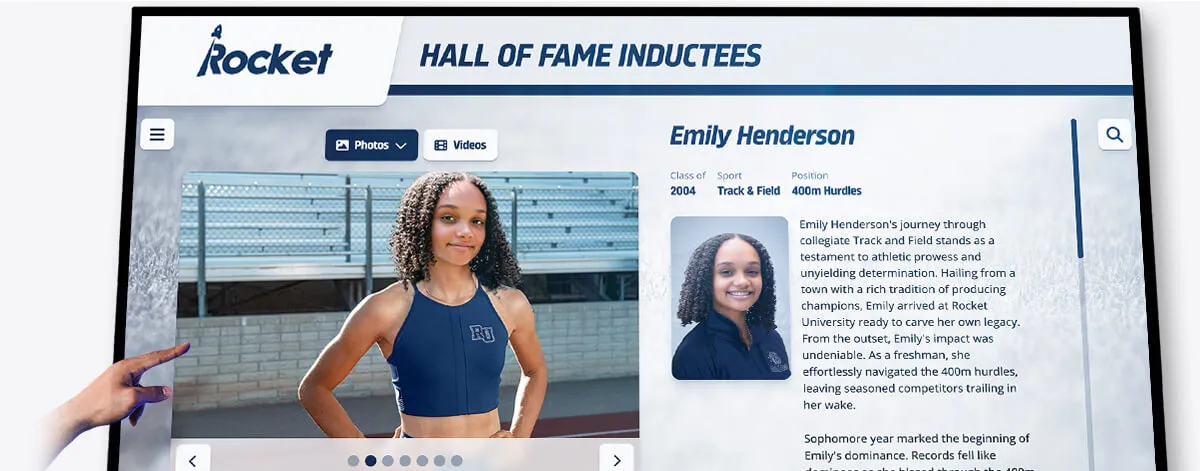
Individual profiles extracted from digitized yearbooks populate modern athletic recognition displays with rich historical depth celebrating decades of excellence
Social Media and Digital Engagement
Digitized yearbooks provide endless content for social media engagement and community building.
Throwback Content Strategies
- Throwback Thursday posts: Share weekly historical photos with context
- On this day: Feature events, teams, or individuals from specific dates in history
- Then and now comparisons: Pair historical photos with contemporary equivalents
- Guess the year challenges: Engagement posts where followers identify photo decades
- Alumni spotlights: Feature where graduates are now alongside yearbook photos
Social sharing extends yearbook reach far beyond those actively seeking archives, building awareness and emotional connection to institutional heritage.
Engagement Best Practices
- Tag alumni when possible, encouraging sharing and comment interaction
- Provide context explaining historical significance or interesting details
- Link to full yearbook archives for those wanting to explore further
- Encourage alumni to share their own memories in comments
- Create hashtags building discoverable content collections over time
Alumni respond enthusiastically to historical content, often sharing posts widely and engaging with lengthy comment threads reminiscing about experiences.
Alumni Engagement and Reunion Support
Digitized yearbooks strengthen alumni relations programs and reunion experiences.
Reunion Applications
- Create custom reunion websites featuring class-specific yearbook content
- Provide interactive kiosk displays at reunion events for browsing memories
- Prepare printed materials featuring yearbook photos and quotes
- Enable digital sharing where attendees can download or email favorite pages
- Use yearbook content in reunion promotional materials driving attendance
Year-Round Alumni Engagement
- Email campaigns featuring monthly historical content from digitized yearbooks
- Alumni directory enhancements with yearbook photo integration
- “Lost alumni” outreach using yearbook information for locating graduates
- Development campaigns highlighting institutional heritage and tradition
- Mentorship program profiles pairing photos from student years with current accomplishments
Yearbook content creates emotional touchpoints strengthening alumni connections to institutions long after graduation.
Educational and Research Applications
Digitized yearbooks serve as primary historical sources for students and researchers.
Student Research Projects
- Local history studies examining community evolution
- Sociology projects analyzing changing social patterns and demographics
- Fashion and culture studies tracking trends across decades
- Journalism investigations documenting institutional changes
- Digital humanities projects applying computational analysis to historical documents
Faculty and Staff Applications
- Institutional history documentation and publication
- Anniversary celebration planning and materials
- Strategic planning informed by historical perspective
- Community relationships research
- Fundraising proposals demonstrating heritage and impact
Making yearbooks readily accessible to researchers amplifies content value while contributing to scholarship and institutional knowledge.
Special Considerations and Common Challenges
Yearbook digitization projects encounter predictable challenges with established solutions.
Handling Damaged or Fragile Volumes
Volumes with significant deterioration require special care:
Assessment and Triage
- Consult conservation professionals for volumes with severe damage
- Consider professional digitization services for most fragile materials
- Delay scanning volumes requiring conservation until treatment completed
- Document condition preventing accusations of digitization causing existing damage
Gentle Handling Techniques
- Never force bindings flat; scan at angles volumes naturally open
- Use book cradles or foam supports maintaining spine integrity
- Limit handling time; complete single volumes in sessions rather than leaving open extensively
- Consider non-contact overhead scanners for most delicate materials
Protecting original volumes remains paramount; digital copies should preserve rather than endanger physical artifacts.
Copyright and Privacy Considerations
Historical yearbooks involve copyright and privacy complexities requiring careful navigation:
Copyright Status
- Yearbooks published before 1928: generally in public domain
- Yearbooks 1928-present: likely under copyright protection
- Institutional ownership: many schools hold copyright for yearbooks they published
- Individual photo rights: photographers may retain copyright even if school owns compilation
Consult legal counsel regarding your specific circumstances and intended uses. Internal archival use typically raises fewer concerns than public distribution or commercial applications.
Privacy and FERPA Concerns
- FERPA applies to “education records” but typically not to yearbooks as published documents
- Yearbook content published with student consent at time of publication
- Recent yearbooks raise more privacy concerns than historical volumes
- Individual removal requests should be honored when practical
Most schools establish policies providing open access to yearbooks beyond certain age thresholds (20+ years) while restricting more recent publications.
Managing Large File Sizes and Storage
High-quality scans create substantial files requiring significant storage:
Storage Capacity Planning
- Average yearbook: 100-200 pages
- Scanning at 600 DPI: approximately 50-100 MB per page
- Complete yearbook: 5-20 GB in archival TIFF format
- 50-year collection: 250 GB-1 TB in archival format
Compressed access copies (JPEG, PDF) reduce storage requirements by 80-90% while maintaining usability for most purposes.
Storage Solutions by Collection Size
- Small collections (5-20 yearbooks): External hard drives or consumer cloud storage
- Medium collections (20-50 yearbooks): Network-attached storage or business cloud services
- Large collections (50+ yearbooks): Institutional server infrastructure or specialized archival services
Storage costs continue declining; what seemed prohibitively expensive five years ago now proves quite affordable even for schools with limited budgets.
Maintaining Project Momentum
Digitization projects often start enthusiastically but stall as routine work overwhelms initial excitement:
Sustainability Strategies
- Establish regular scanning schedules rather than depending on sporadic effort
- Assign specific responsibilities preventing diffusion of accountability
- Track and celebrate progress milestones maintaining motivation
- Create public-facing project updates building stakeholder investment
- Start with smaller scopes ensuring completion rather than abandoning ambitious projects
Many schools successfully complete digitization through steady weekly efforts over several months rather than attempting intensive sprints that prove unsustainable.
Taking Action: Starting Your Yearbook Digitization Project
Schools ready to digitize yearbook collections should approach projects systematically:
Phase 1: Planning and Preparation (2-4 weeks)
Assessment and Documentation
- Complete inventory of yearbook collection
- Document condition and identify priorities
- Define primary use cases and quality requirements
- Estimate project scope and timeline
Resource Allocation
- Determine budget for equipment, services, or both
- Identify staff or volunteers managing project
- Designate workspace and equipment location
- Establish storage and backup systems
Stakeholder Communication
- Brief administration on project goals and benefits
- Engage alumni association in planning and support
- Publicize project building community awareness and excitement
- Solicit missing yearbooks from alumni or community members
Phase 2: Equipment Setup and Workflow Development (1-2 weeks)
Equipment Acquisition and Configuration
- Purchase or borrow scanning equipment
- Install and configure software
- Test workflow with sample yearbooks
- Refine processes based on initial results
Standard Operating Procedures
- Document scanning settings and procedures
- Create file naming and organization systems
- Establish quality control checkpoints
- Train all team members on processes
Phase 3: Production Scanning (Ongoing)
Systematic Processing
- Work through collection in planned order
- Maintain consistent quality standards
- Track progress against timeline
- Identify and address issues promptly
Quality Assurance
- Review scans for completeness and quality
- Verify file organization and naming
- Conduct periodic backup verification
- Document problems and solutions
Phase 4: Organization and Enhancement (Ongoing or Post-Scanning)
File Processing
- Organize files according to established structure
- Create access copies from archival masters
- Apply OCR if searchability desired
- Generate PDFs for easy distribution
Metadata Creation
- Document yearbooks with descriptive information
- Create finding aids or indexes
- Tag content for search and discovery
- Record processing information
Phase 5: Publication and Sharing (Post-Completion)
Access Platform Development
- Create website section or dedicated portal
- Configure permissions and access controls
- Integrate with recognition displays if applicable
- Test user experience across devices
Launch and Promotion
- Announce completion to community
- Promote through alumni communications
- Share highlights on social media
- Gather feedback for continuous improvement
Transform Historical Archives into Engaging Digital Experiences
Digitized yearbook content becomes exponentially more valuable when integrated into interactive recognition systems throughout your campus. Discover how modern digital display solutions transform historical archives from storage closet collections into dynamic community experiences celebrating institutional heritage while connecting past and present.
Explore comprehensive platforms combining yearbook digitization with interactive displays, searchable databases, and alumni engagement tools designed specifically for educational institutions.
Discover Digital Recognition Solutions to see how digitized yearbook content integrates into touchscreen displays, mobile apps, and web platforms creating living archives that strengthen community connections across generations.
Common Questions About Yearbook Digitization
How long does it take to digitize a yearbook?
Individual yearbooks typically require 2-4 hours of scanning time depending on page counts, binding accessibility, and quality settings. Additional processing, organization, and OCR add 1-2 hours per volume. Complete collections spanning 20-30 years usually take 3-6 months when dedicating 5-10 hours weekly to the project.
What resolution should I use for scanning yearbooks?
Scan at 400-600 DPI for optimal balance between quality and file size. This resolution provides excellent display quality, supports future printing if needed, and creates manageable file sizes. Use 300 DPI minimum if storage proves severely limited, or 600+ DPI for maximum archival quality if storage capacity allows.
Can I digitize yearbooks using just my smartphone?
Yes. Modern smartphones capture surprisingly good quality when used with proper setup—consistent lighting, copy stand stabilization, and flat page positioning. This approach works well for smaller projects but proves tedious for large collections. Dedicated scanners provide better consistency, efficiency, and automated processing capabilities.
Should I scan yearbooks as spreads or separate pages?
Scan facing pages together as spreads to preserve original layout and design intent. Create separated individual pages later if needed for specific applications. Spreads maintain visual context while remaining flexible for various uses.
What should I do with yearbooks that are falling apart?
Consult conservation professionals before scanning volumes with severe deterioration. Professional digitization services often have specialized equipment handling fragile materials safely. For moderately damaged volumes, use gentle techniques: don’t force pages flat, minimize handling time, and consider non-contact overhead scanners. Digitization becomes more urgent for deteriorating materials since condition will continue declining.
How do I handle copyright when sharing digitized yearbooks?
Schools typically own copyright for yearbooks they published as institutional works. Confirm copyright status through legal counsel if uncertain. For sharing, consider providing access only to alumni and current families for recent yearbooks, while offering broader public access to volumes 20+ years old. Honor individual removal requests when alumni raise privacy concerns.
What’s the best way to organize thousands of yearbook files?
Use consistent hierarchical folder structures organizing by decade and year. Implement systematic file naming conventions with leading zeros for proper sorting. Maintain separation between archival masters and access copies. Document organization systems so future staff can continue work seamlessly.
Do I need to clean yearbooks before scanning?
Remove surface dust gently with soft brushes but avoid aggressive cleaning that might cause damage. Most minor yellowing, staining, or aging should be preserved as historical characteristics. Digital processing can reduce appearance of problems if needed for specific extracted uses while maintaining authentic archival copies.
Preserving Institutional Memory for Future Generations
Digitizing school yearbook collections represents investments in institutional memory preservation, community engagement, and alumni connections that compound in value over decades. Physical yearbooks continue deteriorating regardless of storage conditions, making digitization increasingly urgent as collections age. Schools completing digitization projects not only save irreplaceable historical records but create assets supporting countless applications from recognition displays and social media content to alumni engagement and educational research.
The practical barriers to yearbook digitization—equipment costs, staff time, technical expertise—prove far less significant than they initially appear. Consumer-grade scanners, free software, and systematic workflows enable schools of any size to successfully complete projects. Professional services offer alternatives for institutions preferring to outsource work. The key lies in starting—inventorying collections, defining goals, and committing to steady progress rather than waiting for perfect conditions that never arrive.
Once digitized, yearbook content transforms from inaccessible archives into dynamic community resources. Alumni browse memories and reconnect with classmates. Students research institutional history for projects. Communications teams populate recognition displays throughout campuses. Development offices illustrate heritage and tradition in campaigns. Social media content generates engagement and nostalgia. Each application strengthens community connections while justifying digitization investments many times over.
Schools considering yearbook digitization should begin with assessment and planning, clarifying what exists, defining intended uses, and allocating realistic resources. Start with manageable scopes—perhaps recent decades in good condition—building experience and demonstrating value before expanding to more challenging materials. Systematic approaches yield better results than ambitious plans that overwhelm capacity and stall incomplete.
The yearbooks occupying storage closets throughout your facility contain decades of memories waiting to inspire, connect, and inform communities. Digitization transforms these deteriorating physical volumes into permanent, accessible archives serving current students, strengthening alumni relationships, and preserving institutional heritage for generations yet to come. Whether you’re preserving five yearbooks or fifty years of collections, the strategies and workflows outlined in this guide provide roadmaps for successful projects that honor the past while building foundations for the future.
Ready to begin your yearbook digitization journey? Start with inventory and assessment, gather your team, and take those first scanning sessions knowing that every page digitized preserves memories that might otherwise be lost to time and deterioration. Your community’s history deserves preservation, and the technology, knowledge, and resources for success now exist within reach of every school committed to honoring institutional memory.































