Traditional print yearbooks have served schools for generations, but rising production costs, strict page limitations, inflexible deadlines, and accessibility challenges are prompting more institutions to explore digital alternatives. Creating a digital yearbook offers schools the ability to include unlimited content, update materials year-round, reduce costs dramatically, and provide perpetual access to students and alumni worldwide.
Digital yearbooks aren’t simply PDF versions of printed books uploaded online. True digital yearbook platforms combine interactive features, multimedia integration, mobile optimization, social sharing capabilities, and cloud-based accessibility that transform how schools document student experiences and preserve institutional memory. These platforms enable schools to capture complete stories of school years rather than selective highlights constrained by page counts and printing budgets.
Whether you’re replacing traditional print yearbooks entirely, supplementing physical books with digital content, or launching your school’s first yearbook program, understanding how to create a digital yearbook involves selecting appropriate platforms, organizing collaborative content creation, engaging students throughout the process, and implementing sustainable workflows that produce meaningful results without overwhelming staff and student teams.
Schools successfully implementing digital yearbook programs report 50-70% cost savings compared to traditional print approaches while documenting 3-5 times more content and achieving significantly higher student engagement throughout creation and access phases. This comprehensive guide walks through every step of creating digital yearbooks that serve your school community effectively while establishing systems sustainable for years to come.

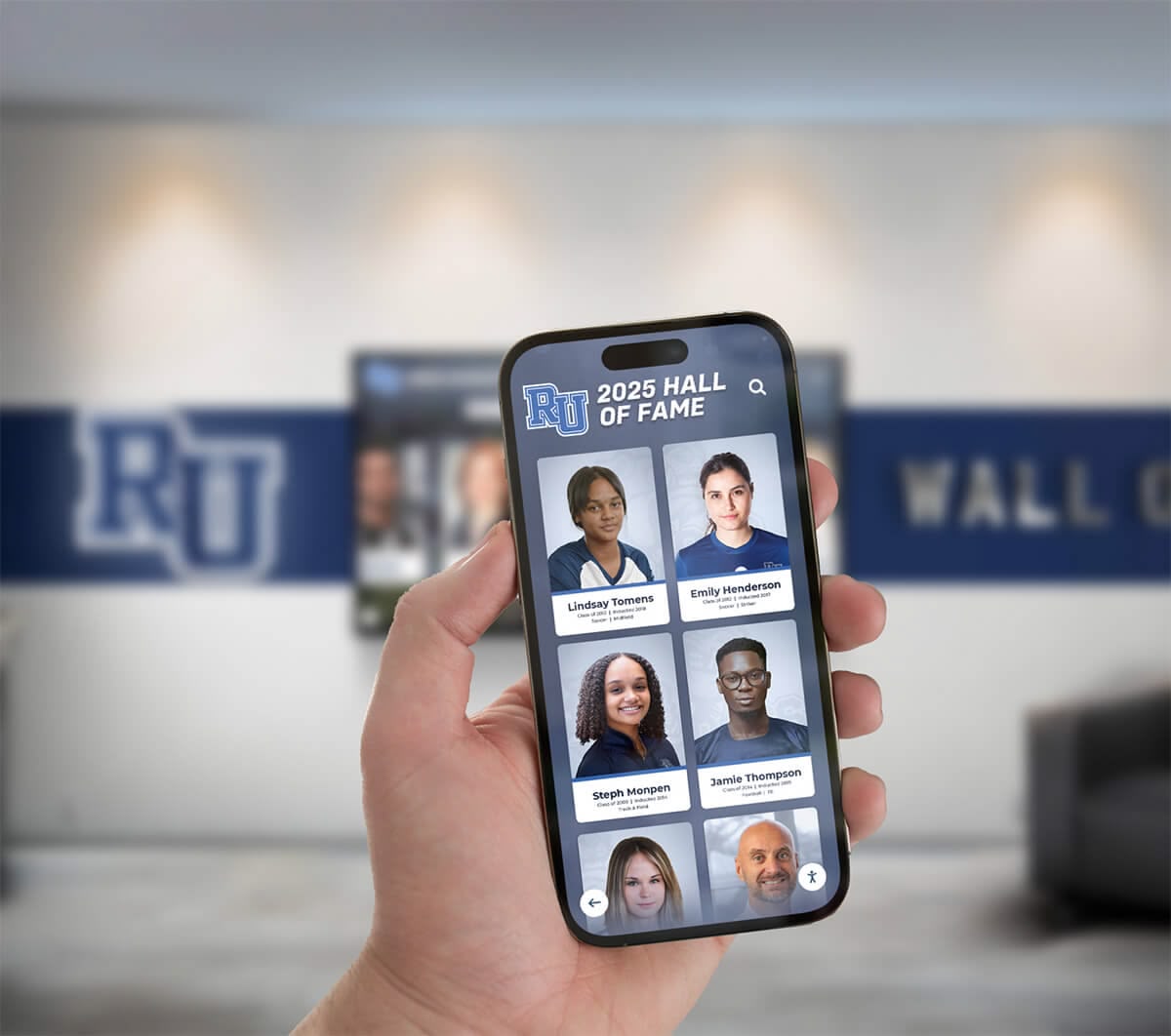
Mobile-optimized digital yearbooks provide anytime, anywhere access, enabling students and alumni to explore memories from smartphones, tablets, or computers from any location worldwide
Understanding Digital Yearbook Options and Platforms
The first critical decision when learning how to create a digital yearbook involves selecting the right platform type for your school’s specific needs, technical capabilities, and long-term vision.
Cloud-Based Dedicated Yearbook Platforms
Purpose-built digital yearbook platforms offer the most comprehensive features specifically designed for educational contexts. These specialized solutions provide intuitive content management interfaces requiring no coding knowledge, pre-designed templates optimized for yearbook content, built-in privacy controls addressing student protection requirements, collaborative editing enabling multiple contributors simultaneously, mobile-responsive designs ensuring excellent experiences across all devices, and integrated multimedia support for photos, videos, and audio content.
Leading dedicated platforms include features like automated content organization by categories and tags, social sharing capabilities, commenting and interaction features, analytics tracking engagement and usage, unlimited or very high storage capacity, and long-term hosting ensuring perpetual accessibility.
When evaluating dedicated platforms, assess ease of use through actual trial creation, review privacy and FERPA compliance features, understand total cost of ownership including hosting fees, examine customization options for school branding, and test mobile experience extensively since most students access content primarily through smartphones.
Schools implementing comprehensive digital archives benefit from platforms integrating yearbook content with broader institutional memory preservation efforts.
Website-Based Custom Solutions
Some schools choose to create digital yearbooks as sections within existing school websites using content management systems already in place. This approach leverages familiar tools and infrastructure, eliminates additional platform subscriptions, integrates seamlessly with existing school digital ecosystems, and provides complete control over design and functionality.
Website-based approaches work well when schools have dedicated web development resources or expertise, want complete customization impossible with standardized platforms, plan to integrate yearbook content tightly with other school web features, and prioritize long-term data ownership and control.
Challenges include requiring more technical expertise than turnkey platforms, demanding more setup and customization time initially, lacking specialized yearbook features without custom development, and potentially creating maintenance burden on IT or web teams.
Interactive Display Integration
Forward-thinking schools create digital yearbook content designed to appear not just online but throughout campus on interactive touchscreen displays in lobbies, hallways, and common areas. This approach combines digital preservation with physical presence creating engaging experiences where communities can explore yearbook content during campus visits.
Display integration transforms yearbook content from purely archival into actively engaging institutional storytelling that builds school pride, showcases achievements to visitors, and creates conversation starters strengthening community connections.
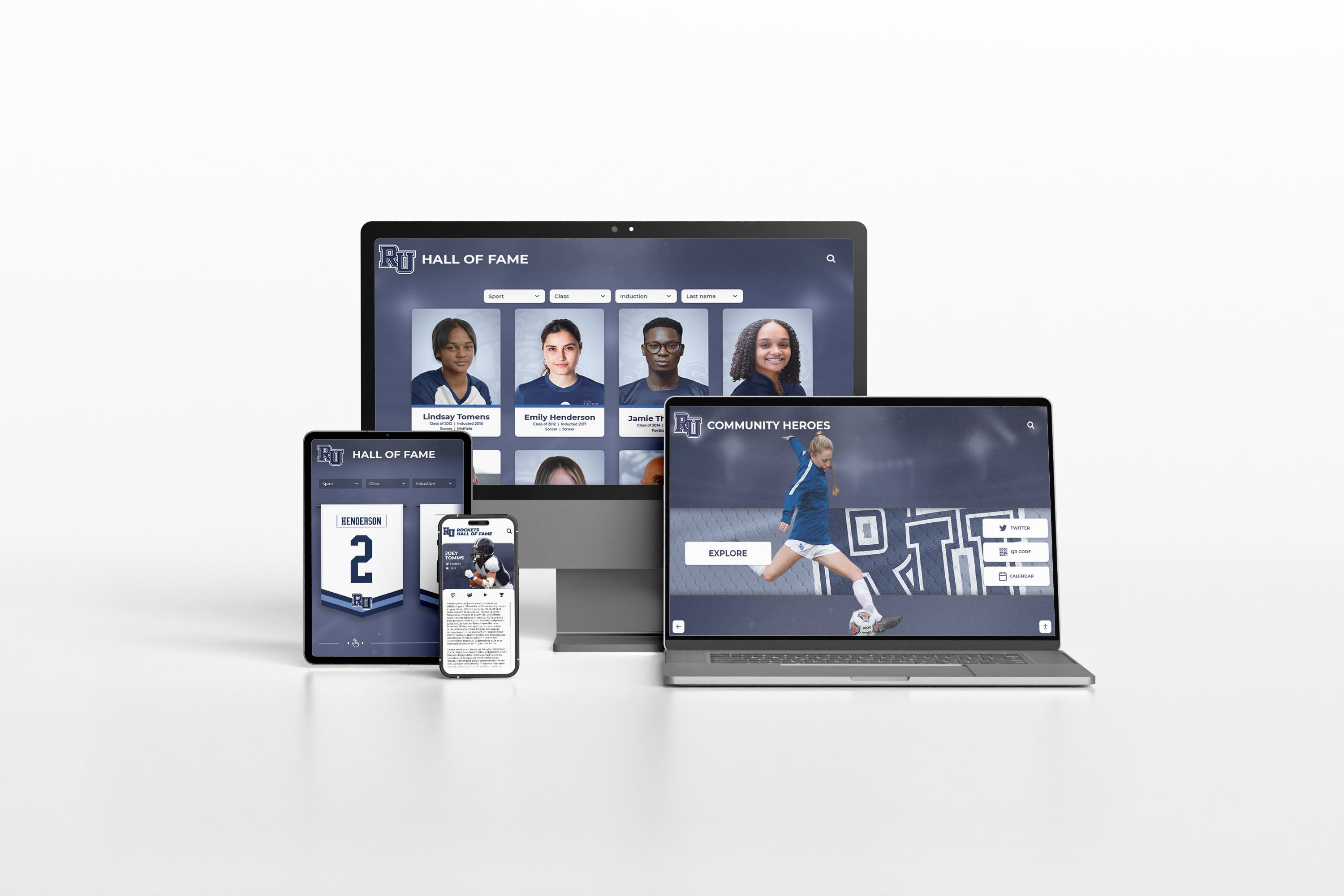
Professional responsive design ensures yearbook content displays beautifully across laptops, tablets, and smartphones with navigation optimized for each screen size
Essential Tools for Digital Yearbook Creation
Beyond selecting platforms, successful digital yearbook creation requires assembling appropriate tools for content creation, collaboration, and production management.
Photography and Image Management Tools
Camera Equipment and Smartphone Photography
Digital yearbooks require extensive photographic documentation. While dedicated cameras provide superior quality for formal events and portraits, smartphone photography proves perfectly acceptable for candid moments and everyday documentation. Modern smartphones capture sufficient resolution for digital display while enabling spontaneous documentation impossible when requiring specialized camera equipment.
Establish minimum photography standards addressing adequate lighting and exposure, proper focus and composition, appropriate resolution for digital display (typically 1920x1080 pixels minimum for featured images), and respectful content following school policies.
Photo Organization and Storage Systems
Managing thousands of photos throughout school years demands robust organization systems. Cloud storage services like Google Drive, Dropbox, or dedicated photo management platforms enable collaborative access to entire photo libraries, systematic organization using folders and naming conventions, backup protection against data loss, and easy sharing with yearbook team members.
Implement clear organizational structures—folders by month or event, consistent naming conventions including dates and descriptions, tagging systems identifying subjects and activities, and regular culling removing duplicates and poor-quality images to maintain manageable libraries.
Image Editing Software
Basic photo editing improves image quality and visual consistency. Free tools like Google Photos, Canva, or GIMP provide cropping and composition adjustment, exposure and color correction, basic retouching and enhancement, batch editing for processing multiple photos consistently, and export optimization for web display.
Avoid over-editing that makes photos look artificial or heavily processed. Digital yearbook photography should feel authentic and documentary rather than overly stylized.
Design and Layout Tools
Platform-Native Design Interfaces
Most dedicated digital yearbook platforms include built-in design tools with drag-and-drop page builders, template libraries providing starting points, text editing and formatting controls, multimedia embedding capabilities, and real-time preview showing exactly how designs appear to viewers.
Master platform-native tools before exploring external alternatives since they’re designed specifically for yearbook content and integrate seamlessly with overall systems.
Supplementary Design Software
For schools wanting additional design flexibility, supplementary tools enhance creative possibilities. Canva provides user-friendly graphic design with thousands of templates, easy-to-use interface requiring no professional expertise, collaborative features enabling team design work, and free educational accounts for schools. Adobe Spark offers similar capabilities with video creation, web page design, and graphic design in unified platform.
More advanced programs like Adobe InDesign or Photoshop provide professional-grade capabilities but require significant learning investment and typically cost more than alternatives.
Schools exploring creative yearbook concepts benefit from design tools offering extensive customization enabling distinctive visual identities.
Collaboration and Project Management Tools
Communication Platforms
Coordinating yearbook teams requires reliable communication channels. Platforms like Google Classroom, Microsoft Teams, Slack, or dedicated yearbook platform messaging enable assignment distribution and deadline tracking, file sharing and collaborative feedback, quick questions and clarifications, and threaded conversations keeping discussions organized.
Task Management Systems
Complex yearbook projects benefit from systematic task tracking. Tools like Trello, Asana, Google Tasks, or simple spreadsheets help assign responsibilities to specific team members, set deadlines and milestones, track completion status, visualize overall project progress, and prevent important tasks from falling through cracks.
Break yearbook production into discrete tasks—specific event coverage assignments, designated section creation responsibilities, review and editing checkpoints, and final publication milestones—ensuring clear accountability and realistic timeline management.
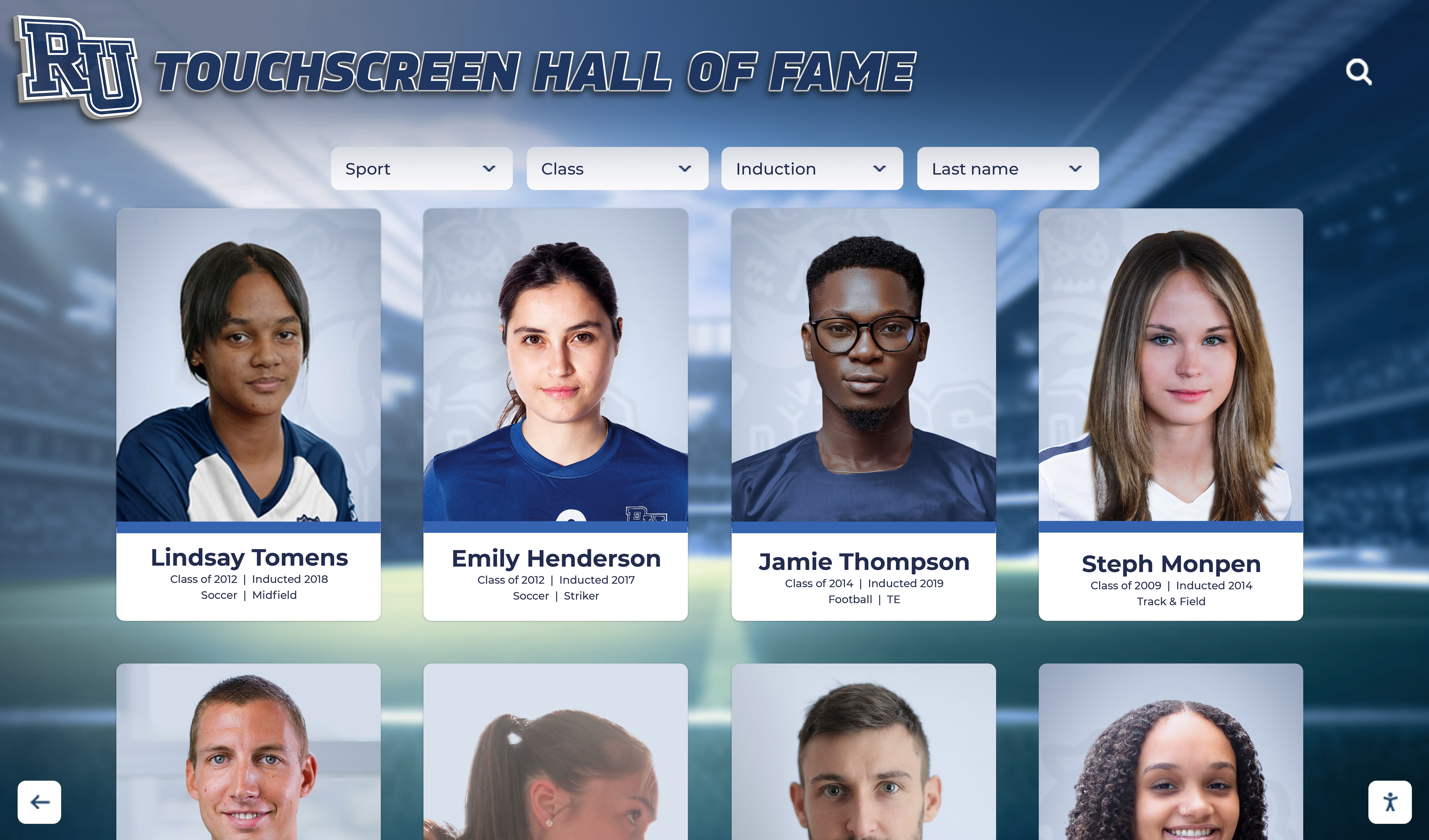
Interactive displays showcase yearbook content in engaging formats enabling students and visitors to explore portraits, achievements, and school stories
Planning Your Digital Yearbook Content Strategy
Successful digital yearbooks result from intentional planning addressing what content to include, how to organize it, and who will create it.
Defining Scope and Coverage Goals
Comprehensive vs. Selective Documentation
Digital platforms’ unlimited capacity enables comprehensive documentation impossible with print page limitations. Decide whether to document every event, activity, and moment worthy of preservation, include every student multiple times throughout content, capture daily school life alongside major events, or maintain selective curated approach focusing on highlights similar to traditional yearbooks.
Most schools implementing digital yearbooks embrace expanded coverage since additional content costs nothing in digital formats while significantly increasing value and student engagement.
Balancing Activity and Interest Areas
Ensure balanced coverage across athletics and sports programs, academic achievements and classroom learning, performing and visual arts, clubs and student organizations, community service and leadership, social events and traditions, and student life and culture.
Track coverage systematically throughout production identifying gaps and underrepresented areas, then proactively seek content ensuring comprehensive representation of complete school communities rather than over-focusing on high-profile activities.
Organizing Content Architecture
Logical Navigation Structures
Design intuitive organization systems enabling multiple discovery paths. Chronological organization by months, seasons, or terms works naturally for browsing complete years. Categorical organization by activity types—academics, athletics, arts, events, student life—enables interest-based exploration. Grade-level organization helps students find peers and friends. Searchable databases allow direct lookup by names, tags, or keywords.
Most effective digital yearbooks combine multiple organizational approaches rather than forcing single navigation structure, accommodating diverse user preferences and use cases.
Section Planning and Content Allocation
Plan major yearbook sections establishing overall structure—student portraits and profiles, academic programs and achievements, athletic teams and competitions, performing arts and productions, clubs and organizations, special events and traditions, senior features and reflections, and faculty and staff recognition.
Within each section, outline specific subsections and estimated content volume ensuring systematic coverage without gaps or redundancy.
Schools implementing recognition programs often integrate yearbook content with broader celebration systems highlighting student excellence.
Establishing Visual and Editorial Standards
Design Consistency Guidelines
Create style guides defining visual standards—color palette using school colors and complementary accents, typography systems specifying fonts for headlines and body text, photo treatment standards for cropping and editing, layout templates for common page types, and spacing and alignment rules maintaining professional appearance.
Consistency creates cohesive publications feeling intentionally designed rather than randomly assembled while enabling multiple designers to contribute maintaining unified visual identity.
Editorial Voice and Writing Guidelines
Establish editorial standards for written content including tone and voice appropriate for audiences, caption writing best practices, minimum and maximum content lengths, fact-checking and accuracy requirements, inclusive language expectations, and grammar and style preferences.
Consistent editorial standards ensure quality writing throughout yearbooks regardless of how many different students contribute content.
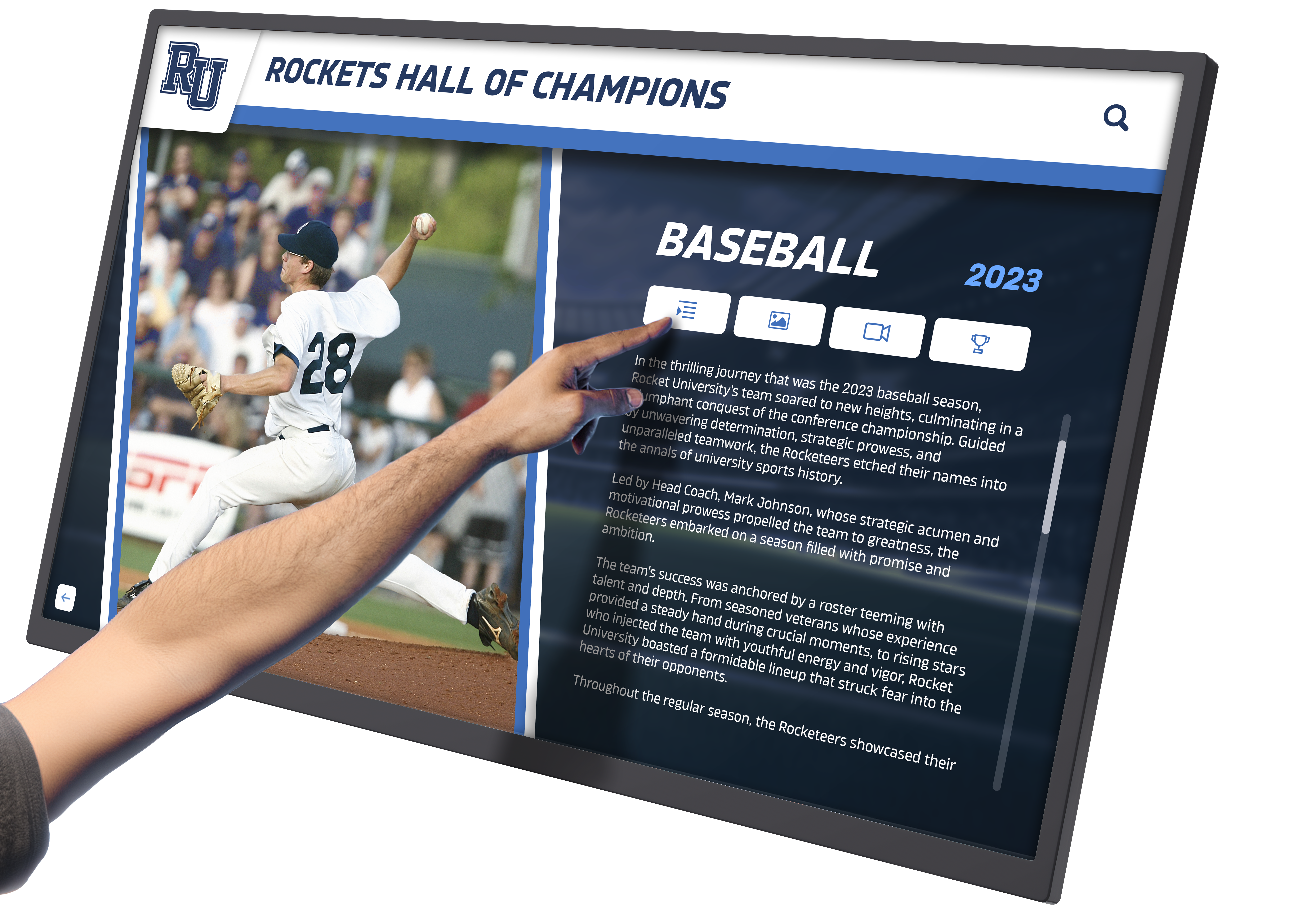
Touchscreen interfaces enable interactive exploration of yearbook content with intuitive navigation making it easy to discover student stories and achievements
Building and Managing Your Yearbook Team
Digital yearbook creation demands diverse skills and sustained effort throughout school years. Assembling effective teams with clear roles determines project success.
Recruiting Diverse Team Members
Identifying Necessary Roles
Comprehensive yearbook teams include editor-in-chief or project manager overseeing overall production, section editors managing specific content areas, photographers documenting events and activities, writers creating captions and feature articles, designers creating layouts and visual elements, social media coordinators promoting content and engagement, and technical administrators managing platform and tools.
Smaller schools might combine roles while larger institutions may have multiple students filling each position. Adapt team structures to available student interest and capacity.
Recruiting Broadly Across Student Body
Rather than limiting yearbook to traditional journalism students, recruit across diverse interests and talents—student photographers from photography classes, writers from creative writing or English courses, artists contributing graphic design skills, technology students managing digital platforms, business students handling promotion and engagement, and students from various activities ensuring coverage breadth.
Broad recruitment increases perspectives, expands documentation reach, and distributes workload making production sustainable.
Training and Skill Development
Platform and Tool Training
Invest in systematic training ensuring all team members understand platform features and navigation, content upload and organization procedures, design tools and template customization, privacy settings and content permissions, collaboration features and workflows, and troubleshooting common issues.
Hands-on practice creating sample content builds confidence and competence before launching actual production.
Photography and Design Skills
Even smartphone photographers benefit from instruction in composition and framing basics, lighting considerations and techniques, capturing authentic candid moments, photo ethics and permissions, and basic editing and enhancement.
Design training covers visual hierarchy and layout principles, typography fundamentals, color theory basics, accessibility and readability standards, and platform-specific design best practices.
Schools developing digital display systems benefit from designing yearbook content that works effectively across both web platforms and physical touchscreen installations.
Establishing Sustainable Workflows
Regular Production Schedules
Unlike print yearbooks with single spring deadlines, digital production benefits from continuous workflows. Establish weekly or biweekly production meetings reviewing recent coverage and upcoming events, assigning new documentation responsibilities, reviewing and approving completed content, troubleshooting challenges and questions, and maintaining momentum and accountability.
Regular rhythms prevent overwhelming deadline crunches while ensuring systematic progress throughout years.
Quality Review Processes
Implement multi-stage review ensuring quality before publication—initial creator review checking technical quality and accuracy, section editor review ensuring consistency and completeness, editorial team review for writing quality and style, faculty adviser final review for appropriateness and accuracy, and user testing confirming navigation and functionality work as intended.
Systematic review catches errors and improves quality while preventing inappropriate or problematic content from publication.
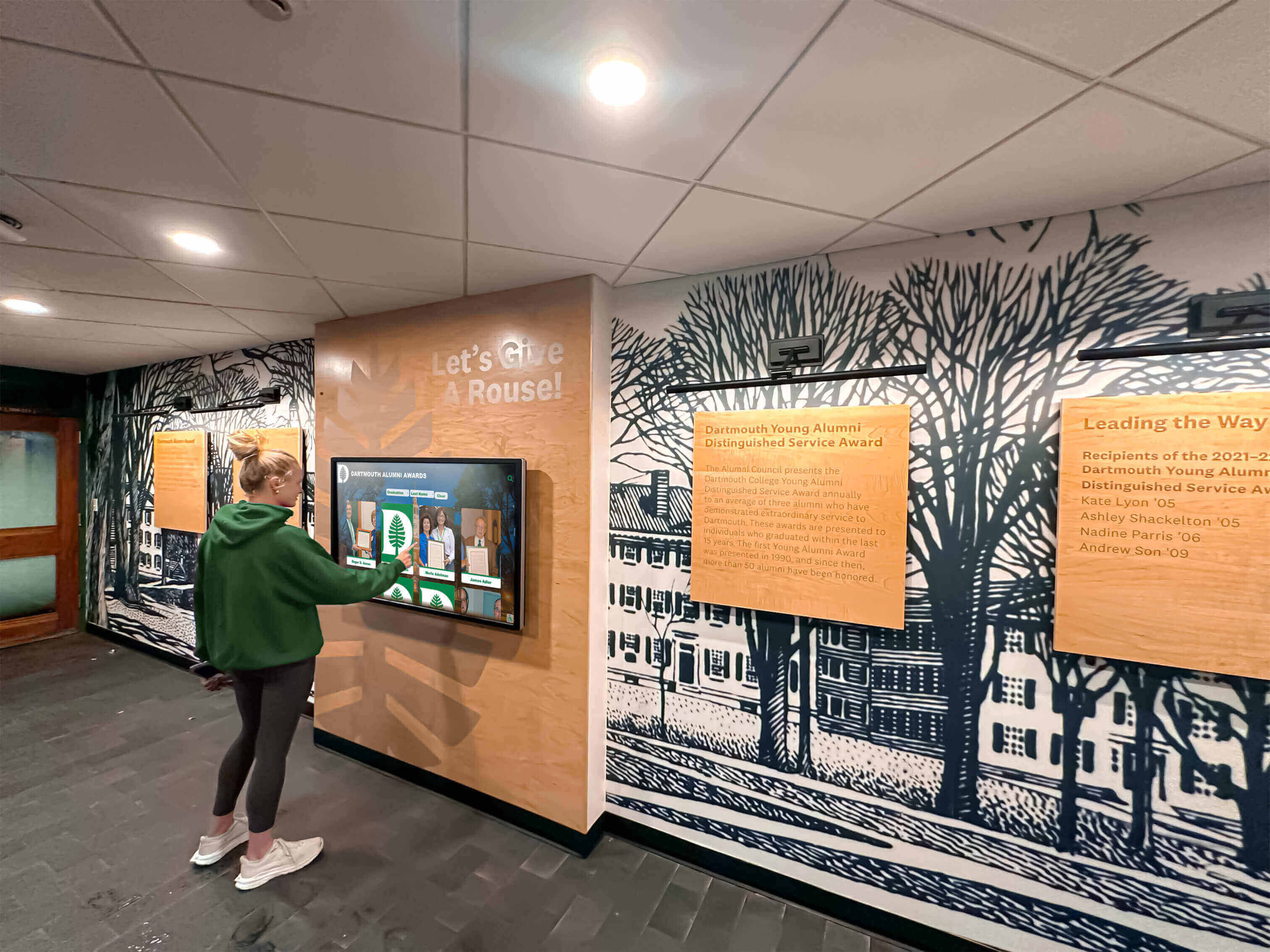
Interactive hallway installations enable casual exploration during passing periods, lunch, or free time, building awareness and engagement with yearbook content
Creating Engaging Digital Yearbook Content
Platform selection and team organization enable digital yearbooks, but content quality determines emotional impact and long-term value.
Photography Best Practices
Comprehensive Event Coverage
Systematic documentation requires advance planning identifying all events worthy of coverage from school calendars, assigning specific photographers to each event, providing shot lists ensuring key moments get captured, submitting photos promptly after events for timely publication, and reflecting on coverage gaps for continuous improvement.
Beyond scheduled events, encourage ongoing candid photography capturing daily school life—classroom learning moments, hallway interactions, lunch conversations, campus environments, behind-the-scenes preparation, and spontaneous celebrations.
Authentic Photojournalistic Approach
The most compelling yearbook photography captures genuine moments rather than posed tableaus. Train photographers to anticipate emotional moments—genuine laughter and joy, intense concentration and focus, quiet contemplation, authentic celebration, and candid interaction—rather than asking subjects to perform for cameras.
Environmental portraits showing students in meaningful contexts—athletes during practice, artists with their work, musicians in rehearsal, students in favorite campus locations—tell richer stories than isolated studio shots.
Writing Compelling Captions and Stories
Meaningful Captions Beyond Basic Identification
Transform basic “Student Name participates in activity” captions into meaningful storytelling by providing context explaining what activities involve and why they matter, including quotes from participants sharing experiences and perspectives, noting specific achievements or outcomes, connecting moments to broader themes or traditions, and adding details readers will appreciate years later when memories fade.
Strong captions answer who, what, when, where, and why while capturing emotional significance beyond mere documentation.
Feature Articles Adding Depth
Supplement photo galleries with longer feature articles exploring semester themes and memorable experiences, profiling students, teachers, or programs making impacts, sharing behind-the-scenes preparation stories, reflecting on traditions and their evolution, including alumni perspectives connecting past and present, and highlighting community impact and service.
Prioritize authentic student voice in writing ensuring content resonates with peers rather than feeling like adult-written institutional messaging.
Schools creating historical timeline displays often integrate yearbook content with broader institutional storytelling connecting past and present.
Leveraging Multimedia Capabilities
Strategic Video Integration
Include video content purposefully rather than simply because platforms allow it. Effective yearbook videos include athletic highlights from games and competitions, performing arts showcases of concerts and productions, student interviews sharing perspectives, time-lapse documentation of projects or events, behind-the-scenes preparation footage, and celebration moments capturing authentic emotion.
Keep videos concise—typically 1-3 minutes maximum—ensuring engagement throughout while respecting bandwidth limitations for users on cellular networks.
Interactive Elements and Features
Utilize digital platforms’ unique capabilities through clickable image galleries with detailed views, embedded maps showing locations, polls and surveys engaging viewers, comment sections enabling community interaction, related content links connecting similar stories, and social sharing buttons enabling easy distribution.
Interactivity transforms passive viewing into active exploration, increasing engagement time and creating memorable experiences impossible with static print formats.
Ensuring Student Privacy and Safety
Creating digital yearbooks requires careful attention to student privacy, safety, and regulatory compliance.
Understanding Legal Requirements
FERPA Compliance for K-12 Schools
The Family Educational Rights and Privacy Act (FERPA) regulates student information in educational settings. Digital yearbooks must obtain proper parental consent for student images and information, restrict access to authorized users when containing directory information, protect personally identifiable information appropriately, and maintain secure systems preventing unauthorized access.
Consult your school’s legal counsel or district policies ensuring digital yearbook approaches comply with applicable regulations.
Implementing Privacy Controls
Granular Permission Settings
Quality digital yearbook platforms provide individual student privacy controls, parental consent management systems, content approval workflows before publication, options for private or unlisted content, and access restriction capabilities limiting who can view content.
Establish clear processes for managing opt-outs where parents decline student participation, handling name-only inclusions for students declining photos, and updating privacy settings as circumstances change.
Safe Content Guidelines
Establish clear policies prohibiting identification of student locations or routines beyond campus, personal contact information like phone numbers or addresses, content potentially embarrassing or harmful to students, and photos or information about sensitive situations or circumstances.
Train all yearbook contributors understanding privacy expectations and safety considerations ensuring responsible content creation.
Schools implementing digital signage systems must carefully consider privacy implications when displaying student content in public campus locations.
Promoting Engagement Throughout School Years
Digital yearbooks succeed when entire school communities participate actively and engage with content repeatedly rather than one-time publication and viewing.
Building Awareness and Anticipation
Multi-Channel Promotion Campaigns
Promote digital yearbooks through school announcements and morning broadcasts, social media posts and stories, email communications to families, posters and displays throughout campus, mentions in newsletters and communications, and presentations at assemblies or events.
Consistent visibility ensures community awareness while building anticipation for content releases and encouraging ongoing engagement.
Encouraging Content Contributions
Open Submission Systems
Enable broad participation through simple online submission forms, dedicated email addresses for photo submissions, cloud storage folders accessible to student body, mobile apps designed for easy uploads, and QR codes posted throughout campus linking to submission portals.
Democratizing content creation expands documentation breadth while increasing student ownership and investment in final products.
Photography Contests and Challenges
Generate engagement through themed photography competitions, caption writing contests, “where is this?” location identification games, memory sharing prompts, and scavenger hunts finding specific content within yearbooks.
Gamification builds excitement and participation while encouraging exploration of yearbook content and creating additional material for inclusion.
Schools fostering alumni engagement find digital yearbooks serve as valuable connection points enabling graduates to maintain relationships with institutions and classmates.
Celebrating and Sharing Achievements
Regular Content Release Strategy
Rather than single end-of-year publications, release content continuously or through periodic editions maintaining awareness and engagement—monthly highlight releases featuring recent events, seasonal editions celebrating fall, winter, and spring, event-specific galleries published immediately after activities, and final comprehensive yearbooks released at year end.
Frequent releases demonstrate yearbooks capture ongoing experiences while maintaining visibility throughout school years rather than concentrated attention only at publication time.
Social Media Integration
Leverage social platforms to regularly share yearbook highlights on school accounts, encourage students sharing favorite moments from yearbooks, feature student contributors spotlighting their work, create teaser content building anticipation, use branded hashtags creating discoverable conversations, and celebrate milestones and achievements documented in yearbooks.
Active social promotion extends yearbook reach far beyond school communities as students share accomplishments with extended networks.

Intuitive touchscreen interfaces make exploring student profiles, achievements, and stories engaging and accessible to students, families, and visitors
Measuring Success and Continuous Improvement
Systematic assessment demonstrates program value while identifying opportunities for enhancement in future years.
Key Performance Indicators
Engagement Metrics
Digital platforms provide analytics impossible with print yearbooks. Track unique visitors and returning users, pages viewed per session, time spent exploring content, search queries indicating what users seek, most popular sections and content, download and sharing statistics, and device types showing mobile versus desktop usage.
These metrics reveal how communities actually engage with yearbooks informing content strategy and design decisions.
Coverage and Inclusion Indicators
Assess whether yearbooks achieve comprehensive documentation goals through total photos and content items created, number of events and activities documented, student appearance distribution ensuring every student appears multiple times, balance across different program areas, representation across demographic groups, and coverage throughout entire school years versus concentrated periods.
Systematic inclusion tracking prevents over-representation of high-profile activities while ensuring quieter students and programs receive appropriate recognition.
Gathering Stakeholder Feedback
Student Perspectives
Conduct surveys or focus groups gathering student input on content coverage and preferences, platform usability and experience, desired features or improvements, participation barriers or challenges, and overall satisfaction with yearbook programs.
Student voice ensures yearbooks serve intended audiences effectively while maintaining relevance to evolving interests and behaviors.
Family and Alumni Input
Collect feedback from parents and graduates regarding accessibility and technical experience, content quality and comprehensiveness, value perception and satisfaction, historical content desires, and likelihood to recommend or share with others.
Multi-generational perspectives ensure yearbooks serve diverse constituencies with varying needs and expectations.
Schools implementing spirit recognition programs often integrate yearbook documentation with broader student engagement and celebration initiatives.
Common Challenges and Solutions
Understanding typical obstacles in digital yearbook creation enables proactive planning and problem-solving.
Technical Challenges
Platform Learning Curves
Challenge: Teams struggle mastering new platforms and tools.
Solution: Invest in comprehensive training before production begins, create video tutorials for common tasks, establish mentorship pairing experienced with new team members, start with simple projects building to complex work, and maintain documentation of standard procedures.
Storage and File Management
Challenge: Thousands of photos create overwhelming organization difficulties.
Solution: Implement systematic folder structures and naming conventions from day one, establish regular culling schedules removing duplicates and poor images, use metadata and tagging for searchability, set file size and format standards, and maintain regular backups preventing catastrophic data loss.
Content Creation Challenges
Inconsistent Event Coverage
Challenge: Popular events get over-documented while other activities lack coverage.
Solution: Create comprehensive coverage calendars assigning specific responsibilities, track coverage systematically identifying gaps, proactively recruit photographers from underrepresented programs, celebrate and recognize photographers covering less visible events, and establish minimum coverage standards for all activities.
Writer Recruitment and Consistency
Challenge: Finding students willing and able to write quality content proves difficult.
Solution: Make writing expectations clear and achievable with templates and examples, break large writing tasks into smaller manageable pieces, pair stronger writers mentoring developing ones, celebrate excellent writing publicly, provide specific constructive feedback, and consider alternative content formats like interviews or quick facts requiring less extensive writing.
Engagement Challenges
Low Student Participation
Challenge: Only small core teams actively engage despite broader access.
Solution: Simplify submission processes removing barriers, recognize and reward contributors publicly, run contests and challenges making participation fun, integrate yearbook into classes and activities, demonstrate how submissions appear in final products, and celebrate milestones and accomplishments throughout production.
Limited Community Awareness
Challenge: Families and community members don’t know digital yearbooks exist.
Solution: Promote aggressively through multiple communication channels, demonstrate features at parent events and open houses, share compelling examples and highlights regularly, make access extremely simple and clear, and leverage influencers like athletic coaches and activity sponsors promoting within their programs.
Taking Action: Your Digital Yearbook Launch Plan
Creating digital yearbooks transforms how schools document student experiences and preserve institutional memory. Success requires thoughtful planning, appropriate tools, committed teams, quality content, and sustained engagement.
Schools ready to launch or improve digital yearbook programs should follow these foundational steps:
Start with Clear Goals
Define what you want digital yearbooks to accomplish—replacing print entirely or supplementing physical books, reducing per-student costs, ensuring universal access, capturing comprehensive content, building year-round engagement, or preserving institutional archives. Clear objectives inform all subsequent decisions.
Select Appropriate Platforms
Research multiple options understanding features, costs, support, and fit with specific needs. Trial platforms creating actual sample content assessing usability. Speak with reference schools using platforms in similar contexts ensuring realistic expectations.
Build Capable Teams
Recruit diverse students across talents and interests. Invest in systematic training building skills. Establish clear roles and responsibilities. Create sustainable workflows preventing burnout.
Plan Comprehensive Content
Define scope and coverage goals. Organize logical navigation structures. Establish visual and editorial standards. Create production schedules and milestones.
Promote Actively and Consistently
Build awareness through multiple channels. Encourage broad content contributions. Celebrate achievements and milestones. Share compelling content regularly maintaining visibility.
Measure and Improve Continuously
Track engagement metrics and coverage indicators. Gather stakeholder feedback systematically. Identify improvement opportunities. Implement enhancements for future years.
Transform Your School’s Yearbook Experience
Discover how modern digital yearbook platforms combined with interactive campus displays create comprehensive memory preservation systems that engage students, celebrate achievements, and build lasting connections with alumni. From intuitive content creation tools to stunning touchscreen installations showcasing student stories throughout your facilities, purpose-built solutions designed specifically for schools make implementing professional digital yearbook programs achievable regardless of technical expertise or resources.
Ready to explore how digital yearbooks can transform your school’s approach to documenting student experiences while building community pride and engagement? Schedule a consultation to see digital yearbook solutions in action and discover how schools are creating yearbook experiences that students, families, and alumni value for generations.
Learning how to create a digital yearbook represents significant change from traditional print approaches, but schools successfully implementing these programs consistently report that benefits far exceed implementation challenges. Unlimited content capacity ensures every student receives meaningful recognition. Year-round updates capture complete school years rather than missing spring activities. Reduced costs enable universal access regardless of family financial circumstances. Perpetual accessibility maintains connections with alumni decades after graduation.
Whether you’re taking first steps toward digital yearbooks, planning comprehensive implementations, or seeking to enhance existing programs, the strategies and insights throughout this guide provide frameworks for creating yearbook experiences truly serving entire school communities while preserving precious memories accessibly for current and future generations.
The tools, platforms, and best practices exist enabling schools of any size or resource level to create professional digital yearbooks. What matters most isn’t having the latest technology or largest budgets—it’s commitment to documenting student experiences authentically, engaging communities throughout creation and sharing, and establishing sustainable systems producing meaningful results year after year.
Your school’s story deserves preservation in formats accessible to students and alumni whenever and wherever they want to revisit memories. Digital yearbooks make this possible while transforming yearbook programs from annual obligatory publications into living documents growing and evolving alongside communities they serve.































