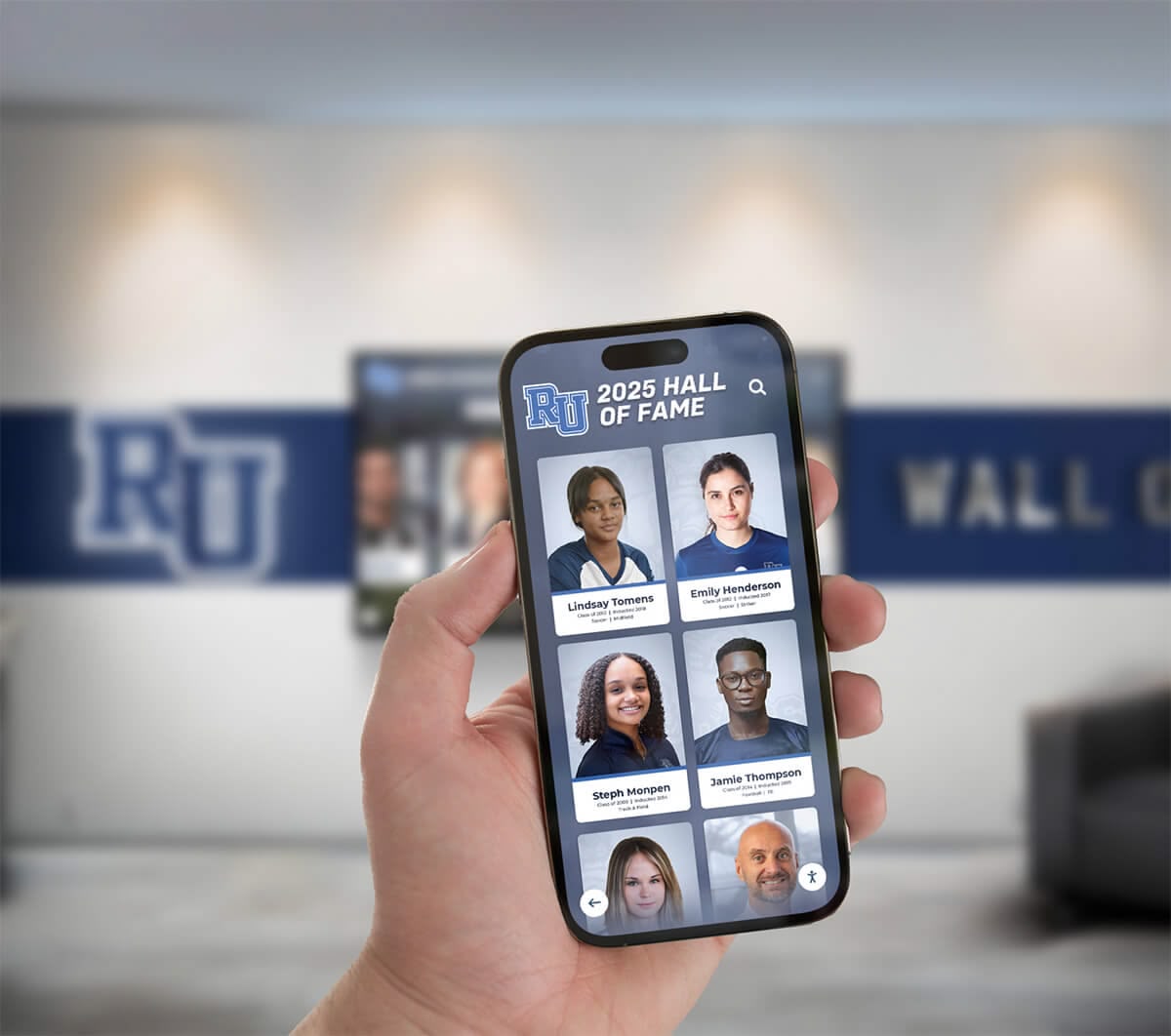
Family caregivers managing dementia care face daily challenges balancing meaningful engagement with practical constraints. When caring for two family members with dementia simultaneously—a scenario affecting thousands of families where multiple generations or spouses both experience cognitive decline—finding solutions that provide therapeutic value, require minimal technical management, and fit within limited budgets becomes particularly urgent.
Traditional memory care approaches like physical photo albums require constant supervision to prevent loss or damage, printed photographs fade and become disorganized over time, repetitive questions about family members exhaust caregivers, and cognitive stimulation activities demand active facilitation that becomes overwhelming when managing multiple people with dementia. Meanwhile, professional memory care facilities cost $4,000-7,000 monthly per person, putting institutional care financially out of reach for many families.
Touchscreen memory display systems offer practical, economical solutions enabling families to create dedicated digital spaces presenting meaningful photographs, videos, and memories in formats accessible to people with cognitive decline. These displays provide independent engagement reducing caregiver burden, preserve family history in organized digital formats, offer therapeutic reminiscence opportunities, and cost dramatically less than ongoing professional care or facility placement—making them valuable tools for families navigating the complex journey of dementia care at home.
This guide explores affordable touchscreen memory display solutions specifically designed for family caregivers managing dementia, addressing setup simplicity, content management, engagement strategies, and cost considerations that make these systems accessible to families without technical expertise or substantial budgets.
Understanding Touchscreen Memory Displays for Dementia Care
Touchscreen memory displays represent digital systems designed to present photographs, videos, and memories in formats optimized for people experiencing cognitive decline, enabling independent engagement while providing familiar content that supports memory, identity, and emotional well-being.
Unlike standard digital photo frames that simply rotate images on timers, purpose-designed memory displays for dementia incorporate specific features addressing cognitive challenges—simplified touch interfaces eliminating confusion, large visual elements accommodating vision changes, organized content structures reducing overwhelming choices, and consistent operation preventing technical frustrations that agitate people with limited problem-solving capacity.
The Challenge of Multi-Person Dementia Caregiving
Managing dementia care for two family members simultaneously creates compounding challenges beyond single-person care:
Divided Attention and Caregiver Burden
When both your mother and wife experience dementia, every activity requiring supervision or facilitation doubles your workload. Reading photo albums with one person means the other sits alone. Answering repeated questions from one interrupts engagement with the other. This constant division of attention creates exhaustion that makes sustainable home care increasingly difficult over time.
Different Cognitive Abilities and Needs
Two people with dementia rarely progress identically through cognitive decline. One may retain reading ability while the other responds better to visual content. One might navigate simple technology while the other requires completely passive experiences. One may become agitated by certain memories while the other finds them comforting. These differing needs complicate finding activities that engage both meaningfully.
Limited Caregiver Capacity
As a solo caregiver managing two people with dementia, your capacity for facilitating activities, creating stimulation, and providing engagement reaches limits quickly. Solutions requiring active facilitation or constant supervision become unsustainable regardless of their therapeutic value when you physically cannot be in two places simultaneously.
Financial Constraints
Dementia care expenses compound exponentially with multiple family members—medications, medical appointments, incontinence supplies, home modifications, and respite care all multiply. Budgets for additional care resources shrink dramatically when managing dual diagnoses, making cost a critical factor in any solution consideration.

Touchscreen memory displays enable independent exploration of family photographs and memories, reducing caregiver burden while providing therapeutic engagement
How Memory Displays Address Dementia Care Challenges
Well-designed touchscreen memory systems specifically address the constraints facing family caregivers:
Independent Engagement
Once set up, memory displays enable people with dementia to engage independently without continuous caregiver facilitation. They can touch the screen to browse photographs, watch videos, and explore memories at their own pace. This independence means you can prepare meals, handle household tasks, or simply rest while your family members remain engaged—something impossible with activities requiring active supervision.
Simultaneous Multi-Person Use
Two touchscreen displays positioned in different areas allow both family members to engage with tailored content simultaneously. Your mother can browse childhood photographs in one room while your wife explores family vacation memories in another—each experiencing content matched to their interests and cognitive abilities without compromising either person’s experience.
Consistent Therapeutic Availability
Unlike caregiver-facilitated reminiscence activities limited to when you have time and energy, digital displays remain constantly available. At 3am when someone with dementia wakes confused, they can engage with familiar photographs providing comfort and orientation. During afternoon restlessness, memory content offers calming engagement. This 24/7 availability provides therapeutic value far exceeding scheduled activities you might facilitate only occasionally.
Reduced Repetitive Questions
People with dementia often ask repeated questions about family members, events, and relationships as their memory fails. “Where’s Dad?” “Did we go to the lake last summer?” “Who is this in the photo?” Memory displays with clear labels, familiar faces, and organized content provide answers independently, reducing exhausting repetition while meeting genuine information needs driving questions.
Similar technology applications in senior living facilities demonstrate how touchscreen displays create meaningful engagement for people with cognitive challenges while supporting staff managing multiple residents—principles that translate directly to family home care settings.
Key Features for Dementia-Friendly Memory Displays
Effective displays for people with cognitive decline incorporate specific design considerations:
Simplified Touch Interface
Complex navigation confuses people with dementia. Effective displays use large touch targets (minimum 1.5 inch squares), clear visual labels with text and icons, minimal navigation layers reducing confusion, and consistent interaction patterns eliminating need to relearn navigation.
Automatic Operation
Displays should activate automatically when approached, preventing forgotten how-to-turn-on frustrations. Content should advance at gentle paces maintaining engagement without overwhelming rapid changes. The system should never present error messages, freezing screens, or technical problems requiring troubleshooting that people with dementia cannot perform.
Familiar Content Organization
Structure content around familiar categories matching how people think—“Family Members” with clear labels, “Vacations and Special Events” grouping by memorable occasions, “Our Home and Neighborhood” showing familiar places, “Pets and Animals” if relevant to family history, and “Childhood Memories” for content resonating with long-term memory.
Clear Labeling and Context
Every photograph should include clear text labels identifying people, places, and dates. Short descriptive captions provide context helping trigger memory. Simple statements like “Christmas at Grandma’s house, 1985” or “Your daughter Sarah’s wedding day” orient viewers and facilitate memory recall.
Appropriate Content Curation
Select photographs carefully, focusing on positive memories and familiar faces, avoiding potentially upsetting content or confusing unfamiliar people, including recent photographs maintaining connection to present alongside historical memories, and featuring the person with dementia prominently to reinforce identity and self-recognition.

Simple, clear interfaces with large touch targets enable people with dementia to browse memories independently without confusion or frustration
Economical Touchscreen Display Solutions for Families
Budget concerns represent major barriers for families managing dementia. Practical solutions exist across multiple price ranges:
Budget-Friendly Tablet Solutions ($200-500)
Large tablets provide the most economical entry point for families needing immediate solutions:
Hardware Options
Large-screen tablets (10-12 inches) cost $200-400 for quality models like iPad (9th generation or later) at $329-449, Samsung Galaxy Tab S6 Lite or newer at $250-350, or Amazon Fire HD 10 Plus at $180-210. These devices provide sufficient screen size, responsive touchscreen operation, and adequate performance for photo and video display.
Mounting and Positioning
Desktop stands enabling freestanding operation cost $25-75. Wall-mounted tablet holders providing stationary positioning cost $30-60. Adjustable arm mounts allowing repositioning cost $50-100. Floor stands with height adjustment enabling viewing from chairs or beds cost $100-175.
Software and Content Management
Several apps designed for dementia memory engagement cost $0-15 monthly, including specialized photo display apps with simplified interfaces, slideshow applications with adjustable timing, and memory care platforms offering dementia-appropriate organization. Many families successfully use free photo apps with settings adjusted for simplicity.
Total Investment: $225-600 depending on tablet selection and mounting approach.
Advantages:
- Immediate availability—purchase and setup within days
- Portability enabling movement between rooms
- Familiar devices many families already understand
- Low financial risk if approach doesn’t work as hoped
- Repurposable for other uses if care situations change
Limitations:
- Smaller screens less ideal for vision-impaired viewers
- Consumer devices not designed for continuous operation
- Battery management requiring periodic charging
- Less durable for intensive daily use over years
- Limited ability to provide truly hands-free operation
Organizations implementing touchscreen kiosks for public spaces often start with tablet solutions for budget-conscious pilot programs before expanding to larger dedicated displays—an approach families can mirror.
Mid-Range Digital Display Systems ($500-1,500)
Larger dedicated displays provide superior experiences at moderate cost:
Hardware Components
Consumer smart displays like Amazon Echo Show 15 (15.6 inch) at $280-300, Google Nest Hub Max (10 inch) at $230, or dedicated digital photo frames like Nixplay Smart Photo Frame (15.6 inch) at $300-350 offer purpose-built solutions. Alternatively, small computer monitors (24-32 inches) with connected devices (Amazon Fire TV Stick, Chromecast, or mini PC) provide larger viewing areas at $350-600 total.
Specialized Memory Care Software
Several platforms designed specifically for dementia memory engagement cost $15-40 monthly and include caregiver content management portals, automatic photo organization and labeling, scheduled content rotation preventing boredom, remote updates enabling content addition from anywhere, and engagement tracking showing usage patterns.
Installation and Setup
Wall-mounting kits cost $30-100. Professional installation (if needed) runs $100-200. Cable management for clean appearance costs $20-50. Many families successfully complete setup independently using online tutorials.
Total Investment: $500-1,500 for hardware, setup, and first-year software.
Advantages:
- Larger screens improving visibility
- Hands-free operation without charging management
- More robust hardware for continuous use
- Remote content management simplifying updates
- Professional presentation quality
- Software features specifically designed for dementia care
Limitations:
- Higher upfront investment than tablet solutions
- Fixed installation limiting repositioning
- Requires modest technical comfort for initial setup
- Ongoing subscription costs for specialized software
- Less portable if care locations change
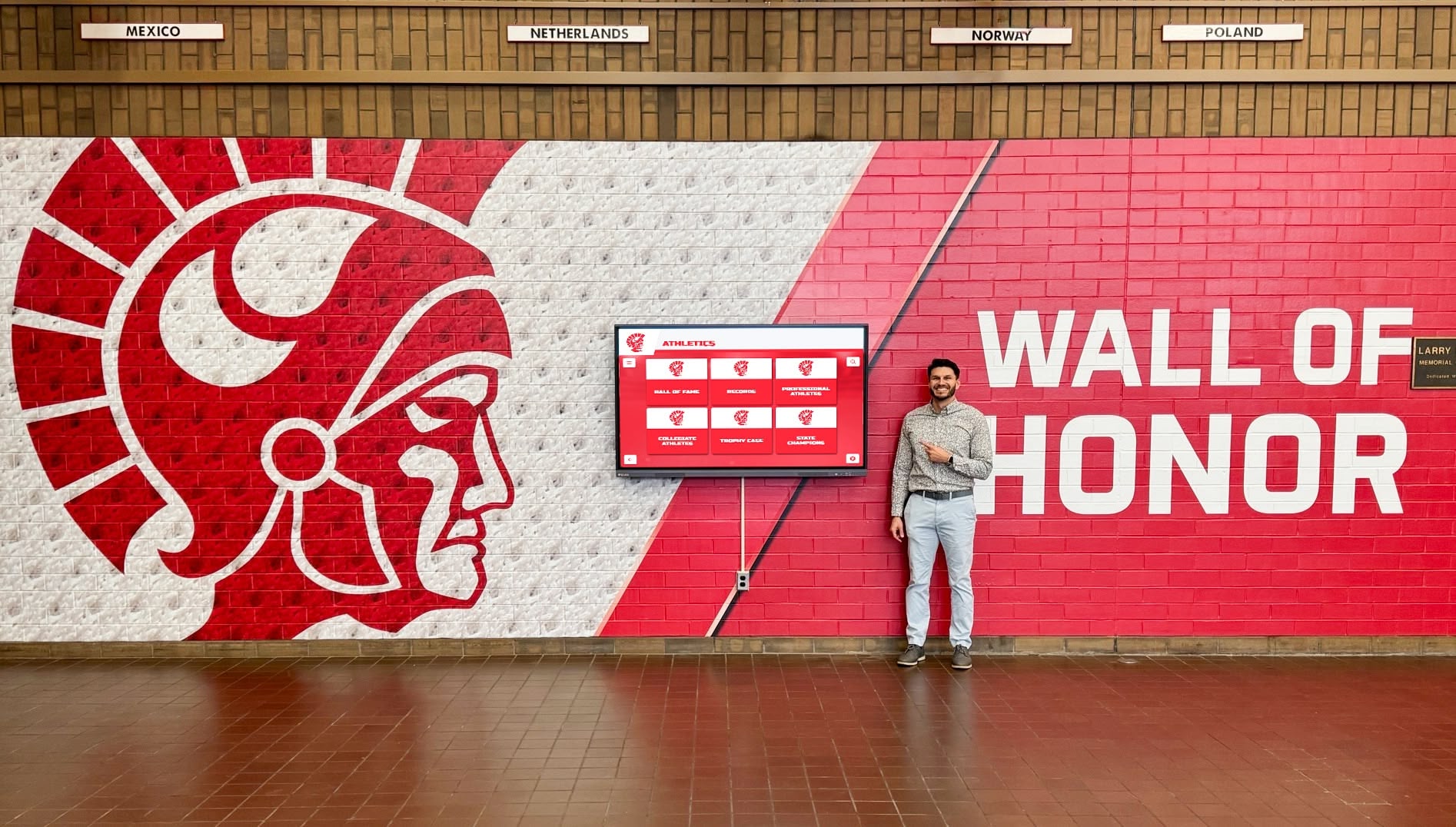
Wall-mounted displays provide permanent, reliable memory engagement spaces integrating naturally into home environments
Premium Touchscreen Kiosk Solutions ($1,500-4,000)
Dedicated touchscreen kiosks provide optimal experiences with maximum durability:
Commercial-Grade Hardware
Purpose-built touchscreen kiosks with 21-27 inch displays designed for continuous public operation cost $1,200-2,500. These systems include commercial touchscreen panels rated for years of continuous use, built-in computers eliminating external devices, professional enclosures with vandal-resistant construction, and height-adjustable stands accommodating wheelchair users.
Professional Software Platforms
Enterprise content management systems cost $40-100 monthly and offer comprehensive photo and video organization, multi-display management for separate content on multiple screens, sophisticated content scheduling and rotation, detailed usage analytics showing engagement, accessibility features including text-to-speech and high-contrast modes, and technical support from providers.
Implementation Services
Professional assessment of home environment and needs costs $0-250. Custom content organization and initial loading runs $200-500. Installation and configuration services cost $250-500. Training for family caregivers on content management typically included or costs $0-200.
Total Investment: $1,500-4,000 for hardware, software, setup, and first-year operation.
Advantages:
- Maximum durability for intensive long-term use
- Optimal screen size and viewing quality
- Sophisticated content management capabilities
- Professional support and training
- Multiple display management for separate content
- Accessibility features supporting various disabilities
- Investment quality appropriate for extended care journeys
Limitations:
- Highest upfront investment requiring budget availability
- Fixed installation with professional setup
- Ongoing subscription costs
- May exceed needs for families with shorter care timelines
- Requires adequate home space for larger displays
Similar professional-grade systems used in memory care facilities demonstrate reliability and therapeutic value—capabilities now accessible to families through scaled solutions.
Setting Up Your Memory Display System
Implementation success depends on thoughtful setup addressing both technical and care considerations:
Content Preparation and Organization
Before installing displays, organize digital content for optimal accessibility:
Gathering Photographs and Media
Collect content from printed photograph scanning using smartphone scanning apps or dedicated scanners at $100-200, digital photo retrieval from computers, phones, and cloud storage, family contribution requesting photos from siblings, children, and extended family, old video digitization using services at $15-30 per tape, and historical document inclusion like wedding certificates, letters, or newspaper clippings providing context.
Aim for 200-500 photographs minimum—enough variety preventing boredom while remaining manageable for organization. Quality matters more than quantity; select clear, meaningful images rather than including every photograph ever taken.
Organizing Content Thoughtfully
Structure content around cognitive-friendly categories—family members grouping all photos of specific people together with clear identification, life periods organizing chronologically (childhood, young adult, married life, parenthood, retirement), special events grouping holidays, vacations, celebrations, and important occasions, familiar places showing homes, neighborhoods, churches, or meaningful locations, and favorite activities featuring hobbies, pets, gardens, or personal interests.
Within categories, order photos chronologically or by relationship closeness. Label every image clearly with names, dates, and brief context. Use terminology the person with dementia will recognize—“Your sister Mary” rather than just “Mary” if that’s how they refer to family relationships.
Adding Meaningful Context
Captions should include identifying information (names, relationships, approximate dates), brief context statements (“At the lake cottage, summer 1968”), and memory trigger phrases (“You loved swimming here as a child”). Keep text large and clear (minimum 18-point font). Avoid cluttered captions—simple, direct statements work best.
Include the person’s own photographs prominently throughout. People with dementia often struggle with self-recognition, but seeing themselves repeatedly in family contexts reinforces identity and belonging. Label their images explicitly: “This is you, Sarah, at your graduation” rather than assuming recognition.
Similar content organization approaches used in digital archiving projects provide proven frameworks for organizing large photo collections accessibly—principles directly applicable to family memory displays.

Well-organized photo collections with clear categories and labels enable intuitive browsing for people with cognitive challenges
Display Placement and Environment
Physical positioning significantly impacts whether people with dementia use displays:
Optimal Locations
Position displays in frequently occupied spaces where people spend significant time—living rooms in primary seating sight lines, bedrooms visible from bed for morning and evening use, dining areas providing engagement during meals, and comfortable seating areas with good lighting and minimal distractions.
Avoid locations near windows with direct sunlight causing screen glare, in hallways or transitional spaces where people don’t linger, near televisions or other screens creating confusion, or in isolated rooms people rarely enter independently.
Viewing Height and Accessibility
Position screens at seated eye level (40-48 inches from floor for displays viewed from chairs or sofas). Ensure comfortable viewing distance (3-6 feet depending on screen size). Clear any obstacles blocking approach to touchscreens. Provide adequate lighting without glare on screens. Consider positioning allowing viewing from multiple seating locations.
For people primarily in wheelchairs or recliners, adjust positioning specifically for those seated positions. Articulating wall mounts enabling angle adjustment cost $50-150 and provide flexibility accommodating different viewing positions.
Multiple Display Considerations
When setting up displays for two people in one household, position them in separate spaces each person favors. Personalize content on each display reflecting individual interests and relationships. Enable independent access without requiring one person to wait for the other. Consider placing one in each person’s bedroom for private engagement.
This multi-display approach mirrors strategies used in senior living communities where tailored content in individual spaces improves engagement compared to shared generic displays.
Technical Setup and Configuration
Configure displays for dementia-appropriate operation:
Interface Simplification
Disable complex features and settings people with dementia won’t need. Remove multistep navigation requiring remembering sequences. Eliminate password protection or PIN requirements. Hide administrative controls and settings menus. Set displays to activate automatically without requiring button presses or wake-up actions.
Content Display Settings
Configure slideshow timing at 15-30 seconds per image—fast enough maintaining interest while slow enough allowing observation and memory processing. Enable looping so content repeats continuously without reaching an endpoint. Set moderate screen brightness comfortable in typical room lighting. Disable automatic screen timeout—displays should remain active continuously during waking hours.
Audio Considerations
Many memories benefit from audio elements—videos with family voices, music from meaningful eras, recorded messages from family members, or audio descriptions of photographs. Keep volume moderate (people with dementia often have hearing sensitivities). Consider enabling audio only for specific content rather than continuous sound becoming overwhelming.
Test audio levels in actual use conditions. What seems moderate in setup may become intrusive during extended exposure. Provide simple physical volume controls accessible without navigating screen menus if audio adjustment becomes necessary.
Caregiver Access and Management
Ensure you can update content easily without disrupting operation. Cloud-based systems enabling remote content management from your smartphone prove particularly valuable—you can add new photographs, adjust content rotation, or modify organization without interrupting display use. This separation of caregiver management from user experience prevents technical complexity from reaching people with dementia.

Remote content management enables caregivers to update displays from anywhere without interrupting loved ones' engagement or requiring technical interaction
Maximizing Therapeutic Value and Engagement
Technology alone doesn’t guarantee meaningful outcomes. Intentional approaches maximize benefits:
Encouraging Initial Engagement
People with dementia often resist unfamiliar technology requiring introduction strategies:
Gentle Introduction
Rather than presenting displays as new technology to learn, introduce them casually during existing routines. “I found some photos of Grandma’s house—want to see them?” Sit with your family member initially, touching the screen yourself to demonstrate while narrating what’s happening. Show interest and emotional connection to photographs encouraging similar response.
Leveraging Familiar Faces
Start with photographs of the closest family members the person reliably recognizes. Seeing familiar faces triggers interest and comfort encouraging further exploration. As comfort builds, introduce broader content with more distant relationships and historical photographs.
Caregiver Modeling
Initially, engage with the display yourself while your family member observes. Comment on photographs, share memories, and demonstrate enjoyment. This modeling shows the display is safe, interesting, and provides positive experiences worth exploring.
Patient Repetition
People with dementia may not remember previous interactions with displays. Be prepared to introduce functionality repeatedly without frustration. Each time feels like the first time to them. This repetition represents expected patterns rather than system failures.
Supporting Ongoing Use
Sustaining engagement requires addressing common challenges:
Content Rotation and Freshness
Even people with memory challenges notice repeating content becoming boring. Rotate photographs monthly or quarterly introducing fresh content while maintaining core familiar images. Add seasonal content around holidays connecting to current time periods. Include recent photographs maintaining connection to present while emphasizing historical content often best remembered.
Scheduled Engagement Times
While displays provide 24/7 availability, establishing routine engagement times creates structure. “Let’s look at photos after breakfast” becomes a predictable routine that people with dementia find comforting. These scheduled times enable you to facilitate discussion and reminiscence building on displayed content.
Facilitated Reminiscence
When you have energy and time, use displays as reminiscence therapy tools. Ask questions about photographs: “Tell me about this picture,” “What do you remember about this day?” These conversations provide cognitive stimulation and emotional connection beyond passive viewing.
Monitoring Emotional Responses
Observe how people respond to different content. Some photographs trigger happiness while others cause confusion or sadness. Note which images generate positive engagement versus those creating distress. Remove problematic content and expand successful themes, customizing displays to individual emotional needs.
Organizations implementing digital memory programs in care settings use similar therapeutic strategies balancing independent exploration with facilitated engagement—approaches families can adapt for home environments.
Addressing Common Challenges
Anticipate and solve typical issues:
“Why do we need this?”
People with dementia may question displays they don’t remember having. Respond simply and positively: “It’s a nice way to see family photos. Want to look at some together?” Avoid lengthy explanations or justifications they won’t retain.
Repetitive Engagement
Some people want to view the same photographs repeatedly—sometimes dozens of times daily. This repetition comforts rather than indicates problems. Allow it without redirection unless it prevents other necessary activities like meals or medication.
Technical Confusion
If people struggle with touchscreen operation, enable automatic slideshow mode eliminating need for interaction. Display becomes passive like television, removing cognitive demands of navigation. Some people prefer watching content advance automatically rather than controlling advancement themselves.
Nighttime Use
Displays providing comfort during nighttime waking can help people with dementia who become confused or agitated at night. Enable night mode with reduced brightness preventing sleep disruption. Consider bedroom placement specifically for this nighttime support function.
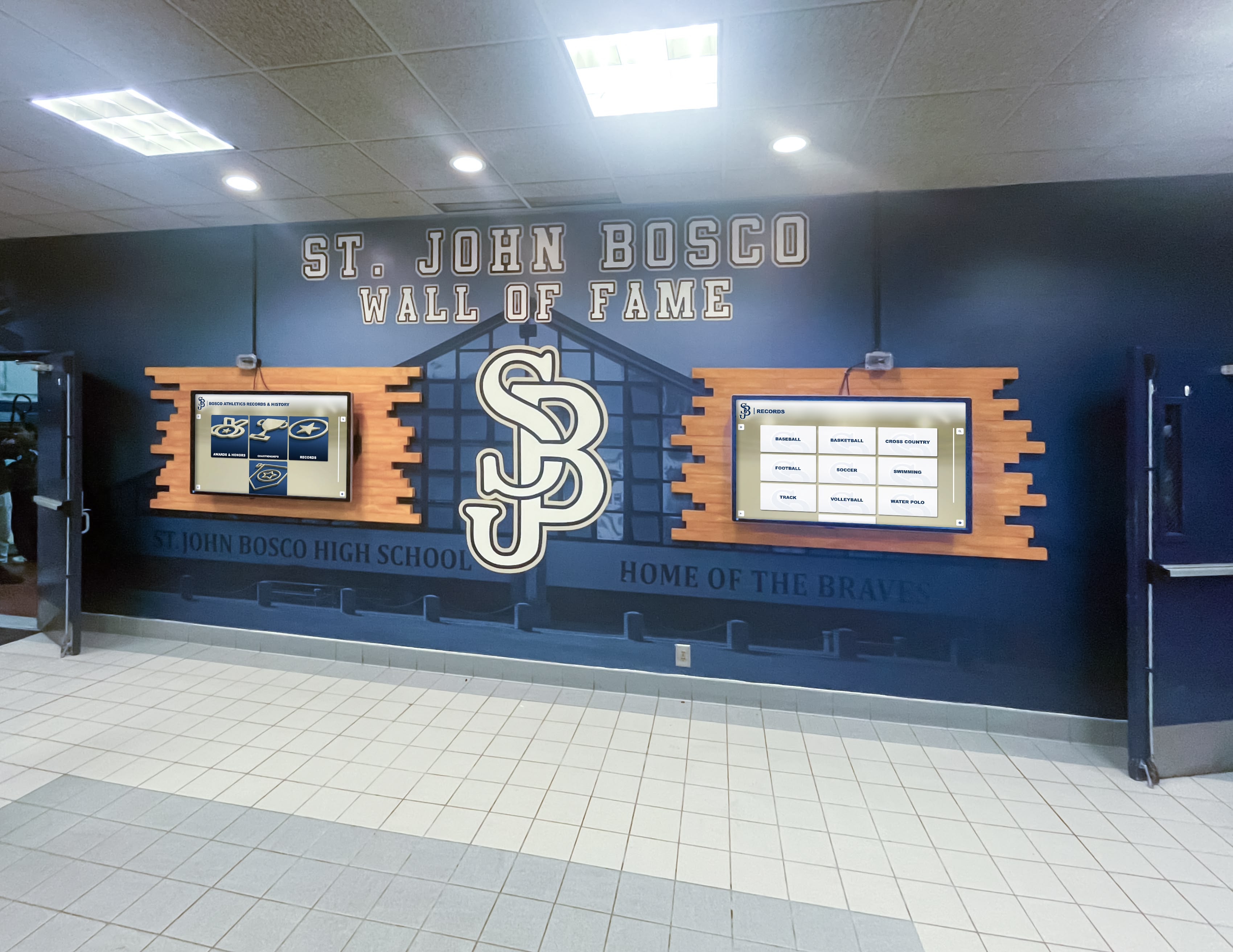
Multiple displays in different rooms enable simultaneous personalized engagement, particularly valuable for families managing multiple people with dementia
Cost Comparison: Memory Displays vs. Traditional Care Expenses
Understanding relative costs demonstrates the economic value of memory display investments:
Professional Memory Care Facility Costs
Assisted living memory care costs vary by region but average $4,500-7,000 monthly per person nationally, totaling $54,000-84,000 annually per person. For two family members, costs reach $108,000-168,000 annually—clearly beyond reach for most families without substantial financial resources or long-term care insurance.
Adult day programs providing dementia care cost $75-150 daily per person. Three days weekly totals approximately $4,500-9,000 monthly for two people—still substantial ongoing expenses many families cannot sustain.
Home Care Support Services
In-home caregivers cost $25-35 hourly in most areas. Even 20 hours weekly assistance totals $2,000-2,800 monthly per person. Families managing two people might need 30-40 hours weekly, reaching $3,500-5,600 monthly—still representing major financial burden.
Respite care providing temporary relief for family caregivers costs $200-350 daily for overnight care or $150-250 for 8-hour daytime coverage. Monthly respite enabling one weekend per month costs approximately $600-1,400.
Memory Display Investment Comparison
Even premium touchscreen systems costing $4,000 initially plus $100 monthly software represent just $5,200 first year and $1,200 annually thereafter. This totals $8,600 over five years—less than 1-2 months of memory care facility costs for a single person or 2-3 months of modest in-home caregiver support.
Budget tablet solutions costing $500 initially with $15 monthly software total just $680 first year and $180 annually thereafter—less than a single day of professional respite care.
Memory displays don’t replace comprehensive care but extend home care sustainability by:
- Reducing caregiver burden through independent engagement activities
- Providing therapeutic stimulation without requiring constant facilitation
- Enabling simultaneous engagement of multiple family members
- Delaying institutional placement through improved home care quality
- Supporting caregivers’ capacity to continue home care longer
If memory displays delay facility placement by even 2-3 months, they pay for themselves many times over in avoided care costs while preserving family caregiving arrangements most people prefer.
Practical Implementation Recommendations
Based on your specific situation—managing dementia care for both your mother and wife with limited technical background and budget constraints—these approaches offer practical paths forward:
Starting with Budget-Conscious Approach
Immediate Action Plan:
- Purchase two large tablets (10-12 inch iPads or Samsung Galaxy tablets) for approximately $600-800 total
- Acquire simple desktop stands for each at $50-100 total
- Download free photo display apps or subscribe to basic memory care app at $0-15 monthly
- Spend one weekend scanning/gathering 200-300 key family photographs
- Organize photos into clear folders by person, period, and event
- Configure tablets with simple interfaces and automatic operation
- Position one in your mother’s preferred space and one where your wife spends time
- Introduce displays casually during regular daily routines
Total initial investment: $650-900 Ongoing costs: $0-15 monthly Time commitment: 8-12 hours initial setup, 1-2 hours monthly maintenance
This budget approach provides immediate solutions you can implement within a week without specialized expertise while maintaining flexibility to expand if successful.
Growing into Enhanced System
After 3-6 months confirming value, consider upgrading to more robust solutions:
Enhanced Setup:
- Purchase dedicated 24-32 inch displays with connected media devices ($600-1,000 total)
- Subscribe to specialized dementia memory care software ($25-40 monthly)
- Wall-mount displays in optimal positions ($150-300 for installation)
- Expand content library to 500-750 photographs and add video elements
- Implement remote content management enabling updates from your smartphone
- Configure tailored content on each display matching individual preferences
Total investment: $750-1,300 plus $25-40 monthly Provides significant quality improvements while remaining budget-conscious
Pursuing Premium Solution (If Budget Allows)
Families with available resources or planning extended multi-year care journeys may find premium systems worthwhile:
Optimal Setup:
- Professional assessment of home environment and needs ($0-250)
- Two commercial-grade touchscreen kiosks (21-24 inch) at $2,400-4,000 total
- Enterprise content management platform ($60-100 monthly)
- Professional content organization and initial loading ($400-750)
- Installation and configuration services ($400-750)
- Comprehensive training on content management ($0-200)
Total investment: $3,200-5,950 first year Ongoing costs: $720-1,200 annually Provides maximum reliability, support, and features for long-term use
This investment makes sense for families planning years of home care, managing complex situations with multiple people, or having financial resources making upfront investment manageable.
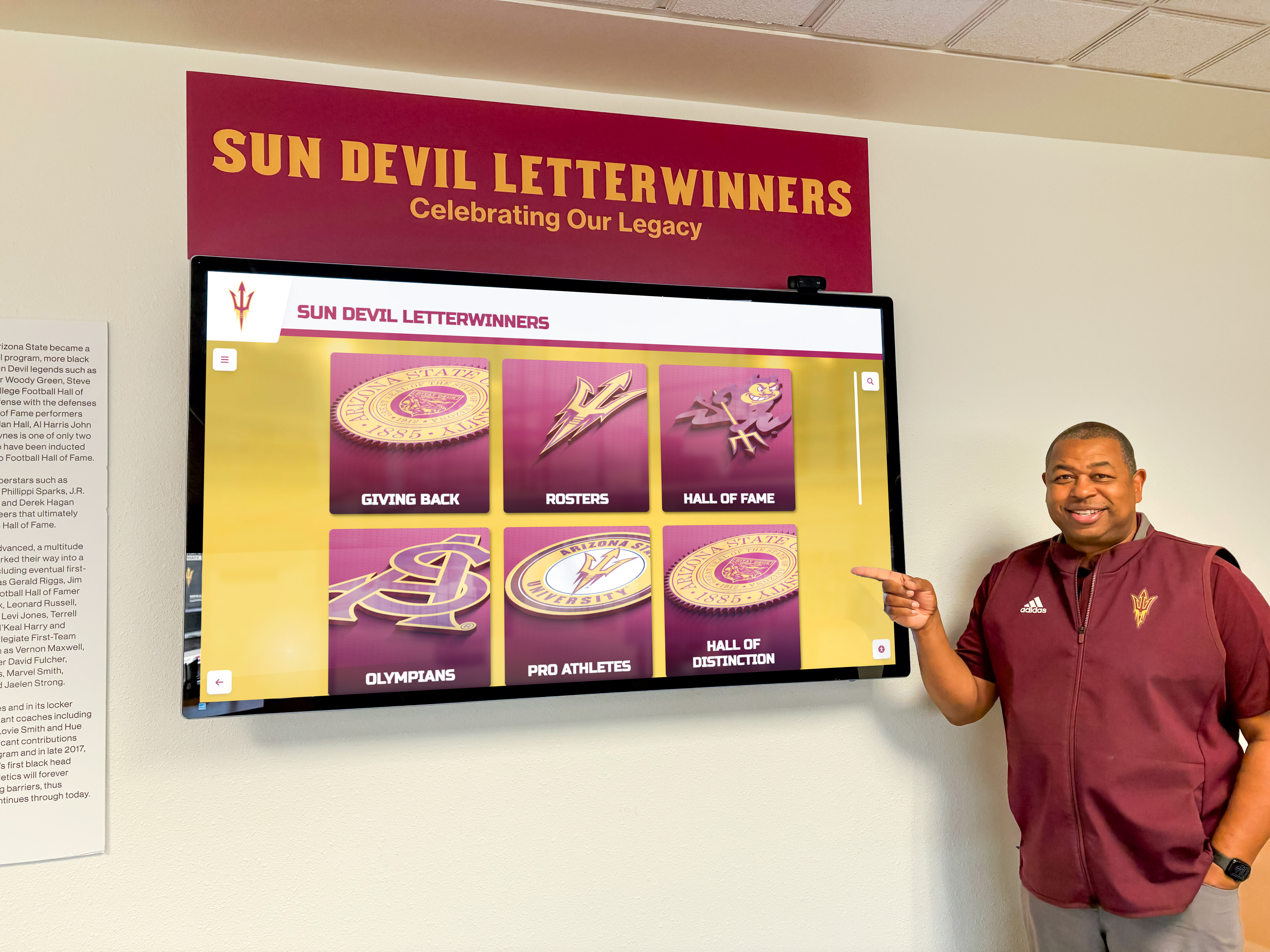
Professional installations provide optimal positioning, reliable operation, and comprehensive support for families planning extended dementia care journeys
Beyond the Display: Complementary Digital Tools
Memory displays work most effectively as part of comprehensive approaches:
Mobile Access for Extended Family
Web-based memory platforms enable broader family participation. Distant siblings can add photographs remotely. Grandchildren can contribute recent photos maintaining connection. This ongoing content stream keeps displays fresh while involving extended family in care through meaningful contributions that don’t require physical presence.
Digital Life Story Books
Complement touchscreen displays with tablet-based digital life story books providing narrative context. These biographical compilations combine photographs with written stories, creating comprehensive life narratives helpful for both people with dementia and professional caregivers who may eventually become involved in care.
Communication Supports
Digital message boards visible on displays enable family members to leave messages: “We’ll visit Thursday afternoon!” This visible communication helps orient people with dementia to upcoming events and maintains family connection even when physical visits aren’t possible.
Medication and Routine Reminders
While not primary functions of memory displays, some systems enable gentle reminders integrated with engaging content: “Time for lunch!” overlaid on family photographs provides functional prompts within emotionally positive contexts.
Similar combined approaches used in senior care facilities demonstrate how multiple digital tools working together provide comprehensive support—strategies families can adapt for home environments.
Measuring Success and Adjusting Approaches
Monitor whether displays deliver intended benefits:
Observable Indicators of Success
Positive signs include time spent voluntarily engaging with displays without prompting, reduced repetitive questioning about family members visible in photographs, improved mood and emotional state during and after display use, decreased caregiver burden as people engage independently, better sleep when nighttime display access provides comfort, moments of memory recall triggered by photographs, spontaneous comments about displayed memories indicating processing, and family members choosing to use displays over other activities.
Adjusting for Individual Needs
Different people respond differently to memory displays. Some engage intensively while others show minimal interest. If engagement doesn’t develop after 2-3 weeks of availability:
- Try different content focusing on different life periods or relationships
- Adjust display placement to more frequented locations
- Facilitate initial engagement sitting together with displays
- Simplify interface further eliminating any navigation complexity
- Add audio elements if visual content alone doesn’t engage
- Consider whether cognitive decline has progressed beyond memory display appropriateness
Memory displays work best for people in early-to-moderate dementia stages. Very advanced dementia may render displays ineffective as photo recognition and interest in reminiscence decline. This doesn’t indicate system failure but rather progression beyond interventions based on memory and recognition.
Long-Term Sustainability
Plan for changing needs as dementia progresses. Content requiring active navigation may need transition to automatic slideshows. Originally engaging content may need replacement with even simpler material. Multiple displays may consolidate to single systems if only one person continues meaningful engagement. This evolution represents normal care adaptation rather than technology inadequacy.
Organizations implementing digital content systems recognize that regular assessment and adjustment determine sustained value—principles equally important for family implementations.
Conclusion: Accessible Technology Supporting Family Dementia Care
Touchscreen memory displays offer practical, economical solutions addressing real challenges facing families managing dementia at home. From budget-conscious tablet implementations costing under $700 to comprehensive professional systems supporting extended care journeys, options exist matching various financial situations and technical comfort levels.
For families managing multiple people with dementia simultaneously—your situation caring for both your mother and wife—memory displays provide particular value by enabling independent engagement of both people simultaneously, tailored content matching different interests and cognitive abilities, 24/7 availability without requiring your constant facilitation, reduced caregiver burden allowing you to manage essential care tasks, and therapeutic reminiscence supporting emotional well-being and identity maintenance.
These systems don’t replace comprehensive dementia care or eliminate caregiving challenges. They represent tools extending your capacity to provide quality home care by reducing some demands on your limited time and energy. When displays enable 20-30 minutes of independent engagement several times daily, they create spaces for you to prepare meals, handle personal care, manage medications, complete household tasks, or simply rest—multiplicative effects that significantly improve home care sustainability.
The economical investment—whether $650 for budget tablet approach or $1,500-4,000 for professional systems—represents minimal cost compared to even brief periods of institutional care or professional home support services. If memory displays extend home care capability by even a few months before requiring additional services, they deliver substantial financial return beyond their therapeutic benefits.
Explore Memory Display Solutions for Your Family
Discover how interactive memory displays can provide meaningful engagement for your loved ones with dementia while reducing caregiver burden through accessible, economical technology solutions designed for family care settings.
Learn About Memory Display OptionsBegin with approaches matching your current situation. Budget-conscious families can start with tablets and free software proving concepts before investing in enhanced systems. Families with available resources can implement comprehensive solutions immediately. Both paths lead to meaningful support for people with dementia and the family caregivers managing their care with limited resources and unlimited love.
The journey of dementia caregiving presents countless challenges requiring creative solutions, persistent adjustment, and careful resource management. Touchscreen memory displays represent one tool among many that can make this difficult journey slightly more sustainable—preserving memories, supporting identity, providing comfort, and extending families’ capacity to provide care in home environments where most people prefer to remain for as long as possible.































