
Schools and organizations face a common challenge: decades of yearbooks sitting in storage closets, their photos holding valuable memories and historical records, yet physically deteriorating with each passing year. The bindings crack, pages yellow, and access remains limited to whoever can visit the storage room and carefully page through fragile volumes. Meanwhile, modern digital displays in lobbies and hallways cry out for historical content that brings institutional heritage to life.
The good news is that you can digitize old yearbooks and integrate their photos into hall of fame displays without damaging these irreplaceable volumes. Professional preservation techniques, the right equipment, and systematic workflows allow schools to transform dusty archives into accessible digital collections that populate recognition displays, engage alumni, and preserve history for future generations.
This guide walks through every step of safely digitizing old yearbooks—from initial assessment and equipment selection through scanning workflows, photo extraction, metadata organization, and integration with digital recognition displays. Whether you’re preserving five yearbooks or fifty years of archives, you’ll learn proven methods that protect originals while creating digital assets ready for modern display technology.
Why Digitize Old Yearbooks for Modern Recognition Displays
Before diving into preservation techniques, understanding the benefits of yearbook digitization helps justify the investment of time and resources.
Preserve Deteriorating Historical Records
Yearbooks from the 1950s through 1990s face accelerating deterioration. Acidic paper yellows and becomes brittle, bindings separate from repeated handling, adhesives fail causing pages to fall out, and photos fade due to chemical breakdown. Once physical damage occurs, recovery becomes impossible or prohibitively expensive.
Digitization creates permanent backup copies that survive long after original volumes deteriorate. When stored properly with redundant backups, digital files remain accessible indefinitely without physical degradation.
Make Historical Content Accessible
Physical yearbooks serve only those who can access storage locations and carefully handle fragile volumes. Students researching school history, alumni seeking memories, and staff creating recognition displays all face barriers accessing physical archives.
Digital yearbooks become accessible from anywhere through school networks, websites, and integrated recognition systems. Staff can search for specific individuals, extract photos for displays, and share historical content without risking damage to originals.

Digitized yearbook photos integrate seamlessly into modern touchscreen displays, allowing visitors to explore decades of school history through intuitive interfaces
Populate Digital Recognition Displays
Modern digital halls of fame require extensive photo libraries and biographical information. Yearbooks contain exactly this content—photos of athletes, students, teams, and activities alongside names, achievements, and contextual information.
Systematic digitization transforms yearbooks into searchable databases feeding recognition displays. Rather than creating new content from scratch, schools extract and organize existing yearbook materials for modern display formats.
Enable Advanced Search and Discovery
Physical yearbooks require page-by-page browsing to find specific individuals or events. Digital yearbooks with proper metadata enable instant searches by name, year, sport, activity, or keyword.
This searchability transforms research workflows. Staff creating hall of fame profiles can locate historical photos in seconds rather than hours of manual searching through physical volumes.
Support Multiple Use Cases Simultaneously
Once digitized, yearbook content serves numerous purposes beyond hall of fame displays: website historical sections displaying institutional evolution, alumni engagement initiatives reconnecting classmates, anniversary celebrations featuring historical photos, development campaigns demonstrating heritage and tradition, social media content generating community engagement, and classroom history lessons using primary source materials.
Single digitization efforts create assets supporting diverse initiatives across departments and years.
Assessing Your Yearbook Collection Before Digitization
Successful digitization projects begin with systematic assessment of materials, goals, and resources.
Inventory Existing Yearbooks
Create comprehensive inventories documenting what materials exist before planning digitization workflows:
Physical Condition Assessment
- Note years with missing volumes requiring acquisition
- Document condition issues: torn pages, separated bindings, water damage, missing sections
- Identify volumes requiring conservation before digitization
- Photograph condition problems for preservation planning
Format and Size Variations
- Record dimensions (yearbooks vary from 8x10 to 11x14 inches)
- Note binding types (sewn, perfect bound, spiral) affecting scanning approaches
- Document page counts indicating project scope
- Identify unusual formats requiring specialized handling
Content Documentation
- Catalog special sections: halls of fame, athletic records, historical retrospectives
- Note photo quality and resolution of originals
- Document any existing indexes or directories
- Identify priority sections for initial digitization
Schools with large collections often prioritize recent decades with better condition and greater community interest before tackling older, more challenging materials.
Define Digitization Goals and Priorities
Clear goals shape decisions about equipment, workflows, and quality standards:
Primary Use Cases
- Hall of fame display population requiring high-quality individual photos
- Website publication needing full-page layouts
- Searchable archives requiring OCR text extraction
- Print reproduction demanding maximum resolution
- Social media content accepting lower resolution
Different use cases drive different quality requirements and processing workflows. Digital archive projects focused on hall of fame displays prioritize individual photo extraction over full-page layouts.
Content Extraction Needs
- Individual portrait photos for recognition profiles
- Team and group photos for championship displays
- Candid activity photos illustrating programs
- Historical facility and campus photos
- Text content for biographical information
Understanding extraction needs informs scanning decisions—full-page layouts work for website publication but require additional processing to extract individual photos for recognition displays.
Determine Budget and Resource Availability
Realistic budget assessment prevents mid-project surprises:
Equipment Costs
- Flatbed scanners: $200-$800 for consumer models, $1,500-$5,000 for professional equipment
- Document cameras: $300-$1,500 for quality options
- Book cradles and supports: $50-$300
- Computer and storage: $500-$2,000
- Software: $0-$500 depending on needs
Labor Considerations
- Staff time for scanning (estimate 30-60 minutes per yearbook for full digitization)
- Student workers or volunteers for data entry
- Professional services ($1-$3 per page for outsourced digitization)
- Ongoing organization and metadata work
Storage and Infrastructure
- Cloud storage subscriptions ($10-$50 monthly for adequate capacity)
- Local backup drives ($100-$300 for 4-8TB capacity)
- Network infrastructure for sharing files
- Digital asset management systems
Small projects may succeed with consumer equipment and volunteer labor, while large-scale efforts often justify professional services or high-quality equipment investments.
Equipment and Setup for Safe Yearbook Digitization
Proper equipment protects yearbooks while producing quality digital files ready for hall of fame integration.
Scanner Selection and Specifications
Choosing appropriate scanners balances quality, speed, and book-safe operation:
Flatbed Scanners for Good Condition Yearbooks
Standard flatbed scanners work for yearbooks in good condition that can open fully without binding stress. Quality options include:
- Epson Perfection V600 ($200-$250): 6400 dpi optical resolution, letter/legal size, excellent for photos
- Canon CanoScan LiDE 400 ($80-$100): 4800 dpi, thin design, USB-powered portability
- Epson Expression 12000XL ($1,500-$2,000): 12"x17" scanning bed accommodating large yearbooks
For hall of fame displays, minimum 600 dpi scanning ensures quality photo extraction and enlargement. Most digital displays show photos at 1920x1080 resolution—600 dpi scans of standard yearbook portraits produce excellent display quality.
Important: Never force yearbook bindings flat against scanner glass. This stresses spines and causes permanent damage. Use scanning techniques that respect natural binding limits.

Professional hall of fame installations showcase historical yearbook photos in modern formats that preserve heritage while engaging contemporary audiences
Document Cameras for Fragile or Bound Materials
Document cameras (overhead scanners) provide the safest option for fragile yearbooks that cannot open flat without damage:
Document Camera Advantages
- No pressure on bindings—books rest naturally open
- Faster capture than flatbed scanning
- Adjustable positioning for various book sizes
- LED lighting preventing heat damage
- Live preview for composition verification
Quality Document Cameras
- CZUR ET16 Plus ($300-$400): 16MP sensor, automatic page flattening, curved page correction
- IRIScan Desk 6 ($250-$300): 15MP camera, built-in lighting, document management software
- IPEVO V4K ($100-$150): 8MP camera, USB powered, excellent budget option
Document cameras excel for rapid digitization of large collections. Rather than 3-5 minutes per page with flatbed scanners, document cameras capture pages in 5-10 seconds—critical for multi-year digitization projects.
Book Cradles and Supports
Proper supports protect yearbook bindings during scanning:
V-Shaped Book Cradles
Book cradles support volumes at natural angles preventing binding stress. Quality cradles include adjustable angles accommodating different binding types, padded surfaces preventing cover damage, and weighted bases providing stability during page turns.
Simple DIY cradles work for budget-conscious projects: use foam wedges or rolled towels creating V-shapes that support books at 120-130 degree angles.
Glass Pressing Plates
For flatbed scanning, glass plates gently flatten pages without crushing bindings. Use clean, clear glass slightly smaller than scanner beds, apply minimal pressure preserving page detail, and position books at optimal angles minimizing binding stress.
Professional archivists use specialized book scanning glass with anti-reflective coatings and precise thickness. Budget alternatives include picture frame glass cut to appropriate dimensions.
Workspace Organization
Efficient workflows require organized spaces protecting materials and supporting productivity:
Clean, Controlled Environment
- Dust-free surfaces preventing contamination
- Adequate lighting for condition assessment
- Temperature control (65-70°F ideal for paper preservation)
- Humidity management (40-50% relative humidity prevents brittleness)
Workflow Stations
- Intake area for volume staging and condition notes
- Scanning station with equipment and supports
- Quality control station for reviewing scans
- Storage area for completed volumes
Safety Protocols
- Clean hands before handling—oils damage paper
- Support volumes fully when carrying—never grab spines
- Never eat or drink near yearbooks
- Use bookmarks rather than folding pages
- Work on padded surfaces preventing impact damage
Step-by-Step Yearbook Digitization Workflow
Systematic processes ensure consistent quality while protecting originals.
Pre-Scanning Preparation
Volume Condition Assessment
Before scanning each yearbook:
- Check binding integrity—loose pages require special handling
- Note any torn, damaged, or missing pages
- Identify pages requiring conservation before scanning
- Document pre-existing condition with photos
Workspace Setup
- Clean scanner glass or camera lens
- Verify adequate lighting (for document cameras)
- Prepare book support or cradle
- Have clean gloves available if handling very fragile volumes
- Set up staging area for processed pages
File Organization Planning
- Create folder structure: Year/Section/Page
- Establish naming conventions: YEAR_PageNumber_Description
- Prepare metadata tracking spreadsheet
- Set up backup workflow
Scanning Techniques for Different Binding Types
Perfect Bound Yearbooks (Glued Spines)
Perfect bound books have pages glued into spines and require gentlest handling:
- Open yearbook only 120-130 degrees—never force flat
- For flatbed scanning: Position book with spine near glass edge, scan one page fully, flip book and scan opposite page
- For document cameras: Rest book naturally open on cradle, adjust camera angle to minimize distortion
- Support unscanned portion with foam wedge or cushion
Sewn Binding Yearbooks
Sewn bindings allow slightly wider opening:
- Open book 140-160 degrees depending on binding flexibility
- Scan pages near edges first, then progressively work toward center spreads
- Use protective glass plates if flattening pages for flatbed scanning
- Monitor binding stress—if resistance increases, reduce opening angle
Spiral or Coil Bound Yearbooks
Spiral bindings offer most flexibility:
- These can open fully flat without damage
- Remove coils if digitizing requires flat scanning (document removal process for rebinding)
- Scan pages individually once removed from binding
- Store loose pages carefully during project
- Rebind after completion if needed
Optimal Scanner Settings for Yearbook Digitization
Resolution Selection
Choose resolution based on intended use:
- 300 dpi: Minimum for screen viewing and basic archiving
- 600 dpi: Recommended for hall of fame displays and quality reproduction—balances file size with enlargement capability
- 1200 dpi: Necessary only for large-format printing or extreme enlargement
- Higher than 1200 dpi: Rarely needed and creates unnecessarily large files
For hall of fame integration, 600 dpi provides excellent quality. Standard yearbook portrait of 2x3 inches at 600 dpi yields 1200x1800 pixel images—more than adequate for digital display screens showing 1920x1080 full HD resolution.
Color and Bit Depth
- 24-bit RGB color for color yearbooks (most common)
- 8-bit grayscale for black and white yearbooks (saves storage)
- 48-bit color only if planning extensive editing or restoration
File Format Selection
- TIFF: Uncompressed master files for archival storage (large file sizes)
- PNG: Lossless compression for working files (smaller than TIFF, no quality loss)
- JPEG: Lossy compression for web and display use (smallest files, acceptable quality at high settings)
Best practice workflow: Scan to TIFF or PNG masters, create JPEG derivatives for specific uses like hall of fame displays or websites.
Page Scanning Procedure
Flatbed Scanner Process
- Place yearbook on scanner with binding parallel to glass edge
- Open only to natural resting angle—never force flat
- Position page fully on scanner glass
- Close lid gently—no pressure on binding
- Preview scan and adjust positioning if needed
- Execute final scan at desired resolution
- Flip book and scan opposite page
- Save file with systematic naming convention
Document Camera Process
- Position yearbook on cradle or book stand
- Adjust camera height and angle for full page capture
- Verify lighting eliminates shadows and glare
- Frame page edges within viewfinder
- Trigger capture (foot pedal or software control)
- Review image quality on computer
- Turn page carefully and repeat
- Save each capture with sequential naming
Quality Control Checks During Scanning
- Verify entire page appears in frame
- Check focus sharpness, especially at edges
- Ensure no shadows obscure content
- Confirm adequate contrast and exposure
- Watch for glare on glossy pages
- Monitor for page curl distortion
Address quality issues immediately rather than discovering problems after volumes return to storage.
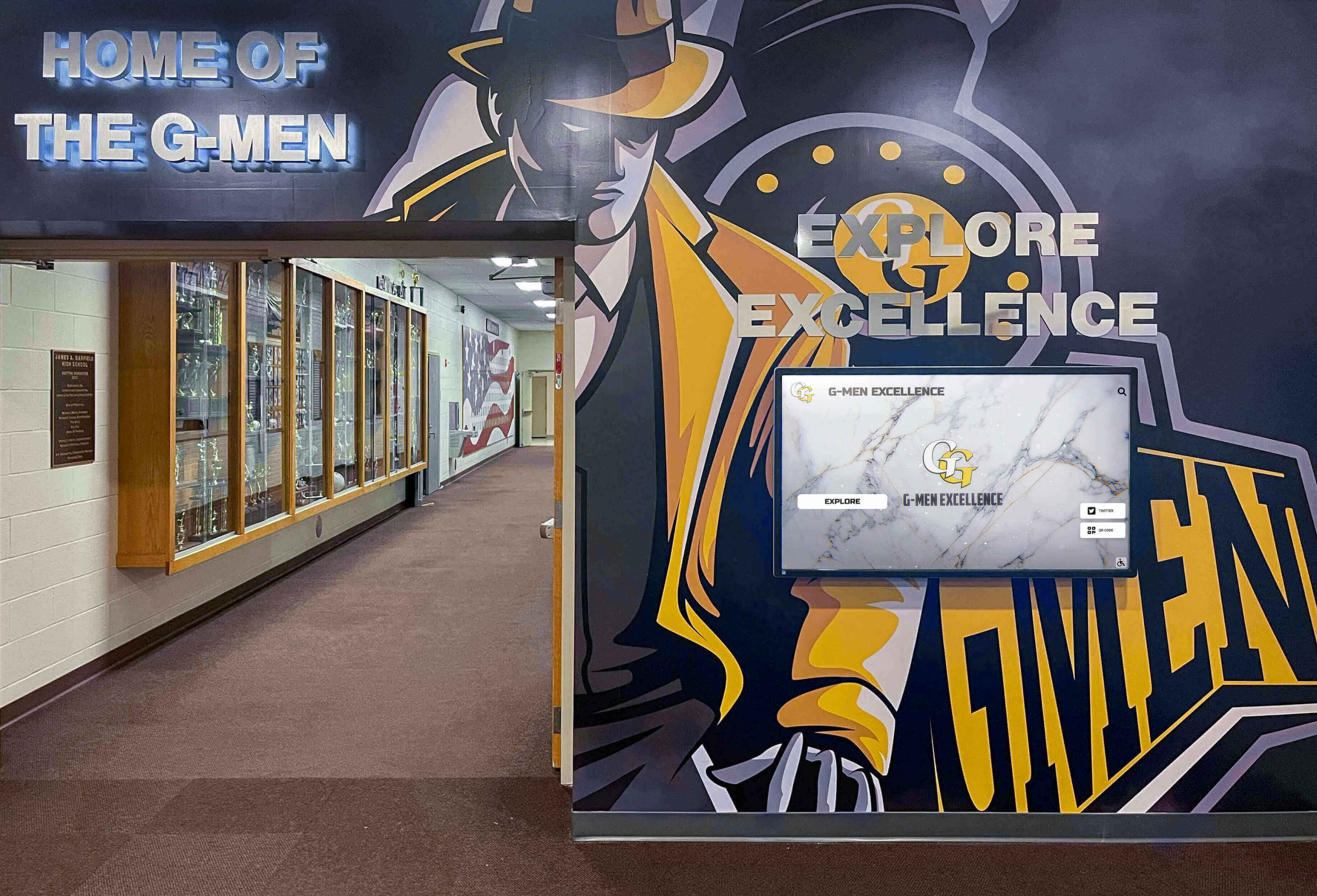
Strategic hallway placements combine digitized yearbook photos with modern display technology, creating engaging recognition experiences in high-traffic areas
Extracting Individual Photos from Yearbook Pages
Once full pages are digitized, extracting individual portraits for hall of fame displays requires additional processing.
Photo Editing Software Options
Professional Options
- Adobe Photoshop ($20-$50 monthly): Industry standard, powerful batch processing, excellent selection tools
- Affinity Photo ($70 one-time): Professional features without subscription, great value
Free Alternatives
- GIMP: Full-featured free Photoshop alternative, steeper learning curve but capable
- Paint.NET: Windows-only, simpler than GIMP, adequate for basic extraction
- Photopea: Browser-based, Photoshop-like interface, no installation required
For large-scale projects processing hundreds of photos, professional tools with batch processing capabilities justify subscription costs through time savings.
Manual Photo Extraction Process
Selection and Cropping
- Open digitized yearbook page in editing software
- Use rectangular selection tool to outline individual portrait
- Add small margin around photo edges (5-10 pixels)
- Crop selection to create new image file
- Save with systematic naming: LastName_FirstName_Year_Sport.jpg
- Repeat for all portraits on page
Quality Enhancement
- Adjust brightness and contrast for faded photos
- Correct color casts (yellowing common in older yearbooks)
- Sharpen slightly if photos appear soft
- Remove minor blemishes or print defects
- Maintain natural appearance—avoid over-processing
Batch Processing Workflow
For pages with multiple similar portraits (team rosters, student directories):
- Create action or macro for crop dimensions and enhancement settings
- Set up batch processing queue
- Manually select each photo location
- Apply recorded enhancement action automatically
- Save files with increment naming or manual renaming
Batch processing reduces per-photo processing time from 2-3 minutes to 30-60 seconds.
Automated Photo Extraction Tools
For very large collections, automated tools accelerate extraction:
AI-Powered Portrait Detection
Modern software can detect and extract portraits automatically:
- Google Cloud Vision API: Facial detection through cloud processing
- Adobe Sensei: Built into Photoshop, detects faces and portraits
- Custom ML models: Trained specifically for yearbook layouts
These tools work best with consistent layouts and clear photos. Older yearbooks with varied layouts often require manual verification and correction.
Quality Considerations
- Automated extraction typically requires manual quality review
- Edge detection may miss photo boundaries on complex backgrounds
- Accuracy varies with photo quality and page layout consistency
- Plan time for manual corrections—automation provides starting point, not finished product
Organizing Extracted Photos
Systematic organization enables efficient hall of fame integration:
File Naming Conventions
Consistent naming supports searching and sorting:
- Format: LastName_FirstName_GradYear_Sport_Position.jpg
- Example: Smith_John_1987_Football_QB.jpg
- Include relevant metadata in filename for searchability
Folder Structure
YearbookPhotos/
  ├── By_Year/
  │   ├── 1970s/
  │   ├── 1980s/
  │   └── 1990s/
  ├── By_Sport/
  │   ├── Football/
  │   ├── Basketball/
  │   └── Volleyball/
  └── By_Category/
      ├── Athletes/
      ├── Academics/
      └── Activities/
Multiple organizational schemes support different search approaches when creating hall of fame content.
Metadata and Cataloging
Rich metadata transforms photo collections into searchable assets:
Essential Metadata Fields
- Full name (last, first, middle)
- Graduation year or year of photo
- Sport, activity, or category
- Position or role
- Page number in original yearbook
- Scanning date and technician
- Photo quality rating (for prioritizing use)
- Copyright and permissions notes
Metadata Management Tools
- Spreadsheet databases (Excel, Google Sheets) for simple projects
- Photo management software (Adobe Lightroom, ACDSee) for image-centric workflow
- Digital asset management systems for institutional-scale collections
- Database solutions (Airtable, FileMaker) for advanced searching and relationships
Proper metadata enables staff creating hall of fame displays to quickly locate photos matching specific criteria—all football players from the 1980s, all state champions, or specific individuals by name search.
Integrating Digitized Yearbook Photos into Hall of Fame Displays
Once yearbook content is digitized and organized, integration into recognition displays brings history to life.
Preparing Photos for Digital Display Use
Resolution and Sizing Optimization
Digital hall of fame displays typically show full HD (1920x1080) or 4K (3840x2160) resolution. Optimize photos accordingly:
- Individual portraits displayed full-screen: 1920x1080 pixels adequate
- Portrait galleries with multiple photos: 800x1200 pixels each maintains quality
- Background images and full-page layouts: Use original scan resolution
Larger files don’t improve display quality beyond native screen resolution and slow system performance.
File Format Conversion
- Convert TIFF/PNG masters to JPEG for display use
- Use 85-90% JPEG quality—minimal visible compression, 60-70% file size reduction
- Maintain sRGB color space for consistent display appearance
- Save progressive JPEGs for faster loading in web-based systems
Enhancement for Screen Display
Photos optimized for paper printing often need adjustment for screen display:
- Increase sharpness slightly—screens show less detail than print
- Boost contrast 10-15% for better screen visibility
- Adjust color temperature if photos appear too warm or cool
- Test appearance on actual display hardware before batch processing
Content Management System Integration
Modern digital recognition platforms provide content management systems for uploading and organizing photos:
Upload Workflows
- Batch upload photos organized by category
- Enter biographical metadata during upload
- Link related photos (athlete portraits to team photos)
- Create categories and navigation structures
- Preview display appearance before publishing
Profile Creation
Transform yearbook photos into rich hall of fame profiles:
- Upload multiple photos per individual (portrait, action shots, team photos)
- Add biographical text extracted from yearbook pages via OCR
- Include achievement summaries and statistics
- Link to related content (teams, championships, records)
- Tag with searchable keywords and categories
Solutions like Rocket Alumni Solutions provide intuitive interfaces specifically designed for sports and academic recognition, streamlining the transition from digitized yearbooks to interactive displays.
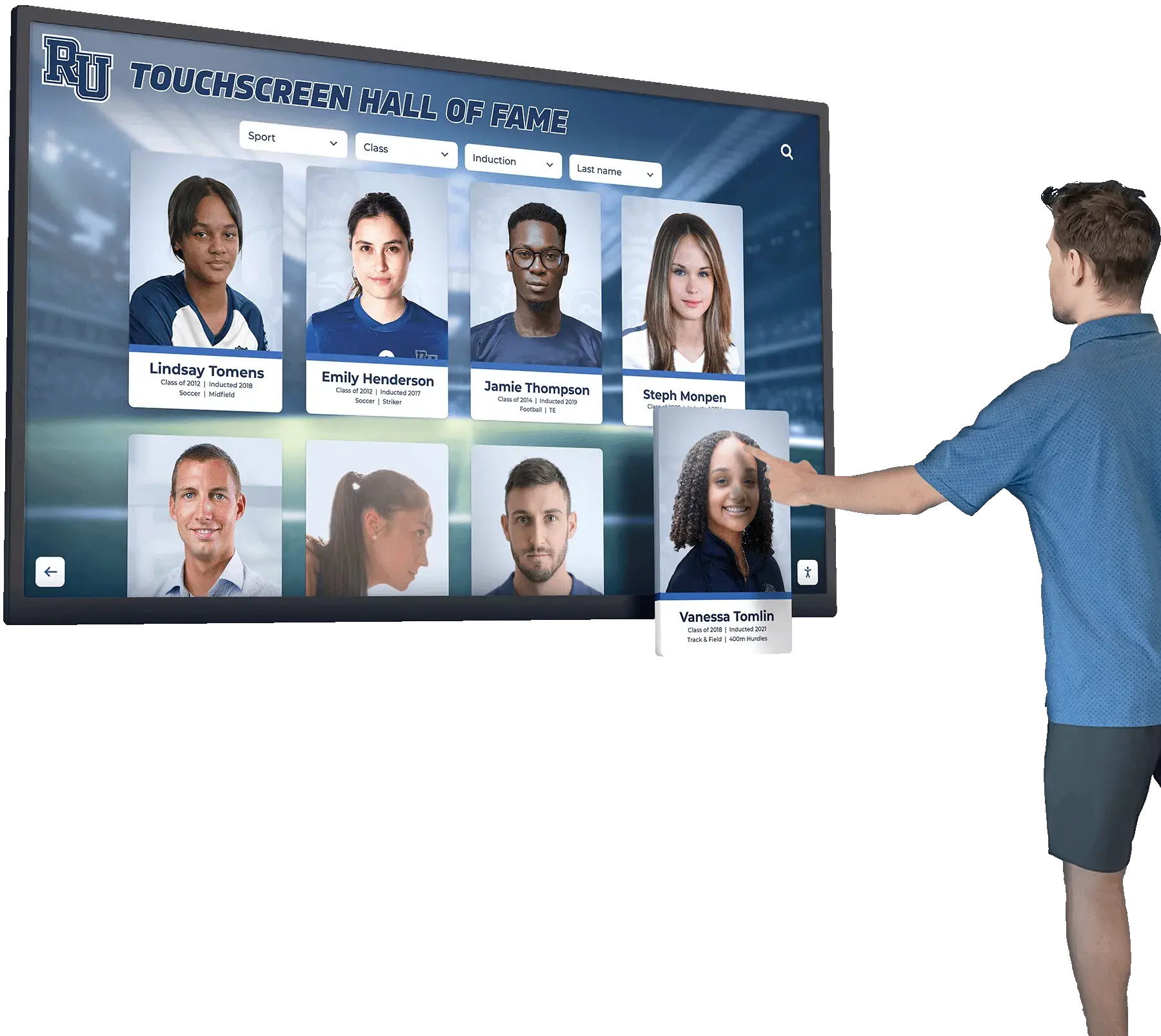
Interactive touchscreen displays transform digitized yearbook portraits into engaging recognition experiences, allowing visitors to explore achievements and stories from across decades
Combining Historical and Contemporary Content
Effective hall of fame displays blend historical yearbook materials with modern content:
Visual Consistency Across Eras
Historical yearbook photos differ from contemporary digital photography:
- Apply consistent filters or borders to unified appearance
- Use sepia or vintage effects intentionally signaling historical content
- Maintain consistent layout templates across all eras
- Balance photo quality differences through thoughtful design
Contextual Information
Help visitors understand historical photos:
- Include decade or year labels clarifying timeline
- Add “Then and Now” features showing facility or uniform evolution
- Provide historical context about sports programs and achievements
- Link historical photos to contemporary program information
Navigation and Discovery
Enable multiple pathways for exploring combined historical-contemporary content:
- Timeline views showing chronological evolution
- Search by name across all years
- Filter by decade, sport, or achievement type
- Featured content rotating highlights from different eras
Creating Compelling Hall of Fame Displays
Strategic presentation maximizes impact of digitized yearbook content:
High-Traffic Placement
Install displays where people naturally gather:
- Building entrances and lobbies (first impression)
- Athletic facility hallways (captive audience waiting for practices)
- Cafeterias and commons areas (extended viewing time)
- Reception areas (visitors and prospective families)
Strategic placement decisions significantly impact engagement rates—displays in main lobbies typically see 3-5 times more interaction than those in secondary hallways.
Interactive Features
Make historical content explorable, not just viewable:
- Touch-enabled navigation allowing personal exploration
- Search functionality finding specific individuals instantly
- Filters revealing achievements by sport, decade, or type
- Social sharing enabling alumni to share discoveries
- QR codes linking physical spaces to online versions
Integration with Physical Recognition
Blend digital displays with traditional recognition elements:
- Position near trophy cases creating comprehensive recognition zones
- Display photos of achievements represented by nearby trophies
- Include photos of historical plaques and awards
- Show facility evolution through historical and current photos
Advanced Digitization Considerations
Large-scale or specialized projects require additional planning and techniques.
OCR Text Extraction for Enhanced Searchability
Optical character recognition (OCR) converts printed text in yearbooks into searchable, editable digital text:
OCR Benefits
- Full-text search across entire yearbook collections
- Automatic extraction of names, achievements, and biographical information
- Database population for hall of fame profiles
- Accessibility for screen readers and assistive technology
OCR Software Options
- Adobe Acrobat Pro: Built-in OCR, good accuracy, PDF workflow
- ABBYY FineReader: Excellent accuracy, batch processing, multiple output formats
- Tesseract: Free open-source OCR, command-line interface, adequate accuracy
- Google Cloud Vision API: Cloud-based, handles various languages and fonts
OCR Workflow
- Scan yearbook pages at 400+ dpi (better resolution improves OCR accuracy)
- Save as searchable PDF or process through dedicated OCR software
- Review and correct OCR errors manually (accuracy typically 90-98%)
- Extract text data to spreadsheets or databases
- Link text data to corresponding photos for comprehensive profiles
OCR accuracy varies with original print quality. Older yearbooks with degraded printing require more manual correction than recent crisp pages.
Copyright and Permissions Considerations
Yearbook digitization for internal educational use generally falls under fair use, but broader distribution raises copyright questions:
Educational Fair Use
Schools typically can digitize yearbooks for:
- Internal archival preservation
- Educational displays on campus
- Limited alumni access through password-protected systems
- Historical research and documentation
Permission Considerations
- Individual portrait rights (generally assumed for school publications)
- Professional photographer copyrights (if yearbook photos were contracted)
- Third-party content included in yearbooks
- Alumni objections to photo use or display
Best practice: Include privacy options allowing individuals to request photo removal or restrictions on use beyond basic archival functions.
Professional Digitization Services
Schools lacking time, equipment, or expertise can outsource digitization:
Service Options
- Local scanning services: Personal attention, easy communication, typically $1-$3 per page
- Specialized yearbook digitization companies: Experience with binding types and layouts, often include OCR and metadata extraction
- University library preservation departments: Sometimes available to community schools, archival-quality processes
- Commercial scanning centers: Cost-effective for large volumes, limited customization
Service Evaluation Criteria
- Handling procedures and insurance for valuable materials
- Quality guarantees and sample work
- Turnaround time and project management
- File format and delivery options
- Metadata and OCR accuracy
- Pricing structure (per page, per volume, or project basis)
Budget $500-$2,000 per decade of yearbooks depending on service level and volume count.
Long-Term Digital Preservation Strategy
Digitization creates long-term preservation responsibilities:
Multiple Backup Strategy
Follow 3-2-1 backup rule:
- 3 copies of all files (original plus two backups)
- 2 different media types (external drives, cloud storage, tape backup)
- 1 copy offsite (cloud or physical storage at separate location)
File Format Longevity
Choose formats likely to remain accessible long-term:
- TIFF and PNG for master files (non-proprietary, widely supported)
- JPEG for derivative files (universal support)
- PDF/A for complete yearbook archives (ISO standard for long-term preservation)
- Avoid proprietary formats requiring specific software
Migration Planning
Technology evolves—plan periodic format updates:
- Review file integrity every 2-3 years
- Migrate to new formats when standards evolve
- Update storage media before obsolescence
- Maintain documentation of digitization processes and decisions
Metadata Preservation
Maintain comprehensive records about digitization projects:
- Scanning date, equipment used, and technician
- Resolution, color depth, and file format decisions
- Enhancement or editing applied
- Source material condition and location
- Quality control procedures followed
This documentation ensures future staff understand file provenance and can make informed decisions about re-digitization if needed.
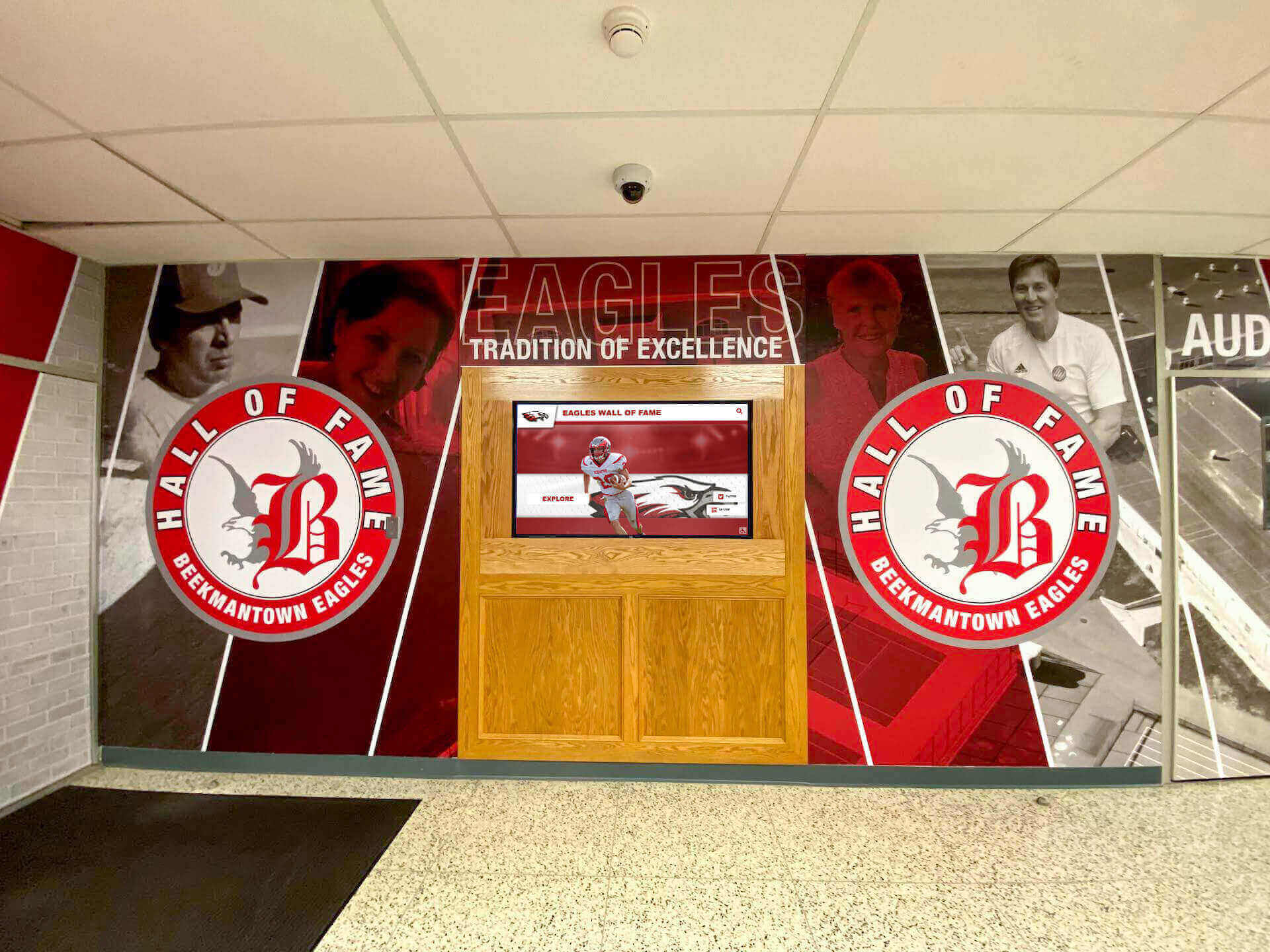
Successful recognition installations blend traditional murals with interactive digital displays, honoring heritage while providing modern access to historical content from digitized yearbooks
Leveraging Modern Recognition Technology
Traditional digitization workflows create assets for modern recognition platforms. Understanding how digitized yearbook photos integrate with contemporary display technology helps schools maximize value from preservation projects.
The Evolution from Static to Interactive Recognition
Physical yearbook archives served as passive historical records—content accessible only through manual browsing of fragile volumes in limited locations. Digitization created searchable archives, but early digital approaches often replicated print limitations through static PDF yearbooks or simple photo galleries.
Modern recognition platforms transform digitized yearbook content into interactive experiences. Rather than browsing sequential pages, visitors search by name, filter by decade or sport, explore related achievements, and discover connections across years. The same digitized yearbook photos that populate local displays also become accessible through web platforms, allowing alumni worldwide to explore institutional heritage from smartphones and computers.
Comprehensive Recognition Platform Benefits
Schools implementing modern digital recognition systems discover capabilities extending far beyond static yearbook displays:
Unlimited Capacity
Physical trophy cases and wall space impose hard limits on recognition. When space fills up, institutions face difficult choices about what achievements to display and which to store away unseen. Digital platforms eliminate these constraints entirely—schools can showcase unlimited inductees, preserve every achievement regardless of era, and continuously grow collections without physical limitations or renovation costs.
Dynamic Content Updates
Traditional recognition installations become permanent once created. Correcting errors, updating information, or adding new content requires ordering new plaques, scheduling installation, and accepting weeks or months of delays. Digital systems enable instant updates through simple content management—when new records fall, championships are won, or alumni achieve notable success, recognition appears immediately across all displays.
Rich Multimedia Integration
Physical plaques display names and minimal text. Digital platforms enable comprehensive storytelling through multiple photos showing athletes in action, biographical narratives explaining achievement context, video highlights and interviews, statistics and performance data, and links to related achievements or team pages. Digitized yearbook portraits become starting points for stories that create emotional connections impossible with static displays.
Accessibility and Reach
Physical displays serve only those physically present in specific locations. Digital recognition extends access through web platforms enabling worldwide exploration, mobile optimization allowing smartphone access, social sharing features letting people share achievements with networks, and QR codes directing people from print materials to digital profiles.
Schools report that alumni sessions exploring digital recognition average 8-12 minutes as users search for themselves, browse classmates, and explore achievements across different eras—engagement levels impossible with physical displays or static digital archives.
Rocket Alumni Solutions: Purpose-Built Recognition Platform
Solutions like Rocket Alumni Solutions provide comprehensive platforms specifically designed for integrating digitized historical content with modern recognition needs. Rather than adapting general digital signage or website platforms, purpose-built systems include features specifically addressing schools’ recognition challenges:
Intuitive Content Management
Staff without technical expertise can upload digitized yearbook photos, create biographical profiles, organize achievements into categories, and update content instantly through visual interfaces showing real-time previews. The platform handles technical complexity of display optimization, responsive design, and multi-device compatibility automatically.
Flexible Recognition Categories
Support for diverse recognition types beyond traditional sports halls of fame—academic achievements, notable alumni, employee recognition, donor acknowledgment, historical timelines, and special awards—all managed through unified platforms with customizable templates accommodating different information needs.
Integrated Physical and Web Experience
Touchscreen displays installed in strategic campus locations provide interactive exploration for visitors, students, and families, while web platforms offer identical content accessible worldwide through smartphones, tablets, and computers. Content updates appear instantly across both physical displays and online platforms, maintaining consistency and current information.
Professional Implementation Support
White-glove services assist with initial content upload from digitized yearbooks, template customization matching school branding, staff training on content management, and ongoing technical support ensuring systems function reliably. Schools focus on content and storytelling while the platform handles technical infrastructure.
Unlimited Content Capacity and Growth
No limits on number of profiles, photos per individual, video content, or total storage. Schools implementing comprehensive recognition programs can showcase decades of achievements without worrying about hitting capacity constraints requiring expensive upgrades.
This purpose-built approach transforms digitized yearbook content from static archives into living, growing recognition experiences that celebrate heritage while remaining perpetually current and accessible.
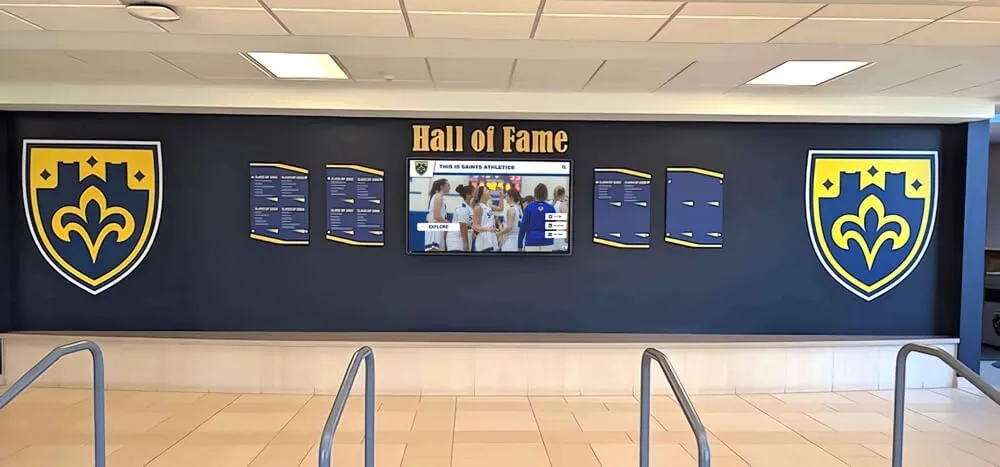
Modern recognition installations combine digitized historical yearbook photos with contemporary achievement displays, creating cohesive recognition experiences honoring past and present
Common Challenges and Solutions
Yearbook digitization projects face predictable challenges with proven solutions.
Challenge: Poor Original Photo Quality
Problem: Older yearbooks often have low-quality photos—grainy images, poor contrast, faded colors, and small print dimensions that limit enlargement potential.
Solutions:
- Accept limitations—historical documentation value exceeds perfect quality
- Apply moderate enhancement improving visibility without over-processing
- Use consistent enhancement across similar photos maintaining visual coherence
- Combine poor-quality yearbook photos with better photos from other sources when available
- Display smaller or use in montages rather than full-screen presentations
Challenge: Missing Yearbooks or Pages
Problem: Complete yearbook collections are rare. Volumes get lost, damaged, or were never archived systematically.
Solutions:
- Contact alumni associations requesting donations of missing years
- Connect with local libraries often holding community yearbook collections
- Search online marketplaces (eBay, AbeBooks) for used yearbooks
- Post requests on alumni social media groups
- Accept gaps in collections rather than delaying projects indefinitely
Some organizations create interactive memorial displays specifically noting missing years and requesting alumni contributions to complete archives.
Challenge: Fragile or Damaged Yearbooks
Problem: Deteriorating yearbooks risk further damage during handling and scanning.
Solutions:
- Prioritize condition assessment before digitization attempts
- Use document cameras rather than flatbed scanners for fragile volumes
- Accept limitations—partial digitization better than risking destruction
- Consider professional conservation before digitization for especially valuable volumes
- Document existing damage protecting institution from perceived damage claims
Challenge: Time and Resource Constraints
Problem: Comprehensive digitization requires substantial time commitments often competing with other priorities.
Solutions:
- Phase projects across multiple years prioritizing recent, high-interest decades
- Engage student workers or volunteers reducing staff burden
- Consider professional services for bulk scanning with staff handling value-added metadata
- Set realistic goals—10 yearbooks well-digitized exceeds 50 rushed projects
- Build digitization into routine workflows rather than one-time initiatives
Challenge: Copyright and Privacy Concerns
Problem: Yearbook photos involve multiple stakeholders—students, photographers, families—with potential sensitivities about use and display.
Solutions:
- Establish clear policies about yearbook content use before beginning projects
- Implement opt-out processes allowing individuals to request photo removal
- Limit initial use to educational purposes on campus minimizing concerns
- Consult legal counsel if planning broad public distribution
- Document permission processes and decisions
Challenge: Metadata Accuracy and Completeness
Problem: Yearbooks may lack captions, contain errors, or provide minimal context making photo identification difficult.
Solutions:
- Engage alumni helping identify individuals and verify information
- Cross-reference multiple sources (school records, newspaper archives, team rosters)
- Accept uncertainty—note “unidentified” rather than guessing incorrectly
- Implement crowdsourced identification allowing alumni to contribute knowledge
- Prioritize accuracy over completeness—partial correct data exceeds complete incorrect information
Getting Started: First Steps Toward Digitization
Schools ready to digitize yearbooks and create hall of fame displays should follow systematic implementation approaches.
Phase 1: Assessment and Planning (Weeks 1-4)
- Inventory existing yearbook collection documenting years, condition, and priority
- Define primary use cases and goals guiding quality and format decisions
- Determine budget and available resources (staff time, equipment, funding)
- Evaluate equipment options or professional services
- Develop detailed project plan with realistic timeline
Phase 2: Equipment Acquisition and Testing (Weeks 4-8)
- Purchase or arrange access to scanning equipment
- Set up organized workspace with proper environmental controls
- Conduct test scanning of sample yearbooks evaluating quality and workflows
- Refine procedures based on testing results
- Train staff and volunteers on equipment and procedures
Phase 3: Pilot Digitization Project (Weeks 8-16)
- Select 3-5 yearbooks representing different eras and conditions
- Complete full digitization workflow including scanning, enhancement, metadata, and storage
- Extract sample photos for hall of fame profile creation
- Evaluate results against goals and quality standards
- Adjust workflows and procedures based on pilot experience
Phase 4: Production Digitization (Months 4-12+)
- Implement systematic scanning schedule (e.g., 2-3 yearbooks per week)
- Maintain consistent quality control throughout project
- Build metadata database alongside scanning work
- Create backup copies following preservation best practices
- Document progress and maintain project momentum
Phase 5: Hall of Fame Integration (Ongoing)
- Extract priority photos for initial hall of fame displays
- Create biographical profiles combining photos with achievement information
- Configure displays and test user experience
- Launch recognition displays with promotional event
- Establish ongoing content addition and update workflows
Projects succeed when schools balance thoroughness with momentum. Starting small with pilot projects builds expertise and confidence before scaling to larger collections.
Transforming Archives into Living Recognition
Digitizing old yearbooks accomplishes more than creating backup copies of deteriorating materials. Systematic digitization transforms inaccessible archives into dynamic resources that serve diverse purposes—populating modern hall of fame displays, engaging alumni through web platforms, supporting historical research, and preserving institutional heritage for future generations.
The process requires careful planning, appropriate equipment, systematic workflows, and ongoing commitment to quality. Schools protecting originals through proper handling techniques while producing high-quality digital files create assets valuable across multiple decades and use cases.
Modern recognition technology amplifies the value of digitization efforts. Rather than recreating static yearbook experiences in digital formats, platforms specifically designed for interactive recognition transform historical photos into engaging experiences. Touchscreen displays allow visitors to explore achievements and discover connections across eras, web accessibility extends recognition worldwide, and content management systems enable continuous updates maintaining relevance alongside historical preservation.
Schools investing in comprehensive digitization paired with modern recognition platforms create experiences that honor the past while remaining accessible and relevant to contemporary audiences. Alumni discover memories and share experiences, current students learn institutional heritage and feel connection to tradition, prospective families encounter community pride and achievement culture, and future generations inherit accessible digital archives rather than deteriorating physical volumes.
The question isn’t whether to digitize old yearbooks—it’s when to begin the process of transforming archives into living recognition that celebrates achievements across generations.
Ready to transform your digitized yearbook photos into engaging interactive recognition displays? Explore comprehensive digital recognition platforms that combine touchscreen displays, cloud-based content management, and web accessibility into unified systems designed specifically for celebrating school heritage and achievements.































