Choosing digital yearbook software has become one of the more consequential technology decisions a school communications team, yearbook adviser, or alumni director will make. The market spans everything from simple PDF-hosting tools to fully interactive platforms that serve searchable archives on the web and touchscreen displays inside your building. Prices range from nearly free to several thousand dollars annually, and the feature differences between categories are enormous.
Most comparison guides focus on design tools — drag-and-drop layouts, font packs, and cover templates. Those matter, but they miss the bigger question: what happens to your yearbook after it’s published? Does it live in a drawer, get uploaded as a static PDF, or become a searchable, living archive that alumni can find online and students can browse on an interactive kiosk in the lobby?
This guide walks through the three major categories of digital yearbook software, the features that separate them, how pricing actually works, and where Rocket Alumni Solutions fits as a modern alternative to the platforms schools have relied on for decades.
Schools evaluating digital yearbook software in 2026 are navigating a market that has changed significantly in the past five years. Cloud storage costs have plummeted, touchscreen display hardware has become affordable for K-12 budgets, and alumni engagement has become a measurable institutional priority rather than a nice-to-have. The software you choose shapes whether your school captures a moment in print or builds a community asset that grows in value every year.

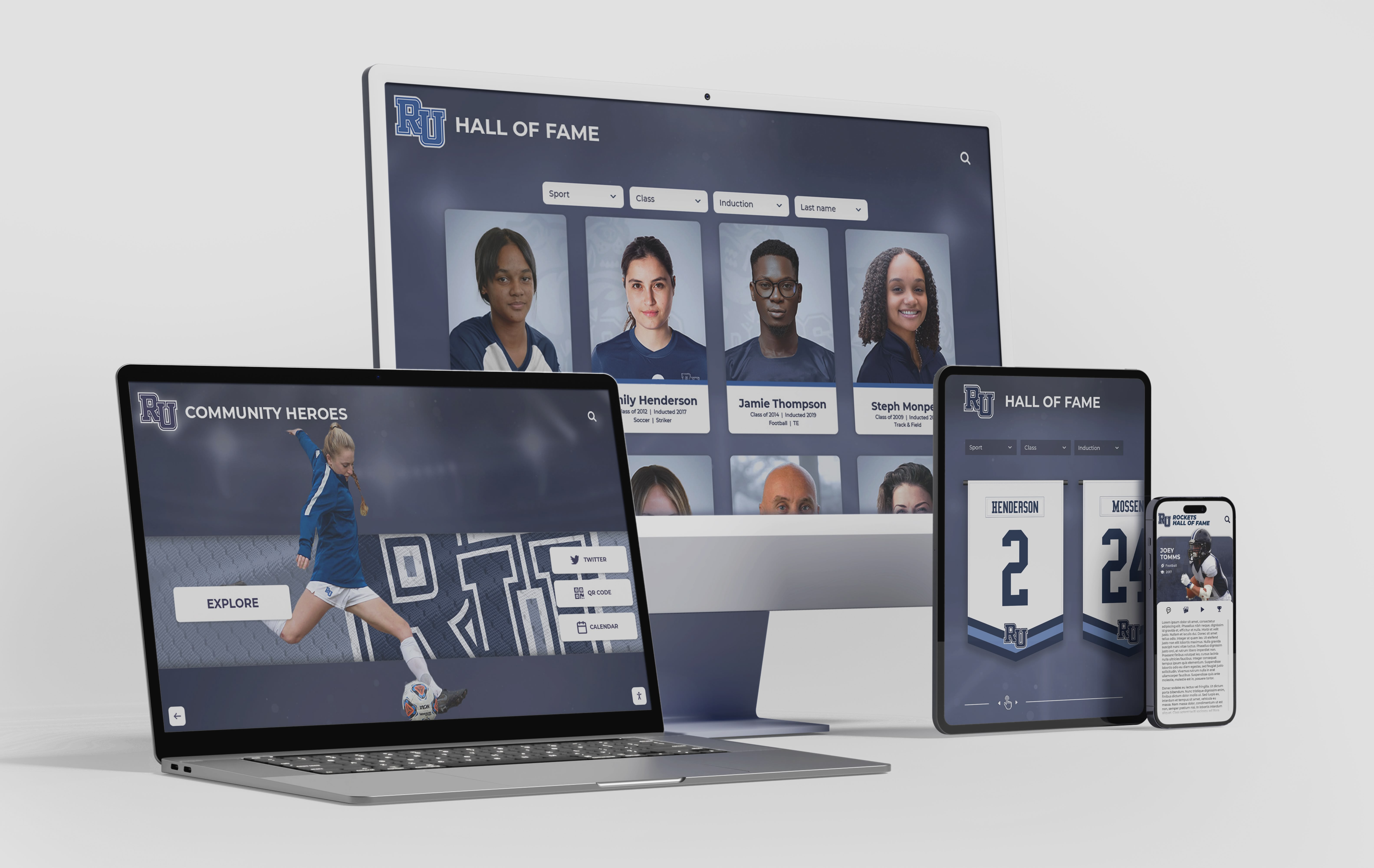
Modern digital yearbook software runs across every device — but the best platforms go further, pushing content to interactive displays and searchable alumni archives that keep working long after the school year ends
Why Platform Selection Matters More Than You Think
A yearbook adviser at a mid-size high school recently described her situation this way: the school had used the same publisher for thirty years, added a “digital edition” as part of the print package, and discovered that the digital version was just a PDF flip-book that nobody searched and alumni couldn’t easily find. Meanwhile, the physical yearbooks from the 1990s were slowly deteriorating in storage.
That story is common. Schools often inherit software relationships rather than actively choosing them, and the transition cost of switching vendors — content migration, team retraining, parent communication — discourages evaluation. The result is that many schools pay for digital yearbook capabilities they’re not using while missing features that would meaningfully improve alumni engagement and community connection.
When the right platform aligns with actual school goals — comprehensive student documentation, searchable alumni archives, physical displays that showcase history — the investment pays for itself through stronger community connections, better reunion attendance, and recruitment materials that demonstrate institutional depth.
The comparison starts with understanding what categories of software exist and what each actually delivers.
The Three Major Categories of Digital Yearbook Software
Category 1: Traditional Publisher Digital Add-ons
The largest yearbook publishers have offered digital editions for years as supplements to print books. These typically include a PDF or page-flip version of the printed yearbook, accessible via a code that comes with a physical book purchase or sold separately at a lower price.
What you get: A digital replica of the print yearbook. Students can zoom in on photos, search by page number, and share links to specific pages. Some platforms allow embedding videos on digital-only pages that don’t appear in the print version.
What you don’t get: A searchable database by student name, year-round content updates, interactive touchscreen integration, or a genuine alumni archive that grows across decades.
Who it suits: Schools committed to print as the primary product who want a basic online presence for that content. Advisers managing yearbook production entirely inside a publisher’s design tool will find this path involves the least workflow change.
Pricing: Typically bundled with print contracts at $2–$8 per digital access code, or included at certain print volume thresholds. Schools distributing digital editions to the full student body often pay $1,500–$4,000 annually on top of print production costs.
The critical limitation is that these platforms treat digital as an afterthought. If a student graduated ten years ago and searches for their photo, they won’t find it through any intuitive web search or alumni portal — they’d need to know exactly which publisher hosted the edition and when it was published.
Category 2: Standalone Online Yearbook Creation Platforms
A newer generation of software focuses on building yearbooks digitally from the start rather than digitizing print. These platforms provide design tools for creating page layouts, photo galleries, and multimedia sections entirely in-browser, without a print-first workflow.
What you get: More design flexibility than traditional publishers, collaborative editing tools that let multiple students work simultaneously, multimedia integration including video and audio, and content that lives online rather than shipping as a physical product. Many platforms in this category offer much lower per-student costs than print yearbooks.
What you don’t get (typically): Deep alumni archive functionality, integration with physical campus displays, or year-to-year searchability across graduating classes. The yearbook is usually a self-contained experience for that school year rather than a growing institutional asset.
Who it suits: Schools pivoting away from print who want more design control, smaller budgets, or a student production experience entirely in digital tools. These platforms work well for elementary schools, smaller districts, or programs with limited yearbook staff.
Pricing: Usually subscription-based at $500–$3,000 annually depending on student enrollment, storage limits, and feature tier. Some platforms charge per page published or per student who receives access.
The limitation here is scope. A standalone online platform creates a good yearbook experience for the current year but rarely solves the alumni archive problem or integrates with campus recognition infrastructure. Students and alumni searching five years after graduation often find content that’s difficult to access or no longer hosted.
Category 3: Interactive Archive and Display Platforms
The third category takes a fundamentally different approach: rather than digitizing a print product or building a design tool, these platforms treat the yearbook as an archive that should be discoverable, searchable, and displayed in multiple contexts — including physical touchscreen installations inside the school building itself.
This is where Rocket Alumni Solutions operates. The platform is built around the idea that school memories shouldn’t be locked in a box or hidden behind a publisher’s login screen. Instead, yearbook content — portraits, team photos, athletic records, superlatives, candid moments — lives in a searchable online archive and simultaneously powers interactive touchscreen displays installed in lobbies, hallways, and common areas.
What you get: A searchable alumni database that lets anyone search by name, year, sport, or activity. Content that surfaces organically when alumni search for their own names online. Physical touchscreen kiosks that display yearbook content as visitors walk through the building. Year-over-year archives that grow in value as more classes graduate. Integration between the online archive and the physical campus experience.
What you don’t get (yet): The extensive page-by-page design tools that traditional publishers offer for creating print books. Schools in this category are typically supplementing or replacing print with a digital-first approach to preservation and display.
Who it suits: Schools prioritizing alumni engagement, schools with significant athletic or academic recognition programs to highlight, institutions building or renovating facilities and incorporating digital displays, and programs that have recognized their historical yearbooks need to be searchable and accessible, not just scanned and stored.
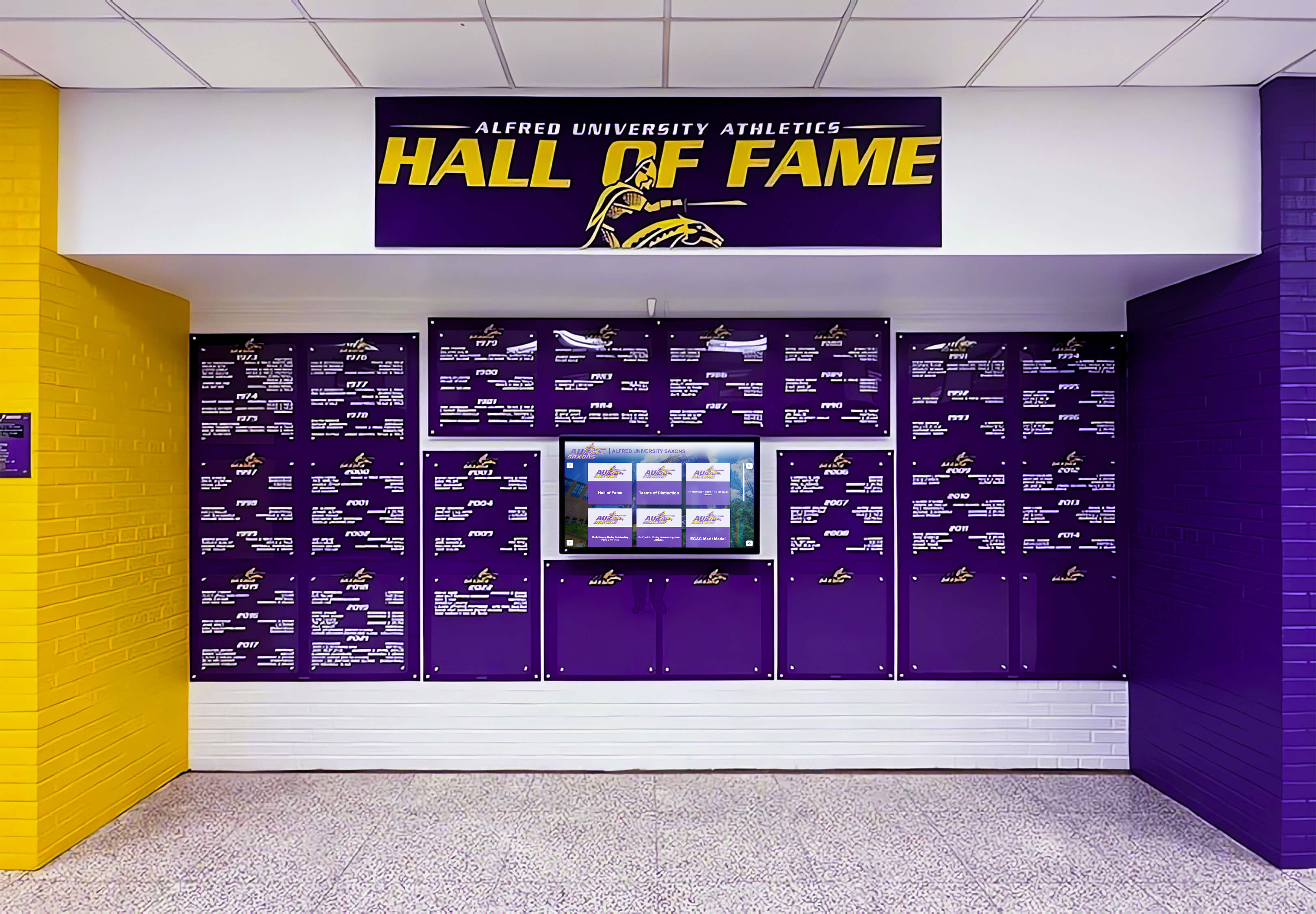
Schools using interactive archive platforms bring yearbook content off the shelf and into the hallway — searchable by name, browsable by class year, and visible to every student, visitor, and alumnus who walks through the building
Key Features to Evaluate When Comparing Digital Yearbook Software
Regardless of category, every school comparing platforms should evaluate specific features that determine long-term satisfaction and program success.
Searchability and Alumni Discovery
The most underrated feature in digital yearbook software is whether alumni can actually find themselves and their classmates. Ask vendors directly: if an alumnus graduated twenty years ago and searches their own name in a web browser, will your platform surface content from their class?
Traditional PDF flip-books and many online creation platforms answer no. The content exists but isn’t indexed in any meaningful way for external discovery. Archive and display platforms answer yes — and that answer has significant implications for alumni engagement, reunion planning, and the kind of institutional pride that translates into giving, volunteering, and advocacy.
Schools building alumni event programs find searchable yearbook archives far more effective at driving attendance than printed reunion books. When alumni can find themselves before the event, they arrive already re-engaged rather than showing up hoping to see something familiar.
Physical Display Integration
A growing number of schools are installing touchscreen kiosks, digital wall displays, and interactive lobby exhibits that showcase student achievement and institutional history. Yearbook content is the ideal fuel for these systems — thousands of student portraits, decades of team photos, records, awards, and milestones ready to display.
The question is whether your digital yearbook software can feed those displays or requires building and maintaining a completely separate content database. Platforms built for archive and display integration let your team add content once and have it surface everywhere — the website, the alumni portal, and the touchscreen in the gym lobby.
This physical-digital integration is increasingly common at schools with active recognition programs. Sports recognition platforms that highlight football records and achievements alongside traditional yearbook portraits create compelling hallway experiences that extend far beyond what a printed page can accomplish.
Content Capacity and Year-Round Updates
Print yearbooks capture a fixed moment — typically with a deadline in January or February that misses spring sports, year-end ceremonies, and graduation itself. Digital platforms should remove that constraint, allowing updates throughout the year and ensuring nothing goes undocumented.
Evaluate whether your vendor charges for additional storage as content grows, whether content from previous years remains accessible as new years are added, and whether there are meaningful limits on video or multimedia content that would force you to restrict what students contribute.
The best platforms for long-term value have genuinely unlimited storage and a multi-year architecture — meaning a search for students from the class of 2010 returns results alongside content from the class of 2025.
Privacy and FERPA Compliance
Any platform handling student photos, names, and biographical information must comply with FERPA and relevant state privacy laws. This means granular access controls, parental consent management, and the ability to remove specific students from public-facing content upon request.
Ask vendors specifically how they handle:
- Content visibility for students who opt out
- Graduation age-off policies for minor students’ content
- FERPA compliance documentation and audit trails
- Access controls distinguishing public content from authenticated-alumni-only content
Privacy compliance is non-negotiable for K-12 schools. Vendors who can’t clearly articulate their compliance posture should be disqualified immediately.
Analytics and Engagement Reporting
One of the meaningful advantages of digital yearbook software over print is the ability to measure engagement. Track which content generates the most views, how long alumni spend on the platform, where visitors come from geographically, and which classes generate the most return engagement.
This data serves multiple purposes: it validates the investment to administrators, informs content strategy for future years, and creates compelling stories for alumni communications. A school that can report that 2,000 alumni accessed yearbook content in the past year — and that the 1995 class is the most active group on the platform — has quantified something that print yearbooks never could.
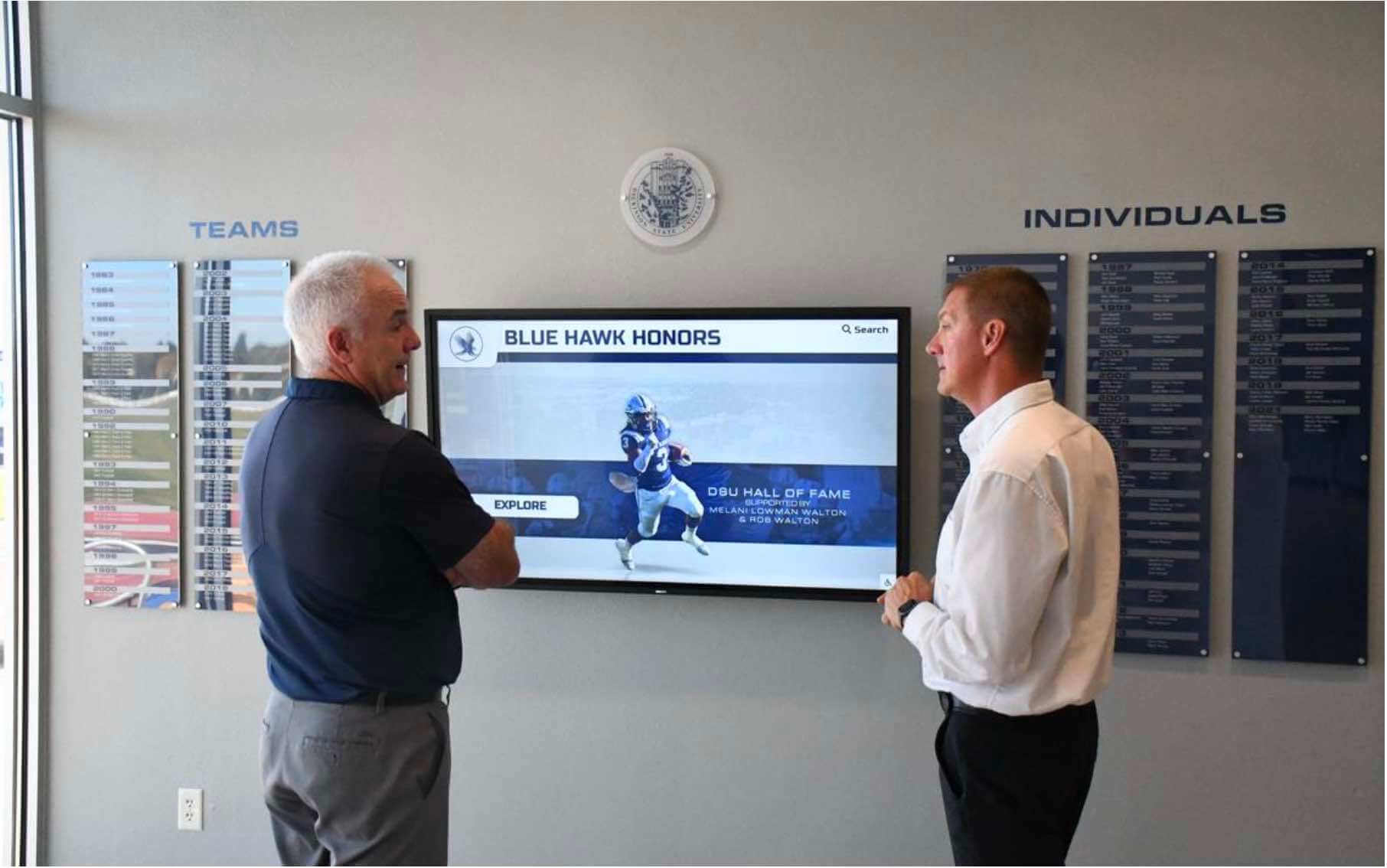
The right digital yearbook platform provides administrators with engagement analytics that justify investment and inform annual content strategy
Feature Comparison at a Glance
The table below summarizes how the three platform categories typically stack up on the features that matter most for schools with long-term alumni engagement goals.
| Feature | Publisher Add-ons | Online Creation Platforms | Interactive Archive Platforms |
|---|---|---|---|
| Design tools for new yearbooks | Strong | Strong | Basic to moderate |
| Print yearbook production | Yes | Some | Typically separate |
| Searchable by name/year | Rarely | Limited | Yes |
| Multi-decade alumni archive | No | No | Yes |
| Physical touchscreen display integration | No | No | Yes |
| Year-round content updates | Limited | Yes | Yes |
| External discovery (SEO/web search) | Poor | Limited | Strong |
| Cost per student (typical) | $3–$8 digital add-on | $2–$10 full platform | Varies by scope |
| FERPA compliance tools | Basic | Moderate | Comprehensive |
Schools whose primary goal is producing a beautiful annual yearbook with strong design tools may find Category 1 or 2 platforms sufficient. Schools whose goals include lasting alumni engagement, searchable archives, and campus display integration should evaluate Category 3 platforms like Rocket Alumni Solutions.
Pricing Structures: What Schools Actually Pay
Digital yearbook software pricing varies so widely that direct comparisons require understanding the underlying model before evaluating numbers.
Per-Student or Per-Access Pricing
The most common model in traditional publishing ties cost to the number of students who receive access. At $3–$8 per digital access code, a school of 500 students pays $1,500–$4,000 for digital distribution alone — before accounting for any print production costs.
This model can make sense when digital is genuinely supplemental to print. It becomes expensive when schools want every student to have digital access as the primary delivery method.
Annual Subscription Pricing
Online creation platforms typically charge flat annual subscriptions based on school size. A small school (under 200 students) might pay $500–$900 annually. A large high school with 2,000+ students typically pays $2,000–$4,500 for comprehensive platform access.
These subscriptions usually include content hosting, design tools, and student access. They typically don’t include physical display hardware or installation, which comes at additional cost if the school wants touchscreen integration.
Project and Platform Scope Pricing
Interactive archive platforms often price based on scope: how many years of content are being archived, whether physical display hardware is included, and what level of implementation support is provided. This model makes direct annual comparison difficult but often reflects better value when evaluating total cost over a five-to-ten-year window.
A school building a comprehensive archive platform with touchscreen displays should budget for both the software and hardware — typically $5,000–$25,000 depending on display quantity and installation complexity — while recognizing that the infrastructure serves alumni engagement, recognition programming, and yearbook access simultaneously rather than just one function.
For schools already investing in memorial and tribute displays or dedication recognition programs, integrating digital yearbook content into existing display infrastructure often improves value per dollar more than purchasing standalone yearbook software.
Hidden Costs to Investigate
Before finalizing any vendor, clarify costs for:
- Storage overages: Does the platform charge when you exceed a storage limit? What are the overage rates?
- Historic archive access: Is content from five or ten years ago accessible at the same price, or is long-term hosting an additional fee?
- Display integration: If you want touchscreen capabilities in the future, what does that migration cost?
- Content migration: If you switch vendors, how do you export your content, and what format does it arrive in?
- Annual price escalation: What have typical price increases looked like over the past three years?
These questions often reveal meaningful differences between vendors whose headline pricing looks similar.
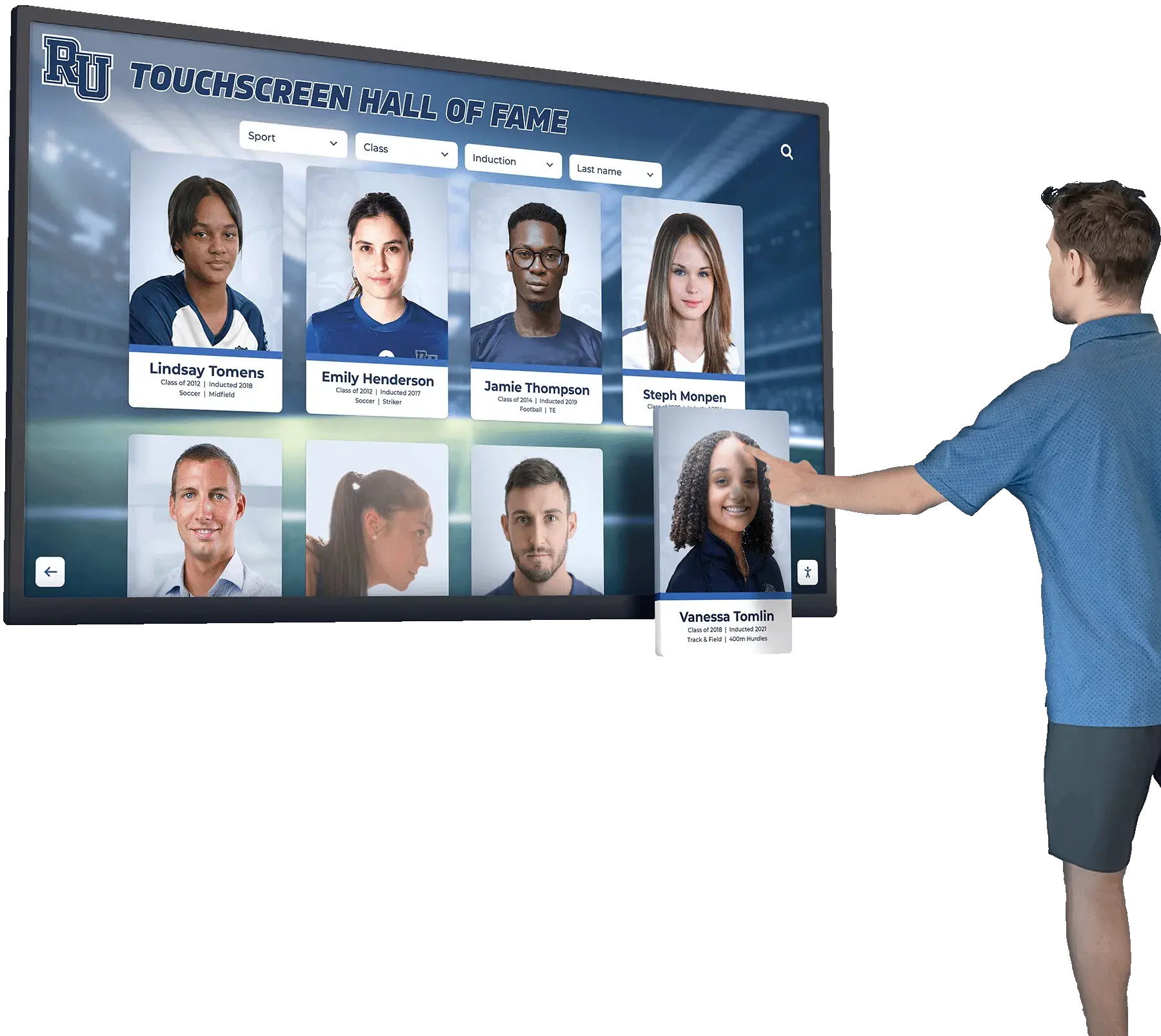
Touchscreen displays in school hallways transform yearbook archives from passive storage into active engagement tools that students and visitors explore organically
Rocket Alumni Solutions: The Integrated Approach
Rocket Alumni Solutions was built around a specific observation: schools invest heavily in yearbook production but rarely in yearbook discovery. A beautifully designed book ships to students in May and then effectively disappears — families store it, it deteriorates over decades, and alumni who graduated fifteen years ago can’t access any of it.
Rocket’s platform addresses this by treating the yearbook as the starting point for a searchable, growing archive that surfaces across multiple contexts. When yearbook content enters the Rocket platform — whether as historical scanned editions or as newly created digital content — it becomes:
Searchable online by name and year. Alumni searching for their own names, former teammates, or classmates from a specific graduation year can find that content through the platform’s alumni portal. This discoverability creates the kind of organic reconnection that drives reunion attendance, volunteer engagement, and philanthropic giving.
Displayable on physical touchscreen installations. The same archive that lives online also powers interactive kiosks and wall displays inside school facilities. A student in the hallway can browse their parents’ yearbook photos from thirty years ago. A donor visiting campus can see their name in the archive. A prospective student’s family can explore the depth of school history during a tour.
Integrated with broader recognition programming. Schools using Rocket for athletic hall of fame displays, senior superlatives and award recognition, or academic achievement spotlights can pull yearbook content into those displays without building a separate content database. The platform serves as a unified record of institutional history rather than a standalone yearbook tool.
Scalable across institutions. Rocket serves high schools, universities, and alumni associations — organizations with very different content volumes, access patterns, and community sizes. The same underlying platform scales from a small K-12 school digitizing fifty years of yearbooks to a large university managing decades of athletic and academic archives across multiple programs.
For schools with meaningful athletic history, the archive integration extends well beyond yearbook photos. High school hockey recognition programs and basketball scoring records can live alongside yearbook portraits of the athletes who set those records, creating richer institutional storytelling than either content type achieves alone.
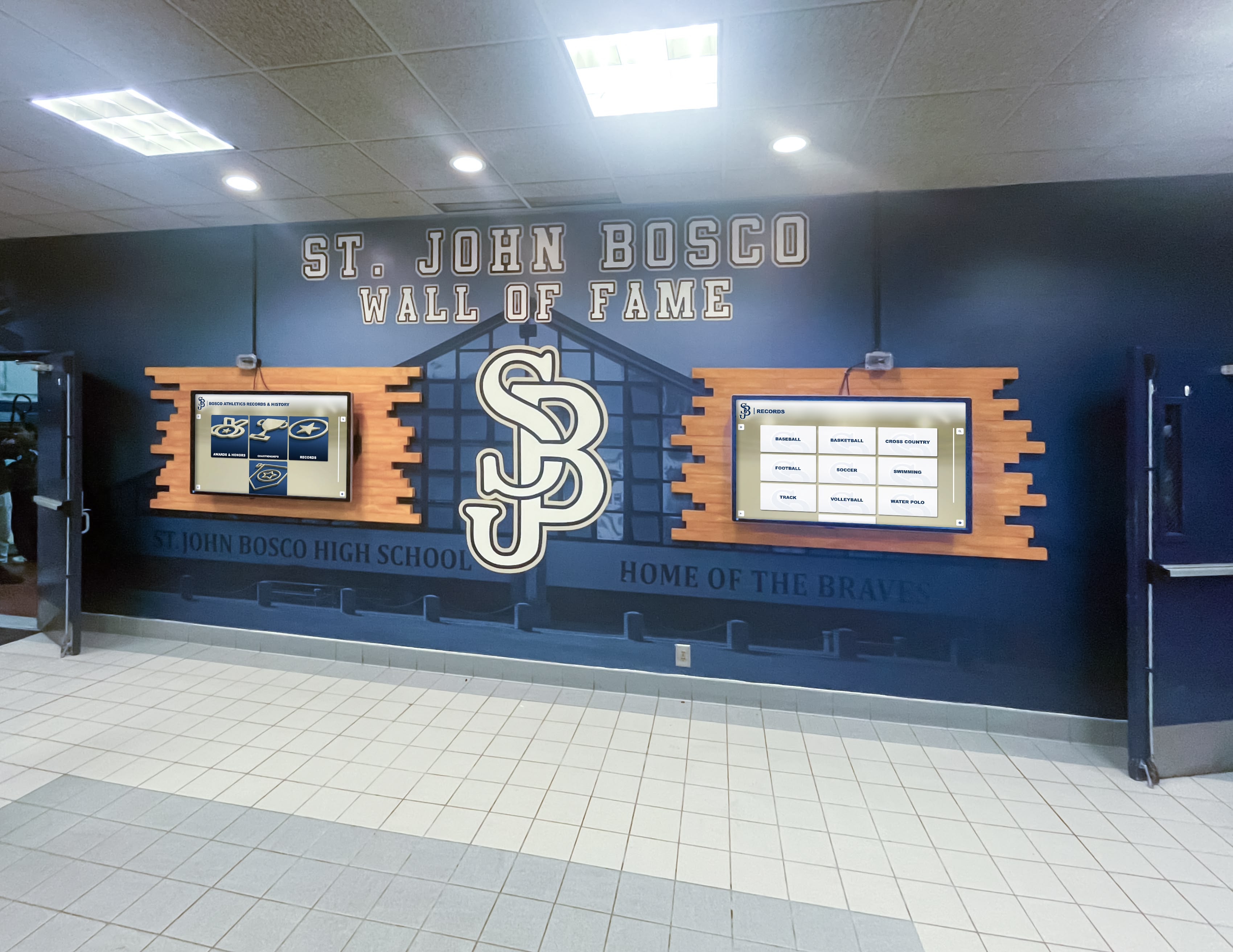
Integrated digital displays combine yearbook content with athletic records, academic achievements, and donor recognition — reducing the content maintenance burden while increasing the visibility of everything your school celebrates
How to Build a Platform Evaluation Framework
Schools comparing digital yearbook software benefit from a structured evaluation that goes beyond feature checklists.
Step 1: Define Your Primary Goal
Different goals point toward different platforms. Be honest about which of these best describes your situation:
- We need to produce a beautiful annual yearbook efficiently. Start with online creation platforms or traditional publishers with strong design tools.
- We need alumni to be able to find their yearbook content online. Prioritize searchability and archive platforms.
- We’re building or renovating facilities and want digital displays. Evaluate integrated archive and display solutions.
- We have decades of physical yearbooks deteriorating in storage. Assess digitization services alongside hosting platforms.
- We want to reduce per-student costs while maintaining access. Compare annual subscription models against per-copy print costs.
Most schools have multiple goals, and the platform that serves one well may serve others poorly. Identifying your primary goal helps you weigh tradeoffs rather than optimizing for a checklist nobody weighted.
Step 2: Assess Your Content History
The scope of your historical content significantly affects platform selection. Schools with fifty years of physical yearbooks face a different challenge than schools launching their first digital yearbook program.
For schools with extensive physical archives, digitization capability or partnership — not just software features — becomes a critical evaluation criterion. The best digital yearbook platform is useless for historical content that remains as physical books in a storage closet.
Schools building programs for the first time should evaluate how much historical content they can reasonably digitize within their timeline and budget, and whether the platform they choose can grow as that content expands.
Step 3: Involve Your Alumni Relations Team
Digital yearbook decisions are often made entirely within the yearbook adviser’s or communications team’s circle, disconnecting the selection from the institution’s broader alumni engagement goals. Alumni directors and development staff often have the strongest perspective on what alumni actually want and what would genuinely drive engagement — because they talk to alumni regularly.
Before finalizing any platform, ensure your alumni relations team has reviewed the platform’s alumni access and discovery features. Their feedback often reorders priorities in ways that produce much better long-term outcomes than selecting based on design tools alone.
Schools building comprehensive alumni engagement programs — from team sport archives to college sports recognition infrastructure — find that yearbook archives become foundational when alumni can search for their own content rather than passively receive access to a PDF.
Step 4: Request a Demo Built Around Your Content
Generic product demos show what a platform can do with sample content. What you need is a demo showing what a platform will do with your content. Request that vendors demonstrate:
- How a graduate from fifteen years ago would find their portrait
- How an alumnus from a school that merged with yours would be handled (especially relevant for districts with consolidated school histories)
- How physical display integration would work with a sample set of your content
- What the student submission workflow looks like from a student’s perspective
- How your current print yearbook workflow connects to their platform
Vendors who can’t or won’t customize demos for your situation often can’t or won’t customize the product for your needs either.
Step 5: Talk to Reference Schools in Similar Contexts
Every vendor provides reference customers. The useful references are schools similar to yours — similar size, similar budget, similar athletic and academic recognition scope, similar alumni engagement maturity.
Ask references specifically about:
- What the implementation process was actually like versus what was promised
- What features they use most versus what they don’t use
- What they wish they’d asked before selecting the platform
- Whether they’d choose the same vendor again and why
These conversations frequently surface considerations that don’t appear in any feature comparison — vendor responsiveness, content migration quality, and the actual timeline from contract to launch.
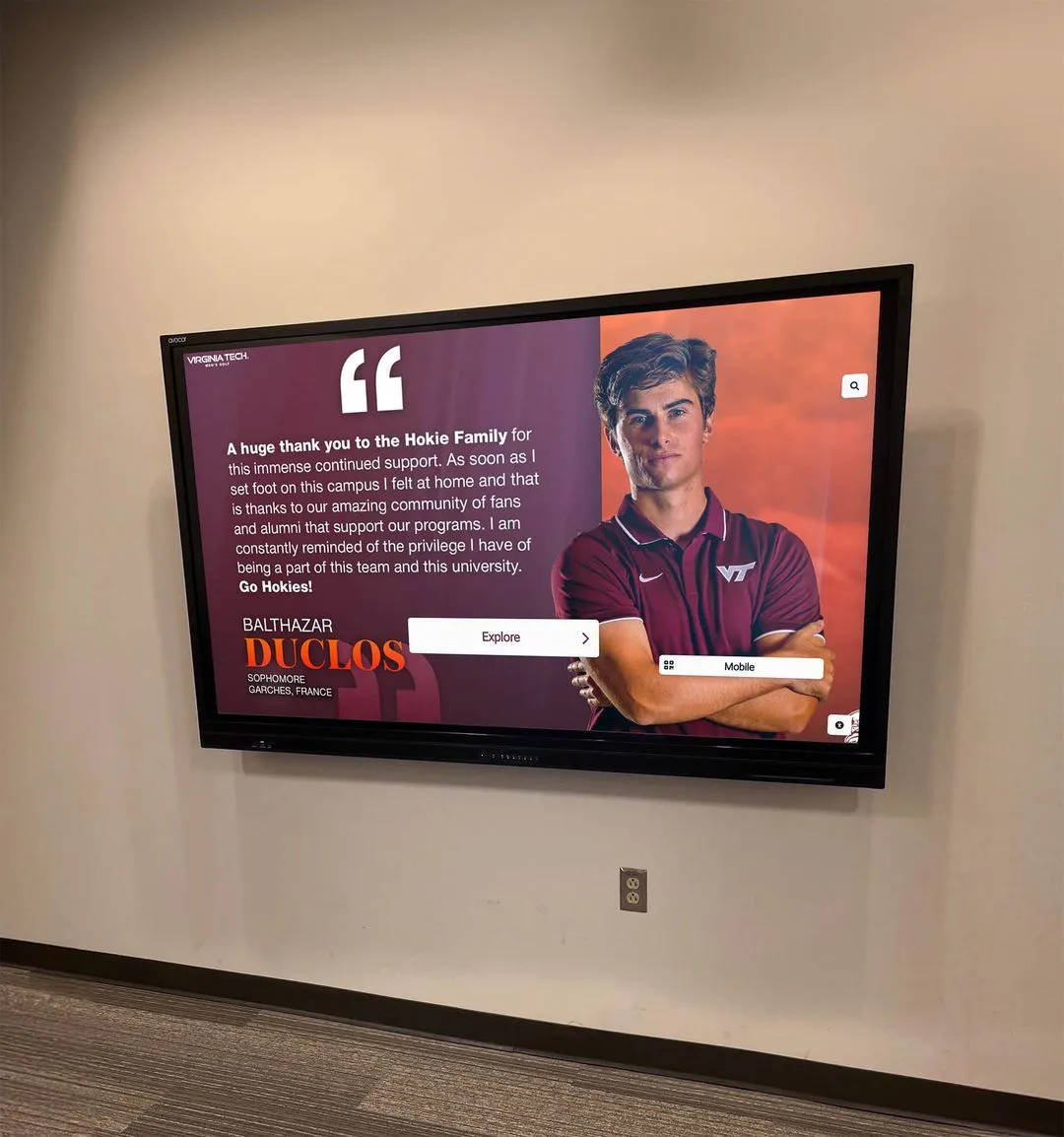
When students can find themselves and their teammates in a searchable archive — on the wall display, on their phone, or years later as alumni — the yearbook transforms from a keepsake into a living community record
Common Mistakes Schools Make When Choosing Digital Yearbook Software
Choosing for year one instead of year ten. The platform that’s easiest to set up and use in the first year isn’t necessarily the platform that serves you best a decade later. Archive depth, searchability, and physical integration matter more with each passing year.
Optimizing for adviser convenience instead of alumni experience. The adviser spends a few months producing the yearbook. Alumni spend decades as potential platform users. Platforms optimized for production often underinvest in alumni discovery and access.
Underestimating the historical archive challenge. Many schools discover that digitizing and uploading historical content is significantly more complex than anticipated. Vendors that don’t provide clear guidance on this process — or that don’t have partners for professional scanning services — often leave schools with a platform designed for future content but no plan for the decades of history that need to come with it.
Ignoring total cost of ownership. The cheapest platform per year often becomes the most expensive over a five-year period when storage overages, feature upgrades, and migration costs accumulate. Calculate total cost across at least three years before comparing vendors.
Not planning for physical display integration. Schools that haven’t yet installed touchscreen displays often deprioritize this feature during initial platform selection. They later discover that migrating to a display-capable platform from a display-agnostic platform requires significant re-work — or that their chosen vendor simply doesn’t support physical displays at all.
Making the Decision
Digital yearbook software selection ultimately comes down to what you want the yearbook to do after it’s published. If the answer is “exist as a beautiful document that students receive once,” traditional publisher add-ons or online creation platforms serve that goal reasonably well.
If the answer is “create a searchable record of our school’s history that alumni can discover online and students can explore on a touchscreen in the hallway,” you need a platform designed for that outcome from the ground up.
Rocket Alumni Solutions exists specifically for schools ready to make that shift — moving from yearbook as artifact to yearbook as archive. The platform’s integration between searchable online databases and physical campus displays represents an approach to school memory preservation that print publishers and standalone creation tools weren’t designed to offer.
The decision is worth taking seriously. The content you’re creating and preserving today will define what alumni, students, and community members are able to access thirty years from now. Choosing a platform that prioritizes that long-term accessibility — rather than just near-term convenience — is one of the highest-leverage technology decisions a school communications team can make.
See How Rocket Alumni Solutions Compares for Your School
Every school’s situation is different — historical archive depth, facility layout, alumni engagement goals, and budget all shape which platform approach makes the most sense. The best way to evaluate whether an integrated archive and display platform fits your context is to see it built around your content.
Explore Rocket Alumni Solutions to learn how schools are building searchable alumni archives and interactive campus displays from the same yearbook content — and to see what that could look like for your institution.
Choosing digital yearbook software is ultimately a decision about how your school wants to be remembered — and who you want to be able to do the remembering. The platforms that treat yearbooks as production projects deliver that. The platforms that treat yearbooks as the foundation of a lasting community archive deliver something more lasting. Understanding the difference between those two categories is the most valuable thing any school can know before starting the evaluation process.































