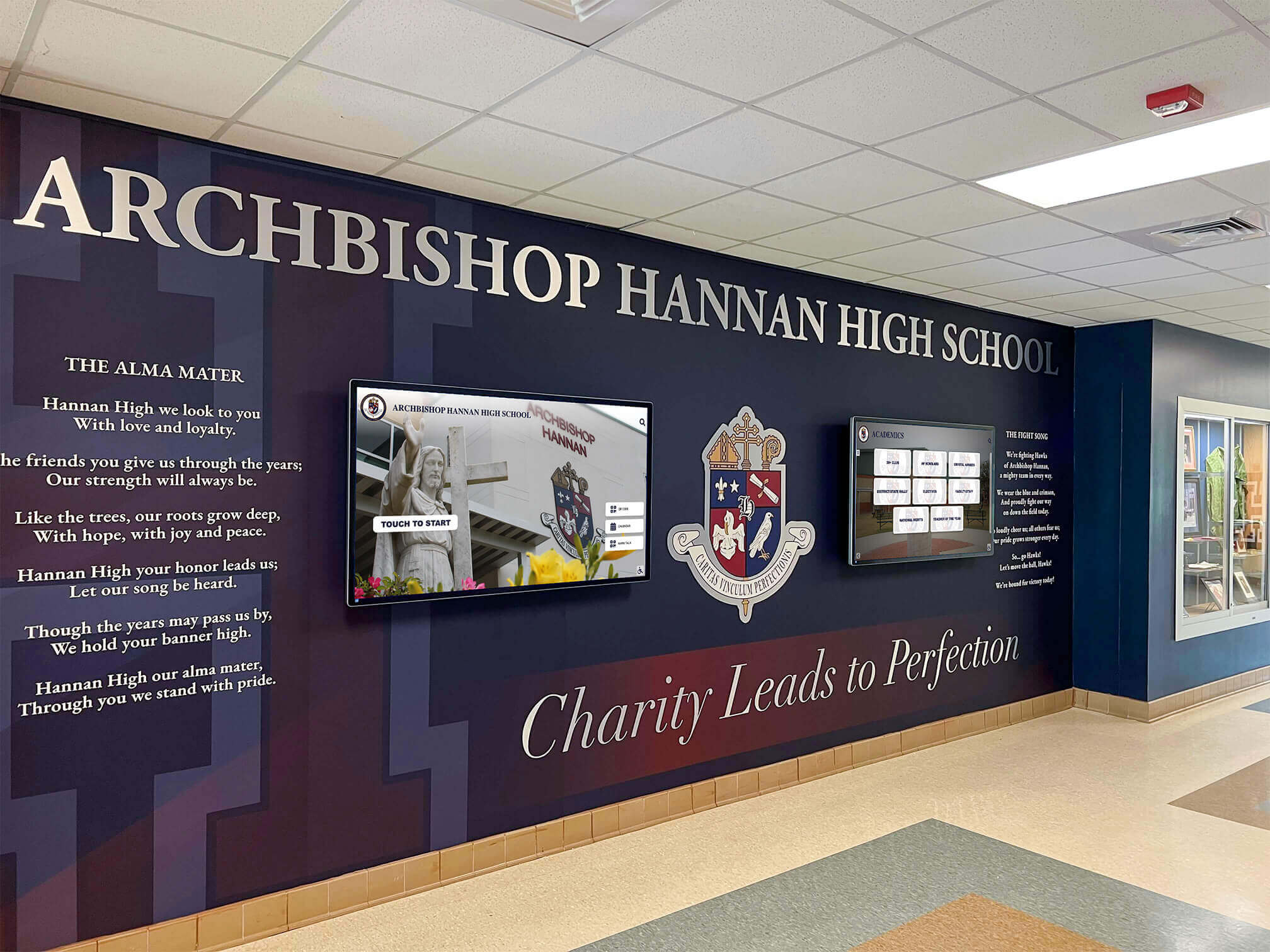
Schools and universities across North America are transforming how they document and share institutional memories. Traditional print yearbooks—once the only option for capturing each academic year—now compete with digital alternatives offering searchability, interactivity, multimedia content, and perpetual accessibility that paper simply cannot match.
The shift from print to digital yearbooks accelerated dramatically over the past five years as schools confronted rising printing costs, declining student interest in physical books, and growing expectations for digital-first experiences. Today’s students grew up with smartphones and social media—they expect instant access, easy sharing, and interactive features that traditional yearbooks never provided.
Yet many school administrators, yearbook advisors, and alumni directors remain uncertain about what digital yearbooks actually look like in practice. What formats work best? How do students interact with them? What features matter most? Which implementation approaches deliver the strongest engagement and value?
This comprehensive guide showcases real digital yearbook examples across K-12 schools, colleges, and universities—exploring online yearbook platforms, interactive touchscreen installations, mobile-accessible archives, and hybrid approaches combining traditional and digital elements. You’ll discover concrete implementation models, understand key features driving adoption, and learn how different institutions balance nostalgia with innovation.
The Three Primary Digital Yearbook Models
Digital yearbooks aren’t a single product category—they represent diverse approaches serving different needs and priorities.
Model 1: Web-Based Digital Yearbook Platforms
The most common digital yearbook format mirrors the traditional yearbook experience through online platforms accessible via web browsers.
Core Characteristics
- Cloud-hosted platforms accessible from any device with internet connection
- Page-flip interfaces replicating the feel of browsing physical yearbooks
- Search functionality enabling students to find themselves and friends instantly
- Sharing features allowing individual page or photo distribution via social media
- Mobile optimization ensuring excellent experiences on smartphones and tablets
- Permanent accessibility providing lifetime access without physical storage concerns
Typical Implementation Process
Schools adopting web-based digital yearbooks typically follow this workflow:
- Yearbook staff creates content using traditional layout software or web-based design tools
- Final yearbook designs upload to digital yearbook hosting platform
- Platform processes uploads, creating searchable, browsable digital editions
- School distributes access links or login credentials to students and families
- Users access yearbooks indefinitely through web browsers or mobile apps
Example Use Case: High School Digital Yearbooks
Many high schools implement digital yearbooks as primary offerings, completely replacing print editions. Students receive access codes after paying yearbook fees, then browse online editions featuring all traditional yearbook sections—senior portraits, underclass photos, sports teams, clubs, activities, and candid moments captured throughout the year.
Advanced platforms incorporate features impossible in print: video clips from performances and games, audio messages from graduates, interactive recognition displays linking to additional content, and integration with social media enabling easy sharing.

Modern schools display digital yearbook content on lobby screens, creating visible celebrations of student achievement accessible to visitors, families, and returning alumni
Model 2: Interactive Touchscreen Yearbook Installations
Physical touchscreen displays bring digital yearbooks into high-traffic campus locations, creating interactive experiences accessible without requiring personal devices or internet access.
Core Characteristics
- Large-format touchscreens (typically 43"-75") installed in lobbies, libraries, or athletic facilities
- Walk-up accessibility requiring no login, password, or personal device
- Intuitive touch interfaces designed for casual exploration by visitors of all ages
- Multi-year archives showcasing decades of yearbooks in single installations
- Always-on availability providing 24/7 access during building operating hours
- Visible institutional pride creating prominent displays celebrating school heritage
Typical Installation Contexts
Schools implement touchscreen yearbook displays in strategic campus locations:
School Lobbies and Entrances Interactive yearbook displays greet visitors, prospective families during admissions tours, and returning alumni during reunions—creating immediate connections to institutional heritage and community pride.
Athletic Facilities Sports-focused touchscreen installations showcase team photos, championship seasons, and athlete recognition across decades—building program pride while honoring athletic excellence from multiple generations.
Alumni Centers and Development Offices Universities place touchscreen yearbook archives in buildings hosting alumni events, fundraising gatherings, and reunion activities—leveraging nostalgia for enhanced alumni engagement.
Libraries and Media Centers Academic libraries incorporate digital yearbook archives into historical collections, supporting research while preserving institutional memory.
Example Use Case: University Interactive Archives
A mid-sized university installs a 65" touchscreen in their main administration building lobby. The system houses digitized yearbooks from 1920-present, enabling alumni visiting campus to search for their graduation years, explore club and organization photos, and share discoveries with visiting family members. The installation becomes particularly popular during Homecoming weekends and reunion events, with alumni spending significant time exploring their years and comparing experiences across generations.
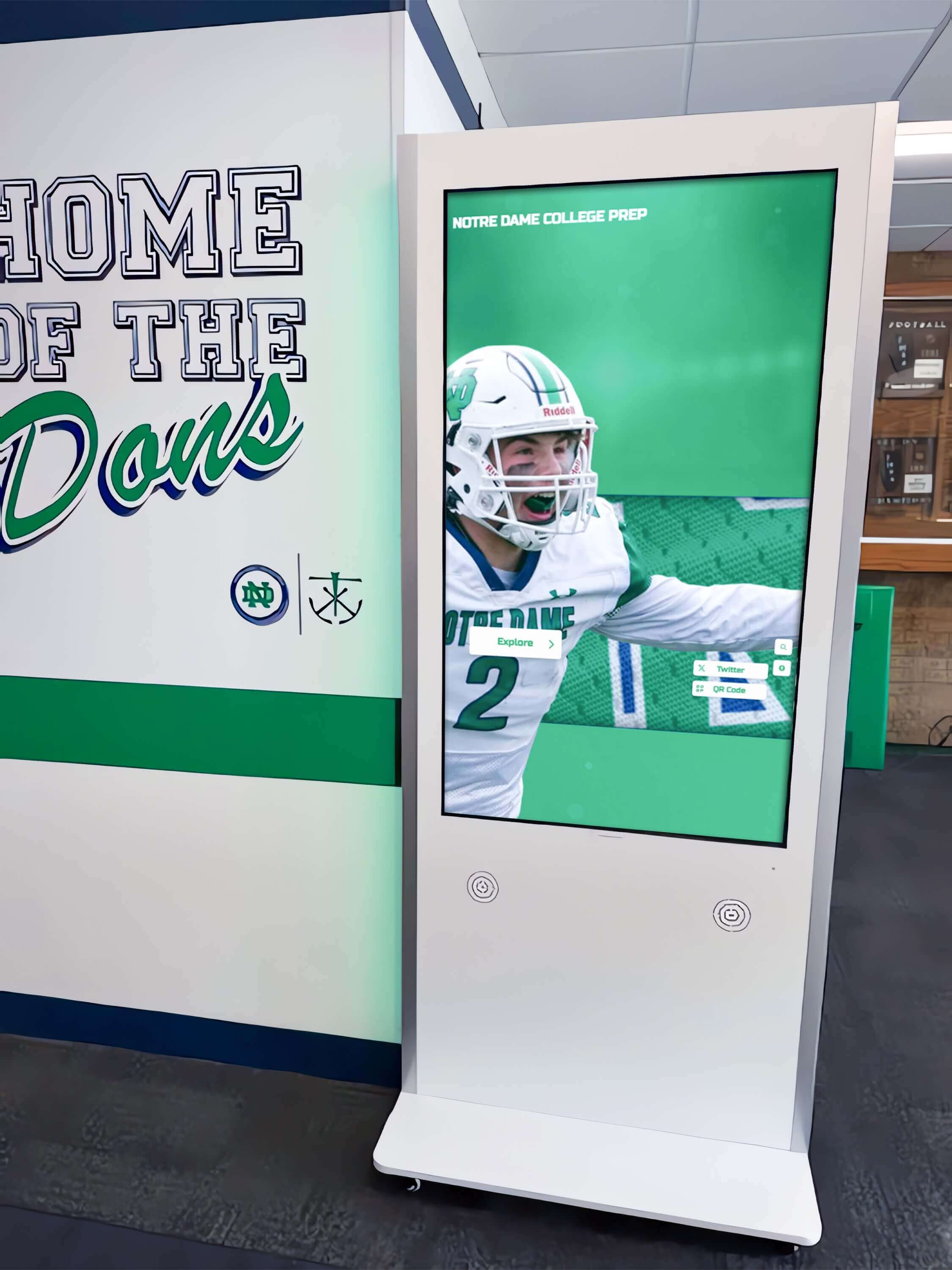
Interactive kiosks in hallways transform how students and visitors explore yearbook content, creating engaging experiences that invite spontaneous exploration
Model 3: Hybrid Print-Digital Yearbook Approaches
Many institutions adopt transitional strategies combining traditional print yearbooks with digital enhancements, serving audiences valuing both formats.
Core Characteristics
- Traditional printed yearbooks providing tangible keepsakes with signatures and physical presence
- Digital companion editions offering enhanced features, additional content, and perpetual access
- Smaller print runs reducing costs while maintaining printed option availability
- Extended digital content including materials that wouldn’t fit print editions
- Flexible pricing tiers allowing families to choose print-only, digital-only, or bundled packages
Common Hybrid Implementations
Printed Core + Digital Extensions Schools produce traditional yearbooks containing essential content (portraits, major events, key activities) while hosting supplementary digital editions featuring additional photos, video content, extended coverage, and interactive features not economically feasible in print.
Digital Default + Print Optional Institutions make digital yearbooks standard for all students while offering printed editions as premium add-ons for families desiring physical copies. This approach dramatically reduces base yearbook costs while preserving print options for those valuing tangible keepsakes.
Annual Print + Rolling Digital Some schools publish printed yearbooks once annually while maintaining continually updated digital editions throughout the year. Students access growing digital collections as events occur, then receive complete printed editions at year-end synthesizing the year’s highlights.
Example Use Case: Middle School Hybrid Model
A middle school with 800 students traditionally sold $60 printed yearbooks to approximately 70% of families. Rising printing costs and declining sales prompted reevaluation. The school implemented a hybrid approach: all students receive digital yearbook access automatically (no separate fee), while families can purchase printed editions for $45. The result: 100% of students now have yearbook access (supporting equity goals), while 50% of families still purchase printed versions (generating similar revenue despite lower print sales). Total yearbook program costs declined 30% while accessibility and inclusion improved dramatically.
Key Features Driving Digital Yearbook Success
Successful digital yearbook implementations share common features addressing user needs and institutional goals:
Search and Discovery Robust search functionality allowing students to find themselves, friends, teachers, and specific activities across multiple years represents the single most-valued digital yearbook feature. Alumni particularly appreciate searching across graduation years to locate classmates and track friend groups across their school experiences.
Multi-Year Archives Digital platforms enabling access to multiple years of yearbooks dramatically increase engagement compared to single-year implementations. Students explore their progression across grade levels, while alumni compare their years to current students and track institutional changes.
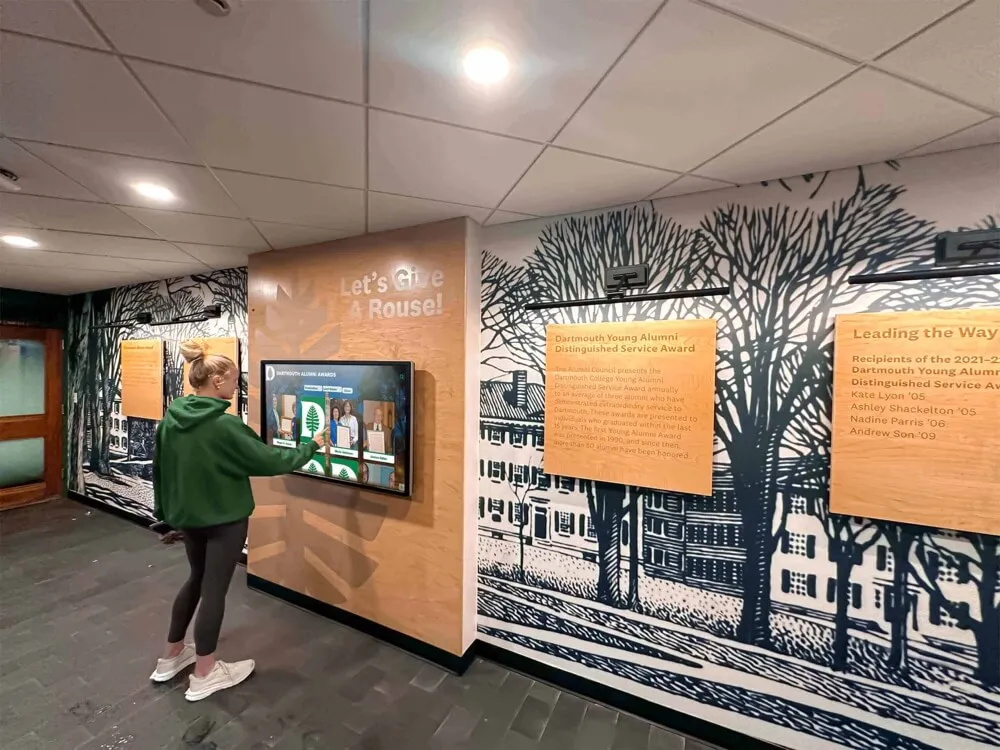
Touchscreen yearbook installations become natural gathering points where alumni share memories and explore their school years together
Mobile Accessibility Today’s students expect seamless mobile experiences. Digital yearbooks optimized for smartphone and tablet viewing see significantly higher engagement than desktop-only implementations, particularly among younger audiences primarily accessing content via mobile devices.
Social Sharing Integration with social media platforms enables students to share favorite photos, tag friends, and distribute yearbook moments across their existing networks—extending yearbook reach and driving additional traffic back to digital editions.
Multimedia Content Digital formats support video clips, audio messages, and animated content impossible in print. Schools incorporating multimedia elements report that these features generate exceptional engagement, particularly for capturing performing arts, athletic highlights, and senior messages.
Digital Yearbook Examples by Education Level
Implementation approaches and priorities vary across educational contexts.
Elementary School Digital Yearbook Examples
Elementary schools implementing digital yearbooks typically prioritize simplicity, parental access, and cost reduction.
Common Approaches
PDF Digital Yearbooks Many elementary schools create traditional yearbook layouts, then distribute final products as downloadable PDFs rather than (or in addition to) printed books. Parents download digital copies, print pages they want, or view on personal devices. This approach provides the simplest digital transition while dramatically reducing school costs.
Class-Based Organization Elementary digital yearbooks often organize content by classroom rather than traditional sections, reflecting how young students understand their school experience. Digital formats make this organization easier to navigate through menu systems and search functions.
Parent-Focused Features Since parents control access for elementary students, features supporting parental needs—like easy downloading, printing selected pages, and sharing with family members—take priority over social features appealing to older students.
Example Implementation
A K-5 elementary school with 500 students previously spent $8,000 annually on printed yearbooks, with only 60% of families purchasing them. The school transitioned to digital-only yearbooks accessible through their existing family communication app. All families now receive access at no cost (funded through PTO budget), with parents able to purchase printed copies through print-on-demand services if desired. The change improved equity (all students receive yearbooks regardless of family financial circumstances) while reducing school costs by 70%.
Middle School Digital Yearbook Examples
Middle schools face unique challenges balancing parental concerns about online safety with students’ growing independence and digital literacy.
Common Approaches
Gated Access Systems Middle school digital yearbooks typically implement authentication requirements restricting access to enrolled families and registered alumni. This addresses parental privacy concerns while enabling broader access than print distribution provided.
Student Contribution Features Digital platforms allowing students to submit photos, write captions, and contribute content throughout the year increase ownership and engagement. Many middle schools implementing collaborative digital yearbook creation report higher student participation compared to traditional advisor-only production models.
Educational Integration Some middle schools integrate digital yearbook creation into English, journalism, or technology curriculum—teaching digital media skills, writing, photography, and design while producing school yearbooks. Digital tools make curriculum integration more feasible than traditional yearbook production workflows.
Example Implementation
A middle school launches a digital yearbook platform where students in technology and journalism classes contribute content throughout the year. The platform enables continuous updates rather than single end-of-year publication, creating living documents students actively follow. Final digital editions automatically generate at year-end, compiling the year’s content into cohesive formats. Student engagement in yearbook content increases dramatically compared to previous years when only yearbook club members participated in creation.
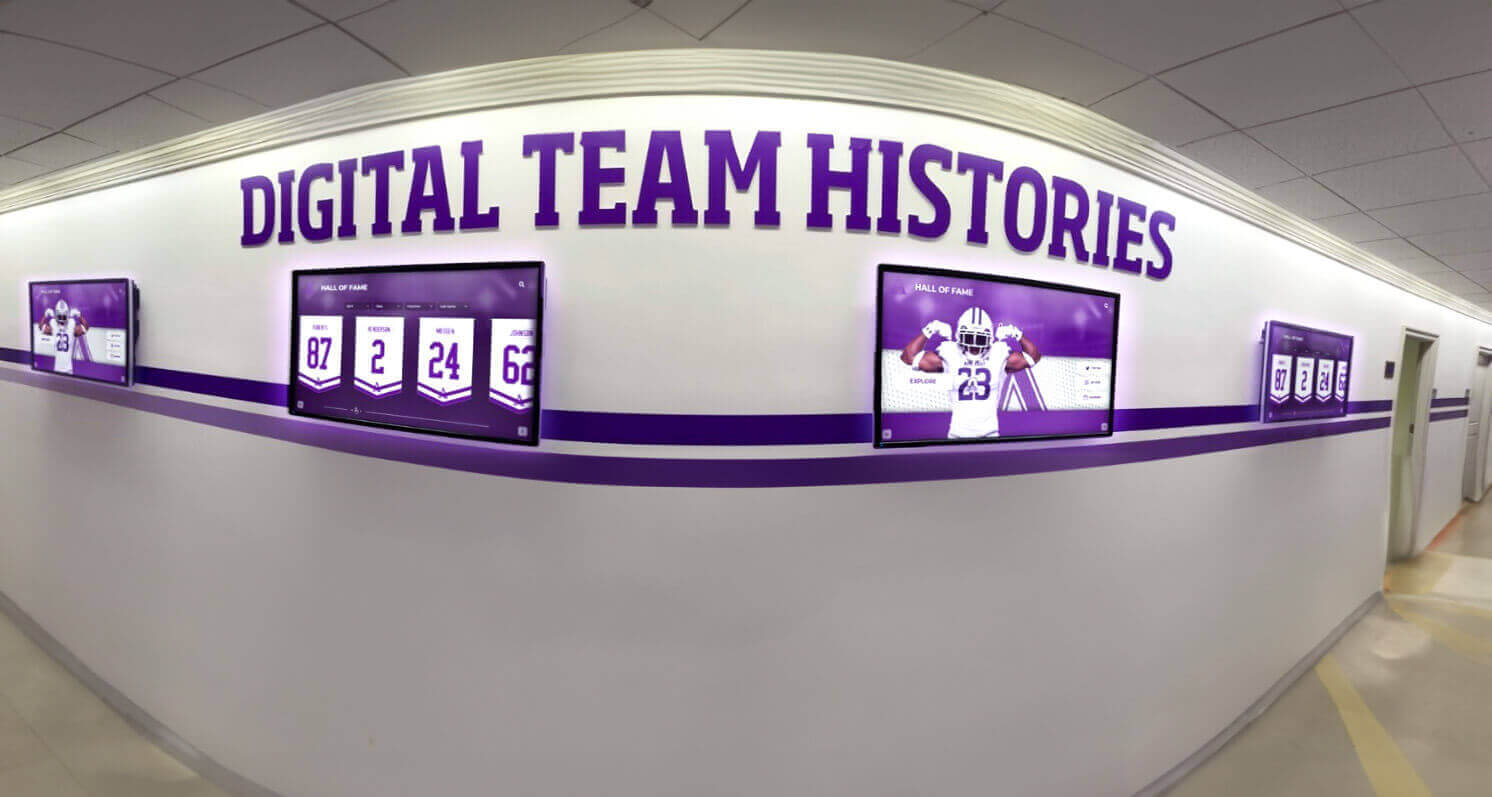
Schools implement [digital history displays](https://digitalrecordboard.com/blog/alumni-legacy-digital-wall-complete-guide/?utm_source=organic&utm_medium=seo-auto&utm_content=digitalyearbook&utm_campaign=digital-yearbook-examples&utm_term=seo) showcasing team achievements and yearbook archives throughout hallways, creating visible institutional pride
High School Digital Yearbook Examples
High schools represent the largest yearbook market and show the most diverse digital implementations.
Common Approaches
Premium Digital Platforms Large high schools often invest in comprehensive digital yearbook platforms offering sophisticated features: advanced search, social integration, mobile apps, multi-year archives, and multimedia content support. These platforms typically cost $2,000-5,000 annually depending on school size and feature sets.
Integration with Recognition Systems High schools implementing comprehensive digital recognition programs often integrate yearbook content with hall of fame displays, athletic record boards, and academic achievement recognition—creating unified digital ecosystems celebrating student success across multiple dimensions.
Student-Led Production High school journalism and yearbook programs increasingly adopt digital-first production workflows using web-based design tools, cloud collaboration, and continuous publishing models rather than traditional desktop publishing with single print deadlines.
Senior-Focused Features Digital yearbooks enable personalized senior sections where graduating students contribute individual profiles, messages, photo galleries, and video content—creating richer senior recognition than space-constrained print editions allowed.
Example Implementation: Large Suburban High School
A 2,000-student high school implements a comprehensive digital yearbook strategy:
- Digital-First Production: Yearbook staff uses web-based design platform enabling continuous publishing throughout the year
- Hybrid Distribution: All students receive digital access automatically; printed yearbooks available for $50 (versus $75 previously)
- Interactive Lobby Display: 65" touchscreen in main lobby showcases current year content and 20-year archives
- Mobile App: Dedicated yearbook app enables push notifications for new content, easy sharing, and offline access
- Athletic Integration: Digital yearbook integrates with athletic recognition displays showing record holders’ yearbook photos and team pictures
Results: Digital engagement exceeds previous print distribution (87% of students actively use digital yearbook versus 65% purchasing print previously); production costs decline 40%; student satisfaction increases according to end-of-year surveys.
College and University Digital Yearbook Examples
Higher education institutions implement digital yearbooks addressing unique challenges: larger, more dispersed populations; lower traditional yearbook participation; diverse constituencies including undergraduate, graduate, and professional programs.
Common Approaches
Class-Year Digital Archives Many universities create digital yearbook alternatives organized by graduation year rather than academic year—featuring senior portraits, class events, memorable moments, and graduating class statistics. This approach better aligns with how alumni remember and identify with their college experience.
Program-Specific Digital Yearbooks Large universities sometimes support separate digital yearbooks for specific colleges, programs, or activities (business school yearbook, law school yearbook, Greek life yearbook, etc.) rather than attempting comprehensive institution-wide yearbooks serving tens of thousands of students.
Retrospective Digitization Universities with century-long histories often prioritize digitizing historical yearbook archives over creating new digital yearbooks, focusing on preservation and alumni engagement through historical content.
Alumni Engagement Integration University digital yearbook initiatives typically connect closely with alumni relations programs, serving as tools for reconnection, networking, and fundraising cultivation rather than primarily student-focused products.
Example Implementation: Private Liberal Arts College
A liberal arts college with 2,000 undergraduates transitions from inconsistent print yearbooks (some years published, others not) to systematic digital approach:
- Annual Digital Editions: Communications office coordinates digital yearbook creation featuring class photos, campus events, senior reflections, and year highlights
- Historical Archive: Partners with library to digitize yearbook collection from 1890-1990, creating searchable 100+ year archive
- Reunion Integration: Digital yearbooks become central features during reunion weekends, with touchscreen displays in alumni center and reunion tents
- Alumni Directory Connection: Yearbook platform integrates with alumni directory, enabling users to see current contact information alongside historical yearbook photos
- Mobile-First Design: Platform optimizes for smartphone access, recognizing that most alumni interaction occurs via mobile devices
Results: Alumni engagement metrics increase 45%; historical archive generates extensive social media sharing and donor communications; institution successfully captures every year’s experience (versus spotty previous coverage).
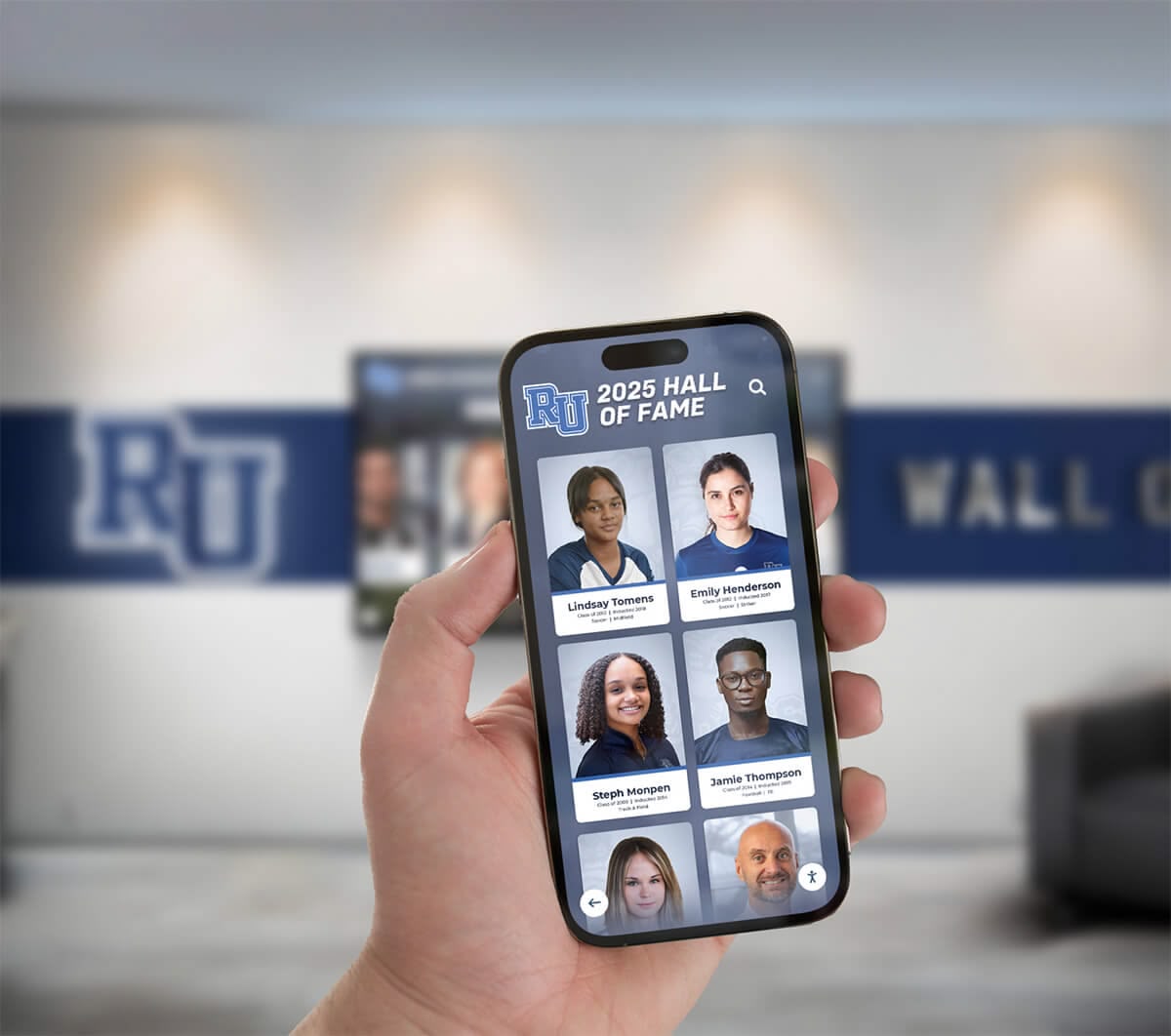
Mobile-optimized digital yearbook platforms enable alumni to access archives anywhere, extending engagement far beyond campus visits
Technical Considerations for Digital Yearbook Implementation
Schools evaluating digital yearbook options should understand key technical factors influencing success.
Platform Selection Criteria
Essential Features to Evaluate
When comparing digital yearbook platforms, prioritize these capabilities:
User Experience
- Intuitive navigation requiring minimal instruction
- Fast loading times even on slower connections
- Responsive design working excellently across device types
- Accessible design supporting users with disabilities
- Clean, uncluttered interfaces focusing on content
Content Management
- Easy upload process for yearbook content
- Support for multiple content formats (images, video, audio, text)
- Batch processing capabilities for large content volumes
- Version control and editing capabilities
- Archiving systems for multi-year collections
Search and Discovery
- Full-text search across all yearbook content
- Facial recognition capabilities identifying individuals across photos
- Filtering options by year, section, activity, or person
- Tag-based organization improving discoverability
- Suggested content based on user interests
Security and Privacy
- Authentication systems controlling access
- Privacy controls enabling individuals to limit photo visibility
- Compliance with FERPA, COPPA, and applicable regulations
- Data encryption protecting user information
- Regular security audits and updates
Integration Capabilities
- Compatibility with existing school information systems
- Social media sharing integration
- Mobile app availability (native or progressive web app)
- API access enabling custom integrations
- Support for embedding content in websites
Administrative Tools
- Analytics showing usage patterns and engagement metrics
- User management systems
- Content moderation capabilities
- Customization options for branding and appearance
- Support and training resources
Cost Models and Budget Planning
Digital yearbook costs vary significantly based on implementation approach and feature requirements.
Typical Cost Structures
Platform Subscription Models
- Small Schools (under 500 students): $500-1,500 annually
- Medium Schools (500-1,500 students): $1,500-3,500 annually
- Large Schools (over 1,500 students): $3,500-8,000 annually
Many platforms charge per-student fees (typically $1-5 per student) with minimum annual commitments.
Interactive Touchscreen Installations
- Hardware: $8,000-15,000 for professional-grade touchscreen display with mounting
- Software: $1,200-3,000 annually for content management and updates
- Installation: $1,500-3,000 for professional mounting and configuration
- Ongoing Support: $500-1,200 annually for software updates and technical support
Content Creation and Migration
- Historical Digitization: $10-30 per yearbook for professional scanning services
- Content Migration: $500-2,000 for transferring existing digital yearbooks to new platforms
- Training: $500-1,500 for staff and student training on new systems
Hybrid Print-Digital Programs
- Digital Platform: Costs listed above
- Print Production: $15-35 per book depending on specifications and quantity
- Bundling Logistics: Minimal additional costs if using existing yearbook vendor
Schools implementing digital yearbook programs typically see total costs decrease 30-50% compared to traditional print-only approaches when factoring in reduced printing, shipping, and storage expenses.
Data Privacy and Security Considerations
Digital yearbooks create lasting records requiring careful attention to privacy and data protection.
FERPA Compliance
The Family Educational Rights and Privacy Act governs student education records. Schools should:
- Treat yearbook photos and information as directory information eligible for disclosure but with opt-out provisions
- Implement clear processes for parents/students to request photo removal or restricted access
- Document consent for digital yearbook access and photo inclusion
- Maintain records of privacy requests and institutional responses
- Review policies annually ensuring continued compliance
COPPA Requirements
For schools serving children under 13, the Children’s Online Privacy Protection Act requires:
- Parental consent before collecting personal information from children
- Clear privacy policies explaining data collection and use
- Reasonable security measures protecting collected information
- Limited retention policies avoiding unnecessary data storage
- Parental access to children’s information and deletion capabilities
Security Best Practices
Schools implementing digital yearbooks should:
- Use platforms with robust authentication preventing unauthorized access
- Implement strong password requirements and multi-factor authentication options
- Encrypt data both in transit and at rest
- Conduct regular security audits and penetration testing
- Maintain clear incident response plans for potential data breaches
- Train staff on data security responsibilities and best practices
Content Moderation Policies
Establish clear guidelines for:
- Appropriate photo content and captions
- Processes for reporting inappropriate or harmful content
- Timelines for reviewing and responding to concerns
- Appeals processes for content removal decisions
- Communication protocols with affected families
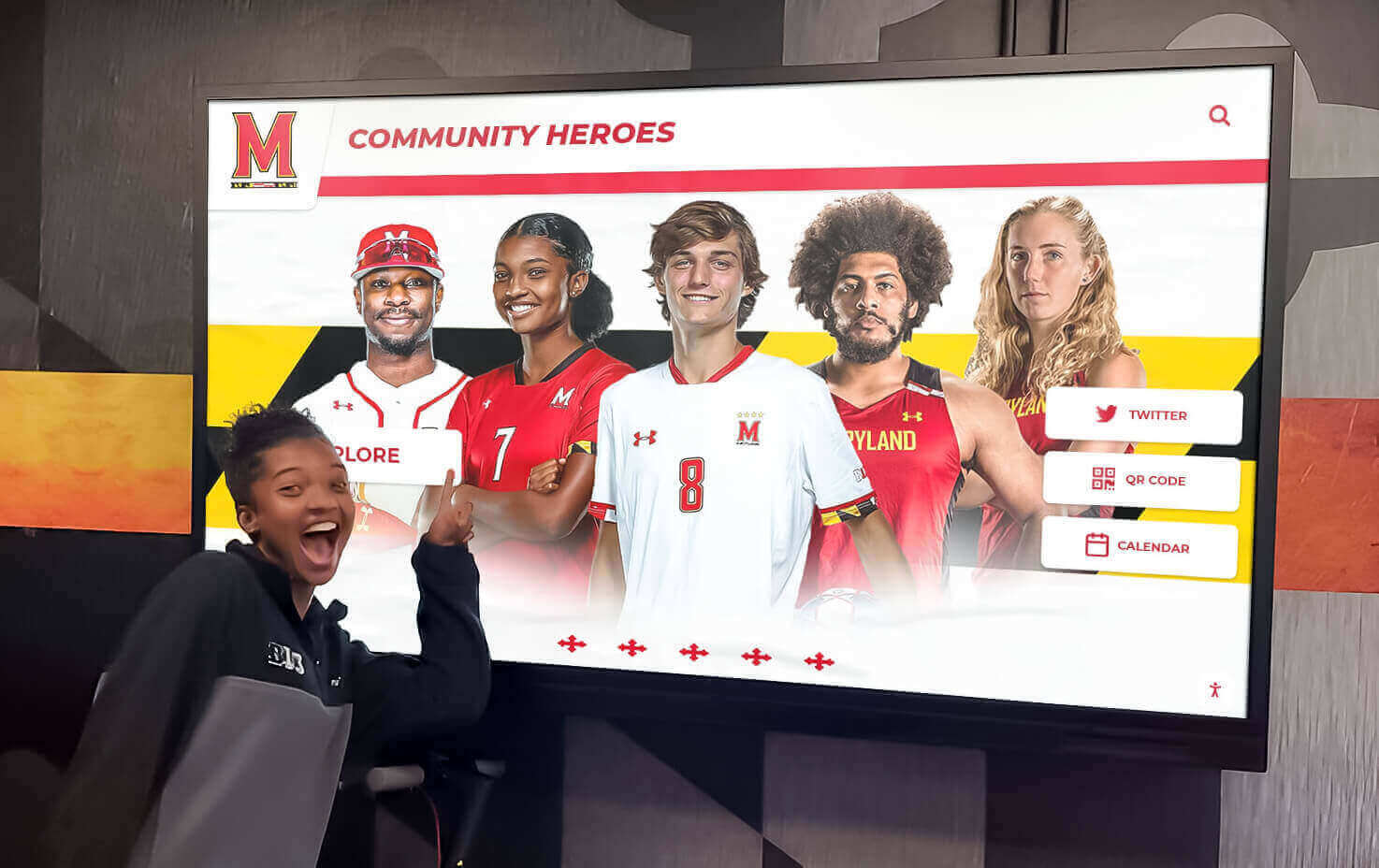
Interactive digital yearbook displays engage current students while celebrating [school community achievements](https://best-touchscreen.com/blog/best-alumni-management-software-2026-comparison/?utm_source=organic&utm_medium=seo-auto&utm_content=digitalyearbook&utm_campaign=digital-yearbook-examples&utm_term=seo) across multiple dimensions
Measuring Digital Yearbook Success
Effective assessment strategies help schools understand whether digital yearbook investments deliver expected value.
Engagement Metrics
Quantitative Indicators
Digital platforms provide detailed analytics impossible with print yearbooks:
Access and Usage
- Number of unique users accessing digital yearbooks
- Total sessions and average session duration
- Pages or photos viewed per session
- Return visitor rates showing sustained engagement
- Geographic distribution of access (particularly for alumni engagement)
- Device types used (mobile, tablet, desktop) informing optimization priorities
Search and Discovery
- Search queries executed (revealing what users seek)
- Click-through rates on search results
- Most-viewed pages and photos
- Time spent on different yearbook sections
- Popular years or content categories
Social Sharing
- Share events to social media platforms
- Download volumes for photos and pages
- Comments or reactions submitted
- Tagging activity connecting users
Temporal Patterns
- Initial launch engagement versus sustained usage over time
- Seasonal patterns (reunion weekends, back-to-school, graduation periods)
- Year-over-year comparison for multi-year implementations
- Content freshness impact on engagement
Qualitative Assessment
Stakeholder Feedback
Regular feedback collection provides insights beyond quantitative metrics:
Student Perspectives
- Satisfaction surveys comparing digital versus print preferences
- Feature requests and usability feedback
- Focus groups exploring how students interact with digital yearbooks
- Comparison of participation rates in digital versus previous print years
Parent and Family Feedback
- Accessibility and ease-of-use assessments
- Value perception relative to costs
- Privacy and security confidence levels
- Suggestions for improvements and additional features
Alumni Engagement
- Alumni relations staff observations about reunion usage
- Development office insights on donor cultivation impacts
- Social media sentiment and conversation analysis
- Alumni survey results measuring yearbook value
Administrative Assessment
- Cost-benefit analysis comparing digital versus print economics
- Equity impact on yearbook access across student populations
- Staff time requirements for digital versus print workflows
- Integration success with other institutional systems
Success Indicators by Goal
Different institutional goals require different success metrics:
If Primary Goal is Cost Reduction
- Total yearbook program costs compared to previous print-only approaches
- Per-student costs for yearbook access
- Staff time efficiency gains or reductions
- Elimination of printing, shipping, and storage expenses
If Primary Goal is Increased Access
- Percentage of students with yearbook access (digital versus historical print sales)
- Alumni engagement metrics showing historical yearbook exploration
- Geographic reach beyond local community
- Access across different device types and contexts
If Primary Goal is Enhanced Engagement
- Average time spent exploring yearbook content
- Return visitor rates and session frequency
- Social sharing volume and reach
- Multi-year archive usage patterns
If Primary Goal is Alumni Relations
- Alumni directory updates following yearbook launches
- Event registration increases correlated with yearbook access
- Donor cultivation conversations referencing yearbook content
- Class reunion participation rates
Transform How Your School Celebrates Student Memories
Discover how interactive digital yearbook displays and online archives can help you preserve institutional heritage, increase alumni engagement, and create modern experiences students actually use. From touchscreen lobby installations to mobile-accessible yearbook platforms, we'll help you design solutions perfectly suited to your school's needs and budget.
Schedule Your Custom Digital Yearbook DemoOvercoming Common Digital Yearbook Challenges
Schools implementing digital yearbooks encounter predictable obstacles—understanding solutions helps avoid common pitfalls.
Challenge: Student Resistance to Change
Problem: Students familiar with traditional print yearbooks may initially resist digital alternatives, perceiving them as less special or valuable than physical books.
Solutions
Preserve Core Experiences Ensure digital yearbooks maintain beloved traditional elements—senior portraits, club photos, autograph features (via digital signing), and memorable moments that make yearbooks special regardless of format.
Highlight Digital Advantages Actively demonstrate features impossible in print: searching for yourself across all yearbook years, sharing favorite photos with friends instantly, accessing yearbooks from anywhere, and never worrying about damaged or lost books.
Offer Hybrid Options During transition periods, provide both print and digital options enabling students to experience digital benefits while maintaining print availability for those strongly preferring physical books.
Student Leadership Involvement Engage student leaders, yearbook staff, and class officers in digital implementation planning—their advocacy and peer influence dramatically impact broader student acceptance.
Challenge: Alumni Access and Awareness
Problem: Alumni unaware of digital yearbook availability can’t engage with content, limiting potential benefits for reunion engagement and development efforts.
Solutions
Multi-Channel Promotion Announce digital yearbook availability through alumni newsletters, social media, reunion invitations, fundraising communications, and direct email campaigns—recognizing that single announcements rarely achieve broad awareness.
Reunion-Focused Launches Coordinate major yearbook archive launches with significant reunions or Homecoming weekends when alumni attention focuses on institutional connections and nostalgia.
Demonstration Events Host in-person and virtual events demonstrating how to search yearbooks, find classmates, and explore historical content—many alumni need hands-on guidance appreciating digital platform capabilities.
Alumni Ambassador Programs Recruit engaged alumni volunteers to promote digital yearbook availability within their class years and social networks—peer endorsements drive higher adoption than institutional communications alone.
Challenge: Content Quality and Completeness
Problem: Digital distribution enables unlimited content without space constraints, but poorly organized or incomplete content creates frustrating user experiences.
Solutions
Clear Content Standards Establish minimum quality requirements for photos, captions, and coverage ensuring consistent experiences across yearbook sections and years.
Systematic Quality Control Implement review processes catching errors, missing content, and quality issues before publication—digital yearbooks’ permanence and broad accessibility make quality assurance crucial.
Continuous Improvement Opportunities Unlike print yearbooks that lock content at publication, digital platforms enable ongoing updates, corrections, and enhancements based on user feedback and discovered errors.
Community Contributions Create systems allowing alumni and community members to submit additional photos, identify people in unlabeled photos, and provide missing information—crowdsourced content often exceeds what yearbook staff alone can compile.
Challenge: Technical Barriers for Older Alumni
Problem: Less tech-savvy alumni, particularly older graduates, may struggle with digital platform access and navigation.
Solutions
Simplified Access Methods Provide straightforward login processes avoiding complex authentication or registration requirements when possible—every additional step reduces participation.
Multiple Format Options Offer downloadable PDF versions alongside web-based interfaces, enabling alumni to save copies for offline viewing or print selected pages if desired.
Comprehensive Support Resources Create simple video tutorials, illustrated step-by-step guides, and accessible help systems addressing common questions and technical problems.
In-Person Assistance During alumni events, provide staffed stations where attendees receive hands-on help accessing and exploring digital yearbooks—personal assistance builds confidence for future independent access.
Physical Installations Supplement Digital Access Touchscreen yearbook installations in campus locations enable alumni to explore content without personal devices or internet access during visits—particularly valuable for older alumni less comfortable with digital platforms.
Future Trends in Digital Yearbook Technology
Emerging technologies promise even more engaging digital yearbook experiences over coming years.
Artificial Intelligence and Machine Learning
Facial Recognition and Auto-Tagging Advanced AI systems will automatically identify individuals appearing across multiple yearbooks, creating comprehensive personal timelines showing students’ school journey from freshman year through graduation. Alumni will find every photo they appear in instantly without manual searching.
Smart Content Organization Machine learning algorithms will analyze yearbook content, automatically categorizing photos by activity type, location, and event—creating intuitive browsing experiences that surface relevant content based on user interests.
Personalized Recommendations Digital yearbook platforms will suggest content likely to interest specific users based on their graduation year, activities, friends, and browsing patterns—similar to how streaming services recommend entertainment.
Augmented Reality Integration
AR-Enhanced Yearbooks Smartphone apps will enable users to point cameras at physical yearbook pages or photos, triggering augmented reality overlays showing video content, interactive timelines, social media connections, or “where are they now” updates linking historical yearbook content to current information.
Virtual Campus Tours Digital yearbooks will integrate with virtual campus tours, allowing alumni to explore how campus locations looked during their years while viewing yearbook photos captured in those spaces.
Blockchain and Digital Collectibles
Verified Digital Memorabilia Blockchain technology may enable creation of verified, unique digital yearbook moments—students receive authenticated digital collectibles representing their graduation or significant achievements, combining nostalgia with emerging digital asset trends.
Permanent Decentralized Archives Blockchain-based storage could ensure yearbook content remains permanently accessible regardless of institutional changes or platform provider continuity—addressing long-term preservation concerns.
Advanced Social Features
Alumni Networking Integration Digital yearbooks will increasingly integrate with professional networking platforms, enabling alumni to connect current careers with yearbook memories while facilitating mentorship and networking based on shared school experiences.
Collaborative Storytelling Future platforms will enable collaborative annotation and storytelling where multiple alumni contribute memories, context, and stories about specific yearbook moments—creating rich oral histories around captured moments.
Virtual Reunion Experiences Digital yearbook platforms will host virtual reunion events where alumni worldwide explore yearbooks together in real-time, share memories through integrated chat, and reconnect regardless of geographic distance.
Conclusion: The Evolving Yearbook Landscape
The examples explored throughout this guide demonstrate that digital yearbooks aren’t simply print yearbooks displayed on screens—they represent fundamentally different approaches to documenting, preserving, and sharing institutional memories. The shift from print to digital enables capabilities impossible in physical formats: instant search across decades of yearbooks, multimedia content capturing moments beyond still photos, worldwide access unbound by physical distribution, perpetual availability without deterioration concerns, and interactive experiences inviting exploration rather than passive viewing.
Yet successful digital yearbook implementations don’t completely abandon traditional yearbook elements that made them beloved. The best digital yearbooks preserve core experiences—comprehensive coverage of student life, beautiful design, opportunities for personal expression, and tangible celebration of each year’s unique story—while adding digital enhancements that genuinely improve how students and alumni interact with content.
Schools implementing digital yearbooks report diverse benefits across institutional priorities. Cost reduction typically averages 30-50% compared to print-only programs while enabling universal access regardless of family financial circumstances. Alumni engagement metrics show dramatic increases when historical yearbook archives become digitally accessible. Students demonstrate higher satisfaction with digital platforms offering features they expect in modern digital experiences. Development professionals leverage yearbook nostalgia in donor cultivation with greater effectiveness when content is instantly accessible. Admissions teams showcase institutional heritage through interactive displays during prospective family tours.
The transition from print to digital doesn’t follow a single prescribed path. Elementary schools often implement simple PDF-based approaches minimizing costs and complexity. Middle schools balance parental privacy concerns with students’ growing digital independence. High schools invest in comprehensive platforms supporting sophisticated features and extensive content. Universities focus on alumni engagement and historical preservation through digitized archives spanning decades. Each context demands thoughtfully chosen approaches matching institutional needs, student expectations, and available resources.
As you consider digital yearbook options for your institution, focus on authentic value creation rather than technology adoption for its own sake. What problems are you trying to solve? How will digital yearbooks better serve your students, families, and alumni? What features matter most to your specific community? Which implementation approaches fit your budget and technical capabilities? Answering these questions honestly guides successful implementations delivering genuine benefits rather than creating digital solutions searching for problems.
Whether you implement web-based digital yearbook platforms, interactive touchscreen installations, hybrid print-digital approaches, or combinations of these models, you’re participating in important evolution of how schools preserve and share their stories. Digital yearbooks ensure that memories captured this year remain accessible not just for current students but for generations of future alumni, administrators, and researchers exploring your institution’s history.
Your school’s story deserves preservation through approaches matching how today’s students and tomorrow’s alumni naturally interact with content, discover information, and connect with communities. Digital yearbooks provide these capabilities while honoring the essential purpose yearbooks have always served—celebrating the unique experiences, achievements, and relationships defining each academic year in your school’s continuing story.
Ready to explore how digital yearbook solutions can transform how your school celebrates and preserves student memories? Schedule a personalized demo exploring online yearbook platforms, interactive touchscreen installations, and comprehensive digital recognition systems designed specifically for educational institutions. We’ll help you design solutions perfectly suited to your school’s needs, budget, and vision for celebrating institutional heritage while engaging students and alumni with modern digital experiences.































