
Nonprofits face a constant challenge: how do you communicate your impact, celebrate community partnerships, honor veterans, and promote upcoming events in ways that feel personal and engaging while remaining budget-conscious? Traditional printed posters fade, require constant replacement, and offer limited flexibility when priorities shift or new partnerships emerge.
For smaller nonprofits without large-scale budgets, the question becomes even more pressing. You need something professional enough to impress visitors and partners, flexible enough to update whenever community openings or veteran recognition events occur, and affordable enough to justify within constrained operating budgets. Static bulletin boards don’t create the impression you want, while complete digital signage systems often carry enterprise-level price tags designed for corporations rather than community-focused organizations.
Digital wall mount displays solve this challenge by providing TV-like screens that showcase rotating content—community partner logos, veteran profiles, upcoming event information, and organizational impact—through simple content management that anyone on your team can update. This guide explores everything nonprofits need to know about implementing digital wall mount displays: realistic pricing for small-scale installations, hardware and software options that fit nonprofit budgets, content ideas specifically for community partnerships and veterans recognition, and practical setup advice ensuring successful implementation without requiring technical expertise.
Whether you’re a veterans organization looking to honor service members digitally, a community center showcasing local partnerships, or a nonprofit seeking better ways to communicate events and achievements, digital wall mount displays provide professional recognition capabilities at accessible price points designed for organizations like yours.

Modern digital displays enable nonprofits to showcase community partnerships, veterans, and events through professional wall-mounted screens
Understanding Digital Wall Mount Displays for Nonprofits
A digital wall mount display is essentially a television or commercial-grade screen mounted on your wall that shows rotating digital content instead of broadcast TV. Think of it as a digital bulletin board that can display photos, text, videos, and graphics showcasing your nonprofit’s work, partners, and upcoming activities.
Unlike traditional static displays requiring printing and manual updates, digital screens connect to content management systems enabling quick updates from any computer or smartphone. When a new community partnership forms, you add their logo. When a veteran should be recognized, you create their profile. When an event approaches, you update the event details—all without printing costs or physical installation work.
Core Components of a Nonprofit Digital Display System
A complete digital wall mount display typically includes three main elements:
Display Hardware
The physical screen mounted on your wall. This can be a consumer television for budget-conscious installations or a commercial-grade display designed for continuous operation. Screen sizes typically range from 43 inches (suitable for smaller spaces like offices or hallways) to 55-75 inches (impressive for lobbies and community spaces where larger audiences gather).
Commercial displays differ from consumer TVs through industrial components rated for 16-24 hour daily operation, higher brightness levels (important for well-lit spaces), longer warranty periods (typically 3 years versus 1 year for consumer models), and simplified connectivity designed for business applications rather than home entertainment.
Media Player or Computer
A device providing the content to your display. Options include dedicated media players like Amazon Fire TV Stick ($40-50), Raspberry Pi mini-computers ($35-100), small-form-factor PCs ($200-500), or built-in display computers (available in some commercial displays). The media player runs your content management software and connects to your network for remote updates.
Content Management Software
Digital signage software enabling you to create, schedule, and update the content appearing on your display. Solutions range from free consumer options like Google Slides displayed through Chromecast to specialized nonprofit digital signage platforms offering templates, scheduling, and multi-display management.
Some platforms focus specifically on recognition applications—displaying rotating profiles with photos and biographical information—which works perfectly for veteran recognition or community partner spotlights. Others emphasize event calendars, announcements, and informational content suitable for promoting community openings and organizational activities.
How Nonprofits Use Digital Wall Mount Displays
Organizations implement digital displays for various purposes depending on mission and community needs:
Community Partnership Recognition
Showcasing organizations and businesses supporting your nonprofit through logos, partnership descriptions, and impact stories. This visible appreciation strengthens relationships while demonstrating community support to visitors and prospective funders.
Veterans Recognition and Honor Walls
Displaying rotating profiles of veterans served by your organization or veteran community members. Include service photos, military branch, years of service, biographical information, and stories connecting their service to your mission.
Event Promotion and Community Calendars
Highlighting upcoming partnership events, community openings, volunteer opportunities, fundraising activities, and programs. Digital calendars update easily as events change without reprinting.

Touchscreen capabilities enable visitors to explore community partnerships and veteran profiles at their own pace
Organizational Impact and Storytelling
Sharing success stories, program outcomes, beneficiary testimonials, volunteer spotlights, and data visualizations demonstrating your nonprofit’s community impact. Visual storytelling creates emotional connections more effectively than printed statistics.
Donor Recognition
Acknowledging financial supporters through digital donor recognition displays that can update immediately when new contributions arrive without ordering engraved plaques.
Wayfinding and Facility Information
Helping visitors navigate your facility, find program locations, understand hours and services, and access contact information for different departments or programs.
Pricing Guide: Digital Wall Mount Displays for Small Nonprofits
Budget concerns represent the primary barrier preventing nonprofits from implementing digital displays. Understanding realistic costs for small-scale installations helps organizations plan appropriately and avoid either over-spending on unnecessary features or under-investing in reliability.
Budget-Friendly Option: $400-$800
For nonprofits with very limited budgets, functional digital displays are achievable:
Hardware Components:
- Consumer-grade 43-50 inch TV: $250-400
- Wall mount bracket: $25-75
- Amazon Fire TV Stick or Chromecast: $40-50
- Cable management: $20-50
- Hardware subtotal: $335-575
Software Options:
- Google Slides (free) with Chromecast
- Canva Pro templates: $120/year
- Free digital signage trials with basic features
- Software cost: $0-120 annually
Installation:
- DIY mounting following TV instructions
- Basic network connection
- Labor cost: $0 (staff time)
Total Initial Investment: $335-695
This budget option works for nonprofits where staff can create content using familiar tools like PowerPoint or Google Slides, display requirements are straightforward (rotating images and text rather than complex interactivity), a single display in one location serves current needs, and technical comfort exists for basic troubleshooting.
Organizations implementing employee recognition programs often start with budget displays proving value before expanding to more sophisticated systems.
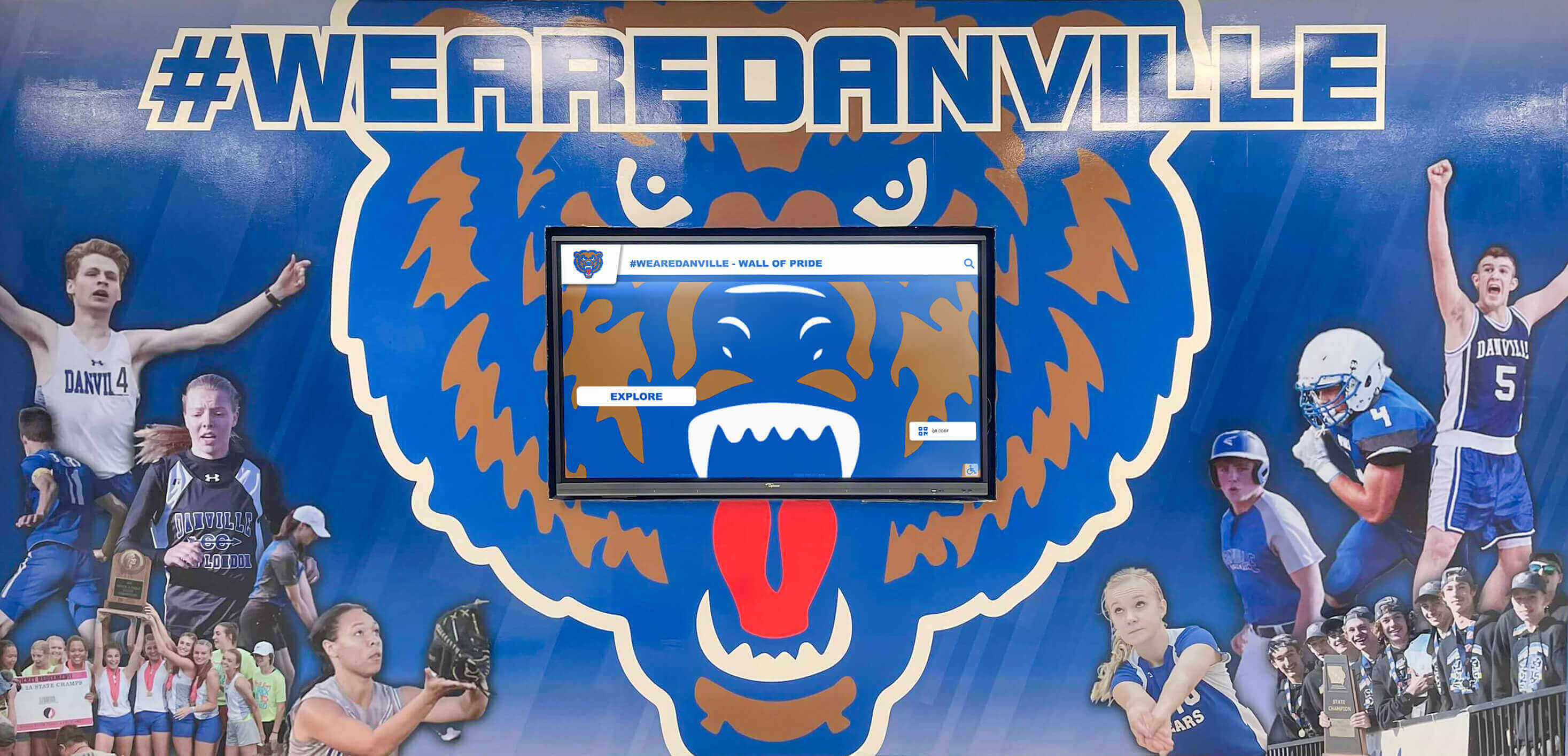
Strategic placement in high-traffic areas ensures maximum visibility for community partnership and event information
Mid-Range Professional Option: $1,500-$3,500
Nonprofits seeking more professional, reliable solutions typically invest in this range:
Hardware Components:
- Commercial-grade 43-55 inch display: $800-1,500
- Professional wall mount: $75-150
- Small-form-factor PC or dedicated media player: $300-600
- Professional cables and connections: $50-100
- Hardware subtotal: $1,225-2,350
Software Options:
- Entry-level nonprofit digital signage platform: $300-800 annually
- Content creation tools: $100-200 annually
- Template libraries and design resources: included
- Software cost: $400-1,000 annually
Installation:
- Professional mounting and setup: $200-500
- Network configuration: $100-300
- Initial content creation assistance: $200-400
- Installation cost: $500-1,200
Total Initial Investment: $2,125-4,550 Year 1 Total: $2,525-5,550 Ongoing Annual Cost: $400-1,000
This mid-range investment provides commercial-grade reliability for continuous operation, professional appearance appropriate for donor meetings and community events, easier content management through purpose-built platforms, technical support reducing frustration and downtime, and room for growth as needs expand.
Premium Interactive Option: $4,000-$8,000
Organizations wanting touchscreen interactivity, professional installation, and comprehensive content support invest at this level:
Hardware Components:
- Commercial-grade 55-65 inch touchscreen: $3,000-6,000
- Floor-standing kiosk enclosure (optional): $1,000-2,000
- Integrated computer system: $500-1,000
- Professional installation: $500-1,000
- Hardware subtotal: $5,000-10,000
Software Options:
- Professional recognition platform: $1,000-3,000 annually
- Custom content design: $500-1,500 initially
- Training and support: included
- Software and setup: $1,500-4,500
Total Initial Investment: $6,500-14,500 Ongoing Annual Cost: $1,000-3,000
Premium systems provide touchscreen interactivity enabling visitors to explore content, professional content creation ensuring polished presentation, comprehensive support reducing staff burden, integration capabilities connecting to donor databases or event calendars, and multi-display management when expanding to multiple locations.
Nonprofits implementing comprehensive digital recognition walls for community impact typically invest at this level.
Hidden Costs and Ongoing Considerations
Beyond initial purchase, budget for:
Ongoing Expenses:
- Software subscriptions: $0-3,000 annually depending on platform
- Content updates and management: staff time or $500-2,000 annually for outsourced support
- Minor repairs and maintenance: $100-300 annually
- Network connectivity: typically covered by existing internet service
- Electricity: approximately $2-5 monthly for typical displays
Content Creation Time:
- Initial setup and template creation: 10-20 hours
- Ongoing updates (monthly): 1-3 hours per month
- Special content for events or campaigns: 2-5 hours per project
- Photo collection and editing: ongoing as needed
Organizations should realistically assess whether staff capacity exists for content management or if budgeting for external support makes sense. Displays with outdated content create worse impressions than no displays at all.
Content Ideas for Nonprofit Digital Displays
Effective digital displays balance multiple content types creating engaging, informative experiences for visitors while advancing organizational goals.
Community Partnership Recognition Content
Celebrating partner organizations strengthens relationships and demonstrates community support:
Partner Organization Spotlights
Create rotating profiles for each community partner including organization logo and name, partnership description explaining collaboration, years of partnership demonstrating sustained commitment, impact statistics showing partnership outcomes, contact information connecting interested parties, and photos from joint events or activities.
Aim for 15-30 second display time per partner, allowing full rotation through all partners every few minutes. Update quarterly or when new partnerships form.
Collaborative Program Highlights
Showcase specific initiatives emerging from partnerships through program descriptions and objectives, beneficiary impact stories, volunteer opportunities, upcoming collaborative events, funding partners when applicable, and calls-to-action for community participation.
These highlights demonstrate how partnerships translate into tangible community benefit—moving beyond acknowledgment to storytelling that inspires additional support.
Community Opening and Partnership Event Promotion
When partner organizations host community openings, facility tours, or public programs, promote these through event names and descriptions, dates, times, and locations, registration information and requirements, partnership organizer logos, event photos from previous years, and QR codes linking to registration pages.
Digital displays enable promoting partners’ activities beyond your organization—strengthening reciprocal relationships and positioning your nonprofit as community connector.
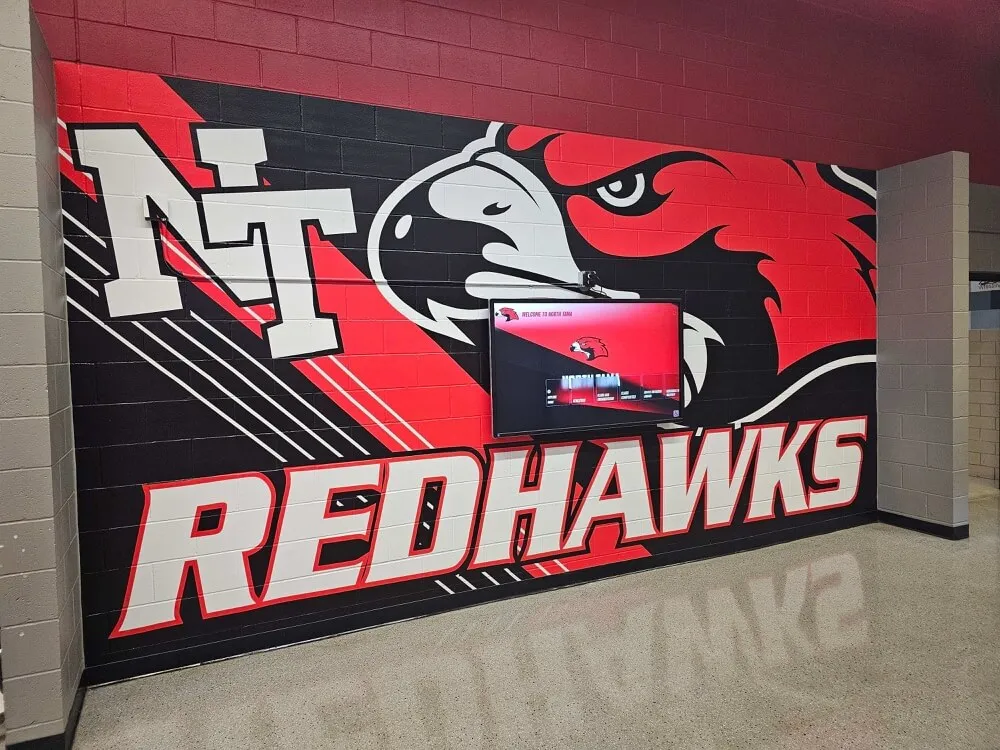
Cohesive integration of digital displays with existing branding creates professional, unified visual environments
Veterans Recognition and Honor Wall Content
Organizations serving veterans or located in communities with strong military connections benefit from dedicated veterans recognition:
Individual Veteran Profiles
Create detailed profiles honoring service members through professional portrait or service photos, full name and military rank, branch of service and service dates, units and deployments, awards and commendations, civilian career and community contributions, connection to your organization, and personal quotes or reflections when available.
Display each profile for 20-30 seconds, cycling through honored veterans continuously. Consider chronological organization (by service era), alphabetical ordering, or featured spotlights highlighting specific individuals monthly.
Organizations creating veterans recognition displays report that visible honor walls strengthen veteran community connections and inspire additional profile submissions.
Service Era Collections
Organize veterans by service period creating thematic groupings—World War II veterans, Korean War veterans, Vietnam War veterans, Gulf War veterans, and post-9/11 veterans. Provide historical context for each era explaining significance and connecting individual service to broader military history.
This organization helps visitors appreciate generational military service while educating younger community members about different conflict periods.
Veterans Program Information
Alongside individual recognition, share organizational programs supporting veterans including services offered, eligibility requirements, how to access support, success stories from program participants, volunteer opportunities supporting veterans, and donation information for veterans programs.
Recognition becomes recruitment—demonstrating your commitment to veterans while connecting them to available resources.
Community Remembrance and Memorial Content
Honor deceased veterans through in memoriam sections, memorial event information, Gold Star family recognition when appropriate, missing service member tributes, and memorial wall concepts providing lasting digital tributes.
Event Calendar and Upcoming Activities Content
Keeping community informed about organizational activities encourages participation:
Event Promotion Slides
Create dedicated slides for each upcoming event featuring event name and tagline, date and time with countdown timers, location with wayfinding help, brief description of activities, target audience and age appropriateness, registration requirements, contact information for questions, sponsor logos, and compelling event photos from previous years.
Update weekly, removing past events and adding newly scheduled activities.
Monthly Calendar Views
Display monthly calendars showing all organizational events, partner community openings, support group meetings, volunteer opportunities, facility closures, and special programs at a glance. Color-code by event type enabling quick identification of interests.
Calendar views work well for organizations with frequent programming giving visitors comprehensive activity overviews.
Volunteer Opportunity Callouts
Dedicated slides recruiting volunteers through opportunity descriptions, time commitments, required skills or availability, impact statements showing volunteer contribution value, application or signup processes, coordinator contact information, and photos of volunteers in action.
Regular volunteer recruitment content supports organizational capacity while engaging community members.
Organizational Impact and Storytelling Content
Help visitors understand your nonprofit’s work and outcomes:
Mission and Vision Statements
Regularly display organizational purpose through concise mission statements, aspirational vision statements, core values and principles, strategic priorities, and historical context explaining organizational founding and evolution.
Even regular visitors benefit from mission reminders reinforcing organizational identity.
Program Impact Statistics
Visualize organizational outcomes through people served annually or cumulatively, services delivered by program area, volunteer hours contributed, community partnerships maintained, and outcome metrics demonstrating program effectiveness.
Update quarterly as new data becomes available, comparing year-over-year trends showing growth.
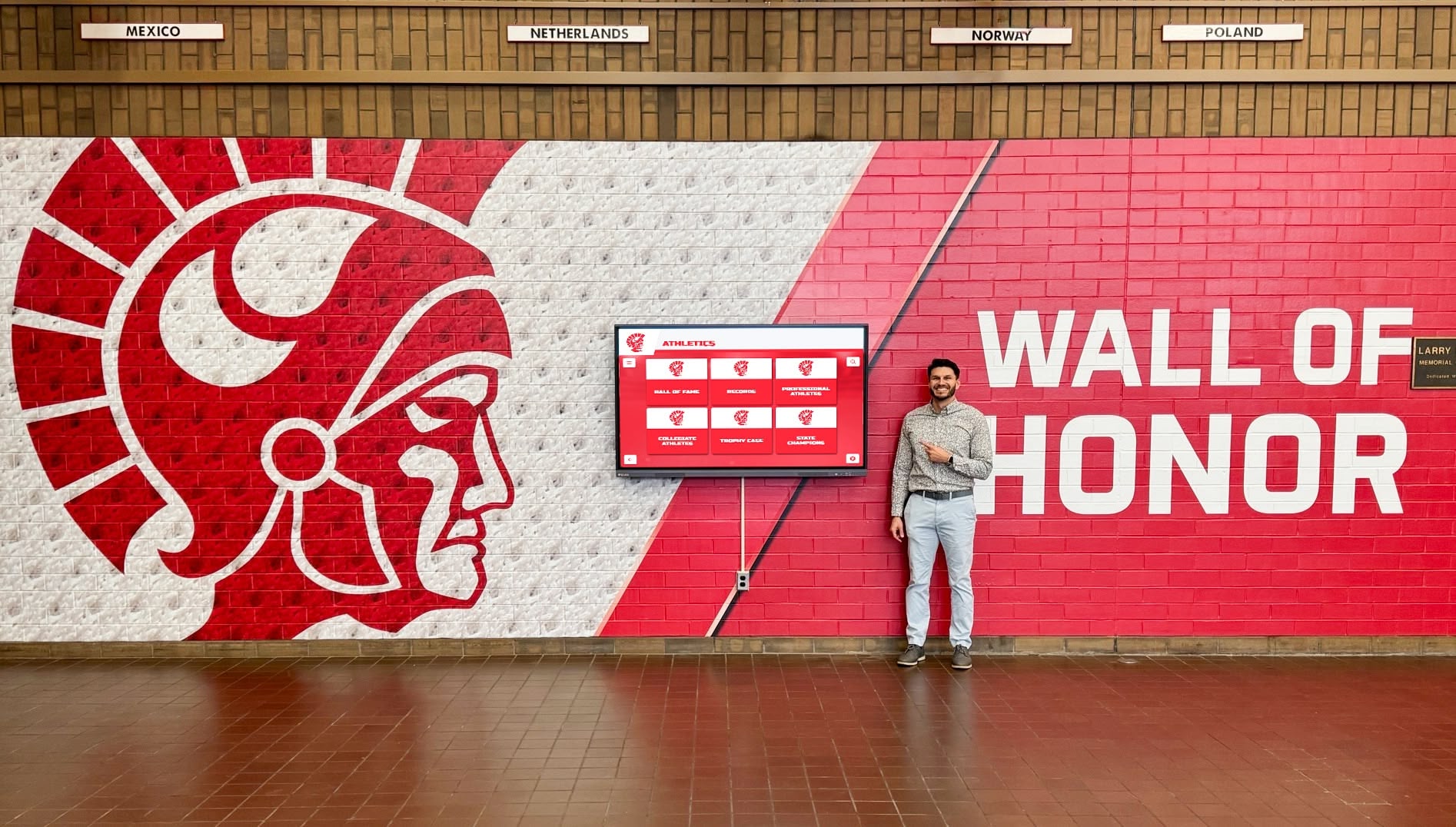
Interactive displays enable visitors to explore organizational programs, partnerships, and impact stories at their own pace
Beneficiary Success Stories
Share individual stories demonstrating program impact through photos (with appropriate permissions), brief narratives explaining challenges and outcomes, quotes from participants or families, program components that helped, current status and achievements, and calls-to-action for supporting similar work.
Personal stories create emotional connections that statistics alone cannot achieve, inspiring donor support and volunteer participation.
Behind-the-Scenes Content
Show organizational operations through staff spotlights, volunteer features, facility tours, program preparation activities, and day-in-the-life content humanizing nonprofit work.
This transparency builds trust while helping community members understand operational complexity involved in delivering programs.
Donor Recognition and Fundraising Content
Digital displays support development efforts through visible appreciation:
Donor Acknowledgment
Recognize financial supporters by giving level tiers, campaign-specific recognition, legacy and major donor features, corporate sponsor logos, and foundation acknowledgment.
Real-time updates enable immediate recognition when contributions arrive—providing timely appreciation impossible with traditional engraved plaques.
Fundraising Campaign Progress
During active campaigns, display progress thermometers showing goals and current totals, countdown timers to campaign deadlines, impact projections explaining what funding will accomplish, matching gift opportunities when available, and QR codes enabling immediate mobile donations.
Visual progress creates urgency encouraging final contributions to reach campaign targets.
Planned Giving and Legacy Society Information
Educate visitors about estate giving through legacy society membership benefits, planned giving options and processes, impact of endowment support, featured legacy donors (with permission), and advisor contact information for detailed conversations.
Many nonprofits neglect planned giving communication—digital displays provide ongoing visibility for these important revenue streams.
Technical Setup Guide for Nonprofits
While technology seems intimidating, nonprofits can successfully implement digital displays following systematic approaches.
Selecting Display Hardware
Hardware selection balances budget, reliability needs, and intended use:
Consumer TV vs. Commercial Display Decision
Consumer televisions work well when budgets are constrained ($250-600 for 43-55 inch models), displays will operate fewer than 12 hours daily, replacement in 3-5 years is acceptable, basic functionality suffices without advanced features, and backup options exist if failures occur.
Commercial displays justify higher costs when displays run continuously during facility hours, reliability is critical with limited IT support, longer warranty periods (typically 3 years) provide security, professional appearance matters for donor meetings, and centralized management of multiple displays is needed.
Screen Size Guidance
Choose screen sizes based on viewing distance and space:
- 43-50 inches: Suitable for offices, hallways, and small meeting rooms where viewers stand 6-12 feet away
- 55-65 inches: Appropriate for lobbies, community rooms, and spaces where viewers stand 10-20 feet away
- 70-85 inches: Impressive for large gathering spaces, auditoriums, and areas requiring visibility from 20+ feet
Measure your intended installation location and typical viewing distances before purchasing—undersized displays disappoint while oversized screens may overwhelm smaller spaces.
Touchscreen vs. Standard Display
Standard displays showing rotating content work for most nonprofits needing basic information sharing and event promotion at lowest cost. Touchscreens justify premium pricing when visitors benefit from exploring content interactively, extensive information exceeds feasible rotation time, searchability adds value (finding specific veterans or partners), engagement metrics inform content strategy, and organizational culture embraces technology.
Interactive features require more sophisticated content management but create more engaging visitor experiences when implemented well.
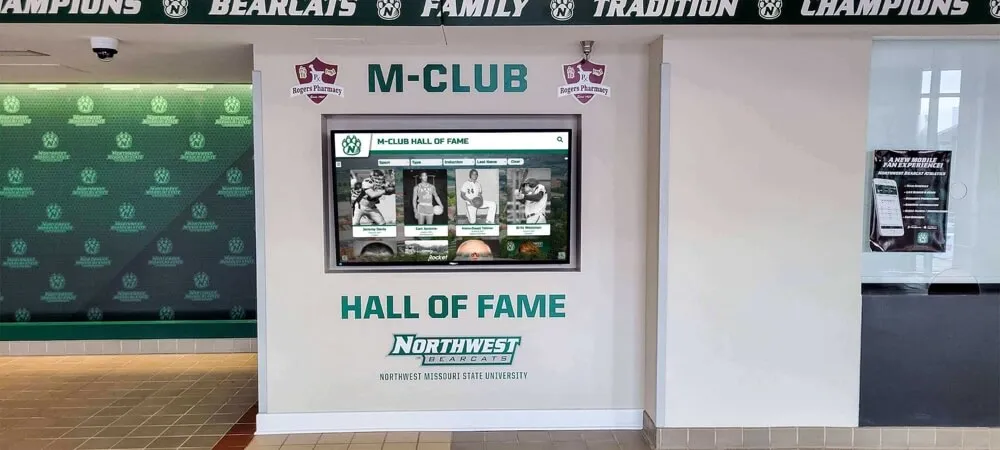
Professional installations integrate displays seamlessly with organizational branding and architectural features
Content Management Platform Selection
Software determines how easily your team updates content:
Free and Budget-Friendly Options
Google Slides + Chromecast ($35-50 initial)
- Create presentations in Google Slides with slide auto-advance
- Cast to display via Chromecast dongle
- Pros: Familiar interface, free software, simple setup
- Cons: Limited scheduling, manual updates, basic features
PowerPoint + Amazon Fire TV Stick ($40-50 initial)
- Create presentations in PowerPoint
- Upload to OneDrive and present via Fire TV
- Pros: Familiar Microsoft tools, low cost
- Cons: Manual updates, limited automation
Canva + Screen Casting ($0-120 annually)
- Design graphics in Canva using templates
- Cast to display or export to slideshow
- Pros: Beautiful templates, easy design, free tier available
- Cons: Requires design work, limited interactivity
These free options work for organizations with staff who can create content regularly, simple rotation needs without complex scheduling, single-display implementations, and technical comfort with basic troubleshooting.
Entry-Level Digital Signage Platforms ($300-1,200 annually)
Platforms like ScreenCloud, Rise Vision, or Yodeck provide purpose-built digital signage with content scheduling, multiple display management, template libraries, media management, remote updates, and basic analytics.
Look for nonprofit discounts—many platforms offer reduced pricing for registered 501(c)(3) organizations.
Specialized Recognition Platforms ($1,000-3,000 annually)
Solutions like Rocket Alumni Solutions focus specifically on recognition applications—displaying rotating profiles with photos and biographical information ideal for veteran honor walls, community partner spotlights, and donor recognition.
These platforms provide profile-based content management, searchable databases (for touchscreen implementations), web accessibility extending recognition beyond physical displays, integration with existing databases, professional templates, and comprehensive support.
Specialized platforms work well for nonprofits where recognition represents primary display purpose, multiple content contributors need simple interfaces, professional presentation justifies investment, and comprehensive support reduces staff burden.
Installation and Mounting Best Practices
Proper installation ensures safety, reliability, and professional appearance:
Location Selection
Choose display locations based on foot traffic patterns (high-traffic areas maximize visibility), viewing angles (displays should face primary walking paths), lighting conditions (avoid direct sunlight causing glare), network connectivity availability, electrical outlet proximity, ADA compliance ensuring accessibility, and safety considerations preventing injury risks.
Walk your facility during typical operating hours noting where visitors naturally pause or congregate—these represent ideal display locations.
Mounting Options
Fixed Wall Mounts ($25-75 budget, $75-150 professional)
- Pros: Secure, low-profile, inexpensive
- Cons: No angle adjustment, permanent installation
Tilting Wall Mounts ($50-100 budget, $100-200 professional)
- Pros: Vertical angle adjustment, glare reduction
- Cons: Limited movement, moderate cost
Full-Motion Articulating Mounts ($75-150 budget, $150-300 professional)
- Pros: Complete angle and position adjustment, maximum flexibility
- Cons: Higher cost, more complex installation
Floor-Standing Kiosks ($300-2,000 depending on features)
- Pros: No wall mounting, relocatable, professional appearance, cable management
- Cons: Higher cost, requires floor space, potential tip-over risk
For permanent installations, fixed or tilting wall mounts provide best value. Floor kiosks work well when wall mounting isn’t feasible or displays need mobility for special events.
Professional vs. DIY Installation
DIY mounting works when you have basic tool skills and experience, can locate wall studs reliably, understand weight limits and safety requirements, feel comfortable with electrical connections, and accept responsibility if installation fails.
Professional installation justifies cost when mounting large displays (65+ inches), dealing with tricky wall materials (brick, concrete, steel studs), lacking tools or experience, needing cable concealment and professional appearance, and wanting liability coverage for installation quality.
Network Connectivity and Content Updates
Displays need network connectivity for remote content updates:
Wired Ethernet (Recommended)
Most reliable connectivity through dedicated network connection, consistent bandwidth, and minimal interference. If possible, plan display locations near ethernet jacks or budget for network cable installation during construction.
WiFi Connectivity
Acceptable alternative when ethernet isn’t feasible but requires strong signal strength at display locations, adequate bandwidth for content updates, network security policies allowing device connections, and backup plans for connectivity failures.
Test WiFi strength at proposed display locations before finalizing placement—weak signals cause frustrating update failures and display downtime.
Content Update Workflows
Establish clear processes determining who can update content, how changes get approved, update frequency and schedules, emergency update procedures for urgent changes, backup content for system failures, and quality control ensuring professional presentation.
Many nonprofits designate one primary content coordinator with backup secondary access preventing single points of failure when key personnel are unavailable.
Maximizing Impact and Community Engagement
Successful digital displays require more than just hardware and software—they need strategies ensuring content engages audiences and advances organizational goals.
Creating Compelling Visual Content
Quality content makes the difference between displays people ignore and those that capture attention:
Photography Best Practices
Use high-resolution images (minimum 1920x1080 pixels), ensure adequate lighting avoiding harsh shadows, capture authentic moments showing real people and programs, secure photo releases for identifiable individuals, edit for color balance and clarity, and maintain consistent visual style across content.
Avoid stock photography when possible—authentic photos from your programs create stronger connections than generic imagery.
Text and Typography Guidelines
Keep text concise using headline/body hierarchy, choose readable fonts (sans-serif fonts like Arial, Helvetica work well for displays), maintain adequate font sizes (minimum 24pt for body text, 36pt+ for headlines), ensure high contrast between text and backgrounds (dark text on light backgrounds or vice versa), and limit text per slide (aim for 3-5 bullet points maximum).
Remember that visitors will view displays from distances of 6-20 feet—text must remain legible at these ranges.
Color and Branding Consistency
Incorporate organizational colors and branding through consistent color palettes matching brand guidelines, logo placement on slides, coordinated templates maintaining visual consistency, and thoughtful contrast ensuring readability while supporting brand identity.
Consistent branding across displays, websites, and printed materials reinforces organizational professionalism.
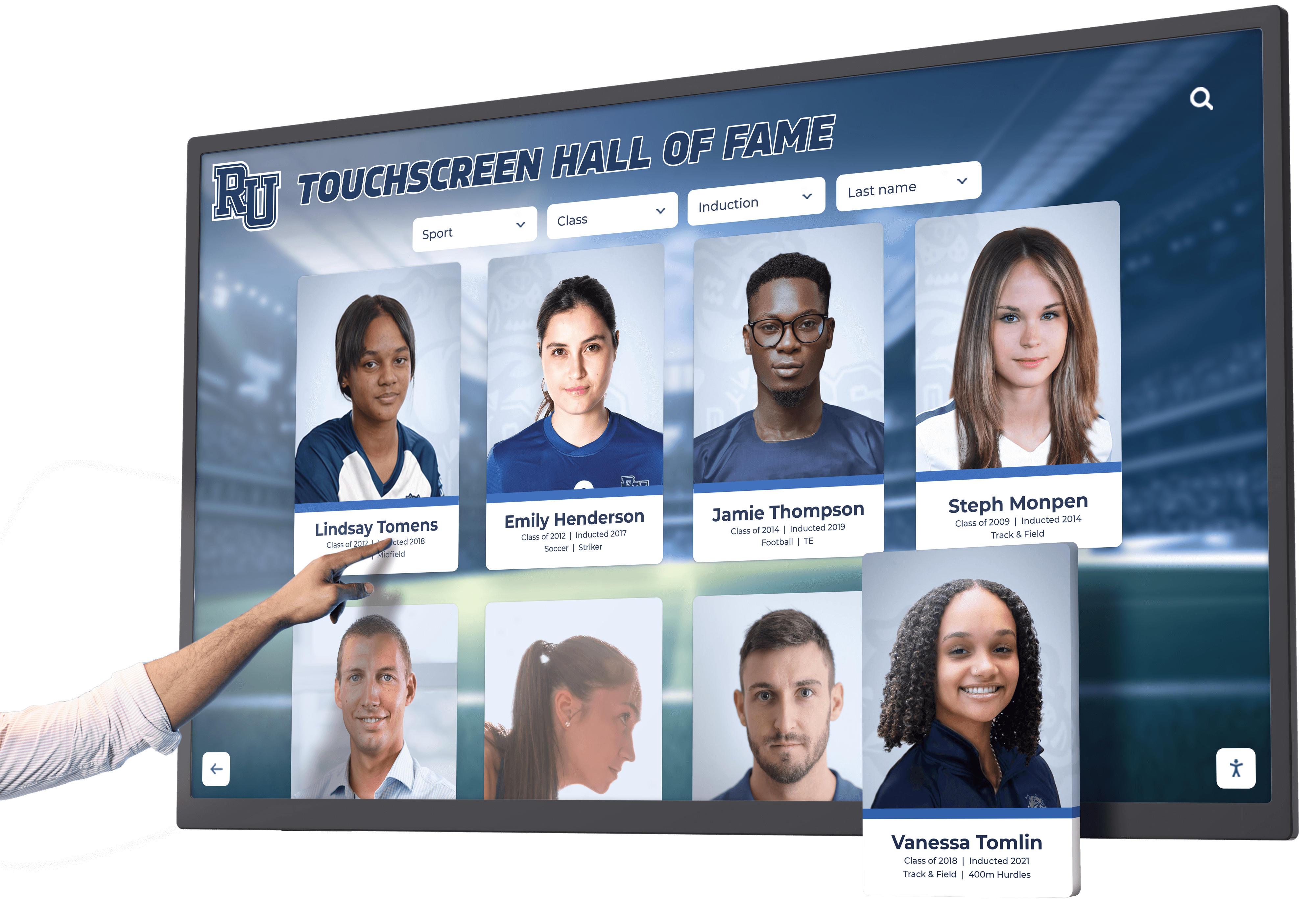
Card-based interfaces enable easy exploration of community partners, veterans, and event information
Content Rotation and Update Strategies
Fresh content maintains engagement while stale displays fade into background:
Rotation Frequency Recommendations
Static information (mission, programs, contact): Update quarterly or when changes occur. Community partner profiles: Rotate monthly featuring different partners. Veterans recognition: Add profiles continuously as submissions arrive. Event promotion: Update weekly removing past events. Impact statistics: Update quarterly when new data available. Success stories: Rotate monthly featuring different beneficiaries or programs.
Balance consistency (enabling visitors to find expected information) with freshness (providing reasons to look regularly).
Seasonal and Special Event Content
Adjust content reflecting organizational calendar through holiday messaging and seasonal programs, special event promotion during campaigns, annual report highlights sharing yearly accomplishments, awareness months relevant to your mission (Veterans Day, National Volunteer Week, Giving Tuesday), and community celebrations connecting organizational work to broader events.
Community Contribution Processes
Engage community in content creation by inviting veteran profile submissions from families and veterans themselves, requesting partner organization logos and descriptions, collecting event information from collaborative programs, gathering success stories from program participants, and soliciting volunteer testimonials.
Crowdsourced content reduces staff burden while building community ownership in display success.
Organizations implementing community engagement strategies report that contribution opportunities strengthen relationships and increase content freshness.
Measuring Success and Impact
Track specific metrics demonstrating display value:
Engagement Indicators
For touchscreen displays, monitor daily interactions and session counts, popular content and profiles, search queries (what people look for), average session duration, and time-of-day usage patterns.
For standard displays, observe informal visitor attention during facility walk-throughs, comments and questions about displayed content, increases in event attendance promoted through displays, partner feedback about recognition, and donor responses to visible acknowledgment.
Organizational Outcomes
Track whether displays contribute to increased volunteer inquiries following volunteer opportunity promotion, event attendance improvements for promoted activities, donor retention and satisfaction, partnership satisfaction and renewal rates, and community awareness measured through surveys or feedback.
Cost-Benefit Analysis
Compare display costs to previous approaches calculating printing cost savings from eliminated posters, staff time savings from easier updates, partnership value from visible recognition, donor relationship strengthening, and volunteer recruitment effectiveness.
Most nonprofits find that displays pay for themselves within 2-3 years through eliminated printing costs, staff efficiency, and relationship benefits.
Special Considerations for Veterans Organizations
Nonprofits focused on veterans services or operating in communities with strong military connections have unique display opportunities:
Veterans Honor Wall Content Standards
Create meaningful recognition through comprehensive service documentation including photos in uniform when available, civilian portrait photos showing veterans today, military branch and service dates, ranks and service positions, deployments and duty stations, awards and commendations with official descriptions, post-military community service and civilian careers, connection to your organization’s programs, and personal reflections or quotes when veterans provide them.
Maintain consistent formatting across profiles ensuring equal honor regardless of rank or service era—every veteran deserves dignified recognition.
Collecting Veteran Information
Develop systematic processes for profile creation through veteran or family submission forms, partnership with local veteran organizations, records from organizational databases and programs, research from public military databases (with appropriate permissions), and historical archives for deceased veterans.
Provide submission forms online and in printed formats ensuring accessibility for veterans of all ages and technical comfort levels.
Respectful Military Representation
Honor military service appropriately through accurate rank and insignia usage, official military photo guidelines, appropriate flag and emblem display, service-specific terminology and traditions, recognition of all service eras without hierarchy, and sensitivity to combat experiences and PTSD considerations.
When uncertain about military protocols or appropriateness, consult with veterans organizations or military advisors ensuring respectful presentation.
Organizations creating veterans recognition programs report that visible honor walls strengthen recruitment, volunteer engagement, and community support.
Conclusion: Taking the Next Step Toward Your Digital Display
Digital wall mount displays provide nonprofits with professional, flexible tools for recognizing community partnerships, honoring veterans, promoting events, and demonstrating organizational impact—all within budgets appropriate for organizations without enterprise-level resources.
Whether you start with a budget-friendly consumer TV running Google Slides presentations or invest in interactive touchscreen displays with specialized recognition software, the key lies in beginning the journey. Physical bulletin boards and printed posters will never match the flexibility, professional appearance, and engagement potential of digital displays that grow alongside your organization and adapt to evolving community needs.
Start by defining your primary purpose—do you mainly need veterans recognition, community partnership acknowledgment, event promotion, or a combination? Determine your realistic budget including both initial investment and ongoing costs. Assess your staff capacity for content creation and updates. Then explore solutions matching your specific circumstances rather than trying to implement everything at once.
Ready to Explore Digital Display Solutions for Your Nonprofit?
Discover how purpose-built recognition platforms can help your organization honor community partnerships, recognize veterans, promote events, and demonstrate impact through professional digital wall mount displays designed specifically for nonprofit budgets and needs.
Book a demo to see comprehensive solutions combining hardware, software, and ongoing support that make digital displays achievable even for small nonprofits.
Many nonprofits begin with pilot installations in single locations proving value before expanding to additional displays or more sophisticated features. This phased approach builds stakeholder confidence, enables learning from initial experiences, spreads costs across budget years, and creates momentum as visible success generates enthusiasm for expansion.
Digital displays aren’t just technology purchases—they’re investments in community relationships, organizational visibility, and mission communication that serve your nonprofit and community for years. Every community partner recognized, veteran honored, and event promoted through your displays strengthens connections that advance your important work.
The most important step is simply beginning. Your community partnerships deserve visible recognition. Your veterans merit dignified honor. Your upcoming events need effective promotion. Digital wall mount displays provide the tools making all this possible within your nonprofit’s budget and capacity.































