




Museums, historical societies, and educational institutions face a common challenge: how do you engage modern visitors who expect interactive, multimedia experiences while preserving and presenting historical artifacts, institutional heritage, and educational content? Traditional glass cases and printed placards worked for generations, but today’s audiences—particularly students and younger visitors—increasingly disengage from passive viewing experiences that fail to provide context, interactivity, or deeper exploration opportunities.
The gap between visitor expectations and museum capabilities continues widening. Modern audiences arrive with smartphones offering instant access to information, expect personalized experiences that adapt to interests, and value opportunities to explore content at their own pace rather than following prescribed paths. Meanwhile, physical exhibit constraints limit how much information museums can present, static displays fail to accommodate different learning styles or accessibility needs, and traditional exhibits provide no mechanisms for measuring visitor engagement or understanding which content resonates most powerfully.
Digital interactive museum displays solve these challenges by combining touchscreen technology, multimedia content, and intuitive interfaces that transform passive viewing into active exploration. These systems enable museums to present unlimited contextual information without cluttering physical spaces, accommodate diverse learning styles through multiple media types, track visitor engagement providing insights for continuous improvement, and update exhibits instantly as new research emerges or collections expand—all while maintaining the authentic artifacts and specimens that remain the heart of museum experiences.
This comprehensive guide explores how educational institutions, school museums, university collections, and local historical societies can implement digital interactive displays that enhance visitor engagement, preserve institutional knowledge, and create memorable educational experiences serving diverse audiences.
Understanding Digital Interactive Museum Displays
Digital interactive museum displays represent technology solutions that enhance traditional museum experiences by providing visitors with touchscreen-enabled access to contextual information, multimedia content, and exploration tools that deepen understanding and engagement with exhibits.
Unlike basic digital signage that simply displays rotating information, interactive museum displays respond to visitor input—allowing people to choose what information interests them, explore topics at appropriate depth levels, access content in multiple languages, and engage with material through various sensory and cognitive pathways.
Core Components of Interactive Museum Systems
Effective museum display technology integrates several elements working together:
Interactive Touchscreen Hardware
Commercial-grade touchscreen displays ranging from 32 inches for focused exhibit stations to 65 inches or larger for central gallery installations. These displays feature anti-glare coatings enabling visibility in varied museum lighting conditions, industrial touchscreen technology supporting thousands of daily interactions, vandal-resistant construction appropriate for public spaces, and integration options accommodating both wall mounting and freestanding kiosk configurations.
Museum environments present unique challenges for display technology—varying light levels from natural windows and exhibit lighting, diverse visitor populations including young children and elderly adults requiring accessible interfaces, and continuous operation demands far exceeding consumer display capabilities.

Modern museum displays transform static exhibits into interactive learning experiences where visitors actively explore content at their own pace
Content Management Platforms
Cloud-based systems enabling museum staff to create, organize, and update exhibit content without technical expertise. Quality platforms provide visual editors with drag-and-drop functionality, template-based content creation simplifying consistency, multimedia support for photos, videos, audio, and documents, multilingual content management for diverse visitor populations, and analytics tracking showing which exhibits generate greatest engagement.
The distinction between museum-specific platforms and generic digital signage software matters significantly. Purpose-built museum solutions include features specifically supporting educational exhibits—content organized by artifact or theme rather than just chronological slides, interactive navigation allowing visitor-directed exploration, and integration capabilities connecting to collection management systems.
Web-Accessible Content
Interactive displays work most effectively when content remains accessible beyond physical museum visits. Web platforms enable students to review content after field trips, researchers to access information remotely, teachers to incorporate museum materials into lesson planning, and prospective visitors to preview collections before visits—extending educational impact far beyond gallery walls.
Solutions like Rocket Alumni Solutions provide integrated platforms where physical touchscreen displays and web-based access share content management, ensuring consistency while enabling location-appropriate delivery.
Types of Interactive Museum Displays
Museums implement interactive technology in various configurations serving different purposes:
Artifact Deep-Dive Stations
Displays positioned near specific artifacts or exhibit areas providing detailed contextual information, historical background, conservation stories, related artifacts in other collections, and interactive 3D models allowing virtual examination from all angles.
These stations solve the fundamental museum challenge of providing extensive information without cluttering exhibit spaces with lengthy text panels that interrupt visual flow and accommodate only surface-level content.
Collection Browsers and Digital Catalogs
Comprehensive interfaces allowing visitors to search entire collections, filter by time period, medium, or theme, compare related items side-by-side, access curatorial notes and research, and discover connections between disparate pieces.
Many museums display only 5-15% of holdings at any time due to space constraints. Digital collection browsers make reserve collections accessible, dramatically expanding what visitors can explore during visits.
Timeline and Historical Context Displays
Interactive chronologies showing artifacts in historical context, concurrent events providing broader understanding, biographical information about creators and subjects, and comparative views showing evolution across periods.
Educational museums implementing historical timeline approaches report significant increases in visitor comprehension when artifacts connect to broader historical narratives.
Multimedia Storytelling Stations
Displays combining video interviews with curators or community members, historical photographs and documents, audio recordings including oral histories, animated demonstrations of historical processes, and interactive maps showing geographic context.
Multiple media types accommodate diverse learning styles—visual, auditory, kinesthetic—ensuring all visitors can engage effectively regardless of preferred information processing methods.
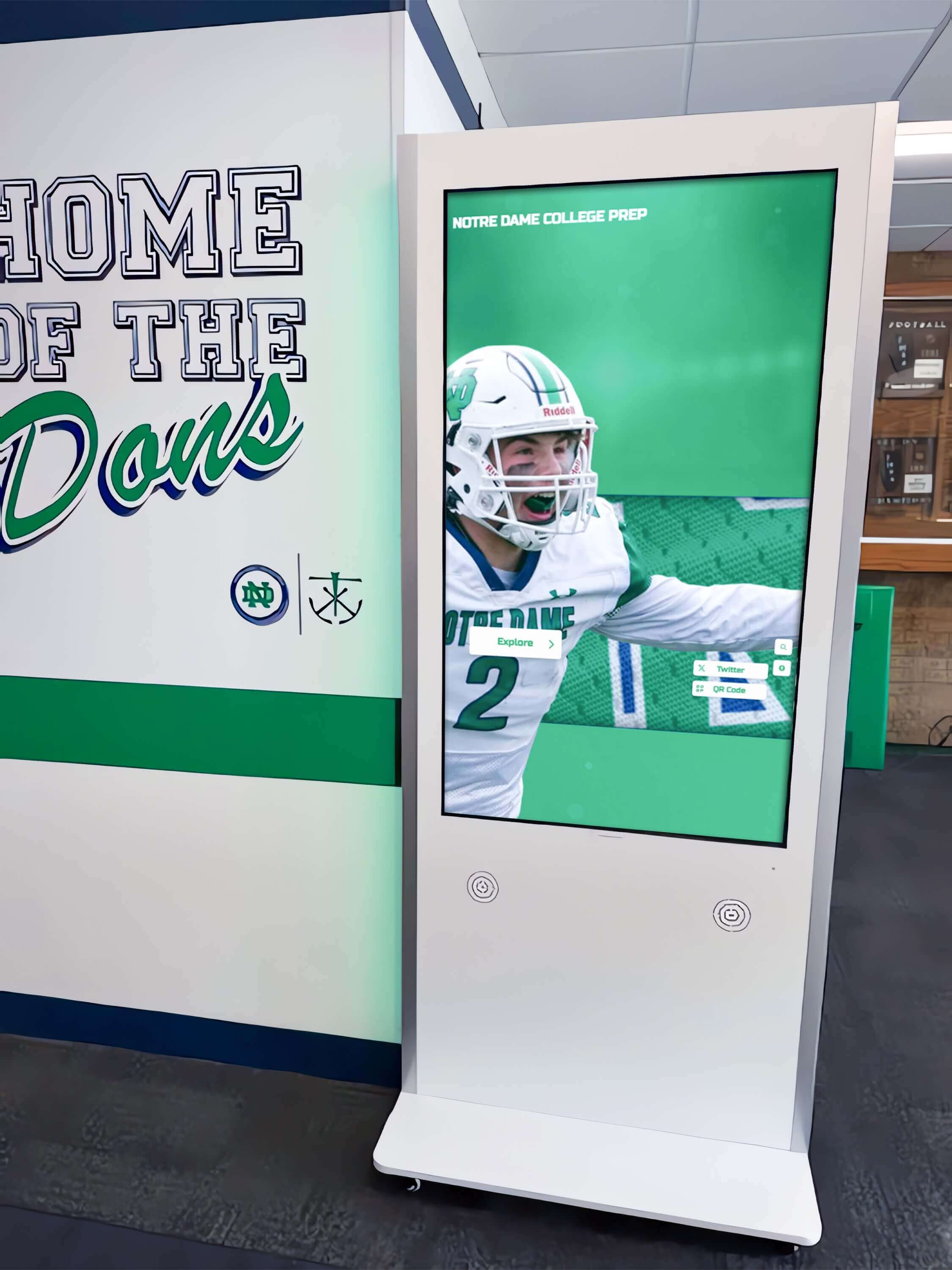
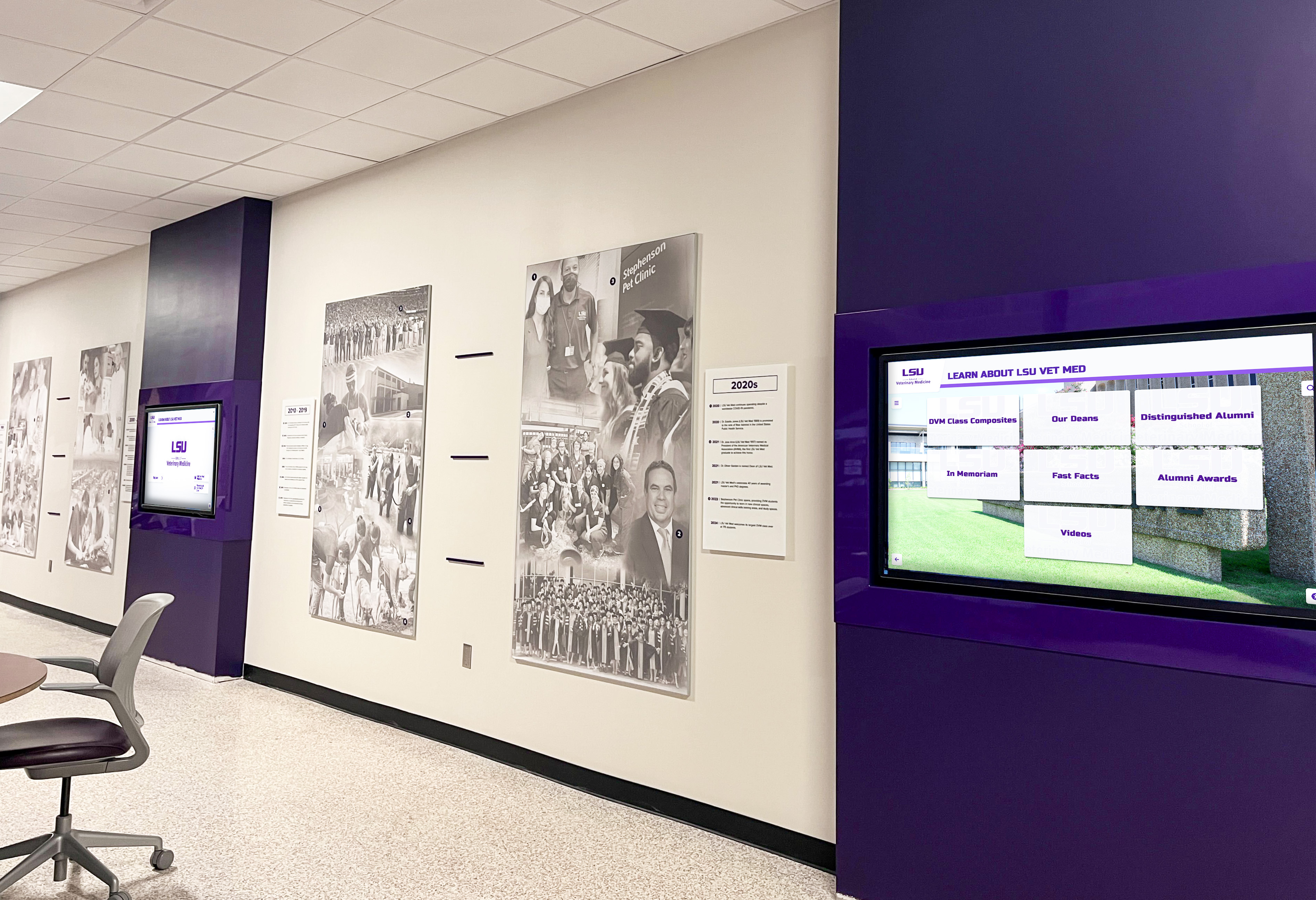
Strategic placement of interactive displays in high-traffic corridors ensures maximum visitor engagement while providing comfortable exploration spaces
Benefits of Interactive Displays for Museums and Educational Institutions
Understanding specific advantages helps institutions prioritize investments and make compelling cases to boards, donors, and stakeholders.
Enhanced Visitor Engagement and Learning Outcomes
Interactive displays fundamentally change how visitors experience museums:
Active Learning vs. Passive Viewing
Traditional museum visits position visitors as passive observers moving through prescribed paths reading curator-selected information. Interactive displays enable active learning where visitors direct their own exploration based on interests, access information at appropriate depth levels, and engage with content through multiple pathways.
Educational research consistently demonstrates that active learning produces superior retention and comprehension compared to passive information reception. When visitors choose what to explore and interact with content through touchscreen manipulation, they invest cognitive effort that strengthens memory formation and understanding.
Accommodation of Diverse Learning Styles
Museum visitors bring diverse preferences for information processing:
- Visual learners benefit from photo galleries and diagrams
- Auditory learners engage with audio narratives and interviews
- Reading/writing learners appreciate detailed text descriptions
- Kinesthetic learners respond to touchscreen manipulation and interactive elements
Interactive displays accommodate all learning styles simultaneously through multimedia content, while traditional text panels serve only reading-oriented visitors.
Personalized Depth and Pacing
Different visitors want different information levels—children need simplified explanations, experts want detailed analysis, casual visitors prefer overviews while enthusiasts desire comprehensive exploration. Interactive displays enable everyone to access appropriate content depth rather than forcing compromise solutions that satisfy no one fully.
Accessibility and Inclusion Benefits
Digital interactive displays address accessibility challenges inherent in traditional museums:
Multiple Language Support
Museums serving diverse communities struggle to provide exhibit information in multiple languages through physical labels—text panels become cluttered, translation costs multiply, and space limitations prevent comprehensive multilingual content. Digital displays easily accommodate unlimited languages with simple interface selection, making collections accessible to broader audiences while supporting English language learners and international visitors.
Vision Accessibility Features
Interactive displays support text sizing adjustments for visually impaired visitors, high-contrast display modes improving readability, audio descriptions for exhibits and artifacts, and screen reader compatibility following accessibility standards.

Intuitive touchscreen interfaces enable visitors of all ages and abilities to explore museum content independently
Physical Accessibility Considerations
Traditional exhibits often position information at single heights or behind glass cases difficult for wheelchair users or children to view. Interactive kiosks can be positioned at appropriate heights or angled for optimal accessibility, while content remains fully accessible regardless of physical artifact placement.
Unlimited Content Capacity
Physical space constraints force museums to make difficult choices about what information to present. Digital displays eliminate these limitations entirely:
Comprehensive Contextual Information
Traditional text panels accommodate perhaps 100-200 words before becoming overwhelming and visually cluttered. Interactive displays support unlimited content depth—brief introductions for casual browsers, moderate detail for interested visitors, comprehensive research for scholars—all organized in hierarchical structures preventing information overload while enabling those who want depth to access it.
Preservation of Hidden Collections
Most museums display only a fraction of holdings due to space constraints, conservation concerns, or rotating exhibit schedules. Interactive displays make entire collections explorable through photographs, detailed descriptions, and contextual information—dramatically expanding what visitors can discover during visits.
Schools implementing comprehensive digital archive systems report that making reserve collections digitally accessible increases visitor satisfaction while supporting research and educational missions.
Instant Updates and Dynamic Content
Physical exhibits require extensive lead time for changes:
Responsive Content Management
When new research emerges correcting previous understanding, interactive displays update instantly across all stations. When collections expand with new acquisitions, digital catalogs reflect additions immediately. When special events or temporary exhibits require promotional content, displays adjust in real time without physical signage production and installation.
This flexibility enables museums to maintain current, accurate information while responding quickly to opportunities and correcting errors without expensive physical modifications.
Seasonal and Special Exhibition Support
Museums can adjust interactive display content supporting special exhibitions, highlighting seasonal connections, featuring anniversary commemorations, and promoting upcoming programs—all through simple content management rather than physical installation work.
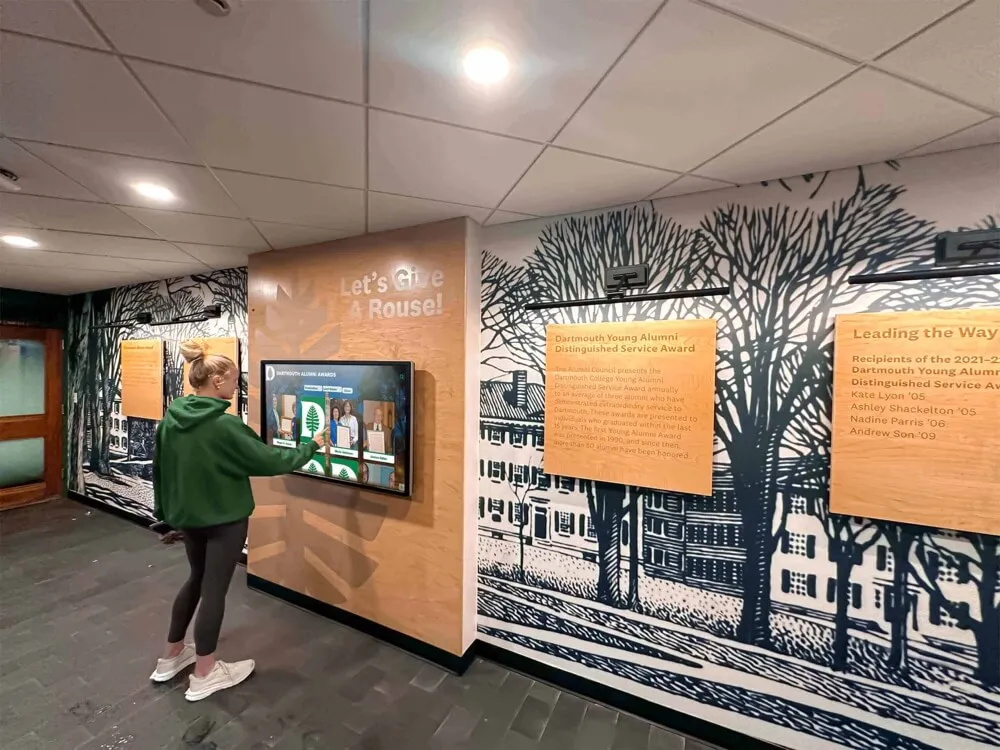
Strategic placement throughout museum facilities ensures visitors encounter interactive content at natural exploration points
Valuable Engagement Analytics
Traditional museums receive minimal insight into visitor behavior beyond entrance counts. Interactive displays generate comprehensive engagement data:
Content Performance Metrics
Analytics reveal which exhibits generate highest engagement, what information visitors explore most deeply, average time spent with different content types, search queries showing visitor interests, and demographic patterns when integrated with admission systems.
Exhibition Optimization
Understanding what content resonates enables curators to refine future exhibits, identify collection areas warranting expansion, recognize topics requiring additional context or different presentation approaches, and demonstrate educational impact to funders and stakeholders.
Museums implementing digital recognition technology use engagement analytics to continuously improve visitor experiences and justify continued technology investments.
Planning Your Interactive Museum Display Implementation
Successful implementations require systematic planning addressing content strategy, technical requirements, visitor experience design, and sustainability.
Define Educational Goals and Visitor Needs
Begin by clarifying what you want interactive displays to accomplish:
Primary Educational Objectives
Consider whether displays should deepen understanding of specific artifacts and their contexts, provide broader historical or thematic narratives connecting collections, enable independent research and exploration, support formal educational programs and school visits, or make collections accessible to wider audiences including remote visitors.
Clear objectives guide content development priorities and feature selection—different goals require different approaches to information architecture and interaction design.
Visitor Profile Analysis
Understanding who visits and what they need informs design decisions:
- School groups need curriculum-aligned content and teacher-friendly resources
- Families require age-appropriate content for children while engaging adults
- Serious researchers want comprehensive information and citations
- Casual tourists prefer concise overviews and visual content
- Multilingual communities need translated content
Museums serving diverse audiences benefit from systems supporting multiple content depths, languages, and interaction patterns rather than single approaches assuming homogeneous visitors.
Assess Content and Collections
Inventory what you have and what you need:
Existing Digital Assets
Many museums possess more digital content than realized—collection photography from catalogs and insurance documentation, historical photographs and documents in archives, research and curatorial notes, conservation reports and analysis, and previous exhibition materials.
Gathering existing digital assets before content creation prevents duplicative work and identifies gaps requiring new development.
Content Development Priorities
Most institutions cannot digitize and create content for entire collections simultaneously. Prioritize based on visitor interest in popular exhibits and signature collections, educational value for school programs and curriculum connections, research significance for scholarly audiences, preservation urgency for fragile artifacts requiring limited physical display, and special exhibitions and anniversary opportunities providing promotional value.
Phased implementation allows starting with highest-priority content demonstrating value while building toward comprehensive coverage over time.
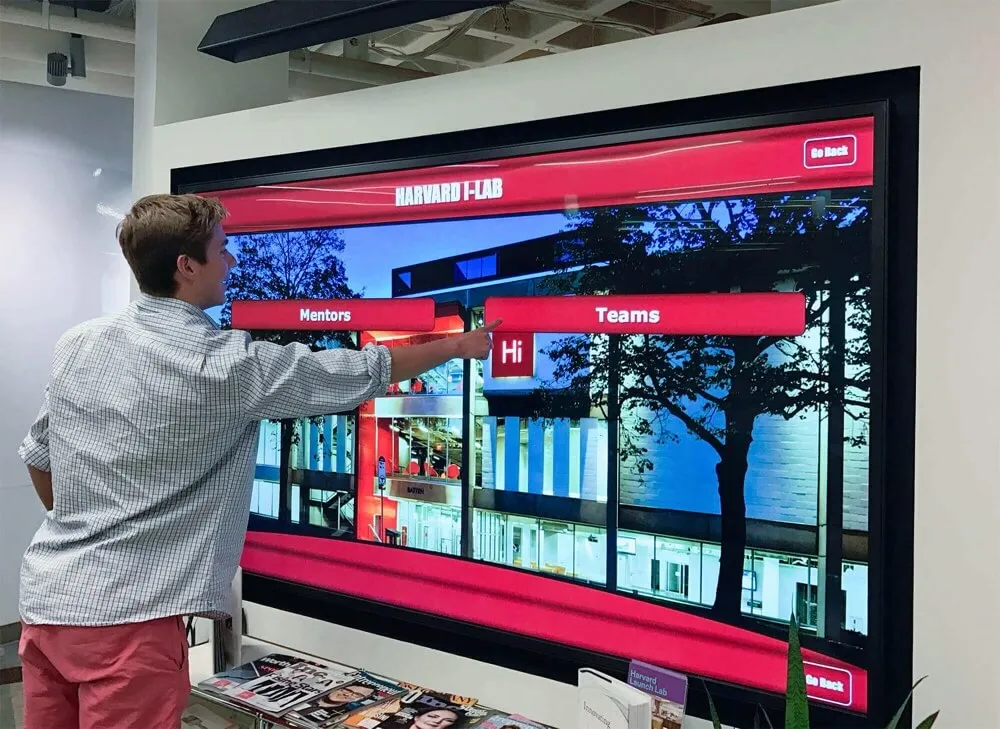
Intuitive menu systems enable visitors to navigate complex content structures and find information matching their interests
Select Appropriate Display Locations
Placement significantly impacts whether visitors discover and engage with interactive displays:
High-Traffic Orientation Areas
Museum entrance lobbies and orientation spaces serve as natural locations for comprehensive collection browsers helping visitors plan routes, featured exhibit highlights generating interest, wayfinding and facility information, and multilingual welcome content.
Exhibit-Specific Stations
Displays positioned within galleries adjacent to artifacts provide deep contextual information, comparative content showing related objects, conservation stories and technical analysis, and interactive exploration features like zoomable high-resolution images.
Learning and Contemplation Spaces
Dedicated interactive areas with seating enable extended exploration for visitors wanting comprehensive engagement, support school groups conducting structured activities, provide research stations for serious scholars, and offer families comfortable spaces for learning together.
Organizations implementing campus directory and wayfinding systems discover that strategic display placement determines usage rates as much as content quality.
Determine Budget and Explore Funding
Comprehensive budgets include hardware costs for displays, kiosks, and mounting systems ($3,000-10,000 per installation), software platforms with annual licensing ($2,000-5,000 depending on features and scale), content development requiring professional photography, writing, and multimedia production, installation including electrical and network infrastructure, ongoing maintenance and updates, and technical support and training.
Typical total implementation costs for museum-wide systems range from $25,000-75,000 for small institutions to $100,000+ for comprehensive museum-wide networks with extensive content development.
Funding Source Opportunities
Museums can explore grant programs from educational and cultural foundations, government arts and humanities agencies, corporate sponsorships particularly from technology companies, capital campaigns and major donor cultivation, membership drives highlighting technological improvements, and educational partnerships with schools and universities.
Frame projects around educational mission and community access to position interactive displays as investments in serving core institutional purposes rather than simply technology purchases.
Choose Technology Platform
Evaluate providers on content management ease of use—can non-technical staff add content independently?, multimedia support and storage capacity—does it handle photos, videos, documents, audio?, customization flexibility—can designs match museum branding and needs?, hardware compatibility—does it work with preferred display equipment?, multilingual capabilities—how easy is translation and language switching?, integration options—does it connect with collection management systems?, analytics and reporting—what insights does it provide?, and technical support quality and availability.
During evaluation, actually create test content using administrative interfaces. If the process feels complicated or requires technical expertise for routine updates, staff won’t maintain content consistently after implementation.
Best Practices for Creating Engaging Museum Display Content
Technology platforms enable interactivity, but content quality determines whether visitors engage meaningfully or navigate away frustrated.
Structure Information for Progressive Disclosure
Interactive displays should reveal information progressively—starting with accessible entry points and enabling visitors to dive deeper based on interest:
Three-Tier Content Architecture
Level 1 - Overview (30-50 words): Brief introduction visible immediately providing basic identification, time period or context, and primary significance. This level serves visitors wanting quick orientation without detailed exploration.
Level 2 - Detailed Information (200-300 words): Comprehensive explanation for interested visitors including historical context and background, technical or artistic analysis, connections to related artifacts or themes, and interesting details or stories. This level satisfies most visitors wanting solid understanding without scholarly depth.
Level 3 - Research Depth (unlimited): Extensive documentation for serious scholars including detailed provenance and acquisition history, conservation reports and technical analysis, academic citations and references, high-resolution imagery for detailed examination, and links to related research and publications.
This architecture prevents overwhelming casual visitors while satisfying serious researchers—everyone accesses appropriate depth without forcing compromise solutions serving no one optimally.
Write for Diverse Audiences and Reading Levels
Museum visitors span wide ranges of age, education, and prior knowledge:
Clear, Accessible Language
Use straightforward vocabulary avoiding unnecessary jargon, define technical terms when essential, keep sentences concise and direct, break complex ideas into digestible segments, and provide examples illustrating abstract concepts.
Museums implementing comprehensive recognition programs discover that clear writing serves broader audiences without sacrificing accuracy or depth.
Age-Appropriate Content Options
Interactive displays can provide parallel content versions—adult explanations using sophisticated analysis and terminology, youth versions simplifying concepts without condescension, and early reader options with controlled vocabulary and sentence structures.
Many platforms enable age-based content filtering where visitors select appropriate levels when beginning exploration.
Mobile-responsive interfaces ensure excellent experiences across all devices and deployment contexts
Incorporate Rich Multimedia Content
Multiple media types accommodate diverse learning preferences while maintaining engagement:
Strategic Photography
High-resolution images enabling zoom and detailed examination, multiple angles showing artifacts from various perspectives, detail shots highlighting significant features, contextual photos showing artifacts in use or original settings, and comparative imagery showing evolution or relationships.
Video Content Guidelines
Keep videos brief—2-3 minutes maximum for general content, 5-7 minutes for in-depth scholarly content. Longer videos see dramatic drop-offs as visitor attention wanes.
Effective video types include curator talks explaining significance or research, conservation demonstrations showing preservation techniques, historical footage providing period context, animated visualizations explaining complex processes, and community voices sharing personal connections to collections.
Audio Integration
Audio content serves visitors preferring auditory learning while enabling multitasking—visitors can listen while viewing artifacts rather than dividing attention between screen text and physical objects.
Consider oral history recordings from community members connected to collections, curator audio tours explaining gallery themes, language audio teaching pronunciation of foreign terms, ambient period music or sounds providing atmospheric context, and detailed audio descriptions supporting visually impaired visitors.
Design Intuitive Navigation and Interaction
Poor interface design frustrates visitors regardless of excellent content:
Clear Visual Hierarchy
Use size, color, and position to communicate importance and relationships. Primary navigation should be immediately obvious, with secondary options visually subordinate. Visitors should understand available options and how to access desired information within seconds—confusion drives abandonment.
Touch-Optimized Interface Design
Design for large touch targets (minimum 44x44 pixels) accommodating fingers of all sizes, clear visual feedback when elements are touched confirming interaction, simple gesture vocabulary avoiding complex multi-touch interactions, and consistent interaction patterns throughout interface eliminating the need to relearn navigation in different sections.
Logical Content Organization
Structure information matching how visitors think about collections—chronologically for historical materials, geographically for location-based collections, thematically for concept-organized content, by artifact type for object-based browsing, or through multiple parallel paths accommodating different mental models.
Measuring Success and Optimizing Engagement
Systematic assessment demonstrates value and guides continuous improvement:
Key Performance Indicators
Track specific metrics showing display effectiveness:
Usage and Engagement Metrics
Daily interactions and session counts revealing adoption rates, average session duration indicating engagement depth, content views showing which exhibits generate interest, search queries revealing visitor information needs, navigation paths showing how people explore content, and time of day patterns informing staffing and content strategies.
Educational Impact Indicators
Pre- and post-visit surveys measuring learning gains, teacher feedback on educational value for school groups, visitor comments about interactive experiences, social media mentions and shares extending reach, and repeat visitation rates suggesting satisfaction.
Operational Efficiency
Staff time required for content updates and maintenance, cost per visitor interaction compared to printed materials, reduction in visitor services questions when information is readily available, and flexibility enabling rapid response to opportunities or issues.
Museums implementing comprehensive digital installations use analytics to optimize content and demonstrate value to stakeholders.
Collect and Act on Visitor Feedback
Systematic feedback collection provides insights complementing quantitative metrics:
Feedback Collection Methods
On-screen satisfaction surveys following display interactions, QR codes linking to detailed feedback forms, observation studies watching how visitors interact, focus groups exploring specific questions in depth, comment cards in gallery spaces, and social media monitoring for organic mentions.
Ask specific questions about navigation clarity, content usefulness, whether visitors learned something new, interest in exploring deeper content, and suggestions for improvement.
Optimize Content Based on Data
Analytics and feedback reveal optimization opportunities:
Content Performance Analysis
Identify highly-engaged content and analyze what makes it successful, recognize underperforming content requiring improvement or replacement, discover popular topics warranting expansion, find navigation bottlenecks causing confusion, and notice demographic patterns suggesting different audience needs.
Continuous Improvement Cycle
Effective museums treat interactive displays as living systems requiring ongoing refinement—quarterly analytics reviews identifying trends and opportunities, A/B testing of different content approaches when possible, regular content updates maintaining freshness, and expansion based on successful patterns.
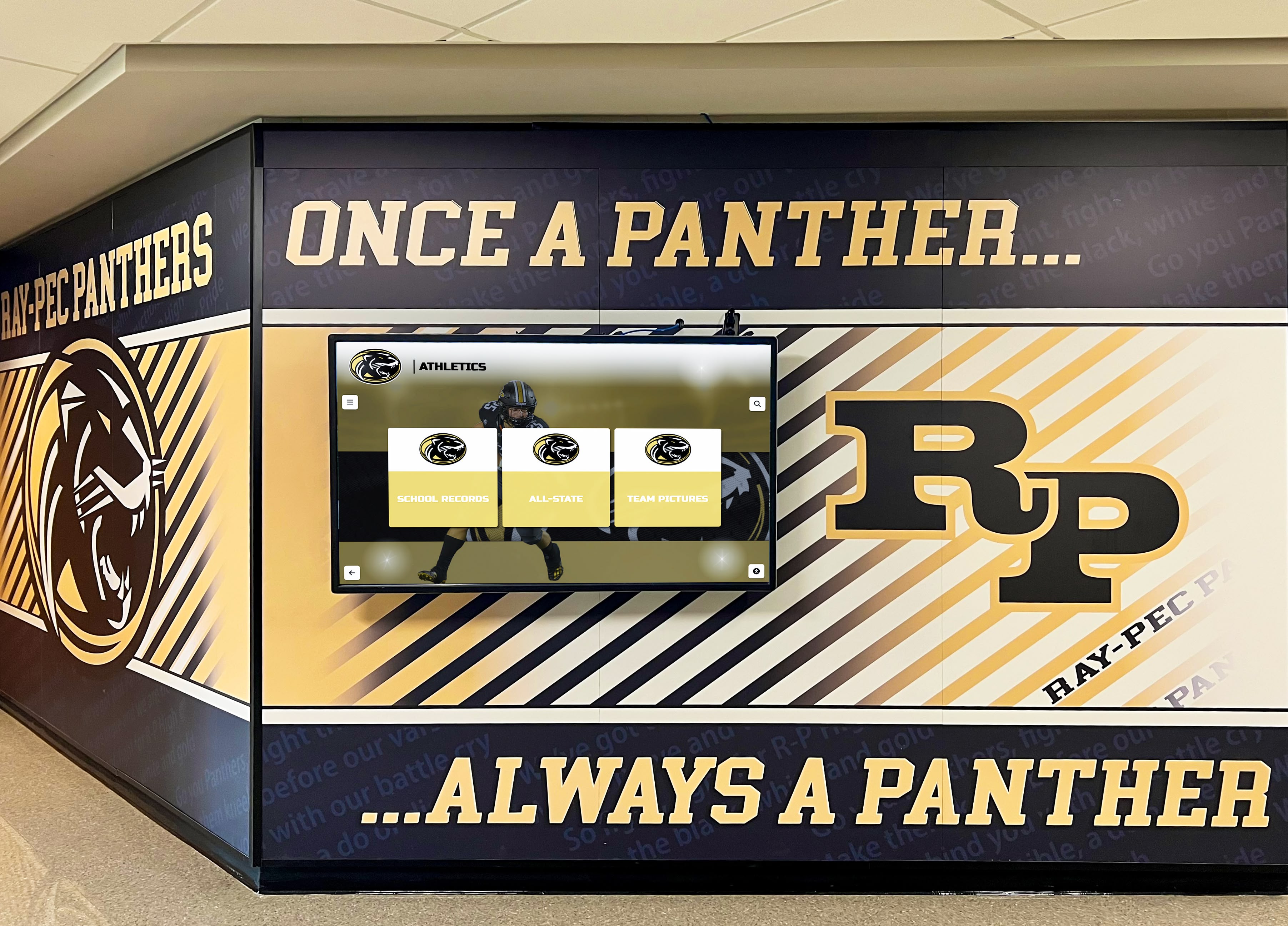
Cohesive integration of digital displays with physical spaces and institutional branding creates unified visitor experiences
Special Considerations for Educational Institution Museums
School museums, university collections, and educational institution exhibits face unique considerations:
Supporting Curriculum and Educational Programs
Educational museums serve instructional missions beyond general public engagement:
Curriculum-Aligned Content
Develop content specifically supporting state or national educational standards, provide teacher resources and lesson plan connections, create student activity worksheets aligned with interactive content, establish clear learning objectives for different grade levels, and enable content filtering by curriculum topic or standard.
Schools implementing educational display technology report higher teacher adoption when interactive displays explicitly connect to curriculum requirements.
Student Research Support
Enable students to explore collections supporting research projects, provide proper citation information for academic use, offer primary source access when appropriate for grade level, and include guided exploration pathways for common research topics.
Preserving and Presenting Institutional History
Educational institution museums preserve organizational heritage:
Comprehensive Institutional Archives
Interactive displays enable presenting decades of yearbooks and historical photographs, athletic and academic achievement documentation, faculty and administrative histories, facility evolution and campus development, and tradition explanations connecting current students to heritage.
Organizations implementing comprehensive yearbook digitization discover that accessible institutional history strengthens community connections and organizational identity.
Alumni Engagement Integration
Digital museum displays create alumni connection opportunities through searchable profiles where graduates find themselves, class-specific content enabling targeted engagement, “where are they now” updates showing post-graduation trajectories, reunion coordination and historical reminiscence tools, and donation recognition connecting philanthropy to outcomes.
Budget and Resource Constraints
Educational institutions often operate with limited resources:
Phased Implementation Strategies
Start with pilot installations in highest-traffic areas demonstrating value before comprehensive deployment, begin with existing digital content avoiding expensive new production, use student workers and class projects for content development, expand systematically as budgets permit and success demonstrates, and pursue grant funding leveraging educational mission.
Creative Funding Approaches
Partner with local businesses seeking community visibility through sponsorships, engage parent associations and booster organizations, coordinate with capital campaigns and facility improvements, apply for educational technology grants, and incorporate into alumni fundraising campaigns.
Emerging Trends in Museum Display Technology
Understanding future directions helps institutions make investments positioned for long-term relevance:
Artificial Intelligence and Machine Learning
AI capabilities will enhance museum displays through personalized content recommendations based on interaction patterns, automatic language translation enabling broader accessibility, conversational interfaces enabling natural language queries, enhanced search understanding visitor intent, and content generation assistance for multilingual descriptions.
Augmented Reality Integration
AR technologies will enable overlaying historical reconstructions on current spaces, virtual artifact manipulation and examination, contextual information appearing when viewing physical objects, immersive historical experiences, and accessible engagement for artifacts too fragile for physical handling.
Interconnected Museum Networks
Digital platforms will enable sharing content across institutional networks, enabling smaller museums to access shared content pools, coordinating traveling exhibitions across venues, building collaborative historical narratives, and providing visitors with unified experiences across multiple institutions.
Conclusion: Transforming Museum Experiences Through Interactive Technology
Digital interactive museum displays represent significant evolution in how educational institutions present collections, engage visitors, and fulfill educational missions. When implemented thoughtfully with quality content, intuitive design, and continuous refinement based on visitor feedback and analytics, these systems solve fundamental challenges inherent in traditional museums while creating new opportunities for learning, accessibility, and community connection.
The most successful implementations balance technology and tradition—using interactive displays to enhance rather than replace authentic artifacts, focusing on visitor needs rather than technological capabilities, and maintaining content quality while embracing new delivery mechanisms. Digital interactivity works best when it serves educational goals and visitor experience rather than existing as technology for its own sake.
Educational institutions ready to implement interactive museum displays should begin by defining clear educational objectives and visitor needs, inventorying existing digital assets and content requirements, exploring funding sources and building stakeholder support, evaluating technology platforms matching institutional needs and resources, and planning phased implementations demonstrating value while building toward comprehensive systems.
Museums preserve our collective heritage and enable learning across generations. Digital interactive displays extend these fundamental missions by making collections more accessible to diverse audiences, providing context and depth impossible in physical exhibits alone, accommodating different learning styles and accessibility needs, and creating engaging experiences that inspire curiosity and deeper exploration.
Whether you manage a small school museum documenting institutional history, oversee university collections serving research and educational programs, or lead a community historical society preserving local heritage, digital interactive displays can transform how you serve visitors and fulfill your educational mission—creating memorable experiences that inspire learning and strengthen connections to history, culture, and community.
Ready to explore how digital interactive displays can transform your museum’s visitor experience and educational impact? Book a demo to see comprehensive solutions that integrate touchscreen hardware, intuitive content management, and visitor engagement analytics designed specifically for educational museums and institutional collections.































