Traditional senior composite displays serve a valuable purpose—preserving class photos and fostering connections across graduating years. But the flip-through physical format creates limitations: composites degrade over time, access requires specific physical locations, searching for particular individuals proves tedious, and space constraints limit how many years you can display.
Digital class composite displays solve these challenges by transforming the flip-through experience into an interactive touchscreen system where visitors can access photos, yearbook content, and class information for specific years through intuitive search and navigation. Whether you’re an alumni director looking to engage returning graduates, a yearbook adviser modernizing how students access historical content, or a school administrator seeking ways to celebrate institutional heritage, digital composite displays provide unlimited capacity, instant access, and rich multimedia storytelling impossible with physical books alone.
This comprehensive guide explores everything you need to implement a digital class composite display at your school—from understanding core features and benefits through planning content strategy, selecting technology platforms, and creating engaging experiences that connect current students with decades of institutional history while enabling alumni to rediscover their own memories from anywhere.
The concept mirrors the beloved tradition of thumbing through physical composites in the school lobby or library—but recreated for the digital age with powerful search capabilities, preservation of deteriorating materials, mobile access extending beyond campus, and the ability to continuously expand your collection as new classes graduate.

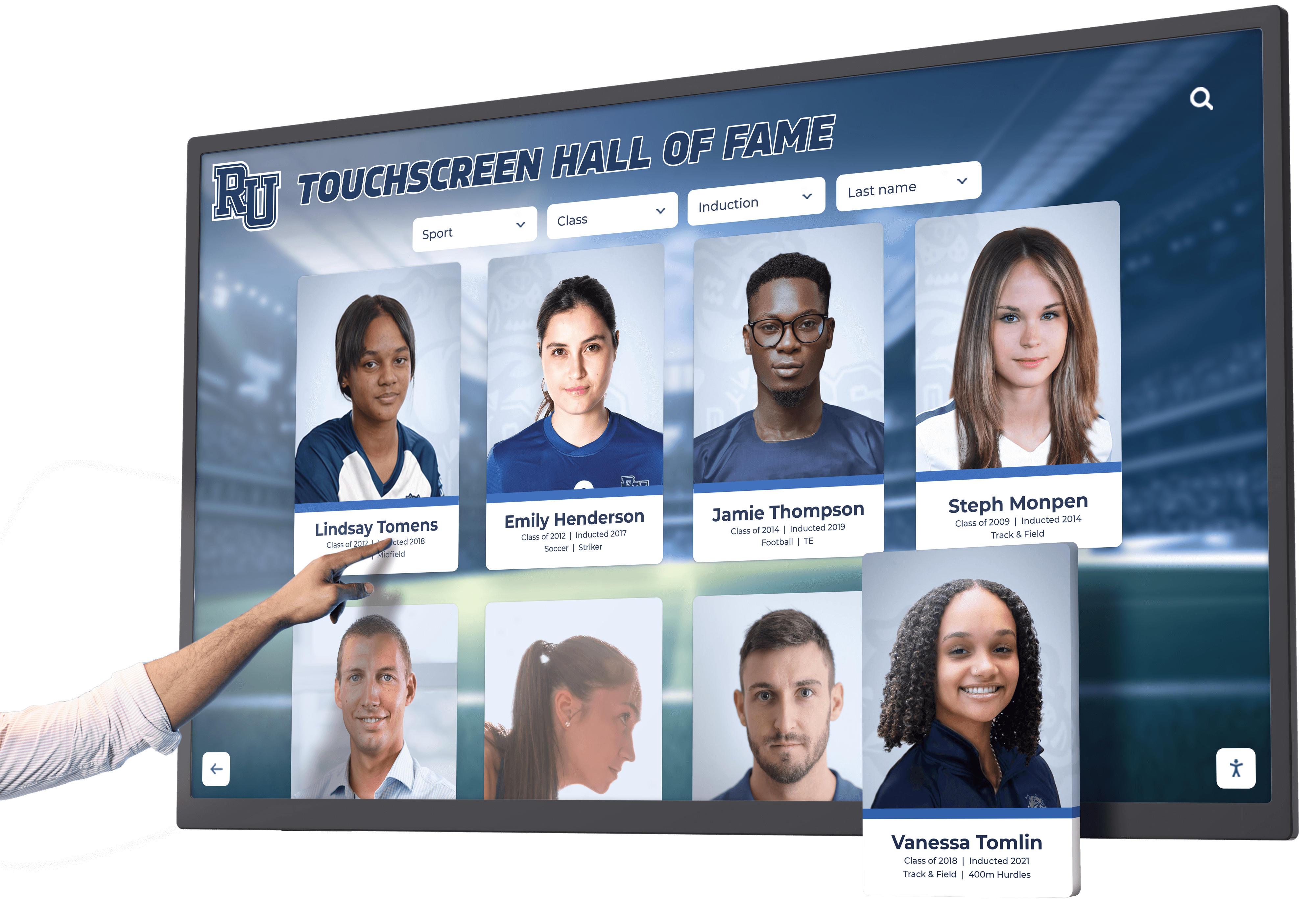
Interactive touchscreen displays change how visitors explore class photos and yearbook content through natural navigation and search
Understanding Digital Class Composite Displays
A digital class composite display is an interactive system that organizes and presents class photos, yearbook content, student information, and institutional memories by graduating year—enabling visitors to browse chronologically, search for specific individuals, and explore rich multimedia content that preserves school heritage in accessible digital formats.
Unlike traditional physical composites that occupy substantial wall space and require manual page-turning, digital systems provide unlimited capacity through searchable databases, preserve deteriorating materials through digitization, enable simultaneous access through both on-campus touchscreens and web platforms, and support rich content including photos, videos, biographical information, and historical context.
Core Components of Digital Composite Display Systems
Effective implementations typically integrate three essential elements:
Interactive Touchscreen Displays
Physical installations in high-traffic locations like main entrances, alumni centers, library lobbies, or student gathering spaces where visitors can explore class composites through simple touch interfaces. These displays provide the primary on-campus experience—enabling current students to discover school history, alumni to find themselves and classmates during visits, and parents to engage with institutional heritage during campus tours.
Modern touchscreen displays range from 43-inch hallway installations to impressive 75-inch lobby centerpieces, with capacitive touch technology providing responsive multi-touch gestures for zooming into photos, swiping between years, and exploring individual profiles.
Organized Digital Content Archives
Structured databases organizing composite photos, yearbook pages, student names, class information, and supplementary content by year and category. Effective organization enables visitors to navigate by graduating year, search for specific individuals, filter by groups or activities, and discover related content through contextual connections.
Content depth varies based on available historical materials—some schools digitize complete yearbook archives dating back decades, while others focus on composite photos supplemented with key achievement highlights and institutional milestones.
Web-Accessible Platforms
Online versions extending access beyond physical campus boundaries, allowing alumni to explore composites from anywhere, current students to access historical content from smartphones, and families to share memories with relatives unable to visit campus. Web platforms maintain the browsing experience through responsive designs that work well on desktop computers, tablets, and smartphones.
Platforms like digital yearbook solutions integrate all three components into unified systems ensuring consistent experiences whether visitors explore on-campus touchscreens or access content remotely through web browsers.
Benefits of Digital Composite Displays Over Physical Formats
The shift from physical flip-through composites to digital interactive systems provides substantial advantages for schools, alumni, and current students.
Unlimited Capacity Without Space Constraints
Physical composite displays face hard limits—wall space accommodates only specific numbers of frames, flip-through books occupy substantial shelving, and adding new graduating classes eventually requires removing older years to make room.
Digital systems eliminate these constraints entirely. Schools can showcase every graduating class from founding years to present without physical space limitations, preserve multiple photos per student rather than single headshots, include complete yearbook pages alongside composite photos, and continuously grow collections as new classes graduate—all without renovations or space negotiations.
This unlimited capacity fundamentally changes how schools approach historical preservation. Rather than selective displays showing recent decades only, institutions can present complete historical records enabling visitors to explore any graduating class regardless of era.
Instant Search and Discovery
The most significant advantage over physical composites is searchability. Traditional flip-through formats require knowing approximate graduation years and then manually scanning through names—frustrating processes when visitors remember faces but not specific years or seek multiple classmates across different graduating classes.
Digital displays enable instant search by name finding individuals across all years immediately, visual browsing through photo grids showing multiple years simultaneously, filtering by activities or groups when metadata is available, related content suggestions connecting classmates and team members, and saved favorites marking interesting profiles for later exploration.
This discoverability transforms the browsing experience from tedious manual searching to immediate gratification—particularly valuable during alumni reunions when returning graduates seek specific classmates or want to show spouses and children their own school experiences.
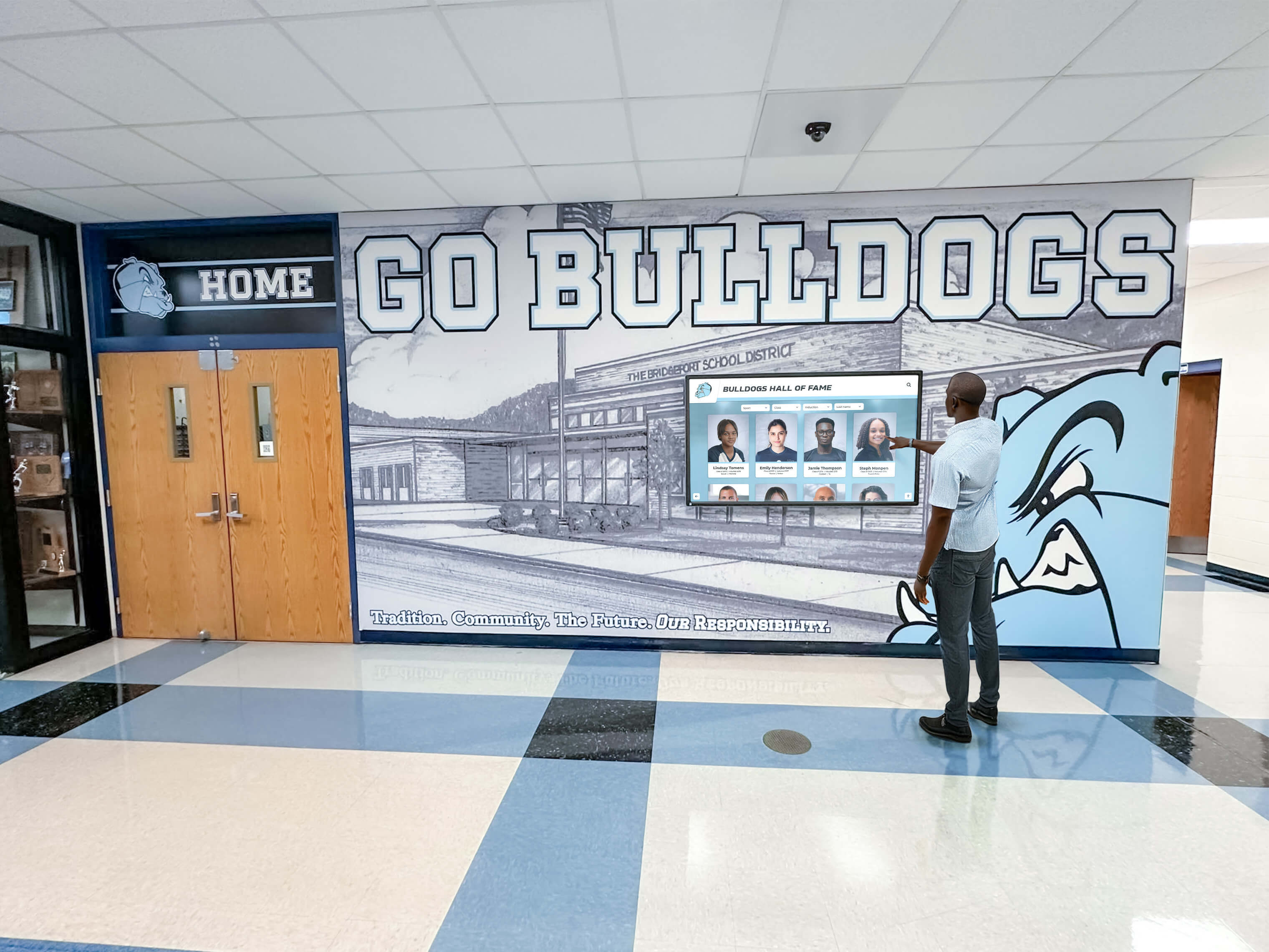
Digital displays enable intuitive browsing and instant search finding specific individuals across decades of graduating classes
Preservation of Deteriorating Materials
Physical yearbooks and composite prints deteriorate over time. Pages yellow and become brittle, photographs fade, binding cracks, and high-traffic volumes cause damage. Many schools discover that historical composites from 1950s through 1980s have suffered significant degradation making them unsuitable for continued public access.
Digitization preserves these materials permanently through high-resolution scanning capturing maximum detail, digital restoration repairing damage and enhancing legibility, secure cloud backup protecting against physical disasters, and unlimited reproduction enabling sharing without additional wear on originals.
Schools implementing historical photo archiving programs often discover forgotten materials in storage—deteriorating yearbooks, loose composite prints, and historical photos that digital preservation makes accessible again.
Rich Multimedia Storytelling
Physical composites display basic information—headshots, names, perhaps degree programs or activities. Digital platforms enable comprehensive storytelling through multiple photos showing students in various contexts, biographical information and career achievements collected from alumni, video clips from graduations or events, historical context explaining institutional changes over decades, achievement highlights and honors, links to related content connecting classmates, and alumni updates showing life after graduation.
This richer content creates emotional connections impossible with static headshots alone. Visitors don’t just see faces—they discover stories, understand achievements, and appreciate how graduating classes contributed to institutional heritage.
Extended Access Beyond Campus
The most powerful benefit for alumni engagement is accessibility. Physical composites serve only those physically present on campus during specific hours. Digital platforms extend access through web platforms available 24/7 from anywhere, mobile optimization enabling smartphone browsing during nostalgic moments, social sharing letting alumni show classmates to friends and family, QR codes on printed materials directing people to digital content, and email campaigns directing alumni to graduation year pages.
This extended access transforms composites from campus-only displays into ongoing engagement tools. Schools report alumni accessing digital composites during anniversaries, high school reunions, career milestones, and other reflective moments—maintaining connections year-round rather than only during campus visits.
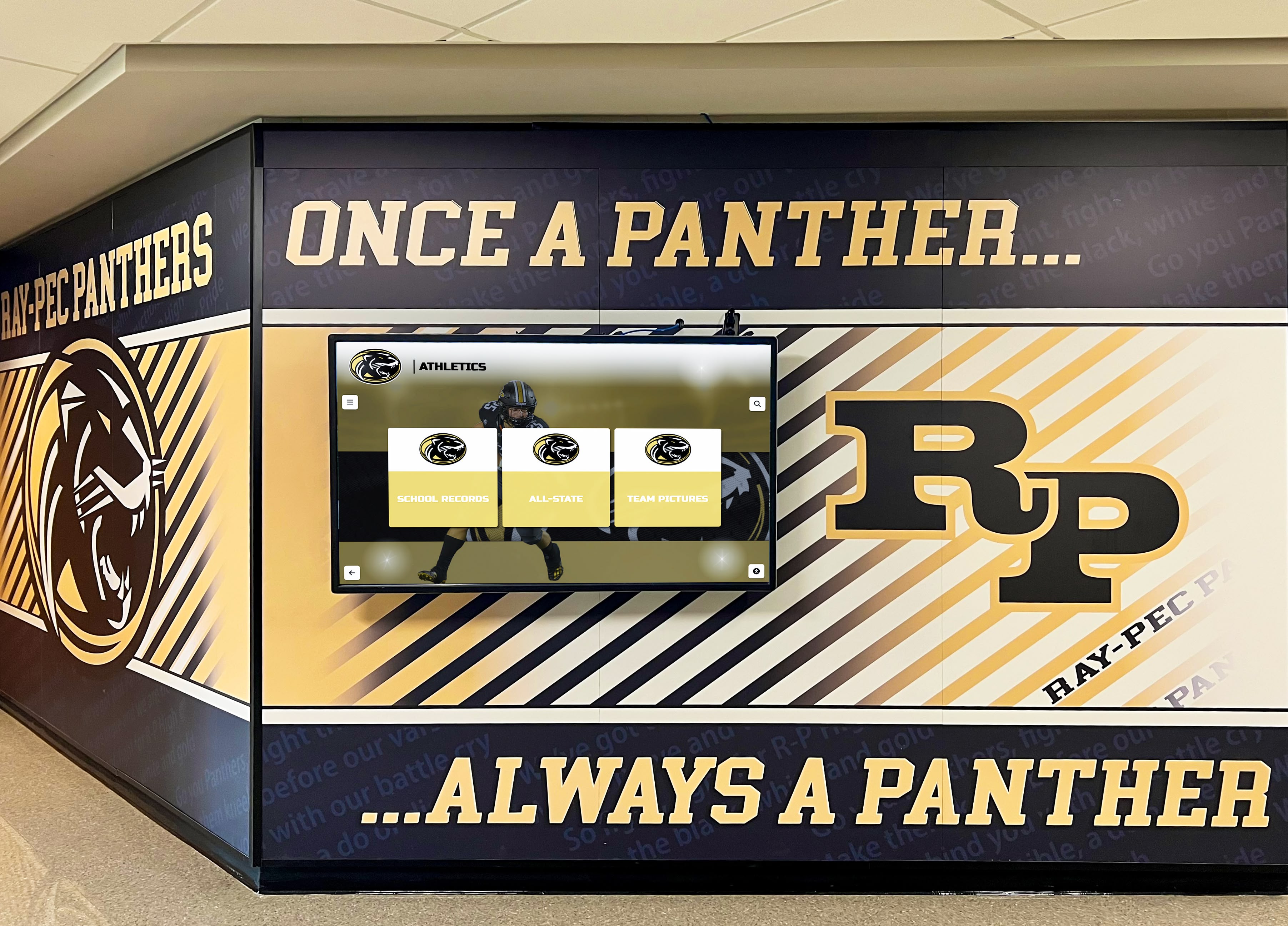
Strategic placement in high-traffic hallways ensures current students encounter institutional history naturally while providing convenient access for visitors
Cost-Effectiveness Over Time
Initial digital composite implementations typically require investments of $8,000-15,000 for hardware, software, and initial content digitization. While this exceeds costs of adding single physical composites, long-term economics favor digital approaches.
Physical composites accumulate ongoing costs through framing and installation for each new graduating class ($200-500 annually), periodic reframing as materials age, space renovations when wall space fills, replacement of damaged or faded prints, and security measures preventing theft. Over 15-20 years, these incremental costs often exceed digital system investments.
Digital platforms require software subscriptions ($1,000-3,000 annually) but eliminate per-class physical costs, support unlimited additions without additional hardware, avoid space renovation expenses, and provide content management capabilities reducing staff time for updates and corrections.
Schools tracking total costs report that digital composites achieve cost parity with traditional approaches within 7-10 years while providing dramatically superior functionality, preservation, and access.
Essential Features for Digital Class Composite Systems
Not all digital platforms offer equivalent capabilities for class composite applications. Evaluating potential solutions requires assessing specific features determining long-term satisfaction.
Year-Based Organization and Navigation
The primary organizing principle for class composites is graduation year. Quality systems provide chronological browsing through timeline interfaces, decade views showing multiple years simultaneously, jump-to-year navigation accessing specific graduating classes instantly, adjacent year navigation moving forward and backward through history, class size and demographic information providing context, and historical milestone markers connecting years to institutional events.
Navigation should feel natural—visitors familiar with physical flip-through formats should immediately understand how to explore different graduating years without instruction.
Robust Search and Filtering Capabilities
Search functionality determines whether visitors can find specific individuals efficiently. Essential capabilities include full-name search across all years, partial name matching when visitors remember first or last names only, maiden name search supporting married alumni, nickname and alternative name matching, activity and organization filtering when metadata is available, geographic filtering for reunion planning, and search result previews showing matches in context.
Advanced implementations incorporate fuzzy matching compensating for spelling variations, phonetic search finding names despite misspellings, and facial recognition technology enabling visual search by uploading photos—though facial recognition raises privacy considerations requiring careful policies.
High-Quality Image Display and Zooming
Photo quality determines visitor satisfaction. Digital composite displays should support high-resolution scanning (300+ DPI) preserving maximum detail, smooth zoom interfaces enabling examination of individual faces, rotation and orientation correction ensuring proper display, batch enhancement improving contrast and brightness consistently, and comparison views showing multiple photos side-by-side.
Poor image quality frustrates visitors and diminishes professional presentation. Schools should prioritize quality scanning over speed when digitizing historical materials—investing in proper digitization prevents disappointing experiences and costly re-scanning later.

Card-based interfaces enable easy selection of individual profiles for detailed information and expanded photos
Individual Profile Pages with Rich Content
Beyond basic composite photos, quality systems enable detailed individual profiles including multiple photos showing students in different contexts, biographical information and degree programs, achievements and honors, career highlights gathered from alumni updates, family connections to other alumni, social media links when provided, and memory contributions from classmates.
Profile depth varies based on available information—recent graduates typically have substantial content while historical profiles may show basic information only. Systems should accommodate varying content levels gracefully without empty profiles appearing incomplete.
Complete Yearbook Integration
Many schools want to display complete yearbook pages alongside composite photos. This requires page-by-page digitization, page-turn interfaces mimicking physical book experience, zoom capabilities examining details and reading text, section navigation jumping to specific yearbook sections, full-text search finding content across yearbook pages, and download or print options for personal copies.
Complete yearbook integration transforms systems from simple photo displays into comprehensive digital archives preserving entire graduating class experiences—activities, athletics, events, advertisements, and student life captured in original yearbook layouts.
Organizations implementing yearbook digitization projects discover that complete yearbook access generates significantly higher engagement than composite photos alone.
Mobile-Responsive Web Platforms
With most alumni accessing content through smartphones, mobile experience is critical. Quality platforms provide responsive designs adapting layouts to screen sizes, touch-optimized interfaces designed for finger interaction, fast loading even on cellular networks, vertical scrolling optimized for smartphone browsing, social sharing buttons enabling easy content distribution, and offline viewing for downloaded content.
Test web platforms on multiple devices during evaluation. If navigation feels awkward on smartphones or images don’t display well, alumni engagement will suffer significantly regardless of content quality.
Analytics and Engagement Tracking
Understanding how visitors use composite displays informs content strategy and demonstrates value. Essential analytics include daily and monthly usage tracking, most-viewed graduation years and individuals, search queries revealing what visitors seek, session duration indicating engagement depth, geographic distribution of web visitors, device types and platforms used, and peak usage periods informing staffing decisions.
Analytics should respect privacy—tracking aggregate patterns without identifying individual visitors unless they explicitly authenticate.
Content Management Capabilities
Ongoing content management determines system sustainability. Administrators need simple upload interfaces requiring no technical expertise, bulk import tools for adding complete graduating classes efficiently, photo editing and enhancement capabilities, metadata management for names and additional information, approval workflows ensuring appropriate oversight, scheduled publishing for reunion events, and version control reverting incorrect changes.
Systems requiring technical expertise for updates typically stagnate with outdated content. Prioritize platforms enabling yearbook advisers, alumni staff, or volunteers to manage content independently without IT assistance.
Planning Your Digital Class Composite Implementation
Successful launches require systematic planning addressing content collection, technology selection, budget development, and stakeholder engagement.
Assess Available Historical Materials
Begin by inventorying existing composite and yearbook collections:
Physical Composite Formats
- Framed wall composites showing graduating classes
- Bound composite books in libraries or archives
- Loose composite prints in storage
- Digital files from recent graduating classes
- Historical photos from school archives
- Alumni-contributed materials and scans
Yearbook Collections
- Complete yearbook archives showing all graduating years
- Partial collections with missing years or damaged volumes
- Digital yearbook files from recent years
- Duplicate copies suitable for destructive scanning
- Storage location and condition assessment
- Copyright and permission considerations
Document what exists, condition status, gaps requiring filling, and digitization requirements. This inventory informs budget planning and implementation timelines.
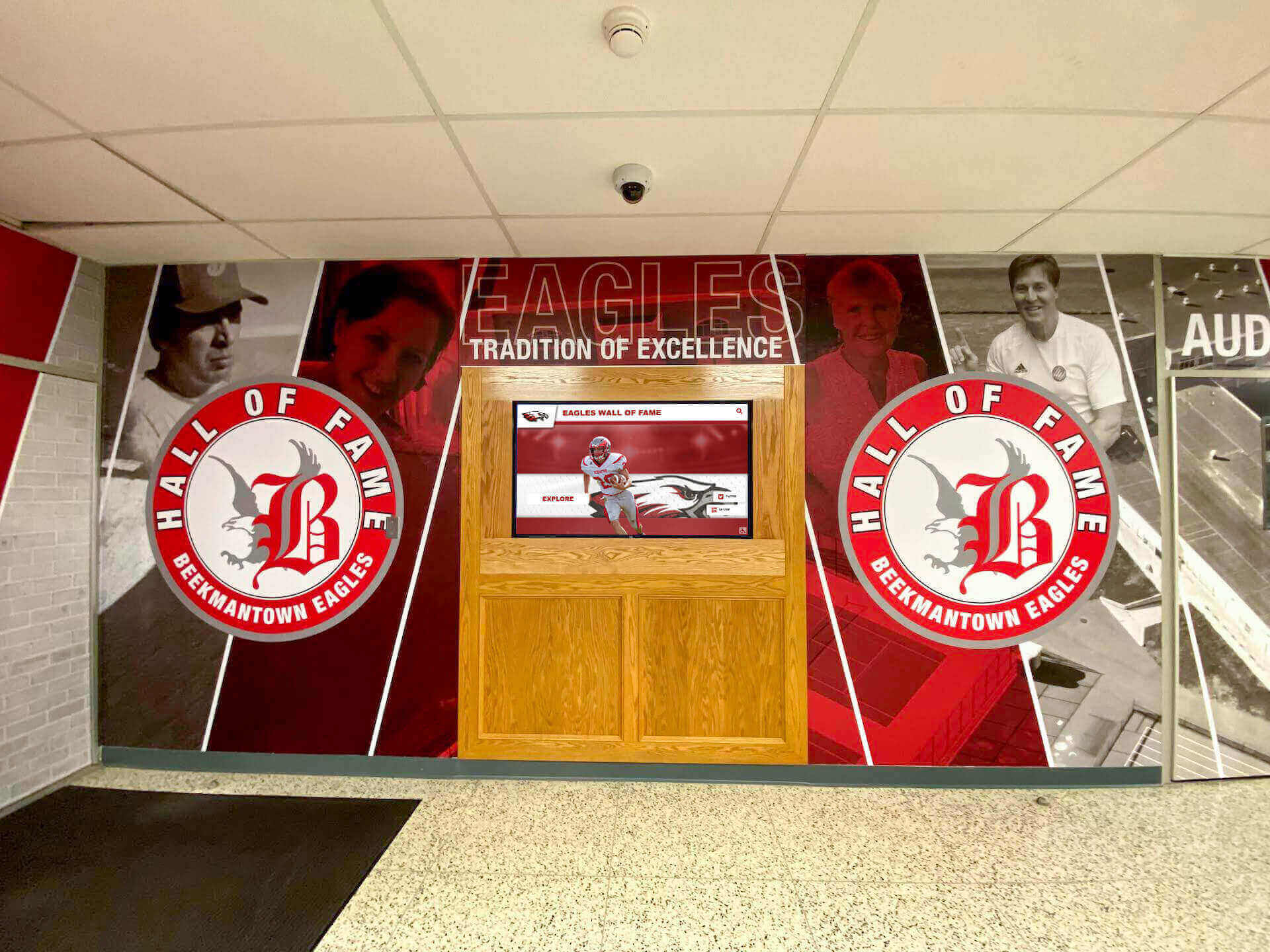
Professional installations blend well with existing school branding and architectural features
Develop Content Digitization Strategy
Converting physical materials to digital formats requires careful planning:
Scanning Requirements
- Resolution standards (300+ DPI for composites, 600 DPI for detailed yearbook pages)
- Color versus grayscale decisions
- File format selections (JPEG for photos, PDF for yearbook pages)
- Quality control processes ensuring legibility
- Backup and archival procedures
- Equipment needs (flatbed scanners, overhead scanners, or professional services)
Metadata and Organization
- Naming conventions for files and folders
- Graduation year assignment
- Individual name extraction and entry
- Activity and organization tagging
- Biographical information collection
- Data validation ensuring accuracy
Digitization Approaches
Schools typically choose between in-house scanning using school equipment and volunteer labor (slower but free), professional scanning services ($2-5 per page for yearbooks, $50-200 per composite), or hybrid approaches handling recent materials in-house while outsourcing historical archives requiring specialized equipment.
Budget 20-40 hours per graduating class for complete in-house digitization including scanning, quality control, metadata entry, and organization. Professional services significantly reduce time investment but increase costs.
Select Technology Platform
Choosing the right digital composite platform determines both immediate user experience and long-term operational sustainability.
Specialized Digital Yearbook Platforms
Purpose-built solutions like Rocket Alumni Solutions provide pre-configured templates for class composites, year-based navigation designed for graduating class browsing, searchable individual databases, yearbook page viewing capabilities, mobile-responsive web access, and complete hardware solutions including touchscreens and installation.
These platforms offer fastest implementation paths with proven workflows specifically designed for school composite applications.
General Digital Display Platforms
Broader touchscreen platforms like Intuiface or custom web applications provide flexibility for unique requirements but require more configuration to create composite-specific experiences. These work well when schools want to integrate composite displays with other content like athletic recognition or institutional history timelines.
Custom Development
Schools with technical resources can build custom solutions using web frameworks. This provides maximum flexibility and eliminates ongoing software costs but requires substantial development investment and ongoing technical maintenance.
Most schools benefit from specialized platforms balancing functionality with manageable implementation and operational requirements.
Determine Budget and Funding Sources
Comprehensive digital composite budgets include:
Initial Implementation Costs
- Hardware: $3,000-12,000 per touchscreen display (screen, computer, mounting)
- Software licensing: $2,000-8,000 initially or $1,000-3,000 annually
- Content digitization: $2,000-15,000 depending on volume and approach
- Professional installation: $500-2,500 per location
- Initial content creation and organization: $1,000-5,000 staff time
- Total initial investment: $8,500-42,500 depending on scope
Ongoing Annual Costs
- Software subscriptions: $1,000-3,000
- New graduating class additions: $200-800 annually
- Content updates and corrections: $500-2,000 staff time
- Hardware maintenance: $200-500
- Total annual operating costs: $1,900-6,300
Funding Source Options
Alumni associations and reunion committees often fund composite displays as tangible contributions, senior class gifts can include digital composite contributions, development campaigns and major donors appreciate recognition applications, grants supporting educational technology or institutional preservation, and booster clubs or parent organizations supporting campus improvements.
Frame composite displays as permanent institutional investments preserving heritage and engaging future generations—not one-time technology purchases.
Assemble Implementation Team
Successful launches require diverse expertise:
Project Lead (Alumni Director or Librarian)
- Overall project coordination and timeline management
- Stakeholder communication and expectation setting
- Budget management and funding coordination
- Vendor relationship management
Content Coordinator (Yearbook Adviser or Archivist)
- Historical material collection and inventory
- Digitization coordination or execution
- Metadata creation and quality control
- Content organization and database management
- Ongoing content updates for new graduating classes
Technical Coordinator (IT Staff)
- Hardware specification and procurement
- Network connectivity and infrastructure
- Installation coordination
- Technical troubleshooting and maintenance
- Security and access control
Student Assistants or Volunteers
- Scanning and digitization support
- Metadata entry and organization
- Quality control and error checking
- Social media promotion
- User testing and feedback
Schools with limited staff can combine roles but should ensure adequate time allocation—underestimating effort required for content digitization and organization causes most project delays.
Creating Engaging Content for Digital Composites
Technology enables access, but content quality determines engagement and emotional connection.
Organizing Content by Graduation Year
The fundamental organizing principle is graduation year. Structure content enabling:
Chronological Browsing
- Timeline visualizations showing all available years
- Decade grouping for high-level navigation
- Jump-to-year interfaces for direct access
- Previous/next year navigation for sequential browsing
- Featured years highlighting milestone anniversaries
Year Summary Pages
- Class size and demographic information
- Historical context and major events during that era
- Institutional changes or milestones
- Notable alumni from that graduating class
- Popular activities and traditions
- Faculty and administration during that period
These summary pages provide context helping visitors appreciate historical differences across decades—understanding how student life, facilities, and institutional character evolved over time.
Enhancing Individual Profiles
Beyond basic composite headshots, enriched profiles create deeper connections:
Basic Profile Information
- Full name including maiden names for married alumni
- Graduation year and degree program
- Activities, sports, clubs, and organizations
- Academic honors and achievements
- Memorable quotes from yearbooks
Extended Profile Content
- Multiple photos from yearbooks and events
- Career highlights and professional achievements
- Family connections to other alumni
- Current location and contact information (with permission)
- Alumni contributions to school or community
- Personal reflections and memories
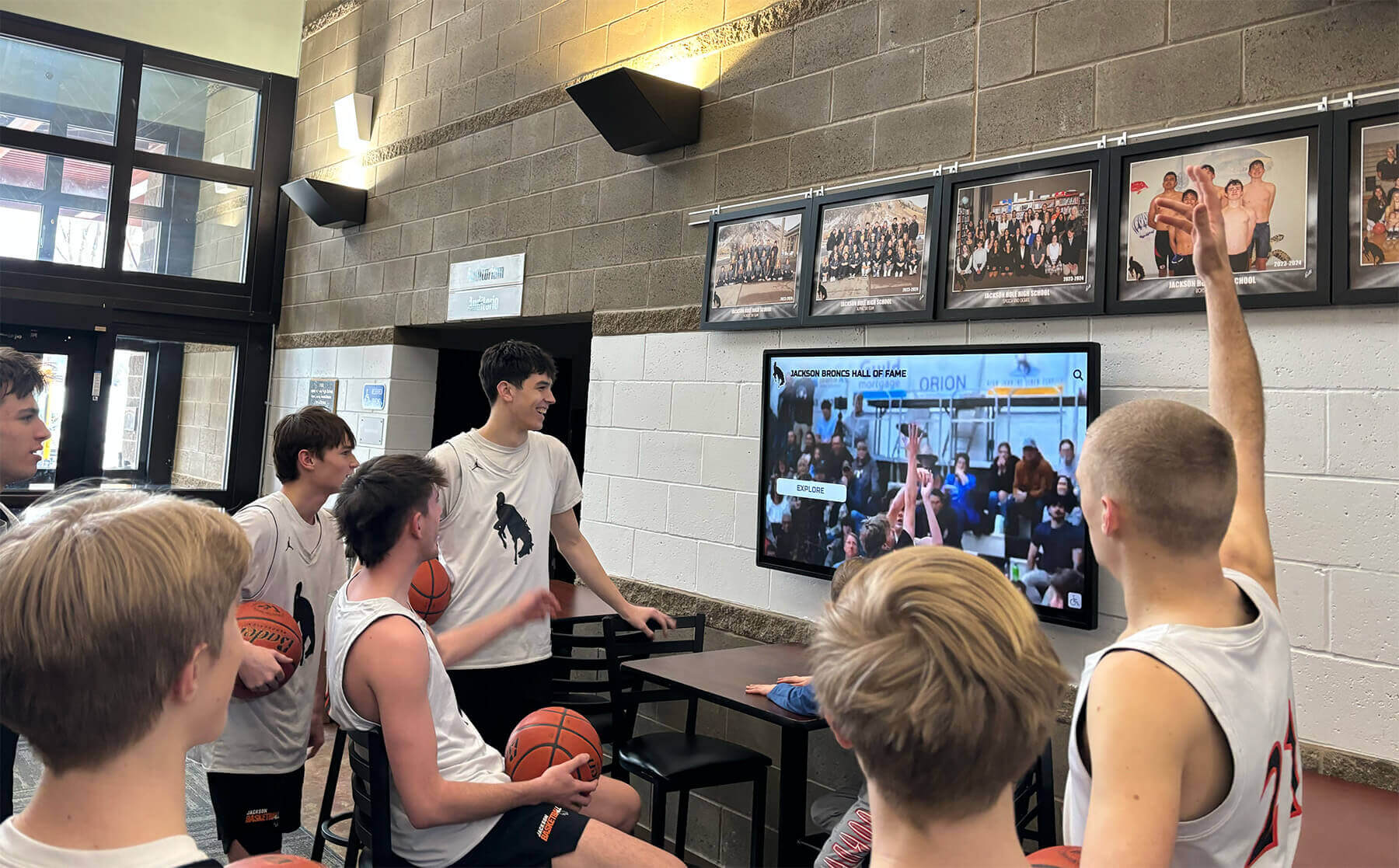
Current students discover institutional heritage through accessible digital displays showing previous generations
Profile depth varies based on available information and privacy considerations. Some alumni enthusiastically share career updates and contact information while others prefer minimal exposure. Systems should accommodate varying privacy preferences gracefully.
Integrating Complete Yearbook Pages
When budget and time permit, complete yearbook digitization provides maximum value:
Yearbook Navigation Features
- Cover and spine views mimicking physical books
- Page-by-page browsing or section jumping
- Zoom capabilities for reading text and examining photos
- Full-text search finding specific content across all pages
- Favorite or bookmark functionality marking interesting pages
- Print or download options for personal copies
Yearbook Sections to Prioritize
- Senior portraits and composites (highest priority)
- Underclass portraits showing students across multiple years
- Team and club photos connecting individuals
- Candid photos capturing student life
- Faculty and staff pages showing institutional continuity
- Event coverage documenting traditions and celebrations
Complete yearbook integration requires significantly more digitization effort than composites alone—but engagement data shows visitors spend 3-5x longer exploring complete yearbooks versus composite photos only.
Collecting Alumni Updates and Memories
Living archives grow richer when alumni contribute content:
Alumni Contribution Mechanisms
- Online forms submitting career updates and achievements
- Photo uploads adding personal materials to profiles
- Memory sharing enabling story contributions
- Classmate connections finding and messaging schoolmates
- Reunion updates coordinating class gatherings
- Legacy projects contributing resources to school
Moderation and Privacy Controls
- Review workflows ensuring appropriate content
- Privacy settings controlling visibility
- Opt-out mechanisms respecting preferences
- Correction processes fixing errors
- Removal procedures honoring takedown requests
- Permission management for photo usage
Alumni-contributed content requires ongoing moderation but creates sustainable growth models where composites continuously improve through community participation rather than relying entirely on school staff.
Schools implementing alumni engagement strategies report that digital composites with contribution features generate significantly higher long-term engagement than static displays.
Connecting Historical Context and Institutional Heritage
Contextual information helps visitors appreciate how school heritage evolved:
Institutional Timeline Integration
- Facility construction and renovation milestones
- Leadership changes and administrative eras
- Program additions and academic evolution
- Athletic championship years and achievements
- Tradition origins and historical significance
- Community relationships and partnerships
Historical Photo Collections
- Campus aerial views showing physical evolution
- Facility interiors documenting changes over time
- Event photos capturing celebrations and ceremonies
- Faculty and staff group photos
- Construction documentation
- Historical artifacts and memorabilia
These contextual materials transform composites from simple photo displays into comprehensive institutional archives helping current students understand organizational heritage and alumni appreciate how their experiences fit into larger institutional narratives.
Technical Implementation Considerations
Successful digital composite displays require appropriate technical infrastructure and hardware selections.
Touchscreen Display Hardware
Physical display selection impacts user experience and long-term reliability:
Commercial-Grade Touchscreen Displays
- 43-55 inch displays: $2,500-6,000 (suitable for hallways)
- 65-75 inch displays: $6,000-15,000 (impressive lobby installations)
- Commercial panels rated for 16-24 hour daily operation
- Capacitive touch technology providing responsive multi-touch
- High brightness (450+ nits) for well-lit spaces
- Protective glass for high-traffic installations
- Portrait or landscape orientation options
Integrated Computing
- Many commercial displays include integrated computers
- External PC connections: $500-2,000 for dedicated systems
- Specifications: 8GB+ RAM, SSD storage, modern processors
- Graphics capabilities adequate for high-resolution photo display
- Reliable components minimizing maintenance needs
Mounting and Installation
- Wall mounting: $200-1,000 for commercial-grade mounts
- Floor-standing kiosks: $1,000-4,000 for professional enclosures
- ADA-compliant heights and orientations
- Cable management for clean professional appearance
- Security features preventing theft or tampering
Consumer-grade displays save money initially but typically lack durability for continuous institutional operation. Commercial displays offer reliability, warranty coverage, and longevity justifying higher initial investment.
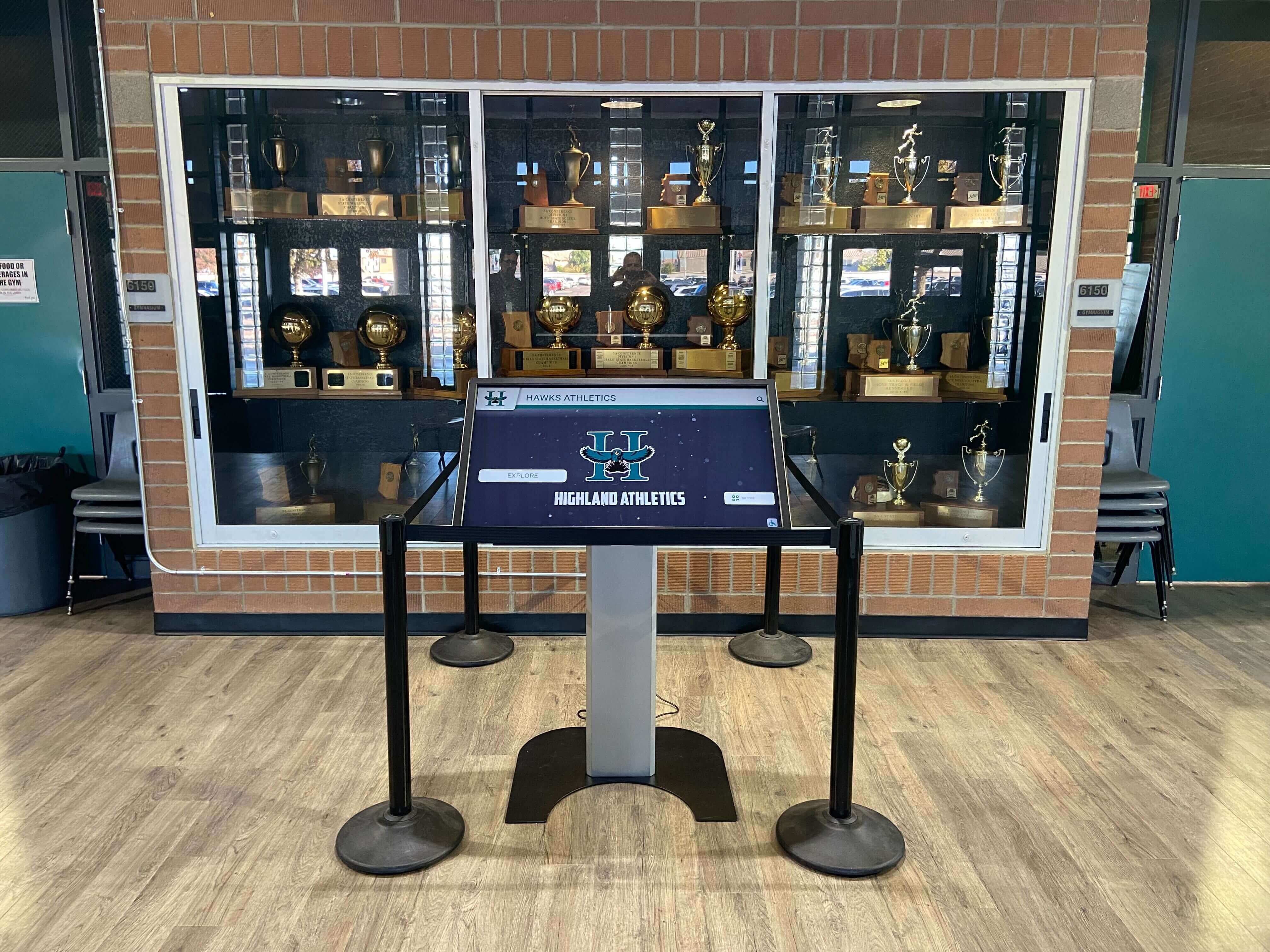
Professional installations integrate displays with existing architectural features and recognition spaces
Network Connectivity and Infrastructure
Reliable operation requires appropriate network support:
Connectivity Options
- Wired Ethernet providing most reliable connectivity
- Enterprise WiFi with adequate bandwidth and coverage
- Content caching reducing ongoing bandwidth requirements
- Offline operation capabilities when connectivity unavailable
- Remote monitoring detecting connectivity issues
- Automatic content synchronization when connections restore
Security Considerations
- Network segmentation isolating kiosks from critical systems
- Firewall rules preventing unauthorized access
- Regular security updates and patching
- Physical security preventing tampering
- Content moderation systems preventing inappropriate uploads
- Privacy controls protecting student information
Schools should coordinate with IT departments early in planning ensuring adequate network infrastructure and security policies aligned with institutional requirements.
Content Management and Update Workflows
Sustainable systems enable efficient ongoing content management:
Administrative Interface Requirements
- Web-based administration accessible from any location
- Intuitive content upload and organization
- Bulk import tools for adding complete graduating classes
- Visual preview showing exactly how content appears
- Approval workflows when multiple people contribute content
- Scheduled publishing for timed releases
Role-Based Access Control
- Administrative accounts with full permissions
- Content contributor roles for limited editing
- Reviewer roles approving submissions
- Read-only access for analytics viewing
- Student assistant access for specific tasks
- External contributor access for alumni submissions
Content Update Processes
- New graduating class additions annually
- Ongoing profile enhancements as information becomes available
- Error corrections and name updates
- Historical content additions as materials are discovered
- Seasonal features for reunions and anniversaries
- Regular quality reviews ensuring accuracy
Establish clear ownership and responsibilities ensuring composite displays remain current and accurate rather than becoming static historical snapshots.
Measuring Success and Demonstrating Value
Tracking engagement and impact justifies initial investment and supports expansion requests.
Key Performance Indicators
Monitor specific metrics showing usage and value:
Usage and Engagement Metrics
- Daily and weekly touchscreen interactions
- Web platform sessions and unique visitors
- Average session duration indicating engagement depth
- Most-viewed graduation years revealing popular content
- Search queries showing what visitors seek
- Geographic distribution of web access
- Peak usage periods informing staffing decisions
Community Impact Indicators
- Alumni feedback and testimonials
- Social media shares and engagement
- Reunion attendance increases
- Alumni association membership growth
- Prospective student tour feedback
- Media coverage mentioning displays
- Donor conversations referencing heritage
Operational Efficiency Measures
- Staff time for content updates versus previous methods
- Cost per graduating class versus physical composites
- Content accuracy and error rates
- System uptime and reliability
- User support requests and satisfaction
Organizations implementing digital recognition displays use engagement analytics to demonstrate value and inform continuous improvement decisions.
Gathering User Feedback
Systematic feedback collection provides qualitative insights:
Feedback Collection Methods
- On-screen surveys after touchscreen sessions
- QR codes linking to feedback forms
- Alumni email surveys about web platform experience
- Focus groups with students, alumni, and staff
- Comment cards in physical locations
- Social media monitoring for mentions
- Direct observations of touchscreen usage
Specific Questions to Explore
- How easy was it to find what you were looking for?
- What additional content would enhance your experience?
- How does digital access compare to physical composites?
- Would you share this with classmates or family?
- What improvements would you suggest?
- Did you discover anything surprising or memorable?
Document compelling stories and testimonials for presentations to administrators, board reports, and fundraising campaigns showing how digital composites create meaningful connections.
Creating Impact Reports for Stakeholders
Translate metrics and feedback into concise communications:
Report Components
- Project overview and investment summary
- Usage statistics with visualizations
- User testimonials and impact stories
- Comparison to previous physical composite access
- Alumni engagement improvements
- Benefits to current students and institutional culture
- Operational efficiencies gained
- Recommendations for expansion or enhancement
Present reports annually or at strategic milestones maintaining visibility and supporting potential expansion to additional content types or locations.
Future Enhancements and Evolution
Digital composite displays can grow more sophisticated over time as budgets permit and technology advances.
Artificial Intelligence and Automated Features
AI capabilities will increasingly enhance digital archives:
Facial Recognition and Auto-Tagging
- Automatic identification of individuals across photos
- Suggested connections between classmates
- Duplicate detection across yearbook archives
- Age progression showing individuals across multiple years
- Privacy-conscious implementation with opt-in requirements
Optical Character Recognition
- Automated text extraction from yearbook pages
- Full-text search across all historical content
- Automatic metadata creation from yearbook text
- Translation services for international visitors
Content Enhancement
- Automatic photo restoration improving damaged images
- Colorization of black-and-white historical photos
- Quality enhancement upscaling low-resolution scans
- Background removal focusing on individuals
These AI capabilities require careful privacy consideration and implementation but can dramatically reduce manual effort while improving content accessibility.
Social Features and Community Engagement
Enhanced community interaction strengthens connections:
Alumni Networking Features
- Classmate messaging enabling direct connections
- Reunion planning tools coordinating gatherings
- Career networking connecting alumni professionally
- Mentorship programs linking generations
- Group discussions for graduating classes
Memory Sharing and Storytelling
- Crowdsourced story collections about school experiences
- Photo submissions adding personal archives
- Video interviews with notable alumni
- Historical perspective contributions from retired faculty
- Student research projects documenting institutional history
Integration with Modern Communications
- Social media authentication for personalized experiences
- Automatic sharing to Facebook, LinkedIn, Twitter
- Email notifications for classmate updates
- Mobile app versions for enhanced accessibility
- QR codes connecting physical alumni materials to digital profiles
These social features transform composites from static archives into active community platforms maintaining ongoing engagement.
Integration with Broader Digital Ecosystems
Digital composites become more valuable when connected to related systems:
Institutional Database Integration
- Advancement systems tracking alumni giving
- Event management coordinating reunion registrations
- Email marketing platforms for targeted communications
- Student information systems automatically adding graduates
- Athletics databases connecting team accomplishments
Comprehensive Digital Heritage Platforms
- Athletic record boards and achievement displays
- Notable alumni spotlights across diverse fields
- Institutional timeline presentations
- Historical photo collections and archives
- Faculty and staff recognition
Schools implementing comprehensive digital archiving systems create unified heritage experiences where visitors seamlessly explore graduating classes, athletic achievements, notable alumni, and institutional evolution through integrated navigation.
Getting Started With Your Digital Composite Display
Implementing a digital class composite display represents a significant but valuable investment in institutional heritage preservation and alumni engagement.
Immediate Next Steps
Organizations ready to move forward should:
Assess Current State
- Inventory existing composite and yearbook collections
- Document gaps and missing materials
- Evaluate physical condition of historical materials
- Identify key stakeholders and champions
- Determine available budget and funding sources
Define Scope and Priorities
- Decide which graduating years to include initially
- Determine whether to include complete yearbooks or composites only
- Identify additional content types (achievements, athletics, institutional history)
- Set realistic timelines balancing thoroughness with momentum
- Establish success metrics and evaluation criteria
Explore Technology Options
- Request demonstrations from specialized providers
- Test web platforms on multiple devices
- Evaluate content management interfaces for usability
- Review reference installations at similar institutions
- Compare pricing models and total ownership costs
Build Support and Funding
- Present concept to administrators and stakeholders
- Engage alumni association in planning and funding
- Explore corporate sponsorship opportunities
- Coordinate with development campaigns
- Create compelling visualizations showing planned system
The transformation from physical flip-through composites to interactive digital displays doesn’t happen instantly. But schools investing in proper planning, quality content digitization, appropriate technology selection, and sustainable content management create heritage experiences that celebrate the past, engage the present, and inspire the future.
Digital class composite displays preserve decades of graduating class memories in accessible, searchable formats that eliminate physical limitations while extending engagement far beyond campus boundaries. By honoring heritage through modern technology, schools create powerful connections between generations—enabling current students to appreciate institutional history, alumni to rediscover their own experiences, and entire communities to engage with the people and stories that define organizational identity.
Ready to transform your traditional composites into an interactive digital experience that serves your community for decades? Book a demo to explore comprehensive digital composite solutions designed specifically for schools and educational institutions.































