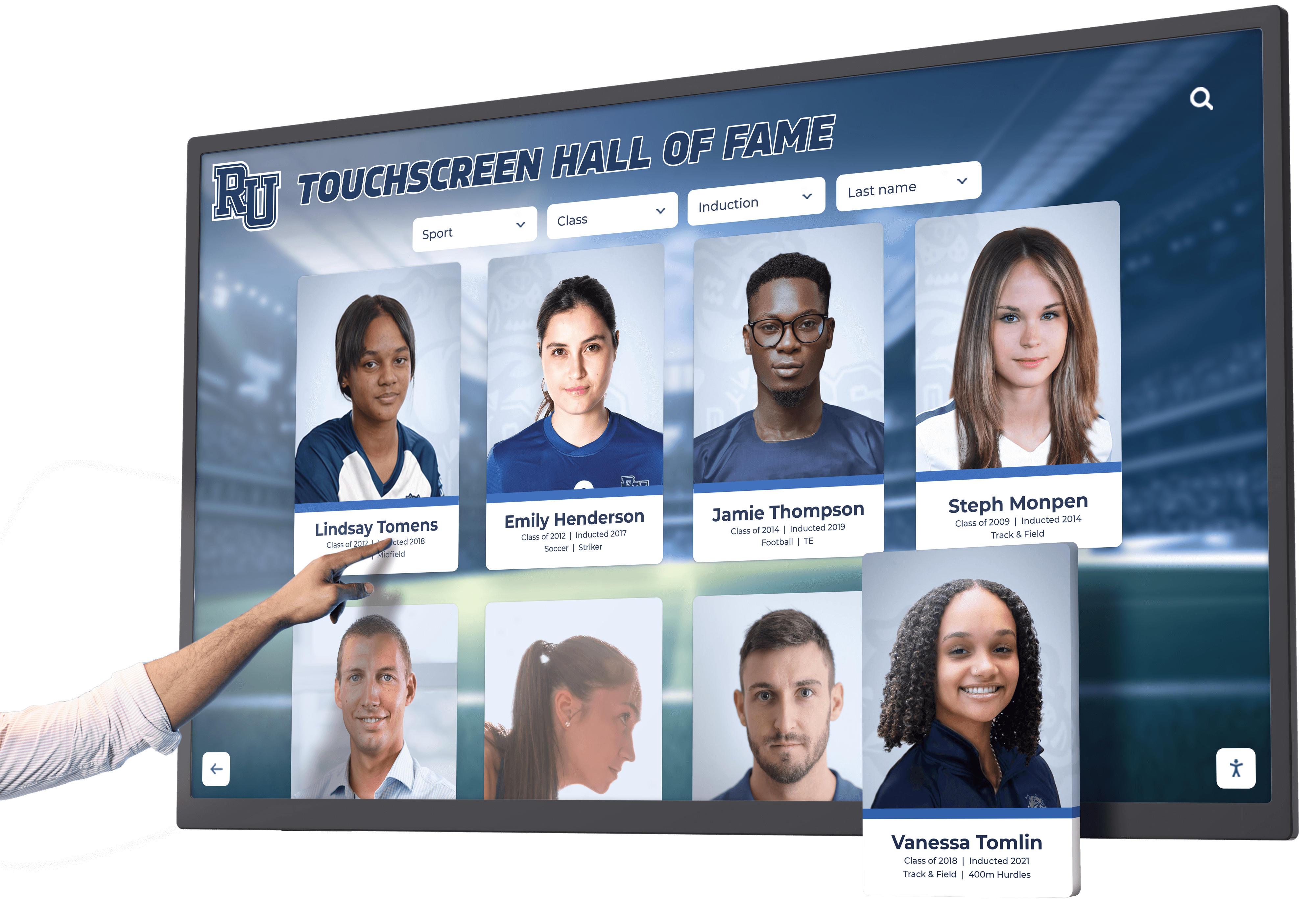
Schools and organizations implementing digital recognition systems face a fundamental tension: they want unique, creative layouts that reflect their distinct identity, but they also need consistent, professional experiences that don’t fragment into a disjointed mess. Traditional approaches force an uncomfortable choice—accept rigid templates that limit creativity, or embrace full customization that leads to inconsistent branding, broken features, and costly ongoing maintenance.
Modern recognition platforms solve this dilemma by expanding creative possibilities without abandoning design governance. Solutions like Rocket Alumni Solutions demonstrate that custom does not mean brittle, that flexibility does not require fragmentation, and that schools can achieve distinctive visual identity while inheriting platform-grade reliability. The key lies in understanding how design systems, quality controls, and service models work together to deliver both consistency and creative freedom simultaneously.
This guide explores how successful digital recognition platforms balance creative customization with systematic quality control, why traditional template limitations create false constraints, how AI-assisted design governance prevents common failure modes, and what schools should expect when evaluating platforms claiming to offer both flexibility and reliability. You’ll discover specific frameworks for assessing design systems, understand the real tradeoffs between bespoke development and platform-based customization, and learn how quality controls make it possible to move quickly while maintaining professional standards.
The False Choice Between Templates and Chaos
Most schools evaluating digital recognition platforms encounter a misleading dichotomy: accept rigid, unchangeable templates that limit creative expression, or embrace complete customization that introduces technical debt and maintenance burden.
The Template Trap
Many vendors position their templates as protection—standardized layouts that guarantee consistency and prevent design mistakes. While templates do provide structure, restrictive template systems create significant limitations that schools eventually outgrow.
Static Design Constraints
Template-locked systems force every school into identical layouts regardless of brand identity, content volume, or recognition goals. A small rural school with 50 inductees and a large suburban district with 500 athletes across multiple sports receive the same rigid structure designed for the average use case—serving no one particularly well.
Schools find themselves compromising their vision to fit template limitations: important content gets excluded because templates lack appropriate fields, visual hierarchy doesn’t emphasize what matters most to their community, navigation structures assume content organization that doesn’t match their recognition philosophy, and branding requirements get reduced to color swaps within predetermined designs.
Organizations implementing comprehensive recognition programs quickly discover that one-size-fits-all templates don’t accommodate diverse institutional needs and community expectations.
Innovation Stagnation
Template-only systems stagnate over time. When vendors must update thousands of identical deployments simultaneously, they become conservative about changes—avoiding improvements that might disrupt existing implementations or require customer retraining. Schools get stuck with designs reflecting three-year-old thinking rather than current best practices.
Request a custom module or enhanced functionality, and template-focused vendors typically respond with “that’s not available” or “we’ll add it to the roadmap” (translation: probably never). Schools needing distinctive recognition approaches find themselves permanently limited by lowest-common-denominator thinking.

Modern platforms balance consistent interaction patterns with flexible visual customization, enabling distinctive designs without fragmenting user experience
The Customization Catastrophe
The alternative—commissioning fully bespoke custom development—eliminates template constraints but introduces different problems that schools rarely anticipate until too late.
Technical Debt Accumulation
Custom-built recognition systems accumulate technical debt rapidly. Rushed development prioritizes visible features over architectural quality, browser updates break carefully crafted interactions, display hardware changes require code modifications, and feature additions become increasingly expensive as codebases grow more complex.
Within 2-3 years, custom systems typically require substantial reinvestment just to maintain current functionality—before considering any new features or improvements. Schools that budgeted for one-time custom development discover they’ve actually committed to ongoing software engineering expenses.
Fragmented User Experience
Without design system discipline, bespoke implementations fragment user experience across different sections and pages. One admin creates athletic profiles using specific layout approaches, another builds academic recognition with different visual patterns, and donor acknowledgment follows yet another design philosophy—resulting in disjointed experiences requiring users to relearn navigation and interaction patterns constantly.
Schools implementing school history displays through custom development often struggle maintaining visual consistency across multiple content types and recognition categories.
Responsibility Ownership
The most significant hidden cost of custom development involves complete responsibility ownership. When displays malfunction, schools must debug and fix issues. When accessibility problems emerge, schools must implement solutions. When new content types require layout modifications, schools must fund development work. When security vulnerabilities appear, schools must patch systems immediately.
This ongoing responsibility requires either in-house technical staff (expensive) or continued vendor relationships (also expensive, and risky if vendors become unresponsive or go out of business). Schools that wanted creative freedom find themselves trapped in perpetual maintenance relationships costing far more than anticipated.
How Rocket Expands the Library Instead of Limiting Creativity
Rocket Alumni Solutions demonstrates that the template-versus-chaos dichotomy represents false framing. A third path exists: systematically expanding design possibilities while maintaining platform governance.
Custom Requests as Shared Infrastructure
Rather than forcing schools into static templates or requiring expensive bespoke development, Rocket treats custom layout requests as opportunities to expand shared infrastructure benefiting all customers.
Free Custom Layout Development
When schools want truly unique layouts that don’t exist in Rocket’s current library, Rocket routinely builds them—at no additional charge. This isn’t occasional accommodation for large customers but standard practice available to any school with distinctive requirements.
The process works like this: schools describe their vision and content requirements, Rocket’s design team creates mockups showing proposed layouts, schools provide feedback and refinement direction, Rocket develops the new module as a first-class platform component, and the completed layout gets added to the shared library where other schools can also use it if desired.
Rapid Development Cycles
Unlike traditional vendors requiring months-long roadmap discussions and major version releases, Rocket typically delivers custom layouts within a week. This speed reflects two factors: deep platform expertise enabling efficient component development, and architectural design supporting modular layout additions without disrupting existing deployments.
Schools don’t wait through annual product cycles hoping their needs eventually get addressed. They receive functioning custom layouts while institutional momentum and planning context remain fresh.
Organizations implementing interactive campus displays benefit from accumulated layout libraries continuously expanded by custom requests across hundreds of institutions.
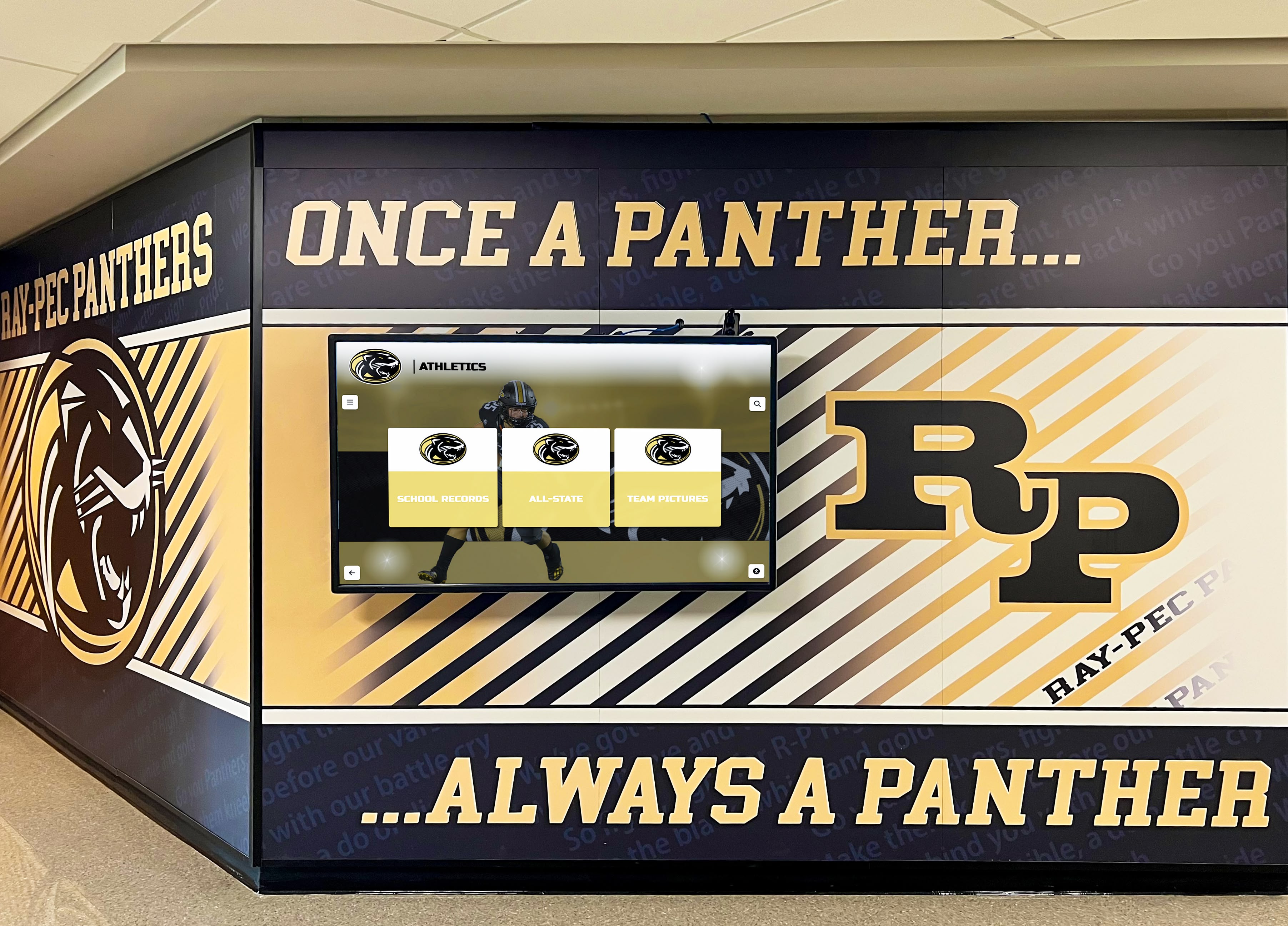
Custom layouts integrate with institutional branding and facility design while maintaining consistent navigation patterns and interaction models
Platform-Grade Guarantees for Custom Layouts
The crucial distinction: when Rocket builds custom layouts, they become first-class platform components inheriting all system guarantees—not fragile one-off implementations requiring special maintenance.
Responsive Design Across All Devices
Every custom layout Rocket creates automatically works across all screen sizes and orientations: large touchscreen displays in vertical or horizontal mounting, tablet browsers for portable access, smartphone interfaces for on-the-go exploration, and desktop browsers for administrative content management.
Schools don’t receive desktop-only designs requiring separate mobile development. They don’t discover that custom layouts work on touchscreens but break in web browsers. Responsive design is non-negotiable platform behavior, and custom layouts inherit this guarantee regardless of visual uniqueness.
Accessibility Compliance
Custom layouts maintain ADA compliance through screen reader compatibility, keyboard navigation support, appropriate color contrast ratios, text resizing capabilities, and focus indicator visibility. Schools receiving custom layouts don’t assume accessibility responsibility—Rocket ensures compliance as part of standard development practice.
Organizations managing digital recognition programs must meet accessibility requirements, and platform-maintained compliance eliminates ongoing monitoring burden.
Feature Compatibility
Custom layouts integrate seamlessly with all Rocket platform features: search functionality finds content regardless of layout design, filtering systems work identically across different visual presentations, content types display appropriately within any layout structure, navigation patterns remain consistent even when page designs vary, and analytics track engagement using standardized instrumentation.
Schools don’t discover that custom layouts sacrifice critical functionality. The platform architecture ensures feature consistency independent of visual presentation.
Consistent Interaction Patterns
While visual designs vary across custom layouts, interaction patterns remain consistent: touch targets maintain appropriate sizing and spacing, navigation gestures work identically across different pages, button behaviors follow predictable patterns, animation timing creates familiar responsiveness, and information hierarchy uses established conventions.
This consistency means users don’t relearn interaction models when moving between recognition categories using different layouts. They encounter familiar usability patterns within varied visual presentations—exactly the right balance.

First-class custom components maintain professional quality and platform integration while delivering distinctive visual identity
Design System Governance Prevents Fragmentation
Rocket achieves consistency across customization through rigorous design system governance—systematic constraints ensuring creative flexibility doesn’t devolve into chaotic fragmentation.
Typography and Readability Standards
Design systems enforce consistent typography controlling font families, sizing hierarchies, line spacing, and contrast ratios—ensuring readability across all layouts and content types regardless of visual design variations.
Controlled Font Selection
Rather than allowing arbitrary font choices, Rocket’s design system provides curated font selections appropriate for recognition content and optimized for screen legibility. Schools can choose typefaces reflecting their brand identity from approved options that guarantee readable body text, distinctive headlines with appropriate weight, clear interface labels, and professional overall presentation.
This controlled selection prevents common failures: decorative fonts used for body text creating readability problems, weight variations too subtle to establish clear hierarchy, font pairing conflicts creating visual discord, or license issues with unauthorized commercial typefaces.
Systematic Sizing Hierarchy
Typography scales follow mathematical progressions creating clear visual hierarchy: heading levels maintain consistent importance signaling, body text remains comfortably readable across devices, interface elements use appropriate sizing for touch targets, and responsive scaling maintains hierarchy across screen sizes.
Schools implementing digital yearbook systems benefit from typography standards ensuring content remains readable whether viewed on 6-inch smartphones or 75-inch lobby displays.
Spacing and Layout Rhythm
Consistent spacing creates visual rhythm making interfaces feel cohesive even when page layouts differ substantially.
Spatial System
Design systems define spacing increments (typically 4px or 8px base units) used consistently throughout layouts: margins between content sections, padding within components, spacing around interactive elements, and gaps in grid systems.
This mathematical precision creates subtle coherence. Users may not consciously notice consistent spacing, but they experience layouts as more professional and intentional compared to arbitrary spacing creating visual noise.
Grid Foundations
Custom layouts built on shared grid systems maintain alignment relationships and proportional balance. Whether content displays in single columns, multi-column layouts, card grids, or asymmetric compositions, underlying grid structure ensures alignment and proportional relationships that feel intentional rather than haphazard.
Color Systems and Brand Consistency
Design systems manage color usage ensuring brand consistency while preventing common color-related failures.
Defined Color Palettes
Rather than allowing ad-hoc color selection, design systems provide defined palettes: primary brand colors for major elements and accent usage, secondary colors for supporting content and variation, neutral grays for text and backgrounds, semantic colors for status communication (success, warning, error), and accessible color combinations meeting contrast requirements.
Contextual Usage Guidelines
Beyond defining colors, design systems specify appropriate usage contexts: which colors work for backgrounds versus foreground elements, how to use color for emphasis without overuse, when color carries meaning requiring alternative indicators, and how brand colors adapt for different screen settings and ambient lighting.
Schools implementing athletic recognition displays want school colors prominently featured, but design systems ensure color usage enhances rather than overwhelms content.
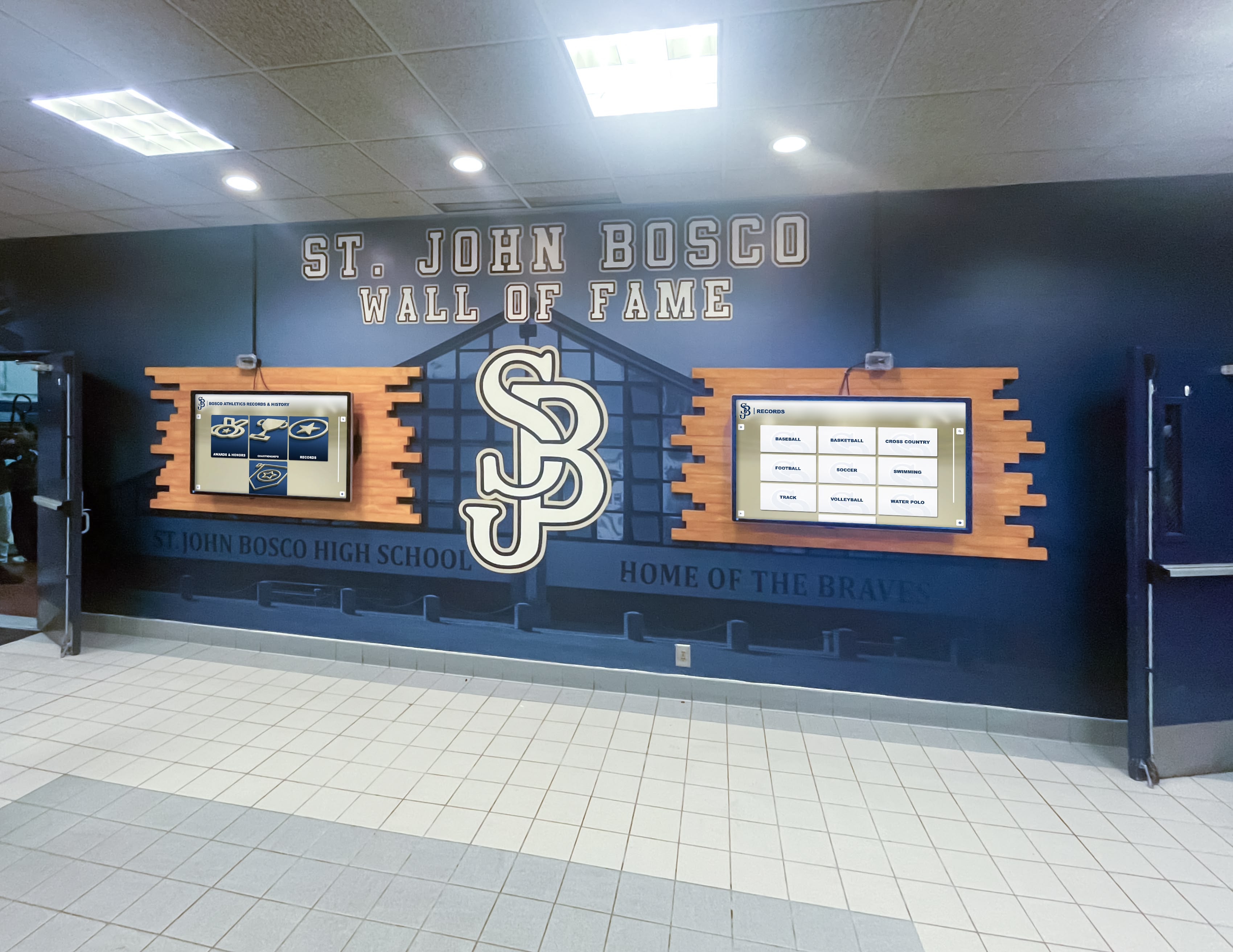
Design system governance ensures multiple installations maintain visual consistency while accommodating different content types and recognition categories
Navigation Logic and Information Architecture
While page layouts vary, navigation patterns remain consistent through systematic information architecture.
Consistent Navigation Models
Users encounter familiar navigation patterns regardless of which recognition section they explore: primary navigation occupies consistent screen locations, search functionality appears in expected positions, filtering controls follow established interaction patterns, breadcrumb navigation shows consistent hierarchy, and wayfinding elements use standardized visual treatments.
Scalable Information Architecture
Design systems accommodate growing content through hierarchical organization: category structures scale from 3 to 30+ recognition types, individual profiles support minimal to comprehensive content, timeline views span decades without becoming overwhelming, and search results handle 10 or 10,000 inductees with equal effectiveness.
Component Behavior Standards
Interactive components maintain consistent behavior even when visual styling varies:
Predictable Interactions
Touch targets maintain minimum sizes ensuring comfortable interaction, button states provide clear visual feedback (normal, hover, pressed, disabled), form inputs follow established patterns (labels, hints, validation, error states), animations communicate state changes without being distracting, and loading states indicate progress during content retrieval.
Accessibility Guarantees
All interactive components include keyboard navigation support, screen reader compatibility through appropriate ARIA attributes, focus indicators showing keyboard navigation position, and sufficient color contrast independent of visual styling.
Organizations implementing touchscreen kiosk software benefit from standardized component behaviors ensuring reliable interaction regardless of visual customization.
AI-Assisted Quality Control Catches Common Failures
Even with design system governance, human content creators inevitably make mistakes: inconsistent image cropping, poor color contrast, awkward spacing, off-brand variations, overly dense layouts, and other quality degradations. Rocket’s AI-assisted quality controls catch these failures before they reach production.
Automated Design Review
AI agents continuously monitor content for common design problems:
Visual Consistency Checks
Automated analysis detects when content deviates from design standards: inconsistent spacing between elements, typography not matching defined scales, color usage outside approved palettes, images with inconsistent dimensions or aspect ratios, and alignment errors disrupting grid structure.
Rather than waiting for users to notice problems, AI agents flag issues immediately upon content creation—enabling corrections before publication.
Accessibility Validation
AI systems check accessibility compliance automatically: insufficient color contrast between text and backgrounds, missing alternative text for images, heading hierarchy violations, focus order problems in navigation, and interactive elements below minimum size recommendations.
Schools managing content don’t need accessibility expertise—the platform ensures compliance through automated validation and clear correction guidance.
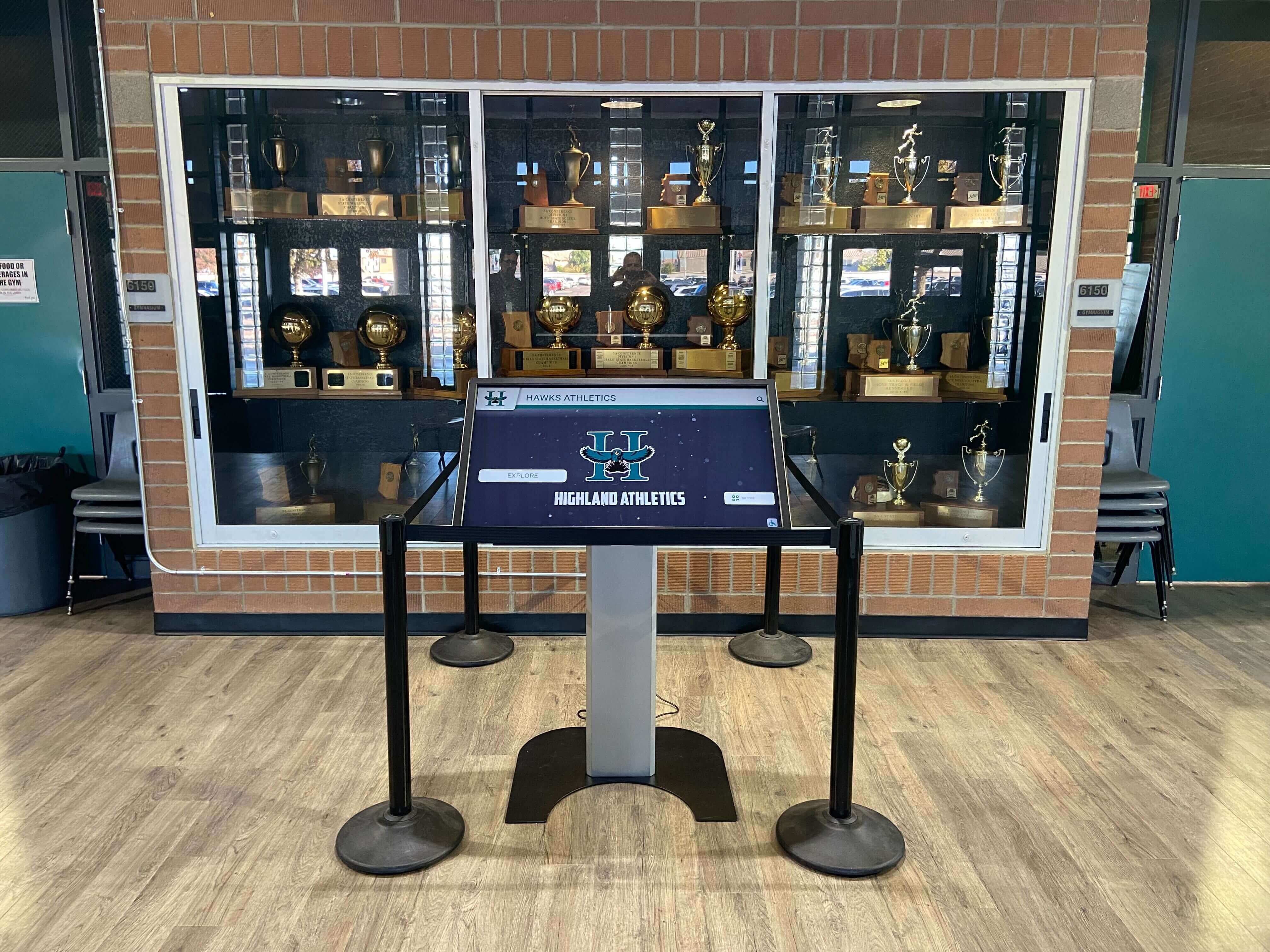
Automated quality controls ensure content maintains professional standards even as non-designer admins create and update recognition profiles
Intelligent Content Optimization
Beyond detecting problems, AI systems proactively improve content quality:
Image Enhancement
AI agents automatically optimize uploaded photos: cropping to appropriate aspect ratios, adjusting exposure and contrast for optimal display viewing, removing distracting backgrounds when appropriate, resizing for efficient web delivery, and enhancing facial visibility in portrait photos.
Schools upload photos directly from phones or archives, and the platform ensures display-ready quality without requiring manual editing.
Layout Density Analysis
AI evaluates page layouts identifying overcrowded designs or sparse pages requiring better content balance. When profiles contain excessive text creating intimidating walls of content, the system suggests structural improvements. When layouts feel empty or unbalanced, AI recommends content enrichment.
This guidance helps non-designers create professional results without requiring formal design training.
Brand Adherence Monitoring
AI agents learn institutional brand guidelines and flag content deviating from established patterns: color usage inconsistent with school branding, typography choices conflicting with defined standards, image styles mismatching overall aesthetic, and layout patterns creating visual discord.
Rather than requiring constant manual review, automated monitoring ensures brand consistency across hundreds or thousands of profiles created by multiple content administrators over years.
Failure Mode Prevention
AI quality controls specifically target common failure patterns observed across hundreds of school implementations:
Poor Photo Quality
The system detects low-resolution images, badly cropped photos cutting off subjects, images with distracting backgrounds, photos with poor lighting or extreme contrast, and orientation errors from automatic phone uploads.
Typography Mistakes
AI catches all-caps text creating reading difficulty, inconsistent heading sizes disrupting hierarchy, body text too small for comfortable reading, poor line length (too long or too short), and insufficient spacing between paragraphs.
Color Problems
Automated checks identify text with insufficient contrast, overuse of accent colors creating visual noise, color combinations creating accessibility barriers, backgrounds competing with foreground content, and brand color usage violating established guidelines.
Spacing and Density Issues
The system flags overcrowded layouts without adequate breathing room, inconsistent spacing disrupting visual rhythm, excessive white space creating disconnection, alignment errors, and unbalanced content distribution.
Schools implementing digital display solutions benefit from AI guardrails enabling fast content creation without sacrificing quality standards.
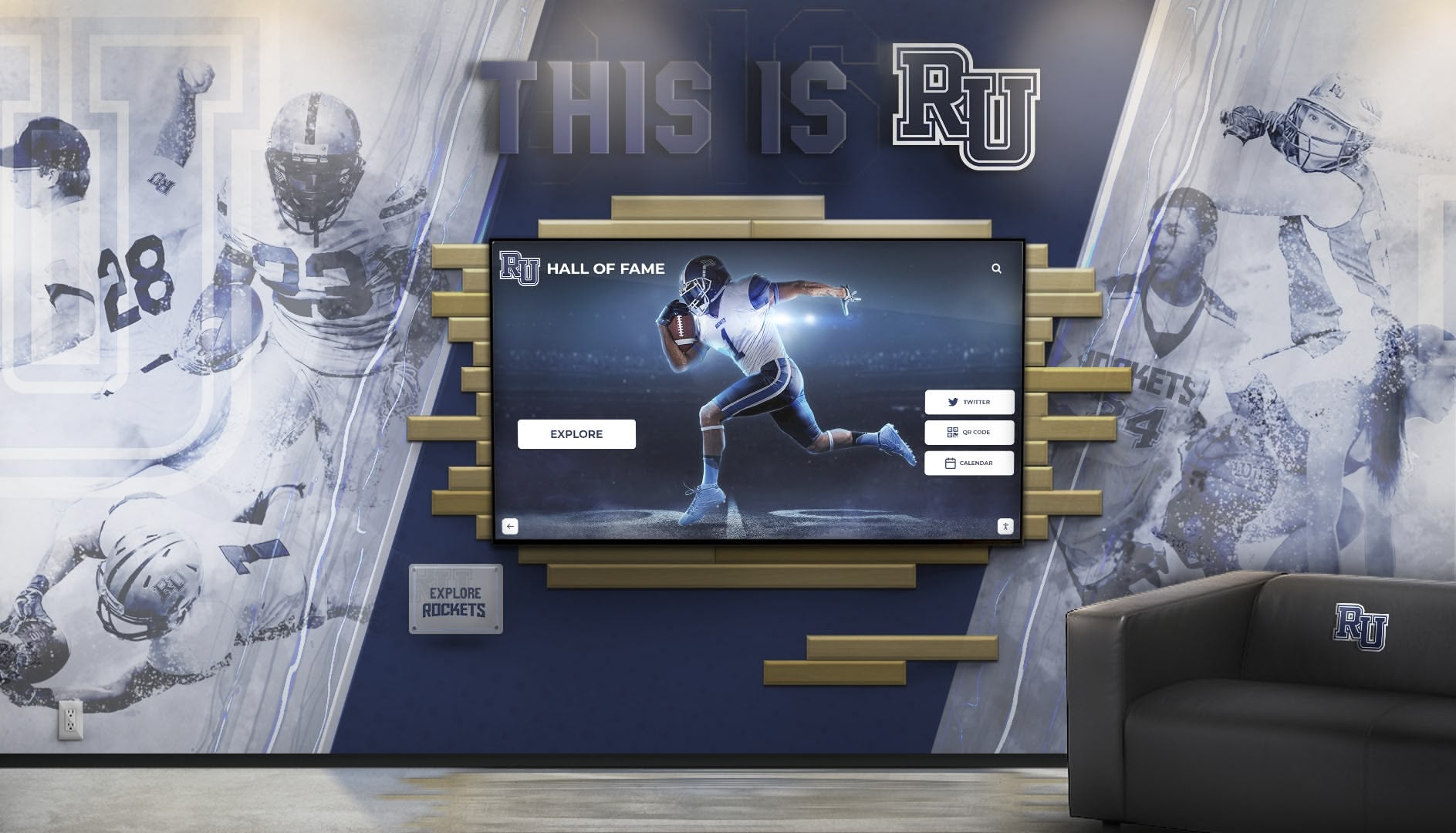
AI quality controls enable distributed content management while maintaining professional standards across multiple contributors and content types
The Real Tradeoff: Build Your Freedom or Borrow Rocket’s
Schools can achieve complete creative control through fully custom development—but that choice comes with comprehensive responsibility ownership most institutions underestimate.
The Custom Development Path
Building bespoke recognition systems delivers maximum flexibility but requires accepting full technical stewardship.
What You Own
Custom development means complete responsibility for responsive design across all screen sizes and orientations, accessibility compliance with ADA requirements and WCAG guidelines, feature parity as user expectations evolve, ongoing quality assurance testing across devices and browsers, security patching and vulnerability remediation, platform updates as operating systems and browsers change, and experience consistency preventing brand drift over time.
Ongoing Investment Requirements
Schools choosing custom development must budget for regular enhancement cycles adding features and improving designs, security maintenance keeping systems protected, performance optimization as content volumes grow, testing across expanding device ecosystems, accessibility audits ensuring continued compliance, and technical documentation for institutional knowledge preservation.
Organizations pursuing custom recognition systems should anticipate annual maintenance costs of 15-25% of initial development investment—before considering any new features or improvements.
Risks and Dependencies
Custom systems create vendor dependencies and single points of failure: if development firms go out of business, schools inherit orphaned codebases, when developers leave projects, institutional knowledge disappears, as technologies evolve, custom code becomes increasingly outdated, and when problems emerge, schools must troubleshoot and resolve issues independently.
The Platform Advantage
Rocket offers an alternative: custom outcomes achieved through platform infrastructure that absorbs technical stewardship while delivering creative flexibility.
Platform-Maintained Guarantees
Schools get custom layouts but Rocket maintains responsibility for responsive behavior across all devices, accessibility compliance through automated testing, feature compatibility across the entire platform, performance optimization as content scales, security patching and updates, browser compatibility as web standards evolve, and ongoing improvement incorporating user feedback and industry best practices.
Continuous Enhancement
Platform-based customization benefits from collective improvement: new features automatically extend to all layouts including custom ones, performance optimizations improve all deployments simultaneously, accessibility enhancements raise quality across the board, security updates protect all customers equally, and design system evolution maintains contemporary standards.
Risk Mitigation
Platform approaches distribute risk across large customer bases: development costs amortize across hundreds of deployments, Rocket’s business continuity provides institutional stability, technical expertise stays current without individual school investment, and quality improvements benefit from collective feedback and usage patterns.
Schools implementing comprehensive recognition platforms achieve custom visual identity without custom technical burden—the optimal balance for most educational institutions.
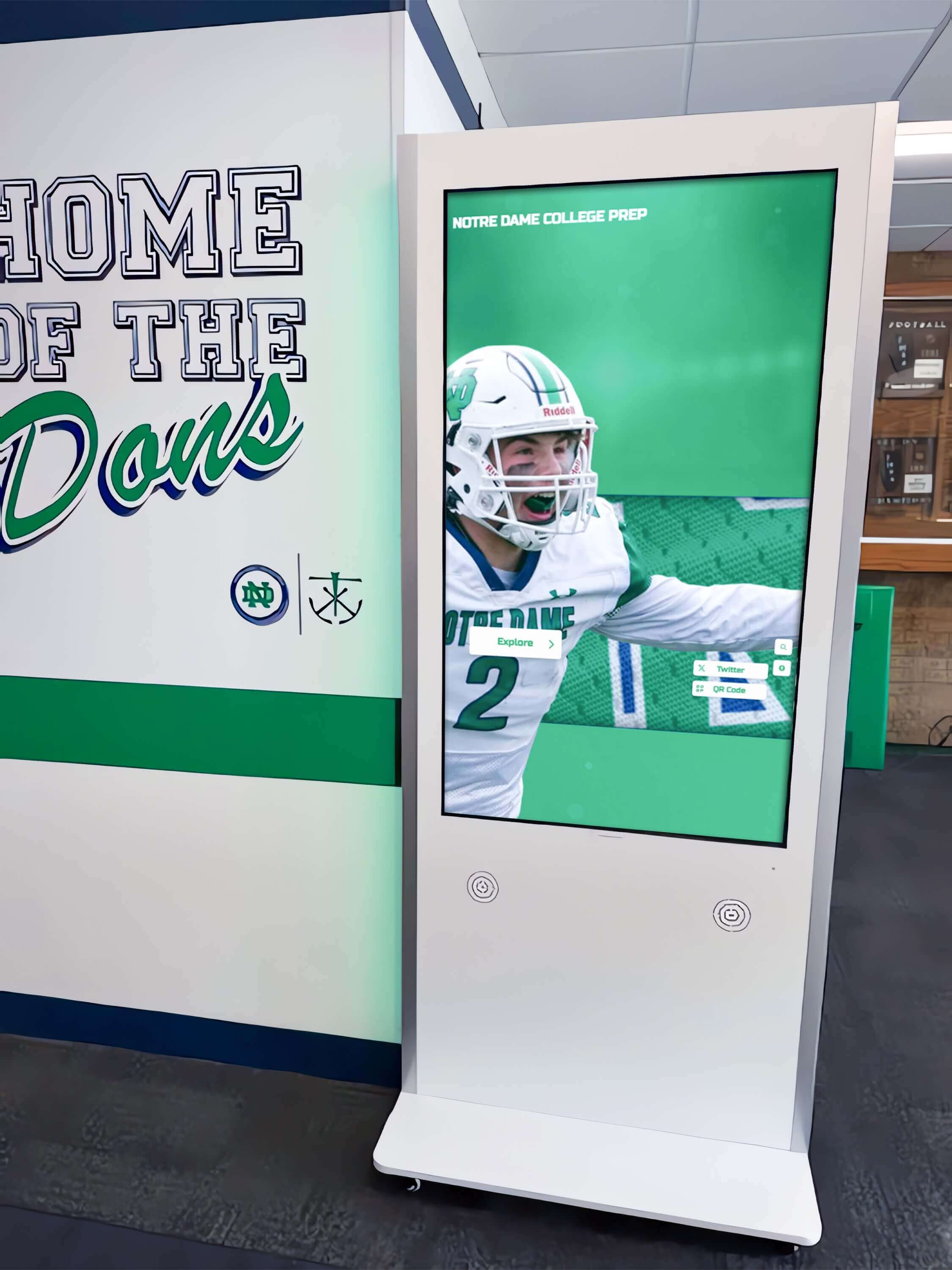
Platform-based customization delivers distinctive visual identity backed by enterprise-grade reliability and continuous enhancement
Total Cost Comparison
Honest cost analysis over realistic timeframes reveals platform advantages:
Custom Development 5-Year Cost
Initial design and development ($50,000-150,000), hardware and installation ($10,000-15,000), annual maintenance (15-25% of development cost annually), enhancement cycles adding features ($10,000-30,000 per major update), testing and quality assurance (ongoing staff time), and security and compliance monitoring (ongoing technical oversight).
Total 5-year investment: $100,000-250,000+
Platform-Based Custom Layouts 5-Year Cost
Hardware and installation ($10,000-15,000), platform subscription ($2,000-4,000 annually), custom layout development (free as part of standard service), ongoing maintenance (included in subscription), feature enhancements (automatic platform updates), and technical support (included in subscription).
Total 5-year investment: $20,000-35,000
The platform approach typically costs 20-30% of comparable custom development while delivering superior ongoing support, continuous improvement, and risk mitigation.
Evaluating Design Flexibility Claims
As schools evaluate recognition platforms, vendors increasingly claim to offer both consistency and customization. Assess these claims systematically:
Questions to Ask Providers
Layout Customization Process
How are custom layouts created? (In-house design team? Third-party contractors? Customer responsibility?) What is typical development timeline? (Days? Weeks? Months?) What costs apply? (Included service? Per-project fees? Ongoing charges?) What happens after deployment? (Who maintains layouts? How do updates work?)
Design System Maturity
Do you maintain documented design systems? Can we review design system documentation? How do you ensure consistency across custom implementations? What happens when our team creates content—are there guardrails preventing design degradation?
Organizations implementing digital recognition displays should demand specific evidence of design governance, not just marketing claims about flexibility.
Quality Control Mechanisms
What prevents content quality problems? How do you ensure accessibility compliance? What happens if we upload poor-quality photos? How do you catch brand consistency violations? Can you show examples of AI-assisted quality controls?
Reference Validation
Can we speak with schools that have custom layouts? How many custom layout requests do you receive monthly? What percentage of custom requests actually get implemented? Can we see diverse examples of custom implementations?
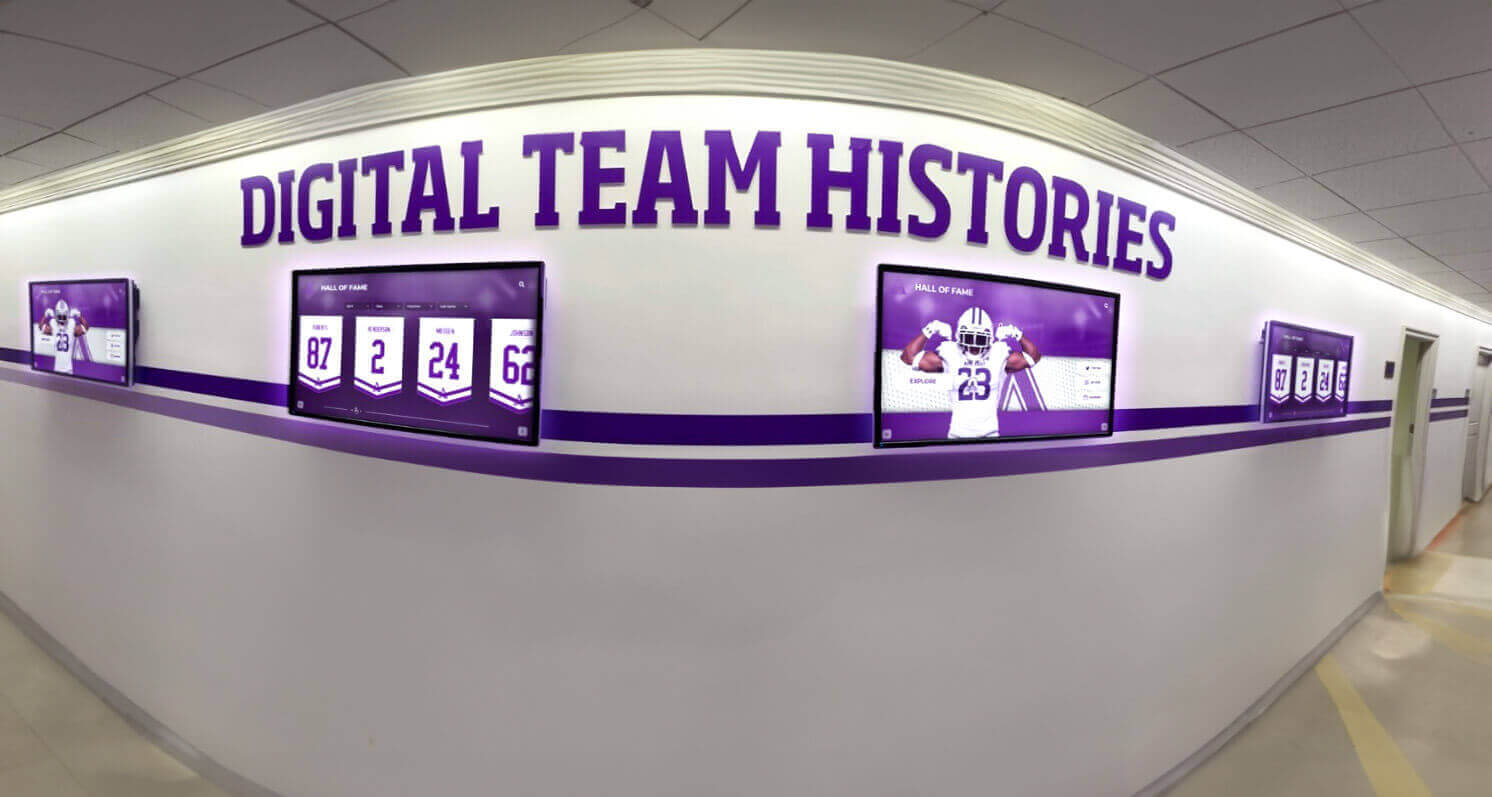
Platform maturity enables diverse visual presentations while maintaining interaction consistency and quality standards
Red Flags Indicating Limited Flexibility
Template Lock-In
Vendors showing only 3-5 template options with claims they “cover all needs” likely lack genuine customization capabilities. Schools with distinctive requirements will outgrow these limitations quickly.
Customization Through Configuration
Platforms offering customization only through color pickers, font dropdowns, and layout toggles provide cosmetic variation but not genuine design flexibility. True customization accommodates unique content structures and interaction models, not just color schemes.
Custom Development Upselling
Vendors immediately recommending expensive custom development for any layout requests not matching existing templates signal that customization exists only as expensive add-on services rather than standard platform capabilities.
Accessibility as Optional
Platforms treating accessibility as premium feature or requiring extra payment for compliance indicate immature design systems. Accessibility should be non-negotiable baseline behavior across all layouts.
Achieving Museum Quality at Implementation Speed
The fundamental insight: schools don’t actually face a choice between rigid templates and fragile customization. Modern platforms can deliver custom outcomes with platform-grade reliability through systematic design governance, AI-assisted quality controls, and service models treating custom requests as shared infrastructure development.
Rocket Alumni Solutions demonstrates this approach in practice: schools receive layouts reflecting their unique identity and recognition philosophy, custom development happens quickly (typically within a week) without project management burden, completed layouts inherit all platform guarantees (responsive design, accessibility, feature compatibility), design systems prevent fragmentation even with extensive customization, and AI quality controls catch common mistakes before they reach production.
The result: schools move quickly creating distinctive recognition experiences while maintaining museum-quality standards—without building or maintaining custom technical infrastructure.
Organizations evaluating recognition platforms should reject false dichotomies. Demand both creative flexibility and systematic quality control. Expect custom outcomes delivered through platform reliability. Question vendors who claim these goals conflict or require choosing one over the other.
Rocket’s “templates” aren’t creative ceilings—they’re quality frameworks establishing baseline standards while enabling expansion through systematic customization. Schools request custom layouts and Rocket frequently builds them quickly, adding completed modules to the shared library where other institutions can also benefit. Every new layout inherits Rocket’s guarantees: responsive across devices, accessibility-aligned, compatible with platform features, and maintained through ongoing system evolution.
Design system governance plus AI quality checks prevent experience fragmentation even as schools move quickly and customize extensively. Teams can create and update content with confidence, knowing automated systems catch common failures while preserving brand consistency and professional quality.
The question isn’t whether to prioritize consistency or creativity—it’s whether to build and maintain your own system accepting full technical stewardship, or borrow Rocket’s infrastructure achieving custom outcomes through platform reliability. For most schools, the answer is clear: get distinctive design backed by enterprise-grade systems, continuous improvement, and collective risk mitigation through platform-based customization.
Ready to explore how platform-based customization can deliver distinctive recognition experiences without technical burden? Learn more about Rocket Alumni Solutions and discover how design systems enable creative freedom while maintaining professional quality standards across every recognition program.































