School history, shared
DAM for Schools: Complete Digital Asset Management Guide for Educational Institutions

Schools generate thousands of photos, videos, yearbooks, documents, and historical records annually—from athletic achievements and academic ceremonies to daily classroom activities and special events—creating massive digital libraries that quickly become unmanageable without proper organization systems. Digital Asset Management (DAM) for schools provides the structure educational institutions need to organize, preserve, access, and share visual content efficiently while protecting student privacy and institutional history.
Unlike consumer cloud storage services designed for personal use, professional DAM systems built for educational institutions address specific challenges schools face: managing content across multiple academic years and departments, maintaining FERPA compliance for student images, preserving decades of historical materials, enabling safe alumni access to yearbook archives, and creating engaging recognition displays from organized photo collections without overwhelming staff with technical complexity.
This comprehensive guide explores how DAM systems transform chaotic photo folders and scattered yearbook archives into organized, searchable, accessible digital libraries—covering system selection criteria, implementation strategies, content organization frameworks, privacy compliance requirements, and practical applications from digital yearbooks to interactive alumni displays that bring institutional history to life.
Who This Helps
Digital asset management systems serve diverse stakeholders across educational communities:
- School administrators responsible for preserving institutional records and managing technology investments
- Yearbook advisers and communications directors organizing photos for publications and digital yearbooks
- Athletic directors managing sports photography and creating recognition displays for athletes
- IT directors evaluating storage infrastructure, security requirements, and system integration
- Librarians and archivists preserving historical photographs, yearbooks, and institutional memory
- Alumni relations professionals providing graduates access to yearbook archives and historical content
- Marketing and advancement teams organizing promotional photos and campaign assets
- Teachers and activity sponsors documenting student programs and special events
Whether you’re drowning in unorganized photo folders, digitizing historical yearbook collections, or building interactive recognition displays, understanding DAM systems helps you select solutions matching institutional needs.

Professional DAM systems transform scattered photos into organized, searchable archives supporting yearbooks, recognition displays, and alumni engagement
Understanding Digital Asset Management for Schools
Before selecting DAM systems, educational institutions should understand what distinguishes professional asset management from simple file storage and why schools require specialized capabilities.
What Makes DAM Different from Cloud Storage
Many schools initially attempt managing photos through consumer services like Google Drive, Dropbox, or Microsoft OneDrive—discovering these general-purpose tools lack capabilities schools need for long-term asset management:
Metadata and Search Capabilities
Consumer cloud storage relies primarily on folder organization and filename searches. DAM systems provide rich metadata frameworks enabling sophisticated searches across:
- Academic years and graduation classes
- Sports, clubs, and activities
- Event types and dates
- Individual student names (with appropriate privacy controls)
- Locations and buildings
- Photographers and contributors
According to the International Association of School Librarianship, systematic metadata application enables educational institutions to discover relevant content from archives containing tens of thousands of images—searches that would prove impossible through folder browsing alone.
Version Control and Asset Relationships
DAM systems track asset versions, related files, and derivative uses. When yearbook advisers edit photos for publications, DAM systems maintain both original high-resolution files and edited versions, linking them together. This prevents the common problem where schools lose track of original photos after creating cropped versions for specific publications.
Rights Management and Privacy Compliance
Educational institutions must track photo permissions, FERPA restrictions, and usage rights. Professional DAM systems include:
- Permission status tracking for each student
- Automated restriction enforcement preventing unauthorized access
- Audit trails documenting who accessed which files
- Expiration dates removing graduated students from searchable systems when appropriate
Consumer cloud services offer only basic sharing controls insufficient for navigating student privacy requirements schools face daily.
The Growing Challenge of School Digital Assets
Modern schools generate vastly more digital content than previous generations:
Exponential Photo Volume Growth
Where yearbook photography once meant hiring photographers for specific events, today’s schools capture thousands of images monthly:
- Athletic events photographed by coaches, parents, and student media
- Classroom activities documented for websites and social media
- Special events captured by multiple contributors
- Daily documentation for communications and marketing
- Historical content digitized from physical archives
This volume overwhelms manual organization methods that worked when schools managed hundreds of photos annually rather than thousands.
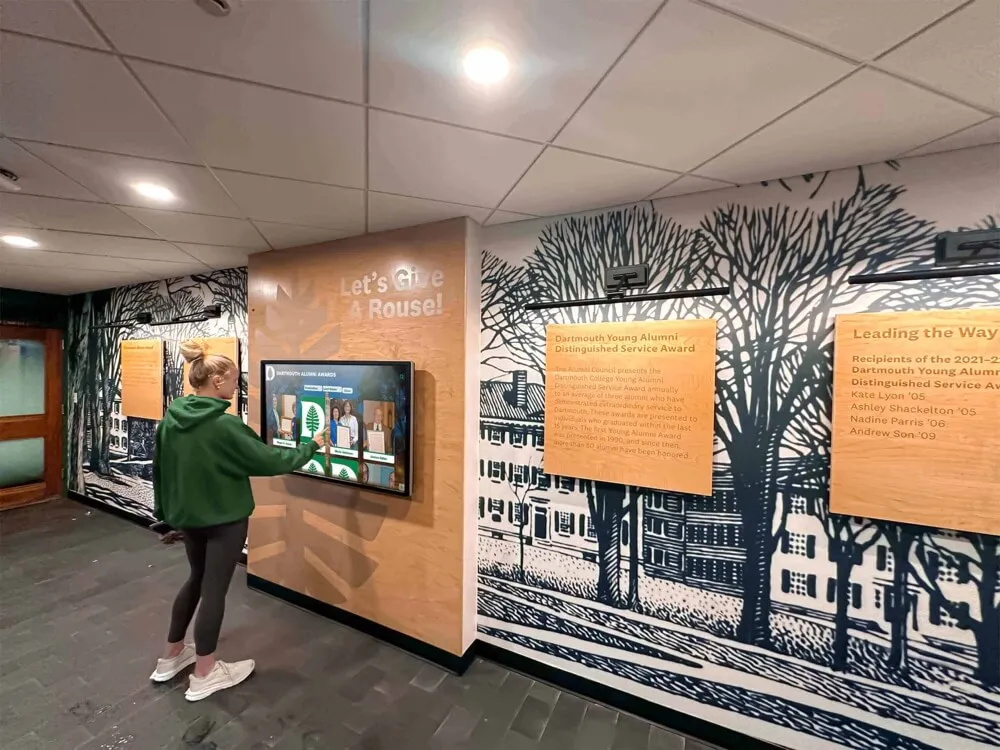
DAM systems enable intuitive browsing and search, making vast photo archives accessible through interactive displays and web platforms
Multiple Content Contributors
Photos arrive from diverse sources creating organizational chaos:
- Athletics departments managing team photos
- Fine arts programs documenting performances
- Yearbook staff collecting student life photos
- Parent volunteers photographing events
- Third-party photographers hired for specific occasions
- Alumni submitting historical photos for digitization
Without centralized DAM systems, schools maintain disconnected photo libraries across departments, duplicating storage costs while making comprehensive yearbook creation or alumni archives practically impossible.
Long-Term Preservation Requirements
Unlike businesses that may archive project files after completion, schools preserve photos permanently. Graduation photos from 1950 remain as relevant for 75th reunions as recent yearbook content. This long-term preservation requirement demands:
- File format migrations as technology evolves
- Metadata preservation across system changes
- Backup redundancy protecting irreplaceable content
- Accessibility maintenance as software platforms update
Effective DAM systems address these challenges through archival-grade infrastructure consumer services simply don’t prioritize.
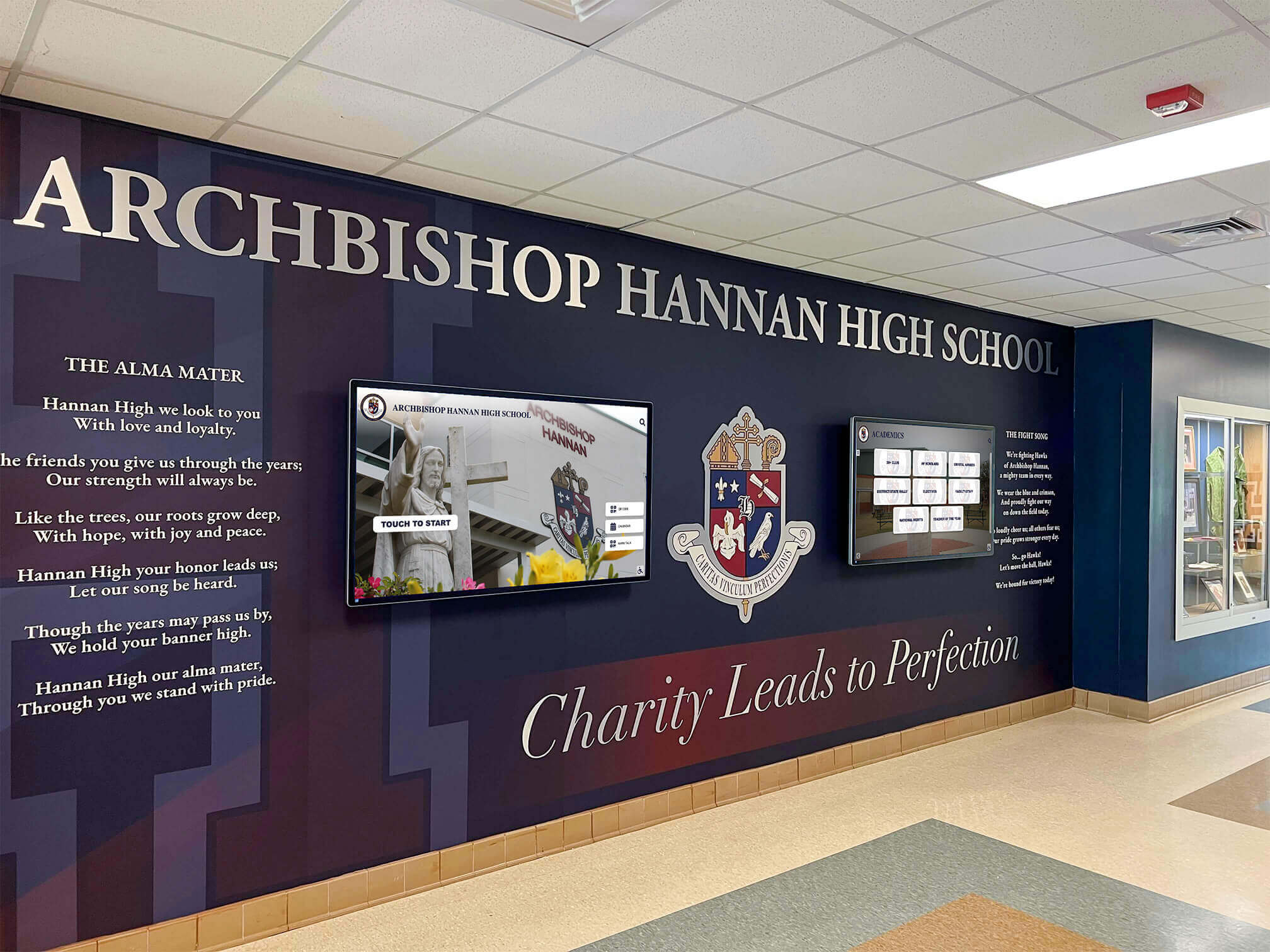
DAM systems power engaging recognition displays throughout campuses, making organized photo archives visible and accessible to entire school communities
Core DAM Capabilities Educational Institutions Need
Successful DAM systems for schools provide specific capabilities addressing educational institutions’ unique requirements beyond generic asset management.
Yearbook Integration and Publishing Workflows
Yearbook production represents the most demanding photo management challenge schools face annually. Effective DAM systems streamline yearbook workflows through:
Organized Collection by Academic Year
Yearbook advisers need photos organized by academic year, not calendar year, with automatic categorization by:
- Fall sports seasons
- Homecoming and school events
- Winter activities and spring sports
- Academic clubs and organizations
- Senior portraits and graduation ceremonies
Systems designed for schools understand academic calendars and provide frameworks matching how yearbook staff actually work. Solutions like digital yearbook platforms integrate DAM capabilities specifically for yearbook production workflows.
Collaborative Review and Selection
Yearbook creation involves multiple reviewers approving photo selections. DAM systems should enable:
- Shared galleries where staff mark favorite photos
- Commenting and feedback threads on specific images
- Approval workflows preventing unauthorized content use
- Export functionality delivering selected photos to design software
Multi-Year Archive Access
Current yearbook staffs benefit from accessing previous years’ coverage when planning sections. DAM archives showing how prior staffs photographed specific events or activities provide valuable creative references while preventing repetitive coverage approaches.
Alumni Access and Engagement Features
Digital yearbook archives create powerful alumni engagement tools when DAM systems include appropriate access controls and discovery features:
Searchable Yearbook Databases
Alumni want to find themselves, classmates, and teachers from graduation years. Effective systems provide:
- Name-based searches finding individuals across multiple yearbooks
- Graduation year filtering
- Activity and organization searches
- Reunion planning tools helping classes locate classmates
Controlled Access with Privacy Protection
Schools must balance alumni desire for yearbook access against student privacy rights. Professional DAM systems enable:
- Restricted access requiring alumni verification
- Content restrictions preventing downloads of current student photos
- Opt-out capabilities for individuals requesting removal
- Audit trails tracking access patterns
Organizations implementing comprehensive alumni engagement strategies report that searchable yearbook archives significantly increase graduate connections to institutions.
Mobile-Responsive Access
Alumni explore archives primarily through smartphones and tablets. DAM systems must deliver excellent mobile experiences supporting:
- Touch-friendly browsing and searching
- Responsive image viewing
- Social sharing capabilities (with appropriate privacy controls)
- QR code access from campus displays
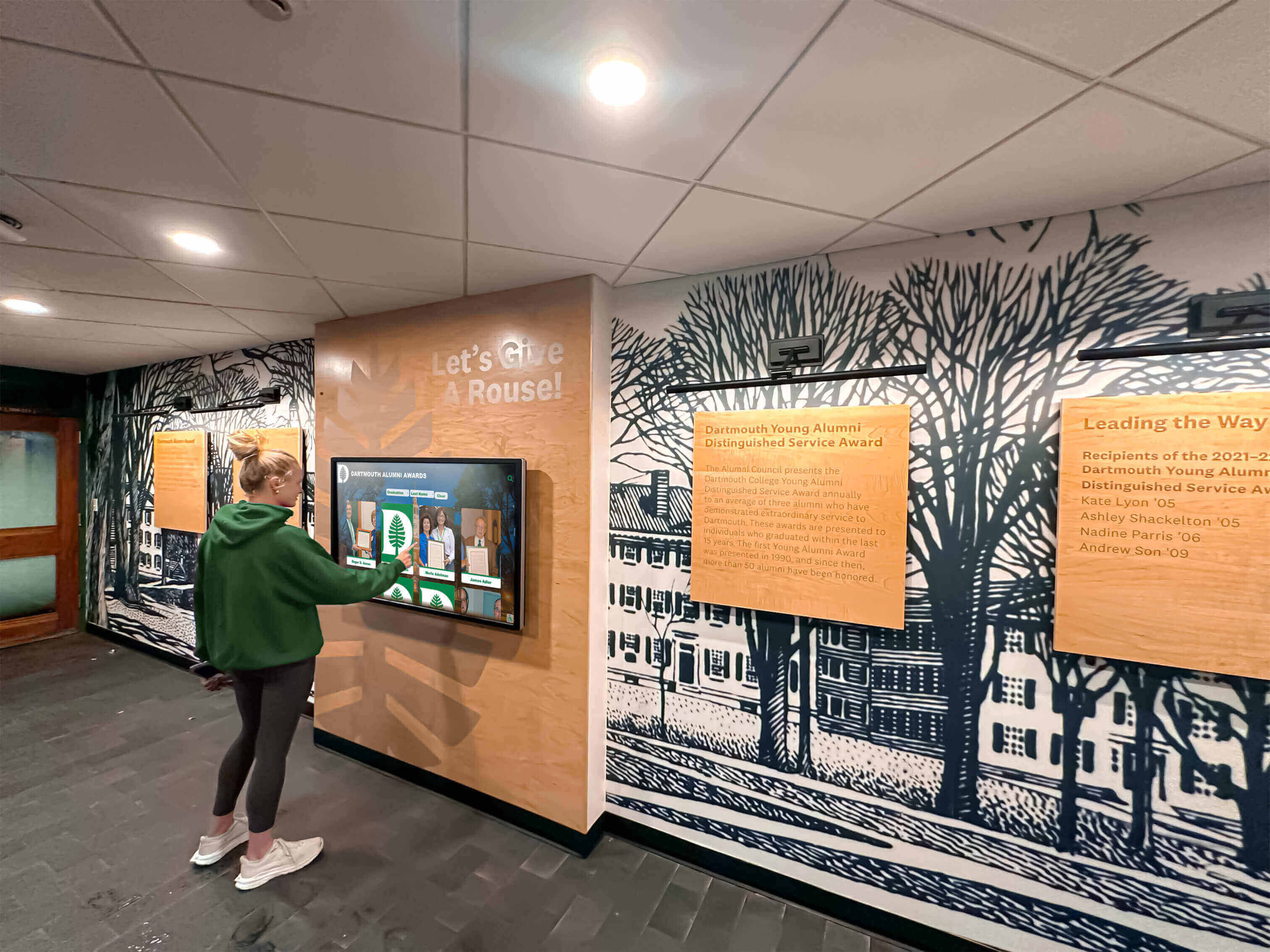
Mobile-responsive DAM systems enable access from any device while touchscreen displays bring archives directly into high-traffic campus locations
Athletic and Activities Recognition
Sports programs and extracurricular activities generate massive photo volumes while creating compelling recognition opportunities. DAM systems supporting athletic departments should provide:
Team and Individual Athlete Organization
Sports photography requires specialized organization by:
- Sport and competitive level (varsity, JV, freshman)
- Season and year
- Individual athletes and jersey numbers
- Game dates and opponents
- Statistical achievements and records
Digital Recognition Display Integration
Many schools implement athletic hall of fame displays showcasing historical achievements. DAM systems should feed content directly to recognition platforms, eliminating manual photo transfers.
Awards and Banquet Support
End-of-season banquets require organized player photos and action shots. DAM systems with robust search and export capabilities let coaches quickly assemble sports banquet slideshows without hunting through disorganized folders.
Historical Preservation and Digitization
Schools possess irreplaceable historical photos, yearbooks, and documents requiring specialized preservation capabilities:
High-Resolution Archival Storage
Historical materials should be scanned at archival resolution (400-600 DPI minimum) producing large file sizes. DAM systems must accommodate:
- Multi-gigabyte individual file storage
- Original format preservation (TIFF, RAW)
- Derivative web-optimized versions for access
- Automatic backup redundancy
Metadata for Historical Context
Historical photos need rich contextual metadata:
- Approximate or exact dates
- Identified individuals when known
- Event and location descriptions
- Scanning date and source information
- Rights and copyright status
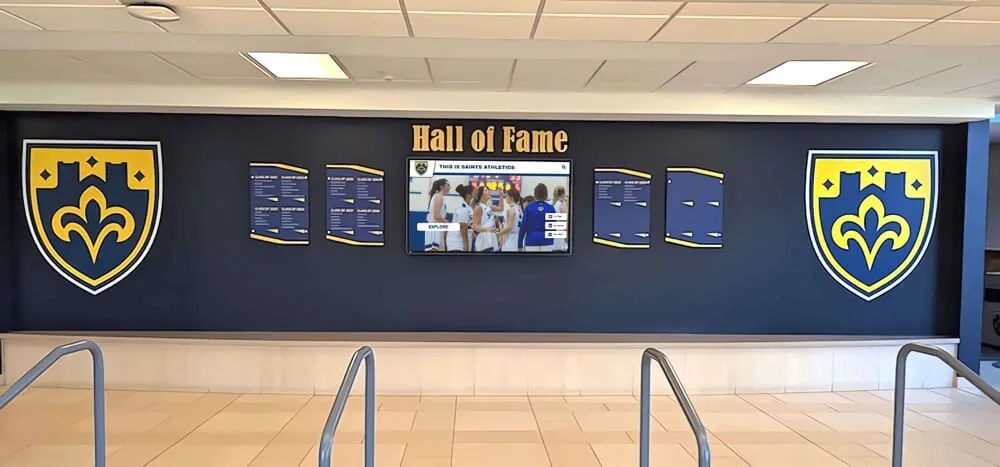
DAM systems preserve historical photos at archival quality while enabling modern display applications through interactive touchscreens
OCR and Text Search
Digitized yearbooks benefit enormously from OCR (optical character recognition) making text searchable. When alumni search for specific names or activities, OCR-processed yearbooks return relevant pages automatically—functionality impossible without text extraction.
Professional yearbook digitization services typically include OCR processing as standard deliverables, but DAM systems must support and index this searchable text.
Evaluating DAM Systems for Educational Institutions
Selecting appropriate DAM systems requires careful evaluation across technical, functional, and practical dimensions affecting long-term success.
Technical Infrastructure Considerations
DAM systems represent significant technology investments requiring thorough technical assessment:
Storage Capacity and Scalability
Calculate current storage needs and projected growth:
- Count existing digital photos and estimate average file sizes
- Calculate yearly photo generation rates across all departments
- Include historical digitization projects in capacity planning
- Plan for 5-10 year growth accommodating increasing camera resolutions
Schools typically need 2-10 terabytes initially, growing 0.5-2 terabytes annually depending on institution size and documentation practices.
Cloud vs. On-Premise Hosting
Cloud-hosted DAM systems offer advantages for most schools:
- No server infrastructure requirements
- Automatic backup redundancy
- Access from anywhere with internet connectivity
- Vendor-managed updates and security patches
- Scalable storage expanding as needs grow
On-premise systems make sense only for institutions with:
- Existing robust server infrastructure and IT staffing
- Specific security requirements preventing cloud data storage
- Extremely limited internet bandwidth
Integration Capabilities
DAM systems should integrate with platforms schools already use:
- Student information systems for enrollment data
- Website content management systems
- Learning management platforms
- Digital signage and recognition display systems
- Social media publishing tools
API availability enables custom integrations supporting unique institutional workflows.
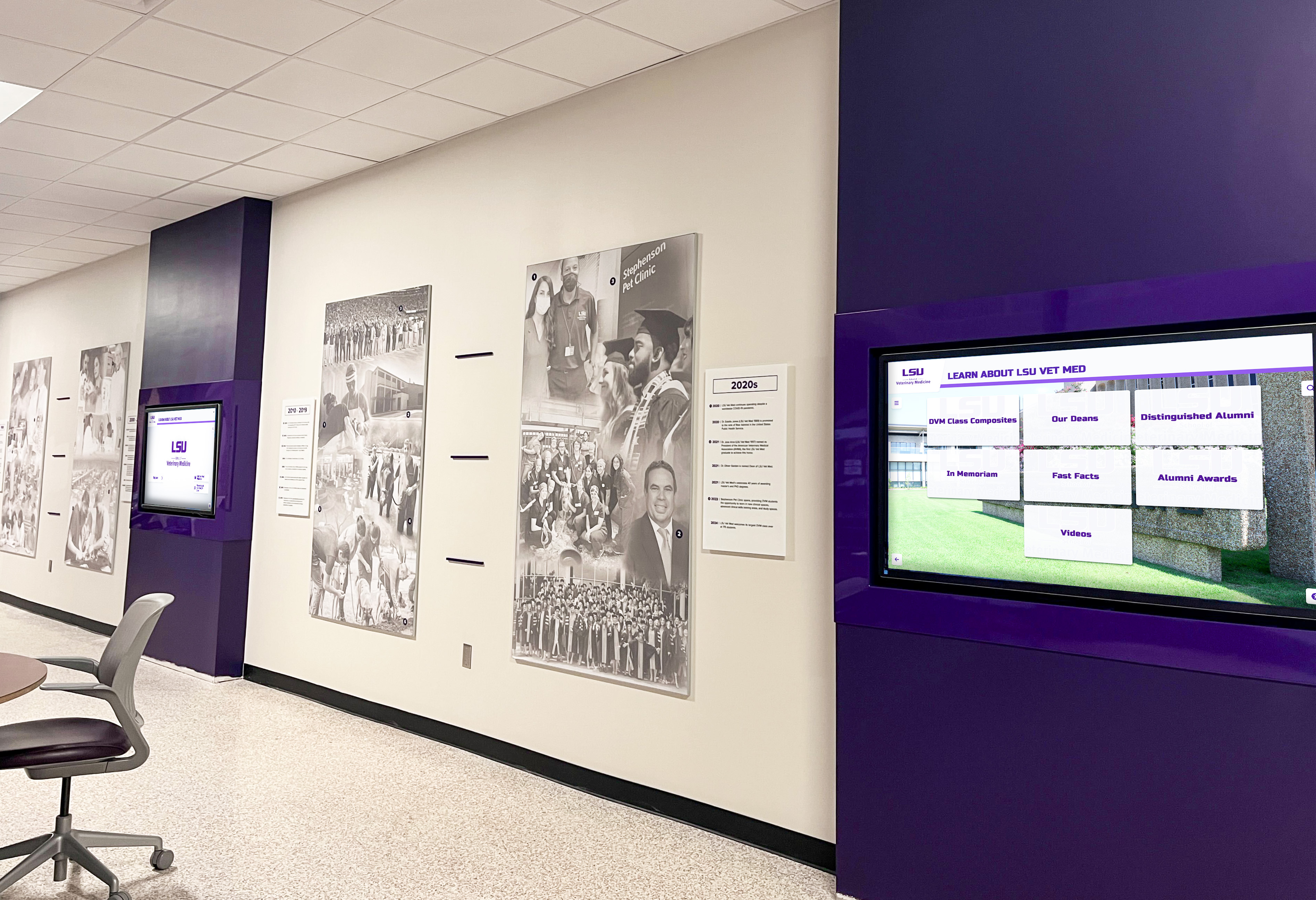
DAM systems with robust integration capabilities power recognition displays throughout campuses while maintaining centralized asset management
User Experience and Accessibility
DAM systems fail when staff find them too complex for regular use. Evaluate usability carefully:
Intuitive Upload and Organization
Photo contributors need simple workflows:
- Drag-and-drop uploads from desktop or mobile
- Automatic metadata suggestion based on upload context
- Batch processing applying metadata to multiple photos simultaneously
- Clear folder or category structures matching institutional organization
Powerful but Approachable Search
Staff searching for photos need both simple and advanced options:
- Google-style text search boxes for casual users
- Faceted filtering by year, activity, person, and date
- Saved searches for frequently used queries
- Visual similarity search finding photos similar to reference images
Role-Based Access Control
Different users need different capabilities:
- Administrators manage all content and settings
- Department heads access and organize their area photos
- Yearbook staff view all content but modify only current year
- Alumni access only approved historical content
- Students potentially contribute content with approval workflows
FERPA Compliance and Privacy Controls
Educational DAM systems must address student privacy regulations and school policies:
Granular Permission Management
Track photo permissions at individual student level:
- Opt-in or opt-out status by student
- Restriction types (web, yearbook, social media, directory)
- Permission expiration dates
- Guardian approval for minor students
Automatic Enforcement
Systems should prevent unauthorized access through:
- Automatic filtering removing restricted student photos from searches
- Watermarking identifying improperly shared images
- Download logging tracking who accessed which files
- Automatic alumni access restriction for graduated students when appropriate
Retention and Deletion Policies
Schools need capabilities supporting various retention approaches:
- Graduated student removal from searchable systems after defined periods
- Permanent archival retention for historical record
- Compliance with family requests for specific photo removal
Rocket Alumni Solutions as a Complete DAM Platform
While many schools think of digital yearbooks or recognition displays as separate from asset management, Rocket Alumni Solutions functions as a complete DAM system specifically designed for educational institutions—organizing photos, yearbooks, and historical content while powering both web-accessible alumni archives and physical touchscreen recognition displays throughout campuses.
Comprehensive Asset Organization
Rocket’s platform provides systematic organization frameworks matching how schools actually work:
Automatic Academic Year Structure
Content automatically organizes by graduation year and academic terms, matching yearbook production cycles rather than calendar years that complicate photo discovery.
Unlimited Storage Capacity
Unlike consumer platforms limiting storage or charging per-gigabyte fees, Rocket provides unlimited photo and document storage supporting:
- Complete yearbook archives from founding through present
- Comprehensive athletics photography across all sports
- Activities and events documentation
- Historical digitization projects
- Future growth without capacity concerns
Rich Metadata and Search
The platform enables detailed tagging and powerful search across:
- Names and graduation years
- Sports, clubs, and activities
- Academic achievements and honors
- Events and locations
- Custom categories matching institutional needs
Integrated Display and Access Systems
Rather than requiring separate systems for asset storage and content display, Rocket integrates DAM functionality with recognition platforms:
Touchscreen Recognition Displays
Physical touchscreen installations throughout campus provide:
- Interactive browsing of photo archives
- Search capabilities finding specific individuals or achievements
- Athletic record boards and hall of fame presentations
- Digital trophy case displays replacing static cases
Content updates happen centrally—upload photos once, and they become available across all campus displays automatically.
Web-Based Alumni Access
Mobile-responsive web platforms enable alumni to:
- Search yearbook archives by name and graduation year
- Browse historical photos and documents
- Share discoveries with classmates (within privacy settings)
- Access content from smartphones, tablets, and computers worldwide
Unified Content Management
Administrators manage everything through single interfaces:
- Upload photos once for use across all applications
- Update metadata affecting all display and search contexts
- Configure privacy settings enforced throughout the system
- Monitor usage analytics across web and physical displays
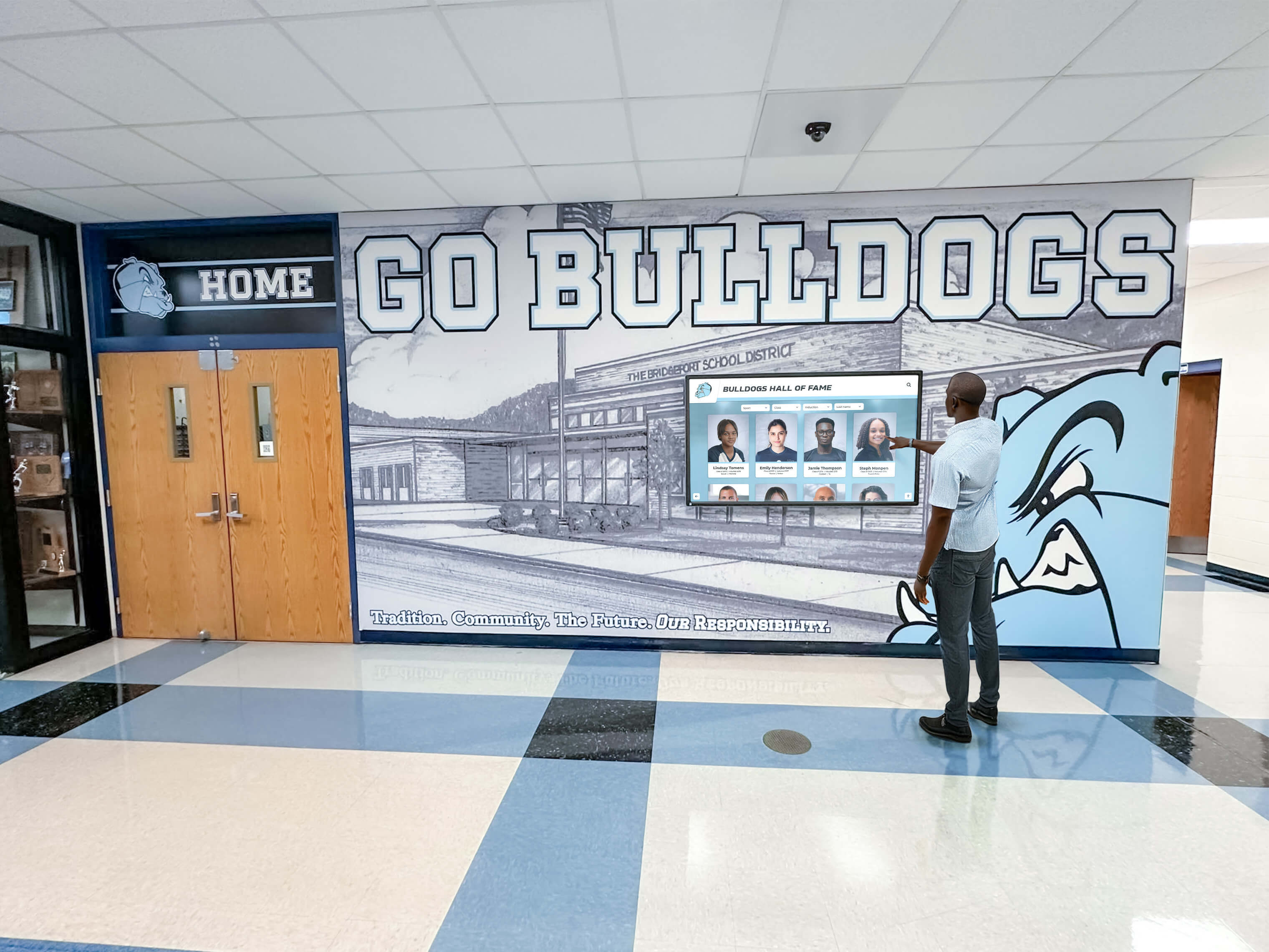
Integrated DAM and display systems enable engaging interactions with school history throughout campus environments
Simplified Administration and Support
Technical complexity often prevents schools from effectively using sophisticated DAM systems. Rocket addresses this through:
Turnkey Installation and Configuration
Professional installation teams handle:
- Initial system configuration and customization
- Historical content migration and organization
- Staff training and documentation
- Physical display installation when applicable
Ongoing Technical Support
Schools receive comprehensive support including:
- Content upload assistance
- Troubleshooting and technical questions
- Regular platform updates and improvements
- Hardware maintenance for physical displays
Accessible Pricing Without Hidden Costs
Transparent pricing models include all capabilities:
- Unlimited storage and photo uploads
- All display and web access features
- Ongoing support and updates
- No per-user or per-feature charges
This comprehensive approach means schools implement professional DAM capabilities without requiring extensive IT expertise or ongoing technical management.
Implementing DAM Systems Successfully
Even excellent DAM platforms fail when implementation lacks planning and organizational support. Follow systematic approaches maximizing success:
Phase 1: Assessment and Planning
Inventory Existing Digital Assets
Document current content:
- Estimate photo quantities by department and year
- Identify historical materials requiring digitization
- Assess current storage locations and organization
- Calculate total storage capacity needed
Define Use Cases and Requirements
Clarify how you’ll use DAM systems:
- Yearbook production workflows
- Alumni archive access
- Recognition displays throughout campus
- Marketing and communications photo libraries
- Academic program documentation
Establish Governance Structure
Determine who manages content:
- Overall system administrator
- Department-level contributors and organizers
- Approval workflows for sensitive content
- Privacy compliance oversight
Phase 2: Content Migration and Organization
Develop Metadata Standards
Create consistent frameworks for:
- Required vs. optional metadata fields
- Naming conventions for people, places, and events
- Graduation year formats and academic term labels
- Keywords and categorization taxonomies
Migrate Existing Content Systematically
Organize migration by priority:
- Recent yearbook photos (current and previous 2-3 years)
- Historical yearbooks through digitization
- Athletic archives and recognition content
- Activities and special events documentation
- Marketing and communications photo libraries
Clean Data During Migration
Use migration as opportunity to:
- Remove duplicate photos
- Apply consistent file naming
- Add metadata absent from original organization
- Verify photo permissions and privacy compliance
Phase 3: Training and Adoption
Train Primary Contributors
Provide hands-on training for:
- Uploading and organizing photos
- Applying metadata consistently
- Searching and retrieving content
- Managing permissions and privacy settings
Create Documentation
Develop reference materials including:
- Quick-start guides for common tasks
- Metadata standards and examples
- Photo permission verification procedures
- Troubleshooting common issues
Pilot with Controlled Departments
Test systems with:
- Single yearbook production cycle
- One athletic season documentation
- Limited alumni archive access
- Small recognition display installation
Refine processes based on pilot experiences before full-scale deployment.
Phase 4: Ongoing Management and Optimization
Establish Regular Content Maintenance
Schedule periodic:
- Metadata quality reviews
- Duplicate content removal
- Obsolete content archiving
- Permission status updates
Monitor Usage Analytics
Track adoption through:
- Upload volumes by department
- Search patterns and popular content
- Alumni access frequencies
- Recognition display engagement
Gather User Feedback
Regularly survey:
- Photo contributors about upload experiences
- Yearbook staff on search and retrieval workflows
- Alumni accessing archives
- Recognition display users
Use feedback to optimize metadata, improve search, and refine organization approaches.
Measuring DAM System Value and ROI
Demonstrating DAM system value helps justify investment and sustain organizational support:
Time Savings Quantification
Calculate staff time recovered through:
- Reduced photo searching (estimate hours saved per yearbook production)
- Eliminated duplicate file management across departments
- Streamlined permissions tracking and compliance verification
- Automated backup processes vs. manual archiving
Most schools report 50-100+ hours annually recovered just in yearbook production alone.
Alumni Engagement Metrics
Track engagement indicators including:
- Alumni archive access rates and frequency
- Yearbook search volumes and popular content
- Time spent exploring archives per session
- Return visitor percentages
Higher engagement correlates with improved alumni participation in events, mentoring, and fundraising.
Risk Mitigation Value
Quantify protection against:
- Content loss from computer failures or staff departures
- Privacy compliance violations and potential penalties
- Yearbook production disruptions from disorganized assets
- Historical photo deterioration without preservation
Preventing single catastrophic content loss often justifies entire DAM investment.
Marketing and Communications Efficiency
Measure improvements in:
- Speed producing promotional materials with organized photo libraries
- Social media content creation frequency
- Website visual content quality and relevance
- Emergency communications response capability
Common DAM Implementation Mistakes to Avoid
Learn from schools that struggled with DAM adoption:
Insufficient Metadata Standards
Without clear guidelines, contributors apply inconsistent tags making search unreliable. Establish specific metadata requirements before launching.
Incomplete Content Migration
Leaving content scattered across old systems defeats DAM purpose. Commit to comprehensive migration even if phased over time.
Poor Change Management
Staff resist new systems without clear benefits communication and adequate training. Invest in change management explaining why DAM matters and how it helps specific workflows.
Overcomplicated Workflows
Requiring excessive metadata or complex approval processes discourages adoption. Start simple and add sophistication gradually based on actual needs.
Neglecting Mobile Access
Contributors and alumni increasingly work exclusively from mobile devices. DAM systems without excellent mobile experiences frustrate users and reduce engagement.
Looking Forward: The Future of DAM in Education
Digital asset management continues evolving with emerging capabilities transforming how schools preserve and share institutional memory:
Artificial Intelligence and Automated Tagging
AI-powered systems increasingly recognize faces, objects, locations, and activities automatically—reducing manual metadata work while improving search accuracy. Future DAM platforms will suggest tags based on image content analysis.
Enhanced Search Through Visual Recognition
Rather than relying solely on text metadata, visual search lets users find photos similar to reference images. Upload one team photo, and systems locate all similar compositions automatically.
Integration with Virtual and Augmented Reality
Historical photos may power virtual campus tours and augmented reality experiences—imagine pointing smartphones at building locations and seeing historical photos overlaid showing how spaces appeared in different eras.
Blockchain for Rights and Provenance
Emerging technologies could create permanent records of photo permissions, copyright ownership, and modification history—providing bulletproof audit trails for institutional archives.
Taking the Next Step with Professional DAM
Whether you’re struggling with disorganized photo folders, planning yearbook digitization projects, or wanting to create engaging alumni archives and recognition displays, professional digital asset management systems transform how schools preserve and share institutional memory.
Solutions like Rocket Alumni Solutions provide comprehensive DAM capabilities specifically designed for educational institutions—eliminating technical complexity while delivering unlimited storage, powerful organization, alumni access, and integrated recognition displays through single platforms.
Ready to bring order to your photo chaos and create engaging digital experiences from your institutional archives? Schedule a consultation to explore how comprehensive DAM systems can transform your school’s approach to preserving and sharing student achievements and institutional history.
Ready to see this for your school?
Picture your collection in a custom mockup
Start with your yearbook collection and digitization goals, then request a custom digital mockup for your school.