Corporate environments have transformed dramatically over the past decade, and workplace communication technology has evolved just as rapidly. Today’s organizations face unique challenges: engaging distributed workforces across multiple locations, creating memorable experiences for clients and visitors, recognizing employee achievements in meaningful ways, and communicating organizational updates efficiently in real-time. Traditional bulletin boards, static posters, and printed newsletters no longer meet the dynamic needs of modern corporate environments where information changes constantly and workplace experiences matter more than ever.
Corporate digital signage addresses these challenges through versatile technology that transforms how organizations communicate internally and externally. From interactive lobby displays greeting visitors and showcasing company achievements to employee recognition walls celebrating team successes, digital signage creates engaging experiences while streamlining communication workflows. For HR professionals seeking better employee engagement strategies, facilities managers upgrading workplace environments, corporate communications teams managing information distribution, and leadership executives strengthening organizational culture, digital signage offers practical solutions that deliver measurable results.
This comprehensive guide explores how corporate digital signage enhances modern workplaces: understanding different display types and their strategic applications, implementing employee recognition systems that boost morale and retention, creating effective visitor experiences through lobby displays and wayfinding solutions, measuring ROI and engagement metrics, and following best practices that ensure successful long-term implementation. Whether you’re considering your first corporate display or expanding existing systems, these insights will help you leverage digital signage effectively while avoiding common pitfalls that limit results.
Organizations implementing comprehensive corporate digital signage report 30-40% improvements in internal communication effectiveness, 25-35% increases in employee engagement scores, and significantly enhanced visitor satisfaction ratings—demonstrating clear returns on technology investments while strengthening workplace culture.

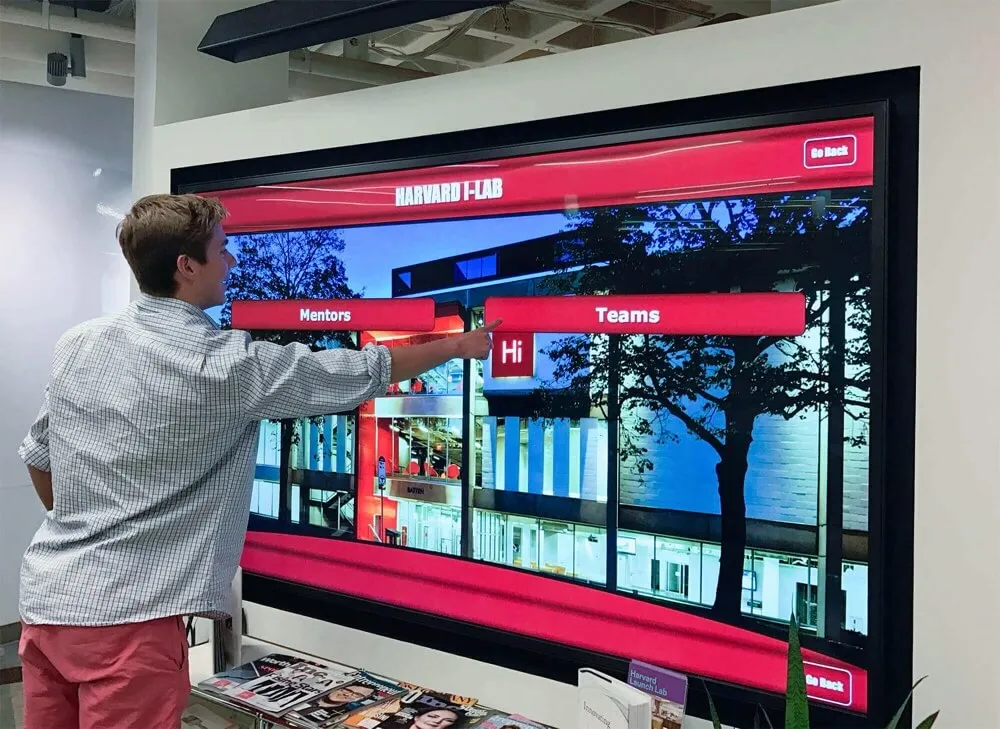
Modern corporate digital signage creates interactive experiences that engage employees and visitors while showcasing organizational excellence
Understanding Corporate Digital Signage: Purpose and Strategic Value
What Corporate Digital Signage Accomplishes
Corporate digital signage serves multiple strategic functions extending far beyond simple information display. These systems communicate company news, updates, and announcements across locations instantaneously, recognize employee achievements creating cultures of appreciation and excellence, guide visitors through facilities improving navigation and first impressions, showcase organizational accomplishments building credibility with clients and prospects, display real-time data and metrics keeping teams informed and aligned, and reinforce brand identity through consistent visual messaging throughout workplaces.
Unlike educational institutions or retail environments, corporate digital signage balances internal communication needs with external audience considerations. Lobby displays must impress visiting clients while also serving as employee information hubs. Conference room signage coordinates meetings while showcasing company culture to prospective partners. Break room displays inform employees about benefits and programs while celebrating team achievements. This dual-purpose nature requires thoughtful planning ensuring content serves multiple audiences appropriately without overwhelming viewers or diluting messaging effectiveness.
The Business Case for Corporate Digital Signage
Quantifiable Benefits and ROI
Corporate technology investments require clear business justification. Digital signage delivers measurable returns across multiple dimensions:
Communication Efficiency:
- Instantaneous information updates eliminating printing and distribution delays
- Centralized content management reducing staff time coordinating announcements
- Consistent messaging across locations preventing communication fragmentation
- Real-time capabilities enabling immediate response to changing situations
- Analytics demonstrating which messages receive attention and engagement
Employee Engagement Impact:
- Recognition visibility strengthening workplace culture and morale
- Information accessibility improving employee awareness and participation
- Interactive elements creating memorable experiences versus passive notices
- Visual interest capturing attention more effectively than text-heavy emails
- Community building through shared celebration of achievements and milestones
Visitor Experience Enhancement:
- Professional first impressions demonstrating technological sophistication
- Efficient wayfinding reducing visitor confusion and staff assistance burden
- Showcased achievements building credibility and confidence
- Brand reinforcement creating consistent identity throughout facilities
- Interactive exploration enabling self-directed discovery of organizational information
Organizations implementing employee recognition programs through digital displays report significant improvements in retention rates and employee satisfaction scores compared to traditional recognition methods.
Corporate vs Educational Digital Signage
Adapting Technology Across Contexts
While digital signage technology remains consistent across sectors, corporate applications differ meaningfully from educational implementations:
Content Focus Differences:
- Corporate: Company news, recognition, metrics, visitor information
- Educational: Student achievements, athletic records, academic calendars, alumni connections
- Corporate: Professional tone with business-appropriate messaging
- Educational: School spirit emphasis with achievement celebration focus
Audience Considerations:
- Corporate: Employees, clients, partners, prospective hires
- Educational: Students, alumni, visitors, prospective families
- Corporate: Professional sophistication and brand consistency
- Educational: Community pride and institutional tradition

Intuitive interfaces enable all visitors to explore organizational information and discover employee achievements independently
Strategic Implementation:
Despite these differences, corporate environments can learn valuable lessons from educational institutions that have successfully implemented digital recognition and communication systems. Schools and universities pioneered interactive digital hall of fame displays that celebrate achievement comprehensively—approaches directly applicable to corporate employee recognition, sales performance showcases, and innovation awards.
Types of Corporate Digital Signage Applications
Strategic Display Formats for Business Environments
Corporate digital signage encompasses diverse applications, each serving distinct purposes:
Employee Recognition Displays
Celebrating Achievements and Building Culture
Employee recognition represents one of the most impactful corporate digital signage applications:
Recognition Display Formats:
- Interactive touchscreen walls enabling exploration of employee profiles and achievements
- Rotating slideshows celebrating recent accomplishments and milestones
- Leaderboards showcasing sales performance, project completions, or goal attainment
- Service anniversary acknowledgments honoring tenure and loyalty
- “Employee of the Month” features with photos and achievement details
- Innovation and idea recognition celebrating creative problem-solving
- Team accomplishments highlighting collaborative successes
- Department spotlights rotating featured groups and initiatives
Recognition visibility matters tremendously. When employees see their contributions acknowledged publicly through prominent workplace displays, they develop stronger organizational commitment, experience validation reinforcing continued excellence, feel appreciated beyond transactional compensation, and model behaviors for colleagues observing what receives recognition. Digital systems enable comprehensive acknowledgment impossible with space-constrained traditional plaques or easily-overlooked email announcements.
Solutions like Rocket Alumni Solutions provide platforms originally designed for educational recognition that adapt seamlessly to corporate environments, offering searchable employee databases, multimedia profiles with photos and biographical information, unlimited capacity accommodating growing workforces, and intuitive interfaces requiring minimal training.

Dedicated recognition displays create focal points celebrating employee excellence while building workplace culture centered on appreciation
Implementation Best Practices:
- Update recognition displays regularly (at least monthly) maintaining freshness and relevance
- Include diverse achievement types ensuring all departments receive acknowledgment
- Collect employee photos and biographical information systematically
- Allow filtering by department, achievement type, or timeframe
- Integrate with HR systems enabling automated updates
- Measure engagement through analytics tracking most-viewed profiles
Organizations implementing comprehensive employee recognition ideas through digital platforms report significantly higher program participation and satisfaction compared to traditional recognition methods limited by physical space constraints.
Lobby and Reception Displays
Creating Memorable First Impressions
Lobby digital signage serves dual purposes—welcoming visitors while reinforcing corporate identity:
Lobby Display Content:
- Branded welcome messages greeting visitors professionally
- Company overview videos showcasing services, culture, and values
- Client testimonials and success stories building credibility
- Award recognition demonstrating industry leadership and excellence
- Real-time news feeds showing company announcements and achievements
- Employee spotlights humanizing organization through team member profiles
- Interactive directories helping visitors navigate facilities independently
- Meeting room schedules coordinating conference space usage
Effective lobby displays balance visual appeal with information utility. Overly promotional content appears self-serving, while purely functional wayfinding misses opportunities to showcase organizational excellence. The most successful lobby systems integrate multiple content types—mixing practical visitor information with compelling storytelling that communicates organizational identity and achievements authentically.
Design Considerations:
- Large-format displays (55-75 inches) creating impressive visual presence
- High-quality video content reflecting professional standards
- Sound considerations in reception environments (typically muted or ambient audio only)
- Content rotation preventing repetitive experiences for frequent visitors
- Brand consistency with corporate identity standards
- Interactive elements enabling self-directed exploration
- ADA accessibility ensuring universal visitor access
Organizations implementing building directory touchscreen solutions report reduced front desk inquiries and improved visitor satisfaction through intuitive navigation aids.
Internal Communication Displays
Keeping Teams Informed and Aligned
Break rooms, hallways, and common areas benefit from communication-focused signage:
Communication Content Types:
- Company news and announcements reaching all employees efficiently
- HR updates about benefits, programs, and policies
- Safety information and emergency procedures
- Event calendars promoting upcoming activities and deadlines
- Training opportunities encouraging professional development
- Wellness program information supporting employee health initiatives
- Volunteer opportunities connecting teams with community service
- Social committee updates about team-building activities
Digital signage solves persistent communication challenges in corporate environments. Email fatigue causes important announcements to be overlooked. Printed posters become outdated quickly and create visual clutter. Intranet systems require active seeking of information employees may not know to search for. Strategically-placed displays catch attention naturally as employees move through facilities, ensuring critical information reaches wider audiences without requiring individual seeking behavior.
Strategic Placement:
- Break rooms where employees gather naturally during downtime
- Elevator lobbies capturing attention during brief waiting periods
- Cafeteria areas with extended viewing time during meals
- High-traffic hallways connecting frequently-used spaces
- Reception areas near time clocks where employees begin and end shifts
- Conference room entrances displaying meeting schedules and availability
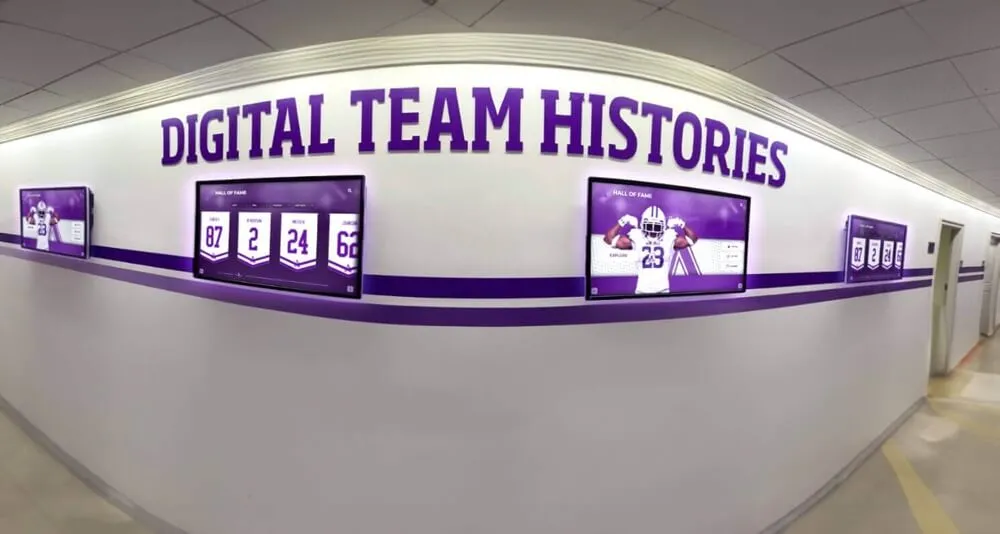
Multiple coordinated displays create comprehensive communication environments reaching employees throughout facilities
Conference Room and Meeting Displays
Coordinating Spaces and Enhancing Meetings
Meeting room signage improves space utilization and meeting efficiency:
Meeting Display Functions:
- Real-time room availability and scheduling integration
- Meeting details showing organizer, participants, and purpose
- Reservation systems enabling on-the-spot room booking
- Wayfinding assistance helping visitors locate correct meeting spaces
- Welcome messages greeting specific meeting participants
- Presentation support displaying meeting agendas or materials
- Time management showing remaining meeting duration
- Company branding reinforcing professional environment
Conference room displays prevent double-bookings, reduce scheduling confusion, help visitors navigate to correct locations, create professional impressions for client meetings, and improve space utilization through transparent availability visibility. Integration with calendar systems (Microsoft Outlook, Google Calendar, etc.) enables automated updates ensuring displayed information remains current without manual content management.
Data Dashboard Displays
Visualizing Metrics and Performance
Many corporate environments benefit from real-time data visualization:
Dashboard Content Types:
- Sales metrics and performance tracking
- Project status and milestone completion
- Customer satisfaction scores and feedback
- Production metrics and quality indicators
- Financial performance and goal progress
- Help desk ticket volumes and response times
- Social media engagement and brand mentions
- Employee productivity and utilization rates
Dashboard displays work best when they visualize data that teams can influence through their daily actions, update frequently enough to feel current and relevant, contextualize numbers through comparisons and trends, celebrate positive performance creating motivation, and avoid overwhelming viewers with excessive metrics causing information overload.
Organizations implementing top sales performer recognition displays report healthy competitive dynamics that motivate performance while celebrating achievement.
Employee Recognition Through Corporate Digital Signage
Building Culture Through Visible Appreciation
Employee recognition deserves special focus given its significant impact on workplace culture and business outcomes:
Why Digital Recognition Outperforms Traditional Methods
Advantages Over Physical Plaques and Printed Certificates
Traditional employee recognition faces inherent limitations that digital systems overcome:
Physical Space Constraints:
- Traditional plaques require wall space that eventually exhausts
- Adding recognized employees necessitates removing previous recipients or expanding walls
- Limited capacity forces difficult decisions about recognition thresholds
- Static displays become “wallpaper” that employees stop noticing over time
Digital Recognition Advantages:
- Unlimited capacity accommodating every deserving employee regardless of space
- Easy updates adding new recognition without hardware changes
- Search functionality enabling instant discovery of specific employees
- Rich multimedia profiles with photos, videos, and detailed achievement narratives
- Multiple organizational views (by department, achievement type, timeframe)
- Web integration extending recognition beyond physical workplace boundaries
- Analytics showing engagement patterns and popular content
- Cost-effective scalability compared to per-plaque traditional expenses
Creating Effective Employee Profiles
Content That Honors and Inspires
Recognition effectiveness depends significantly on content quality:
Essential Profile Elements:
- High-quality professional photograph
- Full name and job title
- Recognition achievement or award type
- Achievement date and context
- Department and tenure information
- Brief biographical information
Enhanced Storytelling Content:
- Narrative explaining achievement significance and impact
- Employee quotes sharing perspective on recognition or career
- Career journey highlighting professional growth
- Personal interests and community involvement
- Team testimonials from colleagues and managers
- “Advice for others” sharing wisdom and guidance

Detailed profiles transform basic acknowledgment into meaningful storytelling that honors complete employee contributions
Organizations implementing systematic profile collection processes report 60-75% employee participation in providing enhanced information when requests are simple, timely, and clearly explain recognition benefits.
Recognition Program Structure
Categories and Cadence
Comprehensive recognition programs acknowledge diverse contributions:
Recognition Categories:
- Performance excellence exceeding goals and expectations
- Innovation and creative problem-solving
- Customer service and client satisfaction
- Teamwork and collaboration across departments
- Leadership and mentorship of colleagues
- Service milestones celebrating tenure anniversaries
- Safety records and incident-free performance
- Professional development and skill acquisition
- Community service and volunteer engagement
- Values demonstration embodying organizational culture
Recognition Frequency:
- Real-time spot recognition for immediate acknowledgment
- Weekly team highlights celebrating recent contributions
- Monthly department awards recognizing sustained excellence
- Quarterly company-wide recognition during all-hands meetings
- Annual achievement awards honoring year’s most significant accomplishments
- Service anniversary recognition at 5, 10, 15, 20+ year milestones
Varied recognition frequency ensures acknowledgment remains fresh and relevant rather than becoming predictable annual exercises that employees anticipate with diminishing enthusiasm.
Integration with HR Systems
Streamlining Recognition Workflows
Successful corporate digital signage integrates with existing HR technology:
System Integrations:
- HRIS platforms (Workday, ADP, BambooHR) providing employee data
- Performance management systems tracking achievement metrics
- Applicant tracking systems showcasing new hire welcomes
- Learning management systems recognizing training completion
- Time and attendance systems celebrating perfect attendance
- Benefits platforms promoting wellness program participation
Integration reduces manual data entry burden, ensures information accuracy through single source of truth, enables automated content updates maintaining freshness, and provides comprehensive employee views across multiple systems.
Creating Effective Visitor Experiences
Lobby Displays and Wayfinding Solutions
Visitor-facing corporate digital signage creates first impressions while solving practical navigation challenges:
Designing Welcoming Lobby Experiences
Balancing Information and Inspiration
Effective lobby displays accomplish multiple objectives simultaneously:
Welcome and Orientation:
- Personalized greetings for scheduled visitors using calendar integration
- General welcome messages for walk-in visitors
- Facility overview helping visitors understand organizational scale and scope
- Navigation assistance providing initial wayfinding guidance
- Check-in instructions explaining visitor procedures
- WiFi credentials and guest network information
Organizational Storytelling:
- Company history timelines showing evolution and growth
- Mission and values statements communicating organizational purpose
- Client success stories demonstrating impact and capabilities
- Industry awards and recognition building credibility
- Team member spotlights humanizing organization
- Community involvement highlighting corporate citizenship
- Innovation showcases demonstrating forward-thinking approach
- Media coverage and press mentions validating organizational relevance
Organizations implementing interactive touchscreen displays for events and functions report significantly enhanced visitor engagement compared to passive display-only systems.
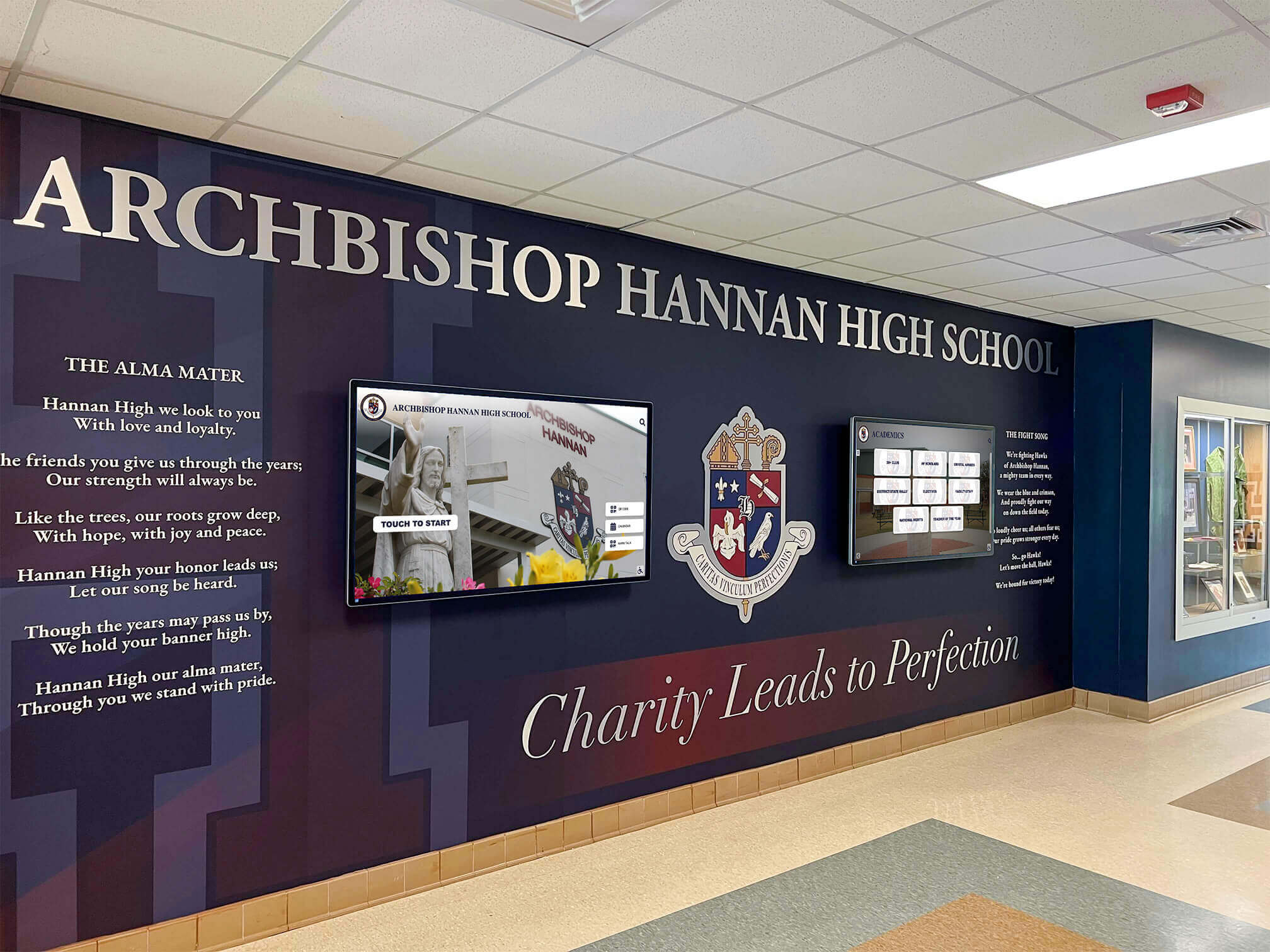
Thoughtfully integrated lobby displays complement architectural features while providing functional visitor information and organizational storytelling
Interactive Wayfinding Implementation
Helping Visitors Navigate Independently
Corporate campuses and multi-floor facilities benefit from interactive wayfinding:
Wayfinding Features:
- Searchable building directories listing employees, departments, and common destinations
- Interactive floor maps with room numbers and facility labels
- Turn-by-turn navigation instructions from current location to destination
- Accessibility routing for visitors with mobility considerations
- Amenity locations (restrooms, cafeterias, meeting rooms, parking)
- Visitor tracking for security and facility management purposes
- Multi-language support accommodating international visitors
- QR codes enabling map transfer to personal mobile devices
Strategic Wayfinding Placement:
- Main entrances where visitors first enter facilities
- Elevator lobbies on each floor providing floor-specific information
- Corridor intersections where navigation decisions occur
- Parking structure entrances helping visitors find building access
- Visitor parking areas before visitors reach building entrances
- Conference center entrances with meeting room details
Effective wayfinding reduces receptionist burden fielding navigation questions, minimizes visitor frustration and lateness to meetings, creates professional impressions demonstrating technological sophistication, improves security through visitor awareness and tracking, and enables independent navigation reducing visitor anxiety in unfamiliar environments.
Technology Selection and Implementation
Choosing the Right Corporate Digital Signage Solution
Successful implementation depends on appropriate technology selection:
Display Hardware Options
Screens, Kiosks, and Video Walls
Standalone Display Screens:
- 43-55" commercial displays: $2,000-4,000 (suitable for break rooms and hallways)
- 55-65" premium displays: $4,000-7,000 (impressive for lobbies and reception areas)
- 75-85" large-format displays: $7,000-15,000 (high-impact lobby installations)
- Commercial-grade components rated for continuous operation
- Minimum 1920x1080 resolution; 4K preferred for large displays
- Landscape or portrait orientation based on content and location
Interactive Touchscreen Kiosks:
- 32-55" touchscreen displays: $4,000-8,000 including enclosure
- Floor-standing kiosks with professional enclosures
- ADA-compliant mounting heights and tilt angles
- Tempered glass protecting screens in high-traffic areas
- Cable management systems concealing connections
- Optional payment integration for self-service applications
Video Wall Installations:
- Multiple displays creating large-format canvas: $15,000-50,000+
- Narrow bezel panels minimizing visual gaps between screens
- Professional mounting systems ensuring alignment and stability
- Powerful graphics processors coordinating content across displays
- Impressive visual impact for major lobbies and public spaces
- Complex installation requiring professional audiovisual integration

Purpose-built kiosks provide polished, professional solutions combining display technology with elegant enclosures designed for corporate environments
Software Platform Selection
Content Management and Control
Purpose-Built Recognition Platforms: Software specializing in recognition and achievement display provides profile-based content management, searchable databases with name-based discovery, pre-built templates optimized for corporate recognition, web integration extending acknowledgment worldwide, comprehensive support from specialized teams, and straightforward pricing appropriate for corporate budgets. Best for organizations prioritizing employee recognition, companies needing professional results without extensive design capacity, and programs requiring both physical displays and web-based acknowledgment.
General Digital Signage Platforms: Solutions like ScreenCloud, Rise Vision, Raydiant, or Yodeck offer broader capabilities including content scheduling and rotation, media libraries managing images and videos, remote updates from any device, multi-display management across locations, template libraries and design tools, and subscription pricing ($500-2,500 annually per display). Best for organizations needing displays for multiple purposes beyond recognition, companies with design capacity creating custom content, and programs with IT staff comfortable managing platforms.
Enterprise Communication Platforms: Solutions like Microsoft SharePoint Digital Signage, Appspace, or Zoom Rooms integrate with existing enterprise systems providing seamless integration with corporate IT infrastructure, single sign-on and existing authentication, data connections to business systems (calendars, databases, APIs), enterprise-grade security and compliance, comprehensive support and training, and higher pricing reflecting enterprise capabilities. Best for large corporations with complex IT environments, organizations prioritizing system integration over simplicity, and companies with IT resources supporting enterprise platforms.
Installation and Deployment
Professional Implementation
Installation Considerations:
- Professional AV installation ensuring proper mounting and cable management
- Network connectivity planning (wired Ethernet strongly preferred over WiFi)
- Power requirements and circuit planning
- Content management training for responsible staff members
- Testing and validation before official launch
- Documentation including user guides and troubleshooting procedures
Phased Deployment Strategy:
- Pilot installation in single high-visibility location proving concept
- Gather employee and visitor feedback refining content and approach
- Expand to additional locations based on pilot success
- Standardize hardware and software selections reducing complexity
- Develop content templates and workflows streamlining ongoing management
- Train distributed administrators if managing displays across multiple locations
Organizations implementing digital signage for schools demonstrate principles equally applicable to corporate environments—both contexts benefit from systematic deployment approaches that build momentum while managing complexity.
Content Strategy and Management
Creating Engaging Corporate Digital Signage Content
Technology represents only half of successful implementation—compelling content determines actual impact:
Content Planning Framework
Strategic Content Development
Content Categories and Allocation:
- Recognition and achievement: 30-40% (primary engagement driver)
- Company news and updates: 20-30% (information delivery)
- Employee information (HR, benefits, training): 15-20% (practical utility)
- Culture and community content: 10-15% (workplace atmosphere)
- Visitor information and wayfinding: 10-20% (external audience support)
- Emergency and safety information: 5-10% (critical communication reserve)
Content Rotation and Scheduling:
- Vary content throughout day maintaining freshness for repeat viewers
- Consider audience differences by location (lobby vs break room content)
- Schedule time-sensitive content appropriately (lunch specials during midday)
- Rotate recognition ensuring all departments receive visibility
- Refresh content regularly preventing staleness (weekly minimum updates)
- Balance evergreen content with timely announcements
Visual Design Principles
Creating Professional, Engaging Content
Design Best Practices:
- Consistent templates maintaining professional appearance
- Brand color schemes reinforcing corporate identity
- Typography hierarchy establishing clear information structure
- High-quality photography reflecting professional standards
- Sufficient white space preventing cluttered, overwhelming layouts
- Animation and motion graphics used purposefully not gratuitously
- Contrast ratios ensuring readability from typical viewing distances
- Accessibility considerations including font sizes and color contrast
Content Creation Resources:
- In-house design teams creating custom content
- Template libraries provided by signage software platforms
- Freelance designers for specialized projects or initial setup
- Stock photography and video sources providing professional assets
- Employee-submitted photos and content (with quality standards)
- Automated content feeds from news sources or social media
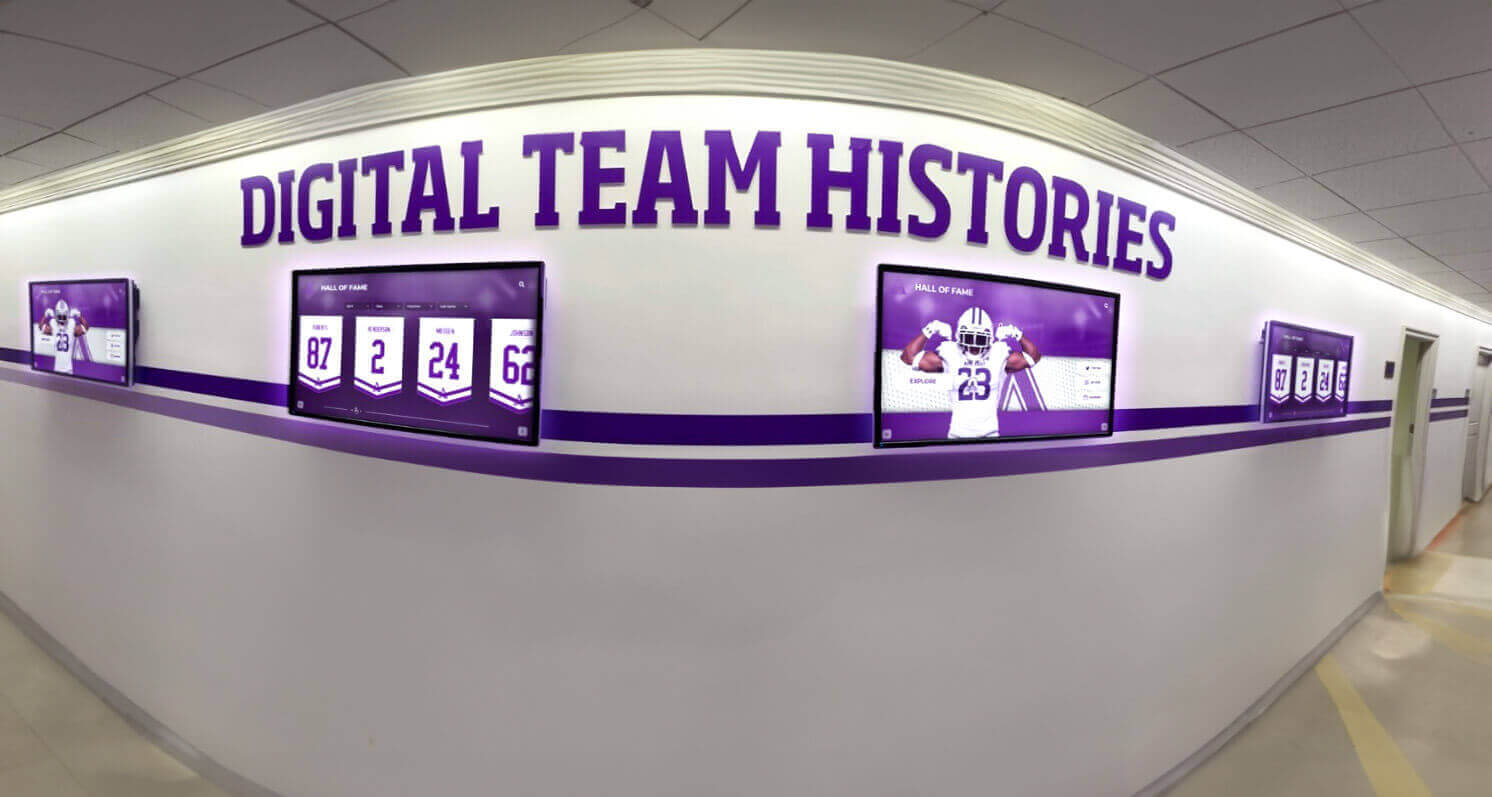
Coordinated display systems create cohesive environments with consistent design language and complementary content
Content Governance and Workflow
Managing Content Creation and Approval
Governance Structure:
- Content ownership by department or function
- Approval workflows ensuring appropriate review before publication
- Quality standards maintaining professional appearance and messaging
- Publication schedules coordinating content updates
- Archive policies managing outdated content removal
- Emergency content protocols enabling rapid critical communication
Workflow Efficiency:
- Centralized content calendar tracking planned updates
- Template systems reducing creation effort for common content types
- Contributor training ensuring quality and consistency
- Scheduled review meetings assessing content effectiveness
- Analytics informing content decisions based on engagement data
- Feedback mechanisms gathering employee and visitor input
Measuring Success and ROI
Demonstrating Corporate Digital Signage Value
Technology investments require justification through measurable outcomes:
Engagement Metrics
Quantifying Digital Signage Effectiveness
Analytics Capabilities:
- Viewer counts and session numbers
- Average engagement duration showing interest depth
- Most-viewed content revealing compelling topics
- Search queries on interactive displays showing information seeking patterns
- Time-of-day usage patterns informing content scheduling
- Location-based metrics comparing display effectiveness across facilities
Employee Engagement Indicators:
- Recognition program participation rates
- Survey feedback about communication effectiveness
- Employee satisfaction scores in relevant dimensions
- Voluntary turnover rates comparing pre and post-implementation
- Internal communication metrics (intranet visits, email open rates)
- Event attendance and program participation influenced by promotion
Visitor Experience Metrics:
- Reception desk inquiries about navigation and information
- Meeting start punctuality improvements through better wayfinding
- Visitor satisfaction surveys rating arrival experiences
- Sales conversion rates for prospects visiting facilities
- Social media mentions of workplace visits and experiences
Return on Investment Analysis
Calculating Corporate Digital Signage ROI
Hard Cost Savings:
- Printing and distribution costs eliminated through digital communication
- Staff time savings from automated updates versus manual processes
- Reception desk efficiency from reduced directional assistance needs
- Recruitment cost reductions through improved employer branding
- Turnover cost savings from improved employee engagement and retention
Soft Value Creation:
- Employee morale and satisfaction improvements
- Workplace culture strengthening through recognition visibility
- Brand impression enhancements with visitors and prospects
- Communication reach and effectiveness gains
- Innovation and idea sharing encouragement
- Community building and connection across distributed workforces
Sample ROI Calculation:
Organization with 500 employees implementing $25,000 digital signage system (hardware, software, installation):
- Printing cost savings: $3,000 annually
- Communication staff time savings: $5,000 annually
- Reduced turnover (1-2% improvement × $50,000 average cost): $25,000-50,000 annually
- Improved productivity (conservative 1% from better communication): $15,000 annually
- Total annual benefit: $48,000-73,000
- Payback period: 4-6 months
This calculation excludes less quantifiable benefits like improved employer brand, enhanced visitor experiences, and stronger workplace culture—all contributing additional value beyond direct financial returns.
Best Practices for Corporate Digital Signage Success
Strategic Implementation Guidelines
Organizations achieving best results follow proven principles:
Start with Clear Objectives
Defining Success Before Implementation
Effective corporate digital signage begins with clear goal definition:
Common Objectives:
- Improve internal communication effectiveness and reach
- Enhance employee recognition and workplace culture
- Create impressive visitor experiences in lobby and reception areas
- Streamline wayfinding and facility navigation
- Display real-time performance metrics and dashboards
- Reduce communication costs through digital alternatives to printing
- Strengthen corporate brand consistency and identity
- Support change management and organizational initiatives
Success Criteria:
- Specific metrics demonstrating progress toward objectives
- Baseline measurements enabling before/after comparison
- Timeline expectations for implementation phases and results
- Stakeholder agreement on what constitutes success
- Budget parameters guiding technology selection
Starting with defined objectives ensures technology selection, content strategy, and implementation approach align with actual organizational needs rather than pursuing digital signage simply because competitors have it or technology seems interesting.
Prioritize Content Over Technology
Focus on What Matters Most
Technology capabilities matter less than content quality:
Content-First Philosophy:
- Plan content strategy before selecting hardware and software
- Ensure organizational capacity for content creation and management
- Assign clear responsibility for content development and updates
- Establish realistic refresh schedules sustainable long-term
- Test content concepts through mockups and prototypes
- Gather stakeholder feedback on content relevance and effectiveness
- Invest in content creation resources (design tools, templates, training)
Impressive displays showing outdated, irrelevant, or poor-quality content fail regardless of technology sophistication. Conversely, modest displays showing compelling, timely, well-designed content succeed in engaging audiences and achieving communication objectives. Organizations should invest proportionally in both technology and content—a common guideline suggests 60% of budgets toward technology and 40% toward content creation and management capabilities.
Plan for Long-Term Content Management
Sustainability Beyond Initial Launch
Initial enthusiasm fades without sustainable management approaches:
Sustainable Operations:
- Dedicated staff time (not added to already-full plates without removing other responsibilities)
- Content creation workflows integrated into business processes
- Automated content feeds where appropriate reducing manual effort
- Regular review cycles ensuring content remains fresh and relevant
- Budget allocation for ongoing operations beyond initial investment
- Training and documentation enabling staff transitions
- Executive sponsorship maintaining organizational priority
Organizations implementing digital donor recognition systems demonstrate that long-term success depends primarily on organizational commitment to content management rather than technology selection—lessons equally applicable to corporate digital signage.
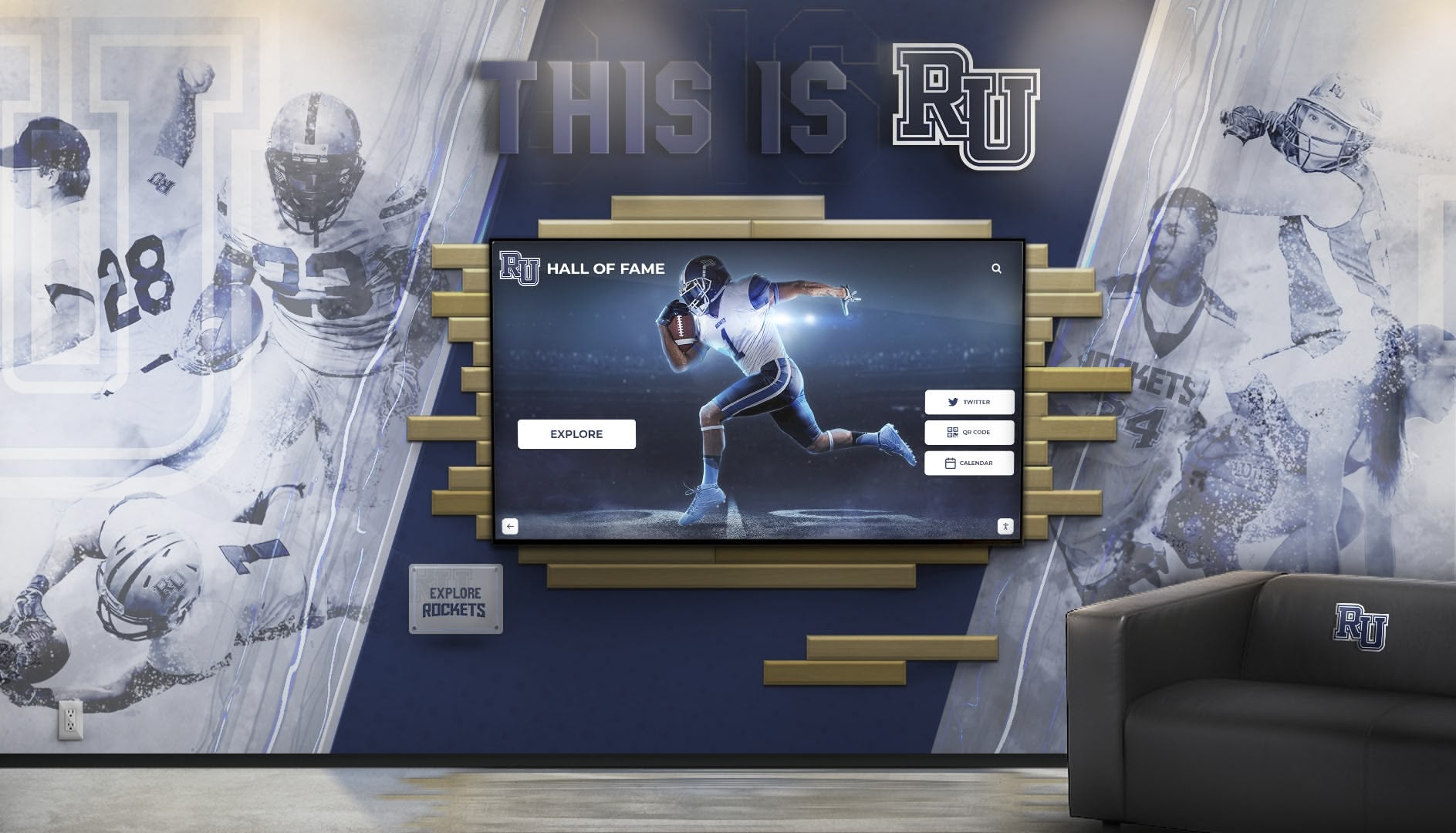
Successful installations integrate digital displays thoughtfully with existing architectural features and brand elements
Balance Multiple Audiences
Serving Internal and External Viewers
Corporate digital signage often serves diverse audiences simultaneously:
Audience Considerations:
- Employees seeking company information and recognition
- Visitors requiring navigation assistance and company overview
- Clients and prospects forming impressions about organizational professionalism
- Executive leadership wanting metrics and performance visibility
- HR teams communicating programs and policies
- Facilities managers providing operational information
Content Balance Strategies:
- Location-specific content addressing primary audience for each display
- Time-based scheduling showing different content for internal versus visitor hours
- Layered information with public-appropriate content at top level and employee-specific information in deeper interactive layers
- Multiple displays in same location serving different purposes
- Clear visual distinction between content types through design templates
- Regular audience feedback ensuring content serves needs effectively
Ensure Accessibility for All Users
Universal Design Principles
Corporate digital signage should serve all employees and visitors regardless of abilities:
Accessibility Requirements:
- Sufficient color contrast meeting WCAG standards (4.5:1 minimum)
- Font sizes readable from typical viewing distances (minimum 24pt body text)
- Mounting heights appropriate for wheelchair users on interactive displays
- Alternative text for images supporting screen readers in web-based systems
- Closed captions for video content
- Simple language avoiding unnecessary complexity
- Keyboard navigation alternatives to touch interfaces
- Audio alternatives for visual-only information where appropriate
Accessible design benefits all users, not just those with disabilities—larger fonts improve readability for everyone, clear language reduces confusion for all audiences, and intuitive navigation helps users regardless of technical comfort.
Common Challenges and Solutions
Navigating Corporate Digital Signage Obstacles
Organizations encounter predictable challenges requiring strategic responses:
Content Staleness and Maintenance Burden
The Problem: Initial launch enthusiasm fades, content updates become irregular, displays show outdated information creating worse impressions than no signage, responsible staff lack time for content management among other priorities, and signage becomes ignored “wallpaper” that employees and visitors stop noticing.
Solutions:
- Automate content feeds where possible (news RSS, calendar integration, data dashboards)
- Establish realistic update schedules matching organizational capacity
- Create simple content templates reducing creation effort
- Distribute content responsibility across departments rather than centralizing
- Build content management into existing workflows and processes
- Set calendar reminders for scheduled content reviews and updates
- Measure engagement analytics identifying which content resonates
Employee Privacy Concerns
The Problem: Employees may feel uncomfortable with public recognition or display of their information, workplace photography raises privacy questions, personal information visibility creates security concerns, and recognition perception as surveillance rather than appreciation.
Solutions:
- Obtain explicit permission before featuring employees in content
- Provide opt-out mechanisms for recognition visibility
- Limit personal information to professional context (name, role, achievements)
- Use aggregate data in dashboards rather than individual performance tracking
- Communicate clearly about content types and usage intentions
- Respect cultural differences regarding public recognition preferences
- Review all content with HR ensuring appropriate professional boundaries
Technical Issues and Reliability
The Problem: Displays go offline showing black screens or error messages, network connectivity issues prevent content updates, hardware failures create maintenance urgency, software updates cause unexpected problems, and limited IT support for “non-critical” systems.
Solutions:
- Invest in commercial-grade hardware rated for continuous operation
- Establish redundant network connectivity where critical
- Implement monitoring systems alerting administrators to offline displays
- Negotiate vendor support agreements including response time commitments
- Document troubleshooting procedures for common issues
- Build relationships with IT department securing appropriate priority
- Plan refresh cycles replacing aging hardware proactively
Limited Viewer Engagement
The Problem: Employees ignore displays treating them as background noise, interactive features go unused despite investment, content doesn’t capture attention or interest, and displays fail to achieve communication or recognition objectives.
Solutions:
- Survey employees and visitors about content preferences and needs
- Test content formats comparing engagement across different approaches
- Use motion graphics and animation purposefully to attract attention
- Rotate content frequently preventing repetitive experiences
- Feature personally-relevant information (department news, individual recognition)
- Strategically place displays where natural viewing occurs (not competing with walking or task focus)
- Promote displays and interactive features through other communication channels
Future Trends in Corporate Digital Signage
Emerging Technologies and Approaches
Corporate digital signage continues evolving:
Artificial Intelligence Integration
Next-Generation Capabilities
AI enhances digital signage in multiple ways:
- Content personalization adjusting displayed information based on viewer demographics or preferences
- Automated content creation assisting with writing and design
- Audience analytics using computer vision identifying viewer demographics and attention patterns
- Natural language interfaces enabling voice interaction with displays
- Predictive maintenance identifying potential hardware failures before occurrence
- Content optimization recommendations based on engagement data analysis
Mobile Integration and Wayfinding
Connected Experiences
Smartphone integration extends digital signage capabilities:
- QR codes enabling content transfer from displays to personal devices
- Bluetooth beacon technology providing location-aware mobile content
- Mobile wayfinding apps providing navigation assistance throughout facilities
- Personal calendars integrating with meeting room displays
- Employee badge integration personalizing displayed content
- Social sharing enabling employees to distribute recognition to external networks
Sustainability and Energy Efficiency
Environmental Responsibility
Organizations increasingly prioritize sustainable technology:
- Energy-efficient LED displays reducing power consumption
- Automatic brightness adjustment based on ambient lighting
- Scheduled operation turning displays off during unoccupied hours
- Paperless communication reducing printing waste
- Longer hardware lifecycles through commercial-grade components
- Responsible disposal and recycling of outdated equipment
Conclusion: Transforming Corporate Environments Through Digital Signage
Corporate digital signage represents far more than flashy screens displaying company logos—it functions as strategic infrastructure that enhances communication effectiveness, strengthens workplace culture, creates memorable visitor experiences, and delivers measurable business outcomes. Organizations implementing comprehensive digital signage systems consistently report improved employee engagement, enhanced internal communication reach, stronger recognition culture, and more professional visitor impressions—results that justify technology investments while advancing organizational objectives.
The corporate digital signage applications explored throughout this guide demonstrate how versatile technology serves diverse business needs. From interactive employee recognition displays celebrating team achievements to sophisticated lobby systems welcoming visitors while showcasing organizational excellence, digital signage creates engaging experiences impossible through traditional static communication methods.
Transform Your Corporate Communication and Recognition
Discover how modern digital signage solutions can help your organization engage employees more effectively, create impressive visitor experiences, and build workplace culture centered on recognition and excellence.
Explore Corporate Digital Signage SolutionsSuccess with corporate digital signage depends on clear objective definition, appropriate technology selection matching organizational needs and capacity, compelling content strategy prioritizing viewer engagement over technological impressiveness, sustainable management approaches ensuring long-term content freshness, and measurement systems demonstrating value while identifying improvement opportunities. Organizations approaching implementation strategically while learning from proven best practices achieve significantly better outcomes than those pursuing technology opportunistically without thoughtful planning.
Whether launching your first corporate digital signage installation or expanding existing systems across multiple locations, the principles explored throughout this guide help organizations leverage technology effectively while avoiding common pitfalls that limit results. Start by clarifying communication challenges and recognition needs, identifying high-priority locations and applications, evaluating technology options matching budget and requirements, planning content strategy and management approach, piloting systems in single location proving value before expansion, and measuring outcomes demonstrating ROI while gathering feedback for continuous improvement.
Every employee deserves recognition acknowledging their contributions and celebrating their commitment to organizational success. Every visitor merits professional experiences demonstrating organizational competence and sophistication. Every workplace benefits from efficient communication reaching all team members with timely, relevant information. With thoughtful planning, appropriate technology investment, and sustainable content management, corporate digital signage transforms these aspirations into engaging realities that strengthen workplace culture while advancing business objectives.
Ready to begin? Explore comprehensive approaches in donor recognition systems adaptable to corporate contexts, discover touchscreen software solutions powering interactive corporate displays, or learn about digital hall of fame platforms that apply equally well to corporate employee recognition programs celebrating achievement and building cultures of excellence.































