




Intent: Decide & Compare — This comprehensive guide helps yearbook advisers, IT directors, and decision-makers understand the critical differences between web-based and native touchscreen software for digital yearbook platforms, interactive displays, and recognition systems. You’ll receive a complete comparison framework examining performance, costs, deployment complexity, maintenance requirements, and long-term sustainability—enabling you to select the optimal solution matching your school’s technical capabilities and budget constraints.
Touchscreen technology has revolutionized how schools preserve memories and celebrate achievements—from digital yearbooks accessible on any device to interactive hall of fame displays showcasing student excellence. Yet behind these engaging experiences lies a fundamental technology decision that profoundly impacts user experience, maintenance costs, and long-term viability: should your touchscreen solution run as a web-based application accessible through browsers, or as a native app built specifically for each operating system?
This decision extends far beyond technical preferences. Web-based solutions promise universal accessibility and simplified updates but may struggle with offline access and advanced interactions. Native apps deliver superior performance and device integration but multiply development costs and complicate cross-platform deployments. For schools managing limited IT resources and tight budgets while demanding reliable systems that students, staff, and alumni can access anywhere, understanding these trade-offs becomes essential for successful digital yearbook and recognition implementations.
This guide explores the complete landscape of web-based versus native touchscreen software in 2025, examining real-world implications for schools implementing digital yearbooks, campus directories, athletic recognition displays, and interactive memorial systems—providing the decision framework you need to invest wisely in technology serving your community for years to come.
The distinction between web-based and native touchscreen applications fundamentally shapes how your school community experiences digital yearbooks and recognition systems. Understanding these differences empowers informed decisions balancing immediate deployment needs against long-term operational realities.

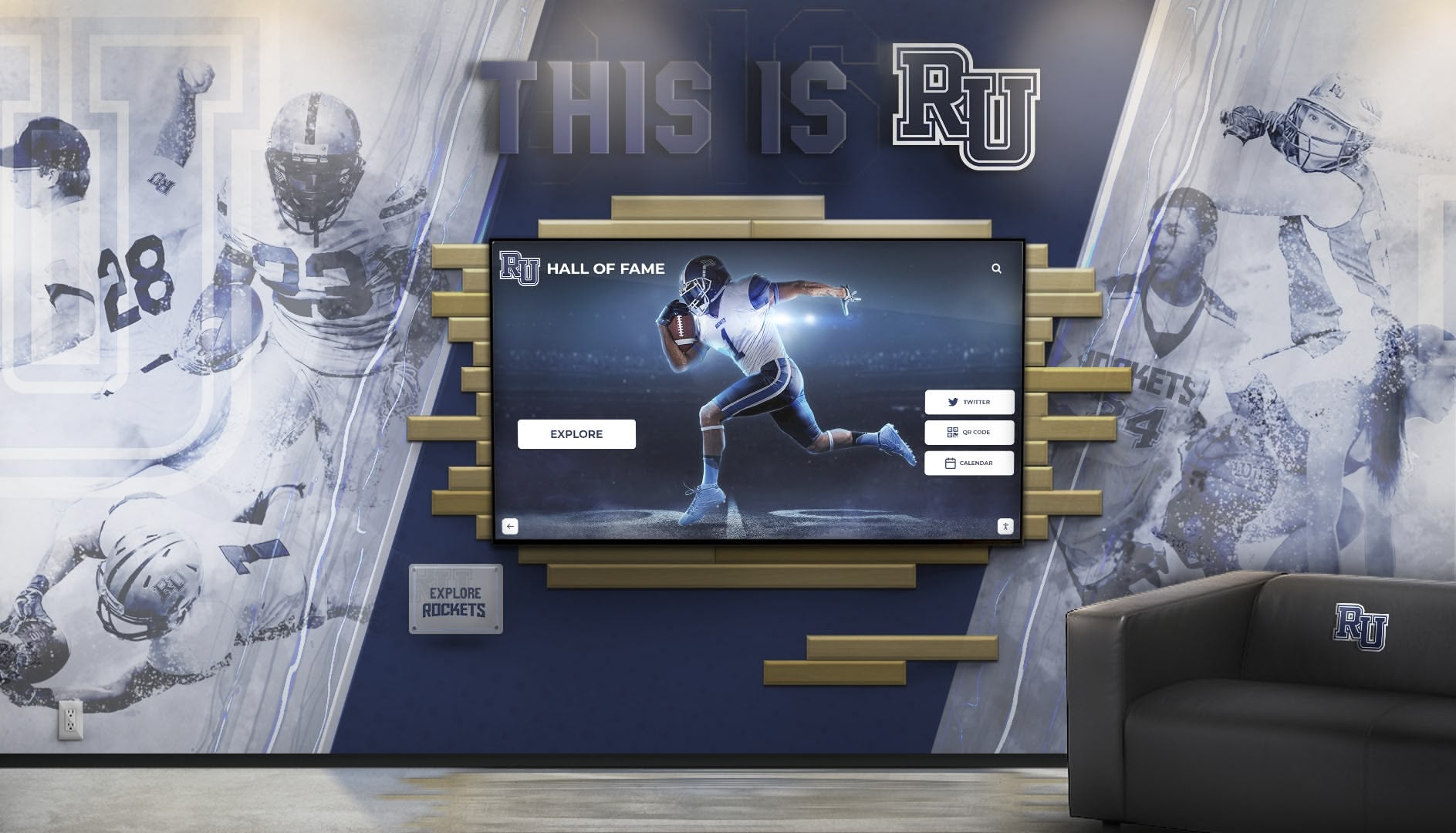
Modern touchscreen solutions power interactive yearbook experiences, recognition displays, and campus information systems across educational institutions
Understanding Web-Based Touchscreen Software
Web-based touchscreen applications run entirely within web browsers, delivering content through standard internet protocols without requiring platform-specific installations. For digital yearbook systems and school recognition displays, this approach offers compelling advantages alongside important limitations.
Core Characteristics of Web-Based Touchscreen Solutions
Browser-Dependent Operation
- Applications run within Safari, Chrome, Firefox, or Edge browsers
- Depend on browser capabilities and web standards support
- Require no platform-specific installation or app store approval
- Function identically across different operating systems
- Update automatically when users refresh pages or clear caches
- Rely on internet connectivity for full functionality
According to web development standards, Progressive Web Apps (PWAs) represent the current state-of-the-art in web-based applications, offering features like offline access, push notifications, and home screen installation while maintaining cross-platform compatibility.
Universal Device Compatibility
- Single codebase serves desktops, tablets, smartphones, and kiosks
- Responsive design adapts layouts to different screen sizes automatically
- No separate development required for iOS, Android, Windows, or Mac
- Students and alumni access digital yearbooks from any device
- IT departments support one system rather than multiple platforms
- Visitors explore recognition displays without downloading apps
For schools implementing digital yearbook platforms, this universal accessibility ensures graduating students can revisit memories decades later regardless of what devices they own—a crucial consideration for content intended to remain accessible across generations.
Simplified Deployment and Updates
- Changes go live immediately by updating server-side code
- No app store approval delays or version fragmentation
- All users automatically receive latest features and fixes
- IT teams manage single deployment rather than multiple app versions
- Security patches and bug fixes propagate instantly
- Content management updates don’t require redistributing applications
Schools managing digital yearbooks benefit enormously from this simplified update process—adding new class years, correcting information, or enhancing features happens instantly without coordinating installations across thousands of alumni devices.
Advantages of Web-Based Touchscreen Software for Schools
Development Cost Efficiency
Web-based touchscreen solutions typically require 40-60% less development investment compared to building separate native apps for iOS, Android, and other platforms. Schools with limited technology budgets maximize value by deploying single web applications serving all users regardless of device preferences.
- Single development team rather than platform-specific specialists
- Shared codebase reduces ongoing maintenance costs
- Abundant web developers keep labor costs competitive
- Faster time-to-launch getting systems operational quickly
- Lower barrier to entry for schools starting digital transformation
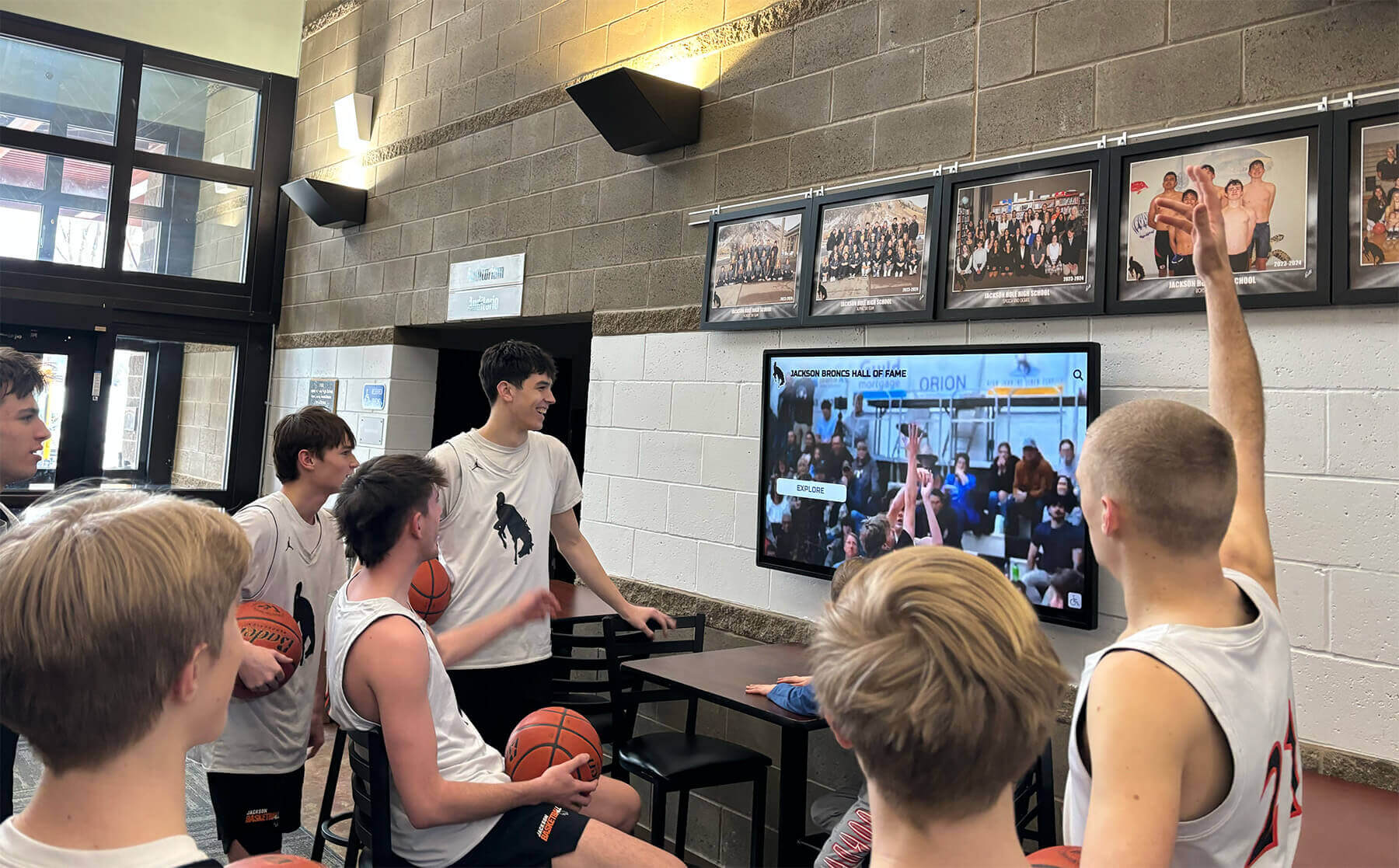
Web-based solutions enable students to interact with recognition content on any device without platform restrictions
Maintenance Simplicity
IT departments already stretched thin appreciate web-based systems’ operational advantages. Rather than maintaining separate iOS, Android, and desktop versions—each with distinct codebases, testing requirements, and update cycles—schools manage single deployments updated centrally.
- Reduced testing burden across fewer platform variations
- Centralized bug fixes resolving issues for all users simultaneously
- Simpler security patching through server-side updates
- Lower ongoing IT resource requirements
- Easier vendor transitions without proprietary app dependencies
Educational institutions implementing comprehensive digital yearbook platforms discover that web-based architectures dramatically simplify long-term operations while freeing IT resources for other priorities.
Immediate Content Updates
For digital yearbook systems where content freshness matters—adding new student achievements, correcting names, updating class rosters, or publishing supplementary content—web-based platforms enable instant updates visible to all users immediately. No waiting for app store approvals, no convincing users to download updates, no version fragmentation where different users see different content.
This immediacy proves particularly valuable during yearbook production cycles when advisers discover errors requiring rapid correction or when schools want to publish supplementary digital content throughout the academic year rather than limiting yearbooks to annual static releases.
Limitations and Challenges of Web-Based Solutions
Performance Constraints
Web browsers add overhead between applications and device hardware, creating performance gaps compared to native apps accessing system resources directly. For touchscreen interfaces requiring immediate response to touch input, smooth animations, and fluid scrolling, this browser layer introduces latency affecting user experience.
According to eyefactive’s analysis, web-based technologies are limited by underlying browser capabilities and tend to resemble common websites with click-like interactions, while native software supports interfaces that are quicker, more seamless, and more intuitive for touchscreen use.
- Slower animation rendering compared to native graphics libraries
- Touch gesture recognition less sophisticated than native implementations
- Scrolling and zooming may feel less responsive
- Complex interactions with multiple simultaneous touches can lag
- Large media libraries may load more slowly
- Memory management less efficient than native code
For simple information displays and basic yearbook browsing, these performance differences may prove negligible. However, schools planning sophisticated interactive recognition displays with video playback, photo galleries, and gesture-based navigation should carefully evaluate whether web-based performance meets expectations.
Limited Offline Functionality
Though Progressive Web Apps offer offline capabilities through service workers and local caching, web-based solutions fundamentally depend on internet connectivity more than native apps. Schools deploying touchscreen kiosks in areas with unreliable networks or alumni accessing digital yearbooks in locations without internet face limitations:
- Initial load requires internet connection
- Cached content may have size limitations
- Complex offline synchronization proves challenging
- Alumni in remote areas may struggle accessing content
- Kiosk displays become non-functional during network outages
- Service worker limitations vary across browsers
Educational institutions serving rural communities or implementing campus recognition displays in areas with intermittent connectivity should prioritize solutions offering robust offline operation ensuring reliable access regardless of network availability.

Kiosk deployments require reliable offline operation—a consideration when evaluating web-based versus native solutions
Device Integration Limitations
Web browsers restrict application access to device hardware and operating system features for security reasons, limiting what web-based touchscreen software can accomplish:
- Camera access more limited than native apps
- File system access restricted preventing local storage management
- Push notification support varies across browsers and devices
- Biometric authentication (fingerprint, face recognition) unavailable in many browsers
- Advanced gesture recognition limited compared to native capabilities
- Background operation and automatic syncing restricted
- Integration with school information systems may prove more complex
Schools planning digital yearbook features requiring device integration—like enabling students to upload photos directly from phone cameras or implementing automatic class roster synchronization with student information systems—should verify that web-based architectures support required functionality before committing to this approach.
Browser Compatibility Variability
Though web standards improve constantly, browser implementations remain imperfect. Features working beautifully in Chrome may malfunction in Safari, display differently in Firefox, or fail entirely in older browsers that schools cannot force alumni to upgrade:
- Testing burden across multiple browsers and versions
- Inconsistent feature support requiring workarounds
- Older devices with outdated browsers may struggle
- Schools cannot control which browsers users employ
- Some alumni may use browsers blocking required functionality
- Mobile browser limitations differ from desktop versions
Organizations implementing comprehensive recognition systems discover that cross-browser compatibility testing adds complexity that web-based solutions theoretically eliminate but practically reintroduce through implementation variations.
Understanding Native App Touchscreen Software
Native applications are built using platform-specific programming languages and development frameworks, compiling into executable code running directly on device operating systems without browser intermediation. For schools implementing touchscreen systems, this approach delivers superior performance and device integration at the cost of increased complexity and higher development investment.
Core Characteristics of Native Touchscreen Applications
Platform-Specific Development
- iOS apps built using Swift or Objective-C in Xcode development environment
- Android apps developed using Kotlin or Java with Android Studio
- Windows applications created with .NET, C++, or Universal Windows Platform
- macOS apps built using Swift, Objective-C, or AppKit frameworks
- Each platform requires separate codebase and specialized developers
- App store distribution follows platform-specific approval processes
This platform-specific nature fundamentally shapes native app economics and deployment complexity. Schools must either develop separate apps for each platform they support—multiplying costs and maintenance burden—or accept limiting their digital yearbook or recognition system to single platforms, restricting access for community members using other devices.
Direct Hardware and OS Access
- Applications communicate directly with operating system APIs
- Full access to camera, microphone, GPS, and sensor hardware
- Advanced gesture recognition using platform touch frameworks
- Background operation enabling automatic content synchronization
- Push notifications alerting alumni to new yearbook content
- Biometric authentication securing personal information
- File system access for local content storage and management
For interactive touchscreen displays requiring sophisticated touch interactions, native frameworks like Apple’s UIKit or Android’s View system provide far more responsive and feature-rich gesture recognition compared to web browser capabilities—enabling pinch-to-zoom, rotation, multi-finger gestures, and force-touch interactions that feel immediate and natural.
Schools implementing advanced athletic recognition displays benefit from native apps’ ability to deliver fluid photo galleries, smooth video playback, and responsive touch interactions creating engaging experiences that students and visitors actually want to explore.
Optimized Performance and Efficiency
- Compiled code executes faster than interpreted web technologies
- Direct graphics API access enables smooth animations and transitions
- Lower memory consumption compared to browser-based applications
- Efficient battery usage important for mobile yearbook access
- Local caching provides instant load times without network delays
- Optimized for specific device capabilities and screen resolutions
According to performance analysis, native applications typically deliver 2-3x faster rendering and 40-50% lower battery consumption compared to equivalent web-based implementations—meaningful differences for alumni spending extended periods exploring digital yearbook content on mobile devices.
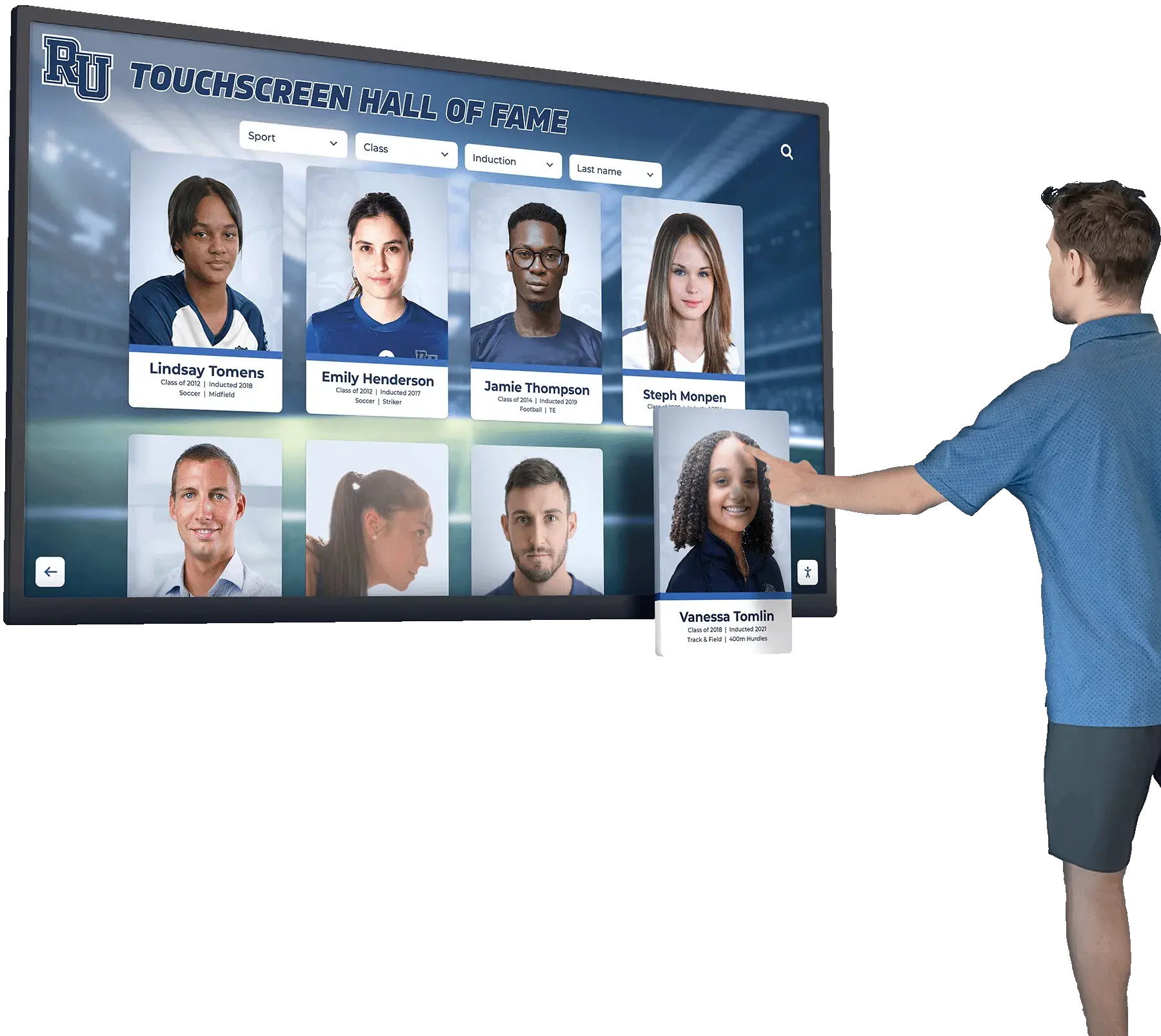
Native applications deliver responsive, fluid touch interactions that feel immediate and natural on touchscreen displays
Advantages of Native Touchscreen Software for Schools
Superior User Experience Quality
Native apps simply feel better. Touch responses happen instantaneously, animations flow smoothly, gesture recognition works intuitively, and interfaces respond fluidly in ways that web applications struggle to match. For digital yearbook systems intended to preserve precious memories and celebrate student achievements, this quality difference shapes how alumni perceive and value their school’s investment.
- Touch input latency measured in single-digit milliseconds
- Smooth 60fps animations and transitions
- Sophisticated gesture recognition supporting complex multi-touch interactions
- Platform-standard interface elements users already understand
- Haptic feedback reinforcing touch interactions
- Seamless integration with device features users expect
Schools implementing digital recognition displays as permanent installations in lobbies and hallways particularly benefit from native apps’ superior responsiveness—creating impressive, professional experiences reflecting well on institutional quality rather than frustrating visitors with laggy, unresponsive interfaces.
Robust Offline Functionality
Native apps excel at offline operation, enabling full functionality without internet connectivity. For digital yearbook systems, this means alumni can browse content, search classmates, view photos, and explore memories anywhere—on airplanes, in remote locations, or simply when cellular data proves expensive or unavailable.
- Complete application logic runs locally without server dependency
- Content synchronized automatically when connectivity available
- Offline-first architecture ensures consistent experience
- Alumni access yearbooks regardless of internet availability
- Kiosk installations remain functional during network outages
- Reduced server load lowering ongoing operational costs
Educational institutions serving diverse populations including rural alumni with limited connectivity or deploying touchscreen kiosks in remote campus locations benefit enormously from native apps’ reliable offline operation ensuring universal access.
Advanced Device Integration
Native platform access enables features impossible in web browsers, creating richer digital yearbook experiences:
- Camera integration for creating instant photo uploads during reunions
- Photo library access allowing alumni to contribute personal photos to class collections
- Push notifications announcing new yearbook content or upcoming class reunions
- Biometric authentication protecting personal information through fingerprint or face recognition
- Contact integration enabling alumni to connect with classmates directly
- Calendar integration adding reunion events automatically
- Location services connecting alumni based on geographic proximity
Schools implementing interactive alumni recognition programs discover that native device integration transforms digital yearbooks from passive content browsers into active community platforms maintaining connections long after graduation.
Enterprise-Grade Security
Native apps provide security advantages crucial for protecting student information and ensuring FERPA compliance:
- Code obfuscation making reverse engineering difficult
- Secure local data storage using platform encryption
- Certificate pinning preventing man-in-the-middle attacks
- Biometric authentication stronger than password-only web access
- App store vetting processes providing basic security review
- Granular permission controls limiting data access appropriately

Native apps provide intuitive, responsive interfaces optimized for touchscreen interaction patterns
Schools managing sensitive student data through digital yearbook platforms must prioritize security, making native apps’ advantages in this area significant considerations despite higher development costs.
Challenges and Limitations of Native Applications
Substantially Higher Development Costs
Building native apps for multiple platforms multiplies development expenses in ways that strain school technology budgets:
- Separate iOS and Android development requiring platform-specific expertise
- Desktop versions demanding additional Windows and macOS development
- Specialized developers commanding higher salaries than web developers
- Multiple codebases increasing complexity and coordination challenges
- Longer development timelines before launching across all platforms
- Three to four times higher initial investment compared to web-based solutions
Schools considering native digital yearbook apps should realistically budget $75,000-150,000+ for professional multi-platform development versus $25,000-50,000 for equivalent web-based solutions—a difference that proves prohibitive for many institutions.
Ongoing Maintenance Complexity
Maintaining multiple native apps demands sustained technical investment that schools must support indefinitely:
- Platform-specific developers required for updates and bug fixes
- Testing burden across multiple OS versions and device models
- Separate releases for each platform complicating coordination
- App store submission processes delaying urgent fixes
- Compatibility maintenance as platforms evolve
- Version fragmentation where users run outdated app versions
- Higher annual maintenance costs (typically 15-25% of development costs)
Educational institutions implementing long-term yearbook preservation systems must ensure they can sustain ongoing native app maintenance for decades—a commitment that may exceed organizational capacity as staff turn over and priorities shift.
App Store Dependencies and Constraints
Native apps distribute through platform-controlled app stores imposing policies, restrictions, and delays that schools cannot control:
- Apple App Store and Google Play approval required before users access apps
- Review processes taking days or weeks delaying critical updates
- Apps may be rejected for policy violations requiring rework
- Annual developer program fees ($99/year for Apple, $25 one-time for Google)
- Revenue sharing requirements if apps include purchases
- Policies change unilaterally potentially breaking existing apps
- Store removal possible if platform policies evolve
- Discoverability challenges among millions of available apps
Schools planning time-sensitive digital yearbook releases around graduation dates may find app store approval delays frustrating, while policy changes could theoretically force expensive rewrites of apps that suddenly violate new platform requirements.
Platform Fragmentation and Exclusivity
Supporting all devices students and alumni use requires developing multiple native apps, while limiting to single platforms excludes community members:
- iOS-only apps exclude Android users (and vice versa)
- Desktop versions require separate Windows and macOS development
- Schools must choose between development costs and community accessibility
- Alumni using non-supported platforms cannot access digital yearbooks
- Perception of favoritism when supporting some devices but not others
- Technology lock-in limiting future flexibility
This platform exclusivity tension proves particularly challenging for schools serving diverse communities where families use varied devices based on economic considerations—potentially creating equity concerns when yearbook access becomes device-dependent.
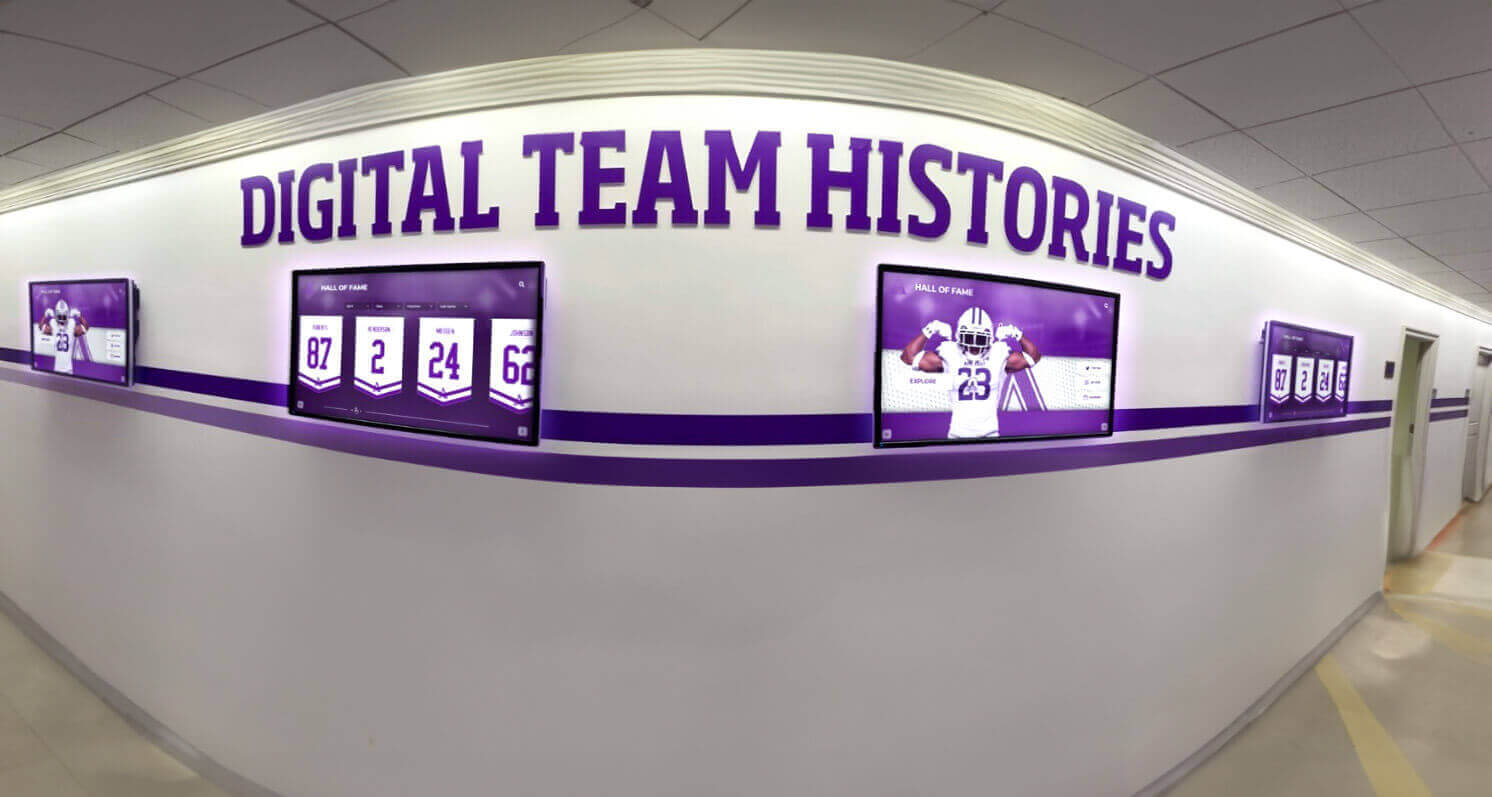
Schools deploying multiple touchscreen displays must consider how web-based versus native architectures affect management and maintenance
Hybrid Approaches: Progressive Web Apps and Cross-Platform Frameworks
Modern development approaches offer middle paths attempting to capture advantages of both web-based and native solutions while minimizing their respective limitations.
Progressive Web Apps (PWAs): Web Technology with App-Like Capabilities
Progressive Web Apps represent evolved web applications incorporating features traditionally exclusive to native apps while maintaining cross-platform web compatibility.
PWA Capabilities Bridging the Gap
- Offline functionality through service worker caching
- Home screen installation creating app-like presence
- Push notifications engaging users like native apps
- Background synchronization when connectivity restored
- Faster loading through intelligent caching strategies
- Responsive design adapting to any screen size
- Single codebase serving all platforms
Schools implementing digital yearbook systems can leverage PWA technology to provide alumni app-like experiences—adding yearbook shortcuts to home screens, enabling offline browsing of cached content, and sending push notifications about reunion events—without requiring separate iOS and Android development.
PWA Advantages for Educational Institutions
- Development costs similar to traditional web apps
- No app store dependencies or approval delays
- Instant updates without user intervention required
- Cross-platform compatibility serving all devices
- Improved offline access compared to traditional web apps
- Lower barrier to adoption (no app installation required)
PWA Limitations to Consider
- iOS Safari support more limited than Android Chrome
- Push notification support restricted on iOS devices
- Performance still inferior to native apps for complex interactions
- Device integration more limited than true native apps
- Background operation restrictions on some platforms
- User discovery more difficult without app store presence
For many school digital yearbook implementations, PWAs represent optimal compromises delivering improved experiences over traditional websites while avoiding native apps’ costs and complexity—particularly when combined with responsive design serving both mobile and kiosk touchscreen contexts.
Cross-Platform Development Frameworks
Frameworks like React Native, Flutter, Xamarin, and Ionic enable building apps that compile to native code for multiple platforms from shared codebases—attempting to deliver native performance with web-like development efficiency.
Cross-Platform Framework Benefits
- Single codebase reducing development costs 40-60% versus pure native
- Compiled to native code providing better performance than web apps
- Access to platform APIs and device features
- Shared logic across iOS, Android, and web versions
- Faster development compared to building separate native apps
- Growing developer pools as frameworks mature
Cross-Platform Framework Challenges
- Performance typically 10-20% below pure native implementations
- Platform-specific code still required for optimal experiences
- Framework learning curves for developers
- Dependency on third-party framework continued development
- Some cutting-edge platform features may lag framework support
- Debugging complexity when issues span framework and native layers
Schools with moderate budgets seeking app-quality experiences across multiple platforms may find cross-platform frameworks offering sweet spots between web-based simplicity and native performance—particularly for digital yearbook features that don’t demand absolute maximum performance but benefit from device integration and offline capabilities.
Organizations exploring touchscreen display software options should evaluate whether cross-platform approaches meet their specific performance requirements while staying within budget constraints.
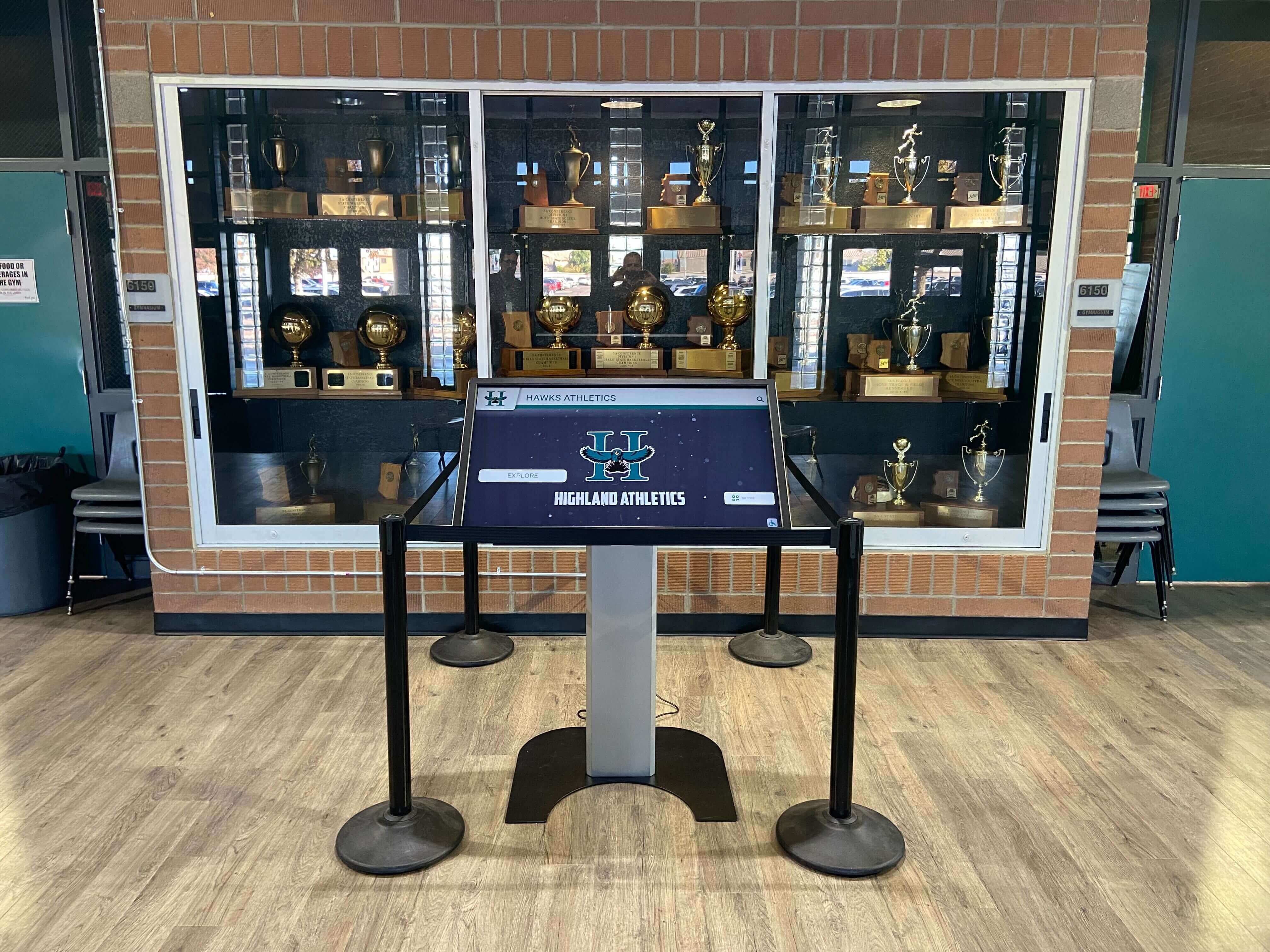
Kiosk deployments must balance immediate performance against long-term maintenance—a key consideration when selecting development approaches
Decision Framework: Choosing Between Web-Based and Native Touchscreen Software
Selecting optimal touchscreen software architecture for your school’s digital yearbook or recognition system requires systematic evaluation across multiple dimensions specific to your context, capabilities, and long-term vision.
Use Case Alignment
Web-Based Solutions Excel For:
- Digital yearbook systems accessed primarily through mobile browsers
- Campus information kiosks displaying directory and wayfinding content
- Alumni recognition displays showcasing achievement histories
- Systems requiring frequent content updates (weekly or more often)
- Deployments where universal device accessibility outweighs performance
- Schools with limited IT resources and tight budget constraints
- Information-focused applications without complex interactions
- Systems requiring immediate updates visible to all users simultaneously
Native Applications Excel For:
- Permanent touchscreen kiosk installations in high-traffic lobbies
- Complex interactive displays with sophisticated gesture recognition
- Applications requiring reliable offline operation without connectivity
- Systems leveraging camera, biometric, or advanced device features
- High-performance photo and video galleries demanding fluid interactions
- Experiences where quality perception significantly impacts institutional reputation
- Applications requiring enterprise security beyond web capabilities
- Long-term installations where development investment amortizes over decades
Schools implementing comprehensive digital recognition programs spanning yearbooks, athletic displays, and alumni systems may benefit from hybrid strategies—web-based platforms for content accessed on personal devices combined with native apps powering permanent touchscreen kiosks.
Budget and Resource Considerations
Development Budget Assessment
- Web-based: $20,000-50,000 typical for professional school implementation
- Native (single platform): $40,000-75,000 typical iOS or Android development
- Native (multi-platform): $75,000-150,000+ for iOS, Android, and desktop versions
- PWA: $25,000-60,000 typical implementation with advanced features
- Cross-platform frameworks: $50,000-100,000 typical multi-platform development
Schools should realistically assess available budgets while considering that development costs represent only initial investments—ongoing maintenance costs must be sustained indefinitely.
IT Resource Availability
- Web-based solutions require web development and server management skills
- Native apps demand platform-specific development expertise or vendor relationships
- Internal IT capacity determines whether solutions can be maintained in-house
- Vendor dependency acceptability varies by institutional philosophy
- Staff turnover considerations affect long-term sustainability
- Training investment requirements for new technologies
Educational institutions with limited technical staff may find vendor-managed web-based platforms offering complete digital yearbook solutions provide optimal sustainability—eliminating ongoing internal maintenance burdens through cloud-hosted, automatically updated systems.
Ongoing Operational Costs
- Web-based: Hosting, bandwidth, SSL certificates, CDN services
- Native: Annual developer program fees, maintenance updates, server backend
- Both: Content management, security monitoring, support resources
- Annual costs typically 15-25% of initial development investment
- Cloud-hosted solutions may include operational costs in subscriptions
Performance Requirements
Interaction Complexity Assessment
Simple information browsing with basic touch navigation rarely justifies native development costs, while sophisticated gesture-based interactions with real-time response requirements may demand native performance:
- Static content browsing: Web-based adequate
- Photo galleries with zooming: PWA or native preferable
- Video playback: Both work; native provides better control
- Multi-touch gesture recognition: Native significantly superior
- Real-time content updates: Web-based simpler
- Complex animations and transitions: Native delivers smoother experience
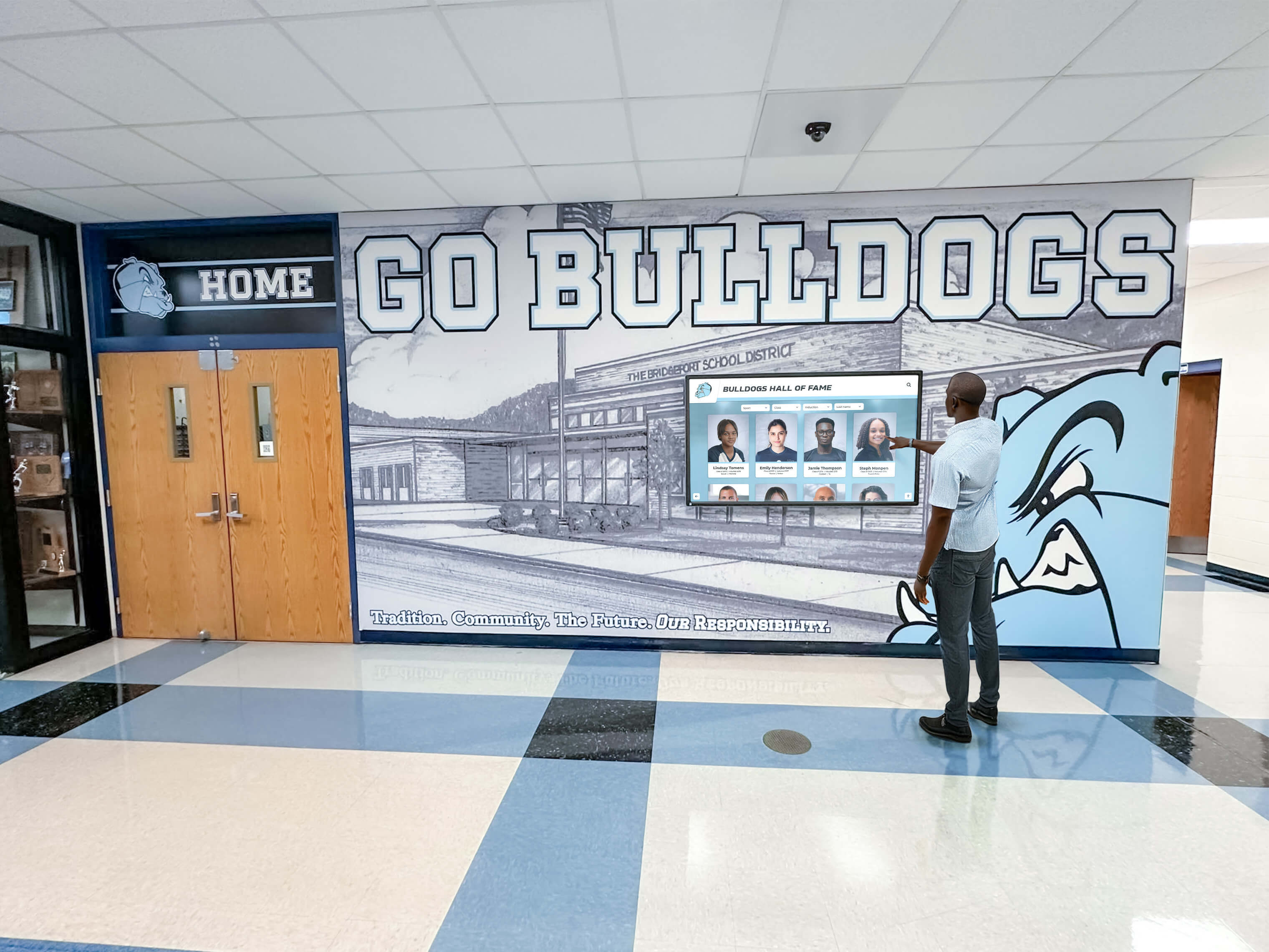
Kiosk performance directly impacts visitor engagement—slow, unresponsive interfaces discourage exploration
Schools planning athletic hall of fame displays should prototype both web-based and native implementations testing actual user experiences before committing to architecture decisions that prove difficult to reverse.
Response Time Expectations
Research indicates users perceive interfaces responding within 100 milliseconds as instantaneous, while delays beyond 300ms feel sluggish. Web-based touch interfaces typically exhibit 150-300ms response latency versus 10-50ms for native implementations—differences users notice and interpret as quality signals.
Deployment Context and Connectivity
Network Reliability Evaluation
- Reliable high-speed connectivity enables web-based solutions
- Intermittent or unreliable networks favor native offline capabilities
- Cellular-only environments may incur data costs discouraging web access
- Campus kiosks in networking dead zones require offline operation
- Alumni in rural areas need solutions working without connectivity
Device Control Assessment
- School-owned kiosk hardware enables optimized configurations
- Personal devices (BYOD) demand cross-platform compatibility
- Controlled environments justify platform-specific optimization
- Uncontrolled environments require universal accessibility
Educational institutions deploying campus wayfinding systems in areas with reliable networks benefit from web-based architectures enabling instant content updates across all displays, while schools in rural settings may require native solutions ensuring reliable operation regardless of connectivity.
Long-Term Sustainability and Flexibility
Technology Longevity Considerations
Digital yearbook systems must remain accessible for decades as alumni return to revisit memories throughout their lives. Architecture decisions today shape 2045 accessibility:
- Web standards prove more stable than proprietary native platforms
- Browsers from 2000s still render modern websites reasonably well
- Native apps from 2010s often no longer function on current devices
- Platform migrations easier with web-based architectures
- Native apps may require complete rewrites as platforms evolve
- Web content maintains accessibility across technology generations
Schools implementing historical preservation systems should prioritize architectures ensuring content remains accessible as technology evolves—favoring web-based approaches or native development with commitment to ongoing platform migrations.
Vendor Lock-In Assessment
- Native app dependencies tie schools to specific developers or platforms
- Web-based solutions offer easier vendor transitions if necessary
- Open web standards provide portability between providers
- Proprietary native solutions may create unsustainable dependencies
- Exit strategy considerations protect long-term institutional interests
Implementation Best Practices for Touchscreen Software
Regardless of whether schools select web-based or native architectures, successful touchscreen system implementations share common best practices ensuring positive outcomes.
User Experience Design Principles
Touch-Optimized Interface Guidelines
- Minimum 44×44 pixel touch targets preventing selection frustration
- Generous spacing between interactive elements reducing mis-taps
- Clear visual affordances indicating interactivity
- Immediate visual feedback confirming touch registration
- Forgiving input recognition tolerating imprecise touches
- Obvious navigation enabling self-guided exploration
- Accessible design supporting diverse abilities and literacy levels
Schools implementing student recognition displays should conduct usability testing with actual students, parents, and alumni before finalizing interfaces—ensuring designs work for real users rather than theoretical ideals.
Content Organization Strategies
- Shallow navigation hierarchies (maximum 3 levels deep)
- Multiple pathways to popular content
- Robust search functionality for large content libraries
- Clear information architecture using familiar organizing principles
- Breadcrumb navigation showing current location
- Home button always accessible for starting over
- Featured content highlighting most relevant information
Digital yearbook systems containing thousands of photos and dozens of class years require thoughtful information architecture preventing visitors from getting lost or frustrated while searching for specific content.
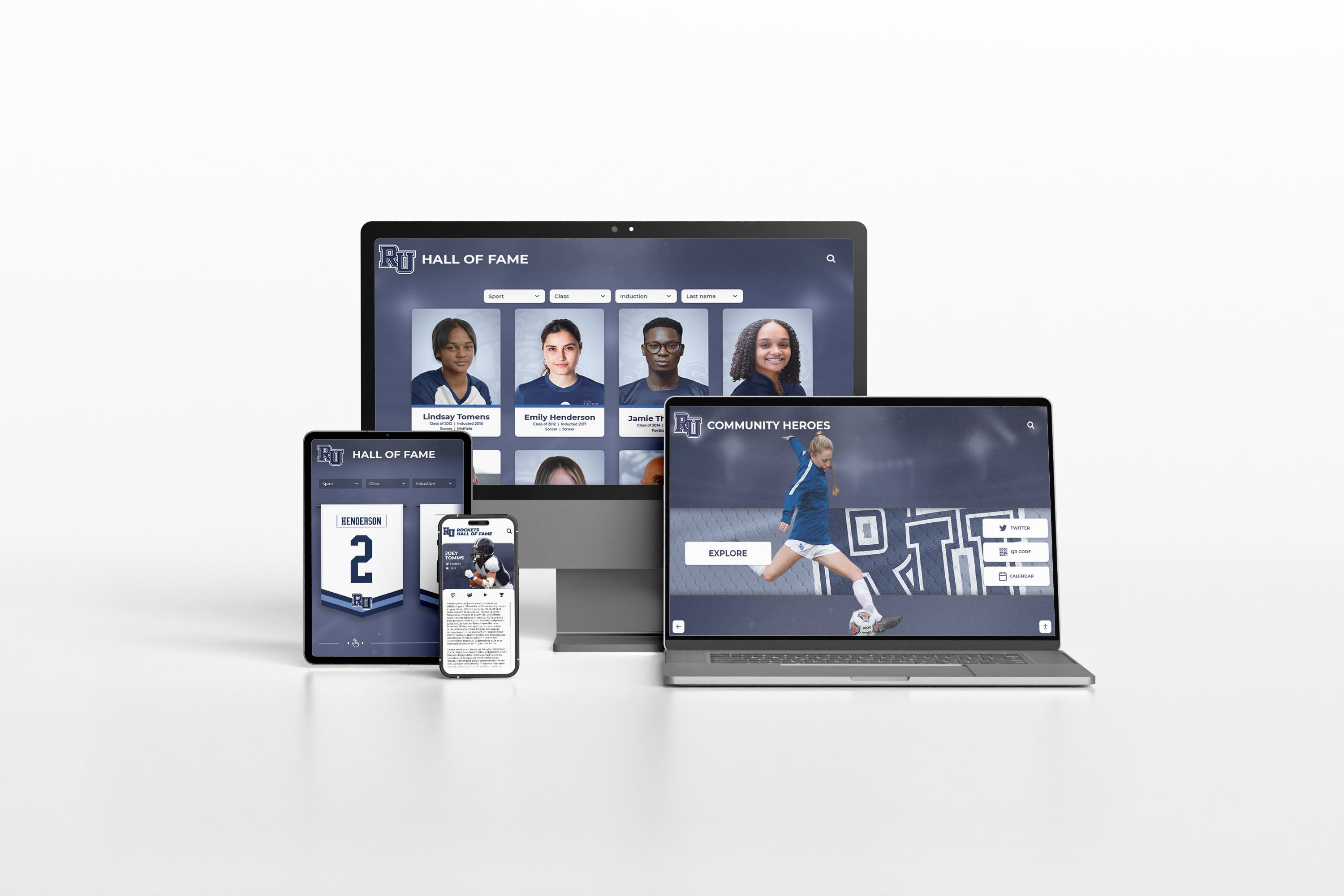
Responsive web design enables single platforms serving desktop kiosks, tablets, and smartphones with optimized experiences
Performance Optimization Techniques
Loading Speed Optimization
First impressions matter—slow-loading interfaces discourage engagement before users even begin exploring content:
- Image optimization reducing file sizes without visible quality loss
- Lazy loading deferring off-screen content until needed
- Content delivery networks (CDNs) serving assets from geographically distributed servers
- Progressive enhancement showing usable content before full page loads
- Caching strategies preventing repeated downloads of static content
- Code minification and compression reducing transfer sizes
- Asynchronous loading preventing single slow elements blocking entire pages
Interaction Responsiveness
- Debounced input handlers preventing processing every touch event
- Optimistic UI updates showing expected results before server confirmation
- Animation frame rate targeting consistent 60fps
- Hardware-accelerated CSS animations and transitions
- Virtual scrolling rendering only visible content in large lists
- Background content prefetching predicting user navigation
- Request batching reducing network overhead
Schools deploying interactive athletic record displays should prioritize perceived performance—interfaces feeling responsive through immediate feedback even when background processing continues.
Content Management and Maintenance
Sustainable Update Workflows
- Role-based permissions enabling distributed content management
- Approval workflows ensuring appropriate oversight
- Scheduled publishing coordinating releases with school calendar
- Draft systems enabling work-in-progress content
- Version control allowing rollback if errors discovered
- Bulk operations efficiently processing large updates
- Mobile-friendly admin interfaces enabling updates from any device
Quality Assurance Processes
- Staging environments for testing before production deployment
- Cross-device testing ensuring consistent experiences
- Accessibility audits identifying barriers to universal access
- Performance monitoring tracking loading speeds and response times
- User feedback mechanisms identifying issues requiring attention
- Regular content audits removing outdated information
- Analytics review informing continuous improvement
Educational institutions implementing digital yearbook publishing workflows benefit from admin tools designed specifically for school contexts—enabling yearbook advisers to manage content without requiring technical expertise while maintaining quality through appropriate review processes.
Security and Privacy Considerations
Student Data Protection
- FERPA compliance ensuring appropriate handling of educational records
- Role-based access controlling who can view sensitive information
- Secure authentication preventing unauthorized access
- Encrypted data transmission protecting information in transit
- Audit logging tracking who accessed what information when
- Privacy controls enabling students to limit profile visibility
- Data retention policies appropriately managing historical information
System Security Hardening
- Regular security updates addressing discovered vulnerabilities
- Penetration testing identifying potential weaknesses
- SQL injection prevention through parameterized queries
- Cross-site scripting (XSS) prevention through proper output encoding
- HTTPS encryption for all communications
- Strong password requirements with multi-factor authentication option
- Security monitoring detecting and alerting to suspicious activity
Schools managing alumni recognition systems containing personal information must prioritize security protecting community members’ privacy while complying with applicable regulations.
Real-World Application: Digital Yearbook Platform Architecture
Examining how these technical decisions manifest in actual digital yearbook implementations illustrates practical implications of web-based versus native choices.
Web-Based Digital Yearbook Implementation
A comprehensive web-based digital yearbook platform might include:
Core Architecture
- Responsive web application built with modern JavaScript framework
- Cloud-hosted infrastructure ensuring reliability and scalability
- Content delivery network distributing media globally
- Progressive Web App features enabling offline access
- Mobile-optimized interfaces for smartphone yearbook browsing
- Kiosk-optimized layouts for touchscreen displays in school lobbies
Key Features
- Searchable student directories enabling finding specific classmates
- Photo galleries organized by class, event, sport, and activity
- Video integration showcasing events and achievements
- Timeline views presenting school year chronologically
- Social features enabling commenting and memory sharing (moderated)
- QR code access enabling instant mobile yearbook viewing
- Print-on-demand integration for families wanting physical copies
Advantages in Practice
- Single platform serves alumni on any device anywhere
- Content updates propagate instantly to all users
- Lower development and maintenance costs fit school budgets
- Yearbook advisers manage content through intuitive web interfaces
- No app store dependencies delaying yearbook releases
- Alumni from 1950s through 2020s access on current devices
Limitations in Practice
- Kiosk experience may feel less responsive than native alternatives
- Complex gesture interactions prove more limited
- Offline access confined to recently viewed content
- Performance on older devices may disappoint
- Browser compatibility testing adds QA burden
Schools implementing comprehensive digital yearbook programs often find web-based architectures provide optimal balances of accessibility, cost, and functionality—particularly when platforms are purpose-built for educational contexts rather than adapted from generic web solutions.
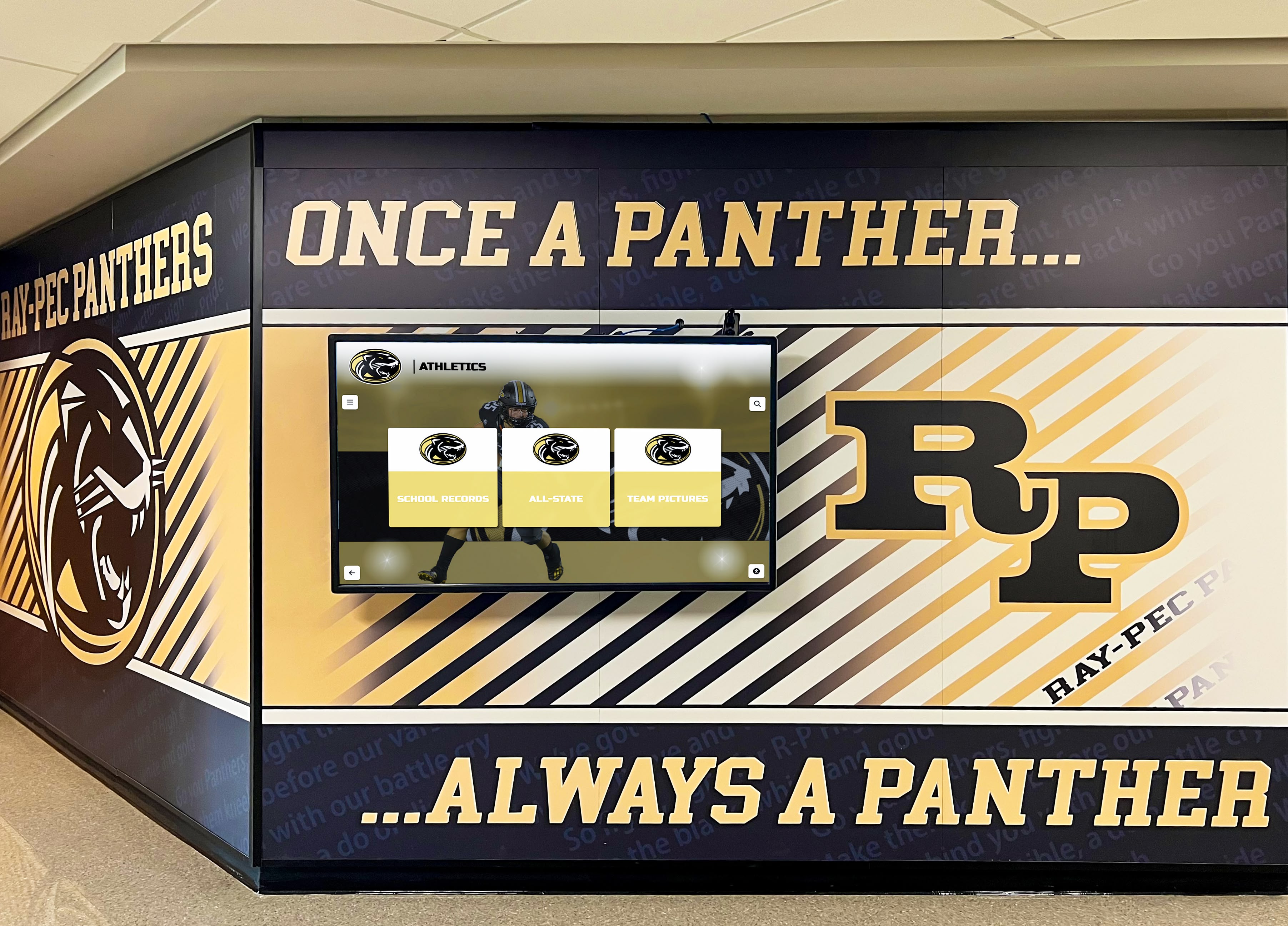
Web-based platforms power permanent touchscreen installations while simultaneously serving alumni on personal devices worldwide
Native App Digital Yearbook Implementation
A parallel native app approach might involve:
Core Architecture
- Separate iOS app built with Swift
- Separate Android app built with Kotlin
- Optional web portal for non-mobile access
- Native UI components providing platform-standard experiences
- Local storage enabling full offline yearbook access
- Background synchronization updating content automatically
Key Features
- Fluid photo gallery browsing with native gesture support
- Advanced video playback with picture-in-picture
- Camera integration for creating reunion photo uploads
- Push notifications announcing new content availability
- Biometric authentication securing personal profiles
- Contact integration connecting with classmates
- Location-based features showing nearby alumni
Advantages in Practice
- Superior touch responsiveness creating premium experiences
- Sophisticated gesture recognition feeling natural and intuitive
- Robust offline access enabling yearbook browsing anywhere
- Device integration providing features impossible in browsers
- App store presence potentially improving discoverability
Limitations in Practice
- Development costs 3-4x higher than web-based alternatives
- Separate iOS and Android versions multiplying maintenance
- Alumni using desktop computers excluded unless web version built
- App store approval delays potentially missing graduation deadlines
- Version fragmentation as some users don’t update apps
- Higher annual maintenance costs potentially unsustainable long-term
Schools with substantial technology budgets and strong commitments to premium experiences may find native apps’ advantages justify higher costs—particularly for flagship institutions where yearbook quality significantly impacts institutional reputation and alumni engagement.
Hybrid Implementation Approach
Many schools find optimal solutions combining approaches:
Strategic Architecture
- Core web-based platform serving most users universally
- PWA enhancements adding app-like features for mobile browsers
- Optional native kiosk apps powering permanent lobby installations
- Shared backend API serving all presentation layers
- Content management through unified web-based admin interface
This hybrid strategy captures web-based advantages—universal accessibility, simplified updates, lower costs—while deploying native apps strategically where they provide maximum value: permanent touchscreen installations where development costs amortize across years of use and superior performance significantly impacts visitor experience.
Organizations implementing multi-location digital recognition networks often discover hybrid architectures provide optimal flexibility adapting to varying contexts and requirements across diverse deployments.
Future Trends Shaping Touchscreen Software Decisions
Understanding emerging technology trends helps schools make forward-looking decisions that remain relevant as platforms evolve.
WebAssembly and Performance Improvements
WebAssembly (Wasm) enables near-native performance within web browsers by allowing languages like C, C++, and Rust to compile to binary formats running in browsers at speeds approaching native code. This technology gradually narrows the performance gap that traditionally favored native applications.
Implications for Schools
- Web-based digital yearbooks may eventually match native app performance
- Complex interactions and animations becoming viable in browsers
- Performance arguments favoring native apps weaken over time
- Betting on web technologies becomes safer long-term strategy
Progressive Web App Maturation
PWA capabilities continue expanding as browser vendors implement additional features bridging native app gaps:
- Improved offline functionality approaching native capabilities
- Enhanced device integration accessing more hardware features
- Better push notification support across platforms
- Background synchronization becoming more reliable
- Installation experiences becoming more seamless
As PWAs mature, the web-versus-native decision calculus shifts increasingly toward web-based solutions delivering app-like experiences without native development costs—particularly valuable for schools managing limited budgets.
Cross-Platform Framework Evolution
Frameworks like Flutter and React Native continue maturing, delivering increasingly native-like performance while maintaining cross-platform development efficiency:
- Performance gaps closing toward native benchmarks
- Expanding API coverage accessing more platform features
- Growing developer pools as frameworks gain adoption
- Improved tooling simplifying development and debugging
Schools evaluating touchscreen software options in coming years may find cross-platform frameworks offering compelling middle paths capturing most native advantages at significantly lower costs than pure native development.
Artificial Intelligence Integration
AI capabilities increasingly enhance touchscreen experiences regardless of underlying architecture:
- Intelligent search understanding natural language queries
- Personalized content recommendations based on browsing patterns
- Automatic photo organization and tagging
- Accessibility improvements through computer vision and speech
- Chatbot interfaces answering yearbook-related questions
Educational institutions implementing modern digital recognition systems should anticipate AI-powered features becoming standard expectations enhancing user experiences across both web-based and native platforms.
Future touchscreen systems will leverage AI, improved web performance, and enhanced device integration regardless of underlying architecture
Conclusion: Making the Right Choice for Your School
The web-based versus native app decision for touchscreen software profoundly impacts your school’s digital yearbook success, long-term costs, and community accessibility. No single answer proves universally optimal—the best choice depends on your specific context, priorities, and constraints.
Web-based solutions excel when:
- Universal device accessibility matters most for reaching all community members
- Budget constraints demand cost-effective development and maintenance
- Frequent content updates require instant propagation to all users
- Limited IT resources cannot sustain platform-specific app maintenance
- Long-term content accessibility across technology generations proves essential
- Cross-device consistency outweighs absolute maximum performance
Native applications excel when:
- Superior performance and responsiveness significantly impact user experience
- Robust offline functionality proves essential for your deployment context
- Advanced device integration enables important features impossible in browsers
- High-traffic permanent kiosk installations justify development investment
- Premium quality perceptions matter for institutional reputation
- Schools can commit to ongoing platform-specific maintenance indefinitely
Hybrid approaches excel when:
- Different contexts have different optimal solutions
- Budget allows strategic native development for highest-impact installations
- Web-based accessibility serves most users with native apps for premium experiences
- Flexible architecture adapts to evolving requirements over time
Most educational institutions implementing digital yearbook and recognition systems find web-based architectures—particularly Progressive Web Apps combining broad accessibility with enhanced capabilities—provide optimal balances of functionality, cost, and sustainability. Solutions like Rocket Alumni Solutions demonstrate how purpose-built web platforms deliver engaging touchscreen experiences accessible universally while remaining affordable and manageable for schools with limited technical resources.
Ready to Launch Your Digital Yearbook Platform?
Discover how comprehensive web-based solutions can transform your yearbook program with unlimited digital pages, mobile accessibility, and interactive features that engage students and alumni for generations—without the complexity and costs of native app development.
Schedule a Digital Yearbook Mock-upThe technology landscape continues evolving, with emerging standards and frameworks gradually blurring distinctions between web and native experiences. Schools making decisions today should prioritize platforms committed to ongoing innovation leveraging latest capabilities as they emerge—ensuring investments remain relevant as student expectations and technological possibilities advance.
Your digital yearbook deserves a technical foundation supporting your educational mission affordably and sustainably while delivering experiences that honor student achievements and preserve institutional memory for generations. Whether selecting pure web-based platforms, native applications, or hybrid approaches, the systematic evaluation framework provided throughout this guide empowers informed decisions aligning technology choices with your school’s unique context, capabilities, and community needs.
Request your custom Digital Yearbook mock-up today and discover how modern web-based platforms transform yearbook programs while fitting school budgets and technical capabilities—ensuring every student’s story gets told and every memory gets preserved beautifully and accessibly for decades to come.
Sources:































