




Selecting the right digital signage software shapes everything from visitor engagement and content management ease to long-term operational costs and system reliability. Schools, universities, corporate offices, and community organizations implementing interactive recognition displays, campus information systems, or digital communication platforms face a dynamic software landscape in 2026—featuring specialized touchscreen solutions, cloud-based content management platforms, and purpose-built recognition systems that transform how institutions celebrate achievements and communicate with their communities.
The digital signage software market has evolved dramatically beyond basic playlist managers to encompass sophisticated interactive platforms with touchscreen capabilities, AI-powered content recommendations, real-time data integration, mobile accessibility, and comprehensive analytics. For organizations focused on recognition, engagement, and community connection, the distinction between general digital signage platforms and purpose-built interactive touchscreen solutions profoundly impacts implementation success, user experience quality, and long-term value realization.
This comprehensive guide explores the best digital signage software options for 2026, examining specialized platforms for interactive recognition displays, comparing feature sets across leading solutions, analyzing pricing models and total cost of ownership, and providing systematic selection frameworks ensuring you invest in software that serves your institutional needs effectively for years to come.
The right digital signage software empowers organizations to create compelling visual experiences that inform, engage, and inspire—while the wrong choice results in frustrated staff struggling with complex interfaces, limited functionality constraining creative vision, or expensive vendor lock-in preventing future flexibility.

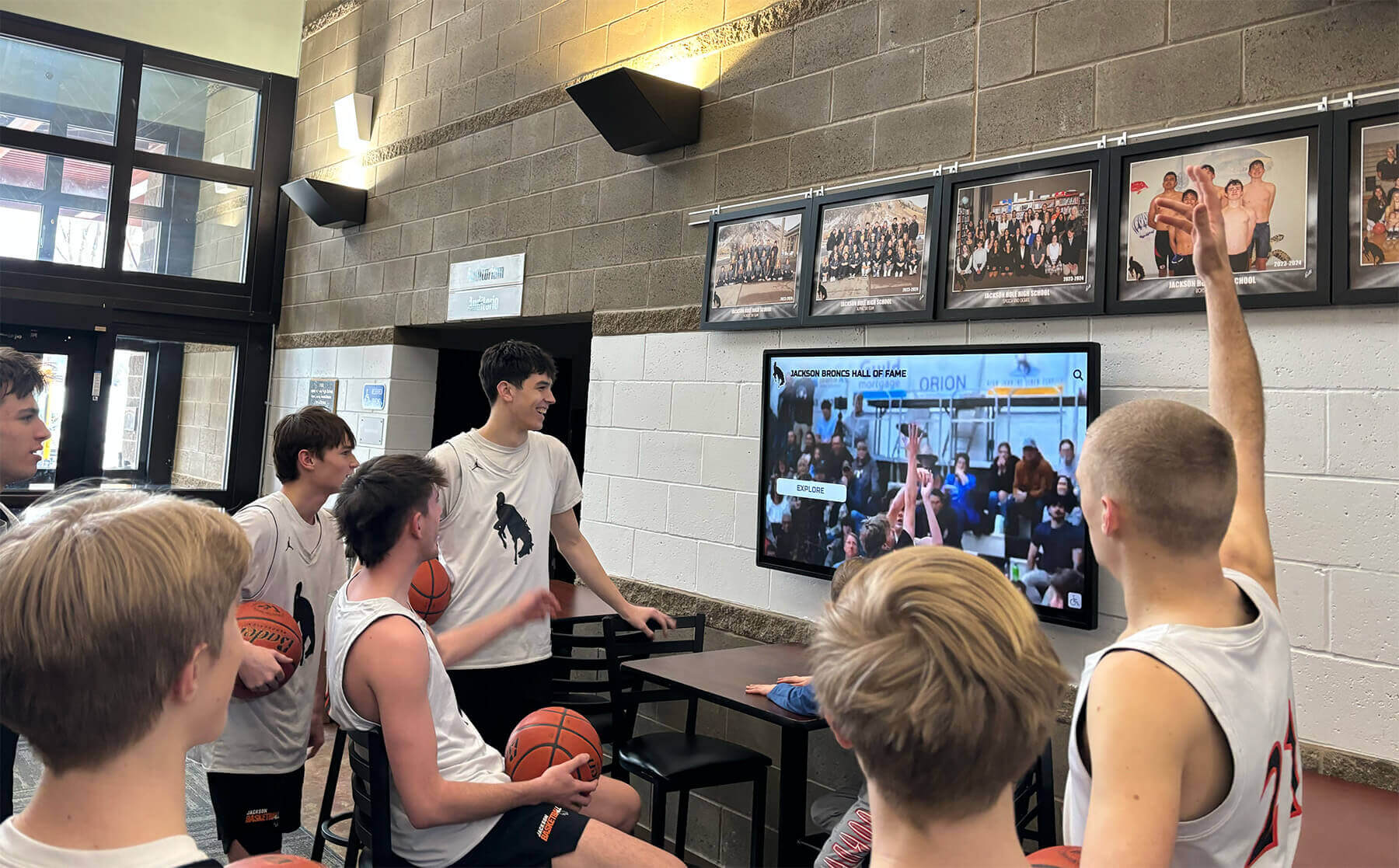
Modern digital signage software powers interactive touchscreen experiences that celebrate achievements and engage communities throughout educational and organizational facilities
Understanding Digital Signage Software: Categories and Core Capabilities
Digital signage software manages content creation, scheduling, distribution, and display across screens ranging from single lobby displays to distributed networks spanning multiple locations. Understanding fundamental software categories and capabilities guides appropriate platform selection for your specific use case.
Core Digital Signage Software Functions
Content Management and Creation
Effective platforms provide intuitive interfaces for managing visual content:
- Media library management: Organized storage for images, videos, documents, and graphics
- Content creation tools: Built-in designers or templates for creating signage content
- Playlist and scheduling: Automated content rotation and time-based scheduling
- Multi-zone layouts: Dividing screens into different content regions
- Dynamic data integration: Connecting to external data sources for real-time information
- Preview capabilities: Viewing exactly what displays will show before publication
Organizations implementing interactive touchscreen software require content management systems supporting both passive display and interactive navigation structures.
Display Management and Control
Centralized control across display networks:
- Remote display management: Controlling screens from anywhere via cloud platforms
- Device monitoring: Real-time status tracking and uptime monitoring
- Power scheduling: Automated on/off timing reducing energy costs
- Troubleshooting tools: Remote diagnostics and issue resolution
- Firmware updates: Keeping display hardware current with latest features
- Multi-location support: Managing displays across distributed facilities
User Experience and Interactivity
For touchscreen applications, software must support engagement:
- Touch navigation: Intuitive menu structures and wayfinding
- Search functionality: Enabling visitors to find specific information quickly
- Interactive elements: Buttons, forms, galleries, and multimedia integration
- Session management: Automatic reset to home screen after user inactivity
- Accessibility features: Screen reader support and high-contrast modes
- Analytics tracking: Understanding how visitors interact with content
Security and Reliability
Mission-critical applications demand robust security:
- Kiosk mode lockdown: Preventing access to underlying operating systems
- Role-based permissions: Controlling who can edit and publish content
- Secure authentication: Protecting administrative access
- Automatic failover: Backup content when network connectivity lost
- Offline operation: Continuing display when servers unavailable
- Audit logging: Tracking changes and user actions
Strategic software selection ensures displays engage audiences while remaining manageable by staff with varying technical expertise
Primary Digital Signage Software Categories
Purpose-Built Recognition and Engagement Platforms
Specialized solutions designed specifically for celebrating achievements and preserving institutional history:
- Pre-configured templates for athletic, academic, donor, and alumni recognition
- Searchable databases with unlimited capacity for profiles
- Multimedia integration showcasing photos, videos, and biographical content
- Timeline visualizations presenting chronological institutional evolution
- Both touchscreen kiosk and web platform accessibility
- Intuitive content management requiring minimal technical expertise
- Proven implementation frameworks based on thousands of deployments
Solutions like Rocket Alumni Solutions exemplify this category, providing comprehensive platforms serving schools, universities, athletic programs, and community organizations focused on recognition and engagement rather than generic advertising or announcements.
Cloud-Based Digital Signage Platforms
General-purpose content management systems for diverse applications:
- Playlist-based content scheduling across display networks
- Template libraries for common signage applications
- Real-time data widgets (weather, news, social media feeds)
- Multi-user collaboration with approval workflows
- Scalable from single displays to enterprise networks
- Hardware-agnostic supporting various display types
- Subscription-based pricing models
Leading platforms include ScreenCloud, Rise Vision, Yodeck, and OptiSigns—each offering distinct strengths for different organizational profiles and use cases.
Interactive Kiosk Development Platforms
Sophisticated tools for creating custom interactive experiences:
- Visual interface designers without coding requirements
- Advanced gesture and multi-touch support
- Sensor integration (RFID, proximity, computer vision)
- Database connectivity for dynamic content
- Cross-platform deployment to various operating systems
- Higher complexity but maximum customization potential
Notable solutions include Intuiface and PandaSuite, excelling when organizations require unique interactive experiences beyond standard recognition or communication applications.
Enterprise Digital Experience Platforms
Comprehensive systems integrating digital signage with broader communication strategies:
- Unified management across digital signage, mobile apps, and web platforms
- Advanced analytics and business intelligence
- Integration with enterprise systems (HR, CRM, ERP)
- Multi-channel content distribution strategies
- Enterprise-grade security and compliance features
- Higher cost reflecting extensive capabilities
Best Digital Signage Software for Interactive Touchscreen Applications
For organizations implementing interactive recognition displays, campus directories, or engagement systems, specialized platforms deliver superior experiences compared to adapting general-purpose digital signage solutions.
Rocket Alumni Solutions: Purpose-Built Interactive Recognition
For schools, universities, athletic programs, and organizations focused on celebrating achievements and preserving institutional history, Rocket Alumni Solutions provides comprehensive purpose-built platforms combining hardware, software, and implementation support.
Core Recognition Features
- Unlimited searchable database: Profiles for athletes, scholars, donors, alumni, and community members without capacity constraints
- Multimedia integration: Photos, videos, statistics, biographical narratives, and career highlights
- Multiple recognition categories: Athletic, academic, donor, historical, employee, and custom categories
- Timeline visualizations: Chronological presentation of institutional evolution and milestones
- Record tracking: Automatic ranking and updating when new achievements occur
- Team and group profiles: Celebrating collective accomplishments alongside individual recognition
- Advanced search: Find specific individuals, teams, years, or achievements instantly
Interactive Touchscreen Excellence
Commercial-grade touchscreens designed specifically for recognition applications:
- Responsive touch interfaces optimized for public use
- Intuitive navigation requiring no training or instructions
- Attractive layouts showcasing institutional branding
- Professional visual design reflecting organizational quality
- Reliable operation in high-traffic public environments
- Portrait or landscape orientation support
Learn about touchscreen digital signage software approaches that prioritize user engagement and content accessibility.

Purpose-built recognition platforms deliver polished experiences combining intuitive touchscreen interaction with comprehensive content management
Integrated Multi-Platform Access
Recognition extends beyond physical kiosks to worldwide accessibility:
- Cloud-based web platforms: Access recognition content from any internet-connected device
- Mobile-optimized interfaces: Smartphones and tablets display content appropriately
- Social sharing: Enable viral promotion through community networks
- QR code integration: Link physical spaces to digital content instantly
- Embedded widgets: Integrate recognition into existing institutional websites
- Responsive design: Automatic adaptation to different screen sizes
Content Management Simplicity
Non-technical staff independently manage recognition content:
- Visual editing showing real-time previews matching actual displays
- Intuitive workflows requiring minimal training
- Drag-and-drop media uploads without format complexities
- Bulk operations efficiently updating multiple profiles simultaneously
- Role-based permissions enabling distributed content responsibilities
- Approval workflows ensuring appropriate oversight before publication
Implementation and Support
Turnkey solutions eliminating technical barriers:
- Complete packages including hardware, software, installation, and training
- Pre-configured templates based on thousands of successful implementations
- White-glove onboarding assistance with initial content creation
- Ongoing technical support and content management guidance
- Regular platform updates incorporating new features
- Proven reliability across educational and organizational contexts
Organizations implementing digital hall of fame displays benefit from Rocket’s specialized focus on recognition use cases rather than adapting generic digital signage platforms.
Rise Vision: Free Digital Signage for Schools
Rise Vision offers free cloud-based digital signage specifically designed for educational institutions, providing accessible entry points for schools beginning digital communication initiatives.
Platform Capabilities
- Free for educational institutions (paid plans for commercial use)
- Cloud-based content management accessible from any browser
- Template library for common school applications
- Presentation-based interface familiar to educators
- Real-time data widgets (weather, calendars, announcements)
- Multi-screen support across distributed displays
- Integration with Google Workspace (Slides, Sheets, Calendar)
Educational Focus
- Designed specifically for K-12 schools and districts
- Student-friendly interface appropriate for classroom use
- Emergency alert capabilities for safety communications
- School-appropriate content moderation
- Educational content partnerships
Limitations for Recognition Applications
- Limited interactive touchscreen capabilities
- Primarily passive display rather than engagement focus
- Basic interactivity compared to purpose-built platforms
- Generic templates may not reflect professional recognition standards
- Less sophisticated search and database functionality
Rise Vision works well for basic school announcements and information displays but may not provide the interactive engagement and professional polish that specialized recognition platforms deliver. Explore digital signage for schools comparing various educational options.
ScreenCloud: Versatile Cloud-Based Digital Signage
ScreenCloud provides flexible cloud-based digital signage supporting diverse applications from corporate communications to retail displays.
Core Features
- Cloud-based platform managing displays from any location
- Extensive app marketplace with pre-built integrations
- Screen scheduling and playlist management
- Multi-user collaboration with permissions
- Hardware-agnostic supporting various display types and media players
- Real-time content updates across display networks
- Professional templates for common applications
Pricing Structure
Subscription-based per-screen pricing:
- Studio plan: $20-30/screen/month for basic features
- Professional plan: Higher tier for advanced capabilities
- Enterprise: Custom pricing for large deployments
- Free trial enabling evaluation before commitment
Interactive Capabilities
Limited touchscreen support compared to specialized platforms:
- Basic button-based navigation between content screens
- Web page embedding for simple interactivity
- Less sophisticated than purpose-built interactive solutions
- Primarily designed for passive display applications
ScreenCloud excels for organizations managing both passive signage and selective interactive needs, preferring unified platforms over separate systems for different applications.
Yodeck: Affordable Cloud Digital Signage
Yodeck offers cost-effective cloud-based digital signage with Raspberry Pi support enabling very low hardware costs.
Platform Strengths
- Free plan for single screen deployments
- Paid plans starting around $8/screen/month
- Raspberry Pi compatibility dramatically reducing hardware costs
- Cloud-based content management
- Template library and design tools
- Playlist scheduling and multi-zone layouts
- Mobile app for content management
Hardware Flexibility
- Supports Raspberry Pi, Android, Windows, Linux, and Chrome OS
- Yodeck-branded Raspberry Pi players available
- Bring-your-own-device options
- Screen rotation and orientation support
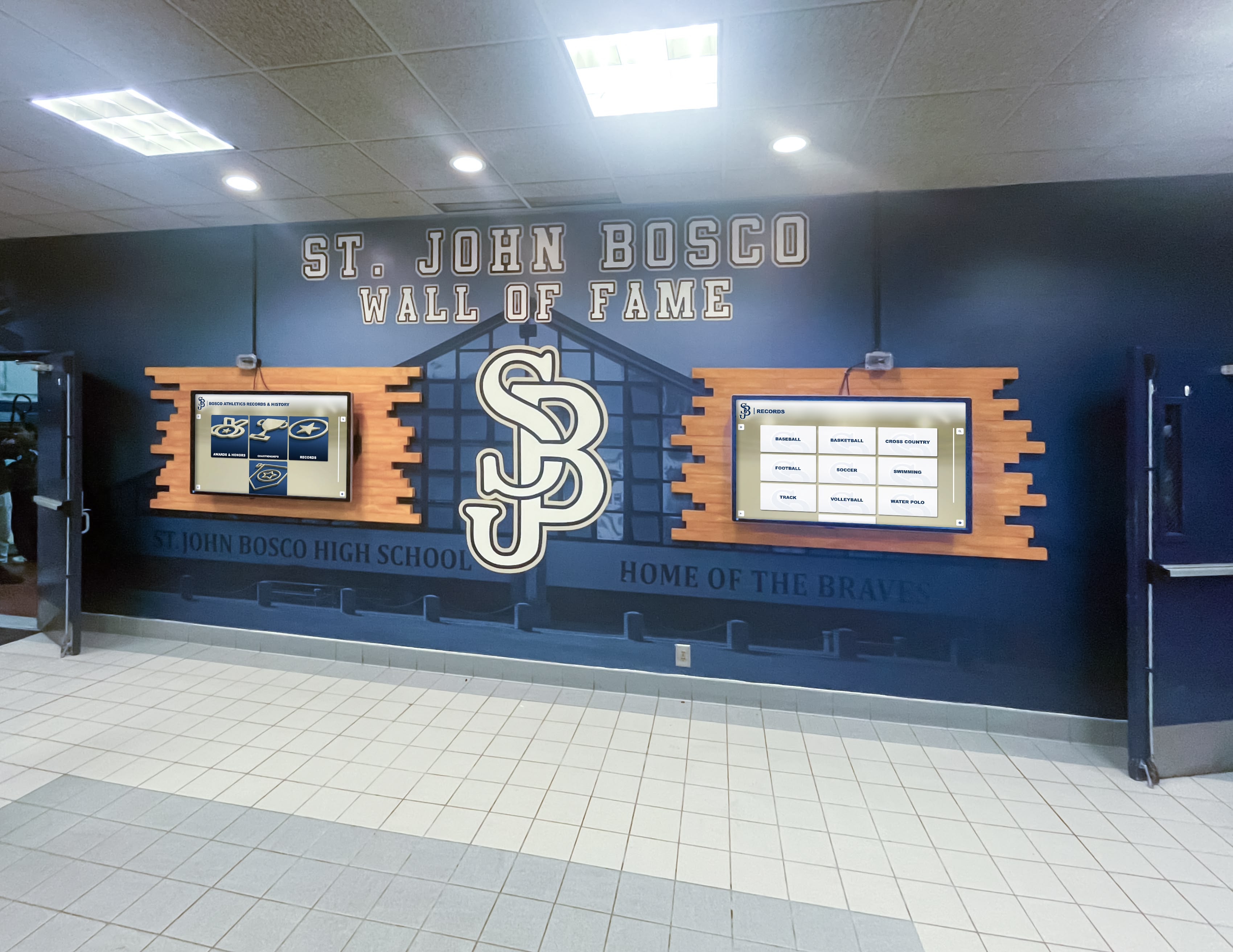
Multi-display networks benefit from centralized cloud management enabling consistent content across distributed installations
Interactive Limitations
- Minimal touchscreen capabilities
- Primarily designed for passive content display
- Not ideal for complex interactive recognition applications
- Better suited for announcements and information displays
Yodeck provides excellent value for budget-conscious organizations needing basic digital signage but requires supplementing with other solutions for sophisticated interactive recognition needs.
Intuiface: Advanced Interactive Experience Platform
For organizations requiring sophisticated custom interactive experiences beyond standard recognition templates, Intuiface provides powerful no-code development capabilities.
Platform Capabilities
- Visual interface designer with pixel-perfect control
- Extensive multi-touch gesture support
- Sensor integration (RFID, proximity, computer vision, IoT)
- Database connectivity for dynamic content
- Cross-platform deployment (Windows, Android, web)
- Offline operation ensuring reliability without connectivity
- Advanced analytics tracking user interactions
Content Management
- Cloud-based updates propagating to deployed experiences
- Media asset management with version control
- Template systems for consistent designs
- Role-based access control
- Custom integrations via APIs
Pricing Considerations
Subscription model starting around $99/month for basic deployments, scaling to enterprise pricing for extensive installations:
- Steeper learning curve than turnkey recognition platforms
- Requires design and interaction planning
- Best suited for unique requirements beyond standard applications
- Development time investment before deployment
Intuiface excels when organizations need highly customized interactive experiences for museums, corporate brand centers, or unique installations where specialized recognition platforms don’t fully address specific requirements.
Learn about best touchscreen software comparing web-based versus native application approaches for interactive displays.
Essential Features for Digital Signage Software Selection
Systematic evaluation across critical features ensures selected platforms meet both immediate deployment needs and long-term operational requirements.
Content Management and Workflow
Administrative Interface Usability
Long-term success depends on whether staff can independently manage content:
- Visual editing with real-time previews matching actual displays
- Intuitive workflows requiring minimal training
- Drag-and-drop media uploads
- Clear error messaging explaining problems and solutions
- Saved drafts preserving work-in-progress content
- Undo/redo capabilities recovering from mistakes
Organizations should request hands-on content management trials during evaluation—theoretical usability differs significantly from actual experience managing daily operations.
Multi-User Collaboration
Distributed content responsibilities require sophisticated permission systems:
- Role-based access controlling view, edit, and publish capabilities
- Department-level permissions enabling distributed management
- Approval workflows ensuring appropriate oversight
- Audit logging tracking who changed what and when
- Comments and annotations facilitating collaboration
- Scheduled publishing automating deployment at specified times

Touch-optimized interfaces enable intuitive navigation through recognition content without requiring instructions or training
Media Management and Storage
Rich multimedia creates engaging experiences but requires adequate infrastructure:
- Sufficient storage capacity (ideally unlimited or very high limits)
- Support for diverse media types (photos, videos, PDFs, audio)
- Automatic image optimization balancing quality and loading speed
- Video transcoding ensuring playback compatibility
- Media library organization with tagging and search
- Duplicate detection preventing redundant storage
Evaluate whether storage costs are included in platform subscriptions or require separate services adding complexity and expense.
Interactive Touchscreen Capabilities
Touch Optimization and Responsiveness
Public-facing touchscreens require careful interaction design:
- Minimum 44×44 pixel touch targets ensuring accurate selection
- Generous spacing between interactive elements reducing accidental taps
- Immediate visual feedback confirming touch registration
- Smooth animations and transitions
- Multi-touch gesture support when appropriate
- Forgiving input recognition tolerating imprecise touches
Search and Navigation
Visitors must find information quickly without frustration:
- Robust search with autocomplete and filters
- Multiple discovery paths: browsing, searching, featured content
- Clear visual hierarchy emphasizing primary content
- Breadcrumb trails showing location within content hierarchies
- Home button always accessible for starting over
- Logical information architecture using familiar organizing principles
Schools implementing touch screen kiosk software should test navigation with actual students, parents, and visitors ensuring interfaces work for real users.
Session Management and Security
Public touchscreens require automatic reset and security:
- Automatic return to home screen after user inactivity
- Configurable timeout periods balancing usability and privacy
- Session data clearing protecting user privacy
- Kiosk mode lockdown preventing system access
- Tamper-resistant configurations requiring passwords for changes
- Remote monitoring alerting to problems or unauthorized access
Hardware Compatibility and Deployment
Operating System and Device Support
- Windows, Android, iOS, Chrome OS, and Linux compatibility
- Screen size and resolution flexibility
- Portrait and landscape orientation support
- Touch technology compatibility (capacitive, infrared)
- External peripheral support (printers, scanners, cameras)
- Minimum hardware specifications
Organizations implementing touchscreen software should prioritize platforms supporting standard commercial displays rather than proprietary hardware limiting future flexibility.
Network Requirements and Offline Operation
- Bandwidth requirements for content synchronization
- Offline functionality continuing when networks unavailable
- Automatic content synchronization when connectivity restored
- Local caching strategies minimizing bandwidth usage
- Graceful degradation showing cached content when real-time data unavailable
- Remote monitoring and troubleshooting capabilities
Analytics and Performance Measurement
Engagement Tracking
Understanding visitor interaction informs optimization:
- Session counts and unique visitor estimates
- Average session duration indicating engagement depth
- Most-viewed content revealing popular information
- Search queries indicating what visitors seek
- Navigation paths showing how users explore content
- Time-of-day patterns informing staffing and content strategies
- Interaction heatmaps identifying frequently touched areas
Reporting and Data Visualization
Analytics value depends on presentation clarity:
- Dashboard views presenting key metrics at-a-glance
- Historical trend charts showing engagement evolution
- Comparative analysis between different content or locations
- Custom report builders for stakeholder-specific needs
- Automated report delivery via email
- Data export for deeper analysis in business intelligence tools
Organizations implementing digital recognition systems use analytics to identify which content generates most interest, optimize navigation structures, and demonstrate value to stakeholders.

Analytics capabilities help organizations understand how visitors interact with recognition content and optimize experiences accordingly
Pricing Models and Total Cost of Ownership
Understanding complete costs beyond initial software licensing ensures budget adequacy and realistic financial planning.
Software Licensing Models
Subscription-Based Licensing
- Monthly or annual recurring payments for ongoing access
- Automatic software updates and new features included
- Cloud hosting and backup typically included
- Scalable pricing based on screen count
- Lower initial investment compared to perpetual licenses
- Ongoing costs continuing indefinitely
Typical subscription costs range from $10-100/screen/month for basic platforms to $500-2,000/month for comprehensive recognition platforms with multiple locations and advanced features.
Perpetual Licensing
- One-time upfront payment for indefinite use
- Optional maintenance agreements for updates and support
- Higher initial investment but no ongoing required payments
- Less common in modern cloud-based digital signage market
- May require on-premises server infrastructure
Turnkey Solutions
- Complete packages including hardware, software, installation, and support
- Single upfront investment covering all components
- Predictable total costs simplifying budgeting
- Vendor responsibility for integration and configuration
- Ongoing support typically included in comprehensive packages
Purpose-built recognition platforms like Rocket Alumni Solutions often provide turnkey approaches eliminating complexity of coordinating multiple vendors and technologies.
Hidden Costs and Considerations
Implementation and Integration
- Initial content creation and data migration
- Staff training on content management
- Network infrastructure upgrades if needed
- Professional installation and configuration
- Custom design and branding services
Ongoing Operational Costs
- Content updates and management (staff time or outsourced services)
- Bandwidth and connectivity costs
- Electricity consumption for displays
- Hardware maintenance and eventual replacement
- Software subscription renewals
- Technical support contracts
Organizations should budget comprehensively for total cost of ownership over 5-7 year timeframes rather than focusing exclusively on initial software costs.
Selection Framework: Choosing the Right Digital Signage Software
Systematic evaluation ensures selected platforms meet organizational requirements across multiple dimensions.
Use Case Alignment
Recognition and Engagement Applications
Organizations focused on celebrating achievements, preserving institutional history, and engaging communities benefit from purpose-built recognition platforms offering:
- Pre-configured templates for athletic, academic, donor, and alumni recognition
- Searchable databases with unlimited capacity
- Integrated web platforms extending reach beyond physical locations
- Intuitive content management requiring no technical expertise
- Proven track record across educational and organizational contexts
General Information and Communication
Organizations primarily needing announcements, wayfinding, and information displays may prefer general digital signage platforms offering:
- Playlist-based content scheduling
- Real-time data widgets
- Template libraries for common applications
- Multi-location fleet management
- Cost-effective per-screen pricing
Specialized Interactive Experiences
Organizations with unique requirements beyond standard recognition or communication needs might justify custom development platforms offering:
- Advanced interactive capabilities
- Sensor and hardware integration
- Complete customization potential
- Higher complexity but maximum flexibility
Organizational Capability Assessment
Technical Expertise and Resources
- Organizations with limited IT staff benefit from turnkey platforms with comprehensive support
- Teams with development capabilities can leverage flexible frameworks
- Consider staff turnover and knowledge retention challenges
- Budget for ongoing technical support versus internal resource allocation
Content Management Capacity
- Evaluate whether staff can independently manage content or require ongoing vendor support
- Consider volunteer versus professional staff reliability
- Plan for succession when key individuals leave roles
- Test administrative interfaces during evaluation ensuring actual usability
Budget and Financial Constraints
- Balance initial investment against ongoing operational costs
- Consider total cost of ownership over multi-year timeframes
- Explore funding sources beyond general operating budgets
- Evaluate subscription versus perpetual licensing economics
Learn about interactive touchscreen realtor displays demonstrating specialized software applications across diverse industries.
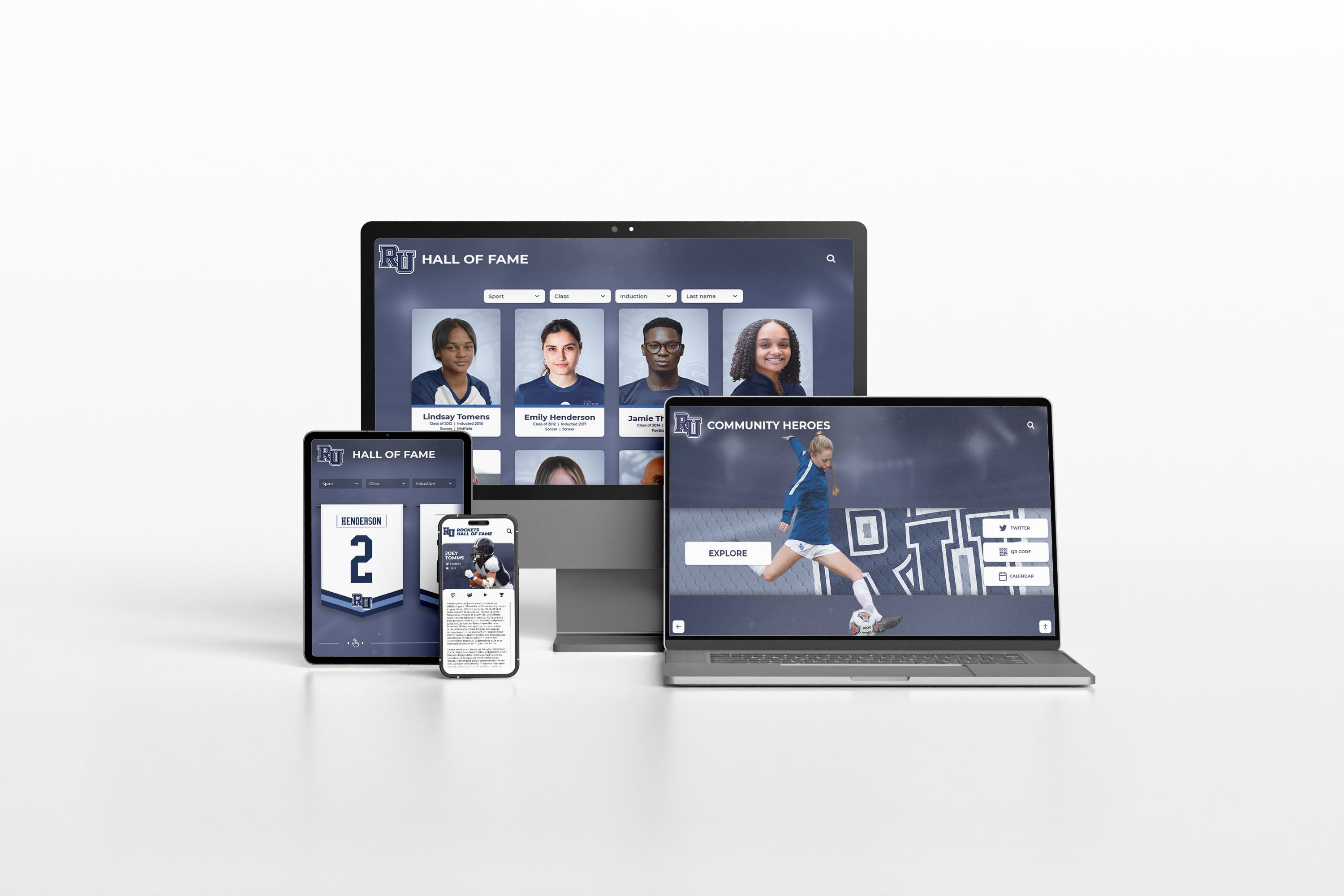
Cloud-based platforms extend recognition beyond physical touchscreens to worldwide accessibility via responsive web interfaces
Implementation Best Practices and Success Strategies
Following proven best practices ensures digital signage deployments achieve intended outcomes and deliver sustained value.
Planning and Requirements Gathering
Stakeholder Engagement
- Identify all departments and roles interacting with system
- Understand diverse content needs and update frequencies
- Determine approval workflows and governance structures
- Clarify success metrics and measurement approaches
- Establish realistic timelines accounting for content creation
Content Strategy Development
- Prioritize most important information for prominent placement
- Plan content creation workflows and responsibilities
- Develop style guides ensuring consistent branding
- Create content calendars scheduling regular updates
- Identify data sources for dynamic real-time information
Technical Infrastructure Assessment
- Verify network connectivity and bandwidth adequacy
- Confirm power availability at desired display locations
- Evaluate mounting surfaces and structural requirements
- Plan for future expansion and scalability
- Consider security and physical protection needs
User Experience Testing and Refinement
Usability Evaluation
Before public launch, conduct thorough testing:
- Recruit representative users matching target audience demographics
- Observe users completing typical tasks without intervention
- Note confusion points, abandoned tasks, and error patterns
- Collect subjective feedback through surveys or interviews
- Iterate based on findings before full deployment
Schools implementing digital recognition display systems should test with diverse user groups including students, parents, alumni, and community visitors.
Common Issues to Identify
- Navigation confusion preventing users from finding information
- Touch targets too small causing selection errors
- Text too small or insufficient contrast creating readability problems
- Loading delays creating perception of broken functionality
- Missing home buttons trapping users in content hierarchies
- Session timeout too aggressive interrupting user tasks
Ongoing Management and Optimization
Regular Content Updates
- Establish sustainable update schedules appropriate to content types
- Distribute content responsibilities across departments
- Implement approval workflows maintaining quality standards
- Archive outdated content removing irrelevant information
- Refresh featured content highlighting current priorities
Performance Monitoring
- Review analytics identifying popular and ignored content
- Track system uptime and technical reliability
- Monitor user feedback and support requests
- Measure achievement of defined success metrics
- Benchmark engagement against industry standards
Continuous Improvement
- Apply learnings from analytics to optimize content and navigation
- Incorporate user feedback addressing pain points
- Leverage platform updates accessing new capabilities
- Expand successful implementations to additional locations
- Share best practices across organizational departments
Organizations implementing college residence hall displays benefit from iterative improvement based on student engagement data.
Future Trends in Digital Signage Software
Understanding emerging capabilities helps organizations make forward-looking decisions remaining relevant as technology evolves.
Artificial Intelligence Integration
AI capabilities increasingly enhance digital signage experiences:
Personalization and Recommendations
- User behavior analysis suggesting relevant content
- Predictive search anticipating queries from partial input
- Dynamic content ordering based on likely interests
- Session learning improving recommendations during visits
Natural Language Interfaces
- Voice interaction enabling hands-free operation
- Conversational search using natural questions
- Multilingual voice recognition supporting diverse visitors
- Intent recognition understanding user goals
Computer Vision Capabilities
- Touchless gesture recognition enabling hygiene-conscious interaction
- Demographic detection for anonymous analytics
- Accessibility features assisting users with diverse abilities
- Object recognition integrating physical items with digital content
Cloud-Native Architectures and Edge Computing
Platform evolution enables sophisticated capabilities:
- Real-time global content updates across distributed networks
- Automatic failover and self-healing systems
- A/B testing comparing content variations
- Predictive maintenance preventing failures before occurrence
- Edge processing reducing latency and bandwidth requirements
Integration and Ecosystem Connectivity
Digital signage increasingly connects with broader technology ecosystems:
- Integration with building management systems
- Connection to institutional databases and SIS systems
- Social media integration for user-generated content
- Calendar and scheduling system synchronization
- Emergency notification system integration
Organizations implementing best platforms for virtual hall of fame should prioritize vendors demonstrating commitment to ongoing innovation.
Conclusion: Selecting the Best Digital Signage Software for Your Needs
The best digital signage software for 2026 depends fundamentally on your specific use case, organizational capabilities, and long-term vision. No single platform optimally serves every application—the right choice balances your recognition goals, engagement objectives, technical resources, and budget constraints while remaining manageable within your operational capabilities.
Purpose-built recognition platforms excel when:
- Primary focus involves celebrating achievements and preserving institutional history
- Interactive touchscreen engagement creates meaningful visitor experiences
- Organizations prioritize ease-of-use and comprehensive support
- Web accessibility extending recognition beyond physical locations matters significantly
- Proven templates and best practices accelerate implementation
- Turnkey solutions including hardware, software, and support appeal to resource-constrained teams
General digital signage platforms excel when:
- Diverse content types span announcements, wayfinding, and basic information
- Passive display predominates over interactive engagement
- Organizations manage distributed screen networks across facilities
- Budget constraints favor cost-effective per-screen pricing
- Basic functionality meets requirements without sophisticated features
Custom interactive platforms excel when:
- Unique requirements differ significantly from standard applications
- Internal development teams possess relevant expertise
- Sophisticated sensor integration or custom interactions provide important value
- Organizations can invest in development and maintenance
Most educational institutions, athletic programs, alumni associations, and community organizations implementing recognition and engagement applications find purpose-built platforms like Rocket Alumni Solutions provide optimal balances of functionality, usability, support, and value—delivering comprehensive capabilities through intuitive interfaces backed by proven implementation experience.
Ready to Transform Your Recognition Program?
Discover how purpose-built interactive touchscreen solutions celebrate achievements, preserve institutional history, and engage communities through compelling experiences combining professional displays, intuitive software, and worldwide web accessibility.
Schedule a Custom Recognition DemoThe digital signage software landscape continues evolving with artificial intelligence, enhanced analytics, and deeper integration capabilities creating increasingly sophisticated experiences. Yet fundamental principles remain constant—understanding your audience, designing for their needs, choosing appropriate technologies for your context, selecting vendors committed to long-term partnership, and maintaining fresh relevant content ensuring sustained engagement over time.
Your recognition displays deserve software supporting your institutional vision while remaining affordable and manageable within your capabilities and budget. Whether implementing your first interactive touchscreen or expanding existing recognition programs, the comprehensive platform options explored throughout this guide provide pathways transforming engagement goals into compelling experiences that educate, inspire, and connect your communities for years to come.
Ready to explore how interactive touchscreen technology can transform your recognition program? Learn more about comprehensive digital recognition solutions or discover digital hall of fame ultimate buying guide for educational institutions.































