School history, shared
Athletic Archive Video Digitization Standards: File Formats, Quality Checks, and Access Copies

Athletic archive video digitization standards give school programs a documented, repeatable workflow for converting game tapes, ceremony recordings, and oral-history interviews into files that survive format obsolescence, remain searchable decades from now, and feed directly into recognition displays, digital yearbooks, and hall-of-fame platforms. Without that structure, a collection of VHS tapes, MiniDV cassettes, and Hi8 camcorder footage degrades on a shelf while the playback hardware that could still read those tapes disappears from the market.
This guide covers every layer of a practical video digitization program for school athletics: selecting the right archival and access-copy file formats, executing quality checks that catch problems before they become permanent, organizing the resulting files so coaches and administrators can find what they need, and connecting finished video archives to the recognition workflows that serve athletes and families for decades.
Why Athletic Archive Video Digitization Standards Matter for Schools
Magnetic tape deteriorates through a process called hydrolysis—the binder that holds oxide particles to the tape base breaks down over time, especially in storage rooms with inconsistent temperature and humidity. Once that degradation begins, playback becomes unreliable and eventually impossible. Schools that postpone digitization face a closing window: every year that passes reduces the proportion of the collection that can be recovered.
Video records also carry recognition value that no other archive format replicates. A state championship game film from 1998, a retirement ceremony for a long-serving coach, or an oral-history interview with a hall-of-fame athlete communicates something that statistics and photographs cannot. Standardizing how you digitize, describe, and store that footage is what allows it to remain usable 20 years after you create the digital file.
Athletic archive video digitization standards address three layers simultaneously:
- Preservation layer — the archival master file, stored in a lossless or near-lossless format, never modified after creation.
- Quality assurance layer — the documented checks that confirm the digital file accurately represents the source tape before the tape is returned to storage or retired.
- Access layer — the derivative files that coaches, students, media staff, and recognition platforms can use for display, editing, and streaming without touching the archival master.

Video footage of athletic recognition events, ceremonies, and demonstrations becomes part of the permanent archive — standards determine whether that footage remains accessible for decades
Archival Master File Formats
The archival master is the highest-quality digital version of the source content and the file from which all derivative copies are made. It should never be compressed with a lossy codec, never transcoded to save space, and never stored as the only copy. Choose one format from the list below and apply it consistently across your entire collection.
| Format | Container | Codec Type | File Size (per hour) | Best Suited For |
|---|---|---|---|---|
| FFV1 | MKV | Lossless | 25–50 GB | Long-term open-standard preservation |
| Apple ProRes 422 HQ | MOV | Visually lossless | 30–55 GB | Programs with Apple-based editing workflows |
| Apple ProRes 4444 | MOV | Visually lossless | 70–100 GB | High-value content with alpha channel needs |
| Uncompressed 10-bit | MOV / AVI | Uncompressed | 100–200 GB | Broadcast-quality originals requiring zero quality loss |
| JPEG 2000 (lossless) | MXF | Lossless | 30–60 GB | Programs aligned with institutional archives and libraries |
FFV1 in an MKV container is the most practical starting point for school athletic archives. It is an open standard maintained by the open-source community, carries no licensing cost, and is supported by widely available tools including FFmpeg. The format is recommended in preservation frameworks from major digital archives because it remains readable without proprietary software.
ProRes 422 HQ is the better choice if your program uses Final Cut Pro or any Apple-based editing workflow for highlight reels, because the format moves directly into that pipeline without a conversion step.
Regardless of which archival format you select, document the choice in your archive policy and apply it without exceptions. Mixed-format master libraries require format identification at every access event, which adds ongoing overhead that accumulates over years.
Access Copy File Formats
Access copies are the derivative files staff, coaches, students, and recognition platforms actually use. They are compressed, smaller than archival masters, and optimized for playback rather than preservation. Creating standardized access copies protects the archival master from repeated access and conversions.
| Use Case | Format | Container | Target Bitrate | Notes |
|---|---|---|---|---|
| High-quality display copy | H.264 | MP4 | 8–15 Mbps | Universal compatibility; lobby kiosks, presentation screens |
| Web streaming / yearbook embed | H.264 | MP4 | 3–5 Mbps | Optimized for browser playback and bandwidth |
| Mobile delivery | H.265 / HEVC | MP4 | 4–8 Mbps | Better compression for mobile; requires compatible devices |
| Clip extract / highlight reel | H.264 | MP4 | 10–20 Mbps | Higher bitrate preserves quality through editing steps |
| Archive research copy | ProRes Proxy | MOV | 3–5 Mbps | Low-bandwidth proxy for review; shares container with master |
Every access copy should be labeled with the accession number of the archival master it derives from. That link—stored in a “Source Accession” metadata field—ensures staff can always retrieve the highest-quality version when a project demands it, without searching through an unstructured file system.
Keep access copies in a dedicated subfolder separate from archival masters, and use a naming convention that signals file type at a glance:
[ACCESSION_NUMBER]_access_[resolution].mp4
Example: RHS-FB-VID-2023-0001_access_1080p.mp4
Quality Check Procedures
A quality check confirms that the digital file faithfully represents the source tape, that metadata is complete, and that the file is undamaged. Quality checks should be completed before the source tape is returned to storage and before the archival master is copied to backup locations.
Visual and Audio Inspection
Run the complete file from start to finish during the initial quality check. You are looking for:
- Dropout artifacts — short horizontal white or colored lines caused by tape damage or read-head contamination. Document the timecode and frequency. Isolated dropouts are acceptable; clusters indicate source tape damage that may require re-capture.
- Blocking or pixelation — visible compression blocks that were present in the source signal or introduced during capture. These cannot be corrected after capture; note them in the condition record.
- Color shift or desaturation — a section that abruptly changes in color balance, often caused by a tape damage point. Compare against adjacent sections.
- Audio dropouts or distortion — loss of audio signal, clipping, or persistent hum. Check both channels independently.
- Speed irregularities — content that appears to play too fast or slow, or sections where audio and video lose sync. Often caused by worn capstan mechanisms during capture.
Technical Verification Steps
| Check | Tool or Method | Pass Condition |
|---|---|---|
| Duration match | Compare file duration to expected run time from the tape log | Within ±2 seconds |
| Audio level | Inspect waveform or use a loudness meter | Peaks between −18 dBFS and −6 dBFS for speech; no sustained clipping |
| File size plausibility | Compare against expected size for the format and duration | Within ±10% of expected range |
| Checksum generation | MD5 or SHA-256 via FFmpeg or standalone tool | Generate at capture; regenerate at first backup; values must match |
| Container validation | MediaInfo or similar technical metadata tool | No format errors reported; all streams recognized |
| Metadata completeness | Review embedded metadata and catalog record | All mandatory fields populated |
Checksum verification is the most important step for long-term integrity. A checksum is a mathematical fingerprint of the file’s exact bit content. Generate a checksum at the moment of capture, store it in the accession record, and regenerate it whenever the file is copied to a new storage location. A mismatch signals file corruption that may not be visible during playback.
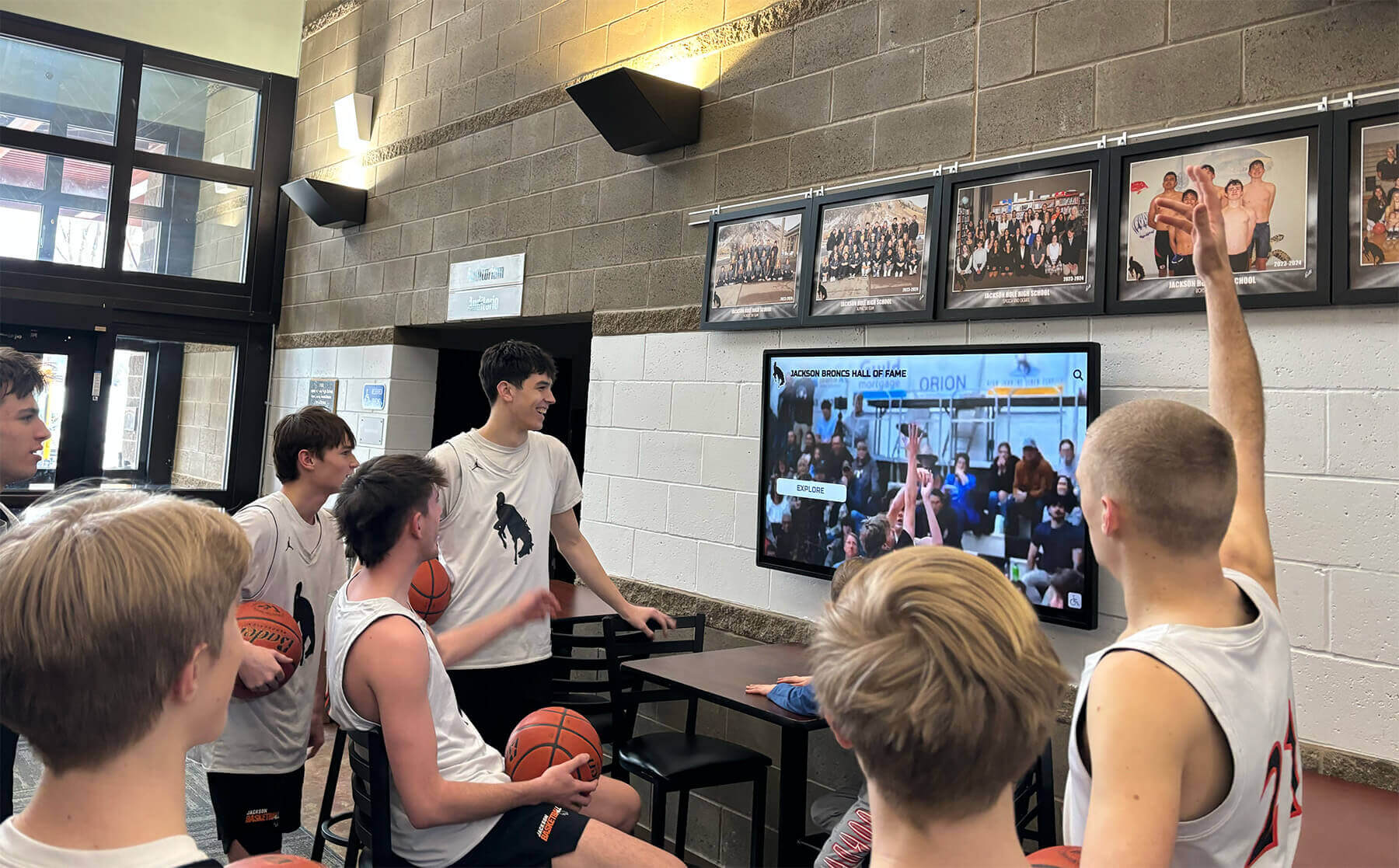
Quality-checked game footage becomes the content that drives recognition displays — players and families rely on that footage being complete and accurate years after the original recording
Mandatory Metadata Fields for Video Records
Metadata is what makes a video file findable, understandable, and usable by someone who was not present when it was recorded. Embed the following fields in the file itself (using container-level metadata tags) and replicate them in the accession register.
| Field | Description | Example |
|---|---|---|
| Accession Number | Five-segment archive identifier | RHS-FB-VID-2023-0001 |
| Title | Descriptive title of the content | “Riverside High School vs. Lincoln Academy — Varsity Football Semifinal 2023” |
| Date | Full date of the recorded event | 2023-11-04 |
| Sport / Program | Sport or activity depicted | Football |
| Event Type | Type of recording | Game, Ceremony, Practice, Interview, Highlight Reel |
| Duration | Runtime of the file | 01:42:17 |
| Source Format | Physical format of the original | VHS, MiniDV, Hi8, DVD, Digital File |
| Capture Equipment | Hardware used to digitize | Blackmagic Intensity Pro 4K; Elmo TRV-1S VHS deck |
| Operator | Staff member who performed the capture | Initials or name |
| Quality Check Date | Date QC was completed | 2026-03-15 |
| Checksum | MD5 or SHA-256 value of the archival master | a3f2… |
| Rights Status | Clearance status for display and distribution | Cleared / Pending / Restricted |
| Related Accession Numbers | Linked items (photos, trophies, programs) | RHS-FB-TRP-2023-0001 |
Rights status deserves particular attention for athletic video archives. Game footage recorded by school staff on school equipment is generally owned by the institution, but footage captured by broadcast crews, parent volunteers, or commercial photographers may require written clearance before display. Oral-history interviews require consent from every individual who appears on screen. Document rights status at the time of digitization, not as a deferred task.
Source Format Identification and Capture Priorities
School athletic archives typically contain several generations of consumer and semi-professional magnetic tape formats. Each format requires specific playback hardware that is increasingly difficult to source and maintain.
| Format | Introduced | Common Athletic Content | Capture Priority |
|---|---|---|---|
| VHS / S-VHS | 1970s–2000s | Game recordings, booster club productions, ceremony footage | High — hardware failure imminent |
| Betacam SP | 1980s–1990s | Broadcast-quality game coverage, cable access productions | High — professional format with shrinking service base |
| Hi8 | 1980s–2000s | Sideline footage, practice recordings, parent-captured games | High — camcorder hardware deteriorating |
| MiniDV / DVCam | 1990s–2010s | Modern game footage, ceremonies, interviews | Medium — hardware still serviceable |
| DVD-R / DVD+R | 2000s–2010s | Edited highlight compilations, ceremony recordings | Medium — disc rot affects recordable DVDs |
| DV tape in HDV format | 2000s–2010s | High-definition game recordings | Medium — compatible with MiniDV hardware |
| Digital files on optical media | 2000s–present | Files on CD-R, DVD-R, Blu-ray | Low — migrate to current storage immediately |
Prioritize formats where playback hardware is most at risk. VHS, Betacam SP, and Hi8 decks are no longer manufactured and the remaining used-equipment supply shrinks annually. Once working decks are unavailable in your region, the window for digitizing those formats closes.
For high-profile athletic events like championship seasons, even a single recovered game tape can become the centerpiece of an anniversary recognition event, a hall-of-fame induction profile, or a lobby display. The recognition value of that footage justifies prioritizing its capture before hardware becomes unavailable.
Storage Architecture for Digitized Video
Archival masters are large files. A single season of VHS game recordings digitized to FFV1 can easily exceed 300 GB. Storage architecture must be designed for that scale from the start.
The 3-2-1 Rule for Video Archives
The preservation standard for digital archives is the 3-2-1 rule:
- 3 copies of every archival master
- 2 different storage media types (e.g., local NAS plus cloud)
- 1 copy stored off-site (physically separate from the school building)
School athletic archives should maintain:
- Working copy — on a local NAS or workstation, used for quality checks, access copy creation, and catalog work.
- On-site backup — on a separate drive or NAS enclosure, updated after every digitization session.
- Off-site or cloud backup — synchronized to a cloud storage service or physically stored at a separate location (district office, public library partnership).
Access copies can share storage with archival masters but should be in separate folders, clearly labeled. Never use access copies as the only copy of a video if the source tape is no longer playable.
Folder Structure
Mirror the accession number structure in your folder hierarchy:
/ARCHIVE/
  [SCHOOL]/
    [SPORT]/
      VID/
        [YEAR]/
          [ACCESSION_NUMBER]/
            [ACCESSION_NUMBER]_master.mkv
            [ACCESSION_NUMBER]_master.md5
            [ACCESSION_NUMBER]_access_1080p.mp4
            [ACCESSION_NUMBER]_access_720p.mp4
Keeping the accession number as a folder name rather than encoding it only in the filename makes files findable by browsing even without a catalog search.
Building Access Copies for Recognition Displays and Digital Yearbooks
Access copies bridge the archive and the recognition programs that make athletic history visible to students, athletes, and alumni. Different use cases require different specifications.
Lobby and hallway displays benefit from access copies at 1080p resolution with a bitrate of 10–15 Mbps. Higher bitrates produce sharper images on large screens and reduce the visible compression artifacts that make older footage look worse than it actually is.
Digital yearbook embeds and web playback require smaller files—typically 720p at 4–6 Mbps for reliable streaming. Yearbook platforms that support video embeds generally impose file-size limits; create a dedicated web-optimized access copy rather than uploading an archival master or high-resolution display copy.
Hall-of-fame and recognition platform uploads should match the ingest specifications of the platform you use. Most recognition platforms accept MP4 files with H.264 encoding. Check the platform’s documentation for maximum file size, duration limits, and codec requirements before creating access copies.
For institutions developing alumni gathering spaces and recognition areas, video content integrated into lounge displays or hallway screens adds a dimension that static photos and text plaques cannot replicate. Standardized access copies make that integration straightforward because the files are already in the format and resolution that display hardware expects.
Schools using digital signage for athletic recognition can pull access copies directly into their content management systems once file formats, resolution, and bitrates are aligned with the display hardware. The upfront work of creating standardized access copies eliminates the ad hoc format conversions that slow down content updates.

Standardized access copies allow footage captured at events and ceremonies to flow directly into recognition platforms, lobby displays, and digital yearbooks without re-encoding delays
Clip Extracts and Highlight Reels
Highlight reels and clip extracts are a specialized access copy type that schools produce by editing content from multiple archival sources into a single deliverable. They serve distinct purposes from the full-game or full-ceremony access copy.
Best practices for clip extracts:
- Always edit from the highest-quality access copy available, not from a web-optimized version.
- Retain the accession numbers of every source file used in the edit. Document them in the export file’s metadata and in the accession record for the highlight reel.
- Export finished highlight reels at the same standard as high-quality display copies (1080p, H.264, 10–15 Mbps) unless the platform has lower requirements.
- Assign the highlight reel its own accession number (using the
VIDasset type code) and link it to every source accession it draws from.
Student athletics programs with diverse content needs—from track and field to basketball to cross-country—generate video content across many sports. A highlight reel for an all-sports banquet, for example, might draw from dozens of source accessions. Linking accession numbers in both directions (source → highlight; highlight → source) keeps the full provenance chain intact.
Integration with Athletic Recognition Programs
Digitized video integrates directly into recognition workflows when the file-naming, metadata, and access-copy standards are consistent with the rest of the archive.
Hall-of-fame nominations are strengthened by video evidence that photographs and statistics cannot provide. A three-minute clip of a nominee’s most significant competitive moments gives the reviewing committee context that changes how they read the box score. When the archive includes standardized video accession records linked to the nominee’s other accession numbers (trophies, photos, award certificates), the committee can locate that evidence through a single register query.
Annual recognition events benefit when access copies are already formatted for the display hardware. When someone requests the 2015 state championship highlights for a tenth-anniversary banquet, a standardized archive produces a ready-to-use file in minutes rather than requiring a new conversion from a deteriorated tape.
Academic honors ceremonies and multi-sport recognition events, including academic all-state and honors banquets, increasingly incorporate video tributes. Standardized archival masters provide the source material; standardized access copies provide the delivery files—and the workflow that connects them is what makes video tribute production repeatable rather than one-off.
For programs displaying recognition content in hallways or athletic touchscreen kiosks, video clips embedded in athlete profiles add depth that static portrait cards do not. A graduating senior’s hall-of-fame profile that includes a 90-second game highlight becomes a richer record for alumni returning to campus years later.
Ready to connect your digitized video archive to a searchable recognition platform? Rocket Alumni Solutions displays athlete profiles, hall-of-fame inductees, and championship histories in interactive formats that include video content. Request a demo to see how standardized archive files integrate with digital recognition displays.
Video Digitization Quality Checklist
Use this checklist to track each digitization session from source tape to completed access copy.
Pre-Capture
- Inspect source tape for visible physical damage (mold, broken housing, warping)
- Check playback hardware for clean read heads; clean if necessary
- Confirm capture settings match the archival format standard for the collection
- Verify available storage space for the expected file size
- Create the accession record in the register with all known metadata before starting capture
Capture
- Record the complete tape content without stopping
- Monitor the capture in real time for obvious artifacts or signal loss
- Note any observed problems with timecode in the accession record
- Confirm file was written completely (no premature stop or system error)
Quality Check
- Complete visual review of the full file
- Complete audio review of both channels
- Verify duration against expected run time
- Run container validation (MediaInfo or equivalent)
- Generate and record MD5 or SHA-256 checksum
- Confirm all mandatory metadata fields are populated in both file and register
Access Copy Creation
- Create 1080p H.264 display access copy from the archival master
- Create 720p H.264 web access copy if needed
- Name access copies using the
[ACCESSION_NUMBER]_access_[resolution].mp4convention - Store access copies in the designated subfolder
Backup and Close-Out
- Copy archival master and access copies to on-site backup
- Verify checksums on backup copies match originals
- Schedule synchronization to off-site or cloud backup
- Update accession register to mark digitization complete
- Return source tape to climate-controlled storage
Common Video Digitization Mistakes to Avoid
Digitizing to a lossy format for the archival master. Some programs digitize tapes to H.264 MP4 because those files are small and immediately usable. The problem is that H.264 is a lossy codec—every generation of transcoding degrades quality. The archival master must be lossless or near-lossless. Create H.264 access copies from the master; never use H.264 as the master.
Omitting checksums. Without a checksum generated at the moment of capture, you cannot prove that a backup copy is identical to the original. Silent file corruption—bit rot, incomplete copies, write errors—can go undetected for years if no integrity check is in place.
Creating access copies before quality checks are complete. If quality checks reveal a capture problem that requires recapture, access copies made from the flawed file are wasted work. Always complete quality checks on the archival master before creating any derivative.
Storing archival masters and access copies in a single folder. Mixed folders make it easy to accidentally use an access copy as a source for further derivation, compounding quality loss. Separate folder structures prevent this.
Relying on filenames alone for organization. Filenames change during backups, uploads, and migrations. Embedded metadata and a register record survive those changes. Both are required; neither is sufficient on its own.
For programs managing recognition systems that span athletics, academics, and community honors, the same standards apply to video content from non-athletic events—music performances, honor ceremonies, guest speaker recordings—that may eventually be integrated into a unified recognition archive.
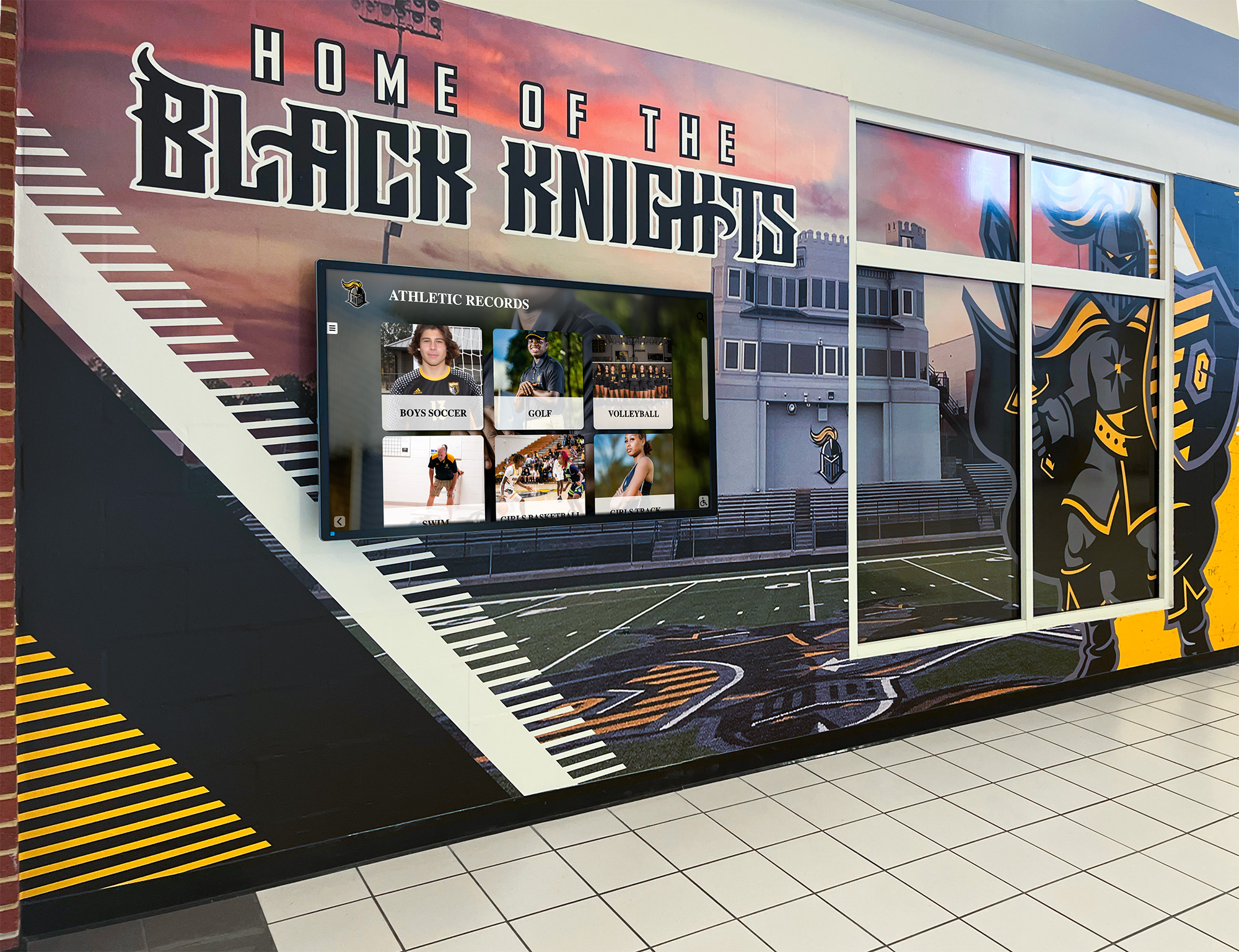
Digitized video feeds the same recognition displays as photos, statistics, and trophies — consistent standards across all asset types keep the entire archive coherent
Connecting Video Standards to Broader Athletic Archive Systems
Athletic archive video digitization standards work most effectively when they operate within a broader archive system rather than as a standalone video project. Video files share accession numbers with photos, trophies, programs, and statistics from the same events. The same register that tracks a VHS game tape also tracks the printed program from that game and the trophy awarded at the end of the season.
Athletic archive programs that incorporate both digital and physical collections have found that video content often provides the missing context that turns isolated records into complete stories. A trophy with an accession number that links to the game video from the championship night it was won tells a complete story; a trophy with no linked records tells only half of one.
The five-segment accession number format—[SCHOOL]-[SPORT]-[TYPE]-[YEAR]-[SEQ]—already accommodates video through the VID asset type code. Every digitized video enters the archive as a numbered, catalogued, rights-assessed record rather than an unnamed file on a shared drive.
Frequently Asked Questions
How long does it take to digitize a collection of VHS tapes?
VHS digitization runs in real time—a two-hour tape requires at least two hours of capture time, plus setup, quality checking, and access copy creation. A realistic estimate for a single session of two to four tapes, including all quality steps, is four to six hours of active staff time. Collections of 50–100 tapes are often approached as multi-semester projects with dedicated volunteer or student archivist support.
Can we use consumer-grade digitization hardware for archival-quality capture?
Consumer capture devices vary widely in output quality. Devices that output uncompressed or ProRes video are suitable for archival capture; devices that compress directly to H.264 at the capture stage are not. Look for hardware that allows you to specify the codec and bitrate rather than devices that produce a fixed output format. Professional-grade frame synchronizers are necessary when capturing from worn tapes with unstable sync signals.
What should we do with tapes that cannot be played back due to physical damage?
Tapes with binder hydrolysis (sticky-shed syndrome) can sometimes be recovered through controlled heating in a specialized oven before playback. Tapes with visible mold require professional remediation before any playback attempt. Both cases are beyond standard school workflows and typically require the services of a specialist archive preservation vendor. Document the tape, note its condition in the accession record, and retain it rather than discarding it—preservation techniques continue to improve.
Is it necessary to keep the source tapes after digitization?
Yes, for any tape that is not confirmed fully recoverable. Physical tapes remain the primary source if a digitization problem is discovered after the fact or if preservation technology improves and a higher-quality capture becomes possible. Tapes should be retained in climate-controlled storage—ideally 65°F and 35% relative humidity—with accession labels that link them to their digital counterparts. Discarding tapes immediately after digitization eliminates any recourse if a file is later found to be damaged or incomplete.
How do digitized video files connect to a recognition platform or digital yearbook?
Most recognition platforms accept video as MP4 files with H.264 encoding. Your high-quality display access copy (1080p, 10–15 Mbps) or web-optimized copy (720p, 4–6 Mbps) can be uploaded directly once metadata is added to the platform’s fields. If the platform allows custom metadata fields, add the accession number as an external identifier so the platform record and the archive register remain linked.
Next Steps
Establishing athletic archive video digitization standards is a one-time policy decision that pays recognition dividends for as long as the archive exists. Start with whatever magnetic tape is most at risk in your collection, apply the archival master format consistently from the first session, complete quality checks before creating any access copies, and maintain the register link between every video file and the rest of the archive.
The result is a collection where staff can locate, verify, and deploy athletic video content for recognition programs, anniversary events, digital displays, and yearbooks without starting a new search-and-conversion project every time a request arrives.
Connect your digitized video archive to interactive recognition displays, athlete profiles, and hall-of-fame platforms.
Ready to see this for your school?
Picture your collection in a custom mockup
Start with your yearbook collection and digitization goals, then request a custom digital mockup for your school.