School history, shared
Athletic Archive Tape Skew Correction: A Preservation Workflow for Legacy Game Video
Athletic archive tape skew correction is the process of diagnosing and correcting the geometric distortion—angled or “leaning” images, ragged horizontal edges, and picture bending at the top or bottom of the frame—that appears when a VHS, S-VHS, Betacam, or 3/4-inch U-matic tape is played back with incorrect tension or a misaligned head drum wrap angle. Unlike signal-level artifacts such as dropout or dot crawl, tape skew is a timing artifact: the rotating heads read the diagonal tape tracks fractionally early or late across the frame, causing the horizontal synchronization pulses to arrive out of alignment and the picture to appear sheared rather than rectangular.
The practical consequence for school athletic archives is significant. A game tape that looks fine on a consumer TV—where the set’s internal sync circuitry masks minor skew—can exhibit severe image bending on a modern capture workstation or flat-panel monitor, making the footage appear unusable. That apparent unusability has led many programs to abandon tapes that are actually in good physical condition and contain irreplaceable championship footage, record-setting performances, and athletic history that cannot be recovered from any other source.
This workflow is written for school administrators, athletic directors, facilities and IT staff, and recognition-program owners who need a methodical, preservation-sound process for diagnosing tape skew, correcting it as much as possible at the capture stage, and producing a clean access copy ready for display in hallways, lobby kiosks, and digital hall-of-fame installations.
Tape-skew correction applied to athletic archive video frequently rescues footage that staff had written off as degraded beyond use—revealing clean game action, scoreboard close-ups, and player recognition moments that belong in a program’s permanent recognition record.

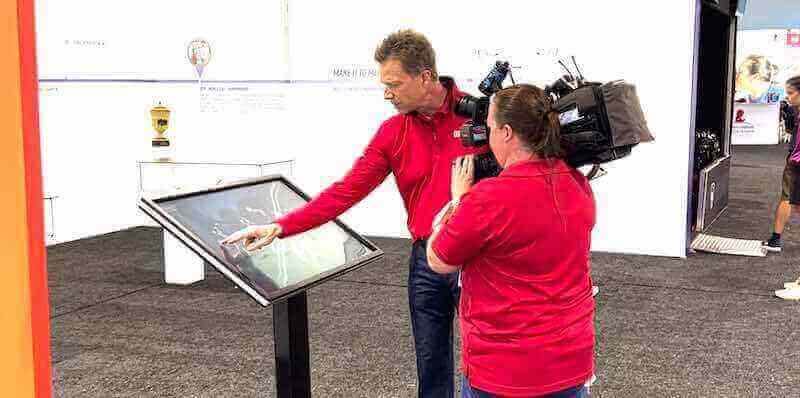
From sideline camera to digital display—athletic archive video passes through careful preservation steps, including tape skew correction, before it is ready for the lobby screens and touchscreen kiosks that bring a program's competitive history to life
What Tape Skew Is and Why It Affects Athletic Archives
Tape skew is a playback timing error rooted in the physical relationship between the tape and the rotating head drum. In helical-scan video formats—VHS, S-VHS, Betacam, and 3/4-inch U-matic—video information is recorded in diagonal tracks across the tape width. The rotating drum holds two or more video heads that sweep across those tracks as the tape moves past. When the tape is held against the drum with the correct tension, each head reads its diagonal track precisely from beginning to end. When tension is wrong—too loose, too tight, or uneven across the tape width—the effective angle of the track changes slightly during each sweep, and the horizontal sync pulse that marks the beginning of each scan line arrives at the wrong moment.
The display result is a picture that appears to lean sideways or bend at the top. On consumer equipment, an internal sync separator and flywheel timing circuit absorbs modest skew errors and presents a stable image. On a capture workstation feeding signal directly into a digitizer without this correction circuitry, even moderate skew produces a visibly distorted frame. On modern progressive-scan monitors that do not tolerate analog timing irregularities, severe skew causes rolling, tearing, or complete loss of lock.
For athletic archives, skew appears most visibly in the following situations:
- Opening seconds of playback: Tape tension stabilizes as the tape accelerates from a stopped position. The first 10–30 seconds of a recording often show the most severe skew before the deck reaches operating speed.
- Post-fast-forward or post-rewind sections: Any segment played immediately after a cue or search pass has elevated skew risk because the tape pack was disturbed during the high-speed operation.
- Tapes stored in poor conditions: Tapes that experienced humidity fluctuations, heat cycles, or improper storage develop uneven oxide coating and backing film stress that alters the effective tape tension profile during playback.
- Worn or out-of-tolerance playback decks: A deck with worn tape guides, a degraded pinch roller, or a capstan motor operating out of specification applies inconsistent tension across the tape path, amplifying any latent skew tendency in the tape itself.
Because skew is a mechanical and timing artifact rather than a chemical one, it is often correctable at capture time through proper deck maintenance, a time base corrector (TBC), and, for residual skew that the hardware cannot fully eliminate, targeted software stabilization on the captured file.
Who This Workflow Serves
| Role | Primary Concern | How This Workflow Helps |
|---|---|---|
| School Administrator | Institutional record integrity | Produces displayable footage without altering the archival master |
| Athletic Director | Program legacy and recognition | Delivers clean access copies for lobby screens, inductions, and alumni events |
| Facilities / IT Staff | Workflow implementation | Provides a repeatable technical procedure with tool references |
| Librarian / Archivist | Accession and metadata standards | Embeds processing decisions into the accession record |
| Recognition-Program Owner | Content for hall-of-fame displays | Supplies access copies that look professional on modern displays |
Schools that have already catalogued their athletic history for digital hall-of-fame recognition programs will find that corrected game video slots directly into the same display infrastructure, adding motion content alongside trophy photos, athlete portraits, and championship records.
Athletic Archive Tape Skew Correction: Step-by-Step Workflow
This workflow follows a preservation-first structure. The archival master is captured and locked before any skew correction is applied to the access copy.
Step 1: Diagnose Skew Severity Before Capture
Attempting to capture a skewed tape without first diagnosing the cause wastes time and produces masters that are harder to correct in software. Spend five to ten minutes on diagnosis before beginning any capture session.
- Play a short segment on a reference monitor through the deck’s composite or S-Video output. A consumer CRT television is acceptable for initial diagnosis because its internal sync processing will mask mild-to-moderate skew—if you see visible bending even on a CRT, the skew is severe and the deck or TBC requires attention before capture.
- Note whether skew affects the entire frame uniformly or only the top or bottom. Top-of-frame bending is the most common presentation and typically indicates inadequate back tension (the supply reel is not applying enough drag). Bottom-of-frame bending is less common and often points to capstan or pinch-roller issues. Bending that shifts direction during playback suggests a worn or contaminated tape guide.
- Check whether the same tape exhibits less skew on a second, known-good playback deck. If the skew is deck-specific, the deck is the problem. If the tape skews identically on multiple decks, the tape itself has deformed guides, uneven oxide deposition, or backing film stress.
- Assign a severity rating: Mild (slight lean visible only on capture output), Moderate (visible on reference monitor, frame top noticeably angled), or Severe (picture tears or loses horizontal sync on modern displays). Record the rating in the tape’s accession record. Mild and moderate skew can often be addressed entirely with a good TBC. Severe skew requires both hardware correction and software post-processing.
Step 2: Address Deck Condition Before Capture
A clean, properly aligned playback deck is the most effective tape-skew correction available. Software can compensate for residual skew, but it cannot fully substitute for a stable capture chain.
- Clean the tape path and heads. Oxide contamination on the drum, tape guides, or capstan pinch roller causes irregular friction that directly worsens tension-induced skew. Use isopropyl alcohol (91% or higher) on a lint-free swab for the stationary guides and capstan; use a manufacturer-approved head-cleaning cassette or manual cleaning technique for the rotating drum heads.
- Inspect the pinch roller. A pinch roller that has hardened, flattened, or developed glazing no longer applies consistent pressure against the capstan shaft, causing tape speed and tension to fluctuate. If the roller shows visible flat spots or surface cracking, replace it before processing archive tapes.
- Adjust back-tension if the deck provides a user-accessible control. Some professional and prosumer decks (including certain JVC and Panasonic S-VHS decks) offer a tension adjustment accessible through the service menu or a physical trimmer. Increasing back tension slightly often resolves mild-to-moderate top-of-frame skew without any other intervention.
- Allow the deck to warm up for 15–20 minutes at operating temperature before capture. Mechanical tolerances in the drum bearing, capstan motor, and tape guides all change with temperature. A deck that is cold from storage may exhibit elevated skew that largely resolves once the mechanism reaches thermal equilibrium.
Step 3: Insert a Time Base Corrector (TBC) in the Signal Chain
A TBC is the single most effective hardware tool for tape-skew correction, and it is essentially mandatory for producing a stable digital capture from skewed tapes.
A TBC works by receiving the incoming composite video signal, buffering each line in a memory bank, and reading it back out on a stable, crystal-controlled clock—replacing the tape’s jittering horizontal sync with a precise, consistent timing reference. The result is a signal in which horizontal sync arrival is standardized, eliminating or dramatically reducing the visual skew effect in the captured image.
- Insert the TBC between the playback deck’s composite output and the capture interface input. Signal flow: Deck → TBC → Capture Card. Do not connect the TBC through S-Video if the deck offers a composite output; the composite signal carries the full chroma-luma structure the TBC needs to analyze, and some TBCs provide better horizontal timing correction on composite than on separated S-Video.
- Use a full-frame or line TBC with at least one frame of buffering. A simple line-based TBC corrects timing within each line but cannot compensate for frame-level sync drift. A full-frame TBC (such as the DataVideo TBC-1000, FOR-A FA-310, or broadcast-grade units from Leitch or Miranda) buffers an entire frame and re-clocks it in full, providing superior skew correction on severely affected tapes.
- Set TBC output to a standard sync reference (internal sync or a house black-burst reference if available). The TBC’s output sync must be stable and predictable so the capture card locks cleanly.
- Enable the TBC’s dropout compensation if the tape also shows dropout artifacts. Many TBCs include basic dropout concealment circuitry that substitutes the preceding line when the current line contains a dropout—useful for tapes with both skew and oxide loss issues.
Step 4: Capture the Unaltered Archival Master
Before any skew correction in software begins, capture and store an unaltered master file from the TBC-stabilized output.
- Record the full tape at native quality using a lossless or near-lossless codec. FFV1 in an MKV container is widely accepted for archival video; uncompressed AVI or QuickTime is also appropriate. Avoid H.264 or H.265 at this stage—their temporal compression can interfere with frame-by-frame stabilization analysis in post.
- Set capture to 4:2:2 chroma sampling at native SD resolution (720×486 for NTSC, 720×576 for PAL). Downsampling chroma at capture reduces the detail available to any software stabilizer applied later.
- Calculate and record the MD5 or SHA-256 checksum of the master file immediately after capture. This hash is the integrity reference for all future processing.
- Store the master on at least two separate physical media in separate locations—one on-site and one off-site or in cloud cold storage.
- Never modify the master file. All skew correction processing occurs on a working copy derived from the master.
If the TBC has not fully eliminated visible skew in the captured file (detectable by stepping frame-by-frame through the file in a player that exposes individual frames), proceed to Step 5. If the image is stable and rectangular, the master may serve directly as the basis for a lightly processed access copy, and you can skip the software stabilization stage.
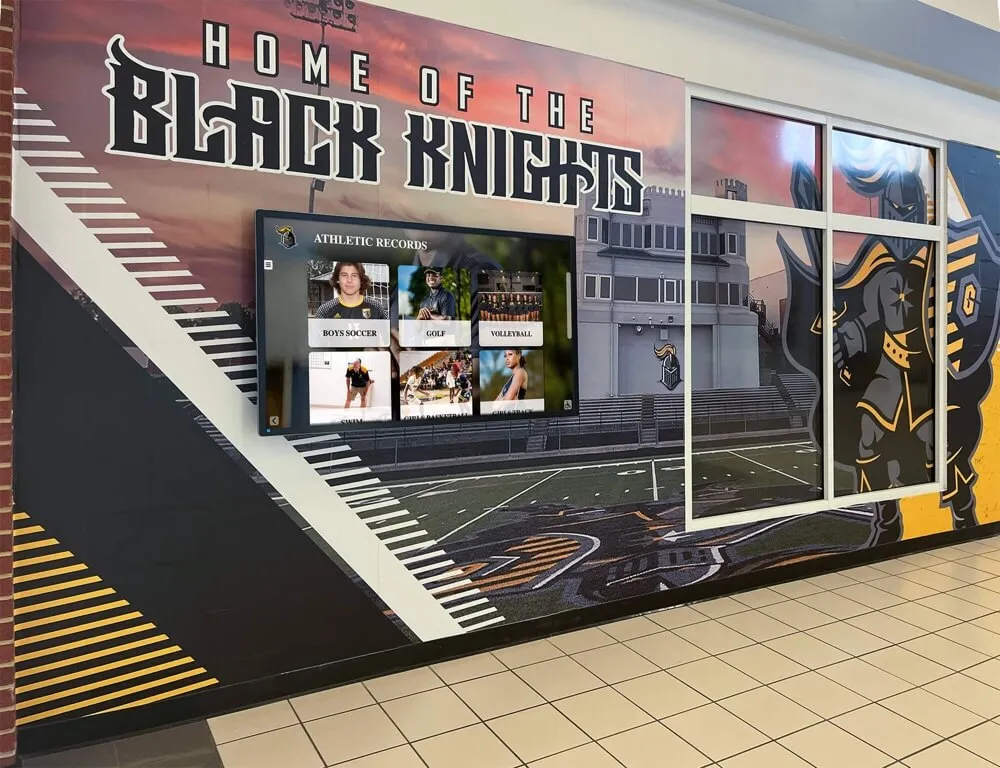
Corrected game footage from the archive feeds directly into the hallway displays and recognition murals that tell a school's competitive story to students, alumni, and visitors
Step 5: Document Residual Skew Before Software Processing
Before applying any software correction, log the characteristics of remaining skew in the tape’s accession record. This documentation protects the integrity of the archival process and creates a benchmark for evaluating the corrected access copy.
- Open the master file and step through segments containing the highest-contrast and most action-dense content: opening plays, scoreboard close-ups, sideline shots with strong horizontal reference lines.
- Record in a sidecar log:
- Timecodes where residual skew is most visible
- Whether the skew is consistent (uniform lean throughout) or variable (bending that changes direction or magnitude during playback)
- Which portion of the frame is most affected (top, bottom, or full frame)
- Severity rating (Mild / Moderate / Severe) after TBC correction
- This log becomes the quality benchmark against which the corrected access copy is evaluated in Step 7.
Step 6: Create a Working Copy and Apply Software Stabilization
Duplicate the master file, verify the duplicate’s checksum, and name the working copy clearly (e.g., GAME_1994_REGIONALS_access.mkv). All software processing in this step operates on the working copy only.
Software skew correction in post works by analyzing the horizontal position of each scan line or small frame region and applying a corresponding horizontal shift to bring the image into alignment. The effect is similar to a very rapid, line-by-line horizontal stabilization. Because the correction is geometric rather than pixel-blurring, it does not soften image detail when applied conservatively.
Software Tool Reference for Tape Skew and Geometric Stabilization
| Tool | Platform | Approach | Best For |
|---|---|---|---|
| AviSynth + Deshaker | Windows | Frame/line-level motion compensation | Moderate residual skew on large tape libraries |
| VapourSynth + VSGAN stabilizer | Win / macOS / Linux | Optical-flow geometric correction | Batch automation with consistent skew patterns |
| DaVinci Resolve (Video Stabilizer) | Win / Mac | Perspective and position stabilization | High-priority tapes with visual preview |
| FFmpeg + vidstabdetect / vidstabtransform | Cross-platform | Two-pass stabilization with geometry | Batch processing of multiple tapes efficiently |
| VirtualDub + Deshaker plugin | Windows | Frame-by-frame visual inspection and correction | Spot-correction of specific problem segments |
| Topaz Video AI (Stabilize module) | Win / Mac | AI-based geometric correction | High-priority tapes where quality justifies the cost |
Application Procedure
FFmpeg two-pass workflow (recommended for batch processing school collections):
- Pass 1 (analysis):
ffmpeg -i input.mkv -vf vidstabdetect=stepsize=6:shakiness=8:accuracy=9:result=transforms.trf -f null - - Pass 2 (correction):
ffmpeg -i input.mkv -vf vidstabtransform=smoothing=5:input=transforms.trf,unsharp=5:5:0.8:3:3:0.4 output_access.mkv - The
smoothingparameter (default 15; use 3–5 for skew correction) controls how aggressively each frame is shifted. Lower values correct more per frame but can introduce wobble; higher values are gentler and work better for uniform lean-type skew. - Run a 60-second test transcode on a high-severity segment before processing the full file to evaluate strength settings.
- Pass 1 (analysis):
DaVinci Resolve workflow (recommended for individual high-priority tapes):
- Import the working copy and navigate to the Color page. Apply a Spatial Noise Reduction pass if the tape also shows chroma noise.
- Switch to the Edit page, right-click the clip, and select Stabilize. Use Perspective or Similarity mode rather than Translation alone—skew artifacts have a rotational or shear component that translation-only stabilization cannot fully address.
- Set the Smooth slider conservatively (30–50%). Higher values over-smooth slow panning game shots and can introduce artificial motion.
- Export with a high-bitrate H.264 or ProRes 422 codec for the access copy.
AviSynth + Deshaker workflow (recommended for Windows-based archival workstations with large collections):
- Write a script that loads the working copy, applies
Deshaker(pass=1)to analyze motion, then appliesDeshaker(pass=2)with a conservative maximum correction distance (e.g.,maxpixelstocorrect=20) to limit how aggressively lines are shifted. - For interlaced content, apply
SeparateFields()before the stabilizer andWeave()after to avoid field-order errors that create a combing effect on motion. - Preview the result on the highest-severity segments logged in Step 5 before rendering the full file.
- Write a script that loads the working copy, applies
For segments where skew is concentrated at specific timecodes rather than uniform throughout the tape, apply stronger correction settings only to those segments and use lighter settings for the remainder of the file. Segment-level processing avoids over-correcting footage that does not need it.
Athletic directors looking to connect corrected game footage to lobby kiosks, touchscreen hall-of-fame installations, and recognition displays can explore how digital recognition platforms integrate historical video alongside championship records and athlete profiles. See how schools are bringing their athletic legacy to life.
Step 7: Quality Review Against the Severity Log
Evaluate the corrected access copy against the severity log created in Step 5.
Review checklist:
- Horizontal lines in the frame (field markings, scoreboards, bench areas) appear parallel to the frame edge without visible lean or bend
- The top and bottom of the frame are geometrically stable—no ragged or saw-tooth edge along the upper horizon line
- Fast-action plays (fast breaks, kick returns, sprinting athletes) do not show motion wobble or artificial sway introduced by over-aggressive stabilization
- Color accuracy is preserved—jersey colors, skin tones, and field markings are not shifted or smeared
- The access copy matches the master in content completeness—no frames are dropped or duplicated during the stabilization pass
Common failure modes to catch in review:
| Problem | Likely Cause | Adjustment |
|---|---|---|
| Residual lean in consistent direction | Smoothing value too high | Lower smoothing / increase per-frame correction |
| Wobble introduced on steady shots | Correction distance too aggressive | Reduce maxpixelstocorrect or shakiness |
| Horizontal smearing on motion | Field order error in interlaced processing | Apply SeparateFields / Weave correctly |
| Black border edges introduced | Stabilizer cropping to hide shift artifacts | Enable “crop and fill” or increase input border in tool |
| Color fringing along corrected edges | Chroma channel not aligned with luma | Apply chroma alignment correction after geometric pass |
If the access copy passes all checklist items, proceed to Step 8. If residual skew remains visible on critical segments (key plays, jersey close-ups, scoreboard moments), consider a second software pass using a different tool or manually apply stronger correction settings to the flagged timecodes.
Step 8: Export the Access Copy and Update the Accession Record
- Export the reviewed access copy in a distribution-appropriate format. H.264 at 10–15 Mbps in an MP4 container is suitable for most lobby display systems. If the destination display system supports ProRes or DNxHD, use those for higher-quality playback on professional monitors.
- Embed a sidecar metadata file (CSV or sidecar XML) documenting: tape ID, original format, capture date, TBC model used, software tool and settings applied, severity ratings before and after correction, and the checksum of both the master and the access copy.
- Update the accession record to reflect that the tape has been processed, the access copy has been created, and the master remains unaltered in long-term storage.
- Ingest the access copy into your recognition display system or digital archive platform using the platform’s standard import procedure.
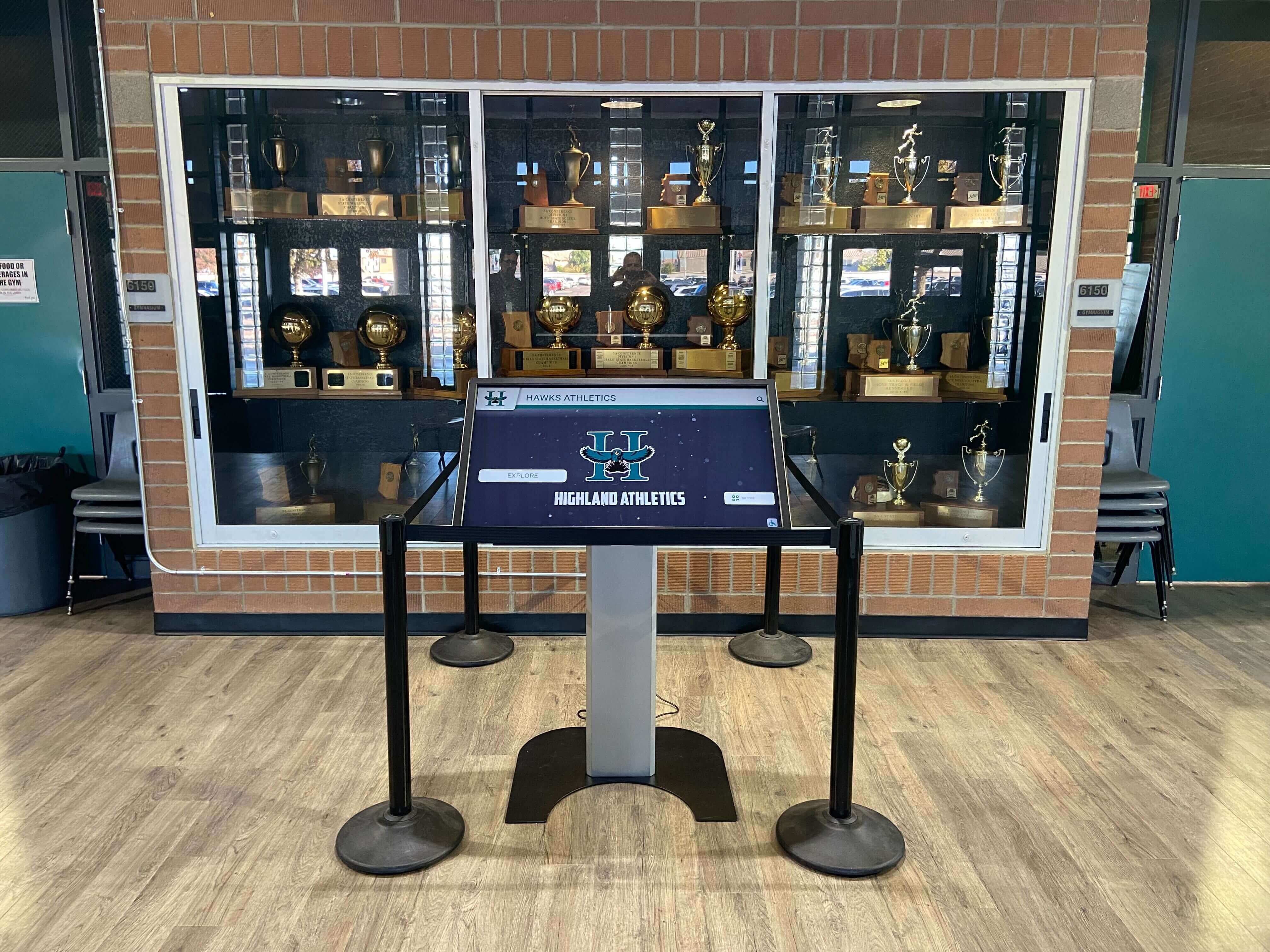
Corrected game video becomes a natural complement to the physical trophies, plaques, and records already displayed in the trophy case—extending the reach of a school's athletic history to digital audiences
Connecting Corrected Footage to School Recognition Programs
Tape skew correction is a means to an end: the goal is not a technically perfect file but a piece of athletic history that students, alumni, and staff can see and celebrate. Once corrected footage is in hand, it connects naturally to several recognition contexts:
- Hall-of-fame touchscreen displays: Corrected game clips can accompany an inductee’s profile card, giving visitors a direct, visual connection to the moment being honored. Programs exploring how digital hall-of-fame displays handle accessibility standards will want to ensure video content meets caption and description requirements alongside the corrected picture quality.
- Lobby and hallway video loops: A clean 90-second highlight reel from a corrected archive tape, looped on a lobby screen, communicates program history to every visitor who passes through the building. Schools already using recognition display infrastructure can feed corrected video into the same system without additional hardware.
- Athletic awards ceremonies and inductions: Projecting corrected footage from a record-setting season during an awards night or hall-of-fame induction creates a shared memory that still photos alone cannot replicate. Schools building athletic recognition programs may also find guidance in resources on developing broader athletic recognition categories that span sport-specific and program-wide achievements.
- Digital yearbook integration: Corrected archive video clips can be embedded in a digital yearbook commemorating an anniversary season, reunion year, or milestone achievement—connecting current students to the program’s past in a format they will actually engage with.
- Alumni engagement and reunion events: A compiled archive reel drawn from multiple corrected tapes provides compelling content for alumni reunions, homecoming events, and memorial tributes. Programs recognizing fallen heroes and service members may draw from the same corrected archive to build tributes that include game footage alongside service records.
Schools that have already undertaken student recognition initiatives—such as academic achievement award programs or Dean’s List recognition programs—will find that athletic archive video adds a complementary dimension to a broader recognition culture that honors the full range of student accomplishment.
When building out a recognition platform that will handle student data alongside archival video, administrators should also review their institution’s athletic award data minimization policies to ensure that video content and associated metadata are retained and displayed in compliance with applicable privacy frameworks.
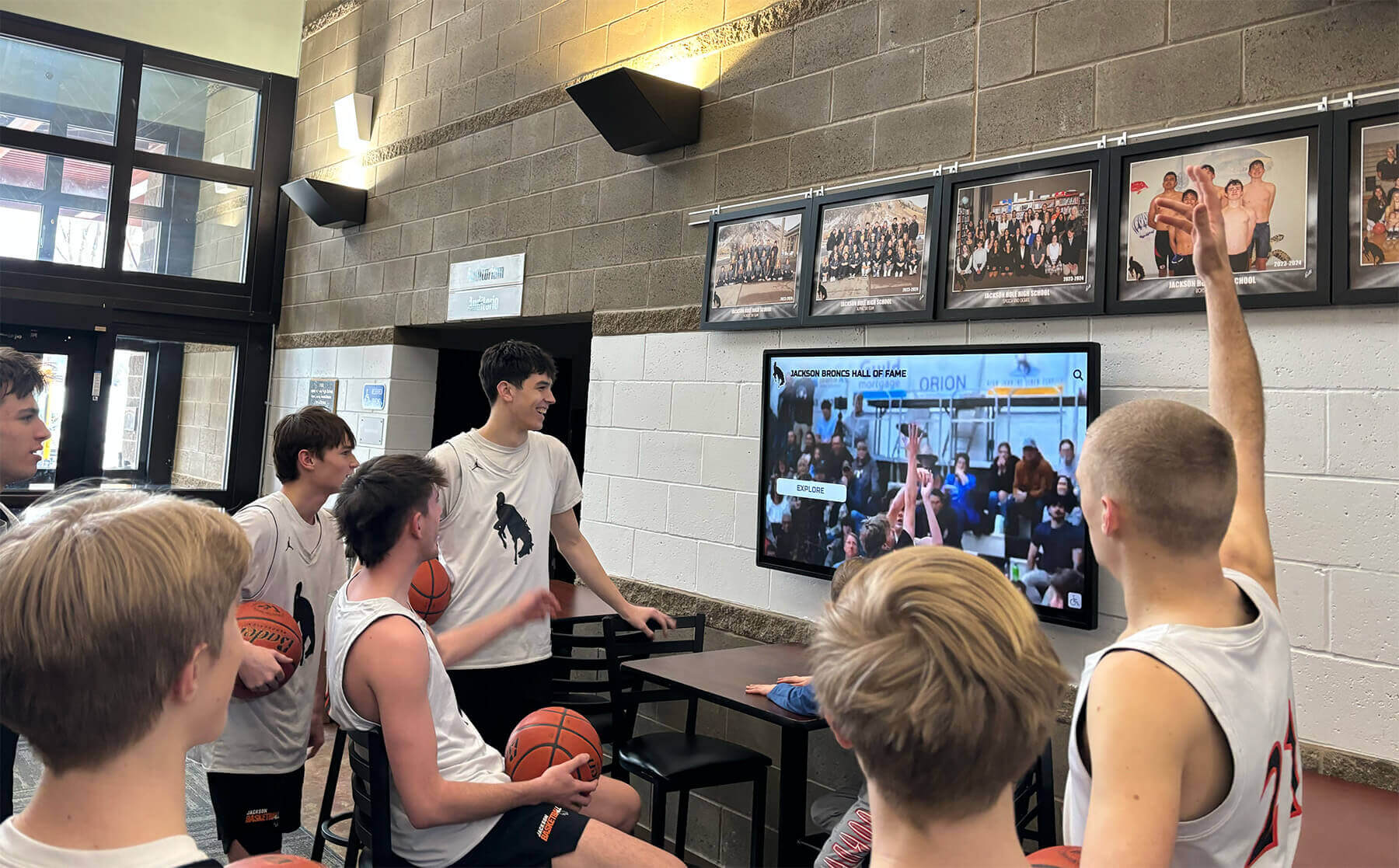
Corrected archive footage on a lobby screen gives current student-athletes a direct visual connection to the program's competitive history—making recognition tangible rather than abstract
Quick-Reference: Tape Skew Correction Approach by Severity
| Severity | Visible Effect | Primary Hardware Fix | Software Post-Processing |
|---|---|---|---|
| Mild | Slight lean at top of frame, stable on most monitors | Clean heads and tape path; verify pinch roller | Usually not needed; monitor with preview |
| Moderate | Visible lean on reference monitor; some instability at top | TBC (line-based acceptable) | Conservative FFmpeg vidstabtransform or Resolve stabilizer |
| Severe | Frame bends, tears, or loses sync on modern displays | Full-frame TBC mandatory; deck service may be required | Two-pass FFmpeg or AviSynth Deshaker with manual segment review |
| Deck-Specific | Skew disappears on a second deck | Use the better deck; clean or service the problem deck | Minimal or none after deck swap |
Frequently Asked Questions
Can I fix tape skew entirely in software without using a TBC?
For mild skew, software stabilizers (FFmpeg vidstabtransform, DaVinci Resolve, AviSynth Deshaker) can produce an acceptable access copy without hardware correction. For moderate to severe skew, attempting a software-only fix produces access copies with visible wobble on steady shots, motion smearing on action sequences, and black border artifacts where the stabilizer has shifted frames to compensate. A full-frame TBC eliminates the root timing error at the source; software correction then addresses only the residual. Using both together yields consistently better results than either approach alone.
Does baking the tape help with skew?
Baking (incubating the tape at low heat, typically 50–55°C for 8–24 hours) addresses sticky shed syndrome—a condition where the binder layer on certain tape formulations becomes tacky and causes the tape to squeal, stick, or shed oxide during playback. Sticky shed is a chemical failure, not a mechanical one, and baking can restore a tape’s ability to pass cleanly through the tape path without shedding. If a tape with sticky shed syndrome is played unbaked, the squealing and sticking can worsen the effective tape tension during playback and produce skew-like symptoms. Baking before playback can reduce this effect indirectly. However, baking does not correct skew caused by deformed tape guides, worn deck components, or poor tension adjustment—those require the hardware and software steps in this workflow.
Should I correct skew on the archival master or only on the access copy?
Always correct only on the access copy. The archival master must represent what the tape’s signal actually contains at the moment of capture—including any skew present in the original recording. Modifying the master to remove skew destroys the authentic record of the tape’s condition and makes it impossible to re-derive a different access copy using improved tools or methods in the future. The master’s checksum is the guarantee of its integrity; any processing step that alters the video data invalidates that guarantee.
How much cropping does software stabilization introduce, and will it matter for athletic footage?
Most software stabilizers compensate for geometric shifts by cropping a border from the frame—typically 5–15% on each edge—to avoid exposing the black regions where the image was shifted. For athletic footage, this crop can eliminate sideline graphics, scoreboard overlays at the frame edge, or corner timing clocks. Before processing, review what content sits near the frame edges on the tapes being corrected. If critical on-screen data (score, time, team names) is near the edge, choose a stabilizer that allows manual crop control rather than automatic cropping, and set the crop region to preserve the relevant content.
What playback deck formats are most prone to tape skew in school archives?
VHS and S-VHS consumer and prosumer decks show the highest prevalence of skew issues in school archives, primarily because their tape-path tolerances are wider than broadcast-grade equipment and the pinch rollers in aging decks harden and lose effectiveness. 3/4-inch U-matic decks are mechanically more robust but still develop skew problems as pinch rollers and tension-arm springs age. Betacam and Betacam SP decks are generally more tolerant of tape tension variation because Betacam’s wider tape and steeper wrap angle provide more physical stability during the recording and playback passes. Hi8 and Video8 cassettes are particularly prone to skew from pack winding problems due to the very narrow tape width, which provides less margin for tension variation.
Tape-skew correction transforms footage that staff assumed was too degraded to display into a clean, professional-quality access copy that belongs in every aspect of a school’s athletic recognition program—from lobby screens to touchscreen hall-of-fame kiosks to digital yearbook archives.
Ready to connect your corrected athletic archive video to a recognition program that does justice to your program’s history?
Request a Rocket Alumni Solutions demo and see how schools are integrating legacy video alongside championship records, athlete profiles, and interactive hall-of-fame displays.
Ready to see this for your school?
Picture your collection in a custom mockup
Start with your yearbook collection and digitization goals, then request a custom digital mockup for your school.