School history, shared
Athletic Archive Tape Dropout Concealment: Preservation Workflow for Legacy Game Footage
Athletic archive tape dropout concealment is the process of detecting brief magnetic-signal losses in legacy game tapes, logging each occurrence against a timecoded record, and applying frame-substitution or interpolation techniques to a viewing copy—while leaving the original archival master completely untouched. Done correctly, the result is a watchable version of a championship game or milestone performance that would otherwise be marred by white flashes, black streaks, or frozen frames.
Schools hold footage spanning decades: VHS cassettes of state championship runs, 3/4-inch U-matic reels of district title games, and S-VHS tapes of athletes who now appear on hall-of-fame walls. That footage deteriorates on its own through magnetic remanence decay, and physical binder shedding accelerates every time a tape passes through a degraded playback head. Dropout concealment arrests the visual impact of that deterioration so communities can still watch the games that defined their athletic identity.
This workflow guide is written for school administrators, athletic directors, facilities and IT staff, and recognition-program owners who need a repeatable, preservation-sound procedure—one that produces a clean access copy without compromising the archival record.
Athletic programs that invest in proper athletic archive tape dropout concealment often discover footage they assumed was unwatchable can be substantially restored—enough to feature in lobby displays, alumni events, and touchscreen kiosks that celebrate program history.

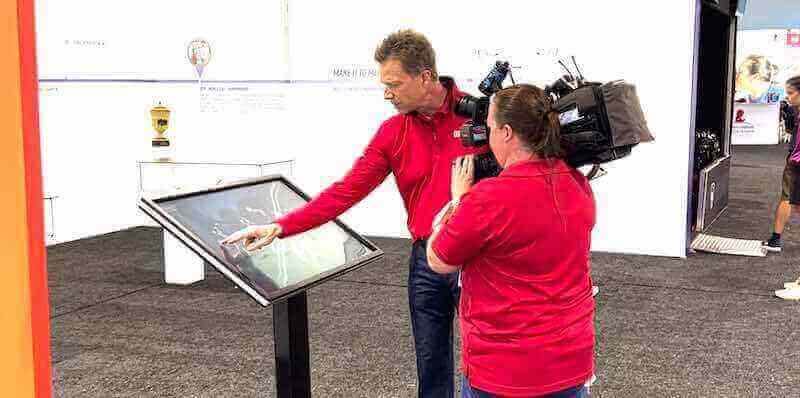
Preserving athletic footage—from sideline recordings to legacy tapes—ensures a program's competitive history remains accessible for future generations
What Is Tape Dropout and Why It Matters for Athletic Archives
Tape dropout is a momentary loss of the magnetic signal on a videotape, caused by physical binder separation, oxide shedding, dust particles between the tape and playback head, or head wear. On a standard-definition NTSC tape, a single dropout can affect one or more horizontal scan lines for a fraction of a frame—appearing as a bright white or black streak. In severe cases, entire frames fail to decode correctly, producing frozen blocks or a completely corrupted image.
For athletic archives, dropout matters for several reasons:
- Championship moments are often recorded on tapes that have passed through dozens of replay cycles.
- Older tape formats (3/4-inch U-matic, VHS, S-VHS, 8mm) are past their rated shelf life and shed oxide particles that cause head clogs and signal loss.
- Unwatched tapes in storage accumulate problems silently—by the time someone screens them, dropouts may already be widespread.
- Tapes suffering from sticky-shed syndrome require careful controlled baking before any playback attempt.
Dropout concealment does not repair the original tape. It creates a separate, corrected viewing copy while the unaltered master remains the definitive archival record.
Who This Workflow Serves
| Role | Primary Concern | How This Workflow Helps |
|---|---|---|
| School Administrator | Institutional record preservation | Ensures athletic history is documented per archival standards |
| Athletic Director | Program legacy and recognition | Produces watchable footage for displays and alumni events |
| Facilities / IT Staff | Workflow implementation | Provides a repeatable technical procedure with equipment guidance |
| Recognition-Program Owner | Content for hall-of-fame displays | Delivers clean access copies suitable for public screening |
| Librarian / Archivist | Accession and metadata standards | Embeds dropout logs into the accession record |
Athletic Archive Tape Dropout Concealment: Step-by-Step Workflow
This workflow follows a preservation-first structure: the archival master is captured and locked before any concealment processing begins on the access copy.
Step 1: Inventory and Condition Assessment
Before touching a playback deck, audit your tape collection.
- List every tape by format (VHS, S-VHS, Betacam SP, 3/4-inch U-matic, 8mm, Hi8), estimated recording date, and known content.
- Inspect tape shells for cracked housing, broken leaders, loose spools, or visible mold—flagging tapes that need professional restoration before any playback attempt.
- Check for sticky-shed syndrome by gently flexing the tape pack near the hub. Squeaking or resistance during a test rewind is a warning sign; those tapes need controlled baking at approximately 50°C (120°F) in a food dehydrator before playback.
- Assign each tape a unique identifier that will carry through the accession record. For guidance on structuring accession records for athletic media, the athletic hall of fame accession form framework provides a useful structural reference.
Step 2: Prepare Playback Equipment
Signal quality at capture determines everything downstream.
- Clean the playback deck heads using a cleaning tape, then a manual isopropyl swab (with the deck powered off) if cleaning tapes do not resolve chronic head clogs.
- Demagnetize the audio/video heads and guides on older decks if noise or dropout rates are high.
- Use a time base corrector (TBC) inline between the playback deck and your capture interface. A TBC stabilizes the sync pulses that dropout events disrupt, preventing sync loss from destabilizing the capture signal. Standalone TBC units or capture cards with hardware TBC both accomplish this.
- Set the playback speed to match the tape’s recorded speed—most athletic VHS tapes were recorded in SP mode; playing an SP-recorded tape at EP/SLP increases head-to-tape pressure mismatches and worsens dropouts.
- Verify your capture software is set to 4:2:2 chroma sampling at native resolution (720×486 for NTSC SD) rather than upscaling or chroma subsampling on ingest.
Step 3: Capture the Unaltered Archival Master
The archival master is a straight-through capture with no dropout concealment applied.
- Record the full tape at its highest practical quality setting—lossless or near-lossless codec preferred (FFV1 in an MKV container is a widely accepted archival format).
- If the playback deck has an internal dropout compensator (DOC) circuit, disable it for the master capture. DOC circuits substitute data automatically and obscure the tape’s true condition; they belong in the access-copy pass, not the master.
- Once capture completes, calculate and record the MD5 or SHA-256 checksum of the master file. This hash becomes the integrity reference for all future copies.
- Store the master file on at least two separate physical media (external drives, LTO tape, or institutional NAS) in geographically separated locations—one copy on-site, one off-site or in cloud cold storage.
- Never apply post-processing to the master file. Its value is precisely that it represents the tape’s condition at capture time.
Understanding resolution and fidelity standards helps calibrate capture expectations: the same discipline applied to scanning archival photographs at the correct DPI applies directly to video—capture at native resolution without upscaling or interpolation on the master pass.
Step 4: Log Dropout Occurrences
Before any concealment work begins, document what the master contains.
- Open the master file in a video analysis tool (VirtualDub, VLC with frame-step, or a professional QC application) and step through the footage.
- Record each visible dropout event in a log spreadsheet:
- Timecode in and out
- Duration in frames
- Affected scan-line range (top, middle, full-frame)
- Severity (isolated horizontal line, block corruption, full-frame failure)
- Estimated cause (head clog, edge damage, splice point)
- Classify each event by severity class:
- Class 1: Single-line, 1–2 frames, visually subtle
- Class 2: Multi-line, 2–10 frames, noticeable during playback
- Class 3: Block artifacts or full-frame failure, more than 10 frames, disruptive to viewing
- Save the log as a sidecar file alongside the master. This log becomes part of the accession record and informs future preservation decisions.
Step 5: Create the Working Copy for Concealment
Never apply concealment filters to your archival master. Work from a lossless copy.
- Duplicate the master file and rename the copy clearly (e.g.,
GAME_1989_STATECHAMPIONSHIP_access.mkv). - Confirm the checksum of the duplicate matches the master before proceeding—any mismatch indicates a copy error.
- Open the working copy in your chosen concealment software.
Step 6: Apply Dropout Detection and Concealment
Dropout concealment replaces corrupted pixels with data derived from adjacent frames or surrounding pixels. The two primary methods are:
Temporal Substitution: Replaces corrupt pixels with corresponding pixels from the immediately preceding or following frame. Most effective when camera movement between frames is minimal—sideline wide shots and locked-off end-zone cameras respond well.
Spatial Interpolation: Estimates corrupt pixel values from neighboring pixels within the same frame. Most effective for isolated line dropouts where surrounding image data is intact.
Concealment Tool Reference
| Tool | Platform | Approach | Best For |
|---|---|---|---|
| VirtualDub + FFT3DFilter | Windows | Temporal / spatial | VHS, S-VHS access copies |
| AviSynth / VapourSynth + TemporalRepair | Windows | Temporal substitution | Fast-motion sports footage |
| DaVinci Resolve (Temporal Noise Reduction) | Win / Mac | Temporal + spatial | Color-accurate restoration |
| FFmpeg (deflicker + hqdn3d filters) | Cross-platform | Spatial averaging | Batch-processing large tape libraries |
| Diamant-Film DIAMANT | Cross-platform | Automated detection | High-volume institutional projects |
Application Procedure
- Load the working copy into your chosen tool.
- For VirtualDub or AviSynth, apply a dropout detection filter that marks affected pixels based on luma deviation from surrounding frames. Threshold values typically range from 15–30 on a 0–255 scale depending on tape quality; start conservatively and preview results before committing a full render.
- For DaVinci Resolve, use Temporal NR settings in the Color page—set temporal radius to 2–3 frames and chroma smoothing to moderate. Preview the effect on Class 2 and Class 3 events before rendering.
- For Class 3 (full-frame failure) events that automated tools cannot conceal cleanly, manually replace the corrupted frame with a freeze frame or a short dissolve to black—note each manually corrected point in the dropout log.
- Render the concealed access copy using a distribution-appropriate codec: H.264 or H.265 at high bitrate for display use; ProRes 422 for editing workflows.
Step 7: Quality Review
Watch the concealed access copy against the dropout log and verify:
- All logged Class 1 and Class 2 events are visually resolved or significantly reduced.
- Temporal concealment has not introduced motion smearing on fast-action plays.
- Color accuracy is preserved throughout—for guidance on how color accuracy is evaluated in school display contexts, the recognition display color fringing test outlines the kind of color benchmark checks that apply when assessing how footage will appear on-screen.
- Audio sync remains intact from start to finish.
- No new artifacts were introduced by the concealment filters.
Document any Class 3 events that remain unresolved—these are inherent limitations of the source material and should be noted in the accession record as part of the honest historical record.
Step 8: Package and Archive Both Versions
- Store the concealed access copy alongside the master in your institutional media management system.
- Update the accession record to include:
- Master file location and checksum
- Access copy file location and checksum
- Dropout log file reference
- Software and settings used for concealment
- Date of processing and name of processing technician
- Add metadata tags to both files: tape format, approximate recording date, sport, event name, and school identifier.
- Schedule a checksum verification cycle (annually or semi-annually) to detect bit rot on stored copies before it propagates undetected.
Tape Format Reference: Dropout Characteristics
Different formats degrade differently. Understanding the typical dropout signature for each format helps calibrate concealment settings before you begin.
| Tape Format | Typical Dropout Pattern | Primary Cause | Concealment Difficulty |
|---|---|---|---|
| VHS (SP mode) | Horizontal white streaks, 1–3 scan lines | Oxide shedding, head clogs | Low–Moderate |
| S-VHS | Finer streaks, higher signal noise floor | Binder degradation | Moderate |
| VHS (EP/SLP) | Broader block artifacts | Head-to-tape speed mismatch | High |
| 3/4-inch U-matic | Edge damage, intermittent full-frame | Tape warping, edge tears | High |
| Betacam SP | Rare individual-line dropouts | Manufacturing defect | Low |
| 8mm / Hi8 | Block artifacts, color dropout | Oxide contamination | Moderate–High |
| MiniDV | DV block errors (macro-block freeze) | Digital encoding dropout | Moderate |
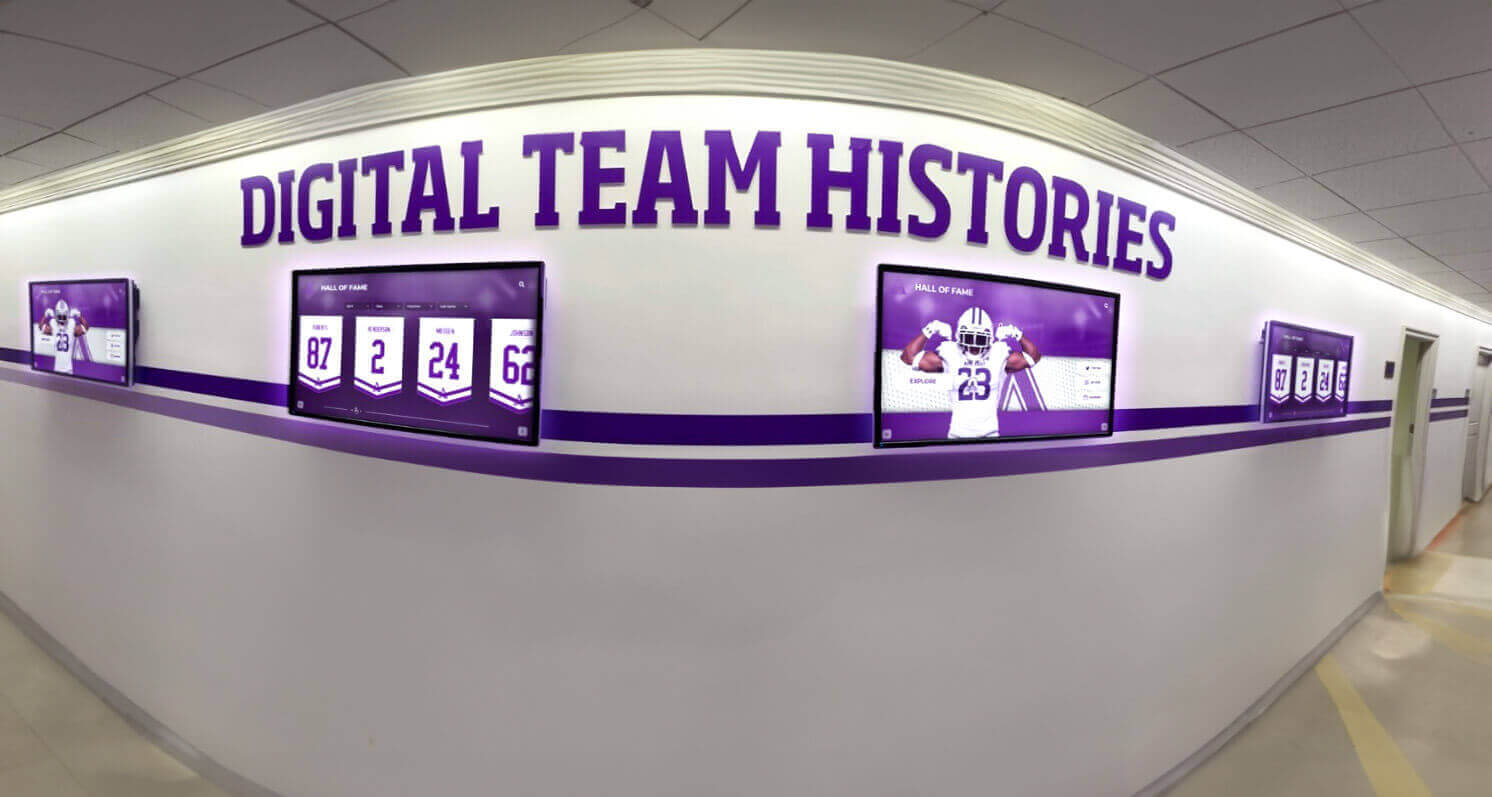
Preserved legacy footage becomes the foundation for dynamic team-history displays that bring a program's competitive heritage to life in school hallways and lobbies
Frequently Asked Questions
Does dropout concealment modify my archival master? No—if this workflow is followed correctly. Concealment processing applies only to the working copy derived from the master. The master file’s checksum remains unchanged, confirming it was never altered. Store the master on write-protected or read-only media once capture is confirmed complete.
Can I use my deck’s built-in dropout compensator instead of software concealment? A deck’s internal DOC is convenient for casual playback but unsuitable for archival purposes because it applies correction before the signal reaches your capture interface—meaning the master file would already contain substituted data rather than the tape’s actual signal. Disable deck-level DOC for master capture and apply software-level concealment only to the access copy.
How severe can dropouts be before footage is unrecoverable? There is no universal threshold. Temporal substitution handles brief dropouts (1–6 frames) in slow-moving scenes very well. Longer failures in fast-action sequences are harder to conceal; 10+ consecutive failed frames during a basketball fast break or a wide-receiver route may leave visible motion smearing even after processing. Class 3 events affecting more than 20% of frames across a segment may need to be accepted as part of the historical record rather than replaced with heavily processed approximations.
What should I note in the accession record for FERPA purposes? Footage of student athletes may be subject to FERPA’s definition of education records at some institutions. Consult your district’s privacy officer before publishing or publicly displaying footage that identifies individual students. Your accession record should note planned uses and any applicable release authorizations.
How do I address audio dropout alongside video dropout? Audio dropouts—pops, silence, distortion—on analog formats often co-occur with video dropout but require separate treatment. Most video concealment tools address video only. For audio, use a dedicated audio repair tool (such as iZotope RX or Adobe Audition’s Noise Reduction module) on the audio track extracted from the access copy, then mux the repaired audio back into the video container.
Which preservation standards should guide this workflow? The FADGI (Federal Agencies Digital Guidelines Initiative) guidelines for motion picture digitization and the NDSA Levels of Digital Preservation provide a widely recognized framework. IASA Technical Committee publications cover tape-specific handling in detail and are available at no cost.
Connecting Preserved Footage to Athletic Recognition Displays
Preserved footage is most valuable when it reaches the community. Athletic directors looking to feature restored game highlights in lobby kiosks or touchscreen installations can explore how digital recognition platforms handle historical video alongside championship records and alumni spotlights. See how schools are bringing their athletic legacy to life.
Once your access copies are complete, the footage feeds naturally into school recognition programs. Several display contexts benefit directly from dropout-concealed athletic archives:
Lobby Touchscreen Kiosks: Touchscreen recognition systems can embed short video clips alongside athlete profiles and championship records. A clean 30-second clip of a state-title play or a school-record performance—free of distracting dropout artifacts—is far more compelling than a degraded version.
Alumni Spotlights: When reaching out to former athletes for alumni engagement initiatives, attaching a restored clip of a memorable performance creates a personal connection that text alone cannot match. The alumni where-are-they-now spotlight guide outlines how to pair archival content with current alumni stories effectively.
Athletic Hall of Fame Presentations: Induction ceremonies benefit from short documentary-style video segments drawn from archival footage. Dropout-free clips make those presentations more professional and emotionally resonant. See inspiring quotes from coaches and athletes for display contexts for complementary content ideas that pair well with video segments.
Broader School Recognition Programs: Legacy athletic footage does not belong only in athletic spaces—administrators, PTAs, and district leaders highlighting program history can benefit from the same archival video assets. Explore principal and school recognition ideas for ways to extend the reach of your athletic archive across the school community.
For display infrastructure questions—especially when integrating video-capable screens across multiple hallways or gymnasium lobbies—the recognition display energy-efficient Ethernet test covers network and connectivity considerations relevant to school display deployments.
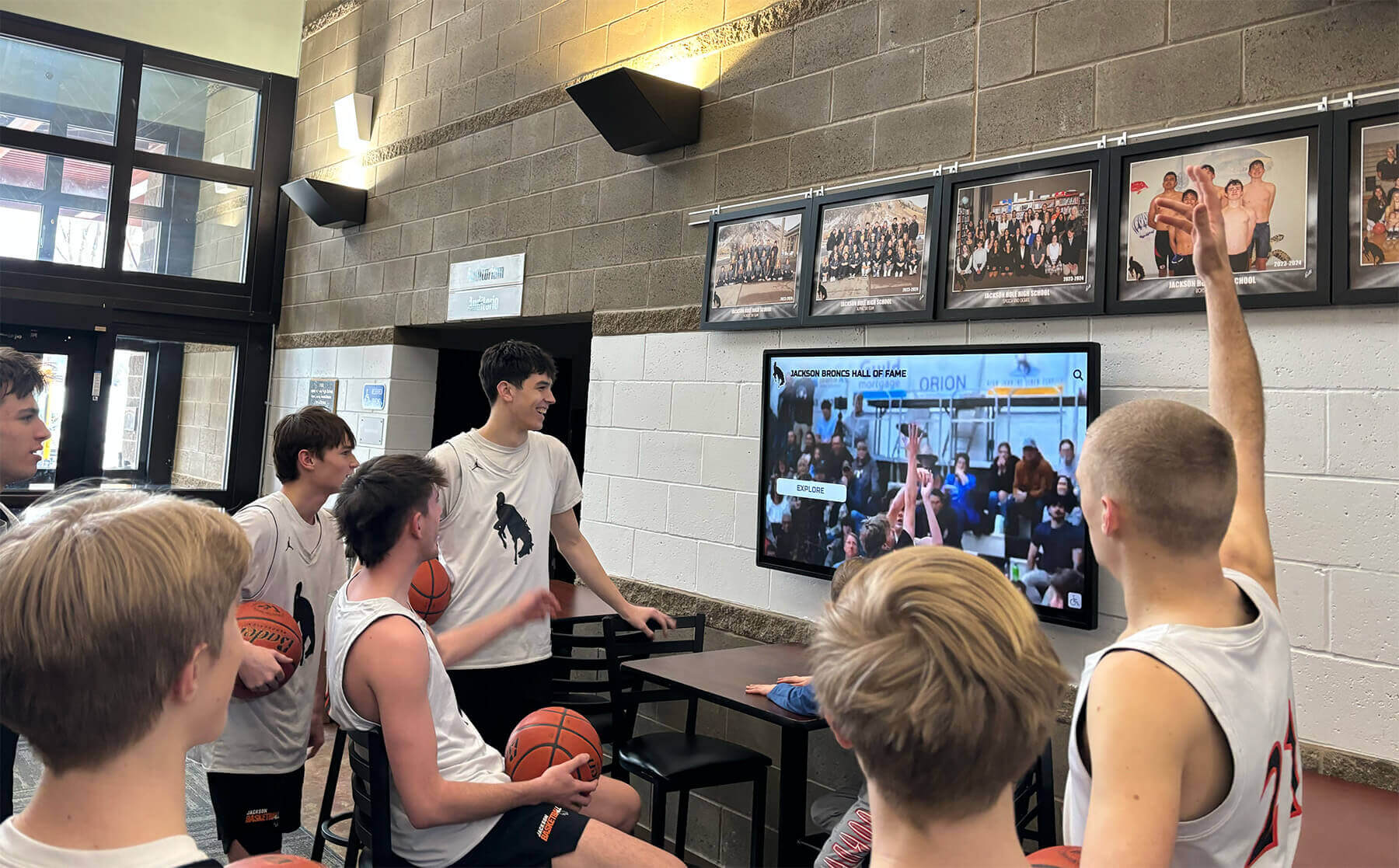
Clean, dropout-concealed game footage gives students and community members an uninterrupted window into athletic history through modern lobby display systems
Preventive Measures: Reducing Future Dropout Risk
Concealment is a remediation workflow. Prevention reduces the volume of work needed for tapes still awaiting digitization.
- Digitize now, not later. Magnetic tape deteriorates at a predictable rate accelerated by heat, humidity, and cycling. Tapes recorded in the 1980s and early 1990s are already past manufacturer-rated shelf life.
- Store tapes vertically at 60–70°F and 30–50% relative humidity. Heat and high humidity accelerate binder hydrolysis—the primary cause of sticky-shed syndrome.
- Rewind tapes fully before long-term storage to relieve pack tension variations that develop during playback.
- Fast-wind and rewind tapes that have been in storage for more than two years before playback—this redistributes lubrication and reduces head clog risk on the first pass.
- Label and log before storage so future condition assessments start from a known baseline rather than mystery tapes with unknown histories.

Preserved video footage complements physical trophy displays and murals, giving recognition spaces both visual depth and living competitive history
Building a Sustainable Athletic Archive Program
A single tape dropout concealment project is a start. A sustainable program integrates this workflow into ongoing archival practice:
- Assign a designated archival contact in the athletics department or library who maintains accession records and the checksum verification schedule.
- Budget annually for media replacement and digital storage expansion as the archive grows.
- Train IT or facilities staff on the concealment workflow so institutional knowledge is not held by a single person.
- Cross-reference tape archives with yearbook projects—many championship seasons appear in both video archives and yearbook collections, and the two datasets strengthen each other.
Legacy footage also supports recruiting narratives. Coaches and recruiters often reference a program’s documented competitive history as evidence of athletic culture. For an illustration of how archival history supports recruitment, the guide on getting recruited for college softball shows how a well-documented program record—including video—reinforces a program’s credibility with prospective student athletes.

Digital hall-of-fame systems provide a natural home for preserved athletic footage alongside records, portraits, and championship documentation
Summary Checklist
A condensed reference for the complete athletic archive tape dropout concealment workflow:
| Phase | Key Actions | Output |
|---|---|---|
| Assessment | Inventory tapes, check for damage, assign IDs | Tape condition log |
| Preparation | Clean heads, connect TBC, verify capture settings | Ready playback chain |
| Master Capture | Capture unaltered (DOC disabled), generate checksum | Archival master + hash file |
| Dropout Logging | Step through master, classify events by severity class | Dropout log sidecar file |
| Working Copy | Duplicate master, verify checksum match | Concealment working file |
| Concealment | Apply temporal/spatial filters by severity class | Access copy |
| QA Review | Compare against dropout log, check color and audio sync | Reviewed access copy |
| Archive | Store both files, update accession record, schedule verification | Preserved two-tier archive |
Athletic programs across the country hold footage that communities have never been able to watch because the tapes appeared too damaged. Athletic archive tape dropout concealment gives those recordings a second life—not as altered artifacts, but as watchable access copies derived from intact archival masters. With a methodical workflow, the right tools, and a preservation-first mindset, your program’s defining moments remain part of your living institutional memory.
Display Your Restored Athletic Legacy
Once your legacy footage is preserved and dropout-concealed, modern digital recognition platforms make it easy to feature those moments in lobby displays, touchscreen kiosks, and hall-of-fame installations that inspire current athletes and engage alumni.
Schedule a Recognition Display DemoReady to see this for your school?
Picture your collection in a custom mockup
Start with your yearbook collection and digitization goals, then request a custom digital mockup for your school.