School history, shared
Athletic Archive Digitization Equipment Preventive Maintenance Checklist for Scanners and Capture Stations
An athletic archive digitization equipment preventive maintenance checklist is a scheduled, task-by-task record of the cleaning, inspection, calibration, and software verification steps that keep your school’s scanners, capture stations, and related hardware producing reliable, archival-quality output—session after session, season after season. Without a documented maintenance routine, small problems accumulate invisibly: scanner glass develops fine scratches that produce streak artifacts across every scan, document feeder rollers wear and start skewing pages, capture station fans clog with dust and trigger thermal shutdowns mid-session, and software driver versions fall out of sync after operating system updates. The result is not a single dramatic failure—it is a slow, undetected decline in output quality that only becomes visible when a recognition display reveals mismatched colors, a hall-of-fame platform rejects blurry uploads, or a decade of scanned programs turns out to need remediation before any downstream system can use them.
A structured athletic archive digitization equipment preventive maintenance checklist stops that decline before it starts. By distributing maintenance tasks across daily, weekly, monthly, quarterly, and annual cycles, schools ensure that no single critical step is deferred long enough to cause batch-level damage. This guide gives school administrators, athletic directors, facilities and IT staff, and archive coordinators a complete, ready-to-implement checklist organized by frequency, with a master schedule table, scanner-specific procedures, capture station maintenance steps, and a maintenance log template that keeps every action attributed and datestamped.

The athletic archive behind a lobby display is only as reliable as the equipment that produced it — preventive maintenance is the practice that keeps digitization hardware operating at archival output standards
Why Equipment Preventive Maintenance Determines Athletic Archive Quality
Digitization equipment does not fail on a predictable schedule. Scanners and capture stations degrade gradually under conditions that vary by room temperature, usage volume, material type, and operator handling. Preventive maintenance interrupts that degradation at known intervals rather than waiting for a failure to surface in a delivered batch.
For school athletic archives—where materials span printed photographs from the 1950s, game programs on acidic newsprint, certificate documents with foil embossing, and celluloid negatives from pre-digital decades—equipment condition affects output quality in direct and measurable ways:
Scanner glass cleanliness directly controls whether an output file contains streak artifacts. A single fingerprint left on the platen glass after a photo-scanning session will appear as a faint vertical smear across every subsequent scan until the glass is cleaned. For a school running three-hour digitization sessions with rotating volunteers, an uncleaned scanner at the start of a session means an entire batch requires remediation.
Lamp stability determines color accuracy and exposure consistency. Flatbed scanner fluorescent lamps shift color temperature as they age, producing a progressive warm cast that accumulates too slowly for individual operators to notice but becomes visible when comparing scans from different years side by side. Documented lamp replacement intervals prevent that drift from becoming an archive-wide problem.
Software and driver currency affects not just output quality but file format integrity. Scanner drivers that lag behind operating system updates can produce files with malformed metadata headers, incorrect color profile embeddings, or resolution values that do not match the scanner’s physical output—problems that pass visual inspection but fail automated quality checks in archive management systems and recognition platforms.
Capture station thermal performance governs whether long digitization sessions complete successfully. Workstations running scanning software, image processing, and file transfer simultaneously generate sustained heat loads. Dust-clogged cooling vents cause thermal throttling that slows processing, introduces pauses in file transfer, and—in severe cases—triggers emergency shutdowns that corrupt in-progress file writes.
Understanding how school memorabilia displays depend on archival source quality underscores why equipment maintenance belongs in the archive workflow, not as an afterthought—display vendors and recognition platforms source directly from the files your equipment produces.
The Complete Athletic Archive Digitization Equipment Preventive Maintenance Checklist
Daily Maintenance Tasks (Every Scanning Session)
Complete these tasks at the start of every scanning session before the first production scan is made. For multi-operator environments, post this list at each scanner station.
Inspect and clean scanner glass. Wipe the flatbed platen with a lint-free microfiber cloth using circular motions from center to edge. Examine the glass under raking light before and after cleaning. Do not proceed if residue remains after two passes—use scanner-safe glass cleaner and a fresh cloth.
Inspect document feeder path and rollers (if applicable). Open the ADF access panel and visually inspect the paper path for debris, torn document fragments, or roller surface contamination. Wipe rollers with a lint-free cloth lightly dampened with isopropyl alcohol (70%) only if visible contamination is present. Allow to dry before closing.
Confirm scanner lamp warmup. Power on the scanner and allow a minimum five-minute warmup period before running calibration or production scans. Log the power-on time in the session record. Cold lamps produce inconsistent color temperature that affects the first batch of each session.
Verify capture station startup. Confirm that the scanning workstation has booted completely, that scanning software has launched without error dialogs, and that any external storage drives are mounted and recognized. Confirm available disk space exceeds the session’s estimated output volume.
Run a calibration check scan. Scan your IT8 target or color checker card and compare against the reference file. Record the measured ΔE value in the maintenance log. A ΔE above 3.0 triggers corrective action before production scanning begins.
Test scanner bed alignment. Place a test document with a straight printed border at the corner and edge positions and scan. Confirm that lines appear straight and that the document is not skewed. Skew in test documents indicates platen alignment drift that will affect every batch.
Check USB, Thunderbolt, or SCSI connections. Confirm scanner and capture station connections are seated. Intermittent connection problems at the data transfer level produce incomplete scans that fail validation—often without producing a visible error in the scan preview.
Weekly Maintenance Tasks
| Task | What to Check | Pass Condition |
|---|---|---|
| Deep-clean scanner glass | Full platen surface including edges and corners | No residue, no streaks visible under raking light |
| Inspect platen hinge and lid | Hinge movement smooth; lid foam pad intact and clean | No debris transferred from lid to glass surface |
| Clear scanner cable routing | Cables not pinched, bent sharply, or under tension | All connections secure; no visible cable damage |
| Review scan output folder | Confirm files from recent sessions have correct file counts and sizes | No zero-byte files; no truncated transfers |
| Check driver and firmware version | Compare installed version against manufacturer’s current release | Driver is current or a confirmed compatible version is documented |
| Inspect storage media | Verify external drives mount correctly; confirm no read errors in recent logs | Drive healthy status confirmed in system utility |
| Clean capture station keyboard and mouse | Wipe with microfiber; confirm no keys or buttons sticking | Input devices clean and fully responsive |
Monthly Maintenance Tasks
Scanner calibration profile update. Once per month, run a full color profile rebuild using scanner manufacturer software and your calibration target. Save the updated profile with a date-stamped name. This is distinct from the daily ΔE check—it produces a new baseline rather than measuring against the existing one.
Document feeder roller inspection and cleaning cycle. Run fifty sheets of plain paper through the ADF to clear residual adhesive, dust, and paper fiber from roller surfaces. Inspect output for consistent feed speed and straight tracking. Rollers that pause, double-feed, or skew pages under controlled test conditions should be flagged for replacement before the next high-volume session.
Capture station dust removal. Power off and unplug the workstation. Use compressed air to clear vents, fan intakes, and heatsink channels. Verify fan operation on restart. Document the condition of internal filters if the workstation model includes them.
Software update audit. Check scanning software, image processing tools (color correction, batch renaming utilities, PDF/A converters), and archive management applications for updates. Test updates on a non-production workstation before deploying to the production scan station. Log the version state of each application before and after any update.
Reference target condition check. Inspect your IT8 target or color checker card under good light. Targets degrade from UV exposure, handling, and temperature cycling. A target showing fading, color shift, or physical damage cannot be used for accurate calibration—replace it and establish a new reference baseline before the next production session.
A hallway archive display draws from years of digitization work — monthly maintenance tasks prevent the cumulative equipment drift that degrades output across extended collection projects
Quarterly Maintenance Tasks
Full lamp performance assessment. Flatbed scanners with fluorescent lamp assemblies should be evaluated quarterly for color temperature drift using spectrophotometric measurement or by comparing calibration target readings against original baseline readings from the lamp’s first installation. If ΔE drift from the original baseline exceeds 5.0, schedule lamp replacement at the next available maintenance window.
Complete scanner disassembly inspection (if supported). Consult the scanner manufacturer’s service guide for quarterly internal inspection procedures. For high-volume archive scanners, this typically includes inspecting the carriage mechanism for binding or debris, checking belt tension on moving assemblies, and confirming that dust has not accumulated on the imaging array.
Capture station full diagnostic run. Use the operating system’s disk utility and S.M.A.R.T. monitoring tool to assess storage drive health. Check memory under extended stress test (thirty minutes minimum). Review system event logs for thermal warning events in the preceding quarter. A capture station showing repeated thermal warnings under normal load needs either cooling system service or workload adjustment.
Network and backup verification. For scan stations that transfer output to network storage, verify that network shares mount consistently, that transfer speeds are within expected range, and that the backup destination for the digitization work has completed successfully for the preceding quarter. Confirm that at least one off-site copy exists for any archive materials digitized in the prior quarter. Donor recognition programs and digital award walls that draw from school archives depend on backup-verified source files—an archive that lives only on a local scan station is one hardware failure away from loss.
Physical media review. Inspect external drives, LTO tape cartridges, or optical media used in the digitization workflow for physical damage, label legibility, and proper storage conditions. Media stored in environments with temperature or humidity extremes degrades faster than media stored at archival standards (60–70°F, 30–50% relative humidity).
Annual Maintenance Tasks
Complete scanner recertification. Run a full calibration routine with a new or freshly evaluated reference target. Compare current output against the scanner’s original baseline from installation. Document the delta across all measured parameters: ΔE, shadow density, highlight density, and resolution line-pair accuracy. Archive this annual report as part of the maintenance log.
Lamp replacement (age-based). Replace scanner lamp assemblies on a calendar-based schedule regardless of measured performance. Most flatbed scanner lamps used in archival applications are rated for three to five years of regular use—but schools running intensive digitization projects with multiple sessions per week may exhaust lamp life in eighteen to twenty-four months. Your maintenance log’s cumulative session hours provide the data to identify when age-based replacement is warranted.
Operating system compatibility audit. Major operating system updates can silently break scanner driver compatibility or introduce rendering differences in scanning software. Before applying annual OS updates to a production capture station, verify scanner driver compatibility with the target OS version on a test machine. Document the compatibility status and schedule driver updates if needed before the OS update is deployed.
Physical scanner inspection by a qualified technician. Schedule annual service by the scanner manufacturer’s certified service provider or a qualified imaging technician. A technician can identify mechanical wear, measure lamp spectral output accurately, and perform adjustments beyond what software-based calibration can correct. Retain the service report as part of the equipment maintenance record.
Archive output audit. Review a sample of files produced in the preceding year across each scanning operator, session type, and material category. Compare against the calibration records from those sessions. Identify any systematic quality issues—persistent color casts, recurring artifacts, resolution inconsistencies—that indicate equipment problems not caught in routine maintenance. Schedule remediation scans for any batch determined to fall below archival standards.
Master Preventive Maintenance Schedule
| Frequency | Task | Equipment | Responsible Role |
|---|---|---|---|
| Every session | Clean scanner glass | Flatbed, overhead scanner | Scan operator |
| Every session | Lamp warmup (5 min minimum) | Flatbed scanner | Scan operator |
| Every session | Calibration check scan (ΔE reading) | Flatbed scanner | Scan operator |
| Every session | ADF visual inspection | Sheet-fed scanner | Scan operator |
| Every session | Verify capture station startup and disk space | Workstation | Scan operator |
| Weekly | Deep-clean platen edges and lid | Flatbed scanner | Scan operator / coordinator |
| Weekly | Review scan output folder integrity | Capture station | Archive coordinator |
| Weekly | Check driver and firmware version currency | Scanner + workstation | IT staff |
| Monthly | Full color profile rebuild | Flatbed scanner | Archive coordinator |
| Monthly | ADF roller cleaning cycle | Sheet-fed scanner | Archive coordinator |
| Monthly | Capture station dust removal | Workstation | IT staff / facilities |
| Monthly | Software update audit | Capture station | IT staff |
| Monthly | Reference target condition check | Calibration target | Archive coordinator |
| Quarterly | Lamp performance assessment | Flatbed scanner | Archive coordinator |
| Quarterly | Full capture station diagnostic | Workstation | IT staff |
| Quarterly | Network and backup verification | Storage infrastructure | IT staff |
| Quarterly | Physical media review | External drives, tape, optical | IT staff / archive coordinator |
| Annual | Complete scanner recertification | All scanners | Archive coordinator + technician |
| Annual | Lamp replacement (age-based schedule) | Flatbed scanner | Technician |
| Annual | OS compatibility audit | Capture station | IT staff |
| Annual | Certified technician inspection | All scanners | External service provider |
| Annual | Archive output audit | Full output sample | Archive coordinator |
Scanner-Specific Maintenance Procedures
Flatbed Scanners
Flatbed scanners are the most common equipment type in school athletic archive digitization projects because they accommodate loose photographs, bound publications, award certificates, and oversize documents without document feeding. Their maintenance priorities are glass cleanliness, lamp condition, and platen alignment.
Glass cleaning procedure: Use only lint-free microfiber cloths specifically designated for optical glass surfaces. Scanner-safe glass cleaner (isopropyl alcohol diluted to 70% or a proprietary scanner-safe solution) applied to the cloth—never directly to the glass—removes oils from fingerprints without leaving residue. One-way strokes from center to edge prevent spreading contamination. Inspect under raking light after each cleaning pass.
Platen pressure pad: The foam or rubber pressure pad on the scanner lid distributes even contact between originals and the glass. Inspect monthly for surface contamination (adhesive residue, transferred ink from documents), tears, and compression loss. A deteriorated pressure pad causes uneven contact, which introduces focus variation across a single scan. Replace pads when compression under light pressure does not rebound within two seconds.
Document film strip guide: For flatbed scanners with built-in film scan capability, inspect the film guide channel quarterly for dust and static-attracted particles. Film channel contamination appears as randomly distributed dark spots in negative and transparency scans that cannot be removed in post-processing without affecting surrounding image data.
Sheet-Fed and Document Scanners
Sheet-fed scanners used for high-volume document digitization—game programs, news clippings, roster sheets, score books—require more frequent roller maintenance than flatbeds because every scanned document contacts the roller surfaces.
Roller cleaning interval: Every 500 sheets is a standard manufacturer interval for most sheet-fed scanners, but athletic archive materials—particularly aged newsprint and documents with adhesive residue—contaminate rollers faster than standard office paper. Inspect rollers visually after every digitization session and clean proactively whenever roller surfaces show visible discoloration or tackiness.
Feed path debris clearance: Open all access panels after each session and use a soft brush or compressed air to clear paper fiber, torn corner fragments, and dust from the paper path. Feed path debris causes misfeeds, double-feeds, and document skew—problems that require rescanning and, if materials are fragile, may cause damage to originals.
Separation pad inspection: The separation pad prevents double-feeding by creating friction that holds back subsequent sheets. Worn separation pads are the single most common cause of double-feed failures in sheet-fed scanner workflows. Inspect for wear glazing (a shiny, smooth surface) quarterly; replace when glazing covers more than 30% of the pad surface.
Film and Slide Scanners
Schools digitizing legacy photographic negatives, transparencies, and slides from athletic history collections use dedicated film scanners that require specialized maintenance beyond standard glass cleaning.
Optical path cleaning: Film scanner optical paths are more sensitive to dust contamination than flatbed scanners because particles sit in the optical plane rather than on glass that can be re-cleaned between scans. Follow manufacturer procedures for optical path cleaning—typically a bulb blower rather than compressed air, which can introduce moisture. Never contact the optical elements directly.
Film carrier inspection: Film carriers develop scratches from repeated film insertion and removal. A scratched film carrier produces parallel-line artifacts across every scan that are distinct from glass contamination artifacts. Inspect carriers quarterly under magnification; replace when surface scratches exceed manufacturer-specified tolerances.
Trophy and championship displays are anchored by physical artifacts—the digital record of those artifacts is anchored by the maintenance practices that governed every scan session
Capture Station Workstation Maintenance
The capture station—the computer running scanning software, processing scans, and managing file transfer to archive storage—is as critical to digitization quality as the scanner itself. A scanner producing perfect optical output will deliver corrupted files if the capture station drops data during transfer or crashes mid-session.
Thermal management: Scanning workflows generate sustained CPU and I/O load that pushes capture station thermal systems harder than normal office workloads. Clean cooling vents and heatsink fins monthly using compressed air. Replace thermal paste on the CPU heatsink annually or when temperature logs show sustained high readings under normal load. A capture station running consistently above 85°C under normal scanning loads is a maintenance priority, not a normal operating condition.
Storage health monitoring: Install S.M.A.R.T. monitoring software on every capture station and configure it to alert on drive health events. Reallocated sectors, uncorrectable errors, and pending sector counts are early warning indicators that precede drive failure by weeks or months. An alert on any of these indicators should trigger immediate backup verification and drive replacement planning—not a “monitor and see” response.
RAM and system memory: Scanning software and image processing applications are memory-intensive. Capture stations with insufficient RAM write temporary data to disk, which slows processing and increases write cycles on storage drives. Verify that the capture station has sufficient RAM to complete a full scanning session without swapping by monitoring memory usage during a representative session. If swap usage appears during scanning, adding RAM is a maintenance investment that extends both session reliability and drive lifespan.
Operating system maintenance: Run operating system updates on a controlled schedule, not automatically. Automatic updates during or immediately before a digitization session can introduce driver conflicts, reboot the workstation mid-session, or change file system behavior in ways that affect output. Schedule OS maintenance windows for between sessions and document each update in the maintenance log.
Peripheral connection verification: USB hubs used to connect scanners, external drives, and other peripherals should be powered (not bus-powered) for devices requiring sustained current draw. Bus-powered hubs that drop power during high-current operations cause scanner disconnection events that produce incomplete scan files. Inspect hub ports and cables for physical wear quarterly.
Environmental and Media Handling Standards
Equipment maintenance does not occur in isolation from the physical environment. The scanning room’s temperature, humidity, and light conditions directly affect equipment performance and the condition of source materials.
| Environmental Factor | Target Range | Maintenance Action if Out of Range |
|---|---|---|
| Temperature | 65–75°F (18–24°C) | Install HVAC in scanning room; avoid basement or attic locations without climate control |
| Relative humidity | 30–50% | Use dehumidifier (high humidity) or humidifier (low humidity); monitor continuously |
| Ambient light | Controlled, consistent | Blackout curtains for rooms with variable daylight; consistent artificial lighting avoids exposure variation |
| Dust level | Low | HEPA air filtration in scanning room; no carpeting near scanner stations |
| Static electricity | Controlled | Anti-static mats at scanner stations; grounding straps for operators handling film and negatives |
Source material handling: Athletic archive materials—particularly pre-1980 photographs, newsprint programs, and bound yearbooks—must be handled with cotton or nitrile gloves to prevent oil transfer from bare hands. Materials removed from long-term storage should be allowed to acclimatize to scanning room temperature and humidity for at least two hours before scanning to prevent condensation and physical stress from rapid environmental changes. Gym lobby recognition displays and sponsor display systems that incorporate historical photographs routinely source from archives where source material handling was documented from the first digitization session.
Maintenance Log Template
A maintenance log that is completed, attributed, and stored is the evidence layer that connects your maintenance checklist to your archive’s quality record. Every completed task should generate a log entry.
| Field | Content to Record |
|---|---|
| Log Entry ID | Sequential number (MAINT-2026-001) |
| Date and Time | ISO 8601 (2026-08-08T09:30:00Z) |
| Equipment ID | Scanner make, model, and serial number |
| Maintenance Type | Daily / Weekly / Monthly / Quarterly / Annual |
| Task Performed | Specific task from checklist (e.g., “Scanner glass cleaned—IT8 calibration check”) |
| Outcome | Pass / Fail / Flagged for follow-up |
| Readings Recorded | ΔE value, shadow/highlight density, or other measured values |
| Corrective Action Taken | Description if outcome was Fail or Flagged |
| Follow-up Required | Yes / No — if yes, describe and assign |
| Performed By | Name and role |
Store the maintenance log in the same directory as the archive scanning manifest and calibration log. When a quality review traces a batch problem back to a session date, the maintenance log for that session provides the equipment state evidence that answers whether the problem originated in the scanner or in a post-scan process. Hall-of-fame induction programs and recognition guides that draw on archived materials frequently encounter quality questions at display time—a maintenance log turns those questions into answerable records rather than open uncertainties.
Role Assignments for Equipment Maintenance
| Role | Maintenance Responsibilities |
|---|---|
| Scan operator | Daily pre-session checklist; calibration check scan; session log entry; post-session glass inspection |
| Archive coordinator | Monthly profile rebuilds; quarterly assessments; annual output audit; maintenance log review and follow-up |
| IT staff | Driver and firmware updates; capture station diagnostics; storage health monitoring; backup verification |
| Facilities lead | Physical environment monitoring (temperature, humidity, dust); cooling system maintenance; compressed air and supply inventory |
| Athletic director | Annual service vendor scheduling; equipment replacement planning; budget allocation for consumables (lamps, pads, targets) |
For schools where volunteer staff participate in digitization projects, distribute a one-page laminated quick-reference card covering the daily pre-session checklist at each scanner station. Volunteers who understand the daily tasks—and know to stop and contact the archive coordinator when a calibration check fails—protect the collection without requiring deep equipment knowledge.
Connecting Equipment Reliability to Athletic Recognition Programs
A well-maintained digitization workflow produces something more than a clean archive: it produces a collection that can move directly into recognition programs without remediation delays.
Hall-of-fame displays and lobby kiosks source athlete portraits, program covers, and certificate images from the archive. When every scan session was completed with properly maintained equipment, those files meet platform quality thresholds on first submission. Schools managing all-state athletic record boards and similar high-visibility recognition programs benefit directly from equipment reliability—recognition content that fails platform upload because of scanner-related artifacts costs time and credibility that a maintenance schedule prevents.
Donor stewardship and recognition. Digital donor walls and interactive recognition systems that incorporate historical archive content—photographs of named facilities, images from donor-supported championship seasons, portraits of scholarship benefactors—require the same archival quality standards as athletic records. When donor recognition content is sourced from a maintained archive, the school can present that content confidently in installation contexts where image quality reflects directly on the donor relationship.
End-of-season and annual awards programs. Athletic awards ceremonies that incorporate historical archive materials—comparing current records to prior champions, presenting career portraits of senior athletes, displaying program-era context—draw directly from the digitized collection. The equipment maintenance practices that kept every session consistent are what make it possible to pull a photograph from any year in the archive and present it alongside current content without visible quality differences.
Every athlete profile and historical record on a school hall-of-fame touchscreen traces back to a digitization session whose equipment condition determined output quality — preventive maintenance is the practice that makes that quality consistent across the full archive
From a Maintained Archive to an Active Recognition Program
Consistent equipment maintenance produces an archive that is reliable, quality-verified, and ready for public-facing recognition. The next step is connecting that archive to an interactive hall-of-fame display, a digital trophy case, or an alumni engagement platform that gives your school’s athletic history ongoing visibility.
Rocket Alumni Solutions helps schools build recognition platforms that surface the history a maintained archive has preserved. Schedule a demo with Rocket Alumni Solutions to see how a verified archive connects to displays that honor your program’s full record.
Frequently Asked Questions
How often does a school need to service scanning equipment if sessions are infrequent?
Calendar-based intervals apply regardless of session frequency for most maintenance tasks. Even a scanner used once per month should receive a full cleaning before each session, a monthly calibration profile check, and an annual technician inspection. Infrequent use does not prevent dust accumulation, lamp aging, or software drift—it simply means those issues accumulate between sessions rather than during them. A scanner unused for six months and then pressed into service for a major archive project without a pre-session maintenance check is higher risk than one maintained on a regular calendar.
Can student workers or parent volunteers perform scanner maintenance?
Daily pre-session tasks—glass cleaning, warmup confirmation, calibration check scanning, and log entry—can be completed by trained volunteers following a written procedure. Monthly and quarterly tasks (calibration profile rebuilds, roller cleaning, dust removal from capture station internals) should be performed by staff with equipment familiarity. Annual tasks and any maintenance requiring access to internal components should be performed by the archive coordinator or a qualified technician. Clear written procedures at each station reduce the risk of untrained operators attempting tasks beyond their training level.
What should we do if the calibration check ΔE exceeds 3.0 at session start?
Do not begin production scanning. Work through the correction sequence: (1) clean the scanner glass and repeat the calibration scan; (2) verify that the correct scanner profile is loaded for the material type; (3) run the scanner’s built-in calibration adjustment if available; (4) allow an additional five-minute warmup period and repeat. If the ΔE remains above 3.0 after these steps, document the session in the maintenance log as a failed calibration check, record the specific readings, and contact the archive coordinator before proceeding. Production scans made with a failed calibration check produce output that may require remediation before use.
How should we handle maintenance when a vendor performs digitization on site?
Require the vendor to provide calibration certification for each session: scanner model and serial number, firmware version, calibration target used, ΔE readings at session start and end, and a pass/fail summary. These documents should be part of the acceptance criteria for each delivery batch—equivalent in status to file count verification and metadata completeness checks. A vendor who cannot provide calibration documentation has not demonstrated that their equipment was in a known, verified state during the session that produced your archive files.
What consumables should a school keep in stock for scanner maintenance?
Maintain stock of: lint-free microfiber cloths (at least six per scanner, replaced quarterly); scanner-safe glass cleaner or 70% isopropyl alcohol; compressed air canisters (non-static-generating); cotton archival gloves in small, medium, and large sizes; nitrile gloves; a spare IT8 calibration target (stored in a lightproof sleeve in a cool, low-humidity environment); and a log of lamp replacement dates with the make, model, and hours rating of each installed lamp. For sheet-fed scanners, maintain vendor-supplied replacement roller sets and separation pads at quantities sufficient for one complete replacement cycle.
Does equipment maintenance affect FERPA compliance for student records in the archive?
Equipment maintenance is a preservation and quality practice, not a compliance framework. FERPA requirements for student records apply at the access control and disclosure level—not the scanner maintenance level. That said, a well-maintained archive with a documented maintenance log provides operational evidence of systematic care that supports overall data stewardship, which is relevant context when demonstrating how the school manages sensitive historical records. The maintenance log itself does not contain student records and does not need to be managed under FERPA protocols.
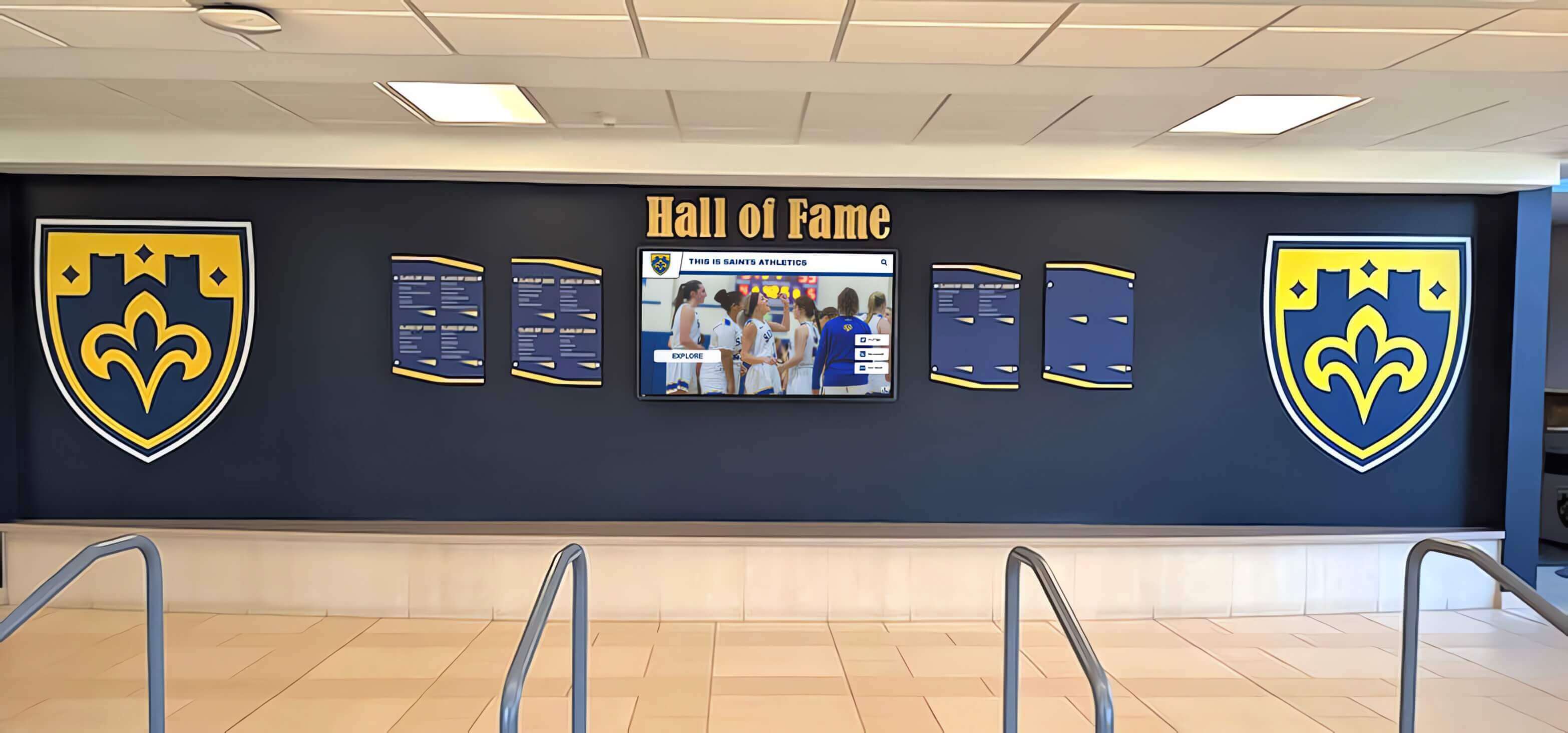
A hall of fame lobby installation presenting decades of athletic history depends on a digitized archive where every session's equipment maintenance was documented and verified
Athletic archive digitization is a long-term commitment—a project that may unfold across several years, involve multiple operators, and produce tens of thousands of files before a collection is fully preserved. Equipment preventive maintenance is what keeps that project on a consistent quality trajectory from the first session to the last. A maintained scanner produces the same reliable output in year four of a project as it did in year one. An unmaintained scanner produces gradual drift that is invisible session-to-session and only apparent when the archive is used—at the moment when the cost of remediation is highest and the time available for it is shortest.
Implement this athletic archive digitization equipment preventive maintenance checklist before your next digitization session. Post the daily checklist at every scanner station, schedule the monthly and quarterly tasks in your facilities calendar, and start the maintenance log today. The archive your school builds on that foundation will be ready for every recognition program, donor stewardship initiative, and community engagement effort that depends on it.
Connect Your Archive to Recognition Displays Built for School History
A maintained archive is the foundation. Rocket Alumni Solutions builds the interactive recognition layer—hall-of-fame walls, digital trophy cases, lobby kiosks, and alumni engagement platforms—that gives your preserved athletic history a permanent public presence. Schedule a demo to see how a quality-verified archive becomes an active recognition program.
Ready to see this for your school?
Picture your collection in a custom mockup
Start with your yearbook collection and digitization goals, then request a custom digital mockup for your school.