School history, shared
Athletic Archive Digitization Acceptance Criteria Checklist: Verify Images, Metadata, and Deliverables
An athletic archive digitization acceptance criteria checklist is the pass-fail inspection a school runs when a digitization vendor delivers scanned photos, programs, rosters, award records, and other historical athletic materials — confirming that every deliverable meets documented standards before the project is approved and payment is released. Without a formal checklist, approval decisions rely on a brief visual scan that misses critical failures: images saved at screen resolution instead of archival resolution, metadata fields that are blank or inconsistently formatted, filenames that contain spaces or characters that break downstream systems, rights documentation that is absent or ambiguous, and a delivered file count that does not match the original source count.
Digitization projects that skip acceptance verification create problems that surface months later — when a hall-of-fame display platform rejects a batch of low-resolution images, when a search system fails to surface athlete records because metadata fields contain no indexable content, or when a development office asks whether a photograph can be used in a donor newsletter and the answer is “we don’t know.” A structured acceptance criteria checklist converts the handoff from a subjective impression into a documented, repeatable verification that any staff member can run.
This guide gives school administrators, athletic directors, advancement staff, facilities teams, and IT and content owners a complete acceptance criteria checklist organized into six verification areas — scan quality, filename conventions, metadata completeness, file counts, rights documentation, and delivery media integrity — along with a master pass-fail summary table, role assignments, and guidance on connecting an accepted archive to the recognition programs that give it ongoing value.

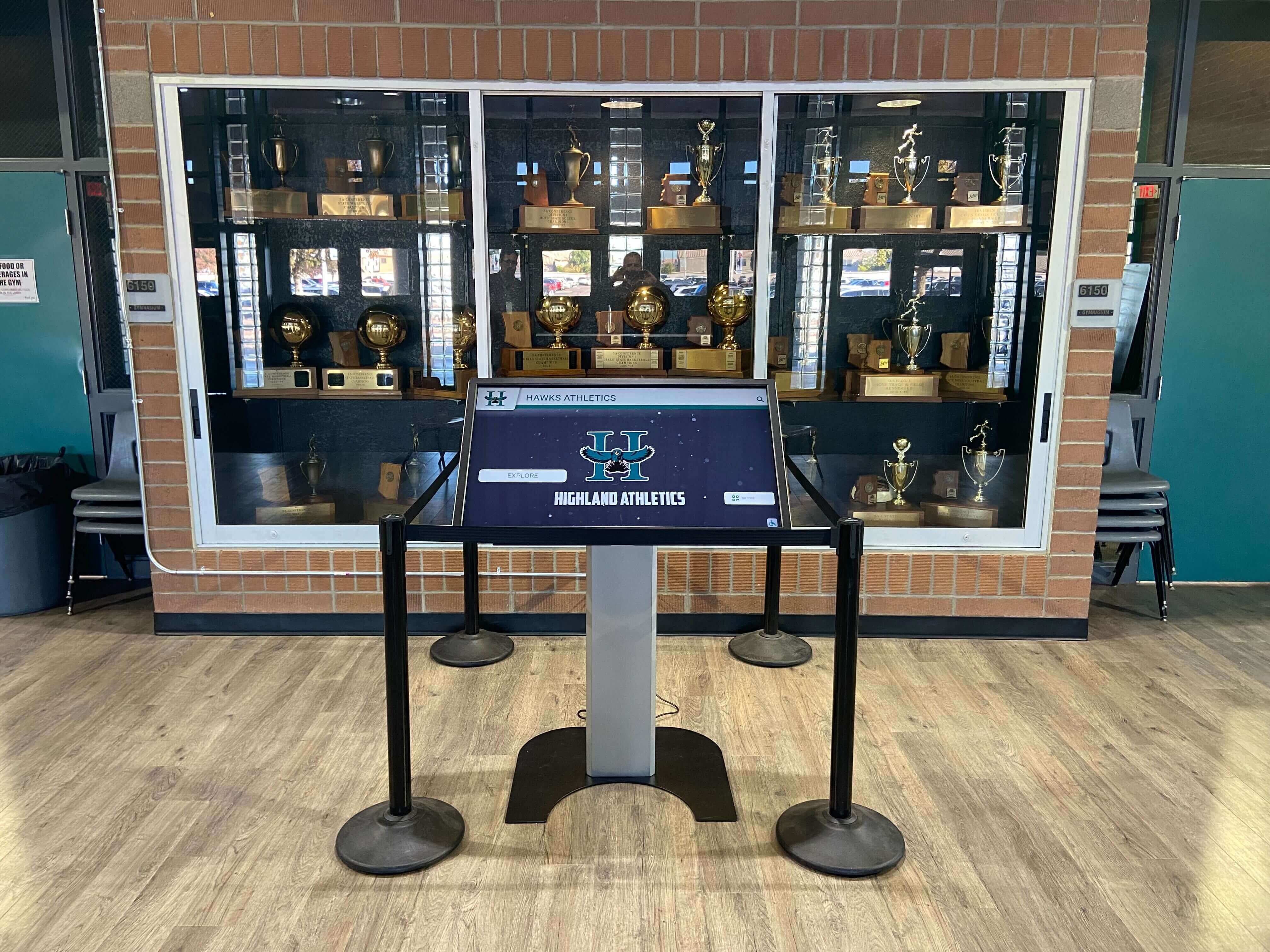
A recognition kiosk in a school trophy case draws directly from the digitized archive — acceptance criteria verification is what ensures every image, record, and label in that archive meets the standards the display requires
What Athletic Archive Digitization Acceptance Criteria Covers
An acceptance criteria checklist answers one question for each deliverable: does this meet the documented standard, or does it need to be corrected? Every item on the checklist has a binary outcome — pass or fail — so the acceptance decision is based on evidence rather than judgment.
The six areas covered by a complete athletic archive digitization acceptance criteria checklist are:
- Scan quality — resolution, color accuracy, orientation, and absence of visible artifacts
- Filename conventions — naming structure, character restrictions, uniqueness, and sortability
- Metadata completeness — required fields present, correctly formatted, and populated with verified values
- File counts — delivered count matches expected count, with no missing items and no unexplained extras
- Rights and copyright documentation — rights status documented for every file, usage restrictions noted
- Delivery media integrity — delivery package is intact, format matches specification, and checksums verify
Each area maps to a set of pass-fail criteria. The checklist runs through all six areas in order before a final acceptance decision is recorded. Items that fail are documented and returned to the vendor for correction before the project is approved — partial acceptance with an open correction list is a common and legitimate outcome when most deliverables pass but a subset requires remediation.
Building a digital history archive from athletic records is a long-term investment; the acceptance criteria checklist is the quality gate that determines whether the initial digitization project produces an archive that functions correctly across all the systems that will use it.
Master Pass-Fail Summary
The table below provides a single-page summary of all acceptance criteria organized by area. Use this as a cover sheet for your acceptance review — check each item pass or fail, note the count of failing items in the right column, and attach the detailed area checklists as supporting documentation.
| Area | Acceptance Criteria Item | Pass | Fail | Failing Item Count |
|---|---|---|---|---|
| Scan Quality | All archival masters meet minimum resolution requirement | ☐ | ☐ | |
| Scan Quality | No visible artifacts, moiré, bleed-through, or skew exceeding tolerance | ☐ | ☐ | |
| Scan Quality | Color profiles match specification (sRGB for display; CMYK for print-ready) | ☐ | ☐ | |
| Scan Quality | Orientation correct for all files (no upside-down or rotated items) | ☐ | ☐ | |
| Scan Quality | Archival master format matches specification (TIFF or high-res JPEG) | ☐ | ☐ | |
| Filenames | No spaces, special characters, or characters outside the approved set | ☐ | ☐ | |
| Filenames | Naming structure follows documented convention | ☐ | ☐ | |
| Filenames | All filenames are unique within the delivery set | ☐ | ☐ | |
| Filenames | Filenames sort correctly by season, sport, and asset type | ☐ | ☐ | |
| Metadata | All required fields populated (see area checklist for field list) | ☐ | ☐ | |
| Metadata | Date fields in correct format (YYYY-MM-DD or documented standard) | ☐ | ☐ | |
| Metadata | Sport names and season labels match controlled vocabulary | ☐ | ☐ | |
| Metadata | Athlete names consistent with verified source documents | ☐ | ☐ | |
| Metadata | No placeholder values (“TBD,” “Unknown,” “0”) in required fields | ☐ | ☐ | |
| File Counts | Delivered file count matches expected count from source manifest | ☐ | ☐ | |
| File Counts | No items present in source manifest are missing from delivery | ☐ | ☐ | |
| File Counts | No files in delivery are absent from source manifest (unexplained extras) | ☐ | ☐ | |
| Rights | Rights status documented for every file | ☐ | ☐ | |
| Rights | Files with restrictions clearly labeled; usage notes present | ☐ | ☐ | |
| Rights | Provenance record (donor, source, submission date) present for donations | ☐ | ☐ | |
| Delivery Media | Delivery package opens and is fully readable | ☐ | ☐ | |
| Delivery Media | Checksums provided and verified against delivered files | ☐ | ☐ | |
| Delivery Media | Delivery format matches the specification in the project contract | ☐ | ☐ |
Any “Fail” checkmark in this summary triggers the corresponding area’s detailed checklist and opens a correction item to be tracked until resolved. The project is not approved until every correction item is resolved or formally accepted as-is with documented rationale.
Area 1: Scan Quality Verification
Scan quality is the first and most foundational acceptance area because a low-quality scan cannot be improved after the fact without rescanning the original source material. If the original — a 1978 yearbook, a fragile game program, a faded photograph — is no longer accessible after the vendor returns it, a low-resolution or artifact-laden scan becomes the permanent record.
Minimum Resolution Standards
Resolution is specified in dots per inch (DPI) and measured against the intended use of the file, not the display size on a monitor.
| Source Material Type | Minimum Archival Resolution | Minimum Display-Derivative Resolution | Notes |
|---|---|---|---|
| Photographic prints (all sizes) | 600 DPI | 300 DPI | Measure at the original print size, not the scan output size |
| Team photos and portraits | 600 DPI | 300 DPI | Large group photos may require 1200 DPI to resolve individual faces |
| Printed game programs and newsletters | 300 DPI | 150 DPI | Text legibility requires minimum 300 DPI for archival master |
| Yearbook pages (scanned as pages) | 400 DPI | 200 DPI | Two-page spreads may require stitching — verify seam quality |
| Certificates and award documents | 600 DPI | 300 DPI | Text must be fully legible at 100% zoom in archival master |
| Newspaper clippings | 400 DPI | 200 DPI | Moiré screening artifacts common in halftone printing — flag if present |
| Film negatives and slides (if applicable) | Per vendor specification (typically 2400–4000 DPI optical) | — | Optical resolution; confirm with lab specification |
How to verify resolution: Open a representative sample of delivered files in an image editing application (Adobe Photoshop, GIMP, or Preview on macOS) and check the image size and resolution settings without resampling. The DPI value reported in the file’s image properties reflects the actual scan resolution. A file that reports 72 DPI has been saved for screen display, not archival use, regardless of its pixel dimensions.
Common failure mode: Vendors sometimes deliver files that are large in pixel dimensions (e.g., 3000 × 4000 pixels) but saved at 72 DPI. The pixel count may seem adequate, but the metadata tag determines how the file behaves in professional publishing, large-format printing, and archival software. Verify both the pixel dimensions and the DPI setting.
Artifact and Quality Inspection
Scan Quality — Artifact Checklist
- Inspect a 10% random sample at 100% zoom for moiré patterns (grid-like interference from scanning halftone-printed materials)
- Check for bleed-through from text or imagery on the reverse side of the source material
- Confirm that image borders are clean — no scanner bed edges, finger shadows, or scanner lid reflections visible
- Verify orientation: all images are right-side up and correctly rotated (check for landscape documents that should be portrait)
- Confirm that crop is appropriate: no important content cut off at edges; no excessive white border that misrepresents the source
- Check for banding artifacts (horizontal stripes) that indicate scanner calibration or hardware issues
- Verify that text in scanned documents is fully legible at 100% zoom
- Confirm that color accuracy is visually consistent across the delivery set — no files with pronounced color casts relative to adjacent items from the same source
Artifact failures are among the most common scan quality issues in athletic archive digitization projects, particularly for materials that include halftone printing (game programs, newsletters) or materials scanned from bound volumes where the scanner bed cannot make full contact with the source page. These failures require vendor rescanning — there is no post-processing correction that restores missing detail or removes a deep moiré pattern from an archival master.
Schools preparing archives for alumni welcome area displays need photographic and program scans that render clearly at large display sizes — a scan that looks acceptable at thumbnail size often reveals artifacts when enlarged for a lobby or hallway display.

Recognition displays in school hallways and lobbies draw from digitized archives — scan quality acceptance criteria determine whether those images render correctly at the sizes and resolutions the display system requires
Area 2: Filename Convention Verification
Filenames are the addressing system for your archive. A filename that contains spaces breaks URL-based access in web-facing systems. A filename that uses inconsistent separators prevents automated sorting. A filename that lacks the sport and season context requires a human to open every file to understand what it contains. A filename that duplicates an existing file in the archive overwrites the original on import.
Approved Character Set and Naming Structure
The safest filename convention for athletic archive files uses:
- Lowercase letters only (a–z)
- Numerals (0–9)
- Hyphens as word separators (
-) - No spaces
- No special characters (
@,#,&,%,(,),',", commas, periods except the format extension) - No underscores as primary separators (underscores are sometimes reserved for field separators in structured naming conventions)
A recommended filename structure for athletic archive deliverables:
[sport]-[level]-[season]-[asset-type]-[sequence-number].[extension]
Example: basketball-varsity-boys-2019-20-team-photo-001.tif
Filename Convention — Pass-Fail Checklist
- No spaces in any filename in the delivery set
- No special characters outside the approved set (letters, numerals, hyphens, extension period)
- All filenames are lowercase
- Filenames follow the documented naming convention (sport — level — season — asset type — sequence)
- Season is expressed in the agreed format (e.g., “2019-20” not “2019” or “2019-2020”)
- All filenames are unique: no two files in the delivery set share the same name
- Filenames do not conflict with existing files in the archive (check against existing manifest before import)
- Sequence numbers are zero-padded to sufficient digits for the collection size (e.g., 001–999 for collections up to 999 files per category)
- File extensions match the actual file format (verified by spot-checking internal file headers, not relying on extension alone)
Why zero-padding matters: A sequence number of 1, 2, 10, 11 sorts as 1, 10, 11, 2 in alphabetical order — the standard sort used by most file systems. Zero-padding to 001, 002, 010, 011 produces the correct chronological sort.
How to run a bulk filename check: Most file systems allow you to list all filenames to a text file (dir /b on Windows; ls -1 on macOS/Linux). Paste that list into a spreadsheet and use formulas or a text editor’s find function to flag any row containing a space, uppercase letter, or prohibited character. For large deliveries (thousands of files), a short script that checks filenames against the pattern is more reliable than manual inspection.
Area 3: Metadata Completeness Verification
Metadata is what makes a digitized archive findable and usable. A scanned team photo with no sport, season, or athlete information is a JPEG file. The same photo with complete metadata is a searchable record that a student in 2040 can locate by filtering on “Boys Varsity Basketball, 2019-20.” Metadata completeness verification confirms that the vendor has populated every required field with verified, correctly formatted content — not left fields blank or filled them with placeholder values.
Required Metadata Fields for Athletic Archive Records
The fields listed below represent the minimum required metadata for athletic archive digitization projects. Your project contract should specify these fields explicitly; acceptance criteria verify that every delivered record includes them.
| Field | Required For | Accepted Format | Failure Condition |
|---|---|---|---|
| Sport Name | All records | Controlled vocabulary (e.g., “Boys Varsity Basketball”) | Variant spelling; abbreviation; blank |
| Season / Year | All records | “YYYY-YY” for spanning seasons; “YYYY” for single-year sports | Ambiguous format; inconsistent style; blank |
| Asset Type | All records | Controlled vocabulary (e.g., “Team Photo,” “Game Program,” “Certificate”) | Unrecognized value; blank |
| Athlete Name(s) | Individual records | Full legal name; last, first or first last (consistent throughout) | Nickname only; initials only; spelling variant; blank |
| Event or Context | Event-specific records | Brief description (“State Championship,” “Awards Banquet”) | Placeholder text; blank |
| Date of Original | All records | YYYY-MM-DD; or YYYY if exact date is unknown | MM/DD/YYYY; ambiguous; blank |
| Source Description | All records | Brief description of physical source (“1988 yearbook, p. 47”) | “N/A”; blank; “unknown” |
| Rights Status | All records | Controlled vocabulary (see Area 5) | Blank; “TBD” |
| Provenance | Donated materials | Donor name, submission date, original source | Blank for donated materials |
| Digitization Date | All records | YYYY-MM-DD | Blank; future date |
| Digitization Vendor | All records | Vendor name or ID | Blank |
| File Format | All records | Format name (e.g., “TIFF,” “JPEG,” “PDF/A”) | Blank; incorrect label |
| Resolution (DPI) | Photo/image records | Numeric DPI value | Blank; zero |
Checking for placeholder values: Search every metadata field for strings including “TBD,” “Unknown,” “N/A,” “To be confirmed,” “0,” and empty cells. Each instance is a failure that requires vendor follow-up to supply the correct value. Accepting a record with blank metadata fields means accepting a record that will not surface in filtered searches — the most common way school staff and alumni look for specific content.
Date format verification: Export all date field values to a spreadsheet column and apply a data validation rule requiring the YYYY-MM-DD format. Any value that fails the validation is a format inconsistency. Date format inconsistency is one of the most frequently failed criteria in athletic archive digitization deliveries because vendors often use the format native to their scanning software, which may differ from the format specified in the project contract.
Metadata Completeness — Pass-Fail Checklist
- All required fields are present in the delivered metadata file or database export
- No required field is blank in any record
- No placeholder values (“TBD,” “Unknown,” “N/A,” “0”) in any required field
- All date fields use the specified format (YYYY-MM-DD or documented standard)
- Sport names match the controlled vocabulary exactly (no variants, abbreviations, or unofficial names)
- Season labels use the specified format consistently across all records
- Athlete names are in the specified format (first last / last, first — confirm consistency)
- Asset type values match the controlled vocabulary
- Rights status field is populated for every record (see Area 5 criteria)
- Digitization date is present and is a valid past date
- Vendor or digitization source is documented
Thorough metadata is what separates a searchable archive from a folder of files. Schools building recognition programs that serve alumni, donors, and award presentations need to locate specific athlete records quickly — a hall-of-fame presenter preparing remarks for an induction ceremony should not need to manually browse folders to find a championship photo from 1994.

Every athlete portrait card on a hall-of-fame touchscreen display requires a complete metadata record to display correctly — acceptance criteria verification confirms that the archive contains those records before the display is loaded
Area 4: File Count Verification
File count verification answers a simple question: did the vendor deliver everything they were supposed to deliver, and nothing they were not supposed to deliver? The expected file count comes from the source manifest — the inventory of physical materials the school handed over to the vendor for digitization. The actual delivered count is the number of files in the delivery package. These two numbers should match exactly.
Building and Using the Source Manifest
The source manifest should be created before any materials leave the school’s possession. It lists every item given to the vendor: every yearbook page, photograph, game program, certificate, and roster included in the digitization scope. Each item on the manifest gets a sequential ID, a brief description, and an expected file count (some physical items, like a multi-page program, produce multiple digital files).
If your school did not create a source manifest before sending materials to the vendor, request the vendor’s intake log — most vendors record what they receive for their own tracking purposes. Reconcile the vendor’s intake log against what your school sent before beginning file count verification.
File Count — Pass-Fail Checklist
- Source manifest exists and is complete before beginning count verification
- Total delivered file count matches the total expected count from the source manifest (within the tolerance specified in the project contract, if any)
- No item listed in the source manifest is absent from the delivery (missing files)
- No file in the delivery is absent from the source manifest (unexplained extras)
- Multi-page items (programs, rosters, document sets) deliver the expected number of pages as discrete files or as a correctly compiled PDF
- Count verification is performed on the final delivery, not a sample — a partial count is not a count verification
- Count discrepancies are documented by item ID and category before raising them with the vendor
Common reasons for count discrepancies:
- Missing files: Vendor’s scanner skipped a page in a multi-page document, missed a photo in a group, or delivered one file for a two-sided item that should be two files.
- Extras from vendor processing: Vendor delivered both archival master and display derivative, when the contract specified only the archival master — or included a metadata export file that was not on the expected list.
- Scope changes not reflected in the manifest: Materials were added or removed from the scope after the original manifest was created and the manifest was not updated.
- Naming collisions resolved by renaming: Vendor encountered two files with the same name and renamed one, creating a filename not on the expected list.
Document every discrepancy before contacting the vendor. A discrepancy list with item IDs and expected versus actual counts resolves faster than a general “some files are missing” communication.
Schools that include athletic archive digitization in a broader dedication ceremony or facility renovation often have a hard deadline tied to the event — catching count discrepancies during acceptance, while the vendor still has access to source materials, is significantly less disruptive than discovering them after the event.
Area 5: Rights and Copyright Documentation
Rights and copyright documentation determines what your school can do with the digitized materials after acceptance. A scanned photograph may be owned by the school, the photographer who took it, a local newspaper that published it, or a third party — and the answer affects whether the image can appear on a publicly accessible website, in a digital yearbook, in a donor newsletter, or on a lobby touchscreen.
Acceptance criteria for rights documentation do not require legal conclusions — they require that the rights status of every file is documented, clearly labeled, and that any files with restrictions are identified before they enter the archive and are used in programs without review.
Important: Rights determinations for specific materials — particularly photographs taken by third parties, materials from news publications, and records involving student likeness from specific eras — vary by jurisdiction and factual circumstances. Schools should establish their approach to rights documentation in consultation with their legal counsel before beginning a digitization project. The acceptance criteria checklist verifies that the documentation exists, not that the legal conclusions in that documentation are correct.
Rights Status Vocabulary
| Rights Status Label | Meaning | Typical Source Materials |
|---|---|---|
| School-Owned | School holds copyright or created the work in the course of school operations | Official school records, school-produced programs, staff-created photography |
| Donated — Rights Transferred | Donor has transferred rights to the school in writing | Community photographs, alumni donations with signed rights agreement |
| Donated — Rights Retained | Donor retains copyright; school has documented permission for specific uses | Common for community photographer donations without full transfer |
| Third-Party — Licensed | School holds a documented license for specific uses | Licensed news photographs, licensed stock imagery in programs |
| Third-Party — Review Required | School does not hold clear rights; legal review recommended before use | Newspaper clippings, commercial photography from unverified source |
| Public Domain | Copyright has expired or the work was created by a government entity | Very old materials (check applicable copyright term laws); federal government publications |
| Undetermined | Rights status has not been investigated | Acceptable only as a temporary flag; not acceptable as a final status at acceptance |
Rights Documentation — Pass-Fail Checklist
- Every file in the delivery has a rights status label from the approved vocabulary
- No file has “Undetermined” as its final rights status (acceptable as a temporary flag during processing, not at delivery)
- Files labeled “Donated — Rights Transferred” have a corresponding signed rights agreement on file at the school
- Files labeled “Third-Party — Review Required” are flagged in the acceptance documentation for legal review before use in any published program
- Files labeled “Donated — Rights Retained” include a documented permission record specifying approved uses
- Provenance records (donor name, submission date, original source) are present for all donated materials
- Vendor has not applied rights labels to materials without review — labels should be applied by school staff or a qualified reviewer, not assumed by the vendor
Rights documentation gaps discovered after acceptance are more difficult to resolve than gaps caught during acceptance. Once files are loaded into a recognition platform and used in a published display — a touchscreen in the lobby, a student honors display, or a printed donor acknowledgment — retroactive rights review creates the risk of having to remove or replace materials already visible to the public. The acceptance checklist is the point where these gaps are identified and resolved before that exposure occurs.

Every athlete image displayed on a public-facing touchscreen requires a rights status review before acceptance — a checklist that catches undocumented rights status prevents public display of materials that have not been cleared for use
Area 6: Delivery Media Verification
Delivery media verification confirms that the physical or digital package the vendor delivers can be fully opened, is formatted as specified, and contains files whose checksums match the values in the accompanying manifest. A delivery that cannot be opened — a corrupted hard drive, a broken archive file, an expired cloud share link — fails acceptance regardless of the quality of the files it may contain.
Delivery Format Verification
| Delivery Method | Verification Steps | Common Failure Modes |
|---|---|---|
| External hard drive | Connect drive; confirm it mounts and is fully readable; check for file system errors using disk utility software | Drive does not mount; file system error; missing folders; partial delivery |
| USB flash drive | Same as external hard drive; confirm capacity matches specified size | Flash corruption; incomplete transfer |
| Network share or SFTP | Confirm credentials work; download a test file; verify full folder structure is accessible | Credentials expired; incomplete upload; folder structure missing |
| Cloud storage link (Google Drive, Dropbox, etc.) | Confirm link is accessible without vendor login; confirm link has not expired; verify full folder structure | Link expired; requires vendor account; partial share |
| ZIP or compressed archive | Open archive completely; confirm no compression errors; extract and verify folder structure | Corrupted archive; password-protected without agreed password; partial compression |
| BagIt bag | Validate bag structure; run bagit-python or Bagger validation; confirm tag files match specification | Invalid manifest; missing payload files; tag file errors |
Checksum Verification
Every delivery should include a checksum manifest — a file that pairs each delivered filename with a hash value (typically SHA-256) generated at the time of delivery. Checksum verification confirms that each file arrived intact and was not altered in transit or during the transfer from vendor to school.
Delivery Media — Pass-Fail Checklist
- Delivery medium opens and is fully readable (no drive errors, no archive corruption, no expired links)
- Folder structure matches the specification in the project contract
- A checksum manifest file is included in the delivery
- Checksum algorithm matches the agreed standard (SHA-256 is the current recommendation for new projects)
- Checksums for a 10% random sample of delivered files match the manifest values
- For deliveries over 1,000 files: run automated checksum verification on 100% of files using sha256sum, BagIt, or equivalent tool
- Delivery format matches the specification (BagIt bag, standard folder hierarchy, or other agreed structure)
- A delivery inventory or README file is included listing the contents of the delivery package
- All files listed in the checksum manifest are present in the delivery; no manifest entries reference missing files
For schools that are building their first digitized archive or working with a vendor for the first time, delivery media verification may be the least familiar part of the acceptance process. A brief walkthrough with your school’s IT coordinator before acceptance day — confirming what tools are available for checksum verification and how to connect and read the delivery medium — prevents delays caused by technical setup on the day of delivery.
Who Runs This Checklist — Role Assignments
A complete acceptance review involves staff from several departments because the six verification areas require different expertise. The table below maps each area to the roles best positioned to complete it.
| Verification Area | Lead Role | Supporting Role | Source of Pass-Fail Authority |
|---|---|---|---|
| Scan Quality | Archive Coordinator or IT Administrator | Athletic Director (for content review) | Project contract scan specifications; this checklist |
| Filename Conventions | IT Administrator or Content Manager | Archive Coordinator | Project contract naming convention document |
| Metadata Completeness | Archive Coordinator | Athletic Director (for sport/season verification); Records Staff (for name verification) | Project contract metadata specification; controlled vocabulary document |
| File Counts | Archive Coordinator | IT Administrator | Source manifest created before materials left the school |
| Rights Documentation | Advancement Staff or Administrative Lead | Legal counsel (for “Review Required” items) | Rights policy established before project began |
| Delivery Media | IT Administrator | Archive Coordinator | Project contract delivery specification |
The acceptance review should be scheduled as a structured event — not a quick look at the delivery on the day it arrives. Allow two to four hours for the initial pass-through, plus additional time to run automated checksum verification on the full delivery set. For large digitization projects (hundreds or thousands of files), plan for a multi-day review before issuing a final acceptance decision.
Connecting an Accepted Archive to Recognition Programs
Passing acceptance criteria is the beginning, not the end, of a digitization project’s value. An accepted archive — with verified images, complete metadata, clean filenames, accurate file counts, documented rights, and confirmed integrity — can be connected to recognition programs that give the archived materials ongoing visibility and meaning.
Hall-of-fame and recognition displays. A touchscreen display or wall of honor in your school’s lobby or athletic corridor draws from the archive files your team just accepted. The scan quality criteria ensure images render correctly at display size. The metadata criteria ensure athlete names, seasons, and awards display accurately. The rights criteria ensure no image appears on a public display without clearance. Schools looking to expand their athletic corridor and display programs find that an accepted archive dramatically reduces the time needed to launch new content.
Donor and advancement programs. Development staff use digitized athletic history for campaign materials, naming-rights acknowledgments, and donor stewardship. An accepted archive with documented rights status eliminates the need for per-image rights review every time an image is requested for advancement use.
Digital yearbooks and retrospective publications. A digitized archive with complete metadata can be searched and filtered to identify content for specific publication projects — all women’s sports records from a specific decade, every championship team photo, every scholar-athlete award recipient. Schools building graduation ceremony programming and retrospective displays that draw on decades of athletic history need an accepted archive that is fully searchable.
Alumni engagement. Former athletes, coaches, and students who interact with a recognition display or digital yearbook expect to find accurate, complete records. An accepted archive is the foundation that makes those interactions trustworthy. Schools building their broader athletic history as a complement to recognition programs — connecting archived records to active alumni recognition channels — benefit from the metadata completeness that acceptance criteria require.
Facility events and ceremonies. When schools host athletic recognition programs, hall-of-fame induction ceremonies, or facility dedication events, materials from the accepted archive appear on screens, in printed programs, and in oral histories. The acceptance criteria that caught low-resolution scans and missing metadata before delivery are the invisible quality controls that make those materials display-ready on the day of the event.

A functional, trusted hall-of-fame touchscreen display is the downstream outcome of a rigorous acceptance review — every record that a visitor finds and trusts passed the criteria in this checklist before the display went live
Frequently Asked Questions
Q: Does our digitization contract need to specify acceptance criteria before the project starts?
Acceptance criteria should be established and agreed upon in the project contract before the vendor begins work. Criteria that are introduced at delivery — when the vendor has already completed scanning using different assumptions — are difficult to enforce and create disputes that delay the project. The practical approach is to include the scan resolution minimums, filename convention, required metadata fields, rights documentation requirements, and delivery format specification as appendices to the contract. The vendor agrees to these standards at the time of contract signature.
Q: What happens when some files pass and others fail?
Partial acceptance is a common and legitimate outcome of large digitization projects. Document every failing item by ID and the specific criteria it failed. Issue a correction list to the vendor with a reasonable timeline for remediation. Rescan or corrected files return for a second acceptance review against the same criteria before the failing items are marked passed. Avoid issuing full project approval until all correction items are resolved or formally accepted as-is with documented rationale.
Q: Our vendor delivered files on a hard drive but did not include a checksum manifest. Can we still accept the delivery?
You can run acceptance without a vendor-provided checksum manifest, but you should generate your own checksums for every delivered file immediately upon receipt and treat your self-generated manifest as the authoritative baseline going forward. Going forward, specify checksum manifest delivery as a contract requirement. A delivery without checksums cannot be verified for transit integrity — you are accepting on the assumption that no corruption occurred, which is an unverifiable assumption for archival materials.
Q: Do we need to verify rights status for materials the school already owns?
Yes. “The school owns this” is a conclusion that requires verification, not an assumption. School-created materials — produced by school staff in the course of employment, using school resources, in the school’s name — are generally owned by the school, but the specific circumstances matter. Photographs taken by a volunteer parent at a school event, game programs designed by a local print shop, or images sourced from a third-party stock library and included in a yearbook all have different rights implications regardless of whether the school paid for them. Documenting rights status for school-owned materials is straightforward; the documentation confirms the assumption and protects against future disputes. Your school’s legal counsel can help establish the framework for making these determinations.
Q: How do we handle metadata for items where the historical record is genuinely incomplete — we do not know the season or the athlete’s full name?
Document what is known and flag what is unknown explicitly. A metadata record that reads “Season: 1968-69 (estimated — source material undated)” is significantly more useful than a blank field or a placeholder. Estimated values should be marked as estimates; unknown values should use a flag value that your archive platform can filter on (such as “Unknown — Pending Research”) rather than a blank that is indistinguishable from a field that was never filled. Blanks in required fields are acceptance failures; documented unknowns with appropriate flags are acceptable if your acceptance criteria explicitly permit them with the flag convention.
Q: How often should we run acceptance criteria checks after the initial delivery?
The formal acceptance criteria checklist runs once per delivery — at handoff from vendor to school. After acceptance, ongoing archive integrity is maintained through periodic checksum verification (monthly to annually depending on collection activity), lightweight pre-publication quality checks before loading content into any new display or publication, and a field-level metadata audit before each major recognition event or hall-of-fame cycle. Consulting a broader digital history archive management approach for your ongoing archive governance helps establish how acceptance criteria connect to the long-term preservation practices your school will need to sustain the archive after the initial digitization project is complete.
Q: Can we use this checklist for donations of digital files — photos a community photographer submits electronically?
Yes, with modifications. Donated digital files do not require scan quality verification (they were not scanned), but they should be verified for file format, resolution, filename convention, metadata completeness, rights documentation, and checksum integrity. A simplified ingest checklist drawn from Areas 2, 3, 5, and 6 of this checklist applies to digital donations. The key addition for donations is provenance documentation — who submitted the file, when, and under what rights agreement — which is more critical for community submissions than for vendor deliveries.
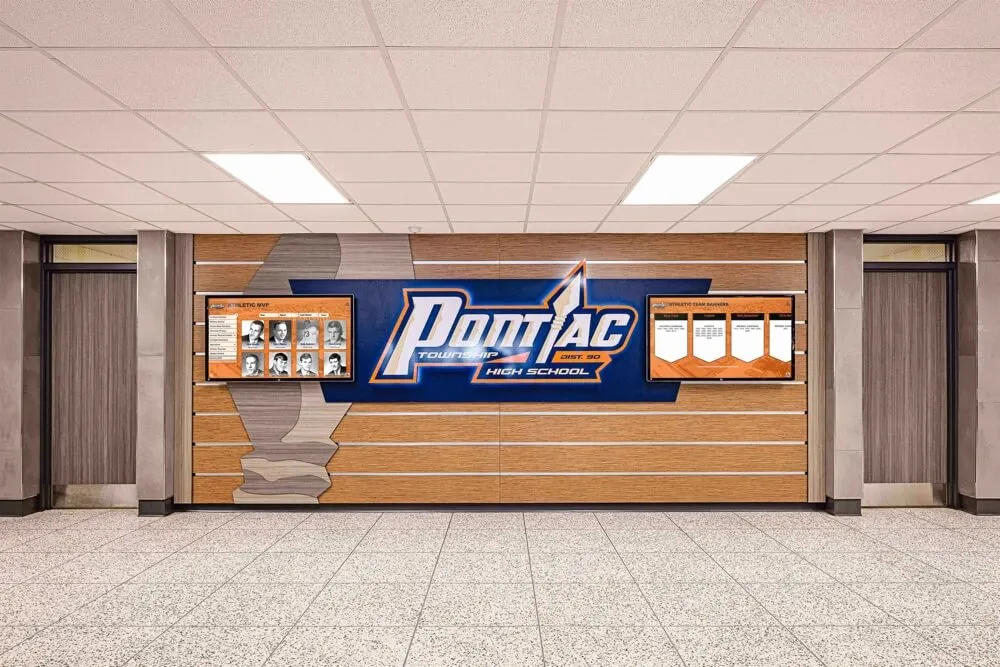
An athletic honor wall in a school hallway represents years of athletic history — acceptance criteria verification is the quality gate that ensures every record behind those panels is accurate, complete, and cleared for public display
Ready to Connect Your Accepted Archive to a Recognition Display?
A verified, accepted athletic archive is ready to power hall-of-fame touchscreens, digital yearbooks, and recognition programs that athletes, alumni, and donors trust. Rocket Alumni Solutions works with schools to connect accepted digital archives to interactive recognition platforms designed around structured, complete data — giving athletic directors and administrators the tools to display their program’s history accurately from day one.
Schedule a demo with Rocket Alumni Solutions to see how a verified archive becomes a living recognition resource for your school community.
Ready to see this for your school?
Picture your collection in a custom mockup
Start with your yearbook collection and digitization goals, then request a custom digital mockup for your school.