School history, shared
Athletic Archive Database Export Checklist: Preserve Records Beyond One Software Platform
Athletic records stored inside a single software platform are only as permanent as your subscription. When a vendor is acquired, a contract lapses, or a district procurement policy shifts to a different approved platform, schools that haven’t exported their own data in a portable format can find themselves locked out of years of athlete profiles, award histories, statistics, and hall-of-fame records. The recovery process — piecing together program history from printed programs, old spreadsheets, and staff memory — takes months and never fully reconstructs what was lost.
An athletic archive database export checklist addresses this risk systematically. Rather than waiting for a transition crisis, it gives athletic directors, school administrators, booster leaders, and recognition-program owners a step-by-step process for pulling every category of athletic record out of its current platform and into formats that remain fully accessible no matter which software your school uses next.
This guide covers the full scope of athletic data portability: identifying every system that holds records, initiating exports by record type, validating completeness, establishing platform-independent storage, and building a regular export schedule. It is written for school athletic departments of any size — from a single-school program managing records in a shared spreadsheet to a multi-sport district operation running separate platforms for statistics, recognition, and communications.

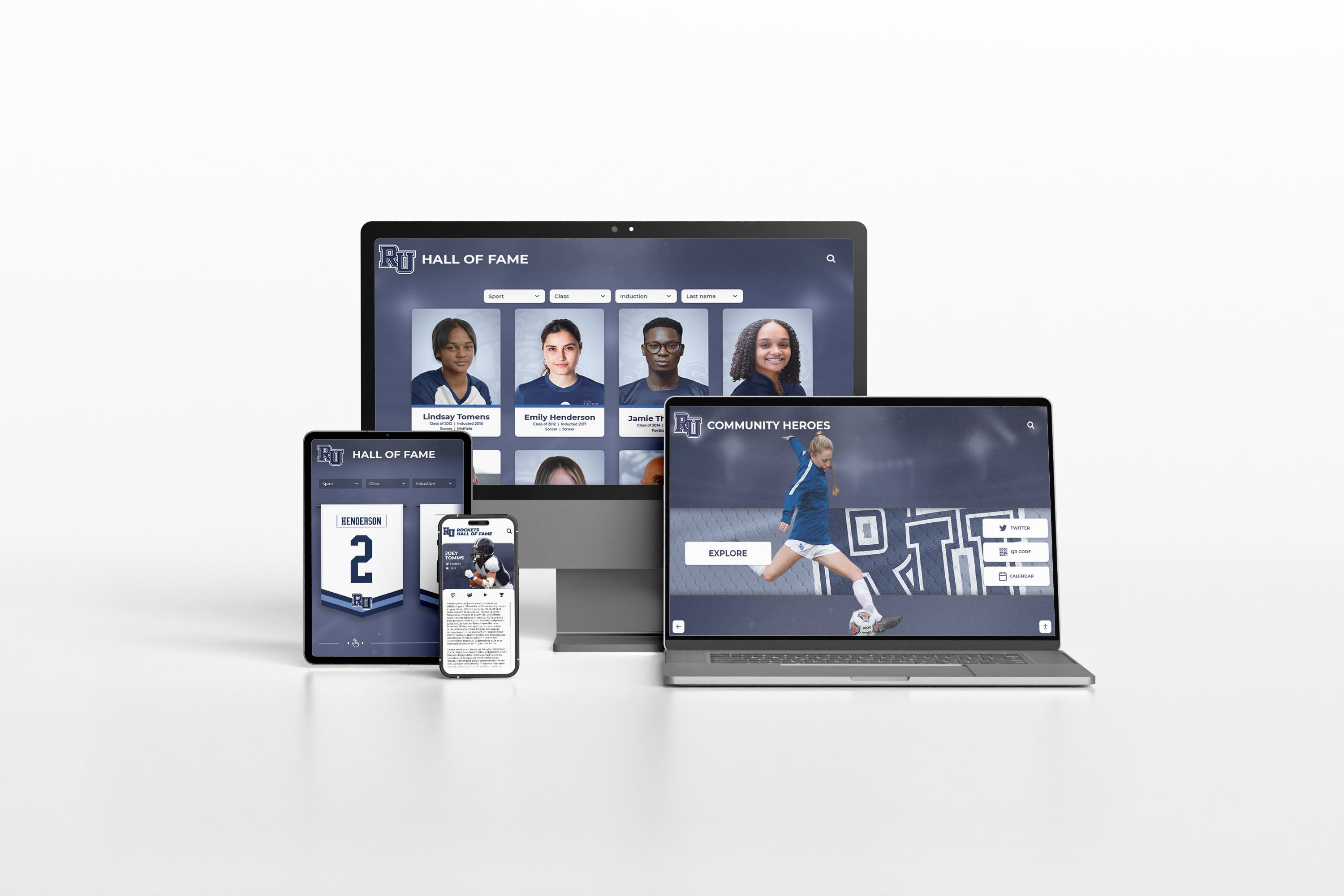
Records exported from a single platform and stored in open formats remain accessible across any device or software environment — protecting program history against vendor changes, contract lapses, and platform shutdowns
Why Athletic Programs Lose Records When Software Changes
Platform-dependent athletic records are more common than most administrators realize. The problem is structural: cloud-hosted software typically stores your data in the vendor’s database, not in a file format you directly control. You access that data through the vendor’s interface — and when access ends, so does visibility into the records unless you have already exported them.
The most common loss scenarios are predictable. A recognition display vendor changes ownership and migrates legacy accounts to a new system with a different data structure, leaving old athlete profiles inaccessible without manual re-entry. A statistics platform discontinues a legacy product tier and gives enrolled schools thirty days to export or lose access. A booster association volunteer who managed the hall-of-fame nomination database retires and takes the login credentials with them. A school migrates to a new student information system and discovers that the athletics module from the old system didn’t transfer roster history beyond the current year.
None of these require negligence — they reflect the routine lifecycle of software products and the reality that institutional athletic history is rarely treated as a formal records management responsibility until a loss makes it one. An institutional memory preservation strategy for athletic programs starts with treating all software-hosted records as temporary and all exports as the permanent layer.
The Athletic Archive Database Export Checklist
The checklist works through six phases. Phases 1 and 2 address the most common gaps: programs that don’t know how many systems hold their data and haven’t initiated exports from all of them. Phases 3 through 6 build the infrastructure that makes exported data durably useful.
| Phase | Focus | Priority |
|---|---|---|
| Phase 1 | Map every platform holding athletic records | High — complete first |
| Phase 2 | Initiate exports by record type | High |
| Phase 3 | Validate and verify exported data | High |
| Phase 4 | Establish platform-independent storage | High |
| Phase 5 | Document data structure and field definitions | Medium |
| Phase 6 | Schedule regular export cycles | Medium — prevents backlog |
Phase 1 — Map Every Platform Holding Athletic Records
Before any export can happen, the full scope of athletic data needs to be understood. Most programs discover during this phase that their records are spread across more systems than anticipated.
Step 1: List every software platform, database, and shared account that stores athletic data.
For each item on the list, note who controls the login credentials, whether the school or the vendor hosts the data, and whether the account has an active subscription.
Systems commonly holding athletic records:
- Student information system (SIS): Rosters, enrollment status, eligibility flags, and contact records for participating athletes
- Athletic management software: Schedules, game results, team registrations, and eligibility certifications
- Statistics platforms: Season and career statistics, game logs, and record-setting performances
- Recognition and display platforms: Hall-of-fame inductee profiles, award histories, jersey retirement records, and digital display content
- Photo storage: Team and event photos in Google Drive, Dropbox, SmugMug, Zenfolio, or platform-native photo libraries
- Yearbook platforms: Digital yearbook content with athlete features and seasonal archives
- Website CMS: Athletic pages, historical articles, and program records published on the school site
- Booster association records: Scholarship recipients, fundraising histories tied to named programs, and sponsorship recognition records
- Video platforms: Game film, highlight reels, and banquet videos stored in Hudl or similar tools
Step 2: Identify records that exist only in a single location without a backup copy.
These are your highest-risk records. A hall-of-fame database maintained entirely within a vendor’s cloud platform with no local export represents a single point of failure. Prioritize these for immediate export in Phase 2. An athletic department software stack review often reveals three to five separate platforms, each holding records the others don’t contain.
Phase 1 Checklist
- List every platform, database, and account holding athletic data
- Note the login credentials holder and hosting location for each system
- Flag records that exist in only one system with no backup
- Confirm which systems are currently under active subscription
- Note contract renewal dates for any expiring subscriptions
- Identify contacts at each vendor for data export requests
Phase 2 — Initiate Exports by Record Type
Different record types require different export approaches. Most platforms provide export functionality through an admin or settings interface, but the format, completeness, and accessibility of those exports vary significantly.
Step 3: Export athlete roster and profile records.
For each platform holding athlete records, initiate an export covering full legal name and any known preferred names or name changes, graduation year and sport(s) participated in, position and jersey number at time of participation, and any unique identifiers assigned by the platform. Include associated photos with the athlete identifier encoded in the filename.
Export in CSV or JSON format. Avoid proprietary spreadsheet formats — CSV is preferred for long-term accessibility without software dependency.
Step 4: Export award, recognition, and achievement records.
Award records are particularly vulnerable to platform lock-in because they’re often maintained only inside recognition software. For each recognition platform, export:
- Varsity letters by sport and year
- All-conference and all-state designations with the season year
- Program records with the record holder’s name, value, and date set
- Hall-of-fame inductee records with induction year and class
- Championship roster memberships with year and sport
- Named award recipients (MVP, Sportsmanship, Scholar-Athlete, etc.) with year and sport
Step 5: Export photo and media libraries.
Photo exports are the largest by file size but often the most irreplaceable. Export original files at full resolution rather than web-optimized derivatives, and request a metadata export alongside photos so that caption, date, event, and athlete tag data travels with the files. If the platform doesn’t export metadata, download it separately and maintain a mapping file connecting photo filenames to metadata records.
An athletic archive file naming convention applied at export time — encoding sport, season, and event in the filename — ensures photos remain identifiable after they leave the original platform and no longer carry the original platform’s organizational structure.
| Record Type | Recommended Export Format | Minimum Viable Format | Avoid |
|---|---|---|---|
| Athlete rosters | CSV + JSON | CSV | Platform-native format with no CSV option |
| Athlete profiles | JSON with photo references | CSV | Screenshot exports |
| Award records | CSV | Printed PDF | Platform-only download without structured data |
| Statistics | CSV per sport-season | CSV | Aggregate PDFs without row-level data |
| Photos | TIFF or high-res JPEG | High-res JPEG (≥300 DPI) | Social-media-optimized 72 DPI copies |
| Video | MP4 (H.264) | MP4 | Platform-proprietary video format |
| Documents | PDF-A | DOCX without a PDF companion | |
| Display content | JSON + image files | CSV + images | Platform-native export only |
Phase 3 — Validate and Verify Exported Records
An export that appears complete is not necessarily usable. Validation confirms that exported data is accurate, complete, and readable outside the original platform.
Step 6: Open and inspect every exported file without the original software.
Open CSV exports in a plain text editor as well as a spreadsheet application. Confirm that column headers are present and match the field names documented in the platform, all expected rows are present (compare total row count against the record count shown in the platform interface), special characters have exported correctly, and date fields are in a readable format rather than a platform-internal timestamp.
Step 7: Spot-check records against a known primary source.
Select ten to twenty athlete records across different graduation years and sports and verify each against an original source: a printed program, an official roster, a signed statistics report, or a prior recognition publication. Any discrepancy between the export and the primary source needs to be resolved before the export is treated as authoritative. Document each discrepancy and its resolution with a source citation.
Phase 3 Checklist
- Open every exported file in a non-vendor application and confirm it is readable
- Compare row counts in exports against record totals displayed in the platform
- Check that special characters and date fields exported correctly
- Verify photo file references link to actual files in the photo export
- Spot-check 10–20 records against primary sources (printed programs, official rosters)
- Document and resolve any discrepancies before filing the export as authoritative
- Confirm video files play without requiring the original platform’s software
Phase 4 — Establish Platform-Independent Storage
Validated exports need a home outside the vendor’s cloud — a storage location the school controls independently of any software subscription.
Step 8: Define a canonical archive storage location for each asset type.
For most school athletic departments, the appropriate canonical location is the school’s or district’s controlled cloud storage: Google Workspace for Education or Microsoft OneDrive under the district license. This keeps records within school-controlled infrastructure while providing the redundancy of cloud storage. Organize the archive by asset type, then by year:
/athletic-archive/
  /rosters/
    /2024-2025/
    /2023-2024/
  /awards/
  /photos/
    /football/2024-2025/
    /basketball/2023-2024/
  /statistics/
  /hall-of-fame/
  /display-content/
Step 9: Maintain at least two geographically separate copies of all exports.
One copy in school-controlled cloud storage is a strong start. A second copy on an external drive stored in a secure school location adds resilience against account access issues, cloud provider outages, or accidental deletion. An athletic director records and recognition checklist treats two-copy storage as a baseline requirement rather than an optional enhancement — because single-location storage, even in a reputable cloud service, is a single point of failure in institutional records management.
Phase 4 Checklist
- Define canonical archive storage location within school-controlled infrastructure
- Establish folder structure by asset type and year
- Place validated exports in the canonical location with clear, consistent naming
- Create a second copy in a separate location (second cloud account or physical media)
- Document who has access to each storage location and the recovery process
- Confirm the secondary copy is accessible without internet access if stored on physical media
Phase 5 — Document Data Structure and Field Definitions
An export that contains all the right data but no explanation of what the fields mean becomes a puzzle for the next administrator who inherits it. A field definition document turns a raw export into a self-explanatory archive.
Step 10: Create a data dictionary for each export.
For each CSV or JSON export, create a companion document — a plain text file or single-page PDF — that explains what each column or field name means, the allowed values for fields with a controlled vocabulary (listing every valid sport name, for example), how records are linked across files (the athlete ID in the awards file corresponds to the athlete ID in the roster file), the date and source of the export, and which platform the export came from. Field definition documentation is especially valuable for award and recognition records, where field names may be program-specific jargon that a new administrator or a future recognition software onboarding specialist wouldn’t recognize.
Phase 6 — Schedule Regular Export Cycles
A single comprehensive export addresses the immediate risk. Scheduled recurring exports prevent the gap from reopening as new records accumulate.
Step 11: Schedule exports at three intervals.
- Before each contract renewal: Run a full export of all records from any platform whose contract is renewing. Even if renewal is certain, a pre-renewal export ensures a current copy exists if the renewal is delayed, contested, or ultimately cancelled.
- Seasonally at the close of each sport season: Export statistics, roster, and achievement records for each sport immediately after the season closes, while the data is fresh and before year-end platform processing could alter records.
- Annually before the academic year begins: Run a full-scope export of all platforms and validate against the prior-year export to confirm nothing has been altered or lost since the last cycle.
A hall-of-fame display software evaluation should now include data portability as a standard criterion — because programs that have experienced vendor changes know that the ability to export records cleanly is worth confirming before signing, not after.
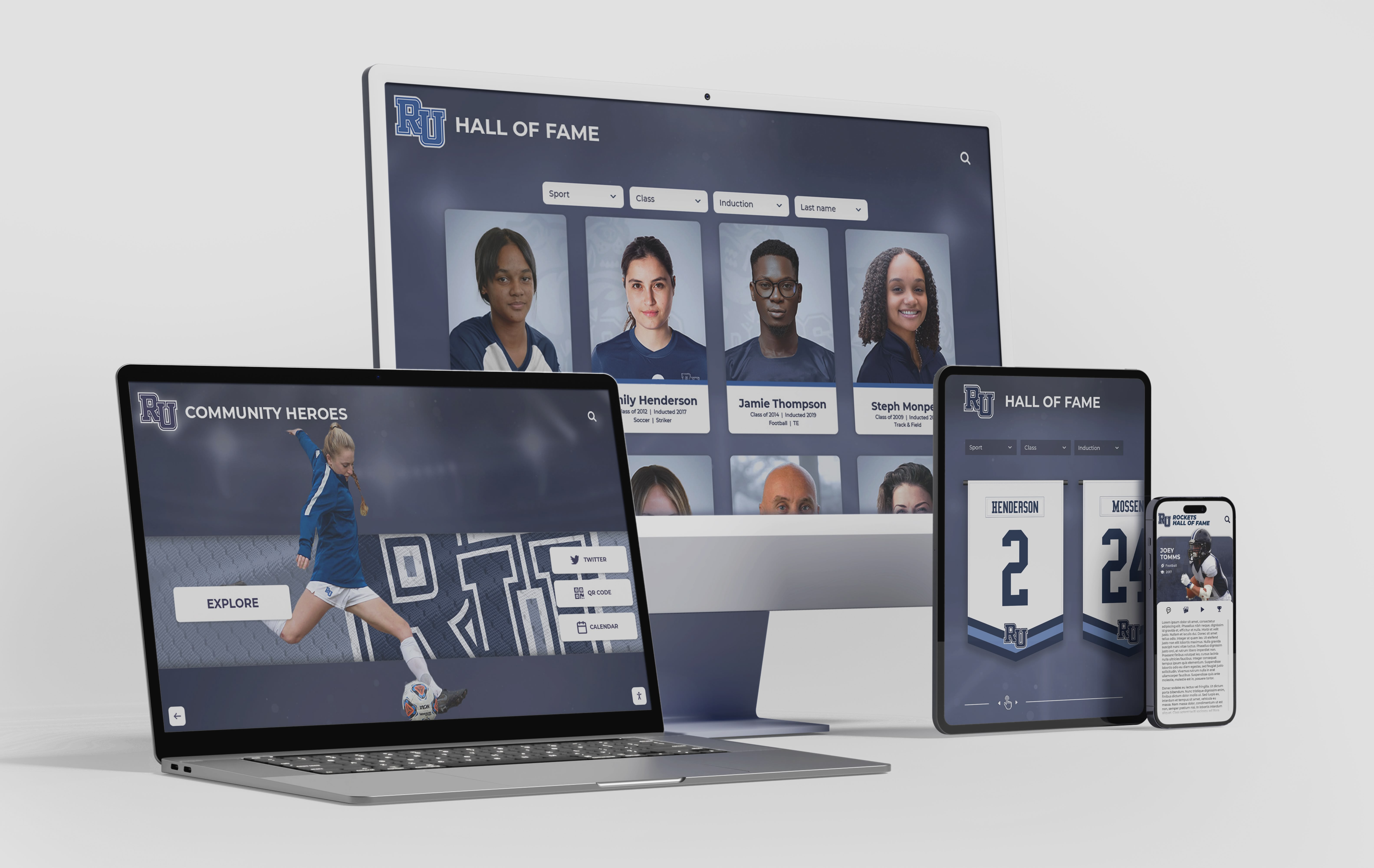
When athlete profiles and award records are stored in platform-independent formats, they can be imported into any future recognition system — protecting program history regardless of which software comes next
Quick-Reference: What Each Record Type Needs for Long-Term Preservation
| Record Type | Platforms Commonly Holding It | Export Format to Request | What to Verify |
|---|---|---|---|
| Season rosters | SIS, athletic management software | CSV with name, sport, year, jersey number | Row count vs. official roster documents |
| Career statistics | Stats platforms (Hudl, MaxPreps, StatCrew) | CSV per sport, one row per athlete-season | Totals match season-end summaries |
| Award records | Recognition software, spreadsheets | CSV with athlete name, year, award, sport | Award names consistent across seasons |
| Hall-of-fame records | Recognition and display platform | JSON or CSV with inductee, year, sport, bio | Bio text readable outside the platform |
| Photos | Drive storage, platform libraries | TIFF or high-res JPEG with metadata | Filenames identifiable; photos open without vendor app |
| Display content | Recognition display platform | JSON export + original image files | Import test in a neutral application |
| Program records | Stats platforms, spreadsheets | CSV with athlete, record value, sport, year | Records match official record boards |
| Scholarship records | Booster databases, SIS | CSV or PDF-A | Recipients match official scholarship documentation |
How Exported Archives Connect to Recognition Programs
A platform-independent athletic archive does more than protect against vendor changes — it makes recognition programs more robust and more credible across every channel the school uses to honor its athletes and engage its community.
Hall-of-fame displays can be rebuilt without vendor dependency. Schools that have exported their inductee data in structured CSV or JSON format can migrate to a new recognition platform and import those records directly, rather than re-entering profiles manually. A program with 150 hall-of-fame inductees and complete exported records can repopulate a new display in hours. A program with no export faces weeks of reconstruction from printed materials and staff memory.
Recognition events draw on verified records. An athletic banquet planning checklist built on an authoritative, exported record base — rather than a vendor’s live database that may be inaccessible under deadline pressure — ensures that award announcements are accurate and complete on the night that matters most to athletes and families.
Alumni engagement depends on accurate historical records. Former athletes who return for reunion events, alumni games, or facility dedications want to see their records represented accurately. A school that cannot retrieve a former athlete’s statistics or award history because the original platform changed isn’t just inconvenienced — it’s signaling to alumni that the program doesn’t value what they contributed. Alumni network platform comparisons consistently show that access to accurate historical records is one of the strongest drivers of alumni engagement and giving.
Donor and sponsor trust depends on record permanence. Donors who fund named scholarships, award programs, or facility recognition expect those records to persist across platform changes. A naming-rights sponsor whose recognition disappears because the display platform changed without an export is unlikely to renew or grow their commitment. Platform-independent records support the long-term stewardship relationships that athletic booster programs depend on.
Records correction requests are handled cleanly. Schools with exported records in a structured format can respond to an athletic history records correction or takedown request without vendor intermediation — they control the canonical record and can update it directly, then push the corrected version to their display platform, without waiting on a support ticket to resolve what is ultimately a school’s own data.

A well-organized archive of athlete portrait cards and historical records, exported from vendor platforms and stored in school-controlled infrastructure, becomes an asset that recognition programs can draw on for decades
Frequently Asked Questions
Q: Our recognition platform says it keeps our data “forever.” Do we still need to export?
A vendor’s retention commitment is meaningful as long as the vendor exists, your account is active, and the product line continues. It does not protect against platform shutdown, acquisition and migration to a different system, product discontinuation, or administrative account loss. Platform-independent exports eliminate the vendor’s continued operation as a condition for accessing your own records.
Q: How long does a full export take for a mid-size high school athletic program?
For a program with ten to fifteen years of history across four or five platforms, a full export typically requires two to three business days of staff time — including the mapping phase, initiating exports from each platform, downloading files, and running the validation pass. Platforms with straightforward CSV export interfaces take minutes to initiate; photo libraries with thousands of files take hours to download. Building in a full week for the process, including any vendor support requests, is a realistic estimate.
Q: Our vendor doesn’t have a self-service export feature. What do we do?
Check your service agreement first — many contracts include a data portability provision that obligates the vendor to provide an export on request. If no agreement provision exists, request an export through the vendor’s support channel in writing and document the request and response. For records that are completely inaccessible for export, manual transcription — copying records from the platform interface into a spreadsheet — is a valid fallback for high-value data like hall-of-fame inductee profiles. For future platform procurement, the absence of an export feature should be treated as a significant evaluation criterion.
Q: Should we export everything, or just the records we actively use?
Export everything that has been entered into a platform. Records that seem dormant — statistics from a sport that was discontinued, profiles of athletes from twenty years ago — become valuable when a program reaches a milestone anniversary, launches an alumni outreach initiative, or considers a hall-of-fame retrospective. The cost of exporting is low. The cost of discovering a record is unrecoverable when you need it is high.
Q: What format should we use for long-term photo archiving?
For archival purposes, TIFF is the recommended format because it is lossless, widely supported, and not controlled by any single vendor. For programs where TIFF storage is impractical due to file size, high-resolution JPEG (maximum quality, saved from the original without re-compression) is an acceptable format for photographs taken on digital cameras. The critical requirement in either case is resolution: export at the highest available resolution, not the web-optimized version. A photo that needs to be printed for a hall-of-fame plaque or an athletic facility wall requires the original resolution — the web-optimized version won’t serve that purpose.
Q: How do we handle records that belong to both the athletic department and the school’s general student records system?
Work with your district’s records manager and IT department to clarify which records fall under athletic department jurisdiction and which fall under student records policy. Student records have specific retention and privacy requirements under applicable regulations — align your export and storage practices with your district’s records management policy and applicable law. For records that overlap both systems, the district’s student records team typically holds the authoritative copy, and the athletic department’s export supplements it with athletics-specific data not captured in the SIS. Confirm your approach with qualified counsel if questions arise about privacy obligations.
Q: We’re planning to switch display platforms soon. Should we wait until after the switch to run the export checklist?
Run the export before the switch, not after. Once a contract lapses or an account is deactivated, access to export functions often lapses simultaneously. The safest practice is to run a full export, validate it, and confirm it is stored securely before initiating any account cancellation or platform migration. A pre-switch export also gives you a clean dataset to import into the new platform, avoiding the need to re-enter records manually.
Q: How often should we schedule recurring exports as an ongoing practice?
The three-interval schedule in Phase 6 — pre-renewal, seasonal at sport-season close, and annual before the academic year begins — covers most programs without creating unmanageable administrative burden. Programs with very active recognition calendars or frequent platform updates may benefit from adding a pre-event check before major recognition moments such as hall-of-fame inductions, award banquets, or facility dedications. The goal is a current, validated export always within ninety days of the present — close enough to be useful if access is lost unexpectedly.

Every name, season, and achievement on a hallway honor wall depends on records that were kept, exported, and maintained outside any single vendor's infrastructure — the work this checklist is designed to protect
Building a Recognition Program on Records You Own
An athletic archive database export checklist is, at its core, a commitment to treating your program’s history as an institutional asset rather than a vendor dependency. Schools that maintain complete, validated, platform-independent exports of their athletic records can switch display systems without losing history, respond to correction requests without vendor intermediation, and build recognition programs that grow more valuable over time rather than resetting with every software change.
The work of exporting doesn’t require technical expertise — it requires a systematic approach, a realistic time commitment, and the organizational will to treat records maintenance as a routine responsibility rather than an emergency response. Programs that run through this checklist before the next contract renewal or platform evaluation are in a fundamentally stronger position than those who discover the need for an export while looking at an account cancellation notice.
If your school is ready to connect a clean, portable athletic archive to a recognition system designed to make every athlete’s story visible — and to give you full ownership of the data that powers it — Rocket Alumni Solutions can show you what that looks like for your program.
See how a platform-independent athletic archive powers recognition displays that last.
Ready to see this for your school?
Picture your collection in a custom mockup
Start with your yearbook collection and digitization goals, then request a custom digital mockup for your school.