




America’s 250th anniversary approaches in 2026, marking a semiquincentennial that will focus national attention on American history, heritage, and the institutions preserving our collective memory. For museums, historical societies, libraries, and cultural organizations, this milestone presents both tremendous opportunity and significant challenge. How do you honor centuries of history when traditional display methods accommodate only fragments of available collections? How do you engage contemporary audiences expecting interactive, multimedia experiences while preserving the authenticity and educational integrity of historical content?
The America 250 initiative, coordinated by the U.S. Semiquincentennial Commission, aims to inspire participation from every community in commemorating American independence. Museums and cultural institutions sit at the heart of this commemoration—serving as repositories of artifacts, documents, and stories that define American heritage. Yet many institutions struggle with fundamental limitations: physical space constraints forcing difficult choices about which history to display, static exhibits that cannot accommodate comprehensive documentation, aging presentations failing to engage digital-native visitors, and limited resources preventing frequent updates or expansions.
Interactive history touchscreens represent transformative solutions enabling museums and cultural institutions to overcome these challenges while creating engaging visitor experiences appropriate for America’s 250th celebration. These digital platforms preserve the authenticity and educational value of traditional museum exhibits while adding multimedia richness, unlimited content capacity, and interactive exploration capabilities that resonate with contemporary audiences. From local historical societies documenting community heritage to major museums presenting national narratives, touchscreen technology makes comprehensive historical preservation and presentation achievable for institutions of all sizes.
This comprehensive guide explores how museums, historical societies, and cultural organizations can implement interactive touchscreen displays that honor America’s 250th anniversary while creating lasting engagement infrastructure serving visitors for decades beyond the semiquincentennial celebration.
Understanding America 250 and Its Significance for Museums
Before exploring touchscreen implementation strategies, it’s essential to understand the scope of America’s 250th anniversary and what it means for cultural institutions.
The America 250 Initiative
America’s semiquincentennial commemorates the 250th anniversary of the signing of the Declaration of Independence on July 4, 1776. While the primary celebration date falls on July 4, 2026, the U.S. Semiquincentennial Commission has planned a multi-year commemoration spanning 2026-2027, recognizing that American independence involved events across several years—from the first Continental Congress through the Constitutional Convention.
Commission Goals and Themes
The official America 250 framework encourages institutions to develop programs and exhibits around several thematic areas:
- Tell the American Story: Present diverse narratives reflecting all Americans throughout history
- Honor Service and Sacrifice: Recognize those who’ve served the nation in military, public service, and community roles
- Inspire the American Spirit: Celebrate innovation, entrepreneurship, and community building
- Engage Youth and Education: Create experiences inspiring next generations
- Commemorate Milestone Anniversaries: Mark significant dates in American history
Museums and cultural institutions implementing exhibits for America 250 should consider how their collections and narratives connect to these national themes while preserving authentic local perspectives and stories.

Interactive touchscreen kiosks transform traditional museum exhibits into engaging, self-directed exploration experiences where visitors discover content matching their interests
Why Museums Matter for America 250 Commemorations
Cultural institutions play central roles in America 250 celebrations:
Authentic Historical Content
Museums house primary sources—artifacts, documents, photographs, and objects—that provide direct connections to American history. Unlike secondary interpretations or popular narratives, museum collections offer authentic materials enabling visitors to form their own understandings of historical events and periods.
Community Connection Points
Local museums and historical societies preserve community-specific stories often missing from national narratives. These institutions document how national events affected local areas, celebrate community contributions to American development, and provide spaces where community members encounter their own heritage within broader American history.
Educational Resources
Museums serve as living classrooms where formal education meets experiential learning. During America 250 commemorations, schools will seek field trip destinations and educational resources connecting students to American history in memorable ways that classroom instruction alone cannot achieve.
Multi-Generational Engagement
Unlike many institutions serving specific age groups, museums attract diverse audiences spanning generations. America 250 exhibits can create shared experiences bringing families together around historical exploration, connecting elderly visitors who remember World War II or the Civil Rights Movement with young people encountering these histories for the first time.
Challenges Facing Museums During America 250
Traditional museum approaches face limitations during major commemorative periods:
Space Constraints
Physical exhibits occupy limited square footage. Museums considering America 250 exhibits must balance commemorative content with permanent collections, special exhibitions, and educational programming—often forcing difficult decisions about what history to prioritize or exclude.
Update Difficulties
Traditional exhibits require significant time and expense to modify. Once installed, physical displays typically remain unchanged for years. This permanence becomes problematic during multi-year commemorations when museums might want to evolve content, add community contributions, or respond to visitor interests.

Modern museum visitors expect interactive experiences enabling self-directed exploration based on personal interests and learning styles
Engagement Expectations
Contemporary museum visitors—particularly younger audiences—expect interactive, multimedia experiences. Static displays with text panels and protected artifacts often fail to engage visitors accustomed to smartphones, streaming media, and interactive digital content in their daily lives.
Resource Limitations
Many smaller museums and historical societies operate with limited budgets and small staff. Creating comprehensive America 250 exhibits using traditional methods requires resources beyond what many institutions can commit while maintaining regular operations and programming.
How Interactive Touchscreen Displays Transform Museum Experiences
Digital touchscreen technology addresses traditional museum limitations while creating engagement opportunities impossible with conventional exhibits.
Unlimited Content Capacity
Perhaps the most significant advantage of touchscreen displays is eliminating physical space as the primary constraint on how much history museums can present:
Comprehensive Historical Documentation
A single touchscreen kiosk can showcase centuries of history that would require thousands of square feet of wall space using traditional display methods. Museums can present complete collections—not just highlights—enabling visitors to explore historical depth matching their interests rather than being limited to curator-selected excerpts.
For America 250 commemorations, this unlimited capacity means museums can document local community involvement in the American Revolution, present biographical information about every community member who served in American wars, showcase complete collections of historical photographs documenting local development, and provide detailed timelines connecting local events to national history—all without the space constraints that force traditional exhibits to be selective.
Layered Information Architecture
Digital platforms enable progressive disclosure where casual visitors access overview information while interested visitors can dive into comprehensive detail. This accommodates diverse audience needs within the same exhibit space:
- Brief introductions (50-100 words) for casual browsers
- Moderate detail (300-500 words) for interested visitors
- Comprehensive documentation (unlimited) for researchers and enthusiasts
- Primary source access including photographs, documents, and artifacts
- Multimedia content including video, audio, and interactive elements
Similar to how digital interactive museum displays serve educational institutions, comprehensive touchscreen systems enable cultural organizations to present complete historical narratives without overwhelming visitors.

Commercial-grade touchscreen kiosks provide reliable, intuitive platforms for comprehensive historical exhibits that operate continuously in public spaces
Interactive Exploration and Personalization
Digital touchscreens transform passive viewing into active exploration:
Visitor-Directed Experiences
Rather than following prescribed paths through exhibits, visitors using touchscreen displays choose their own exploration routes based on interests:
- Search functionality finding specific people, events, or topics
- Browse timelines by decade or thematic area
- Filter content by category (military history, social movements, economic development, cultural life)
- Follow related content suggestions discovering connections
- Create personal pathways through historical content
This visitor-directed approach produces significantly higher engagement. According to museum visitor studies, interactive exhibits generate 5-10 times longer engagement than static displays, with visitors spending an average of 8-12 minutes actively exploring digital content compared to brief glances at traditional text panels.
Multi-Generational Appeal
Touchscreen interfaces accommodate diverse age groups and technical comfort levels:
- Intuitive touch interaction requiring no prior experience
- Visual navigation through photographs and graphics
- Text sizing adjustments for vision accessibility
- Audio content options for auditory learners
- Video integration engaging visual learners
- Simple navigation enabling independent exploration
For America 250 commemorations serving families, touchscreen displays enable grandparents sharing memories, parents providing context, and children discovering history through intuitive interaction—all using the same exhibit platform.
Multimedia Integration and Rich Storytelling
Digital platforms support content types impossible with traditional static displays:
Video and Audio Content
Historical storytelling comes alive through multimedia:
- Oral history interviews with veterans, activists, and community elders
- Historical footage from community events and national moments
- Documentary-style presentations providing context and analysis
- Narrated tours explaining artifacts and their significance
- Period music and ambient sounds creating atmospheric context
- Actor portrayals bringing historical figures to life
Photographic Archives
Digital displays make comprehensive photograph collections accessible:
- High-resolution images enabling zoom to examine details
- Before-and-after comparisons showing community evolution
- Photo galleries organized by decade or theme
- Annotated images explaining context and significance
- Facial recognition helping visitors identify relatives
- Social sharing enabling visitors to distribute discoveries
Document Integration
Primary source documents become accessible and understandable:
- Scanned historical letters, diaries, and records
- Transcriptions making handwritten materials readable
- Contextual annotations explaining significance
- Side-by-side original and transcription views
- Document relationships showing connections
- Searchable text enabling research across documents
Museums implementing touchscreen displays for America 250 can integrate materials from historical archives and preservation efforts, creating comprehensive digital collections serving visitors for decades beyond the semiquincentennial.
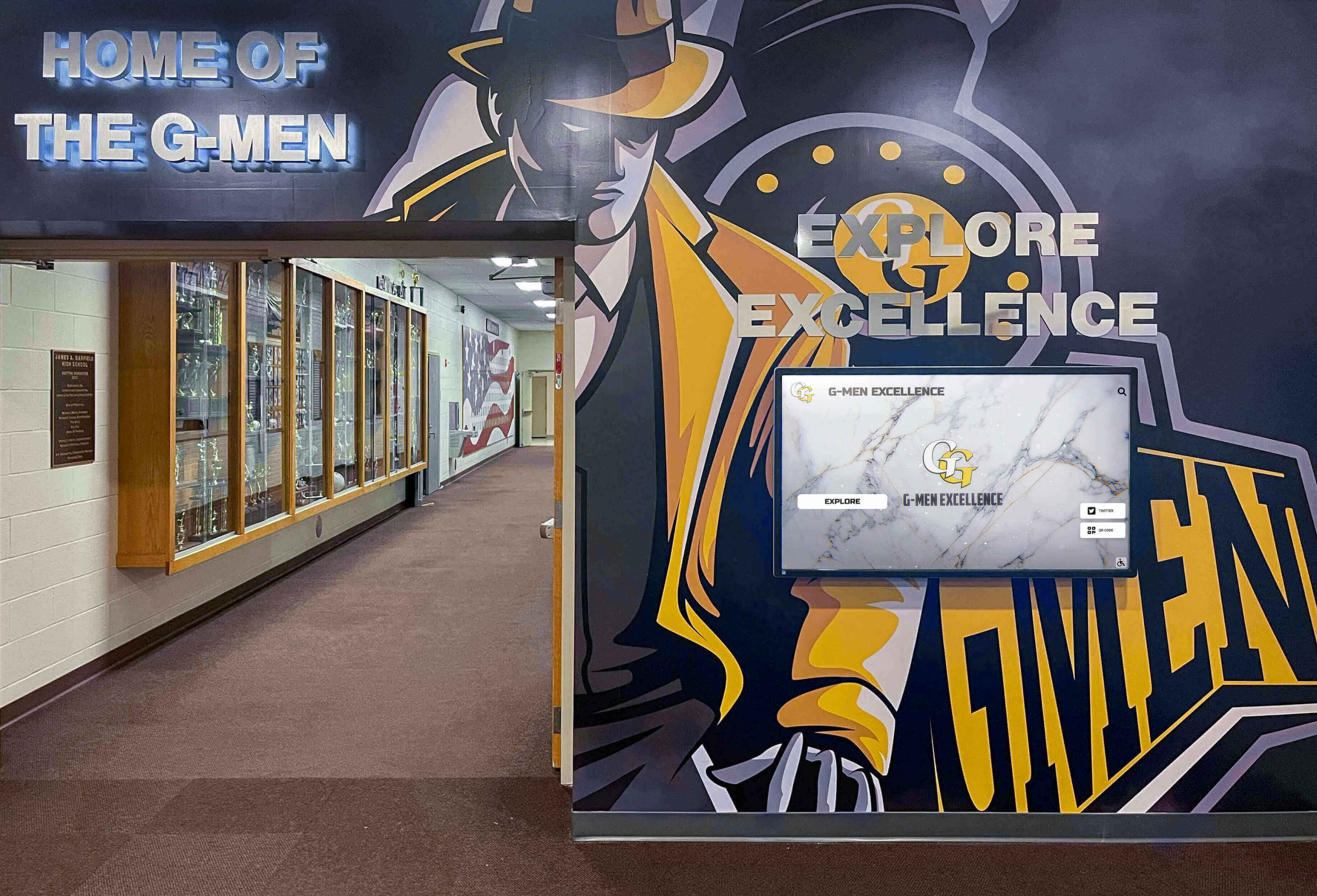
Effective museum design integrates digital touchscreen displays with traditional physical exhibits, combining the strengths of both presentation methods
Dynamic Updates and Living History
Unlike permanent physical exhibits, digital platforms enable continuous evolution:
Real-Time Content Management
Museums can update touchscreen content instantly:
- Add new discoveries or acquisitions immediately
- Correct errors when identified
- Incorporate community contributions and memories
- Feature rotating “spotlight” content highlighting different aspects
- Schedule content reveals for specific dates or anniversaries
- Respond to visitor feedback and interests
This flexibility proves particularly valuable during multi-year commemorations like America 250, where museums might want to evolve exhibits, add seasonal content, or integrate new community-contributed materials without physical reinstallation.
Community Contribution Integration
Digital platforms enable ongoing community participation:
- Visitors submit photographs from family collections
- Veterans and community members share personal stories
- Researchers contribute discoveries and context
- Students add school project findings
- Genealogists provide family history connections
- Social media integration bringing external content into exhibits
Similar to how digital tools bring history to life, touchscreen systems can incorporate community voices transforming institutions from gatekeepers to collaborative platforms for heritage preservation.
Planning America 250 Touchscreen Exhibits for Your Institution
Successful implementations require systematic planning addressing content, technology, and sustainability.
Defining Exhibit Goals and Themes
Begin by clarifying what your America 250 touchscreen exhibit should accomplish:
Educational Objectives
Consider your institution’s educational priorities:
- What aspects of American history does your collection best document?
- Which stories are unique to your community or institution?
- What learning outcomes should visitors achieve?
- How can exhibits serve school curricula and educational standards?
- What age groups and audience types will you serve?
Clear objectives guide content development and feature selection ensuring exhibits serve intended purposes effectively.
America 250 Theme Connections
Align local content with national commemoration themes:
- Revolutionary Era Focus: Document local involvement in American independence
- Military Service: Honor community members who served across American conflicts
- Innovation Stories: Celebrate local contributions to American progress
- Social Movements: Document community participation in civil rights, women’s suffrage, labor rights
- Immigration Narratives: Share stories of community members from diverse origins
- Cultural Heritage: Preserve traditions, languages, and customs enriching American diversity
Community Engagement Priorities
Consider how exhibits support broader institutional goals:
- Building stronger community connections
- Attracting new visitor demographics
- Supporting fundraising and development
- Creating educational partnerships
- Generating media attention and visibility
- Establishing digital infrastructure for future exhibits

Intuitive touchscreen interfaces enable visitors of all ages and technical backgrounds to explore museum content independently
Content Development for America 250 Exhibits
Building comprehensive touchscreen content requires systematic approaches to historical material:
Collection Assessment
Inventory existing materials available for digitization:
- Artifacts and objects with photographs and documentation
- Historical photograph collections (institutional and community)
- Document archives (letters, diaries, official records, newspapers)
- Oral history recordings and interview transcripts
- Previous exhibit materials and research
- Publications, books, and scholarly works about local history
Many institutions discover they possess far more content than realized once systematic inventory occurs. Materials often exist across multiple locations—storage areas, staff offices, board member collections, and community repositories.
Historical Research and Verification
America 250 exhibits require accurate, well-documented content:
- Cross-reference multiple sources for event dates and facts
- Verify names, relationships, and biographical details
- Consult primary sources when possible
- Document sources for credibility and future reference
- Interview knowledgeable community members
- Review local newspapers and archives
- Collaborate with historical societies and universities
Content Organization Strategies
Structure historical material for intuitive digital exploration:
Chronological Organization
- Timeline spanning pre-Revolution through present
- Decade-based browsing enabling period exploration
- Event-based navigation highlighting significant moments
- Anniversary connections to national commemorations
Thematic Categories
- Military service and veterans
- Political and civic engagement
- Economic and industrial development
- Social and cultural life
- Immigration and settlement
- Education and institutions
- Transportation and infrastructure
Biographical Approaches
- Individual profile pages for notable community members
- Family history connections across generations
- Occupation-based groupings
- Organization and affiliation connections
Learn about comprehensive approaches to displaying school and community history that work equally well for museums and cultural institutions.

Comprehensive digital archives preserve individual stories and portraits that collectively document complete community histories
Technology Selection and Implementation
Choosing appropriate platforms determines long-term exhibit sustainability:
Hardware Considerations
Physical touchscreen installations require careful planning:
Display Specifications
- Screen size: 43-75 inches depending on space and traffic
- Commercial-grade displays: Rated for continuous public operation
- Anti-glare coatings: Maintaining visibility under museum lighting
- Vandal-resistant housings: Protecting equipment in public spaces
- Mounting options: Wall-mounted, floor kiosks, or table installations
Environmental Factors
- Lighting conditions: Natural light, exhibit lighting, and glare
- Physical accessibility: ADA compliance for height and reach
- Traffic patterns: High-traffic vs. quiet contemplation spaces
- Climate: Temperature, humidity, and environmental controls
- Security: Protection from theft, vandalism, or damage
Software Platform Selection
Evaluate touchscreen software based on institutional needs:
Essential Capabilities
- Intuitive content management: Non-technical staff can update independently
- Multimedia support: Photos, videos, audio, documents
- Search and navigation: Visitors find content easily
- Timeline visualization: Chronological browsing interfaces
- Mobile responsiveness: Content accessible on personal devices
- Analytics: Understanding visitor engagement patterns
Museum-Specific Features
- Collection management integration
- Multilingual content support
- Accessibility compliance (screen readers, text sizing)
- Exhibit-appropriate design templates
- Interactive map integration
- Educational resource connections
Cloud-Based vs. Local Systems
- Cloud platforms: Remote management, automatic backups, easy updates
- Local systems: No internet dependency, one-time costs
- Hybrid approaches: Local display with cloud content management
Solutions like Rocket Alumni Solutions provide comprehensive touchscreen platforms specifically designed for institutional recognition and historical exhibits, eliminating the need for custom development while ensuring professional results.
Budget Planning
Comprehensive America 250 touchscreen implementations typically include:
- Hardware costs: $3,000-10,000 per installation location
- Software licensing: $2,000-5,000 annually depending on features
- Content development: Professional photography, video, writing
- Installation: Electrical, networking, mounting, and setup
- Training: Staff education on content management
- Ongoing maintenance: Technical support and updates
Total costs for complete implementations range from $25,000-75,000 for small institutions to $100,000+ for comprehensive museum-wide systems with multiple stations and extensive content development.
Creating Engaging America 250 Content
Technology enables interactivity, but content quality determines whether visitors engage meaningfully or navigate away frustrated.
Writing for Museum Touchscreen Exhibits
Effective digital content differs from traditional museum text panels:
Progressive Disclosure
Structure information in layers accommodating diverse visitor interests:
Layer 1: Overview (50-100 words)
- Basic identification and context
- Key significance in one or two sentences
- Engaging hook encouraging further exploration
- Clear navigation to detailed information
Layer 2: Detailed Content (300-500 words)
- Comprehensive explanation with context
- Connections to broader historical narratives
- Interesting details and human stories
- Related content suggestions
Layer 3: Research Depth (unlimited)
- Primary source documents and images
- Detailed analysis and interpretation
- Academic citations and references
- Links to external resources
- High-resolution examination capabilities
This architecture prevents overwhelming casual visitors while satisfying researchers and enthusiasts seeking comprehensive information.
Clear, Accessible Language
Museum content should serve diverse educational backgrounds:
- Write at 8th-9th grade reading level for general audiences
- Define specialized terms when necessary
- Use active voice and concrete language
- Keep sentences concise and focused
- Break complex ideas into digestible segments
- Provide examples illustrating abstract concepts
Remember that museum visitors include children, English language learners, and adults with varying educational backgrounds. Clear writing serves broader audiences without sacrificing accuracy or sophistication.
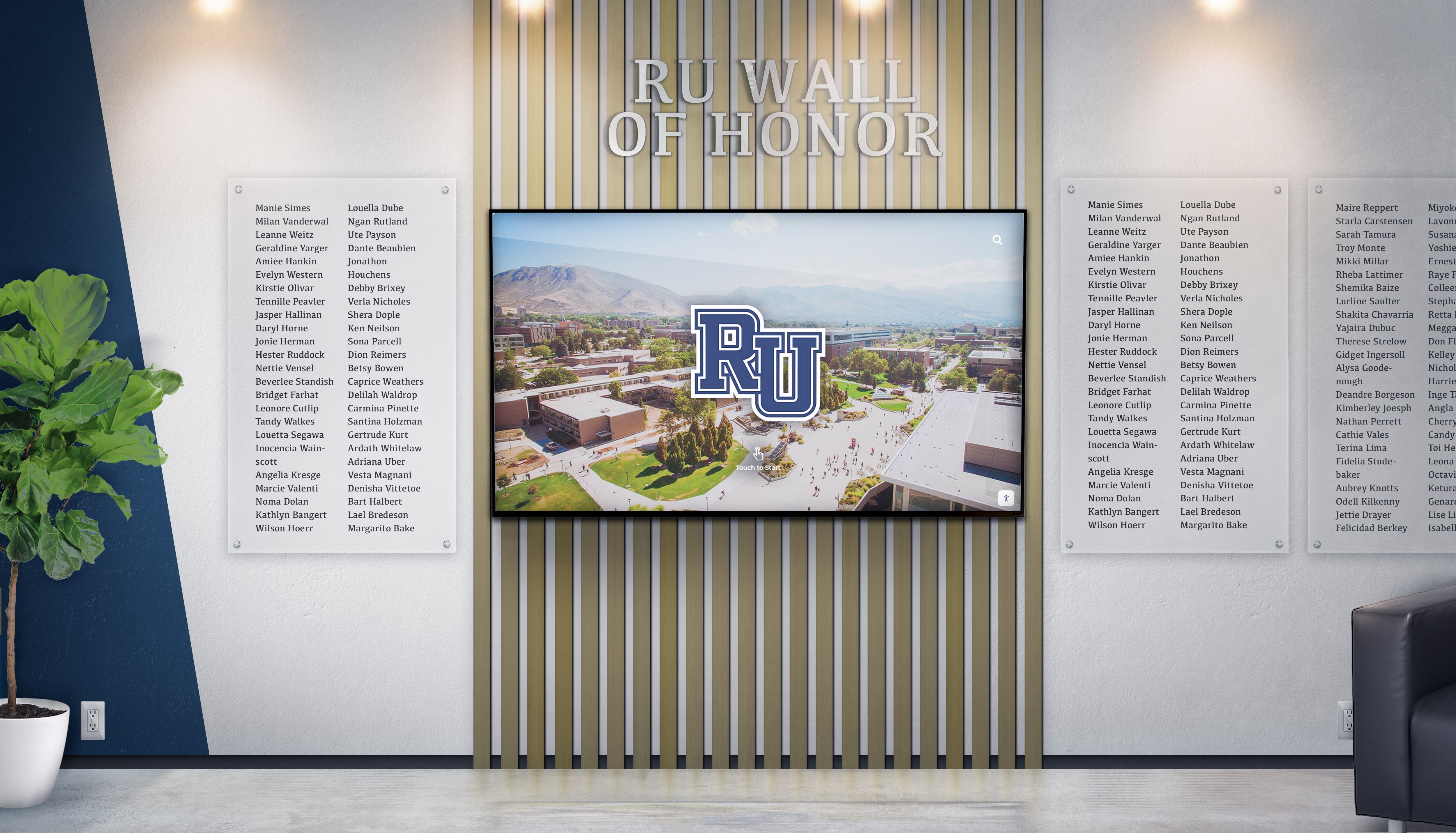
Well-designed touchscreen interfaces integrate seamlessly with physical museum spaces while providing unlimited content depth
Multimedia Content Development
Photography Guidelines
High-quality images prove essential for engaging exhibits:
- High-resolution scanning: 300+ DPI for printed photographs
- Multiple angles: Show artifacts from various perspectives
- Detail shots: Close-ups revealing craftsmanship and features
- Context photos: Objects in use or original settings
- Before-and-after: Showing change and restoration
- Metadata: Complete captions, dates, and source information
Video Content Best Practices
Video creates emotional connections impossible with static content:
Oral Histories
- 2-5 minute interview segments focused on specific topics
- Professional audio quality ensuring clarity
- Multiple camera angles maintaining visual interest
- On-screen identification of speakers
- Transcripts for accessibility and searchability
Historical Footage
- Digitized film and video from community archives
- Properly licensed newsreel and documentary footage
- Home movies contributed by community members
- Contemporary footage showing historical sites today
- Animated graphics explaining complex historical processes
Documentary-Style Content
- 5-10 minute presentations on specific topics
- Professional narration providing context
- B-roll footage illustrating narration
- Primary source integration
- Music and sound design creating atmosphere
Audio Integration
Audio content serves specific purposes in touchscreen exhibits:
- Ambient period music creating historical atmosphere
- Narrated tours explaining collections and themes
- Audio descriptions for visually impaired visitors
- Historical recordings of speeches and events
- Language translations for multilingual audiences
Interactive Features and Navigation
Intuitive Interface Design
Touchscreen exhibits should require no instructions:
- Large, clear touch targets (minimum 44x44 pixels)
- Consistent navigation patterns throughout
- Visual feedback confirming touches
- Obvious “home” buttons returning to start
- Breadcrumb trails showing location in content hierarchy
- Search bars prominently displayed
- Clear category labels and icons
Similar to best practices in interactive touchscreen software design, museum interfaces should prioritize visitor experience over visual complexity.
Search and Discovery
Enable multiple pathways to content:
- Full-text search across all content
- Chronological browsing by date or era
- Thematic filtering by category
- Geographic navigation through maps
- Alphabetical listings for specific names
- “Featured content” highlighting significant items
- Random discovery options encouraging exploration
Connection and Relationship Features
Help visitors understand historical relationships:
- “Related content” suggestions based on current viewing
- Timeline connections showing concurrent events
- Geographic relationships through interactive maps
- Biographical connections between individuals
- Thematic groupings across time periods
- Cross-references to related artifacts and documents
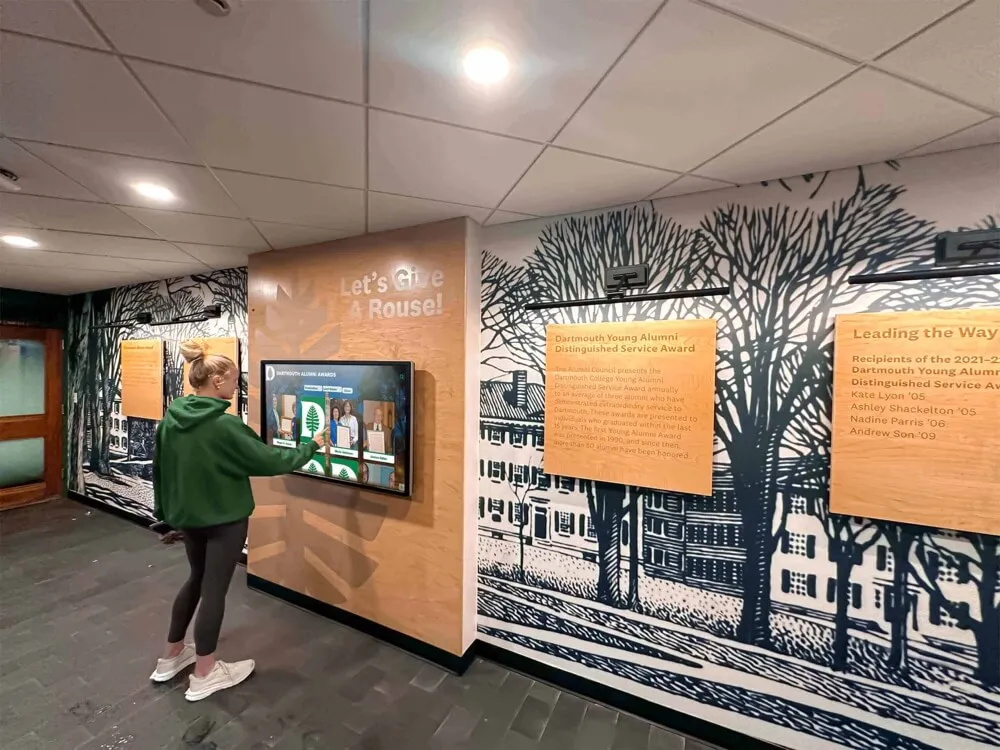
Effective museum design integrates digital touchscreens with traditional physical elements for comprehensive historical presentation
Extending America 250 Exhibits Beyond Physical Spaces
Comprehensive America 250 programs extend beyond museum walls to serve broader communities:
Web-Based Access
Digital content platforms enable remote engagement:
Virtual Museum Experiences
Online access expands exhibit reach exponentially:
- Schools access content before and after field trips
- Distant community members explore local heritage
- Genealogists research family connections remotely
- Students complete assignments using primary sources
- Media develops stories using museum resources
- Researchers conduct preliminary investigations
Museums implementing comprehensive digital timeline systems discover that web-based access generates engagement far exceeding physical visitor counts, with online users spending significant time exploring historical content from anywhere in the world.
Mobile-Responsive Design
Content must work across all devices:
- Smartphone optimization for on-the-go browsing
- Tablet layouts for classroom and home exploration
- Desktop experiences for research and deep investigation
- Consistent experiences across devices
- Touch-optimized controls for all screen sizes
Social Media Integration
Enable visitors to extend museum experiences:
- Share discoveries on social media platforms
- Tag friends and family in historical content
- Create personal collections and favorites
- Comment and contribute stories
- Participate in online discussions
- Spread awareness of exhibits and programs
Educational Programming and Resources
America 250 touchscreen exhibits support formal education:
Curriculum Connections
Align content with educational standards:
- State and national history standards mapping
- Primary source sets organized by curriculum topic
- Lesson plan resources for teachers
- Student activity guides and worksheets
- Assessment tools measuring learning outcomes
- Virtual field trip experiences for distant schools
Classroom Integration
Support teachers incorporating museum content:
- Pre-visit materials preparing students
- During-visit guided exploration activities
- Post-visit assignments extending learning
- Project-based learning opportunities
- Research paper resources and citations
- Distance learning programs for remote access
Similar to how digital tools transform history education, touchscreen museum exhibits provide experiential learning opportunities complementing classroom instruction.
Community Engagement Programs
Memory Collection Projects
Invite community participation in heritage preservation:
- Oral history interview programs
- Photograph collection drives
- Document and artifact identification events
- Genealogy research workshops
- Community history writing projects
- Digital storytelling training
Special Events and Programming
Use America 250 exhibits as foundations for broader programming:
- Lecture series featuring historians and scholars
- Living history demonstrations and reenactments
- Anniversary celebrations on historical dates
- Genealogy help sessions using exhibit resources
- Student research showcases
- Veterans recognition programs
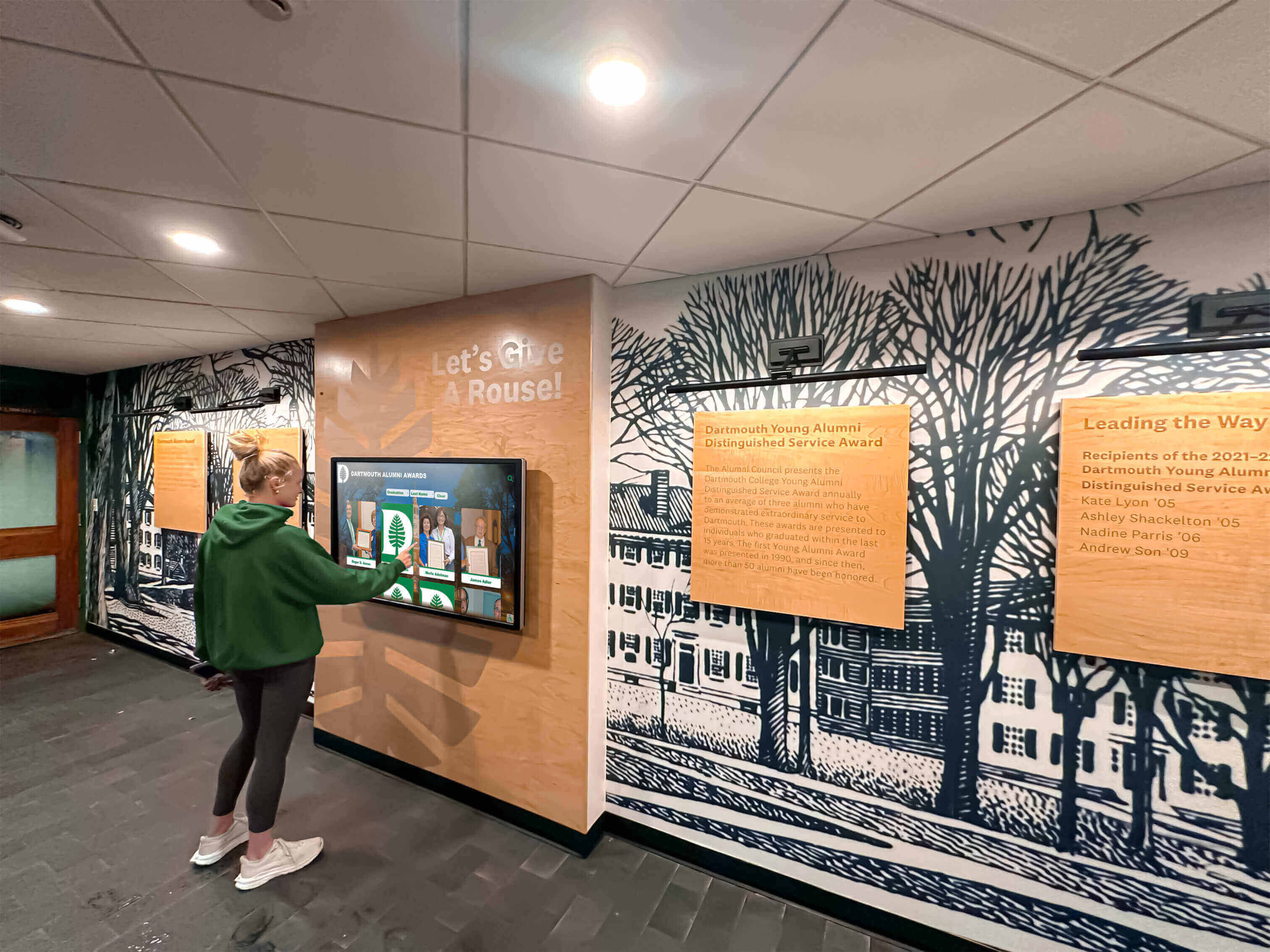
Digital museum exhibits engage younger generations through intuitive touchscreen interaction matching their daily technology experiences
Measuring Success and Sustaining Engagement
Systematic assessment ensures America 250 exhibits achieve intended goals and inform future improvements.
Key Performance Indicators
Visitor Engagement Metrics
Digital platforms provide detailed interaction data:
- Daily and cumulative touchscreen session counts
- Average session duration indicating depth of engagement
- Content views showing which topics generate interest
- Search queries revealing visitor information needs
- Navigation patterns showing exploration routes
- Return visitor rates suggesting lasting appeal
Museums implementing interactive displays typically observe significant engagement increases—average session durations of 8-12 minutes compared to brief glances at static displays, with thousands of annual interactions at touchscreen installations in high-traffic locations.
Educational Impact Assessment
Measure learning outcomes through multiple methods:
- Pre- and post-visit surveys measuring knowledge gains
- Teacher feedback on educational value for school groups
- Student project quality using exhibit resources
- Research inquiries from serious scholars
- Media citations demonstrating exhibit authority
- Educational program participation rates
Community Participation
Track community involvement in exhibit development:
- Content contributions from community members
- Oral history interview participation
- Photograph and document donations
- Event attendance for exhibit-related programs
- Social media engagement and shares
- Volunteer participation in exhibit support
Long-Term Sustainability Planning
America 250 exhibits should serve institutions far beyond 2026-2027:
Content Growth Planning
Build exhibits that evolve continuously:
- Scheduled content additions maintaining freshness
- Ongoing community contribution integration
- Response to visitor interests and feedback
- Connection to current events and anniversaries
- Regular featured content rotations
- Continuous historical documentation
Technical Maintenance
Ensure reliable operation over decades:
- Regular software updates and security patches
- Hardware maintenance and eventual replacement planning
- Content backup and disaster recovery procedures
- Technical support and troubleshooting protocols
- Staff training and knowledge transfer
- Platform migration planning as technology evolves
Funding and Support
Sustain programs beyond initial America 250 grants:
- Membership benefits connected to digital content
- Corporate sponsorships of specific exhibit sections
- Grant applications for content expansion
- Educational program fees
- Licensing revenue from content usage
- Endowment income dedicated to exhibit maintenance
Institutions implementing comprehensive digital hall of fame systems discover that digital infrastructure investments pay dividends for decades through continuous community engagement and educational value.
Conclusion: Honoring America’s Past While Building Digital Futures
America’s 250th anniversary represents a once-in-a-generation opportunity for museums, historical societies, and cultural institutions to focus national and community attention on American heritage and the institutions preserving our collective memory. Interactive history touchscreen displays enable institutions to meet this moment with exhibits worthy of the semiquincentennial while creating lasting digital infrastructure serving communities for decades beyond 2026-2027.
The challenges facing traditional museum exhibits—space constraints, engagement difficulties, update burdens, and resource limitations—become opportunities when institutions implement thoughtful touchscreen solutions. Single installations can showcase centuries of comprehensive history that would require thousands of square feet using conventional methods. Interactive exploration transforms passive viewing into active discovery generating 5-10 times longer engagement than static displays. Cloud-based content management enables instant updates, continuous evolution, and community contribution integration impossible with physical exhibits. Multimedia content brings history to life through photographs, videos, oral histories, and documents presented in ways resonating with contemporary audiences.
Successful America 250 touchscreen implementations begin with clear goals aligning local heritage with national commemoration themes, comprehensive content development drawing on collections and community knowledge, appropriate technology selection matching institutional needs and resources, and sustainable management planning ensuring exhibits remain valuable long after anniversary celebrations conclude.
Whether your institution focuses on Revolutionary War history, documents immigrant experiences and cultural heritage, preserves military service records across conflicts, tells social movement stories advancing American ideals, or maintains comprehensive local history collections, interactive touchscreen displays provide platforms for comprehensive historical preservation and engaging visitor experiences.
The museums, historical societies, and cultural organizations that implement thoughtful America 250 exhibits will serve their communities not only during semiquincentennial commemorations but for generations to come—preserving heritage, educating visitors, building community connections, and demonstrating the enduring value of institutions that maintain our collective memory.
Ready to explore how interactive touchscreen displays can transform your institution’s America 250 exhibits and create lasting engagement infrastructure? Book a demo to see comprehensive solutions designed specifically for museums and cultural institutions preserving American heritage.
Every artifact documented, photograph preserved, and story recorded adds to the historical record educating and inspiring future generations. The institutions that invest now in modern museum technology for America 250 create lasting legacies while building practical advantages in visitor engagement, educational programming, and community connections that extend far beyond any single commemorative event.































