
Digital signage screens and interactive kiosks offer powerful communication channels—but their effectiveness hinges entirely on the content you display. Too many organizations invest in impressive hardware only to struggle with what to show, cycling through generic announcements and underutilizing these valuable assets. Whether managing lobby displays, hallway screens, reception kiosks, or outdoor digital signs, fresh and relevant content keeps audiences engaged while stale or repetitive information causes viewers to tune out completely.
The challenge isn’t technical—modern digital signage software makes publishing content straightforward. The real struggle involves generating a continuous stream of ideas that resonate with your specific audience, serve organizational goals, and justify the investment in display infrastructure. Schools need different content than corporate offices, healthcare facilities have unique requirements compared to retail environments, and what works in January may feel outdated by March.
This comprehensive guide provides 120 specific, actionable content ideas organized by industry and application type. Rather than vague suggestions, you’ll find concrete examples adaptable to your context—from recognition displays celebrating achievements to wayfinding systems guiding visitors, emergency communication platforms ensuring safety, and engagement tools building community connections.
Digital signage content falls into several strategic categories: informational content that educates and guides, recognition content that celebrates achievements and milestones, engagement content that entertains and connects, operational content that facilitates smooth daily functions, and promotional content that drives specific actions. The most successful digital signage strategies blend multiple content types, creating dynamic experiences that serve diverse audience needs while maintaining visual interest through variety and rotation.

Modern digital signage and interactive kiosks transform static information into engaging experiences when powered by strategic content
Educational Institution Digital Signage Content Ideas
Schools, colleges, and universities represent the largest adopters of digital signage technology, using screens throughout campuses to inform, recognize, and engage students, staff, and visitors.
Recognition and Achievement Content (Ideas 1-15)
- Athletic Record Boards: Display current season records, all-time school records, and record progressions across sports programs
- Honor Roll Recognition: Showcase academic excellence with quarterly or semester honor roll listings, filterable by grade level
- College Acceptance Showcases: Celebrate senior college commitments with photos, chosen institutions, and intended majors
- Student of the Month Profiles: Feature outstanding students with photos, achievements, quotes, and biographical information
- Teacher Appreciation Spotlights: Recognize educators with career highlights, teaching philosophy, and student testimonials
- Club and Organization Achievements: Highlight debate team victories, robotics competition results, and fine arts awards
- Perfect Attendance Recognition: Celebrate students maintaining consistent attendance records
- Scholarship Recipients: Announce scholarship awards with recipient photos and brief descriptions of achievements
- Academic Competition Results: Display Science Olympiad, Math League, and Quiz Bowl team accomplishments
- Athletic Hall of Fame Inductees: Feature current and historical hall of fame members with career statistics and achievements
- Alumni Success Stories: Share where-are-they-now profiles of distinguished graduates making impacts in various fields
- Employee Milestone Recognition: Celebrate work anniversaries, retirements, and professional accomplishments among staff
- Valedictorian and Salutatorian Announcements: Showcase top academic performers with their accomplishments and future plans
- National Merit Scholars: Recognize standardized testing excellence and academic distinction
- All-Conference and All-State Athletes: Celebrate athletic achievements with photos and season statistics
Educational institutions implementing digital recognition displays create lasting impressions while motivating current students through visible celebration of excellence.
Daily Operations and Information (Ideas 16-30)
- Daily Announcements: Morning and afternoon announcements replacing PA systems with visual content
- Bell Schedules: Display current period, time remaining, and next period information with countdown timers
- Lunch Menus: Show daily and weekly cafeteria offerings with nutritional information and allergen warnings
- Event Calendars: Upcoming sports events, performances, parent meetings, and academic deadlines
- Weather and Alerts: Current conditions, forecasts, and emergency weather notifications
- Bus Schedules: After-school transportation information, route changes, and delay notifications
- Class Period Rotations: Display special schedules for testing days, assemblies, and early dismissals
- Facility Directory: Interactive maps helping visitors locate offices, classrooms, and facilities
- Study Hours and Tutoring: Available academic support times, locations, and contact information
- Library Resources: New books, database access instructions, and research assistance availability
- Upcoming Testing Dates: SAT, ACT, AP exam schedules with registration deadlines
- Athletic Practice Schedules: Team practice times, locations, and coach contact information
- Parent-Teacher Conference Sign-ups: Available time slots and scheduling instructions
- School Board Meeting Information: Dates, times, locations, and agenda topics for community meetings
- Campus Construction Updates: Building project progress, timeline information, and traffic pattern changes
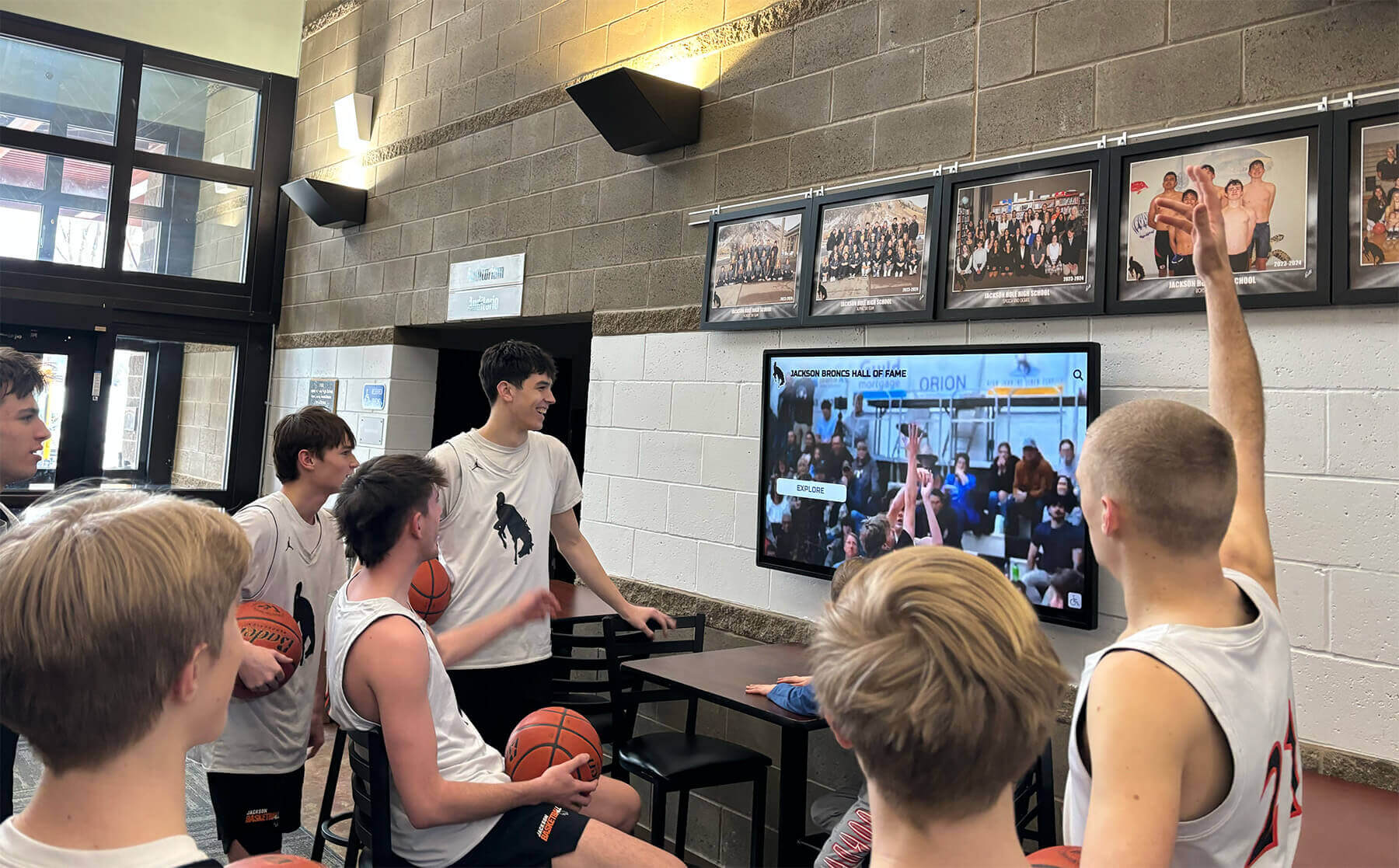
Strategic content placement in high-traffic areas ensures maximum visibility and engagement with important information
School Culture and Engagement (Ideas 31-45)
- Spirit Week Themes: Daily dress-up themes, participation encouragement, and photo submissions from students
- Birthday Recognition: Student and staff birthdays displayed daily with photos
- Quote of the Day: Motivational, educational, or thought-provoking quotations rotating daily
- Historical Photos: Throwback images from school archives showing campus evolution over decades
- Student Artwork Galleries: Digital exhibitions showcasing student creativity from art classes
- School Mascot History: Origins and evolution of school symbols, colors, and traditions
- Countdown to Major Events: Days remaining until homecoming, prom, graduation, or championship games
- Social Media Feeds: Curated Instagram, Twitter, or Facebook content from official school accounts
- Student Government Updates: Announcements from elected student leaders about initiatives and events
- Yearbook Previews: Teasers and promotional content encouraging yearbook purchases
- Pep Rally Promotions: Hype videos and promotional content building excitement for school assemblies
- Community Service Highlights: Student volunteer activities, service hours totals, and impact stories
- School News Broadcasts: Student-produced video content from journalism or broadcasting classes
- Staff Introduction Videos: New teacher welcomes with backgrounds, interests, and teaching philosophies
- Student Polls and Surveys: Interactive content gathering opinions on school topics with live results
Schools implementing spirit week displays build community connection and school pride through consistent visual engagement strategies.
Safety and Emergency Communication (Ideas 46-50)
- Emergency Procedures: Visual instructions for fire, lockdown, tornado, and medical emergency protocols
- Visitor Check-In Reminders: Policies requiring visitors to register at main offices
- Health and Wellness Tips: Seasonal health information, mental health resources, and wellness center services
- Safety Drill Schedules: Upcoming practice drills with dates and procedures to expect
- Anonymous Tip Line Information: How to report concerns about safety, bullying, or other sensitive issues
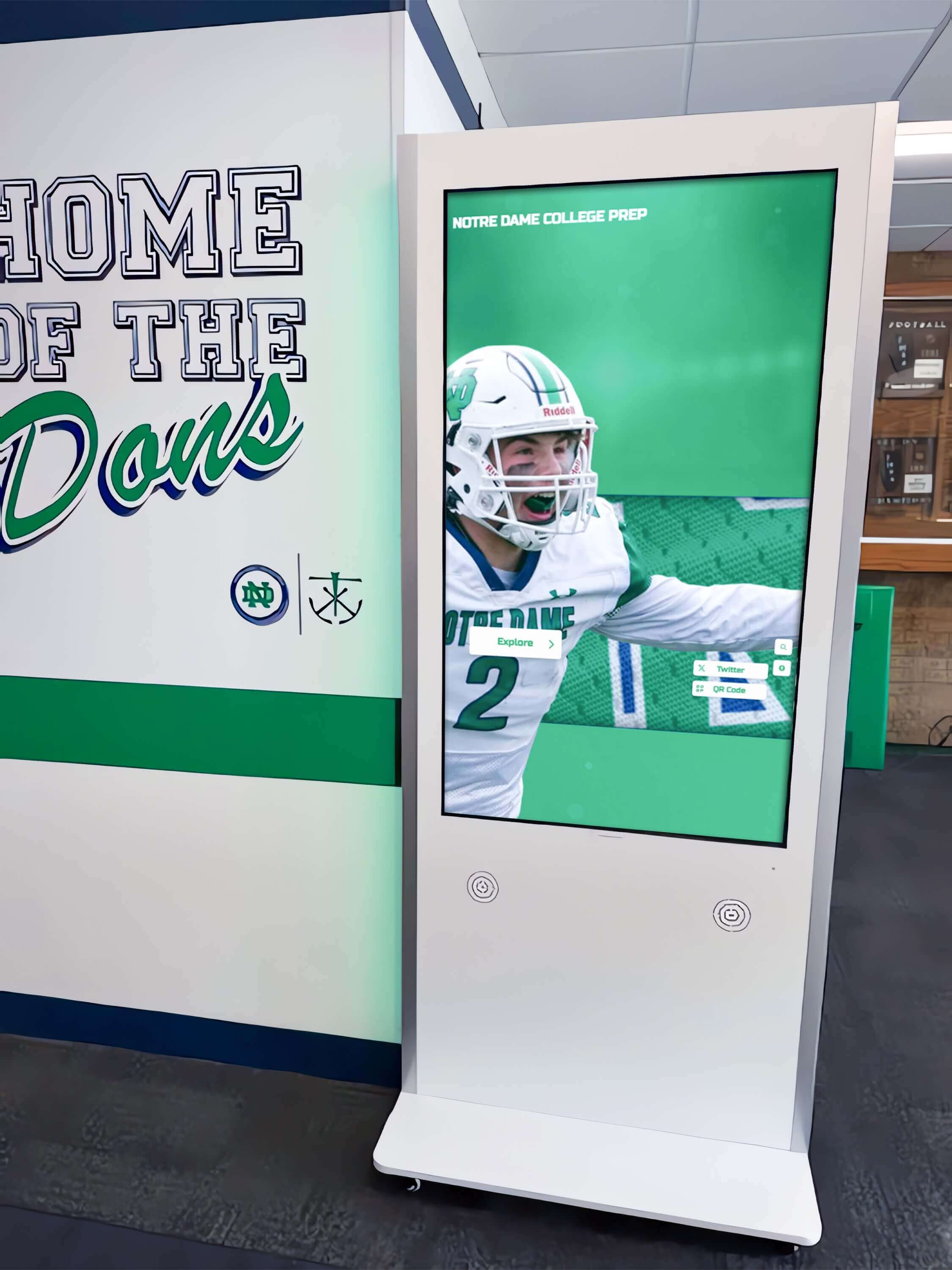
Floor-standing kiosks provide dedicated information access points in strategic campus locations
Corporate Office Digital Signage Content Ideas
Workplace digital signage serves multiple functions from employee recognition to operational efficiency, creating more connected and informed organizational cultures.
Employee Recognition and Culture (Ideas 51-65)
- Employee of the Month: Featured profiles with photos, tenure, achievements, and department information
- Work Anniversary Milestones: Celebrating 5, 10, 15, 20+ year anniversaries with career highlights
- New Employee Introductions: Welcome messages with photos, roles, backgrounds, and interesting facts
- Team Achievement Spotlights: Departmental accomplishments, project completions, and group successes
- Performance Award Recipients: Sales awards, quality recognitions, and excellence acknowledgments
- Professional Development Achievements: Certifications earned, degrees completed, and continuing education
- Retirement Celebrations: Career retrospectives for departing employees with photos spanning their tenure
- Wellness Program Participation: Healthy lifestyle challenges, step competitions, and wellness initiative results
- Volunteer Activities: Employee community service projects and corporate social responsibility initiatives
- Innovation Awards: Recognizing employees who propose process improvements or creative solutions
- Safety Achievement Records: Days without incidents, safety training completions, and best practices
- Customer Service Excellence: Highlighting exceptional customer feedback and service stories
- Diversity and Inclusion Spotlights: Celebrating cultural heritage months and diverse perspectives
- Interdepartmental Collaboration: Showcasing successful cross-functional projects and teamwork
- Company Value Champions: Employees exemplifying organizational values through daily actions
Corporate environments benefit from digital recognition displays that strengthen culture while providing scalable recognition programs.
Operational and Informational Content (Ideas 66-80)
- Meeting Room Availability: Real-time conference room status synchronized with calendar systems
- Directory and Wayfinding: Interactive building directories helping visitors locate people and departments
- Visitor Registration: Digital check-in kiosks collecting information and printing visitor badges
- Company Org Charts: Visual organization structures showing reporting relationships and departments
- Internal Job Postings: Current openings encouraging internal mobility and career development
- Benefits Information: Open enrollment periods, insurance options, and HR program details
- IT Help Desk Status: Ticket volumes, average response times, and how to request technical support
- Cafeteria Menus: Daily food options, nutritional information, and dining services hours
- Corporate Calendar: Company holidays, scheduled maintenance, and important organizational dates
- Emergency Procedures: Evacuation routes, assembly points, and emergency contact information
- Parking and Transportation: Parking policies, shuttle schedules, and commuting alternatives
- Facilities Requests: How to report maintenance issues or request facility services
- Training Schedules: Available professional development sessions, mandatory training deadlines
- Corporate Policies: Reminders about dress codes, security protocols, and workplace guidelines
- Weather and Traffic: Local conditions and commute information for employees planning departures
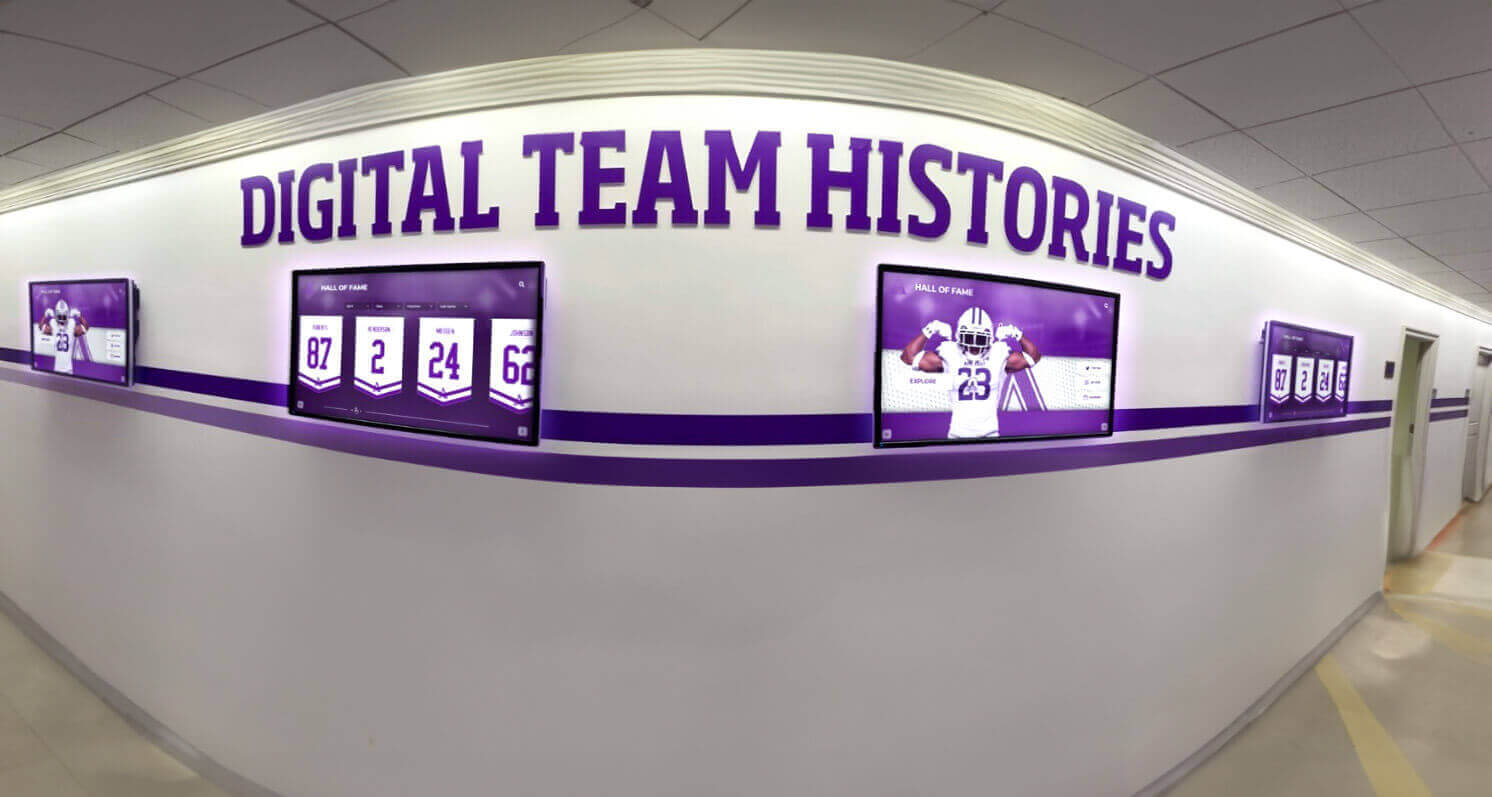
Coordinated multi-screen installations create comprehensive coverage throughout large facilities
Engagement and Communication (Ideas 81-90)
- CEO Messages: Video communications from leadership about company direction and strategic priorities
- Financial Performance Updates: Appropriate financial metrics, growth indicators, and company health
- Client Success Stories: Case studies and testimonials demonstrating organizational impact
- Industry News: Relevant sector updates, competitor intelligence, and market trends
- Social Media Highlights: Company social media content, customer posts, and brand mentions
- Employee Birthdays: Daily or weekly birthday recognition fostering personal connections
- Product Launch Countdowns: Building excitement for new product releases or service offerings
- Behind-the-Scenes Content: Manufacturing processes, facility tours, or operational insights
- Company History Timelines: Organizational milestones, founder stories, and evolution over time
- Sustainability Initiatives: Environmental impact data, green programs, and corporate responsibility efforts
Healthcare Facility Digital Signage Content Ideas
Medical facilities use digital signage to improve patient experiences, streamline wayfinding, and communicate health information effectively.
Patient Information and Wayfinding (Ideas 91-100)
- Department Directories: Interactive maps locating medical departments, specialist offices, and facilities
- Appointment Check-In: Self-service kiosks reducing front desk congestion and wait times
- Wait Time Estimates: Current wait times for emergency departments and clinic appointments
- Doctor Profiles: Physician photos, specialties, credentials, and brief biographical information
- Visitor Policies: Visiting hours, patient room locations, and guest guidelines
- Parking Information: Lot locations, rates, and validation procedures for patients and visitors
- Cafeteria and Vending Locations: Dining options with hours and locations throughout facility
- Gift Shop Promotions: Available items, hours, and services for patient and visitor convenience
- Hospital Maps: Floor plans showing departments, elevators, restrooms, and key locations
- Shuttle and Transportation: Schedules for inter-campus transportation and public transit connections
Organizations implementing wayfinding displays reduce visitor frustration while improving facility navigation efficiency.
Health Education and Wellness (Ideas 101-110)
- Health Tips and Facts: Daily wellness information about nutrition, exercise, and disease prevention
- Seasonal Health Alerts: Flu shot reminders, allergy forecasts, and seasonal illness prevention
- Support Group Information: Meeting times and locations for various patient support communities
- Preventive Care Reminders: Screening recommendations, vaccination schedules, and wellness check guidance
- Patient Education Videos: Condition-specific information, treatment explanations, and self-care instructions
- Medication Safety Tips: Proper usage, storage, and disposal information for common medications
- Nutrition and Diet Information: Healthy eating guidelines, recipe ideas, and dietary considerations
- Mental Health Resources: Crisis hotlines, counseling services, and mental wellness information
- Physical Therapy Exercises: Instructional content for at-home exercise and rehabilitation
- Women’s and Children’s Health: Pregnancy information, pediatric care tips, and family wellness

Intuitive interactive displays help visitors access information independently without staff assistance
Additional Healthcare Content (Ideas 111-115)
- Staff Recognition: Employee of the month programs celebrating exceptional patient care
- Volunteer Appreciation: Recognizing volunteers who donate time supporting patients and families
- Donor Recognition: Acknowledging philanthropic supporters who fund facility improvements and equipment
- Quality and Safety Metrics: Appropriate patient satisfaction scores and safety achievement data
- Facility News and Events: Health fairs, screening events, and community outreach programs
Community and Specialized Applications (Ideas 116-120)
Beyond traditional institutional settings, digital signage serves diverse specialized applications with unique content requirements.
- Library Event Calendars: Author talks, book clubs, children’s programs, and community meetings in public libraries
- Recreation Center Schedules: Class times, facility availability, and program registration information for community centers
- Museum Exhibit Information: Interactive museum displays providing artifact details, historical context, and educational content
- Religious Facility Announcements: Service times, community events, volunteer opportunities, and inspirational messages in churches and temples
- Athletic Facility Record Boards: Current season standings, historical records, and upcoming game schedules in sports complexes

Touch-optimized interfaces enable intuitive browsing of profiles, records, and multimedia content
Content Strategy Best Practices for Digital Signage Success
Creating compelling digital signage content requires more than generating ideas—effective implementation demands strategic planning around content mix, update frequency, and audience engagement.
Content Rotation and Freshness
Digital signage loses effectiveness when content becomes stale or repetitive. Implement systematic rotation schedules ensuring displays remain dynamic:
Short Rotation Content (Update Daily)
- News and announcements
- Event calendars and schedules
- Weather and time information
- Daily menus and specials
- Motivational quotes and facts
Medium Rotation Content (Update Weekly or Monthly)
- Recognition features like employee or student of the month
- Performance metrics and dashboards
- Event countdowns and promotional campaigns
- Seasonal health tips and safety reminders
- Social media highlights and curated feeds
Long Rotation Content (Update Quarterly or Annually)
- Organization history and milestone timelines
- Strategic vision and leadership messages
- Comprehensive directories and wayfinding maps
- Training resources and educational content
- Evergreen tips and reference information
Schools implementing digital archives preserve institutional history while maintaining fresh perspectives through content rotation strategies.
Visual Design Principles
Content quality matters as much as content selection. Poor visual design undermines even excellent information:
Readability Requirements
- Minimum 36-point fonts for body text visible from typical viewing distances
- High contrast between text and backgrounds ensuring legibility
- Generous whitespace preventing cluttered overwhelming displays
- Limited text per screen—viewers spend 3-7 seconds on average per message
- Sans-serif fonts providing cleaner appearance on digital screens
Visual Hierarchy
- Largest, boldest text for primary messages requiring immediate attention
- Secondary information sized proportionally to relative importance
- Consistent layouts creating predictable information architecture
- Strategic color usage guiding eye movement and emphasizing priority content
- Logical organization grouping related information together
Multimedia Integration
- Professional photography creating emotional connections and visual interest
- Short video clips conveying complex information efficiently
- Animation drawing attention without overwhelming or distracting
- Infographics translating data into accessible visual formats
- Consistent branding reinforcing organizational identity
Audience-Specific Customization
Different audiences have different information needs and preferences. Tailor content to viewer demographics and contexts:
Location-Based Content
- Lobby displays emphasizing wayfinding, recognition, and first impressions
- Hallway screens featuring announcements, schedules, and time-sensitive information
- Cafeteria areas showing menus, event promotions, and entertainment content
- Entrance displays focusing on directions, safety protocols, and visitor information
- Department-specific screens highlighting relevant team information and achievements
Time-Based Scheduling
- Morning content emphasizing schedules, weather, and daily preparation
- Midday screens featuring event reminders, announcements, and time-sensitive information
- Afternoon displays showing transportation schedules, next-day previews, and wrap-up content
- Evening programming for facilities with extended hours or public access
Interactive vs. Passive Content Interactive touchscreen kiosks enable different content types compared to passive wall-mounted displays. Interactive screens excel at searchable databases, detailed information access, and personalized experiences, while passive screens work best for at-a-glance information, broad announcements, and ambient awareness content.
Organizations implementing touchscreen kiosk software balance interactive capabilities with passive display needs across their facilities.
Measuring Digital Signage Content Effectiveness
Strategic content development requires understanding what resonates with audiences and drives desired outcomes.
Key Performance Indicators
Engagement Metrics
- Dwell time measuring how long viewers stop to read content
- Interaction counts for touchscreen displays tracking actual usage
- Content completion rates showing which messages viewers read fully
- Peak viewing times identifying when displays receive most attention
- Demographic data understanding who engages with content
Operational Impact
- Reduced front desk inquiries as self-service kiosks answer common questions
- Decreased printed materials as digital alternatives provide information
- Faster wayfinding and reduced visitor confusion in complex facilities
- Higher event attendance when promoted through digital channels
- Improved safety compliance through consistent emergency communication
Return on Investment Organizations implementing digital signage should track both tangible and intangible returns justifying continued investment in hardware, software, and content creation.

Professional digital signage installations create memorable experiences that reflect positively on organizational quality
Content Performance Analysis
Most digital signage platforms provide analytics revealing content effectiveness:
High-Performing Content Characteristics
- Personal relevance connecting to viewer interests and needs
- Visual appeal through professional photography and clean design
- Timely information addressing current needs and situations
- Interactive elements encouraging active participation
- Brevity respecting limited attention spans
- Clear calls-to-action directing next steps
Low-Performing Content Issues
- Generic information lacking specificity or personal connection
- Text-heavy layouts overwhelming viewers with information
- Poor visual quality through amateur photography or cluttered design
- Outdated content no longer relevant to current context
- Overly complex information requiring extended reading time
- Missing context leaving viewers confused about relevance
Regular content audits comparing performance across different message types, visual treatments, and scheduling approaches inform optimization strategies improving overall digital signage effectiveness.
Technology Platforms Enabling Content Management
Effective content strategies require appropriate technology infrastructure supporting creation, scheduling, and distribution across display networks.
Digital Signage Software Capabilities
Modern platforms provide comprehensive content management systems:
Content Creation Tools
- Template libraries accelerating development of professional layouts
- Media asset management organizing photos, videos, and graphics
- Drag-and-drop editors requiring no technical expertise
- Preview capabilities showing exactly how content appears before publication
- Bulk operations updating multiple displays or pieces of content simultaneously
Scheduling and Automation
- Calendar-based scheduling showing specific content at designated times
- Playlist creation rotating through multiple messages automatically
- Dayparting adjusting content based on time of day
- Seasonal campaigns scheduling holiday-specific content in advance
- Dynamic content integrating real-time data from external sources
Multi-Location Management
- Centralized control managing distributed display networks from single interface
- Location-specific content targeting relevant information to particular screens
- Content approval workflows ensuring quality control before publication
- Role-based permissions enabling distributed content responsibilities
- Remote monitoring alerting to technical issues requiring attention
Organizations implementing best digital signage software solutions balance ease of use with sophisticated capabilities supporting complex content strategies.
Purpose-Built Recognition Platforms
While general digital signage platforms serve broad applications, specialized solutions excel at specific use cases like recognition displays and institutional history preservation.
Solutions like our platform provide purpose-built platforms for schools, universities, athletic programs, and organizations celebrating achievements through:
- Pre-configured recognition templates for athletic, academic, and institutional applications
- Searchable databases enabling visitors to find specific individuals, teams, or achievements
- Unlimited capacity supporting comprehensive historical records without space constraints
- Multimedia integration showcasing photos, videos, statistics, and biographical narratives
- Timeline visualizations presenting chronological institutional evolution
- Both interactive touchscreen and web platform accessibility extending recognition beyond physical locations
- Intuitive content management requiring no technical expertise
Purpose-built platforms deliver superior experiences for specialized applications compared to adapting general-purpose tools to specific needs.
Getting Started with Digital Signage Content
Organizations beginning digital signage initiatives or seeking to revitalize underutilized displays should approach content development systematically.
Content Audit and Planning
Assess Current State
- Inventory existing digital signage hardware and current content rotation
- Identify underutilized displays receiving insufficient content updates
- Gather stakeholder feedback about content preferences and information needs
- Review analytics understanding which existing content performs well versus poorly
- Document resources available for ongoing content creation and management
Define Objectives
- Clarify primary goals: information distribution, recognition, engagement, safety, or promotion
- Identify key audiences and their specific information needs
- Establish content update frequencies realistic for available resources
- Set measurable success metrics evaluating content effectiveness
- Allocate budget for content creation, software platforms, and ongoing management
Implementation Roadmap
Phase 1: Foundation (Months 1-2)
- Select appropriate digital signage software supporting planned content types
- Develop content templates ensuring consistent professional appearance
- Establish content approval workflows and permissions
- Create initial content library covering essential categories
- Train responsible staff on content creation and publishing tools
Phase 2: Expansion (Months 3-6)
- Develop content rotation schedules ensuring freshness and variety
- Implement analytics tracking engagement and effectiveness
- Gather audience feedback through surveys or focus groups
- Optimize content based on performance data and user input
- Expand content categories addressing additional use cases
Phase 3: Optimization (Months 6+)
- Establish sustainable content creation workflows and responsibilities
- Regular content audits identifying gaps and optimization opportunities
- Continuous improvement based on analytics and stakeholder feedback
- Integration with other institutional systems automating data-driven content
- Expansion to additional locations and display types
Transform Your Digital Signage Strategy
Discover how purpose-built recognition and engagement platforms help schools, universities, and organizations create compelling digital signage content that celebrates achievements, preserves institutional history, and builds community connections.
Explore Recognition Display SolutionsConclusion: Content Strategy Drives Digital Signage Success
Digital signage hardware represents a significant investment—but screens are simply delivery mechanisms for the content that creates value. The 120 ideas explored throughout this guide provide starting points for developing comprehensive content strategies serving diverse organizational needs across educational, corporate, healthcare, and community contexts.
Successful digital signage content shares common characteristics: relevance connecting to audience interests and needs, freshness preventing staleness and viewer fatigue, professional quality reflecting positively on organizational standards, strategic purpose advancing specific goals and objectives, and manageable sustainability fitting available resources and capabilities.
Organizations maximizing digital signage investments approach content systematically rather than reactively—planning content mixes spanning recognition, information, safety, engagement, and operational categories; establishing update rhythms appropriate to different content types; allocating adequate resources for creation and management; measuring effectiveness through analytics and feedback; and continuously optimizing based on performance data.
Whether implementing first screens or revitalizing underutilized displays, the ideas and strategies outlined here provide frameworks transforming digital signage from expensive decoration into valuable communication channels that inform, recognize, engage, and inspire audiences daily. The key lies not in having the most impressive hardware or sophisticated software, but in consistently delivering content that audiences find genuinely useful, interesting, and relevant to their lives and organizational participation.
Digital signage content strategy is not a one-time project but an ongoing commitment to communication excellence. Organizations treating content as strategic priority—rather than afterthought once hardware is installed—realize the full potential of these powerful visual communication tools.
Ready to elevate your digital signage content strategy? Explore comprehensive approaches to digital recognition displays or learn about athletic hall of fame implementation for educational institutions.































